


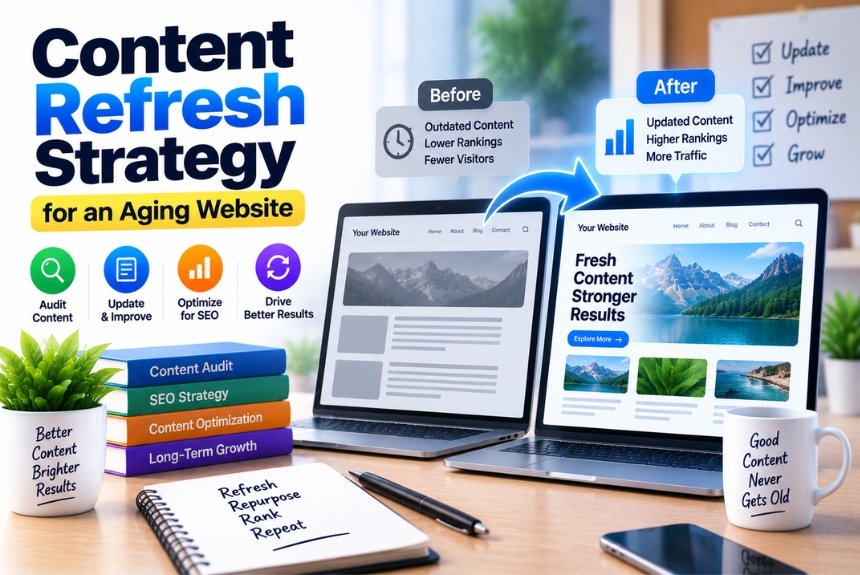
How to Build a Content Refresh Strategy for an Aging Website
Introduction
A website can continue to publish new content for years and still become less useful over time.
Statistics change. Products evolve. Search intent shifts. Links stop working. Competitors publish better resources. Old screenshots become outdated. Industry terminology changes. Pages that once attracted consistent organic traffic can gradually lose visibility.
This process is sometimes described as content decay.
For businesses with hundreds or thousands of webpages, the solution is not necessarily to keep publishing more articles.
Sometimes, the better opportunity is already sitting on your website.
Your existing content.
A well-planned content refresh strategy can help businesses identify aging pages, determine which ones deserve attention, update outdated information, improve usefulness, consolidate overlapping content, strengthen internal links, and remove pages that no longer serve a meaningful purpose.
The goal is not simply to change the publication date.
A genuine content refresh means improving the page so that it remains useful, accurate, relevant, and aligned with the audience’s current needs.
This guide explains how to build a practical content refresh strategy for an aging website.
What Is a Content Refresh Strategy?
A content refresh strategy is a systematic process for reviewing existing website content and improving, updating, consolidating, redirecting, or removing pages based on their current performance and usefulness.
A refresh can involve:
- updating outdated information
- replacing old statistics
- adding missing sections
- improving examples
- rewriting unclear explanations
- updating screenshots
- fixing broken links
- improving internal links
- optimizing titles and headings
- aligning content with current search intent
- adding original information
- consolidating overlapping articles
- removing obsolete content
The important distinction is:
A content refresh is more than changing a few words and updating the date.
If the information is still useful, a light update may be enough.
If the topic, search intent, or competitive landscape has changed substantially, the page may need a much deeper rewrite.
Why Does Old Website Content Need to Be Updated?
Content does not necessarily become bad simply because it is old.
Some information remains useful for many years.
For example:
“What Is an SSL Certificate?”
may require relatively minor changes over time.
Other topics can become outdated very quickly.
Examples include:
- software features
- pricing
- technology
- SEO practices
- regulations
- statistics
- product specifications
- social media platforms
- marketing trends
- hosting technologies
The age of a page should therefore be treated as one signal, not an automatic reason to rewrite it.
A ten-year-old evergreen guide can still be useful.
A six-month-old article about rapidly changing technology can already contain outdated information.
The question is not:
“How old is this article?”
The better question is:
“Is this article still accurate, useful, competitive, and aligned with what users need today?”
What Is Content Decay?
Content decay is the gradual decline in the performance or usefulness of an existing webpage over time.
A page may experience:
- declining organic clicks
- declining impressions
- lower rankings
- reduced engagement
- fewer backlinks
- fewer conversions
- outdated information
- reduced relevance
- weaker visibility compared with newer competing content
For example, imagine a blog post generated:
10,000 organic visits per month
two years ago.
Over time, traffic falls to:
7,000 → 5,000 → 3,000
That decline does not automatically mean the page needs to be deleted.
It may indicate that the content needs investigation.
Potential causes include:
- outdated information
- stronger competitors
- changing search intent
- algorithm changes
- declining search demand
- technical problems
- keyword cannibalization
- insufficient topical coverage
- loss of backlinks
- SERP changes
Content refresh should therefore begin with diagnosis, not rewriting.
When Should You Refresh Existing Content?
There is no universal refresh schedule that applies to every website.
Instead, look for signals.
1. Organic Traffic Is Declining
If a previously successful page has experienced a sustained decline, investigate it.
2. Rankings Have Dropped
A page that once ranked well but now appears much lower may need improvement.
3. Search Intent Has Changed
Users may now expect a different type of result.
For example, an old article might provide a general explanation while users increasingly want:
- a comparison
- a step-by-step guide
- examples
- templates
- current data
4. Information Is Outdated
Check:
- statistics
- dates
- prices
- product features
- screenshots
- software interfaces
- regulations
- industry terminology
5. Competitors Have Improved
If competing pages now provide substantially more useful information, your content may need to evolve.
6. The Page Has Broken Links
Broken internal or external links can damage usability.
7. The Page Has Low Conversion Value
A high-traffic article may still fail to support business goals.
You may need better:
- CTAs
- internal links
- lead magnets
- product connections
- service links
How to Perform a Content Audit Before Refreshing Anything
Do not begin by opening random old blog posts.
Start with a content inventory.
Create a spreadsheet containing:
| Field | Example |
|---|---|
| URL | /website-hosting-guide/ |
| Title | Complete Website Hosting Guide |
| Content Type | Blog |
| Topic | Web Hosting |
| Publication Date | 2023 |
| Last Updated | 2024 |
| Organic Clicks | 4,200 |
| Impressions | 65,000 |
| CTR | 6.4% |
| Average Position | 8.2 |
| Backlinks | 34 |
| Conversions | 18 |
| Status | Refresh |
The exact fields can vary depending on your website.
The purpose is to create a complete view of your content library.
Categorize Every Page
After collecting your content data, assign each page a status.
A simple framework is:
Refresh
The page has value but needs improvement.
Maintain
The page is performing well and remains accurate.
Consolidate
Multiple pages cover substantially overlapping topics.
Redirect
A page has little independent value but has a relevant replacement.
Remove
The content is obsolete, irrelevant, or no longer useful and has no suitable replacement.
This prevents the common mistake of treating every old page identically.
Build a Content Refresh Priority Score
Large websites may have hundreds or thousands of pages.
You cannot realistically refresh everything at once.
Prioritize.
One practical scoring framework can consider:
Traffic potential + ranking opportunity + business value + freshness risk + content quality
For example:
| Factor | Low | Medium | High |
|---|---|---|---|
| Organic Traffic | 0 | 1 | 2 |
| Ranking Opportunity | 0 | 1 | 2 |
| Business Relevance | 0 | 1 | 2 |
| Outdated Information | 0 | 1 | 2 |
| Content Quality Gap | 0 | 1 | 2 |
This is an internal prioritization system, not a search-engine ranking formula.
A page scoring highly across several factors can become an early refresh candidate.
Start With High-Value Pages
Your first refresh projects should usually focus on pages where improvement can produce meaningful results.
Examples include:
- pages already receiving organic traffic
- pages ranking on the first or second page
- pages with strong backlinks
- pages targeting commercially relevant topics
- pages with declining performance
- pages with significant outdated information
A page ranking around positions 5–15 can be particularly interesting to investigate because it already demonstrates search visibility while potentially having room for improvement.
Do not interpret that as a guaranteed ranking opportunity.
It is simply a useful prioritization signal.
Step 1: Recheck the Search Intent
Before changing the article, search for the target topic again.
Ask:
What are users expecting now?
Look at the current search results.
Do they primarily show:
- tutorials?
- product pages?
- comparisons?
- guides?
- videos?
- tools?
- local results?
- news?
- definitions?
If the dominant result format has changed, your old article may no longer match the intent.
Example of Search Intent Change
Imagine you published:
“Best Email Marketing Tools”
in 2022.
The article contains a simple list of ten tools.
But the current audience may expect:
- pricing comparisons
- automation features
- ecommerce integrations
- AI capabilities
- subscriber limits
- deliverability
- segmentation
- use cases
A simple list may no longer satisfy the same intent.
A refresh should therefore reconsider the entire structure, not simply update tool names.
Step 2: Check Every Fact
This is one of the most important parts of content refreshing.
Review:
- statistics
- dates
- prices
- product names
- company information
- technical specifications
- regulations
- screenshots
- references
- links
Mark every statement that could have changed.
For example:
“Platform X has 20 million users.”
Ask:
- When was that figure published?
- Is it still current?
- Is there a newer official source?
- Is the original number still publicly supported?
Do not keep statistics simply because they make an article look authoritative.
Step 3: Analyze Competing Content
Look at pages currently performing well for your target topic.
Do not copy them.
Instead, identify information gaps.
Create a comparison table:
| Topic Area | Your Page | Competitor A | Competitor B |
|---|---|---|---|
| Definition | Yes | Yes | Yes |
| Examples | Yes | Yes | Yes |
| Current Statistics | No | Yes | Yes |
| Case Study | No | Yes | No |
| FAQ | Yes | Yes | Yes |
| Expert Insight | No | No | Yes |
This helps you identify opportunities to improve the usefulness of your own resource.
Step 4: Improve the Introduction
An aging article often has an introduction written for an older audience or an older version of the topic.
The introduction should quickly establish:
- what the topic is
- why it matters
- what the reader will learn
- what problem the article solves
Avoid spending several paragraphs explaining obvious background information before answering the main question.
Step 5: Rewrite Weak Sections
Do not be afraid to remove text.
Some old articles contain:
- repetitive paragraphs
- outdated examples
- keyword-stuffed sections
- unnecessary introductions
- generic statements
- obsolete recommendations
A good refresh can make an article shorter and more useful.
The objective is quality, not word count.
Step 6: Add Missing Information
After reviewing current user intent and competing resources, identify important gaps.
For example, an old article about:
“Website Security”
might explain SSL but omit:
- MFA
- backups
- software updates
- access controls
- malware monitoring
- security headers
- hosting security
If these topics are relevant to the reader’s current needs, they may deserve inclusion.
Step 7: Improve Internal Linking
A content refresh is an excellent opportunity to review internal links.
Look for:
Links to Older Content
Replace links pointing to outdated resources where better pages now exist.
Links From Other Pages
Find newer pages that should link back to the refreshed article.
Orphan Pages
Identify useful pages that receive few or no internal links.
Contextual Links
Add links naturally within relevant paragraphs.
Internal linking should help users navigate related information rather than simply increasing the number of links.
Step 8: Improve Titles and Headings
A page’s title and heading structure should accurately reflect its current content.
Avoid changing titles purely to insert more keywords.
Instead, make them:
- clear
- descriptive
- specific
- aligned with intent
For example:
Old:
“SEO Tips”
Better:
“Technical SEO Checklist for Small Business Websites”
The second title communicates a clearer subject and audience.
Step 9: Update Images and Screenshots
Visual information ages quickly.
This is especially important for:
- software tutorials
- dashboards
- website builders
- social media guides
- ecommerce tutorials
- technical documentation
An article showing an interface from 2021 can confuse readers using the current interface.
Replace outdated screenshots where necessary.
Also check:
- image quality
- alt text
- file size
- relevance
- captions
Step 10: Improve the Page Experience
Content quality is not limited to text.
Check:
- mobile layout
- readability
- spacing
- navigation
- table usability
- image loading
- intrusive elements
- broken components
- page speed
A useful article can still provide a poor experience if the page is difficult to use.
Step 11: Add Original Value
A refresh is a good opportunity to make the article more distinctive.
Consider adding:
Original Examples
Explain concepts using realistic scenarios.
Case Studies
Show how a strategy worked in practice.
First-Party Data
Share relevant information your organization has collected.
Expert Commentary
Include genuine subject-matter expertise.
Calculations or Tools
Where appropriate, provide useful calculators, templates, or frameworks.
Practical Checklists
Help readers turn information into action.
These additions can make a refreshed article substantially more useful than its previous version.
Step 12: Review E-E-A-T Signals
Google’s Search guidance emphasizes the importance of creating helpful, reliable content for people and understanding who created the content and why.
As part of a content refresh, review whether the page clearly communicates relevant experience and expertise.
Depending on the topic, consider:
- author information
- credentials where relevant
- first-hand experience
- original research
- references
- methodology
- transparent sourcing
- publication and update dates
Do not add credentials that do not exist.
Trust comes from accurate representation, not decorative author bios.
Step 13: Check Keyword Cannibalization
An aging website may have accumulated multiple articles targeting nearly the same topic.
For example:
- “Best Web Hosting”
- “Best Website Hosting”
- “Top Web Hosting Providers”
- “Best Hosting Services”
- “Best Hosting for Websites”
If these pages target essentially the same intent, they may compete with one another or create unnecessary duplication.
Review whether:
- one page should become the main resource
- multiple pages serve distinct intents
- content should be consolidated
- redirects are appropriate
Do not consolidate pages solely because they share keywords.
Look at intent, content overlap, authority, links, traffic, and business value.
Content Consolidation vs Content Refresh
These are different strategies.
Content Refresh
Improve one existing page.
Content Consolidation
Combine multiple overlapping pages into one stronger resource.
For example:
Page A: What Is VPS Hosting?
Page B: VPS Hosting Explained
Page C: VPS Server Guide
If these pages substantially overlap, consolidation might be worth investigating.
The resulting page could become:
Complete VPS Hosting Guide
But only do this when the content and intent genuinely overlap.
When Should You Delete Old Content?
Deleting old content should not be the default.
Consider removing a page when:
- the information is obsolete
- the topic is no longer relevant
- the page provides no meaningful value
- there is no realistic update path
- there are no important links or business reasons to retain it
Before removing a page, investigate:
- organic traffic
- backlinks
- internal links
- conversions
- historical value
- alternative URLs
- search intent
If there is a strong replacement page, a relevant redirect may be appropriate.
If there is no suitable replacement, redirecting an unrelated page simply because it has traffic is not necessarily a good strategy.
Content Refresh vs Content Pruning
These terms are related but different.
Content Refresh
Improve existing content.
Content Pruning
Remove or consolidate content that does not provide sufficient value.
A mature website may need both.
The mistake is assuming:
“Old = delete.”
Age alone does not determine content value.
How Often Should You Refresh Content?
There is no universal rule such as “update every article every six months.”
Refresh frequency should depend on the topic.
Fast-Changing Topics
Review more frequently:
- AI
- SEO
- technology
- software
- digital advertising
- cybersecurity
- regulations
Moderately Changing Topics
Review periodically:
- ecommerce
- business strategy
- marketing
- web development
Evergreen Topics
Review when evidence or user needs indicate a change:
- basic definitions
- fundamental concepts
- general educational content
The more quickly information changes, the more frequently it should be reviewed.
Create a Content Refresh Calendar
For a large website, create a schedule.
| Month | Content Group | Action |
|---|---|---|
| January | SEO Guides | Refresh |
| February | Hosting Guides | Audit |
| March | Email Marketing | Refresh |
| April | Ecommerce | Consolidate |
| May | Tutorials | Update Screenshots |
| June | Product Content | Fact Check |
You can also prioritize by business importance.
For example:
Tier 1: High-value commercial pages
Tier 2: High-traffic informational pages
Tier 3: Supporting content
This makes the process manageable.
Measure the Results of a Content Refresh
Never refresh content and immediately assume it worked.
Define what you want to measure.
SEO Metrics
Monitor:
- organic clicks
- impressions
- rankings
- CTR
- indexed status
- keyword coverage
Engagement Metrics
Monitor:
- engaged sessions
- time-related engagement signals
- scroll behavior where available
- navigation to other pages
Business Metrics
Monitor:
- leads
- sign-ups
- enquiries
- purchases
- revenue
Content Metrics
Track:
- backlinks
- internal links
- referring domains
- citations or mentions where relevant
Compare Before and After
Create a baseline before making significant changes.
For example:
Before refresh:
- 3,200 monthly organic clicks
- average position: 12.4
- 14 conversions
After refresh:
- 4,100 monthly organic clicks
- average position: 8.7
- 21 conversions
These numbers are illustrative.
More importantly, give the page enough time for meaningful evaluation.
Search performance can fluctuate for many reasons, so a change immediately after publication does not necessarily prove that the refresh caused the entire outcome.
Don’t Change Everything at Once Without Documentation
If you substantially rewrite a page, record what changed.
For example:
Refresh date: September 2026
Changes:
- updated statistics
- replaced five screenshots
- added FAQ section
- removed outdated tools
- added internal links
- improved examples
- revised title
- added original case study
This helps your team understand what happened if performance changes later.
For advanced SEO teams, maintaining a content-change log can make testing and analysis considerably easier.
Common Content Refresh Mistakes
Mistake 1: Only Changing the Date
Changing:
Published: 2023
to:
Updated: 2026
without meaningful improvements does not create a genuinely refreshed resource.
Mistake 2: Adding More Words
More content is not automatically better.
Remove repetition when necessary.
Mistake 3: Stuffing Keywords
A refresh should improve usefulness, not keyword density.
Mistake 4: Copying Competitors
Competitor research should identify gaps, not become a rewriting exercise.
Mistake 5: Refreshing Every Page Equally
Prioritize based on value and need.
Mistake 6: Ignoring Search Intent
Even beautifully written content can underperform if it no longer matches what users want.
Mistake 7: Ignoring Technical Problems
A content rewrite cannot fix every SEO problem.
Mistake 8: Deleting Pages Too Quickly
Investigate traffic, links, conversions, relevance, and replacement options first.
A Complete Content Refresh Workflow
Here is a practical process you can repeat.
Phase 1: Audit
Inventory the website’s existing content.
Phase 2: Diagnose
Identify pages with:
- declining traffic
- ranking drops
- outdated information
- poor engagement
- content gaps
- overlapping intent
Phase 3: Prioritize
Rank pages based on:
- business value
- organic opportunity
- content quality
- freshness risk
- traffic potential
Phase 4: Research
Review:
- current search intent
- competitors
- current sources
- audience questions
- industry developments
Phase 5: Refresh
Update:
- facts
- structure
- examples
- images
- internal links
- sources
- CTAs
Phase 6: Consolidate
Combine overlapping resources when appropriate.
Phase 7: Technical Review
Check:
- indexing
- redirects
- canonicalization
- links
- mobile experience
- page performance
Phase 8: Publish
Make the updated resource available.
Phase 9: Monitor
Track performance against your baseline.
Phase 10: Learn
Use the results to improve future refreshes.
A Content Refresh Checklist
Before publishing a refreshed article, check:
Content
- Main intent is still correct
- Introduction is current
- Important questions are answered
- Outdated sections removed
- Repetitive content removed
- Examples updated
- Statistics verified
- Claims reviewed
SEO
- Title reviewed
- Meta description reviewed
- H1 is clear
- H2/H3 structure is logical
- Primary topic is clear
- Related terms used naturally
- Internal links updated
- Relevant external references checked
Technical
- URL remains appropriate
- Canonical is correct
- Page is indexable
- Broken links fixed
- Images optimized
- Mobile experience checked
Trust
- Author information accurate
- Sources credible
- Dates accurate
- First-party claims verified
- Original information clearly presented
Conversion
- CTA relevant
- Related services linked
- Relevant products linked
- Lead-generation opportunities reviewed
Should You Change the URL When Refreshing Content?
Usually, a content refresh does not require changing the URL.
If the existing URL is:
/blog/content-marketing-guide/
and the topic remains essentially the same, retaining the URL can preserve continuity.
Changing URLs introduces additional considerations such as redirects and link updates.
Consider a URL change only when there is a clear reason, such as:
- fundamentally different topic
- poor or misleading URL
- major information architecture change
- consolidation into a new canonical resource
If you change the URL, implement an appropriate redirect and update internal links.
What About Updating the Publication Date?
If your content management system supports a separate published date and last updated date, use them accurately.
Do not make an old article appear newly published if it was not.
Instead, communicate meaningful updates transparently.
For example:
Published: March 2023
Updated: September 2026
The exact implementation can vary depending on your CMS and editorial process.
The important principle is accuracy.
How AI Search Changes Content Refresh Strategy
AI-powered search adds another reason to maintain useful, accurate content.
AI search systems can retrieve information from webpages when developing answers, and Google’s AI search documentation describes AI Overviews and AI Mode as capable of using query fan-out across related subtopics and data sources.
This means an aging page may contain information that is:
- outdated
- incomplete
- poorly structured
- missing current context
Refreshing the content can therefore improve its usefulness for both conventional search visitors and AI-driven discovery.
However, there is no guarantee that refreshing a page will result in an AI citation or improved ranking.
The purpose should remain:
Make the resource more accurate and useful for the audience.
How to Build a Long-Term Content Refresh System
A successful refresh strategy should not be a one-time project.
Build it into your editorial workflow.
Whenever a new article is published, record:
- publication date
- target topic
- target audience
- primary intent
- important sources
- potentially changing facts
- recommended review date
Then periodically review the content.
For example:
At Publication
Document the baseline.
3–6 Months
Check performance and major factual changes.
6–12 Months
Review search intent, competitors, links, and content gaps.
Annually
Perform a deeper content audit.
Fast-moving subjects may need more frequent reviews.
The Best Content Refresh Strategy Is Selective
You do not need to refresh every article simply because it is old.
A better approach is selective.
Focus your resources on content where there is a meaningful reason to act.
That might be:
High traffic + declining performance
or:
High business value + outdated information
or:
Strong backlinks + weak current content
or:
Important topic + significant competitor improvement
This approach allows content teams to spend their time where updates are most likely to provide meaningful value.
Frequently Asked Questions
1. What is a content refresh strategy?
A content refresh strategy is a systematic approach to reviewing and improving existing website content. It can include updating information, improving structure, fixing links, adding missing topics, strengthening internal links, consolidating overlapping pages, and removing obsolete resources.
2. How often should old content be updated?
There is no universal schedule. Review frequency should depend on how quickly the subject changes. Technology, SEO, AI, software, regulations, and pricing generally require more frequent reviews than evergreen educational topics.
3. Does updating old content improve SEO?
Updating content can improve its usefulness and relevance, and that may contribute to improved search performance in appropriate circumstances. However, an update does not guarantee higher rankings or traffic.
4. Should I delete old blog posts?
Not automatically. Evaluate traffic, backlinks, conversions, relevance, content quality, and whether a suitable replacement exists before removing a page.
5. What is content decay?
Content decay is the decline in a webpage’s performance or usefulness over time. It can appear as declining traffic, impressions, rankings, engagement, backlinks, conversions, or relevance.
6. Is changing the publication date enough?
No. A genuine content refresh should involve meaningful improvements where needed. Simply changing the date does not make outdated information current.
7. Should I rewrite an entire old article?
Not necessarily. Some pages only need factual updates, better examples, new links, or improved structure. Others may require a complete rewrite if the topic or search intent has substantially changed.
8. Should I change the URL when refreshing content?
Usually not if the topic and purpose remain the same. Changing a URL should have a clear reason because it introduces redirect and internal-link considerations.
9. What is content pruning?
Content pruning is the process of removing, consolidating, or otherwise dealing with content that no longer provides sufficient value. It is different from refreshing useful content.
10. Can content refresh help with AI search?
Maintaining accurate, useful, well-structured content can support broader search visibility, including AI-powered search experiences. However, there is no guarantee that a refreshed page will be cited or selected by an AI system.
Final Takeaway
An aging website does not necessarily need more content.
It may need better use of the content it already has.
A strong content refresh strategy starts by auditing your existing pages, identifying performance and quality issues, checking current search intent, validating facts, analyzing competing resources, improving weak sections, adding missing information, strengthening internal links, and consolidating overlapping content where appropriate.
The most important principle is simple:
Do not refresh content because it is old. Refresh it because it can be more useful.
Prioritize pages where there is a clear opportunity—whether that comes from declining organic performance, outdated information, strong business relevance, changing user expectations, or a significant content gap.
And remember that content maintenance is an ongoing process.
Search behavior changes. Businesses change. Technology changes. Your audience changes.
Your website should change with them.
A website that regularly improves its existing resources can build a stronger, more accurate, more useful content library without relying entirely on publishing new articles every week.
The goal is not to have the largest content library. The goal is to have a content library that continues to deserve its place in search results and in front of your audience.
Leave a Reply