


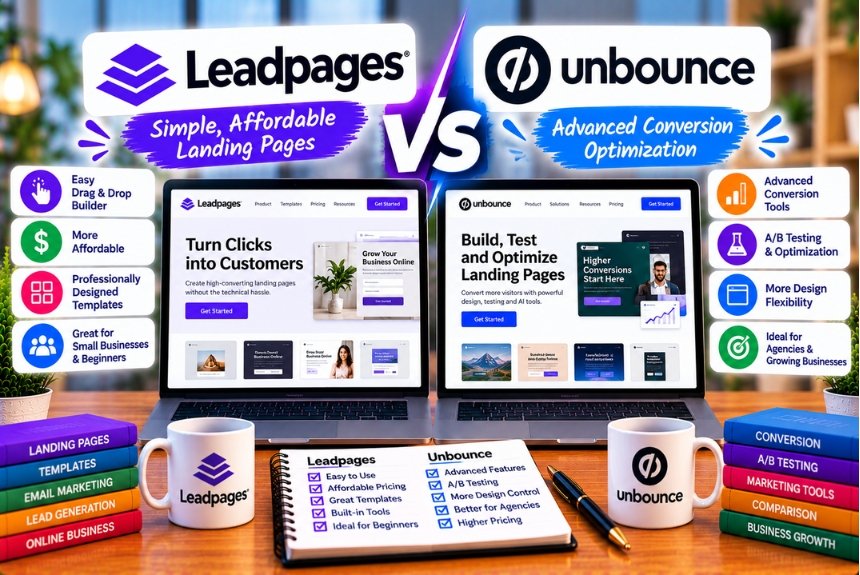
Leadpages vs Unbounce
Choosing the right landing page builder can make a significant difference to your digital marketing results. Whether you run paid advertising campaigns, generate leads for a service-based business, promote digital products, or build landing pages for clients, the platform you use affects how quickly you can launch campaigns, test different page designs, connect marketing tools, and improve conversions.
Two platforms worth comparing are Leadpages and Unbounce. Both help marketers create landing pages without building every page from scratch using code. However, they differ in pricing structures, testing capabilities, traffic allowances, automation features, and the way they support conversion rate optimization.
Leadpages focuses on landing page creation and publishing, with higher-tier plans adding experimentation, personalization, analytics, and AI-assisted optimization. Unbounce focuses on campaign landing pages and conversion optimization, offering tools such as A/B testing, dynamic text replacement, popups, sticky bars, and AI-powered visitor routing through Smart Traffic.
The most suitable platform depends on your priorities. A small business looking for predictable costs and straightforward landing page testing may have different requirements from a performance marketing agency managing multiple paid advertising campaigns.
In this detailed Leadpages vs Unbounce comparison, we will examine their features, pricing, design flexibility, testing capabilities, integrations, traffic limits, ease of use, and suitability for different business models. By the end, you should have a clearer idea of which landing page builder deserves a place in your marketing toolkit.
Leadpages vs Unbounce: Quick Comparison
Before examining each feature in detail, here is an overview of the main differences between the two platforms.
| Feature | Leadpages | Unbounce |
| Primary purpose | Landing pages, publishing, and conversion optimization | Landing pages and conversion-focused campaign experiences |
| Entry-level publishing options | Pro and Business publishing plans are available | Starter plan is available |
| Entry-level plan for A/B testing | Grow, listed at $99 per month | Experiment, listed at $149 per month |
| AI-assisted page creation | AI page creation from prompts | AI-assisted building and copy tools |
| AI-powered visitor routing | Available on Optimize and higher plans, subject to current plan details | Available through Smart Traffic on Optimize and higher plans |
| Manual A/B testing | Available on Grow and higher plans | Available on Experiment and higher plans |
| Heatmaps | Included on Optimize and higher plans | Requires a separate heatmap tool if heatmap functionality is needed |
| Traffic allowances | Unlimited traffic on current Leadpages plans advertised for the platform | Monthly visitor limits vary by plan |
| Popups | Available | Available |
| Sticky bars | Check current Leadpages feature availability for your selected plan | Available |
| Dynamic text replacement | Available on relevant Leadpages plans | Available on Experiment and higher plans |
| Templates | Landing page templates and AI-assisted creation | Landing page templates and visual editing |
| Native integrations | Integrations and connected services vary by plan | Extensive integration ecosystem |
| Team collaboration | Available features and seat limits vary by plan | User limits vary by plan |
| Best suited for | Businesses seeking publishing and optimization tools with predictable traffic costs | Marketers seeking flexible campaign pages and specialized conversion tools |
Important: Product features and prices can change. The comparison above reflects publicly available plan information reviewed in October 2026. Confirm the current checkout page and plan documentation before purchasing, particularly if you need a specific integration, team seat allowance, or optimization feature.
Official pricing references:
- Leadpages: https://leadpages.com/pricing
- Unbounce: https://unbounce.com/pricing/
What Is Leadpages?
Leadpages is a landing page and publishing platform designed to help businesses create web pages for lead generation, advertising campaigns, product promotions, and other marketing objectives.
Instead of building a landing page entirely through custom development, users can work with a visual editor, templates, and AI-assisted page creation. They can customize the page’s layout, copy, images, forms, and branding before publishing it.
Leadpages also offers plans focused on conversion optimization. Depending on the selected plan, users can access A/B testing, visitor insights, personalization, heatmaps, and AI-powered optimization features.
This makes Leadpages relevant to businesses that want to bring several landing page activities together rather than manage every task through a separate tool.
Key Features of Leadpages
- Landing page creation
Users can create pages for lead generation, paid advertising, webinars, consultations, newsletters, product launches, and other marketing campaigns.
- AI-assisted page building
AI-assisted creation can help marketers develop a page structure and initial copy from a description of their campaign. The generated content still needs review for accuracy, brand voice, search intent, and conversion relevance.
- A/B testing
Eligible plans let marketers compare different versions of a landing page. They can test elements such as headlines, calls to action, layouts, and supporting copy.
- Conversion analytics
Leadpages provides analytics to help marketers evaluate page performance. Advanced plans add further analysis and optimization capabilities.
- Integrations
Leadpages connects with supported marketing and business services, including email marketing platforms, customer relationship management systems, payment tools, and other applications. Available connections and limits depend on the plan and integration method.
- Custom domains
Businesses can publish landing pages using their own domains, helping maintain consistent branding across advertising campaigns and websites.
Who Should Use Leadpages?
Leadpages may be a good fit for:
- Small and medium-sized businesses generating leads online.
- Coaches and consultants promoting services.
- Businesses building campaign pages for paid advertisements.
- Marketers who want to test landing pages without managing a complex technical setup.
- Agencies that need a repeatable process for producing campaign pages.
- Teams that value predictable traffic costs.
- Businesses that want publishing and conversion optimization capabilities within one platform.
For a more comprehensive overview of its features, benefits, limitations, and pricing, see our related article: Leadpages Review: Is It Worth the Price for Landing Page Creation?
What Is Unbounce?
Unbounce is a landing page platform built for marketers who want to create campaign-specific pages and improve their performance through experimentation and optimization.
The platform provides a visual landing page builder, customizable templates, lead generation forms, popups, sticky bars, and integrations with other marketing tools. Higher-tier plans add A/B testing and Smart Traffic, which uses automated visitor routing to direct people toward page variants predicted to perform better.
Unbounce is particularly relevant to performance marketers who run paid campaigns and want to create landing pages tailored to different audiences, offers, and advertising messages.
Key Features of Unbounce
- Visual landing page builder
Unbounce allows users to create landing pages using a visual editor. Marketers can customize page elements to match campaign requirements without writing every component from scratch.
- Landing page templates
The platform provides templates for different marketing objectives. These give marketers a starting point for creating pages for lead generation, product promotions, events, and other campaigns.
- A/B testing
Eligible plans support experiments involving different landing page versions. This helps marketers evaluate which design or message performs better under comparable conditions.
- Smart Traffic
Smart Traffic is Unbounce’s AI-powered traffic optimization feature. Rather than relying exclusively on a marketer to allocate traffic evenly between page variants, it uses visitor and conversion information to route visitors toward variants it predicts will be more likely to convert.
- Popups and sticky bars
These tools can help marketers present an offer, capture leads, or encourage visitors to take action without relying solely on the main landing page form.
- Dynamic text replacement
Dynamic text replacement can align selected landing page text with the wording of an advertising campaign or visitor’s search terms. This can help create a closer connection between an advertisement and its destination page.
- Integrations
Unbounce offers connections to a range of marketing, analytics, and business applications. Its official pricing page advertises more than 1,000 integrations, although the exact integration method and availability should be verified for the tools you use.
Who Should Use Unbounce?
Unbounce may be suitable for:
- Performance marketers running paid advertising campaigns.
- Businesses managing multiple landing page experiments.
- Marketing agencies creating campaign-specific experiences.
- Teams that need popups and sticky bars alongside landing pages.
- Advertisers who rely on dynamic text replacement.
- Marketing teams interested in AI-assisted traffic routing.
- Businesses that need integrations with an established marketing technology stack.
For official product information, visit the Unbounce website: https://unbounce.com/
Leadpages vs Unbounce Pricing: Which Offers Better Value?
Pricing is one of the most important parts of the Leadpages vs Unbounce comparison. However, comparing only the lowest advertised price can be misleading.
A landing page builder that appears inexpensive may not include A/B testing, AI traffic optimization, or the visitor capacity your campaigns require. Similarly, a more expensive plan may provide better value if it replaces several additional tools.
The right approach is to compare the price of the features you actually need.
Leadpages Pricing
Leadpages currently lists publishing plans as well as plans that include conversion optimization.
Its published plan information includes the following options:
| Leadpages Plan | Advertised Monthly Price | General Purpose |
| Pro | $29/month | Landing page publishing and basic publishing requirements |
| Business | $49/month | Expanded publishing capacity and business requirements |
| Grow | $99/month | Landing page publishing with manual A/B testing and additional marketing capabilities |
| Optimize | $199/month | Advanced optimization features, including Smart Traffic and heatmaps |
| Scale | $399/month | Advanced optimization and additional team and organizational capabilities |
These are advertised monthly prices. Annual billing may reduce the effective monthly cost on eligible plans.
Leadpages has multiple publishing and optimization options, so confirm the exact plan lineup, features, and billing terms on the official pricing page before making a purchase.
Official source: https://leadpages.com/pricing
Leadpages Grow
Grow is intended for marketers who need to build landing pages and conduct experiments.
Depending on the current plan terms, it includes features such as:
- Landing page creation and publishing.
- Unlimited visitor traffic.
- Manual A/B testing.
- AI-assisted page creation.
- Custom domains.
- Conversion analytics.
- Lead enrichment and personalization capabilities.
For a business that wants to test landing pages without immediately investing in advanced automated optimization, Grow may be a practical starting point.
Leadpages Optimize
Optimize is designed for marketers who need more advanced conversion insights and automated features.
Its advertised capabilities include:
- Features available on Grow.
- AI-powered Smart Traffic.
- Heatmaps and scroll maps.
- Advanced visitor insights.
- Additional personalization capabilities.
- Expanded analytics retention and other plan-specific limits.
Businesses running several campaigns may find these tools useful when they want to investigate visitor behavior and make optimization decisions within one platform.
Leadpages Scale
Scale targets larger teams, agencies, and businesses managing multiple brands or campaigns.
Depending on current plan terms, it adds capabilities such as:
- Higher team-seat allowances.
- Additional brand kits.
- Expanded integration allowances.
- Advanced automated optimization.
- Cross-page learning and revenue optimization features.
- Additional organizational resources.
- Dedicated account management.
Scale is most relevant when the organization needs these specific capabilities. A business running a few straightforward landing pages may not benefit enough from these features to justify the additional expense.
Unbounce Pricing
Unbounce offers plans for different levels of landing page activity, from basic publishing to advanced experimentation and AI-powered traffic optimization.
Its published pricing page lists the following monthly prices:
| Unbounce Plan | Advertised Monthly Price | General Purpose |
| Starter | $29/month | Basic landing page creation |
| Build | $99/month | Landing page creation with expanded publishing features |
| Experiment | $149/month | A/B testing and campaign experimentation |
| Optimize | $249/month | AI-powered traffic optimization and advanced insights |
| Concierge | Custom pricing | Larger organizations needing additional support |
| Agency | Custom pricing | Agencies managing campaigns across clients and teams |
Unbounce also advertises discounted prices for annual billing on eligible plans. The precise amount depends on the plan and billing terms.
Official source: https://unbounce.com/pricing/
Unbounce Starter
Starter is intended for users with basic landing page requirements.
The published plan includes:
- Up to five landing pages.
- Up to 500 monthly visitors.
- One user.
- One root domain.
- Lead generation forms.
- A drag-and-drop builder.
This plan may work for a small campaign or an initial landing page project. However, its visitor allowance and page limit may be restrictive for businesses running multiple active campaigns.
Unbounce Build
Build provides a more extensive publishing environment.
Its advertised features include:
- Unlimited landing pages.
- A limit of 20,000 monthly visitors.
- One user.
- One root domain.
- Popups and sticky bars.
- Multi-step forms.
- AI copywriting tools.
- Custom scripts and styling.
- Access to supported integrations.
Build can be appropriate for teams that need more publishing flexibility but do not yet require formal A/B testing.
One important consideration is that the published Build plan does not include the same A/B testing capabilities as Experiment. Marketers who need to run controlled landing page experiments should account for the cost of the appropriate plan.
Unbounce Experiment
Experiment is designed for marketers who want to compare landing page variants.
Its advertised features include:
- Unlimited landing pages.
- Unlimited A/B testing.
- Up to 30,000 monthly visitors.
- Three users.
- Two root domains.
- Multiple page variants.
- Manual traffic allocation.
- Dynamic text replacement.
- Conversion insights and reporting.
This plan may be relevant to teams that want greater control over how they design and evaluate landing page experiments.
Unbounce Optimize
Optimize adds AI-powered traffic optimization and other advanced features.
Its published capabilities include:
- Features from Experiment.
- AI-powered traffic optimization through Smart Traffic.
- Up to 50,000 monthly visitors.
- Five users.
- Three root domains.
- Page, popup, and sticky bar scheduling.
- Advanced triggers.
- Industry benchmarking.
- Audience insights.
This plan may be attractive to businesses that run multiple campaigns and want automated traffic routing rather than relying exclusively on manual allocation.
Which Platform Is Cheaper?
The answer depends on the features you need.
Consider three common situations.
Situation 1: You only need to publish a few landing pages.
Compare the entry-level publishing plans. Leadpages Pro is listed at $29 per month, while Unbounce Starter is also listed at $29 per month. However, their page limits, visitor allowances, and included features differ, so the prices alone do not establish which plan is better value.
Situation 2: You want to run A/B tests.
Leadpages Grow is listed at $99 per month and includes manual A/B testing. Unbounce lists A/B testing on Experiment at $149 per month.
On advertised monthly pricing, Leadpages has the lower entry price for manual landing page testing.
Situation 3: You want AI-powered traffic optimization.
Leadpages Optimize is listed at $199 per month, while Unbounce Optimize is listed at $249 per month.
Leadpages is less expensive on the advertised monthly price. However, the right choice depends on the precise optimization features you require, your visitor volume, integration needs, and how you prefer to manage experiments.
Pricing verdict: Leadpages can offer better value for businesses that prioritize unlimited traffic and want to begin A/B testing at a lower advertised price. Unbounce remains worth evaluating when its campaign tools, design workflow, integrations, or Smart Traffic capabilities fit your needs.
Remember to compare annual billing, taxes, currency conversion, visitor limits, additional services, and any usage-related fees before deciding.
Traffic Limits: Which Platform Is Better for Growing Campaigns?
Traffic allowances can have a significant impact on the cost of running a successful campaign.
Imagine that a business launches a landing page for a new service. Initially, the page attracts 5,000 visitors per month. After improving the advertisement and increasing the advertising budget, traffic rises to 25,000 visitors.
If the platform has a monthly visitor allowance, the business must check whether its existing plan still accommodates the campaign.
Leadpages Traffic Allowances
Leadpages currently advertises unlimited traffic across its landing page plans.
This can be useful for businesses that experience seasonal demand, run paid campaigns with variable traffic, or publish landing pages that attract visitors from search engines and social media.
The primary benefit is predictable platform pricing with respect to visitor volume. The business still needs to account for advertising costs, integrations, subscriptions, and other operational expenses, but it does not need to select a plan based on the advertised visitor cap.
Unlimited traffic does not mean unlimited access to every feature. Page publishing, domains, team seats, AI credits, integrations, and advanced optimization capabilities may still vary by plan.
Unbounce Traffic Allowances
Unbounce sets monthly visitor limits on its standard plans.
Its published plan comparison lists:
| Unbounce Plan | Monthly Visitor Allowance |
| Starter | Up to 500 |
| Build | Up to 20,000 |
| Experiment | Up to 30,000 |
| Optimize | Up to 50,000 |
| Concierge | Starting at 100,000 |
| Agency | Starting at 50,000 |
Custom plans may offer different allowances and terms.
These limits do not necessarily make Unbounce unsuitable for growing businesses. They mean marketers need to understand their traffic patterns and select a plan that accommodates their expected campaign activity.
Before subscribing, check the current agreement for how visitors are counted, what happens when an allowance is exceeded, whether overage charges apply, and how alerts or plan changes work.
Which Platform Is Better for High-Traffic Campaigns?
Leadpages has an advantage for businesses that want to avoid a monthly visitor cap on their standard plans.
Unbounce may still be appropriate for high-volume marketing teams that prefer its optimization tools and are comfortable selecting a suitable traffic tier or negotiating a custom arrangement.
Recommendation: If your traffic fluctuates significantly or you expect campaigns to scale quickly, include traffic limits and overage terms in your purchasing decision rather than evaluating only the advertised monthly price.
A/B Testing: Leadpages vs Unbounce
A/B testing is a method of comparing two or more versions of a marketing page to determine which performs better against a defined objective.
For example, a business might compare two headlines:
- Version A: Get More Qualified Leads for Your Business
- Version B: Turn More Website Visitors into Customers
The business can measure which headline generates more qualified leads, provided the test is designed and interpreted appropriately.
A/B testing can also be applied to calls to action, page layouts, forms, images, pricing presentation, and other elements.
A/B Testing in Leadpages
Leadpages Grow includes manual A/B testing, with additional optimization capabilities available on higher plans.
Marketers can create variants, run experiments, and compare performance against their conversion goals.
A practical testing process might involve:
- Identifying a problem with the existing page.
- Forming a hypothesis about what could improve performance.
- Creating one or more variants.
- Defining the primary conversion metric.
- Sending traffic to the variants.
- Reviewing the results.
- Implementing the winning change only when the evidence is sufficient.
For example, a consultancy could test whether a shorter lead form generates more qualified enquiries than a longer form.
Leadpages is particularly appealing when a business wants to start experimenting without moving to a higher-priced plan simply to access manual A/B testing.
A/B Testing in Unbounce
Unbounce provides A/B testing through its Experiment plan and higher tiers.
Its testing capabilities include multiple variants, traffic allocation, and conversion reporting. The Experiment plan is designed for marketers who want to run structured landing page tests.
A business running paid search campaigns might test different landing pages for separate service categories, compare messaging, and use the resulting data to inform future campaign decisions.
Unbounce’s approach can suit teams that treat experimentation as a regular part of campaign management.
Which Platform Has Better A/B Testing?
Both platforms support landing page experimentation, but the plan structure matters.
| Consideration | Leadpages | Unbounce |
| Entry-level plan with manual A/B testing | Grow | Experiment |
| Advertised monthly price for that plan | $99 | $149 |
| Automated visitor routing | Available on Optimize and higher plans | Available through Smart Traffic on Optimize and higher plans |
| Best consideration | Lower advertised entry price for testing | Experimentation workflow and campaign-specific requirements |
Leadpages is attractive for marketers who want to begin manual testing at a lower advertised monthly price.
Unbounce is worth considering if its editor, integrations, and campaign workflow suit the team conducting the tests.
Neither platform automatically guarantees higher conversion rates. Results depend on traffic quality, the quality of the offer, the relevance of the page, and how well experiments are designed.
AI Features: Leadpages vs Unbounce
AI can help marketers create pages faster, develop initial copy, and route visitors toward experiences that are more likely to convert.
However, AI page creation and AI traffic optimization are different capabilities. It is important to distinguish between them when comparing landing page builders.
AI Page Creation in Leadpages
Leadpages offers AI-assisted page creation that helps users generate landing page content and structure from a prompt.
A marketer might describe a campaign for a free consultation, identify the target audience, explain the offer, and provide the desired call to action. The platform can then help create an initial page that the marketer can customize.
This can reduce the time needed to get from a campaign brief to a first draft.
Potential benefits include:
- Faster page creation.
- Help generating initial headlines and supporting copy.
- A starting point for campaign-specific layouts.
- Support for maintaining brand consistency.
- Reduced reliance on manually assembling every page element.
AI-generated pages still require human review. Marketers should verify product claims, ensure the offer is accurately represented, review mobile layouts, check forms and links, and make sure the content addresses the visitor’s actual needs.
AI credits and other usage limits may also apply, so check the selected plan’s current allowance.
AI Features in Unbounce
Unbounce offers AI-assisted tools within its landing page workflow, including AI copywriting capabilities on relevant plans.
These tools can help marketers develop headlines, refine copy, and generate starting points for campaign messaging.
Unbounce also offers Smart Traffic, which is a separate capability focused on visitor routing rather than page drafting.
Smart Traffic uses information about visitors and page variants to route visitors toward the variant predicted to be more likely to convert. It is not the same as generating an entire landing page from a written prompt.
Which Platform Has Better AI Features?
The answer depends on the task.
Choose Leadpages if AI-assisted page creation is a major priority. Its prompt-based page generation can help marketers develop a starting point for a landing page.
Consider Unbounce if you want AI-assisted campaign copy and visitor routing. Smart Traffic is particularly relevant to teams that want to use automated routing across landing page variants.
Evaluate the actual output during a trial rather than assuming that a platform’s AI features will automatically produce better marketing results.
Smart Traffic: Comparing Automated Optimization
Smart Traffic deserves separate attention because automated traffic routing is different from conventional A/B testing.
In a traditional A/B test, a marketer usually allocates traffic among variants and analyzes the resulting conversion data.
An AI-powered traffic-routing feature attempts to direct visitors to the variant most likely to achieve the desired outcome based on the available data.
Leadpages Smart Traffic
Leadpages offers Smart Traffic on its Optimize plan and higher tiers, according to its published plan information.
The platform combines visitor routing with other optimization features, including heatmaps and personalization capabilities on eligible plans.
This approach may appeal to marketers who want to create and optimize landing pages without assembling a separate set of tools for every part of the process.
Unbounce Smart Traffic
Unbounce offers Smart Traffic on its Optimize plan and relevant higher-tier arrangements.
The feature is designed to route visitors to the landing page variant predicted to be more likely to convert.
This can be useful when a business has multiple page variants and wants to use automated routing rather than relying exclusively on manual traffic allocation.
Which Smart Traffic Tool Should You Choose?
Compare more than the feature name.
Evaluate:
- The plan price required to access the feature.
- Monthly visitor allowances.
- How the platform handles multiple variants.
- What conversion information is available.
- How easily the feature fits into your existing workflow.
- Whether you can interpret the results and validate business impact.
- Whether other analytics or experimentation tools are still necessary.
Leadpages has a lower advertised monthly price for its Optimize plan and advertises unlimited traffic. Unbounce’s Optimize plan has a higher advertised monthly price and a stated visitor allowance.
However, a business should test the actual workflow and assess whether either platform’s automated routing produces a meaningful improvement for its particular audience.
Heatmaps and Visitor Analytics
A landing page’s conversion rate tells you what happened, but it does not always explain why.
For example, a page might receive 10,000 visitors but generate few enquiries. The problem could be an unclear headline, a form that is too long, a call to action that is difficult to find, or content that does not match the advertisement.
Analytics help identify performance patterns. Heatmaps can add another layer of insight by showing how visitors interact with a page.
Leadpages Heatmaps
Leadpages includes heatmap and scroll-map capabilities on its Optimize plan and higher plans, according to its published pricing information.
These tools can help marketers investigate questions such as:
- Are visitors engaging with the main call to action?
- How far down the page do visitors scroll?
- Are important sections receiving attention?
- Are visitors overlooking key content?
- Could the placement of an element be contributing to a poor experience?
Heatmaps should be interpreted carefully. They provide behavioral clues, not a complete explanation of why a visitor did or did not convert.
Unbounce Analytics
Unbounce provides conversion reporting and performance insights for landing page campaigns. Its published standard plans do not list native heatmaps as an included feature.
If heatmaps are essential to your workflow, you may need to connect a separate analytics or behavior-analysis tool.
That can introduce additional costs and require marketers to move between dashboards. However, a separate specialist tool may still be appropriate if your organization already uses it across the rest of its website.
Which Platform Is Better for Analytics?
Leadpages may be more convenient if you want heatmaps and landing page optimization in the same platform.
Unbounce can still work well if you already use a separate analytics stack or prefer specialist tools for behavioral analysis.
When calculating total cost, include any additional subscriptions needed to achieve your preferred workflow.
Templates and Landing Page Design
A landing page’s design should support its marketing objective. A page for a free ebook download has different requirements from a page selling a high-value consulting service.
The platform should make it practical to create pages that match your brand, campaign, and audience.
Leadpages Templates
Leadpages offers landing page templates and AI-assisted creation options.
Templates can help users start with a structure that suits a particular goal, such as:
- Lead generation.
- Webinar registration.
- Newsletter subscriptions.
- Consultation requests.
- Digital product promotion.
- Service enquiries.
- Event registrations.
Templates are useful starting points, but they should not be treated as guaranteed conversion formulas.
A successful landing page needs a clear offer, a relevant headline, useful supporting information, persuasive evidence, and a call to action that matches the visitor’s expectations.
Leadpages can be a practical choice for marketers who want to develop campaign pages efficiently and maintain a consistent visual identity.
Unbounce Templates
Unbounce provides a library of landing page templates that users can customize for their campaigns.
Its visual editor supports the creation of campaign-specific pages, while custom styling and scripts can help teams adapt pages to more detailed requirements.
Unbounce can be particularly useful for advertisers who create separate pages for different audiences, offers, or paid traffic sources.
As with Leadpages, the value of a template depends on how well it is adapted to the campaign rather than how attractive it looks in a preview.
Which Platform Offers Better Design Flexibility?
The best choice depends on how you prefer to work.
Leadpages may suit marketers who value a guided creation process and AI-assisted page generation.
Unbounce may appeal to teams that prioritize campaign-specific page customization and want to work within its visual editor and supporting tools.
Before choosing, build the same sample page in both platforms. Try adjusting the hero section, rearranging content, customizing a form, changing mobile layouts, and adding tracking scripts if your campaign requires them.
This practical test will reveal more about the editing experience than a template gallery alone.
Mobile Responsiveness and Page Performance
Many visitors reach landing pages from mobile devices, particularly when clicking advertisements on social platforms, search results, and email campaigns.
A landing page that looks good on a desktop screen can still perform poorly on a phone if its text is difficult to read, its form is awkward to complete, or its main call to action is hard to locate.
Mobile Design in Leadpages
Leadpages provides tools for creating and publishing landing pages that can be adapted for different screen sizes.
After creating a page, marketers should review:
- Headline wrapping.
- Image sizing and cropping.
- Font sizes and line spacing.
- Form field spacing.
- Button dimensions.
- Navigation and page structure.
- Content length.
- The placement of trust signals and calls to action.
A responsive layout does not automatically guarantee a strong mobile experience. Each page should be tested on actual devices or with reliable browser testing tools before a campaign goes live.
Mobile Design in Unbounce
Unbounce also provides a visual page-building workflow for creating campaign pages that need to work across devices.
Marketers should verify how the chosen template and customizations behave on smaller screens. Pages with complex layouts, multiple columns, large images, or custom scripts require particular attention.
Which Platform Is Better for Mobile Campaigns?
Both platforms can support mobile landing page workflows. The practical difference will depend on the page you build, how much customization it requires, and how comfortable your team is with the editor.
Do not choose a platform based only on the appearance of its desktop templates. Test the complete visitor journey on mobile, including form completion and the thank-you page.
Does Either Platform Guarantee Better SEO or Faster Loading?
No landing page builder can guarantee higher search rankings or faster performance simply because you use it.
Search visibility depends on factors such as relevance, content quality, crawlability, technical implementation, and competition. Page speed and user experience depend on how the page is built, the assets it loads, the scripts it uses, and the infrastructure serving it.
If organic search matters to your campaign, review:
- Page titles and meta descriptions.
- Heading structure.
- Search intent alignment.
- Indexability and canonical settings.
- Image file sizes and alternative text.
- Mobile usability.
- Internal links, where relevant.
- Page loading behavior.
- Form accessibility and functionality.
For paid campaigns, also ensure the landing page matches the advertisement and delivers the experience visitors expect after clicking.
Forms and Lead Generation
For many businesses, the primary purpose of a landing page is to collect qualified leads.
A platform’s form capabilities therefore matter just as much as its design tools.
Lead Capture in Leadpages
Leadpages supports landing page forms and connections to supported marketing services.
Depending on the setup, businesses can use their landing pages to collect information such as names, email addresses, phone numbers, and details about a prospect’s requirements.
Common use cases include:
- Consultation requests.
- Newsletter sign-ups.
- Ebook downloads.
- Webinar registrations.
- Quote requests.
- Product enquiries.
- Lead magnet delivery.
After collecting information, the business needs a clear process for storing the lead, sending follow-up messages, assigning sales responsibility, and measuring the result.
Before publishing a form, test the complete workflow. Submit a test entry, confirm that the information reaches the intended destination, verify any automated emails, and ensure that consent language is appropriate for the market in which you operate.
Lead Capture in Unbounce
Unbounce offers lead generation forms and, on relevant plans, multi-step forms.
Multi-step forms can divide a longer information-gathering process into smaller steps. This can make a form feel more manageable, although it does not guarantee a higher completion rate.
For example, a business offering marketing services might first ask a visitor to choose the service they need, then request contact details and additional information.
Unbounce also supports popups and sticky bars, which can provide alternative opportunities to capture attention and collect leads.
Which Platform Is Better for Lead Generation?
Both platforms can support lead generation campaigns.
Leadpages may be attractive when the business wants to combine page creation, publishing, and optimization features with predictable traffic costs.
Unbounce may suit businesses that rely heavily on campaign-specific forms, popups, sticky bars, and a wider collection of marketing integrations.
The more important question is whether the platform can support your complete lead-management process, from the first form submission to the final sale.
Integrations: Which Platform Connects Better With Your Marketing Stack?
A landing page is rarely the only tool involved in a marketing campaign.
A typical workflow may include:
- Advertising platforms that send visitors to the page.
- A landing page builder that presents the offer.
- A form that captures visitor information.
- A CRM that stores and organizes leads.
- An email platform that sends follow-up messages.
- Analytics tools that measure campaign performance.
- Sales tools that help convert leads into customers.
If these systems do not communicate reliably, marketers may lose data, delay follow-ups, or spend unnecessary time moving information between applications.
Leadpages Integrations
Leadpages supports connections to marketing and business tools, including email marketing services, CRMs, payment tools, and other applications.
The platform’s current plan documentation lists different allowances for active integrations depending on the subscription. The exact integrations available to your account may depend on the plan and connection method.
Before subscribing, verify that Leadpages can connect to the systems you already use.
For example, if your business relies on a particular CRM, confirm that form submissions can reach the correct contact records and that the connection supports the fields and actions you need.
Also check whether the integration is native, uses an automation platform, or requires custom development.
Unbounce Integrations
Unbounce advertises a broad integration ecosystem, including more than 1,000 integrations on its official pricing page.
Its integrations can help connect landing pages to marketing automation, analytics, CRM, and other business applications.
However, a high integration count does not automatically mean that every required workflow is supported in the exact way you need.
A marketer should confirm whether the desired connection is native or depends on a third-party service, whether it is available on the selected plan, and whether it supports the required data fields and triggers.
Which Platform Has Better Integrations?
Unbounce may be attractive to teams that depend on a broad range of marketing applications and established integrations.
Leadpages may be sufficient for businesses whose requirements are covered by its supported connections and available integration allowances.
Rather than comparing only the number of integrations, create a list of the five to ten tools your business relies on most. Check each connection before purchasing.
Custom Domains and Publishing
A landing page should normally appear under a domain that visitors recognize and trust.
For example, a company might publish a campaign page at a URL such as:
www.example.com/free-consultation
The actual publishing process depends on the platform, the selected plan, and the domain configuration.
Leadpages Publishing
Leadpages offers publishing features for landing pages and other web content. Its current publishing plans include domain and page allowances that differ from those on its conversion optimization plans.
The Grow, Optimize, and Scale plans also have different custom-domain limits.
Businesses managing multiple brands or client campaigns should check the number of domains, pages, sites, and organizational resources included in the plan they are considering.
Unbounce Publishing
Unbounce provides hosting and landing page publishing as part of its platform. Root-domain allowances vary by plan, while subdomain support is also available.
A business managing multiple brands or separate client websites should confirm how many root domains are included and whether the plan accommodates its planned campaign structure.
Which Platform Is Better for Publishing?
Leadpages may be more suitable if you want a broader publishing setup that includes landing pages and additional web content.
Unbounce is focused more specifically on landing page campaigns and related conversion experiences.
The right choice depends on whether you need a wider publishing environment or a dedicated campaign page platform.
Ease of Use: Which Platform Is Better for Beginners?
A landing page builder should help marketers launch campaigns without creating unnecessary technical work.
However, ease of use is not simply a matter of having a drag-and-drop editor. It also includes how quickly users can find features, customize templates, connect integrations, publish pages, and understand performance reports.
Leadpages User Experience
Leadpages offers a visual editor, templates, and AI-assisted page creation.
These tools can help beginners move from a campaign idea to a working landing page without starting from a blank design.
A simple workflow might look like this:
- Define the campaign’s goal.
- Choose a template or use AI-assisted page creation.
- Add the headline and supporting content.
- Customize the page to match the brand.
- Add the lead form and call to action.
- Connect the required integrations.
- Preview the page on desktop and mobile.
- Publish the page and review its performance.
The exact steps depend on the chosen page design and integration requirements.
Unbounce User Experience
Unbounce provides a visual landing page builder and templates that can help marketers create campaign-specific experiences.
Its workflow may appeal to users who are comfortable managing individual campaigns and want to customize page elements, forms, popups, or other conversion components.
Advanced experimentation and Smart Traffic may require users to learn more about test setup, visitor behavior, and conversion measurement.
This is not necessarily a disadvantage. Marketers who already work with campaign analytics may appreciate having these capabilities within their landing page workflow.
Which Platform Is Easier to Learn?
The best choice depends on your experience and working style.
Leadpages may appeal to users who value AI-assisted creation and a guided path from idea to published page.
Unbounce may suit marketers who prefer its campaign-building workflow and want to use its particular combination of landing pages, forms, popups, and optimization tools.
If possible, use the trial period to build the same sample page in both platforms. Measure how long it takes to create the page, connect the form, publish it, and understand the resulting analytics.
Leadpages vs Unbounce for Different Business Types
There is no single best landing page builder for every organization. A freelancer, a growing ecommerce business, and a large performance marketing agency may have very different needs.
1. Small Businesses
Small businesses often need landing pages for consultations, enquiries, email subscriptions, and local service promotions.
Their priorities may include ease of use, manageable subscription costs, reliable lead capture, and a straightforward publishing workflow.
Leadpages may be a strong choice when the business wants to start testing landing pages at a lower advertised price and avoid visitor-based limits.
Unbounce may be suitable when the business values its editor, forms, or campaign tools and can work within the chosen plan’s visitor allowance.
2. Digital Marketing Agencies
Agencies often need to produce landing pages for multiple clients, manage different brands, and connect campaign data to several marketing systems.
For these businesses, the most important factors may include:
- Client and brand separation.
- Domain allowances.
- Team access.
- Integration compatibility.
- Experiment management.
- Reusable design workflows.
- Reporting and collaboration.
- Subscription costs across multiple campaigns.
Leadpages offers higher-tier plans with additional team, brand, and organizational capabilities.
Unbounce offers agency-oriented options alongside its standard plans.
Agencies should compare the complete workflow rather than assuming that either platform’s standard plan will support every client requirement.
3. Ecommerce Businesses
Ecommerce businesses may use landing pages to promote product launches, special offers, bundles, seasonal campaigns, and paid advertising.
Their requirements may include:
- Product-specific messaging.
- Integration with ecommerce platforms.
- Clear calls to action.
- Mobile-friendly layouts.
- Campaign tracking.
- A/B testing.
- Reliable checkout or product-page links.
Leadpages may appeal to businesses that want predictable traffic costs and a combined publishing and optimization workflow.
Unbounce may suit ecommerce marketers who prefer its campaign-building tools and existing integration setup.
Before selecting either platform, confirm how the landing page will connect to the store, checkout process, analytics, and customer data systems.
4. SaaS Businesses
Software companies often create landing pages for product demos, free trials, webinars, feature launches, and downloadable resources.
Their pages may need to communicate a complex value proposition while capturing qualified leads.
Both platforms can support these use cases. The decision should depend on how the business plans to test messaging, qualify leads, route visitor information, and connect the campaign to its CRM.
For example, a SaaS business could test two different value propositions, compare demo-request rates, and investigate whether a shorter form produces more qualified opportunities.
5. Coaches and Consultants
Coaches and consultants frequently need pages for consultation bookings, lead magnets, workshops, and service packages.
Leadpages may be attractive when the goal is to create pages quickly and maintain a straightforward marketing setup.
Unbounce may be suitable when the consultant runs several paid campaigns, uses popups or sticky bars, and wants to test different campaign messages.
For a business with limited traffic, an expensive optimization plan may not be necessary at the beginning. It can be more sensible to validate the offer and messaging before investing in advanced experimentation tools.
6. Performance Marketing Teams
Performance marketing teams often make decisions based on cost per lead, customer acquisition cost, return on ad spend, and conversion rate.
These teams may benefit from A/B testing, automated visitor routing, audience insights, and reliable integrations.
Leadpages may be attractive when the team wants a lower advertised entry price for A/B testing and unlimited visitor traffic.
Unbounce may be a strong candidate when Smart Traffic, its campaign workflow, and its existing integrations fit the team’s requirements.
The team should evaluate the platforms against actual campaign results rather than relying on feature lists alone.
Total Cost of Ownership: Look Beyond the Subscription Price
The monthly subscription is only one part of the cost of running landing page campaigns.
A more useful comparison considers the total cost of the tools, resources, and operational work required to achieve the same objective.
Costs to Consider With Leadpages
Depending on the selected plan and business requirements, costs may include:
- The landing page subscription.
- AI credit top-ups if the included allowance is insufficient.
- Email marketing or CRM subscriptions.
- Paid automation services.
- Analytics tools not included in the chosen plan.
- Domain registration.
- Creative production.
- Staff time for campaign creation and analysis.
- Taxes and currency conversion.
Leadpages can reduce the need for separate tools when its included optimization features meet your requirements. However, you should still check the limits and confirm that the plan covers your complete workflow.
Costs to Consider With Unbounce
Unbounce costs may include:
- The landing page subscription.
- The plan needed for A/B testing.
- The plan needed for Smart Traffic.
- Additional analytics or heatmap tools.
- CRM and email marketing subscriptions.
- Automation services.
- Domain registration.
- Staff time for campaign management.
- Any applicable usage-based charges.
- Taxes and currency conversion.
A business should check the current terms for visitor limits and charges associated with exceeding the selected allowance.
Example: Comparing Monthly Tool Costs
Imagine a business needs landing page creation, manual A/B testing, and heatmaps.
For illustration, assume it compares the following published monthly prices:
| Requirement | Leadpages | Unbounce |
| Landing page plan with manual A/B testing | Grow: $99 | Experiment: $149 |
| Native heatmaps | Included on Optimize and higher plans, not Grow | Separate tool may be required |
| Optimize plan price | $199 | $249 |
| Traffic allowance | Unlimited on advertised Leadpages plans | Varies by plan |
| Additional analytics subscription | Depends on the business’s needs | May be needed for heatmaps |
If the business requires heatmaps as well as manual testing, comparing Leadpages Grow directly with Unbounce Experiment would not be an equivalent feature comparison.
Leadpages Optimize at $199 per month includes heatmaps and Smart Traffic, according to its published plan information. Unbounce Optimize is listed at $249 per month and includes Smart Traffic, but native heatmaps are not listed among its standard plan features.
The business should therefore compare Leadpages Optimize with Unbounce Optimize plus any separate tools it needs.
These prices are illustrative comparisons based on advertised monthly plan prices, not a quote for a specific business. Actual total cost depends on the selected plan, billing cycle, integrations, and additional tools.
Conversion Rate Optimization: Which Platform Helps You Improve Results?
Conversion rate optimization, commonly called CRO, is the process of improving the percentage of visitors who complete a desired action.
That action could be submitting a form, booking a consultation, registering for an event, starting a free trial, or making a purchase.
Both Leadpages and Unbounce provide features that can support CRO. However, the platform alone cannot compensate for an unclear offer, irrelevant traffic, weak copy, or a poor user experience.
How Leadpages Supports CRO
Leadpages combines landing page publishing with optimization capabilities available on eligible plans.
Its feature set can help marketers:
- Build landing pages for different offers.
- Test alternative page versions.
- Analyze visitor behavior through available analytics.
- Use heatmaps on eligible plans.
- Apply personalization features.
- Route traffic using Smart Traffic on eligible plans.
- Review conversion performance and make changes.
The main advantage is the possibility of managing multiple parts of the landing page optimization process within one platform.
How Unbounce Supports CRO
Unbounce provides a set of tools for creating and optimizing campaign landing pages.
Its features can help marketers:
- Create campaign-specific landing pages.
- Use popups and sticky bars.
- Test different landing page variants.
- Match page text to campaign messaging through dynamic text replacement.
- Use Smart Traffic for AI-assisted visitor routing.
- Review conversion reporting.
- Connect pages with other marketing applications.
Unbounce may be particularly relevant to performance marketing teams that build campaigns around paid traffic and structured experimentation.
Which Platform Is Better for CRO?
Leadpages may be more cost-effective for businesses that want A/B testing, heatmaps, and automated traffic optimization at the prices advertised for its Grow and Optimize plans.
Unbounce may be the better operational fit for teams that prefer its editing experience, need its specific campaign features, or already have an integration workflow built around the platform.
A useful way to decide is to identify the three CRO activities your business performs most often and test how well each platform supports them.
A Practical Example: Choosing a Landing Page Builder for Lead Generation
Consider a fictional digital marketing agency that creates landing pages for service-based businesses.
The agency manages campaigns for clients in areas such as home services, professional consulting, education, and healthcare.
Its objective is to generate qualified enquiries from paid advertising.
The agency needs to:
- Create separate landing pages for different services.
- Publish pages under client domains.
- Connect forms to the appropriate CRM or email platform.
- Run A/B tests on headlines and calls to action.
- Review campaign performance.
- Avoid unexpected costs when traffic increases.
- Give team members access to the pages they manage.
If the Agency Chooses Leadpages
Leadpages could be a good fit if the agency values AI-assisted page creation, predictable traffic costs, and access to A/B testing at the Grow tier.
If it also needs heatmaps and Smart Traffic, it can evaluate Optimize.
However, the agency should verify domain limits, team-seat allowances, brand-kit capacity, and integration limits before selecting a plan for multiple clients.
If the Agency Chooses Unbounce
Unbounce could be a good fit if the agency prefers its campaign-building workflow, uses popups and sticky bars, and relies on its integration ecosystem.
The agency should consider which plan it needs for A/B testing and AI-powered traffic optimization. It should also estimate visitor volumes for each campaign and review the current terms for exceeding plan allowances.
What Should the Agency Decide?
The agency should build a test page on both platforms and compare:
- Time required to create and publish the page.
- Ease of customizing the design.
- Form and CRM integration reliability.
- Ability to manage client domains.
- A/B testing setup and reporting.
- Mobile user experience.
- Total monthly cost across its client portfolio.
- Ease of training team members.
The best platform is the one that supports the agency’s actual workflow with the least unnecessary cost and complexity.
How to Choose Between Leadpages and Unbounce
If you are still uncertain, use the following decision framework.
Choose Leadpages If:
- You want AI-assisted landing page creation.
- You want unlimited visitor traffic on the advertised plans.
- You want to access manual A/B testing at a lower advertised monthly price.
- You prefer to have heatmaps and Smart Traffic available within the same platform on an eligible plan.
- You want landing page publishing alongside additional web content capabilities.
- Your domain and team requirements fit the selected plan.
- You prefer a consolidated landing page and optimization workflow.
Choose Unbounce If:
- You prefer its visual editor and campaign-building workflow.
- You need popups and sticky bars as part of your campaign strategy.
- You rely on dynamic text replacement.
- Your existing marketing stack benefits from Unbounce’s integration ecosystem.
- You want to use Smart Traffic on an eligible plan.
- Your expected traffic fits the plan you select, or a suitable custom arrangement is available.
- Your team is comfortable with its experimentation and reporting workflow.
Consider Both If:
- You run paid advertising campaigns at meaningful scale.
- Your team wants to test multiple page variants.
- You depend on integrations with a CRM and email marketing platform.
- You need to compare AI-assisted page creation with AI-powered visitor routing.
- You want to evaluate how each editor handles your preferred design.
- Your marketing budget makes the difference between plans significant.
A short hands-on test can help reveal which platform best matches your requirements.
How to Test Both Platforms Before Buying
A structured trial is more useful than choosing based on a list of features.
Leadpages advertises a seven-day free trial on its current platform plans. Unbounce advertises a 14-day free trial. Trial terms, feature access, and payment requirements should be checked before starting.
Use the following process to compare the platforms fairly.
Step 1: Define One Campaign
Choose a real campaign objective, such as generating consultation bookings or collecting leads for a downloadable resource.
Use the same target audience, offer, copy, and brand assets for both platforms.
Step 2: Build the Same Landing Page
Create a page with:
- A clear headline.
- Supporting copy.
- One primary call to action.
- A lead generation form.
- Trust signals or testimonials, where appropriate.
- A clear description of the offer.
- A privacy notice or consent language where required.
Measure how long it takes to create and customize the page.
Step 3: Connect the Same Marketing Tools
Connect the relevant email marketing platform, CRM, analytics tools, and advertising tracking.
Submit test leads and verify that the information reaches the correct destination.
Step 4: Check the Mobile Experience
Review the page on mobile devices.
Check text size, spacing, image cropping, form usability, loading behavior, and the position of the call to action.
Step 5: Set Up an Experiment
If your chosen plans support it, create two versions of the page.
For example, change the headline while keeping the offer, audience, and other important elements consistent.
Define the primary conversion metric before collecting data.
Step 6: Compare the Analytics
Review the information each platform provides.
Ask whether the reporting helps you understand traffic, conversions, and the next action you should take.
Step 7: Calculate the Full Cost
Include the subscription, additional tools, integration costs, potential usage charges, and the time required to manage the platform.
Step 8: Choose Based on Evidence
Select the platform that best fits your needs rather than the one with the longest feature list.
A shorter learning curve, reliable lead capture, and a manageable total cost may be more valuable than a feature you rarely use.
Common Mistakes to Avoid When Choosing a Landing Page Builder
Selecting a landing page platform involves more than comparing prices. Several common mistakes can lead to unnecessary spending or disappointing campaign results.
1. Choosing Only by the Lowest Price
A lower-priced plan may not include A/B testing, advanced optimization, enough pages, or the required visitor capacity.
Compare the cost of the features you actually need.
2. Ignoring Traffic Limits
If your campaign grows quickly, visitor allowances can become a critical consideration.
Estimate expected traffic and check what happens when the plan’s limit is exceeded.
3. Assuming AI Automatically Improves Conversions
AI can accelerate page creation and help with optimization, but it does not replace a clear offer, relevant messaging, and a well-designed customer journey.
Review generated content and measure campaign results.
4. Overlooking Integration Requirements
A page builder is only useful if the information it collects reaches the right systems.
Verify CRM, email marketing, analytics, and automation connections before publishing.
5. Ignoring Mobile Usability
A landing page that looks polished on a desktop can still be difficult to use on a phone.
Test the complete visitor journey across devices.
6. Running Poorly Designed A/B Tests
Changing several unrelated elements simultaneously can make it difficult to understand what caused a performance difference.
Define a hypothesis and a primary metric before starting the experiment.
7. Paying for Features You Do Not Need
Advanced analytics, AI routing, team management, and additional domains can be valuable, but only when they support your objectives.
Start with your requirements and upgrade when the business case justifies it.
Final Verdict: Leadpages vs Unbounce
Leadpages and Unbounce are both capable landing page platforms, but they approach publishing and conversion optimization somewhat differently.
Leadpages is a strong option for businesses that want AI-assisted page creation, predictable traffic costs, and access to testing and optimization features through its plan structure. Its Grow plan is particularly worth evaluating if manual A/B testing is a priority, while Optimize is relevant for teams that also want Smart Traffic and heatmaps.
Unbounce is a strong option for marketers who value its visual landing page workflow, campaign-specific tools, popups, sticky bars, dynamic text replacement, and integration ecosystem. Its Experiment plan is relevant for businesses that need A/B testing, while Optimize adds AI-powered traffic routing.
The most important difference is not simply which platform has more features. It is how well the platform supports your marketing process and how much it costs to deliver the results you need.
Our recommendation: Start by evaluating Leadpages if unlimited traffic and a lower advertised entry price for manual A/B testing are important to your business. Consider Unbounce if its campaign tools, integrations, and editing workflow better match your team’s requirements.
Before subscribing, test both platforms with the same campaign, confirm current plan limits, and calculate the total cost of the tools you will actually use.
The right landing page builder should help you create relevant experiences, collect useful data, and improve campaign performance without adding unnecessary complexity.
Frequently Asked Questions
1. Is Leadpages better than Unbounce?
Leadpages may be better for businesses that prioritize unlimited traffic, AI-assisted page creation, and a lower advertised starting price for manual A/B testing. Unbounce may be better for marketers who prefer its campaign workflow, popups, sticky bars, and integration ecosystem. The best choice depends on your requirements.
2. Which is cheaper, Leadpages or Unbounce?
Their entry-level publishing plans are both advertised at $29 per month, although their limits and features differ. Leadpages Grow is listed at $99 per month and Unbounce Experiment at $149 per month. For advanced optimization, Leadpages Optimize is listed at $199 per month and Unbounce Optimize at $249 per month. Confirm current pricing before subscribing.
3. Does Leadpages offer a free trial?
Leadpages advertises a seven-day free trial on its current platform plans. Review the trial’s payment requirements, included features, and cancellation terms before signing up.
4. Does Unbounce offer a free trial?
Yes. Unbounce advertises a 14-day free trial. Its published trial information states that a credit card is not required to start the trial, although trial limits and terms apply.
5. Which platform supports A/B testing?
Both platforms support A/B testing on eligible plans. Leadpages lists manual A/B testing on Grow and higher plans. Unbounce lists A/B testing on Experiment and higher plans.
6. Is Leadpages cheaper for A/B testing?
Based on the advertised monthly prices reviewed for this article, Leadpages Grow costs $99 per month and includes manual A/B testing, while Unbounce Experiment costs $149 per month. The actual value depends on the other features and limits you need.
7. Does Unbounce include A/B testing on its $99 Build plan?
Unbounce’s published pricing information lists A/B testing on the $149-per-month Experiment plan rather than the $99-per-month Build plan. Check the official plan comparison for the latest details.
8. Does Leadpages have unlimited traffic?
Leadpages currently advertises unlimited visitor traffic on its landing page plans. Other limits, such as custom domains, team seats, AI credits, and integration allowances, may still apply.
9. What are Unbounce’s traffic limits?
Unbounce’s published standard plans list allowances of up to 500 visitors for Starter, 20,000 for Build, 30,000 for Experiment, and 50,000 for Optimize. Custom plans may have different allowances. Review the current terms for how traffic is counted and what happens if you exceed your plan’s limit.
10. Which platform has better AI features?
Leadpages offers AI-assisted page creation from prompts. Unbounce offers AI-assisted copywriting tools and Smart Traffic for visitor routing. Leadpages may appeal to users focused on generating pages, while Unbounce may appeal to marketers who prefer its campaign workflow and traffic optimization.
11. What is Smart Traffic?
Smart Traffic is an AI-powered feature that routes visitors toward landing page variants predicted to be more likely to convert. Unbounce offers Smart Traffic on its Optimize plan and higher-tier arrangements. Leadpages also offers Smart Traffic on its Optimize plan and higher tiers, according to its published plan information.
12. Does Leadpages include heatmaps?
Leadpages lists heatmaps and scroll maps on its Optimize plan and higher plans. Check the current pricing page to confirm the exact features included with your subscription.
13. Does Unbounce include heatmaps?
Heatmaps are not listed as a standard feature on Unbounce’s published plans. If you need them, you may need a separate analytics or visitor-behavior tool.
14. Which platform is better for beginners?
Both platforms offer visual page-building tools and templates. Leadpages may appeal to beginners who value AI-assisted creation, while Unbounce may suit users who prefer its campaign-building workflow. Testing both with a sample page is the best way to judge usability.
15. Can I use my own domain with Leadpages and Unbounce?
Yes. Both platforms support custom-domain publishing. The number of root domains or custom domains allowed depends on the plan, so verify the current limits before subscribing.
16. Which platform has more integrations?
Unbounce advertises more than 1,000 integrations on its official pricing page. Leadpages also supports integrations with marketing and business tools, but available connections and allowances depend on the plan and connection method. Check compatibility with your existing systems rather than relying only on integration counts.
17. Can I use Leadpages or Unbounce for ecommerce?
Both platforms can support ecommerce marketing campaigns, such as product promotions, lead generation, and special offers. Confirm that your chosen plan and integrations support the checkout, payment, analytics, and customer data workflows your business requires.
18. Which platform is better for digital marketing agencies?
Either platform may work for an agency. Leadpages offers higher-tier plans with additional team, brand, and organizational capabilities. Unbounce offers agency-oriented options and tools for managing campaign pages. Agencies should compare client-domain limits, collaboration, integrations, and total costs across all accounts.
19. Can I switch from Unbounce to Leadpages?
You can recreate landing pages in Leadpages and configure your domains and integrations, but migration may require manual work. Before switching, inventory your pages, forms, tracking scripts, integrations, and URLs. Test the new pages and redirects before directing live campaign traffic to them.
20. Can I switch from Leadpages to Unbounce?
You can recreate pages in Unbounce and reconnect the necessary marketing tools. Review your existing URLs, domain settings, forms, tracking scripts, and integrations before moving. Plan the migration carefully to minimize broken links and disruptions to live campaigns.
21. Which platform is better for paid advertising?
Both can support paid advertising campaigns. Leadpages may appeal to advertisers who want unlimited traffic and a lower advertised starting price for A/B testing. Unbounce may suit teams that prefer its campaign-building workflow, dynamic text replacement, popups, sticky bars, and Smart Traffic. The best choice depends on your campaign structure and measurement requirements.
22. Do Leadpages and Unbounce improve SEO automatically?
Neither platform guarantees higher search rankings. Search performance depends on content quality, relevance, technical implementation, page experience, and other factors. Marketers should review page metadata, indexability, mobile usability, loading behavior, and search intent regardless of the platform.
23. Which platform should I choose if my traffic is unpredictable?
Leadpages may be attractive because it advertises unlimited traffic on its landing page plans. Unbounce uses plan-based visitor allowances, so businesses with unpredictable traffic should review their expected volume and current overage terms before subscribing.
24. Is Leadpages worth paying more for its Optimize plan?
Optimize may be worth considering if you will actively use Smart Traffic, heatmaps, and other advanced optimization features. If you only need to publish pages and run manual A/B tests, a lower-tier plan may be sufficient. Evaluate your requirements and expected return before upgrading.
25. How do I make the final decision between Leadpages and Unbounce?
List your essential requirements, compare the plans that meet them, verify integrations, and build the same sample landing page in both platforms. Test mobile usability, form submissions, reporting, and the relevant optimization workflow. Choose the platform that supports your marketing goals at an acceptable total cost.
Leave a Reply