


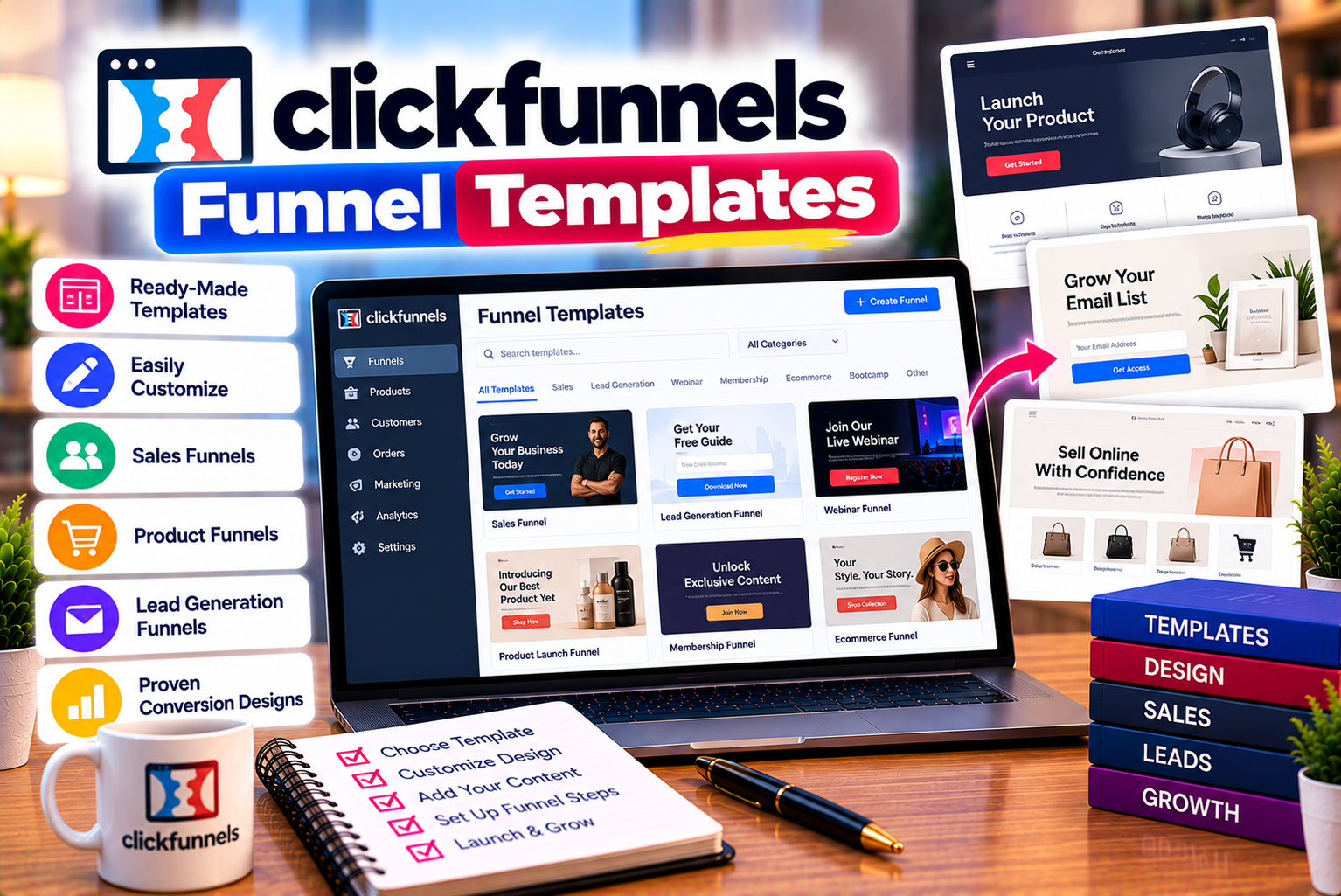
ClickFunnels Funnel Templates
Selling digital products online offers businesses an opportunity to reach customers without managing physical inventory, packaging, or traditional shipping. Entrepreneurs can sell e-books, online courses, downloadable templates, software resources, memberships, design assets, and other digital products to audiences across different markets.
However, creating a digital product is only one part of building a successful online business. You also need a way to attract potential buyers, explain the product’s value, answer common questions, accept payments, and deliver the purchased content.
This is where sales funnels become useful.
A sales funnel guides potential customers through a sequence of steps designed to encourage a specific action. For a digital product business, that journey might begin with a landing page, continue to a product sales page, and end with checkout and digital delivery.
ClickFunnels provides tools for building these customer journeys, including landing pages, sales pages, checkout experiences, and related marketing functionality. Its funnel templates can help businesses establish a starting structure without designing every page from scratch.
But not every template is suitable for every digital product.
An e-book may need a simple landing page and checkout process. A premium online course may require a detailed sales page, testimonials, curriculum information, and a structured offer. A membership business may need to explain recurring benefits, access arrangements, and subscription terms.
In this guide, we explore the best types of ClickFunnels funnel templates for selling digital products, explain when to use each funnel, and show how to customize templates for your offer.
We will also cover essential page elements, funnel-building steps, conversion optimization techniques, common mistakes, and frequently asked questions.
The key takeaway: Choose a ClickFunnels template based on your product, audience, price, and conversion objective—not simply because its design looks attractive.
What Are ClickFunnels Funnel Templates?
ClickFunnels funnel templates are predesigned page structures that users can customize to create sales funnels and related marketing experiences.
Instead of starting with an empty page, you can begin with a structure suited to a particular marketing objective and adapt its content, layout, branding, and calls to action.
Depending on the available template library and product configuration, templates may support use cases such as:
- Lead generation
- E-book sales
- Digital downloads
- Online course promotion
- Webinar registration
- Product launches
- Membership subscriptions
- Coaching and consulting offers
- Upsells and complementary products
The exact template names, designs, and availability can change. Check the current template library in your ClickFunnels account rather than assuming a particular template is included in every subscription.
How Do Funnel Templates Work?
A funnel template provides a starting point for creating one or more connected pages.
For example, an entrepreneur selling a downloadable budgeting spreadsheet could create a funnel with three main stages:
- A sales page explaining what the spreadsheet does.
- A checkout page where customers purchase it.
- A confirmation page providing instructions for accessing the download.
A more complex funnel could include an additional lead-generation page, an email follow-up sequence, or an optional complementary product.
The goal is to create a logical journey that helps customers understand the offer and complete the intended action.
Why Use ClickFunnels Templates?
Templates can provide several advantages.
Faster setup: You can begin with an existing structure rather than creating every page from scratch.
Clearer page organization: A template can provide a starting point for arranging headlines, product information, testimonials, pricing, and calls to action.
Consistent design: Connected pages can use similar typography, colors, and visual elements.
Easier experimentation: You can adapt a template to test different headlines, offers, and page structures.
Reduced technical workload: Visual editing tools can help users create many standard marketing pages without extensive custom development.
However, templates are not complete marketing strategies. You still need a valuable product, relevant messaging, suitable pricing, and a reliable fulfillment process.
The Best ClickFunnels Funnel Templates for Selling Digital Products
The most suitable funnel depends on what you sell and how customers make purchasing decisions.
Below are the main funnel types worth considering when building a digital product business.
1. E-Book Sales Funnel Template
An e-book sales funnel is designed to sell digital books, guides, workbooks, and downloadable educational resources.
This funnel type works well when a product solves a specific problem and customers can understand its value without attending a demonstration or speaking to a sales representative.
Examples include:
- Personal finance guides
- Fitness and nutrition guides
- Business planning workbooks
- Digital marketing e-books
- Productivity guides
- Career development resources
- Educational study materials
- Industry-specific reference guides
How an E-Book Funnel Works
A straightforward e-book funnel may contain three pages:
Page 1: E-book sales page
Introduce the problem your e-book addresses, explain what readers will learn, and present the product’s benefits.
Page 2: Checkout page
Display the product name, price, order details, and payment information.
Page 3: Confirmation and delivery page
Confirm the purchase and explain how the customer can access the e-book.
You may also include a lead magnet before the sales page if you want to collect email addresses and nurture prospective customers.
Essential Elements of an E-Book Sales Page
An effective e-book sales page should include:
- A specific headline
- A clear explanation of the reader’s problem
- The benefits of the guide
- A preview of the contents
- Relevant images or mockups
- The intended audience
- The price and purchase button
- Answers to common questions
- Delivery and refund information, where applicable
For example, a business selling an e-book about personal budgeting could use the headline:
“Build a Practical Monthly Budget With a Simple Step-by-Step Guide.”
The page should explain what the guide covers, who it is designed for, and what the buyer receives.
Avoid promising guaranteed financial results or implying that every reader will achieve the same outcome.
When Should You Use an E-Book Funnel?
Choose this funnel when:
- The product is inexpensive or moderately priced.
- Customers can evaluate the offer quickly.
- The product has a clear, specific purpose.
- You can explain its value without extensive sales assistance.
For a simple digital download, a short funnel is often easier to maintain than a complicated multi-page sequence.
2. Online Course Sales Funnel Template
An online course sales funnel is designed to sell structured educational programs.
Unlike an e-book, a course may require more explanation because customers want to understand the curriculum, teaching format, instructor experience, learning resources, and expected commitment.
This funnel type is suitable for:
- Digital marketing courses
- Graphic design training
- Programming courses
- Language learning programs
- Business education
- Professional development
- Photography training
- Software tutorials
How a Course Sales Funnel Works
A course funnel may follow this sequence:
- A landing page introduces a free lesson, guide, or training session.
- An email sequence provides educational content and introduces the paid course.
- A sales page explains the curriculum, format, benefits, and price.
- A checkout page processes the purchase.
- A confirmation page explains how students access the course.
You can simplify this sequence if your audience already knows the instructor or is ready to purchase immediately.
Essential Elements of a Course Sales Page
A course sales page should answer the questions prospective students are likely to ask.
Include:
- Course title and learning objectives
- A clear description of the target audience
- Curriculum or module breakdown
- Instructor biography and relevant qualifications
- Course format and access details
- Demonstration videos or lesson previews, if available
- Genuine student testimonials, if available
- Pricing and payment information
- Support arrangements
- Frequently asked questions
- A clear enrollment button
For example, a digital marketing course could explain that students will study keyword research, content planning, on-page SEO, and performance measurement.
It should also clarify whether the course includes recorded lessons, live sessions, downloadable materials, or other resources.
Should You Offer a Free Lesson?
A free lesson can help prospective students evaluate the teaching style and quality of the course.
It may be especially useful when the course is expensive or requires a significant time commitment.
However, a free lesson is not necessary for every product. A short, affordable course with a clear description may be better suited to a direct sales funnel.
Best choice: Use a course sales funnel when customers need enough information to assess the curriculum and decide whether the program fits their goals.
3. Digital Download Funnel Template
A digital download funnel is designed for products that customers can access electronically after purchase.
Examples include:
- Spreadsheet templates
- Notion templates
- Graphic design assets
- Social media templates
- Printable planners
- Digital worksheets
- Website templates
- Presentation templates
- Stock graphics
- Downloadable business resources
These products often require a relatively simple purchasing process because the buyer can understand the offer quickly.
Recommended Funnel Structure
For many digital downloads, the following structure is sufficient:
Sales page: Show the product, explain its purpose, identify its intended audience, and list what is included.
Checkout page: Display the price, product details, payment fields, and any relevant purchase terms.
Confirmation page: Confirm the order and provide clear access or download instructions.
Where supported, automated delivery can reduce manual work and help customers receive their purchases promptly.
What Should the Sales Page Include?
A digital download page should explain:
- What the customer receives
- Which file formats are included
- Whether the product is editable
- Which applications or tools are required
- Whether commercial usage is permitted
- Whether updates are included
- How the customer receives the files
- What support is available
Visual previews are particularly important for design assets and templates.
For example, a social media template bundle should display representative designs and explain which platforms, dimensions, or file formats are supported.
Avoid using vague descriptions such as “Premium Digital Bundle” without explaining its actual contents.
When Is This Funnel Best?
A digital download funnel is a strong starting point when your product is straightforward, immediately deliverable, and does not require a lengthy explanation.
Keep the buying process simple, but make the product details clear enough to reduce confusion and refund requests.
4. Lead Magnet Funnel Template
A lead magnet funnel is designed to collect contact information by offering a useful resource in exchange.
The resource may be free, or it may be a sample that introduces a paid product.
Examples include:
- Free e-books
- Checklists
- Templates
- Resource libraries
- Email courses
- Mini-training sessions
- Worksheets
- Industry reports
This funnel is particularly useful when visitors are interested in a subject but are not ready to purchase immediately.
How a Lead Magnet Funnel Works
A typical lead magnet funnel includes:
- A landing page explaining the free resource.
- A form where visitors provide their contact information.
- A confirmation page with access instructions.
- An email sequence that delivers the resource and provides further value.
- A relevant offer for a paid product, when appropriate.
For example, a business selling an SEO course could offer a free website audit checklist.
After downloading the checklist, subscribers could receive practical SEO guidance and eventually be introduced to the paid course.
The paid offer should be relevant to the original resource rather than an unrelated promotion.
What Makes a Good Lead Magnet?
A good lead magnet solves one clear problem.
It should be specific enough to provide immediate value without overwhelming the reader.
For example, “A 10-Point SEO Audit Checklist for Small Business Websites” communicates a more concrete benefit than “Free Digital Marketing Resources.”
Important Consideration
Do not collect more personal information than you need.
Explain how subscribers will receive the resource and whether they will also receive marketing emails. Obtain the necessary consent and provide an appropriate way to unsubscribe.
Best choice: Use a lead magnet funnel when your audience needs education or nurturing before making a purchase.
5. Webinar Registration and Sales Funnel Template
A webinar funnel helps businesses register participants for a live or recorded educational session.
It can be useful for selling courses, coaching programs, professional training, software demonstrations, and higher-priced digital products.
How a Webinar Funnel Works
A webinar funnel may include:
- A registration page
- A confirmation page
- Registration reminders
- The webinar presentation
- A sales offer
- Follow-up messages
For example, a business selling a course about website development could host a free session explaining how beginners can plan their first website.
At the end of the session, the presenter could introduce a paid course that provides more detailed instruction.
What Should a Webinar Registration Page Include?
Include:
- The webinar topic
- What participants will learn
- The intended audience
- The date, time, and time zone for live sessions
- The presenter’s relevant experience
- Registration instructions
- A clear registration button
- Privacy and communication information
For a recorded webinar, explain that participants will receive access on demand rather than suggesting that a live event is scheduled.
Is a Webinar Funnel Necessary for Every Product?
No.
Webinars require preparation, presentation time, and follow-up. They may be worthwhile for complex or higher-priced offers but unnecessarily complicated for a simple downloadable template.
Choose this funnel when demonstrating expertise or explaining the product in depth can help customers make a decision.
6. Membership and Subscription Funnel Template
Membership funnels are designed to sell recurring access to digital content, resources, communities, or educational material.
Examples include:
- Monthly training libraries
- Premium resource memberships
- Professional communities
- Subscription-based educational content
- Exclusive templates and downloads
- Recurring coaching programs
How a Membership Funnel Works
A membership funnel typically includes:
- A sales page explaining the membership.
- A pricing or subscription section.
- A checkout page.
- A confirmation page with access instructions.
- Follow-up communication for onboarding and ongoing engagement.
The sales page should explain what members receive, how often new content is added, and what happens after a subscription begins.
Essential Membership Page Elements
Include:
- Membership benefits
- Content or resource categories
- Access arrangements
- Update frequency
- Community or support details
- Subscription price
- Billing frequency
- Cancellation information
- Renewal terms
- Refund policy, where applicable
Recurring payments require particular clarity.
Customers should understand whether they are purchasing monthly access, annual access, or another subscription arrangement.
When Should You Use a Membership Funnel?
Choose this funnel when you offer continuing value rather than a one-time product.
For example, a design business might provide new templates every month through a subscription.
However, the business must have a realistic plan for producing and maintaining content. A membership funnel cannot compensate for a lack of ongoing value.
7. Product Launch Funnel Template
A product launch funnel helps businesses introduce a new digital product to an audience.
It can be particularly useful when launching a course, digital toolkit, software resource, or major educational program.
How a Product Launch Funnel Works
A launch funnel may include several stages:
Stage 1: Audience building
Collect email subscribers or engage an existing audience before the product becomes available.
Stage 2: Pre-launch education
Publish useful content that explains the problem and introduces the approach behind your product.
Stage 3: Product announcement
Reveal the product, explain its features, and describe who it is designed for.
Stage 4: Sales page
Present the offer, price, included resources, and purchase terms.
Stage 5: Checkout and delivery
Process orders and provide access to the product.
Stage 6: Post-launch follow-up
Answer questions, provide onboarding, and communicate any legitimate updates about the offer.
What Makes a Product Launch Funnel Effective?
The launch should communicate a genuine reason for the audience to pay attention.
This might be a new resource, an updated course, an introductory offer, or a specific event.
If you use a deadline or limited availability, it must be accurate. Avoid fake countdown timers or invented scarcity.
When Is a Launch Funnel Appropriate?
A launch funnel is useful when you have an audience, a product release date, and a coordinated promotional plan.
If you are selling an established product that is available all year, a simpler evergreen sales funnel may be easier to maintain.
8. Upsell and Order Bump Funnel Template
An upsell funnel offers customers an additional relevant product after they express purchase intent or complete an initial transaction.
An order bump is an optional complementary offer presented during checkout, where the checkout setup supports that functionality.
These approaches can increase the average order value when the additional product is genuinely useful.
Example of an Upsell Funnel
Imagine a business selling a social media content calendar for $19.
It could offer:
- The original content calendar for $19
- A complementary caption-writing template bundle for $9
- An optional advanced content planning course for $49
The customer should be able to understand each offer and its price before agreeing to purchase.
These figures are illustrative examples, not recommended prices for every product.
Which Products Work Well Together?
Useful combinations include:
- An e-book and a workbook
- A course and an advanced course
- A design template and a complementary asset bundle
- A planner and a productivity guide
- A basic resource and an expanded version
How to Use Upsells Responsibly
An upsell should be relevant to the original purchase.
Make the price, product details, and purchase action clear. Do not add products to an order without the customer’s informed agreement.
Best choice: Use upsell or order bump functionality when customers are likely to benefit from complementary products and the checkout configuration supports the intended experience.
9. Free Trial or Product Demo Funnel Template
A free trial or demonstration funnel can help customers evaluate a digital product before purchasing.
This is particularly relevant for software, educational programs, specialized tools, and products whose value is easier to understand through practical use.
Recommended Funnel Structure
A typical funnel includes:
- A landing page describing the product.
- A registration or trial-start form.
- An onboarding or confirmation page.
- Educational follow-up messages.
- A paid conversion offer.
For example, a business selling a digital design toolkit might offer sample files so prospective customers can test the quality and compatibility.
A software business could instead offer a product demonstration or a time-limited trial.
What Should You Explain?
Clearly communicate:
- What the trial or demo includes
- Whether payment details are required
- How long access lasts
- Which features are available
- What happens when the trial ends
- Whether the trial converts automatically into a paid subscription
- How users can cancel
The trial experience should match the terms presented on the landing page.
When Is This Funnel Appropriate?
Choose a trial or demo funnel when customers need hands-on experience before deciding whether to purchase.
For simple products, a preview or sample download may be enough.
How to Choose the Right ClickFunnels Template for Your Product
Selecting the right funnel begins with understanding the product and the buying decision.
A template should support the customer’s journey rather than force every product into the same structure.
Step 1: Identify Your Digital Product Type
Start by categorizing your offer.
| Product Type | Recommended Funnel |
| E-book or guide | E-book sales funnel |
| Downloadable template | Digital download funnel |
| Online course | Course sales funnel |
| Free resource | Lead magnet funnel |
| Live training session | Webinar registration funnel |
| Recurring content | Membership funnel |
| New product release | Product launch funnel |
| Complementary product bundle | Upsell or order bump funnel |
| Software or complex digital tool | Demo or trial funnel |
These recommendations are starting points. You may combine funnel types when your customer journey requires it.
Step 2: Consider the Product Price
Price can influence how much information a customer needs before purchasing.
For a low-cost downloadable template, a short sales page may be enough.
For an expensive professional course, prospective customers may need a detailed curriculum, instructor information, sample lessons, support details, and answers to objections.
However, price alone does not determine funnel complexity. A simple but expensive product may require little explanation if customers already understand its value.
Step 3: Understand Your Audience
Consider whether your customers already understand the problem your product solves.
An experienced marketer may need only a concise explanation of a specialized SEO template.
A beginner may need examples, demonstrations, definitions, and reassurance about how the product works.
The funnel should provide the information your audience needs to make an informed decision.
Step 4: Decide Whether You Need Lead Nurturing
Some customers are ready to buy immediately. Others need time and additional information.
If your product requires education or trust-building, consider a lead magnet or webinar funnel.
If your product is straightforward and your audience already understands it, a direct sales funnel may be more appropriate.
Step 5: Check Delivery and Payment Requirements
Before selecting a template, confirm how the product will be delivered and how payment will be collected.
Consider whether you need:
- One-time payments
- Recurring subscriptions
- Multiple products
- Digital downloads
- Course access
- Post-purchase offers
- Automated confirmation messages
- External payment integrations
The selected template should support the actual buying and fulfillment process.
Step 6: Evaluate the Template’s Flexibility
A visually appealing template is useful only if you can adapt it to your business.
Check whether you can customize the layout, text, images, buttons, forms, and other elements you need.
Also confirm that the page works well on mobile devices and supports the integrations required by your funnel.
How to Build a Digital Product Funnel in ClickFunnels
Once you have selected a suitable funnel type, the next step is to customize and test it.
The exact interface may change as ClickFunnels updates its product, but the general process follows these steps.
Step 1: Define the Offer
Before opening the page editor, write down:
- The product name
- The intended audience
- The problem it solves
- The main benefits
- The price
- What the customer receives
- The delivery method
- The refund or cancellation terms
A clear offer makes the rest of the funnel easier to build.
Step 2: Select a Suitable Funnel Structure
Sign in to your ClickFunnels account and explore the available funnel creation options and templates.
Choose a structure that matches your objective, such as selling an e-book, promoting a course, generating leads, or registering webinar participants.
Template availability may vary by account and product updates.
Step 3: Customize the Sales Page
Replace the placeholder text with your product information.
Focus on:
- A specific headline
- A clear description of the problem
- The product’s benefits
- What is included
- Relevant examples or previews
- Trust-building information
- A clear call to action
Avoid filling the page with unrelated information that distracts from the buying decision.
Step 4: Configure the Checkout
Set up the product details, price, payment options, and required customer information.
Verify the payment gateway and checkout configuration before publishing.
If you offer optional complementary products, make sure their pricing and purchase terms are clear.
Step 5: Set Up Product Delivery
Decide how customers will receive their purchase.
Depending on the product, delivery might involve a download link, course access, membership access, or instructions for using a resource.
Test the process with a test purchase or the appropriate sandbox functionality where supported.
Do not assume that a successful payment automatically means the customer can access the product.
Step 6: Create the Confirmation Page
The confirmation page should clearly state what happens next.
For example, it might confirm the purchase, explain how to access the product, and provide a support contact or troubleshooting instructions.
For a course, explain how to log in and begin learning.
For a downloadable product, provide the appropriate access instructions.
Step 7: Configure Follow-Up Emails
Where supported by your setup, configure confirmation and follow-up messages.
These may include:
- Purchase confirmation
- Delivery instructions
- Onboarding guidance
- Helpful usage tips
- Support information
- Relevant complementary offers
Ensure that marketing emails follow applicable consent and unsubscribe requirements.
Step 8: Test the Complete Funnel
Before sending traffic to the funnel, test the entire journey.
Check:
- Page links
- Mobile layouts
- Form submissions
- Checkout behavior
- Payment confirmation
- Product delivery
- Email notifications
- Tracking and analytics
- Refund or cancellation instructions, where applicable
A funnel should be tested from the customer’s perspective, not only from the page editor.
Step 9: Publish and Monitor Performance
Once the funnel is functioning correctly, publish it and begin directing relevant traffic to the page.
Monitor how visitors interact with the funnel and identify opportunities to improve it.
Avoid making major changes based on a handful of visits. Collect enough relevant data to understand whether a change is likely to improve performance.
Essential Elements of a High-Converting Digital Product Funnel
A good template provides structure, but the content and customer experience determine whether the funnel is effective.
1. A Clear Headline
Your headline should communicate the product’s main purpose or benefit.
For example:
“Plan a Month of Social Media Content With a Ready-to-Customize Calendar.”
This is more informative than a vague headline such as “The Ultimate Digital Solution.”
2. A Specific Value Proposition
Explain what makes your product useful.
The value proposition should describe the problem it addresses, the audience it serves, and the practical benefit it offers.
Avoid generic claims such as “The Best Product on the Internet” unless you can substantiate them.
3. Relevant Product Visuals
Use screenshots, previews, mockups, or demonstrations that accurately represent the product.
For a spreadsheet, show a readable preview of its layout.
For a course, display the actual curriculum or sample lesson.
For a design bundle, show examples of the included assets.
Visuals should help buyers understand what they are purchasing.
4. A Clear Description of What Is Included
List the actual contents of the product.
For example, a template bundle might include 30 editable designs, three file formats, and an instruction guide.
Only list resources that are genuinely included.
5. Trust-Building Information
Useful trust signals may include:
- Genuine customer testimonials
- Relevant case studies
- Instructor qualifications
- Product demonstrations
- Clear contact information
- Transparent purchase terms
- A well-explained refund policy, where applicable
Avoid fabricated testimonials, misleading guarantees, or exaggerated earnings claims.
6. A Visible Call to Action
The primary button should make the next step obvious.
Examples include:
- Buy the E-Book
- Enroll in the Course
- Download the Template
- Join the Membership
- Start the Trial
Use button text that accurately reflects the action.
7. Transparent Pricing
Display the price and explain any recurring charges or additional costs.
If a product includes several tiers, clearly explain the differences.
Customers should not discover unexpected charges after entering the checkout process.
8. Frequently Asked Questions
FAQs can answer questions about delivery, compatibility, access, support, updates, and refund terms.
The questions should reflect genuine concerns rather than repeat promotional statements.
9. Mobile-Friendly Design
Check that the page works well on phones and tablets.
Headlines should be readable, buttons should be easy to tap, and forms should not require unnecessary effort.
Product images should load correctly and preserve important details.
10. A Reliable Delivery Experience
A successful funnel does not end at payment.
Customers should receive the product or access instructions they were promised.
Test the fulfillment process carefully and provide a clear way to request help if something goes wrong.
How to Optimize ClickFunnels Templates for Better Conversions
Template customization should be guided by customer needs and performance data.
The following techniques can help improve the buying experience.
Improve the Headline Before Redesigning the Entire Page
A page may have a polished design but still communicate an unclear offer.
Review the headline and opening section first.
Make sure visitors can quickly understand what the product is, whom it helps, and why it may be relevant.
Remove Unnecessary Checkout Friction
Only request information required to complete the purchase or deliver the product.
Unnecessary fields can make the checkout process more difficult, especially on mobile devices.
Keep payment details, order summaries, and purchase terms clear.
Use Relevant Testimonials
Testimonials can help buyers understand how a product has been used by others.
Use genuine feedback and provide context where appropriate.
Do not imply that a customer’s experience is typical unless you have evidence supporting that claim.
Match the Landing Page to the Traffic Source
A visitor arriving from an advertisement should encounter a page that matches the message in the advertisement.
For example, if an advertisement promotes an SEO checklist, the landing page should focus on that checklist rather than immediately introducing an unrelated course.
Message consistency can reduce confusion and improve the customer experience.
Test One Important Change at a Time
Possible experiments include:
- Headline wording
- Button text
- Product preview placement
- Pricing presentation
- Sales page length
- Form length
- Checkout layout
Where suitable testing functionality is available, use controlled experiments to compare alternatives.
Avoid declaring a winner based on too little data or changing several major elements simultaneously.
Monitor the Right Metrics
Track the metrics that match your funnel’s objective.
| Funnel Type | Useful Metrics |
| Lead magnet | Landing page conversion rate, cost per lead, lead quality |
| E-book sales | Purchase conversion rate, revenue per visitor, refund rate |
| Course sales | Sales conversion rate, average order value, course enrollment |
| Webinar | Registration rate, attendance rate, post-webinar sales |
| Membership | Subscription conversion rate, cancellations, retention |
| Upsell funnel | Upsell acceptance rate, average order value, refund rate |
| Trial funnel | Trial activation, trial-to-paid conversion, cancellation rate |
These metrics help you identify where a funnel may need improvement.
For example, a lead magnet may generate many subscribers but few customers. That could indicate a mismatch between the free resource and the paid offer, or it could mean the follow-up sequence needs improvement.
Use the data to investigate the problem rather than assuming the template itself is responsible.
Common Mistakes to Avoid When Using ClickFunnels Templates
Mistake 1: Choosing a Template Only Because It Looks Attractive
A beautiful template may not match your product or audience.
Choose a structure based on the customer’s buying journey, then customize its appearance.
Mistake 2: Using the Same Funnel for Every Product
An e-book, premium course, membership, and software trial have different customer requirements.
Use a funnel structure appropriate to the offer rather than forcing every product into the same sequence.
Mistake 3: Leaving Placeholder Content Unchanged
Template text is not automatically relevant to your business.
Replace generic headlines, sample testimonials, placeholder images, and default offers with accurate information.
Mistake 4: Making Unsupported Claims
Avoid promising guaranteed income, specific business results, or other outcomes that cannot be substantiated.
Describe the product’s features and intended benefits accurately.
Mistake 5: Ignoring Mobile Visitors
A funnel that works on a desktop may be difficult to use on a phone.
Test the complete experience on mobile devices before publishing.
Mistake 6: Adding Too Many Upsells
Additional offers can increase the order value, but excessive interruptions may frustrate customers.
Offer complementary products only when they provide genuine value and the purchase terms are clear.
Mistake 7: Forgetting Product Delivery
A successful checkout is not enough if customers cannot access what they purchased.
Test the delivery process and provide clear instructions.
Mistake 8: Failing to Track Performance
Without analytics, you may not know whether a funnel is generating qualified leads or profitable sales.
Define the key metrics before launching and review them regularly.
Mistake 9: Ignoring Privacy and Consent
If you collect contact information, explain how it will be used and follow the applicable privacy and marketing requirements.
For recurring products, clearly communicate subscription and cancellation terms.
Mistake 10: Assuming Templates Guarantee Sales
Templates provide structure, not guaranteed outcomes.
Results depend on the product, audience, traffic, messaging, pricing, and customer experience.
ClickFunnels Funnel Templates: Best Practices for Different Digital Product Prices
The amount of information customers need can vary according to the price, complexity, and perceived risk of a purchase.
The following examples are starting points rather than fixed rules.
| Product Price and Complexity | Possible Funnel Structure | Main Priority |
| Low-cost download | Sales page → checkout → delivery | Clarity and ease of purchase |
| Moderately priced e-book bundle | Detailed sales page → checkout → delivery | Demonstrating value |
| Mid-priced online course | Lead magnet or sales page → follow-up → checkout | Explaining the curriculum and benefits |
| Premium training program | Webinar or detailed sales page → consultation or checkout | Building trust and answering objections |
| Membership subscription | Membership page → subscription checkout → onboarding | Explaining recurring value and billing |
| Software product | Demo or trial page → registration → onboarding → paid offer | Demonstrating usefulness and reducing uncertainty |
A simple product may not require a long funnel. Conversely, a complex or premium offer may need more information before a customer is ready to purchase.
The correct structure is the one that provides enough information for the customer to make an informed decision without introducing unnecessary steps.
How Much Do ClickFunnels Funnel Templates Cost?
The cost of using a template depends on the current ClickFunnels subscription, template availability, and any external resources or services you use.
ClickFunnels provides funnel-building functionality through its paid plans, and the exact limits and features vary by subscription.
Some templates may be available within the platform, while other designs or resources may require separate purchases or third-party services. Verify the current terms rather than assuming every template is included in every plan.
When budgeting, consider:
- The ClickFunnels subscription
- Any separately purchased templates
- Domain registration
- Payment processing
- External integrations
- Email or communication services
- Copywriting and design work
- Product delivery requirements
A template may reduce the time required to build a page, but it does not eliminate the need to create useful content or configure the customer journey.
For a detailed subscription comparison, read our related article: ClickFunnels Pricing Explained: Which Plan Should You Choose?
Are ClickFunnels Templates Suitable for Beginners?
ClickFunnels templates can be useful for beginners because they provide a starting structure for common marketing objectives.
Instead of designing every section from scratch, a beginner can choose a relevant funnel type and customize it.
However, beginners should still learn the basics of:
- Understanding their target audience
- Defining a clear product offer
- Writing benefit-focused copy
- Setting appropriate pricing
- Configuring payments
- Delivering digital products
- Measuring conversions
- Following privacy and marketing requirements
A useful approach is to start with one product and one simple funnel.
For example, if you sell a downloadable planner, create a sales page, checkout page, and confirmation page. Test the full buying experience before adding more products, automations, or upsells.
As you gather data, improve the elements that affect customer understanding and conversion.
This approach helps beginners avoid spending too much time building complex funnels before validating their offer.
Final Verdict: Which ClickFunnels Funnel Template Is Best for Digital Products?
ClickFunnels offers a range of tools for building funnels, and the best template depends on the product you want to sell and the journey your customers need to complete.
For e-books and straightforward digital downloads, a simple sales funnel is often a sensible starting point.
For online courses, a more detailed sales page or lead-nurturing sequence may help prospective students understand the curriculum and evaluate the offer.
For memberships, clear subscription information and onboarding are important.
For webinars and product launches, a longer funnel can help educate an audience before presenting the paid offer.
For complementary products, an upsell or order bump may be useful when the additional offer is relevant and transparent.
Our Recommendation
Start with the simplest funnel that supports your product and customer’s buying journey.
Do not add pages or automation simply because a template includes them. Focus on explaining the product clearly, making checkout straightforward, delivering what customers purchase, and measuring the results.
Choose a template that matches your business model, customize it with accurate product information, and test the entire experience before launching.
A good funnel template can reduce setup time and provide a useful structure. Long-term results, however, depend on product quality, audience relevance, clear messaging, and continuous improvement.
Frequently Asked Questions About ClickFunnels Funnel Templates
1. What are ClickFunnels funnel templates?
ClickFunnels funnel templates are predesigned page structures that users can customize to build sales funnels, landing pages, and related marketing experiences. They provide a starting point for common goals such as selling products, generating leads, or registering webinar participants.
2. Which ClickFunnels template is best for selling digital products?
The best template depends on the product. An e-book or downloadable resource may need a simple sales funnel, while an online course may require a detailed sales page and follow-up sequence. Memberships and trials need clear access and subscription information.
3. Can I sell e-books with ClickFunnels?
Yes. ClickFunnels can be used to create an e-book sales funnel with a product page, checkout, and confirmation or delivery instructions. Verify the payment and delivery setup before publishing.
4. Can I use ClickFunnels to sell online courses?
ClickFunnels supports online course and digital product use cases. Course creators can connect marketing pages and checkout with course access, subject to the features and limits of their subscription.
5. Does ClickFunnels provide free funnel templates?
Template availability can vary by account, subscription, and current product offering. Check the template library in your ClickFunnels account to see which designs are available and whether any require a separate purchase.
6. Can I customize ClickFunnels templates?
Yes. ClickFunnels provides editing tools for customizing supported templates. You can adapt elements such as text, images, page structure, branding, and calls to action, subject to the builder’s capabilities.
7. Do ClickFunnels templates work on mobile devices?
ClickFunnels provides tools for creating web pages, but you should test every customized funnel on mobile devices before publishing. Check headings, buttons, forms, images, and checkout usability.
8. What is the difference between a landing page and a sales funnel?
A landing page is an individual page designed to encourage a particular action. A sales funnel is a sequence of connected steps that guides a visitor toward a goal, such as becoming a lead or purchasing a product.
9. Do I need a separate website to use ClickFunnels?
Not necessarily. ClickFunnels supports website creation as well as funnels. Whether you need a separate website depends on your publishing, content management, branding, and other business requirements.
10. Can I create a lead magnet funnel in ClickFunnels?
Yes. You can create a landing page that promotes a free resource, collect contact information, and connect the process with follow-up communication. Ensure your data collection and marketing practices meet applicable consent and privacy requirements.
11. Can ClickFunnels templates support upsells?
ClickFunnels supports sales-funnel workflows that can include additional offers, depending on the checkout setup and subscription. Make sure the price and purchase terms of each offer are clear and that customers actively agree to the purchase.
12. What is an order bump?
An order bump is an optional complementary offer presented during checkout. It can increase the average order value when the additional product is relevant and useful to the buyer.
13. Can I create a membership funnel in ClickFunnels?
ClickFunnels can support membership and digital product business models, subject to the available features and configuration. Explain the recurring price, billing frequency, included benefits, cancellation terms, and access arrangements clearly.
14. How many pages should a digital product funnel have?
There is no fixed number. A simple digital download may require only a sales page, checkout, and confirmation page. A complex course or premium offer may benefit from lead generation, educational content, and follow-up communication.
15. Do I need email marketing for a digital product funnel?
Not always. A simple product may sell through a direct funnel. Email marketing can be useful when customers need more information, when you want to nurture leads, or when you plan to promote related products.
16. Can I connect ClickFunnels with a payment gateway?
ClickFunnels supports payment-related integrations, but compatibility depends on the gateway, account configuration, product, and regional requirements. Verify that your preferred payment method works before launching.
17. How do I deliver digital products after a customer purchases them?
Delivery depends on the product and setup. Customers may receive a download link, access to a course or membership area, or instructions for retrieving their purchase. Test the delivery process before accepting real orders.
18. Are ClickFunnels templates suitable for beginners?
They can be useful for beginners because they provide a starting structure. However, beginners still need to customize the content, configure payments, test product delivery, and understand basic conversion principles.
19. Can I use one template for multiple products?
You can adapt a suitable template for different products, provided the structure fits each offer. Update the product information, images, price, checkout configuration, and delivery instructions to avoid confusion.
20. Do ClickFunnels templates guarantee more sales?
No. Templates do not guarantee conversions or revenue. Results depend on product quality, pricing, traffic, audience relevance, messaging, and the overall customer experience.
21. Can I create a webinar funnel in ClickFunnels?
ClickFunnels can be used to build webinar registration and related sales funnels. The webinar delivery, scheduling, and communication components may require supported integrations or additional configuration.
22. What should I include on a digital product sales page?
Include a clear headline, product benefits, a description of what is included, relevant previews, pricing, a call to action, delivery information, and answers to common questions. Use genuine testimonials where available.
23. Are ClickFunnels templates included in every pricing plan?
Template access and related features can vary by the current subscription and product offering. Review the official pricing information and your account’s template library before choosing a plan.
24. Can I use ClickFunnels for recurring digital product subscriptions?
ClickFunnels can support relevant subscription and membership use cases, depending on the configuration and supported payment setup. Verify recurring payment functionality, billing terms, cancellation handling, and customer access before launch.
25. How can I improve a ClickFunnels funnel after publishing it?
Monitor the metrics relevant to your objective, such as lead conversion rate, sales conversion rate, average order value, or trial-to-paid conversion. Test changes systematically and use customer feedback to identify areas for improvement.
Leave a Reply