


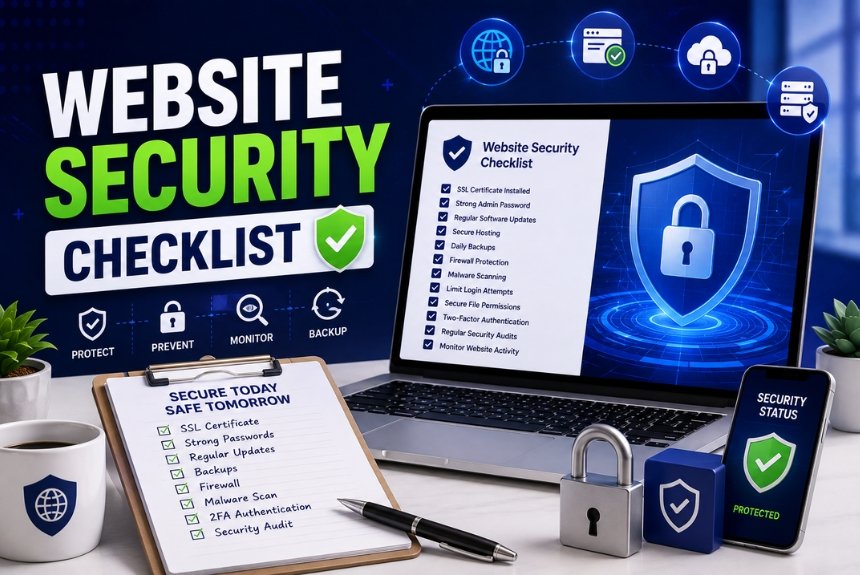
Website Security Checklist 2026: Protect Your Website
Introduction
In today’s digital world, every business needs a secure website. Whether you run a small online store, a company website, or a personal blog, cyber threats are becoming more common. Hackers target websites of all sizes because they often contain valuable customer data, payment information, and business records.
Unfortunately, many small business owners believe that only large companies are attacked by hackers. In reality, small businesses are frequent targets because they often lack proper security measures. A single security breach can result in data theft, website downtime, loss of customer trust, and expensive recovery costs.
Following a complete website security checklist helps you protect your website from malware, hackers, phishing attacks, brute-force login attempts, and data breaches. Most security measures are simple to implement and can significantly reduce your risk.
In this guide, you’ll learn the essential website security practices every small business should follow to keep their website safe and secure.
Why Website Security Matters
Website security is more than just preventing hackers from accessing your website. It protects your business reputation, customer information, search engine rankings, and revenue.
Protect Customer Data
Customers trust your website with sensitive information such as:
- Email addresses
- Phone numbers
- Login credentials
- Billing information
- Payment details
- Personal information
If hackers steal this data, customers may lose confidence in your business, and depending on your location, you could face legal or regulatory consequences.
Prevent Financial Loss
A hacked website can lead to unexpected expenses, including:
- Website recovery costs
- Security experts and developers
- Lost online sales
- Business downtime
- Legal fees
- Customer compensation
Investing in website security is far less expensive than recovering from a cyberattack.
Improve Customer Trust
Visitors look for signs that a website is secure before sharing personal information or making purchases.
Security features such as:
- HTTPS connection
- SSL certificate
- Secure checkout
- Trusted payment gateways
help reassure visitors that your website is safe to use.
Protect SEO Rankings
Search engines prioritize secure websites. If Google detects malware or suspicious activity on your website, it may:
- Display security warnings
- Remove pages from search results
- Lower your rankings
- Reduce website traffic
Recovering SEO rankings after a security issue can take weeks or even months.
Prevent Website Downtime
Cyberattacks can make your website unavailable for hours or days.
Common causes include:
- Malware infections
- DDoS attacks
- Server compromise
- Ransomware
Downtime can lead to lost sales, frustrated customers, and damage to your brand’s reputation.
Maintain Business Reputation
A security incident can harm your credibility. Customers are less likely to return to a website that has experienced a data breach or displays security warnings.
Strong security measures help demonstrate professionalism and reliability.
Meet Compliance Requirements
Many industries require businesses to protect customer data. Depending on your business, you may need to comply with standards related to payment processing or privacy laws.
A secure website helps you meet these obligations and reduce compliance risks.
Firewall Protection
A website firewall acts as a protective barrier between your website and malicious traffic. It monitors incoming requests and blocks suspicious activities before they reach your server. Firewalls are one of the most effective defenses against hackers, bots, and automated attacks.
Why a Firewall Is Important
Without a firewall, your website is more vulnerable to attacks such as:
- Brute-force login attempts
- SQL injection
- Cross-site scripting (XSS)
- DDoS (Distributed Denial of Service) attacks
- Malicious bots
- Spam submissions
A firewall filters harmful traffic while allowing legitimate visitors to access your website normally.
Types of Website Firewalls
1. Web Application Firewall (WAF)
A WAF protects your website by filtering and monitoring HTTP traffic. It blocks common web-based attacks before they reach your application.
2. Cloud-Based Firewall
Cloud firewalls protect your site before traffic reaches your hosting server. They can also improve website speed by filtering unwanted requests.
3. Server-Level Firewall
Many hosting providers include built-in server firewalls that protect the hosting environment from unauthorized access and network attacks.
Firewall Best Practices
- Enable a Web Application Firewall (WAF).
- Keep firewall rules updated.
- Block suspicious IP addresses.
- Monitor firewall logs regularly.
- Allow only trusted administrative access.
- Use rate limiting to reduce brute-force attacks.
Malware Scanning
Malware is malicious software designed to damage your website, steal data, redirect visitors, or infect users’ devices. Regular malware scanning helps identify threats early so they can be removed before causing serious harm.
Why Malware Scanning Matters
Malware infections can:
- Steal customer information
- Damage your website files
- Redirect visitors to spam websites
- Display unwanted advertisements
- Slow down website performance
- Cause search engines to blacklist your website
Routine scans help detect hidden threats and keep your site secure.
Types of Malware:
1. Backdoors
Hidden scripts that allow attackers to regain access even after passwords are changed.
2. Ransomware
Malicious software that locks your website or data until a ransom is paid.
3. Spyware
Software that secretly collects sensitive information such as login credentials or customer data.
4. SEO Spam
Hackers inject spam pages or links into your website to manipulate search engine rankings.
Best Practices for Malware Scanning
- Schedule automatic daily malware scans.
- Scan all uploaded files before publishing.
- Remove infected files immediately.
- Keep your CMS, themes, and plugins updated.
- Monitor file changes for suspicious activity.
- Review website logs regularly for unusual behavior.
Signs Your Website May Be Infected
- Unexpected redirects to unknown websites
- Slow website performance
- New or unauthorized admin accounts
- Unusual pop-ups or advertisements
- Search engines displaying security warnings
- Unknown files or folders appearing on your server
Using both a firewall and regular malware scanning provides strong protection against many common cyber threats and helps keep your website safe and available.
Daily Backups
Even with strong security measures, no website is completely immune to cyberattacks, server failures, or accidental errors. That’s why daily backups are essential. A recent backup allows you to restore your website quickly if something goes wrong.
Why Daily Backups Matter
Regular backups help you recover from:
- Malware infections
- Hacking incidents
- Accidental file deletion
- Website crashes
- Failed software updates
- Server hardware failures
Without a backup, restoring your website can be difficult—or even impossible.
Backup Best Practices
1. Schedule Automatic Backups
Configure automatic daily backups so your website is protected without requiring manual effort.
2. Store Backups in Multiple Locations
Keep copies of your backups in different locations, such as cloud storage and an external server, to ensure they’re available if one storage location fails.
3. Test Backup Restorations
Regularly verify that your backups can be restored successfully. A backup is only useful if it works when needed.
4. Keep Multiple Backup Versions
Maintain several backup versions so you can restore your site to a point before an issue occurred.
5. Secure Backup Files
Protect backup files with encryption and restrict access to authorized users only.
Two-Factor Authentication (2FA)
Two-Factor Authentication (2FA) adds an extra layer of security to your website by requiring users to verify their identity with a second method in addition to their password.
Even if a hacker obtains your password, they still cannot access your account without the second verification step.
Common Types of 2FA
- Authentication apps (such as Google Authenticator or Microsoft Authenticator)
- SMS verification codes
- Email verification codes
- Hardware security keys
Authentication apps are generally considered more secure than SMS-based verification.
Benefits of 2FA
- Prevents unauthorized logins
- Protects administrator accounts
- Reduces the risk of brute-force attacks
- Improves overall account security
- Protects sensitive customer and business data
Best Practices for 2FA
- Enable 2FA for all administrator accounts.
- Require 2FA for editors and managers with elevated permissions.
- Store backup recovery codes securely.
- Review authorized devices regularly.
- Remove access for inactive users.
Security Plugins
If your website uses a content management system (CMS) like WordPress, security plugins can provide additional protection against common threats. They automate many security tasks and help monitor your website continuously.
Features of a Good Security Plugin
A reliable security plugin should include:
- Firewall protection
- Malware scanning
- Login security
- Brute-force attack prevention
- File integrity monitoring
- Security alerts
- Scheduled security scans
Benefits of Security Plugins
1. Real-Time Protection
They detect and block suspicious activity before it can harm your website.
2. Login Protection
Many plugins limit failed login attempts and support two-factor authentication.
3. File Monitoring
Security plugins can detect unauthorized changes to important website files.
4. Malware Detection
Automatic scans identify malicious code so it can be removed quickly.
5. Security Notifications
You’ll receive alerts if suspicious activity or vulnerabilities are detected.
Best Practices
- Install security plugins only from trusted developers.
- Keep plugins updated to the latest version.
- Remove unused or inactive plugins.
- Avoid installing multiple security plugins that perform the same functions, as they may conflict and affect performance.
- Review security reports regularly and address any issues promptly.
By combining daily backups, two-factor authentication, and trusted security plugins, you greatly improve your website’s resilience against cyber threats.
Hosting Security Features
Your hosting provider plays a crucial role in your website’s security. Even if your website is well-protected, poor hosting security can leave it vulnerable to cyberattacks. Choosing a reliable hosting provider with built-in security features helps protect your website from threats and ensures better uptime.
Essential Hosting Security Features
1. Free SSL Certificate
A quality hosting provider should offer a free SSL certificate, enabling HTTPS encryption to secure data exchanged between your website and visitors.
2. Automatic Backups
Look for hosting plans that include automatic daily backups, making it easy to restore your website if data is lost or compromised.
3. Malware Protection
Many premium hosting providers perform regular malware scans and automatically isolate or remove infected files.
4. DDoS Protection
Distributed Denial of Service (DDoS) attacks can overwhelm your server with traffic. Built-in DDoS protection helps keep your website online during such attacks.
5. Web Application Firewall (WAF)
Some hosting companies include a WAF that blocks malicious traffic before it reaches your website.
6. Automatic Updates
Managed hosting services often update server software automatically, reducing security vulnerabilities caused by outdated systems.
7. Secure Data Centers
Choose a hosting provider with secure data centers featuring 24/7 monitoring, fire protection, backup power, and restricted physical access.
8. 24/7 Security Monitoring
Continuous monitoring helps detect suspicious activity and respond quickly to potential threats.
What to Look for in a Secure Hosting Provider
- Free SSL certificate
- Daily automatic backups
- Built-in firewall
- DDoS protection
- Malware scanning
- 99.9% uptime guarantee
- Automatic server updates
- 24/7 customer support
- Secure data centers
Selecting a secure hosting provider forms the foundation of your website’s overall security strategy.
Frequently Asked Questions (FAQs)
1. What is the most important website security measure?
There isn’t a single most important measure. A combination of SSL, strong passwords, regular backups, malware scanning, firewalls, and two-factor authentication provides the best protection.
2. How often should I back up my website?
Daily backups are recommended for most websites. If your site is updated frequently, consider more frequent backups.
3. Do small business websites really get hacked?
Yes. Small businesses are common targets because hackers often assume they have weaker security than larger organizations.
4. Is a free SSL certificate enough?
For most blogs and small business websites, a free SSL certificate is sufficient. Larger businesses with advanced security or compliance requirements may choose premium SSL certificates.
5. How often should I scan my website for malware?
Automatic daily scans are recommended. High-traffic websites may benefit from continuous or real-time monitoring.
6. Can website security improve SEO?
Yes. Secure websites using HTTPS are trusted more by search engines, and avoiding malware or security warnings helps maintain search rankings.
Final Website Security Checklist
Use this checklist to keep your website protected:
- ✔ Install an SSL certificate and enable HTTPS.
- ✔ Use strong, unique passwords for all accounts.
- ✔ Enable Two-Factor Authentication (2FA).
- ✔ Install and configure a Web Application Firewall (WAF).
- ✔ Perform automatic daily malware scans.
- ✔ Schedule daily website backups.
- ✔ Keep your CMS, themes, and plugins updated.
- ✔ Remove unused plugins and themes.
- ✔ Choose a secure hosting provider with built-in protection.
- ✔ Monitor your website regularly for suspicious activity.
Following this checklist significantly reduces the risk of cyberattacks and helps keep your website secure, reliable, and trustworthy.
Conclusion
Website security is not a one-time task—it’s an ongoing process. By implementing the best practices outlined in this Website Security Checklist, you can safeguard your website, protect customer data, and maintain your business’s reputation.
Start by securing the basics with SSL, strong passwords, regular backups, and malware protection. Then, strengthen your defenses with two-factor authentication, a reliable firewall, and secure hosting. Regular maintenance and monitoring will help you stay ahead of evolving cyber threats.
Ready to Secure Your Website?
Ready to secure your website? Follow this checklist today, review your website’s security regularly, and invest in trusted hosting and security tools to keep your business safe online.
Leave a Reply