


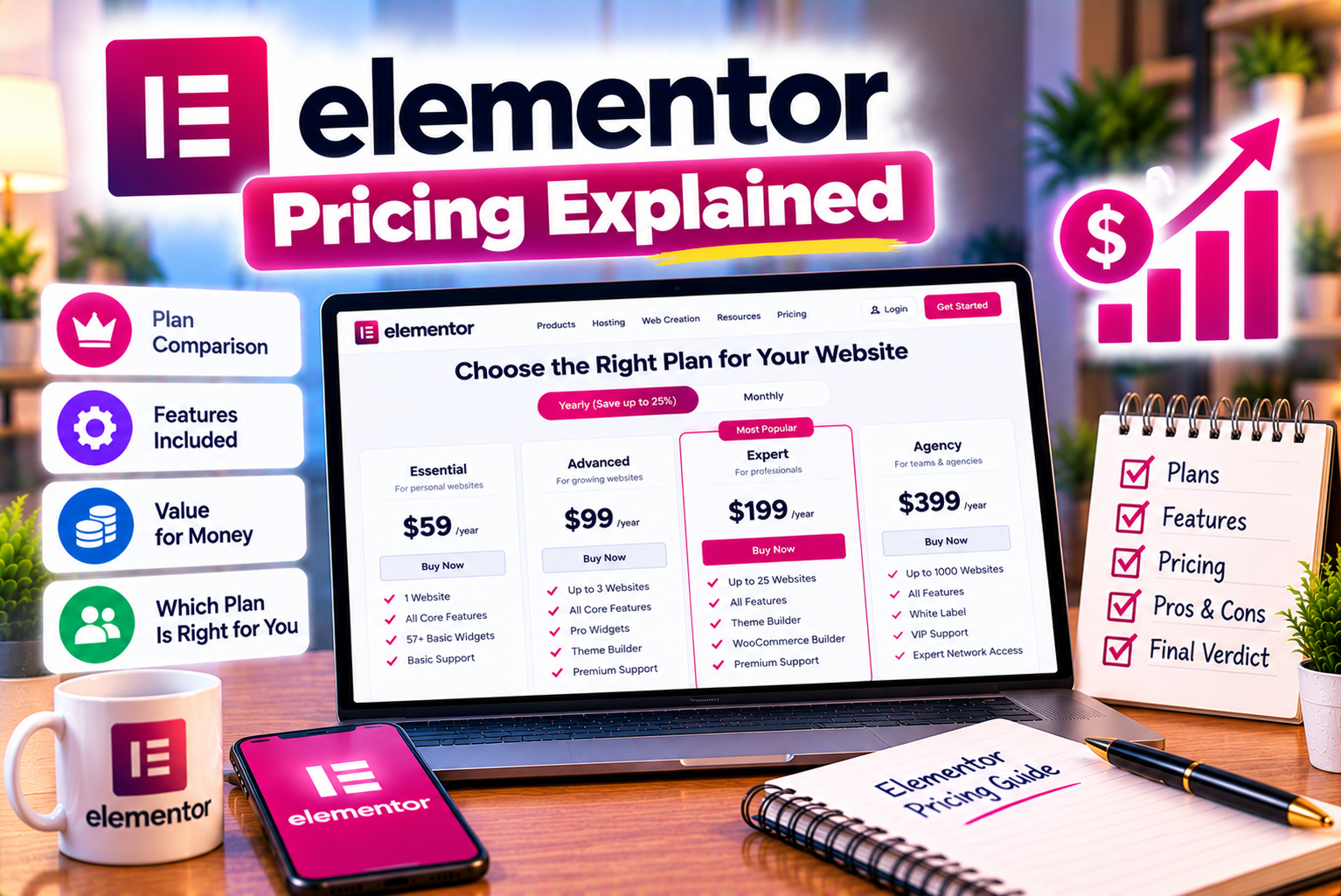
Elementor Pricing Explained
Choosing the right website builder is an important decision when creating a WordPress website. While free tools can help you get started, advanced design features, marketing integrations, eCommerce customization, and website management capabilities may require a paid subscription.
Elementor is one of the popular options for WordPress users who want to design websites visually without writing code for every element. It offers a free website builder alongside paid Editor Pro plans and broader subscription options designed for different website-building needs.
However, understanding Elementor pricing is not always straightforward. The free version may be sufficient for a simple website, while paid plans differ in their website allowances, widgets, customization options, marketing features, and eCommerce capabilities. Elementor also offers Elementor One, a broader subscription that combines website-building functionality with additional tools and services.
The challenge is not simply finding the cheapest plan. It is choosing a subscription that provides the features you need without paying for capabilities you will rarely use.
In this guide, we explain Elementor’s pricing structure, compare the available plans, discuss the differences between Elementor Free, Elementor Pro, and Elementor One, and identify the best options for beginners, businesses, freelancers, agencies, and online stores.
Quick recommendation:
- For beginners: Start with Elementor Free if you need only basic page-building features.
- For a simple professional website: Consider Essential if its included features meet your requirements.
- For advanced customization or an online store: Compare Advanced Solo and Advanced.
- For freelancers and multi-site developers: Evaluate Expert.
- For agencies managing many websites: Consider Agency.
- For users who also need optimization, email delivery, accessibility, consent, and site-management tools: Compare Elementor One with the relevant Editor Pro subscription.
These are starting points, not universal recommendations. The right choice depends on your actual requirements and the features included in the current plan.
For the latest subscription details, consult the official Elementor pricing page and the official Elementor Pro plan documentation.
Is Elementor Free?
Yes. Elementor offers a free WordPress website builder that users can install without purchasing an Elementor Pro subscription.
The free version provides a visual editing environment for building pages and arranging content. Users can add elements such as headings, text, images, buttons, and other supported components through a drag-and-drop interface.
This makes it a practical starting point for individuals who want to create a website without committing to a paid plan immediately.
What Can You Do With Elementor Free?
Depending on your theme and WordPress setup, Elementor Free can help you create:
- Homepages.
- About pages.
- Contact pages.
- Basic service pages.
- Portfolio layouts.
- Informational landing pages.
- Promotional pages.
- Content sections with images, headings, and buttons.
- Responsive page layouts for desktop and mobile devices.
For example, a freelancer creating a portfolio may need only a homepage, an about section, a project gallery, and a contact page.
If the free editor and existing WordPress theme provide the required design options, paying for Elementor Pro may not offer enough additional value to justify the expense.
Similarly, a small business website containing basic company information, services, opening hours, and contact details may be achievable with the free version.
What Does Elementor Free Not Include?
The free version does not include every advanced capability available through paid plans.
Depending on the feature, you may need an eligible Editor Pro subscription for:
- Advanced Theme Builder functionality.
- Additional professional widgets.
- More extensive template options.
- Advanced form capabilities.
- Popup creation.
- Custom CSS and code controls.
- Advanced dynamic content integrations.
- Full WooCommerce Builder functionality.
You should also distinguish between Elementor’s built-in features and functionality provided by your WordPress theme or other plugins.
For example, your theme may provide a customizable header and footer even if you use Elementor Free. A separate form plugin may also provide functionality that would otherwise motivate you to upgrade.
Therefore, the relevant question is not whether Elementor Free includes every premium feature. It is whether it supports the specific features your website needs.
Official reference: Download Elementor Free.
Elementor Pricing Plans Explained
Elementor’s paid website-builder offerings include multiple Editor Pro plans designed for different website requirements and usage levels.
The official plan structure includes Essential, Advanced Solo, Advanced, Expert, and Agency. Elementor also offers Elementor One, which combines Editor Pro with additional tools and services.
The precise prices displayed can vary with billing region, currency, applicable taxes, promotions, and subscription terms. Because pricing can change, it is better to verify the live checkout price before purchasing rather than rely on an outdated figure.
The following sections explain what each plan is intended for and how to decide whether it fits your needs.
1. Elementor Free: Best for Beginners
Price: Free
Elementor Free is suitable for users who want to build basic WordPress pages using a visual editor.
It lets you start designing without paying for Elementor’s premium features.
Main Benefits
- No Elementor Pro subscription required.
- Visual drag-and-drop page editing.
- Essential content and design widgets.
- Responsive editing controls.
- Support for creating multiple pages.
- A way to learn Elementor before upgrading.
Limitations
- No complete Pro Theme Builder feature set.
- No full collection of Pro widgets.
- Advanced marketing features are limited.
- Advanced WooCommerce customization is not included.
- Some designs may depend on your theme or additional plugins.
Who Should Choose Elementor Free?
Choose the free version if you are:
- Learning WordPress website design.
- Building a personal portfolio.
- Creating a simple informational website.
- Testing Elementor before investing in premium tools.
- Working with a theme that already provides the functionality you need.
Our recommendation: Start with Elementor Free if your project is simple. Upgrade only when you identify a feature that the free version cannot provide efficiently.
2. Elementor Essential: Best for Basic Professional Websites
The Essential plan is intended for users who want additional website-building functionality for a single website without needing the complete advanced marketing and eCommerce feature set.
It includes Theme Builder functionality and additional professional widgets, alongside core design capabilities.
The official comparison also identifies limitations involving form submissions, popup creation, custom code and CSS, and advanced eCommerce features.
Main Features
Depending on the current plan configuration, Essential includes:
- A license for one website.
- Additional professional widgets.
- Theme Builder.
- Custom fonts and icons.
- Basic dynamic content capabilities.
- Form design.
- Access to a selection of cloud templates.
However, you should not assume that every advanced form integration, popup feature, or customization option is included.
Who Should Choose Essential?
This plan may suit:
- Small businesses.
- Consultants.
- Freelancers building a personal website.
- Professionals who want a custom header and footer.
- Website owners who need additional design flexibility without advanced eCommerce requirements.
Consider a consultant who wants a professional homepage, service pages, a customized header, and a reusable footer.
If Essential provides all the necessary features, there may be little reason to pay for a higher-tier subscription.
Who Should Avoid Essential?
Essential may not be the right choice if you specifically require advanced marketing integrations, popup campaigns, custom CSS, extensive custom-field integrations, or WooCommerce Builder features that are excluded from the plan.
In that situation, compare Advanced Solo or Advanced before making a purchase.
3. Elementor Advanced Solo: Best for One Advanced Website
Advanced Solo is designed for users who want more advanced customization and functionality for a single professional or eCommerce website.
It is particularly relevant when one website needs capabilities that go beyond basic page and theme design.
The official plan comparison identifies advanced marketing functionality, custom CSS and code, additional dynamic content integrations, and WooCommerce-related capabilities among the features available in the higher feature tier.
Main Features
Depending on the current plan specification, Advanced Solo includes:
- A license for one website.
- Additional professional widgets.
- Theme Builder.
- Advanced customization options.
- Custom CSS and code capabilities.
- Form submission and integration features.
- Popup Builder.
- Additional dynamic content integrations.
- WooCommerce Builder functionality.
- Supported payment-related integrations.
The availability of individual features should always be checked against the current plan description.
Who Should Choose Advanced Solo?
This plan may be appropriate for:
- Businesses operating one advanced website.
- Freelancers building their own agency website.
- Consultants who need marketing integrations.
- Online businesses that need customized store layouts.
- Website owners using custom fields and dynamic content.
For example, an online business might need a custom product archive, advanced lead-generation forms, and branded promotional popups.
If the business operates only one website, Advanced Solo may be more appropriate than paying for a multi-site plan.
When Is Advanced Solo Worth the Extra Cost?
It becomes more attractive when the features included in the plan directly support your business.
For example, a company that regularly runs lead-generation campaigns may benefit from form integrations and popup functionality.
An eCommerce business may benefit from WooCommerce customization if its current theme does not provide the required shopping experience.
However, if you do not use these features, paying for them may not be worthwhile.
4. Elementor Advanced: Best for Up to Three Websites
Advanced is designed for users who need advanced website-building functionality across multiple websites.
The official plan documentation lists an allowance of up to three websites for Advanced, compared with one website for Advanced Solo.
Main Features
Advanced includes the relevant professional website-building capabilities of its feature tier, along with a larger website allowance.
Depending on the current subscription terms, this can include:
- Advanced widgets.
- Theme Builder.
- Custom CSS and code.
- Marketing and form integrations.
- Popup Builder.
- Additional dynamic content functionality.
- WooCommerce Builder.
- Multiple-site licensing.
Who Should Choose Advanced?
This plan may suit:
- Business owners managing several websites.
- Freelancers maintaining their own website and client projects.
- Small organizations operating multiple brands.
- Developers managing a few production websites.
Imagine a freelancer who manages three websites: a personal portfolio, a marketing agency website, and a separate project for their own business.
If the required features are supported by Advanced and all three sites fall within the applicable licensing terms, this plan may be more suitable than purchasing multiple single-site subscriptions.
However, confirm how Elementor counts websites and whether your intended use is permitted under the current license.
Our recommendation: Compare Advanced with Advanced Solo when you need the advanced feature set. The decision is primarily about the number of websites you manage and the value of the additional allowance.
5. Elementor Expert: Best for Freelancers and Multi-Site Developers
Expert is designed for professional web creators who need to manage more websites under one subscription.
The official plan documentation lists support for up to 25 websites.
Main Features
Expert includes the advanced website-building feature set and a larger website allowance.
Depending on the current offering, its benefits can include:
- A license for multiple websites.
- Professional widgets and design tools.
- Theme Builder.
- Advanced customization.
- Marketing-related features.
- Dynamic content integrations.
- WooCommerce Builder.
- Tools that support a repeatable website-building workflow.
Who Should Choose Expert?
Expert may suit:
- Freelance WordPress developers.
- Web design professionals.
- Small web development studios.
- Consultants managing multiple client websites.
- Professionals maintaining several business sites.
For example, a freelance developer may maintain 12 client websites, each requiring customized headers, reusable templates, forms, and other professional features.
A multi-site subscription can simplify licensing compared with buying a separate subscription for every website.
However, a license allowance does not automatically make the subscription profitable. Consider how many websites actually require Pro features, the plan’s renewal cost, and the terms under which you can use the license for client projects.
6. Elementor Agency: Best for Larger Agencies
Agency is designed for web creators and agencies managing a substantially larger portfolio of websites.
The official subscription documentation lists support for up to 1,000 websites under the Agency plan.
Main Features
Agency offers a large website allowance alongside advanced website-building functionality.
Depending on the current plan, relevant capabilities include:
- Professional design tools.
- Theme Builder.
- Advanced customization.
- Marketing and form features.
- Dynamic content integrations.
- WooCommerce Builder.
- Multi-site licensing.
- Agency-oriented support options.
Who Should Choose Agency?
This plan may be relevant for:
- Established web design agencies.
- Website maintenance companies.
- Larger development teams.
- Agencies operating many client websites.
- Organizations that need a broad Elementor licensing allowance.
For example, an agency may manage dozens or hundreds of websites across different industries.
A larger subscription can make license administration more convenient, provided the websites and activities comply with Elementor’s current terms.
However, agencies should evaluate the plan against actual requirements rather than selecting it simply because it has the largest website allowance.
A company managing 10 websites may find Expert more appropriate, while a larger agency may need the capacity offered by Agency.
Important: Check the latest pricing and licensing conditions directly with Elementor. Website allowances, support terms, and plan features can change.
Elementor One: Is It Different From Elementor Pro?
Elementor One is a broader subscription offering that combines Editor Pro with additional tools and services for website creation, optimization, and management.
This distinction matters because users sometimes compare Elementor One and Elementor Pro as though they were identical products with different names.
They are not necessarily equivalent.
Elementor Pro focuses on professional website-building capabilities, including premium widgets, Theme Builder, and advanced design tools.
Elementor One combines Editor Pro with additional capabilities that may include image optimization, email deliverability, accessibility tools, site management, cookie consent, and AI-related features. The exact package and credit allocation should be verified on the current official pricing page.
What Does Elementor One Offer?
Depending on the current subscription and included services, Elementor One may provide:
- Editor Pro website-building features.
- AI-assisted content or design capabilities.
- Image optimization.
- Email delivery services.
- Accessibility tools.
- Site management capabilities.
- Cookie consent functionality.
- A shared credit system for supported actions.
This can be useful for website owners who would otherwise purchase several separate services.
However, not every website needs these tools, and some features may have usage limits or credit requirements.
Elementor One vs Elementor Pro
| Factor | Elementor Pro / Editor Pro | Elementor One |
| Main purpose | Advanced website design and building | Website building plus additional tools and services |
| Professional widgets | Included according to the selected plan | Editor Pro functionality is included according to the offering |
| Theme Builder | Available | Available through the included Editor Pro |
| Advanced customization | Plan-dependent | Depends on the included Editor Pro features |
| Image optimization | May require a separate tool or service | Available through the included optimization offering |
| Email deliverability | May require a separate service | Included as part of the broader offering, subject to terms |
| Accessibility tools | May require separate tools | Accessibility functionality is included |
| Cookie consent | May require a separate plugin or service | Included in the broader package |
| AI capabilities | Depends on the product and plan | AI capabilities and credit allocations are part of the broader offering |
| Best suited for | Users primarily seeking advanced page-building tools | Users who also need several website optimization and management services |
This comparison describes the product distinction rather than guaranteeing identical features across all subscriptions. Confirm current inclusions and usage limits before purchasing.
Should You Choose Elementor One Instead of Pro?
Consider Elementor One if you need both advanced website design and several of its additional services.
For example, a business that needs Elementor’s design tools, image optimization, accessibility support, and cookie consent functionality may prefer evaluating a bundled subscription.
On the other hand, a website owner who already has reliable image optimization, email delivery, accessibility, and consent solutions may find that Editor Pro alone is more suitable.
Compare the total cost of the services you need rather than assuming that the bundle is automatically cheaper.
Elementor One also does not automatically include web hosting. Elementor offers hosting separately, so hosting requirements should be evaluated independently.
Elementor Pricing Comparison Table
The following table summarizes the main plan differences at a practical level.
| Plan | Website Allowance | Best For | Main Consideration |
| Free | Unlimited | Beginners and basic websites | Limited advanced features |
| Essential | 1 | Basic professional websites | Advanced marketing and eCommerce features are limited |
| Advanced Solo | 1 | One advanced or eCommerce website | Higher cost may be unnecessary for simple sites |
| Advanced | Up to 3 | Users managing a few professional websites | Useful when multiple sites need Pro functionality |
| Expert | Up to 25 | Freelancers and multi-site developers | Best value depends on actual usage |
| Agency | Up to 1,000 | Larger web design and development agencies | May be excessive for small portfolios |
| Elementor One | Depends on the selected offering | Users who need Editor Pro and additional tools | Compare included services, usage limits, and total cost |
The website allowances above follow Elementor’s published plan documentation. Confirm the current plan and license details before purchasing.
How Much Does Elementor Pro Cost?
The cost of Elementor Pro depends on the selected subscription, billing terms, and applicable regional pricing.
Rather than relying on prices copied from older blog posts, check the current official pricing page immediately before purchasing.
The pricing page displays the available plans and current checkout information. Depending on your location and the current offer, the amount may be displayed in a particular currency and may be affected by taxes or promotional pricing.
Why Elementor Pricing Can Differ Between Sources
If you compare several Elementor pricing articles, you may notice different prices.
This can happen for several reasons.
- Pricing changes over time
Software companies can update subscription rates, introduce new plans, or change existing features.
An article written several months ago may no longer reflect the current offering.
- Promotional offers
A promotional price may apply to the first subscription term but not to subsequent renewals.
Always check the renewal amount.
- Regional pricing and taxes
The price shown to you may differ because of your billing region, currency, or applicable taxes.
- Different subscription plans
Elementor’s plan names and features have evolved. Older articles may refer to plan names or website allowances that are no longer applicable.
- Elementor One versus Editor Pro
A price for Elementor One should not automatically be compared with an Editor Pro subscription as though both include the same product.
Check what is included in each subscription before evaluating the price difference.
How to Check the Actual Price
Follow these steps before purchasing:
- Visit the official Elementor pricing page.
- Select the appropriate product category or subscription.
- Compare the available plans.
- Check the number of websites permitted.
- Confirm that the features you need are included.
- Review the displayed billing period.
- Check the amount charged today.
- Review the renewal price.
- Check applicable taxes and the final checkout total.
- Read the cancellation and refund conditions.
You can review the latest subscription information on the official Elementor pricing page.
Our recommendation: Use the actual checkout price for your final decision, not an old promotional price or a figure from an unofficial comparison website.
Is Elementor Pro Worth the Price?
Elementor Pro can be worth the investment when its advanced features reduce development work or provide functionality that your website genuinely needs.
However, its value varies considerably depending on the website.
When Elementor Pro Is Worth Buying
- You need a custom website structure
If you want to customize headers, footers, blog templates, and other supported theme areas, Theme Builder can provide greater control.
- You regularly create landing pages
Marketers and businesses that frequently create campaign pages may benefit from reusable templates and advanced widgets.
- You need integrated form functionality
If your website relies on lead generation, Pro’s form capabilities and eligible integrations may simplify the workflow.
- You run an online store
Eligible plans can provide additional control over supported WooCommerce layouts.
- You manage multiple client websites
Freelancers and agencies may benefit from a subscription with an appropriate multi-site allowance.
- You need advanced dynamic content
Websites containing structured information or repeated content templates may benefit from the additional dynamic content capabilities offered by eligible plans.
When Elementor Pro May Not Be Worth Buying
You may not need a paid plan if:
- Your website contains only a few simple pages.
- Your existing theme already provides the layouts you need.
- You do not require Pro-only widgets.
- You do not need advanced forms or marketing features.
- You are still learning WordPress.
- You have already invested in compatible tools that provide the required functionality.
For example, a small portfolio website may work perfectly well with Elementor Free and a suitable theme.
Buying a premium subscription simply because it offers more widgets does not guarantee a better website.
A Practical Cost-Benefit Example
Imagine two website owners.
Website owner A: A personal blogger
This blogger publishes a few articles each month and uses a WordPress theme with a suitable header, footer, and article layout.
The blogger does not need advanced forms, popups, or custom templates.
For this project, Elementor Free may be sufficient.
Website owner B: A growing service business
This business needs a custom header, reusable service templates, advanced lead-generation forms, marketing integrations, and promotional popups.
The business may benefit from a paid subscription because the additional tools support its regular operations.
The difference is not that one website is more professional than the other. It is that the second website has requirements that justify more advanced functionality.
Best Elementor Plan for Different Users
Different users need different combinations of design flexibility, marketing features, and website allowances.
1. Beginners
Recommended starting point: Elementor Free
Beginners should generally start with the free version unless they already know they need a premium feature.
This allows them to learn the editor and build a basic website before committing to a subscription.
Upgrade when you encounter a specific limitation that affects your project.
2. Bloggers
Recommended starting point: Free or Essential
A blogger with a suitable theme may not need a paid page builder.
However, bloggers who want more control over their site structure and reusable templates may find Essential useful.
If you require additional marketing integrations, advanced dynamic content, or other higher-tier features, compare the relevant plans.
3. Small Businesses
Recommended starting point: Essential
Essential may be appropriate for a small business that needs a professional website with customized theme areas and additional design components.
If the business needs advanced form integrations, popups, custom code, or eCommerce functionality, compare Advanced Solo.
4. Freelancers
Recommended starting point: Advanced Solo, Advanced, or Expert
The correct plan depends on the number of client websites that require Elementor Pro.
- Choose Advanced Solo if one website needs advanced functionality.
- Consider Advanced if you manage up to three eligible websites.
- Evaluate Expert if your portfolio requires a larger website allowance.
Do not choose a multi-site plan based on the number of domains you own alone. Consider which sites actually require the paid features and confirm the applicable licensing terms.
5. Web Design Agencies
Recommended starting point: Expert or Agency
Agencies should compare their actual website portfolio with the available allowances.
Expert may be suitable for a smaller portfolio, while Agency may be appropriate for organizations managing a substantially larger number of websites.
Also evaluate team workflows, support requirements, renewal costs, and how subscriptions are assigned to client projects.
6. WooCommerce Store Owners
Recommended starting point: Advanced Solo or Advanced
Store owners who need extensive customization should compare the plans that include the WooCommerce Builder features they require.
A store that needs only a standard product layout may not need advanced customization.
However, a store that needs more control over product pages, archives, cart, checkout, and other supported components may benefit from a higher-tier plan.
7. Businesses With Multiple Websites
Recommended starting point: Advanced or Expert
If you manage several websites, compare the available site allowances.
For example, Advanced supports up to three websites according to Elementor’s published plan documentation, while Expert supports up to 25.
Choose based on the number of websites that need the paid functionality and the overall cost of the subscription.
8. Businesses Seeking a Broader Website Toolkit
Recommended starting point: Compare Elementor One
If you need advanced page-building tools plus image optimization, email deliverability, accessibility, cookie consent, or site management, evaluate Elementor One.
However, compare its included services with the tools you already use. A bundle is most useful when its additional capabilities replace services you would otherwise purchase separately.
Elementor Pricing for WooCommerce Websites
WooCommerce introduces additional considerations because an online store needs more than attractive page layouts.
A functioning store may require product management, inventory, shipping, taxes, payment processing, customer accounts, and checkout functionality.
WooCommerce provides the core eCommerce platform, while Elementor’s eligible paid plans can provide additional control over the design of supported store pages.
When a Higher-Tier Plan Makes Sense
A paid plan with WooCommerce Builder functionality may be useful if you want to customize:
- Product pages.
- Product archives.
- Product information layouts.
- Shopping cart interfaces.
- Checkout pages.
- Customer account pages.
- Other supported WooCommerce components.
The exact availability of these features depends on the subscription plan.
For example, a clothing store may need a more customized product page, while a digital product store may want a branded checkout experience and carefully arranged product information.
When You May Not Need Elementor Pro
If your WooCommerce theme already provides a suitable product layout and checkout experience, you may not need Elementor’s additional customization features.
Before upgrading, identify the specific store components you want to change.
Also, remember that Elementor Pro does not eliminate payment processing fees, hosting costs, or other expenses associated with running an online store.
Important: Verify the WooCommerce features included in the current plan before purchasing. Do not assume that every subscription includes full store customization.
Hidden Costs to Consider Before Buying Elementor Pro
The subscription price is only one part of the cost of running a WordPress website.
Depending on your project, you may also need to budget for the following expenses.
1. Domain Name
A domain name is the address visitors use to reach your website.
Domain registration and renewal costs are separate from an Elementor Pro subscription unless a particular package explicitly states otherwise.
2. Web Hosting
WordPress websites need an appropriate hosting arrangement.
Your hosting cost depends on your provider, server resources, traffic, storage, and other requirements.
Do not assume that purchasing Elementor Pro includes hosting.
3. Premium Themes
Some websites use premium themes to provide specialized layouts, design options, or industry-specific features.
You may not need a premium theme if your current theme already meets your requirements, but some projects may benefit from one.
4. Additional Plugins
You may need plugins for functionality that Elementor does not fully provide.
Examples include:
- Advanced SEO management.
- Backups.
- Security.
- Specialized forms.
- Membership systems.
- Learning management systems.
- Advanced analytics.
- Shipping and inventory.
- Specialized payment integrations.
Avoid purchasing several plugins that perform the same task unless there is a clear technical reason.
5. Marketing and Automation Tools
Businesses may require email marketing, CRM, automation, analytics, or customer-support platforms.
Some integrations are available through Elementor’s paid features, but the external service may require its own subscription.
Check both sides of the integration before estimating the total cost.
6. Taxes and Currency Conversion
Depending on your billing location and payment method, taxes or currency conversion charges may affect the final amount.
Review the amount shown at checkout before confirming the purchase.
7. Renewal Costs
Subscription renewals are particularly important when calculating the long-term cost.
A promotional price may apply only to the initial term, while subsequent renewals may be charged at the regular rate.
Check the renewal price and billing frequency before purchasing.
How to Choose the Right Elementor Plan: A Step-by-Step Guide
Use this process to choose a subscription based on your actual needs.
Step 1: Identify Your Website Type
Start by determining what you are building.
Is it a personal blog, business website, online store, portfolio, agency website, or multi-site project?
The answer helps determine which features are essential.
Step 2: Decide Whether the Free Version Is Enough
Try Elementor Free if you are building a basic website.
Create a representative page and test whether the editor and your current theme can meet your design requirements.
If you encounter no meaningful limitations, there may be no reason to upgrade immediately.
Step 3: List the Pro Features You Need
Write down the specific functionality you require.
For example:
- Theme Builder.
- Additional widgets.
- Advanced form integrations.
- Popup Builder.
- Custom CSS.
- Dynamic content integrations.
- WooCommerce Builder.
- Multi-site licensing.
This prevents you from paying for features that are unlikely to be used.
Step 4: Count the Websites That Need Pro
Determine how many websites need the premium functionality.
A single-site project may fit Essential or Advanced Solo, depending on the required features.
A project involving several websites may justify Advanced or Expert.
Larger agencies should compare the Agency plan.
Always verify the current website allowances and licensing rules.
Step 5: Compare Elementor Pro With Elementor One
If you also need image optimization, email deliverability, accessibility tools, consent management, or site management, compare Elementor One with the relevant Editor Pro plan.
Consider whether the bundle replaces other services you already pay for.
Step 6: Check Compatibility
Confirm that your theme, WordPress version, WooCommerce installation, and other essential plugins work with the features you intend to use.
If you operate a complex website, test important changes in a staging environment before implementing them on the live site.
Step 7: Calculate the Total Cost
Include the subscription, domain, hosting, other plugins, and any external services.
Then consider how the additional features affect your workflow and maintenance requirements.
Step 8: Review the Billing Terms
Before purchasing, confirm:
- The amount charged today.
- The billing period.
- The renewal amount.
- Website allowances.
- Included features.
- Applicable taxes.
- Cancellation and refund conditions.
This final check helps prevent surprises after the subscription begins.
Common Mistakes to Avoid When Choosing Elementor Pricing Plans
Mistake 1: Buying the Most Expensive Plan Automatically
A higher-priced subscription is not necessarily better for your project.
If you manage one simple website, an agency-level website allowance may provide little value.
Choose the plan that meets your requirements rather than the one with the largest feature list.
Mistake 2: Choosing a Plan Based Only on Price
The cheapest paid plan may not include the features you actually need.
For example, if you require popup creation or advanced WooCommerce customization, check the relevant feature restrictions before purchasing.
A lower subscription price is not useful if you later need to buy additional tools or upgrade.
Mistake 3: Ignoring Website Limits
Freelancers and agencies should check how many websites their subscription supports.
Also, confirm whether the intended use of the subscription complies with Elementor’s current licensing terms.
Mistake 4: Confusing Elementor Pro With Elementor One
Elementor Pro focuses on advanced website-building functionality.
Elementor One combines Editor Pro with additional services.
Compare the actual included features rather than treating the two subscriptions as interchangeable.
Mistake 5: Forgetting Renewal Costs
A discounted first term may be followed by a higher renewal price.
Always check the regular renewal amount and include it in your budget.
Mistake 6: Expecting Hosting to Be Included
The Elementor Pro editor subscription does not automatically mean that hosting is included.
Review hosting requirements separately and confirm whether the particular package you are considering includes hosting.
Mistake 7: Assuming a Paid Plan Guarantees Better SEO
Elementor Pro provides design and website-building capabilities, but it does not guarantee higher search rankings.
SEO depends on content quality, search intent, technical implementation, site performance, and other factors.
Mistake 8: Buying Features You Will Never Use
Advanced widgets and integrations can be useful, but they add little value if your website does not require them.
Start with your essential requirements and upgrade only when the benefits justify the expense.
Is Elementor Pricing Worth It in 2026?
Elementor’s pricing can represent good value for website owners who need the features provided by the selected subscription.
The free version is a practical option for basic websites, while Essential adds capabilities suited to more customized single-site projects.
Advanced Solo is relevant for one website requiring advanced features, while Advanced and Expert support larger website portfolios.
Agency is intended for much larger portfolios, and Elementor One may be worth evaluating when you also need its additional website optimization and management services.
The right choice depends on three main factors:
- Functionality: Which features are essential to your website?
- Scale: How many websites need the paid functionality?
- Total cost: How much will the subscription and associated services cost over time?
If you need only basic pages, Elementor Free may be the most sensible choice.
If you require advanced design controls, dynamic content, marketing integrations, or WooCommerce customization, a paid plan may save time and simplify your workflow.
If you manage several websites, compare the cost of the multi-site plans with your actual portfolio.
Finally, if you need both the website builder and additional services such as image optimization or accessibility tools, evaluate Elementor One alongside the relevant Editor Pro plans.
Our final recommendation: Start with your website requirements, compare the official plan features, and select the lowest-cost option that covers your essential needs. Verify the final checkout price and renewal terms before purchasing.
Frequently Asked Questions About Elementor Pricing
1. Is Elementor free to use?
Yes. Elementor offers a free WordPress website builder that provides essential visual page-editing tools. You can use it without purchasing an Elementor Pro subscription, although hosting and domain costs may still apply.
2. How much does Elementor Pro cost?
The cost depends on the subscription plan, billing region, taxes, and current pricing. Check the official Elementor pricing page for the amount displayed for your location.
3. What is the cheapest Elementor plan?
Elementor Free is the lowest-cost option because it does not require a paid Elementor subscription. Essential is the entry-level paid Editor Pro plan for users who need additional website-building capabilities.
4. What is the difference between Elementor Free and Pro?
Elementor Free provides essential page-building features. Paid Editor Pro plans add capabilities such as Theme Builder, additional widgets, and more advanced customization, with certain features restricted to specific plans.
5. Which Elementor plan is best for beginners?
Elementor Free is generally the best starting point for beginners who want to learn website design without paying for advanced features. Essential may be suitable when additional theme customization is required.
6. Which Elementor plan is best for one website?
Essential may suit a basic professional website. Advanced Solo may be more appropriate if you need advanced marketing integrations, custom CSS, popup functionality, or WooCommerce Builder features.
7. What is Elementor Advanced Solo?
Advanced Solo is a paid Editor Pro plan designed for a single professional or eCommerce website that needs advanced customization capabilities.
8. How many websites does Elementor Advanced support?
Elementor’s published plan documentation lists support for up to three websites under Advanced. Confirm the current allowance and licensing conditions before purchasing.
9. How many websites does Elementor Expert support?
The published plan documentation lists an allowance of up to 25 websites for Expert. Check the current pricing page to verify the details.
10. What is Elementor Agency?
Elementor Agency is a subscription intended for agencies and web creators managing large website portfolios. Elementor’s published documentation lists support for up to 1,000 websites under this plan.
11. Which Elementor plan is best for freelancers?
Freelancers should choose based on the number of client websites requiring paid features. Advanced Solo may suit one website, Advanced may suit a small portfolio, and Expert may suit professionals managing more websites.
12. Which Elementor plan is best for agencies?
Smaller agencies may find Advanced or Expert appropriate, while larger agencies should evaluate Agency. The best choice depends on the number of websites, required features, licensing terms, and renewal costs.
13. Does Elementor Essential include Theme Builder?
Yes. Elementor’s official plan comparison lists Theme Builder functionality under Essential. However, other advanced features may not be included.
14. Does Elementor Essential include popup creation?
The official plan comparison lists Popup Builder as unavailable under Essential and available under eligible higher-tier plans. Confirm the current feature list before purchasing.
15. Does Elementor Pro include WooCommerce Builder?
WooCommerce Builder is available through eligible higher-tier Editor Pro plans. Check the current plan comparison to confirm that your intended product, cart, checkout, and other store customization features are included.
16. Does Elementor pricing include hosting?
Do not assume that an Editor Pro or Elementor One subscription includes hosting. Elementor offers hosting-related products separately, so check the details of the specific package you are considering.
17. Is Elementor One better than Elementor Pro?
Neither is universally better. Elementor Pro focuses on website-building features, while Elementor One combines Editor Pro with additional tools and services. Choose based on which capabilities you need and the total cost.
18. Does Elementor One include image optimization?
Elementor One includes image optimization as part of its broader offering, subject to the current product terms and usage limits. Check the official pricing page for current details.
19. Can I upgrade my Elementor plan later?
Elementor provides subscription management and upgrade options. The available upgrade process and any prorated credit depend on your current subscription and the terms shown in your account.
20. Can I downgrade my Elementor subscription?
Subscription changes depend on Elementor’s current account and billing policies. Review the options available in your account and confirm how the change affects features, website allowances, and billing.
21. Does Elementor Pro renew automatically?
Subscription renewal depends on the applicable subscription terms. Check your account and purchase details for the renewal date, billing frequency, and renewal price.
22. Can I cancel Elementor Pro at any time?
Cancellation options and their effects depend on the applicable subscription terms. Review Elementor’s current cancellation policy and account settings before making a change.
23. Will my website stop working if I cancel Elementor Pro?
Existing pages may continue to display, but Pro-dependent functionality, updates, support, or access to premium services may be affected according to the licensing terms. Test the impact of cancellation before relying on it as a cost-saving measure.
24. Is Elementor Pro worth it for a small business?
It can be worth it if the business needs custom theme layouts, advanced forms, popup campaigns, or other Pro features. A simple website may work well with Elementor Free and a suitable theme.
25. Where can I find the latest Elementor pricing?
Visit the official Elementor pricing page for current subscriptions and the Elementor Help Center for product documentation and plan-related guidance.
Leave a Reply