


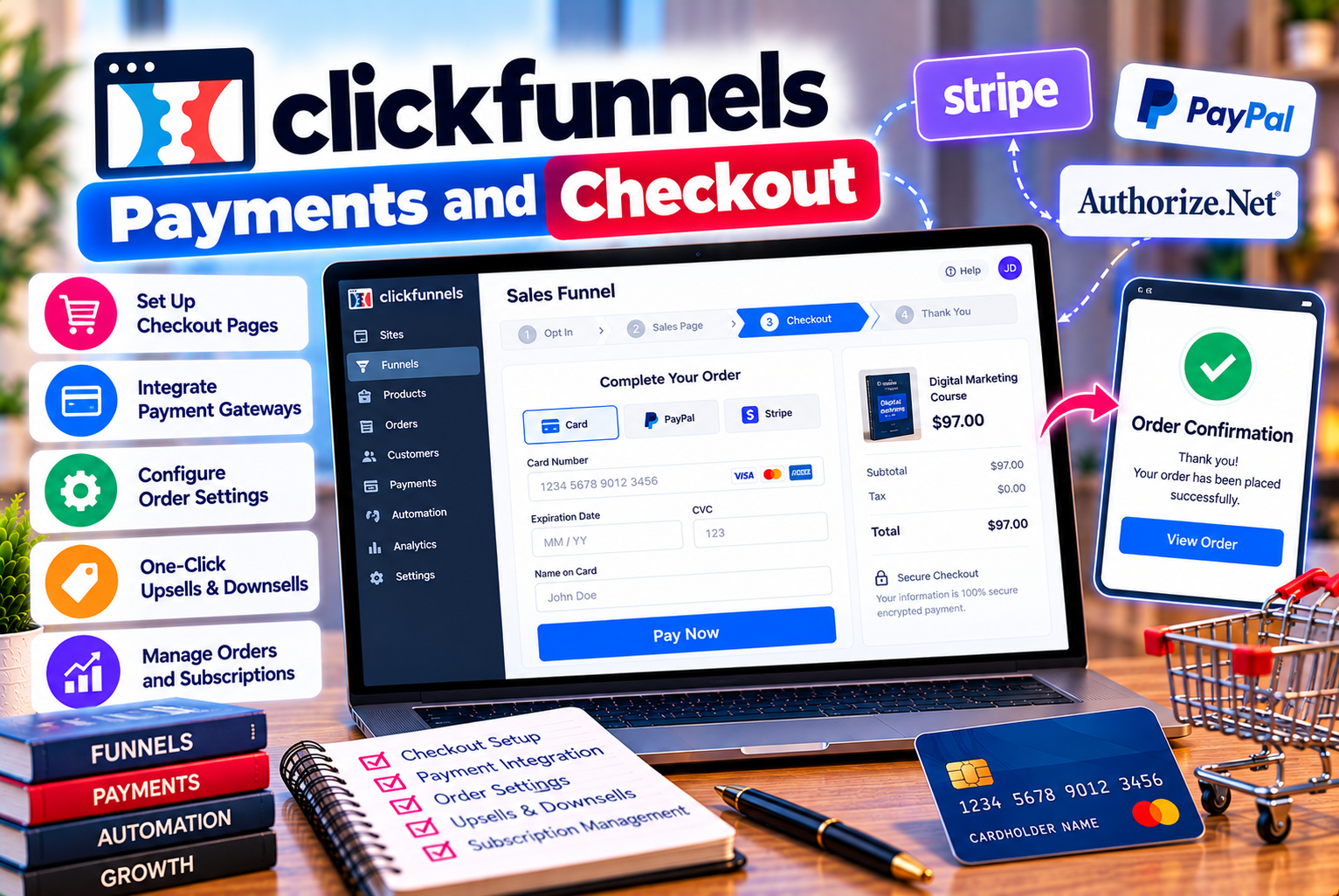
ClickFunnels Payments and Checkout
Accepting payments online is one of the most important parts of running a digital business. Whether you sell e-books, online courses, downloadable templates, coaching services, memberships, or physical products, customers need a reliable and convenient way to complete their purchases.
However, successful online selling involves more than placing a payment button on a webpage.
Businesses must configure payment gateways, display accurate prices, collect the necessary customer information, manage order details, provide purchase confirmations, and ensure customers receive what they paid for. A confusing checkout experience can also discourage potential buyers from completing their orders.
This is where ClickFunnels payments and checkout functionality becomes relevant.
ClickFunnels is a sales funnel and marketing platform that helps businesses build connected customer journeys, including sales pages, checkout pages, and post-purchase offers. Its payment-related capabilities can help sellers connect product promotion with purchasing and fulfillment workflows.
Depending on the account configuration and supported integrations, businesses may be able to accept payments, sell digital products, offer subscriptions, present additional products during checkout, and direct customers to confirmation pages after a purchase.
However, the exact payment methods, supported gateways, transaction costs, and available features depend on the integration, subscription, product type, and region.
In this guide, we explain how ClickFunnels payments work, how to configure checkout experiences, which features online sellers should understand, what costs to consider, and how to troubleshoot common payment issues.
We will also cover checkout optimization, payment security, recurring billing, and practical considerations for businesses operating in India.
The key takeaway: ClickFunnels can help connect sales funnels with online payment workflows, but sellers must configure their payment integrations correctly, understand the applicable fees, and test the complete purchase experience before accepting real orders.
What Is ClickFunnels Payments and Checkout?
ClickFunnels payments and checkout refer to the functionality used to collect orders and facilitate purchases within a sales funnel or online selling workflow.
A typical customer journey might begin with a sales page describing a product. The customer then proceeds to a checkout page, provides the required information, completes payment through a supported payment integration, and receives a confirmation or product-access instruction.
The exact configuration depends on the product and the payment services connected to the account.
For example, a business selling a digital marketing course might create the following journey:
- A sales page explains the course and its benefits.
- A checkout page displays the course price and order details.
- The customer enters the required information.
- A supported payment integration processes the transaction.
- The customer receives confirmation and instructions for accessing the course.
This process connects the marketing experience with the purchasing experience.
How Does ClickFunnels Payment Processing Work?
ClickFunnels provides the funnel and checkout experience, while the connected payment provider handles payment processing according to its own systems and terms.
A simplified payment journey looks like this:
Customer visits sales page → Customer proceeds to checkout → Order details are submitted → Payment provider processes the transaction → Payment result is returned → Customer receives the appropriate confirmation or next step.
The exact technical flow varies by payment integration.
Payment providers may perform additional verification, authentication, fraud screening, or transaction checks. Some transactions may be declined, require further verification, or remain pending.
For this reason, sellers should not assume that every checkout submission represents a completed payment.
Confirm the transaction status through the appropriate payment and order records before providing goods or services that require successful payment.
Key ClickFunnels Checkout Features
ClickFunnels offers several capabilities that can help businesses connect product promotion, payment collection, and post-purchase activity.
Feature availability may vary by product version, subscription, payment integration, and configuration. Verify the current capabilities in your account before building a checkout workflow around a specific feature.
1. Customizable Checkout Pages
A checkout page is where customers review their order and provide the information required to complete a purchase.
ClickFunnels allows businesses to build checkout experiences within their funnels, subject to the platform’s available functionality.
A checkout page may include:
- Product name and description
- Order summary
- Price and applicable charges
- Customer information fields
- Supported payment fields or payment elements
- Optional additional offers
- Purchase button
- Relevant purchase terms
- Privacy and refund information
The purpose is to make the purchasing process clear and straightforward.
For example, a customer buying a downloadable design template should be able to confirm the product name, understand the price, and complete the transaction without unnecessary steps.
A checkout page should not introduce unexpected charges or obscure important terms.
2. Payment Gateway Integrations
A payment gateway or payment integration connects the checkout experience with a service that facilitates online payments.
The available providers depend on ClickFunnels’ current supported integrations and the account’s configuration.
Common payment services that online sellers may investigate include:
- Stripe
- PayPal
- Other payment providers supported by the current ClickFunnels product and configuration
Important: Do not assume that every provider is supported for every ClickFunnels version, product type, or country. Check the official documentation for your account before selecting a gateway.
When evaluating a payment integration, consider:
- Supported countries
- Accepted currencies
- Payment methods
- Transaction fees
- Settlement timing
- Refund capabilities
- Recurring billing support
- Fraud prevention
- Dispute handling
- Integration requirements
Choosing the right payment provider is particularly important if you sell internationally or operate in a country with specific payment requirements.
3. Product and Order Configuration
Before a customer can purchase an item, the seller needs to configure the product and its associated checkout details.
Depending on the setup, this may include the product name, price, billing structure, and relevant order information.
For example, a business selling a social media template bundle might configure:
- Product: Social Media Template Bundle
- Price: $29
- Billing type: One-time payment
- Delivery: Download instructions after successful payment
The price is an illustrative example.
For recurring products, the configuration must also reflect the subscription amount and billing interval.
Review the product details carefully before publishing the funnel. Incorrect pricing or billing information can lead to customer complaints, failed transactions, and refund requests.
4. Order Bumps
An order bump is an optional complementary offer presented during checkout.
For example, a business selling a $29 social media content calendar might offer an additional caption-writing template bundle for $9.
The customer can decide whether to add the additional product to the order.
Order bumps may help increase the average order value when the complementary product is genuinely useful.
However, their availability depends on the checkout configuration and supported functionality.
A good order bump should be:
- Relevant to the original purchase
- Easy to understand
- Clearly priced
- Optional
- Simple to accept or decline
Avoid presenting unrelated products or using confusing interface elements that make customers believe an additional purchase is mandatory.
5. Upsell and Downsell Offers
Upsells and downsells are additional offers presented at different stages of a purchasing journey.
An upsell typically introduces a higher-value or complementary offer after the customer expresses purchase intent.
A downsell may present a lower-priced alternative when a customer declines an initial offer.
For example, a customer purchasing an introductory course might be offered an advanced training program after the original transaction.
A downsell could offer a smaller training package instead.
These offers can help businesses present relevant products at appropriate stages of the customer journey.
However, sellers should verify the available post-purchase offer functionality, payment requirements, and supported integrations before implementing a specific workflow.
6. One-Time Payments
A one-time payment is a single charge for a product or service.
It is commonly used for:
- E-books
- Digital downloads
- Online workshops
- Individual courses
- Templates
- One-time consultations
- Product bundles
For example, a business selling a downloadable budgeting guide might charge $19 once.
The checkout should clearly state that the purchase is a one-time payment.
One-time payments are generally straightforward to explain and manage, but sellers still need to configure order confirmation, product delivery, refund handling, and payment verification.
7. Recurring Payments and Subscriptions
Recurring payments allow businesses to charge customers at regular intervals for continuing access to a product or service.
Common examples include:
- Monthly memberships
- Subscription-based educational content
- Ongoing coaching programs
- Recurring digital resource libraries
- Subscription services
For example, a business might offer a membership for $25 per month.
The checkout should clearly explain the recurring price, billing frequency, renewal conditions, and cancellation process.
Recurring payment support depends on the connected payment integration and the product configuration.
Before launching a subscription, verify that the chosen integration supports the intended billing structure and that the necessary customer-management and cancellation workflows are available.
8. Purchase Confirmation and Order Follow-Up
After a successful purchase, customers need to know what happens next.
A confirmation page can acknowledge the order and explain how to access the product or service.
For digital products, this might include download instructions or a link to a course area.
For service purchases, the next step might involve booking a consultation or completing an onboarding form.
A good confirmation experience should explain:
- Whether the purchase was completed
- What the customer purchased
- How the product will be delivered
- When to expect additional information
- How to contact support
Confirmation emails can provide a second communication channel, depending on the configured integrations and automation.
The goal is to reduce uncertainty and help customers receive the value they purchased.
Which Payment Gateways Work With ClickFunnels?
Payment gateway compatibility is one of the most important factors to check before using ClickFunnels for online sales.
A platform may support a particular payment provider in one configuration but not another. Integration availability can also change over time.
Stripe and ClickFunnels
Stripe is a payment service used by businesses to accept online payments in supported markets.
If Stripe is available for your ClickFunnels configuration, it may provide a way to connect checkout pages with payment processing.
Before connecting Stripe, verify:
- Your business is eligible to use Stripe.
- Your country and business type are supported.
- The payment methods you need are available.
- Your intended currency is supported.
- Your products comply with Stripe’s requirements.
- The integration supports your intended payment structure.
Stripe’s fees, settlement arrangements, refund policies, and dispute procedures are governed by its own terms.
Consult the official Stripe website and current documentation before choosing it as your payment provider.
PayPal and ClickFunnels
PayPal allows eligible businesses to accept payments through supported PayPal checkout experiences.
If PayPal is available for your ClickFunnels configuration, it may provide an additional payment option for customers who prefer to pay through their PayPal accounts or supported PayPal methods.
Before relying on PayPal, confirm:
- The integration is supported by your ClickFunnels setup.
- Your business account is eligible.
- Your country and currency are supported.
- The payment flow works with your product type.
- Refunds and disputes can be managed as expected.
Check the official PayPal website for current eligibility and merchant terms.
Can You Use Other Payment Gateways?
Possibly, depending on the available integrations and your ClickFunnels product configuration.
Do not assume that every regional payment provider can be connected directly.
If your preferred gateway is not listed among the supported integrations, investigate whether an officially supported connection, integration partner, or alternative checkout arrangement is available.
Before committing to a workaround, confirm that it supports the full transaction lifecycle, including payment status, refunds, recurring billing if needed, and order reconciliation.
Recommendation: Choose your payment provider before finalizing your checkout design. This helps avoid building a funnel around a payment method that cannot support your actual business requirements.
How to Set Up Payments in ClickFunnels
The exact setup process can differ by ClickFunnels version and payment provider, but the following workflow provides a practical starting point.
Step 1: Choose Your Payment Provider
Identify the provider that best fits your business location, customer base, currency requirements, and payment methods.
Compare transaction fees, settlement timing, supported billing types, refund functionality, and dispute processes.
Do not select a provider based only on its advertised transaction rate.
Step 2: Create or Verify Your Merchant Account
Complete the payment provider’s account setup and verification requirements.
Depending on the provider, this may involve business information, identity verification, bank details, tax information, and product descriptions.
Ensure that your business and product type comply with the provider’s terms.
Step 3: Open Your ClickFunnels Account Settings
Sign in to ClickFunnels and locate the payment-related settings or integrations area.
The exact menu labels may change as the platform updates.
Look for the supported payment provider you intend to connect.
Step 4: Connect the Payment Integration
Follow the official setup instructions for your selected provider.
Depending on the integration, you may need to authorize access, select an account, or configure the connection.
Avoid sharing payment credentials, secret keys, or account authentication details with unauthorized parties.
Step 5: Configure Your Product
Set up the product you intend to sell.
Confirm the product name, price, billing type, and any additional information required by the checkout.
For recurring products, verify the billing interval and subscription terms.
Step 6: Add the Checkout Step to Your Funnel
Create or edit the relevant funnel step and configure its checkout elements.
Ensure the correct product and payment integration are connected.
The checkout page should display accurate information and provide a clear purchase action.
Step 7: Configure the Post-Purchase Experience
Choose what happens after a successful transaction.
This might involve a confirmation page, digital product access, course enrollment, or another supported action.
Ensure that the customer receives the promised product or instructions.
Step 8: Test the Payment Flow
Before accepting real orders, test the complete checkout experience.
Where available, use the payment provider’s test mode or sandbox environment.
Check that:
- The correct product is displayed.
- The price is accurate.
- The payment integration responds correctly.
- Successful payments are recorded.
- Failed payments are handled appropriately.
- Customers receive the correct confirmation.
- Product delivery works as intended.
If your provider offers a separate test environment, follow its instructions carefully. Test transactions do not necessarily behave exactly like live transactions.
Step 9: Verify the Live Configuration
Once testing is complete, review the live configuration.
Confirm that the correct payment account is connected and that the checkout is ready to accept real transactions.
Perform an appropriately controlled live transaction if necessary and permitted, then verify the resulting order and payment records.
Avoid publishing the checkout until you have confirmed that the complete journey works correctly.
ClickFunnels Payment Fees: What Should Sellers Expect?
The cost of accepting payments depends on several factors.
ClickFunnels’ subscription price is only one component of the overall expense. Your payment provider may charge separate fees for processing transactions, refunds, currency conversion, disputes, or other services.
1. ClickFunnels Subscription Cost
ClickFunnels is a paid platform, and the subscription price depends on the selected plan.
Plan prices and features can change, so check the official ClickFunnels pricing page before subscribing.
Your plan may also determine which features, resources, and integrations are available.
2. Payment Processing Fees
Payment processors commonly charge transaction fees.
The amount depends on the provider, the country, the payment method, the transaction type, and the applicable merchant agreement.
For example, international card payments may be priced differently from domestic transactions.
Do not assume that every payment provider charges the same rate.
3. Currency Conversion Costs
If your business sells internationally, currency conversion may affect your final revenue.
The payment provider, bank, or card issuer may apply exchange-rate differences or conversion fees, depending on the transaction.
If you price products in US dollars but receive settlement in Indian rupees, the amount received may differ from a simple conversion using a public exchange rate.
4. Refund and Dispute Costs
Refund handling and chargeback procedures depend on the payment provider’s terms.
Some providers may not return the original processing fee when a transaction is refunded. Disputes may also involve additional costs.
Check the provider’s current terms rather than assuming that every fee is refundable.
5. Additional Software Costs
You may also pay for external applications used for accounting, customer support, analytics, product delivery, or specialized automation.
These expenses should be included when calculating the cost of operating your sales funnel.
Example: Calculating the Cost of a Digital Product Sale
Suppose you sell an e-book for $50.
Assume, purely for illustration, that your payment processor charges 2.9% of the transaction amount plus $0.30.
The calculation would be:
- Product price: $50
- Percentage fee: $50 × 2.9% = $1.45
- Fixed fee: $0.30
- Total illustrative processing fee: $1.75
- Amount remaining after this processing fee: $48.25
These figures are hypothetical and are not a statement of the current fees charged by Stripe, PayPal, or ClickFunnels.
The calculation excludes taxes, refunds, advertising, software subscriptions, currency conversion, and other business expenses.
Use your payment provider’s actual fee schedule to estimate your net revenue accurately.
ClickFunnels Checkout Optimization: How to Reduce Abandoned Purchases
A customer may reach the checkout page without completing the purchase.
This can happen for several reasons, including unexpected charges, confusing payment options, technical errors, a lack of trust, or a complicated form.
Checkout optimization focuses on reducing unnecessary friction while helping customers make informed purchasing decisions.
1. Keep the Checkout Simple
Only request information that is necessary for the transaction or product delivery.
For a downloadable e-book, you may not need a shipping address or extensive customer profile.
For a physical product, shipping information may be necessary.
The appropriate form depends on the product and the payment provider’s requirements.
2. Display the Price Clearly
Customers should understand the amount they are expected to pay.
Display the product price and any applicable taxes, delivery costs, or additional charges clearly.
Avoid introducing unexpected fees at the final stage of checkout.
3. Explain What the Customer Receives
Before the customer pays, make it clear what is included in the purchase.
For a course, explain the course content and access arrangements.
For a downloadable template, specify the files and formats included.
For a membership, explain the recurring benefits and billing terms.
Clear information can reduce confusion and help customers decide whether the offer is suitable.
4. Offer Relevant Payment Options
Where supported, provide payment methods that suit your target audience.
For example, customers in one market may prefer cards, while customers in another may rely on different locally supported payment methods.
However, adding more payment options is not automatically beneficial if those options introduce technical complexity or additional costs.
Select payment methods based on customer needs and provider compatibility.
5. Make the Checkout Mobile-Friendly
Mobile visitors should be able to read the order details, complete forms, and use the payment interface comfortably.
Test the checkout on different screen sizes.
Check that buttons are easy to tap, labels are readable, and important information is not hidden.
6. Provide Trust-Building Information
Customers may hesitate if they are unsure whether a business is legitimate or how the purchase will be handled.
Provide appropriate business contact details, clear product information, relevant policies, and accurate descriptions of the payment process.
Do not display unsupported security certifications or misleading trust badges.
7. Avoid Unnecessary Distractions
A checkout page should help customers complete their purchase.
Remove irrelevant navigation or unrelated promotional content where the platform permits.
If you use additional offers, ensure they are clearly presented and do not make the original purchase confusing.
8. Explain Recurring Billing Clearly
For subscriptions, display the amount, billing frequency, renewal terms, and cancellation process.
Customers should know whether they are making a one-time purchase or agreeing to recurring payments.
Transparent billing helps prevent misunderstandings and disputes.
How to Use Order Bumps and Upsells Effectively
Additional offers can increase the revenue generated by a checkout funnel, but they should be relevant and clearly presented.
What Is an Order Bump?
An order bump is an optional product presented during checkout.
For example, a business selling a $29 content calendar might offer a complementary collection of caption templates for an additional $9.
The customer can decide whether to include the extra product.
What Is an Upsell?
An upsell is an additional offer presented at another stage of the buying journey.
For example, a customer who purchases an introductory course may be offered an advanced course after completing the original checkout.
An upsell should be relevant to the customer’s interests and needs.
How to Decide Whether an Additional Offer Is Worthwhile
Evaluate the offer using the following questions:
- Does it complement the original product?
- Does it provide genuine value?
- Is its price clearly displayed?
- Can the customer easily decline?
- Does the offer create unnecessary complexity?
- Are the terms and delivery details accurate?
Example of a Digital Product Funnel
Imagine a business selling an SEO template bundle.
The funnel could include:
- Main product: SEO planning templates for $29.
- Optional order bump: Keyword research worksheet for $9.
- Post-purchase offer: An advanced SEO training course for $79.
These are illustrative prices.
The business should measure whether the additional offers improve overall revenue without creating excessive refunds, customer confusion, or complaints.
Recurring Payments and Subscription Management
Subscriptions can create predictable recurring revenue, but they also require clear billing and customer-management processes.
If you sell memberships, ongoing training, or recurring digital services, confirm that your ClickFunnels configuration and payment provider support the billing model you intend to use.
What to Configure Before Launching a Subscription
Review the following:
- Subscription price
- Billing frequency
- Initial payment, if applicable
- Trial period, if offered
- Renewal terms
- Cancellation process
- Failed-payment handling
- Customer notifications
- Refund policy
- Access management after cancellation
How Should Failed Payments Be Handled?
A recurring payment may fail because a card has expired, a transaction is declined, or the payment provider requires additional verification.
Your system should make it clear whether the subscription remains active, whether another payment attempt is scheduled, and what the customer needs to do.
The available recovery options depend on the payment provider and your configuration.
Avoid promising automatic retry schedules or recovery features unless they are supported by your actual setup.
What Happens When a Customer Cancels?
The cancellation process should reflect the subscription terms you communicated.
Depending on the product and agreement, customers may retain access until the end of the current billing period or lose access according to the stated cancellation policy.
Explain the consequences before the customer subscribes.
A transparent cancellation process can help reduce disputes and build trust.
ClickFunnels Payments for Digital Products
Digital products are particularly suitable for online checkout workflows because they can often be delivered electronically.
Examples include e-books, templates, online courses, recorded workshops, and membership content.
However, digital product sales require careful attention to fulfillment and access management.
Selling E-Books
For an e-book, the checkout should display the title, price, format, and delivery method.
After payment, customers should receive clear instructions for accessing the file.
If access is provided through an email or external download system, test the entire process.
Selling Online Courses
For a course, the checkout should explain what students receive and how access works.
After a successful payment, the customer may need to be directed to a course area or receive enrollment instructions.
Verify that the selected course-delivery setup works with your payment workflow.
Selling Downloadable Templates
For templates, explain the supported file formats, compatibility requirements, and any restrictions on use.
For example, a presentation template might require a particular application or subscription.
Customers should understand those requirements before purchasing.
Selling Memberships
For membership products, the checkout must communicate the recurring price and billing conditions.
After payment, the customer should receive the appropriate access and onboarding information.
The system should also support the cancellation and access-management process required by your subscription terms.
ClickFunnels Payments for Businesses in India
Businesses in India should pay particular attention to payment gateway availability, currency, settlement, taxes, and customer payment preferences.
A payment integration that works well for a business in one country may not support every requirement of a business in another.
1. Check Gateway Availability
Before choosing a payment provider, confirm that your business is eligible to use it and that the integration is supported by your ClickFunnels setup.
Do not assume that a payment gateway is available simply because it is widely used internationally.
2. Verify Currency Support
If you sell to international customers, check whether the gateway supports the currencies you intend to accept.
Also confirm the currency in which your business will receive settlement.
3. Review Transaction and Conversion Costs
International payments may involve transaction fees, currency conversion, or other charges.
Use the provider’s current fee schedule to estimate the amount you will receive from each sale.
4. Consider Indian Customer Payment Preferences
If your primary customers are in India, investigate whether the supported checkout arrangement accommodates the payment methods your audience expects.
If you require UPI or another local payment method, confirm that it is supported through a compatible and officially supported integration before designing your checkout around it.
Do not promise a payment method until you have verified that customers can use it successfully.
5. Review Tax and Business Requirements
Cross-border digital sales can involve tax, invoicing, and reporting considerations.
The relevant requirements depend on your business structure, product, customer location, and transaction details.
Consult a qualified tax professional for advice specific to your circumstances.
Common ClickFunnels Payment Problems and How to Troubleshoot Them
Payment issues can interrupt sales and create uncertainty for customers.
A systematic troubleshooting process can help identify whether the problem comes from the funnel, product configuration, payment integration, or payment provider.
Problem 1: Payments Are Being Declined
A declined transaction may result from incorrect payment information, insufficient funds, bank restrictions, fraud checks, or provider-specific rules.
What to check:
- Review the payment provider’s transaction record.
- Check the decline reason where available.
- Confirm that the payment integration is connected correctly.
- Verify that the product and price are configured properly.
- Ask the customer to use a supported payment method if appropriate.
Do not repeatedly retry a transaction without understanding the cause.
Problem 2: The Checkout Button Does Not Work
A nonresponsive checkout button may be caused by page configuration, missing product details, an integration issue, or a browser-related problem.
What to check:
- Confirm that the checkout step is configured correctly.
- Verify that the intended product is connected.
- Check for missing required fields.
- Test the page in another browser.
- Review the page for script or integration errors.
- Consult the current ClickFunnels support documentation.
Avoid making changes to several components simultaneously, as this can make the underlying issue harder to identify.
Problem 3: The Payment Succeeds but the Customer Does Not Receive the Product
This problem may occur when payment processing and product delivery are handled by separate systems.
What to check:
- Verify the transaction status in the payment provider.
- Confirm that the order was recorded correctly.
- Check the post-purchase redirect.
- Review course enrollment or download-access settings.
- Verify that confirmation emails were sent.
- Inspect the relevant automation or integration logs.
Do not assume that the customer failed to pay simply because delivery did not occur.
If the transaction was successful, follow your fulfillment process and provide the promised product or appropriate support.
Problem 4: Customers Are Charged the Wrong Amount
Incorrect pricing may result from product configuration, currency settings, recurring billing details, or a misunderstanding of taxes and additional offers.
What to check:
- Confirm the product price.
- Review the checkout summary.
- Check the billing frequency.
- Inspect optional offers.
- Verify currency and tax settings.
- Compare the order with the payment provider’s transaction record.
If a customer has been charged incorrectly, follow the applicable correction and refund process.
Problem 5: Duplicate Transactions Appear
Duplicate charges can occur for several reasons, including repeated payment attempts or processing issues.
What to check:
- Compare the order records with the payment provider’s transaction history.
- Confirm whether the entries represent separate completed charges or pending authorizations.
- Check the relevant transaction identifiers.
- Follow the provider’s guidance for handling duplicates.
Do not issue a refund based only on two similar-looking records without confirming their actual status.
Problem 6: Recurring Payments Fail
Subscription payments may fail because of expired cards, insufficient funds, bank restrictions, or other payment-provider rules.
What to check:
- Confirm the subscription status.
- Review the failed transaction details.
- Check the customer’s payment method.
- Verify the configured billing schedule.
- Confirm that appropriate customer notifications are sent.
- Follow the provider’s documented recovery process.
If a subscription is cancelled or suspended, make sure access to the product is handled according to the published terms.
Problem 7: Payment Integration Stops Working
An integration may stop functioning because of authorization changes, account restrictions, configuration updates, or provider-side issues.
What to check:
- Review the integration status.
- Confirm that the merchant account remains active.
- Reauthorize the connection if the official instructions require it.
- Check for changes to supported features.
- Review error messages and integration logs.
- Contact the relevant provider’s support team when necessary.
Never share secret API keys, passwords, or payment credentials publicly while troubleshooting.
Payment Security and Customer Trust
Payment security is essential for any online business.
Although payment providers handle much of the transaction processing, sellers remain responsible for configuring their systems correctly and communicating transparently with customers.
Use Supported Payment Integrations
Use officially supported integrations and follow the provider’s setup instructions.
Avoid unverified scripts or third-party workarounds that could compromise payment information or disrupt order processing.
Protect Account Access
Use strong passwords, enable multifactor authentication where available, and restrict account access to authorized team members.
Review permissions regularly, especially if several people manage the funnel.
Avoid Collecting Unnecessary Payment Information
Use the supported payment interface and follow the payment provider’s security requirements.
Do not collect or store sensitive payment details in ordinary forms, spreadsheets, or unsecured databases.
Keep Policies Clear
Provide accurate information about:
- Product descriptions
- Pricing
- Refunds
- Subscription renewals
- Cancellation procedures
- Customer support
- Privacy and data use
Clear policies help customers understand the transaction and can reduce avoidable disputes.
Monitor Transactions
Review payment records, refunds, and disputes regularly.
Investigate unusual patterns promptly and follow the provider’s procedures for responding to suspicious activity.
Follow Applicable Privacy and Marketing Requirements
If you collect contact information during checkout, explain how it will be used.
Marketing communication should follow the applicable consent, privacy, and unsubscribe requirements.
The appropriate rules depend on your business location, customer location, and communication method.
ClickFunnels Payments vs a Separate Checkout System
Some businesses prefer to manage checkout through the same platform they use for sales funnels. Others use a separate e-commerce platform or payment system.
Neither approach is universally better.
Using ClickFunnels Checkout
A connected checkout experience may be useful when:
- You sell through focused sales funnels.
- Your products have straightforward fulfillment requirements.
- You want the checkout to connect directly with the funnel.
- The supported payment integrations meet your needs.
- You want to manage the customer journey in one environment.
Using a Separate Checkout or Commerce Platform
A separate system may be more appropriate when:
- You manage a large product catalog.
- You need advanced inventory management.
- Your business requires specialized regional payment methods.
- You have complex tax or fulfillment workflows.
- Your existing e-commerce system already meets your needs.
- You require integrations that ClickFunnels does not support directly.
Before choosing, compare payment compatibility, product management, order records, recurring billing, refunds, customer data, and ongoing maintenance.
A separate checkout can provide flexibility, but it may also introduce integration work and additional costs.
How to Measure Checkout Performance
After publishing your checkout, monitor its performance to understand whether customers can complete purchases successfully.
The following metrics can provide useful insights.
Checkout Conversion Rate
Checkout conversion rate measures the percentage of checkout visitors who complete a purchase.
A simplified formula is:
Checkout conversion rate = Completed purchases ÷ Checkout visitors × 100
For example, if 200 visitors reach your checkout and 40 complete a purchase, the conversion rate is:
40 ÷ 200 × 100 = 20%
This is an illustrative calculation, not an industry benchmark.
The result should be interpreted alongside traffic quality, product price, payment failures, and other factors.
Payment Failure Rate
Track the proportion of attempted transactions that fail.
A high failure rate may indicate payment method problems, incorrect configuration, provider restrictions, or customer issues.
Separate technical failures from legitimate declines where your reporting allows.
Average Order Value
Average order value measures the average revenue per order.
A simplified formula is:
Average order value = Total order revenue ÷ Number of orders
This metric can help you understand whether bundles or relevant additional offers affect purchase value.
However, higher order value does not automatically mean higher profit.
Refund Rate
Monitor how frequently customers request refunds.
An unusually high refund rate may indicate mismatched expectations, product quality issues, unclear descriptions, or delivery problems.
Review customer feedback alongside the metric.
Subscription Churn
For recurring products, monitor how frequently customers cancel or stop renewing.
High churn may indicate that the product does not provide sufficient continuing value, the billing terms are unclear, or the onboarding experience needs improvement.
Revenue After Fees
Estimate the amount remaining after payment processing, refunds, software costs, and other relevant expenses.
This provides a more realistic view of the financial performance of your checkout funnel than gross sales alone.
Final Verdict: Are ClickFunnels Payments and Checkout Worth Using?
ClickFunnels payments and checkout functionality can be useful for businesses that want to connect sales pages, product offers, payment processing, and post-purchase experiences within a funnel.
For digital product sellers, course creators, coaches, and businesses that rely on focused sales funnels, this can simplify the customer journey.
However, the platform is not a replacement for every payment or commerce system.
The right configuration depends on your payment provider, business location, customer preferences, product type, billing model, and fulfillment requirements.
Our Recommendation
ClickFunnels checkout is worth evaluating if your business sells through sales funnels and your required payment methods are supported by the available integrations.
Before launching, verify payment gateway compatibility, calculate the full cost of accepting payments, configure accurate product and billing information, and test the complete checkout process.
For recurring products, explain renewal and cancellation terms clearly. For digital products, verify that customers receive the promised access after successful payment.
Finally, monitor checkout performance and investigate failed transactions, refunds, and customer feedback.
A reliable payment process does more than collect money. It helps customers complete their purchases confidently and receive the products or services they expect.
Frequently Asked Questions About ClickFunnels Payments and Checkout
1. What is ClickFunnels payments and checkout?
ClickFunnels payments and checkout refer to the functionality used to present order details, collect required customer information, and facilitate purchases through supported payment integrations. The available features depend on the account configuration and connected provider.
2. Does ClickFunnels process payments directly?
ClickFunnels provides checkout and payment-related functionality, while the connected payment provider handles transaction processing according to its own systems and terms. The exact arrangement depends on the selected integration.
3. Which payment gateways work with ClickFunnels?
Payment gateway availability depends on the current ClickFunnels product and configuration. Stripe and PayPal are providers sellers may investigate, but compatibility should be verified in the official documentation before relying on either integration.
4. Can I use Stripe with ClickFunnels?
Stripe may be available for supported ClickFunnels configurations. Confirm current integration support, business eligibility, payment methods, currencies, and transaction fees before connecting the accounts.
5. Can I use PayPal with ClickFunnels?
PayPal may be available through supported ClickFunnels payment integrations. Verify that your account, product type, country, and intended checkout flow are supported.
6. Does ClickFunnels charge transaction fees?
ClickFunnels subscription fees and payment processing fees are separate considerations. Your payment provider may charge transaction fees, while other expenses can include currency conversion, disputes, refunds, and external services. Check the applicable terms for your setup.
7. Can I sell digital products using ClickFunnels?
Yes. ClickFunnels can support digital product sales through funnel and checkout workflows. You must configure the product, payment integration, and delivery process correctly.
8. Can I sell online courses through ClickFunnels?
ClickFunnels supports online course and digital product use cases, subject to the features and configuration available to your account. Confirm that your checkout, enrollment, and course-access workflow works as intended.
9. Does ClickFunnels support recurring payments?
Recurring billing may be available through supported payment integrations and configurations. Verify the subscription functionality, billing intervals, renewal behavior, cancellation process, and applicable provider requirements before launching.
10. What is an order bump in ClickFunnels?
An order bump is an optional complementary offer presented during checkout. It can help increase average order value when the additional product is relevant, clearly priced, and easy to decline.
11. What is an upsell in ClickFunnels?
An upsell is an additional offer presented at another stage of the customer journey. For example, a customer buying an introductory course may be offered an advanced course. Availability and payment behavior depend on the funnel setup and supported integration.
12. Can I create a custom checkout page in ClickFunnels?
ClickFunnels provides checkout-building functionality, subject to the available features and integrations. You can configure the checkout experience to display relevant product information and required customer fields.
13. How do I set up payments in ClickFunnels?
The general process is to choose a supported payment provider, connect the integration, configure your product, add a checkout step, define the post-purchase experience, and test the complete transaction flow before launching.
14. Why is my ClickFunnels payment failing?
Payments may fail because of incorrect information, bank restrictions, insufficient funds, payment provider rules, integration issues, or product configuration errors. Review the provider’s transaction details and the funnel configuration to identify the cause.
15. What should I do if payment succeeds but the customer receives no product?
Verify the transaction status and order record, then inspect the delivery, enrollment, redirect, or email configuration. If payment succeeded, follow your fulfillment process and help the customer access the product.
16. Can I accept payments in India through ClickFunnels?
This depends on the supported payment integrations, merchant eligibility, and regional requirements. Indian businesses should verify gateway availability, currency support, settlement arrangements, and whether the checkout supports the payment methods their customers need.
17. Can ClickFunnels accept UPI payments?
Do not assume that UPI is available through every ClickFunnels checkout configuration. Verify whether a supported integration can accept UPI for your business and whether the intended payment flow works correctly before advertising this option.
18. Does ClickFunnels support multiple currencies?
Currency support depends on the connected payment provider, product configuration, and applicable account restrictions. Confirm which currencies you can charge and how settlement and conversion are handled.
19. How can I reduce checkout abandonment?
Simplify the checkout, display prices clearly, remove unnecessary form fields, provide relevant payment options, make the page mobile-friendly, and explain product delivery and billing terms. Test changes and evaluate the results using actual checkout data.
20. Is ClickFunnels checkout secure?
Security depends on the platform, the connected payment provider, and your configuration. Use supported integrations, protect account access, follow the provider’s security requirements, and avoid collecting sensitive payment details through unsecured forms.
21. Can I offer a subscription through ClickFunnels?
Subscription sales may be possible through supported recurring-payment configurations. Clearly disclose the price, billing frequency, renewal conditions, and cancellation process, and test the subscription workflow before launch.
22. Can I refund a customer through ClickFunnels?
Refund handling depends on the payment integration and transaction arrangement. Use the appropriate payment provider or supported account workflow, and verify the transaction status and refund terms before proceeding.
23. Does ClickFunnels support one-click upsells?
Post-purchase upsell capabilities depend on the current ClickFunnels configuration and supported payment integration. Verify the requirements and customer authorization rules before implementing a one-click purchase flow.
24. How can I test a ClickFunnels checkout before launch?
Where supported, use your payment provider’s test mode or sandbox environment. Test successful and failed transactions, order records, confirmation messages, product delivery, and mobile usability. Follow the provider’s instructions before switching to live payments.
25. Is ClickFunnels checkout suitable for every online store?
Not necessarily. It may suit businesses that sell through focused sales funnels, but stores requiring complex inventory management, extensive catalogs, specialized regional payments, or advanced fulfillment workflows should compare it with dedicated commerce platforms.
Leave a Reply