


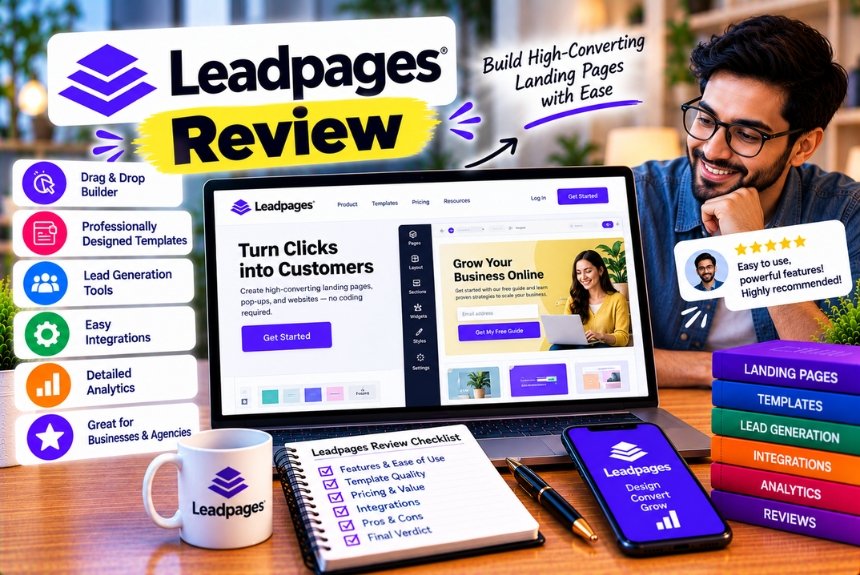
Leadpages Review
Creating a landing page that converts visitors into leads or customers is an important part of digital marketing. Whether you run an online business, manage paid advertising campaigns, promote a webinar, sell digital products, or collect email subscribers, your landing page can significantly influence the results of your marketing efforts.
However, building effective landing pages can be challenging. You need an attractive design, persuasive copy, a clear call to action, a reliable form or checkout process, and a way to measure whether visitors are taking the desired action.
Traditional website development can require design skills, coding knowledge, and additional tools for analytics, testing, and lead management. For businesses running multiple campaigns, maintaining these separate systems can increase both costs and operational complexity.
This is where Leadpages comes in.
Leadpages is a landing page and lead-generation platform designed to help marketers and businesses create, publish, and optimise conversion-focused pages without building everything from scratch. Its current platform combines AI-assisted page creation, a visual editor, landing page templates, lead capture, analytics, and conversion testing. Higher-tier plans add more advanced optimisation and team capabilities.
But is Leadpages worth paying for when free website builders, WordPress page builders, and competing landing page tools are available?
The answer depends on your marketing objectives, the number of campaigns you run, the features you need, and how much value you place on conversion optimisation.
In this Leadpages review, we examine its main features, pricing plans, advantages, disadvantages, integrations, usability, and potential alternatives. We also explore which businesses are most likely to benefit from the platform and when a simpler or more affordable solution might make more sense.
What Is Leadpages?
Leadpages is a cloud-based landing page builder that helps businesses create dedicated pages for specific marketing campaigns.
Unlike a general-purpose website builder, which is typically designed to support a complete website, Leadpages focuses on pages intended to encourage visitors to complete a particular action.
That action might be:
- Subscribing to an email newsletter.
- Downloading an ebook or lead magnet.
- Registering for a webinar.
- Booking a consultation.
- Requesting a product demonstration.
- Purchasing a product or service.
- Submitting a contact form.
- Joining an online course or programme.
For example, a digital marketing agency running Google Ads for its SEO services might create a landing page that explains the offer, highlights the benefits, presents customer testimonials, and encourages visitors to book a consultation.
Rather than sending potential customers to the agency’s general homepage, the business can direct advertising traffic to a page specifically designed for that campaign.
Leadpages provides the tools to create and publish such pages without requiring users to develop every element manually.
How Leadpages Works
The typical Leadpages workflow involves five stages.
- Choose or generate a page.
Start with a template, use the AI page builder, or build a layout using the available visual editing tools.
- Customise the content.
Add your headlines, images, product information, forms, testimonials, and calls to action.
- Connect your marketing tools.
Configure the relevant email marketing service, CRM, analytics system, or other integration.
- Publish the landing page.
Use an available publishing option, such as a custom domain, depending on your setup and plan.
- Measure and improve performance.
Track conversions and, where supported by your plan, run experiments to compare different versions of the page.
This workflow allows marketers to manage much of the landing page creation process within one platform.
However, Leadpages is not a complete replacement for every marketing tool. You may still need an email marketing platform to send campaigns, a CRM to manage sales opportunities, and an advertising platform to acquire visitors.
The main advantage is that Leadpages can help connect these activities through a focused landing page workflow.
Leadpages Review: Quick Verdict
Leadpages is worth considering if your business regularly creates landing pages for lead generation, paid advertising, product launches, webinars, or email acquisition.
Its biggest strengths are its conversion-focused approach, AI-assisted page creation, visual editor, and built-in testing capabilities. Its pricing structure also provides unlimited visitor traffic across the listed plans, avoiding visitor-based overage charges.
However, Leadpages is not automatically the best option for every website owner.
The current published plans start at $99 per month with monthly billing. This is a substantial expense for freelancers, small businesses, and creators who need only one or two simple landing pages. The platform may provide better value when its testing and optimisation features contribute to a meaningful improvement in campaign performance.
Leadpages at a Glance
| Category | Details |
| Product category | Landing page builder and lead-generation platform |
| Primary purpose | Create, publish, and optimise campaign landing pages |
| Intended users | Marketers, entrepreneurs, agencies, and small businesses |
| Page creation | AI-assisted generation and visual editing |
| Templates | Pre-designed landing page templates |
| Lead capture | Forms and connected marketing services |
| Conversion optimisation | A/B testing, with advanced features on higher plans |
| Traffic limits | Unlimited visitor traffic on published plans |
| Custom domains | Available, with plan-specific limits |
| Integrations | Email marketing, CRM, analytics, and other marketing tools |
| Free plan | No ongoing free publishing plan listed |
| Free trial | Seven days, with a payment card required |
| Entry-level paid price | $99 per month, or $79 per month equivalent with annual billing |
| Best for | Businesses running measurable lead-generation campaigns |
The pricing and feature details above reflect Leadpages’ published plan information checked for this review. Confirm the current offer on the official pricing page before purchasing.
Leadpages Pricing: How Much Does It Cost?
Pricing is one of the most important factors to consider before choosing Leadpages.
Older articles and comparison pages may display different plan names or substantially lower prices. Leadpages has introduced a new pricing structure, so prospective customers should distinguish current offers from historical plans.
As of October 2026, the official pricing information lists three main paid plans: Grow, Optimize, and Scale.
Leadpages Pricing Plans Compared
| Feature | Grow | Optimize | Scale |
| Monthly billing | $99/month | $199/month | $399/month |
| Annual billing equivalent | $79/month | $159/month | $319/month |
| Annual payment | $948/year | $1,908/year | $3,828/year |
| Landing pages | Unlimited | Unlimited | Unlimited |
| Custom domains | 4 | 6 | 10 |
| A/B testing | Yes | Yes | Yes |
| Maximum page variants listed | Up to 6 | Up to 6 | Up to 6 |
| Smart Traffic | Not included in the standard Grow feature set | Included | Included, with advanced optimisation |
| Heatmaps | Not included in the standard Grow feature set | Included | Included |
| Team seats | No additional seats included | 3 included | 10 included |
| Brand kits | 1 | Up to 5 | Up to 10 |
| Analytics retention | 1 year | 2 years | 3 years |
| AI credits per month | 40,000 | 80,000 | 160,000 |
| Best for | Individual marketers | Growing marketing teams | Agencies and multi-brand operations |
Pricing and feature limits are based on Leadpages’ published plan information. Annual billing is paid upfront, and the monthly figures shown for annual plans represent the effective monthly cost rather than a monthly payment. Feature entitlements should be checked at checkout because product documentation and marketing pages may differ in their presentation.
1. Grow Plan: For Individual Marketers and Small Businesses
The Grow plan is the entry point for businesses that want to create landing pages and run conversion experiments.
At the published price of $99 per month, or $948 annually, it includes unlimited pages, custom domains, AI-assisted page creation, A/B testing, analytics, and lead-generation integrations.
The plan is particularly relevant to businesses that want to test landing page headlines, layouts, images, or calls to action without purchasing a separate testing platform.
For example, a consultant promoting a paid workshop might create two versions of a registration page.
The first version could focus on the practical benefits of the workshop, while the second highlights the problems it helps solve. A/B testing can then help the consultant evaluate which version generates more registrations.
Grow is worth considering when you actively run campaigns and expect to use its testing capabilities.
However, the price may be difficult to justify if you only need a static page with a contact form.
Best for: Solo marketers, consultants, service businesses, and smaller teams running active lead-generation campaigns.
2. Optimize Plan: For Businesses Focused on Conversion Improvement
Optimize costs $199 per month or $1,908 annually under the published pricing structure.
It includes the Grow features and adds more advanced optimisation capabilities, including heatmaps, Smart Traffic, visitor intelligence, and additional team and brand resources.
These features are designed for businesses that want to investigate visitor behaviour and improve conversion performance beyond basic page testing.
For example, an online education company may discover that many visitors reach its course landing page but leave without submitting the registration form.
Heatmaps can help reveal where visitors click or how far they scroll. Smart Traffic can help route visitors between page variants according to observed performance, subject to the platform’s implementation and available settings.
Such features may help identify opportunities for improvement, but they do not guarantee higher conversions. Results still depend on traffic quality, the offer, the page design, and the experiment.
Best for: Businesses with established marketing campaigns that need more detailed optimisation and behavioural insights.
3. Scale Plan: For Agencies and Larger Marketing Teams
Scale costs $399 per month or $3,828 annually under the published pricing structure.
It is intended for organisations managing more brands, domains, users, and ongoing optimisation activities.
The plan adds capabilities such as additional team seats, more brand kits, extended analytics retention, and advanced optimisation features. It is particularly relevant to agencies managing campaigns for multiple clients.
For example, a digital marketing agency might manage landing pages for several clients in different industries.
Each client may need a separate brand identity, campaign domain, and reporting workflow. A higher-tier plan can make these activities easier to organise within one platform.
However, smaller agencies should calculate whether the included team and brand resources justify the higher price.
Best for: Established agencies, larger marketing teams, and businesses managing multiple brands or ongoing conversion experiments.
Does Leadpages Offer a Free Plan?
Leadpages currently advertises a seven-day free trial rather than an ongoing free publishing plan.
The trial requires a payment card. According to its published FAQ, users can cancel before the trial ends to avoid being charged. If you do not cancel, the selected subscription is charged at the applicable plan price.
This makes it important to record the trial’s end date when signing up.
During the trial, test the actual workflow you intend to use. Do not spend the entire trial exploring templates without checking whether your forms, integrations, domains, and publishing requirements work as expected.
Is Annual Billing Worth It?
Annual billing reduces the effective monthly price, but it requires a larger upfront commitment.
For example, the Grow plan costs $99 per month when billed monthly, compared with $948 for a full year when billed annually.
The annual option is cheaper over a complete year, but only if you continue using the platform for long enough to justify the commitment.
Before choosing annual billing, consider:
- Whether you expect to use Leadpages throughout the year.
- Whether your business has ongoing landing page requirements.
- Whether you have enough campaign traffic to test and improve pages.
- Whether a cheaper tool would meet your needs.
- Whether you are comfortable paying upfront.
If you are still evaluating landing page software, monthly billing may be worth the additional cost during the initial testing period.
Official pricing reference: Leadpages Pricing Plans
Leadpages Features Reviewed
Pricing alone does not determine whether a landing page builder is worthwhile. The more important question is whether its features solve real marketing problems.
Let’s examine the core capabilities and where they are most useful.
1. AI-Powered Landing Page Creation
One of the notable features of the current Leadpages platform is its AI-assisted page builder.
Rather than starting with a blank page, you can describe the campaign you want to create and use AI to generate an initial landing page.
For example, a user might request a landing page for a local fitness studio promoting a seven-day introductory membership.
The initial brief could include:
- The target audience.
- The main offer.
- The benefits of the service.
- The desired conversion action.
- The brand’s tone and visual identity.
The AI builder can use this information to create a starting point that you can edit and refine. Leadpages also describes AI-assisted copy and brand customisation capabilities.
How Useful Is the AI Builder?
AI-assisted generation can reduce the amount of time required to create an initial layout and draft copy.
It is particularly useful when you need to create several campaign pages with similar structures.
However, generated content still requires human review.
AI may produce generic headlines, vague benefits, unsupported claims, or text that does not accurately reflect your offer.
For example, a landing page for a financial consultancy should not publish invented performance claims simply because they sound persuasive.
Use the generated page as a starting point rather than a finished marketing asset.
Our assessment: AI page generation is useful for speeding up the initial creation process, but it does not replace positioning, copywriting, brand judgement, or conversion testing.
2. Drag-and-Drop Visual Editor
Leadpages provides a visual editing environment that allows users to customise landing pages without writing code for routine design tasks.
You can adjust page content, change layouts, add sections, and customise the presentation to match your campaign.
This is useful for marketers who want to make changes independently instead of asking a developer to modify every headline, button, or image.
For example, if a webinar registration page needs a different headline, you can update the text in the editor and preview the change before publishing.
The platform also supports creating pages from existing templates or starting with a generated layout.
Is the Editor Easy to Use?
The visual workflow is designed to reduce technical barriers, although ease of use depends on the complexity of the page and your experience with website builders.
Simple pages are generally easier to manage than layouts involving multiple sections, forms, integrations, and responsive design adjustments.
Before committing to a plan, build a representative page during the trial. This will help you determine whether the editor gives you enough control over the layouts you need.
3. Landing Page Templates
Templates are useful when you need to launch a campaign quickly or want a starting point based on an established page structure.
Leadpages provides templates for different marketing objectives, including lead generation, sales pages, webinars, ecommerce, SaaS, and other use cases. Its current template marketing page advertises more than 200 templates.
Examples of landing page types include:
- Newsletter subscription pages.
- Ebook and downloadable resource pages.
- Webinar registration pages.
- Product launch pages.
- Service enquiry pages.
- Sales and offer pages.
- Event registration pages.
The advantage is not simply the number of templates available. It is the ability to select a structure that matches the action you want visitors to take.
A webinar registration page, for example, usually needs an event description, a clear benefit statement, date and time details, and a registration form.
A product sales page may require product information, pricing, testimonials, and a purchase button.
Starting with a relevant template can reduce the amount of structural work required.
However, a template that looks attractive is not automatically effective for your audience. Its performance depends on your offer, message, traffic source, and implementation.
4. A/B Testing
A/B testing is one of the most important features to evaluate when reviewing Leadpages.
It allows you to compare different versions of a landing page and measure which version performs better against a defined conversion goal.
Leadpages’ documentation describes experiments involving page variants and goals such as form submissions, element clicks, purchases, and supported off-site conversions.
How A/B Testing Works
Imagine you run a campaign offering a free marketing consultation.
You create two versions of the same landing page.
Version A: “Book Your Free Marketing Consultation”
Version B: “Find New Opportunities to Grow Your Business”
Both versions promote the same service, but the messaging is different.
You then direct eligible visitors to the two variants and measure how frequently they complete the desired action.
If one version consistently performs better, you can use the results to inform future campaign decisions.
What Can You Test?
Depending on the page and your experiment setup, useful variables include:
- Headlines.
- Supporting copy.
- Call-to-action text.
- Images.
- Form layouts.
- Page structure.
- Offer presentation.
- Button placement.
It is generally easier to interpret results when you test one major change at a time.
If you simultaneously change the headline, image, form, and offer, it becomes harder to determine which change influenced the result.
Is A/B Testing Included in the Entry Plan?
Leadpages’ current pricing documentation lists A/B testing in the Grow plan, with testing capabilities also available in the higher tiers. The published plan information describes testing up to six variants per page.
This is useful for marketers who want to begin testing without immediately purchasing the most expensive subscription.
However, testing tools alone do not guarantee meaningful results.
You need sufficient relevant traffic, a clearly defined conversion goal, and enough time to collect useful data.
Our assessment: A/B testing is valuable when you have active campaigns and a clear process for using the results. It offers less value if your pages receive very little traffic or you rarely make changes.
5. Smart Traffic and Advanced Optimisation
Leadpages’ Optimize and Scale plans include more advanced optimisation capabilities.
Smart Traffic is designed to route visitors between page variants based on performance signals. Higher-tier offerings also include additional personalisation and optimisation tools.
The general idea is to move beyond simply reporting which page performs better and use platform functionality to help direct visitors towards suitable variants.
For businesses running ongoing campaigns, this can reduce some manual work involved in managing experiments.
However, the feature should not be treated as a substitute for understanding your audience.
A page may perform differently depending on the visitor’s location, device, traffic source, or level of purchase intent.
You should still define the campaign objective, review the results, and ensure that the variants provide a consistent and truthful offer.
Best suited to: Businesses that already generate enough traffic to benefit from ongoing conversion optimisation.
6. Conversion Analytics and Heatmaps
Leadpages provides conversion analytics, while its higher-tier plans include heatmaps and additional visitor intelligence capabilities.
These tools can help marketers understand how landing pages perform and investigate possible reasons for poor results.
Conversion Analytics
Conversion analytics can help answer questions such as:
- How many visitors reached the page?
- How many completed the desired action?
- Which campaign or traffic source generated the visits?
- Which page variant performed better?
- Are conversions improving after a change?
The exact metrics available depend on the reporting features and integrations in use.
Heatmaps
Heatmaps help visualise visitor interactions.
Depending on the implementation, they may show click activity, scrolling behaviour, and areas receiving more or less attention.
For example, if visitors rarely reach the section containing your main offer, the page may be too long or the earlier content may not communicate enough value.
If visitors click an element that is not interactive, the design may be creating an expectation that the page does not fulfil.
These observations can guide improvements, but they do not automatically explain why users behave in a particular way.
Combine behavioural data with conversion metrics, customer feedback, and controlled experiments.
7. Lead Capture Forms
Landing pages often exist to collect information from prospective customers.
Leadpages supports lead capture through forms and connected marketing services, allowing businesses to gather information and direct it to other systems.
A lead capture form might collect:
- Name.
- Email address.
- Company name.
- Phone number.
- Service requirements.
- Webinar registration details.
The form should request only information that is necessary for the conversion goal.
For example, a newsletter subscription generally does not require a phone number, company revenue, and several additional personal details.
A shorter form may reduce friction, although the best approach depends on the type of lead you want to attract.
For a high-value business consultation, requesting a company name or service requirement may be reasonable.
For a simple downloadable guide, a name and email address may be sufficient.
8. Integrations With Marketing Tools
Leadpages is designed to connect landing pages with the wider marketing workflow.
Its integration documentation lists services including Mailchimp, HubSpot, Pipedrive, Keap, Zoom, Google Sheets, Slack, Klaviyo, Shopify, Brevo, and other platforms. Available integrations and connection methods vary.
These integrations can help reduce manual work.
For example, when someone submits a landing page form, the information may be sent to an email marketing platform or CRM so the business can follow up.
A webinar registration page might connect to an event platform, while a product campaign could use an ecommerce or payment integration.
Before subscribing, verify that the specific service you use is supported and that the connection is available on your intended plan.
Also test the full lead journey.
A successful form submission is not enough if the data fails to reach your CRM or the follow-up email never arrives.
9. Custom Domains and Publishing
A landing page should generally use a domain that visitors can associate with your business.
Leadpages supports publishing through custom domains, with the number of domains available depending on the subscription tier. Its published plans list four custom domains for Grow, six for Optimize, and ten for Scale.
Using a custom domain can help maintain brand consistency and make campaign links easier to recognise.
For example, a company might publish a campaign at a branded subdomain or a dedicated page path associated with its main website.
Before publishing, check the domain configuration, SSL status, page URL, and mobile presentation.
If you already use WordPress, review how Leadpages will fit into your existing site structure and whether you want the landing page hosted externally or published through the available WordPress workflow.
10. WordPress Compatibility
Businesses that already operate WordPress websites may want to use Leadpages without rebuilding their existing site.
Leadpages provides an official WordPress plugin that supports publishing landing page assets created in a Leadpages account to a WordPress website.
This can be useful when your main website uses WordPress but you prefer a specialised landing page tool for paid campaigns or lead generation.
For example, a business might maintain its blog, service pages, and resource library in WordPress while using Leadpages for a dedicated campaign promoting a new service.
However, introducing another platform also adds complexity.
You may need to manage domain settings, analytics tracking, consent requirements, and integrations across both systems.
Test the publishing workflow before migrating a large number of pages or making the tool part of a critical campaign.
Leadpages Pros and Cons
No landing page builder is ideal for every use case.
Leadpages has several strengths for conversion-focused marketing, but its pricing and specialised purpose may be drawbacks for some users.
Advantages of Leadpages
- Focused on lead generation
The platform is designed around creating pages that encourage a particular action rather than managing every aspect of a website.
This makes it relevant to businesses running specific campaigns.
- AI-assisted page creation
The AI builder can help generate a starting layout and initial content, reducing the work involved in creating a page from scratch.
- Visual editing without routine coding
The editor allows marketers to make common changes without relying on a developer for every adjustment.
- Built-in A/B testing
The published plans include testing capabilities, allowing marketers to compare page variants and evaluate conversion performance.
- Unlimited visitor traffic
Leadpages lists unlimited visitor traffic across its published plans, so the subscription is not priced according to a visitor allowance.
- Marketing integrations
Connections to email marketing services, CRMs, and other platforms can help move lead information through the sales process.
- Templates for different campaign types
Pre-designed layouts provide a starting point for lead magnets, webinars, sales pages, and other marketing campaigns.
- Advanced optimisation options
Higher-tier plans include tools such as heatmaps, Smart Traffic, and additional visitor intelligence capabilities.
Disadvantages of Leadpages
- Relatively high entry-level pricing
At $99 per month with monthly billing, Leadpages may be expensive for users who need only a simple landing page.
- No ongoing free publishing plan
The published offer is based on a paid subscription and a seven-day trial, rather than a permanent free publishing tier.
- Additional marketing tools may still be necessary
Leadpages does not replace every CRM, email marketing platform, analytics system, or advertising service.
Your total marketing technology costs may therefore be higher than the Leadpages subscription alone.
- Advanced optimisation requires a higher-tier plan
Heatmaps and Smart Traffic are associated with higher-tier plans, increasing the cost for businesses that need those features.
- Not designed to replace a full content management system
Leadpages is focused on landing pages and lead generation. Businesses managing large content libraries, complex website navigation, or extensive editorial workflows may prefer a full website platform.
- AI-generated content still needs review
Generated copy may be generic, inaccurate, or poorly matched to your target audience unless it is edited carefully.
- Results depend on the campaign
A well-designed landing page cannot compensate for an irrelevant offer, poor-quality traffic, or weak messaging.
Leadpages can provide useful tools, but it cannot guarantee conversions or revenue.
Is Leadpages Easy to Use?
Leadpages is designed to help users create landing pages without writing code for routine tasks.
Its AI-assisted creation workflow and visual editor can reduce the technical work involved in building a page. The platform’s documentation describes a process that starts with a generated page or template and continues through visual customisation and publishing.
However, ease of use depends on what you want to build.
A simple landing page containing a headline, image, short description, and email form is relatively straightforward.
A more complex page involving several forms, multiple integrations, advanced tracking, custom domains, and A/B tests requires additional configuration.
Who Will Find Leadpages Easy to Use?
It may be a good fit for:
- Digital marketers who regularly launch campaigns.
- Entrepreneurs creating lead magnets.
- Agencies managing landing pages for clients.
- Service businesses collecting consultation requests.
- Course creators promoting online programmes.
- Businesses testing different offers or messages.
Who May Need More Time to Learn It?
Users may need additional time if they are unfamiliar with:
- Landing page design principles.
- Domain configuration.
- CRM and email marketing integrations.
- Conversion tracking.
- A/B testing.
- Campaign analytics.
These are not necessarily problems with the software itself. They are part of managing a conversion-focused marketing workflow.
The most useful way to evaluate usability is to build one complete landing page during the trial and test every stage from editing to lead capture.
Leadpages for Different Business Types
The value of Leadpages depends on the business model and how the platform will be used.
1. Leadpages for Small Businesses
Small businesses often need pages for individual services, seasonal promotions, local campaigns, and lead generation.
For example, a consultancy might create separate pages for SEO services, website development, and digital advertising.
Each page can focus on a specific offer and direct visitors towards a relevant enquiry form.
Leadpages may be useful if the business actively promotes these services and wants to measure the results.
However, a small business with limited traffic and only one basic contact page may find a standard website builder more economical.
Verdict: Worth considering when landing pages are a recurring part of your marketing strategy.
2. Leadpages for Digital Marketing Agencies
Agencies may manage multiple campaigns for different clients.
These campaigns can require separate messaging, landing pages, lead forms, and performance reports.
Leadpages’ custom domains, brand kits, and higher-tier team resources may help agencies manage this work within one platform.
However, agencies should carefully review client access, account organisation, and reporting requirements before selecting a plan.
A plan’s stated domain and seat limits may influence whether it fits the agency’s structure.
Verdict: Potentially useful for agencies that manage ongoing lead-generation campaigns and can justify the subscription cost.
3. Leadpages for Coaches and Consultants
Coaches and consultants often need landing pages for consultations, webinars, downloadable guides, and paid programmes.
A typical campaign might offer a free resource in exchange for an email address, followed by an email sequence that introduces a paid service.
Leadpages can support the landing page and lead capture portion of this workflow, while an email marketing platform manages subsequent communication.
Its value depends on whether the business needs campaign-specific pages and conversion testing.
Verdict: Suitable for established coaches and consultants who actively promote their offers.
4. Leadpages for SaaS Companies
Software companies may use landing pages for product demonstrations, trial sign-ups, feature launches, and lead generation.
Different pages can target distinct audiences or use cases.
For example, a project management platform might create one landing page for agencies and another for in-house marketing teams.
Testing different value propositions can help the business understand which messaging resonates with each audience.
However, a SaaS company with complex product onboarding, account creation, and application workflows may need additional tools beyond a landing page builder.
Verdict: Useful for marketing campaigns that lead visitors towards a demo, trial, or other measurable conversion.
5. Leadpages for Ecommerce Businesses
Ecommerce businesses may use dedicated landing pages to promote new products, special offers, or seasonal campaigns.
A focused page can explain the offer, show product benefits, and direct visitors to the appropriate purchase process.
However, a landing page builder is not necessarily a replacement for a complete ecommerce platform.
Inventory management, order fulfilment, shipping, customer accounts, and other operational requirements may need separate systems.
Leadpages lists ecommerce-related templates and integrations among its available capabilities.
Verdict: Worth evaluating for focused product campaigns, especially when the business already has an ecommerce system.
Leadpages vs a Traditional Website Builder
One common mistake is choosing a landing page builder when the real requirement is a complete business website.
Both tools can create web pages, but their primary purposes differ.
| Requirement | Leadpages | General Website Builder |
| Dedicated campaign landing pages | Primary focus | Usually supported |
| Lead generation | Core use case | Depends on the platform |
| A/B testing | Available, with plan-specific capabilities | Often requires specific tools or integrations |
| Conversion-focused analytics | Available | Varies |
| Full website navigation | More specialised | Usually a central feature |
| Large blog or editorial library | Not its primary focus | Often better suited |
| Ecommerce operations | Depends on integrations and setup | Varies by platform |
| Campaign-specific page creation | Strong fit | Possible |
| Long-term content management | May require another system | Often stronger |
A general website builder may be sufficient if you need a homepage, service pages, blog, and contact form.
Leadpages becomes more attractive when you frequently create individual campaign pages and want tools to measure and improve their performance.
The right choice depends on whether your priority is maintaining a website or running conversion-focused marketing campaigns.
Is Leadpages Worth It for SEO?
Leadpages can be used to create pages that attract organic traffic, but buying the platform does not automatically improve search rankings.
SEO performance depends on factors such as content quality, search intent, technical accessibility, page experience, internal linking, and the competitiveness of the target keywords.
For most businesses, Leadpages is best evaluated as a conversion tool rather than a complete SEO strategy.
When Leadpages Can Support SEO
A landing page may contribute to organic search performance when it provides useful information that matches a searcher’s needs.
For example, a business offering accounting services might create a detailed page explaining a specific service, including the process, pricing factors, benefits, and common questions.
If the page is accessible to search engines and provides a useful experience, it may be eligible to appear in search results.
However, the outcome is not guaranteed.
SEO Considerations Before Publishing
Review the following elements:
Page title and meta description: Write a descriptive title and search snippet that accurately represent the page.
Content quality: Provide original information rather than publishing generic AI-generated copy.
Search intent: Ensure the page answers the question or fulfils the need behind the target keyword.
Mobile usability: Check that text, forms, buttons, and images work properly on mobile devices.
Page performance: Test loading behaviour and avoid unnecessary media or scripts.
Internal links: Link to relevant pages on your main website where appropriate.
Indexability: Confirm that the page can be crawled and indexed if organic search visibility is a goal.
Canonical and duplicate content handling: Check how similar campaign pages are managed, especially when multiple URLs contain substantially overlapping content.
Tracking: Configure analytics so that you can distinguish organic visitors from paid and other traffic sources.
A landing page created primarily for paid advertising may not need the same content depth as an informational SEO article. The structure should match the page’s purpose.
Our assessment: Leadpages can support SEO-oriented landing pages, but businesses building large content libraries may prefer a dedicated content management system for their main website.
Leadpages vs Competitors: Which Tool Should You Choose?
Leadpages competes with several types of tools, including dedicated landing page platforms, general website builders, and WordPress page builders.
The best alternative depends on your budget, preferred workflow, and the features you need.
Leadpages vs Unbounce
Unbounce is a landing page platform that focuses on campaign creation and conversion optimisation.
Leadpages is worth considering if you want AI-assisted page creation, visual editing, lead capture, and a pricing structure with unlimited visitor traffic.
Unbounce may be attractive to marketers whose requirements align with its landing page experimentation and optimisation workflow.
Before deciding, compare the current prices, testing capabilities, traffic policies, integrations, and publishing options of both platforms.
This is particularly important because both products can change their plans and feature entitlements over time.
Leadpages vs Instapage
Instapage is another landing page platform associated with advertising campaigns and conversion-focused experiences.
The choice depends on the scale of your campaigns, the design and collaboration features you need, and how each product fits your existing marketing stack.
Businesses should compare their required features rather than assuming that the platform with more design options or a higher price will produce better results.
Leadpages vs WordPress Page Builders
WordPress page builders allow website owners to create pages within their existing content management system.
This can be attractive if you already operate a WordPress website and want to manage content, landing pages, and site navigation in one environment.
However, features such as advanced experimentation or visitor analysis may require additional plugins or services.
Leadpages offers a more specialised landing page workflow, while a WordPress setup may provide greater flexibility over the broader website.
The total cost of WordPress depends on hosting, themes, plugins, maintenance, and any paid conversion optimisation tools you add.
Leadpages vs General Website Builders
A general website builder may be sufficient for businesses that need a homepage, service pages, blog, and contact form.
Leadpages is more relevant when dedicated campaign pages and conversion testing are central to your marketing activities.
Do not purchase a specialised landing page platform simply because it offers marketing features that you may never use.
How to Decide Whether Leadpages Is Worth the Money
The best way to evaluate Leadpages is to compare its subscription cost with the value of the campaigns you intend to run.
Consider a business that pays $99 per month for the Grow plan.
Its annual subscription cost under monthly billing would be $1,188, excluding taxes and any additional marketing tools.
The same plan costs $948 when billed annually according to the published pricing.
Now consider how the business acquires leads and generates revenue.
If the landing page helps the company obtain additional qualified leads that convert into profitable customers, the investment may be worthwhile.
However, if the page receives very little traffic, generates few leads, or promotes an offer that customers do not want, the software may not provide enough value.
Example: Calculating the Potential Value
Suppose a consultancy receives 1,000 relevant visitors each month.
Its current landing page converts 2% of visitors into leads.
That produces:
1,000 visitors × 2% = 20 leads.
If the conversion rate increases to 3%, the page produces:
1,000 visitors × 3% = 30 leads.
The difference is ten additional leads per month.
However, those additional leads do not automatically represent ten additional customers. Their commercial value depends on lead quality, the sales conversion rate, and the profit generated by each customer.
The following formula provides a starting point:
Monthly lead value = Additional qualified leads × Lead-to-customer conversion rate × Average contribution per customer
For example, if the ten additional leads convert into two customers and each customer generates $300 in contribution after relevant variable costs, the potential contribution is $600.
That could justify a $99 monthly subscription, provided the improvement is genuinely attributable to the landing page and the result persists.
This is an illustrative calculation, not a prediction of Leadpages’ performance.
Questions to Ask Before Purchasing
Before paying for Leadpages, ask yourself:
- Do I regularly create campaign-specific landing pages?
- Do I have enough traffic to evaluate conversion experiments?
- Will I use the built-in testing and analytics tools?
- Can I connect the platform to my existing CRM or email marketing service?
- Does my current website builder already provide the functionality I need?
- Will the subscription reduce enough manual work to justify its cost?
- Can I measure whether the campaigns generate profitable results?
If most answers are yes, Leadpages deserves serious consideration.
If you only need a single contact page, the subscription may be difficult to justify.
Who Should Use Leadpages?
Leadpages is most suitable for businesses that treat landing pages as an ongoing part of their marketing strategy.
Leadpages Is a Good Choice If You:
- Run regular lead-generation campaigns.
- Promote webinars, workshops, or downloadable resources.
- Need landing pages without routine custom coding.
- Want to compare different page variants.
- Need to connect lead capture with marketing tools.
- Manage multiple campaigns or brands.
- Value a platform with built-in conversion optimisation features.
Leadpages May Not Be the Best Choice If You:
- Need only one simple landing page.
- Have a very limited marketing budget.
- Want a permanent free publishing plan.
- Need a complete content management system.
- Require extensive custom development.
- Have very little traffic for meaningful experiments.
- Already have a page builder that meets your needs.
In these situations, a simpler website builder, WordPress page builder, or lower-cost landing page tool may provide better value.
How to Evaluate Leadpages During the Free Trial
The seven-day trial is an opportunity to determine whether the platform fits your actual workflow.
Because the trial requires a payment card, check the trial end date and cancellation terms before signing up.
Rather than testing every feature, focus on the tasks you expect to perform regularly.
Day 1: Build a Landing Page
Choose a relevant template or use the AI builder to create an initial page.
Customise the headline, body copy, images, form, and call to action.
Check whether the editor provides enough flexibility for your requirements.
Day 2: Test Mobile Presentation
Preview the page on mobile and desktop layouts.
Check the headline, button placement, form usability, text readability, and image presentation.
If you plan to send paid traffic to the page, do not assume that a desktop preview guarantees a good mobile experience.
Day 3: Configure Lead Capture
Connect your preferred email marketing platform or CRM.
Submit a test lead and verify that the data reaches the correct destination.
Check whether tags, custom fields, and other required information are transferred correctly.
Day 4: Test Publishing and Tracking
Publish the page using your intended setup.
Verify the URL, domain configuration, SSL, analytics, and conversion tracking.
If you plan to use paid advertising, check that the appropriate tracking events are configured.
Day 5: Explore A/B Testing
Create a second page variant and identify a meaningful difference to test.
For example, compare two headlines or two calls to action.
Review how the experiment is configured and how results are presented.
Do not expect a statistically meaningful conclusion from a handful of visitors.
Day 6: Review the Marketing Workflow
Check whether the page integrates smoothly with your existing tools.
Evaluate the amount of manual work required to manage leads, review analytics, and update the page.
Consider whether you would use the platform frequently enough to justify the subscription.
Day 7: Make a Purchase Decision
Compare the platform’s capabilities with your requirements and budget.
If it fits your workflow, choose the appropriate plan.
If it does not, cancel the trial before it ends to avoid an unwanted subscription charge.
Frequently Asked Questions About Leadpages
1. What is Leadpages used for?
Leadpages is used to create and publish landing pages for lead generation, webinars, product promotions, email subscriptions, service enquiries, and other marketing campaigns. It also provides tools for page testing, analytics, and integration with marketing services.
2. Is Leadpages worth the money?
Leadpages can be worth the cost for businesses that regularly create landing pages and use conversion testing to improve campaign results. It may be too expensive for users who need only one simple page or do not use its marketing features.
3. How much does Leadpages cost in 2026?
Leadpages’ published plans are Grow at $99 per month, Optimize at $199 per month, and Scale at $399 per month. Annual billing reduces the effective monthly prices to $79, $159, and $319 respectively, paid upfront. Confirm the current offer before purchasing.
4. Does Leadpages offer a free plan?
Leadpages currently advertises a seven-day free trial rather than an ongoing free publishing plan. The trial requires a payment card, and you should cancel before the trial ends if you do not want to continue with a paid subscription.
5. Is Leadpages suitable for beginners?
Leadpages is designed to help users create pages without writing code for routine tasks. Its visual editor, templates, and AI-assisted page creation can make the process more accessible. Users still need to learn basic landing page design and configure any required integrations.
6. Does Leadpages require coding knowledge?
You generally do not need coding knowledge to create standard landing pages using the visual editor and templates. More advanced customisation or specialised integrations may require technical assistance, depending on your requirements.
7. Does Leadpages support AI page creation?
Yes. Leadpages offers AI-assisted page creation that can generate a starting page from a description of your campaign. The resulting content and design should be reviewed and customised before publication.
8. Does Leadpages include A/B testing?
Yes. Leadpages’ published plan information includes A/B testing, with the current Grow plan offering testing capabilities. Higher-tier plans add other optimisation features. Check the latest plan comparison for precise limits and entitlements.
9. What is Smart Traffic in Leadpages?
Smart Traffic is an optimisation feature designed to route visitors between page variants based on performance signals. It is associated with higher-tier Leadpages plans. Its value depends on the campaign, the available data, and the quality of the page variants.
10. Does Leadpages include landing page templates?
Yes. Leadpages offers templates for different campaign types, including lead generation, webinars, sales pages, and ecommerce. Its current marketing page advertises more than 200 templates.
11. Can I use Leadpages with WordPress?
Yes. Leadpages provides an official WordPress plugin that supports publishing landing page assets created in a Leadpages account to a WordPress website. Check the current plugin documentation to confirm the workflow that fits your setup.
12. Does Leadpages integrate with email marketing tools?
Leadpages lists integrations with email marketing platforms such as Mailchimp, Klaviyo, Brevo, ActiveCampaign, and others. Availability and connection methods vary, so verify that your preferred service is supported.
13. Can I connect Leadpages to a CRM?
Leadpages supports integrations with CRM platforms, including HubSpot and Pipedrive. These connections can help transfer lead information from landing page forms into a sales or marketing workflow. Test the integration before launching an important campaign.
14. Is Leadpages good for SEO?
Leadpages can support landing pages intended to attract organic traffic, but it does not guarantee search rankings. Results depend on content quality, search intent, technical accessibility, page performance, and other SEO factors. A content-heavy website may benefit from a dedicated content management system.
15. Can Leadpages replace my entire website?
Leadpages is primarily focused on landing pages and lead generation. Although it provides website-building capabilities, businesses that need extensive navigation, large blog libraries, or complex content management may prefer a dedicated website platform.
16. Does Leadpages charge for visitor traffic?
Leadpages’ published pricing information states that its plans include unlimited visitor traffic without visitor-based overage charges. Review the current terms and plan details before subscribing.
17. Is Leadpages better than Unbounce?
Neither platform is automatically better for every business. Compare current pricing, page creation tools, A/B testing, traffic policies, integrations, and reporting capabilities. The right choice depends on your marketing requirements and budget.
18. Can I cancel Leadpages at any time?
Leadpages states that subscriptions can be cancelled through account settings, without cancellation fees, and that access continues through the end of the billing period. Its published FAQ also states that subscription payments are generally non-refundable after the trial. Review the current terms before subscribing, particularly if you choose annual billing.
19. Which Leadpages plan is best for a small business?
Grow is the logical starting point for a small business that needs landing pages, lead capture, and A/B testing. Optimize may be appropriate when the business needs heatmaps and more advanced visitor analysis. The right choice depends on which features you will actually use.
20. What are the best alternatives to Leadpages?
Alternatives include Unbounce, Instapage, WordPress page builders, and general website builders. The best option depends on your budget, existing website, desired integrations, and need for conversion testing. Compare the current features and prices before switching.
Final Verdict: Is Leadpages Worth It?
Leadpages is a capable landing page platform for businesses that want to create, publish, and optimise conversion-focused campaigns without building every page from scratch.
Its AI-assisted page creation, visual editor, templates, lead capture tools, and A/B testing capabilities make it relevant to marketers who regularly promote services, products, webinars, and other offers.
The strongest argument in its favour is the combination of page creation and conversion optimisation.
Instead of treating a landing page as a static design, businesses can use Leadpages to publish a page, measure performance, test alternatives, and refine their campaigns.
However, the subscription price deserves careful consideration.
With the Grow plan starting at $99 per month on monthly billing, Leadpages may be difficult to justify for businesses that need only a basic page. Higher-tier plans make sense primarily when the additional optimisation, analytics, and team features are genuinely useful.
Our recommendation: Leadpages is worth evaluating if landing pages are a regular part of your marketing strategy and you have the traffic, offers, and resources needed to improve conversion performance.
If you are a freelancer, blogger, or small business owner who needs only a simple contact or subscription page, a lower-cost WordPress page builder or website platform may be a better starting point.
Ultimately, Leadpages should be judged by the value it provides to your marketing workflow—not simply by the number of templates or features it offers.
Build a real campaign page during the trial, test the integrations you need, evaluate the publishing process, and compare the cost with the expected value of your leads. That is the most reliable way to decide whether the platform deserves a place in your marketing stack.
Leave a Reply