


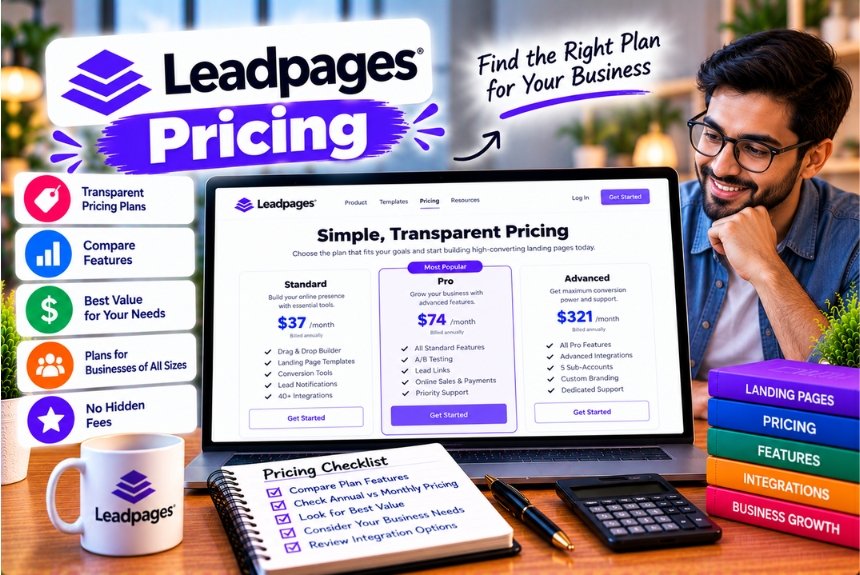
Leadpages Pricing
Choosing the right landing page builder involves more than comparing subscription prices. Businesses need to consider the features included in each plan, the number of pages and domains they can publish, available integrations, testing capabilities, and the additional costs of running their marketing operations.
For a business that regularly launches campaigns, landing page software can simplify lead generation and conversion optimisation. However, paying for an expensive subscription does not automatically produce more leads or sales. The value depends on how frequently you use the platform and whether its features improve your marketing workflow.
Leadpages pricing requires particular attention because its current offering separates basic publishing plans from higher-priced conversion optimisation plans. The publishing options are designed for creating and hosting pages, websites, and blogs, while the Grow, Optimize, and Scale plans add more extensive testing and optimisation capabilities.
According to the official pricing information available in October 2026, Leadpages offers publishing plans starting at $29 per month, while its conversion optimisation plans start at $99 per month. Annual billing can reduce the effective monthly price, and the platform advertises a seven-day free trial for its paid offerings. (Leadpages Pricing)
Understanding this distinction is important. A business that only needs to publish a few landing pages may not need an optimisation-focused subscription. Conversely, a marketing team running multiple advertising campaigns may benefit from features such as A/B testing, heatmaps, and Smart Traffic.
In this guide, we compare Leadpages pricing plans, explain their features, examine potential additional costs, discuss billing and cancellation policies, and help you determine which subscription offers the best value for your requirements.
Leadpages Pricing at a Glance
Leadpages’ current offering includes two broad categories:
- Publishing plans: Designed for creating and publishing landing pages, websites, and blogs.
- Conversion optimisation plans: Designed for businesses that also want to test, analyse, and improve landing page performance.
The following table summarises the main advertised monthly prices.
| Plan | Monthly Price | Annual-Billing Equivalent | Primary Purpose |
| Pro | $29/month | Confirm at checkout | Landing page publishing |
| Business | $49/month | Confirm at checkout | Higher-volume publishing |
| Grow | $99/month | $79/month | Publishing and A/B testing |
| Optimize | $199/month | $159/month | Advanced conversion optimisation |
| Scale | $399/month | $319/month | Agency and multi-brand optimisation |
Prices are in US dollars. Annual-billing equivalents for Grow, Optimize, and Scale are based on Leadpages’ published pricing. Confirm current annual offers for Pro and Business on the official checkout page. Plan names, limits, and included features should also be checked before purchasing.
Why Are There Two Pricing Categories?
The difference comes down to the work you need the software to perform.
Suppose you run a consulting business and need three landing pages: one for SEO services, one for website development, and one for a free consultation.
If you mainly need to create, publish, and maintain these pages, a publishing plan may be sufficient.
Now consider a digital marketing agency managing advertising campaigns for multiple clients. The agency may want to compare headlines, analyse visitor behaviour, route traffic to different page variants, and measure the effect of design changes.
In this situation, an optimisation-focused plan may be more appropriate.
The key is to avoid paying for advanced conversion tools unless you expect to use them.
1. Leadpages Pro Plan: $29 per Month
The Pro plan is designed for creators and marketers who need a straightforward way to publish landing pages without purchasing a full conversion optimisation package.
Leadpages’ published pricing information lists the following features for Pro:
- Up to 25 pages.
- One custom domain with SSL.
- Custom URL slugs.
- AI-assisted page creation.
- API access.
- Approximately 5 GB of storage.
- One blog.
- Analytics retention of up to 90 days.
- Monthly AI credits.
- Publishing tools for creating pages and online content.
The precise AI credit allowance and other limits should be checked against the current pricing page because Leadpages has updated its plan structure and product documentation.
Who Should Choose Pro?
Pro is worth considering if you are an individual creator, freelancer, or small business owner who wants to publish landing pages without immediately investing in advanced optimisation tools.
For example, a freelance graphic designer might create a landing page promoting logo design services.
The page could contain a headline, portfolio examples, a short explanation of the service, client testimonials, and a contact form.
If the main objective is to publish the page and receive enquiries, a publishing-focused subscription may provide enough functionality.
What Are the Limitations?
The primary consideration is whether the plan includes every feature you need.
Publishing a landing page and optimising its conversion rate are different tasks.
If you want built-in A/B testing, heatmaps, and advanced visitor analysis, you should verify whether those features are included in your selected plan. Leadpages’ current pricing comparison distinguishes the publishing plans from the conversion optimisation plans.
Is Pro Worth $29 per Month?
The plan may be worthwhile if it saves time compared with maintaining a custom landing page or assembling multiple tools.
However, if you already use WordPress and a page builder that meets your requirements, an additional subscription may be unnecessary.
Best for: Freelancers, solo creators, and businesses that prioritise publishing over advanced conversion optimisation.
2. Leadpages Business Plan: $49 per Month
The Business plan is intended for users who need greater publishing capacity than the entry-level plan provides.
Leadpages’ published pricing information lists the following features:
- Up to 50 pages.
- Two custom domains.
- SSL support.
- Two blogs.
- Approximately 10 GB of storage.
- AI-assisted page creation.
- Custom URL slugs.
- API access.
- Extended analytics retention compared with Pro.
- A higher monthly AI credit allowance.
Exact limits and entitlements should be verified on the current official pricing page before subscribing.
Who Should Choose Business?
Business can be suitable for small agencies, growing service businesses, and creators managing several campaigns or websites.
For example, a digital marketing freelancer may create separate landing pages for different clients.
One page could promote a restaurant’s catering service, another could advertise a physiotherapy clinic, and a third could generate leads for a local real estate business.
As the number of campaigns increases, publishing capacity and domain availability become more important.
What Makes Business Different From Pro?
The main distinction is additional publishing capacity and resources.
If you need more pages, multiple domains, additional storage, or a larger content publishing allowance, Business may provide a more suitable environment.
However, a higher page allowance does not automatically make the plan better value. If you only publish a handful of pages, you may not benefit from the extra capacity.
Is Business Worth $49 per Month?
Business may be worth considering if your work involves multiple campaigns or websites and you need more publishing resources.
Before upgrading, identify which Pro limits you expect to reach. If you cannot identify a meaningful limitation, staying on the lower-priced plan may be more economical.
Best for: Small agencies, growing businesses, and marketers who need more publishing capacity.
3. Leadpages Grow Plan: $99 per Month
Grow is the entry-level option in Leadpages’ conversion optimisation category.
It is designed for marketers who want to create pages and actively test their performance.
The published monthly price is $99, while annual billing reduces the effective monthly cost to $79, paid upfront as $948 for the year.
Grow Plan Features
The current published plan information includes:
- Landing page creation and publishing.
- Unlimited visitor traffic.
- A/B testing.
- AI-assisted page creation.
- Custom domains.
- Conversion analytics.
- Lead-generation integrations.
- Brand management features.
- Monthly AI credits.
- Analytics retention.
- A defined allowance for active integrations and other resources.
The plan comparison also lists four custom domains and 40,000 AI credits per month for Grow. However, Leadpages’ public pages and support documentation have displayed different limits for certain resources, so verify the live checkout and account-specific plan details before purchasing.
Why Is Grow More Expensive Than Pro and Business?
Grow is not simply a publishing plan with a higher page allowance.
Its main appeal is conversion optimisation.
A business can use A/B testing to compare different versions of a landing page and determine which one performs better against a defined goal.
For example, a marketing agency might test two headlines on a page promoting SEO services.
Version A: “Improve Your Website’s Search Visibility”
Version B: “Get More Qualified Leads From Organic Search”
The agency can measure how frequently visitors submit the enquiry form on each version.
If the second headline consistently produces more qualified enquiries, the result may inform future campaigns.
The test does not guarantee improved performance, but it provides evidence for making decisions.
When Is Grow Worth It?
Grow is worth evaluating if you:
- Run regular marketing campaigns.
- Need to test landing page variations.
- Want to measure conversion performance.
- Use landing pages for paid advertising.
- Need multiple campaign domains.
- Want publishing and testing in one platform.
It may be unnecessary if your landing pages are primarily informational or receive too little traffic to support meaningful experimentation.
Best for: Solo marketers, consultants, and businesses beginning a structured conversion optimisation programme.
4. Leadpages Optimize Plan: $199 per Month
Optimize is designed for businesses that want more advanced tools for understanding visitor behaviour and improving landing page performance.
Its published monthly price is $199, while annual billing reduces the effective monthly cost to $159, paid upfront as $1,908 for the year.
Optimize Plan Features
The plan includes Grow’s core capabilities and adds features such as:
- Heatmaps and scroll maps.
- Smart Traffic.
- Advanced visitor intelligence.
- Additional team seats.
- More custom domains.
- More brand kits.
- A higher AI credit allowance.
- Extended analytics retention.
- Additional active integrations.
The official support documentation lists six custom domains, three included team seats, and 80,000 monthly AI credits for Optimize. Check the current pricing page for the latest complete feature list.
What Are Heatmaps?
Heatmaps help marketers understand how visitors interact with a page.
Depending on the available implementation, they may visualise click activity, scrolling, or areas receiving more attention.
Imagine that a landing page contains:
- A headline.
- An introduction.
- A list of benefits.
- Customer testimonials.
- A lead form.
If visitors frequently leave the page before reaching the form, the business may need to reconsider the page’s structure or the way the offer is presented.
A heatmap can provide clues about visitor behaviour, but it does not independently explain why visitors leave. You may also need analytics, user feedback, and controlled experiments.
What Is Smart Traffic?
Smart Traffic is designed to direct visitors between landing page variants based on performance signals.
Instead of relying exclusively on a manual decision about which page version to use, the platform can help route traffic towards variants that are more likely to convert under its optimisation approach.
The effectiveness of this feature depends on the available data, the quality of the page variants, and the nature of the campaign.
It should be treated as an optimisation tool rather than a guarantee of higher conversion rates.
Is Optimize Worth the Extra $100 per Month?
Compared with Grow’s monthly price, Optimize costs an additional $100 per month.
That is $1,200 more over a full year when both plans are billed monthly.
The additional cost may be justified if your team regularly uses heatmaps, Smart Traffic, and visitor intelligence to improve campaign performance.
However, if you mainly need manual A/B testing, Grow may be sufficient.
Best for: Growing businesses, performance marketers, and teams that actively analyse and optimise landing pages.
5. Leadpages Scale Plan: $399 per Month
Scale is the highest of the three main conversion optimisation plans.
Its published monthly price is $399, while annual billing reduces the effective monthly price to $319, paid upfront as $3,828 for the year.
Scale Plan Features
The current published plan information includes:
- Landing page creation and publishing.
- Advanced A/B testing and optimisation.
- More page variants.
- Additional custom domains.
- More team seats.
- More brand kits.
- Extended analytics retention.
- A higher monthly AI credit allowance.
- Additional integration capacity.
- Organisation-level resources.
- Advanced team and account management features.
The official support documentation lists ten custom domains, ten included team seats, three organisations, and 160,000 monthly AI credits for Scale. It also describes advanced optimisation capabilities.
Who Needs Scale?
Scale is primarily relevant to agencies and larger marketing teams that manage multiple brands, campaigns, and stakeholders.
For example, an agency may operate landing pages for ten clients, with each client requiring a separate brand identity, custom domain, and optimisation workflow.
A higher-tier plan can help the agency organise its operations and manage more users and resources within one platform.
However, the value depends on whether the team uses the included capabilities.
A freelancer managing two websites is unlikely to need the same level of resources as an agency coordinating multiple client campaigns.
Is Scale Worth $399 per Month?
Scale can be justified when the additional resources and advanced optimisation features support a substantial marketing operation.
Before purchasing, calculate how many team members need access, how many domains you manage, and which advanced features are essential.
If your requirements are limited to publishing and basic A/B testing, a lower-tier plan is likely to be more economical.
Best for: Agencies, larger marketing teams, and multi-brand businesses.
Leadpages Pricing Comparison: Which Plan Offers the Best Value?
The best plan is not necessarily the cheapest or the one with the most features.
It is the plan that provides the capabilities you need without requiring you to pay for resources you will not use.
The following table summarises the primary differences.
| Requirement | Pro | Business | Grow | Optimize | Scale |
| Basic page publishing | Yes | Yes | Yes | Yes | Yes |
| AI-assisted creation | Yes | Yes | Yes | Yes | Yes |
| Custom domains | Limited | More capacity | More capacity | More capacity | Highest capacity |
| Advanced A/B testing | Not a core feature | Not a core feature | Yes | Yes | Yes |
| Heatmaps | Verify plan | Verify plan | Not included in standard plan | Yes | Yes |
| Smart Traffic | Verify plan | Verify plan | Not included in standard plan | Yes | Yes |
| Team resources | Limited | Limited | Limited | Expanded | Highest capacity |
| Best for | Basic publishing | Higher-volume publishing | Testing campaigns | Advanced optimisation | Agency operations |
The table is a high-level guide, not a substitute for the current plan comparison. Feature names, limits, and entitlements may change. Verify the exact requirements against Leadpages’ official pricing page before purchasing.
Best Plan for Beginners
Recommendation: Pro.
If you are learning how to create landing pages and do not yet need advanced conversion testing, Pro may be a reasonable starting point.
Before purchasing, check whether its page, domain, and storage limits are sufficient for your needs.
Best Plan for Small Businesses
Recommendation: Business or Grow, depending on your goals.
Choose Business if you mainly need additional publishing capacity.
Choose Grow if conversion testing is important and you want to compare different versions of your landing pages.
The correct choice depends on whether your main limitation is publishing capacity or conversion optimisation.
Best Plan for Marketing Agencies
Recommendation: Optimize or Scale.
Optimize may suit agencies that need heatmaps and Smart Traffic.
Scale may be more appropriate for agencies managing more brands, domains, users, and advanced optimisation workflows.
However, agencies should calculate the total cost per client and confirm that the chosen plan supports their account structure.
Best Plan for Conversion Rate Optimisation
Recommendation: Grow for manual testing; Optimize for more advanced analysis.
If you want to test headlines and calls to action, Grow may provide the required functionality.
If you also want heatmaps, Smart Traffic, and additional visitor intelligence, Optimize is worth evaluating.
Leadpages Annual Billing vs Monthly Billing
Leadpages offers annual billing that reduces the effective monthly cost of its conversion optimisation plans.
The difference can be substantial, especially for businesses using the platform throughout the year.
Annual Savings Compared
| Plan | Monthly Billing | Annual Billing | Annual Savings |
| Grow | $1,188/year | $948/year | $240 |
| Optimize | $2,388/year | $1,908/year | $480 |
| Scale | $4,788/year | $3,828/year | $960 |
The calculations use the published monthly prices and annual totals. Taxes and any applicable account-specific adjustments are excluded.
When Should You Choose Monthly Billing?
Monthly billing is worth considering if:
- You are still testing the platform.
- Your marketing requirements may change.
- You have seasonal campaigns.
- You are unsure whether you will use the software throughout the year.
- You want to avoid a large upfront payment.
The higher monthly cost may be reasonable during the evaluation period.
When Is Annual Billing Better?
Annual billing may be appropriate if:
- You already use Leadpages regularly.
- You have ongoing marketing campaigns.
- You know which plan you need.
- You expect to continue using the platform for at least a year.
- The upfront payment fits your budget.
Before choosing annual billing, review the cancellation and refund policies. Cancelling an annual subscription does not necessarily mean you will receive a refund for the unused portion.
Leadpages’ published FAQ states that subscription payments are generally non-refundable after the trial, although future renewals can be cancelled.
Does Leadpages Offer a Free Trial?
Leadpages advertises a seven-day free trial for its paid plans.
The published offer requires a payment card, and the selected subscription is charged when the trial ends unless you cancel beforehand.
This provides an opportunity to test the platform before committing to a paid subscription.
However, a trial is useful only if you test the features you actually need.
How to Use the Trial Effectively
During the trial, focus on five tasks.
- Build a landing page.
Use a template or AI-assisted creation to build a real page for your business.
- Test the editor.
Check whether you can customise the layout, content, forms, and call-to-action elements as required.
- Connect an integration.
Connect your email marketing service or CRM and submit a test lead.
- Test publishing.
Verify the page URL, domain setup, SSL, and mobile presentation.
- Explore relevant optimisation features.
If A/B testing, heatmaps, or Smart Traffic are important to your business, confirm that the selected trial plan gives you access to the required functionality.
What Happens When the Trial Ends?
If you do not cancel before the trial ends, Leadpages may charge the payment method associated with your account at the applicable subscription price.
The safest approach is to record the trial end date immediately after signing up and make your decision before that date.
Hidden Costs to Consider Before Buying Leadpages
Leadpages’ subscription price is only one component of your marketing budget.
Although the platform includes several capabilities, your total cost may increase when you add complementary services or purchase additional resources.
Here are the main expenses to consider.
1. AI Credit Top-Ups
Leadpages uses AI credits for certain AI-assisted page creation and editing tasks.
The monthly allowance depends on the subscription plan, and the credits reset according to the account’s billing cycle.
Leadpages’ official documentation lists the following one-time credit top-ups:
| AI Credit Top-Up | Published Price |
| 2,000 credits | $2.50 |
| 5,000 credits | $5 |
| 15,000 credits | $12 |
| 50,000 credits | $35 |
| 150,000 credits | $90 |
The exact available options may vary with the account and current pricing. The documentation states that purchased top-ups do not expire and can be used in addition to the monthly allowance.
How Can You Avoid Unnecessary AI Credit Costs?
Before buying additional credits:
- Review your remaining balance.
- Identify which tasks consume credits.
- Avoid repeatedly generating pages when editing an existing version would be sufficient.
- Use clear prompts to reduce unnecessary regeneration.
- Check the credit balance before starting large batches of AI-assisted work.
AI credits should be treated as a usage resource rather than a reason to generate more content than your campaign requires.
2. Email Marketing Software
Leadpages can capture leads, but a complete email marketing strategy may require a separate service.
Depending on your workflow, you may need a platform to:
- Send newsletters.
- Create automated email sequences.
- Segment subscribers.
- Manage unsubscribe requests.
- Monitor email engagement.
- Run promotional campaigns.
Some businesses already pay for an email marketing platform, so this cost may not be an additional expense.
However, if you are starting from scratch, include the relevant subscription in your budget.
3. CRM Software
Businesses that manage sales opportunities may need a CRM to organise and track leads.
For example, a consulting firm may use a landing page to collect consultation requests and then transfer those leads into its CRM.
The CRM may be free at the entry level or require a paid subscription, depending on the provider and required features.
Before purchasing Leadpages, confirm whether your existing CRM integrates with the platform and whether the required connection is included in your plan.
4. Domain and Website Expenses
Leadpages offers custom-domain publishing, but your business may still need to pay for domain registration or renewal.
If you already own a domain, you may not need to purchase another one. However, you should account for domain registration, DNS management, and any existing website hosting expenses.
If you intend to use Leadpages alongside WordPress or another website platform, consider the combined maintenance and subscription costs.
5. Analytics and Advertising Tools
Businesses running paid campaigns may also pay for advertising, analytics, call tracking, or attribution software.
Leadpages provides landing page analytics and conversion tools, but it does not replace the entire advertising and measurement ecosystem.
For example, you may still need to pay for Google Ads or Meta advertising to attract visitors.
You should distinguish between the cost of creating a landing page and the cost of acquiring the traffic that reaches it.
6. Team Seats and Additional Resources
Higher-tier plans include additional team seats and resources.
If you have a growing team, verify the number of users included in the selected plan and whether any extra seats or organisations incur additional charges.
You should also check the limits for custom domains, brand kits, storage, and integrations.
These limits may influence the total cost if your operation expands.
7. Taxes and Currency Conversion
Leadpages’ published prices are displayed in US dollars.
If you pay from India or another country, your final cost may differ because of:
- Currency conversion.
- Bank or card issuer fees.
- Applicable GST, VAT, or other taxes.
- Exchange-rate fluctuations.
- Payment processor rules.
The amount charged to your card may therefore be higher than the advertised dollar amount converted at a simple exchange rate.
Review the final checkout amount and your invoice before completing the purchase.
8. Cancellation and Refund Considerations
Leadpages states that users can cancel subscriptions through their account settings and that access generally continues until the end of the current billing period.
Its published FAQ states that subscription payments are generally non-refundable after the trial.
This is particularly important if you select annual billing.
Before subscribing, understand:
- When your trial ends.
- When the first payment is collected.
- How annual renewals work.
- What happens to published pages after cancellation.
- Whether your account will retain its content.
- Whether unused annual subscription time is refundable.
Do not assume that cancelling an annual plan automatically returns the unused subscription fee.
How Much Does Leadpages Really Cost?
The total cost depends on the plan you choose and the tools you already use.
Consider three hypothetical businesses.
Example 1: Freelancer Using Pro
A freelance designer needs a handful of landing pages to promote services and collect enquiries.
| Expense | Monthly Cost |
| Leadpages Pro | $29 |
| Existing email platform | $0 additional |
| Existing domain | No new domain purchase |
| Additional AI credits | $0 |
| Estimated Additional Monthly Cost | $29 |
This example assumes that the freelancer already has the necessary email and domain services.
The actual total may be higher if additional services are required.
Example 2: Small Business Using Grow
A small consultancy runs paid campaigns and wants to test landing page variants.
| Expense | Monthly Cost |
| Leadpages Grow | $99 |
| Existing email marketing platform | $0 additional |
| Additional AI credits | $0 |
| Other campaign tools | Not included |
| Estimated Additional Monthly Cost | $99 |
This example excludes advertising spend, taxes, and any other tools already used by the business.
If the consultancy chooses annual billing, its effective Leadpages cost is $79 per month, paid as $948 upfront for the year.
Example 3: Agency Using Scale
An agency manages multiple brands and wants advanced optimisation capabilities.
| Expense | Monthly Cost |
| Leadpages Scale | $399 |
| Additional CRM costs | Depends on existing setup |
| Advertising spend | Depends on campaign volume |
| Additional tools | Depends on requirements |
| Leadpages Subscription Cost | $399 |
The agency’s total marketing expenditure will be higher if it pays for separate advertising, CRM, analytics, or other services.
These examples are illustrative budgeting scenarios, not estimates of every user’s final invoice.
How to Calculate Leadpages’ Return on Investment
A landing page builder should be evaluated by the value it creates for your business, not simply by its subscription price.
To estimate the potential return, consider how many additional qualified leads or customers your landing page needs to generate to cover the cost.
A basic formula is:
Net contribution = Additional customers × Contribution per customer − Total incremental marketing costs
Suppose a business pays $99 per month for Leadpages Grow.
Its current landing page generates 20 leads per month. After making changes, the page generates 30 leads per month.
That represents ten additional leads.
However, the business should not assume that all ten leads become customers.
Suppose two of those additional leads become paying customers and each customer contributes $300 after relevant variable costs.
The additional contribution would be:
2 × $300 = $600.
If the incremental software and campaign costs remain below that contribution, the change may be commercially worthwhile.
But this is only a hypothetical example. Real results depend on lead quality, traffic sources, sales performance, and whether the observed improvement is sustainable.
What Should You Measure?
Before deciding whether Leadpages is worth the money, track:
- Landing page visitors.
- Form submissions.
- Conversion rate.
- Cost per lead.
- Lead quality.
- Lead-to-customer conversion rate.
- Revenue attributable to the campaign.
- Contribution after variable costs.
- Software and advertising expenditure.
A page with a high conversion rate is not necessarily the most profitable page if it generates low-quality leads.
Measure the outcomes that matter to your business.
Leadpages Pricing vs Alternatives
Leadpages is not the only option for creating landing pages.
Depending on your requirements, you may find a more affordable solution or a platform with different strengths.
Leadpages vs Unbounce
Unbounce is another dedicated landing page platform.
Both products target conversion-focused marketing, but their plans, feature limits, and pricing structures differ.
Leadpages’ current offering includes publishing plans starting at $29 per month and conversion optimisation plans starting at $99 per month. Unbounce’s available plans and visitor allowances should be checked against its current pricing page before comparing total costs.
Compare the following:
- Entry-level publishing costs.
- Availability of A/B testing.
- Advanced optimisation features.
- Traffic policies.
- Custom domains.
- Integrations.
- Team collaboration.
- Annual billing discounts.
The cheapest plan is not always the most suitable if it lacks a feature you require.
Leadpages vs Instapage
Instapage focuses on landing pages and advertising campaign experiences.
It may be worth evaluating if your business requires advanced design, campaign management, or collaboration capabilities.
Compare its current subscription cost and included resources with the Leadpages plan that matches your workflow.
Leadpages vs WordPress Page Builders
A WordPress page builder may be more economical if you already have a WordPress website.
Depending on your chosen builder and plugins, you may be able to create landing pages without adding another full platform subscription.
However, you may need separate tools for A/B testing, heatmaps, and advanced visitor analysis.
The total cost depends on your hosting, theme, plugins, maintenance, and conversion optimisation requirements.
Leadpages vs General Website Builders
A general website builder can be sufficient for a business that needs a homepage, service pages, a blog, and a contact form.
Leadpages becomes more attractive when you create campaign-specific pages regularly and want dedicated conversion optimisation features.
If you rarely launch campaigns, a full landing page optimisation subscription may provide more functionality than you need.
How to Choose the Right Leadpages Plan
Before subscribing, answer the following questions.
1. How Many Pages Do You Need?
If you only need a few landing pages, check the limits of the publishing plans.
If you manage many campaigns, domains, or brands, a higher-capacity plan may be necessary.
2. Do You Need A/B Testing?
If you want to compare different page variants, consider a plan that includes testing.
If your pages are static and rarely change, paying extra for advanced testing may not be worthwhile.
3. Do You Need Heatmaps and Smart Traffic?
These features are more relevant to businesses that regularly analyse visitor behaviour and experiment with page performance.
If you do not have enough traffic to evaluate results or lack the time to use the insights, a lower-tier plan may be more suitable.
4. How Many People Need Access?
Review the number of included team seats and the requirements for managing different brands or clients.
Do not pay for a large team allowance if you are the only person using the platform.
5. How Much AI Usage Do You Expect?
If you use AI-assisted page creation regularly, compare the monthly credit allowance with your expected usage.
If you mainly edit existing pages manually, you may not need the highest credit allowance.
6. Do You Already Have Other Marketing Tools?
If your email marketing platform, CRM, and analytics systems are already in place, you may only need Leadpages for page creation and conversion testing.
If you are building a marketing stack from scratch, calculate the cost of the additional services as well.
7. Is Annual Billing Appropriate?
Choose annual billing only when you are reasonably confident that the platform will remain useful throughout the year.
If you are still evaluating the software, the flexibility of monthly billing may be more valuable than the discount.
Common Leadpages Pricing Mistakes to Avoid
Choosing the Most Expensive Plan Without a Clear Need
A higher-tier subscription does not guarantee better marketing results.
Choose Scale because you need its resources and optimisation capabilities, not simply because it includes more features.
Ignoring the Difference Between Publishing and Optimisation
A publishing plan may be enough for creating straightforward pages.
A conversion optimisation plan is more relevant if you want A/B testing, heatmaps, and advanced visitor analysis.
Understand this distinction before comparing prices.
Forgetting About Annual Billing
Annual billing can lower the effective monthly cost, but it requires an upfront payment.
Compare the full annual amount with your expected usage and budget.
Overlooking AI Credit Limits
AI-assisted page creation may use credits.
If you regularly regenerate pages or produce large amounts of AI-assisted content, review your credit allowance and top-up costs.
Assuming All Marketing Tools Are Included
Leadpages does not automatically eliminate the need for an email marketing platform, CRM, advertising account, or every other marketing tool.
Include the relevant services in your budget.
Forgetting About Taxes
If you pay from India, your final invoice may include applicable taxes and currency conversion costs.
Check the checkout amount rather than relying solely on a USD-to-INR calculation.
Missing the Trial Deadline
The seven-day trial requires a payment card.
Record the end date and cancel in time if you decide not to continue.
Assuming Cancellation Guarantees a Refund
Cancellation stops future renewals according to the applicable terms, but it does not necessarily mean that an existing subscription payment will be refunded.
Review the current billing policy before subscribing.
Frequently Asked Questions About Leadpages Pricing
1. How much does Leadpages cost per month?
Leadpages’ published pricing lists Pro at $29 per month, Business at $49 per month, Grow at $99 per month, Optimize at $199 per month, and Scale at $399 per month. These plans serve different publishing and conversion optimisation needs. Confirm the current plan details before purchasing.
2. What is the cheapest Leadpages plan?
The published Pro plan starts at $29 per month. It is designed for users who need landing page publishing and basic website-building capabilities rather than advanced conversion optimisation.
3. Does Leadpages offer a free plan?
Leadpages advertises a seven-day free trial for paid subscriptions. Its pricing information has also described free building and previewing options through related publishing offerings. Because publishing permissions and limits vary, check the current signup and pricing pages to determine whether a free account meets your requirements.
4. How much does Leadpages Grow cost annually?
The published Grow plan costs $948 per year, equivalent to $79 per month when billed annually. The monthly billing price is $99, which totals $1,188 over twelve months.
5. Is Leadpages Optimize worth the extra cost?
Optimize may be worthwhile if you need heatmaps, Smart Traffic, visitor intelligence, and additional team resources. If you mainly need manual A/B testing, Grow may provide better value.
6. How much does Leadpages Scale cost?
The published Scale plan costs $399 per month or $3,828 annually, equivalent to $319 per month when billed annually. It is intended for agencies and larger teams that need additional resources and advanced optimisation capabilities.
7. Does Leadpages charge for website traffic?
Leadpages states that its published plans include unlimited visitor traffic without visitor-based overage charges. This means the subscription is not billed according to a monthly visitor allowance. Confirm the current terms before subscribing.
8. Does Leadpages charge extra for AI credits?
Leadpages includes monthly AI credit allowances in its plans. If you need more credits, its support documentation lists optional one-time top-ups. The available amounts and prices should be checked against the current billing information.
9. Do unused AI credit top-ups expire?
Leadpages’ published support documentation states that purchased credit top-ups do not expire and can be used in addition to the monthly allowance. Check your account’s billing page for the current terms.
10. Does Leadpages offer a discount for annual billing?
Yes. Leadpages advertises annual savings of approximately 20% across its conversion optimisation plans. The effective monthly prices are lower, but the annual subscription is paid upfront.
11. Can I switch Leadpages plans later?
Leadpages’ billing documentation states that users can upgrade or downgrade through the billing settings. Upgrades take effect immediately and may be prorated, while downgrades generally take effect at the end of the current billing period.
12. What happens when I cancel Leadpages?
According to Leadpages’ published billing documentation, the subscription remains active until the end of the billing period. Afterward, the account reverts to the applicable free tier, and pages or domains exceeding its limits may be deactivated rather than deleted. Check the current policy before cancelling.
13. Does Leadpages offer refunds?
Leadpages’ published FAQ states that subscription payments are generally non-refundable after the trial, although users can cancel future renewals. Review the current terms and any account-specific conditions before purchasing an annual plan.
14. Do I need to pay separately for a domain?
If you want to use a new custom domain, you may need to purchase domain registration separately. If you already own a suitable domain, you may be able to connect it, subject to the plan’s domain limits and your DNS configuration.
15. Is email marketing included in Leadpages pricing?
Leadpages offers integrations with email marketing services, but a complete email marketing subscription may need to be purchased separately. Whether an additional cost applies depends on the service you already use and the features required.
16. Is Leadpages cheaper than Unbounce?
The answer depends on the specific plans being compared and the features you need. Leadpages offers publishing plans starting at $29 per month and conversion optimisation plans starting at $99 per month. Compare the current Unbounce prices, visitor policies, testing features, and integration limits before deciding.
17. Which Leadpages plan is best for a small business?
Pro or Business may suit a small business that mainly needs page publishing. Grow may be more appropriate if the business needs A/B testing and wants to improve conversion performance.
18. Which Leadpages plan is best for agencies?
Optimize or Scale may be suitable for agencies that need advanced optimisation, multiple domains, brand resources, and team access. The correct choice depends on the number of clients and the features required.
19. Can I use Leadpages without WordPress?
Yes. Leadpages is a cloud-based platform, so you do not need to use WordPress to create and publish landing pages. You can connect a custom domain using the supported publishing options.
20. Is Leadpages worth the price in 2026?
Leadpages can be worth the cost if its publishing, testing, and optimisation features support your marketing goals. If you need only a basic landing page, a cheaper builder may provide better value. Evaluate the required features, total subscription cost, and potential business benefits before purchasing.
Final Verdict: Which Leadpages Pricing Plan Should You Choose?
Leadpages offers different pricing levels for users who need basic publishing and businesses that want more extensive conversion optimisation.
The Pro and Business plans are aimed at users who primarily need to create and publish pages, while Grow, Optimize, and Scale provide progressively more advanced optimisation capabilities.
The best choice depends on your requirements.
- Choose Pro if you need a straightforward publishing workflow and relatively few pages.
- Choose Business if you need additional publishing capacity and resources.
- Choose Grow if A/B testing is important to your marketing campaigns.
- Choose Optimize if you want more advanced visitor analysis, heatmaps, and Smart Traffic.
- Choose Scale if you manage multiple brands, teams, and advanced optimisation workflows.
Before purchasing, calculate the full cost of using Leadpages alongside your existing domain, email marketing, CRM, advertising, and analytics tools.
Also consider the payment schedule. Annual billing can reduce the effective monthly price, but it requires an upfront commitment and may not be suitable if you are still evaluating the platform.
Our recommendation: Start with the lowest-priced plan that supports your actual requirements. Upgrade only when you can identify a clear reason to do so, such as needing A/B testing, advanced visitor analysis, or additional team and domain resources.
Leadpages should be judged by how effectively it supports your marketing workflow and business outcomes—not simply by the number of features included in a subscription.
Leave a Reply