


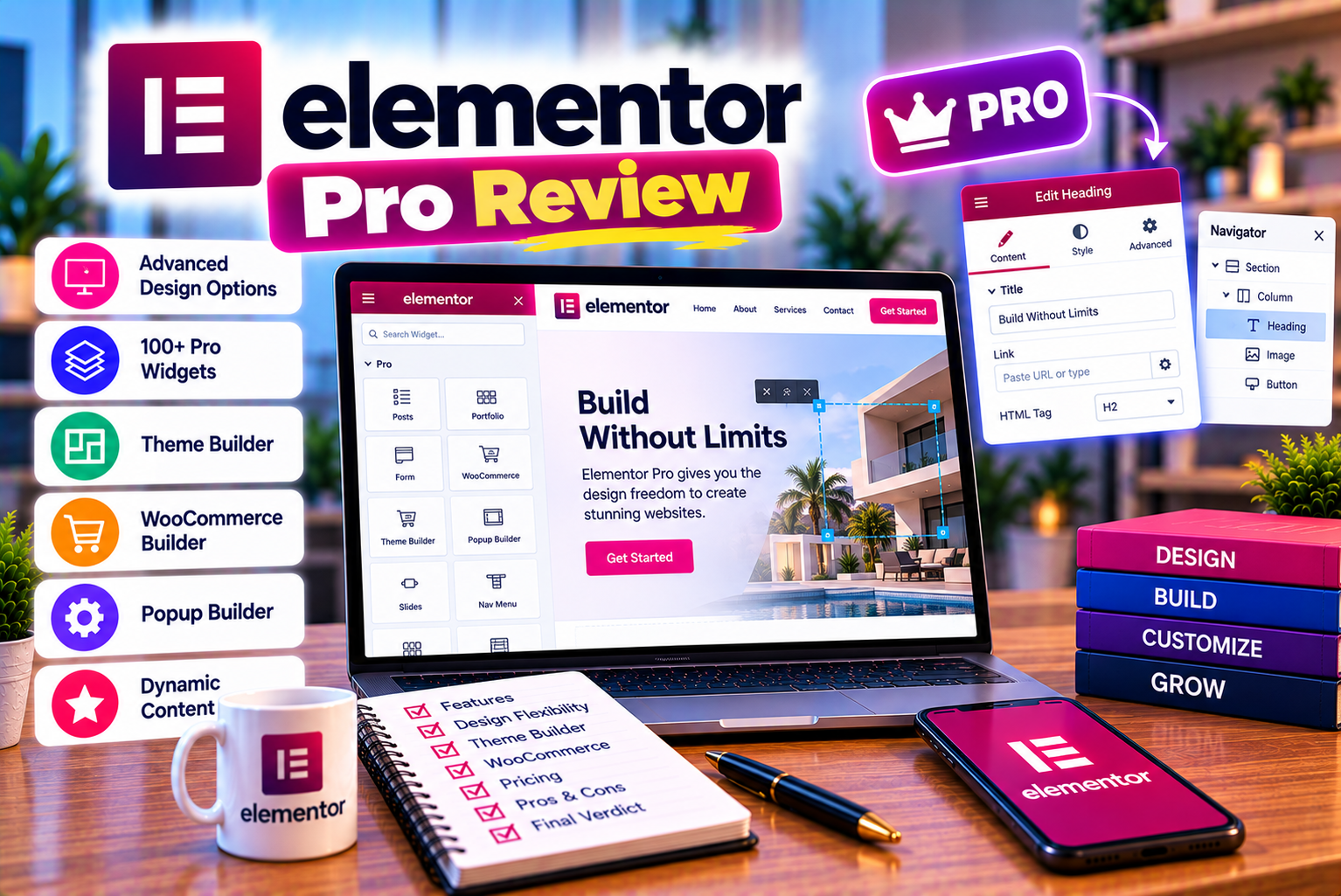
Elementor Pro Review
Building a professional website no longer requires extensive programming knowledge or a large development budget. WordPress users can choose from several visual page builders that make it easier to design pages, customize layouts, and create engaging website experiences. One of the most widely recognized options is Elementor, a drag-and-drop website builder that allows users to create and edit website layouts visually.
Elementor offers a free version that includes essential page-building tools. However, website owners who need more advanced design controls, custom headers and footers, dynamic content, marketing forms, popups, or eCommerce customization may consider upgrading to Elementor Pro.
But is the paid version genuinely worth the investment, or can you achieve similar results with the free plugin and a few additional tools?
In this Elementor Pro review, we examine its major features, practical benefits, limitations, suitability for different website types, and factors to consider before purchasing a subscription. Rather than assuming that a paid plan is automatically better, we will look at the situations in which Pro provides meaningful value and when the free version may be enough.
Quick verdict: Elementor Pro can be worth buying if you need greater control over your WordPress website, reusable design templates, advanced marketing features, or deeper WooCommerce customization. However, if you only need a few attractive pages and basic website functionality, Elementor Free may already meet your requirements.
For the latest product details, consult the official Elementor Pro website and its official feature comparison.
What Is Elementor Pro?
Elementor Pro is the paid version of the Elementor website-building plugin for WordPress. It extends the free version with additional design tools, widgets, templates, and website-management capabilities.
Elementor works as a visual editor. Instead of manually writing HTML and CSS for every section, users can arrange elements such as headings, images, buttons, columns, forms, and containers through a graphical interface.
Elementor Pro builds on this approach by allowing users to customize more than individual pages. Depending on the subscription plan, it can help users design website headers, footers, blog templates, dynamic content layouts, popups, lead-generation forms, and online-store interfaces.
For example, a business website might use Elementor Pro to create:
- A customized header with a logo, navigation menu, and contact button.
- A homepage featuring services, testimonials, and calls to action.
- A reusable template for blog articles.
- A custom footer containing contact information and important links.
- Lead-generation forms connected to marketing services.
- Popups promoting consultations, offers, or newsletter subscriptions.
- Product layouts and selected WooCommerce pages.
These capabilities can reduce the need to combine multiple separate design plugins. Nevertheless, Elementor Pro is not a replacement for every WordPress plugin or service. You may still need separate solutions for SEO, backups, security, advanced analytics, payment processing, or specialized business functionality.
It is also important to distinguish between the Elementor editor plugin and Elementor’s broader subscription offerings. Elementor Pro focuses on advanced website creation, while Elementor One bundles the editor with additional tools and services. The right choice depends on which capabilities you actually need.
Elementor Pro Review: An Overview
Before exploring individual features, here is a practical summary of the platform.
| Evaluation Factor | Our Assessment |
| Ease of use | Beginner-friendly after an initial learning period |
| Visual design flexibility | Strong |
| Custom header and footer design | Available through Theme Builder |
| Blog template customization | Useful for content-focused websites |
| Marketing forms | Useful for lead generation; plan restrictions apply |
| Popup creation | Available on eligible plans |
| WooCommerce customization | Available on eligible plans |
| Responsive editing | Useful for adjusting layouts across devices |
| Custom CSS and code | Available on eligible plans |
| Performance | Depends on implementation, hosting, theme, and other plugins |
| SEO | Can support SEO-friendly design, but does not guarantee rankings |
| Best suited for | Businesses, freelancers, agencies, marketers, and advanced WordPress users |
| Main limitation | Recurring subscription cost and potential design complexity |
The most important consideration is not the number of available widgets. It is whether the additional tools solve problems that would otherwise require extra plugins, custom development, or substantial manual work.
Key Elementor Pro Features Explained
Elementor Pro includes several features designed to extend website customization beyond the basic page editor. Their availability can vary by plan, so review the current plan comparison before purchasing.
1. Theme Builder: Customize More Than Individual Pages
One of the strongest reasons to consider Elementor Pro is Theme Builder.
A conventional WordPress theme controls many structural elements of a website, including headers, footers, blog layouts, and archive pages. Depending on the theme, changing these elements may require working through theme settings, installing additional plugins, or editing code.
Theme Builder gives users a visual way to customize supported theme areas.
You can create designs for:
- Website headers.
- Website footers.
- Single blog posts.
- Blog and category archives.
- Custom post types and other supported content templates.
- Additional template areas supported by Elementor and your website configuration.
Consider a business website that uses the same header across 40 pages. Instead of separately recreating the navigation and contact button on every page, you can create a reusable header template and apply it across the relevant parts of the website.
The same approach works for blog articles. You can establish a consistent layout for featured images, titles, author details, article content, related posts, and calls to action.
This is particularly useful when managing websites that publish content regularly.
Is it worth it?
Theme Builder is valuable when you want control over the overall website structure rather than just the content inside individual pages. However, if your existing WordPress theme already provides all the layouts you need, upgrading solely for this feature may not be necessary.
2. Advanced Widgets for More Flexible Page Design
Elementor Free provides essential widgets for creating website layouts. Elementor Pro adds a wider collection of widgets and design components.
Depending on your plan and the current product configuration, these can include:
- Portfolio displays.
- Testimonial carousels.
- Call-to-action sections.
- Pricing tables.
- Countdown timers.
- Advanced image and content displays.
- Navigation-related components.
- Login and marketing widgets.
- Additional social and media elements.
- WooCommerce-specific widgets on eligible plans.
These elements can help create more engaging pages without requiring users to build every component from scratch.
For example, a digital marketing agency could use a pricing table to present service packages, a testimonial carousel to showcase client feedback, and a portfolio widget to display previous projects.
A course provider might use countdown timers for enrollment deadlines and call-to-action sections to encourage registrations.
However, having more widgets does not automatically make a website better. Too many animations, carousels, decorative sections, or unnecessary elements can distract visitors and make pages more difficult to navigate.
Our assessment: The additional widgets are most useful when they replace separate plugins or support specific design and conversion goals.
3. Form Builder for Lead Generation
For many businesses, the ability to generate leads is more important than having hundreds of design options.
Elementor Pro’s Form Builder allows users to create forms visually and place them directly inside website pages.
Common applications include:
- Contact forms.
- Consultation request forms.
- Service inquiry forms.
- Newsletter registration forms.
- Appointment request forms.
- Event registration forms.
- Multi-step forms for more detailed inquiries.
You can configure form fields, labels, required information, button text, and other design elements within the editor. Depending on the plan, available integrations and submission-management features can help connect forms to marketing workflows.
For example, a web design agency could create a project inquiry form asking visitors about their business, budget, preferred services, and project timeline.
A travel company might create an inquiry form that collects the destination, travel dates, group size, and preferred accommodation.
A form can then be connected to supported marketing services or automation tools, depending on the available integration and subscription.
Before choosing Elementor Pro for form functionality, check whether the specific features you need are included in your plan. Form design, submission storage, and third-party integrations may have different availability requirements.
You should also test email delivery, spam protection, consent requirements, and mobile usability. A visually attractive form is not useful if submissions fail to arrive or visitors struggle to complete it.
Is it worth it?
The Form Builder can be valuable for businesses that want design control and lead-generation functionality within their page-building workflow. If your current form plugin already handles submissions, spam prevention, file uploads, integrations, and reporting effectively, switching may offer limited additional value.
4. Popup Builder for Promotions and Conversions
Popups can help businesses promote offers, collect email addresses, announce events, and direct visitors toward important actions.
Elementor Pro’s Popup Builder lets eligible users create popups using the visual editor.
Potential applications include:
- Newsletter signup offers.
- Limited-time promotions.
- Consultation booking prompts.
- Lead magnets and downloadable resources.
- Announcement banners presented in popup layouts.
- Exit-intent-style campaigns where the relevant behavior and configuration are supported.
The design flexibility is useful because popups can match the website’s typography, colors, buttons, and overall branding.
You may also be able to configure display conditions and triggers, subject to the available features, to determine where and when a popup appears.
However, popups need careful implementation.
Showing a large popup immediately when a visitor arrives can interrupt the reading experience. Aggressive timing, repeated displays, and difficult-to-close overlays may frustrate visitors, particularly on mobile devices.
A better approach is to connect each popup to a clear objective.
For instance, a blog about email marketing might promote a relevant downloadable checklist. A service page could display a consultation invitation after visitors have had time to understand the offer.
Is it worth it?
Popup Builder is useful if you regularly run marketing campaigns and want to design popups without relying on a separate popup plugin. If your website does not use popups, this feature alone may not justify the subscription.
5. Dynamic Content for More Advanced Websites
Dynamic content becomes particularly useful when a website contains many pages that share the same structure but display different information.
Instead of manually entering every detail into a separate design, you can create a reusable template that retrieves content from WordPress or supported custom fields.
Depending on the plan and integrations, Elementor supports dynamic content workflows involving WordPress content, custom fields, and custom post types.
Imagine a property website containing 50 accommodation listings.
Each listing may need to display:
- Property name.
- Featured image.
- Location.
- Description.
- Available facilities.
- Price information.
- Booking or inquiry button.
Without a reusable system, maintaining these pages can involve considerable repetition. A dynamic template can provide a consistent design while displaying the information associated with each property.
Similar approaches can support portfolios, directories, team profiles, case studies, and other structured content.
Dynamic content is especially valuable when a website needs to scale beyond a small collection of manually designed pages.
However, it requires careful planning. Custom fields, post types, data relationships, and template conditions must be configured correctly. Depending on the complexity of the website, additional plugins or development work may still be required.
Is it worth it?
Dynamic content is a strong reason to consider an eligible Pro plan if your website contains structured information or many similar content pages. It is less important for a simple brochure website with only a handful of static pages.
6. Custom CSS and Code Controls
Elementor’s visual controls can handle many design requirements, but some projects need more precise customization.
Depending on the subscription plan, Elementor Pro provides custom CSS and code-related capabilities that let users extend designs beyond the standard interface.
Possible applications include:
- More precise spacing and alignment.
- Custom hover effects.
- Specialized borders and backgrounds.
- Advanced typography adjustments.
- Additional visual states for buttons.
- Custom interactions and styling.
- Integration of supported scripts or code snippets.
For example, a designer may want a particular button animation that is not available through the standard controls. Custom CSS can provide greater flexibility.
However, advanced controls do not eliminate the need for technical knowledge. Poorly written CSS can affect multiple elements, while custom scripts can introduce compatibility or security issues.
If you only need a few simple styling adjustments, the free version and your existing theme may be sufficient. If you regularly implement advanced designs, the additional customization options can be more valuable.
7. Responsive Design Controls
A website must work across desktop computers, tablets, and smartphones.
Elementor provides responsive editing controls that allow users to adjust supported design properties for different screen sizes.
These adjustments can include:
- Font sizes and line heights.
- Section spacing.
- Column and container layouts.
- Image dimensions and positioning.
- Alignment and padding.
- Element visibility.
- Responsive navigation and content arrangements.
For example, a three-column service section may look attractive on a desktop but feel cramped on a phone. Responsive editing allows you to change the layout so the services appear in a more readable arrangement on smaller screens.
Similarly, a desktop hero section may use a large heading beside an image, while the mobile layout requires a smaller heading and vertically stacked content.
Responsive editing is important for both usability and conversion performance.
However, it does not automatically guarantee that every page will display correctly on every device. You still need to preview the website at different widths, test interactive elements, and check for overflow, hidden content, and spacing problems.
Our assessment: Responsive controls are useful across the Elementor ecosystem. The value of Pro depends more on the advanced design features you need than on responsive editing alone.
8. WooCommerce Builder for Online Stores
WordPress users often combine WooCommerce with Elementor to create online stores.
WooCommerce provides the underlying eCommerce functionality, while Elementor Pro’s eligible plans add visual customization tools for supported store components.
Depending on the plan, these tools can help design:
- Product pages.
- Product archive layouts.
- Product information sections.
- Add-to-cart areas.
- Shopping cart interfaces.
- Checkout layouts.
- Customer account pages.
- Purchase summaries and related store components.
The exact availability of individual WooCommerce features depends on the subscription plan.
For example, a clothing store might want larger product images, custom product information tabs, prominent size-selection guidance, and branded purchase buttons.
A digital product store might prioritize clear product descriptions, trust signals, product benefits, and a simplified purchasing experience.
Elementor Pro can provide more control over how supported store pages look and fit the brand.
However, it does not independently replace WooCommerce’s core responsibilities, such as managing products, inventory, shipping, taxes, and supported payment gateways.
It is also important to understand that checkout customization should not come at the expense of usability. Customers need clear pricing, shipping information, payment options, and error messages.
Is it worth it?
Elementor Pro can be worthwhile for store owners who need extensive design control over WooCommerce pages. If you run a small store and your current theme already offers a suitable product and checkout experience, you may not need the additional customization.
For a deeper evaluation, this website’s planned companion article is Elementor WooCommerce Builder Review: Is It Worth Using for an Online Store?
9. Templates and Reusable Design Elements
Creating a website from a blank page can be time-consuming.
Elementor provides templates and pre-designed components that users can adapt to their projects. Depending on the current plan, users may also have access to additional professional templates, website kits, or cloud-based template features.
Templates can help establish a starting point for:
- Business websites.
- Agency landing pages.
- Service pages.
- Personal portfolios.
- Blog layouts.
- Lead-generation pages.
- Product and campaign pages.
For example, a consultant launching a new website can start with a suitable layout and replace its placeholder content, images, colors, and calls to action.
This can reduce initial design work, but templates should not be published without customization.
Replace generic copy with original information about your business. Use appropriate images, remove unnecessary sections, review mobile layouts, and ensure the design reflects your brand.
Also, verify the template’s compatibility with your current Elementor setup and any required plugins.
Templates accelerate design work, but they do not replace content strategy, accessibility checks, SEO planning, or conversion optimization.
Elementor Free vs Elementor Pro: Which One Is Better?
The most important question for many users is whether the free version can handle their website requirements.
The answer depends on the type of website you are building and the functionality you expect from it.
Elementor Free provides a visual page editor and essential design components. Elementor Pro adds more advanced capabilities, but not every paid feature is available in every subscription plan.
Feature Comparison
| Feature | Elementor Free | Elementor Pro |
| Visual drag-and-drop editor | Yes | Yes |
| Basic page design | Yes | Yes |
| Essential widgets | Yes | Yes |
| Responsive editing | Yes | Yes |
| Template library | Yes | Yes, with additional eligible options |
| Theme Builder | No | Yes |
| Custom header and footer design | Depends on theme or other tools | Yes, through Theme Builder |
| Advanced blog templates | Limited by the free feature set and theme | More extensive customization |
| Additional Pro widgets | No | Yes |
| Form Builder | Limited compared with Pro | Available, with plan-dependent functionality |
| Form submissions and integrations | Depends on external tools | Availability depends on plan |
| Popup Builder | No | Available on eligible plans |
| Advanced custom CSS and code | Limited or unavailable within Pro-specific controls | Available on eligible plans |
| Dynamic content | Limited | More extensive capabilities, depending on plan |
| WooCommerce design widgets | No Pro WooCommerce widget set | Available on eligible plans |
| Cloud template storage | Plan-dependent | Included in selected plans |
Note: This is a practical overview, not a complete feature-by-feature specification. Elementor changes its plans and feature availability over time. Consult the official Free vs Pro comparison before purchasing.
When Elementor Free Is Enough
Elementor Free may be sufficient if:
- You are building a small personal website.
- You need only a few basic pages.
- Your WordPress theme already provides suitable headers and footers.
- You do not need Elementor’s advanced form or popup functionality.
- Your blog layout is already handled effectively by your theme.
- You are learning WordPress and want to understand the editor before spending money.
For example, a personal portfolio with a homepage, about page, projects section, and contact page may not need Pro if the free editor and existing theme provide everything required.
A simple informational website can also perform well without a premium page-builder subscription.
The key principle: Do not upgrade simply because a paid version exists. Upgrade when you can identify specific features that solve real problems.
When Elementor Pro Is Worth Buying
Elementor Pro becomes more attractive when you need:
- Custom headers and footers.
- Reusable templates for blog posts and archives.
- Advanced lead-generation forms.
- Popup campaigns.
- Dynamic content layouts.
- Custom CSS or code controls.
- Extensive WooCommerce page customization.
- Additional design widgets that replace other tools.
- A consistent design workflow across a growing website.
For example, a business website that publishes frequent blog articles, collects service inquiries, and uses customized templates may benefit considerably from Theme Builder and Form Builder.
A freelancer building several client websites may also value the time saved by using reusable design components and advanced customization tools.
However, select a plan based on the features and website allowance you need. Buying a higher-tier subscription does not automatically improve design quality or website performance.
Elementor Pro Pricing: What Should You Consider?
Elementor’s pricing structure and subscription options can change. The best approach is to check the current official pricing page rather than rely on an old screenshot or an outdated article.
You can review the latest plans on the official Elementor Pro pricing page.
When comparing subscriptions, pay attention to the following factors.
1. Number of Websites
Some plans are designed for one website, while others support multiple websites.
If you manage a personal website, a single-site plan may be sufficient.
If you are a freelancer or agency working with multiple clients, a plan with a larger website allowance may be more appropriate.
Before purchasing, confirm how the website allowance applies to production sites, staging sites, and any other environments relevant to your workflow.
2. Features Included in the Plan
Do not assume that every Elementor Pro subscription includes every advanced feature.
For example, the availability of WooCommerce Builder functionality, popup creation, form submissions, third-party integrations, custom CSS, and other advanced tools may depend on the selected plan.
Create a list of the features your website actually requires, then compare that list against the current official plan details.
3. Annual Billing and Renewal
Check whether the advertised amount applies to annual billing and whether the subscription renews automatically.
Review the renewal price, billing period, cancellation terms, and any applicable taxes before paying.
A discounted first term may not represent the ongoing cost of maintaining the website.
4. Additional Plugin Costs
Elementor Pro may reduce your need for separate plugins, but it does not eliminate every additional expense.
You may still pay for:
- WordPress hosting.
- A domain name.
- Premium themes or specialized plugins.
- SEO tools.
- Backup or security services.
- Email marketing platforms.
- Payment processing.
- Third-party integrations.
Consider the complete cost of operating your website rather than evaluating Elementor Pro in isolation.
5. The Cost of Your Time
Subscription cost is only one part of the investment.
Suppose you spend several hours every month manually adjusting layouts, maintaining separate design plugins, or recreating page components. A more integrated workflow may reduce that work.
However, savings depend on your actual process. A complex builder can also introduce a learning curve and additional maintenance responsibilities.
The best decision comes from comparing the subscription cost with the time and functionality you realistically expect to gain.
For a dedicated breakdown of plan differences and cost considerations, see the planned companion article: Elementor Pricing Explained: Which Website Builder Plan Is Right for You?
Is Elementor Pro Good for SEO?
Elementor Pro can support the creation of SEO-friendly WordPress websites, but it does not automatically make a website rank higher in search results.
Search performance depends on multiple factors, including content quality, search intent, technical accessibility, internal linking, page experience, site performance, and the competitiveness of the target keywords.
Elementor is primarily a website design and building tool. You should not treat it as a complete replacement for an SEO strategy.
How Elementor Pro Can Support SEO
- Consistent page templates
Theme Builder can help maintain consistent structures for blog posts, landing pages, and other content types.
A well-organized template makes it easier to display titles, article content, relevant images, and navigation consistently.
- Flexible content layouts
You can arrange content into readable sections, add descriptive headings, and position relevant internal links.
These design choices can improve usability when implemented thoughtfully.
- Responsive customization
Mobile layouts can be adjusted to improve readability and usability on smaller screens.
This is important because visitors should be able to read content and use interactive elements comfortably on mobile devices.
- Landing-page customization
Businesses can create dedicated pages for individual services, locations, campaigns, or audience needs.
However, each page should provide meaningful information. Creating many nearly identical landing pages solely to target slightly different keywords can produce weak content and unnecessary duplication.
- Integration with SEO plugins
Elementor works within WordPress, where users can employ SEO plugins and other tools to manage metadata, sitemaps, structured data, and related tasks.
The exact workflow depends on your chosen plugins and website configuration.
Does Elementor Pro Improve Google Rankings Automatically?
No.
Purchasing Elementor Pro does not guarantee better rankings, more organic traffic, or improved Core Web Vitals.
A poorly structured website can still perform badly even if it uses premium design tools. Similarly, a website built with Elementor Free can rank well if its content, technical setup, and overall experience meet users’ needs.
For SEO, focus on the following:
- Use descriptive page titles and meta descriptions.
- Create helpful content that satisfies search intent.
- Maintain a logical heading hierarchy.
- Compress images and use appropriate dimensions.
- Avoid unnecessary animations and heavy elements.
- Ensure pages work properly on mobile devices.
- Add relevant internal links.
- Use canonical URLs and indexing controls correctly.
- Monitor Core Web Vitals and real-world performance.
- Keep WordPress, themes, and plugins updated.
Elementor Pro can make some parts of website creation easier, but SEO success still requires a broader strategy.
Elementor Pro and Website Performance
Performance is one of the most important considerations when evaluating any page builder.
Elementor provides extensive design flexibility, but the speed of an Elementor website depends on more than the editor alone.
Important factors include hosting quality, theme configuration, image sizes, fonts, animations, third-party scripts, caching, and the number of plugins running on the website.
Can Elementor Pro Make a Website Slow?
It can contribute to performance problems if a site is poorly implemented, but installing Pro does not automatically make a website slow.
For example, a page containing oversized images, multiple animated sections, unnecessary scripts, and several third-party widgets may take longer to load than a simpler page.
A well-designed website can reduce these risks through careful implementation.
Practical Performance Optimization Tips
Optimize images before uploading them.
Use suitable image dimensions and modern formats where supported. Avoid uploading a very large original image when the design requires only a small thumbnail.
Limit unnecessary animations.
Animations can help communicate hierarchy, but excessive motion can distract visitors and increase rendering work.
Use a suitable hosting provider.
Hosting resources, server configuration, and caching have a substantial influence on website response times.
Review your plugin stack.
Remove plugins that are no longer needed. Avoid installing multiple tools that perform the same function unless there is a clear reason.
Test the actual website.
Use performance testing tools to identify large images, render-blocking resources, layout shifts, and other bottlenecks.
Check mobile performance separately.
A page that feels fast on a desktop connection may perform differently on a mobile device or slower network.
The goal should be to build a website that combines attractive design with responsive interaction and fast loading.
Is Elementor Pro Suitable for Different Types of Websites?
Elementor Pro is not equally valuable for every project. Its usefulness depends on the website’s complexity and the features required.
1. Business Websites
Verdict: Often worth considering.
Business websites commonly need custom headers, service pages, contact forms, testimonials, and consistent layouts.
Elementor Pro can help businesses create these components within a visual workflow.
It is particularly useful when the business wants greater design control than its existing theme provides.
However, a small local business with a straightforward website may be perfectly comfortable using Elementor Free.
2. Blogs and Content Websites
Verdict: Useful for advanced layouts, but not essential for everyone.
Bloggers who want custom article templates, archive pages, author sections, or reusable promotional components may benefit from Pro.
For example, a technology blog could create a consistent article template containing a featured image, author details, table of contents, article content, related posts, and newsletter invitation.
However, bloggers whose themes already provide attractive and flexible article layouts may not need a premium builder.
Remember that the quality of the content matters more than the number of visual components.
3. Freelancers and Web Designers
Verdict: Potentially valuable.
Freelancers often work across multiple websites with different branding and design requirements.
Elementor Pro can help standardize parts of the workflow through reusable templates and advanced customization tools.
It may also reduce the need to build certain components manually.
However, freelancers should evaluate the website allowance and feature restrictions of the subscription they choose. They should also account for maintenance, licensing, client handover, and renewal responsibilities.
4. Digital Marketing Agencies
Verdict: Useful when the workflow requires advanced page design and lead generation.
Agencies may need campaign landing pages, contact forms, reusable page templates, and branded components for multiple clients.
Elementor Pro can support these activities through its design and marketing-related features.
Its value increases when those capabilities are used regularly across projects.
However, an agency that requires extensive CRM automation, detailed analytics, or advanced marketing attribution may need separate services. Elementor Pro should not be mistaken for a complete marketing automation platform.
5. WooCommerce Stores
Verdict: Worth considering for stores that need customized layouts.
Online stores with specific product-page, archive, cart, or checkout design requirements may benefit from the eligible WooCommerce features.
A store that already has a suitable theme and standard checkout requirements may not need extensive customization.
Before purchasing, confirm that the plan includes the particular WooCommerce features you intend to use.
6. Portfolio Websites
Verdict: Depends on the design requirements.
Photographers, designers, consultants, and other professionals may appreciate the additional portfolio, layout, and branding controls.
However, a portfolio containing a few project pages may be achievable with the free version and an appropriate theme.
Upgrade when you need specific premium widgets or greater control over reusable layouts.
7. Membership and Course Websites
Verdict: Useful for design, but additional tools may be necessary.
Elementor Pro can help create attractive course landing pages, membership promotion pages, and other front-end layouts.
However, membership access, course delivery, lesson progress, and payment rules typically require an appropriate learning management system, membership plugin, or other service.
Do not assume that Elementor Pro alone provides every function needed to operate an online course platform.
Elementor Pro: Advantages and Disadvantages
A balanced review should consider both what the product does well and where it may fall short.
Advantages of Elementor Pro
- Greater design freedom
Users can customize more parts of a WordPress website without editing theme files manually.
- Reusable templates
Theme Builder and reusable components can help maintain consistency across large websites.
- Additional widgets
More design components can reduce the amount of custom work required for common layouts.
- Integrated form design
Eligible features let users create and style forms within the same visual workflow used for page design.
- Popup creation
Users can design promotional and lead-generation popups without necessarily requiring a separate popup builder.
- Dynamic content capabilities
Advanced plans and supported integrations can simplify websites containing structured or frequently updated information.
- WooCommerce customization
Eligible plans provide more control over supported online-store layouts.
- Reduced dependence on some separate plugins
Certain functions can be handled within Elementor rather than through multiple additional design tools.
- Useful for client projects
Freelancers and agencies may benefit from reusable components and a consistent design workflow.
- Gradual expansion
Users can begin with the free editor and upgrade when their requirements become more advanced.
Disadvantages of Elementor Pro
- Recurring subscription cost
The paid version introduces an ongoing expense that may not be necessary for simple websites.
- Learning curve
Although the interface is visual, advanced features, responsive settings, dynamic content, and display conditions can take time to master.
- Potential performance overhead
Complex layouts and unnecessary elements can affect performance if they are not implemented carefully.
- Plan restrictions
Some features are reserved for higher-tier subscriptions, so buyers need to check the plan details before purchasing.
- Additional maintenance
WordPress, Elementor, themes, and other plugins need regular updates and compatibility checks.
- Not a complete replacement for every tool
You may still need dedicated plugins or services for SEO, backups, security, advanced forms, analytics, and specialized functionality.
- Possible migration complexity
If you later move away from Elementor, the visual layouts and Elementor-specific components may require rebuilding or redesigning. Your WordPress content may remain available, but the presentation can depend on Elementor.
- Risk of unnecessary complexity
Having access to more design controls can encourage users to add features that do not improve the visitor experience.
Elementor Pro vs Other WordPress Page Builders
Elementor Pro is not the only option for creating visually customized WordPress websites.
Depending on your needs, you might compare it with Divi, Beaver Builder, or the native WordPress block editor.
| Tool | Best Suited For | Main Consideration |
| Elementor Pro | Users who want a visual editor with extensive design controls and advanced website-building features | Paid features and subscription requirements |
| Divi | Users who prefer its visual design workflow and theme ecosystem | Evaluate its licensing, workflow, and available modules |
| Beaver Builder | Users looking for a visual WordPress page-building approach | Compare its included features and extension requirements |
| WordPress Block Editor | Users who prefer native WordPress content editing and block-based layouts | Advanced design requirements may need a compatible theme or additional blocks |
These tools differ in their interfaces, licensing, template systems, and approaches to customization.
The best choice depends on your existing website, familiarity with the editor, design requirements, and willingness to maintain additional plugins.
Elementor Pro vs Divi
Elementor Pro and Divi are both options for users who want greater visual control over WordPress websites.
Elementor is often attractive to users who prefer its widget-based editing experience and Theme Builder workflow.
Divi appeals to users who like its own visual builder and theme ecosystem.
The decision should not be based solely on the number of templates or widgets. Test how easily each builder handles the actual tasks you perform, such as designing a header, creating a reusable blog layout, adjusting mobile spacing, and maintaining a large website.
For a more detailed comparison, see the planned article Elementor vs Divi: Which WordPress Page Builder Should You Choose?
Elementor Pro vs the WordPress Block Editor
The native WordPress Block Editor allows users to create and arrange content using blocks.
For many websites, especially those using a modern block theme, it can provide sufficient tools for building pages and customizing supported templates.
Elementor Pro may be more appealing if you prefer a separate visual design environment with its own widgets, templates, and advanced design controls.
However, choosing the native editor can reduce dependence on an additional page-builder plugin.
If you are starting a new website, test the native editor before purchasing a premium builder. You may discover that your theme and block-based workflow already meet your needs.
How to Decide Whether Elementor Pro Is Worth the Money
Instead of making a decision based on general reviews, evaluate your website’s specific requirements.
Step 1: List the Features You Need
Write down the functions your website must support.
For example:
- Custom header and footer.
- Reusable blog templates.
- Lead-generation forms.
- Promotional popups.
- Dynamic content.
- WooCommerce customization.
- Custom CSS.
- Additional marketing widgets.
Separate essential features from optional enhancements.
Step 2: Test Elementor Free First
If you are new to Elementor, install the free version and create a representative page.
Try building your homepage, a service section, and a contact page.
This helps you understand the editor and identify the exact limitations you encounter.
If the free version already handles your requirements, you may not need to upgrade.
Step 3: Check Your Theme’s Capabilities
Some WordPress themes already provide customizable headers, footers, blog templates, and other design controls.
If your theme includes the functionality you need, Elementor Pro may duplicate existing capabilities.
However, if the theme makes customization difficult, Elementor Pro may provide a more convenient workflow.
Step 4: Compare the Correct Subscription Plans
Review the official plan comparison and identify the lowest-priced plan that includes all your essential features.
Do not pay for a higher-tier plan solely because it includes more widgets or a larger website allowance that you will not use.
Step 5: Evaluate Your Existing Plugins
Check whether you already use separate plugins for forms, popups, templates, or other design-related functionality.
If Elementor Pro can replace some of them safely, it may simplify your workflow.
However, avoid removing existing plugins until you have tested the replacement features and confirmed that all necessary functionality is available.
Step 6: Consider Long-Term Maintenance
Think about how often you update the website, publish content, launch campaigns, or add new features.
A subscription may be more valuable for a growing website that requires ongoing customization than for a static website that rarely changes.
Step 7: Review the Total Cost
Include the subscription, hosting, domain, additional plugins, and any third-party services you require.
Then compare that cost with the time saved and the functionality gained.
This approach produces a more useful decision than simply asking whether Elementor Pro is good or bad.
Common Mistakes to Avoid When Buying Elementor Pro
Even a capable page builder can become an unnecessary expense if it is purchased without a clear plan.
Mistake 1: Buying Pro Before Testing Free
Many users assume that a professional website requires a paid builder.
In reality, the free version may be enough for basic pages.
Test the free version first unless you already know that you need a Pro-only feature.
Mistake 2: Choosing a Plan Without Checking Feature Restrictions
Not every subscription includes every advanced capability.
Confirm the availability of forms, submission management, popup creation, WooCommerce widgets, dynamic content integrations, and custom code before purchasing.
Mistake 3: Expecting Elementor to Handle All Website Requirements
Elementor focuses primarily on website design and related functionality.
You may still need separate solutions for backups, security, advanced SEO, analytics, payments, inventory, or other business requirements.
Plan your website architecture accordingly.
Mistake 4: Ignoring Performance
Adding more widgets and animations does not automatically improve a website.
Prioritize clear layouts, optimized images, efficient scripts, and a suitable hosting environment.
Mistake 5: Publishing Templates Without Customization
A template is a starting point, not a finished content strategy.
Replace placeholder copy, review the images, customize the branding, and ensure the content accurately represents your business.
Mistake 6: Forgetting Mobile Testing
A page may look excellent on a desktop and still have layout problems on a phone.
Test navigation, headings, buttons, forms, images, and spacing at different viewport widths.
Mistake 7: Assuming a Page Builder Guarantees SEO Success
Elementor Pro can help you create structured, attractive pages, but it does not guarantee organic rankings.
Search performance still depends on content quality, technical SEO, site performance, relevance, and other ranking factors.
Final Verdict: Is Elementor Pro Worth Buying?
Elementor Pro is worth considering when its advanced features solve real design, marketing, or website-management problems. It is not essential for every WordPress website.
The strongest reasons to upgrade are Theme Builder, advanced customization, dynamic content, marketing-related features, and eligible WooCommerce tools.
These capabilities can be especially valuable for businesses that want more control over their website structure, freelancers who build client websites, agencies that need reusable layouts, and store owners who want customized shopping experiences.
However, the free version remains a sensible starting point for personal websites, simple portfolios, and small business websites that do not require advanced customization.
Before purchasing, identify your essential features, review the available plans, test the free editor, and compare the subscription cost with the time and functionality you expect to gain.
Ultimately, the best version of Elementor is the one that meets your website’s requirements without introducing unnecessary cost or complexity.
Frequently Asked Questions About Elementor Pro
1. What is Elementor Pro?
Elementor Pro is the paid extension of Elementor for WordPress. It adds advanced website-building capabilities, including Theme Builder, additional widgets, and marketing and eCommerce features available according to the selected plan.
2. Is Elementor Pro worth buying?
Elementor Pro can be worth buying if you need advanced templates, custom headers and footers, dynamic content, forms, popups, or WooCommerce customization. For a simple website, Elementor Free may be sufficient.
3. What is the difference between Elementor Free and Elementor Pro?
Elementor Free provides essential visual page-building tools. Elementor Pro adds more advanced customization, widgets, templates, and other capabilities, with feature availability depending on the plan.
4. Can I build a professional website with Elementor Free?
Yes. Elementor Free can be used to create professional-looking pages. Your results will also depend on your theme, content, design skills, and the functionality your website requires.
5. Does Elementor Pro include Theme Builder?
Yes. Theme Builder is an Elementor Pro feature that allows users to customize supported website areas, including headers, footers, and post templates.
6. Can Elementor Pro help me create a blog?
Yes. Elementor Pro can help you design blog layouts and reusable article templates. However, you should check whether your selected plan and current setup support the specific templates and editing features you need.
7. Is Elementor Pro suitable for beginners?
Yes. Beginners can use its visual editor without extensive programming knowledge. However, advanced design controls, responsive settings, and dynamic content features may require practice.
8. Does Elementor Pro require coding knowledge?
No. Many features can be used through the visual editor. Custom CSS and code controls are available for users who want to extend their designs, but coding is not required for every project.
9. Can I use Elementor Pro with any WordPress theme?
Elementor supports many WordPress themes, and its Theme Builder can customize supported theme areas. However, theme compatibility, existing theme features, and individual plugin configurations should be tested before making major changes.
10. Does Elementor Pro include a form builder?
Yes. Elementor Pro includes Form Builder functionality, although submission management and integrations depend on the selected plan. Check the current feature comparison before purchasing.
11. Can Elementor Pro create popups?
Yes. Popup Builder is available on eligible Pro plans. It can be used to create promotional popups, newsletter signup forms, and other marketing messages.
12. Is Elementor Pro good for WooCommerce?
It can be useful for stores that need greater control over supported product, archive, cart, checkout, or account layouts. Confirm that your subscription includes the specific WooCommerce features you intend to use.
13. Does Elementor Pro improve SEO?
Elementor Pro can support SEO-friendly website structures and responsive designs, but it does not automatically improve rankings. Content quality, technical SEO, performance, internal linking, and search intent remain important.
14. Can Elementor Pro slow down my website?
Complex layouts, unnecessary animations, large images, and additional scripts can contribute to performance problems. A carefully designed and optimized Elementor website can reduce these risks.
15. Can I use Elementor Pro on multiple websites?
The number of websites you can use depends on your subscription plan. Review the current official plan details before purchasing, particularly if you manage client websites.
16. Do I need a separate theme if I use Elementor Pro?
You still need a compatible WordPress theme. Elementor’s Hello Theme is one option for users who want a lightweight starting point, but other compatible themes may also work well.
17. Can Elementor Pro replace other WordPress plugins?
It can replace certain design-related plugins, such as some form, popup, or template tools, depending on your requirements. It does not replace every plugin needed for SEO, security, backups, analytics, or specialized functionality.
18. Is Elementor Pro a one-time purchase?
Elementor Pro is sold through subscription plans. Review the current billing terms, renewal price, and cancellation conditions on the official website before purchasing.
19. What happens if I stop renewing Elementor Pro?
If you stop renewing, your website’s existing layout may not disappear immediately, but you may lose access to updates, support, or premium services according to the applicable licensing terms. Pro-dependent features may become unavailable or less manageable over time. Check Elementor’s current subscription and licensing documentation before making a decision.
20. Is Elementor Pro better than Divi?
Neither is universally better. Elementor Pro may suit users who prefer its editor and feature workflow, while Divi may suit users who prefer its own builder and ecosystem. Compare both against your actual design, licensing, and maintenance requirements.
21. Can I migrate away from Elementor Pro later?
Yes, but migration may require rebuilding layouts that depend on Elementor-specific components. Standard WordPress content may remain available, while page presentation and advanced features may need to be recreated using another builder or the native editor.
22. Does Elementor Pro include hosting?
The Elementor Pro plugin is designed for WordPress websites and does not, by itself, mean that hosting is included. Elementor also offers hosting-related products and bundles, so check the exact package you are considering.
23. Is Elementor Pro suitable for digital marketing agencies?
It can be suitable for agencies that regularly create landing pages, service pages, forms, and reusable layouts. Agencies should evaluate site allowances, licensing terms, and the need for separate CRM or analytics tools.
24. Should I buy Elementor Pro before creating my website?
Not necessarily. You can begin with Elementor Free and upgrade when you identify a specific need for a Pro feature. If you already know you need advanced Theme Builder functionality or other paid capabilities, choosing the appropriate plan earlier may simplify the workflow.
25. Where can I check the latest Elementor Pro features and plans?
Visit the official Elementor Pro page for current plan information and the Elementor Help Center for documentation about individual features and subscription requirements.
Official References
Use these authoritative resources to verify product features and subscription details before publication.
- Elementor Pro plans: https://elementor.com/Pro/
- Elementor Free vs Pro comparison: https://elementor.com/help/elementor-pro-vs-free/
- What is Elementor Pro?: https://elementor.com/help/what-is-elementor-pro/
- Elementor Pro plans and subscriptions: https://elementor.com/help/elementor-pro-plans-subscriptions-2/
- Elementor Help Center: https://elementor.com/help/
Leave a Reply