


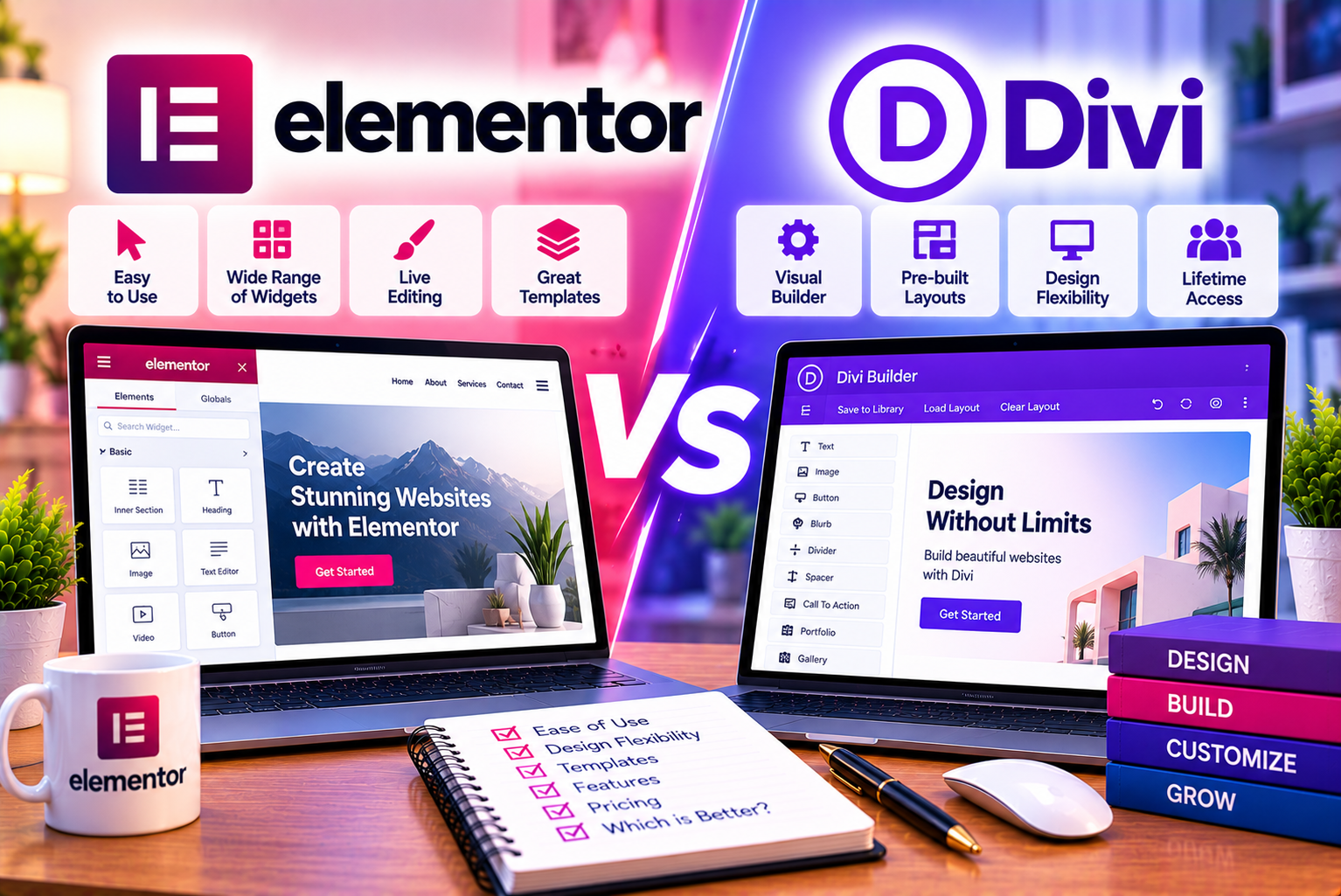
Elementor vs Divi
Choosing the right WordPress page builder can influence how you design your website, manage content, customize layouts, and maintain your online presence over time. Although WordPress offers a native block editor, many website owners prefer visual page builders because they provide more design controls and make complex layouts easier to create without extensive coding.
Two popular options are Elementor and Divi.
Elementor is a visual website builder that works as a WordPress plugin, with a free version and paid Editor Pro plans. Its interface uses a panel of widgets and settings alongside a visual editing area. Users can build pages, customize supported theme areas, and create reusable layouts.
Divi, developed by Elegant Themes, offers a visual builder with a theme and plugin-based approach. Its interface allows users to design pages directly on the visual canvas, using sections, rows, and modules to construct layouts.
Both tools can create professional business websites, landing pages, blogs, portfolios, and online stores. However, their editing workflows, subscription models, template ecosystems, and approaches to customization differ.
For example, a beginner creating a five-page business website may prioritize ease of use and ready-made layouts. A freelancer building websites for several clients may care more about licensing costs, reusable templates, and long-term maintenance. A WooCommerce store owner may prioritize product-page customization and checkout design.
In this Elementor vs Divi comparison, we examine the differences that matter most when selecting a page builder.
Quick verdict:
- Choose Elementor if you prefer a plugin-based builder with a free starting option, a panel-based editing workflow, and a broad range of professional design features.
- Choose Divi if you prefer its visual editing experience, want to explore its theme and layout ecosystem, or value its available lifetime licensing option.
- Choose neither automatically if the native WordPress block editor already meets your needs.
The best option depends on your budget, design workflow, required features, and willingness to maintain the platform over time.
For official product information, visit the Elementor website and Divi by Elegant Themes.
What Is Elementor?
Elementor is a visual website builder for WordPress. It allows users to create page layouts by placing and configuring design elements rather than writing every part of a page manually.
The platform offers a free editor alongside paid subscriptions that unlock additional design and website-management capabilities.
Elementor is commonly used for:
- Business websites.
- Service pages.
- Marketing landing pages.
- Personal portfolios.
- Blogs and content websites.
- Agency websites.
- WooCommerce stores.
- Custom post and archive layouts.
- Lead-generation pages.
Its interface typically presents widgets and editing controls in a sidebar while displaying the page on a visual canvas.
Users can add headings, images, buttons, containers, and other elements, then adjust typography, spacing, colors, alignment, and responsive settings.
Key Features of Elementor
- Drag-and-drop editing
Users can arrange supported widgets and page elements visually.
- Free version
Elementor provides a free version for users who need basic page-building functionality.
- Theme Builder
Eligible paid plans allow users to customize supported theme areas, including headers, footers, blog templates, and other site components.
- Responsive editing
Users can adjust supported layout properties for desktop, tablet, and mobile devices.
- Professional widgets
Paid plans provide additional design widgets and advanced customization options.
- Dynamic content
Eligible plans support dynamic content workflows involving WordPress content and supported custom-field integrations.
- WooCommerce integration
Elementor works with WooCommerce, while eligible paid plans provide additional tools for customizing supported store layouts.
- Third-party integrations
Elementor works within the broader WordPress plugin ecosystem, allowing users to combine it with compatible SEO, marketing, eCommerce, and other tools.
The availability of individual features depends on the plan and website configuration. You can review the official Elementor feature comparison.
What Is Divi?
Divi is a WordPress website-building product developed by Elegant Themes. It combines a visual design workflow with a theme and builder ecosystem.
Divi is known for its front-end editing experience, which allows users to interact with page elements and adjust their appearance directly on the visual canvas.
Rather than requiring users to write code for every layout, Divi provides configurable modules, design controls, and pre-built layouts.
Divi can be used to create:
- Corporate websites.
- Small business websites.
- Blogs.
- Portfolio websites.
- Agency websites.
- Landing pages.
- WooCommerce stores.
- Custom page layouts.
Users can arrange content through Divi’s section, row, and module structure.
Key Features of Divi
- Visual page editing
Users can create and modify layouts through the visual builder.
- Divi Theme
Divi is available as a WordPress theme with its visual builder integrated into the theme experience.
- Divi Builder plugin
The builder can also be used as a plugin with compatible WordPress themes.
- Layout library
Divi provides pre-designed layouts and design resources that users can adapt to their projects.
- Global design settings
Users can establish consistent design rules for typography, colors, and other supported styling options.
- Theme Builder
Divi supports visual customization of supported website templates and theme areas.
- WooCommerce modules
Divi provides modules and design controls for building supported WooCommerce layouts.
- Divi AI
Eligible Divi subscriptions or add-ons provide AI-assisted capabilities. Availability and billing depend on the current offering.
- Membership and licensing options
Elegant Themes offers subscription options, including a lifetime licensing option. The exact terms and prices should be checked before purchasing.
For current details, visit the official Divi product page and Elegant Themes pricing page.
Elementor vs Divi: Quick Comparison
Before exploring each feature in detail, here is a practical overview of the differences.
| Feature | Elementor | Divi |
| Developer | Elementor | Elegant Themes |
| Platform | WordPress plugin | WordPress theme and builder plugin |
| Free option | Yes | No equivalent permanently free Divi Builder plan |
| Editing interface | Sidebar-based visual editor | Visual canvas with contextual controls |
| Page-building approach | Widgets and containers | Sections, rows, and modules |
| Ready-made layouts | Templates and website kits | Layouts and layout packs |
| Global styling | Yes | Yes |
| Theme customization | Available through eligible paid plans | Available through Divi Theme Builder |
| Responsive editing | Yes | Yes |
| WooCommerce support | Yes; advanced customization requires eligible features | Yes, with supported WooCommerce modules |
| Dynamic content | Supported, with advanced integrations depending on plan | Supported through dynamic content features |
| Custom CSS | Available through appropriate settings and plans | Supported through design settings and custom CSS |
| AI features | Available through relevant Elementor products and services | Available through relevant Divi AI offerings |
| Lifetime licensing | No standard lifetime Editor Pro license | A lifetime option is offered; check current terms |
| Hosting | Separate hosting is available, with Elementor hosting products also offered | Can be used with compatible third-party hosting |
| Best suited for | Users who prefer Elementor’s widget-based workflow and plugin ecosystem | Users who prefer Divi’s visual workflow and licensing model |
Note: Features, subscriptions, and product names can change. Some capabilities require paid plans, additional services, or compatible plugins. Check the official documentation before making a purchase.
1. Ease of Use: Elementor vs Divi
Ease of use is one of the most important factors when selecting a WordPress page builder.
Both Elementor and Divi allow users to build pages visually, but they organize the editing process differently.
Elementor’s Editing Experience
Elementor uses a sidebar-based editing interface.
Users can select widgets, drag them onto the page, and adjust their settings through the panel. The page preview remains visible while users configure elements.
For example, if you want to create a service section, you can add a heading, descriptive text, an image, and a button. You can then adjust the layout, spacing, typography, and colors using the available controls.
This interface can be particularly useful for users who prefer having editing settings in one consistent location.
The workflow generally follows these steps:
- Open the page in Elementor.
- Add a container or select an existing section.
- Insert the required widgets.
- Configure content and design settings.
- Adjust responsive properties.
- Preview the page.
- Publish or update the content.
Elementor’s visual approach reduces the need to switch repeatedly between the page and a separate theme-customization interface.
However, beginners may initially need time to understand containers, nested layouts, responsive breakpoints, and the relationship between global and individual styling.
Divi’s Editing Experience
Divi places greater emphasis on editing directly on the visual canvas.
Users can interact with page elements and open contextual controls to change their appearance.
For example, selecting a text module allows you to edit the content and configure its design. You can adjust typography, spacing, backgrounds, borders, and other supported properties.
Divi organizes pages through sections, rows, and modules.
A typical workflow involves:
- Open the page in Divi.
- Add a section.
- Choose a row layout.
- Insert the required modules.
- Edit text and other content directly.
- Configure design settings.
- Preview and save the page.
Users who prefer direct visual interaction may find this workflow intuitive.
However, the interface can feel unfamiliar to people who prefer a persistent sidebar with all available widgets and settings.
Which Is Easier to Use?
The answer depends on your editing preferences.
Elementor may feel more straightforward if you like a fixed panel containing widgets and controls.
Divi may appeal to you if you prefer working directly on the page and using contextual controls.
Both builders have learning curves, especially when working with complex templates, dynamic content, or responsive layouts.
Verdict: Elementor is a strong option for users who prefer its structured sidebar workflow, while Divi is attractive for users who enjoy its visual canvas. Try both interfaces before committing to a long-term subscription.
2. Design Flexibility and Customization
Both Elementor and Divi offer extensive customization capabilities, but the best choice depends on how you prefer to organize designs and how complex your project is.
Elementor Design Capabilities
Elementor provides controls for customizing the appearance and layout of supported elements.
These include:
- Typography.
- Text and background colors.
- Margins and padding.
- Borders and border radii.
- Box shadows.
- Image positioning.
- Container layouts.
- Alignment.
- Hover effects.
- Responsive settings.
- Global colors and fonts.
- Custom CSS on eligible plans.
Users can build reusable layouts and apply consistent design rules across different pages.
For example, a marketing agency might create a standard service-page layout containing a hero section, service benefits, testimonials, pricing information, and a contact form.
The same layout structure can then be adapted for several services.
Elementor’s container-based approach also supports flexible layouts that can be adjusted for different screen sizes.
Divi Design Capabilities
Divi provides a broad set of design controls through its visual builder.
Users can customize:
- Typography.
- Backgrounds.
- Colors.
- Spacing.
- Borders.
- Shadows.
- Module layouts.
- Section and row structures.
- Hover states.
- Responsive properties.
- Global design settings.
- Custom CSS.
Divi’s module-based workflow is suitable for creating visually distinctive page sections.
For example, a hotel website might use different modules to display room categories, dining options, guest testimonials, promotional offers, and booking calls to action.
Users can adjust each module while maintaining a consistent design language.
Which Builder Offers Better Design Flexibility?
Both tools can create highly customized websites.
The difference is less about whether one can design a particular layout and more about the workflow required to achieve it.
Elementor may appeal to users who want widget-based editing, container layouts, and a broad plugin ecosystem.
Divi may appeal to users who prefer its section-row-module structure and visual editing experience.
For advanced projects, the availability of specific widgets, third-party extensions, custom fields, and template controls may matter more than the general design capabilities.
Verdict: Neither builder is universally more flexible. Choose the one that makes your intended layouts easier to create and maintain.
3. Templates and Pre-Designed Layouts
Templates can reduce the time needed to create a website from scratch.
Both Elementor and Divi offer pre-designed layouts, but their template ecosystems differ.
Elementor Templates
Elementor provides templates and website kits that users can customize.
These can serve as starting points for:
- Business websites.
- Agency websites.
- Landing pages.
- Portfolios.
- Blogs.
- Service pages.
- Marketing campaigns.
- Online stores.
For example, a digital marketing agency could start with a business-oriented website kit and customize the colors, typography, content, imagery, and calls to action.
Templates can also support reusable components and consistent page structures.
However, the availability of particular templates depends on the plan and current product offering.
Divi Layouts
Divi provides a library of pre-designed layouts and layout packs.
These resources can help users create websites for different industries without designing every section manually.
A layout pack may provide several related pages, helping establish a consistent visual style across the website.
For example, a restaurant website might use layouts for the homepage, menu, about page, contact page, and promotional landing pages.
Users can customize the layouts to match their brand and requirements.
Which Has Better Templates?
The number of templates alone is not enough to determine which builder is better.
Consider:
- The quality of the available designs.
- Whether the layouts fit your industry.
- How easily you can customize the templates.
- Whether the necessary templates are included in your plan.
- How much cleanup is required before publication.
- Whether the layouts work well on mobile devices.
A large template library is valuable only if it helps you create the website you actually need.
Verdict: Divi is worth exploring if you prefer its layout-pack approach. Elementor is attractive if its website kits and reusable template workflow better fit your design process.
4. Theme Builder: Elementor vs Divi
A page builder becomes more valuable when it can customize more than individual pages.
Theme Builder functionality allows users to create templates for supported website areas, such as headers, footers, blog posts, archives, and other site components.
Both Elementor and Divi offer theme-building capabilities.
Elementor Theme Builder
Elementor’s Theme Builder is available through eligible paid plans.
It allows users to customize supported areas such as:
- Headers.
- Footers.
- Single blog posts.
- Blog archives.
- Page templates.
- Custom post-type templates.
- Supported WooCommerce templates.
For example, a website publishing 100 blog posts can use a reusable template for article titles, featured images, author information, content, and related posts.
Instead of manually designing every article, the website can apply a consistent template to the relevant posts.
Elementor also supports display conditions for determining where eligible templates should appear.
This is useful for websites with different content categories or specialized page structures.
Divi Theme Builder
Divi’s Theme Builder allows users to create templates for supported website areas.
These can include:
- Headers.
- Footers.
- Blog post layouts.
- Archive templates.
- Category pages.
- Custom post types.
- WooCommerce-related templates.
Users can create templates and configure where they apply.
For example, a business website might use one header for the main website and a different header for a campaign landing page.
Similarly, a blog might use a specialized layout for particular content categories.
Which Theme Builder Is Better?
Both can support extensive website customization.
Elementor may suit users who prefer its widget-based editor and template controls.
Divi may appeal to users who like its visual workflow and template-management approach.
Before choosing, test how easily each platform handles the specific templates your website needs.
Verdict: Both are capable options. Your decision should depend on the template workflow, theme compatibility, and features available in your chosen plan.
5. WooCommerce: Which Builder Is Better for Online Stores?
WooCommerce is a popular eCommerce plugin for WordPress.
Both Elementor and Divi can be used with WooCommerce, but advanced store customization depends on the available builder features, subscription plan, and other plugins.
Elementor for WooCommerce
Elementor works with WooCommerce, while eligible paid plans provide additional widgets and tools for customizing supported store layouts.
Depending on the plan and configuration, users can design:
- Product pages.
- Product archive layouts.
- Product image sections.
- Product information.
- Product prices and ratings.
- Add-to-cart areas.
- Cart layouts.
- Checkout pages.
- Customer account pages.
This can be useful for stores that want greater control over the shopping experience.
For example, a fashion store might need larger product imagery, clearly displayed product details, and a more distinctive product-page layout.
A digital product store might prioritize product benefits, purchase buttons, and a simplified checkout experience.
Elementor’s visual editor can help users adjust supported components without manually coding every layout.
However, WooCommerce continues to handle the core eCommerce functionality, including product management, inventory, orders, and supported payment integrations.
Advanced checkout customization should be tested carefully to avoid disrupting the purchase process.
Divi for WooCommerce
Divi also supports WooCommerce and provides modules for designing supported store pages.
Users can create customized product layouts and integrate store components into their visual designs.
For example, a furniture store might use a custom product-page structure with product images, descriptions, specifications, customer reviews, and related products.
Divi can also support broader brand consistency across the homepage, product pages, and promotional landing pages.
As with Elementor, the exact capabilities depend on the builder version, available modules, WooCommerce configuration, and any extensions used.
Elementor vs Divi for WooCommerce
| Requirement | Elementor | Divi |
| WooCommerce compatibility | Yes | Yes |
| Custom product layouts | Available through supported features | Available through supported modules |
| Product archive customization | Available through eligible features | Available through supported templates and modules |
| Checkout design | Depends on the selected plan and setup | Depends on available WooCommerce design controls and setup |
| Product information styling | Yes | Yes |
| Third-party extensions | Broad WordPress ecosystem | Broad WordPress ecosystem |
| Best choice | Depends on required widgets and workflow | Depends on required modules and workflow |
Which Is Better for WooCommerce?
Neither is automatically the best choice for every store.
Choose Elementor if its WooCommerce widgets, template workflow, and integration options better suit your requirements.
Choose Divi if you prefer its visual builder and can achieve the store layouts you need with its modules and extensions.
Before purchasing either product, list the specific store pages you want to customize and confirm that your chosen plan supports them.
Verdict: Compare the actual product, archive, cart, and checkout features you need. Do not select a builder based solely on its marketing claims.
6. Pricing: Elementor vs Divi
Pricing is one of the biggest differences between Elementor and Divi.
Elementor offers a free version and several paid Editor Pro subscriptions. Divi offers paid subscription options, including a lifetime licensing option under its current pricing structure.
However, the lowest advertised price is not necessarily the most economical option for your website.
You need to consider the number of websites you manage, the features you require, renewal terms, and whether you prefer recurring payments or a one-time license.
Elementor Pricing Model
Elementor’s pricing structure includes:
- Elementor Free.
- Essential.
- Advanced Solo.
- Advanced.
- Expert.
- Elementor One, a broader subscription that combines Editor Pro with additional tools and services.
The paid Editor Pro plans differ in website allowances and feature availability.
For example, Elementor’s published documentation lists Advanced Solo for one website, Advanced for up to three websites, and Expert for up to 25 websites.
The exact features and website allowances should be verified before purchasing.
Elementor One is different from a standard Editor Pro subscription because it includes additional website-related tools and services.
This broader package may be useful for users who need several of those capabilities, but it is not automatically the cheapest choice for every website.
Check the official Elementor pricing page for current prices and plan details.
Divi Pricing Model
Divi offers paid licensing options through Elegant Themes.
Its subscription model has included annual and lifetime options, with the lifetime option appealing to users who prefer a one-time licensing payment rather than recurring annual builder fees.
However, pricing, license terms, support arrangements, and included products can change.
Check the official Elegant Themes pricing page before making a purchase.
Pricing Comparison
| Factor | Elementor | Divi |
| Free version | Yes | No equivalent permanent free Divi Builder plan |
| Annual subscription | Available | Available |
| Lifetime licensing | No standard lifetime Editor Pro license | Lifetime option available; verify current terms |
| Multi-site plans | Available through eligible subscriptions | Licensing terms depend on the selected plan |
| Advanced website-building features | Depend on the selected plan | Depend on the current Divi offering |
| Additional tools | Elementor One bundles additional capabilities | Additional products and services depend on the selected offering |
| Best pricing fit | Users who want to start free or choose a plan based on site requirements | Users who value Divi’s licensing model and prefer its builder workflow |
Which Is Cheaper?
There is no universal winner.
Elementor Free is the least expensive way to begin using either platform’s general category of visual page-building tools, because Divi does not offer an equivalent permanently free Divi Builder subscription.
However, when comparing paid plans, Divi’s lifetime option may appeal to users who build and maintain websites for many years.
Elementor may be more appropriate for users who prefer its plan structure or need particular features available through its ecosystem.
For a fair comparison, calculate the total cost over your intended usage period.
Consider:
- The initial payment.
- Annual renewal costs.
- The number of websites covered.
- Whether advanced features are included.
- Any additional extensions or services.
- The cost of hosting.
- Potential migration or rebuilding expenses.
For example, a freelancer managing several websites should compare the total cost of the appropriate multi-site Elementor subscription with the current Divi license terms.
A user building one small website should instead compare the specific single-site features and costs.
Verdict: Divi’s lifetime option can be attractive for long-term use, while Elementor provides a free entry point and several paid plan choices. Calculate your actual costs before deciding.
7. Performance and Website Speed
Website performance affects user experience and can influence how visitors interact with a site.
Slow pages may frustrate visitors, particularly when they are browsing on mobile devices or slower connections.
Both Elementor and Divi can be used to create responsive websites, but neither guarantees that a site will be fast automatically.
Performance depends on multiple factors, including:
- Hosting quality.
- Image sizes.
- Page complexity.
- Theme configuration.
- Font loading.
- Third-party scripts.
- Caching.
- Plugin compatibility.
- JavaScript and CSS.
- Server response times.
Elementor Performance
Elementor provides tools and layout options that can be used to build responsive pages.
However, performance depends on how those tools are implemented.
A page containing oversized images, excessive animations, unnecessary widgets, and several external scripts may perform poorly.
A carefully designed page with optimized images, limited unnecessary effects, and suitable hosting may perform much better.
Elementor’s container-based layouts can help organize content flexibly, but using containers alone does not guarantee better performance.
Users should also test pages after installing additional widgets or third-party extensions.
Divi Performance
Divi can also create fast websites when layouts are implemented carefully.
However, complex designs, oversized images, excessive animations, and unnecessary modules can increase page weight and rendering work.
Divi’s performance settings and the hosting environment may also affect results.
Users should evaluate the actual website rather than assume that the builder’s general architecture determines every performance outcome.
How to Test Performance Fairly
If you are comparing Elementor and Divi, use the following process:
- Build equivalent pages in both builders.
- Use the same hosting environment.
- Use comparable images and fonts.
- Keep the number of sections and animations similar.
- Avoid unnecessary third-party plugins.
- Configure caching consistently.
- Test the pages on mobile and desktop.
- Run several performance tests.
- Compare Core Web Vitals and loading behavior.
- Repeat tests after making changes.
Useful metrics include Largest Contentful Paint, Interaction to Next Paint, and Cumulative Layout Shift.
Use tools such as Google PageSpeed Insights to assess real pages and identify optimization opportunities.
Which Builder Is Faster?
Neither Elementor nor Divi is guaranteed to be faster in every situation.
A simple Divi website may outperform a poorly configured Elementor website, while an optimized Elementor website may perform better than a complex Divi implementation.
The most reliable approach is to test the actual layouts, hosting setup, and plugins you intend to use.
Verdict: Choose the builder that helps you create the required design while maintaining acceptable performance. Avoid unnecessary design complexity regardless of which platform you select.
8. SEO: Elementor vs Divi
Search engine optimization is another important consideration when selecting a page builder.
Both Elementor and Divi can be used to build websites that support SEO best practices.
However, neither builder guarantees higher search rankings.
Search performance depends on content quality, search intent, technical SEO, site structure, page experience, internal linking, backlinks, and other factors.
Elementor for SEO
Elementor can help users create organized page layouts and reusable templates.
These capabilities can support SEO workflows by making it easier to structure content consistently.
For example, a blog can use a template with a clear title, featured image, article content, and relevant internal links.
Users can also create landing pages for specific services and organize content into meaningful sections.
However, users must still implement SEO correctly.
Important tasks include:
- Writing descriptive title tags and meta descriptions.
- Using headings logically.
- Creating helpful content.
- Adding descriptive image alt text.
- Optimizing image sizes.
- Maintaining clear internal links.
- Checking mobile usability.
- Avoiding duplicate or thin pages.
- Monitoring performance and indexing.
Elementor also works with WordPress SEO plugins, which can support metadata management and other SEO tasks.
Divi for SEO
Divi can also support SEO-friendly website structures.
Its visual builder and Theme Builder can help users create consistent layouts for pages, articles, and other content types.
However, Divi users must also pay attention to technical setup, content quality, metadata, performance, and accessibility.
A visually impressive page does not automatically satisfy a search query.
For example, a service page should clearly explain the service, its benefits, relevant details, and how visitors can take the next step.
Does One Builder Rank Better on Google?
There is no universal rule that Google ranks Elementor websites above Divi websites or vice versa.
Google does not award higher rankings simply because a website uses a particular page builder.
What matters is whether the website provides useful content, is technically accessible, delivers a good experience, and meets the needs of its audience.
A poorly optimized site built with either tool can struggle in search results.
Similarly, a well-structured website with helpful content can perform well regardless of the builder.
Verdict: Neither builder automatically wins for SEO. Focus on content quality, technical optimization, performance, and usability.
9. Dynamic Content and Advanced Websites
Dynamic content is important when a website contains structured information that needs to appear across multiple pages.
Examples include property listings, team profiles, product information, portfolios, directories, and case studies.
Both Elementor and Divi support dynamic content workflows, although their available integrations and configuration processes differ.
Elementor Dynamic Content
Elementor supports dynamic content that can pull information from WordPress fields and supported integrations.
Eligible plans offer more extensive integrations with custom fields and custom post types.
For example, a real estate website might store property information in custom fields.
A reusable template could display the property title, location, images, amenities, and other information without manually designing each listing from scratch.
This can improve consistency and reduce repetitive work.
Divi Dynamic Content
Divi also supports dynamic content through its visual builder.
Users can connect supported design elements to available WordPress content and custom fields.
For example, a portfolio website might use a reusable project template that displays the project title, featured image, description, and other information associated with each entry.
The precise workflow depends on the website structure and the dynamic content features being used.
Which Is Better for Dynamic Websites?
The answer depends on the complexity of your project and the integrations you need.
Before choosing, confirm:
- Which custom-field plugins are supported.
- Whether custom post types can be displayed as required.
- How templates can be assigned.
- Whether conditional display rules are available.
- How dynamic images and background fields work.
- Whether third-party extensions are required.
Verdict: Both builders can support dynamic websites. Test your actual content model and template requirements before making a decision.
10. Integrations and the WordPress Ecosystem
A page builder rarely operates in isolation.
Most WordPress websites require additional tools for SEO, forms, security, backups, analytics, eCommerce, and other business functions.
Compatibility with the wider WordPress ecosystem is therefore an important selection criterion.
Elementor Integrations
Elementor works with WordPress themes and plugins, allowing users to build websites with a variety of tools.
Depending on the setup, Elementor can be used alongside:
- WooCommerce.
- WordPress SEO plugins.
- Form and marketing tools.
- Membership plugins.
- Learning management systems.
- Analytics services.
- Custom-field plugins.
- Backup and security tools.
Its ecosystem also includes third-party widgets and extensions.
However, installing too many extensions can introduce compatibility issues, performance overhead, or overlapping functionality.
Users should select integrations based on actual requirements and test important updates carefully.
Divi Integrations
Divi also works within the WordPress ecosystem and supports integrations with WooCommerce and other compatible plugins.
Users can combine Divi with SEO tools, forms, analytics, marketing services, and other website functionality.
Divi also has an ecosystem of extensions and third-party resources that can expand its design capabilities.
As with Elementor, compatibility should be checked before installing an extension or making substantial changes.
Which Has Better Integrations?
Elementor may be appealing if you rely on particular Elementor-compatible widgets or integrations.
Divi may be more convenient if your existing website and workflow already use Divi-specific layouts and extensions.
Neither ecosystem guarantees that every plugin will work perfectly in every configuration.
Verdict: Compare the integrations your website actually requires instead of judging the platforms solely by the size of their ecosystems.
11. AI Features: Elementor vs Divi
AI-assisted tools are increasingly common in website creation.
They can help users generate draft copy, create images, develop layout ideas, or accelerate certain design tasks.
Both Elementor and Divi have introduced AI-related capabilities, but the features and subscription terms differ.
Elementor AI and Related Tools
Elementor’s ecosystem includes AI-related tools and services for supported tasks.
Depending on the current product and subscription, these capabilities may assist with:
- Drafting text.
- Generating or editing images.
- Creating design ideas.
- Generating supported code.
- Assisting with website-building workflows.
Elementor One also bundles additional services beyond the page builder itself.
However, the availability of specific AI capabilities, credits, and usage limits depends on the current offering.
AI-generated copy should be reviewed for accuracy, originality of expression, brand voice, and search intent before publication.
Divi AI
Divi AI provides AI-assisted features within the Divi ecosystem.
Depending on the current subscription, supported workflows may include:
- Generating text.
- Creating images.
- Assisting with layouts.
- Supporting website content creation.
- Helping users develop visual concepts.
These tools can reduce the effort involved in producing initial drafts, but users should still review the results.
AI-generated layouts may require adjustments for mobile devices, accessibility, and brand consistency.
Which Builder Has Better AI?
The answer depends on the specific AI tasks you want to perform.
Compare:
- Whether AI is included or requires an additional subscription.
- How usage limits work.
- Which content and design tasks are supported.
- Whether generated content can be edited easily.
- How the AI features fit into your existing workflow.
- Whether additional services are bundled.
Verdict: Do not choose a page builder based on AI marketing alone. Test the features you expect to use and evaluate the total subscription cost.
12. Responsive Design and Mobile Editing
A website must work well across desktop computers, tablets, and smartphones.
Both Elementor and Divi provide responsive design controls, but users should still test the results carefully.
Elementor Responsive Editing
Elementor lets users adjust supported layout properties for different screen sizes.
These adjustments can include:
- Typography.
- Spacing.
- Container direction.
- Alignment.
- Image dimensions.
- Element visibility.
- Layout structure.
- Button sizes.
For example, a desktop hero section might display a heading beside an image.
On mobile, the same section may need a vertically stacked layout with smaller typography and more appropriate spacing.
Elementor allows users to configure responsive settings through its editing interface.
Divi Responsive Editing
Divi also offers responsive design controls for supported settings.
Users can adapt layouts, typography, spacing, and other properties to different devices.
A multi-column section can be rearranged for mobile screens, while buttons and text can be adjusted to remain readable.
Which Is Better for Mobile Design?
Both platforms provide useful responsive controls.
The better option depends on which interface makes it easier for you to create and maintain the desired layouts.
Regardless of your choice, test:
- Navigation menus.
- Headings and body text.
- Buttons and calls to action.
- Forms.
- Images.
- Tables.
- Popups.
- Product layouts.
- Content overflow.
- Tap targets.
Verdict: Both Elementor and Divi can create responsive websites. The final result depends on implementation and testing, not simply on the builder you choose.
13. Support, Documentation, and Learning Resources
Documentation and support can make a significant difference when you encounter technical problems.
Both Elementor and Divi provide official documentation and learning resources, although access to certain support services depends on the subscription.
Elementor Support
Elementor provides documentation, tutorials, and help resources covering its editor, templates, integrations, and other features.
Users can consult the Elementor Help Center for guidance.
The availability and scope of direct support depend on the applicable subscription.
Elementor also has a broad user community and third-party tutorial ecosystem.
Divi Support
Divi users can access documentation and resources through Elegant Themes.
The Elegant Themes documentation covers Divi and other products in its ecosystem.
Subscription terms determine which support options are available.
Divi also has tutorials, community discussions, and third-party learning resources.
Which Provides Better Support?
The most useful support system is the one that can resolve your actual problem.
Before purchasing, consider:
- Whether direct support is included.
- How support requests are handled.
- Whether documentation covers your intended use case.
- Whether you can find answers to common technical questions.
- Whether the support arrangement suits your business requirements.
Verdict: Both have documentation and support resources. Evaluate the current support terms and the quality of the resources relevant to your workflow.
14. Migration and Long-Term Maintenance
One of the most overlooked factors when choosing a page builder is what happens if you decide to stop using it.
A website may remain online for years, so you should consider how easily its content can be maintained or migrated.
Moving Away From Elementor
If you deactivate Elementor, standard WordPress content may remain available, but Elementor-specific layouts and widgets may no longer display as intended.
The amount of work required to migrate depends on how extensively the website relies on Elementor.
Simple text content may be easier to reuse than complex page layouts, interactive widgets, and specialized templates.
A redesign may be necessary if you move to another builder or the native WordPress block editor.
Moving Away From Divi
Divi-dependent layouts may also require rebuilding when you switch to another page builder.
The exact impact depends on whether the content was created with Divi’s builder, the active theme, and any other extensions.
Some content may remain accessible, but its original visual presentation may not transfer directly to another system.
How to Reduce Migration Problems
Regardless of your chosen builder:
- Keep regular backups.
- Document important templates and customizations.
- Avoid unnecessary builder-specific extensions.
- Keep original images and source content organized.
- Test migration procedures on a staging website.
- Export reusable content where supported.
- Understand how your theme and builder store page layouts.
- Maintain a record of integrations and custom code.
Which Builder Is Easier to Leave?
There is no universal answer.
Both platforms can create layouts that require rebuilding when moving to a different system.
The more extensively your website depends on builder-specific modules and templates, the more work migration may require.
Verdict: Choose based on your current requirements, but plan for long-term maintainability from the beginning.
Elementor vs Divi: Advantages and Disadvantages
A summary of the strengths and limitations can help you make a more informed decision.
Elementor Advantages
- Offers a free version.
- Provides a visual, widget-based editing workflow.
- Supports responsive page editing.
- Provides advanced Theme Builder functionality through eligible paid plans.
- Offers additional professional widgets.
- Supports WooCommerce customization through eligible plans.
- Works with a broad WordPress plugin ecosystem.
- Provides several subscription options for different website allowances.
- Offers additional website services through Elementor One.
Elementor Disadvantages
- Advanced features require paid subscriptions.
- Some capabilities are restricted to higher-tier plans.
- Recurring licensing costs can add up over time.
- Complex pages may require performance optimization.
- Third-party extensions can introduce compatibility issues.
- Migrating away from complex Elementor layouts may require rebuilding.
Divi Advantages
- Offers a visual editing experience.
- Provides extensive design controls.
- Includes a library of pre-designed layouts.
- Supports global styling and reusable design elements.
- Offers Theme Builder functionality.
- Supports WooCommerce design workflows.
- Provides an ecosystem of modules, extensions, and learning resources.
- Offers a lifetime licensing option under its current pricing structure.
Divi Disadvantages
- Does not provide an equivalent permanently free Divi Builder plan.
- Its editing interface may take time to learn.
- Some workflows depend on Divi-specific modules and design conventions.
- Complex designs still require performance optimization.
- Advanced functionality may require additional products or extensions.
- Moving away from Divi-dependent layouts can require rebuilding.
- The value of a lifetime license depends on your long-term use and the current licensing terms.
Which Page Builder Should You Choose?
The right choice depends on the type of website you are building and how you prefer to work.
Choose Elementor If:
- You want a free version to start with.
- You prefer a sidebar-based visual editor.
- You want a widget-oriented design workflow.
- You need advanced Theme Builder features.
- You want to use eligible WooCommerce customization tools.
- You rely on Elementor-compatible integrations.
- You prefer choosing from several subscription tiers.
- You want to evaluate Elementor’s broader ecosystem of website services.
Elementor may be particularly suitable for freelancers and businesses that want to create reusable templates, customize website structure, and build different types of pages through a consistent editing workflow.
Choose Divi If:
- You prefer its visual canvas and contextual editing experience.
- You like working with sections, rows, and modules.
- You want to explore Divi’s layout library.
- You prefer its theme and builder ecosystem.
- You value the available lifetime licensing option.
- You already have experience with Divi.
- You want a visual builder that fits your existing design process.
Divi may be a strong option for users who enjoy its editing workflow and expect to continue using the platform over the long term.
Consider the WordPress Block Editor If:
You may not need either builder if your website is relatively simple.
The native WordPress Block Editor can create content layouts and, with a suitable block theme, support broader site customization.
It may be sufficient for:
- Basic business websites.
- Blogs.
- Simple portfolios.
- Informational websites.
- Content-focused websites that do not require advanced builder-specific features.
The native editor can reduce dependence on an additional page-building plugin.
Before purchasing a premium subscription, consider whether a block-based theme already meets your needs.
How to Choose Between Elementor and Divi: A Step-by-Step Guide
If you are still unsure, use this process to make the decision.
Step 1: Define Your Website Requirements
List the pages and features you need.
For example:
- Homepage.
- About page.
- Service pages.
- Blog.
- Contact form.
- Custom header and footer.
- Product pages.
- Checkout.
- Lead-generation popups.
- Dynamic content.
This helps identify the features you should test in each builder.
Step 2: Try Both Editing Interfaces
Create a simple page in Elementor and Divi.
Include a heading, image, button, two-column section, and contact call to action.
Notice how easily you can arrange the content, adjust spacing, configure mobile layouts, and maintain consistent styling.
The editor that feels more natural may be the better fit for your daily workflow.
Step 3: Check the Required Features
If your website needs advanced templates, dynamic content, custom forms, or WooCommerce customization, confirm the relevant features in each product.
Do not assume that every feature is included in every subscription.
Step 4: Compare Total Costs
Calculate the cost over the period you expect to use the builder.
For Elementor, consider the appropriate subscription and renewal costs.
For Divi, compare the available annual and lifetime licensing options.
Also include hosting, extensions, and any additional tools you need.
Step 5: Evaluate Performance
Build comparable pages and test them under similar conditions.
Avoid choosing based on broad claims that one builder is always faster.
Your implementation, hosting, images, and plugin configuration can influence performance substantially.
Step 6: Consider Long-Term Maintenance
Think about how frequently you update the website and whether other people will maintain it.
Choose a builder that your team can work with consistently.
Step 7: Make the Decision Based on Real Use
The best page builder is the one that allows you to create and maintain your required website efficiently.
A long feature list is useful only when those features support your actual project.
Frequently Asked Questions About Elementor vs Divi
1. Which is better, Elementor or Divi?
Neither is universally better. Elementor may suit users who prefer its widget-based editing workflow and free starting option, while Divi may appeal to users who prefer its visual canvas and licensing model.
2. Is Elementor easier to use than Divi?
Ease of use depends on personal preference. Elementor uses a sidebar-based editor, while Divi emphasizes direct visual editing. Try both before choosing.
3. Is Divi cheaper than Elementor?
The answer depends on the selected plan and how long you use it. Divi offers a lifetime licensing option, while Elementor provides a free version and several paid subscriptions. Compare the current total costs before purchasing.
4. Does Elementor have a free version?
Yes. Elementor offers a free WordPress page builder with essential design functionality. Advanced Theme Builder and other professional features require an eligible paid plan.
5. Does Divi offer a free version?
Divi does not offer an equivalent permanently free Divi Builder plan. Check Elegant Themes for any current trial or promotional offers.
6. Which builder is better for beginners?
Both can be suitable for beginners. Elementor may appeal to users who prefer a fixed editing panel, while Divi may suit those who prefer direct visual editing. The best choice depends on your familiarity with the interface.
7. Which builder is better for WooCommerce?
Both support WooCommerce. Elementor provides advanced store customization through eligible paid plans, while Divi offers supported WooCommerce modules and layouts. Compare the specific product, archive, cart, and checkout features you need.
8. Can I use Elementor with any WordPress theme?
Elementor works with many WordPress themes, but compatibility and available customization depend on the theme and the features being used. Test your intended configuration before making major changes.
9. Can I use Divi with any WordPress theme?
Divi Builder can be used as a plugin with compatible WordPress themes, while Divi Theme provides an integrated theme experience. Verify compatibility with your current theme and other plugins.
10. Which builder is better for SEO?
Neither builder automatically produces better rankings. Both can support SEO-friendly websites when content quality, technical implementation, internal linking, and performance are handled correctly.
11. Is Elementor faster than Divi?
There is no universal answer. Performance depends on page complexity, hosting, images, scripts, plugins, and optimization. Test equivalent pages under comparable conditions to evaluate your own setup.
12. Can I build a blog with Elementor?
Yes. Elementor can be used to design blog pages and, through eligible paid plans, customize supported single-post and archive templates.
13. Can I build a blog with Divi?
Yes. Divi can create blog layouts and supports Theme Builder functionality for supported content templates.
14. Which builder has better templates?
Both provide pre-designed layouts. Divi offers layout packs, while Elementor provides templates and website kits. The better choice depends on the quality, style, and suitability of the designs available for your project.
15. Can Elementor replace my WordPress theme?
No. Elementor operates within WordPress and works alongside a compatible theme. Its Theme Builder can customize supported theme areas, but it is not simply a replacement for every aspect of the WordPress theme system.
16. Can Divi replace a WordPress theme?
Divi is available as a WordPress theme with its builder integrated. The Divi Builder plugin can also be used with compatible themes. The appropriate approach depends on your existing website.
17. Which builder is better for agencies?
Both can be suitable. Elementor provides multi-site subscriptions, while Divi offers its own licensing model, including a lifetime option. Agencies should compare website allowances, licensing terms, support, renewal costs, and client workflows.
18. Can I switch from Elementor to Divi?
Yes, but the migration may require rebuilding layouts that depend on Elementor-specific widgets and templates. Standard WordPress content may remain available, but its original presentation may not transfer automatically.
19. Can I switch from Divi to Elementor?
Yes, but Divi-specific layouts and modules may need to be recreated. Back up your website and test the migration on a staging environment before changing the live site.
20. Which builder is better for dynamic content?
Both support dynamic content workflows. The better option depends on the custom-field integrations, post types, template conditions, and other data requirements of your website.
21. Does Elementor support AI?
Yes. Elementor offers AI-related features through its product ecosystem. Availability, included credits, and subscription requirements depend on the current offering.
22. Does Divi support AI?
Yes. Divi AI provides AI-assisted features within the Divi ecosystem. Check the current subscription terms to determine which capabilities are included.
23. Can I use Elementor and Divi on the same website?
It may be technically possible to install both, but using two page builders on the same website can introduce unnecessary complexity, additional resources, and maintenance challenges. In most cases, it is better to choose one primary builder.
24. Is the WordPress Block Editor better than Elementor and Divi?
The native editor may be sufficient for websites that need straightforward content layouts and do not require extensive builder-specific customization. Elementor and Divi may be more suitable when their additional visual controls and templates justify the extra complexity.
25. Where can I find official information about Elementor and Divi?
Visit the Elementor website, the Elementor Help Center, the Divi product page, and Elegant Themes documentation.
Leave a Reply