


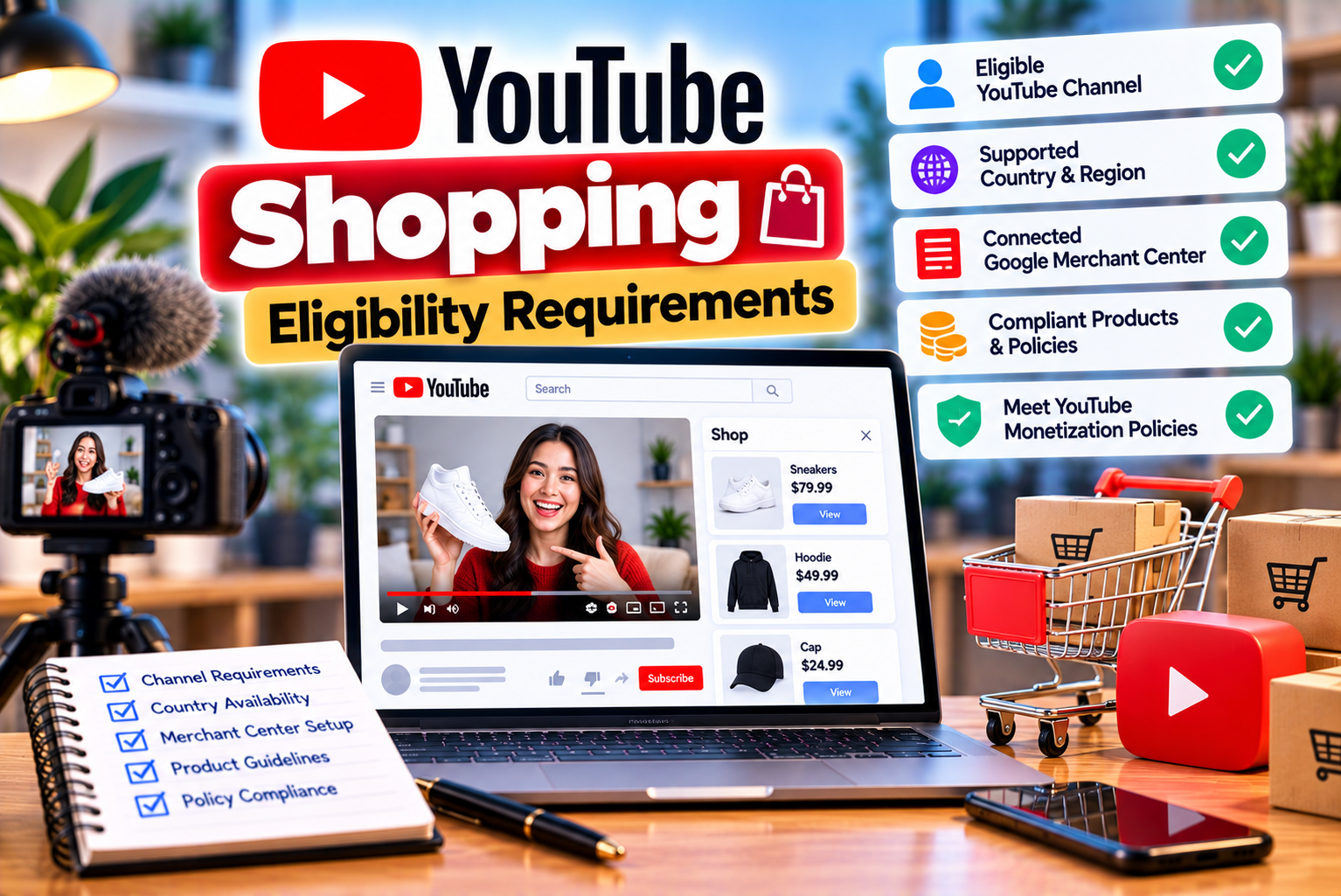
YouTube Shopping Eligibility Requirements: What Creators Need to Know
YouTube has evolved beyond a video-sharing platform into a place where creators can build communities, recommend products, and generate income from their content. With YouTube Shopping, eligible creators can connect their own online stores to their channels or tag products from other brands in videos, Shorts, and live streams.
However, having a YouTube channel does not automatically give you access to every Shopping feature. Your eligibility depends on several factors, including whether your channel participates in the YouTube Partner Program, your subscriber count, your location, your channel category, and compliance with YouTube’s policies.
The requirements can also differ depending on whether you want to promote your own merchandise or earn affiliate commissions by recommending products from other brands.
For example, YouTube announced an expansion of its Shopping affiliate program in March 2026, making it available to eligible creators in the YouTube Partner Program with at least 500 subscribers. This created an opportunity for smaller creators to explore product-based monetization earlier in their growth journey. Nevertheless, reaching 500 subscribers alone does not guarantee access. Creators must satisfy the other applicable requirements as well.
This guide explains the YouTube Shopping eligibility requirements in detail, including subscriber thresholds, YouTube Partner Program rules, supported countries, channel restrictions, eligibility differences between affiliate products and your own store, and practical steps for resolving access problems.
What Is YouTube Shopping?
YouTube Shopping is a collection of features that allows eligible creators to showcase products through their YouTube content.
Depending on the feature and the creator’s eligibility, YouTube Shopping can support two main activities:
- Promoting products from other brands: Eligible creators can tag products in their content and potentially earn affiliate commissions when viewers make qualifying purchases.
- Promoting products from their own store: Eligible creators can connect a supported online store and display their merchandise or other products through YouTube.
These features help viewers discover products while watching content, without relying exclusively on links in video descriptions.
For example, a technology creator reviewing a smartphone may tag the device so viewers can explore the product. A fashion creator may tag clothing featured in an outfit video. A business selling branded merchandise may connect its online store to YouTube.
The exact features available to a creator depend on the applicable eligibility rules, supported markets, participating retailers, and connected-store requirements.
You can explore the official overview in YouTube’s Shopping Help Center.
YouTube Shopping Eligibility Requirements at a Glance
Before examining each requirement, use this table to understand the main eligibility factors.
| Eligibility Factor | What Creators Need to Know |
| YouTube Partner Program | Promoting products from other brands requires participation in the YouTube Partner Program. |
| Subscriber threshold | The applicable threshold depends on the relevant YPP and Shopping eligibility rules. Eligible affiliate creators may qualify from 500 subscribers. |
| Country availability | Creators must be based in a country supported by the relevant Shopping program. |
| Channel category | Music channels, Official Artist Channels, and channels associated with music partners are excluded from the affiliate program under its published rules. |
| Made for Kids status | The channel audience must not be set as Made for Kids, and the channel must not have a significant number of videos designated as Made for Kids. |
| Community Guidelines | The affiliate program requires an eligible channel. YouTube’s Shopping guidance also specifies restrictions involving active Community Guidelines strikes. |
| Channel compliance | Creators must follow applicable monetization, Shopping, product-tagging, and other platform policies. |
| Store connection | Promoting your own products requires a supported store and compliance with the applicable store requirements. |
| Program access | The relevant Shopping option must be available to your channel in YouTube Studio. |
These requirements should be checked against the specific Shopping feature you intend to use. YouTube can update its eligibility rules, and the affiliate program and connected-store features do not have identical requirements.
1. You Must Understand the YouTube Partner Program Requirement
The YouTube Partner Program, commonly known as YPP, is central to eligibility for YouTube Shopping.
For the Shopping affiliate program, YouTube’s published requirements state that your channel must be in YPP and meet the applicable subscriber threshold. Simply having a large audience or uploading product-related videos does not replace this requirement.
What Is the YouTube Partner Program?
YPP is YouTube’s monetization program for eligible creators. It provides access to different monetization features, subject to the relevant requirements.
Depending on eligibility and the features available to the channel, these can include:
- Fan funding features.
- Channel memberships.
- Super Thanks.
- Super Chat and Super Stickers.
- Shopping features.
- Advertising and YouTube Premium revenue sharing for channels that meet the higher requirements.
Importantly, qualifying for an entry-level YPP tier is not the same as qualifying for every monetization feature.
You must distinguish between the expanded YPP entry requirements, the requirements for individual monetization products, and the additional requirements for particular Shopping features.
Can You Join YouTube Shopping Without YPP?
For promoting products from other brands through the YouTube Shopping affiliate program, the published requirements state that creators must participate in YPP.
Therefore, having 500 subscribers without being accepted into YPP is not sufficient for affiliate Shopping eligibility.
You should first determine whether your channel qualifies for YPP, complete the application process, and check which monetization features become available after approval.
For the latest eligibility details, review the official YouTube Partner Program requirements.
2. YouTube Shopping Subscriber Requirements
One of the most frequently asked questions is how many subscribers a creator needs before they can use YouTube Shopping.
The answer depends on which Shopping feature you want to access and whether you meet the other requirements.
Is 500 Subscribers Enough for YouTube Shopping?
YouTube announced on March 25, 2026, that it was expanding its Shopping affiliate program to eligible creators in YPP with at least 500 subscribers. The change was intended to let more creators explore affiliate monetization earlier in their growth.
This means a creator does not necessarily need 1,000 subscribers to qualify for the affiliate program under the expanded eligibility rules.
However, reaching 500 subscribers is only one part of the process.
You must also meet the relevant requirements, including:
- Being accepted into YPP.
- Being based in a supported country.
- Meeting the program’s channel-category restrictions.
- Meeting the Made for Kids requirements.
- Maintaining the required policy standing.
- Having access to the relevant Shopping feature.
If your channel has 500 subscribers but has not qualified for YPP, you should not assume that the affiliate program will be available.
What Are the Expanded YPP Requirements?
In countries where the expanded YPP is available, creators can generally apply after reaching either of these thresholds:
Route 1: Long-form video eligibility
- At least 500 subscribers.
- Three valid public uploads within the previous 90 days.
- At least 3,000 valid public watch hours during the previous 12 months.
Route 2: Shorts eligibility
- At least 500 subscribers.
- Three valid public uploads within the previous 90 days.
- At least 3 million valid public Shorts views during the previous 90 days.
These are the published thresholds for entering the expanded YPP. They do not guarantee approval, and creators must satisfy the other applicable program requirements.
How Is This Different from Full Advertising Monetization?
The higher thresholds generally associated with advertising revenue sharing are:
- At least 1,000 subscribers and 4,000 valid public watch hours during the previous 12 months; or
- At least 1,000 subscribers and 10 million valid public Shorts views during the previous 90 days.
These thresholds concern the relevant YPP advertising monetization requirements. They should not be confused with the lower entry thresholds for the expanded YPP or the eligibility requirements of individual Shopping features.
Subscriber Requirements Comparison
| Requirement | Expanded YPP Entry | Full Advertising Revenue Sharing |
| Subscribers | 500 | 1,000 |
| Long-form watch hours | 3,000 valid public hours in 12 months | 4,000 valid public hours in 12 months |
| Alternative Shorts route | 3 million valid public Shorts views in 90 days | 10 million valid public Shorts views in 90 days |
| Recent uploads | Three valid public uploads in 90 days | Check the current requirements applicable to your channel |
| Automatic approval | No | No |
Important: These are YPP thresholds, not a guarantee of Shopping access. Your channel must still meet the eligibility conditions for the particular Shopping program.
3. Countries Where YouTube Shopping Is Available
Your country is another important eligibility factor.
A creator may meet the subscriber threshold and participate in YPP but still be unable to access the affiliate program if the creator is based in a country where that program is unavailable.
According to YouTube’s published affiliate-program eligibility information, the supported countries include:
- Argentina
- Brazil
- India
- Indonesia
- Japan
- South Korea
- Malaysia
- Mexico
- Philippines
- Singapore
- Taiwan
- Thailand
- United States
- Vietnam
Availability can change as YouTube expands the program, so check the current official list before planning your monetization strategy.
Is YouTube Shopping Available in India?
Yes. India is included in YouTube’s published list of countries for the Shopping affiliate program.
This gives eligible Indian creators the opportunity to tag supported products from other brands and potentially earn affiliate commissions through qualifying purchases.
However, being based in India does not automatically provide access. You must still meet the applicable YPP, subscriber, channel, and policy requirements.
Product availability also depends on participating retailers and the catalog shown to your account.
In October 2026, Google announced plans to expand YouTube Shopping’s retail partnerships in India, including Amazon, AJIO, Meesho, Snapdeal, and Tata CLiQ. The announcement described these additional partnerships as rolling out soon, so creators should verify which retailers are actually available in their own YouTube Studio rather than assuming every announced integration is already active.
Does Your Audience Have to Live in an Eligible Country?
Your channel’s eligibility is not determined solely by where most of your viewers live.
The published affiliate requirements refer to where the creator is based. Viewer location can affect product availability, shopping experiences, and purchasing opportunities, but it does not replace the creator’s own eligibility requirements.
For example, an eligible creator based in India may have viewers in several countries. That international audience does not automatically make the creator eligible if the creator is based somewhere outside the program’s supported markets.
What If Your Country Is Not Listed?
If your country is not listed in the official eligibility information, you should not assume you can join the affiliate program simply because your channel has enough subscribers.
You can:
- Continue developing your channel and audience.
- Check YouTube Studio for any Shopping-related eligibility notices.
- Review official YouTube announcements about country expansion.
- Use other lawful monetization options available to your channel.
- Recheck the official requirements periodically.
Do not change your account’s country information inaccurately to try to obtain access. Eligibility should reflect your actual circumstances and comply with YouTube’s requirements.
4. Channel Categories That May Not Qualify
Not every type of YouTube channel is eligible for the Shopping affiliate program.
YouTube’s published eligibility rules specifically exclude certain music-related channels and channels with particular audience settings.
Music Channels
YouTube’s Shopping affiliate eligibility rules exclude:
- Music channels.
- Official Artist Channels.
- Channels associated with music partners.
Music partners may include music labels, distributors, publishers, or VEVO.
This restriction matters because a music-focused channel may not qualify for the affiliate program even if it has a large audience and satisfies the subscriber threshold.
If your channel publishes music videos, releases, or artist-related content, check the official eligibility guidance rather than assuming that all YPP channels have access to affiliate Shopping.
Does This Mean Music Creators Cannot Use Any YouTube Shopping Features?
No. The restrictions on promoting products from other brands should not be treated as a universal restriction on every Shopping feature.
YouTube’s connected-store guidance allows certain channels, including qualifying Official Artist Channels, to promote their own products when they meet the applicable requirements. This is a separate use case from participating in the affiliate program.
For example, an eligible artist might be able to connect a supported merchandise store even though the artist’s channel is excluded from the affiliate program for products from other brands.
The correct answer depends on the Shopping feature, channel type, and current eligibility rules.
5. Made for Kids Restrictions
Audience classification is another important eligibility factor.
YouTube’s affiliate-program requirements state that a channel’s audience must not be set as Made for Kids, and the channel must not have a significant number of videos designated as Made for Kids.
What Does Made for Kids Mean?
Made for Kids is an audience designation used for content directed at children.
Creators must assess their content and audience appropriately and follow YouTube’s rules for determining whether content is made for children.
This setting is not simply a preference that creators should change to unlock monetization. It must accurately reflect the content and comply with applicable requirements.
Why Can Made for Kids Status Affect Shopping Eligibility?
Shopping features are subject to restrictions that can make them unavailable to channels with certain audience settings.
For example, a channel dedicated primarily to children’s cartoons, nursery rhymes, or other child-directed videos may be unable to participate in the affiliate program under the published rules.
A general-audience channel that occasionally uploads a video classified as Made for Kids should not automatically assume it is disqualified. YouTube’s published rule refers to the channel’s audience setting and whether it has a significant number of Made for Kids videos.
The precise application of that requirement depends on the channel’s circumstances and YouTube’s assessment.
Should You Change Your Audience Setting to Get Shopping Access?
No. Do not change the audience designation merely to gain access to Shopping.
Instead:
- Review the audience setting for your channel.
- Check whether individual videos have appropriate audience classifications.
- Correct any inaccurate settings based on the actual content.
- Follow YouTube’s audience-classification guidance.
- Recheck Shopping eligibility after resolving any genuine classification issues.
Accurate classification is more important than attempting to qualify through an inappropriate setting.
6. Community Guidelines and Channel Policy Requirements
Meeting the subscriber and location requirements is not enough if your channel has policy issues that affect eligibility.
YouTube’s Shopping guidance specifies that creators promoting products from other brands must not have active Community Guidelines strikes. Its connected-store guidance also identifies restrictions involving Hate Speech Community Guidelines strikes.
The requirements should be interpreted according to the particular Shopping feature you want to use.
What Is a Community Guidelines Strike?
A Community Guidelines strike is a platform enforcement action associated with a violation of YouTube’s Community Guidelines.
Depending on the situation, enforcement may affect a channel’s ability to use particular features.
Creators should distinguish between:
- A video receiving a warning.
- A Community Guidelines strike.
- A copyright claim.
- A copyright strike.
- Other monetization or policy restrictions.
These are not identical situations, and their effects on channel features can differ.
Do Copyright Claims Automatically Disqualify You from YouTube Shopping?
Not necessarily.
A copyright claim and a Community Guidelines strike are different types of issues. A copyright claim can affect a video’s monetization or availability without automatically establishing that the channel fails every Shopping eligibility requirement.
However, copyright issues can still affect individual videos, the use of third-party content, and compliance with other YouTube policies.
If your channel relies heavily on reused footage, copyrighted music, or content that you do not own, review the relevant policies and resolve any issues that apply.
What Should Creators Check Before Applying?
Review the following areas:
- Community Guidelines notices in YouTube Studio.
- Copyright and video restrictions.
- Monetization status.
- Reused-content concerns.
- Advertiser-friendly content issues, where relevant.
- Shopping and product-tagging policy compliance.
- Any notices that specifically identify a restriction on your channel.
Not every issue will have the same effect on Shopping eligibility. The objective is to identify the actual restriction rather than assume that every warning or claim disqualifies the channel.
7. YouTube Shopping Affiliate Program vs. Selling Your Own Products
One of the biggest sources of confusion is the difference between promoting products from other brands and selling products through your own store.
Although both activities fall under YouTube Shopping, their eligibility requirements and setup processes differ.
Promoting Products from Other Brands
The affiliate program allows eligible creators to tag products from participating retailers and potentially earn commissions on qualifying purchases.
The principal eligibility factors include:
- Participation in YPP.
- Meeting the applicable subscriber threshold.
- Being based in a supported country.
- Meeting the channel-category requirements.
- Meeting the Made for Kids requirements.
- Having the required policy standing.
The products available to tag depend on the catalog and participating retailers available to the creator.
Promoting Products from Your Own Store
Creators can also connect a supported online store to YouTube to showcase their own products.
Examples include:
- Branded clothing.
- Creator merchandise.
- Accessories.
- Art and other eligible merchandise.
- Products sold through a supported ecommerce store.
The requirements can differ from the affiliate program. YouTube’s connected-store guidance states that the channel must participate in YPP, meet the applicable subscriber threshold or qualify through the Official Artist Channel provision, meet the audience restrictions, and satisfy the relevant policy conditions.
You must also use a supported store or platform and comply with the relevant store, product, and Merchant Center requirements.
Eligibility Comparison Table
| Feature | Products from Other Brands | Products from Your Own Store |
| Main purpose | Earn affiliate commissions on qualifying purchases | Promote your own merchandise or products |
| YPP requirement | Yes, under the published affiliate eligibility rules | Yes, subject to the applicable connected-store rules |
| Subscriber requirement | Eligible creators may qualify with 500+ subscribers under the expanded rules, if all requirements are met | Depends on the applicable YPP threshold and channel eligibility |
| Supported country requirement | Must be based in a country supported by the affiliate program | Depends on YouTube Shopping, the store platform, and applicable market requirements |
| Music-channel restrictions | Music channels, Official Artist Channels, and channels associated with music partners are excluded under the published affiliate rules | Certain qualifying Official Artist Channels may be eligible to promote their own products |
| Made for Kids restrictions | Applicable | Applicable |
| Store connection | Not necessarily required to promote third-party products | A supported store connection is required |
| Earnings | Affiliate commissions on qualifying purchases | Revenue from sales of your own products, subject to your store’s arrangements |
| Product availability | Depends on the available affiliate catalog | Depends on the connected store and eligible product feed |
The table is a general comparison. Always verify the current requirements for your particular channel and feature.
8. Additional Requirements for Connecting Your Own Store
If your objective is to sell products through YouTube rather than earn commissions on other brands’ products, you must also consider your ecommerce setup.
Use a Supported Ecommerce Platform
YouTube Shopping does not connect every online store automatically.
Your store must use a supported platform or integration, and the connection process may vary depending on the provider.
Before beginning, check:
- Whether your ecommerce platform supports YouTube Shopping.
- Whether your country and product category are supported.
- Whether your store account meets the platform’s requirements.
- Whether your YouTube account has the appropriate permissions.
- Whether the product catalog meets applicable requirements.
Meet Store and Product Requirements
Your connected store and product feed must comply with the relevant platform policies.
Depending on the integration, requirements may cover:
- Product eligibility.
- Product descriptions and images.
- Product availability and inventory.
- Pricing accuracy.
- Shipping and returns information.
- Store and business information.
- Checkout functionality.
- Merchant Center policies.
For example, Shopify’s official YouTube Shopping guidance describes requirements involving channel access, channel monetization, subscriber count, and supported countries for its integration. These platform-specific requirements illustrate why creators should not assume that qualifying for the affiliate program automatically qualifies them to connect any store.
Can You Connect a Store Immediately After Reaching 500 Subscribers?
Not necessarily.
The expanded 500-subscriber announcement concerns access to the affiliate program for eligible YPP creators. Connected-store integrations may have their own eligibility conditions.
If you plan to sell your own products, review the requirements for both YouTube Shopping and the ecommerce platform you intend to connect.
9. How to Check Your YouTube Shopping Eligibility
The most practical way to determine whether your channel can access Shopping is to check YouTube Studio.
Step 1: Sign In to YouTube Studio
Open YouTube Studio using the Google account associated with your channel.
If you manage multiple channels, confirm that you have selected the correct one.
Step 2: Open the Earn Section
From the left-hand menu, select Earn.
This area displays monetization-related information and, depending on your channel’s eligibility, available programs and features.
Step 3: Review Your YPP Status
Check whether your channel is already part of YPP.
If you have not joined YPP, review the eligibility information shown in Studio and determine whether you qualify for the expanded or standard program.
If you are already in YPP, check whether any additional requirements remain outstanding.
Step 4: Look for Shopping
Review the Shopping-related sections, program cards, or eligibility messages displayed for your channel.
If the affiliate program is available to you, YouTube may provide an option to join the program and accept its terms.
If you want to connect your own store, review the connected-store options and requirements rather than assuming the affiliate program is the correct route.
Step 5: Review the Eligibility Message
If Shopping is not available, look for any explanation shown in Studio.
The missing feature may relate to:
- YPP status.
- Subscriber threshold.
- Country availability.
- Channel category.
- Audience classification.
- Policy standing.
- A feature-specific requirement.
- Program availability or account-level access.
The exact message in your account is more useful than relying on a generic subscriber-count estimate.
Step 6: Follow the Official Guidance
If your channel appears to meet all the requirements but the feature remains unavailable, compare your account status with the latest official guidance.
You can start with the YouTube Shopping eligibility page and the Shopping setup guide.
10. Why YouTube Shopping May Not Be Available to Your Channel
Creators often assume that a missing Shopping option means their channel is too small. In reality, several factors can affect access.
Reason 1: You Have Enough Subscribers but Are Not in YPP
Reaching the subscriber threshold does not automatically make your channel eligible for the affiliate program.
What to do: Review your YPP status in Studio and determine whether you need to apply, meet additional requirements, or resolve an application issue.
Reason 2: You Have Not Met the Applicable YPP Threshold
If you have 500 subscribers but have not met the other requirements for expanded YPP, you may not yet qualify.
For example, you may still need to achieve the required watch hours or Shorts views and publish the required number of valid public videos.
What to do: Check the Earn section to understand which requirements remain incomplete.
Reason 3: Your Country Is Not Supported
Shopping affiliate access depends on the creator’s location and the program’s current availability.
What to do: Confirm that your country is included in the official list. Do not rely solely on a creator’s video or an outdated blog post.
Reason 4: Your Channel Is a Music Channel
Music channels, Official Artist Channels, and channels associated with music partners are excluded from the affiliate program under its published rules.
What to do: Determine whether you want to promote products from other brands or merchandise from your own store. The applicable rules may differ.
Reason 5: Your Audience Is Set as Made for Kids
A channel whose audience is set as Made for Kids, or which has a significant number of videos classified as Made for Kids, may not meet the affiliate eligibility requirements.
What to do: Review your audience settings for accuracy. Correct genuine classification errors without misrepresenting the nature of your content.
Reason 6: Your Channel Has an Active Community Guidelines Strike
An active strike can affect eligibility for Shopping features.
What to do: Review the notices and restrictions in Studio. Follow YouTube’s available processes if you believe an enforcement decision was incorrect.
Reason 7: You Are Checking the Wrong Shopping Feature
A creator may be eligible for one type of Shopping activity but not another.
For example, affiliate product tagging and connecting an ecommerce store involve different requirements.
What to do: Identify the feature you need and check its specific eligibility rules.
Reason 8: Your Store Is Not Supported or Approved
If you are connecting your own store, the problem may be related to the ecommerce platform, product feed, or store requirements rather than the YouTube affiliate program.
What to do: Review the integration requirements and any errors reported by your ecommerce platform or Merchant Center account.
Reason 9: Your Channel Is Managed by a Content Owner
YouTube’s affiliate eligibility guidance notes that if a channel is managed by a content owner, the content owner may need to accept the relevant agreement on the channel’s behalf.
What to do: Contact the person or organization responsible for managing your channel and confirm that the required agreement and permissions are in place.
Reason 10: You Are Relying on Outdated Information
YouTube’s monetization and Shopping programs can change. A tutorial published before an eligibility update may describe requirements that no longer apply.
What to do: Prioritize the current official Help Center and the eligibility information shown in your own Studio account.
11. How Small Creators Can Prepare for YouTube Shopping
You do not have to wait until your channel qualifies to prepare for Shopping. You can develop a suitable content strategy while working toward eligibility.
Choose a Clear Content Niche
Product recommendations are generally easier to integrate into a channel when the audience understands what the creator covers.
Potential niches include:
- Technology and gadgets.
- Fashion and styling.
- Beauty and skincare.
- Home improvement.
- Kitchen products.
- Fitness equipment.
- Travel accessories.
- Photography equipment.
- Educational tools.
- Everyday product reviews.
Choose a niche that fits your interests, expertise, and audience rather than selecting products solely because they appear to offer high commissions.
Publish Useful Product-Related Content
Create content that helps viewers make informed decisions.
Examples include:
- Product reviews.
- Product comparisons.
- Tutorials.
- Buying guides.
- Demonstrations.
- Setup and troubleshooting videos.
- Pros-and-cons breakdowns.
- Long-term product experiences.
These formats give you opportunities to discuss product features naturally and explain why a product may or may not suit a viewer.
Build Trust Before Monetization
Affiliate monetization works best when recommendations serve the audience.
You can build trust by:
- Explaining both advantages and disadvantages.
- Avoiding unsupported performance claims.
- Disclosing relevant commercial relationships.
- Recommending products that fit the content.
- Correcting inaccurate information.
- Distinguishing firsthand experience from research.
Do not promote a product simply because it has a high commission rate.
Track Your Progress Toward Eligibility
Create a simple tracking sheet for your channel.
| Metric | What to Track | Why It Matters |
| Subscribers | Current total | Helps monitor progress toward the relevant threshold |
| Public uploads | Valid uploads within the required period | Relevant to expanded YPP eligibility |
| Watch hours | Valid public watch hours | Helps assess the long-form eligibility route |
| Shorts views | Valid public Shorts views | Helps assess the Shorts eligibility route |
| YPP status | Not eligible, eligible, applying, or accepted | Determines whether you can access relevant monetization features |
| Country eligibility | Whether your location is supported | Helps establish geographic eligibility |
| Policy status | Current notices or restrictions | Helps identify potential access issues |
| Shopping status | Not available, eligible, or enrolled | Tracks progress toward using Shopping features |
Use YouTube Studio as the primary source for your channel’s current metrics and eligibility status.
Prepare a Product Evaluation Process
Before tagging products, decide how you will evaluate them.
Consider:
- Relevance to the video’s topic.
- Product quality and usefulness.
- Compatibility with your audience’s needs.
- Price and available alternatives.
- Whether you can accurately describe the product.
- Whether the product is actually featured in the content.
- Whether the product meets YouTube’s tagging guidelines.
A thoughtful evaluation process reduces the risk of misleading recommendations and helps preserve audience trust.
12. Common Myths About YouTube Shopping Eligibility
Several misconceptions can lead creators to misunderstand the requirements.
Myth 1: Everyone With 500 Subscribers Can Join
Reality: The expanded affiliate eligibility applies to creators who meet the applicable requirements, including YPP participation and country and channel restrictions. Subscriber count alone is not enough.
Myth 2: You Need 1,000 Subscribers for Every Shopping Feature
Reality: Eligible affiliate creators may qualify from 500 subscribers under the expanded rules. Other Shopping features and connected-store integrations can have different requirements.
Myth 3: Being in YPP Guarantees Shopping Access
Reality: YPP participation is an important requirement, but creators must also satisfy the rules for the relevant Shopping program.
Myth 4: YouTube Shopping Is Available in Every Country
Reality: Availability depends on the program and supported markets. Check the current official country list.
Myth 5: Every YPP Channel Can Promote Products From Other Brands
Reality: Certain channel categories, including music channels and Official Artist Channels, are excluded from the affiliate program under its published eligibility rules.
Myth 6: You Can Change Your Audience Setting to Unlock Shopping
Reality: Audience settings must accurately reflect your content. Misrepresenting a channel’s audience to gain access is not an appropriate solution.
Myth 7: Affiliate Shopping and Your Own Store Have Identical Requirements
Reality: These are separate Shopping use cases with different eligibility and setup conditions.
Myth 8: Reaching the Threshold Means Approval Is Automatic
Reality: YouTube evaluates eligibility under the applicable program rules. Reaching a numeric threshold does not guarantee acceptance or access to every feature.
13. Best Practices for Maintaining YouTube Shopping Eligibility
Qualifying for a program is only the first step. Creators should continue to follow the platform’s requirements.
Keep Your Channel in Good Standing
Review policy notices and resolve issues promptly. Avoid practices that violate Community Guidelines, monetization rules, or Shopping policies.
Tag Relevant Products
Product tags should match the products meaningfully featured in your content.
Do not tag unrelated products merely to increase the number of shopping links.
Make Accurate Product Claims
Avoid exaggerating a product’s benefits, hiding important limitations, or presenting unverified claims as facts.
If a product has limitations, explain them clearly.
Disclose Commercial Relationships
If a video includes a sponsorship, endorsement, or other relationship that requires disclosure, follow YouTube’s branded-content requirements and applicable advertising rules.
Affiliate participation does not remove your responsibility to provide appropriate disclosures.
Check Product Availability
Products may become unavailable, change price, or be removed from a retailer’s catalog.
Review product tags periodically and replace or remove tags when necessary.
Monitor Shopping Performance
If Shopping features are available to you, use the relevant reports in YouTube Studio and YouTube Analytics to understand how tagged products perform.
Pay attention to which videos generate meaningful engagement and purchases rather than focusing only on views.
Review Eligibility Changes
YouTube can update its programs and requirements. Review official documentation periodically, especially before making significant investments in a Shopping-focused content strategy.
Frequently Asked Questions About YouTube Shopping Eligibility
1. What are the YouTube Shopping eligibility requirements?
For the affiliate program, creators must be in YPP, meet the applicable subscriber threshold, be based in a supported country, satisfy channel-category and Made for Kids restrictions, and meet the required policy conditions. Other Shopping features may have different requirements.
2. Can I join YouTube Shopping with 500 subscribers?
Potentially, yes. YouTube announced expanded affiliate access for eligible YPP creators with at least 500 subscribers in March 2026. You must also meet the other applicable requirements.
3. Do I need to be in the YouTube Partner Program?
Yes, YPP participation is required to promote products from other brands through the YouTube Shopping affiliate program under its published eligibility rules.
4. Is 500 subscribers enough to join YPP?
It can be enough to apply for the expanded YPP in eligible countries if you also meet the required recent-upload and watch-hour or Shorts-view thresholds. Approval is not automatic.
5. Do I need 1,000 subscribers for YouTube Shopping?
Not necessarily. Eligible affiliate creators may qualify from 500 subscribers. However, connected-store integrations and other monetization features may have separate requirements.
6. Is YouTube Shopping available in India?
Yes. India is listed among the countries where eligible creators can participate in the YouTube Shopping affiliate program. Individual creators must still satisfy the applicable requirements.
7. Which countries support YouTube Shopping affiliate features?
The published list includes Argentina, Brazil, India, Indonesia, Japan, South Korea, Malaysia, Mexico, the Philippines, Singapore, Taiwan, Thailand, the United States, and Vietnam. Check the official Help Center for updates.
8. Can a music channel use YouTube Shopping?
Music channels, Official Artist Channels, and channels associated with music partners are excluded from the affiliate program under its published rules. Certain eligible artist channels may still be able to promote their own merchandise through connected-store features.
9. Can a Made for Kids channel join YouTube Shopping?
A channel whose audience is set as Made for Kids, or which has a significant number of videos designated as Made for Kids, does not meet the published affiliate-program requirements.
10. Can I use YouTube Shopping if I have an active Community Guidelines strike?
An active Community Guidelines strike can affect eligibility. Review the requirements for your particular Shopping feature and the notices in YouTube Studio.
11. Does a copyright claim disqualify my channel?
Not automatically in every case. Copyright claims and Community Guidelines strikes are different. However, copyright restrictions can affect videos and may create other policy or monetization issues.
12. Can I use YouTube Shopping without monetization?
For the affiliate program, you must participate in YPP. Other Shopping-related features also have eligibility requirements, so check the specific feature you want to use.
13. Can I promote my own products with 500 subscribers?
It depends on whether your channel qualifies for the relevant YPP and connected-store requirements and whether your ecommerce platform is supported. Do not assume that the affiliate program’s expanded threshold applies to every store integration.
14. Why is the Shopping tab missing from YouTube Studio?
Possible reasons include YPP status, subscriber thresholds, country availability, channel restrictions, policy standing, or the fact that the relevant feature is not available to your account. Check the Earn section and official eligibility guidance.
15. How can I check whether my channel is eligible?
Sign in to YouTube Studio, open Earn, and review your monetization and Shopping options. The information displayed for your channel is the best starting point for determining your current access.
16. Do I need a website to join the affiliate program?
A connected ecommerce store is not necessarily required to promote products from other brands through the affiliate program. Selling your own products through YouTube Shopping, however, generally requires a supported store connection.
17. Can I join YouTube Shopping if most of my viewers are outside India?
Viewer location alone does not determine your eligibility. The affiliate requirements refer to where the creator is based, while product availability and purchasing opportunities can vary by market.
18. What happens if I lose eligibility after joining?
Access to Shopping features can depend on continued compliance with the applicable requirements. If a feature becomes unavailable, review the notices in Studio and the current official program rules to identify the reason.
19. Does YouTube Shopping guarantee affiliate income?
No. Eligibility gives you the opportunity to use the feature, but earnings depend on factors such as product relevance, audience interest, purchases, commission terms, and returns.
20. Can I use regular affiliate links if I am not eligible for YouTube Shopping?
You may be able to use other permitted affiliate-marketing methods, provided you comply with YouTube’s external-links rules, the affiliate program’s terms, and applicable disclosure requirements. Do not assume that every affiliate link or promotional method is permitted in every context.
21. Does joining YPP automatically activate YouTube Shopping?
No. YPP participation does not guarantee access to every Shopping feature. You must meet the requirements for the specific program or connected-store integration.
22. Can a channel with fewer than 500 subscribers sell merchandise on YouTube?
YouTube’s connected-store features have their own requirements. Review the current Shopping Help Center and your channel’s eligibility information to determine whether your channel qualifies.
23. How often should I check YouTube Shopping eligibility?
Check whenever your channel reaches a major milestone, when YouTube announces changes to its monetization programs, or when a Shopping feature becomes unavailable. Reviewing your status periodically is also useful.
24. Can I apply again if my channel was previously ineligible?
Your options depend on the reason for ineligibility. If the issue is a requirement you can satisfy, such as a subscriber threshold, you may be able to qualify later. If the problem concerns a policy restriction, follow the instructions provided by YouTube.
25. Where can I find the official YouTube Shopping eligibility rules?
Start with the official YouTube Shopping affiliate eligibility page and the YouTube Shopping setup guide. These resources explain the relevant requirements and how to access the available features.
Conclusion
Understanding the YouTube Shopping eligibility requirements can help you plan a realistic path toward product-based monetization.
The expansion announced in March 2026 made the affiliate program accessible to eligible YPP creators with at least 500 subscribers, creating more opportunities for smaller creators. However, subscriber count is only one part of eligibility. Your channel must also satisfy the relevant country, channel-category, audience-classification, and policy requirements.
It is equally important to distinguish between promoting products from other brands and selling products through your own store. These activities fall under YouTube Shopping but can have different eligibility and setup conditions.
If you want to get started, open YouTube Studio, review the Earn section, check your YPP status, and examine the Shopping options available to your channel. Use the official Help Center to confirm any requirements that remain unclear.
The best long-term strategy is to build a channel around useful, trustworthy content, maintain policy compliance, and recommend products that genuinely serve your audience. Meeting the eligibility requirements creates the opportunity to participate; the quality of your content and recommendations will help determine whether that opportunity becomes a sustainable revenue stream.
Official References
Use these official resources to support the article and help readers verify the current requirements.
Leave a Reply