


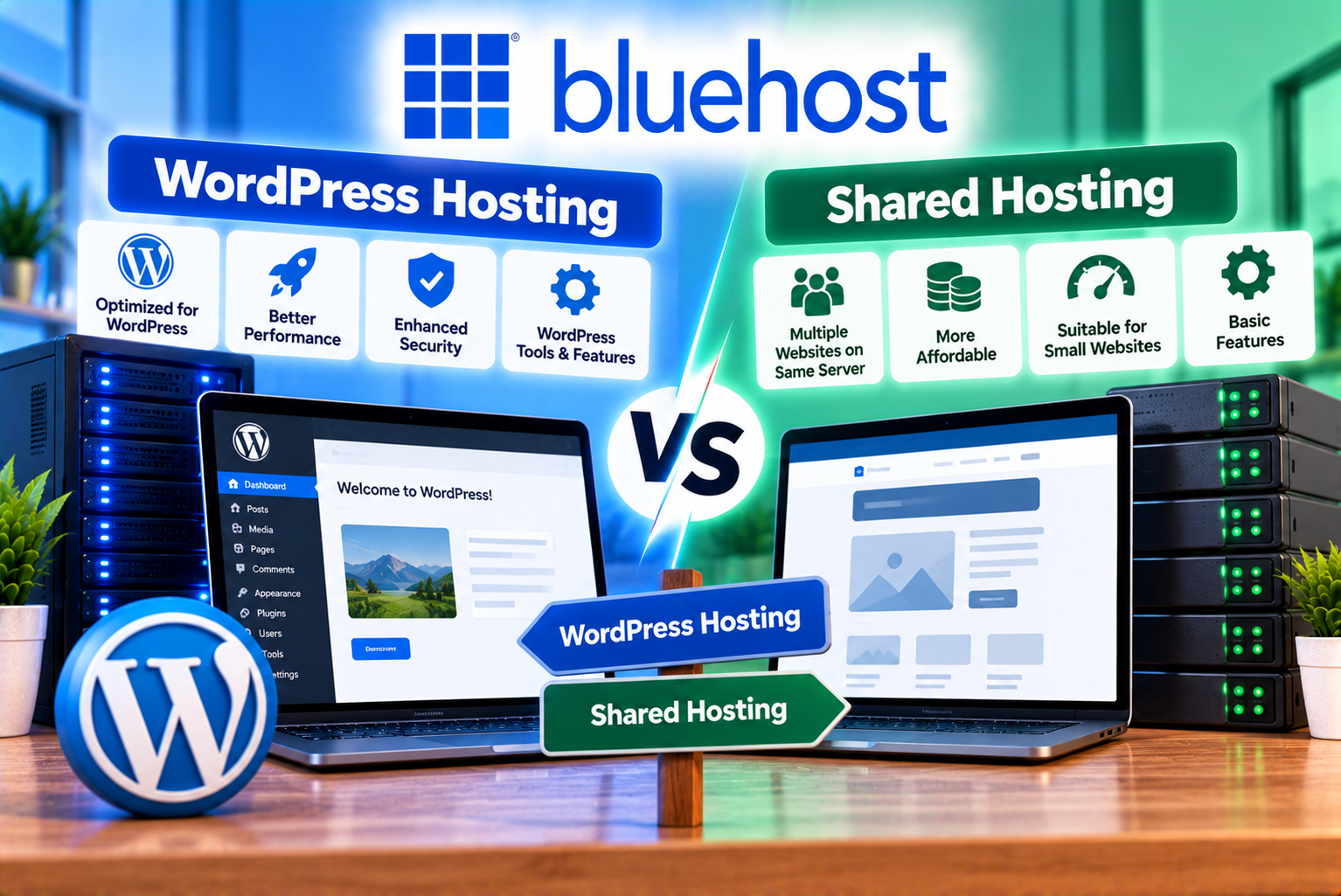
Bluehost WordPress Hosting vs Shared Hosting
Choosing the right hosting plan is one of the first important decisions when building a website. Your hosting provider affects how your website is managed, how easily you can maintain it, what security features are available, and how much you pay as your website grows.
If you are considering Bluehost, you may have encountered two terms: WordPress hosting and shared hosting. At first glance, they appear to be completely different products. WordPress hosting sounds like a specialized solution for WordPress websites, while shared hosting appears to be a more general and affordable option.
However, the distinction is not always as straightforward as it seems.
WordPress is a content management system, while shared hosting describes a hosting environment in which multiple websites share server resources. A WordPress website can run on shared hosting, and some shared hosting packages already include WordPress installation, updates, caching, security tools, and other WordPress-oriented features.
Bluehost’s current offerings also blur the traditional distinction. Its India-facing web hosting plans include managed WordPress updates and other WordPress-related features, while its WordPress hosting product pages highlight similar tools. The exact features depend on the product, plan, and market in which you purchase the service.
This means you should not choose a hosting plan based on its name alone. Instead, compare the actual resources, included features, renewal prices, management requirements, and limitations.
In this guide, we will compare Bluehost WordPress hosting vs shared hosting, explain how the two options differ, examine their pricing and features, and help you identify the most suitable solution for your website.
What Is Bluehost Shared Hosting?
Shared hosting is a type of web hosting in which multiple websites operate on the same physical server. The hosting provider manages the underlying server infrastructure, while customers share its available resources according to their plans and the provider’s resource policies.
This arrangement helps reduce hosting costs because the expense of operating the server is distributed among multiple customers.
Bluehost positions shared hosting as an accessible option for individuals, bloggers, small businesses, and website owners who want to establish an online presence without managing their own server infrastructure.
How Shared Hosting Works
Imagine a physical server as an office building.
Each website occupies its own space within the building, but the websites use the same overall infrastructure. The hosting provider maintains the building, manages the underlying systems, and allocates resources to its customers.
Your website has its own files, database, domain configuration, and hosting account, but it does not have an entire physical server dedicated exclusively to it.
This shared arrangement is generally more affordable than purchasing a dedicated server or a higher-resource hosting environment.
However, available resources and the way they are allocated depend on the provider’s infrastructure, plan specifications, and usage policies.
Main Features of Bluehost Shared Hosting
Depending on the selected plan, Bluehost shared hosting may include:
- Website hosting and storage.
- Domain registration for the first year on eligible plans.
- SSL certificates.
- WordPress installation and management tools.
- Managed WordPress updates.
- Content delivery network integration.
- Caching features.
- Website migration tools.
- Malware scanning and additional security features.
- Website backups.
- Access to customer support.
- Website creation tools.
Not every feature is available on every plan. For example, Bluehost’s current India-facing pricing page lists different storage limits, security tools, support options, and backup-related benefits across its Starter, Business, and eCommerce Essentials plans.
Who Should Choose Shared Hosting?
Shared hosting may be suitable if you are building:
- A personal blog.
- A portfolio website.
- A small business website.
- A local service website.
- A basic company website.
- An informational website.
- A new affiliate marketing website.
- A small WordPress website with moderate resource requirements.
For example, a local consultancy website containing service pages, contact information, customer testimonials, and a blog may not need an advanced hosting environment at the beginning.
A shared hosting plan with sufficient storage, security, and performance resources could be an appropriate starting point.
However, shared hosting is not automatically the best option for every small website. If your project needs specialized server configurations, substantial computing resources, or advanced operational controls, you should evaluate other hosting categories as well.
What Is Bluehost WordPress Hosting?
WordPress hosting refers to hosting designed or configured to make running a WordPress website easier.
WordPress itself is a content management system that allows users to create and manage websites through a dashboard rather than building every page manually with code.
Bluehost offers WordPress-oriented hosting plans that combine hosting infrastructure with features intended to simplify WordPress installation, management, security, and website creation.
Its current WordPress hosting information highlights features such as managed WordPress updates, website migration tools, security protections, caching, and WordPress-related support. The availability of particular features depends on the plan.
How WordPress Hosting Works
A WordPress website needs several components to operate:
- A hosting environment to run the website.
- WordPress application files.
- A database to store website content and settings.
- A domain name through which visitors access the website.
- An SSL certificate to enable HTTPS.
- Appropriate maintenance, security, and backup processes.
WordPress hosting provides the environment needed to run WordPress and may include additional tools to reduce the work required to manage these components.
For example, managed WordPress services may automate core updates, provide WordPress-specific performance tools, and include backup or security features.
The extent of this management varies. A plan advertised as WordPress hosting does not necessarily mean every plugin update, compatibility issue, security incident, or website error will be handled automatically by the provider.
You should examine the exact service description before purchasing.
Main Features of Bluehost WordPress Hosting
Depending on the plan, features may include:
- WordPress installation and setup tools.
- Managed WordPress updates.
- Website creation tools.
- WordPress-related security features.
- SSL certificates.
- Website migration tools.
- Content delivery network integration.
- Static content and object caching.
- Website staging.
- SSH and WP-CLI access.
- Website backups.
- Customer support.
- WooCommerce-related features on eligible commerce plans.
Bluehost’s current WordPress hosting comparison lists these types of features across its plans, although storage capacity, security benefits, support options, and commerce tools vary by package.
Who Should Choose WordPress Hosting?
WordPress hosting may be a good fit if you are building:
- A WordPress business website.
- A content-heavy blog.
- An affiliate marketing website.
- A WordPress portfolio.
- A website for an agency or freelancer.
- A WordPress membership website.
- A WooCommerce store.
- A website that needs WordPress-specific management tools.
It is particularly worth considering if you want to use WordPress and prefer a hosting package that brings several website management features together.
However, remember that many shared hosting plans also support WordPress and include some of these features. The important question is whether a particular WordPress hosting package offers meaningful benefits over the shared hosting alternative you are considering.
Bluehost WordPress Hosting vs Shared Hosting: Key Differences
The main difference is the type of service being described.
Shared hosting refers to how hosting resources are shared, whereas WordPress hosting refers to a service designed or configured for WordPress websites.
These concepts can overlap. A WordPress hosting package may itself use shared infrastructure, while a general shared hosting package may support WordPress and include specialized WordPress tools.
Bluehost’s own documentation explains that its WordPress and shared hosting offerings can overlap, particularly when WordPress optimization and management features are included in shared hosting plans.
The following table highlights the main factors to compare.
| Comparison Factor | Bluehost Shared Hosting | Bluehost WordPress Hosting |
| Primary purpose | General website hosting | Hosting designed around WordPress |
| WordPress support | Available on compatible plans | Central to the service |
| Other website platforms | May support other compatible applications | Primarily intended for WordPress |
| Installation | Depends on the plan and setup tools | WordPress-focused setup tools |
| WordPress updates | May be included | Managed WordPress updates may be included |
| Performance tools | Depend on the plan | May include WordPress-oriented caching and optimization |
| Security | Varies by plan | May include WordPress-related security and management tools |
| Backups | Check plan-specific backup terms | Check plan-specific backup terms |
| Website staging | Depends on the package | May be included on eligible plans |
| WooCommerce | Requires compatible hosting and configuration | Commerce-oriented features may be available on eligible plans |
| Ease of management | Suitable for general website management | Designed to simplify WordPress management |
| Pricing | Depends on the hosting package | Depends on the WordPress hosting product and plan |
| Best for | General websites and compatible applications | Websites built with WordPress |
Important: This is a category-level comparison, not a guarantee that every WordPress hosting plan has more features than every shared hosting plan. Bluehost’s product names and included features can overlap. Always compare the exact plan specifications before purchasing.
1. Hosting Infrastructure: Are They Actually Different?
One of the most common misconceptions is that shared hosting and WordPress hosting always operate on completely different types of servers.
That is not necessarily true.
Shared hosting describes a hosting arrangement in which multiple customers share server resources. WordPress hosting describes a service designed for WordPress, but it does not automatically imply that the customer receives a dedicated server or exclusive physical resources.
A WordPress hosting service can use shared infrastructure while adding software, management tools, caching, or support tailored to WordPress.
What This Means for Bluehost Customers
If you compare two Bluehost plans, you should investigate:
- Whether they use comparable hosting infrastructure.
- How much storage each plan includes.
- Whether performance resources differ.
- What caching features are available.
- Whether staging is included.
- Which updates are managed.
- What backup arrangements are provided.
- Which security features are included.
- Whether the plans have different resource or usage limitations.
For example, purchasing a plan labeled WordPress hosting does not automatically guarantee faster performance than a shared hosting plan.
A website’s speed depends on several factors, including server configuration, available resources, database efficiency, theme complexity, plugins, image sizes, caching, and visitor demand.
Choose the plan with the more suitable specifications rather than assuming that the product label guarantees superior performance.
2. Pricing: Which Bluehost Hosting Option Costs Less?
Price is one of the most important considerations when choosing a hosting plan, especially if you are launching your first website.
However, comparing introductory prices alone can lead to a misleading conclusion.
Hosting providers frequently offer promotional prices for an initial term. Renewal prices may be considerably higher, so you should calculate the total cost of ownership before purchasing.
Bluehost’s India-facing shared and WordPress hosting pages display plan information that includes introductory prices, renewal prices, and different feature combinations. Because product pages and offers can change, verify the latest price at checkout.
Bluehost Hosting Prices in India
The following examples are based on the India-facing Bluehost web hosting pricing page. They are useful for understanding the pricing structure, but you should confirm that the displayed offers remain available when you purchase.
| Plan | Introductory Price | Renewal Price | Advertised Storage | Advertised Website Capacity |
| Starter | ₹199/month | ₹349/month | 10 GB NVMe | Up to 10 websites |
| Business | ₹279/month | ₹529/month | 50 GB NVMe | Up to 50 websites |
| eCommerce Essentials | ₹649/month | ₹1,299/month | 100 GB NVMe | Up to 100 websites |
Source: Bluehost’s India-facing web hosting pricing page. The listed introductory prices apply to a 36-month term. GST is additional, and plan features, offers, and renewal rates may change.
These figures should not be treated as a direct price comparison between two fundamentally different hosting technologies. They represent examples of Bluehost’s currently advertised hosting packages.
What Do These Prices Mean for Beginners?
The Starter plan may be suitable for someone who wants to establish a basic website without paying for a large storage allowance or advanced features they do not need.
The Business plan may be worth considering if you operate several websites or want the additional storage and security features listed for that package.
The eCommerce Essentials plan is aimed at users who need commerce-related functionality, such as WooCommerce tools and other features intended for selling online.
However, the number of websites a plan allows does not tell you how well it will handle every website hosted within that account.
For example, five resource-intensive websites could place greater demands on a hosting account than ten lightweight websites.
Consider the expected traffic, website functionality, storage requirements, and resource usage of all your projects.
Compare Total Costs, Not Just Monthly Prices
Suppose a hosting plan advertises an introductory price of ₹199 per month for a 36-month term.
The initial hosting cost would be:
₹199 × 36 = ₹7,164
If the plan renews at ₹349 per month for another 36-month term, the renewal cost would be:
₹349 × 36 = ₹12,564
This is a difference of ₹5,400 between the introductory and renewal prices for a comparable 36-month period.
These calculations exclude GST and any optional services or additional charges.
Before buying, check:
- The initial subscription term.
- The total amount payable at checkout.
- The renewal rate and renewal term.
- Domain renewal charges.
- Professional email costs, if applicable.
- Paid security or backup services, if required.
- Any optional add-ons.
- Applicable taxes.
A slightly more expensive plan may provide better value if it includes features you would otherwise need to purchase separately.
Conversely, paying for a premium package may be unnecessary if your website is simple and does not need its additional features.
3. Performance and Website Speed
Website speed affects user experience, engagement, and the ability of visitors to interact with your content.
It can also influence search performance indirectly because page experience and performance are important parts of maintaining a useful website.
However, neither shared hosting nor WordPress hosting automatically guarantees a particular loading speed.
Shared Hosting Performance
Shared hosting can perform well for many small and medium-sized websites.
A lightweight WordPress website with optimized images, a suitable theme, efficient plugins, and effective caching may run satisfactorily on an appropriately configured shared hosting plan.
However, performance can become a concern when:
- The website receives sudden traffic spikes.
- The hosting account approaches its resource limits.
- The database contains inefficient queries.
- Numerous plugins add processing overhead.
- Pages contain large, unoptimized images.
- Dynamic pages cannot be cached effectively.
- The website performs demanding background tasks.
These problems are not exclusive to shared hosting, but resource limitations can become more noticeable when a website outgrows its hosting environment.
WordPress Hosting Performance
WordPress-oriented hosting may include tools designed to improve the operation of WordPress websites.
Depending on the plan, these can include:
- Static content caching.
- Object caching.
- Content delivery network integration.
- WordPress-specific management tools.
- Performance-oriented hosting configurations.
- Staging environments for testing changes.
Bluehost’s current hosting plan comparisons list caching and other WordPress-related tools among the available features, with eligibility depending on the selected plan.
These tools can be useful, but their presence does not guarantee that every website will load faster than it would on another plan.
Which Plan Is Better for Speed?
Consider the following examples.
| Website Type | What Matters Most | Hosting Consideration |
| Personal blog | Efficient theme, caching, optimized images | Entry-level hosting may be sufficient |
| Business website | Stable performance and reliable contact forms | Compare available resources and caching |
| Affiliate website | Content delivery, caching, efficient database | Select a plan that supports expected traffic |
| Large content website | Database performance, caching, resource capacity | Evaluate performance-oriented plans |
| WooCommerce store | Dynamic page handling, database performance, checkout reliability | Choose a compatible plan with suitable resources |
| High-traffic website | Capacity, scaling options, monitoring and testing | Consider higher-resource hosting if needed |
If your website is new, you do not necessarily need the most expensive hosting plan.
Instead, select a package that suits your current requirements and provides a practical upgrade path as traffic and functionality increase.
4. Security: Which Hosting Option Offers Better Protection?
Security is essential regardless of the hosting category you choose.
A WordPress website may be exposed to risks involving outdated software, vulnerable plugins, compromised administrator accounts, malicious uploads, and insecure configurations.
Your hosting plan can provide useful protection, but hosting security is only one part of the overall process.
Security Features to Compare
Before choosing a Bluehost plan, examine whether it includes:
SSL certificate: An SSL certificate enables HTTPS connections, helping protect information transmitted between a visitor’s browser and your website.
Malware scanning: Scanning tools can help identify potentially malicious files or activity.
Malware removal: Some plans may include additional detection and removal capabilities, while others may offer scanning without the same level of remediation.
Web application firewall: A web application firewall can help filter malicious requests before they reach the website.
DDoS protection: Distributed denial-of-service protection can help mitigate certain traffic-based attacks.
Automatic updates: Managed updates can reduce the time software remains outdated, although compatibility and configuration issues still require attention.
Backups: Backup availability, frequency, retention, and restoration options determine how easily you may recover from certain failures.
Bluehost lists several of these features on its current hosting pricing pages, but the exact security package varies by plan.
Does WordPress Hosting Automatically Make a Website More Secure?
Not necessarily.
A WordPress-oriented plan may provide useful WordPress-specific management and security tools, but the actual protection depends on the features included and how the website is maintained.
For example, a WordPress website can remain vulnerable if it uses an abandoned plugin, weak administrator passwords, or an outdated theme.
Similarly, a general shared hosting plan can provide a suitable security foundation if it includes appropriate protection and the website owner follows good maintenance practices.
Security Checklist Before Purchasing
Ask the following questions:
- Is SSL included?
- Is malware scanning included?
- Does the plan include malware removal or only detection?
- Is a web application firewall available?
- What DDoS protection is provided?
- Are WordPress updates managed?
- Are backups automatic?
- How frequently are backups created?
- How long are backup copies retained?
- Can you restore the website without purchasing another service?
The answers matter more than the name of the hosting package.
5. Backups: An Important Difference to Investigate
Website backups are often overlooked when comparing hosting plans.
A backup can help you restore your website after accidental changes, failed updates, certain malware incidents, or other technical problems.
However, a backup is useful only if it contains the information you need and can be restored successfully.
What Should You Check?
Before purchasing Bluehost hosting, verify:
- Whether automatic backups are included.
- Whether backups cover website files and databases.
- How frequently backups run.
- How long backup copies are retained.
- Whether manual backups are possible.
- Whether restoration is included or charged separately.
- Whether backups are stored separately from the main hosting environment.
- Whether you can download your own backup files.
Do not assume that every plan includes the same backup schedule or retention period.
Should You Maintain Independent Backups?
Yes.
Even when a hosting provider offers automatic backups, maintaining an independent backup is a sensible precaution.
For a WordPress website, this generally means preserving copies of:
- WordPress files.
- Themes and plugins.
- Uploaded media.
- The WordPress database.
- Important configuration information.
You can store backups in a separate, secure location and periodically test whether they can be restored.
This is particularly important for business websites and online stores, where losing content or order information can affect operations.
Recommendation: Compare the backup policies of the exact plans you are considering rather than assuming that WordPress hosting always provides more extensive backups than shared hosting.
6. WordPress Installation and Website Setup
Another important consideration is how easily you can launch your website.
Traditional shared hosting may require you to install WordPress through an installer or configure the application using the hosting control panel.
WordPress-oriented hosting often emphasizes a streamlined onboarding process.
However, many modern shared hosting plans also include WordPress installation and site creation tools, so the difference may be smaller than expected.
Setting Up WordPress on Shared Hosting
A typical setup process involves:
- Purchasing a hosting plan.
- Registering a domain or connecting an existing domain.
- Installing WordPress through the available installation tool.
- Configuring your administrator account.
- Enabling HTTPS.
- Selecting a WordPress theme.
- Installing the required plugins.
- Creating essential pages.
- Configuring backups and security.
- Testing the website before launch.
The exact steps depend on the hosting interface and product.
Setting Up WordPress Hosting
A WordPress-oriented package may simplify some of these steps through guided onboarding, preconfigured WordPress tools, or website creation features.
This can be useful for beginners who have never launched a website before.
However, you will still need to configure important website elements, including navigation, content, forms, branding, SEO settings, and privacy-related information.
Which Is Easier for Beginners?
Both can be beginner-friendly.
The better choice depends on the onboarding experience and tools included in the plan you purchase.
If you are unfamiliar with hosting, choose a package that offers a straightforward setup process, clear documentation, and accessible support.
You do not need to become a server administrator to run a basic WordPress website, but you should understand the fundamentals of backups, updates, passwords, and website maintenance.
7. Website Management and Automatic Updates
Website maintenance is another area where WordPress-oriented hosting can be useful.
WordPress websites require regular attention because the WordPress core, themes, and plugins receive updates that may address security vulnerabilities, introduce features, or fix bugs.
What Are Managed WordPress Updates?
Managed WordPress updates refer to services that automate or assist with updating the WordPress software.
Depending on the provider and service, management may cover some or all of the following:
- WordPress core updates.
- Update scheduling.
- Security-related updates.
- Website monitoring.
- Backup creation.
- Performance tools.
- Troubleshooting assistance.
The precise scope matters.
An included managed WordPress update feature does not automatically mean that every third-party plugin and theme will be updated without risk or that every compatibility issue will be resolved by the hosting provider.
Bluehost’s current hosting plans advertise managed WordPress updates, including on its India-facing web hosting offerings.
Should You Enable Automatic Plugin Updates?
Automatic plugin updates can reduce the amount of manual maintenance required, but you should consider the importance and complexity of your website.
For a simple blog, automatic updates may be convenient.
For a business website with custom functionality, a WooCommerce store, or a website using several interconnected plugins, testing updates can be particularly important.
A safer workflow includes:
- Maintaining a current backup.
- Reviewing important updates.
- Testing significant changes on a staging site when available.
- Checking the website after updates.
- Confirming that forms, checkout pages, and other critical functions still work.
Which Hosting Option Is Better for Management?
Choose the plan that offers the level of management you need.
If you want more tools designed specifically for WordPress, a WordPress-oriented package may be attractive.
However, if your shared hosting plan already includes managed WordPress updates and the other tools you need, paying extra for a similarly equipped WordPress package may not provide much additional value.
8. Customization and Flexibility
Your hosting environment should support the applications and functionality required by your website.
This is particularly important if you plan to use WordPress themes, page builders, custom plugins, eCommerce functionality, or additional applications.
Shared Hosting Flexibility
Shared hosting is generally designed to support a range of website types and compatible applications.
Depending on the provider and package, it may support WordPress, other content management systems, and custom websites.
This flexibility can be useful if you want to experiment with different technologies or manage several projects with different requirements.
However, shared hosting still has technical limits. Some applications require particular software versions, server settings, background processing capabilities, or additional resources.
Always check compatibility before purchasing.
WordPress Hosting Flexibility
WordPress hosting focuses on WordPress as the primary application.
This can simplify management because the available tools are selected with WordPress workflows in mind.
You may be able to use:
- WordPress themes.
- Gutenberg blocks.
- Elementor and other compatible page builders.
- SEO plugins.
- Contact form plugins.
- WooCommerce.
- Membership plugins.
- Analytics integrations.
- Custom code, subject to hosting restrictions.
The availability of these tools does not mean every plugin will work correctly on every plan.
Some plugins can consume substantial resources, conflict with one another, or require specific server configurations.
What About Elementor?
If you plan to build your website using Elementor, check the technical requirements of your intended version and website configuration.
You should also consider:
- PHP and database compatibility.
- Available memory.
- Server resource limits.
- The number and complexity of plugins.
- Image optimization.
- Caching compatibility.
- Backup and staging options.
A basic Elementor website may run satisfactorily on an appropriate shared hosting plan.
A complex website containing many pages, animations, dynamic elements, and resource-intensive plugins may require more careful resource planning.
The presence of Elementor in your workflow does not automatically mean that you need a specialized WordPress hosting product. What matters is whether the hosting environment supports your actual requirements.
9. Customer Support: Does WordPress Hosting Provide Better Help?
Customer support can become especially important when you are new to website management.
A hosting issue may involve domain configuration, SSL, DNS, server resources, database connectivity, email delivery, or a WordPress-specific problem.
The quality of support depends on the provider’s service, the nature of the issue, and the support channels available to your plan.
Shared Hosting Support
General hosting support may assist with issues involving:
- Hosting account access.
- Domain configuration.
- DNS settings.
- SSL installation.
- Server-side problems.
- Email configuration.
- Database connectivity.
- Website availability.
However, the support team’s ability to troubleshoot third-party plugins, custom code, or advanced WordPress issues may vary.
WordPress Hosting Support
WordPress-oriented support may be more relevant when you need help with WordPress installation, hosting compatibility, or WordPress-related management tools.
However, do not assume that the provider will debug every third-party plugin, customize your theme, or repair code written by an independent developer.
Before purchasing, review the support channels and service scope.
What Should You Compare?
Check:
- Whether support is available 24/7.
- Whether live chat is included.
- Whether telephone support is included.
- Whether support is available in your preferred language.
- Whether WordPress-related troubleshooting is covered.
- Whether migration assistance is available.
- Whether support covers malware remediation.
- Whether premium assistance costs extra.
Bluehost’s India-facing plan comparison lists different support arrangements for different packages, so check the details of the specific plan you intend to purchase.
10. Bluehost Hosting for WooCommerce Websites
If you plan to sell products or services online, your hosting requirements may differ from those of a basic informational website.
A WooCommerce website can include product listings, customer accounts, cart functionality, payment processing, order management, inventory information, and transactional emails.
These features introduce additional database activity and security considerations.
Can You Run WooCommerce on Shared Hosting?
Yes, WooCommerce can run on a compatible shared hosting plan if the environment meets the software requirements and has sufficient resources.
However, not every shared hosting plan is equally suitable for every store.
A small store with a limited catalogue and modest traffic may have different needs from a store that processes many orders or runs several resource-intensive extensions.
When Is a Commerce-Oriented Plan Worth Considering?
A commerce-focused hosting plan may be worth considering if it includes tools that simplify your store’s setup and operation.
For example, Bluehost’s India-facing eCommerce Essentials plan lists WooCommerce auto-installation and additional commerce-related features among its benefits.
Before selecting such a package, check:
- WooCommerce compatibility.
- Storage capacity.
- Database performance.
- Backup and restoration arrangements.
- Security protections.
- SSL availability.
- Payment integration requirements.
- Caching behaviour on cart and checkout pages.
- Staging availability.
- Support coverage.
- Renewal pricing.
Does Every WooCommerce Website Need a Premium Plan?
No.
The appropriate plan depends on your store’s size, traffic, functionality, and operational requirements.
A small store may not need every premium feature at launch.
However, you should avoid choosing hosting based solely on the lowest advertised price if your store depends on reliable checkout functionality and timely order processing.
11. Which Bluehost Plan Is Best for Different Website Types?
The best plan is the one that meets your requirements without making you pay for unnecessary features.
Use the following examples to evaluate your needs.
| Website Type | Recommended Starting Point | What to Prioritize |
| Personal blog | Entry-level compatible hosting | Affordability, backups, basic security |
| New business website | Entry-level or mid-tier hosting | SSL, reliable forms, sufficient storage |
| Freelancer portfolio | Entry-level compatible hosting | Ease of management and performance |
| Affiliate website | Hosting suited to expected traffic | Caching, content management, scalability |
| Agency managing several websites | A plan supporting the required number of sites | Storage, security, staging and resource limits |
| Large WordPress blog | A suitable WordPress-oriented or higher-resource plan | Caching, database performance, backup strategy |
| Elementor business website | A plan meeting the site’s technical requirements | Memory, compatibility, caching and staging |
| Small WooCommerce store | Compatible hosting with adequate resources | Checkout reliability, security and backups |
| Growing eCommerce business | Commerce-oriented or higher-resource hosting | Performance, scaling and operational support |
| High-traffic publication | Performance-oriented hosting appropriate to demand | Resource capacity, monitoring and scaling options |
These are starting points, not fixed rules. The right package depends on the actual configuration of your website and the features available in your region.
Example 1: A New Blogger
Suppose you want to start a blog about technology, business, travel, or personal experiences.
Your website will contain articles, images, category pages, and a contact form.
At launch, traffic is likely to be modest.
In this situation, an entry-level plan that supports WordPress and includes the basic tools you need may be sufficient.
You may not need to pay for advanced commerce functionality or a larger storage allowance before your website grows.
Example 2: A Small Business Website
Imagine a company website containing:
- A homepage.
- About and services pages.
- A portfolio.
- A blog.
- A contact form.
- A few landing pages.
The main requirements are dependable access, appropriate security, good performance, and functioning lead-generation forms.
An entry-level or mid-tier plan may work, depending on the website’s complexity and the provider’s resource limits.
If you use Elementor, several plugins, and high-resolution images, evaluate the technical requirements rather than choosing solely by price.
Example 3: A Digital Marketing Agency
An agency may manage multiple client websites from one hosting account.
In this situation, the number of websites supported by the plan matters, but it is not the only consideration.
You should also evaluate:
- Total storage.
- Resource limits.
- Backup coverage.
- Staging facilities.
- Security isolation.
- Client access arrangements.
- Restoration procedures.
- Support options.
A plan that permits many websites may still be unsuitable if those websites collectively require more resources than the account provides.
Example 4: A Growing WooCommerce Store
A store selling physical or digital products needs more than a website that displays pages quickly.
Its product pages, cart, checkout, customer accounts, and order-management processes must function correctly.
A commerce-oriented plan may be worth the additional cost if it provides relevant tools and sufficient resources.
However, you should still test performance, verify backup restoration, and review the limitations of the selected plan.
12. Advantages and Disadvantages of Bluehost Shared Hosting
Before deciding, it is useful to understand the strengths and limitations of shared hosting.
Advantages
- Affordable entry point
Shared hosting is designed to make website hosting accessible without the expense of operating a dedicated server.
- Suitable for many small websites
Personal blogs, basic business websites, portfolios, and other modest projects can often run on an appropriate shared hosting plan.
- Multiple website options
Depending on the package, you may be able to host more than one website within the same account.
- Simplified server management
The hosting provider manages the underlying server infrastructure, reducing the need for customers to maintain physical servers themselves.
- WordPress support
Bluehost’s current shared hosting offerings include WordPress-related features, so you may not need a separately branded WordPress product to launch a WordPress website.
Disadvantages
- Shared resources
You do not receive an entire physical server exclusively for your website.
- Plan limitations
Storage, resource usage, performance, and supported functionality depend on the package.
- Less control than advanced hosting
Shared hosting may not support every custom server configuration or demanding application.
- Performance depends on several factors
Your website can still be slow because of inefficient code, unoptimized media, database issues, or resource limitations.
- Renewal costs can increase
Promotional prices may be lower than renewal prices, so you should calculate the longer-term cost before purchasing.
13. Advantages and Disadvantages of Bluehost WordPress Hosting
WordPress hosting can be attractive when you want tools specifically designed to support a WordPress website.
However, the benefits depend on the product you select.
Advantages
- WordPress-oriented setup
The onboarding process may make it easier to get a WordPress website running.
- Managed WordPress features
Eligible plans may include managed updates and other tools that reduce maintenance work.
- Relevant performance tools
WordPress-oriented plans may include caching and other features designed to support WordPress websites.
- Security and backup features
Depending on the plan, additional security and management tools may be available.
- Useful for WordPress-focused projects
If you know that your website will run on WordPress, a package organized around that platform may simplify your hosting decisions.
Disadvantages
- The name does not guarantee better performance
A WordPress hosting label does not automatically mean that the website will be faster than one running on shared hosting.
- Feature overlap
Some shared hosting packages already include WordPress installation, managed updates, caching, migration tools, and other similar features.
- Not every task is fully managed
You may still need to maintain plugins, configure themes, test updates, and troubleshoot website-specific issues.
- Pricing needs careful comparison
A specialized package is not automatically worth more if the shared hosting alternative includes the same features you require.
- Plan restrictions still apply
WordPress hosting does not eliminate storage, resource, compatibility, or usage limitations.
14. Bluehost WordPress Hosting vs Shared Hosting: Prospective Costs and Value
Value for money is not simply the lowest monthly price.
A hosting plan provides good value when its features, resources, reliability, and support meet your requirements at a reasonable total cost.
Consider three factors before making your decision.
Factor 1: Features You Will Actually Use
Suppose one plan includes additional security tools, while another does not.
If you need those tools, the more comprehensive plan may be worth considering.
However, if you already have an appropriate security solution and the plan’s other features are unnecessary, the additional cost may not provide much value.
Avoid paying for features merely because they appear in a longer comparison table.
Factor 2: Renewal Pricing
A low introductory price may be attractive, but the renewal rate is important if you expect to keep your website online for several years.
Compare the initial payment and the expected renewal cost for the same subscription term.
Also account for taxes, domain renewals, email services, and optional products.
Factor 3: The Cost of Managing Your Website
A cheaper hosting package may require more hands-on maintenance, depending on the features included.
A more comprehensive package may reduce some of that work through managed updates, integrated security tools, or simplified setup.
However, do not assume that a higher-priced plan removes every maintenance responsibility.
The right decision depends on how much technical work you are comfortable performing and what the plan actually manages.
15. How to Choose the Right Bluehost Hosting Plan
Use this step-by-step process before purchasing.
Step 1: Decide Whether You Need WordPress
If you plan to build your website with WordPress, check whether the shared hosting plan supports it and whether the included tools meet your needs.
If you want to use another application, verify compatibility before choosing a WordPress-focused package.
Step 2: Estimate Your Website Requirements
Consider:
- How many websites you intend to host.
- How much storage you need.
- Your expected traffic.
- The number of plugins and integrations.
- Whether you need WooCommerce.
- Whether you use a page builder.
- Whether your website performs resource-intensive tasks.
You do not need an exact traffic forecast, but a realistic estimate can help you avoid selecting a package that is too limited.
Step 3: Compare Included Features
Create a checklist of the features you need.
For example:
- SSL.
- Backups.
- Malware scanning.
- Malware removal.
- Caching.
- Staging.
- Automatic WordPress updates.
- Migration tools.
- Support channels.
Compare the actual features of the plans rather than relying on broad product descriptions.
Step 4: Review Renewal Pricing
Calculate the total cost over your intended subscription period.
Do not assume that the advertised monthly price is the amount you will pay throughout the life of the website.
Step 5: Check the Backup Policy
Confirm backup frequency, retention, restoration options, and whether you can maintain independent backups.
This is especially important for business websites and online stores.
Step 6: Evaluate Support
Choose a plan with support that matches your technical confidence and operational needs.
If your website generates business enquiries or online orders, understand how you can obtain help when a critical function stops working.
Step 7: Consider Future Growth
A new website may need very few resources at launch but require more as traffic, content, and functionality increase.
Review the available upgrade paths and determine whether you can move to a more suitable hosting environment when necessary.
Step 8: Make the Decision Based on Specifications
If the shared hosting plan includes everything you need, there may be no reason to pay more simply because another plan is branded WordPress hosting.
If a WordPress-oriented package offers important management, performance, or security benefits that the shared alternative lacks, the additional cost may be justified.
16. Common Mistakes to Avoid When Choosing Bluehost Hosting
Mistake 1: Assuming WordPress Hosting Is Always Faster
Performance depends on the actual hosting configuration and website implementation.
Compare available resources, caching, and performance features rather than assuming the product name guarantees faster loading.
Mistake 2: Ignoring Renewal Prices
Promotional prices can make hosting appear less expensive than it will be in later years.
Always check the renewal rate before purchasing.
Mistake 3: Choosing Only by Website Count
A plan that supports multiple websites may be convenient, but the number of websites does not guarantee sufficient resources for every project.
Consider combined storage, traffic, and resource requirements.
Mistake 4: Assuming Backups Are Identical Across Plans
Backup frequency, retention, and restoration policies can vary.
Read the plan’s backup terms before relying on the provider as your only backup source.
Mistake 5: Expecting Hosting to Solve Every Speed Problem
Hosting is only one part of website performance.
Large images, excessive plugins, inefficient database queries, and poorly configured caching can slow down a website even when the hosting plan is suitable.
Mistake 6: Assuming Managed Updates Eliminate Maintenance
Automatic updates can reduce manual work, but they do not remove the need to monitor website functionality, test important changes, or maintain backups.
Mistake 7: Buying Advanced Hosting Too Early
If you are launching a small blog or informational website, an expensive plan may provide features you do not yet need.
Choose based on present requirements and realistic growth expectations.
Mistake 8: Treating a Website’s Hosting Label as a Guarantee
The exact specifications and service conditions matter more than the category name.
A well-equipped shared hosting plan may be a better fit than a WordPress package with fewer relevant features.
17. Final Verdict: Which Bluehost Hosting Option Should You Choose?
The decision between Bluehost WordPress hosting and shared hosting depends on your website’s platform, technical requirements, budget, and desired level of management.
Neither option is automatically better for every website.
Choose Shared Hosting If:
- You want an affordable starting point.
- You are building a relatively simple website.
- You want to host compatible applications other than WordPress.
- The plan already includes the WordPress features you need.
- You do not require specialized management features beyond those included.
For many beginners, shared hosting can provide a practical way to launch a website without investing in a more advanced hosting environment.
Choose WordPress-Oriented Hosting If:
- You know your website will use WordPress.
- You want a WordPress-focused onboarding process.
- The selected package includes management tools you need.
- You value the plan’s specific performance, security, or staging features.
- The included support and management benefits justify the price.
This can be a useful option for WordPress-focused businesses, content websites, and online stores, provided the selected plan matches the website’s requirements.
What If Both Plans Include Similar Features?
This is the most important situation to recognize.
If Bluehost’s shared hosting and WordPress hosting options provide comparable resources and the same features you need, choosing between them may come down to the exact product structure, service conditions, and price.
Do not pay extra for a label alone.
Compare the plan specifications, renewal rates, backup policies, and available support before making a decision.
Our Recommendation
For a new blog, portfolio, or small business website, start by evaluating Bluehost’s entry-level shared hosting offering and confirm that it supports your intended WordPress setup.
For a more complex WordPress website, compare the relevant WordPress-oriented packages and higher-tier shared hosting options. Pay particular attention to caching, staging, backup arrangements, security tools, and resource capacity.
For a WooCommerce store, evaluate the commerce-specific features and operational requirements rather than choosing solely on the basis of introductory pricing.
The best Bluehost hosting plan is the one that provides the resources and management features your website needs at a sustainable long-term cost.
Frequently Asked Questions (FAQs)
1. What is the difference between Bluehost WordPress hosting and shared hosting?
Shared hosting describes a hosting environment where multiple websites share server resources. WordPress hosting describes hosting designed or configured for WordPress. The two can overlap because shared hosting can support WordPress and include WordPress-specific features.
2. Is Bluehost WordPress hosting better than shared hosting?
Not automatically. WordPress hosting may offer useful management, performance, or security features, but some shared hosting plans include similar tools. Compare the exact features and prices before deciding.
3. Can I install WordPress on Bluehost shared hosting?
Yes. Bluehost shared hosting plans can support WordPress when the selected plan and environment are compatible. Check the current plan specifications and installation options before purchasing.
4. Is Bluehost shared hosting good for beginners?
Shared hosting can be suitable for beginners because the provider manages the underlying server infrastructure. It can be a practical starting point for a blog, portfolio, or small business website.
5. Does Bluehost WordPress hosting include automatic updates?
Bluehost advertises managed WordPress updates on its current hosting plans. However, the scope of update management can vary, so verify the details of the specific plan you intend to purchase.
6. Is Bluehost WordPress hosting faster than shared hosting?
Not necessarily. Speed depends on server resources, hosting configuration, caching, website design, plugins, database performance, and traffic. Compare the actual plan specifications rather than relying on the product name.
7. Which Bluehost hosting plan is best for a WordPress blog?
A suitable entry-level plan may be sufficient for a new blog with modest traffic. If the blog grows or uses resource-intensive features, consider a plan with more storage, suitable performance tools, and an appropriate backup policy.
8. Can I use Elementor with Bluehost shared hosting?
Yes, Elementor can run on a compatible shared hosting environment. Check the requirements of your Elementor version and website configuration, including PHP compatibility, memory, and other resource limits.
9. Is Bluehost WordPress hosting suitable for WooCommerce?
It can be suitable if the selected plan supports your store’s requirements. Compare database performance, available resources, backups, security features, checkout compatibility, and any commerce tools included with the package.
10. Does Bluehost shared hosting include SSL?
Bluehost lists free Let’s Encrypt SSL certificates among the features of its current India-facing shared hosting plans. Confirm the details of your selected plan and ensure HTTPS is configured correctly.
11. Does Bluehost WordPress hosting include backups?
Bluehost lists weekly website backups on several current WordPress hosting plans. Backup arrangements can vary by product and plan, so confirm frequency, retention, and restoration conditions before purchasing.
12. Is shared hosting secure enough for a business website?
An appropriately configured shared hosting plan can be suitable for many business websites. Evaluate SSL, malware scanning, firewall protection, backup options, software maintenance, and the security practices you will follow.
13. Can I host multiple WordPress websites on Bluehost shared hosting?
Some Bluehost plans support multiple websites. The permitted number depends on the selected package. You should also consider combined storage, resource usage, and the requirements of each website.
14. Does WordPress hosting include WordPress installation?
WordPress-oriented hosting generally provides WordPress-focused setup tools. Bluehost also offers WordPress-related installation and management features with its web hosting products. Confirm the setup process for the specific plan.
15. Is Bluehost WordPress hosting more expensive than shared hosting?
Pricing depends on the specific product, subscription term, and included features. Some Bluehost offerings overlap in functionality, so compare the actual plan prices and renewal rates rather than assuming one category is always more expensive.
16. Can I upgrade my Bluehost hosting plan later?
Hosting upgrade options depend on the products available to your account. Before purchasing, review the provider’s upgrade paths and determine how you could move to a more suitable plan as your website grows.
17. Will changing hosting plans improve my website’s SEO?
Changing hosting plans does not automatically improve search rankings. A better-suited hosting environment may help with speed, availability, and user experience, but SEO also depends on content quality, technical optimization, relevance, and many other factors.
18. Does Bluehost WordPress hosting include a free domain?
Bluehost lists a free domain for the first year on eligible hosting plans. Domain eligibility, registration conditions, and renewal costs may vary. Check the current offer before purchasing.
19. Do I need managed WordPress hosting for a small website?
Not necessarily. A small website may work well on shared hosting if the plan includes the necessary WordPress support, resources, and security features. Managed WordPress hosting may be worthwhile if its additional services save you time or address specific requirements.
20. Which Bluehost hosting option is best for an agency?
An agency should compare the number of supported websites, storage, security, staging, backups, support, and resource limits. A plan that permits multiple websites is useful only if it can adequately support their combined requirements.
21. Is Bluehost suitable for high-traffic WordPress websites?
Suitability depends on traffic patterns, application complexity, and the resources provided by the selected plan. If your website regularly exceeds its hosting capacity, evaluate higher-resource hosting options and test performance under realistic conditions.
22. Can I migrate my existing WordPress website to Bluehost?
Bluehost lists site migration tools on its current hosting plans. Before migrating, check the tool’s compatibility with your website, create an independent backup, and verify that the migration process covers your files, database, and configuration.
23. Should I choose Bluehost’s cheapest hosting plan?
Choose the least expensive plan only if it provides the features and resources your website needs. Consider storage, security, backups, support, performance, and renewal pricing before making a decision.
24. Does Bluehost shared hosting support plugins and themes?
Compatible WordPress installations can use supported themes and plugins, subject to software requirements and hosting limitations. Some plugins may create conflicts or require additional resources, so test important changes and maintain backups.
25. How do I choose between Bluehost WordPress hosting and shared hosting?
Start by identifying your website platform and requirements. Compare the exact plans, including storage, performance tools, updates, security, backups, support, and renewal costs. Select the package that meets your needs without paying for unnecessary features.
Leave a Reply