


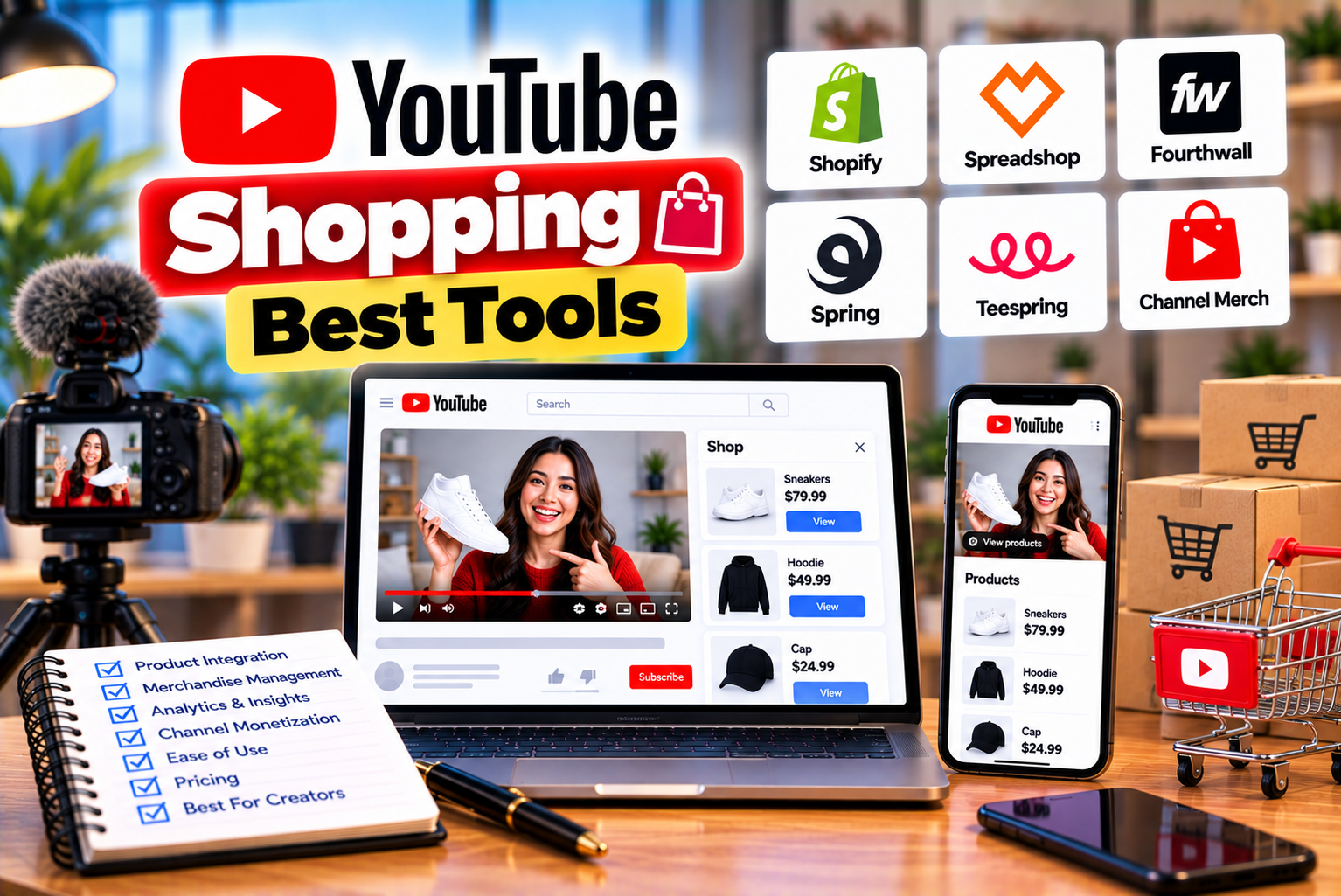
Best YouTube Shopping Tools
YouTube Shopping has created new opportunities for creators to earn money by recommending products through their content. From technology reviews and beauty tutorials to fashion recommendations and home improvement videos, creators can connect product discovery with the videos their audiences already enjoy watching.
However, managing a successful YouTube Shopping strategy involves more than adding product tags. Creators may need to discover relevant products, compare commission rates, organize affiliate links, plan campaigns, manage product availability, review analytics, and coordinate brand partnerships.
As a channel grows, these tasks can become increasingly time-consuming.
For example, a creator publishing three product reviews each week may need to research dozens of products, tag relevant items in YouTube Studio, update outdated recommendations, and compare the performance of different videos. A creator working with multiple brands may also need to track campaign deadlines, content deliverables, promotional codes, and agreed commercial terms.
The right tools can make these workflows easier to manage.
Some of the most useful options are already available through YouTube, including YouTube Studio, Shopping product-tagging features, the official YouTube Shopping Chrome extension, and YouTube Analytics. Other tools, such as affiliate link managers, spreadsheets, and influencer campaign platforms, can support specific tasks outside YouTube’s built-in workflow.
The important distinction is that not every affiliate marketing tool is a YouTube Shopping tool. Some tools help creators tag products directly within YouTube, while others manage external affiliate links, organize campaigns, or measure performance across several platforms.
This guide explores the best YouTube Shopping tools, their main features, practical use cases, limitations, and how to choose the right combination for your channel.
What Are YouTube Shopping Tools?
YouTube Shopping tools are features and software solutions that help creators manage product recommendations, shopping-related content, affiliate links, and creator partnerships.
They can be divided into several categories.
1. Product Discovery and Tagging Tools
These tools help creators find eligible products, add tags to videos, and manage product recommendations.
Examples include YouTube Studio’s Shopping features and the official YouTube Shopping Chrome extension.
2. Affiliate Link Management Tools
These tools help creators organize, edit, track, or localize affiliate links generated through supported affiliate programs.
They are particularly useful for creators who manage several external affiliate programs in addition to YouTube Shopping.
3. Analytics and Performance Tools
These tools help creators understand how their videos perform and identify which products or content formats generate useful audience engagement.
YouTube Analytics and Shopping reports are important starting points.
4. Campaign Planning Tools
Campaign planning tools help creators organize publishing schedules, brand partnerships, deadlines, product samples, and promotional activities.
Depending on the creator’s needs, these tools may include spreadsheets, project management applications, or dedicated influencer marketing platforms.
5. Brand Partnership Tools
Brand partnership tools help creators discover commercial opportunities, manage collaboration details, and organize campaign deliverables.
These are especially relevant to creators who work directly with brands in addition to earning affiliate commissions.
Quick Comparison: Best YouTube Shopping Tools
The following table summarizes the main tools and the tasks they are best suited for.
| Tool | Main Purpose | Best For | Main Advantage | Important Limitation |
| YouTube Studio | Product tagging and Shopping management | All eligible YouTube Shopping creators | Built directly into YouTube | Requires access to the relevant Shopping features |
| YouTube Shopping Chrome extension | Product discovery and saving products | Affiliate creators researching products | Saves products for easier tagging later | Requires a compatible browser and eligible program access |
| YouTube Analytics | Video and audience performance analysis | Creators optimizing content | Helps identify strong-performing content | General video metrics do not automatically establish affiliate profitability |
| YouTube Shopping reports | Shopping activity and product performance | Creators managing tagged products | Provides Shopping-related reporting | Available metrics depend on account and feature access |
| Geniuslink | Affiliate link management and localization | Creators using multiple affiliate programs | Centralized link management and reporting features | Separate from YouTube’s native product-tagging system |
| Google Sheets | Campaign and product tracking | Small creators and lean teams | Flexible and easy to customize | Requires manual data entry or integration |
| Notion | Content planning and campaign documentation | Creators managing multiple workflows | Combines databases, notes, and planning | Not a native YouTube affiliate analytics platform |
| Trello | Task and campaign management | Creators coordinating publishing and deliverables | Visual task boards | Does not replace affiliate reporting |
| Dedicated influencer marketing platforms | Brand discovery and campaign coordination | Creators and agencies handling multiple partnerships | Can organize larger partnership workflows | Features, pricing, and access vary by platform |
The best tool depends on the work you need to complete. A creator who publishes a few product videos each month may only need YouTube Studio and a spreadsheet. A larger creator business may benefit from link-management software and a dedicated campaign workflow.
1. YouTube Studio: The Essential YouTube Shopping Tool
Best for: Product tagging, Shopping management, and eligible affiliate creators.
YouTube Studio should be the first tool creators explore when building a YouTube Shopping workflow.
It provides access to the creator’s channel management tools and, for eligible accounts, the Shopping features used to tag products and manage affiliate activity.
Rather than relying on several external applications for every task, creators can handle much of the basic Shopping workflow directly within YouTube Studio.
Key Features
Depending on eligibility and the current interface, YouTube Studio can help creators:
- Access Shopping features.
- Browse or search eligible products.
- Tag products in supported videos.
- Manage product tags on existing content.
- Use bulk-tagging tools.
- Review auto-tagged products.
- Manage available Shopping settings.
- Review Shopping-related performance and earnings information.
- Manage products associated with supported live streams.
These features can reduce the amount of manual work involved in maintaining a shopping-focused content library.
How YouTube Studio Helps With Product Management
Imagine that you publish weekly smartphone reviews.
You could use YouTube Studio to select the phone featured in each review, add relevant product tags, and manage those tags when product information changes.
If you have a large collection of existing videos, the bulk-tagging feature may help identify products mentioned in video descriptions and make it easier to tag relevant items across multiple videos.
You should still review suggested products before applying tags to ensure that they match the actual content.
How to Use YouTube Studio for Shopping
A typical workflow looks like this:
- Sign in to YouTube Studio.
- Open the Earn section.
- Select the Shopping tab, where available.
- Explore the available products and Shopping features.
- Tag relevant products in eligible content.
- Review existing tags and suggestions.
- Check available Shopping reports.
- Update product tags when necessary.
The exact interface depends on your account, eligibility, and the current YouTube Studio version.
Pros
- Integrated with YouTube.
- No separate affiliate link manager is required for basic product tagging.
- Supports Shopping workflows across eligible content formats.
- Provides access to YouTube’s own Shopping features.
- Can help creators manage product tags in older videos.
Cons
- Requires eligibility for the relevant Shopping features.
- Does not replace every external affiliate network’s dashboard.
- Some features vary by region and account.
- Advanced campaign management may require other tools.
Verdict: YouTube Studio is the essential starting point for creators participating in YouTube Shopping. Before purchasing third-party software, learn which tasks your existing Studio tools can already handle.
2. Official YouTube Shopping Chrome Extension
Best for: Discovering products and preparing affiliate product tags more efficiently.
The official YouTube Shopping Chrome extension is designed to support creators participating in the YouTube affiliate program.
It helps connect product research with the product-tagging workflow in YouTube Studio.
When browsing supported brand or retailer websites, eligible creators can use the extension to save products for later. Those saved items can then appear in the Saved products area of the YouTube Studio product picker.
This can be useful when you research products before filming a video rather than searching for everything during the upload process.
Key Features
The extension’s published features include:
- Saving products while browsing supported retailers.
- Accessing saved products through the YouTube Studio product picker.
- Viewing available affiliate information, including commission-related insights where supported.
- Organizing product research before tagging content.
The exact information shown depends on the retailer, product, and current extension features.
How to Use the Extension
A typical workflow is:
- Open the official YouTube Shopping extension listing in the Chrome Web Store.
- Review the extension’s publisher and requirements.
- Install the extension in a compatible browser.
- Sign in to the appropriate Google account when prompted.
- Browse supported retailer or brand websites.
- Save relevant products using the extension.
- Open YouTube Studio.
- Find the saved products in the product picker.
- Select the products that accurately match your video.
- Save your product tags.
Only install the official extension from the Chrome Web Store and review its permissions before use.
Example: Researching Products for a Technology Review
Suppose you are preparing a video about beginner-friendly microphones.
Before recording, you compare several microphones, review their specifications, and identify the models that best match your audience.
You can save eligible products while researching, then use the saved items during the tagging process.
This reduces repetitive searches and helps keep your product selection organized.
Pros
- Connects product research with YouTube Studio.
- Helps reduce repetitive product searches.
- Useful when preparing multiple product videos.
- Provides a convenient way to save products for later tagging.
Cons
- Primarily supports product discovery and tagging workflows.
- Does not replace a full campaign management system.
- Requires a compatible browser and eligible program access.
- Product availability and commission information depend on the relevant retailer and Shopping catalog.
Verdict: This is one of the most relevant tools for eligible YouTube Shopping affiliate creators who research products regularly.
3. YouTube Analytics and Shopping Reports
Best for: Understanding content performance and evaluating shopping activity.
Product tagging is only one part of an affiliate strategy. Creators also need to understand whether their videos attract the right audience and whether their product recommendations generate meaningful activity.
YouTube Analytics helps creators review channel and video performance. Shopping-related reports provide additional information about tagged products and affiliate activity where available.
What YouTube Analytics Can Help You Understand
YouTube Analytics includes metrics such as:
- Views.
- Watch time.
- Average view duration.
- Audience retention.
- Traffic sources.
- Impressions and click-through rate for eligible surfaces.
- Returning viewers.
- Audience characteristics and activity, where available.
These metrics help explain how viewers discover and watch your content.
For example, a product review with strong search traffic may continue attracting viewers long after publication. A Short may generate rapid exposure but have a different viewing pattern from a detailed review.
What Shopping Reports Add
Depending on the available features, Shopping reports can provide information about product performance, shopping activity, and affiliate commissions.
These reports can help you identify which tagged products attract attention and which content deserves further investigation.
However, not every metric is available to every creator, and video views should not be treated as proof of affiliate profitability.
How to Analyze Product Performance
Consider a channel with three types of videos:
| Video Type | Views | Product Strategy | What to Investigate |
| Detailed product review | 20,000 | One main product plus accessories | Whether viewers interact with the main product |
| Short demonstration | 80,000 | One primary tagged product | Whether high reach translates into useful shopping activity |
| Product comparison | 15,000 | Two competing products | Which product attracts greater interest |
The figures are illustrative.
Use the available reports to understand what happens after viewers discover the content. Where the data permits, compare product interactions and qualifying purchases rather than evaluating performance from views alone.
Pros
- Uses YouTube’s native reporting.
- Helps identify content that attracts viewers.
- Supports evidence-based content planning.
- Provides Shopping-related information where available.
Cons
- Not every metric directly measures affiliate profitability.
- Reporting capabilities vary.
- Some purchasing behavior may not be visible in the available dashboard.
- Creators may need external tools for broader campaign reporting.
Verdict: Use YouTube Analytics and Shopping reports before investing in external analytics software. They provide the foundation for understanding what your audience watches and how your Shopping content performs.
4. Geniuslink: Affiliate Link Management for Creators
Best for: Creators who manage affiliate links across multiple programs, retailers, and countries.
Geniuslink is an affiliate link-management platform designed to help publishers and creators organize and optimize links.
It is particularly relevant to creators who use external affiliate programs in addition to YouTube Shopping.
For example, a technology creator may maintain Amazon affiliate links, links from other retailer programs, and recommendations on a personal website.
Managing every link separately can become difficult, especially when products change, links break, or audiences visit from different countries.
Geniuslink provides tools for managing links, organizing them into groups, tracking performance, and routing visitors according to supported settings.
Key Features
Its published features include:
- Centralized affiliate link management.
- Link grouping and tagging.
- Editable destination links.
- Country- or visitor-specific routing.
- Reporting for links and groups.
- Tools for checking Amazon link health.
- A YouTube optimizer designed to help creators optimize Amazon product links in video descriptions.
Feature availability and supported retailer behavior depend on the product, plan, and current service terms.
How Geniuslink Can Help YouTube Creators
Imagine that you publish a camera review and include several external affiliate links in the description.
Some viewers are based in India, while others are in the United States or United Kingdom.
A link-management platform can help organize links and, where supported and configured correctly, direct visitors to relevant regional destinations.
It can also help you edit link destinations without manually updating every occurrence of a link, depending on how the links have been deployed.
This can be particularly useful for older videos that continue generating traffic.
Important Distinction
Geniuslink is not a replacement for YouTube’s native Shopping product tags.
It manages external affiliate links and associated workflows. It does not automatically give your channel access to YouTube Shopping or override YouTube’s affiliate-link restrictions.
Do not use a third-party redirect or link manager to bypass YouTube Shopping’s terms. Check the applicable rules for each affiliate program and platform before routing traffic.
Pros
- Centralizes external affiliate links.
- Supports link organization and reporting.
- Offers tools for eligible international audiences.
- Can help maintain links across a large content library.
Cons
- Not a native YouTube product-tagging system.
- May require a paid plan for certain features or usage levels.
- Depends on supported affiliate programs and link configurations.
- Adds another tool to manage.
Verdict: Geniuslink is worth investigating when your affiliate business extends beyond YouTube Shopping tags and you need to manage external affiliate links more efficiently.
5. Google Sheets: A Flexible Tool for Product and Campaign Tracking
Best for: Beginners, independent creators, and small teams.
Google Sheets is not a dedicated YouTube Shopping application, but it can be extremely useful for organizing product recommendations and campaign information.
It is especially practical for creators who want a low-cost system before investing in specialized software.
A well-structured spreadsheet can act as a central record of the products you recommend, the videos in which they appear, and the tasks required to maintain them.
What Can You Track in Google Sheets?
You can create a spreadsheet with fields such as:
- Product name.
- Brand.
- Product category.
- Retailer.
- Product URL.
- Affiliate program.
- Commission information.
- Video title.
- Video URL.
- Publication date.
- Product-tagging status.
- Campaign deadline.
- Product availability check date.
- Last review date.
- Performance notes.
For example, a creator publishing camera reviews can track each camera, its accessories, the videos featuring it, and the status of the relevant product tags.
Example Product Management Spreadsheet
| Product | Category | Video | Tagging Status | Last Reviewed | Next Action |
| Camera A | Cameras | Beginner camera review | Tagged | October 10 | Review availability |
| Microphone B | Audio | Best microphones for beginners | Pending | October 12 | Add product tag |
| Tripod C | Accessories | Home recording setup | Tagged | October 15 | Check product details |
| Light D | Lighting | Budget studio lighting | Needs review | October 8 | Confirm correct model |
These are illustrative entries.
Useful Spreadsheet Features
Google Sheets can help you:
Filter products: View only products that need tagging or review.
Track deadlines: Organize upcoming brand campaigns and publishing dates.
Use conditional formatting: Highlight overdue tasks, expired offers, or missing information.
Create summaries: Use formulas or pivot tables to summarize the number of videos, products, or campaigns in each status.
Collaborate: Share a campaign tracker with editors or team members.
Import data: Where appropriate, use supported imports or integrations to reduce manual entry.
Recommended Spreadsheet Tabs
For a larger creator business, consider using separate tabs for:
- Product catalog.
- Video publishing schedule.
- Affiliate program details.
- Brand campaigns.
- Product-tagging audits.
- Performance summaries.
This structure keeps unrelated information from becoming mixed into one large worksheet.
Pros
- Flexible and easy to customize.
- Useful for small teams.
- Can be adapted to almost any content niche.
- Supports formulas, filters, and summaries.
- Provides a simple record of product and campaign decisions.
Cons
- Requires ongoing maintenance.
- Does not automatically provide YouTube Shopping reports.
- Manual data entry can become time-consuming.
- Link availability and commission changes may require separate checks.
Verdict: Google Sheets is an excellent starting point for creators who need an organized workflow without the complexity of a dedicated campaign management platform.
6. Notion: Organize Product Research and Creator Campaigns
Best for: Creators who need a combined content calendar, research library, and campaign workspace.
Notion can help creators organize the planning and documentation side of YouTube Shopping.
Unlike YouTube Studio, which focuses on managing YouTube content and features, Notion can be configured as a central workspace for research, tasks, notes, and collaboration.
How Notion Can Support YouTube Shopping
A creator could use Notion to maintain a product research database containing:
- Product names.
- Product categories.
- Audience relevance.
- Video ideas.
- Research notes.
- Competitor comparisons.
- Campaign requirements.
- Content deadlines.
- Sponsorship details.
- Product-tagging status.
For example, before creating a video about beginner photography equipment, you could collect product specifications, identify relevant products, outline the video, and prepare a filming checklist in one workspace.
Build a YouTube Shopping Content Calendar
A practical database might include these fields:
| Field | Purpose |
| Video title | Identifies the planned or published content |
| Content format | Video, Short, or live stream |
| Target audience | Describes the intended viewer |
| Product category | Groups related products |
| Main product | Identifies the primary recommendation |
| Research status | Tracks preparation |
| Production status | Tracks filming and editing |
| Tagging status | Tracks Shopping setup |
| Publication date | Tracks scheduling |
| Review date | Reminds you to check product availability |
This helps prevent the product-tagging process from becoming an afterthought.
Campaign Documentation
For brand collaborations, you can create pages that store:
- Campaign briefs.
- Product information.
- Deliverables.
- Publication deadlines.
- Approved messaging.
- Disclosure requirements.
- Revision requests.
- Performance review notes.
Avoid storing unnecessary sensitive information in shared workspaces, and use appropriate access controls when collaborating with brands or contractors.
Pros
- Combines planning, research, and documentation.
- Flexible database structure.
- Useful for collaboration.
- Helps organize complex content workflows.
Cons
- Not a native YouTube Shopping integration.
- Does not replace YouTube’s product-tagging interface.
- Performance reporting may require manual entry or separate integrations.
- Can become unnecessarily complicated if overbuilt.
Verdict: Notion is useful when product research, content production, and brand campaign management need to be organized in one workspace.
7. Trello: Manage Shopping Campaign Tasks Visually
Best for: Creators and small teams that prefer a visual task board.
Trello is a project management tool that organizes work using boards, lists, and cards.
It can help creators track the progress of product videos and brand collaborations without trying to replace YouTube’s native Shopping features.
Example Trello Workflow
Create a board called YouTube Shopping Content Workflow.
Add the following lists:
- Ideas.
- Product Research.
- Ready to Film.
- Editing.
- Product Tagging.
- Scheduled.
- Published.
- Performance Review.
Each card represents a video, product campaign, or deliverable.
For example, a card for a smartphone review might include:
- Video outline.
- Product research notes.
- Filming checklist.
- Thumbnail task.
- Product-tagging checklist.
- Publication deadline.
- Required disclosures.
- Post-publication review date.
Team members can move the card through the workflow as the work progresses.
Managing Brand Campaigns
A separate board or label can identify paid partnerships.
You could track:
- Brand contact.
- Campaign brief.
- Product delivery.
- Script approval.
- Filming deadline.
- Publication date.
- Required links or disclosures.
- Reporting deadline.
This helps creators manage affiliate recommendations alongside sponsored content.
Pros
- Visual and easy to understand.
- Useful for tracking deadlines.
- Supports collaboration.
- Helps identify tasks that are delayed.
Cons
- Does not directly tag products in YouTube.
- Does not replace affiliate commission reporting.
- Requires manual setup and maintenance.
- May be less suitable than a database for complex product catalogs.
Verdict: Trello is a practical choice for creators who need to manage the steps required to publish shopping-focused content.
8. Dedicated Influencer Marketing Platforms
Best for: Creators, agencies, and teams managing multiple brand partnerships.
When creators begin working with many brands, product tagging becomes only one part of a broader commercial workflow.
They may need to discover partnership opportunities, respond to briefs, negotiate deliverables, manage approvals, and prepare campaign reports.
Dedicated influencer marketing platforms can help with these tasks.
Examples include:
- CreatorIQ — an enterprise-oriented platform for influencer discovery, campaign management, and measurement.
- Aspire — a platform focused on creator partnerships, influencer campaigns, and brand collaboration workflows.
- GRIN — a creator marketing platform designed to help brands manage creator relationships and campaigns.
- Modash — a platform for influencer discovery and campaign-related workflows.
These platforms serve different customers and offer different feature sets. Some primarily serve brands and agencies rather than independent creators, and access or pricing may require a commercial agreement.
What Can These Platforms Help You Manage?
Depending on the platform, features may include:
- Creator discovery.
- Brand and creator relationship management.
- Campaign briefs.
- Content deliverables.
- Approval workflows.
- Campaign deadlines.
- Performance reporting.
- Team collaboration.
These tools are most useful when the business side of creator marketing becomes too complex to manage through email and spreadsheets alone.
What They Do Not Automatically Replace
A dedicated influencer marketing platform should not be assumed to replace YouTube Studio.
You may still need YouTube’s own tools to tag eligible products, manage Shopping features, and review Shopping-specific information.
Likewise, access to a campaign platform does not guarantee access to YouTube Shopping or any particular affiliate program.
Verdict: Consider a dedicated platform when you manage multiple brand relationships or campaigns at scale. For a small creator, a spreadsheet or task board may be sufficient.
9. YouTube Creator Partnerships and Brand Collaboration Tools
Best for: Creators who want to expand from affiliate product recommendations into brand partnerships.
Affiliate marketing and sponsored campaigns are related but distinct.
With affiliate marketing, creators may earn commissions on qualifying purchases. With a sponsored campaign, a brand may pay for specific content deliverables under an agreed arrangement.
Some collaborations combine both models.
YouTube has been developing creator-focused tools to make brand partnerships easier to discover and manage.
In September 2026, YouTube announced updates around Creator Partnerships and other tools intended to help creators connect with brands and manage collaboration opportunities.
The exact features available depend on the current rollout, country, account, and eligibility.
How These Tools Fit Into a Shopping Strategy
Imagine that a beauty creator regularly tags skincare products in tutorials.
After reviewing which product categories resonate with the audience, the creator may decide to approach brands for sponsored demonstrations or campaign partnerships.
A brand partnership workflow can help organize:
- Campaign opportunities.
- Briefs and deliverables.
- Negotiated terms.
- Product samples.
- Required disclosures.
- Publishing deadlines.
- Campaign performance reviews.
The affiliate Shopping workflow still matters, but the creator is now managing a broader commercial relationship.
Important Considerations
Before accepting a campaign, confirm:
- Which content must be produced.
- Whether the brand requires approval before publication.
- How compensation is structured.
- Whether affiliate commissions are separate from sponsorship fees.
- Which disclosure requirements apply.
- Whether usage rights or paid advertising rights are included.
- Which performance metrics must be reported.
Verdict: Brand collaboration tools are useful for creators who want to build a more diversified creator business rather than relying exclusively on affiliate commissions.
10. How to Choose the Right YouTube Shopping Tools
The best tool combination depends on your current workflow, content volume, and business goals.
You do not need every tool in this guide.
Start by identifying the tasks that consume the most time or create the most errors.
Step 1: Identify Your Main Bottleneck
Ask yourself which task is currently the hardest:
- Finding products.
- Adding product tags.
- Managing external affiliate links.
- Tracking product availability.
- Planning videos.
- Coordinating brand campaigns.
- Reviewing performance.
Choose tools that directly address these problems.
Step 2: Start With YouTube’s Built-In Tools
If your channel qualifies for YouTube Shopping, begin with YouTube Studio and the available Shopping tools.
Learn how to tag products, review suggestions, use bulk tagging, and understand the available analytics.
If you regularly research products on retailer websites, explore the official YouTube Shopping Chrome extension.
Step 3: Add an External Link Manager Only When Needed
If you use multiple affiliate networks or manage external product links across many videos, a link-management platform may save time.
However, do not introduce redirects or external routing that violates YouTube Shopping or another affiliate program’s terms.
Step 4: Choose One Planning System
Use Google Sheets, Notion, or Trello according to your needs.
You generally do not need three separate planning systems for the same workflow.
A simple spreadsheet may be enough for a solo creator. A larger team may benefit from a database or task management board.
Step 5: Add Campaign Software When Your Workload Grows
If you regularly manage brand campaigns, approvals, and multiple deliverables, consider dedicated influencer marketing software.
Before purchasing a subscription, compare its features with your current workflow and confirm that it addresses a real operational need.
Step 6: Measure Whether the Tools Save Time or Improve Decisions
After implementing a tool, evaluate its usefulness.
Consider whether it helps you:
- Reduce repetitive tasks.
- Publish content more efficiently.
- Maintain more accurate product tags.
- Reduce broken external links.
- Improve campaign organization.
- Understand shopping performance.
- Make better product-selection decisions.
A tool is valuable when it improves your workflow or helps you make better decisions—not simply because it offers many features.
11. Best YouTube Shopping Tool Stack for Different Creators
The following recommendations provide starting points for different creator types.
For Beginners
Recommended combination:
- YouTube Studio.
- YouTube Analytics.
- Google Sheets.
This combination provides product tagging, content performance information, and a basic system for organizing product recommendations.
You do not need a paid link manager or influencer marketing platform if your workflow is still small.
For Technology Reviewers
Recommended combination:
- YouTube Studio.
- Official YouTube Shopping Chrome extension.
- YouTube Analytics and Shopping reports.
- Google Sheets or Notion.
- Geniuslink if you manage supported external affiliate links.
Technology channels often review multiple product models and accessories, making product research and link maintenance particularly important.
For Shorts-First Creators
Recommended combination:
- YouTube Studio.
- YouTube Shopping Chrome extension, if useful for research.
- YouTube Analytics.
- A simple spreadsheet or content calendar.
Focus on selecting the correct primary product, managing the Shopping sticker, and reviewing the performance of short-form content.
For Creators Working With Multiple Brands
Recommended combination:
- YouTube Studio.
- YouTube Analytics.
- Notion, Trello, or Google Sheets.
- A dedicated influencer marketing platform if the campaign workload justifies it.
This combination separates the native Shopping workflow from the operational work of managing brand partnerships.
For Large Creator Businesses and Agencies
Recommended combination:
- YouTube Studio and Shopping reports.
- An external link manager where appropriate.
- A campaign management platform.
- A centralized product and content database.
- A consistent performance reporting process.
Large teams should establish clear ownership of product selection, tagging, campaign approvals, disclosures, and reporting.
12. How to Build an Efficient YouTube Shopping Workflow
A consistent workflow can be more valuable than adding more software.
The following process brings the tools together.
Stage 1: Product Research
Use the YouTube Shopping product catalog and, where useful, the official Chrome extension to identify relevant products.
Record the product name, model, category, retailer, and available commission information.
Do not select products solely because they have high commission rates.
Stage 2: Content Planning
Use Google Sheets, Notion, or Trello to organize video ideas and publishing dates.
Identify the main product, supporting products, intended audience, and purpose of each video.
Stage 3: Product Verification
Before filming, confirm that the product is the correct model and is relevant to the planned content.
Where available, review product information, current availability, and the applicable affiliate terms.
Stage 4: Content Production
Create a useful review, demonstration, comparison, or tutorial.
Explain the product’s features, benefits, limitations, and suitability for the intended audience.
Stage 5: Product Tagging
Use YouTube Studio to add the relevant product tags.
Where supported, use timestamps, product stickers, bulk tagging, or other appropriate features.
Review the tags before publishing.
Stage 6: Publication and Promotion
Publish the content and use a clear, natural call to action that helps viewers discover the tagged products.
Follow the applicable disclosure and promotional rules.
Stage 7: Performance Review
Use YouTube Analytics and Shopping reports to understand the available performance data.
Record relevant observations in your tracking system.
Stage 8: Maintenance
Review older videos periodically.
Correct inaccurate product tags, check availability, and update external affiliate links where necessary and permitted.
If YouTube replaces an unavailable product automatically, review the replacement to ensure that it remains relevant.
13. Common Mistakes When Using YouTube Shopping Tools
Even useful tools can create problems when creators rely on them without reviewing the results.
Mistake 1: Buying Too Many Tools Too Early
A beginner may not need an enterprise campaign platform, paid link manager, and several project management subscriptions.
Solution: Start with YouTube Studio, Analytics, and one simple planning tool. Add other software when a clear need arises.
Mistake 2: Assuming External Tools Replace YouTube Studio
Affiliate link managers and campaign platforms do not automatically provide native YouTube Shopping product tagging.
Solution: Use YouTube’s own tools for supported Shopping tasks and external software for the additional functions it actually provides.
Mistake 3: Trusting Automated Product Tags Without Review
Auto-tagging can save time, but it may identify the wrong product or miss important context.
Solution: Review automated suggestions before relying on them.
Mistake 4: Ignoring Broken or Outdated Links
Products can become unavailable, retailers can change product pages, and external affiliate links can stop working.
Solution: Establish a recurring product and link review process.
Mistake 5: Measuring Success Only by Views
A video with many views may not generate meaningful shopping activity.
Solution: Review available Shopping metrics alongside views, retention, audience relevance, and the time required to produce the content.
Mistake 6: Using Link Redirects Without Checking Program Rules
Some affiliate programs restrict how links can be redirected or shared.
Solution: Verify the terms of every relevant program before using a third-party link manager.
Mistake 7: Mixing Sponsored Campaigns With Affiliate Reporting
Sponsorship fees and affiliate commissions are different revenue sources.
Solution: Track them separately so you can understand each campaign’s financial performance.
Mistake 8: Failing to Record Campaign Requirements
Missing deadlines, disclosures, or required deliverables can damage brand relationships.
Solution: Maintain a campaign checklist and confirm requirements before production begins.
14. Best Practices for Managing Product Links and Creator Campaigns
To get more value from your tools, establish a repeatable process.
Maintain a Central Product Catalog
Keep a record of the products you regularly recommend, including the correct model, category, retailer, and relevant video.
This makes it easier to reuse product research without automatically reusing outdated information.
Separate Native Product Tags From External Affiliate Links
Record whether a product is promoted through YouTube Shopping or through a separate affiliate program.
The two methods may have different commission rules, reporting, and link-sharing restrictions.
Keep Campaign Information Organized
Store campaign briefs, deadlines, deliverables, and approvals in a centralized system.
This is particularly important when working with multiple brands or collaborators.
Review Product Availability Regularly
Schedule periodic checks for important products.
If an item is unavailable, remove or replace its tag only after confirming that the replacement is appropriate.
Track Performance Consistently
Use a consistent set of metrics and reporting periods.
Avoid comparing a newly published Short with a year-old review without accounting for differences in exposure and content format.
Protect Account Access
Only install official browser extensions and grant permissions carefully.
Use appropriate access controls for spreadsheets, campaign databases, and team workspaces.
Disclose Commercial Relationships
Make affiliate relationships and sponsorships clear where required.
Using product-tagging tools does not remove your disclosure responsibilities.
Final Verdict: Which YouTube Shopping Tools Are Best?
The best YouTube Shopping tools are the ones that solve your current problems without adding unnecessary complexity.
For most creators, YouTube Studio is the essential starting point. It provides the core Shopping workflow for eligible creators, including product tagging and access to relevant Shopping features.
The official YouTube Shopping Chrome extension is useful for product research and saving products for later tagging.
YouTube Analytics and Shopping reports help creators understand content and product performance.
For creators managing external affiliate links, Geniuslink may offer useful link-management and reporting capabilities. Google Sheets, Notion, and Trello can help organize products, content schedules, and campaign tasks.
Dedicated influencer marketing platforms become more relevant when creators or agencies manage numerous brand relationships and campaign deliverables.
Which Tools Should You Start With?
| Your Main Goal | Recommended Starting Tool |
| Tag products in eligible videos | YouTube Studio |
| Save products while researching | Official YouTube Shopping Chrome extension |
| Review video performance | YouTube Analytics |
| Review Shopping activity | YouTube Shopping reports |
| Manage external affiliate links | Geniuslink or a suitable link manager |
| Track product information | Google Sheets |
| Organize content research and campaigns | Notion |
| Track campaign tasks and deadlines | Trello |
| Manage numerous brand partnerships | A suitable influencer marketing platform |
You do not need every tool listed here.
Start with the native YouTube tools, build a reliable tagging process, and add external software only when your workload requires it.
The strongest YouTube Shopping strategy combines accurate product recommendations, useful content, organized workflows, and consistent performance reviews. Tools can make that process more efficient, but audience trust and product relevance remain the foundation of long-term success.
Frequently Asked Questions About YouTube Shopping Tools
1. What are the best YouTube Shopping tools?
YouTube Studio is the essential starting point for eligible creators. The official YouTube Shopping Chrome extension can help with product research, YouTube Analytics supports content analysis, and external tools such as Geniuslink, Google Sheets, Notion, and Trello can support link management and campaign organization.
2. Is YouTube Studio enough for YouTube Shopping?
For many creators, yes. YouTube Studio provides the core product-tagging and Shopping workflows. Additional software becomes useful when you manage many external affiliate links, products, campaigns, or team members.
3. What is the YouTube Shopping Chrome extension used for?
The official extension helps eligible creators save products while browsing supported retailer websites. Saved products can then be accessed through the YouTube Studio product picker, making the tagging workflow more convenient.
4. Is the YouTube Shopping Chrome extension free?
Check the current official Chrome Web Store listing for its access and usage terms. Do not assume that every feature or future service will have identical availability.
5. Can YouTube Shopping tools automatically tag products?
YouTube offers auto-tagging features for eligible creators. The system can identify or suggest products, create product timestamps, and use supported product URLs in descriptions to help with tagging. Automated results should be reviewed for accuracy.
6. Can I manage product tags across multiple videos?
Yes. Eligible creators can use YouTube’s bulk-tagging tools to review suggested products and tag relevant items across selected videos. Availability depends on channel eligibility and the current interface.
7. What is the best tool for managing affiliate links?
The best choice depends on your affiliate programs and workflow. Geniuslink offers link management, grouping, and reporting features for supported affiliate links. YouTube Shopping’s native product tags should still be managed through the appropriate YouTube tools.
8. Is Geniuslink a YouTube Shopping tool?
Geniuslink is primarily an external affiliate link-management platform. It can support creators who use external affiliate programs, but it does not replace YouTube Studio’s native product-tagging features.
9. Can I use Google Sheets to manage YouTube Shopping products?
Yes. You can use Google Sheets to record product information, video links, tagging status, availability checks, campaign deadlines, and performance notes. It requires manual updates or appropriate integrations for data that is not automatically imported.
10. Is Notion useful for YouTube Shopping?
Notion can help organize product research, content ideas, campaign briefs, deadlines, and publication workflows. It is not a native YouTube Shopping analytics or product-tagging platform.
11. Is Trello good for creator campaigns?
Trello can help creators organize tasks, deadlines, filming stages, product-tagging checks, and brand deliverables. It does not replace YouTube’s native Shopping or affiliate reporting tools.
12. What tools can help manage brand partnerships?
Depending on your workload, you can use spreadsheets, Notion, Trello, or dedicated influencer marketing platforms. The right option depends on how many brands and campaigns you manage and the features you need.
13. Do I need paid software to start YouTube Shopping?
No. Eligible creators can begin with YouTube’s native tools and add external software only when it solves a specific problem. A spreadsheet can be enough for basic product and campaign tracking.
14. How can I track YouTube Shopping performance?
Use the available YouTube Analytics and Shopping reports. Review video performance alongside the shopping metrics available to your account, and avoid treating views alone as a measure of affiliate success.
15. Can external link managers improve affiliate earnings?
They may help organize links, maintain destinations, or support localization for eligible affiliate programs. However, they do not guarantee more clicks or commissions, and their use must comply with each program’s terms.
16. Can I use link shorteners with YouTube Shopping affiliate links?
Do not assume that every shortener or redirect is permitted. Check YouTube Shopping’s terms and the relevant affiliate program rules before changing or redirecting a link.
17. How often should I check product links?
The frequency depends on your content volume and how quickly product availability changes. Prioritize older videos that continue receiving substantial traffic and products used in active campaigns.
18. Can these tools help manage YouTube Shorts shopping?
YouTube Studio provides supported Shopping workflows for eligible Shorts. External planning tools can help organize Short production, while analytics can help evaluate performance. Product tagging and sticker availability still depend on YouTube’s features and eligibility rules.
19. Which tools are best for a large YouTube channel?
A larger channel may benefit from YouTube Studio, Shopping reports, an external affiliate link manager, a centralized product database, and a dedicated campaign management platform. Choose tools based on the complexity of your actual workflow.
20. Can I manage affiliate and sponsored campaigns in the same tool?
Yes, a spreadsheet, database, or campaign management platform can track both. However, record affiliate commissions and sponsorship fees separately because they represent different types of revenue and may have different contractual requirements.
21. How can I avoid outdated product tags?
Maintain a product review schedule, check availability periodically, and review auto-tagged replacements. Update inaccurate tags and confirm that any replacement product is relevant to the video.
22. Are third-party YouTube Shopping tools safe?
Safety depends on the specific tool and its permissions. Use official sources when possible, review the publisher and permissions, avoid sharing account credentials unnecessarily, and verify that the tool complies with YouTube’s policies.
23. Do YouTube Shopping tools work in India?
YouTube Shopping is available to eligible creators in India, but individual features, retailer partnerships, and third-party services may have different regional availability. Check the current options available to your account.
24. Can tools guarantee higher affiliate commissions?
No. Tools may help organize work, improve link management, or provide useful performance information, but commissions depend on qualifying purchases, product availability, commission terms, and audience behavior.
25. What is the best YouTube Shopping tool for beginners?
Start with YouTube Studio and YouTube Analytics. Add the official YouTube Shopping Chrome extension if you regularly research products, and use Google Sheets to track products and content. Consider paid tools only when your workflow becomes more complex.
Conclusion
The best YouTube Shopping tools help creators manage product recommendations without making their workflow unnecessarily complicated.
YouTube Studio provides the foundation for eligible creators, while the official Chrome extension can streamline product research. YouTube Analytics and Shopping reports help evaluate performance, and external tools such as Geniuslink, Google Sheets, Notion, and Trello can support link management, planning, and campaign organization.
Creators who manage numerous brand partnerships may eventually benefit from dedicated influencer marketing software.
Start with the tools that directly address your needs, establish a reliable workflow, and expand your toolkit as your channel grows. The goal is not to use the largest number of tools, but to make product recommendations more accurate, campaigns easier to manage, and performance easier to understand.
Leave a Reply