


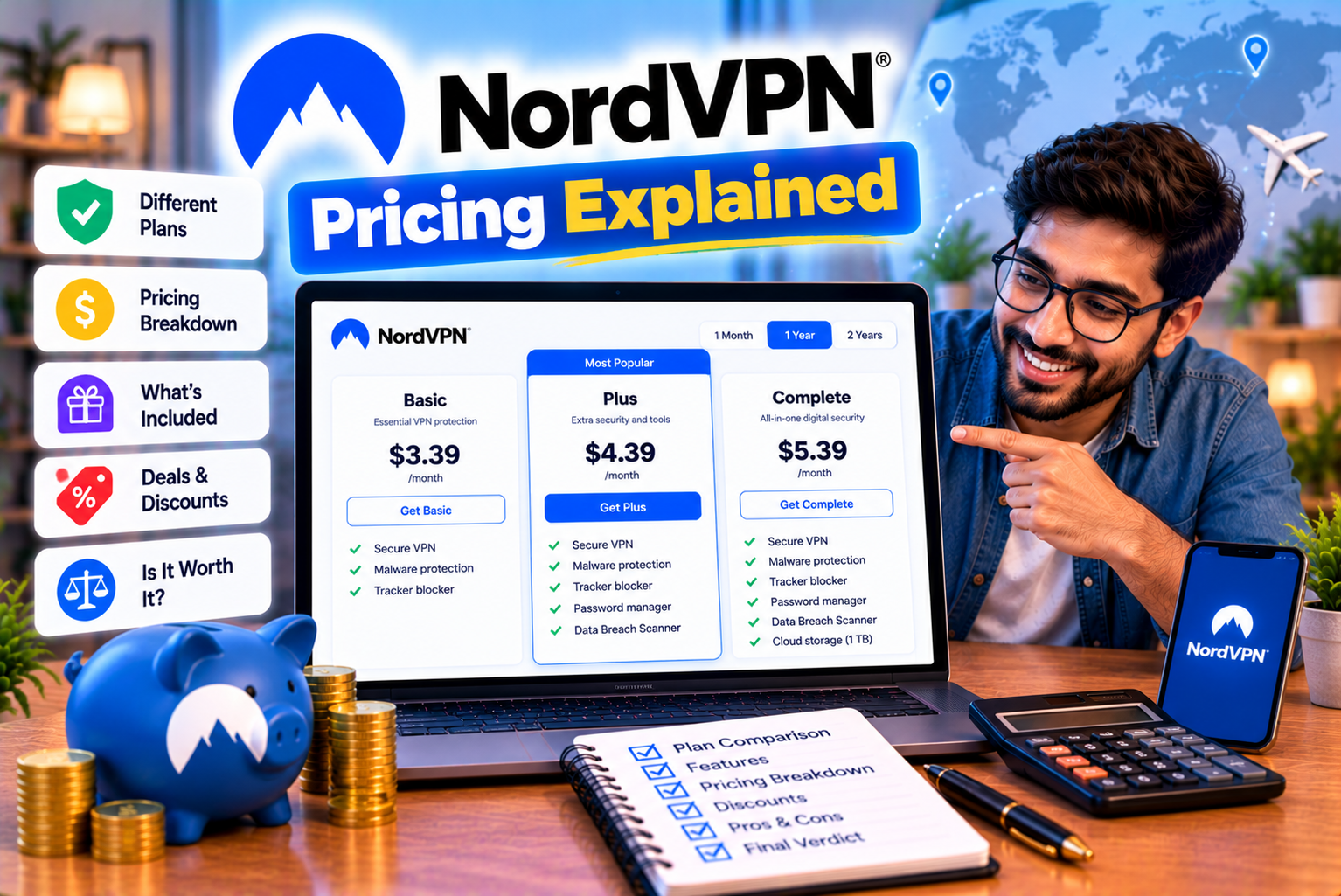
NordVPN Pricing Explained
Choosing a virtual private network (VPN) involves more than comparing advertised monthly prices. Before subscribing, you need to understand the available plans, included features, billing terms, renewal costs, and additional services that may affect your total spending.
NordVPN is a premium VPN service that offers several subscription options. Its plans share the core VPN functionality but differ in the additional cybersecurity and identity protection features they include.
The entry-level Basic plan focuses on VPN protection, while Complete and Prime add selected tools such as enhanced malware protection, ad and tracker blocking, password management, cloud storage, and identity monitoring. The availability of individual features depends on the plan, platform, and region.
Another important consideration is how NordVPN advertises its prices. A promotional offer might display a low monthly equivalent, even though the subscription requires a larger upfront payment for an entire year or two-year term. When the introductory period ends, the subscription may renew at a higher price.
For example, NordVPN’s official US-dollar pricing page has advertised a two-year Basic offer at $3.49 per month, with three additional months included, for a total introductory payment of $94.23 covering 27 months. The page also lists a renewal price of $139.08 per year. These are promotional examples, not guaranteed prices for every customer or market.
Understanding this distinction can help you avoid unexpected renewal charges and choose a plan that fits your budget.
In this guide, we will explain NordVPN pricing, compare its subscription tiers, examine monthly and longer-term plans, calculate renewal costs, explore additional features, and explain the refund and cancellation policies.
By the end, you will know how to evaluate the real cost of NordVPN and determine which subscription offers the best value for your requirements.
What Is NordVPN Pricing?
NordVPN pricing refers to the amount you pay for a subscription to its VPN service and any additional features included in your chosen plan.
The company offers different subscription lengths and plan tiers, allowing customers to choose between basic VPN protection and broader cybersecurity bundles.
According to NordVPN’s official support documentation, its subscription options include one-month, one-year, and two-year plans. Longer-term plans must generally be paid for in full at the time of purchase rather than through monthly instalments.
Your final cost depends on several factors:
- The subscription tier you select.
- The length of your initial subscription.
- The promotional offer available when you purchase.
- Whether extra subscription months are included.
- Your country and currency.
- Applicable taxes.
- Any optional add-ons.
- The renewal price when your initial term ends.
A plan advertised at a low monthly equivalent may therefore require a larger initial payment than a monthly subscription.
Why Does NordVPN Offer Different Plans?
Different customers have different requirements.
Some users only need a VPN to encrypt their internet connection and change the public IP address visible to websites. Others want additional security tools, password management, cloud storage, or identity monitoring.
NordVPN separates some of these benefits into different subscription tiers.
This allows customers to choose a plan according to the features they expect to use.
However, a higher-tier subscription is not automatically better value. If you only need VPN protection, paying for additional tools may increase your costs without providing meaningful benefits.
The best NordVPN subscription is the least expensive plan that meets your actual requirements.
NordVPN Subscription Plans Compared
NordVPN’s main subscription tiers are Basic, Complete, and Prime.
All three include the core VPN service, and the advertised device allowance is up to 10 simultaneous connections. Higher tiers include additional protection and monitoring features.
NordVPN Basic
Basic is the entry-level subscription for users who primarily want VPN protection.
It includes the core VPN connection and selected security features, such as scam and phishing protection and Dark Web Monitor.
It does not include every additional feature available in the higher-tier subscriptions.
Basic may suit you if you:
- Want to encrypt your internet connection.
- Need to connect several personal devices.
- Want to use VPN servers in different locations.
- Prefer to manage antivirus and password tools separately.
- Do not need the broader security bundle.
- Want to keep your subscription costs relatively low.
For example, someone who wants a VPN for browsing on public Wi-Fi, travelling, and everyday internet use may find Basic sufficient.
There may be little reason to upgrade if you already have suitable antivirus software and a password manager.
NordVPN Complete
Complete includes the core VPN service and additional cybersecurity features.
Depending on the current plan and supported platform, these may include enhanced malware protection, ad and tracker blocking, password management, encrypted cloud storage, and more extensive monitoring features.
NordVPN’s official pricing comparison identifies Complete as a bundle containing several of these additional tools.
Complete may suit you if you:
- Want a VPN and additional browsing protection.
- Need a password manager.
- Want encrypted cloud storage.
- Prefer to manage several security tools through one subscription.
- Want more extensive exposure monitoring than the entry-level plan provides.
However, compare the bundled services with your existing subscriptions.
If you already pay for a password manager, cloud storage, and antivirus software, some of Complete’s benefits may overlap with tools you already own.
In that situation, Basic could offer better value.
NordVPN Prime
Prime is a higher-tier bundle that includes the VPN and additional security and identity-related services.
NordVPN’s official pricing page lists selected identity protection and monitoring benefits with Prime. Some features have geographical restrictions, and the exact package should be checked before purchase.
Prime may suit you if you:
- Want the core VPN service and a broader set of protection tools.
- Need selected identity monitoring features.
- Want to consolidate several compatible services.
- Will actually use the additional features.
- Live in a region where the included benefits are available.
Prime is not necessarily the best choice for someone who only needs a VPN.
If its additional services do not match your requirements, the higher subscription cost may not be justified.
NordVPN Plan Comparison Table
| Feature | Basic | Complete | Prime |
| Core VPN protection | Included | Included | Included |
| Simultaneous connections | Up to 10 | Up to 10 | Up to 10 |
| Scam and phishing protection | Included | Included | Included |
| Dark Web Monitor | Included | Included | Included |
| Enhanced malware and browsing protection | Not included in the same form as higher tiers | Included, subject to platform limitations | Included, subject to platform limitations |
| Ad and tracker blocking | Not included in the same form as higher tiers | Included, subject to platform limitations | Included, subject to platform limitations |
| Password manager | Not included in the same bundle | Included in the applicable bundle | Included in the applicable bundle |
| Encrypted cloud storage | Not included in the same bundle | Included in the applicable bundle | Included in the applicable bundle |
| Expanded identity monitoring | Limited | Expanded monitoring on eligible plans | Expanded monitoring on eligible plans |
| Additional identity protection benefits | Not included in the same bundle | Limited compared with Prime | Selected additional benefits |
| Best suited for | Users who mainly need a VPN | Users who want a broader security bundle | Users who need additional eligible identity protection tools |
Feature availability varies by region, operating system, and current subscription terms. Consult the official plan comparison before purchasing.
NordVPN Pricing: Current Official Price Examples
NordVPN’s pricing can change depending on the market, promotional campaign, subscription term, and selected tier.
The following examples are taken from its official US-dollar pricing page. They illustrate how the subscription structure works, but they should not be treated as guaranteed prices for customers purchasing in India or another market.
Two-Year Subscription Offers
The official pricing page has displayed the following introductory offers for selected two-year subscriptions, including three extra months.
| Plan | Advertised Monthly Equivalent | Initial Payment | Coverage Period | Listed Annual Renewal Price |
| Basic | $3.49/month | $94.23 | 27 months | $139.08/year |
| Complete | $4.49/month | $121.23 | 27 months | $219.48/year |
| Prime | $7.49/month | $202.23 | 27 months | $296.28/year |
Source: NordVPN’s official pricing page. These are US-dollar promotional examples, and sales tax may apply. Offers, extra months, and renewal terms can change.
These figures highlight an important point: the advertised monthly equivalent is not the same as the amount charged every month.
For instance, the Basic offer shown above requires an initial payment of $94.23 for 27 months.
The displayed $3.49 monthly equivalent is calculated from that promotional offer rather than representing a monthly payment option.
One-Year Subscription Offers
NordVPN has also displayed the following US-dollar introductory offers for one-year plans.
| Plan | Advertised Monthly Equivalent | Initial Payment for 12 Months | Listed Annual Renewal Price |
| Basic | $5.49/month | $65.88 | $139.08/year |
| Complete | $6.49/month | $77.88 | $219.48/year |
| Prime | $9.49/month | $113.88 | $296.28/year |
These are promotional examples from NordVPN’s official US-dollar pricing page. The final amount depends on the offer displayed at checkout, applicable taxes, and the customer’s market.
The one-year plan may require a smaller initial payment than a longer subscription, but its promotional monthly equivalent is higher in these examples.
You should compare the total initial payment, how long it covers, and the renewal terms rather than relying on the advertised monthly figure alone.
Monthly Subscription Prices
NordVPN’s official pricing page has displayed these US-dollar prices for monthly subscriptions.
| Plan | Advertised Monthly Price | Billing Arrangement |
| Basic | $14.99/month | Billed monthly |
| Complete | $19.99/month | Billed monthly |
| Prime | $29.99/month | Billed monthly |
These are examples from the official US-dollar pricing page and may change. Sales tax may apply.
Monthly subscriptions can be useful if you need a VPN for a short period or want to avoid committing to a longer term.
However, the monthly price can be substantially higher than the promotional monthly equivalent advertised for longer subscriptions.
If you expect to use a VPN regularly, compare the total cost of a monthly subscription with the cost of a longer plan.
Which Subscription Length Offers the Best Value?
The answer depends on how long you expect to use the service.
A longer plan may offer a lower introductory monthly equivalent, but it also requires a larger upfront payment and a longer initial commitment.
A monthly plan costs more per month in the examples above but provides more flexibility.
Consider the following factors:
- How frequently you use a VPN.
- Whether you are comfortable paying upfront.
- How long you expect to need the service.
- Whether the introductory discount is attractive.
- What the renewal price will be.
- Whether you may switch providers before the subscription ends.
Do not choose a longer plan solely because its advertised monthly price is lower.
If you are uncertain whether NordVPN suits your needs, a shorter subscription may be more appropriate while you evaluate the service.
NordVPN Pricing in India: What Should You Know?
If you are purchasing NordVPN from India, the US-dollar examples above should not automatically be treated as the price you will pay.
The official pricing page can display different offers depending on the customer’s market and the available subscription options.
Before purchasing, check the price and billing terms shown for your location.
Factors That Affect the Final Price
Your final cost may depend on:
- The country associated with the offer.
- The subscription tier.
- The billing period.
- The introductory discount.
- Whether extra months are included.
- The currency used at checkout.
- Applicable taxes.
- Optional add-ons.
- The renewal terms.
If the price is displayed in another currency, the amount charged to your card may also be affected by your bank’s exchange-rate calculation or foreign transaction fees.
These charges depend on your payment provider and should not be confused with NordVPN’s subscription price.
How to Check the Current Price
Follow these steps:
- Open the official NordVPN pricing page.
- Review the plans available to you.
- Choose the subscription tier you want to compare.
- Compare monthly, annual, and longer-term offers.
- Check the total amount payable at checkout.
- Review the renewal price and billing period.
- Check whether taxes or optional services apply.
- Save the order confirmation and subscription terms.
NordVPN’s official support documentation directs customers to its pricing page for the latest plan options and prices.
Recommendation: Use the price displayed for your own account and market as the final reference. Do not rely on an older article, screenshot, or third-party coupon page as proof of the amount you will be charged.
NordVPN Introductory Pricing vs Renewal Pricing
One of the most important aspects of NordVPN pricing is the difference between the introductory offer and the renewal price.
A subscription may start with a discount and renew automatically at a higher price when the initial term ends.
NordVPN states that introductory offers apply to the first subscription period and that subscriptions renew automatically unless auto-renewal is cancelled. Renewal prices may be higher than introductory prices and are subject to change.
What Is an Introductory Price?
An introductory price is the promotional amount offered for the initial subscription term.
It may include:
- A discounted subscription rate.
- Extra months at no additional charge.
- A bundle of additional features.
- A limited-time promotional offer.
For example, an offer might display a low monthly equivalent based on a payment covering more than two years.
That does not mean the same rate will apply to the next subscription period.
What Is a Renewal Price?
The renewal price is the amount charged when your subscription automatically renews.
Depending on the subscription, the renewal may be billed monthly or annually.
NordVPN’s pricing page identifies the renewal rates associated with its advertised offers. The company also explains that renewal prices may change and that customers will be notified before certain renewal charges are processed.
Example: Understanding a Renewal Increase
Consider the official Basic offer shown earlier:
- Initial payment: $94.23.
- Initial coverage: 27 months.
- Listed annual renewal price: $139.08.
The initial payment covers the promotional period, while the renewal rate applies to the subsequent subscription period.
The listed annual renewal amount is substantially higher than the promotional monthly equivalent might suggest.
This does not necessarily mean the subscription is poor value. It means you should evaluate the price you will pay after the introductory period rather than focusing only on the initial discount.
How to Avoid Unexpected Renewal Charges
Before purchasing:
- Identify the initial subscription term.
- Check the total amount payable now.
- Locate the renewal price.
- Confirm whether the renewal is monthly or annual.
- Check when the next charge is scheduled.
- Review how to cancel auto-renewal.
- Keep the confirmation email.
If you only want to use NordVPN during the introductory period, consider turning off auto-renewal after confirming the subscription terms.
Turning off auto-renewal generally stops the next renewal; it does not normally mean that your existing paid subscription ends immediately.
You can continue using the service for the remaining paid period, subject to the applicable terms.
NordVPN Discounts, Promotions and Extra Months
Promotional offers can make NordVPN more affordable, particularly when the offer covers a longer subscription period.
However, the value of a discount depends on what you pay, how long the subscription lasts, and what happens when it renews.
Types of NordVPN Offers
NordVPN may advertise:
- Discounts on longer subscription terms.
- Promotional monthly equivalents.
- Additional months included in a subscription.
- Limited-time offers.
- Discounts associated with specific campaigns.
- Bundled features in higher-tier plans.
The availability of these offers can change.
Do Extra Months Reduce the Total Cost?
Extra months increase the time covered by the introductory payment, which can reduce the effective cost per month.
For example, if you pay $94.23 for 27 months, the effective monthly cost during that introductory period is approximately:
$94.23 ÷ 27 = $3.49 per month.
However, this calculation applies only to the initial 27-month period.
It does not mean the annual renewal price will remain at the same equivalent monthly rate.
Should You Use a NordVPN Coupon Code?
A coupon code can be useful if it provides a genuine additional discount beyond the offer already displayed at checkout.
However, coupon websites may contain expired codes, inaccurate claims, or promotions that are no longer available.
Before using a coupon:
- Check whether it applies to your selected plan.
- Confirm that it works in your country.
- Compare the final checkout amount with the standard offer.
- Review the renewal price.
- Check whether the code changes the subscription term.
- Confirm that the offer comes from a trustworthy source.
A code that advertises a large discount is not necessarily the best option if the final payment is higher than another available offer.
Best practice: Compare the actual checkout totals rather than choosing a plan based on the largest percentage discount.
NordVPN Extra Features: Are They Worth Paying For?
NordVPN’s higher-tier plans include services beyond the basic VPN connection.
These features may offer additional value if they replace other tools or provide capabilities you genuinely need.
However, paying for features you will never use can make your subscription unnecessarily expensive.
1. Enhanced Malware Protection
NordVPN’s higher-tier subscriptions include enhanced malware and browsing protection on supported desktop platforms.
The advertised functionality includes scanning downloaded files for malware, removing detected dangerous files, and checking certain applications for security weaknesses. Feature availability is platform-dependent.
This may be useful if you want an additional security layer within the same subscription.
However, you should compare it with your existing antivirus or endpoint security software.
Do not assume that an additional protection feature eliminates the need for updates, safe browsing, or other security measures.
Worth paying for if: You need the additional protection and it provides useful coverage alongside your existing tools.
2. Ad and Tracker Blocking
NordVPN’s higher-tier plans include ad and tracker blocking on supported desktop platforms.
These features aim to reduce exposure to certain advertisements and tracking technologies.
Potential benefits include:
- Blocking selected intrusive advertisements.
- Reducing requests to supported tracking domains.
- Improving browsing cleanliness.
- Limiting some forms of online tracking.
However, ad and tracker blocking does not prevent every advertising method or tracking technique.
Worth paying for if: You want integrated blocking features and their availability matches the devices you use.
3. Password Manager
NordVPN’s higher-tier bundles include password management functionality under the applicable subscription terms.
A password manager can help users create, store, and organize unique passwords for different accounts.
Using unique passwords reduces the risk that one compromised password will provide access to multiple accounts.
Before paying for a bundle that includes a password manager, consider whether you already use a suitable alternative.
Worth paying for if: You need a password manager or want to consolidate your subscriptions without losing essential features.
4. Encrypted Cloud Storage
NordVPN’s Complete bundle has advertised 1 TB of encrypted cloud storage.
The storage feature is intended to provide a place to keep files with encryption-related protections. Availability and terms should be verified against the current plan description.
Before treating it as a replacement for your current storage service, compare:
- Storage capacity.
- Supported devices.
- File-sharing options.
- Synchronization behaviour.
- Recovery features.
- Data export and migration.
- Privacy and encryption arrangements.
Worth paying for if: You need the storage capacity and the service meets your workflow requirements.
5. Dark Web Monitor
Dark Web Monitor checks selected information for indications of exposure in known data leaks and alerts users when monitored information is found.
NordVPN lists Dark Web Monitor with Basic, Complete, and Prime, while expanded monitoring is available with eligible higher-tier plans.
Monitoring can help you discover certain exposures, but it cannot guarantee that every data leak will be identified.
If you receive an alert, you should change the affected password, review account activity, and enable multi-factor authentication where possible.
Worth paying for if: You value the additional monitoring and understand its limitations.
6. Identity and Financial Monitoring
NordVPN’s higher-tier plans advertise additional monitoring and identity-related benefits, with availability depending on the feature and country.
For example, certain bank transaction monitoring and credit monitoring services on the official pricing page are limited to US accounts or US-specific credit information. These features should not be assumed to be available to customers in India.
Before purchasing Prime, check the eligibility requirements for each additional service.
Worth paying for if: The benefits are available in your region and you expect to use them.
Extra Features Comparison
| Feature | Main Benefit | What to Check Before Paying |
| Core VPN | Encrypts traffic through the VPN tunnel | Server availability, protocols, device compatibility |
| Enhanced malware protection | Adds selected malware and browsing protections | Operating system and feature coverage |
| Ad and tracker blocking | Blocks selected ads and trackers | Supported platforms and filtering limitations |
| Password manager | Helps manage unique passwords | Existing password manager and migration options |
| Encrypted cloud storage | Provides encrypted file storage | Storage capacity, recovery and sharing |
| Dark Web Monitor | Alerts you to selected data exposures | Monitoring scope and notification process |
| Expanded identity monitoring | Monitors selected personal information | Regional availability and eligibility |
| Additional identity protection | Provides selected extra protections | Coverage limits, exclusions and service terms |
Our recommendation: Start with Basic if your primary need is a VPN. Upgrade only when the additional features offer enough value to justify the higher subscription cost.
NordVPN Monthly vs Annual vs Two-Year Plans
The choice between monthly and longer-term plans is one of the biggest pricing decisions.
A longer subscription may provide a lower promotional monthly equivalent, but it also requires a larger upfront payment.
Monthly Plan
A monthly plan is useful when flexibility matters more than the lowest possible monthly cost.
You might choose it if:
- You need a VPN temporarily.
- You want to test the service.
- You are uncertain about long-term usage.
- You prefer smaller recurring payments.
- You may switch providers soon.
The main disadvantage is that monthly pricing can be considerably higher than the promotional equivalent offered on longer subscriptions.
One-Year Plan
A one-year plan can provide a middle ground between flexibility and upfront cost.
It may be suitable if you expect to use a VPN for a year but do not want to commit to a two-year introductory term.
However, compare its total payment and renewal price against the alternatives.
Two-Year Plan
A two-year plan may be attractive if you expect to use NordVPN regularly and want a lower introductory monthly equivalent.
However, you generally pay for the initial term in advance.
Consider whether you are comfortable making that payment and whether the subscription provides value for the full period.
Which Plan Is Best?
| Your Situation | Plan Type to Consider | Reason |
| Need a VPN for a short trip | Monthly | Shorter commitment |
| Want to test the service without a long initial term | Monthly or one-year | Flexibility |
| Expect regular VPN use for a year | One-year | Intermediate commitment |
| Expect to use the service for multiple years | Two-year | Potentially lower promotional monthly equivalent |
| Want the lowest initial payment | Monthly | Usually a smaller upfront charge |
| Want to minimize the introductory monthly equivalent | Longer-term offer | Promotional cost spread over a longer period |
| Are concerned about renewal costs | Any term with auto-renewal reviewed | Helps prevent unexpected charges |
The best choice is not necessarily the longest subscription.
Choose the subscription length that matches your expected usage, budget, and willingness to commit.
How to Calculate the Real Cost of NordVPN
To compare subscriptions accurately, calculate the total cost over the period you expect to use the service.
Do not compare a one-month price with a two-year promotional equivalent without considering the total amount paid.
Step 1: Calculate the Initial Payment
Use the amount shown at checkout.
For example, an offer may require an upfront payment of $94.23 for 27 months.
That amount is your initial subscription cost before any applicable taxes or additional charges.
Step 2: Calculate the Effective Monthly Cost
Divide the initial payment by the number of months covered.
$94.23 ÷ 27 = approximately $3.49 per month.
This is the effective monthly cost of the introductory period.
Step 3: Check the Renewal Price
Suppose the listed renewal price is $139.08 per year.
Divide that amount by 12:
$139.08 ÷ 12 = $11.59 per month.
This is the equivalent monthly cost of the stated annual renewal price, not a promise that the provider will offer monthly billing at that rate.
Step 4: Compare the Initial and Renewal Periods
The introductory equivalent is approximately $3.49 per month, while the listed annual renewal equivalent is $11.59 per month.
The difference is substantial.
This example illustrates why renewal terms matter when evaluating VPN subscriptions.
Step 5: Add Any Extra Charges
Check whether your purchase includes:
- Taxes.
- Optional dedicated IP services.
- Other optional add-ons.
- Currency conversion fees from your payment provider.
- Other services that you deliberately selected.
Do not assume that every possible extra charge applies to every purchase. Only include costs that are relevant to your transaction.
Cost Calculation Checklist
Before subscribing, write down:
- Initial payment.
- Number of months included.
- Initial billing term.
- Renewal price.
- Renewal billing frequency.
- Tax amount, if applicable.
- Optional add-ons.
- Expected total cost for your intended usage period.
This simple process can help you compare offers more accurately.
Does NordVPN Have Hidden Fees?
NordVPN publishes subscription prices and explains that taxes may apply. Its official pricing information also identifies the introductory term, renewal pricing, and automatic-renewal conditions.
However, the amount you ultimately pay can be higher than the promotional monthly equivalent if you do not account for the full subscription terms.
Potential additional costs or pricing considerations include:
1. Taxes
Applicable taxes may be added depending on the purchase and market.
Check the final amount at checkout.
2. Renewal Charges
The subscription may renew automatically at the then-applicable renewal price unless you cancel auto-renewal.
3. Optional Add-Ons
Services such as a dedicated IP or other optional products may be available for an additional charge.
Only include them if you select them.
4. Currency Conversion
If the transaction uses a currency different from your bank account, your bank or card issuer may apply its own exchange rate or fees.
5. App Store Billing
Subscriptions purchased through an app store may follow that store’s billing and refund procedures.
The final amount and cancellation process may differ from a direct purchase.
How to Avoid Unexpected Costs
Before confirming your order:
- Read the full checkout summary.
- Confirm the currency.
- Check the total upfront amount.
- Review the subscription duration.
- Identify the renewal price.
- Remove unwanted optional add-ons.
- Read the cancellation and refund terms.
- Save your order confirmation.
The goal is not simply to find the lowest advertised price. It is to understand the amount you are agreeing to pay.
NordVPN Refund Policy: Is There a Money-Back Guarantee?
NordVPN advertises a 30-day money-back guarantee for eligible new subscription purchases.
According to its official support documentation, the guarantee applies to the initial subscription purchase. A renewed subscription is generally not eligible for a refund under the same policy, unless local laws require otherwise.
How Does the 30-Day Guarantee Work?
The guarantee provides an opportunity to test the service and request a refund within the eligible period if you decide it does not meet your needs.
The exact process depends on the payment method and purchasing channel.
For eligible direct purchases, NordVPN’s support documentation instructs customers to contact customer support through live chat to request a refund. Purchases made through app stores may require a request through the relevant store.
What Should You Test During the Refund Period?
Use the first few weeks to determine whether NordVPN meets your needs.
Test:
- Connection stability.
- Speed on nearby servers.
- Performance on distant servers.
- Compatibility with your devices.
- The streaming services you use.
- Security settings.
- The extra features included in your plan.
- Ease of installation and use.
If the service does not suit your requirements, review the refund policy and act within the specified deadline.
Are Renewals Covered by the Same Guarantee?
Generally, no.
NordVPN states that renewed subscription periods are not covered by the same 30-day money-back guarantee once the initial service period has ended, subject to applicable legal requirements.
This makes it important to track your renewal date and review your subscription before it renews.
How to Cancel NordVPN Auto-Renewal
If you do not want NordVPN to charge you for another subscription period, you can cancel auto-renewal through your account.
NordVPN’s official pricing terms explain that customers can cancel auto-renewal through their Nord Account.
General Cancellation Process
- Sign in to your Nord Account.
- Open the subscription or billing section.
- Locate your NordVPN subscription.
- Find the subscription management or auto-renewal option.
- Follow the instructions to cancel auto-renewal.
- Review the confirmation.
- Save the confirmation for your records.
The exact interface may change, so follow the current instructions provided by NordVPN.
Does Cancelling Auto-Renewal Immediately Stop NordVPN?
Usually, cancelling auto-renewal prevents the next automatic payment rather than immediately ending the paid subscription.
You can generally continue using the service for the remainder of the paid period, subject to the applicable terms.
This is different from requesting a refund, which is a separate process with its own eligibility requirements.
What If You Purchased Through an App Store?
If you subscribed through the Apple App Store, Google Play, or another third-party billing service, you may need to manage the subscription through that platform.
Do not assume that cancelling a NordVPN account setting automatically cancels a subscription managed by an app store.
Check the billing source associated with your purchase.
NordVPN Pricing vs Free VPNs
A free VPN can be a reasonable option for some users, but the value depends on its limitations and privacy practices.
Some providers offer reputable free plans with restricted data allowances or server locations. Others may have different business models, security limitations, or less transparent privacy policies.
NordVPN is a paid service, so the comparison should focus on the features and reliability you need rather than assuming that paid products are always better.
Comparison Table
| Factor | NordVPN Paid Subscription | Free VPN |
| Subscription cost | Requires payment | May be free |
| Server selection | Broad advertised network | May be limited |
| Data allowance | NordVPN advertises unlimited VPN bandwidth | Depends on provider |
| Simultaneous devices | Up to 10 | Varies |
| Additional security tools | Depends on subscription tier | Varies |
| Streaming | Designed to support streaming use cases, but access is not guaranteed | Depends on provider |
| Privacy policy | Published policy and independent assessment information | Must be evaluated individually |
| Support | Paid-service support options | May be limited |
| Best suited for | Regular users who need its feature set | Users whose needs fit the free plan |
When Is a Free VPN Enough?
A reputable free VPN may be sufficient if:
- You only need occasional VPN access.
- Its data allowance meets your requirements.
- You do not need many server locations.
- Its privacy policy is acceptable.
- You do not need premium features.
When Is NordVPN Worth Paying For?
NordVPN may provide better value if you regularly use a VPN, need a broader selection of server locations, want to connect multiple devices, or value its additional security features.
However, compare the actual features of the free service with those of the NordVPN plan you are considering.
A free plan that meets all your requirements may be more economical than a paid subscription you rarely use.
NordVPN Basic vs Complete vs Prime: Which Offers the Best Value?
The best-value plan depends on how you use the service.
Choose Basic If You Mainly Need a VPN
Basic is the logical starting point for users who primarily want an encrypted VPN connection and the core features included in the entry-level subscription.
It may be the best choice if you already have suitable tools for passwords, malware protection, and cloud storage.
Choose Complete If You Need Additional Security Tools
Complete may provide better value if you will use its enhanced protection, password manager, encrypted storage, and additional monitoring features.
However, compare the package against your existing subscriptions.
If you would otherwise pay separately for similar services, the bundle may be attractive.
Choose Prime If You Need Its Additional Identity Protection Features
Prime is intended for users who want the broader bundle, including selected additional identity protection and monitoring benefits.
Before upgrading, verify that those services are available in your region and that you qualify for them.
Quick Decision Table
| Your Main Requirement | Plan to Evaluate First |
| Basic VPN protection | Basic |
| VPN for public Wi-Fi and travel | Basic |
| VPN for several personal devices | Basic |
| VPN plus enhanced malware protection | Complete |
| VPN plus password management | Complete |
| VPN plus encrypted cloud storage | Complete |
| VPN plus selected additional identity protection services | Prime |
| Lowest promotional upfront cost | Compare the current offers for all eligible plans |
| Best value over several years | Compare the full initial term and renewal price |
| Maximum flexibility | Monthly subscription |
The important point is that a higher-tier subscription does not automatically offer better value.
Choose according to the features you expect to use, not simply the number of features listed in the comparison table.
NordVPN Pricing Compared With ExpressVPN
NordVPN and ExpressVPN are both premium VPN providers, but their subscription structures and included features differ.
A meaningful comparison should include more than the introductory monthly price.
When evaluating both services, compare:
- The initial payment.
- The subscription duration.
- The renewal price.
- The simultaneous connection allowance.
- The available VPN protocols.
- The server locations.
- The included security tools.
- The supported operating systems.
- The refund policy.
- The cost of any optional add-ons.
A service with a lower introductory price may become more expensive when it renews.
Likewise, a higher-priced plan may provide better value if it includes features you would otherwise purchase separately.
The right choice depends on your requirements and the offers available when you subscribe.
Your dedicated comparison article, NordVPN vs ExpressVPN: Which VPN Offers Better Value?, can explore these differences in greater detail.
Common NordVPN Pricing Mistakes to Avoid
Understanding the subscription structure can help you avoid several common mistakes.
Mistake 1: Looking Only at the Monthly Equivalent
A displayed monthly equivalent may be calculated from a large upfront payment covering a long period.
Always check the total amount charged at checkout.
Mistake 2: Ignoring the Renewal Price
The introductory rate may not continue after the first term.
Review the renewal price before subscribing.
Mistake 3: Buying a Higher-Tier Plan Without Comparing Features
Complete and Prime include additional services, but not every user needs them.
Compare the included benefits with the tools you already use.
Mistake 4: Assuming the US-Dollar Price Applies in India
Prices and promotions can vary by market.
Use the official price displayed for your location and account.
Mistake 5: Forgetting About Taxes
The final amount may include applicable taxes.
Check the checkout total rather than calculating your budget from the advertised monthly equivalent alone.
Mistake 6: Assuming Extra Months Mean a Permanent Discount
Promotional months apply to the initial offer.
The renewal price and subscription terms still matter.
Mistake 7: Forgetting to Review Auto-Renewal
Subscriptions may renew automatically.
If you do not want another billing period, review your account settings and cancellation requirements before the renewal date.
Mistake 8: Treating a Money-Back Guarantee as a Renewal Refund
The standard 30-day guarantee applies to eligible initial purchases, not generally to renewals.
Review the refund policy before buying.
Mistake 9: Paying for Features That Are Not Available in Your Region
Some identity monitoring and financial protection features are restricted to particular countries.
Verify availability before paying for a higher-tier plan.
Mistake 10: Ignoring Currency Conversion
If your card is charged in a foreign currency, your bank may apply its own conversion rate or fees.
Account for these costs when comparing the final amount you expect to pay.
Final Verdict: Which NordVPN Subscription Should You Choose?
NordVPN offers several subscription options, but the best choice depends on your budget, usage, and preferred security features.
Basic is generally the most straightforward option if your main goal is VPN protection.
Complete may be worth considering if you want additional malware protection, ad and tracker blocking, password management, encrypted cloud storage, and expanded monitoring features.
Prime may be appropriate if its additional identity protection services are available in your region and you expect to use them.
However, the subscription tier is only one part of the decision.
You should also compare the billing term, introductory payment, renewal price, applicable taxes, and cancellation conditions.
Our Recommendation
For most users who primarily want a VPN, start by comparing the Basic plan across the available subscription terms.
If you need the additional features in Complete or Prime, calculate whether the bundle offers better value than purchasing separate services.
Choose a longer-term plan only if you are comfortable paying upfront and expect to use the service for the full period.
Finally, check the renewal price and save the subscription details before completing your purchase.
The bottom line: NordVPN can offer good value, but the best deal is not necessarily the one with the biggest advertised discount. It is the subscription that provides the protection and features you need at a sustainable total cost.
Frequently Asked Questions (FAQs)
1. How much does NordVPN cost?
NordVPN pricing depends on the subscription tier, billing period, location, and current promotion. Its main plans are Basic, Complete, and Prime, with monthly, one-year, and two-year subscription options. Check the official pricing page for the latest offer.
2. What are the NordVPN subscription plans?
NordVPN offers Basic, Complete, and Prime. Basic focuses on VPN protection, while Complete and Prime include additional security, privacy, and monitoring features. The exact benefits vary by plan and region.
3. Which NordVPN plan is cheapest?
Basic is the entry-level plan and is generally the most economical option among NordVPN’s main subscription tiers. The total cost still depends on the subscription term and promotional offer.
4. Is NordVPN cheaper with a two-year subscription?
NordVPN may offer a lower introductory monthly equivalent for longer subscriptions. However, a two-year offer generally requires a larger upfront payment. Compare the total initial cost and renewal price before purchasing.
5. Does NordVPN offer a monthly subscription?
Yes. NordVPN offers a one-month subscription option. Monthly pricing is generally higher than the promotional monthly equivalent advertised for longer-term plans.
6. Does NordVPN offer a yearly plan?
Yes. NordVPN lists one-year subscriptions alongside monthly and two-year options. The current prices and included benefits are available on its official pricing page.
7. Does NordVPN charge more after the first term?
The renewal price can be higher than the introductory price. NordVPN states that subscriptions renew automatically at the then-applicable renewal price unless auto-renewal is cancelled. Always check the current renewal terms before subscribing.
8. What is NordVPN’s renewal price?
There is no single renewal price for every customer. It depends on the plan, billing term, and applicable subscription terms. Check the renewal amount shown on the official pricing page or in your account.
9. Does NordVPN renew automatically?
Yes. NordVPN subscriptions generally renew automatically unless auto-renewal is cancelled. Review the billing terms and account settings before the renewal date.
10. Can I cancel NordVPN before it renews?
Yes. You can cancel auto-renewal through your Nord Account, subject to the subscription’s applicable terms. If you purchased through an app store, you may need to manage the subscription through that store.
11. Will I lose access immediately after cancelling auto-renewal?
Generally, cancelling auto-renewal stops the next renewal rather than ending your existing paid subscription immediately. You can normally continue using the service for the remainder of the paid period.
12. Does NordVPN have a money-back guarantee?
NordVPN offers a 30-day money-back guarantee for eligible initial subscription purchases. Renewals are generally excluded from the same guarantee, subject to applicable legal requirements.
13. Can I get a refund after NordVPN renews?
The standard 30-day money-back guarantee generally does not cover renewed subscription periods. Review NordVPN’s refund policy and applicable local laws if you believe you qualify for an exception.
14. What is the difference between NordVPN Basic and Complete?
Basic provides the core VPN service and selected security features. Complete adds additional services such as enhanced malware protection, ad and tracker blocking, password management, encrypted cloud storage, and expanded monitoring, subject to platform availability.
15. What is the difference between NordVPN Complete and Prime?
Both plans include the core VPN service and selected additional security features. Prime adds further identity protection and monitoring benefits. Check the current feature comparison and regional eligibility requirements before upgrading.
16. Is NordVPN Prime worth the extra cost?
Prime may be worthwhile if you need its additional identity protection and monitoring features and can use them in your region. If you only need a VPN, Basic may provide better value.
17. Does NordVPN include antivirus protection?
NordVPN’s higher-tier plans include enhanced malware and browsing protection on supported desktop platforms. Feature availability varies, so check the current plan details before purchasing.
18. Does NordVPN include a password manager?
NordVPN’s higher-tier bundles include password management functionality under the applicable subscription terms. Compare the feature with your existing password manager before paying extra for a bundle.
19. Does NordVPN include cloud storage?
NordVPN’s Complete bundle has advertised 1 TB of encrypted cloud storage. Confirm that the feature is available with your selected plan and review its current terms before purchasing.
20. Does NordVPN offer discounts?
NordVPN regularly displays promotional offers on its official pricing page. Discounts, extra months, and subscription prices can change. Compare the actual checkout total and renewal price rather than relying on the advertised discount percentage alone.
21. Can I use a NordVPN coupon code?
A coupon code may provide a discount if it is valid for your selected plan and market. Confirm that the code works at checkout and compare the final price with other official offers.
22. Does NordVPN pricing vary by country?
Prices and promotional offers can vary by market, currency, and subscription terms. Check the official pricing page for your location rather than assuming that prices advertised in US dollars apply to your purchase.
23. Does NordVPN pricing include taxes?
Applicable taxes may be added depending on the purchase and market. Review the final checkout amount to determine the total cost.
24. How many devices can I connect with one NordVPN subscription?
NordVPN currently allows up to 10 simultaneous device connections on one account. Confirm the current limit and supported-device requirements before purchasing.
25. Which NordVPN plan offers the best value?
Basic is a sensible starting point for users who mainly need a VPN. Complete or Prime may offer better value if you need their additional security and monitoring tools. Compare the total initial payment, renewal cost, and features before deciding.
Leave a Reply