


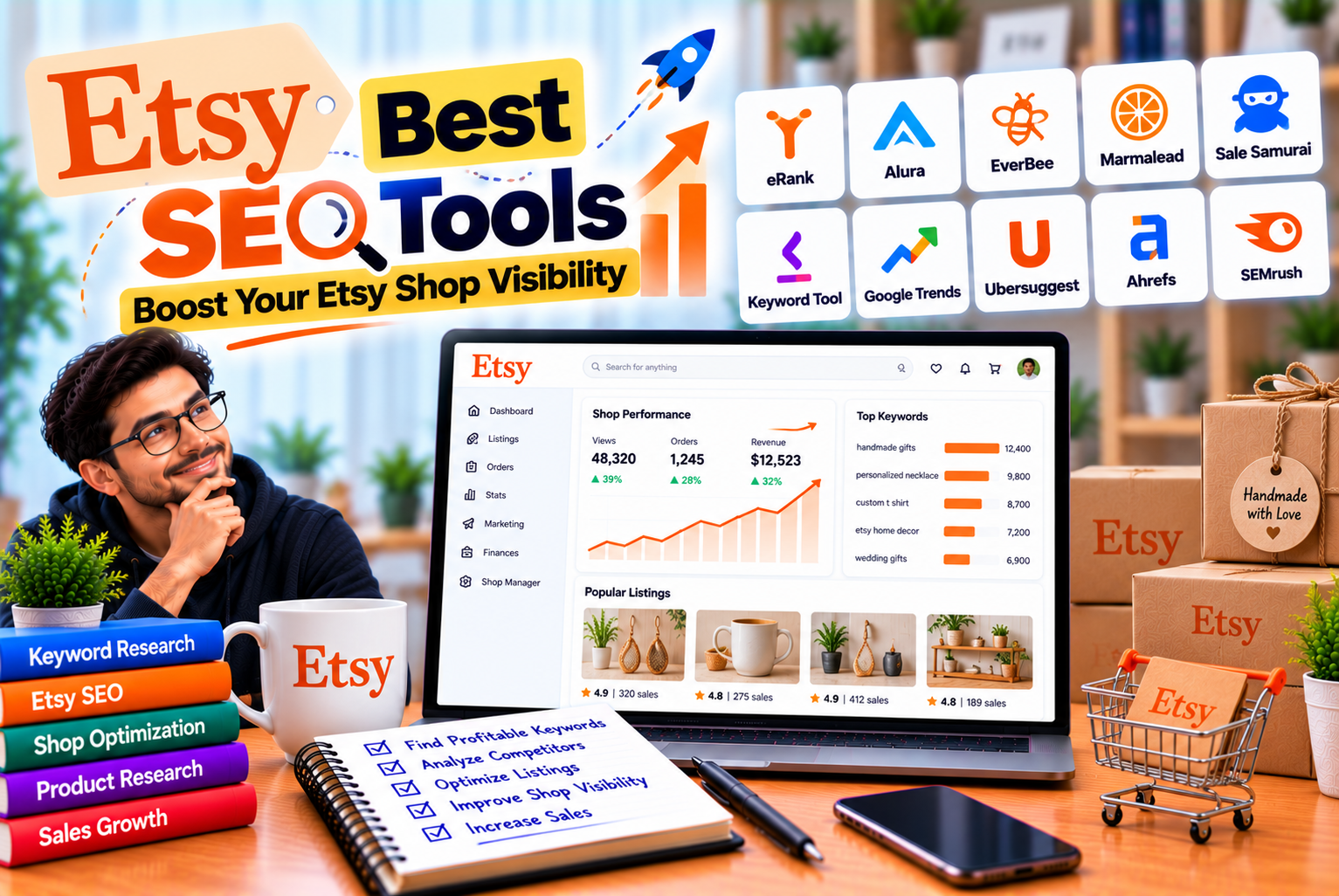
Best Etsy SEO Tools
Selling products on Etsy involves more than creating attractive items and uploading product photographs. With numerous sellers competing for shoppers’ attention, your listings need to communicate what you sell, match relevant search queries, and encourage potential customers to explore your products.
This is where Etsy search engine optimization, commonly called Etsy SEO, becomes important.
Etsy SEO involves optimizing product listings and shop information so that shoppers can discover relevant products through Etsy search. The process includes researching buyer keywords, writing clear titles, selecting relevant tags and attributes, improving product descriptions, and monitoring listing performance.
However, finding the right keywords manually can take considerable time. You may know what your product is called, but potential buyers might search for it using different phrases. A seller offering a personalized necklace, for example, might need to consider searches related to custom jewelry, engraved gifts, anniversary presents, or birthstone accessories.
Etsy SEO tools help sellers research these search terms, evaluate competing listings, identify product opportunities, and improve listing quality. Some tools specialize in keyword research, while others combine listing audits, competitor analysis, product research, and AI-assisted writing.
Choosing the right tool can make your optimization process more organized, but no software can guarantee higher rankings or sales.
In this guide, we compare the best Etsy SEO tools, explain their strengths and limitations, review their pricing, and show you how to incorporate them into a practical optimization strategy.
Quick verdict: eRank is a strong starting point for budget-conscious sellers who want keyword research and listing audits. EverBee is particularly useful for product research and estimated sales analytics. Alura suits sellers looking for a broader toolkit, while Marmalead focuses on keyword research and trend analysis. Etsy’s own search guidance and Marketplace Insights should also be part of your workflow where available.
What Are Etsy SEO Tools?
Etsy SEO tools are software products and research resources designed to help sellers improve product discoverability within the Etsy marketplace.
Depending on the tool, they may provide information about keyword demand, competing listings, product trends, shop performance, listing quality, and potential product opportunities.
These tools can help answer questions such as:
- What phrases might shoppers use to find my product?
- Which keywords are relevant to my target audience?
- How competitive is a particular search phrase?
- Are competing shops targeting similar keywords?
- Which listings need better titles or tags?
- What product categories might be worth researching?
- Are my optimization changes improving traffic?
- Which products attract views but generate few orders?
The available features differ significantly between tools.
A keyword research tool may help you discover relevant phrases without providing detailed shop analytics. A product research platform may estimate sales or revenue without offering the same depth of listing auditing.
Before subscribing, identify the specific problem you want to solve.
Main Types of Etsy SEO Tools
| Tool Category | Main Purpose | Useful For |
| Keyword research | Discover relevant search phrases and evaluate keyword data | Finding titles and tags |
| Listing optimization | Review titles, tags, descriptions, and listing structure | Improving existing listings |
| Competitor analysis | Study competing shops and products | Understanding the market |
| Product research | Explore potential product opportunities | Validating product ideas |
| Trend analysis | Investigate seasonal demand and changing interests | Planning inventory and campaigns |
| Shop analytics | Monitor traffic and listing performance | Measuring results |
| AI listing assistance | Generate or refine listing copy | Drafting titles, tags, and descriptions |
| Etsy search guidance | Explain Etsy’s own recommendations and search features | Understanding platform requirements |
Most sellers do not need every category immediately. Start with the tools that address your most important business problem.
The Best Etsy SEO Tools at a Glance
The following tools serve different purposes, so the best option depends on your shop size, budget, and optimization needs.
| Tool | Best For | Key Strength | Pricing Approach |
| eRank | Keyword research and listing audits | Keyword data, listing analysis, competitor monitoring | Free plan and paid subscriptions |
| EverBee | Product and competitor research | Listing analytics and estimated sales data on eligible plans | Free plan and paid subscriptions |
| Alura | All-in-one seller workflows | Keyword research, listing assistance, and additional marketing tools | Free access and paid plans |
| Marmalead | Keyword research and trend analysis | Keyword evaluation and seasonal research | Paid plans; verify current options |
| Sale Samurai | Keyword discovery and listing research | Keyword suggestions and research features | Check current plans and limits |
| Etsy Marketplace Insights | First-party marketplace keyword research | Search data provided through Etsy’s own seller tools | Availability and access limits depend on Etsy’s current offering |
| Etsy Shop Stats | Performance monitoring | Actual shop traffic and listing activity | Available through Etsy shop tools |
Pricing and feature availability can change. Check each provider’s official website before purchasing a subscription.
1. eRank: Best Overall Starting Point for Etsy SEO
Best for: Sellers who want keyword research, listing audits, and competitor monitoring without committing to an expensive subscription immediately.
eRank is an Etsy-focused research platform that helps sellers evaluate keywords, review listings, and monitor shop performance.
It is a useful starting point because its free plan provides access to several core research features. Sellers can begin learning how keyword research works before deciding whether paid functionality is necessary.
You can explore the platform through the official eRank website.
Key Features of eRank
Keyword Research
eRank provides keyword research tools that help sellers investigate potential search phrases and compare keyword opportunities.
For example, a seller making personalized mugs could research variations such as:
- Personalized coffee mug
- Custom ceramic mug
- Name mug gift
- Handmade pottery mug
- Personalized teacher mug
The purpose is to identify phrases that accurately describe your product and are relevant to potential customers.
Keyword metrics should be treated as estimates or research signals rather than guaranteed measurements of future sales.
Listing Audits
Listing audits help sellers identify potential optimization opportunities.
Depending on the available feature and plan, you may be able to review listing elements such as titles, tags, and other listing information.
This can help you identify incomplete or poorly structured listings before manually reviewing them.
However, an audit score is not Etsy’s official search ranking score. A high score does not guarantee a high position in search results.
Competitor Monitoring
eRank offers competitor research features that help sellers monitor selected shops and examine market activity.
This can help you understand which product categories competitors focus on and how their catalogs evolve.
Competitor data should be interpreted carefully. Estimated shop sales or other third-party metrics are not necessarily the same as verified financial results.
AI Listing Assistance
eRank includes AI-assisted listing functionality on its plans, with usage limits that vary by subscription.
These features can help generate or refine listing titles, tags, and descriptions.
Always review suggestions to ensure that they accurately describe the product and do not introduce irrelevant keywords or unsupported claims.
eRank Pricing
At the time of research, eRank’s published pricing included the following US-dollar options:
| Plan | Published Monthly Price | Suitable For |
| Free | $0 | Beginners exploring keyword research |
| Basic | $5.99 | Sellers needing more keyword searches and listing audits |
| Pro | $9.99 | Growing sellers needing higher research limits |
| Expert | $29.99 | Advanced sellers managing larger research workloads |
Annual billing offers different effective monthly rates. The exact limits for keyword lookups, listing audits, competitor monitoring, and connected shops vary by plan.
Check the official eRank pricing page for current terms.
Pros of eRank
- A free plan for beginners.
- Dedicated Etsy keyword research.
- Listing auditing features.
- Competitor monitoring on eligible plans.
- Useful research features for growing shops.
- Multiple subscription levels.
Cons of eRank
- Some features have daily or plan-specific limits.
- Beginners may need time to understand the metrics.
- Keyword estimates do not guarantee actual demand.
- Advanced features may be unnecessary for very small shops.
Who Should Use eRank?
eRank is a strong first choice if you are improving Etsy listings and need a structured way to research keywords.
It is particularly useful when you want to compare search phrases, review existing listings, and establish a repeatable optimization process.
Our verdict: Start with eRank’s free plan. Upgrade only when you regularly hit its limits or need features that can justify the subscription cost.
2. EverBee: Best for Etsy Product Research and Sales Estimates
Best for: Sellers who want to investigate product opportunities and examine estimated sales performance for competing listings.
EverBee combines product research with analytics and keyword functionality. It is especially relevant to sellers who need to evaluate product ideas before investing time and money in production.
Visit the official EverBee website.
Key Features of EverBee
Product Research
EverBee helps sellers investigate products and listings within the Etsy marketplace.
For example, a seller considering personalized wedding gifts might examine competing products, compare listing characteristics, and investigate available performance indicators.
This can help organize product research before launching a new design.
However, product research should include more than estimated sales. You also need to assess production costs, materials, competition, shipping requirements, seasonality, and your ability to differentiate the product.
Listing Analytics
Depending on the subscription, EverBee provides product analytics such as estimated sales, revenue, and conversion-related information.
These estimates can help sellers compare potential opportunities.
However, third-party estimates are not verified financial statements. Actual sales and revenue may differ from the values displayed by a research tool.
Treat these metrics as directional evidence rather than proof that a product will be profitable for your shop.
Keyword Research
EverBee also provides keyword research functionality.
You can investigate phrases associated with a product and use them to develop a more relevant listing strategy.
For example, someone selling handmade bookmarks could investigate terms related to reading gifts, personalized bookmarks, book-lover accessories, and literary gifts.
The most useful keywords are those that accurately describe the product and align with the buyer’s intent.
Tag Analysis
Available tag-analysis features can help sellers investigate keyword usage and compare relevant listing tags.
This is useful when researching a category in which many products appear similar.
Do not copy a competitor’s tags automatically. Some may be irrelevant to your product, and the competitor’s results may be influenced by factors beyond keyword selection.
EverBee Pricing
EverBee publishes a free Hobby plan and paid subscriptions.
At the time of research, its pricing page listed:
| Plan | Published Price | General Use |
| Hobby | Free | Basic research and limited keyword access |
| Growth | $24.99/month equivalent when billed annually | More extensive analytics and research |
| Business | $69/month equivalent when billed annually | Advanced research and larger workloads |
Annual prices and feature limits can change. Verify the latest details on the official EverBee pricing page.
Pros of EverBee
- Product research features.
- Listing analytics and estimated sales data on eligible plans.
- Keyword research functionality.
- Tools for comparing product opportunities.
- Useful for investigating competitor listings.
Cons of EverBee
- Advanced features require a paid subscription.
- Estimated sales and revenue may differ from actual results.
- Product research alone does not establish profitability.
- May be more than a beginner needs for basic listing optimization.
Who Should Use EverBee?
EverBee is worth considering if your main challenge is deciding what to sell or evaluating the competitive landscape.
It is especially useful when you want to combine product research with keyword investigation.
Our verdict: Consider EverBee when product selection is your main challenge. If you already have products and primarily need to improve titles and tags, begin with a keyword-focused tool before paying for extensive product analytics.
3. Alura: Best All-in-One Etsy Seller Toolkit
Best for: Sellers who want keyword research, listing optimization, product research, and additional marketing-related features in one platform.
Alura provides a suite of tools intended to help Etsy sellers research products, improve listings, and manage aspects of their businesses.
Explore its offerings through the official Alura website.
Key Features of Alura
Keyword Research
Alura helps sellers explore keyword ideas and investigate terms relevant to their products.
This can be useful when you are trying to identify different ways customers describe the same item.
For example, a seller offering custom pet portraits might investigate terms related to personalized pet art, dog portraits, cat memorial gifts, and custom animal illustrations.
The best phrase depends on the actual product and the audience you intend to reach.
Listing Optimization
Alura provides listing-related tools that help sellers develop product titles, tags, and descriptions.
AI-assisted functionality may help generate initial drafts or alternative wording.
However, the final listing should always be reviewed by the seller. Automatically generated copy can contain irrelevant keywords, repeated phrases, or details that do not match the actual product.
Product Research
Alura includes product research functionality that can help sellers investigate potential niches and listing opportunities.
This can be useful before investing in new product designs or expanding an existing catalog.
Research should still account for material costs, manufacturing time, competition, shipping, and seasonal demand.
Additional Seller Tools
Depending on the current plan, Alura may provide additional functionality related to marketing, listing analysis, or shop management.
These features can be useful when you prefer a broader workflow rather than maintaining several separate subscriptions.
Alura Pricing
Alura offers free access and paid subscription plans, with pricing and usage limits varying by plan and billing arrangement.
Because its published plan names, prices, and feature allowances may change, check the official Alura pricing information before subscribing.
Pros of Alura
- Multiple seller tools within one platform.
- Keyword and product research functionality.
- Listing assistance.
- Potentially convenient for sellers who prefer one dashboard.
- Free access to selected features.
Cons of Alura
- Some advanced functionality requires payment.
- A broader toolkit may include features you rarely use.
- AI-generated copy still requires human review.
- Tool estimates should not replace actual shop analytics.
Who Should Use Alura?
Alura may suit sellers who want to combine keyword research, listing optimization, and additional seller tools in a single environment.
It is worth comparing its available features against your current workflow before purchasing.
Our verdict: Consider Alura if you want an integrated toolkit. Compare its actual features and limits with eRank and other alternatives rather than paying for several overlapping subscriptions.
4. Marmalead: Best for Focused Keyword Research
Best for: Sellers who want to investigate keyword opportunities, evaluate search terms, and consider seasonal patterns.
Marmalead is an Etsy-focused keyword research platform designed to help sellers make more informed decisions about the search terms they target.
You can learn more through the official Marmalead website.
Key Features of Marmalead
Keyword Research
Marmalead helps sellers investigate potential keywords and compare search-related indicators.
For example, a seller offering personalized Christmas ornaments might compare phrases associated with holiday decorations, custom ornaments, family keepsakes, and personalized gifts.
The purpose is to identify relevant search opportunities rather than simply select the keyword with the largest estimated demand.
Keyword Competition
Keyword research often involves evaluating how crowded a search phrase may be.
Marmalead provides research indicators that can help sellers compare keyword opportunities.
However, competition metrics should not be interpreted as a complete prediction of ranking difficulty. Etsy search visibility depends on multiple aspects of a listing and the marketplace.
Seasonal Research
Seasonality can influence demand for products such as holiday decorations, wedding favors, graduation gifts, and seasonal accessories.
Marmalead’s research features can help sellers investigate patterns and plan around potential seasonal opportunities.
Historical patterns do not guarantee that demand will repeat exactly. Product trends, customer preferences, and competition can change.
Marmalead Pricing
Marmalead’s pricing and available subscription options should be checked on its official website before purchasing.
At the time of research, third-party comparisons listed a monthly plan around $19, but prices and available billing options may change.
Check the official Marmalead website for the latest pricing.
Pros of Marmalead
- Focused Etsy keyword research.
- Tools for comparing search terms.
- Useful for seasonal product planning.
- Can help sellers develop a more structured keyword strategy.
Cons of Marmalead
- Paid access may be less attractive to sellers with very small budgets.
- Keyword indicators are not guarantees of search performance.
- Sellers who need extensive shop analytics may want additional tools.
- Beginners may not need a paid keyword platform immediately.
Who Should Use Marmalead?
Marmalead is worth evaluating if keyword research is a major part of your weekly workflow and you want to compare search opportunities more systematically.
Our verdict: Marmalead can be useful for dedicated keyword research, but beginners should first establish whether free tools provide enough information for their current needs.
5. Sale Samurai: Best for Additional Keyword and Listing Research
Best for: Sellers who want another option for researching keywords and investigating Etsy product listings.
Sale Samurai is an Etsy-oriented research tool that provides keyword and product research functionality.
Visit the official Sale Samurai website to review its current offering.
Key Features
Depending on its current plan and product offering, Sale Samurai provides tools intended to help sellers:
- Discover keyword ideas.
- Research search terms.
- Investigate competing products.
- Improve listing metadata.
- Explore potential product opportunities.
- Review keyword-related research indicators.
These features can help sellers create a more structured approach to listing optimization.
Example: Researching a Handmade Product
Suppose you sell personalized leather keychains.
You could investigate phrases such as:
- Personalized leather keychain
- Custom engraved keyring
- Handmade leather gift
- Personalized groomsmen gift
- Custom initials keychain
Next, evaluate whether each phrase accurately describes your product and matches the customer’s likely intent.
A keyword that attracts visitors looking for a different material or product type may not be useful even if its estimated search demand appears attractive.
Pricing
Sale Samurai’s current subscription prices, feature allowances, and billing options should be verified directly on its official website.
Do not rely on an old price from a third-party comparison because subscription details can change.
Pros
- Additional keyword research option.
- Useful for exploring related search terms.
- Can support listing research and product discovery.
- May suit sellers whose preferred workflow differs from other tools.
Cons
- Some features may overlap with other SEO platforms.
- Paid functionality should be evaluated against actual usage.
- Search estimates do not guarantee listing performance.
- Sellers may not need another subscription if an existing tool already meets their needs.
Who Should Use Sale Samurai?
Consider Sale Samurai if its particular keyword and research features address a gap in your current workflow.
Our verdict: Compare its current feature set and price with eRank, Alura, and Marmalead before subscribing. Choose the tool that provides useful information you cannot already obtain efficiently.
6. Etsy Marketplace Insights: Best Native Keyword Research Option
Best for: Sellers who want to investigate search demand using Etsy’s own seller tools.
Third-party SEO platforms can be useful, but sellers should also understand Etsy’s native research features.
Etsy has introduced Marketplace Insights to help eligible sellers explore search terms and related marketplace data through its own tools.
You can review Etsy’s official seller guidance and current availability through the Etsy Seller Handbook.
Why Use Etsy’s Own Research Tools?
Third-party tools estimate search demand using their own data sources and methodologies.
Etsy’s native tools can provide a different perspective because they are part of the marketplace itself.
Where available, Marketplace Insights can help sellers investigate search phrases and evaluate potential opportunities using Etsy-provided search information.
However, the tool has access and usage conditions that may change. Confirm the current limits and availability in your Etsy account.
How to Use Marketplace Insights
A practical workflow looks like this:
- Identify a product you sell or plan to sell.
- Enter relevant search phrases into Marketplace Insights.
- Review the available search data.
- Compare closely related phrases.
- Identify terms that accurately describe your product.
- Use the findings to inform your title, tags, and listing content.
- Monitor actual listing performance after making changes.
For example, a seller offering handmade ceramic planters could compare phrases related to ceramic plant pots, handmade planters, decorative plant pots, and gifts for plant lovers.
Use the research to understand how shoppers describe the product rather than simply repeating the same phrase throughout the listing.
Limitations
Marketplace Insights does not replace every function offered by third-party tools.
Depending on the available features, you may still need additional software for competitor monitoring, listing audits, broader product research, or AI-assisted writing.
Our Verdict
Use Etsy’s native research tools wherever available. They can provide a valuable first-party perspective and help you avoid relying exclusively on third-party estimates.
7. Etsy Shop Stats: Best for Measuring Actual Performance
Best for: Sellers who want to understand how their own listings perform after optimization.
Keyword tools can suggest which phrases to investigate, but your shop’s actual performance data helps you determine whether your strategy is working.
Etsy provides shop statistics and search visibility information through its seller tools.
Review the official Etsy Seller Handbook for current guidance on search optimization and shop performance.
What Should You Monitor?
Depending on the data available in your shop, review:
- Listing views.
- Visits.
- Traffic sources.
- Search terms.
- Orders.
- Conversion rate.
- Revenue.
- Listing performance over time.
The availability and presentation of individual metrics may vary.
Why Actual Shop Data Matters
Suppose an SEO tool suggests that a particular phrase may be relevant to your product.
You update a listing, but its traffic does not improve.
Several explanations are possible:
- The keyword may not match buyer intent.
- The listing may face substantial competition.
- The product photographs may not attract clicks.
- The price may be uncompetitive.
- The product description may not answer buyer questions.
- Demand may be seasonal.
- The listing may not have received enough time or traffic to evaluate.
Shop statistics help you investigate these possibilities.
How to Use Shop Stats With an SEO Tool
Use a simple process:
- Record the listing’s current performance.
- Identify a specific optimization opportunity.
- Update relevant listing information.
- Allow enough time and traffic to evaluate the change.
- Compare performance with the previous period.
- Consider seasonality and other changes before attributing results to the edit.
Avoid making several unrelated changes simultaneously if you want to understand which changes may have influenced performance.
Our verdict: Your own shop data is essential. Third-party tools help you research and plan, while actual performance data helps you assess whether your strategy is working.
Best Etsy SEO Tools Compared: Which One Should You Choose?
The tools discussed above overlap in some areas, but each has a different emphasis.
| Tool | Keyword Research | Listing Audits | Product Research | Competitor Analysis | Best Starting Point |
| eRank | Yes | Yes | Available research features | Yes, on eligible plans | Sellers optimizing existing listings |
| EverBee | Yes | Depends on current features and plan | Strong focus | Yes, through available analytics | Sellers evaluating product opportunities |
| Alura | Yes | Listing assistance | Yes | Available research features | Sellers wanting a broader toolkit |
| Marmalead | Core focus | Verify current features | Keyword-led research | Keyword and market research | Sellers focused on keywords |
| Sale Samurai | Core focus | Verify current features | Available research features | Available research features | Sellers comparing keyword tools |
| Etsy Marketplace Insights | Yes, where available | Not a full third-party audit suite | Search-demand research | Limited compared with dedicated competitor tools | Sellers using Etsy-native data |
| Etsy Shop Stats | Actual shop search and performance information | Search visibility guidance where available | Your own shop performance | Not a substitute for full competitor research | Measuring results |
Feature availability can change. Verify each tool’s current capabilities before purchasing a plan.
Best Etsy SEO Tool for Beginners
Recommendation: eRank’s free plan plus Etsy’s native research tools.
This combination allows you to learn the basics of keyword research and listing optimization before adding a recurring subscription.
You can begin by improving a small number of important listings and expanding your workflow as your shop grows.
Best Etsy SEO Tool for Product Research
Recommendation: EverBee.
EverBee is worth evaluating if you need product research and listing-level estimates to help investigate potential opportunities.
Remember that estimated sales are not guaranteed future demand or verified profit.
Best All-in-One Etsy SEO Tool
Recommendation: Alura.
Alura may be suitable if you want to combine keyword research, listing assistance, and additional seller tools in one environment.
Compare the current plan limits with the features you actually use.
Best Etsy SEO Tool for Keyword-Focused Research
Recommendation: Marmalead or eRank.
Both are worth comparing if keyword research is your primary need.
Your decision should depend on the quality and usefulness of the research data, the workflow, and the price you are willing to pay.
Best Free Etsy SEO Tools
Start with:
- Etsy Marketplace Insights, where available.
- Etsy Shop Stats.
- eRank’s free plan.
- Free access to other tools, where offered.
You do not need several paid SEO subscriptions to begin improving your listings.
How to Choose the Right Etsy SEO Tool
The best tool is the one that solves your specific problem at a cost your business can justify.
Before subscribing, consider the following factors.
1. Identify Your Biggest SEO Problem
Are your listings receiving very few views? Are shoppers visiting but not buying? Are you struggling to identify relevant keywords? Or are you unsure which products to launch?
Each problem requires a different response.
| Your Problem | Tool Type to Prioritize |
| Few relevant search impressions | Keyword research and listing relevance |
| Poor listing titles or tags | Listing optimization |
| Uncertainty about what to sell | Product research |
| Limited understanding of competitors | Competitor analysis |
| Seasonal product planning | Trend research |
| Views without orders | Conversion and listing-quality analysis |
| Unclear results after optimization | Shop analytics |
Do not purchase an expensive product research tool if your primary need is simply to improve the titles and tags of existing listings.
2. Check Whether the Tool Provides Useful Data
Some tools offer search-volume estimates, competition indicators, keyword suggestions, or listing scores.
Understand what each metric means before using it.
For example, a keyword score may combine multiple factors according to the tool’s own methodology. It is not necessarily an official Etsy ranking signal.
Similarly, a third-party sales estimate is not the same as verified sales data from another seller’s account.
3. Evaluate the Free Plan
A free plan can help you understand a tool’s interface and research workflow.
However, check the limitations.
Some plans restrict daily searches, connected shops, listing audits, historical data, or advanced features.
Test whether the free allowance is sufficient for your actual workflow before upgrading.
4. Consider Your Shop Size
A seller with 10 listings may not need the same research capacity as a seller managing hundreds or thousands of products.
Choose a subscription that matches your current workload rather than paying for hypothetical future needs.
5. Compare the Total Subscription Cost
Before purchasing a paid tool, calculate its annual cost.
For example, a hypothetical subscription costing $10 per month would cost $120 over 12 months, excluding taxes or other charges.
Ask whether the tool can save enough time or improve enough business decisions to justify that expense.
6. Check Compatibility and Permissions
If a tool connects to your Etsy account or uses a browser extension, review its permissions, data practices, and connection requirements.
Use reputable providers, secure your account, and avoid giving access to services you do not trust.
7. Avoid Paying for Overlapping Features
Many Etsy SEO platforms provide similar keyword research functions.
Using three tools that produce similar keyword suggestions may not provide much additional value.
A more practical approach is to use one primary research tool and add a second only when it fills a specific gap.
How to Use Etsy SEO Tools to Improve Product Listings
Having an SEO tool is only the first step. The value comes from how you apply the information.
The following workflow can help you improve existing listings without making random changes.
Step 1: Start With a Specific Product
Choose one product and define exactly what it is.
For example:
- Product: Handmade ceramic coffee mug.
- Material: Ceramic.
- Customization: Optional name engraving or personalization, if genuinely offered.
- Intended audience: Coffee drinkers and gift buyers.
- Main use: Everyday drinking or gifting.
This information helps you distinguish relevant keywords from unrelated phrases.
Step 2: Research Buyer Keywords
Use your chosen tool to investigate relevant phrases.
For the ceramic mug example, you might explore:
- Handmade ceramic mug.
- Pottery coffee mug.
- Personalized coffee mug.
- Ceramic mug gift.
- Handmade pottery cup.
These are research examples, not verified rankings or demand estimates.
Step 3: Evaluate Search Intent
Not every keyword represents the same buyer need.
Someone searching for “ceramic mug” may be browsing broadly, while someone searching for “personalized ceramic mug gift” may have a more specific purchase intention.
Consider which phrases most accurately describe your product and the type of customer you want to attract.
Step 4: Write a Clear Product Title
Etsy’s title guidance has evolved to emphasize clear, buyer-friendly titles rather than excessively long strings of repeated keywords.
Etsy announced updated title guidance in April 2026, explaining that its search system considers the listing more holistically, including titles, tags, attributes, descriptions, the first photograph, and reviews.
Read the official Etsy Seller Handbook article on updated listing titles.
For the example product, a clearer title might be:
Handmade Ceramic Coffee Mug, Textured Pottery Cup
This title identifies the product and its distinguishing characteristics without unnecessary repetition.
If personalization is genuinely available, the title can reflect that feature instead.
Step 5: Use Relevant Tags
Etsy provides 13 tag slots for each listing.
Use relevant multiword phrases where appropriate, and avoid filling every tag with near-identical wording.
For a handmade ceramic mug, potential tag ideas might include:
- Handmade ceramic mug.
- Pottery coffee cup.
- Textured ceramic cup.
- Handmade pottery gift.
- Coffee lover gift.
- Artisan kitchenware.
These are examples only. Select tags based on the actual product, available keyword evidence, and Etsy’s current guidance.
Step 6: Complete Relevant Attributes
Attributes help describe the product through structured listing information.
Select accurate categories and attributes, such as material, color, occasion, or style where applicable.
Do not select an attribute merely because you think it might generate more traffic.
Incorrect product information can mislead shoppers and undermine the listing’s relevance.
Step 7: Improve the Description
A useful description should answer the questions a buyer is likely to have.
For a handmade ceramic mug, consider explaining:
- Materials.
- Dimensions and capacity.
- Finish and color.
- Handmade characteristics.
- Personalization options.
- Care instructions.
- Processing time.
- Shipping expectations.
- What is included in the purchase.
Use natural language and avoid repeating the same keyword unnecessarily.
Step 8: Review Product Photographs
SEO tools cannot compensate for weak product photographs.
Use clear, accurate images that show the item from useful angles and help shoppers understand its size, material, and appearance.
For handmade products, close-up photographs can help communicate texture, craftsmanship, and distinctive details.
Ensure that the photographs represent the actual product.
Step 9: Monitor Actual Performance
After making improvements, review your shop’s available statistics.
Look for changes in relevant search traffic, listing views, visits, and orders.
Consider whether the listing is attracting the right visitors and whether those visitors are purchasing.
Do not judge success only by keyword rankings or an optimization score.
Step 10: Improve One Listing at a Time
Choose a manageable group of listings and apply a consistent process.
Record the original performance, make a meaningful change, and review the results after a reasonable period.
This creates a more useful feedback loop than changing every listing at once without tracking what happened.
Etsy SEO Best Practices for Better Shop Visibility
SEO tools are most effective when combined with sound listing practices.
1. Focus on Relevance
Choose keywords that accurately describe the product.
Irrelevant traffic may increase visits without generating orders.
2. Use Clear Titles
Write titles that communicate the product, important characteristics, and relevant distinctions.
Avoid keyword stuffing and repeated phrases that make the title difficult to read.
3. Use All Relevant Tags Thoughtfully
Etsy allows up to 13 tags per listing.
Use the available space to describe meaningful variations in how customers might search for your product.
Avoid adding tags that do not apply to the item.
4. Complete Categories and Attributes
Accurate categories and attributes help describe the listing.
Review available options and provide relevant information rather than relying exclusively on free-text keywords.
5. Improve Listing Photographs
Use clear images that represent the item accurately.
For personalized products, show examples of available customization where practical.
6. Write Helpful Descriptions
Answer important product questions and communicate what the buyer receives.
Include dimensions, materials, care instructions, personalization requirements, and other relevant details.
7. Monitor Conversion, Not Just Traffic
More visits do not necessarily mean more sales.
If a listing attracts traffic but receives few orders, investigate the product presentation, price, shipping costs, customer expectations, and other possible barriers.
8. Review Seasonal Opportunities
Some products have seasonal demand.
Gift items, wedding products, holiday decorations, and occasion-specific accessories may require different keyword strategies at different times of the year.
Use historical information as a guide, not a guarantee.
9. Avoid Copying Competitors Blindly
Competitor research can reveal market patterns, but another seller’s strategy may not work for your product.
Your materials, price, target audience, product quality, and business model may differ.
Use competitor information to generate questions and ideas, then evaluate them against your own products.
10. Keep Improving Your Listings
Etsy search and customer preferences can change.
Review performance periodically and make improvements based on actual evidence rather than continually rewriting listings without a clear reason.
Common Mistakes to Avoid When Using Etsy SEO Tools
Even experienced sellers can misuse keyword data.
Mistake 1: Targeting Only High-Volume Keywords
A broad keyword may have substantial estimated demand but intense competition.
A more specific phrase may better match your product and customer intent.
Evaluate relevance, competition, and your ability to meet the searcher’s expectations.
Mistake 2: Treating Keyword Scores as Ranking Guarantees
A third-party tool’s keyword score is an analytical indicator, not an official Etsy ranking formula.
Use it as one input in your research rather than as a guarantee.
Mistake 3: Stuffing Titles With Keywords
A title filled with repetitive phrases can be difficult to read and may make the product less appealing to shoppers.
Prioritize clarity and accuracy.
Mistake 4: Copying Competitor Tags
Competitor listings can provide useful ideas, but not every tag will be appropriate for your product.
Use only keywords that accurately describe what you sell.
Mistake 5: Ignoring Product Photography
A relevant keyword may attract a shopper, but the photograph still needs to communicate the product clearly.
Improve images alongside your listing text.
Mistake 6: Ignoring Profitability
A keyword may attract customers looking for a product that is expensive to produce or ship.
Evaluate product margins before investing heavily in a niche.
Mistake 7: Paying for Too Many Tools
Multiple subscriptions can consume money without providing a meaningful improvement in your workflow.
Start with one primary tool and add others only when necessary.
Mistake 8: Making Too Many Changes at Once
If you change the title, tags, photographs, price, and description simultaneously, it becomes harder to understand which changes may have affected performance.
When practical, test changes systematically.
Mistake 9: Trusting Estimated Competitor Sales as Exact Figures
Third-party tools may estimate another shop’s sales or revenue.
Those figures should not be treated as verified financial records.
Use them alongside other evidence, including listing quality, reviews, market demand, and your own cost calculations.
Mistake 10: Expecting Immediate Results
Search visibility and customer behavior can change over time.
Allow a reasonable period for evaluation, taking seasonality, listing traffic, and other changes into account.
Free vs Paid Etsy SEO Tools: Which Should You Choose?
The decision to pay for SEO software should depend on your workload and the value it provides.
When Free Tools Are Enough
Free tools may be sufficient if:
- You have a small Etsy shop.
- You are still learning keyword research.
- You update only a few listings each week.
- You want to test different research workflows.
- Your shop has limited revenue.
- You do not need extensive competitor analytics.
A combination of Etsy’s native tools and eRank’s free plan can provide a useful starting point.
When Paid Tools Become Worthwhile
A paid subscription may make sense when:
- You research many keywords every week.
- You manage a large product catalog.
- You regularly evaluate competitor shops.
- You need more extensive listing audits.
- You conduct product research before launching new items.
- You need specific features unavailable in your current tools.
- The time saved or decisions improved justify the expense.
Free vs Paid Comparison
| Consideration | Free Tools | Paid Tools |
| Initial cost | Low or zero | Recurring expense |
| Keyword research | Often limited but useful | Higher limits or additional research features |
| Listing audits | May be limited | More extensive on eligible plans |
| Competitor monitoring | Often restricted | More options on eligible plans |
| Product analytics | Varies | May include additional data and filters |
| Suitable for | Beginners and small shops | Sellers with recurring research needs |
| Main limitation | Usage restrictions | Cost and potential feature overlap |
Recommendation: Begin with free tools. Upgrade only when you can identify a specific limitation that affects your work.
A Practical Etsy SEO Workflow for Small Businesses
If you want to improve your shop without spending hours switching between different platforms, use the following weekly routine.
Monday: Review Shop Performance
Review your available shop statistics.
Identify listings with declining traffic, strong visitor interest, or opportunities for improvement.
Tuesday: Research Keywords
Use eRank or Etsy’s native research tools to investigate relevant phrases for a small group of products.
Record the most useful terms and why they match the product.
Wednesday: Improve Listings
Review titles, tags, attributes, descriptions, and photographs.
Focus on clarity, relevance, and accurate product information.
Thursday: Research Competitors
Examine a small number of comparable listings.
Look for patterns in product presentation, materials, pricing, and customer questions.
Do not copy listings or assume that competitor metrics prove profitability.
Friday: Review Product Opportunities
Investigate new product ideas if this is part of your growth strategy.
Estimate production costs, materials, packaging, shipping, and potential margins before deciding whether to launch.
End of the Month: Evaluate Results
Compare current performance with the previous period.
Consider whether changes improved traffic, engagement, orders, or profitability.
Keep the changes that appear useful, investigate unexpected results, and adjust your plan accordingly.
This routine creates a consistent process without requiring you to purchase every available SEO tool.
Frequently Asked Questions About Etsy SEO Tools
1. What are the best Etsy SEO tools?
eRank, EverBee, Alura, Marmalead, and Sale Samurai are among the tools sellers can evaluate. Etsy’s own Marketplace Insights and Shop Stats are also useful. The best option depends on whether you need keyword research, listing optimization, product research, competitor analytics, or performance monitoring.
2. What is the best free Etsy SEO tool?
eRank offers a free plan with limited keyword research and listing audits. Etsy’s native seller tools are also valuable where available. Start with these options before paying for advanced features.
3. Is eRank good for Etsy SEO?
eRank is a useful Etsy research platform that offers keyword research, listing audits, competitor monitoring, and other features. Its free plan makes it a practical starting point for sellers learning SEO.
4. Is EverBee better than eRank?
Neither tool is universally better. EverBee emphasizes product research and listing analytics, while eRank is a strong option for keyword research and listing audits. Choose based on your primary need.
5. Is Alura worth it for Etsy sellers?
Alura may be worth considering if you want keyword research, listing assistance, product research, and additional seller tools in one platform. Compare the available features with your actual workflow before subscribing.
6. Is Marmalead good for keyword research?
Marmalead is designed for Etsy-focused keyword research and includes tools for evaluating search terms and trends. It is worth comparing with eRank and Etsy’s native research features.
7. Can Etsy SEO tools guarantee higher rankings?
No. SEO tools provide research data, suggestions, and analytical indicators, but they cannot guarantee search rankings or sales. Performance depends on multiple factors, including relevance, listing quality, competition, customer behavior, and marketplace systems.
8. Do Etsy SEO tools show exact search volumes?
Not necessarily. Third-party tools may provide estimates based on their own data sources and methodologies. Etsy’s native tools may provide different search information. Understand how each metric is produced before using it to make business decisions.
9. What is the best Etsy keyword research tool?
eRank is a strong starting point for many sellers. Marmalead and Alura are alternatives worth evaluating, while Etsy’s Marketplace Insights can provide a first-party perspective where available.
10. Can I use Etsy SEO tools without an active shop?
Some tools offer public keyword research or limited features without connecting an active shop. Other features may require an Etsy account or connected shop. Check the provider’s current access requirements.
11. How do Etsy SEO tools help improve product listings?
They can help identify keyword opportunities, review listing information, suggest title and tag improvements, investigate competitors, and monitor performance. The seller must still ensure that every listing accurately represents the product.
12. How many Etsy tags should I use?
Etsy provides 13 tag slots per listing. Use relevant tags that describe your product and how buyers might search for it. Avoid adding unrelated keywords merely to fill the available slots.
13. Should I use long-tail keywords on Etsy?
Long-tail keywords can be useful when they accurately describe a specific product or customer need. For example, a phrase describing a personalized ceramic wedding gift may be more relevant than a broad term such as “mug.” Evaluate relevance and available research data.
14. Can I use AI to write Etsy titles and descriptions?
AI tools can help generate drafts and alternative wording. However, review the output for accuracy, clarity, relevance, and compliance with Etsy’s policies. Do not publish unsupported product claims or irrelevant keywords.
15. What is Etsy Marketplace Insights?
Marketplace Insights is an Etsy seller research feature that helps eligible sellers investigate search terms and marketplace demand using Etsy-provided information. Check Etsy’s current guidance for availability and usage limits.
16. How often should I update Etsy listings?
Review listings periodically, particularly when performance changes, seasons shift, or product information becomes outdated. Avoid changing listings constantly without a clear reason or enough data to evaluate the result.
17. Are paid Etsy SEO tools worth it?
They can be worthwhile when they save time, provide useful research, or help improve business decisions. However, a subscription is not automatically valuable. Evaluate the features you actually use and compare the cost with the benefit.
18. Can Etsy SEO tools help me find profitable products?
They can help investigate product opportunities, keyword demand, and competitor activity. Profitability also depends on materials, labor, production time, shipping, marketplace fees, advertising, and customer demand.
19. Do Etsy SEO tools work for digital products?
Yes. Keyword research and listing optimization can be useful for eligible digital downloads, including templates, artwork, and printable products. Sellers should also ensure that descriptions accurately explain file formats, included items, and usage rights.
20. Which Etsy SEO tool is best for beginners?
eRank’s free plan, combined with Etsy’s native research and analytics tools, is a sensible starting point. Beginners can learn the fundamentals before investing in paid software.
21. Can I use multiple Etsy SEO tools together?
Yes, but avoid paying for overlapping features without a clear benefit. One keyword research tool and one complementary product research or analytics tool may be enough for many shops.
22. How can I check whether Etsy SEO is working?
Review your shop’s available statistics, including relevant search traffic, listing visits, orders, and conversion-related information. Compare performance over time and consider seasonality or other changes before attributing results to SEO edits.
23. Are competitor sales estimates reliable?
They are estimates, not verified financial records. Use them as one research signal and consider other factors such as product quality, competition, pricing, reviews, and production costs.
24. Can Etsy SEO tools improve sales without advertising?
SEO improvements may help relevant shoppers discover your listings organically, but they do not guarantee sales. Product quality, photographs, price, customer confidence, and other factors also influence purchasing decisions.
25. What should I do first to improve Etsy SEO?
Choose one important listing, research relevant keywords, write a clear title, use appropriate tags and attributes, improve the description and photographs, and monitor actual performance. Expand the process after you understand what works for your shop.
Official References
Use these official sources to verify features, pricing, and current Etsy search guidance before publishing.
- eRank Plans and Pricing — Review available subscription tiers and usage limits.
- EverBee Pricing — Compare free and paid product research features.
- Alura — Review its current research and seller tools.
- Marmalead — Explore keyword research functionality and subscription options.
- Sale Samurai — Review current keyword research tools and pricing.
- Etsy Seller Handbook — Read Etsy’s official guidance on listing optimization and marketplace search.
- Etsy’s Updated Listing Title Guidance — Understand the platform’s current approach to clear, buyer-friendly titles.
- Etsy Search Optimization Checklist — Review official recommendations for improving shop search visibility.
Leave a Reply