


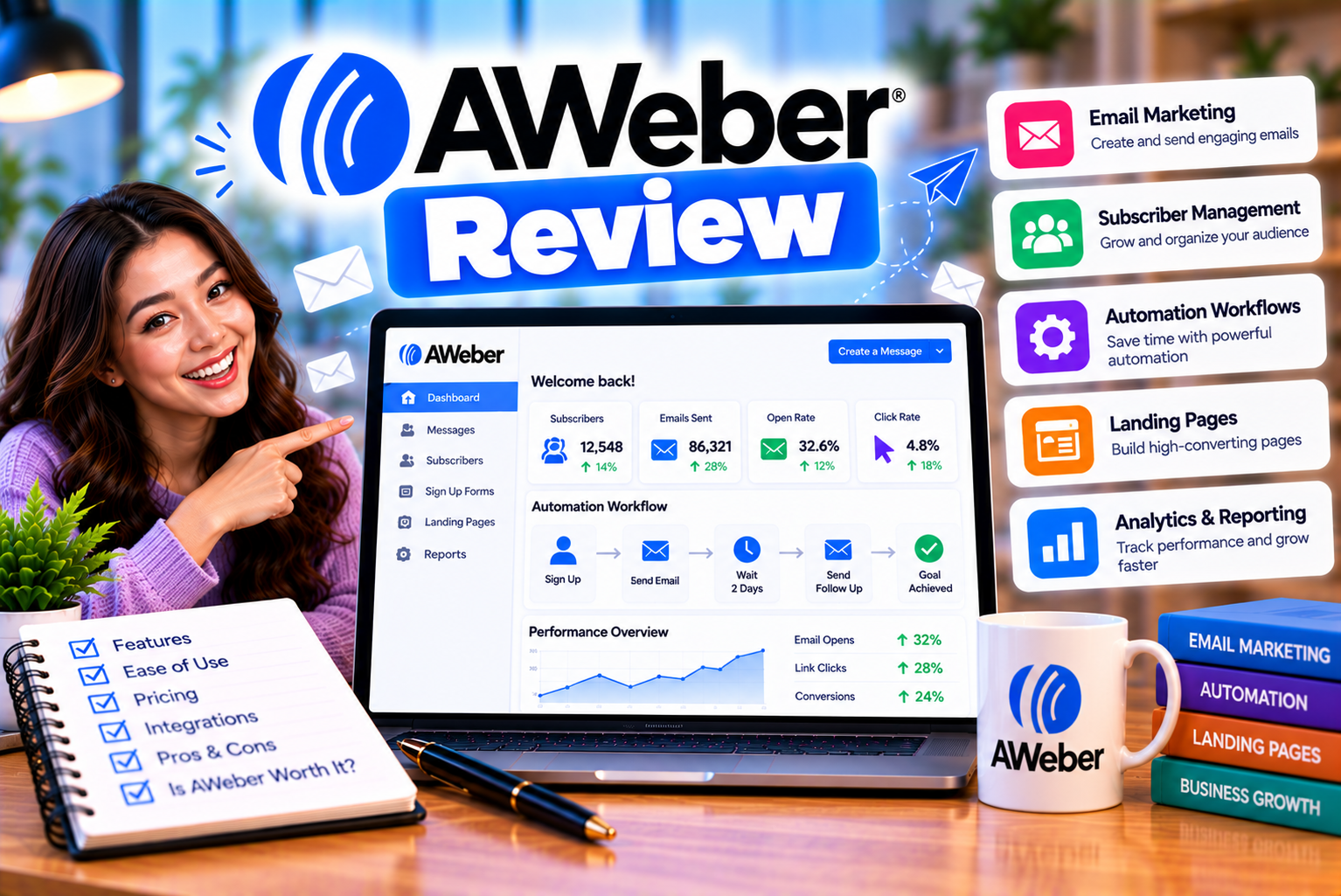
AWeber Review
Email marketing remains one of the most practical ways for businesses, creators, and online entrepreneurs to communicate directly with their audiences. Whether you want to send newsletters, promote products, nurture leads, announce new content, or build relationships with customers, an email marketing platform can help you manage these activities more efficiently.
However, choosing the right platform is not always straightforward. Some tools focus on simplicity, while others prioritize advanced automation, customer relationship management, or ecommerce marketing. The challenge is finding a service that offers the features you need without adding unnecessary complexity or cost.
This is where AWeber enters the picture.
AWeber is an email marketing platform designed to help businesses and creators build subscriber lists, create email campaigns, automate follow-ups, develop landing pages, and connect their marketing activities with other applications. It has a long history in email marketing and offers tools for beginners as well as businesses that need more advanced campaign management.
The platform includes a drag-and-drop email builder, customizable templates, subscriber management, automation workflows, signup forms, landing pages, analytics, and integrations. Depending on the subscription, users can also access advanced segmentation, additional automation capabilities, sales tracking, and other features.
But having a long feature list does not automatically make a platform the best choice.
Some businesses may appreciate AWeber’s straightforward approach to newsletters and subscriber communication. Others may find its plan restrictions, growing subscription costs, or automation capabilities less suitable for their requirements.
In this comprehensive AWeber review, we examine its main features, email creation tools, automation, audience management, deliverability considerations, integrations, advantages, limitations, and alternatives.
By the end, you will have a clearer understanding of whether AWeber is worth considering for your email marketing strategy.
What Is AWeber?
AWeber is an email marketing and audience engagement platform that helps businesses collect subscribers, send marketing emails, automate communication, and measure campaign performance.
Instead of manually emailing customers or maintaining a complicated spreadsheet of contacts, users can manage their subscribers through a centralized dashboard.
The platform supports several common email marketing activities, including:
- Creating and sending newsletters.
- Designing promotional email campaigns.
- Building subscriber signup forms.
- Creating landing pages.
- Sending automated welcome emails.
- Organizing subscribers using tags and segments.
- Tracking opens, clicks, and other available campaign metrics.
- Connecting email marketing with ecommerce and website platforms.
- Selling certain digital products and subscriptions through supported features.
AWeber is particularly relevant to small businesses, bloggers, consultants, coaches, course creators, affiliate marketers, and independent publishers.
For example, a blogger could use AWeber to collect newsletter subscribers and automatically send new articles to interested readers. An online coach could create a welcome sequence that introduces a service and delivers useful educational content. An ecommerce business could use integrations and automation to follow up with customers after purchases.
These workflows help turn email marketing from a series of manual tasks into a more organized process.
How does AWeber work?
AWeber generally fits into an email marketing workflow that begins with audience acquisition and continues through communication and measurement.
The process looks like this:
- Collect subscribers: Add a signup form to your website, landing page, or another supported channel.
- Organize your audience: Store subscriber information and apply appropriate tags or segments.
- Create an email: Design a newsletter, announcement, promotional campaign, or automated message.
- Send or schedule the campaign: Deliver the message to the intended subscribers.
- Automate follow-ups: Use supported workflows to send messages based on subscriber activity or other triggers.
- Measure results: Review available campaign analytics to understand engagement.
- Improve future campaigns: Refine your subject lines, content, timing, segmentation, and signup process.
The exact tools available at each stage depend on your plan.
For businesses that send emails regularly, this type of workflow can reduce repetitive work and create a more consistent communication experience.
AWeber at a Glance
Before exploring the platform in detail, here is a quick overview of its main capabilities.
| Category | AWeber Offering |
| Primary purpose | Email marketing and audience engagement |
| Email campaigns | Newsletters, broadcasts, and promotional messages |
| Email editor | Drag-and-drop email builder |
| Email templates | Pre-designed templates and customizable layouts |
| Subscriber management | Contact records, lists, tags, and segments, depending on the plan |
| Automation | Welcome sequences, follow-ups, and behavior-based workflows |
| Landing pages | Built-in landing page builder |
| Signup forms | Forms for collecting subscribers |
| Analytics | Email performance reporting and engagement metrics |
| A/B testing | Available for supported campaign elements and plans |
| Ecommerce capabilities | Supported integrations, sales-related features, and product-selling tools |
| Integrations | Connections with ecommerce, website, payment, and marketing tools |
| Free option | Yes, with subscriber and feature limits |
| Paid subscriptions | Lite and Plus, alongside other available offerings |
| Best suited to | Small businesses, creators, publishers, and growing email lists |
AWeber’s current product offering also includes AI-assisted content creation and newer workflow capabilities. The precise availability of advanced features should be checked against the current subscription comparison before purchasing.
AWeber Email Marketing Features
Email campaign creation is the foundation of AWeber’s offering.
The platform provides tools for creating messages, organizing campaigns, and communicating with subscribers without requiring users to build an email delivery system themselves.
Let’s examine the main features and how they can help businesses.
1. Drag-and-Drop Email Builder
AWeber includes a drag-and-drop email editor designed to make campaign creation accessible to users without advanced coding knowledge.
Instead of manually writing an email using HTML, you can build a message using visual elements and customizable content blocks.
Depending on the available editor and template, these elements may include:
- Headings.
- Text sections.
- Images.
- Buttons.
- Links.
- Product or promotional content.
- Social media links.
- Dividers and spacing elements.
- Branding elements.
You can arrange these components to create an email that matches your business identity.
For example, an ecommerce store might create a product announcement featuring an image, a short description, a price, and a button directing subscribers to the product page.
A consultant could create a newsletter with an introductory message, several educational sections, and a call to action inviting readers to book a consultation.
The drag-and-drop approach can save time compared with building every campaign from scratch.
Is AWeber’s email editor easy to use?
The visual editor is intended to simplify the design process, especially for users who do not want to work directly with HTML.
However, ease of use depends on the complexity of the email you want to create.
A basic newsletter with text, images, and buttons is generally a simpler task than designing a highly customized promotional email with complex layouts and dynamic content.
Before choosing AWeber, consider creating a sample campaign during its free access period. This allows you to evaluate the editor’s flexibility and determine whether its design controls meet your expectations.
2. Email Templates
AWeber provides pre-designed email templates that users can customize for different campaign types.
Templates help establish a consistent structure without requiring every email to be designed from the beginning.
Common use cases include:
- Weekly newsletters.
- Product announcements.
- Promotional campaigns.
- Event invitations.
- Educational emails.
- Business updates.
- Seasonal marketing messages.
- Customer follow-ups.
A well-designed template can help readers recognize your brand and find important information quickly.
For example, a business newsletter might include a logo at the top, a short introduction, several content sections, and a clear call-to-action button.
An ecommerce email might prioritize product images, descriptions, and purchase links.
The important consideration is not simply how many templates are available. It is whether the available designs fit your brand, audience, and campaign goals.
Can you customize AWeber email templates?
Yes. AWeber’s email-building tools allow users to customize supported templates, including their content and visual presentation.
You can typically adjust text, images, buttons, spacing, and other available design elements.
For stronger branding, use a consistent logo, typography, color palette, and writing style across campaigns.
Always preview your emails on desktop and mobile before sending them to your list.
3. Newsletter Creation and Broadcasting
Newsletters are one of the most common reasons businesses use email marketing software.
AWeber lets users create and send broadcast emails to their audiences.
A broadcast is generally a message sent to a selected group of subscribers at a chosen time, rather than an automated message triggered by a particular event.
Examples include:
- Announcing a new blog post.
- Sharing a monthly business update.
- Promoting a limited-time offer.
- Inviting subscribers to a webinar.
- Announcing a product launch.
- Sharing industry news or educational content.
- Sending an event reminder.
You can prepare a message, choose the appropriate audience, and schedule the campaign if the available features support your workflow.
For businesses that communicate regularly with subscribers, this can help maintain a consistent publishing schedule.
RSS-to-email functionality
AWeber supports RSS-to-email workflows, allowing eligible campaigns to use content from an RSS feed.
For example, a blog owner may want subscribers to receive an email when new articles are published.
An RSS-based campaign can help automate this process, reducing the need to create a separate announcement manually for every new post.
This can be particularly useful for publishers, bloggers, podcasters, and content creators.
However, the design and scheduling options depend on how the campaign is configured.
4. AI-Assisted Email Creation
AWeber offers AI-assisted tools intended to make parts of email marketing easier.
Depending on the available feature and plan, these tools can help with tasks such as:
- Generating draft email content.
- Suggesting subject lines.
- Improving the structure of a message.
- Producing ideas for newsletters.
- Supporting content creation from existing brand information.
AI can reduce the time required to create an initial draft, particularly when you send newsletters frequently.
For example, a business could use an AI writing assistant to generate several subject-line ideas for a product announcement, then select and refine the strongest option.
However, AI-generated content should not be published without review.
Check facts, product details, pricing, claims, spelling, tone, and calls to action. A message that sounds polished can still contain inaccurate information or language that does not match your brand.
Verdict: AI-assisted creation can save time, but the quality of the final email still depends on human judgment, audience understanding, and editing.
AWeber Automation: Can You Automate Your Email Marketing?
Automation is one of the most useful capabilities of an email marketing platform.
Without automation, businesses may need to send the same introductory messages, reminders, and follow-ups manually.
AWeber allows users to create workflows that send messages automatically according to supported triggers, subscriber actions, and conditions.
The available automation capabilities depend on the subscription.
What is email automation?
Email automation is the process of sending messages automatically when a defined event or condition occurs.
For example, when a person subscribes to a newsletter, the system might send a welcome email immediately, followed by educational messages over the next several days.
The subscriber receives the messages according to the configured workflow, without the business having to send each one manually.
Automation can help businesses communicate consistently while reducing repetitive work.
Common AWeber automation use cases
AWeber’s automation tools can support workflows such as:
| Automation | How It Works | Business Benefit |
| Welcome sequence | Sends introductory emails after signup | Introduces the brand and sets expectations |
| Lead magnet delivery | Delivers a requested resource | Provides immediate value to new subscribers |
| Educational sequence | Sends a series of useful lessons | Builds trust and familiarity |
| Product promotion | Sends relevant promotional emails | Supports sales and product discovery |
| Post-purchase follow-up | Sends messages after a purchase through supported integrations | Helps customers understand their purchase |
| Re-engagement sequence | Contacts eligible inactive subscribers | Helps assess whether subscribers still want emails |
| Blog updates | Uses an RSS-based workflow to distribute content | Keeps readers informed about new publications |
| Event reminders | Sends messages before an event | Helps attendees prepare and remember important details |
The usefulness of each workflow depends on your business model and the information available to AWeber.
For example, purchase-based automation may require an ecommerce integration that passes the relevant event or customer data to the platform.
How much automation does AWeber offer?
AWeber’s current plan structure distinguishes between its more limited Lite offering and higher-tier plans.
The Lite plan has restrictions on the number of automation workflows and landing pages, while Plus provides broader access to these features.
The free plan also has restrictions, including a limited number of automation campaigns.
If you intend to build several interconnected workflows, compare the exact limits of your chosen subscription before starting.
Behavioral automation
Behavioral automation uses subscriber activity to determine which message should be sent next.
For example, a subscriber who clicks a link about one product may receive follow-up content relevant to that product.
A subscriber who ignores a campaign may follow a different path, provided the relevant workflow conditions are supported by the plan.
AWeber’s current automation offering includes tools for building workflows that respond to subscriber behavior, including available branching or split-path functionality.
These capabilities can help businesses send more relevant messages rather than delivering identical content to every contact.
However, more complex automation requires careful planning.
You need to decide which events matter, how subscribers should move between workflow stages, and what should happen when a person unsubscribes, purchases a product, or stops engaging.
For a more detailed explanation, our upcoming article, AWeber Automation Review: What Can You Do With Email Marketing Workflows?, will focus specifically on workflow design and practical automation use cases.
Subscriber Management and Email List Organization
Email marketing becomes more effective when you can organize subscribers according to their interests, source, behavior, or relationship with your business.
AWeber provides subscriber management tools for maintaining contact records and organizing audiences.
Managing subscriber records
Subscriber management may involve storing information such as:
- Email address.
- Name.
- Subscription status.
- Signup source.
- Tags or labels.
- Available custom fields.
- Engagement-related information.
- Other relevant information collected through permitted integrations.
Maintaining organized records makes it easier to send appropriate messages and understand how subscribers entered your marketing system.
For example, a business might collect subscribers through separate signup forms for a newsletter, webinar, and downloadable guide.
By identifying the source of each subscription, the business can send more relevant follow-up messages.
Always collect and use personal information in accordance with applicable privacy laws and the expectations communicated to subscribers.
Tags and segmentation
Tags and segments help divide a larger audience into smaller groups.
A tag is generally a label associated with a subscriber, while a segment represents a group of subscribers selected according to defined criteria.
For example, a digital marketing company might categorize subscribers interested in:
- SEO.
- Email marketing.
- Website design.
- Paid advertising.
- Ecommerce.
- Marketing automation.
The company could then send relevant resources to each group.
This is more targeted than sending every message to the entire list.
However, segmentation options vary by plan. AWeber’s Lite subscription limits custom segmentation, while higher-tier plans offer more extensive segmentation capabilities.
Why segmentation matters
Sending the same email to every subscriber can reduce relevance.
Someone who has already purchased a product may not need the same introductory promotion as someone who has never bought from you.
Similarly, a subscriber interested in educational content may respond differently from someone primarily interested in product discounts.
Segmentation allows businesses to adapt their communication to these differences.
It can improve relevance, reduce unnecessary messages, and make it easier to measure campaign performance by audience group.
Does AWeber support multiple lists?
AWeber’s available list-management structure depends on the plan.
The free and Lite plans are more restricted, while Plus provides broader list-management capabilities.
Before organizing your audience across several lists, consider how duplicate subscribers may affect your account structure and costs.
For example, if one person appears on separate lists for a newsletter and a webinar, your account’s billing and subscriber-management rules may treat those records differently from a single consolidated contact.
Check AWeber’s current billing and list-management documentation before importing a large audience.
AWeber Landing Pages and Signup Forms
An email marketing platform needs a way to turn website visitors into subscribers.
AWeber offers signup forms and a landing page builder to support this process.
Signup forms
Signup forms collect the information people provide when they choose to join your email list.
They can be used on websites, landing pages, and other supported locations.
For example, a business might offer a downloadable guide in exchange for an email address.
A newsletter publisher could place a signup form below an article.
An online coach could create a registration form for a webinar and then use email automation to deliver reminders.
The effectiveness of a signup form depends on more than its design.
Visitors need a clear reason to subscribe, a straightforward form, and an accurate explanation of what they will receive.
Landing page builder
A landing page is a focused web page designed to encourage a particular action.
For email marketing, that action might be joining a mailing list, registering for an event, downloading a resource, or purchasing a product.
AWeber’s landing page builder allows users to create pages without necessarily building them from scratch in a separate website editor.
Depending on the plan, you can create pages that include:
- Headlines and introductory copy.
- Images.
- Signup forms.
- Calls to action.
- Product information.
- Other supported content blocks.
For example, a consultant could build a landing page offering a free marketing checklist. Visitors submit their email addresses, receive the resource, and enter a relevant welcome sequence.
This connects audience acquisition with email follow-up in a single marketing workflow.
Landing page limits
AWeber’s landing page allowances differ by plan.
The Lite plan provides a limited number of landing pages, while Plus offers broader access.
This difference can matter if you intend to create separate pages for multiple campaigns, lead magnets, webinars, products, or audience segments.
If you plan to manage many landing pages, compare the cost of the required subscription tier against the cost of using a separate landing page platform.
Our upcoming article, AWeber Landing Page Builder Review: Features and Conversion Options, will examine the page builder in greater detail.
AWeber Email Deliverability: Will Your Emails Reach the Inbox?
Email deliverability is an important consideration when choosing an email marketing service.
A beautifully designed campaign is not useful if messages consistently fail to reach recipients’ inboxes.
However, deliverability is not determined by the email platform alone.
It depends on several factors, including:
- Sender reputation.
- Subscriber engagement.
- List quality.
- Authentication and domain configuration.
- Email content and sending practices.
- Recipient mail-server policies.
- Complaint rates.
- Bounce rates.
- Sending consistency.
- Compliance with applicable requirements.
AWeber provides email delivery infrastructure and publishes information about its deliverability practices.
It also identifies an in-house Deliverability Team as part of its email marketing offering.
These are useful indicators of the platform’s focus on delivery, but they should not be interpreted as a guarantee that every campaign will reach the inbox.
What affects email deliverability?
Suppose you import thousands of outdated email addresses and immediately send a promotional campaign.
A large number of invalid addresses or spam complaints may damage your sender reputation.
By contrast, a permission-based list built through genuine subscriptions is generally a healthier foundation for long-term email marketing.
The quality of your audience matters as much as the software you use.
Email authentication
Businesses sending email from their own domains should understand the role of SPF, DKIM, and DMARC.
These email authentication mechanisms help receiving systems assess whether messages are authorized and how they should be handled.
The precise setup depends on your sending domain, DNS provider, and email service configuration.
Before sending large campaigns, follow AWeber’s current authentication instructions and verify that the relevant records are configured correctly.
Practical ways to improve deliverability
To improve your chances of successful delivery:
- Send emails only to people who have appropriately subscribed.
- Avoid purchasing email lists.
- Remove invalid addresses and manage repeated bounces.
- Use a recognizable sender name and address.
- Configure the required email authentication records.
- Send content that matches subscribers’ expectations.
- Make unsubscribing straightforward.
- Monitor complaints and engagement.
- Avoid sudden, unexplained changes in sending volume.
- Review campaign performance and adjust your strategy.
Deliverability verdict: AWeber provides the infrastructure and support tools needed for email marketing, but inbox placement still depends heavily on your sending practices, audience quality, and technical configuration.
AWeber Analytics and Reporting
Email marketing requires measurement.
Without campaign data, it is difficult to determine whether your messages are attracting attention, generating clicks, or encouraging subscribers to take action.
AWeber provides reporting tools that help users evaluate campaign performance.
Depending on the plan, available metrics may include:
- Email opens.
- Link clicks.
- Bounce information.
- Unsubscribes.
- Subscriber engagement.
- Campaign-level performance.
- Other available message and audience insights.
Higher-tier plans provide more advanced reporting and analytics than the entry-level paid offering.
Understanding open rates
Open rates estimate the proportion of delivered messages recorded as opened.
However, open tracking is not perfectly reliable.
Privacy features in some email clients can automatically load tracking pixels or otherwise affect recorded opens. Other recipients may read a message without triggering the expected tracking behavior.
For this reason, open rates should not be treated as a precise measurement of human attention.
Understanding click rates
Click tracking measures recorded clicks on links in an email.
Clicks can help you understand whether subscribers are interacting with your calls to action.
However, security systems and automated link scanners may generate some clicks, so the metric is not always a perfect indicator of human behavior.
Measuring conversions
A click does not necessarily mean that a subscriber completed a purchase or another important action.
If your objective is to generate revenue, registrations, or leads, connect email activity with appropriate website analytics or sales-tracking tools.
For example, a campaign may generate many clicks but few purchases because the landing page is unclear, the offer is unsuitable, or the checkout process is complicated.
AWeber’s sales-related reporting and integration capabilities depend on the plan and connected tools.
Which metrics should you monitor?
The most useful metrics depend on your campaign objective.
| Campaign goal | Metrics to monitor |
| Grow your subscriber list | Signup conversion rate and subscriber growth |
| Promote a blog post | Clicks and relevant website engagement |
| Sell a product | Purchases, revenue, conversion rate, and campaign cost |
| Improve list quality | Bounces, unsubscribes, complaints, and engagement |
| Promote a webinar | Registrations, reminder engagement, and attendance |
| Re-engage inactive subscribers | Replies, clicks, renewed activity, and unsubscribes |
The goal is not to maximize every metric independently.
It is to understand whether email marketing is helping you achieve your business objectives.
AWeber Integrations: Does It Connect With Other Tools?
Businesses rarely use email marketing software in isolation.
They may also operate a website, online store, payment system, customer relationship management platform, landing page service, analytics tools, or automation applications.
AWeber provides integrations that allow information to move between supported services.
Its integration ecosystem includes connections for ecommerce, websites, payments, lead generation, and other marketing workflows.
Website integrations
Website integrations can help businesses connect signup forms and subscriber collection with their existing online presence.
For example, a business using WordPress may want to collect email addresses directly from its website.
Connecting the website and email platform can reduce manual data entry and make it easier to trigger follow-up messages.
Always confirm the supported integration method and current plugin compatibility before installation.
Ecommerce integrations
AWeber supports integrations with ecommerce platforms and services, including Shopify and WooCommerce.
Depending on the integration, purchase events or customer information may be used to organize subscribers and trigger appropriate follow-up campaigns.
For example, an online store might use purchase-related information to send post-purchase instructions or product-specific educational content.
The exact data and events available depend on the integration and its configuration.
Payment integrations
Payment integrations can support workflows involving purchases, registrations, and paid offers.
A creator selling a digital product may want to connect payment activity with a subscriber list or follow-up sequence.
However, payment processing, subscription management, and transaction fees depend on the tools and features used.
Review the commercial terms of the relevant service before assuming that all transactions can be managed without additional costs.
Automation integrations
AWeber can connect with other applications to exchange information and automate tasks.
For example, an external form could add a subscriber to a suitable list, or an ecommerce platform could provide customer data for follow-up messages.
Integrations can be especially valuable when your business uses several tools that need to work together.
However, a large integration directory does not guarantee that every workflow is available natively.
Some connections may require a third-party automation service, an additional subscription, or technical configuration.
Before choosing AWeber, identify the specific applications you need and confirm that the required integration supports your intended workflow.
AWeber for Different Types of Businesses
AWeber is not equally suitable for every business model.
Its value depends on the kind of audience you manage, the emails you send, and the level of automation you require.
1. AWeber for Small Businesses
Small businesses often need a practical way to communicate with existing customers and attract new leads.
AWeber can help them send newsletters, announce offers, collect subscribers, and automate follow-up emails.
For example, a local service provider could collect email addresses through a website form and send a welcome message followed by useful service information.
This can help maintain communication between purchases or appointments.
However, businesses with complex customer journeys may need more advanced CRM and sales automation tools.
2. AWeber for Bloggers and Publishers
Bloggers can use AWeber to build a mailing list and send updates when new content becomes available.
An educational blog might offer a free guide to encourage subscriptions, then send a sequence of articles that introduces readers to the site’s main topics.
RSS-to-email functionality can also help distribute new content.
This makes AWeber relevant to publishers who want to turn occasional website visitors into recurring readers.
3. AWeber for Coaches and Consultants
Coaches and consultants often rely on trust and education before a potential customer purchases a service.
AWeber can help them deliver lead magnets, share useful advice, announce workshops, and nurture subscribers through automated email sequences.
For example, a business consultant could offer a free planning template and then send a series of educational messages explaining how to use it.
The sequence could eventually invite subscribers to book a consultation.
4. AWeber for Course Creators
Course creators can use email marketing to communicate with prospective students, deliver course-related information, and promote new offerings.
A signup form might collect interest in a particular subject, followed by educational emails and a course announcement.
Integrations may also support post-purchase communications, depending on the platform and available events.
If you need a complex learning management system, however, AWeber should be viewed as an email marketing component rather than a complete course platform.
5. AWeber for Ecommerce Businesses
Online stores can use email marketing to announce products, share offers, and maintain communication with customers.
AWeber’s supported integrations can help connect store activity with subscriber management and follow-up campaigns.
For example, a store might send a post-purchase email containing product instructions or information about related products.
However, the suitability of AWeber for ecommerce depends on the complexity of your customer data, segmentation, purchase tracking, and automation requirements.
Stores with highly sophisticated lifecycle marketing needs should compare its capabilities with dedicated ecommerce marketing platforms.
6. AWeber for Affiliate Marketers
Affiliate marketers often use email newsletters to share educational content and relevant product recommendations.
AWeber can support list building, campaign scheduling, and subscriber follow-up.
However, affiliate marketing must comply with AWeber’s acceptable-use policies and applicable advertising and disclosure requirements.
Do not assume that an email marketing provider permits every affiliate marketing practice.
Review its current policies before building campaigns around affiliate offers.
AWeber Pricing: Is It Affordable?
Pricing is an important factor in deciding whether AWeber offers good value.
The platform provides a free option, paid subscriptions, and different feature allowances.
Its subscription cost depends on the plan, billing arrangement, and applicable subscriber tier.
AWeber Free
The free plan is designed for users who want to begin email marketing without committing to a paid subscription.
AWeber’s published free-plan details include:
- Up to 500 subscribers.
- Up to 3,000 email sends per month.
- One list profile.
- One landing page.
- One automation campaign.
- One user.
The free plan is useful for testing basic email marketing workflows, but the subscriber, sending, and feature limits can become restrictive as a business grows.
Some advanced reporting, segmentation, and customization capabilities are also unavailable.
AWeber Lite
Lite is the entry-level paid plan.
It is designed for users who want more flexibility than the free plan but do not necessarily need unlimited landing pages or automation workflows.
AWeber’s current pricing page lists Lite at an advertised starting price of approximately $15 per month on monthly billing, with a lower monthly equivalent when billed annually. The actual price depends on the subscriber tier.
Lite includes limits on features such as landing pages, automation workflows, users, and custom segments.
AWeber Plus
Plus is designed for businesses and creators that need more extensive marketing capabilities.
Its feature allowances include broader access to:
- Landing pages.
- Email automation workflows.
- Custom segments.
- Users.
- Reporting and analytics.
- Advanced landing page features.
- Sales-related tools.
- Branding customization.
The plan’s starting price is higher than Lite, and costs can increase as the subscriber tier grows.
AWeber Done For You
AWeber also advertises a Done For You service for customers who want help establishing their email marketing system.
Depending on the offer, this may include branded email templates, landing pages, signup forms, initial workflows, and other setup assistance.
This can be useful for businesses that prefer expert assistance instead of configuring everything themselves.
However, Done For You pricing and setup fees should be reviewed separately from the standard email marketing subscription.
Pricing comparison
| Plan | Best For | Main Consideration |
| Free | Beginners testing email marketing | Limited subscribers, sends, and features |
| Lite | Small businesses and creators needing basic paid features | Limits on landing pages, automations, and segmentation |
| Plus | Users needing broader automation and campaign management | Higher subscription cost |
| Done For You | Businesses wanting expert setup assistance | Additional service and setup costs may apply |
Important: Prices and plan features change. Review AWeber’s official pricing page before purchasing. The next article in this content cluster will examine subscription costs, subscriber limits, billing options, and feature differences in more detail.
AWeber Pros and Cons
Every email marketing platform involves trade-offs.
AWeber’s strengths include its focus on email marketing, subscriber communication, and accessible campaign creation. Its limitations become more important when a business needs extensive automation, advanced segmentation, or a particular feature that is restricted to a higher-tier plan.
AWeber Pros
- Beginner-Friendly Email Creation
The visual email builder and available templates can make campaign creation accessible to users without extensive design or coding experience.
- Built-In Landing Pages
Users can create landing pages for subscriber acquisition and other supported marketing objectives without necessarily using a separate page builder.
- Email Automation
Automated sequences can reduce repetitive work and support consistent follow-up communication.
- Subscriber Management Tools
Tags, lists, and segmentation capabilities help businesses organize their audiences and send more relevant messages.
- Integration Options
AWeber connects with website, ecommerce, payment, and marketing tools, helping businesses integrate email marketing into existing workflows.
- Free Starting Option
The free plan allows beginners to explore basic email marketing without immediately purchasing a subscription.
- Support Availability
AWeber advertises support options that include phone, chat, and email, with support access varying according to the product and plan.
- Useful for Content Creators
Newsletter creation, RSS-to-email functionality, landing pages, and automation can be useful for bloggers, educators, and publishers.
AWeber Cons
- Free Plan Restrictions
The free plan’s subscriber, sending, and feature limits may become restrictive as your audience grows.
- Automation Limits on Lite
Users who need many workflows may outgrow the Lite plan’s automation allowance.
- Landing Page Limits
Businesses creating multiple campaigns may need a higher-tier subscription to access more landing pages.
- Costs Can Increase With Growth
The subscription cost depends on subscriber volume and plan choice. Businesses should calculate their expected long-term costs rather than focusing only on the starting price.
- Advanced Features May Require Upgrading
Some reporting, segmentation, automation, and customization features are limited to higher-tier plans.
- Not a Complete CRM Platform
AWeber focuses on email marketing. Businesses that need advanced sales pipelines, account management, and extensive customer relationship workflows may need additional software.
- Results Depend on Your Marketing Practices
Using AWeber does not automatically guarantee strong deliverability, high engagement, or increased sales.
- Some Integrations Require Extra Configuration
Not every workflow is necessarily available through a simple native integration. Certain connections may require third-party services or technical setup.
AWeber vs Other Email Marketing Platforms
AWeber competes with a range of email marketing services, including Mailchimp, GetResponse, Kit, and MailerLite.
Each platform has a different mix of email creation, automation, ecommerce, and audience management capabilities.
Rather than declaring one service the winner for everyone, compare the tools against your specific requirements.
AWeber vs Mailchimp
Mailchimp is a well-known email marketing platform that provides campaign creation, audience management, automation, and marketing-related tools.
AWeber may appeal to users who want a platform focused on email communication, newsletters, landing pages, and accessible automation.
Mailchimp may suit businesses that prefer its particular interface, integrations, and broader marketing ecosystem.
The best choice depends on current plan restrictions, the integrations you require, and how each platform handles your intended workflow.
AWeber vs GetResponse
GetResponse combines email marketing with broader marketing automation and funnel-related capabilities.
AWeber provides newsletters, subscriber management, landing pages, and automation features.
Businesses comparing the two should look closely at workflow complexity, landing page requirements, sales funnels, webinar-related needs, and subscription costs.
Our upcoming article, AWeber vs GetResponse: Which Email Marketing Platform Should You Choose?, will examine the differences in greater detail.
AWeber vs Kit
Kit, formerly known as ConvertKit, focuses strongly on creators, newsletters, and audience monetization.
AWeber also supports content creators through newsletter publishing, subscriber management, and automated email campaigns.
Creators should compare subscriber organization, workflow flexibility, monetization tools, and the total cost of the plan they need.
AWeber vs MailerLite
MailerLite offers email marketing, automation, landing pages, and other tools for businesses and creators.
AWeber offers similar categories of functionality, but its plan limits and pricing structure differ.
For budget-conscious users, comparing the total cost at the intended subscriber level is particularly important.
Quick comparison
| Platform | General Strength | Consider It If |
| AWeber | Email marketing, newsletters, subscriber communication, and automation | You want an established email marketing platform with integrated signup and campaign tools |
| Mailchimp | Email marketing and a broader marketing ecosystem | Its audience management and integrations match your workflow |
| GetResponse | Email marketing and broader funnel-related tools | You need more extensive marketing funnel capabilities |
| Kit | Creator-focused newsletters and audience monetization | Your business depends on creator newsletters and audience relationships |
| MailerLite | Email marketing and related website tools | You want to compare straightforward email marketing with landing page functionality |
Features and pricing vary by subscription and can change. Compare equivalent plans before making a decision.
How to Get Started With AWeber
If AWeber appears suitable for your needs, the next step is to set up your email marketing system.
A thoughtful initial setup can help prevent problems later.
Step 1: Define Your Email Marketing Goal
Before creating campaigns, determine what you want email marketing to achieve.
Common objectives include:
- Growing a newsletter audience.
- Generating leads.
- Promoting products.
- Increasing repeat purchases.
- Distributing new content.
- Promoting events.
- Building relationships with potential customers.
A clear goal makes it easier to choose the appropriate signup form, email content, and automation workflow.
Step 2: Choose a Suitable Plan
Review AWeber’s available plans and identify the features you need.
Consider:
- Your expected subscriber count.
- How many emails you intend to send.
- The number of landing pages you need.
- Your automation requirements.
- The segmentation options you need.
- Whether you require multiple users.
- Whether advanced analytics are important.
Avoid choosing a plan solely because it is the cheapest. A low-cost plan may become restrictive if you need several workflows or separate landing pages.
Step 3: Prepare Your Subscriber List
If you already have an audience, organize your subscriber records before importing them.
Remove invalid addresses, review subscription permissions, and make sure your records are accurate.
Do not import purchased lists or send marketing emails to people who have not appropriately agreed to receive them.
A permission-based list is a better foundation for sustainable email marketing.
Step 4: Configure Your Signup Forms
Create a signup form that clearly explains the benefit of subscribing.
For example, a business might offer a weekly newsletter containing practical advice, product updates, or industry insights.
Keep the form straightforward and avoid asking for unnecessary information.
The more clearly you explain what subscribers will receive, the easier it is to set accurate expectations.
Step 5: Create Your First Email
Start with a simple, useful message.
For a welcome email, you might:
- Thank the subscriber for joining.
- Explain what kind of content they can expect.
- Deliver a requested resource.
- Introduce your business.
- Provide a useful next step.
Avoid overwhelming new subscribers with several unrelated offers.
Step 6: Build a Welcome Automation
If your plan supports it, create a short welcome sequence.
For example:
| Timing | Email Purpose |
| Immediately after signup | Welcome the subscriber and deliver the promised resource |
| Two days later | Share a useful tip or educational resource |
| Four days later | Explain a common problem and how to address it |
| Seven days later | Introduce a relevant product, service, or next step |
Adjust the timing and content to suit your audience.
This is an illustrative sequence rather than a required schedule.
Step 7: Authenticate Your Sending Domain
If you use a custom domain, review AWeber’s email authentication instructions.
Configure the appropriate DNS records and confirm that your sending setup is correct.
This is particularly important if you intend to send regular campaigns to a growing audience.
Step 8: Test Before Launching
Send test emails and review them on desktop and mobile devices.
Check:
- Subject line.
- Sender name.
- Email links.
- Images.
- Formatting.
- Call-to-action buttons.
- Signup and unsubscribe behavior.
- The accuracy of the message.
- Whether the intended audience is selected.
A short test can prevent mistakes that would otherwise affect an entire campaign.
Step 9: Monitor Performance
After sending your first campaigns, review the available reports.
Look for patterns in clicks, bounces, unsubscribes, and other relevant metrics.
Use these insights to improve future campaigns rather than judging success from a single metric.
Best Practices for Getting Better Results With AWeber
The platform provides the tools, but the quality of your email marketing depends on how you use them.
1. Build a Permission-Based Audience
Collect email addresses through genuine subscriptions and communicate clearly about what people are signing up for.
Avoid purchased lists and other practices that can generate complaints or damage sender reputation.
2. Send Relevant Content
Subscribers are more likely to find your emails useful when the messages match their interests and expectations.
Use available tags and segments to organize your audience.
3. Write Clear Subject Lines
A subject line should explain the value of the email without making misleading promises.
Avoid excessive punctuation, exaggerated claims, and deceptive wording.
4. Keep Your Emails Focused
Every campaign should have a clear purpose.
If you want subscribers to read an article, emphasize that article. If you want them to register for an event, make the registration action easy to identify.
5. Use One Primary Call to Action
A campaign can include several links, but it should have a clear primary objective.
Too many competing calls to action may make it harder for readers to decide what to do.
6. Optimize for Mobile Devices
Many subscribers read emails on their phones.
Use readable text, suitable image sizes, clear buttons, and layouts that work on smaller screens.
7. Test Important Campaign Elements
When your plan supports A/B testing, experiment with subject lines or other supported elements.
Change one major variable at a time when possible so you can interpret the results more clearly.
8. Maintain List Quality
Monitor invalid addresses, repeated bounces, complaints, and inactive subscribers.
Use a thoughtful re-engagement strategy where appropriate, and respect unsubscribe requests promptly.
9. Measure Business Outcomes
If your objective is sales, track sales rather than focusing only on opens.
If your objective is lead generation, measure completed forms and qualified leads.
Choose metrics that reflect the result you want to achieve.
10. Review Your Costs as Your Audience Grows
Subscriber growth can affect your subscription cost.
Periodically compare your current plan with your actual feature usage and future requirements.
An upgrade is worthwhile when the additional capabilities justify the extra cost.
Is AWeber Worth It for Email Marketing?
AWeber is worth considering for businesses and creators that want a dedicated email marketing platform with newsletters, subscriber management, landing pages, integrations, and automated follow-up.
Its biggest advantage is the ability to manage several important email marketing activities within one service.
A small business can collect subscribers, send campaigns, and automate welcome messages. A publisher can distribute new content. A consultant can nurture leads. An online store can connect supported purchase events with customer communication.
However, the value depends on the plan.
The free subscription is useful for getting started, but its limits can become restrictive. Lite offers additional functionality, but its restrictions on automations, landing pages, and segmentation may not suit every business. Plus provides broader capabilities at a higher cost.
If your marketing strategy depends on advanced customer journeys, extensive sales management, or highly specialized automation, compare AWeber with alternatives before committing.
When AWeber is worth it
AWeber is worth considering if:
- You want to create and send newsletters regularly.
- You need signup forms and landing pages.
- You want to automate welcome messages and follow-ups.
- You prefer a platform focused on email marketing.
- You want to connect your email campaigns with other business tools.
- Your required features fit the available subscription tiers.
When AWeber may not be the best choice
You may want to compare alternatives if:
- You need complex CRM and sales-pipeline functionality.
- You require extensive automation on an entry-level budget.
- Your business needs highly specialized ecommerce workflows.
- The available landing page limits do not fit your campaign structure.
- Your existing platform already provides the features you need at a lower total cost.
Final Verdict: Should You Choose AWeber?
AWeber remains a relevant option for businesses that want to build an audience, send newsletters, organize subscribers, and automate email communication.
Its drag-and-drop editor, email templates, landing pages, automation workflows, and integration options make it suitable for a range of marketing activities.
The platform is particularly appealing to small businesses, independent publishers, coaches, consultants, and creators who want a dedicated email marketing system without building every component themselves.
Its limitations are also important.
The free plan has restrictions, Lite limits certain features, and the subscription cost can increase as your audience grows or your needs become more complex. Businesses that depend on advanced CRM functionality or highly sophisticated customer journeys should compare alternatives carefully.
Our verdict: AWeber is worth considering if your priority is straightforward email marketing with integrated audience-building and automation tools. It is less compelling when the plan restrictions conflict with your requirements or a competing platform provides the same essential capabilities at a better overall cost.
Before subscribing, identify the workflows you need, compare the relevant plans, and test the email editor and automation tools with a realistic campaign.
The best email marketing platform is not necessarily the one with the most features. It is the one that helps you communicate effectively with your audience while remaining practical and affordable as your business grows.
Frequently Asked Questions
1. What is AWeber used for?
AWeber is used for email marketing, newsletter distribution, subscriber management, signup forms, landing pages, and automated email communication. Businesses and creators can use it to nurture leads, distribute content, and promote products or services.
2. Is AWeber good for beginners?
AWeber can be suitable for beginners because it provides a visual email editor, templates, signup forms, and a free plan. Beginners should still review the plan limits and learn the basics of permission-based email marketing and sender authentication.
3. Is AWeber free?
Yes. AWeber offers a free plan with limits on subscribers, email sends, and features. Paid plans provide additional capabilities and higher allowances.
4. How many subscribers can I have on AWeber Free?
AWeber’s published free plan supports up to 500 subscribers. It also has a monthly email-sending limit and restrictions on landing pages, automation, and other features. Verify the current limits before signing up.
5. Does AWeber support email automation?
Yes. AWeber supports automated email sequences and workflows. Depending on the plan, you can create welcome campaigns, follow-ups, and workflows that respond to subscriber behavior.
6. Can I create landing pages with AWeber?
Yes. AWeber includes a landing page builder that can be used to create pages for subscriber acquisition and other supported marketing goals. The number of pages you can create depends on your subscription.
7. Does AWeber have email templates?
Yes. AWeber offers customizable email templates for newsletters, promotions, announcements, and other campaign types. You can adapt supported designs to match your brand.
8. Can AWeber send newsletters automatically?
Yes. AWeber supports automated workflows and RSS-to-email functionality. These can help distribute new content and send scheduled or triggered messages, depending on the campaign configuration.
9. Does AWeber support ecommerce?
AWeber offers ecommerce integrations and sales-related features. Depending on the integration and plan, businesses can connect store activity with subscriber management and follow-up emails.
10. Is AWeber suitable for small businesses?
Yes. Small businesses can use AWeber to collect leads, send newsletters, announce offers, and automate follow-up messages. However, they should compare subscription costs and feature restrictions against their expected requirements.
11. Is AWeber good for bloggers?
AWeber can be useful for bloggers who want to build a newsletter audience, distribute new articles, and automate welcome messages. RSS-to-email functionality can help simplify content distribution.
12. Does AWeber support segmentation?
Yes. AWeber supports subscriber organization through tags and segmentation features. The available segmentation capabilities depend on the plan, with more extensive options available on higher-tier subscriptions.
13. Does AWeber offer A/B testing?
AWeber provides split-testing capabilities for supported email campaigns and signup forms. Availability depends on the feature and subscription, so review the current plan comparison before relying on it.
14. Is AWeber good for email deliverability?
AWeber provides email delivery infrastructure and deliverability-related support. However, inbox placement depends on factors such as list quality, sender reputation, authentication, subscriber engagement, and sending practices. No platform can guarantee inbox placement for every message.
15. Does AWeber integrate with WordPress?
AWeber supports integrations with WordPress and other website tools. The exact setup depends on the integration method and the functionality you need, so check current compatibility before installation.
16. Can AWeber connect with Shopify?
Yes. AWeber provides Shopify integration options. The data and automation events available depend on the integration and configuration.
17. Does AWeber support WooCommerce?
AWeber supports WooCommerce integration options. These can help connect store activity with email marketing workflows, depending on the integration and available features.
18. Is AWeber better than Mailchimp?
Neither platform is universally better. AWeber may suit users who prefer its email marketing workflow, while Mailchimp may be preferable for users who need its particular integrations or marketing tools. Compare equivalent plans, features, and costs.
19. Is AWeber better than GetResponse?
The better choice depends on your requirements. AWeber provides email marketing, landing pages, and automation, while GetResponse offers its own combination of email and broader marketing funnel capabilities. Compare their current plans and test the features you need.
20. Can AWeber help increase sales?
AWeber can support sales-related email campaigns, lead nurturing, promotional messages, and post-purchase communication. However, sales results depend on your audience, offer, pricing, content, and overall marketing strategy.
21. Does AWeber provide analytics?
Yes. AWeber provides campaign reporting and analytics. Available metrics and reporting depth depend on your plan. Businesses should also use appropriate website and sales tracking when they need to measure conversions.
22. Can I migrate my email list to AWeber?
AWeber supports subscriber imports and provides migration assistance options. Before migrating, review consent records, remove invalid addresses, and confirm that your list meets the provider’s policies.
23. Does AWeber support AI email writing?
AWeber offers AI-assisted email creation features. These can help generate ideas or drafts, but users should review the content for accuracy, tone, and brand consistency before sending.
24. What are the main disadvantages of AWeber?
Important considerations include the free plan’s limits, restrictions on certain Lite features, subscription costs as your list grows, and the fact that it is not a complete CRM platform. Whether these limitations matter depends on your workflow.
25. Is AWeber worth paying for?
AWeber can be worth paying for if you need its email marketing, landing page, and automation capabilities and the selected plan fits your budget. Compare the available features with your requirements and test the platform before committing to a longer subscription.
Leave a Reply