


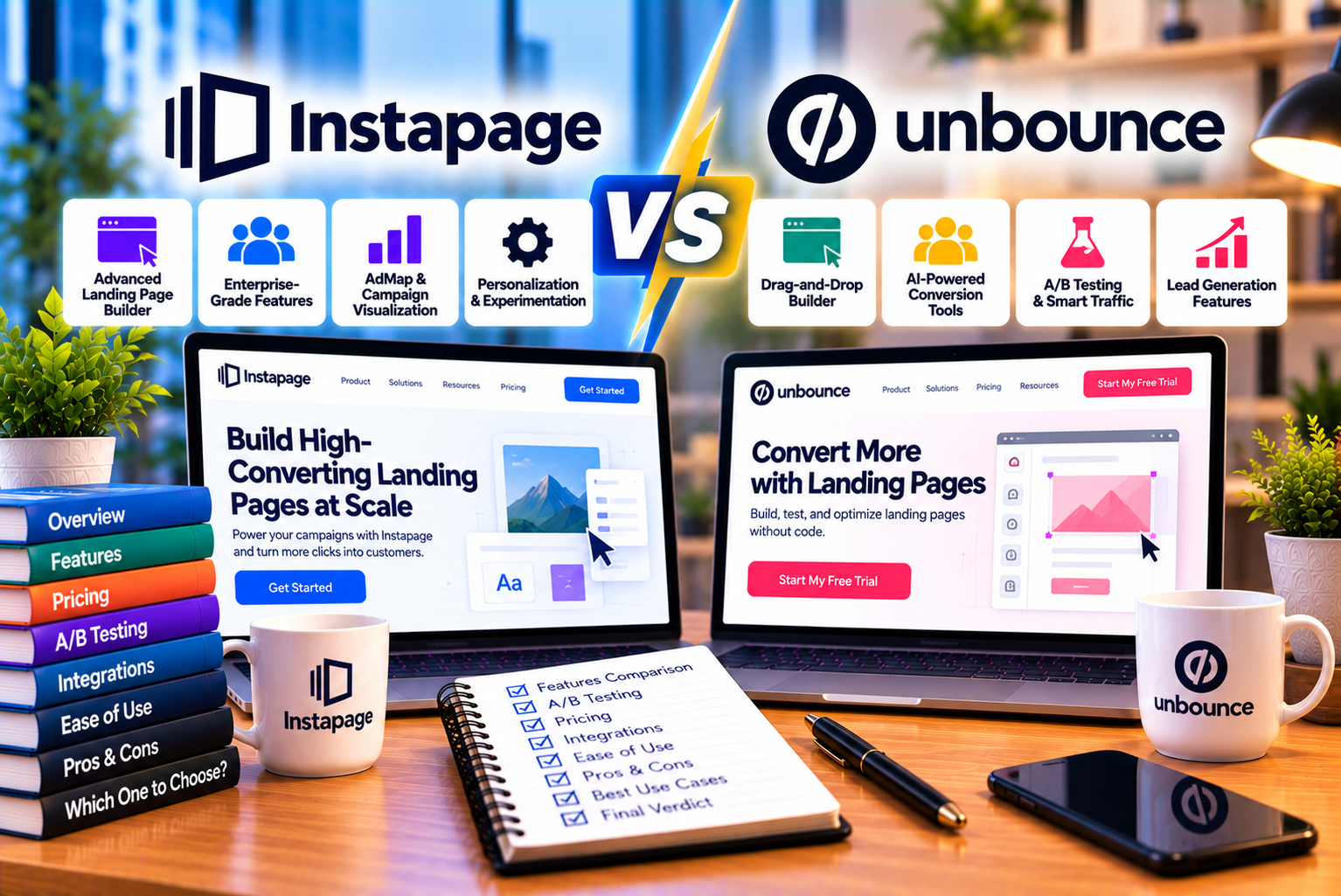
Instapage vs Unbounce: Which Landing Page Platform Should You Choose?
Landing pages play an important role in digital marketing. Whether you run Google Ads, promote products through social media, generate business leads, or encourage visitors to register for a service, the page people see after clicking an advertisement can influence the results of your campaign.
A well-designed landing page helps visitors understand an offer and take a specific action. However, creating pages that consistently convert requires more than attractive design. Marketers also need to test different messages, monitor visitor behavior, connect marketing tools, and evaluate which campaigns generate meaningful results.
This is where dedicated landing page builders become valuable.
Two platforms frequently considered for these purposes are Instapage and Unbounce. Both provide visual landing page creation tools, lead capture capabilities, marketing integrations, and features designed to help businesses improve conversion performance.
However, they approach campaign optimization somewhat differently.
Instapage emphasizes post-click optimization, advertising campaign organization through AdMap, reusable page components, and personalized landing page experiences. Unbounce combines landing page creation with experimentation tools and AI-powered traffic optimization through Smart Traffic.
The better choice depends on your business requirements, budget, advertising traffic, and optimization strategy.
For example, a marketing agency managing numerous advertising campaigns may value Instapage’s AdMap and collaboration capabilities. A business looking for a landing page platform with AI-assisted visitor routing may prefer to evaluate Unbounce’s Smart Traffic.
Pricing is another important consideration. The official pricing pages reviewed for this comparison list Instapage’s Create plan at $79 per month with annual billing and Optimize at $159 per month with annual billing. Unbounce lists its Build plan at $74 per month, Experiment at $112 per month, and Optimize at $187 per month with annual billing. These prices are subject to change and should be verified before purchase.
In this comprehensive Instapage vs Unbounce comparison, we will examine their features, pricing, traffic limits, editing experience, testing capabilities, integrations, advantages, disadvantages, and suitability for different businesses.
By the end, you should have a clearer understanding of which platform is better suited to your landing page strategy.
What Are Instapage and Unbounce?
Before comparing individual features, it helps to understand the primary purpose of each platform.
What Is Instapage?
Instapage is a landing page creation and optimization platform designed to help marketers build, publish, personalize, and improve campaign-specific pages.
It is particularly relevant to businesses that invest in paid advertising and want to create landing page experiences aligned with individual advertisements or audience segments.
Its main capabilities include:
- Visual landing page creation.
- Customizable landing page templates.
- Mobile-responsive page design.
- Reusable page components through Instablocks.
- Lead capture forms.
- Triggered popups and sticky bars.
- AI-assisted content generation.
- Collaboration and design review.
- Marketing integrations.
- A/B testing and experimentation.
- AdMap for connecting advertisements with landing pages.
- Dynamic text replacement.
- Advanced personalization and heatmaps on applicable plans.
Instapage is part of airSlate and focuses on helping marketing teams create and optimize landing pages without building every campaign page from scratch.
Explore its capabilities through the official Instapage website.
What Is Unbounce?
Unbounce is a landing page platform designed to help marketers create campaign pages, capture leads, and improve conversion performance.
Its feature set combines visual page building with experimentation and optimization tools.
Its main capabilities include:
- Visual landing page creation.
- Landing page templates.
- Lead generation forms.
- Popups and sticky bars.
- Custom scripts and styling.
- Marketing integrations.
- A/B testing.
- Dynamic text replacement.
- Conversion reporting.
- Smart Traffic, which uses AI to route visitors toward page variants predicted to be more likely to convert.
- Campaign scheduling and additional optimization features on applicable plans.
Unbounce supports marketers who want to build landing pages and use experimentation or automated traffic allocation to improve campaign outcomes.
Explore its capabilities through the official Unbounce website.
Instapage vs Unbounce: Quick Comparison
The following table summarizes the most important differences between the two platforms.
| Comparison Factor | Instapage | Unbounce |
| Primary purpose | Landing page creation and post-click optimization | Landing page creation and conversion optimization |
| Visual page builder | Yes | Yes |
| Templates | More than 200 templates advertised on its pricing page | More than 100 templates advertised on its pricing page |
| Lead capture forms | Yes | Yes |
| Reusable page components | Instablocks and Global Elements, depending on plan | Page-building and reusable workflow capabilities vary by feature |
| Popups and sticky bars | Yes | Yes |
| AI-assisted copywriting | Yes | Yes |
| Standard A/B testing | Available on applicable plans | Available from the Experiment plan and higher |
| AI-powered traffic optimization | AI experiments and other optimization capabilities, depending on plan | Smart Traffic on the Optimize plan and higher |
| Advertising campaign mapping | AdMap | No directly equivalent feature is emphasized in its main plan comparison |
| Heatmaps | Available on Convert | Not a standard feature in the main public plan comparison |
| Dynamic text replacement | Available on applicable plans | Available on the Experiment plan and higher |
| Personalization | Advanced ad-to-page personalization on Convert | Audience targeting and AI-based variant routing |
| Programmatic landing pages | Collections | Landing page creation at scale; confirm specific workflow requirements |
| Published page allowance | Unlimited on the main published plans | Unlimited on Build and higher; Starter is limited to five |
| Standard visitor allowance | 15,000 on Create; 30,000 on standard Optimize | 20,000 on Build; 30,000 on Experiment |
| AI optimization plan | Depends on Instapage’s available experimentation features | Smart Traffic is included in Optimize and higher |
| Public starting price with annual billing | $79/month | $22/month for Starter |
| Best suited for | Advertising teams needing campaign mapping, reusable components, and post-click optimization | Marketers wanting landing page experimentation and AI-powered traffic optimization |
The feature and pricing details above are based on the vendors’ published product information reviewed for this article. The number of available features and their placement within subscription plans can change.
Important: The cheapest plans are not directly equivalent. Unbounce Starter is designed for basic page creation and allows five pages and up to 500 monthly visitors. Instapage Create offers a higher published visitor allowance and a different set of features. Compare the plans you would actually use rather than relying only on the starting prices.
1. Instapage vs Unbounce Pricing
Pricing is one of the most important factors when choosing a landing page builder.
Both platforms offer multiple subscription tiers, but their plans differ in visitor allowances, available features, and team requirements.
Instapage Pricing
Instapage’s published pricing structure includes Create, Optimize, and Convert, with additional usage configurations available for certain requirements.
The pricing page reviewed for this article lists the following advertised rates.
| Instapage Plan | Monthly Billing Reference Rate | Annual-Billing Rate per Month | Standard Monthly Visitor Allowance |
| Create | $99 | $79 | 15,000 |
| Optimize | $199 | $159 | 30,000 |
| Convert | Custom pricing | Custom pricing | Custom |
Instapage also advertises higher visitor configurations, including 50,000 and 100,000 monthly visitors for certain plan configurations. Availability and pricing depend on the selected plan and applicable terms.
What Do Instapage Plans Include?
Create focuses on landing page creation, reusable components, collaboration, forms, popups, and other essential marketing features.
Optimize adds experimentation capabilities, including server-side A/B testing, customizable traffic splitting, experiment history, multi-step forms, and dynamic text replacement.
Convert targets more advanced requirements, such as heatmaps, ad-to-page personalization, global elements, root-domain publishing, direct lead bypass, and enterprise-oriented services.
If you are primarily interested in the subscription costs, visitor allowances, and usage limits, read the dedicated article: Instapage Pricing Explained: Plans, Features and Traffic Limits.
Unbounce Pricing
Unbounce provides several public subscription options.
Its pricing page reviewed for this article lists Starter, Build, Experiment, and Optimize, alongside custom-priced Concierge and Agency offerings.
| Unbounce Plan | Monthly Billing | Annual-Billing Rate per Month | Monthly Visitor Allowance |
| Starter | $29 | $22 | 500 |
| Build | $99 | $74 | 20,000 |
| Experiment | $149 | $112 | 30,000 |
| Optimize | $249 | $187 | 50,000 |
| Concierge | Custom pricing | Custom pricing | Starts at 100,000 |
| Agency | Custom pricing | Custom pricing | Starts at 50,000 |
These are the advertised rates on Unbounce’s published pricing page. The company also advertises different user, domain, and feature allowances across plans. Confirm the current subscription terms before purchasing.
What Do Unbounce Plans Include?
Starter is designed for basic landing page creation and includes five pages and up to 500 monthly visitors.
Build supports unlimited landing pages and includes features such as popups, sticky bars, AI copywriting, custom code, and integrations.
Experiment adds A/B testing, unlimited variants, manual traffic allocation, dynamic text replacement, and conversion reporting.
Optimize adds Smart Traffic and other advanced optimization features.
Concierge and Agency are custom-priced options designed for organizations with more extensive requirements.
Which Platform Is Cheaper?
The answer depends on the plan you need.
At the lowest advertised annual-billing price, Unbounce Starter costs $22 per month, while Instapage Create costs $79 per month.
However, Starter allows only five landing pages and 500 monthly visitors. Instapage Create offers a standard allowance of 15,000 monthly visitors.
For a more useful comparison, consider these combinations:
| Requirement | Instapage Option | Unbounce Option |
| Basic landing page creation | Create at $79/month | Starter at $22/month |
| Unlimited published pages and moderate traffic | Create, subject to its 15,000-visitor allowance | Build at $74/month, with up to 20,000 visitors |
| Standard A/B testing | Optimize at $159/month | Experiment at $112/month |
| AI-powered traffic optimization | Evaluate the applicable Instapage experimentation features | Optimize at $187/month |
| Advanced personalization and enterprise services | Convert, custom pricing | Concierge or Agency, custom pricing |
The comparison highlights why you should compare functionality rather than headline prices.
For businesses that need only a small number of pages and little traffic, Unbounce Starter is the less expensive entry point.
For a business that needs A/B testing, the annual-billing price of Unbounce Experiment is lower than the published annual-billing rate of Instapage Optimize. However, you should also compare the specific features, visitor limits, collaboration workflow, and integrations you require.
Pricing verdict: Unbounce is generally the more budget-friendly starting point, particularly for basic pages and standard A/B testing. Instapage can still justify its cost when its specific campaign management, personalization, or reusable-page capabilities are valuable to your workflow.
2. Landing Page Builder and Ease of Use
The page builder is the foundation of any landing page platform.
A builder should let marketers create pages quickly, make design changes without unnecessary technical work, and ensure the final page works across different devices.
Both Instapage and Unbounce provide visual page creation tools, but the editing experience and available controls may feel different.
Instapage Landing Page Builder
Instapage focuses on flexible page design, reusable components, and post-click campaign workflows.
Its editor supports:
- Visual editing.
- Precise element placement.
- Custom styling.
- Responsive page design.
- Reusable blocks.
- Custom HTML, CSS, and JavaScript.
- Collaboration through annotations and comments.
- Mobile-specific design adjustments.
The platform advertises more than 200 conversion-oriented templates and provides design controls for customizing layouts.
Advantages of the Instapage Builder
One advantage is the ability to reuse page components across campaigns.
For example, a marketing agency might maintain a shared design system containing testimonial sections, CTA blocks, lead forms, and trust indicators.
Instead of rebuilding these components for every client, the team can reuse and adapt them.
Instapage also provides design features that allow marketers to make precise adjustments to page layouts.
This can be useful when matching a landing page closely to an advertisement’s message and visual style.
Potential Limitations
The flexibility of a visual builder can also introduce a learning curve.
Users who want a very simple page may find the additional design controls unnecessary.
Furthermore, page layout quality still depends on how well the user handles spacing, mobile design, text hierarchy, and the relationship between page elements.
Unbounce Landing Page Builder
Unbounce provides a visual landing page builder intended for marketers who need to create and optimize campaign pages.
Its capabilities include:
- Drag-and-drop-style editing.
- Landing page templates.
- Custom code and styling on applicable plans.
- Forms.
- Popups and sticky bars.
- AI copywriting.
- Integrations.
- Experimentation and optimization tools.
Unbounce advertises more than 100 templates across its published product offering.
Advantages of the Unbounce Builder
Unbounce can be attractive to marketers who want to create landing pages and move directly into campaign testing.
The platform’s plan structure makes the distinction between page creation, standard experimentation, and AI-powered traffic optimization relatively clear.
The Builder is suitable for a range of campaign goals, including lead generation, registrations, product promotions, and advertising landing pages.
Potential Limitations
Some features require a higher subscription tier.
For example, businesses that want Smart Traffic must evaluate Optimize or a qualifying legacy plan rather than assume it is included with the basic builder.
As with Instapage, complex designs may require more time, and users should verify the editor’s behavior against their specific requirements.
Which Builder Is Easier to Use?
There is no universal winner.
G2’s comparison page reports that reviewers rated Instapage more highly for ease of use and ease of setup in the displayed comparison. However, these ratings reflect the experiences of the reviewers represented in that dataset, not a guarantee that every user will find Instapage easier.
Your experience will depend on your design preferences, familiarity with landing page software, and the complexity of the pages you create.
Verdict: Instapage is worth evaluating if precise design control and reusable page components are priorities. Unbounce is worth evaluating if you want a landing page builder closely integrated with an experimentation and optimization workflow.
3. Templates and Design Customization
Templates can help marketers launch landing pages without starting from a blank canvas.
Both platforms provide templates for different marketing objectives.
Instapage Templates
Instapage advertises more than 200 landing page templates.
Templates can help marketers create pages for objectives such as:
- Lead generation.
- Product launches.
- Webinar registrations.
- SaaS trials.
- Service enquiries.
- Ebook downloads.
- Consultation requests.
- Product promotions.
The templates can be adapted to suit a campaign’s messaging, brand identity, and conversion goal.
When Instapage Templates Are Useful
They are especially useful when teams need to create many campaign pages while maintaining a consistent visual identity.
For example, a business could use a common design framework for several advertising campaigns while changing the headline, imagery, offer, and form to suit each audience.
Unbounce Templates
Unbounce also provides a collection of landing page templates designed for different marketing objectives.
Its templates can be used for lead generation, product promotion, event registrations, and other campaign-specific pages.
The platform also provides popup and sticky bar functionality for campaigns that need additional promotional elements.
Which Platform Has Better Templates?
Instapage advertises a larger template collection, with more than 200 templates compared with Unbounce’s advertised collection of more than 100.
However, template quantity alone does not determine which platform is better.
You should consider:
- Whether the templates fit your industry.
- How much customization they allow.
- How easily you can maintain brand consistency.
- Whether mobile layouts are easy to adjust.
- How quickly you can create a page that matches your campaign.
- Whether the editor supports your preferred design approach.
A smaller collection can be sufficient if it includes the right layouts and customization options.
Verdict: Instapage has the advantage in advertised template quantity, but the best choice depends on how well each platform’s templates match your actual campaign requirements.
4. A/B Testing and Conversion Optimization
A landing page can look professional without generating enough leads or sales.
Conversion optimization helps businesses evaluate whether changes to page design, messaging, forms, or offers improve performance.
Both Instapage and Unbounce offer experimentation features, but their plan structures and optimization workflows differ.
A/B Testing in Instapage
Instapage supports server-side A/B testing on applicable plans.
This allows marketers to compare different landing page versions without relying exclusively on manual design changes and separate analytics systems.
Depending on the available subscription, its experimentation capabilities include:
- Creating page variants.
- Setting experiment hypotheses.
- Reviewing experiment history.
- Configuring traffic allocation.
- Evaluating conversion outcomes.
- Managing and restoring previous variants.
These capabilities can help marketing teams follow a structured experimentation process.
Example: Testing a Landing Page Headline
Suppose a company advertises project management software.
The original headline reads:
“Project Management Software for Growing Teams”
The alternative reads:
“Help Your Team Organize Projects and Meet Deadlines”
The team can create two page variants and evaluate which produces more qualified registrations.
The result depends on the audience, offer, traffic quality, and broader page experience.
A/B testing is most valuable when the team has a clear hypothesis and enough data to make a reasonable decision.
A/B Testing in Unbounce
Unbounce offers A/B testing through its Experiment plan and higher tiers.
Its documented capabilities include:
- Multiple landing page variants.
- Manual traffic allocation.
- Confidence intervals.
- Conversion reporting.
- Dynamic text replacement.
- Experimentation for landing pages.
- Testing capabilities for popups and sticky bars.
The Experiment plan is designed specifically for businesses that want to compare page variations and improve conversions.
Example: Testing Different Offers
An online education company might compare two offers:
Version A: Download a Free Course Guide
Version B: Attend a Free Live Demonstration
The test could reveal whether visitors are more likely to provide their contact information for a downloadable resource or a live event.
However, the business should also assess lead quality. A page that generates more leads is not necessarily more valuable if those leads are less likely to become customers.
Which Platform Is Better for A/B Testing?
Both platforms provide testing capabilities, but Unbounce makes its A/B testing offering available on Experiment, which has a lower advertised annual-billing rate than Instapage Optimize.
That makes Unbounce worth evaluating for businesses whose primary requirement is conventional A/B testing.
Instapage may be preferable when experimentation needs to fit into a broader workflow involving campaign mapping, reusable components, and post-click personalization.
The best choice depends on the complete feature set required, not simply the availability of A/B testing.
Verdict: Unbounce is an attractive option for marketers who want standard A/B testing at a lower subscription price. Instapage remains worth considering when testing is part of a broader advertising and landing page management process.
5. AI Optimization: Instapage vs Unbounce Smart Traffic
AI-assisted marketing features are becoming increasingly important for landing page platforms.
However, not every AI feature performs the same task.
Some tools help generate content, while others analyze visitor behavior or allocate traffic between page variants.
This distinction matters when comparing Instapage with Unbounce.
AI Features in Instapage
Instapage provides AI-assisted content generation and experimentation capabilities.
Its platform includes features for creating headlines, paragraphs, and CTAs, while advanced experimentation features can help teams evaluate and optimize page performance.
The Convert offering also includes ad-to-page personalization and heatmaps.
Instapage’s current plan comparison includes AI experiments among its conversion optimization features. Check the latest plan details to determine which capabilities are available under your intended subscription.
How AI-Assisted Content Helps
AI can help marketers generate several headline or CTA variations more quickly.
For example, a business promoting a CRM platform might create different messaging for sales teams, customer support departments, and small business owners.
The generated copy still requires review to ensure that it accurately reflects the product and speaks to the intended audience.
AI-generated copy does not guarantee a higher conversion rate.
Unbounce Smart Traffic
Unbounce’s Smart Traffic is an AI-powered feature designed to route visitors toward the landing page variant predicted to be more likely to convert.
Rather than relying only on a fixed traffic split, the system learns from visitor and conversion information and adjusts how visitors are directed between variants.
According to Unbounce’s documentation, Smart Traffic considers visitor attributes such as location and device when selecting a page variant. The feature is available on the Optimize plan and higher, subject to the applicable plan terms.
How Smart Traffic Works
A simplified workflow looks like this:
- Create multiple versions of a landing page.
- Define the appropriate conversion goal for the variants.
- Enable Smart Traffic.
- Publish the page variants.
- Allow the system to learn from visitor interactions.
- Let the algorithm route visitors toward the variant it predicts is more likely to convert.
Smart Traffic requires at least two variants and has a learning phase.
Unbounce documents that the system can begin optimizing after receiving an initial volume of visitors, with the exact learning behavior depending on the setup and changes made to the experiment.
Is Smart Traffic the Same as A/B Testing?
No.
Traditional A/B testing generally compares variants according to a defined traffic allocation and evaluates their performance.
Smart Traffic uses automated routing to direct visitors toward variants predicted to be more effective for them.
These approaches serve related but different purposes.
A conventional A/B test can be useful when you want to compare variants under a controlled allocation and assess the results.
Smart Traffic can be useful when you want automated visitor routing rather than manually managing the traffic split.
Which Platform Has Better AI Optimization?
Unbounce has a clear advantage if your main requirement is Smart Traffic’s AI-powered visitor routing.
Instapage has a broader collection of advertising and landing page features, and its own AI experimentation capabilities may be relevant depending on the plan.
Do not assume that all AI features are equivalent. Compare the precise behavior you need: copy generation, experiment automation, traffic allocation, personalization, or visitor analysis.
Verdict: Choose Unbounce if Smart Traffic is central to your optimization strategy. Evaluate Instapage if AI-assisted content and experimentation need to operate alongside campaign mapping and advanced landing page personalization.
6. AdMap: A Distinctive Instapage Capability
One of Instapage’s notable differentiators is AdMap.
AdMap helps marketers visualize the relationship between advertising campaigns and their landing pages.
This is especially relevant for businesses running many advertisements with different audiences, messages, and offers.
What Is Instapage AdMap?
AdMap is a feature designed to help marketers map advertisements to relevant landing pages.
Instead of managing campaign relationships entirely through separate spreadsheets and advertising interfaces, teams can use AdMap to visualize how ads and landing pages connect.
The official Instapage plan comparison includes AdMap among its conversion optimization capabilities. Availability depends on the subscription.
Why AdMap Matters
Consider a company running advertising campaigns for three products:
- Project management software.
- Accounting software.
- Customer relationship management software.
Each product may target different customer segments and use different advertisements.
Sending every visitor to the same generic landing page may create a mismatch between the advertisement and the visitor’s expectations.
AdMap helps teams organize the relationships between advertisements and landing pages so that they can identify which campaign destinations need attention.
Benefits for PPC Campaign Management
AdMap may help teams:
- Visualize the advertising-to-landing-page structure.
- Identify landing pages associated with different advertisements.
- Organize campaigns with many variations.
- Spot potential gaps in landing page coverage.
- Coordinate advertising and landing page workflows.
This can be particularly useful for agencies and performance marketing teams managing numerous campaigns.
Does Unbounce Have an Equivalent to AdMap?
Unbounce offers landing page management, integrations, experimentation, and other optimization features.
However, AdMap is a specific Instapage capability, and Unbounce’s main published feature comparison does not present a directly equivalent campaign-mapping tool.
That does not mean Unbounce cannot support large advertising campaigns. It means teams should compare how each platform handles campaign organization rather than assuming the workflows are identical.
Verdict: Instapage has an advantage if visual ad-to-landing-page mapping is a central part of your workflow.
7. Personalization and Dynamic Text Replacement
Personalization can help make landing pages more relevant to visitors arriving from different campaigns.
Both Instapage and Unbounce provide capabilities related to tailoring page experiences, but their implementations and availability differ.
Personalization in Instapage
Instapage’s Convert offering includes ad-to-page personalization.
This feature is intended to help businesses create landing page experiences tailored to specific advertisements and audience segments.
For example, a business might create different landing page messages for:
- Small business owners.
- Enterprise buyers.
- Marketing teams.
- Sales departments.
- Different product categories.
The purpose is to create a closer connection between the advertisement and the destination page.
Why Personalization Matters
Suppose a visitor clicks an advertisement that promises a free demonstration of enterprise software.
If the landing page immediately presents unrelated product information, the visitor may struggle to understand how to proceed.
A personalized page can make the next step clearer by reflecting the message and intent that brought the visitor there.
However, personalization requires accurate campaign data and relevant content. Adding a visitor’s location or changing a headline does not automatically make the experience more persuasive.
Dynamic Text Replacement in Instapage
Instapage supports dynamic text replacement on applicable plans.
This allows page copy to reflect supported campaign variables passed through URL parameters.
For example, a campaign could pass a service category through a URL parameter so the page headline reflects the relevant service.
The implementation must be configured correctly, and the text should remain accurate when a parameter is missing or invalid.
Personalization in Unbounce
Unbounce supports dynamic text replacement and targeting capabilities.
Its Smart Traffic feature can also route visitors to different page variants based on attributes associated with the visitor and the conversion behavior of the variants.
These capabilities can help marketers create campaign experiences that better reflect visitor context.
Which Platform Is Better for Personalization?
Instapage is worth evaluating if you need ad-to-page personalization and campaign mapping within the same platform.
Unbounce is worth evaluating if dynamic text replacement and automated visitor routing meet your requirements.
The best option depends on the level of personalization you need and which subscription includes the required features.
Verdict: Instapage is particularly relevant for teams that need structured ad-to-page personalization. Unbounce is attractive when dynamic text replacement and Smart Traffic fit the campaign strategy.
8. Forms, Popups, and Lead Generation
Landing pages often exist to collect information from prospective customers.
The platform should make it easy to create forms, communicate the offer, and connect submitted leads to the appropriate marketing system.
Both Instapage and Unbounce support lead capture.
Lead Generation in Instapage
Instapage provides a form builder and reusable form library.
It also supports triggered popups and sticky bars.
These features can be used for:
- Consultation requests.
- Webinar registrations.
- Newsletter subscriptions.
- Downloadable resources.
- Product enquiries.
- Trial registrations.
- Promotional offers.
The platform also supports multi-step forms on applicable plans.
When Multi-Step Forms Are Useful
A multi-step form can divide a longer information request into several smaller stages.
For example, a business offering enterprise services may first request contact details and then ask about company size, project requirements, and budget.
This can make the process easier to navigate, although results depend on the audience and the information requested.
Lead Generation in Unbounce
Unbounce provides lead generation forms and supports popups and sticky bars.
Its published plans include popups and sticky bars from Build upward, while the Starter plan focuses on basic landing page creation and lead capture.
The platform also provides multi-step forms and AI copywriting on applicable plans.
Which Platform Is Better for Lead Generation?
Both platforms can support common lead generation workflows.
Instapage may be more attractive if reusable forms, campaign mapping, and broader post-click optimization are important.
Unbounce may be preferable if you want a landing page and lead generation workflow combined with accessible A/B testing on its Experiment plan.
The most important consideration is whether the platform can send lead information to your existing CRM, email marketing system, or sales workflow.
Verdict: Both platforms are capable lead generation tools. Choose according to the form functionality, integrations, and optimization features your team actually requires.
9. Integrations and Marketing Automation
A landing page builder needs to work with the rest of your marketing stack.
After a visitor completes a form, the business may need to transfer the lead to a CRM, notify a sales representative, trigger an email sequence, or record the conversion in an analytics platform.
Instapage Integrations
Instapage’s published integration list includes tools and services such as:
- Google Analytics.
- HubSpot.
- Salesforce.
- Marketo.
- Zapier.
- WordPress.
- Drupal.
These integrations support analytics, lead management, publishing, and marketing automation workflows. The exact setup and availability can depend on the integration and subscription.
Why Integrations Matter
Imagine a business running a campaign for a free consultation.
The workflow might look like this:
- A visitor clicks an advertisement.
- The visitor reaches an Instapage landing page.
- The visitor submits a form.
- The lead is sent to the CRM.
- The sales team receives the enquiry.
- The business tracks the lead’s progress toward becoming a customer.
If the integration fails, the company may lose valuable leads or obtain incomplete campaign reporting.
Unbounce Integrations
Unbounce advertises more than 1,000 integrations through its platform, including connections that support marketing and lead management workflows.
Its published plan information includes custom scripts, pixels, and integrations on applicable plans.
These capabilities can help marketers connect landing pages with the tools they already use.
However, the number of advertised integrations does not guarantee that every application supports your exact workflow.
Which Platform Has Better Integrations?
Unbounce’s published emphasis on a broad integration ecosystem makes it worth evaluating if you rely on several third-party marketing tools.
Instapage offers a selection of integrations that may be sufficient for many businesses, especially those using its supported CRM, analytics, and publishing options.
Neither platform should be selected solely on the number of integrations listed.
Before subscribing, confirm:
- Whether your CRM is supported.
- Whether the integration is native or requires an automation service.
- Whether the relevant plan includes the connection.
- Whether custom fields map correctly.
- Whether conversion tracking works as intended.
- Whether duplicate leads can occur.
- Whether the integration supports the workflow you need.
Verdict: Unbounce is attractive for businesses that prioritize a broad integration ecosystem. Instapage is a strong option when its specific integrations match your marketing workflow.
10. Mobile Responsiveness and Page Performance
Mobile usability and page speed can influence the effectiveness of a landing page.
Visitors may arrive from smartphones, tablets, and desktop computers. A page that looks good on a desktop screen can still perform poorly if its mobile layout is difficult to navigate.
Instapage Mobile Features
Instapage advertises responsive landing page design and mobile-specific editing features.
These include controls that help marketers manage mobile layouts and adjust the presentation of page elements.
Its pricing page also describes a rendering engine designed to support fast page delivery. Actual performance depends on the page, assets, integrations, scripts, and visitors’ devices and network conditions.
Unbounce Mobile Features
Unbounce supports responsive landing pages and provides a visual builder for campaign pages.
Marketers should test the mobile experience before publishing, particularly when a campaign relies heavily on mobile advertising traffic.
Important considerations include:
- Readable text.
- Visible CTA buttons.
- Appropriate image sizes.
- Short and usable forms.
- Proper spacing.
- Correct responsive layouts.
- Fast loading.
- Working analytics and tracking scripts.
Which Platform Is Better for Mobile Performance?
There is no universal winner without testing the actual pages.
Both platforms can support mobile landing pages, but the final performance depends on design decisions, page assets, third-party scripts, and implementation.
If page speed is important to your campaign, compare the published pages using performance tools and test them on representative devices.
Verdict: Both platforms support mobile-focused landing page creation. Choose based on the actual page experience and measured performance rather than assuming one platform is always faster.
11. Traffic Limits and Published Page Allowances
Traffic limits are important because a landing page builder may become more expensive or restrictive as campaigns grow.
The published plans for Instapage and Unbounce have different visitor allowances.
Instapage Traffic Limits
The standard published allowances include:
| Plan | Monthly Unique Visitors |
| Create | 15,000 |
| Optimize | 30,000 |
| Higher-traffic configurations | 50,000 or 100,000 on listed configurations |
| Convert | Custom |
Instapage’s pricing page also lists unlimited published pages across its main plans, while Collections have separate page allowances.
Instapage counts unique visitors using its documented visitor-tracking method. Its Help Center explains that the visitor counter resets on the account’s monthly billing date and that accounts approaching their limits receive a warning at 80%. Exceeding the limit can result in an account lock, and pages may be unpublished if the account exceeds the limit across multiple billing cycles.
This makes traffic monitoring particularly important for businesses running time-sensitive advertising campaigns.
Unbounce Traffic Limits
Unbounce’s published traffic allowances include:
| Plan | Monthly Unique Visitors |
| Starter | 500 |
| Build | 20,000 |
| Experiment | 30,000 |
| Optimize | 50,000 |
| Concierge | Starts at 100,000 |
| Agency | Starts at 50,000 |
The precise allowance depends on the selected plan and contract.
What Happens if You Exceed Unbounce’s Traffic Limit?
Unbounce’s official documentation states that pages continue functioning when traffic exceeds the allowance, but the account receives email notifications at 85% and 100% usage.
The documented overage policy for the applicable plans specifies a one-time charge of $80 for every additional 10,000 visits, rounded up based on usage. Businesses can avoid the documented overage charge by upgrading before the end of the billing cycle. Confirm that this policy applies to the plan you are purchasing.
Which Platform Offers Better Traffic Flexibility?
Unbounce provides a higher standard visitor allowance on its Build plan than Instapage Create, and a higher standard allowance on its Optimize plan than Instapage’s standard Optimize configuration.
However, Instapage also lists expanded traffic configurations.
Therefore, the comparison depends on the precise subscription and traffic option selected.
If your business receives significant traffic, confirm both the allowance and the consequences of exceeding it.
Verdict: Unbounce has an advantage in standard traffic capacity on some comparable plans. Instapage’s expanded usage options may still be appropriate for businesses that prefer its workflow and need more capacity.
12. Collaboration and Team Management
Collaboration matters when several people are involved in landing page production.
A typical workflow may include a copywriter preparing the content, a designer adjusting the layout, a campaign manager checking the offer, and a client approving the final page.
Instapage Collaboration
Instapage provides real-time visual collaboration, including annotations, threaded comments, and notifications.
Its reusable page components can also help teams maintain consistent designs across campaigns.
These features can be valuable to agencies and marketing departments that need to review and update pages frequently.
Unbounce Collaboration
Unbounce provides team access and different user allowances across its plans.
For example, the published comparison lists one user for Build, three for Experiment, and five for Optimize. Its higher-tier Concierge and Agency offerings provide larger or custom arrangements.
These differences can matter if multiple people need to build pages, manage experiments, or coordinate client work.
Which Platform Is Better for Teams?
Instapage may be preferable when real-time visual review and reusable components are central to the team’s workflow.
Unbounce may be attractive when its user allowances and optimization features align with the team’s size and budget.
Before choosing, determine:
- How many people need access.
- Whether clients need to review pages.
- How approval workflows operate.
- Whether different projects require separate workspaces.
- Whether the plan includes enough users and domains.
- Whether your organization needs additional security or administration features.
Verdict: Instapage has a strong collaboration story for campaign production. Unbounce’s user allowances and custom team-oriented plans should also be considered when comparing overall cost.
13. Pros and Cons of Instapage
Instapage’s strengths are particularly relevant to businesses that manage multiple advertising campaigns and need dedicated post-click experiences.
Advantages of Instapage
1. Flexible Landing Page Design
The visual editor provides design controls for creating campaign-specific landing pages.
2. Reusable Page Components
Instablocks and Global Elements can help reduce repetitive work and maintain consistency.
3. AdMap
AdMap helps visualize relationships between advertisements and landing pages, making it useful for managing complex campaigns.
4. Personalization Capabilities
Advanced ad-to-page personalization can help businesses create landing page experiences aligned with particular campaigns and audience segments.
5. Experimentation Tools
A/B testing and related features can support structured conversion optimization on applicable plans.
6. Collaboration Features
Visual comments and related collaboration tools can help marketing teams coordinate page reviews.
7. AI-Assisted Content
AI content generation can help marketers produce initial copy and alternatives more efficiently.
8. Programmatic Pages
Collections can help create and manage multiple related pages using shared templates and content.
Disadvantages of Instapage
1. Higher Entry-Level Cost
Its entry-level published annual-billing rate is higher than Unbounce Starter and Build.
2. Traffic Allowances Require Planning
The standard plans have defined visitor limits, and businesses must monitor usage.
3. Some Advanced Features Require Higher-Tier Plans
Capabilities such as heatmaps and advanced personalization are associated with Convert in the published comparison.
4. Advanced Design May Require Learning
Users may need time to understand the editor and its responsive layout controls.
5. Not a Complete Website Management Solution for Every Business
Businesses that need a comprehensive content management system or extensive ecommerce functionality may require additional software.
6. Conversion Results Are Not Guaranteed
The platform provides optimization tools, but results still depend on the audience, offer, campaign quality, and testing process.
14. Pros and Cons of Unbounce
Unbounce combines page creation with testing and AI-powered traffic optimization.
Its suitability depends on whether those features match the business’s goals.
Advantages of Unbounce
1. Multiple Pricing Tiers
The Starter, Build, Experiment, and Optimize plans allow users to choose from different feature and traffic configurations.
2. Standard A/B Testing
The Experiment plan provides testing capabilities for marketers who want to compare page variations.
3. Smart Traffic
Smart Traffic can automatically route visitors toward the page variant predicted to be more likely to convert.
4. Broad Integration Ecosystem
Unbounce advertises more than 1,000 integrations, giving marketers several options for connecting their landing pages with other tools.
5. Popups and Sticky Bars
These features support additional promotional and lead generation workflows.
6. AI-Assisted Copywriting
AI content tools can help produce initial copy and alternatives for campaign pages.
7. Higher Standard Traffic Allowances on Some Comparable Plans
Build provides up to 20,000 monthly visitors, while Optimize provides up to 50,000 under its published standard configuration.
8. Custom Enterprise and Agency Options
Concierge and Agency offerings are available for organizations with more extensive requirements.
Disadvantages of Unbounce
1. The Lowest-Priced Plan Has Limited Capacity
Starter allows five landing pages and 500 monthly visitors, making it unsuitable for many businesses with significant advertising traffic.
2. Smart Traffic Requires a Higher-Tier Plan
Businesses that specifically need AI-powered traffic routing must consider Optimize or an applicable legacy subscription.
3. Team Access Varies by Plan
The number of users and root domains increases with the subscription tier.
4. Overage Charges May Apply
The documented traffic overage policy can introduce additional costs when usage exceeds the allowance.
5. It Does Not Directly Replicate Every Instapage Workflow
Businesses that rely heavily on AdMap or specific Instapage features should assess how they would manage those workflows in Unbounce.
6. Testing Still Requires Careful Measurement
Smart Traffic and A/B testing can support optimization, but neither guarantees improved business results.
15. Instapage vs Unbounce for Different Business Types
The best landing page builder depends on the size of your business, your advertising strategy, and the tools your team needs.
For Small Businesses
Small businesses often need a simple way to create campaign pages without increasing software costs unnecessarily.
Unbounce Starter may be a reasonable entry point if you need only a few pages and receive relatively little traffic.
However, businesses that expect thousands of monthly visitors should compare Build with Instapage Create.
Recommendation: Start with Unbounce if low cost is your primary concern and its limits are sufficient. Consider Instapage if reusable components, collaboration, or specific post-click optimization features justify the extra expense.
For Marketing Agencies
Agencies often manage several campaigns and need to keep landing page production organized.
Instapage’s AdMap, collaboration features, and reusable components can be particularly relevant when agencies coordinate many advertising-to-page relationships.
Unbounce can also support agencies through its higher-tier plans and custom Agency offering.
Recommendation: Consider Instapage if campaign mapping and reusable page components are important. Evaluate Unbounce Agency if you need larger traffic allowances, team access, and an agency-oriented subscription.
For PPC Specialists
PPC specialists often need landing pages that match advertising messages and can be tested systematically.
Instapage’s AdMap can help visualize ad-to-page relationships, while Unbounce provides standard A/B testing and Smart Traffic.
Recommendation: Choose Instapage if organizing and personalizing multiple advertising destinations is central to your workflow. Choose Unbounce if you prioritize experimentation and automated traffic routing.
For SaaS Companies
SaaS companies frequently test different value propositions, audience segments, and conversion goals.
Both platforms can support pages for trial registrations, product demonstrations, and lead generation.
Instapage may suit businesses that require advanced ad-to-page personalization. Unbounce may suit teams that want Smart Traffic alongside their testing workflow.
Recommendation: Compare the testing, personalization, and CRM integration requirements before choosing.
For Ecommerce Businesses
Ecommerce companies can use landing pages to promote product bundles, campaigns, seasonal offers, and specific product categories.
Instapage’s campaign mapping and personalization can help organize multiple advertising destinations.
Unbounce offers landing page creation, forms, popups, and optimization features.
Recommendation: Evaluate the platform that best supports your campaign structure. Remember that neither landing page builder should automatically be treated as a replacement for a complete ecommerce platform.
For Freelancers
Freelancers need to balance functionality with the cost of maintaining software subscriptions.
Unbounce Starter or Build may be more economical for straightforward projects, depending on traffic and page requirements.
Instapage may be justified if landing page creation is a major part of the freelancer’s service offering.
Recommendation: Choose the lowest-cost plan that meets your actual project requirements, rather than paying for advanced features you will rarely use.
For Enterprise Marketing Teams
Enterprise teams may need personalization, advanced security, collaboration, higher visitor allowances, and dedicated support.
Instapage Convert and Unbounce Concierge are both worth evaluating for complex requirements.
Recommendation: Request proposals from both providers and compare the complete terms, including traffic, support, security, integrations, and contractual commitments.
16. How to Choose Between Instapage and Unbounce
Use the following decision framework to identify which platform better fits your requirements.
Choose Instapage If:
- You manage many advertising campaigns and landing page relationships.
- AdMap is useful to your campaign workflow.
- You want reusable page components.
- Visual collaboration is important.
- You need advanced ad-to-page personalization.
- You value Instapage’s specific design and publishing workflow.
- You are prepared to pay more for the capabilities you need.
Choose Unbounce If:
- You want a lower-cost entry point.
- You need standard A/B testing.
- Smart Traffic is important to your optimization strategy.
- You want to compare several plan tiers.
- You need a broad integration ecosystem.
- Your visitor requirements fit the available traffic allowances.
- You prefer Unbounce’s editor and campaign workflow.
Consider Another Platform If:
- You need a full content management system.
- You primarily want to build a complete ecommerce store.
- Your budget cannot support a dedicated landing page subscription.
- You need only one simple landing page.
- Your existing website builder already provides the required functionality.
The goal is not to select the platform with the longest feature list. It is to choose the tool that solves your most important marketing problems at a sustainable cost.
17. How to Evaluate Both Platforms Before Purchasing
A structured trial can reveal differences that a feature comparison cannot.
Instead of evaluating each platform using unrelated examples, create the same test landing page in both.
Step 1: Define Your Conversion Goal
Choose a clear objective, such as:
- Generating leads.
- Booking consultations.
- Registering webinar attendees.
- Collecting email addresses.
- Encouraging trial registrations.
Use the same objective for both platforms.
Step 2: Build Comparable Landing Pages
Create a similar page in each platform.
Use the same:
- Headline.
- Supporting copy.
- Images.
- Offer.
- CTA.
- Form fields.
- Page structure.
This will help you evaluate the builder and publishing experience more fairly.
Step 3: Test the Editing Workflow
Measure how easily you can:
- Adjust the layout.
- Change text and images.
- Customize mobile design.
- Reuse page components.
- Add forms.
- Make global design changes.
- Publish the page.
Pay attention to the amount of time required to make routine changes.
Step 4: Check Integrations
Connect the CRM, analytics tool, or marketing automation system you actually use.
Verify that form submissions and conversion events reach the correct destinations.
Step 5: Evaluate Experimentation
If A/B testing is important, create two variants and review how each platform handles the experiment.
If you are considering Unbounce Smart Traffic, test its setup and reporting workflow separately from conventional A/B testing.
Step 6: Estimate Traffic Requirements
Calculate the expected unique visitors across all landing pages.
Check whether your preferred subscription provides sufficient capacity and determine what happens if you exceed the allowance.
Step 7: Calculate the Total Cost
Include the subscription, possible overage charges, additional integrations, technical work, and other necessary services.
Step 8: Make the Decision Based on Your Workflow
Choose the platform that provides the strongest combination of usability, required features, traffic capacity, and cost.
A successful trial should demonstrate that the platform works with your real marketing process, not merely that its editor looks attractive.
Frequently Asked Questions About Instapage vs Unbounce
1. Is Instapage better than Unbounce?
Neither platform is universally better. Instapage is attractive for campaign mapping, reusable page components, and advanced post-click personalization. Unbounce is attractive for standard A/B testing, AI-powered Smart Traffic, and its range of subscription tiers.
2. Which is cheaper, Instapage or Unbounce?
Unbounce has a lower advertised entry-level price. Its Starter plan was listed at $22 per month with annual billing, while Instapage Create was listed at $79 per month with annual billing. However, the plans have different visitor allowances and features.
3. What is the difference between Instapage and Unbounce?
Instapage emphasizes campaign mapping through AdMap, reusable components, collaboration, and advanced personalization. Unbounce emphasizes landing page creation, A/B testing, and AI-powered visitor routing through Smart Traffic.
4. Which platform is better for landing page design?
Both platforms provide visual editors and customizable templates. Instapage may appeal to teams that want precise design controls and reusable components, while Unbounce may appeal to marketers who want to combine page creation with an optimization workflow.
5. Which platform offers more templates?
Instapage advertises more than 200 landing page templates, while Unbounce advertises more than 100. The more useful choice depends on template relevance, customization, and how quickly you can create the required page.
6. Does Instapage support A/B testing?
Yes. Instapage provides server-side A/B testing on applicable plans, including experimentation features for comparing page variants.
7. Does Unbounce support A/B testing?
Yes. Unbounce offers A/B testing through its Experiment plan and higher tiers. Features include multiple variants, traffic allocation, and conversion reporting.
8. What is Unbounce Smart Traffic?
Smart Traffic is an AI-powered feature that routes visitors toward landing page variants predicted to be more likely to convert. It is available on the Unbounce Optimize plan and higher, subject to the applicable terms.
9. Does Instapage have AI optimization?
Instapage provides AI-assisted content generation and experimentation capabilities. Its current plan comparison also lists AI experiments among its optimization features. Verify the subscription tier required for the specific capability you need.
10. What is Instapage AdMap?
AdMap is a feature that helps marketers visualize relationships between advertisements and landing pages. It is useful for organizing advertising campaigns and identifying how campaign destinations are connected.
11. Which platform is better for PPC campaigns?
Instapage may be better for teams that need AdMap and advanced ad-to-page personalization. Unbounce may be better for teams that prioritize standard experimentation and Smart Traffic. The right choice depends on your campaign structure and budget.
12. Which platform is better for marketing agencies?
Both platforms can support agencies. Instapage offers AdMap and collaboration capabilities, while Unbounce provides an Agency subscription with custom pricing. Compare team access, traffic allowances, client workflows, and support requirements.
13. Which platform is better for small businesses?
Unbounce may be more affordable for businesses that need a few pages and low traffic. Instapage may be worthwhile when its additional design, collaboration, and campaign management features provide enough value to justify the higher subscription cost.
14. Does Instapage offer a free plan?
Instapage’s Help Center describes a 14-day free trial. It is not a permanent free plan that allows live landing pages to remain published indefinitely.
15. Does Unbounce offer a free trial?
Yes. Unbounce advertises a 14-day free trial. Review the current trial terms and billing conditions before signing up.
16. Which platform has higher traffic limits?
The answer depends on the selected plans. Instapage Create lists 15,000 monthly visitors, while Unbounce Build lists 20,000. Standard Optimize configurations list 30,000 for Instapage and 50,000 for Unbounce, although Instapage also advertises expanded usage configurations.
17. What happens if I exceed the visitor limit?
Instapage documents warnings at 80% usage and potential account restrictions if the limit is exceeded. Unbounce documents warnings at 85% and 100% and a traffic overage fee under its applicable policy. Check the current terms for your specific subscription.
18. Which platform has better integrations?
Unbounce advertises more than 1,000 integrations, while Instapage lists integrations with services including Google Analytics, HubSpot, Salesforce, Marketo, Zapier, WordPress, and Drupal. The best option depends on whether your required tools and workflows are supported.
19. Can I use Instapage or Unbounce with WordPress?
Both platforms can be used alongside WordPress websites, although the publishing and integration methods differ. Verify the setup required for your domain and website before purchasing.
20. Which platform is better for SaaS companies?
Both can support SaaS landing pages for trial registrations, product demonstrations, and lead generation. Instapage may be attractive for campaign personalization, while Unbounce may appeal to teams that prioritize Smart Traffic and experimentation.
21. Which platform is better for ecommerce?
Both platforms can create campaign pages for ecommerce promotions. However, businesses that require inventory management, checkout, and comprehensive store functionality will still need an appropriate ecommerce platform.
22. Can I use Instapage or Unbounce without coding?
Yes. Both platforms provide visual page-building tools that allow users to create many standard landing pages without writing code. Advanced customization and integrations may require technical work.
23. Which platform is better for conversion optimization?
Both provide conversion optimization capabilities. Instapage offers experimentation, AdMap, and advanced personalization features, while Unbounce offers A/B testing and Smart Traffic. The right choice depends on whether you need controlled testing, automated visitor routing, campaign mapping, or another specific capability.
24. Should I switch from Instapage to Unbounce?
Consider switching if Unbounce offers the features you need at a more suitable price and your existing workflow can be migrated without significant disruption. Before switching, assess page migration, integrations, tracking, domains, and the impact on active campaigns.
25. What is the best alternative to Instapage and Unbounce?
The best alternative depends on your requirements. Leadpages may suit straightforward lead generation, WordPress with Elementor can support pages within an existing WordPress website, Webflow offers broader website design capabilities, and ClickFunnels focuses on sales funnels.
Official References
Use these official sources to verify product features, plan pricing, and usage requirements before publication.
Leave a Reply