


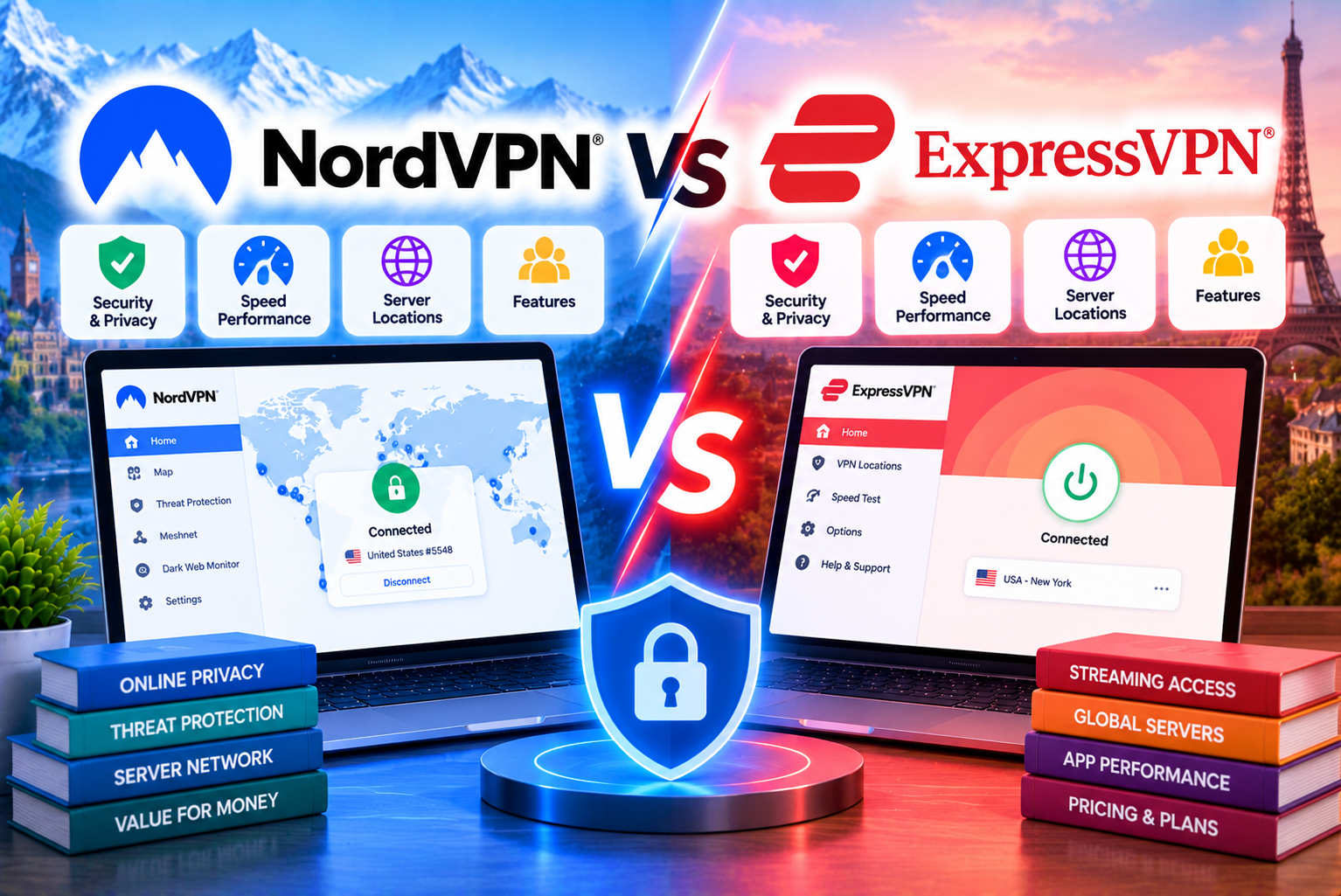
NordVPN vs ExpressVPN
Choosing a premium VPN can be difficult when several established providers offer similar promises: stronger online privacy, encrypted connections, protection on public Wi-Fi, and access to servers around the world. Two services that frequently appear on buyers’ shortlists are NordVPN and ExpressVPN.
Both offer dedicated applications for major operating systems, modern VPN protocols, privacy-focused infrastructure, and independently assessed security practices. However, their subscription structures, additional features, server networks, and approaches to usability differ.
NordVPN vs ExpressVPN is not simply a comparison of which VPN is cheaper. The real question is which service provides the right combination of security, performance, features, usability, and long-term cost for your needs.
NordVPN may appeal to users who want a broad range of privacy tools, specialty servers, and additional security features. ExpressVPN may suit people who prioritize straightforward applications, its Lightway protocol, and a relatively simple VPN experience.
Pricing also requires careful attention. Both providers advertise introductory deals, but the initial subscription price may differ considerably from the renewal rate. The cheapest advertised monthly equivalent is therefore not always the best indicator of long-term value.
In this guide, we compare NordVPN and ExpressVPN across the factors that matter most, explain their major differences, and help you decide which subscription deserves your money.
Pricing note: The figures in this article are illustrative US-dollar prices taken from the providers’ official pricing pages during research in October 2026. Promotions, taxes, billing periods, and renewal prices may change. Prices available in India and other markets can differ.
NordVPN vs ExpressVPN: Quick Comparison
Before examining individual features, here is a high-level comparison of the two services.
| Feature | NordVPN | ExpressVPN |
| Main VPN offering | VPN with several optional security and privacy tools | VPN with tiered plans and additional privacy tools |
| Entry-level plan | Basic | Basic |
| Higher subscription tiers | Complete and Prime | Advanced and Express Pro |
| Proprietary VPN protocol | NordLynx | Lightway |
| Simultaneous connections | Up to 10 devices | 10, 12, or 14, depending on subscription tier |
| Specialty privacy options | Double VPN, Onion Over VPN, obfuscated servers, Meshnet | Lightway, TrustedServer, router products, and other privacy features |
| Independent privacy assessments | Multiple independent no-logs assessments | Independent assessments of privacy commitments and technical components |
| RAM-based server technology | Yes | Yes |
| Malware and browsing protection | Features vary by subscription tier and platform | Protection features vary by subscription tier and platform |
| Introductory two-year offer | Available on eligible plans | Available on eligible plans |
| Money-back guarantee | Generally 30 days for eligible initial purchases | 30 days for eligible first-time purchases |
| Best suited to | Users wanting a broad selection of VPN and security features | Users prioritizing ease of use and a streamlined VPN experience |
NordVPN confirms its 10-device limit and publishes details of its privacy assessments through its official support and trust resources. ExpressVPN’s connection limit varies by plan, with its current pricing page listing 10 devices for Basic, 12 for Advanced, and 14 for Express Pro.
The table offers a starting point, not a definitive winner. A feature is valuable only if you actually need it, and performance can vary according to your device, internet provider, network conditions, and chosen server.
1. NordVPN vs ExpressVPN Pricing: Which Is More Affordable?
Price is one of the first factors buyers consider when comparing VPN providers. However, comparing only the advertised monthly equivalent can be misleading because both companies offer different subscription periods and introductory promotions.
The most useful comparison considers three costs:
- The amount paid at checkout.
- The subscription’s introductory duration.
- The price and frequency of renewal.
NordVPN pricing
NordVPN offers three main subscription tiers: Basic, Complete, and Prime. Basic provides the core VPN service, while the higher tiers add different combinations of security, password management, storage, and identity-related features.
During research, NordVPN’s official US pricing page displayed the following examples.
| Subscription | Advertised monthly equivalent | Initial payment | Initial coverage | Advertised renewal |
| Basic, two-year offer | $3.49 | $94.23 | 27 months, including promotional months | $139.08 per year |
| Complete, two-year offer | $4.49 | $121.23 | 27 months, including promotional months | $219.48 per year |
| Prime, two-year offer | $7.49 | $202.23 | 27 months, including promotional months | $296.28 per year |
| Basic, one-year plan | $5.49 | $65.88 | 12 months | $139.08 per year |
| Complete, one-year plan | $6.49 | $77.88 | 12 months | $219.48 per year |
| Prime, one-year plan | $9.49 | $113.88 | 12 months | $296.28 per year |
Source: Official NordVPN pricing page. Promotional offers and renewal terms may change. Taxes may apply.
The advertised monthly equivalent spreads the initial payment across the promotional subscription period. It does not mean you will necessarily pay that amount each month.
For example, a two-year promotional offer may require the entire initial amount at checkout. It is important to distinguish the advertised monthly equivalent from the actual upfront charge.
NordVPN Basic is the most relevant option for someone who mainly wants a VPN. Complete and Prime are designed for customers who also want additional security or identity-related services.
Before buying, review the features included in your selected tier. Some services are restricted by operating system or country, so a more expensive subscription does not automatically provide more useful features for every customer.
ExpressVPN pricing
ExpressVPN also offers three principal subscription tiers: Basic, Advanced, and Express Pro.
The higher tiers add more simultaneous connections and access to additional products and security features.
During research, ExpressVPN’s official US pricing page displayed these examples.
| Subscription | Advertised monthly equivalent | Initial payment | Initial coverage | Advertised renewal |
| Basic, two-year offer | $2.99 | $83.72 | 28 months, including promotional months | $99.95 per year |
| Advanced, two-year offer | $4.49 | $125.72 | 28 months, including promotional months | $119.95 per year |
| Express Pro, two-year offer | $7.49 | $209.72 | 28 months, including promotional months | $199.95 per year |
Source: Official ExpressVPN pricing page. These figures are promotional US-dollar examples, not guaranteed prices for every country or account.
ExpressVPN’s two-year introductory offers include promotional months in the examples above. Consequently, the advertised monthly equivalent is calculated over the initial coverage period rather than just the number of months in the base subscription term.
As with NordVPN, the full initial payment may be charged upfront.
Which VPN has the cheaper introductory price?
In the examples above, ExpressVPN Basic has the lower advertised monthly equivalent and the lower initial payment than NordVPN Basic.
Here is the comparison:
| Cost factor | NordVPN Basic | ExpressVPN Basic |
| Advertised monthly equivalent | $3.49 | $2.99 |
| Initial payment | $94.23 | $83.72 |
| Initial coverage | 27 months | 28 months |
| Advertised annual renewal | $139.08 | $99.95 |
These are not identical subscription periods, but the figures show why checking the full payment and renewal terms is more useful than looking at the monthly equivalent alone.
Based on these particular offers, ExpressVPN Basic has the lower initial cost and the lower advertised annual renewal price. However, promotions can change, and the comparison should be repeated using the prices actually available when you subscribe.
What about monthly subscriptions?
Monthly plans are useful when you need a VPN for a short period or do not want to commit to a longer subscription.
The official US pricing pages displayed these monthly prices during research:
| Monthly subscription | NordVPN | ExpressVPN |
| Entry-level plan | $14.99 | Check the current checkout price |
| Higher-tier plans | Complete: $19.99; Prime: $29.99 | Basic, Advanced, and Express Pro have separate prices |
NordVPN’s published monthly prices are listed on its official pricing page. ExpressVPN’s monthly prices can be checked by selecting the monthly subscription option on its official pricing page.
Monthly plans typically have a higher cost per month than longer promotional subscriptions. However, they may be more practical if you need a VPN temporarily or want to test a service before committing to a longer term.
Pricing verdict
ExpressVPN Basic offers better value in the specific introductory and renewal-price examples above, while NordVPN remains competitive when its promotional offers and additional features suit your needs.
Do not choose a VPN solely because its advertised price looks lower. Compare the total initial payment, renewal price, included features, and the actual amount you expect to pay over the period you intend to use it.
For a more detailed breakdown of subscription tiers, discounts, renewal costs, and refunds, read our related guide: NordVPN Pricing Explained: Subscription Plans, Renewals and Extra Features.
2. Features: Which VPN Gives You More for Your Money?
A VPN’s value depends partly on what it includes beyond encrypting your connection.
Both NordVPN and ExpressVPN have expanded their product offerings to include additional privacy and security tools. However, the availability of those features depends on the selected plan, operating system, and country.
NordVPN features
NordVPN offers several features that appeal to users who want more control over their VPN connection.
NordLynx: NordVPN’s proprietary VPN protocol is based on WireGuard technology. It is designed to provide a combination of speed and security while keeping the connection process efficient.
Double VPN: This feature routes traffic through two VPN servers rather than one. It may appeal to users who want an additional layer of routing privacy, although it can introduce extra latency.
Onion Over VPN: This option combines a VPN connection with access to the Tor network. It is intended for users with specific privacy requirements rather than people who simply need everyday browsing protection.
Obfuscated servers: These servers are designed to make VPN traffic less recognizable to network filters. Their usefulness depends on the network and the restrictions you encounter.
Meshnet: Meshnet allows supported devices to form a private network and communicate with one another. It can be useful for remote access and certain device-to-device workflows.
Threat Protection features: Depending on the plan and platform, NordVPN provides tools intended to block malicious websites, phishing attempts, intrusive advertising, trackers, and potentially harmful downloads.
Dark Web Monitor: This feature can notify users when monitored information appears in certain data leaks. It does not prevent all data breaches or guarantee that every exposure will be detected.
The exact feature set varies by plan. NordVPN’s official feature documentation explains which tools are available and how they work.
ExpressVPN features
ExpressVPN focuses on its core VPN service while offering additional tools through its subscription tiers.
Lightway: ExpressVPN’s proprietary VPN protocol is designed to provide an efficient, reliable connection, particularly when devices move between networks. The core library has been open-sourced, and the company publishes information about independent security assessments.
TrustedServer: ExpressVPN’s server technology runs on RAM rather than relying on traditional persistent hard drives for server data. Its architecture is designed to reduce the risk of information remaining on servers after a reboot.
Protection features: Depending on the subscription, ExpressVPN offers tools that can block advertisements, trackers, malicious sites, and adult websites.
ExpressKeys: Eligible higher-tier subscriptions include password management and two-factor authentication functionality.
ExpressMailGuard: ExpressVPN includes an email relay service in its current subscription tiers, with allowances varying by plan.
Identity Defender and other extras: Some higher-tier plans include identity-related services or additional products. Availability, eligibility, and insurance-related benefits can be limited by jurisdiction, particularly for services designed for US customers.
ExpressVPN publishes its current feature breakdown and technical information through its official pricing and trust pages.
Feature comparison
| Feature | NordVPN | ExpressVPN |
| Proprietary VPN protocol | NordLynx | Lightway |
| Two-server VPN routing | Double VPN | No directly equivalent feature in its standard VPN offering |
| Onion routing integration | Onion Over VPN | No directly equivalent built-in feature |
| Obfuscated servers | Available | Protocol and connection options differ |
| Private device networking | Meshnet | No directly equivalent feature in its standard VPN offering |
| RAM-based server infrastructure | Yes | Yes, through TrustedServer |
| Password management | Included in eligible higher-tier plans | Included in eligible higher-tier plans |
| Ad and tracker blocking | Depends on plan and platform | Depends on plan and platform |
| Identity protection extras | Certain features depend on plan and location | Certain features depend on plan and location |
Feature names, availability, and eligibility can change. Check each provider’s official documentation before subscribing.
Which provider has the better feature set?
NordVPN has an advantage for users who specifically want features such as Double VPN, Onion Over VPN, and Meshnet within the VPN ecosystem.
ExpressVPN offers its own advantages, including Lightway and TrustedServer, along with a growing range of additional products across its subscription tiers.
Neither provider’s feature count alone establishes which is better. Someone who only needs encrypted browsing may never use a specialty server or private device network. Another user may consider one of those features essential.
Choose NordVPN if its additional VPN tools match your actual needs. Choose ExpressVPN if its core service and included extras provide everything you need without unnecessary complexity.
3. Speed and Performance: NordVPN vs ExpressVPN
VPN speed affects browsing, streaming, video calls, gaming, and downloading files. A VPN adds an encrypted connection between your device and a VPN server, which can affect latency and throughput.
However, there is no universal speed winner for every user.
Performance depends on several variables:
- Your normal internet speed.
- The distance between your location and the VPN server.
- Server congestion.
- The VPN protocol you use.
- Your device’s processing capabilities.
- Your internet service provider’s routing.
- The time of day and current network conditions.
A VPN that performs exceptionally well in one city may produce different results on another network.
NordVPN performance
NordVPN uses NordLynx, a protocol based on WireGuard technology. The protocol is designed to offer efficient connections and strong performance.
Its server network and protocol options give users flexibility when choosing a connection. If one server produces slow speeds, switching to a nearby alternative may improve performance.
NordVPN also offers specialty connection options, but not every option is designed for maximum speed. For example, Double VPN adds another routing stage, which may increase latency.
For most everyday tasks, a nearby server using a fast protocol is a sensible starting point.
ExpressVPN performance
ExpressVPN uses Lightway, its proprietary VPN protocol. The company designed it to provide efficient connections and improve reliability when a device changes networks.
This can be useful when moving between home Wi-Fi, office Wi-Fi, and mobile data.
ExpressVPN also provides applications for several major platforms, allowing users to configure and test their VPN connection on different devices.
As with NordVPN, performance will vary depending on the server selected, the user’s location, and the quality of the underlying internet connection.
Which VPN is faster?
Neither service should be declared the universal winner based on protocol names or marketing claims alone.
To compare their real-world performance, test both on the same internet connection and, where possible, connect to servers in the same or similarly located cities.
Record the following measurements:
| Test | What to measure | Why it matters |
| Baseline | Download speed, upload speed, and ping without a VPN | Establishes your normal connection performance |
| Nearby server | Download speed, upload speed, and ping with the VPN enabled | Shows the effect on everyday browsing |
| Distant server | Speed and latency to a server in another country | Helps evaluate international connections |
| Video call | Audio and video stability | Reveals interruptions and latency problems |
| Large download | Transfer speed over a consistent period | Shows sustained performance |
| Network switching | Connection recovery after changing Wi-Fi or mobile networks | Tests practical connection reliability |
Run each test more than once and compare the median results rather than relying on a single unusually fast or slow measurement.
Performance verdict: NordVPN and ExpressVPN both use modern proprietary protocols designed for efficient connections. The better choice for you is the one that delivers more consistent performance on your own network and in the locations you use most often.
4. Security and Encryption: Which VPN Is Safer?
Security is a fundamental reason to use a VPN. Both NordVPN and ExpressVPN offer encrypted VPN connections and security-focused applications.
However, a VPN is only one part of an effective security strategy. It does not automatically protect you against every malicious file, phishing message, compromised account, or unsafe website.
NordVPN security
NordVPN provides encrypted VPN connections and features intended to reduce exposure of a user’s real IP address during normal VPN operation.
Its security offering includes:
- NordLynx and other supported VPN connection options.
- A kill switch designed to prevent internet traffic from continuing normally if the VPN connection unexpectedly drops.
- DNS leak protection.
- Specialty server options for particular privacy needs.
- Additional threat-blocking features on eligible plans.
- Independent assessments of its no-logs claims.
The availability and behavior of some controls can differ between operating systems. Users should check their application’s settings and test the configuration rather than assume that every platform works identically.
ExpressVPN security
ExpressVPN also provides encrypted connections and a collection of security-focused features.
Its security approach includes:
- The Lightway protocol.
- A kill switch feature, known as Network Lock on supported platforms.
- DNS protection while using the VPN.
- TrustedServer infrastructure based on RAM.
- Independently assessed privacy and security components.
ExpressVPN’s official trust resources list independent assessments covering its VPN applications, Lightway, server technology, and privacy commitments.
Kill switches and DNS leak protection
A kill switch is designed to prevent traffic from continuing over an ordinary internet connection when the VPN unexpectedly disconnects.
DNS leak protection helps prevent DNS requests from escaping through an unintended resolver while the VPN is active.
These features are particularly useful for people who regularly use public Wi-Fi, handle sensitive work, or want to reduce the chance of accidental IP exposure.
However, the exact protections depend on the application, configuration, and operating system.
After setting up either VPN, users with specific privacy requirements should verify their settings and perform appropriate leak tests.
Is one provider more secure?
Both providers offer substantial security features and publish information about their technical practices.
The more useful question is whether a provider’s security architecture, privacy commitments, independent assessments, and application controls meet your requirements.
For everyday users, keeping the VPN application updated, enabling appropriate protection settings, and using strong account authentication are also important.
A VPN cannot compensate for a compromised device, reused passwords, malicious browser extensions, or an account that lacks adequate protection.
5. Privacy Policies and Independent Audits
A VPN provider may encrypt your connection, but the provider still operates the service through which your traffic passes. That makes its data-handling practices and privacy commitments important.
Both NordVPN and ExpressVPN publish information about their privacy policies and independent assessments.
NordVPN’s no-logs assessments
NordVPN states that it does not log users’ online activity and has repeatedly submitted its no-logs claims to independent assessment.
Its official no-logs page describes six independent assurance engagements, including assessments by Deloitte. These reviews are intended to evaluate whether the provider’s systems and practices align with its stated privacy commitments.
NordVPN also publishes information through its Trust Center about server infrastructure, assessments, and transparency reporting.
Independent assessments are useful because they provide external scrutiny of specific claims. However, a report only establishes what was examined within its scope and at the time of the assessment.
ExpressVPN’s privacy assessments
ExpressVPN also publishes a list of independent security and privacy assessments.
Its Trust Center identifies audits involving Lightway, TrustedServer, applications, browser extensions, and privacy commitments. The company also describes its RAM-based server architecture, which is designed to avoid retaining server data on traditional hard drives.
As with NordVPN, independent assessments should be read in context. An audit of a VPN protocol is not necessarily an audit of every application, business process, or product offered by the provider.
Which provider has the better privacy record?
Both providers have invested in independent assessments and publish information about their privacy practices.
Rather than relying only on a marketing claim that a VPN has a strict no-logs policy, consider:
- Whether the provider has commissioned independent reviews.
- Which systems and claims those reviews cover.
- Whether the provider publishes meaningful information about its infrastructure.
- Whether its privacy policy explains the data it collects.
- Whether the service’s ownership, jurisdiction, and business practices align with your expectations.
Privacy verdict: Both services provide evidence of their privacy and security practices. Review the latest reports and privacy policies before making a decision, particularly if you have unusually high privacy requirements.
6. Server Networks and Global Coverage
A VPN server network influences the range of locations you can connect to and the likelihood of finding a suitable nearby server.
However, a larger server count does not automatically mean a better VPN. Server placement, congestion, routing, reliability, and access to the specific country you need can matter more than the headline number.
NordVPN’s network
NordVPN advertises a large international network and offers specialty servers for specific use cases.
Its options include Double VPN, Onion Over VPN, and obfuscated servers. These can be useful when users need a particular type of connection rather than simply selecting the nearest available server.
The provider also publishes server-location information on its website.
ExpressVPN’s network
ExpressVPN provides servers across a broad range of international locations and supports applications for computers, phones, and other compatible devices.
Its location selection is designed to help users connect to a suitable server for their needs. Depending on the application, users may be able to select a country or a more specific location.
Actual availability and the number of locations offered can change, so it is sensible to check the providers’ current server lists before subscribing.
Which network is better?
Compare the two services using the locations that matter to you.
For example, someone living in India may care most about nearby Asian locations and connections to the United Kingdom, United States, or other countries they regularly access.
A traveler may care more about reliable connections across several continents.
A person using a VPN for remote work may prioritize consistent performance and a stable connection to a particular region.
The most useful server network is the one that covers your required destinations and provides reliable performance from your location.
7. Streaming: NordVPN vs ExpressVPN
Some users buy a VPN to access streaming services while traveling or to improve privacy when watching online content.
Both NordVPN and ExpressVPN can be used with streaming services, but compatibility is not guaranteed for every platform, country, server, or subscription.
Streaming companies may restrict access based on licensing agreements, account location, payment region, and their own VPN-detection systems.
NordVPN for streaming
NordVPN provides international servers and applications that can help users connect through different locations.
A VPN may help protect connection privacy on shared networks, including hotel Wi-Fi, but it cannot guarantee that a particular streaming catalogue will be available.
If a service detects a VPN connection, changing servers may sometimes help, although it is not guaranteed to work.
ExpressVPN for streaming
ExpressVPN also offers international connections through its VPN applications.
Its straightforward applications can be convenient for users who want to connect to a different location without configuring many advanced settings.
However, streaming access can change without notice, and some platforms may block VPN connections or require additional verification.
Which is better for streaming?
The best choice depends on the streaming services you use, the countries you connect from, and how reliably each provider works on your devices.
Before purchasing a long subscription, check the current terms of your streaming services and test the VPN during the applicable refund period.
Do not assume that a VPN guarantees access to every international catalogue. Follow the streaming provider’s terms and applicable laws.
8. Gaming, Video Calls, and Remote Work
A VPN may be useful for gaming, video conferencing, or remote work, but its effect depends on the connection and the activity.
Gaming
Online gaming is particularly sensitive to latency, jitter, and packet loss.
A VPN may improve routing in certain situations, but it can also increase latency because traffic travels through an additional server.
If you play online games, compare your ping and connection stability with and without the VPN. Use a nearby server and avoid specialty configurations that add unnecessary routing stages.
Video calls
For video calls, consistent performance matters more than a high headline download speed.
A VPN may help protect traffic on public Wi-Fi, but a poorly chosen server can cause delays, frozen video, or degraded audio.
Test the connection with your usual meeting platform before relying on it for important calls.
Remote work
Both services can provide an encrypted connection between your device and a VPN server. This can be helpful when working on public networks.
However, a commercial VPN is not automatically a substitute for an employer’s corporate VPN, zero-trust access system, or approved remote-work security configuration.
Follow your organization’s IT requirements when connecting to work systems.
Which VPN is better for productivity?
There is no universal winner.
Choose the service that provides the most reliable connection to the locations and applications you use. For business-critical activities, prioritize stability, appropriate security settings, and compatibility with your organization’s systems.
9. Device Compatibility and Simultaneous Connections
The number of devices you can protect simultaneously is important if you own several computers, phones, tablets, or other compatible devices.
It also matters for households where multiple people may need a VPN at the same time.
NordVPN device limit
NordVPN supports up to 10 simultaneous device connections on one account. The provider explains that certain connections to the same server have additional protocol-related restrictions, so the practical setup may be more complicated than simply counting devices.
NordVPN applications are available for major desktop and mobile platforms, with other configuration options depending on the device.
ExpressVPN device limit
ExpressVPN’s current subscription tiers offer different connection limits:
| Subscription tier | Simultaneous connections |
| Basic | 10 |
| Advanced | 12 |
| Express Pro | 14 |
These limits are published on ExpressVPN’s official pricing and support pages.
The number of connections you need depends on your household and device usage. Some router configurations can protect multiple devices through one VPN connection, subject to the router setup and provider’s terms.
Which is better for multiple devices?
ExpressVPN has the higher simultaneous-connection limit on its Advanced and Express Pro plans.
However, NordVPN’s 10-device limit may be sufficient for an individual or a smaller household.
If you need to protect a large number of devices, compare the cost of the required subscription tier rather than selecting a plan based only on the maximum connection count.
10. Applications and Ease of Use
A VPN should be easy to operate correctly. Complicated settings can discourage users from enabling important protections or understanding what their subscription includes.
NordVPN’s user experience
NordVPN offers a range of settings and specialized connection options.
This flexibility can be useful for users who want to choose particular server types or configure their connection for a specific purpose.
However, users who only want to connect and browse may find some advanced options unnecessary.
The best approach is to start with the default configuration, learn the core controls, and change advanced settings only when you have a clear reason.
ExpressVPN’s user experience
ExpressVPN emphasizes a straightforward connection experience through its applications.
Its Lightway protocol is designed to simplify connection handling, including when a device changes networks.
Users who prefer a minimal setup may appreciate having fewer decisions to make during everyday use.
Nevertheless, the overall experience varies by operating system and application version. A clean interface does not guarantee that every advanced setting will be available on every device.
Which VPN is easier to use?
ExpressVPN may appeal to users who prioritize a straightforward, low-maintenance experience.
NordVPN may suit people who want additional options and are comfortable exploring its settings.
Neither approach is inherently better. The right choice depends on whether you prefer simplicity or greater control over your connection.
11. Which VPN Is Better for Users in India?
For users in India, choosing between NordVPN and ExpressVPN requires attention to more than the advertised price.
You should consider the available subscription price in Indian rupees, payment options, the performance of nearby servers, the locations you need, and the legal requirements that apply to your internet use.
Check the actual Indian price
The US-dollar prices shown earlier are illustrative and should not be treated as Indian prices.
Before subscribing, visit the providers’ official pricing pages and check the amount displayed for your location. Review the total checkout amount, applicable taxes, subscription duration, and renewal terms.
Currency conversion fees may also apply if your payment method bills in a different currency.
Compare nearby server performance
If you mainly browse from India, test servers that offer a suitable connection for your activities.
For everyday browsing, a nearby server may provide lower latency than a distant server. If you need to connect through another country, compare performance in that specific location.
Do not assume that a server physically located in a particular country is necessarily the best option for every activity.
Understand local requirements
VPN users should stay informed about applicable Indian laws and the terms of the services they use.
A VPN does not make unlawful activity legal, and it does not guarantee complete anonymity.
If you are choosing a VPN for sensitive professional or personal activities, review the provider’s privacy documentation and understand the limits of the protection offered.
Which should Indian users choose?
NordVPN may be attractive if its specialty servers and additional privacy features match your requirements.
ExpressVPN may be attractive if you prefer its application experience, Lightway protocol, or the price available to you.
For Indian users, the best value is the service that combines a competitive local price with reliable performance and the features you will actually use.
12. Refund Policies and Subscription Renewals
A refund policy can reduce the risk of trying a premium VPN, but the terms matter.
Both companies advertise a 30-day money-back guarantee for eligible new or initial subscriptions. Eligibility may depend on the purchase method and the conditions in effect when you subscribe.
NordVPN’s refund policy
NordVPN generally offers a 30-day money-back guarantee for eligible initial subscription purchases.
The provider’s official refund policy explains how to request a refund and notes that eligibility restrictions apply. Renewals are generally not covered by the same initial-purchase guarantee, and purchases made through an app store may need to be handled through that store.
Read the terms carefully before purchasing, particularly if you have subscribed to NordVPN previously or are buying through a third party.
ExpressVPN’s refund policy
ExpressVPN offers a 30-day money-back guarantee for eligible first-time users who purchase directly through its website.
Its refund documentation also explains that app-store purchases are subject to the applicable store’s refund process. Eligibility depends on the terms of the purchase, and the company limits the guarantee for customers who have already received a refund.
Do not assume that every renewal or every purchase method is automatically covered by the same guarantee.
Why renewal prices matter
An introductory subscription may be significantly cheaper than its renewal rate.
For example, NordVPN Basic’s illustrative two-year offer was listed at $94.23 for the first 27 months, with an advertised renewal rate of $139.08 per year. ExpressVPN Basic’s example was $83.72 for the first 28 months, renewing at $99.95 annually. These prices are subject to change.
The first payment is only one part of the total cost if you intend to keep the VPN for several years.
Before checking out:
- Confirm the full initial charge.
- Check how long the introductory offer lasts.
- Find the renewal price and billing frequency.
- Review how to disable automatic renewal.
- Save your purchase confirmation and refund terms.
A calendar reminder before renewal can help you review whether the service still offers good value.
13. NordVPN vs ExpressVPN: Pros and Cons
The following summary highlights the main trade-offs.
NordVPN pros
- Offers NordLynx, a modern VPN protocol based on WireGuard.
- Includes specialty connection options such as Double VPN and Onion Over VPN.
- Provides Meshnet for supported private device-to-device networking.
- Offers additional security tools in eligible subscription tiers.
- Publishes information about independent no-logs assessments.
- Supports up to 10 simultaneous device connections.
- Provides several subscription tiers for different feature requirements.
NordVPN cons
- Introductory prices can be substantially lower than renewal prices.
- The feature differences between subscription tiers require careful review.
- Some features are limited to particular operating systems or regions.
- Advanced options may be unnecessary for people who only need a simple VPN connection.
- Specialty routing configurations can introduce additional latency.
ExpressVPN pros
- Offers Lightway, its proprietary VPN protocol.
- Uses RAM-based TrustedServer infrastructure.
- Publishes information about independent security and privacy assessments.
- Provides a straightforward connection experience.
- Offers 10, 12, or 14 simultaneous connections, depending on the plan.
- Includes additional tools and services in eligible subscription tiers.
- Offers a 30-day money-back guarantee to eligible first-time subscribers.
ExpressVPN cons
- Subscription prices and included features vary by tier.
- Introductory offers and renewal rates need to be checked carefully.
- Some additional services may have country-specific eligibility restrictions.
- A larger subscription tier may be unnecessary if you only need basic VPN protection.
- Streaming access and connection performance are not guaranteed in every location.
The most important difference is not that one provider has no disadvantages. It is that the two services package their features differently, making the best choice dependent on your needs and budget.
14. NordVPN vs ExpressVPN: Which Is Better for Different Users?
The best VPN depends on your priorities. Use the following recommendations as a starting point.
| User type | Suggested starting point | Reason |
| Budget-conscious buyer | Compare the current Basic offers | Both entry-level plans provide the core VPN service |
| User who wants specialty VPN routing | NordVPN | Offers Double VPN and Onion Over VPN |
| User who wants private device networking | NordVPN | Meshnet supports certain device-to-device use cases |
| User who prefers a simple connection experience | ExpressVPN | Its applications and Lightway protocol emphasize straightforward use |
| User who needs more than 10 simultaneous connections | ExpressVPN Advanced or Pro | These plans offer higher connection limits |
| User focused on privacy assessments | Compare both providers’ latest reports | Both publish information about independent assessments |
| Frequent traveler | Test both on the networks and locations you use | Roaming performance depends on the connection and server |
| Remote worker | Check organizational compatibility first | A commercial VPN may not replace an employer’s security tools |
| Streaming user | Test the services you actually use | Access and reliability vary by platform and location |
| User who needs extra security tools | Compare the included features in higher tiers | The most valuable bundle depends on which tools you need |
These are practical starting points rather than universal rules. If one provider performs better on your network or offers a substantially better local price, that may outweigh a small feature difference.
15. How to Choose Between NordVPN and ExpressVPN
If you are still undecided, use the following process to make a more confident choice.
Step 1: Identify your main purpose
Decide whether you primarily need a VPN for public Wi-Fi, everyday privacy, international travel, streaming, gaming, or remote work.
This will help you avoid paying for features you are unlikely to use.
Step 2: Compare equivalent plans
Compare NordVPN Basic with ExpressVPN Basic if you mainly need a VPN.
If you want password management, more extensive blocking features, or other extras, compare the relevant higher-tier plans instead.
Do not compare a premium bundle from one provider with an entry-level VPN from the other and assume the price difference reflects the VPN alone.
Step 3: Calculate the total cost
Write down the initial charge, subscription duration, renewal price, and billing frequency.
If you expect to keep the service for multiple years, estimate the cost across that period using the renewal terms shown at checkout.
Step 4: Test connection performance
If a refund guarantee applies to your purchase, use the eligible period to test the service.
Measure speed, latency, connection stability, and performance on the applications you use most often.
Step 5: Review privacy and security documentation
Read the latest privacy policy and independent assessment information.
Look for specific details about data collection, infrastructure, security controls, and the scope of independent reviews.
Step 6: Check device requirements
Count how many devices need simultaneous connections.
If you have a large household, compare the connection limit and cost of the subscription tier that meets your requirements.
Step 7: Make the decision based on real value
Choose the service that meets your essential requirements at a price you are comfortable paying.
A VPN with more features is not necessarily better for someone who only needs encrypted browsing. Likewise, a slightly cheaper subscription may not be the best option if it performs poorly on the networks you use.
16. Final Verdict: NordVPN vs ExpressVPN
NordVPN and ExpressVPN are both established premium VPN services with modern protocols, encrypted connections, and published information about their security and privacy practices.
However, their strengths differ.
NordVPN is a compelling option for people who want a broader collection of VPN tools, including Double VPN, Onion Over VPN, and Meshnet. Its additional subscription tiers may also appeal to users looking for a bundled security offering.
ExpressVPN is worth considering if you prefer a straightforward VPN experience, want to use its Lightway protocol, or find that its introductory and renewal prices offer better value for your needs.
In the US-dollar pricing examples reviewed for this article, ExpressVPN Basic had the lower initial payment and advertised annual renewal price. Those figures are promotional examples, not a guarantee that ExpressVPN will always be cheaper in every market or at every point in time.
Which VPN should you choose?
Choose NordVPN if you value its specialty VPN features and want additional control over how your connection is routed.
Choose ExpressVPN if you prefer its streamlined user experience and its current pricing and features fit your requirements.
Choose neither on price alone. Compare the actual checkout cost, renewal terms, privacy documentation, and real-world performance on your devices.
For most buyers, the best VPN is the one that reliably meets their privacy and connectivity needs without making them pay for features they will never use.
Frequently Asked Questions
1. Is NordVPN better than ExpressVPN?
Neither service is universally better. NordVPN offers specialty options such as Double VPN, Onion Over VPN, and Meshnet. ExpressVPN emphasizes Lightway, TrustedServer, and a straightforward connection experience. The better choice depends on your priorities, local pricing, and performance.
2. Is ExpressVPN cheaper than NordVPN?
It can be, depending on the subscription tier, promotion, and country. In the US-dollar introductory examples reviewed here, ExpressVPN Basic had a lower initial payment and advertised annual renewal price than NordVPN Basic. Always compare the actual offers at checkout.
3. Which VPN is faster, NordVPN or ExpressVPN?
Both use proprietary protocols designed for efficient connections. Actual speeds depend on the server, your internet provider, your location, and network conditions. Test both services on the same connection to determine which performs better for you.
4. Which VPN is more secure?
Both offer encrypted connections and security features. They also publish information about independent assessments. Security depends on the service’s technical implementation, your settings, device security, and how you use the VPN.
5. Does NordVPN offer more features than ExpressVPN?
NordVPN offers features such as Double VPN, Onion Over VPN, and Meshnet. ExpressVPN has Lightway, TrustedServer, and additional products available through its subscription tiers. Which service offers more useful features depends on what you need.
6. Which VPN is better for streaming?
Both may work with some streaming services, but access is not guaranteed. Streaming platforms can change their VPN-detection systems, and access depends on the service, location, and account terms. Test the platforms you use most often before committing to a long subscription.
7. Is NordVPN good for gaming?
NordVPN can be suitable for gaming, but a VPN may increase latency. Test nearby servers and compare your ping and stability with and without the VPN. A VPN is not guaranteed to reduce lag.
8. Is ExpressVPN good for gaming?
ExpressVPN may be suitable for gaming if it provides stable performance on your network. Compare latency and packet loss before deciding. The best configuration depends on your game, server region, and internet connection.
9. How many devices can NordVPN protect at once?
NordVPN supports up to 10 simultaneous device connections on one account. Certain same-server connections have additional protocol-related restrictions, so consult its current support documentation if you have a complex setup.
10. How many devices can ExpressVPN protect at once?
ExpressVPN’s current published limits are 10 devices for Basic, 12 for Advanced, and 14 for Express Pro. Check the current plan details before purchasing.
11. Does NordVPN have a money-back guarantee?
NordVPN generally offers a 30-day money-back guarantee for eligible initial subscription purchases. Refund eligibility depends on the applicable terms and purchase method.
12. Does ExpressVPN offer a money-back guarantee?
ExpressVPN offers a 30-day money-back guarantee to eligible first-time subscribers. Certain purchase methods and previous refund history may affect eligibility.
13. Are NordVPN and ExpressVPN free?
Both are primarily premium services. They offer paid subscriptions, and any trials or refund guarantees are subject to their respective terms. A money-back guarantee is not the same as a permanently free plan.
14. Which VPN is better for privacy?
Both publish information about their privacy practices and independent assessments. Compare their current privacy policies, the scope of their audits, and the types of data they collect before deciding.
15. Does NordVPN keep logs?
NordVPN states that it does not log users’ online activity and publishes information about independent no-logs assessments. Review its current privacy policy and assessment documentation for details.
16. Does ExpressVPN keep logs?
ExpressVPN states that it does not keep logs of users’ online activities and publishes information about independent assessments of its privacy commitments. Read the latest policy and reports to understand the scope of those claims.
17. What is NordLynx?
NordLynx is NordVPN’s proprietary VPN protocol based on WireGuard technology. It is designed to provide efficient connections while maintaining security.
18. What is Lightway?
Lightway is ExpressVPN’s proprietary VPN protocol. It is designed to provide efficient, reliable connections and has undergone independent security assessments.
19. Can I use NordVPN or ExpressVPN on my phone?
Both services provide applications for major mobile platforms. Check the current app requirements and feature availability for your specific device and operating system.
20. Which VPN is better for public Wi-Fi?
Either can help encrypt your device’s connection to a VPN server when using public Wi-Fi. You should also keep your device updated, use secure websites, enable account authentication, and avoid trusting unfamiliar networks automatically.
21. Is NordVPN worth paying for?
NordVPN can be worth paying for if you need reliable VPN protection and value features such as specialty servers or Meshnet. Whether it is worth the price depends on your usage, performance, and the current subscription cost.
22. Is ExpressVPN worth paying for?
ExpressVPN may be worth paying for if its performance, applications, privacy features, and subscription price meet your needs. Test the service and review renewal terms before committing long term.
23. Do NordVPN and ExpressVPN automatically renew?
Subscriptions may renew automatically, depending on the purchase method and applicable terms. Review the renewal information shown at checkout and the provider’s account settings so you know when and how billing will occur.
24. Can I use a VPN to access content from another country?
A VPN can route your connection through a server in another country, but access to specific services is not guaranteed. Streaming providers may restrict VPN connections, and you must follow applicable laws and service terms.
25. Which VPN should beginners choose?
Beginners should choose the service they find easiest to configure and use correctly. ExpressVPN may appeal to people who prefer a streamlined experience, while NordVPN may suit users who want more specialized options. Trying the service on your own devices is the most practical way to decide.
Leave a Reply