


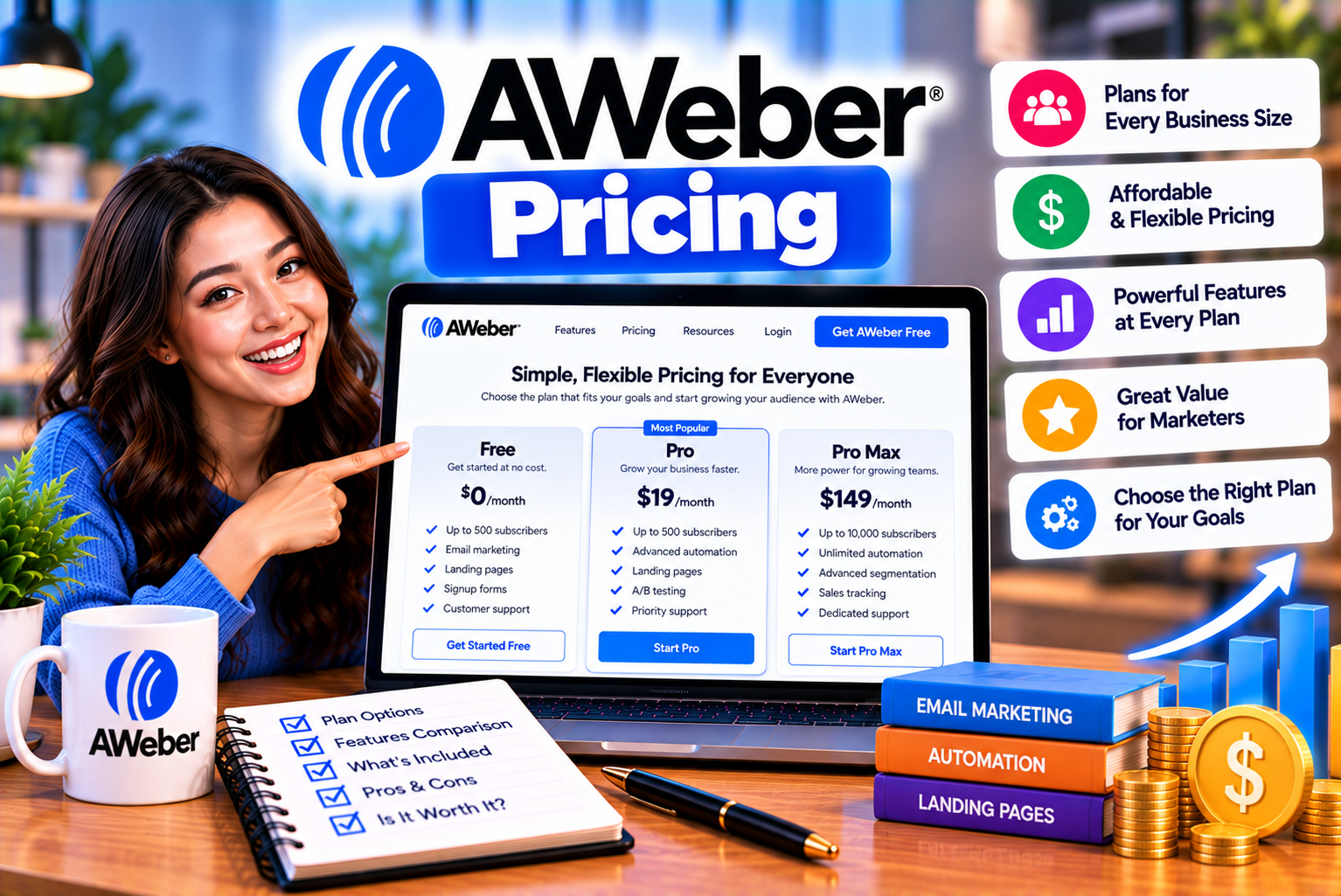
AWeber Pricing Explained: Plans, Subscriber Limits and Features
Choosing an email marketing platform involves more than comparing the starting subscription prices. Businesses must also consider subscriber limits, monthly email allowances, automation features, landing page restrictions, reporting tools, and the costs associated with growing an audience.
AWeber offers several plans designed for different stages of email marketing, from beginners building their first subscriber list to established businesses managing larger audiences and more sophisticated campaigns. Its pricing structure combines a free option, tier-based paid subscriptions, and an enterprise-oriented unlimited plan.
However, the lowest advertised price does not necessarily represent the most economical option for every business. A plan that works for a small newsletter may become restrictive when you need additional automations, more landing pages, advanced segmentation, or higher email-sending capacity.
Understanding these differences can help you select a plan that meets your current needs without paying for unnecessary features.
In this guide, we explain AWeber pricing, compare its plans, examine subscriber and email limits, explore the differences between monthly and annual billing, and identify which subscription makes the most sense for different users.
AWeber Pricing at a Glance
AWeber’s main subscription options include Free, Lite, Plus, and Unlimited. It also advertises a Done For You service for businesses that want assistance setting up their email marketing systems.
The following table summarizes the principal differences.
| Plan | Starting Price | Email Sending Allowance | Best For |
| AWeber Free | $0 | Up to 3,000 emails per month | Beginners and small newsletters |
| AWeber Lite | $12.49/month when billed annually at the entry tier | Up to 10 times the subscriber allowance monthly | Creators and small businesses |
| AWeber Plus | $19.99/month when billed annually at the entry tier | Up to 12 times the subscriber allowance monthly | Growing businesses and advanced marketers |
| AWeber Unlimited | $899/month | Up to 15 times the subscriber count monthly, according to the published plan description | High-volume email marketing operations |
| Done For You | Advertised at $20/month when billed annually, plus a setup fee | Based on the underlying Plus-level service | Businesses wanting expert setup assistance |
Important: Prices, promotional offers, and plan availability can change. The amounts above are published US-dollar prices, and the starting prices for Lite and Plus correspond to their smallest subscriber tiers. Check AWeber’s official pricing page before purchasing, particularly if you are comparing annual billing, promotional offers, or pricing in another country.
The Free plan is a separate no-cost option, while the 14-day trial advertised for paid plans is a temporary trial of a selected subscription. They should not be confused with one another.
1. AWeber Free Plan: What Do You Get for $0?
The AWeber Free plan allows new users to explore email marketing without immediately committing to a paid subscription.
It can be useful if you are starting a newsletter, testing a lead-generation strategy, or learning how to create and distribute marketing emails.
Free plan limits
AWeber’s published Free plan includes the following core limits:
| Feature | Free Plan Limit |
| Subscriber allowance | Up to 500 subscribers |
| Monthly email sends | 3,000 |
| List profiles | 1 |
| Landing pages | 1 |
| Email automation | 1 workflow or autoresponder campaign |
| Account users | 1 |
| Custom segmentation | Limited compared with paid plans |
| AWeber branding | Cannot be removed |
| Subscription fee | $0 |
These restrictions matter because a free account is designed for basic email marketing rather than an unrestricted business operation.
For example, a newsletter creator with 300 subscribers who sends one weekly update may find the free plan sufficient. A business with multiple lead magnets, separate customer segments, and several automated welcome sequences may quickly need a paid subscription.
Advantages of the Free plan
The main advantage is the ability to begin building an email audience without paying a recurring subscription fee.
You can learn the fundamentals of list building, create email campaigns, experiment with landing pages, and determine whether AWeber fits your workflow before investing in a paid plan.
The free option is particularly useful for:
- New bloggers building their first mailing list.
- Freelancers testing newsletter marketing.
- Small businesses validating a lead-generation campaign.
- Creators with a relatively small audience.
- Users learning email automation before implementing more complex workflows.
Limitations to consider
The subscriber allowance is capped at 500, and the monthly sending allowance is limited to 3,000 messages.
The Free plan also restricts certain capabilities available in paid subscriptions, including advanced reporting, saved custom segments, split testing, and some behavioral automation features. AWeber branding remains on messages and landing pages.
These restrictions can affect businesses that need to maintain a consistent brand experience or analyze marketing performance in detail.
Who should choose AWeber Free?
Choose the free plan if your list is small, your sending requirements are modest, and you are comfortable working within the feature restrictions.
If email marketing is already an important revenue channel for your business, compare the paid plans before building workflows that depend on features you may not be able to retain on the Free plan.
2. AWeber Lite Pricing: A Practical Option for Small Businesses
AWeber Lite is an entry-level paid subscription for users who need more capacity and functionality than the free plan provides.
It offers additional email-sending capacity, more landing pages, more automation workflows, additional user access, and other tools for running email campaigns.
AWeber Lite pricing by subscriber count
AWeber publishes different prices according to subscriber tier. The following table shows the published US-dollar rates for selected Lite tiers.
| Subscriber Tier | Monthly Billing | Annual Billing | Annual Total | Monthly Email Allowance |
| 500 | $15 | $12.50 equivalent | $150 | 5,000 |
| 1,000 | $25 | $20.83 equivalent | $250 | 10,000 |
| 2,500 | $35 | $29.17 equivalent | $350 | 25,000 |
| 5,000 | $60 | $50 equivalent | $600 | 50,000 |
| 7,500 | $85 | $70.83 equivalent | $850 | 75,000 |
| 10,000 | $100 | $83.33 equivalent | $1,000 | 100,000 |
| 15,000 | $150 | $125 equivalent | $1,500 | 150,000 |
| 20,000 | $185 | $154.17 equivalent | $1,850 | 200,000 |
These figures are based on AWeber’s published pricing table. The annual equivalent is calculated by dividing the annual total by 12; it is not necessarily the amount charged each month.
The smallest Lite tier is advertised at $12.49 per month on AWeber’s current pricing page, while its pricing documentation lists the annual entry price as $150 per year, equivalent to $12.50 per month. This small discrepancy may reflect rounding or differences between displayed pricing versions. Confirm the amount shown at checkout.
What does Lite include?
Lite includes core email marketing features and a higher sending allowance than the Free plan.
Its published feature limits include:
- Up to one email list profile.
- Up to three landing pages.
- Up to three email automations.
- Up to three account users, including the account owner.
- One custom segment.
- Monthly email sending of up to 10 times the subscriber allowance.
- Email newsletters and campaign creation.
- Signup forms and list-building tools.
- Access to integrations.
- Customer support.
Some features available in Plus remain restricted or unavailable in Lite, including removing AWeber branding, advanced landing page functionality, and certain advanced reporting or sales-tracking capabilities.
Example: A business with 1,000 subscribers
Imagine that you operate a consulting business with 1,000 email subscribers.
You send a weekly newsletter and use an automated sequence to introduce new subscribers to your services. You also maintain another automation for people who download a guide.
The 1,000-subscriber Lite tier provides an allowance of 10,000 email sends per month and permits up to three automations.
For a business with a straightforward email strategy, this could be enough capacity to maintain a newsletter and a small number of automated campaigns.
However, if you need multiple independent list profiles, numerous landing pages, advanced behavioral workflows, or more sophisticated segmentation, the feature restrictions may become more important than the price.
Who should choose Lite?
Lite is worth considering for creators, freelancers, consultants, bloggers, and small businesses that need a paid email marketing service but do not require unrestricted access to every feature.
3. AWeber Plus Pricing: More Features for Growing Businesses
AWeber Plus is intended for businesses that need more advanced email marketing capabilities.
Its principal advantage over Lite is not simply the additional email-sending allowance. Plus also removes many of the restrictions on lists, landing pages, automations, users, and custom segments.
AWeber Plus pricing by subscriber count
The following table summarizes selected Plus pricing tiers published by AWeber.
| Subscriber Tier | Monthly Billing | Annual Billing | Annual Total | Monthly Email Allowance |
| 500 | $30 | $20 equivalent | $240 | 6,000 |
| 1,000 | $45 | $37.50 equivalent | $450 | 12,000 |
| 2,500 | $55 | $45.83 equivalent | $550 | 30,000 |
| 5,000 | $90 | $75 equivalent | $900 | 60,000 |
| 7,500 | $120 | $100 equivalent | $1,200 | 90,000 |
| 10,000 | $135 | $112.50 equivalent | $1,350 | 120,000 |
| 15,000 | $180 | $150 equivalent | $1,800 | 180,000 |
| 20,000 | $215 | $179.17 equivalent | $2,150 | 240,000 |
The current pricing page advertises Plus from $19.99 per month when billed annually, while AWeber’s pricing documentation lists the entry annual tier as $240 per year, equivalent to $20 per month.
As with Lite, verify the final price displayed for your selected tier before completing a purchase.
What does AWeber Plus offer?
Plus provides access to a broader set of email marketing tools.
Its published benefits include:
- Unlimited email list profiles.
- Unlimited landing pages.
- Unlimited email automation workflows.
- Unlimited custom segments.
- Unlimited account users.
- A higher monthly sending allowance than Lite.
- Advanced reporting and analytics.
- Advanced landing page features.
- Sales tracking and ecommerce-related features.
- The ability to remove AWeber branding.
- Priority support.
These features can be valuable when email marketing becomes a central part of customer acquisition, lead nurturing, and revenue generation.
For instance, a business could create different landing pages for individual products, separate subscribers according to their interests, and run different automated sequences for new leads and existing customers.
Rather than trying to fit every marketing activity into a small number of workflows, the business can build a more flexible email marketing system.
Example: An online store with 5,000 subscribers
Consider an ecommerce business with 5,000 subscribers.
Its marketing strategy includes:
- A welcome series for new subscribers.
- Product launch announcements.
- Customer education emails.
- Post-purchase follow-ups.
- Separate campaigns for different product categories.
- Promotional emails for returning customers.
At the published 5,000-subscriber Plus tier, the monthly email allowance is 60,000 sends.
The business also benefits from unlimited automations and custom segments under the published plan features. This makes it easier to organize campaigns around customer behavior and interests.
The exact suitability of the plan depends on how frequently the business sends messages, the complexity of its marketing strategy, and whether it uses AWeber’s ecommerce features.
Who should choose Plus?
Plus is generally the more suitable option for growing businesses, ecommerce brands, course creators, membership businesses, and professional marketers that require more flexibility than Lite provides.
If you need several automations, detailed audience segmentation, advanced reporting, or the removal of AWeber branding, Plus deserves serious consideration.
4. AWeber Unlimited Pricing: Is It Necessary?
AWeber also documents an Unlimited subscription intended for larger operations with substantial email marketing requirements.
Its published documentation describes the plan as offering:
- Unlimited subscriber capacity, including unsubscribed addresses.
- Email sending of up to 15 times the subscriber count per month.
- Access to AWeber’s features without the standard plan restrictions.
The documented price is a flat $899 per month.
This makes Unlimited substantially more expensive than the entry-level Lite and Plus subscriptions.
When might Unlimited make sense?
Unlimited may be relevant for organizations with very large contact databases, high-volume email operations, or requirements that do not fit comfortably into standard subscriber tiers.
However, a large subscriber list alone does not automatically justify this plan.
Before choosing it, evaluate your actual sending volume, subscriber database, account requirements, and the cost of the standard plan that would otherwise support your activity.
A business with 25,000 subscribers and a moderate newsletter schedule may find that a standard Plus tier is sufficient. An operation with much higher sending requirements should compare the total cost and usage limits of its available options.
Because plan names, eligibility, and published pricing can change, confirm the current Unlimited offer directly with AWeber before making a purchasing decision.
5. AWeber Done For You: Pricing for Expert Setup
AWeber also promotes a Done For You service for businesses that want professional assistance establishing their email marketing system.
Rather than handling every setup task independently, customers can receive help with branding, email templates, landing pages, signup forms, and campaign preparation.
The current pricing page advertises the service at $20 per month when billed annually, plus a setup fee. At the time of checking, the page displayed a promotional $79 setup fee alongside a higher crossed-out reference price.
Promotional setup fees can change, so treat the displayed amount as an offer to verify rather than a permanent price.
What is included?
The advertised service includes assistance with elements such as:
- Email list details and branding setup.
- A branded email template.
- Landing page creation.
- Signup form configuration.
- Welcome-series setup.
- Newsletter drafts.
- A one-to-one setup call.
- A period of post-setup edits.
The current pricing page describes the service as including elements of Plus, alongside expert setup support. The exact deliverables should be checked on the offer page before purchasing.
Is Done For You worth the cost?
It may be useful if your team lacks the time or expertise to create an email marketing system from scratch.
For example, a small company launching its first newsletter may need assistance with branded templates, signup forms, and welcome emails before it can begin building campaigns independently.
An experienced email marketer, on the other hand, may prefer to configure the platform personally and pay only for the features required.
When evaluating this service, consider both the subscription cost and the setup fee. Compare those costs with the time your team would otherwise spend building the same assets.
6. AWeber Free vs Lite vs Plus: Which Plan Offers the Best Value?
The best plan depends on more than its starting price.
AWeber Free is the lowest-cost option, Lite offers a step up in sending capacity and selected features, and Plus provides a wider set of capabilities for more complex marketing operations.
| Feature | Free | Lite | Plus |
| Starting cost | Free | $12.49/month advertised annually | $19.99/month advertised annually |
| Subscriber allowance | Up to 500 | Tier-based | Tier-based |
| Monthly email sends | 3,000 | 10 times subscriber allowance | 12 times subscriber allowance |
| List profiles | 1 | 1 | Unlimited |
| Landing pages | 1 | 3 | Unlimited |
| Automations | 1 workflow | 3 | Unlimited |
| Users | 1 | 3 | Unlimited |
| Custom segments | Limited | 1 | Unlimited |
| Advanced reporting | Limited | Selected message analytics | Advanced reporting and analytics |
| Remove AWeber branding | No | No | Yes |
| Advanced landing page features | Limited | Restricted | Included |
| Best suited for | Beginners | Small businesses | Growing businesses |
Pricing and features reflect AWeber’s published information at the time of research. Confirm the current plan comparison before purchasing.
Choose Free if you want to test email marketing
The free plan is a sensible starting point for people who want to learn the platform and build a small list.
It is especially appropriate when a business is not yet dependent on sophisticated automation or detailed analytics.
Choose Lite if you need more capacity
Lite may be a good fit when you need a paid subscription, a larger sending allowance, and a few automation workflows.
It can work well for a small business with a straightforward newsletter and limited campaign complexity.
Choose Plus if you need flexibility
Plus is more appropriate when your marketing system requires multiple workflows, unlimited landing pages, custom segments, advanced reporting, or the ability to remove AWeber branding.
The additional features may justify the higher subscription cost if they help you manage campaigns more efficiently or improve how you measure performance.
Choose Done For You if setup assistance matters
The Done For You service is worth evaluating when you would rather have experts help build the initial email marketing assets.
Compare the service’s deliverables and setup fee against the cost of completing the same work internally or hiring a separate professional.
7. Monthly vs Annual AWeber Pricing
AWeber offers monthly and annual billing options for its standard paid plans.
Annual billing generally reduces the effective monthly price, but it requires paying for the selected subscription period upfront.
For example, AWeber’s published entry-level Lite pricing is:
| Billing Option | Published Entry Price | Payment Structure |
| Monthly | $15 per month | Recurring monthly payment |
| Annual | $150 per year | Annual upfront payment |
| Annual equivalent | $12.50 per month | Calculated from the annual total |
At the entry-level Lite tier, the published annual total is $150, compared with $180 over 12 months at $15 per month. That represents a potential saving of $30 over a full year when the listed rates apply.
The current pricing page may display a slightly different rounded monthly equivalent. Always compare the total annual charge shown at checkout rather than relying exclusively on the monthly figure in promotional copy.
Advantages of monthly billing
Monthly billing may be preferable when:
- You are testing a new email marketing strategy.
- Your business has an unpredictable budget.
- You expect to change platforms soon.
- You are not certain which subscriber tier you need.
- You prefer smaller recurring payments.
The trade-off is that the monthly subscription can cost more over a full year than an annual plan.
Advantages of annual billing
Annual billing may suit businesses that:
- Have already selected their email marketing platform.
- Expect to use AWeber throughout the year.
- Have a stable subscriber count.
- Want to reduce the effective monthly cost.
- Can comfortably pay the annual amount upfront.
Which billing option is better?
If you are uncertain about your requirements, monthly billing can provide more flexibility while you evaluate the platform.
If you are confident that AWeber fits your workflow and your budget can accommodate an upfront payment, annual billing may be more economical.
Before choosing annual billing, verify the renewal amount, subscriber tier, and applicable terms. A promotional starting price does not necessarily guarantee the same price at every renewal.
8. Understanding AWeber Subscriber Limits
Subscriber limits play a major role in AWeber pricing.
The Free plan supports up to 500 subscribers. Paid plans use subscriber tiers, with different prices and sending allowances for different audience sizes.
A larger list generally requires a higher-priced tier.
How do subscriber tiers work?
Suppose you have 2,000 subscribers.
You would generally need to compare the available tier that accommodates your list size with the associated price and monthly email allowance.
If your list grows to 2,800 subscribers, you may need a higher tier. Your costs may increase even if you do not change your email marketing strategy.
This means subscriber growth should be part of your budgeting process.
Why subscriber count is not the only consideration
Your subscriber count helps determine the relevant tier, but your sending frequency also matters.
A list of 5,000 people that receives two emails per month has very different sending requirements from a list of 5,000 people that receives several emails each week.
When evaluating a plan, consider:
- Your current subscriber count.
- Your expected subscriber growth.
- The number of campaigns you send monthly.
- The number of automated emails each subscriber may receive.
- Whether you run separate campaigns for different segments.
- Your expected seasonal or promotional sending peaks.
These factors help you select a tier that provides enough capacity without unnecessarily increasing your costs.
What happens if you exceed your subscriber allowance?
AWeber’s pricing documentation states that an account can be automatically upgraded to the next applicable tier when its subscriber count or sending activity exceeds the limits of its current plan.
This can affect your bill even if you did not deliberately choose a higher tier.
Monitor your subscriber count and usage in the billing section of your account. If your audience grows quickly, review your subscription before the additional capacity is required.
Also, do not assume that deleting subscribers automatically reduces your bill. AWeber’s documentation states that a downgrade may need to be requested, and eligibility can depend on recent sending activity.
9. Understanding AWeber Email Sending Limits
Email sending limits determine how many messages your account can send during a month.
AWeber’s published limits differ by plan:
| Plan | Monthly Sending Allowance |
| Free | 3,000 messages |
| Lite | Up to 10 times the subscriber allowance |
| Plus | Up to 12 times the subscriber allowance |
| Unlimited | Up to 15 times the subscriber count, according to its published description |
For example, a Lite account at the 1,000-subscriber tier has a published allowance of 10,000 sends per month. A Plus account at the same subscriber tier has a published allowance of 12,000 sends.
These are monthly message allowances, not guarantees that every email will reach the inbox. Deliverability still depends on factors such as list quality, consent, sending practices, domain authentication, and recipient engagement.
How to estimate your monthly email usage
Use this simple calculation:
Estimated monthly sends = Number of subscribers × Average emails sent to each subscriber per month
For example, suppose you have 2,500 subscribers and send four newsletters per month.
Your newsletter sending volume would be:
2,500 × 4 = 10,000 sends per month.
If you also send automated welcome emails, promotional campaigns, and customer follow-ups, your actual usage will be higher.
Include those messages in your estimate before choosing a tier.
Why automated emails matter
Automation can increase message volume without requiring you to send a manual campaign.
For example, one new subscriber might receive:
- A welcome email.
- A lead magnet delivery email.
- A follow-up email two days later.
- An educational email four days later.
- A product recommendation one week later.
If hundreds of people enter this sequence every month, the automated messages contribute significantly to your total email sends.
Businesses that use extensive automation should estimate both broadcast and automated email volume before choosing a plan.
What happens if you exceed your sending allowance?
AWeber’s documentation states that exceeding a plan’s sending allowance can trigger an automatic upgrade to a tier that supports the higher volume.
This means a campaign that performs better than expected can also increase your subscription cost if it pushes your account beyond its current allowance.
Check the sending limits associated with your tier, and monitor your account when planning large promotions or seasonal campaigns.
10. AWeber Pricing for Different Subscriber Counts
Your ideal plan depends on your audience size and the features you need.
The following examples illustrate how to approach the decision.
AWeber pricing for 500 subscribers
With 500 subscribers or fewer, the Free plan may be sufficient if you remain within its 3,000-message monthly allowance and can work with its feature restrictions.
Lite may be worth considering if you need more sending capacity, additional landing pages, or more automation workflows.
At this audience size, the decision is often driven more by feature requirements than by subscriber count alone.
AWeber pricing for 1,000 subscribers
At 1,000 subscribers, Lite has a published monthly sending allowance of 10,000 emails, while Plus provides 12,000.
Lite may suit a straightforward newsletter strategy. Plus may be more appropriate if you need unrestricted access to landing pages, automations, and custom segments.
AWeber pricing for 2,500 subscribers
A 2,500-subscriber business should estimate the number of newsletters, promotional campaigns, and automated messages it expects to send each month.
The published Lite tier allows 25,000 sends monthly, while Plus allows 30,000.
If your campaigns are relatively simple, Lite may be sufficient. If your marketing system depends on multiple workflows and detailed segmentation, Plus may offer more practical value.
AWeber pricing for 5,000 subscribers
At 5,000 subscribers, the published Lite allowance is 50,000 monthly sends, compared with 60,000 on Plus.
A business sending four newsletters per month would use approximately 20,000 sends for those newsletters alone.
That leaves additional capacity for automated sequences and other campaigns, although the actual amount required depends on sending frequency and the number of recipients in each campaign.
AWeber pricing for 10,000 subscribers
At 10,000 subscribers, Lite provides a published allowance of 100,000 monthly sends, while Plus provides 120,000.
At this size, reviewing your expected annual costs becomes increasingly important.
A business that relies heavily on email marketing should compare the price difference between plans with the value of advanced reporting, segmentation, automation, and branding controls.
AWeber pricing for 25,000 subscribers or more
For larger lists, the subscription cost can become a substantial operating expense.
Compare the published tier for your subscriber count, the amount of email you send, and any additional requirements related to team access or advanced features.
If your list exceeds the tiers shown in the standard pricing table, contact AWeber to confirm available options and obtain a current quote.
Do not assume that the starting price advertised on the pricing page applies to a large subscriber database.
11. Are There Hidden Costs in AWeber Pricing?
AWeber’s published pricing documentation states that its standard plans do not have setup fees or hidden charges. However, your actual costs can still differ from the headline subscription price because of billing choices, plan upgrades, and optional services.
Understanding these factors helps you create a realistic budget.
1. Subscriber-tier upgrades
If your subscriber count exceeds your current tier, AWeber may automatically upgrade your account.
The resulting subscription cost may be higher than the price you originally expected to pay.
Review your subscriber count regularly and consider expected growth when estimating annual expenses.
2. Email-sending upgrades
Your email usage can also affect your plan.
If a campaign or automation pushes your sending volume beyond the permitted allowance, an upgrade may be triggered.
Calculate expected monthly usage before launching large campaigns.
3. Annual billing
An annual subscription may offer a lower effective monthly price, but the total payment is made upfront.
This is not necessarily an additional fee, but it affects cash flow and the amount you commit to the platform.
4. Done For You setup fees
The Done For You offer is advertised with a separate setup fee. The amount may vary depending on current promotions.
If you are comparing this service with a standard subscription, include the setup fee in your first-year cost.
5. Ecommerce transaction fees
AWeber’s pricing page lists different transaction-fee rates for ecommerce features on certain plans.
The published comparison shows a 1.0% transaction fee for Lite and 0.6% for Plus and Done For You. These rates should be verified against the current terms and the specific ecommerce functionality you intend to use.
For a business selling products through email marketing tools, transaction fees can affect the overall cost of the platform.
For example, if your eligible monthly sales were $5,000, a 1% fee would equal $50, while a 0.6% fee would equal $30. This is an illustration of the difference between the rates, not a guarantee of the amount you will be charged.
6. Currency conversion and taxes
Prices displayed in US dollars may not match the final amount charged to a customer paying from another country.
Depending on your payment method and location, your total cost may be affected by currency conversion, applicable taxes, and bank charges.
If you are paying from India, check the final amount and billing currency at checkout. Your bank may apply its own foreign-currency conversion rate or fee.
7. Optional professional services
If you hire someone to create email templates, design landing pages, write campaign content, or configure integrations, those services may create additional expenses outside your AWeber subscription.
Include these costs when comparing a self-managed subscription with a done-for-you service.
12. Can You Change Your AWeber Plan Later?
Yes. AWeber’s documentation explains that customers can change their billing plan through their account or by contacting its support team, depending on the change required.
This flexibility allows businesses to start with a smaller plan and move to a higher tier as their needs evolve.
However, upgrading and downgrading may not work in the same way.
Upgrading your plan
An upgrade may be necessary when:
- Your subscriber list grows.
- You need more email-sending capacity.
- You require additional automations.
- You want to use more landing pages.
- You need advanced reporting or segmentation.
Monitor your usage so that you understand when your current plan may become restrictive.
Downgrading your plan
Downgrading can be more complicated than simply deleting subscribers or waiting for the next billing cycle.
AWeber’s documentation states that account downgrades may require contacting its Customer Solutions team. It also explains that recent sending activity can affect eligibility for a lower tier.
Before requesting a downgrade, review your subscriber count, email usage, and the features you will lose.
For example, moving from Plus to Lite could limit your landing pages, automations, users, and custom segments. Moving to Free would introduce further restrictions.
What if you want to pause your subscription?
AWeber documents a Hold Package priced at $4.99 per month.
The Hold Package is intended for customers who want to preserve account data while temporarily stopping normal marketing activity. According to AWeber’s documentation, broadcasts and workflow automations are deactivated during the hold period, and new subscribers are not collected.
Contact AWeber to confirm current eligibility and terms before relying on this option.
13. AWeber Free Plan vs 14-Day Free Trial
One common source of confusion is the difference between AWeber’s ongoing Free plan and the trial available for paid subscriptions.
They serve different purposes.
| Detail | AWeber Free | Paid-Plan Trial |
| Cost during the initial period | $0 | No subscription charge during the advertised trial period, subject to terms |
| Duration | No fixed trial expiration | Advertised as 14 days |
| Subscriber limits | Up to 500 subscribers | Based on the selected paid plan and its limits |
| Email sending | 3,000 monthly sends | Based on the selected plan’s sending allowance |
| Paid features | Restricted | Access to features associated with the selected paid plan, subject to trial limits |
| Payment card | Not required for Free | Required for paid subscriptions |
| After the period ends | Remains Free unless changed | Paid subscription begins automatically under the applicable trial terms |
The paid-plan trial can be useful if you want to test advanced features before committing to a subscription.
However, you should read the trial terms carefully. AWeber’s service agreement states that the paid subscription begins automatically when the trial ends, based on the selected plan and the subscriber count at that time.
The agreement also states that exceeding applicable subscriber or sending limits during the trial can cause the trial to end early.
If you only want a no-cost account for an extended period, the Free plan is the more appropriate option. If you want to evaluate paid features, set a reminder to review your plan before the trial ends.
14. How to Calculate Your Actual AWeber Cost
The best way to estimate your AWeber cost is to start with your audience size and expected email activity, then account for the features you need.
Use the following process.
Step 1: Estimate your subscriber count
Start with the number of people who are currently subscribed to your marketing emails.
Then estimate how much your list might grow over the next six to twelve months.
A business with 2,000 subscribers today may need a different tier if it expects to reach 5,000 subscribers soon.
Step 2: Calculate your monthly sending volume
Multiply your subscriber count by the average number of emails each person receives monthly.
For example:
- Subscribers: 2,500.
- Regular newsletters: 4 per month.
- Estimated newsletter sends: 10,000 per month.
Then add automated messages, product announcements, and other campaigns.
Step 3: Identify the features you require
Write down your requirements for:
- Landing pages.
- Email automation.
- Custom segments.
- Multiple list profiles.
- Team access.
- Advanced reporting.
- Branding controls.
- Ecommerce features.
Compare this list against the restrictions of Lite and the broader feature set of Plus.
Step 4: Compare monthly and annual billing
Calculate the total cost over 12 months for each billing option.
Do not compare only the advertised monthly equivalent. Annual billing may require a larger upfront payment.
Step 5: Account for growth and upgrades
If your subscriber count is close to the next tier, consider how an upgrade would affect your budget.
A plan that is marginally cheaper today may not remain the most economical choice if you quickly outgrow its capacity.
Step 6: Check the checkout total
Before paying, verify the selected plan, subscriber tier, billing interval, renewal terms, applicable fees, and final charge.
This is especially important when the pricing page advertises a promotion or displays a rounded monthly equivalent.
15. Is AWeber Worth the Price?
Whether AWeber is worth its price depends on the features you use and the role email marketing plays in your business.
Its Free plan provides an accessible starting point. Lite offers more capacity and selected paid features. Plus is designed for businesses that require a wider range of tools, while Unlimited targets high-volume operations.
When AWeber can be good value
AWeber may be worth considering if you want to combine newsletters, signup forms, landing pages, and email automation within one platform.
It can also be attractive to businesses that value built-in integrations and prefer a platform that can support more advanced email marketing as their audience grows.
The value becomes clearer when the tools included in your plan reduce the need for separate services or manual work.
When the price may be harder to justify
AWeber may be less attractive if your requirements are extremely basic and you can meet them with the Free plan.
It may also be less appealing if you need only a simple newsletter tool but would have to pay for a tier with features you rarely use.
Likewise, businesses with large lists should compare AWeber’s total cost against other platforms rather than assuming that its entry-level price represents the price they will pay at scale.
What should you evaluate before buying?
Consider these questions:
- How many subscribers do you currently have?
- How quickly is your list growing?
- How many emails do you send monthly?
- Do you need several automated workflows?
- Do you require multiple landing pages?
- Is advanced reporting important to your team?
- Do you need to remove platform branding?
- Will you pay monthly or annually?
- Are ecommerce transaction fees relevant to your business?
- Could an automatic tier upgrade affect your budget?
Your answers will help you identify the plan that provides the right balance between cost and functionality.
Final Verdict: Which AWeber Pricing Plan Should You Choose?
AWeber offers options for users at different stages of email marketing, but the best plan depends on your subscriber count, sending requirements, and the features you need.
Choose AWeber Free if you have a small list and want to begin email marketing without paying a subscription fee.
Choose AWeber Lite if you need a paid plan with a higher sending allowance and a limited number of automations, landing pages, and account users.
Choose AWeber Plus if you need more flexibility, unlimited automations and landing pages, custom segmentation, advanced reporting, or the ability to remove AWeber branding.
Consider AWeber Unlimited if your organization has high-volume requirements that justify its substantially higher price.
Consider Done For You if you want professional assistance setting up your email marketing system and the advertised deliverables justify the additional setup cost.
Before committing, compare the current price for your subscriber tier, review the monthly email allowance, and check the renewal terms. The advertised starting price is only one part of the total cost.
For most businesses, the best choice is the lowest-cost plan that comfortably supports their actual marketing workflow without introducing restrictions that impede growth.
Frequently Asked Questions About AWeber Pricing
1. How much does AWeber cost per month?
AWeber offers a Free plan at no subscription cost. Its published starting prices for paid plans include Lite at $15 per month with monthly billing and Plus at $30 per month with monthly billing at the entry tier. Annual billing lowers the effective monthly price, with Lite advertised from $12.49 per month and Plus from $19.99 per month on the current pricing page. Check the official page for the current amount and billing terms.
2. Does AWeber have a free plan?
Yes. AWeber Free supports up to 500 subscribers and 3,000 email sends per month. It also includes limited access to landing pages, automation, account users, and other features.
3. Is AWeber Free permanent?
AWeber describes its Free plan as an ongoing no-cost option. It is different from the temporary trial offered for paid subscriptions. The Free plan remains subject to subscriber, sending, and feature restrictions.
4. How many subscribers can I have on AWeber Free?
The Free plan supports up to 500 subscribers. If your audience exceeds that limit, you may need to move to a paid plan.
5. How many emails can I send with AWeber Free?
The Free plan permits up to 3,000 email sends per month. This allowance covers the messages sent through your account, so include newsletters and automated emails when estimating your usage.
6. How much does AWeber Lite cost?
AWeber’s published entry-level Lite price is $15 per month with monthly billing or $150 per year when billed annually. The current pricing page displays a starting annual-billing equivalent of $12.49 per month. Higher subscriber tiers cost more.
7. How much does AWeber Plus cost?
The published entry-level Plus price is $30 per month with monthly billing or $240 per year when billed annually. The current pricing page advertises a starting annual-billing equivalent of $19.99 per month. Your actual price depends on the subscriber tier and billing option.
8. What is the difference between AWeber Lite and Plus?
Lite provides a limited number of list profiles, landing pages, automations, users, and custom segments. Plus offers unlimited access to several of these features and includes additional capabilities such as advanced reporting, advanced landing pages, and the removal of AWeber branding.
9. Does AWeber charge based on subscriber count?
Yes. AWeber’s paid plans use subscriber tiers, and the price generally increases as your subscriber allowance grows. Your sending activity can also affect the applicable tier.
10. What happens if I exceed my AWeber subscriber limit?
AWeber’s pricing documentation states that exceeding the subscriber limit can trigger an automatic upgrade to the next applicable tier. Monitor your account usage to avoid unexpected changes in subscription cost.
11. What happens if I exceed my monthly email sending limit?
AWeber states that an account may be automatically upgraded to a tier with a higher sending allowance when its email volume exceeds the current limit. Check your usage before sending large campaigns.
12. Does AWeber offer annual billing?
Yes. AWeber offers annual billing for its paid plans. Annual subscriptions can reduce the effective monthly price, but the annual amount is generally charged upfront.
13. Is AWeber cheaper with annual billing?
The published annual rates are lower than paying the monthly rate for a full year at the listed entry tiers. Compare the total annual charge with 12 monthly payments to calculate the potential saving for your selected plan.
14. Does AWeber offer a free trial?
AWeber advertises a 14-day trial for paid plans. The trial is different from the ongoing Free plan and is subject to the applicable terms and usage limits.
15. Does AWeber automatically charge after the free trial?
AWeber’s service agreement states that the paid subscription begins automatically when the trial ends, based on the plan selected and the subscriber count at that time. Review your trial terms and billing settings before the trial expires.
16. Do I need a credit card for AWeber Free?
AWeber states that a credit card is not required for its Free plan. A valid payment card is required for its paid subscription plans.
17. Can I change my AWeber plan later?
Yes. AWeber allows customers to change their plans. However, downgrades may require contacting Customer Solutions and may depend on subscriber count and recent sending activity.
18. Can I reduce my AWeber subscription cost by deleting subscribers?
Deleting subscribers does not necessarily reduce your billed tier automatically. AWeber’s documentation explains that customers may need to request a downgrade, and eligibility can depend on recent sending activity.
19. How much does AWeber Unlimited cost?
AWeber’s published pricing documentation lists Unlimited at $899 per month. Because this plan targets high-volume operations, confirm its current features, eligibility, and pricing directly with AWeber.
20. What is AWeber Done For You?
Done For You is a service that helps customers establish their email marketing system. The advertised offering includes assistance with branding, templates, landing pages, signup forms, welcome emails, and other setup tasks. It has a separate setup fee, which may change with promotions.
21. Does AWeber charge setup fees?
AWeber’s standard-plan pricing documentation states that its standard subscriptions do not have setup fees. The Done For You service is different and is advertised with a separate setup fee. Check the current offer details before buying.
22. Are there transaction fees with AWeber?
AWeber’s pricing page lists transaction fees for certain ecommerce functionality. Its published comparison shows different rates for Lite and Plus. Confirm the current rates and the precise conditions under which they apply before calculating your selling costs.
23. Does AWeber charge in Indian rupees?
The pricing discussed in this article is published in US dollars. If you pay from India, the final amount may depend on the billing currency, currency conversion, applicable taxes, and your bank’s fees. Review the checkout total before purchasing.
24. Can I pause my AWeber subscription?
AWeber documents a Hold Package priced at $4.99 per month. It preserves account data while normal sending and automation activity is paused. Contact AWeber to confirm the current availability and terms.
25. Which AWeber plan is best for a small business?
AWeber Free may be enough for a small business with a modest list and basic requirements. Lite is worth considering when you need a higher sending allowance and a few workflows. Plus may be the better choice if you rely on multiple automations, advanced reporting, custom segmentation, or unbranded emails.
Leave a Reply