


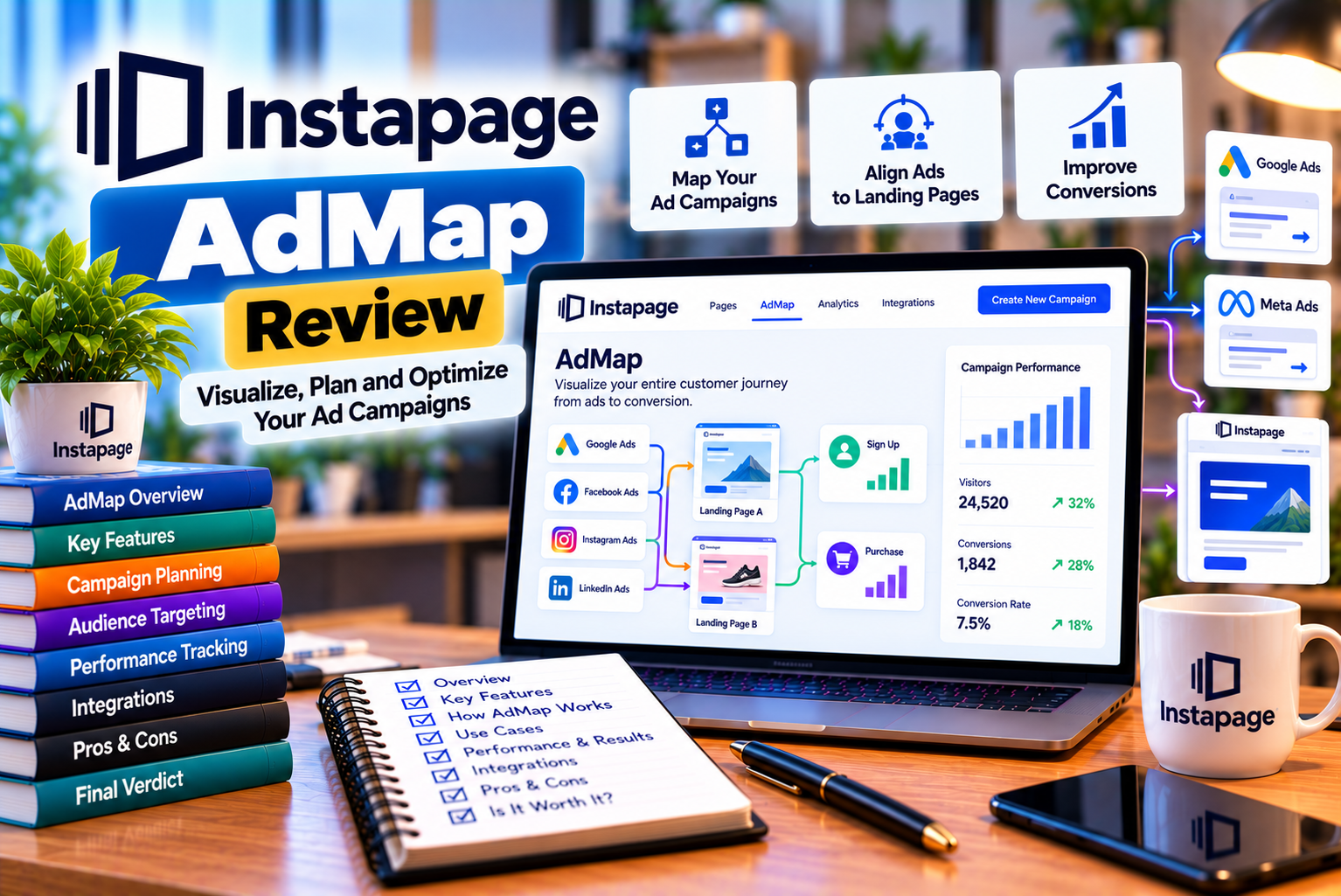
Instapage AdMap Review
Running successful paid advertising campaigns involves much more than creating compelling advertisements and selecting the right keywords. Businesses must also ensure that every advertisement directs visitors to a landing page that matches their expectations, answers their questions, and encourages them to take the desired action.
For example, imagine a company running Google Ads campaigns for three different services: website development, search engine optimization, and social media marketing. If all three campaigns direct visitors to the same generic homepage, potential customers may struggle to find the information relevant to their needs. This disconnect can weaken the customer experience and reduce the effectiveness of advertising expenditure.
This is where landing page personalization and ad-to-page relevance become important.
Instapage AdMap is a campaign visualization and management feature designed to help marketers understand how their advertisements connect with landing pages. It allows users to view their advertising campaign structure, associate individual ads with relevant landing page experiences, and manage supported ad-to-page connection updates from within Instapage.
According to Instapage’s official documentation, AdMap integrates with Google Ads search campaigns and allows marketers to visualize campaigns, ad groups, individual ads, and their corresponding landing page connections. It also supports workflows for creating or selecting page experiences and pushing approved connection updates to Google Ads.
But is Instapage AdMap worth considering for your advertising workflow? What features does it provide, how does it work, and which businesses can benefit most from using it?
In this detailed Instapage AdMap review, we will explore its core capabilities, practical applications, advantages, limitations, implementation process, and important considerations before investing in the platform.
What Is Instapage AdMap?
Instapage AdMap is a visual advertising campaign management feature that helps marketers connect their paid search advertisements with relevant landing page experiences.
Instead of managing advertisement destinations separately across an advertising platform and a landing page builder, marketers can use AdMap to visualize the relationships between their Google Ads campaigns and the landing pages created through Instapage.
The feature is designed to make ad-to-page personalization easier to organize, especially when businesses manage numerous campaigns, ad groups, and advertisements.
For example, a software company might advertise several products to different audiences. Each audience could have different requirements, objections, and reasons for purchasing. With AdMap, marketers can organize relevant landing page experiences around these advertising segments rather than relying exclusively on one general-purpose landing page.
The primary objective is to improve the relationship between what an advertisement promises and what visitors encounter after clicking it.
Instapage describes this process through three broad activities: customizing landing page experiences, connecting those experiences to relevant advertisements, and improving the visitor journey through greater message relevance.
How Does Instapage AdMap Work?
AdMap connects campaign organization with landing page management.
The general workflow involves the following stages:
- Connect an eligible Google Ads account to Instapage.
- Import the supported advertising campaign structure.
- Review campaigns, ad groups, and individual search advertisements.
- Identify which advertisements need dedicated or personalized landing page experiences.
- Select an existing landing page experience or create a suitable one.
- Establish the relevant ad-to-page connection.
- Review proposed changes and push eligible updates to Google Ads.
After the connection is established, the advertisement’s destination can be aligned with the selected landing page experience.
Instapage also documents a review process for proposed connections. Draft connections are not automatically pushed to Google Ads, and unpublished experiences cannot be pushed because they do not yet have a published URL.
This distinction is important because creating a connection inside the interface is not necessarily the same as publishing that connection to a live advertising campaign.
Who Should Consider Instapage AdMap?
AdMap is particularly relevant to businesses that manage multiple paid search campaigns and need a systematic way to organize landing page destinations.
It may be useful for:
- Performance marketing teams: Teams managing numerous Google Ads campaigns can organize their landing page relationships more clearly.
- Digital marketing agencies: Agencies working across several advertising campaigns can use structured ad-to-page workflows to manage personalization.
- B2B businesses: Companies targeting different industries, job roles, company sizes, or buying stages can create more relevant landing page experiences.
- SaaS companies: Software providers promoting different products, features, integrations, or subscription plans can connect advertisements with specific offers.
- E-commerce businesses: Advertisers promoting selected product categories or commercial offers may benefit from more relevant post-click experiences.
- Lead generation companies: Businesses generating enquiries for professional services can align advertisements with dedicated service pages and lead capture forms.
- Businesses operating across multiple locations: Companies targeting different cities or regions can create location-specific landing page experiences where appropriate.
However, the feature is less essential for a small business running only one or two advertisements that lead to a single, well-optimized landing page.
For those businesses, a simpler landing page workflow may be sufficient.
Key Features of Instapage AdMap
The value of Instapage AdMap comes from its ability to bring advertising structure and landing page connections into a more organized workflow.
Let’s examine its main features and understand how they can support paid advertising campaigns.
1. Visual Advertising Campaign Mapping
One of AdMap’s primary features is its visual representation of advertising campaign structures.
When a supported Google Ads account is connected, Instapage can import the available campaign hierarchy so marketers can review campaigns, ad groups, and individual advertisements.
This creates a clearer picture of how advertising activities relate to their destination pages.
Without a centralized mapping workflow, marketers may need to switch repeatedly between Google Ads, landing page management tools, spreadsheets, and internal campaign documentation to understand where each advertisement sends visitors.
That approach can become difficult to maintain as campaigns expand.
AdMap helps organize these relationships within its interface.
Why Is Visual Campaign Mapping Important?
Consider a digital marketing agency managing campaigns for a healthcare provider.
The agency may run separate search campaigns for:
- Dental implants
- Orthodontic treatment
- Teeth whitening
- Emergency dental appointments
- General dental consultations
Each campaign attracts visitors with different needs.
If the agency uses the same landing page for every advertisement, visitors searching for emergency appointments might encounter information primarily focused on cosmetic dentistry.
A visual campaign map can help the team identify these mismatches and organize more relevant destination pages.
The result is a clearer campaign structure and a more manageable process for reviewing landing page relevance.
Best for: Agencies, large advertising accounts, multi-service businesses, and teams managing complex campaign structures.
2. Google Ads Search Campaign Integration
Instapage AdMap is closely associated with Google Ads search campaign workflows.
Its official Help Center explains that users can connect their Google Ads accounts, import supported campaigns, review their advertising hierarchy, and connect individual advertisements with Instapage page experiences.
However, an important limitation applies: Instapage’s documentation states that only search ads are currently available for connection through AdMap. You should not assume that every Google Ads campaign type or advertising platform is supported by the same workflow.
This matters for marketers who run a mixture of search, display, video, shopping, and other advertising campaigns.
Before choosing Instapage for a large advertising operation, confirm that your specific campaign types are compatible with the current AdMap functionality.
How the Integration Helps
Google Ads manages advertising campaigns, while Instapage focuses on creating and optimizing post-click landing page experiences.
AdMap connects these two activities by helping marketers manage supported advertisement destinations from within Instapage.
Potential advantages include:
- Less manual coordination when updating advertisement destinations.
- Clearer relationships between search advertisements and landing pages.
- Easier identification of campaigns that require personalized page experiences.
- A more organized review process for ad-to-page changes.
- Reduced dependence on separate spreadsheets for documenting every connection.
The integration does not replace Google Ads campaign management. Marketers still need to manage budgets, keyword targeting, bids, ad copy, campaign settings, and other advertising decisions through the appropriate tools.
Instead, AdMap helps coordinate the destination-page side of the advertising workflow.
3. Ad-to-Page Connection Management
One of the most useful aspects of Instapage AdMap is its ability to associate specific advertisements with relevant landing page experiences.
This is particularly important when a business promotes several products or services to different audiences.
For instance, a financial software company may advertise:
- Accounting software for freelancers.
- Financial reporting software for enterprises.
- Invoicing tools for small businesses.
- Expense management software for growing teams.
Each advertisement communicates a different value proposition.
With AdMap, marketers can select an appropriate landing page experience for an advertisement rather than treating every campaign as if it has the same objective.
Example of Ad-to-Page Mapping
| Advertisement | Visitor Intent | Recommended Landing Page |
| Accounting software for freelancers | Find an affordable accounting solution | Freelancer accounting landing page |
| Enterprise financial reporting software | Compare advanced reporting capabilities | Enterprise reporting landing page |
| Small business invoicing tool | Create and send invoices | Invoicing product landing page |
| Expense management for teams | Manage employee expenses | Expense management landing page |
This structure helps maintain continuity between the advertisement and the post-click experience.
A visitor who clicks an advertisement about invoicing should immediately find relevant information about invoicing, including the product’s benefits, pricing or trial options, and a clear next step.
AdMap helps marketers organize the relationship between the advertisement and its intended page experience.
However, connecting an advertisement to a page does not automatically guarantee better conversion rates. The landing page must still offer useful content, fast loading, clear messaging, and a compelling call to action.
4. Personalized Landing Page Experiences
Personalization is a central part of Instapage’s advertising proposition.
Different visitors may respond to different messages, even when they are interested in the same product or service.
A business targeting multiple audiences may need to emphasize different benefits depending on the visitor’s industry, location, needs, or stage in the buying process.
For example, a project management platform could create distinct experiences for:
- Marketing agencies.
- Software development teams.
- Construction companies.
- Freelancers.
- Enterprise operations teams.
Although the underlying product remains the same, each audience may require different examples, benefits, testimonials, and calls to action.
Instapage promotes the use of audience-specific landing page experiences and UTM parameters to help connect personalized experiences with relevant advertising audiences.
What Does Personalization Look Like in Practice?
Imagine an online education company promoting a digital marketing course.
One advertisement targets business owners, while another targets people seeking employment.
The business-owner landing page might emphasize customer acquisition, lead generation, and revenue growth.
The career-focused landing page might emphasize practical skills, portfolio development, course projects, and career preparation.
Both pages promote the same course, but the messaging reflects the needs of different audiences.
This approach can make the post-click experience more relevant without requiring the company to develop an entirely different product.
Does Personalization Require a Completely New Landing Page?
Not necessarily.
Depending on the available Instapage functionality and the campaign requirements, marketers can work with different experiences associated with landing pages rather than assuming that every variation requires a completely independent page.
Reusable page elements and structured content workflows can also help reduce repetitive design work.
The most important consideration is to create enough differentiation to address meaningful audience differences without producing unnecessary variations that are difficult to maintain.
Best for: B2B businesses, SaaS companies, lead generation campaigns, and advertisers targeting multiple audience segments.
5. Two-Way Synchronization for Ad-to-Page Updates
Instapage describes AdMap as supporting two-way synchronization for supported advertising and landing page connection workflows.
The purpose is to reduce repetitive work when advertisements or their associated landing page experiences need updating.
For example, suppose a company changes the destination page for a search advertisement.
Without a coordinated process, the marketing team might need to update the page in its landing page platform, locate the corresponding advertisement in Google Ads, replace the destination URL, and document the change separately.
AdMap is designed to simplify this type of workflow by allowing supported connection changes to be managed and pushed through the integration.
Why Synchronization Matters
Synchronization can help teams:
- Keep advertisement destinations aligned with current offers.
- Reduce manual copying and pasting of destination URLs.
- Coordinate page changes with advertising campaigns.
- Review proposed changes before pushing them live.
- Maintain a more consistent campaign management process.
However, synchronization should not be confused with unrestricted automatic campaign optimization.
Marketers must still review proposed changes, verify that the destination pages are published, and confirm that the correct experience is being associated with each advertisement.
A technically successful connection can still lead to poor results if the selected page does not match the advertisement’s promise.
6. Draft Connections and Review Before Publishing
AdMap’s review workflow is useful for teams that need to check changes before they affect live campaigns.
According to the Instapage Help Center, selecting an experience creates a draft connection. The team can then review proposed changes and use the Review & Push process to send eligible updates to Google Ads. Unpublished experiences cannot be pushed because they do not have a live URL.
This process creates an opportunity to check whether the right page is being connected to the right advertisement.
Before pushing changes, marketers should verify:
- The advertisement and landing page communicate the same offer.
- The landing page is published and accessible.
- The correct experience has been selected.
- The destination URL is correct.
- Existing tracking parameters are preserved as expected.
- The page works correctly on mobile devices.
- The conversion action is functioning.
- The change has been reviewed by the appropriate team member.
This is particularly important for agencies and businesses where several people work on the same advertising account.
A review process can reduce avoidable mistakes, although it cannot replace proper testing and campaign monitoring.
7. UTM Parameter Support
UTM parameters help marketers understand where website traffic originates and which campaigns contribute to conversions.
They are commonly used to identify traffic sources, campaign names, content variations, and other marketing attributes in analytics systems.
Instapage’s AdMap documentation explains that predefined UTM parameters in Google Ads are preserved during AdMap connection updates and appended during the Review & Push stage, alongside Instapage’s automatic parameters where applicable.
This can help teams maintain continuity in their tracking workflows.
Why UTM Parameters Matter
Consider a company running separate advertisements for two offers:
- A free product demonstration.
- A downloadable industry report.
The company may use campaign parameters to distinguish traffic associated with each offer.
When a visitor submits a form, properly configured analytics can help the marketing team understand which campaign or advertisement generated the enquiry.
Without consistent tracking, marketers may struggle to compare campaign performance accurately.
Best Practices for UTM Tracking
For more reliable reporting:
- Establish a consistent naming convention.
- Use clear campaign identifiers.
- Avoid unnecessary changes to existing parameter names.
- Confirm that destination URLs retain the required parameters.
- Test analytics events after updating connections.
- Check whether redirects preserve query parameters.
- Compare platform-reported results with your analytics data while accounting for attribution differences.
UTM parameters do not independently guarantee accurate conversion attribution. Analytics configuration, consent settings, browser behavior, and attribution models can all affect reporting.
8. Bulk Connection Management
Instapage’s Help Center documents a Bulk Connect option that allows users to apply the same experience to multiple advertisements within an ad group.
This can save time when several advertisements genuinely share the same offer and target audience.
For example, a company might run several variations of search advertisements promoting the same free consultation.
If the advertisements have the same intent and should lead to the same destination, connecting them in bulk may be more efficient than configuring every connection individually.
However, bulk operations should be used carefully.
Advertisements within the same ad group do not always have identical intent. If one advertisement emphasizes pricing while another emphasizes a specialized feature, a single landing page may not provide the best experience for both audiences.
Before applying a bulk connection, check whether the advertisements share:
- The same product or service.
- A sufficiently similar search intent.
- The same primary offer.
- Comparable audience expectations.
- The same intended conversion action.
The objective should be efficient management without sacrificing relevance.
9. AI-Assisted Landing Page Content
Instapage promotes AI-assisted content creation as part of its broader landing page and personalization capabilities.
Its official product pages describe generating headlines, paragraphs, calls to action, and content variations for different audiences. These capabilities can support the process of adapting landing page messaging to different advertising segments.
For example, a company selling cybersecurity software might need different messaging for small businesses and large enterprises.
The small-business page may focus on straightforward protection, ease of setup, and affordability.
The enterprise page may emphasize centralized administration, security controls, reporting, and integration requirements.
AI-assisted content generation can help marketers develop initial drafts for these variations more quickly.
However, generated content still requires human review.
Marketers should check claims, product details, pricing, compliance requirements, readability, and alignment with the advertisement before publishing.
Important: AI content generation is a supporting capability within the broader Instapage workflow. Its presence does not mean AdMap independently generates, approves, and publishes a complete advertising strategy without human oversight.
10. Support for a More Organized Landing Page Workflow
AdMap can help reduce fragmentation between advertising and landing page activities.
A paid advertising workflow often involves several connected tasks:
- Keyword and audience research.
- Advertisement creation.
- Landing page design.
- Message matching.
- Conversion tracking.
- Campaign launches.
- Testing and optimization.
- Performance reporting.
When these activities are managed through separate tools and disconnected documentation, teams may spend significant time coordinating changes.
AdMap helps organize one important part of this process: the relationship between supported advertisements and their landing page experiences.
It should therefore be evaluated as a workflow and personalization feature rather than as a complete replacement for advertising management, analytics, or conversion optimization tools.
Benefits of Using Instapage AdMap
Instapage AdMap may offer several advantages to businesses that manage complex paid search campaigns.
The extent of those benefits depends on campaign size, the number of landing page experiences, the team’s existing workflow, and the quality of its advertising strategy.
1. Better Ad-to-Page Relevance
The most important potential benefit is improved alignment between advertising messages and landing page content.
When an advertisement promises a specific product, feature, service, or offer, visitors should encounter that information immediately after clicking.
For example, someone searching for enterprise accounting software should not have to navigate through a general homepage to find enterprise features.
A dedicated page can address the visitor’s needs more directly.
AdMap helps marketers organize these connections so they can identify where additional personalization may be useful.
Better relevance can contribute to stronger engagement and conversion performance, although the actual outcome depends on the offer, audience, page quality, and other campaign factors.
2. More Efficient Campaign Management
As the number of advertisements increases, maintaining a clear record of their destination pages becomes more difficult.
A campaign with five advertisements may be easy to manage manually. A larger account with hundreds of advertisements and numerous landing page variations requires a more systematic process.
AdMap provides a centralized visual workflow for supported connections.
This may reduce the time spent searching for individual advertisements and documenting their associated landing pages.
The efficiency benefit is likely to be greater for teams managing many campaigns than for businesses with only a few advertisements.
3. Easier Identification of Personalization Opportunities
Not every advertisement requires a completely unique landing page.
However, some campaigns benefit substantially from audience-specific messaging.
AdMap can help marketers visualize the existing campaign structure and consider which advertisements need dedicated experiences.
For example, a software company may discover that advertisements targeting different industries all lead to the same general product page.
This can create an opportunity to develop industry-specific experiences that explain how the product addresses each audience’s needs.
The objective is not to create as many landing pages as possible. It is to identify where differences in visitor intent justify a different experience.
4. Reduced Manual Destination Updates
When advertising and landing page teams work separately, even a small destination change can require several manual steps.
A coordinated connection workflow can reduce the need to repeatedly locate advertisements and copy destination URLs.
This can be particularly useful when:
- An offer changes.
- A product page is replaced.
- A campaign is reorganized.
- A landing page variation is updated.
- A new audience-specific experience is introduced.
Teams should still verify changes before publishing them, especially when live advertising campaigns are involved.
5. Better Coordination Between Marketing Teams
AdMap may also support collaboration between PPC specialists, landing page designers, conversion rate optimization teams, and marketing managers.
A visual campaign structure can make it easier to discuss which advertisements need specific landing pages and where existing experiences should be improved.
For example, a PPC specialist might identify a high-priority search campaign, while the design team develops a more relevant landing page for that audience.
A shared view of campaign relationships can make these discussions more concrete.
However, collaboration benefits also depend on account permissions, internal procedures, and how consistently the team documents campaign decisions.
6. Potential Improvement in Advertising Efficiency
Paid advertising performance depends partly on what happens after the click.
If a campaign attracts relevant visitors but sends them to an unsuitable landing page, some advertising expenditure may generate little business value.
Improving message alignment can help visitors understand an offer and take the intended action.
Possible outcomes include:
- More qualified enquiries.
- Better engagement with relevant product information.
- Increased form completion rates.
- More efficient use of landing page traffic.
- Improved conversion rates.
- Lower cost per acquisition when conversion gains outweigh other cost factors.
These outcomes are possibilities, not guaranteed results.
AdMap helps organize ad-to-page connections; it does not automatically fix weak offers, inappropriate targeting, high prices, slow pages, or poorly designed forms.
Instapage AdMap Limitations
Although AdMap can be useful, it is important to understand its limitations before making a purchasing decision.
1. It Is Closely Tied to the Instapage Ecosystem
AdMap is designed to work with Instapage landing page experiences and supported advertising connections.
Businesses using other landing page builders may need to maintain a separate process for managing advertisement destinations.
If your company already has a mature landing page workflow, evaluate whether adopting Instapage would simplify operations enough to justify the transition.
Also consider the work required to recreate existing pages, establish integrations, configure tracking, and train team members.
2. Documented Support Focuses on Google Ads Search Ads
Instapage’s AdMap documentation states that only search ads are currently available for connection through the feature.
This is an important consideration for advertisers who rely heavily on other campaign formats.
If your marketing strategy includes display advertising, video campaigns, shopping campaigns, or advertising on social platforms, confirm the current support available for your specific use cases.
Do not assume that every campaign in a Google Ads account will be available for AdMap connection.
3. Pricing May Be Difficult to Justify for Smaller Businesses
AdMap’s availability and commercial terms should be checked against Instapage’s current plans.
Instapage has historically positioned advanced advertising and personalization capabilities toward higher-tier or custom arrangements. Its official advertising product page should be consulted for current availability and eligibility.
For a small business with only a few advertisements, the cost of a specialized landing page platform may exceed the operational value of centralized ad mapping.
A simpler setup involving a landing page builder, a documented naming convention, and a spreadsheet may be adequate.
The best choice depends on the time saved, the complexity of your campaigns, and the financial value of improving conversion performance.
4. It Does Not Replace Google Ads Management
AdMap helps organize advertisement destinations and landing page experiences.
It should not be treated as a substitute for managing the advertising account itself.
Marketers still need to handle decisions involving:
- Campaign budgets.
- Bidding strategies.
- Keyword selection.
- Search terms.
- Audience targeting.
- Advertisement copy.
- Campaign schedules.
- Conversion actions.
- Advertising policy compliance.
- Performance analysis.
AdMap is most useful when integrated into a broader paid advertising process.
5. Campaign Connections Still Require Human Review
Automating or simplifying the connection process does not eliminate the need for careful review.
A landing page may be technically valid but still be unsuitable for a particular advertisement.
For example, connecting a promotional advertisement to a page with outdated pricing could confuse visitors and reduce trust.
Similarly, using a generic page for a specialized search term may weaken the relevance of the visitor experience.
Human review remains essential for checking page content, URLs, tracking, mobile performance, and conversion functionality.
6. Personalization Can Increase Maintenance Work
Creating dedicated landing pages can improve relevance, but too many variations can become difficult to maintain.
Every additional experience may require updates to:
- Pricing.
- Product features.
- Testimonials.
- Legal information.
- Promotional offers.
- Branding.
- Forms.
- Tracking scripts.
- Calls to action.
Businesses should develop a clear process for reviewing and updating their landing pages.
Reusable components, consistent templates, and a well-organized content structure can help reduce unnecessary maintenance.
7. Results Depend on More Than Ad Mapping
Ad-to-page relevance is only one factor affecting advertising performance.
Conversion rates can also be influenced by:
- The quality of the advertisement.
- Keyword intent.
- Audience targeting.
- Product-market fit.
- Landing page speed.
- Mobile usability.
- Offer competitiveness.
- Form complexity.
- Trust signals.
- Pricing.
- Sales follow-up.
AdMap can support better coordination, but it cannot independently guarantee a profitable advertising campaign.
How to Use Instapage AdMap: Step-by-Step Guide
Getting started with AdMap involves connecting your advertising account, reviewing the imported campaign structure, selecting suitable landing page experiences, and publishing approved changes.
The following workflow is based on Instapage’s documented AdMap process. Interface labels and available options may change over time.
Step 1: Confirm Your Instapage Plan and Access
Before configuring AdMap, confirm that your subscription includes the feature.
Check the current plan details and contact Instapage if availability is unclear.
You should also confirm that your team has the necessary permissions to access the feature and manage the relevant advertising connections.
This step is particularly important if you are evaluating AdMap for an agency or enterprise account.
Step 2: Connect Your Google Ads Account
Sign in to your Instapage workspace and locate AdMap in the dashboard navigation.
If your Google Ads account has not been connected, use the available account connection option or configure the integration through the appropriate settings.
Instapage’s documentation states that users need Admin or Standard access in Google Ads to establish the connection.
If you cannot connect the account, verify your access level and check whether your organization has restrictions affecting third-party integrations.
Step 3: Review Imported Campaigns
Once the integration is established, supported campaigns are imported into AdMap.
You can then review the available campaign structure, including ad groups and individual search advertisements.
Use this stage to understand how the account is organized.
Look for campaigns that:
- Promote different services.
- Target different audiences.
- Communicate distinct offers.
- Use different conversion objectives.
- Require dedicated landing page experiences.
This review can help you identify opportunities to improve ad-to-page alignment.
Step 4: Audit Existing Landing Page Destinations
Before creating new pages, examine the destination pages already being used.
For each advertisement, ask:
- Does the page address the searcher’s intent?
- Does the headline reflect the advertisement’s message?
- Is the advertised product or service immediately visible?
- Is the main offer easy to understand?
- Is there a clear call to action?
- Does the page work properly on mobile devices?
- Are the relevant conversion events tracked?
- Is the information accurate and up to date?
Record any issues that need attention.
A structured audit prevents teams from creating unnecessary landing pages when an existing experience could be improved.
Step 5: Select an Existing Page or Create a New Experience
When you identify an advertisement that needs a more suitable destination, select the appropriate landing page experience.
If a suitable experience does not exist, create one using the available Instapage tools.
The new page should reflect the advertisement’s intent and provide a clear path toward the desired conversion.
For example, a search advertisement promoting a free software demonstration should ideally lead to a page explaining the demonstration and providing a simple way to request it.
Avoid sending visitors through unnecessary steps before they can access the advertised offer.
Step 6: Establish the Ad-to-Page Connection
Select the relevant advertisement and use the available experience-connection controls.
Choose the appropriate page and experience based on the intended audience and campaign message.
If multiple advertisements genuinely share the same intent, consider using the documented Bulk Connect workflow.
However, review each advertisement carefully before applying the same destination to several ads.
The objective is to preserve relevance rather than simply minimize the number of landing pages.
Step 7: Review Draft Connections
Before publishing changes, inspect the proposed connections.
Confirm that the selected experiences are correct and that the relevant pages have been published.
Also check destination URLs and tracking requirements.
If a page is unpublished or lacks a valid URL, resolve that issue before attempting to push the connection.
Instapage documents that draft connections must be reviewed and eligible experiences published before the changes can be pushed to Google Ads.
Step 8: Push Approved Changes
Use the Review & Push workflow to publish eligible connection updates to Google Ads.
After the changes are pushed, verify the relevant advertisements in Google Ads to confirm that the intended destination URLs have been updated.
Do not assume that completing the workflow eliminates the need for post-publication checks.
Step 9: Test the Complete Visitor Journey
Open the relevant landing page and test the experience as a visitor would encounter it.
Check:
- Page loading and responsiveness.
- Headline and offer consistency.
- Button and form functionality.
- Mobile layout.
- Destination URL.
- Tracking parameters.
- Analytics events.
- Confirmation messages.
- Conversion tracking.
If the page collects leads, submit a test enquiry where appropriate to verify that the form and follow-up process work correctly.
Step 10: Monitor Results and Improve the Experience
After the changes have been live long enough to collect meaningful data, evaluate the results.
Useful metrics include:
- Click-through rate.
- Landing page conversion rate.
- Cost per lead.
- Cost per acquisition.
- Lead quality.
- Sales-qualified lead rate.
- Revenue per visitor.
- Return on advertising spend.
Use the findings to identify which landing page experiences require further improvement.
Avoid judging performance solely by the number of pages created or the number of ad connections completed.
The ultimate objective is to improve the quality and business value of the visitor journey.
Practical Example: Using Instapage AdMap for a Digital Marketing Agency
Consider a digital marketing agency that offers SEO services, PPC management, website development, and social media marketing.
The agency runs separate Google Ads search campaigns for each service.
Initially, all advertisements direct visitors to the agency’s homepage.
Although the homepage explains the business, it requires visitors to navigate to their specific service before they can learn more or submit an enquiry.
This introduces unnecessary friction.
The Initial Problem
The agency identifies several issues:
- SEO advertisements lead to a general homepage.
- PPC management advertisements do not immediately explain campaign management services.
- Website development advertisements direct visitors to a page with limited information about web design.
- Social media advertisements emphasize services that are difficult to find after the click.
The agency also finds it difficult to maintain a clear record of which advertisement points to which page.
The AdMap-Based Approach
The agency uses AdMap to review its supported search campaign structure and organize more relevant landing page connections.
It then develops dedicated experiences for its main service categories.
| Campaign | Landing Page Focus | Primary Conversion Goal |
| SEO Services | SEO strategy, technical optimization, and organic growth | Request an SEO audit |
| PPC Management | Google Ads management, campaign optimization, and reporting | Book a consultation |
| Website Development | Website design, development process, and project examples | Request a project estimate |
| Social Media Marketing | Content strategy, campaign management, and social growth | Schedule a discovery call |
The agency connects the relevant advertisements to these experiences and reviews the changes before publishing them.
Expected Operational Benefits
This structure may help the agency:
- Maintain clearer advertisement-to-page relationships.
- Improve message consistency.
- Reduce manual destination management.
- Identify opportunities for additional personalization.
- Simplify future campaign reviews.
However, the agency should not assume that these organizational improvements automatically increase conversions.
It should compare performance before and after the changes, account for other campaign changes, and evaluate lead quality as well as conversion volume.
For example, a landing page might generate more enquiries but fewer qualified prospects. In that case, the agency should review its messaging, targeting, and qualification process rather than focusing exclusively on the conversion rate.
The lesson is straightforward: AdMap can help organize a better advertising workflow, but meaningful performance improvement requires a relevant offer, effective page design, and consistent measurement.
Instapage AdMap vs. Manual Ad-to-Page Management
Not every business needs a dedicated ad mapping feature.
Some teams can manage advertisement destinations through a simple spreadsheet and their existing advertising platform.
Others may benefit from a centralized workflow because their campaigns have become too complex to manage efficiently.
The following comparison highlights the practical differences.
| Factor | Instapage AdMap | Manual Management |
| Campaign visualization | Visualizes supported campaign structures within Instapage | Usually requires spreadsheets or separate documentation |
| Ad-to-page connections | Provides a workflow for connecting ads with Instapage experiences | URLs are managed through the advertising platform and internal procedures |
| Supported Google Ads search workflows | Designed to manage supported connections through the integration | Managed manually in Google Ads |
| Updating destinations | Supports reviewing and pushing eligible connection updates | Requires manual changes and verification |
| Personalization workflow | Helps organize personalized Instapage experiences | Depends on the landing page builder and internal process |
| Initial setup | Requires account integration and feature access | Can begin with an existing advertising account |
| Cost | Depends on Instapage’s current subscription and feature availability | May require no additional software subscription |
| Maintenance | Requires ongoing management of pages, connections, and tracking | Requires ongoing URL documentation and campaign audits |
| Best suited for | Teams with complex supported campaigns and personalization needs | Smaller accounts with straightforward destination structures |
Which Approach Is Better?
Instapage AdMap may be the better option when managing advertisement destinations has become a significant operational challenge.
It is particularly relevant when teams need to coordinate multiple campaigns and landing page experiences.
Manual management may be sufficient when:
- The account contains relatively few advertisements.
- Most advertisements share the same destination.
- Campaign changes are infrequent.
- A documented spreadsheet is easy to maintain.
- The business does not require advanced landing page personalization.
The decision should be based on the complexity of the workflow and the value of the time saved, not simply on the number of features available.
Instapage AdMap Pricing: What Should You Know?
Pricing is an important consideration when evaluating Instapage AdMap.
Businesses should distinguish between the cost of the broader Instapage platform and the availability of specific advanced advertising features.
AdMap’s current eligibility and commercial terms should be confirmed through the official Instapage product and pricing information before purchasing a subscription. Instapage has historically positioned advanced advertising workflows toward higher-tier or custom arrangements, so businesses should not assume that every standard subscription includes AdMap.
Is Instapage AdMap Included in Every Plan?
You should not assume that it is.
Feature availability can depend on the subscription arrangement and the product configuration offered to your business.
Check the current plan comparison or request confirmation from Instapage before choosing a plan specifically for AdMap.
If AdMap is a critical requirement, obtain written confirmation of the feature’s availability and any associated limitations.
What Factors Can Affect the Total Cost?
When evaluating the investment, consider more than the advertised subscription price.
Your overall cost may include:
- The Instapage subscription.
- Access to required advanced features.
- Landing page creation and migration.
- Advertising and analytics integrations.
- Staff training.
- Ongoing page maintenance.
- Conversion tracking configuration.
- Additional marketing tools.
These factors matter because adopting a new platform can introduce implementation costs even when its core interface is relatively easy to use.
How Can You Evaluate the Return on Investment?
A practical evaluation should compare the platform’s cost with the value of improved workflow efficiency and any measurable change in campaign outcomes.
For example, suppose an agency spends several hours each month manually reviewing advertising destinations and coordinating changes between team members.
If AdMap reduces that workload, the agency may recover time for higher-value activities such as campaign analysis, creative development, and conversion optimization.
The business should estimate the financial value of those time savings and compare it with the platform’s incremental cost.
It should separately measure whether improved landing page relevance contributes to better conversion performance.
Avoid assuming that every improvement in workflow will translate directly into additional revenue.
Best Practices for Getting Better Results with Instapage AdMap
Using AdMap effectively requires a clear approach to campaign organization, landing page relevance, and ongoing measurement.
The following practices can help businesses make better use of the feature.
1. Organize Campaigns Around Clear Objectives
Campaign structure should reflect meaningful differences in visitor intent, product interest, or conversion goals.
If a business advertises several unrelated services, it should consider whether each service requires its own landing page experience.
Clear campaign organization makes it easier to determine which advertisements should share a destination and which need a dedicated experience.
2. Match Landing Page Headlines to Advertisement Intent
The headline is one of the first elements visitors encounter after clicking an advertisement.
If the advertisement promotes a specific service or offer, the landing page should make that offer immediately clear.
For example, an advertisement promoting a free SEO audit should lead to a page that explains the audit and provides a straightforward way to request it.
A generic headline such as “Welcome to Our Company” may fail to communicate the relevance of the page.
3. Avoid Creating Unnecessary Landing Page Variations
Personalization can be valuable, but excessive segmentation may introduce unnecessary complexity.
Before creating a new page, determine whether the audience has meaningfully different needs or expectations.
If two advertisements communicate the same offer to similar audiences, a shared landing page may be entirely appropriate.
The objective is to improve relevance rather than maximize the number of page variations.
4. Keep Offers and Pricing Consistent
Advertising messages and landing page content should not contradict one another.
If an advertisement promotes a limited-time discount, the destination page should display the correct offer and conditions.
If pricing changes, review the affected landing pages and advertisements to ensure that visitors receive accurate information.
A coordinated workflow can help manage destination changes, but content accuracy remains the responsibility of the marketing team.
5. Establish a Clear UTM Naming Convention
Consistent tracking parameters make it easier to compare campaign performance.
Define a naming convention for campaign sources, campaign names, content variations, and other relevant parameters.
Use descriptive identifiers and avoid introducing unnecessary variations in spelling or capitalization.
After making AdMap connection updates, test whether the relevant parameters are preserved and recorded as expected.
6. Prioritize High-Value Campaigns
Not every campaign deserves the same amount of personalization work.
Start with campaigns that have significant spending, high commercial value, substantial traffic, or clear relevance problems.
A focused approach allows teams to concentrate resources on changes that may have the greatest business impact.
Once the process is established, expand personalization to additional campaigns where the evidence supports doing so.
7. Test One Meaningful Change at a Time
When possible, use controlled experiments to understand whether a new landing page experience improves performance.
For example, a business might compare a general product page with an audience-specific version while keeping other important campaign conditions reasonably consistent.
Avoid changing the headline, offer, targeting, form, and destination simultaneously if you need to understand which change influenced the result.
Use an appropriate testing method and allow sufficient time to collect meaningful data.
8. Monitor Lead Quality, Not Just Conversion Rate
A higher landing page conversion rate does not necessarily mean a better business outcome.
A page might attract more form submissions but generate fewer qualified leads.
Track downstream metrics such as:
- Qualified lead rate.
- Sales acceptance rate.
- Demo attendance.
- Opportunity creation.
- Customer acquisition cost.
- Revenue generated.
These measures help determine whether landing page changes improve the commercial value of the campaign.
9. Review Landing Pages Regularly
Landing pages can become outdated when product features, pricing, promotions, and business policies change.
Schedule regular reviews to check the accuracy of page content and the functionality of conversion elements.
A consistent review process is especially important when multiple landing page experiences are associated with active advertisements.
10. Document Ownership and Approval Procedures
Teams should establish who is responsible for creating pages, reviewing content, approving destination changes, and monitoring results.
This reduces confusion when several people manage the same campaign.
A clear process should also define how urgent changes are handled and how teams verify that live advertisements point to the intended destinations.
Is Instapage AdMap Worth It?
Instapage AdMap can be worth considering for businesses that manage numerous supported Google Ads search campaigns and need a more organized way to connect advertisements with personalized landing page experiences.
Its main value is not simply that it displays campaigns visually. It helps coordinate the relationship between advertising messages, landing page destinations, and post-click personalization.
However, its usefulness depends on the complexity of your advertising workflow.
Instapage AdMap Is Worth Considering If:
- You manage numerous Google Ads search advertisements.
- Your campaigns target distinct audiences or service categories.
- You need to organize multiple landing page experiences.
- Your team frequently updates advertisement destinations.
- Manual URL management creates unnecessary work.
- You want a more structured workflow for reviewing ad-to-page relationships.
- The cost of the required Instapage plan is justified by your operational needs.
Instapage AdMap May Not Be Necessary If:
- You run only a few advertisements.
- Most advertisements direct visitors to the same landing page.
- Your current campaign documentation is easy to maintain.
- You primarily need a basic landing page builder.
- Your advertising strategy depends heavily on campaign types not supported by the documented AdMap integration.
- The cost of the required subscription exceeds the likely operational benefit.
Final Verdict
Instapage AdMap is most valuable when managing advertisement-to-landing-page relationships has become a genuine challenge.
Its visual campaign mapping, supported Google Ads integration, connection management, and personalization workflow can help teams organize complex paid search activities more efficiently.
The feature is particularly relevant to agencies, SaaS businesses, B2B companies, and performance marketing teams that create different landing page experiences for different audiences.
However, AdMap is not a complete advertising management platform, and its documented connection workflow focuses on Google Ads search advertisements. Businesses should verify current feature availability and pricing before committing to a subscription.
Ultimately, the best reason to adopt AdMap is not the promise of higher conversions alone. It is the opportunity to create a more systematic process for matching advertisements with relevant landing pages, reviewing changes, and measuring whether those changes improve business results.
For smaller businesses with straightforward campaigns, manual management may remain a practical alternative. For teams managing complex advertising structures, AdMap deserves consideration as part of a broader landing page and conversion optimization strategy.
Frequently Asked Questions About Instapage AdMap
1. What is Instapage AdMap?
Instapage AdMap is a feature that helps marketers visualize supported advertising campaigns and connect advertisements with relevant Instapage landing page experiences. It is designed to improve ad-to-page organization and personalization.
2. What is the primary purpose of Instapage AdMap?
Its primary purpose is to help advertisers understand and manage the relationships between advertising campaigns and landing pages. This can make it easier to identify personalization opportunities and manage destination updates.
3. Does Instapage AdMap work with Google Ads?
Yes. Instapage documents an integration that connects AdMap with Google Ads search campaigns. Users can import supported campaigns, review individual advertisements, and manage eligible landing page connections.
4. Does AdMap support every Google Ads campaign type?
You should not assume that it does. Instapage’s Help Center states that only search ads are currently available for connection through AdMap. Check the latest documentation if your campaigns use other advertising formats.
5. Can Instapage AdMap improve landing page conversion rates?
It can support improvements by helping marketers connect advertisements with more relevant landing page experiences. However, conversion rates also depend on factors such as targeting, offer quality, page design, speed, pricing, and form usability.
6. Can I connect multiple advertisements to the same landing page?
AdMap supports workflows for connecting advertisements to landing page experiences, including a documented Bulk Connect option for applying the same experience to multiple advertisements within an ad group. The selected page should be relevant to every advertisement receiving that connection.
7. Can I create a new landing page through AdMap?
Instapage’s product information describes creating or connecting personalized page experiences through its advertising workflow. The exact options available depend on your account configuration and the features included in your subscription.
8. Does Instapage AdMap automatically update Google Ads?
AdMap supports a workflow for reviewing and pushing eligible ad-to-page connection changes to Google Ads. Users should understand the review process and verify the published destination URLs rather than assuming that every draft change becomes live automatically.
9. What is the Review & Push feature in AdMap?
Review & Push is the workflow used to review proposed ad-to-page connections and push eligible changes to Google Ads. Unpublished experiences cannot be pushed because they do not have a published URL.
10. Does Instapage AdMap preserve UTM parameters?
Instapage’s documentation explains that predefined UTM parameters in Google Ads are preserved during AdMap connection updates and appended during the Review & Push process. Marketers should still test their tracking setup after making changes.
11. Can AdMap help reduce advertising costs?
AdMap may contribute to more efficient advertising by helping marketers create relevant post-click experiences. If those changes improve conversions without increasing costs disproportionately, the cost per acquisition may decrease. However, lower advertising costs are not guaranteed.
12. Is Instapage AdMap suitable for small businesses?
It can be useful for small businesses that manage multiple campaigns and require personalized landing pages. However, businesses with only a few advertisements and simple destination structures may find manual management more cost-effective.
13. Is Instapage AdMap suitable for marketing agencies?
Yes. Agencies managing multiple campaigns can benefit from a more organized view of supported advertisements and their landing page connections. Its usefulness depends on the agency’s campaign complexity, team workflow, and required subscription.
14. Can AdMap be used for B2B advertising?
Yes. B2B businesses can use the broader AdMap workflow to organize landing page experiences for different industries, job roles, product categories, and buying stages, provided their campaigns and page configurations are supported.
15. Does Instapage AdMap replace Google Ads?
No. AdMap helps coordinate supported advertisement-to-page connections. It does not replace Google Ads campaign management, keyword research, bidding, budgeting, ad creation, or the full range of advertising account controls.
16. Does AdMap replace landing page analytics?
No. AdMap focuses on campaign visualization and ad-to-page connection management. Marketers still need appropriate analytics and conversion tracking to understand visitor behavior and measure business results.
17. Can I use AdMap without connecting Google Ads?
AdMap’s documented campaign connection workflow relies on integrating a Google Ads account. Some general landing page management activities may be available elsewhere in Instapage, but the supported AdMap workflow requires the relevant integration.
18. What Google Ads permissions are required for the integration?
Instapage’s documentation states that Admin or Standard access is required to establish the Google Ads connection. Confirm your account permissions if the integration cannot be completed.
19. Does Instapage AdMap support bulk connections?
Yes. Instapage documents a Bulk Connect option that can apply the same experience to multiple advertisements within an ad group. Always verify that the advertisements share sufficiently similar intent before using this option.
20. Is Instapage AdMap included in every subscription plan?
Do not assume that it is. Feature access and commercial terms can vary by subscription. Check Instapage’s current pricing information or contact its sales team to confirm availability for your account.
21. Does AdMap create personalized content automatically?
Instapage promotes AI-assisted content creation and personalized landing page experiences as part of its broader platform. However, marketers should verify which capabilities are included in their subscription and review generated content before publishing.
22. Can I use AdMap to manage landing pages for different locations?
Location-specific landing page experiences can be part of a personalization strategy. For example, a business may create different pages for customers in different cities. The usefulness of this approach depends on the campaign setup, available functionality, and whether the location differences genuinely matter to visitors.
23. What are the main disadvantages of Instapage AdMap?
Important considerations include subscription cost, dependence on the Instapage ecosystem, the documented focus on Google Ads search ads, and the need to maintain accurate landing pages and tracking. It also does not replace full advertising management or analytics tools.
24. How can I measure the success of Instapage AdMap?
Evaluate the performance of your landing page and advertising workflow using conversion rate, cost per lead, cost per acquisition, lead quality, revenue per visitor, and return on advertising spend. Compare results carefully and account for other campaign changes.
25. Is Instapage AdMap worth it in 2026?
Instapage AdMap is worth evaluating if you manage complex Google Ads search campaigns and need a structured process for connecting advertisements with relevant landing page experiences. Before purchasing, verify current plan availability, pricing, integration support, and whether the potential efficiency gains justify the investment.
Official References
The following official Instapage resources are useful for verifying feature details and supporting the article’s technical explanations:
- Instapage AdMap Product Page: Instapage AdMap
- Instapage AdMap Feature Overview: AdMap Features
- How AdMap Works With Google Search Ads: Instapage Help Center: AdMap Setup
- Google Ads Integration and Traffic Filtering: Instapage Google Ads Integration Guide
- Instapage Pricing and Plan Information: Instapage Plans
Leave a Reply