


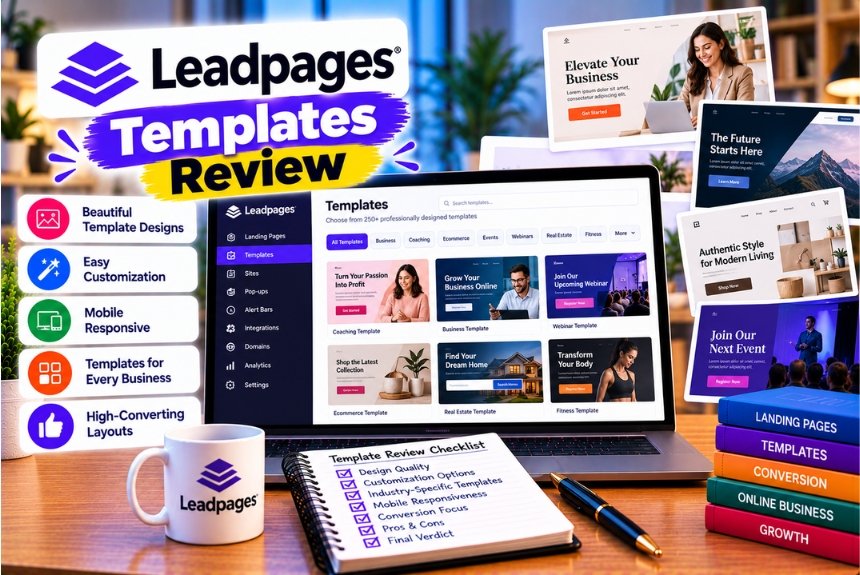
Leadpages Templates Review
Creating a landing page that generates qualified leads requires more than an attractive design. The page must communicate a relevant offer, establish trust, explain what visitors will receive, and make the next step easy to complete. For marketers who want to achieve these goals without designing every page from scratch, Leadpages templates provide a practical starting point.
Leadpages offers landing page templates for a range of marketing objectives, including lead generation, ebook downloads, webinar registration, consultations, product promotions, sales campaigns, and industry-specific business needs. Its template gallery allows users to explore available designs and customize their content, layout, images, colors, and branding. Leadpages also offers AI-assisted page creation for users who prefer to generate an initial design from a written description.
However, not every template is suitable for every campaign.
A template designed to sell an online course may contain more persuasive sections than a page offering a free checklist. A consultation landing page may need a prominent booking form, while a newsletter signup page might perform better with a short headline, a clear benefit, and a simple email field.
Choosing the right starting point can make page creation easier and help you focus on the elements that matter most to your campaign.
In this detailed Leadpages templates review, we will examine the available template categories, identify the best template types for different lead generation objectives, explain how to customize them, and discuss the design principles that can improve landing page performance.
We will also compare Leadpages templates with alternatives, highlight common mistakes to avoid, and provide a practical framework for selecting a template for your next marketing campaign.
What Are Leadpages Templates?
Leadpages templates are pre-designed page layouts that users can customize to create landing pages and other marketing experiences.
Instead of starting with a blank page, you can choose a layout that broadly matches your objective and replace its content with your own messaging, imagery, forms, branding, and calls to action.
For example, a business promoting a free marketing guide might begin with an ebook download template. A consultant seeking new clients could use a consultation template, while a software company promoting a product demonstration might prefer a lead generation layout built around a demo request.
The official Leadpages template gallery includes categories for lead generation, sales pages, webinars, real estate, health and wellness, home services, events, downloads, and other use cases. The available inventory and category counts may change as the gallery is updated.
How Leadpages Templates Work
The process typically follows these steps:
- Define the goal of your landing page.
- Browse the available Leadpages templates.
- Preview layouts that match your campaign.
- Select a suitable starting design.
- Replace the sample copy and images.
- Customize colors, fonts, forms, and page sections.
- Connect the required marketing integrations.
- Preview the page on desktop and mobile.
- Publish the page and monitor its performance.
The advantage is that you can spend less time establishing a basic page structure and more time improving the offer, messaging, and visitor experience.
However, a template should be treated as a starting point rather than a guarantee of conversions. The results will depend on how well the page matches your audience, traffic source, offer, and business objectives.
Are Leadpages Templates Customizable?
Yes. Leadpages states that its templates can be customized through its visual editor, including changes to colors, fonts, images, layouts, and content. The platform also allows users to start from scratch or use AI-assisted page creation.
This flexibility is important because a template that works for one business may not work equally well for another.
A financial consultant, for example, may need a professional design with credentials, service information, and privacy assurances. A fitness coach might benefit from a more visual layout with program details, client testimonials, and a consultation form.
The best approach is to select a template that already has a structure suited to your objective, then customize it to reflect your brand and audience.
Leadpages Templates Review: Our Overall Assessment
Leadpages templates are most useful for businesses that want to create campaign-specific pages without building every layout from the beginning.
The platform’s template categories help users find designs for different marketing goals, while its visual editor provides a way to customize the selected page.
AI-assisted creation is another option for marketers who have a clear idea of the page they need but do not want to begin by browsing templates.
Leadpages Templates: Pros and Cons
| Advantages | Limitations |
| Pre-designed layouts help reduce initial design work | Templates still require customization to match the campaign |
| Categories support different industries and marketing objectives | The most suitable layout depends on the offer and audience |
| Templates can be customized to match branding | Extensive customization may require additional design work |
| Useful for lead magnets, consultations, webinars, and sales campaigns | A visually attractive template does not guarantee conversions |
| Can provide a consistent structure for recurring campaigns | Reusing the same design without testing may limit improvement |
| AI-assisted page creation provides another starting point | AI-generated content and layouts still need human review |
| Useful for businesses without dedicated web design resources | Advanced optimization features may depend on the subscription plan |
Who Can Benefit Most From Leadpages Templates?
Leadpages templates may be particularly useful for:
- Small businesses generating enquiries online.
- Consultants and coaches promoting services.
- Digital marketers building paid advertising landing pages.
- SaaS companies collecting demo requests.
- Course creators promoting webinars and educational products.
- Agencies building repeatable campaign pages.
- Real estate professionals collecting buyer or seller enquiries.
- Businesses building email lists through lead magnets.
- Event organizers collecting registrations.
- Ecommerce businesses promoting specific products or offers.
The value of the platform depends on whether its editing workflow and available features suit your requirements.
For a broader assessment of the platform, including its pricing and optimization features, see our related article: Leadpages Review: Is It Worth the Price for Landing Page Creation?
Best Leadpages Template Categories for Lead Generation
Lead generation covers several different marketing activities. Some businesses want email subscribers, others need qualified sales enquiries, and some want visitors to book a consultation or register for an event.
Leadpages provides templates for several of these objectives.
The following categories are particularly worth evaluating when your main goal is to collect leads.
1. Lead Magnet Templates
Lead magnet templates are designed for campaigns in which visitors receive something useful in exchange for their contact information.
Common lead magnets include:
- Downloadable ebooks.
- Industry reports.
- Checklists.
- Templates and worksheets.
- Research summaries.
- Resource guides.
- Educational toolkits.
- Free training materials.
Leadpages’ official lead generation template gallery includes options such as Lead Magnet Ebook, Ebook Download, Lead Magnet Checklist, Lead Magnet Toolkit, and other resource-focused designs.
Why Lead Magnet Templates Work for Lead Generation
A lead magnet gives visitors a specific reason to share their information.
Instead of asking someone to subscribe to a newsletter without explaining the benefit, you can offer a useful resource that addresses a particular problem.
For example, a digital marketing agency could promote a downloadable SEO checklist. Visitors interested in improving their websites can request the checklist by entering their email addresses.
The landing page should explain what the resource contains, who it is for, and what the visitor will gain from downloading it.
Essential Elements of a Lead Magnet Template
A strong lead magnet landing page should include:
A clear headline: Explain the main benefit of the resource.
A short description: Tell visitors what they will learn or receive.
A visual preview: Show the cover of the ebook, a sample checklist, or another relevant preview.
A concise form: Ask only for information needed to deliver the resource or support the follow-up process.
A visible call to action: Use a button that describes the next step.
A privacy statement: Explain how contact details will be used and provide any necessary consent options.
Example: SEO Checklist Landing Page
Imagine an agency offering a free SEO audit checklist.
The page could use the following structure:
- Headline: Download the SEO Checklist for Your Business Website.
- Supporting copy: Review essential on-page, technical, and content optimization tasks.
- Resource preview: Display an image of the checklist.
- Form: Request a name and business email address.
- CTA: Get the Free Checklist.
- Trust message: Explain that the resource is free and clarify how the subscriber’s information will be used.
This structure gives visitors a clear understanding of the offer before they submit the form.
Best for: Email list building, content marketing, downloadable resources, and early-stage lead generation.
Official template gallery: Leadpages Lead Generation Templates
2. Free Consultation Templates
Consultation templates are useful for businesses that sell services rather than inexpensive products.
Examples include:
- Digital marketing agencies.
- Business consultants.
- Financial advisory firms.
- Career coaches.
- Professional service providers.
- B2B consultants.
- Wedding service businesses.
- Home improvement companies.
Leadpages lists consultation-oriented options in its lead generation template gallery, including free consultation and consultation booking layouts.
Why Consultation Templates Are Useful
When a service requires discussion before purchase, a consultation can be a practical conversion goal.
A potential customer may not be ready to buy immediately, but they might be willing to book a conversation to discuss their needs.
The landing page should explain what the consultation covers, who should book it, and what the visitor can expect after submitting the form.
Essential Elements of a Consultation Template
A useful consultation page typically includes:
- A headline explaining the service or outcome.
- A brief description of the consultation.
- A summary of the audience the service is intended for.
- Relevant qualifications or experience.
- Testimonials or other credible evidence, where available.
- A short booking or enquiry form.
- A clear call to action.
- A privacy statement.
The page should avoid making unrealistic promises. Explain what the consultation can help the visitor understand rather than guaranteeing an outcome that cannot be assured.
Example: Digital Marketing Consultation Page
A marketing agency could create a page offering a free introductory consultation.
Its structure might include:
Headline: Book a Free Digital Marketing Consultation.
Supporting copy: Discuss your website, current marketing activities, and opportunities for improving lead generation.
Benefits:
- Identify potential gaps in the current marketing strategy.
- Discuss relevant channels and priorities.
- Understand possible next steps.
Form fields:
- Name.
- Business email.
- Website URL.
- Primary marketing objective.
CTA: Request My Consultation.
The agency can then qualify enquiries and arrange appropriate follow-up.
Best for: Consultants, agencies, professional services, and businesses with longer sales cycles.
3. Ebook Download Templates
Ebook download templates overlap with lead magnet pages, but they deserve separate consideration when the resource itself is the central focus of the campaign.
An ebook can help a business demonstrate expertise, explain a complex topic, or introduce potential customers to a product or service.
Leadpages includes ebook download options in its official lead generation template gallery.
When Should You Use an Ebook Download Template?
Consider an ebook landing page when you want to:
- Build an email list.
- Promote an in-depth educational resource.
- Support a content marketing campaign.
- Generate leads for a B2B service.
- Nurture prospects before a sales conversation.
- Share research or industry insights.
- Support a product launch.
What Should the Page Include?
A strong ebook download page should answer five questions:
- What is the ebook about?
- Who should read it?
- What problem does it address?
- What will the reader learn?
- How can the visitor get it?
A book cover image is useful, but the page should not rely on the image alone. Explain the practical value of the content.
Example: Digital Marketing Ebook
An agency publishing an ebook about content strategy might use:
- A headline describing the outcome.
- A short paragraph explaining the resource.
- Three to five learning points.
- An ebook cover preview.
- An email signup form.
- A button labeled Download the Ebook.
- A brief privacy statement.
Avoid writing a long introduction that delays the form without adding meaningful information. Visitors should understand the value of the ebook quickly.
Best for: Content marketing, B2B lead generation, email acquisition, and educational campaigns.
4. Checklist and Toolkit Templates
Checklists and toolkits can be useful lead magnets because they offer a practical resource that readers can apply immediately.
Examples include:
- Website launch checklists.
- Marketing campaign planning sheets.
- Business planning worksheets.
- SEO audit checklists.
- Recruitment templates.
- Sales process worksheets.
- Budget planning tools.
- Social media calendars.
Leadpages includes checklist and toolkit-style templates in its lead generation category.
Why These Templates Can Be Effective
A checklist or toolkit communicates a concrete benefit.
Instead of asking visitors to download a general guide, you can offer a resource designed to help them complete a specific task.
For example, a web development agency could offer a website launch checklist that helps business owners review essential items before publishing a new site.
The page should demonstrate how the resource helps the intended audience.
Recommended Page Structure
A checklist or toolkit landing page can include:
- A headline naming the task or outcome.
- A short explanation of the problem.
- A preview of the checklist or toolkit.
- A list of the included sections or resources.
- A short signup form.
- A clear download button.
- A privacy statement.
The goal is to make the offer specific enough that visitors can quickly decide whether it is relevant to them.
Best for: Practical resources, professional services, marketing campaigns, and audience building.
5. Newsletter Signup Templates
Newsletter signup templates help businesses build an audience they can communicate with over time.
They are useful for:
- Industry publications.
- Marketing newsletters.
- Ecommerce updates.
- Professional communities.
- Educational content.
- Product news.
- Expert commentary.
- Weekly or monthly business updates.
Leadpages includes newsletter signup options in its lead generation template gallery.
What Makes a Newsletter Landing Page Effective?
Visitors need a reason to subscribe.
A generic message such as “Subscribe to Our Newsletter” provides little information about what they will receive.
A stronger page explains the topic, frequency, and practical value of the newsletter.
For example, a digital marketing newsletter might promise regular insights on SEO, content strategy, website optimization, and marketing tools.
Only make promises about content and frequency that your business can consistently deliver.
Recommended Elements
A newsletter signup page should include:
- A specific headline.
- A short explanation of the newsletter’s value.
- A description of the intended audience.
- A sample issue or content preview, if available.
- An email field.
- A signup button.
- Appropriate consent and privacy information.
A single-field form may be enough if email is the only information needed.
Best for: Publishers, creators, agencies, ecommerce brands, and businesses building a long-term audience.
6. Multi-Step Form Templates
Multi-step forms divide a longer information-gathering process into smaller sections.
They can be useful when a business needs more than basic contact details to understand a lead’s requirements.
Examples include:
- Home renovation enquiries.
- Business consulting requests.
- Insurance enquiries.
- Real estate requirements.
- Education course applications.
- B2B service qualification.
- Project quotations.
Leadpages lists a multi-step form option in its lead generation template category.
Why Use a Multi-Step Form?
A long form can feel demanding when all its fields appear at once.
A multi-step layout can organize questions into logical stages, such as:
- What service do you need?
- What is your budget or project size?
- When do you need the service?
- How can the business contact you?
The approach may make the process easier to understand, but it does not automatically improve completion rates.
A multi-step form can also introduce friction if it contains too many questions or hides important information.
Best Practices
- Ask only questions needed to qualify or serve the lead.
- Group related fields together.
- Use clear progress indicators where appropriate.
- Make the next step obvious.
- Explain why sensitive or detailed information is required.
- Test the experience on mobile.
- Confirm that submitted information reaches the correct system.
Best for: Businesses with qualification requirements or services that need customized quotations.
7. Quiz and Assessment Templates
Quiz-based landing pages ask visitors questions and use their responses to provide a result, recommendation, or next step.
They can support lead generation for businesses that need to understand visitor preferences before recommending a product or service.
Examples include:
- Marketing maturity assessments.
- Fitness goal questionnaires.
- Skincare recommendation quizzes.
- Business readiness assessments.
- Career guidance questionnaires.
- Product recommendation tools.
Leadpages lists a quiz funnel template in its lead generation gallery.
How Quiz Templates Support Lead Generation
A quiz gives visitors an interactive reason to engage.
For example, a digital marketing agency might offer a website growth assessment. The visitor answers questions about traffic, lead generation, and current marketing activities before receiving a summary of potential improvement areas.
The business can use the answers to understand the visitor’s needs and tailor follow-up communications.
What to Include
A useful quiz landing page should explain:
- What the assessment evaluates.
- How long it takes.
- What the visitor receives.
- Whether contact information is required.
- How the answers will be used.
- What happens after the assessment.
Make sure the questions genuinely support the result. A quiz that collects information without delivering meaningful value can damage trust.
Best for: Personalized recommendations, audience segmentation, and interactive lead generation.
Best Leadpages Templates for Different Business Types
The right template depends not only on your conversion goal but also on the business model, sales process, and information visitors need before taking action.
The following table summarizes suitable template categories for common business types.
| Business Type | Recommended Template Type | Primary Conversion Goal | Important Page Elements |
| Digital marketing agency | Free consultation | Book a consultation | Services, expertise, form, CTA |
| SaaS company | Demo request or lead generation | Generate qualified demo leads | Product benefits, use cases, demo form |
| Online course creator | Webinar registration or ebook download | Register or capture email leads | Learning outcomes, instructor details, form |
| Real estate agent | Real estate lead capture | Generate buyer or seller enquiries | Property information, local expertise, enquiry form |
| Fitness coach | Free consultation or lead magnet | Book a call or capture subscribers | Program benefits, coach profile, CTA |
| Financial consultant | Free consultation | Generate qualified enquiries | Services, credentials, clear disclaimers, form |
| Ecommerce business | Product or sales page | Purchase or capture interested prospects | Product benefits, price, evidence, CTA |
| Event organizer | Event registration | Register attendees | Date, location, agenda, speakers, form |
| Publisher | Newsletter signup | Build an email audience | Editorial promise, frequency, signup form |
| Home services provider | Service enquiry | Request a quotation | Service area, service details, trust signals, form |
| B2B consultant | Lead magnet or consultation | Generate qualified business leads | Business problem, expertise, offer, form |
| Nonprofit organization | Donation or volunteer page | Collect donations or volunteer registrations | Mission, impact, trust information, CTA |
Templates for Digital Marketing Agencies
Agencies often need to communicate expertise and explain how their services can help potential clients.
A consultation template can provide a clear structure for explaining the offer and collecting enquiry details.
A lead magnet template may be more suitable when the objective is to attract prospects who are not ready to book a meeting.
For example, an agency targeting small businesses could offer a free website audit checklist and then nurture subscribers with educational content.
Templates for SaaS Companies
SaaS companies often need landing pages for demos, free trials, webinars, and product launches.
A demo request template should communicate the product’s main benefit, show how it addresses a business problem, and make it easy to request a demonstration.
If the product is complex, include a concise explanation of its primary use cases rather than overwhelming visitors with every feature.
A free resource or webinar template may be more appropriate when the audience is still researching possible solutions.
Templates for Coaches and Consultants
Coaches and consultants typically sell expertise, guidance, or a service tailored to the client’s needs.
A consultation template is often a logical starting point because it encourages a conversation rather than demanding an immediate purchase.
However, a lead magnet may work better when the audience is unfamiliar with the business.
For example, a career coach might offer a free interview preparation checklist before inviting subscribers to book a consultation.
Templates for Real Estate Professionals
Real estate campaigns can benefit from layouts that highlight a specific property, neighborhood, service, or valuation offer.
A property lead capture page should explain the listing or service, display relevant images, and provide a clear way to request more information.
For a seller-focused campaign, a home valuation offer may be more relevant than a general contact page.
The template should match the visitor’s intent and the advertising message that brought them to the page.
Templates for Home Services Businesses
Home services providers often need to generate quotation requests or service enquiries.
A template for plumbing, electrical work, roofing, cleaning, or another local service should communicate the service offered, the area covered, and the next step.
Useful elements include service descriptions, genuine reviews, relevant credentials, and a short enquiry form.
If the business operates in a defined service area, make that information easy to find.
Leadpages Templates for Webinars and Events
Webinars and events have specific conversion requirements. Visitors need to understand what the event covers, when it takes place, who is presenting, and why attending is worthwhile.
Leadpages provides webinar registration templates designed around event registration and educational campaigns. Its official gallery includes options for live training, workshops, masterclasses, and other webinar-related use cases.
What Makes a Good Webinar Registration Template?
A useful webinar landing page should answer these questions:
- What is the webinar about?
- Who should attend?
- What will participants learn?
- When will the event take place?
- Who will present it?
- Is the event free or paid?
- How can someone register?
- What happens after registration?
The page should make the event’s value clear without forcing visitors to search through multiple sections.
Recommended Webinar Page Structure
- Headline
Describe the primary learning outcome or problem the webinar addresses.
- Supporting description
Explain the subject and intended audience.
- Learning outcomes
List the main topics participants can expect to learn about.
- Presenter information
Include relevant credentials and experience.
- Date and time
Make the event schedule clear, including the relevant time zone for an online event.
- Registration form
Collect the information needed to register participants and send event details.
- Call to action
Use a button such as “Reserve My Place” or “Register for the Webinar.”
- Confirmation process
Explain how attendees will receive their registration confirmation or joining instructions.
Example: SEO Webinar Landing Page
A digital marketing agency might run a webinar titled “SEO Strategies for Growing Organic Website Traffic.”
Its page could include:
- A headline describing the intended outcome.
- A short summary of the topics.
- Three learning objectives.
- The presenter’s experience.
- Date and time.
- A registration form.
- A button labeled Register for Free.
The page should accurately represent the webinar. Avoid promising specific traffic increases unless the claim can be substantiated.
Best for: Online educators, consultants, SaaS businesses, professional communities, and marketing agencies.
Leadpages Sales Page Templates vs Lead Generation Templates
Although sales pages and lead generation pages can both support marketing campaigns, they are designed for different primary actions.
A lead generation page generally collects contact information or qualifies a potential customer. A sales page is designed to persuade visitors to purchase a product or service.
Leadpages has separate template categories for lead generation and sales pages. Its sales page templates are intended for offers such as courses, coaching programs, digital products, and professional services.
Lead Generation Template
A lead generation template is usually appropriate when you want visitors to:
- Download a resource.
- Register for a webinar.
- Request a consultation.
- Subscribe to a newsletter.
- Request a quotation.
- Complete an assessment.
The main goal is to collect useful information or create an opportunity for follow-up.
Sales Page Template
A sales page is more suitable when you want visitors to:
- Purchase a product.
- Enroll in a course.
- Buy a membership.
- Subscribe to a paid service.
- Purchase a coaching package.
- Complete another direct transaction.
A sales page may need a more detailed explanation of the offer, pricing, benefits, testimonials, frequently asked questions, and purchase terms.
Which Should You Choose?
Consider the visitor’s level of readiness.
If someone is discovering your business for the first time, a free resource or consultation may be a more suitable next step than an immediate purchase request.
If the visitor already understands the offer and is ready to buy, a sales page may be more appropriate.
The important principle is to match the page’s primary action to the visitor’s intent.
How to Choose the Right Leadpages Template
Selecting a template should begin with your campaign objective rather than its appearance.
A visually appealing layout may not support your goal if it emphasizes the wrong information or creates unnecessary distractions.
Use the following framework to narrow down your options.
Step 1: Define the Conversion Goal
Start by identifying the single most important action you want visitors to take.
Examples include:
- Submit a contact form.
- Download a guide.
- Register for an event.
- Book a consultation.
- Request a product demonstration.
- Subscribe to a newsletter.
- Purchase a product.
Your conversion goal will determine which template category is most appropriate.
Step 2: Understand Your Target Audience
Think about who will visit the page and what they need before taking action.
A visitor researching a complex B2B service may require detailed information, evidence, and reassurance.
Someone downloading a simple checklist may need only a clear explanation, a preview, and a short form.
Consider:
- The audience’s main problem.
- Their familiarity with your business.
- Their expectations.
- The information they need.
- The concerns that could prevent conversion.
- The action they are prepared to take.
The template should support the decision your visitor needs to make.
Step 3: Match the Template to the Offer
Your offer should determine the structure of the page.
| Offer | Suitable Template | Key Content |
| Free ebook | Ebook download | Resource benefits, preview, email form |
| Free checklist | Lead magnet | Practical value, sample, download CTA |
| Consultation | Free consultation | Service explanation, expertise, booking form |
| Webinar | Webinar registration | Topic, presenter, schedule, registration form |
| Newsletter | Newsletter signup | Editorial value, content frequency, signup form |
| Product demo | SaaS lead generation | Product benefits, use cases, demo request |
| Service quotation | Service enquiry | Service details, coverage, enquiry form |
| Paid course | Sales page | Curriculum, benefits, pricing, evidence, purchase CTA |
| Product promotion | Product or sales page | Product benefits, offer, price, purchase CTA |
Step 4: Evaluate the Layout
Before choosing a template, examine how it presents the most important information.
Check whether:
- The main headline is prominent.
- The offer is easy to understand.
- The primary call to action is visible.
- The form is easy to locate.
- The layout provides space for necessary trust signals.
- The page can be simplified without losing important information.
- The mobile layout is appropriate for your campaign.
Choose a template that supports the visitor’s decision rather than one that simply contains the most sections.
Step 5: Check Customization Requirements
Some templates may require only minor changes, while others may need more substantial adjustments.
Review whether the design can accommodate your:
- Brand colors.
- Fonts and typography.
- Images.
- Logo.
- Copy length.
- Form fields.
- Tracking requirements.
- Privacy and consent language.
- Mobile layout preferences.
A template that requires extensive restructuring may not save as much time as a more suitable alternative.
Step 6: Confirm Integration Needs
If your page collects contact information, make sure the form can connect to your existing systems.
For example, you may need to send leads to:
- An email marketing platform.
- A CRM.
- A marketing automation service.
- A booking system.
- A spreadsheet or data collection workflow.
Verify that the required integration is supported and available on your plan.
Step 7: Preview the Page on Mobile
Do not rely only on the desktop preview.
Check whether the headline remains readable, the form fits the screen, the button is easy to tap, and the content appears in a sensible order.
A good template should support a smooth visitor experience across devices.
How to Customize Leadpages Templates for Better Conversions
Selecting a suitable template is only the beginning. The next step is to adapt it to the offer, audience, and traffic source.
The following practices can help make the page clearer and more useful.
1. Write a Specific Headline
The headline should explain what the visitor can get or accomplish.
Avoid generic headings that could apply to almost any business.
For example:
Generic headline: Welcome to Our Website.
More specific headline: Download the Free Website SEO Checklist for Small Businesses.
The second version tells visitors what the offer is and who it is intended for.
Your headline should also match the advertisement, email, or search result that brought visitors to the page.
2. Make the Value Proposition Clear
Visitors should understand why the offer is worth their time.
Explain what they will receive, how it may help, and who is likely to benefit.
For a downloadable guide, list the main topics covered. For a consultation, explain what the conversation includes. For a webinar, describe the learning outcomes.
Avoid unsupported guarantees and exaggerated claims.
3. Simplify the Form
Every additional field creates another task for the visitor.
Ask only for information that you need to deliver the offer, qualify the lead, or support an essential business process.
For a basic ebook download, an email address may be sufficient.
For a high-value consultation, you might need a name, business email, website, and a question about the visitor’s requirements.
The right form length depends on the purpose of the campaign and the value of the offer.
4. Use One Primary Call to Action
A landing page should have a clear main objective.
If the goal is to collect email addresses, make the signup action prominent. If the goal is to generate consultation bookings, avoid competing with unrelated offers.
You can repeat the same primary CTA at relevant points on a longer page, but avoid introducing multiple competing actions that distract visitors from the main goal.
5. Add Relevant Trust Signals
Visitors may hesitate to share their contact details if they do not know who is collecting the information or how it will be used.
Depending on your business, useful trust signals may include:
- Genuine customer testimonials.
- Relevant qualifications.
- Case studies with accurate results.
- A clear explanation of the business.
- Privacy information.
- Secure payment information where relevant.
- Recognized professional credentials.
Use only evidence that you can substantiate and have permission to publish.
6. Match the Design to Your Brand
Customize the template so it feels consistent with the business visitors expect to see.
Use your brand colors, logo, typography, and appropriate images. Keep the visual hierarchy consistent so visitors can identify the headline, supporting information, and primary action.
Avoid adding decorative elements that make the page harder to understand.
7. Optimize Images
Images can help explain an offer, demonstrate a product, or make a resource more tangible.
However, large or unnecessary images can slow down a page.
Use appropriately sized image files, select relevant visuals, and provide meaningful alternative text when images communicate important information.
For a lead magnet, a preview of the actual resource may be more useful than a generic stock photograph.
8. Review the Mobile Experience
After customizing the page, check it on a phone.
Verify that:
- The headline is readable.
- Text is not excessively small.
- Images do not obscure important information.
- Forms are easy to complete.
- Buttons are large enough to tap comfortably.
- The main CTA is easy to find.
- Unnecessary sections do not make the page excessively long.
Mobile optimization should be part of the design process, not an afterthought.
9. Test the Complete Form Workflow
A landing page is not ready simply because it looks correct.
Submit test entries and confirm that:
- The form accepts valid information.
- Required fields behave correctly.
- Error messages are understandable.
- The submission reaches the intended destination.
- Any confirmation email arrives.
- The thank-you page appears correctly.
- Tracking records the intended conversion.
This helps prevent leads from being lost because of a technical issue.
10. Measure Results and Improve
Once the page is live, measure its performance against the campaign goal.
Useful metrics may include:
- Landing page visits.
- Form submissions.
- Conversion rate.
- Cost per lead.
- Qualified lead rate.
- Consultation booking rate.
- Sales generated from the campaign.
Do not assume that the most visually attractive design will perform best. Use actual results to identify what should be improved.
Leadpages Templates and AI Page Creation: Which Should You Use?
Leadpages offers both pre-designed templates and AI-assisted page creation.
These approaches solve related but different problems.
A template provides an existing structure that you can adapt. AI-assisted creation can generate an initial page from a description of what you need.
Leadpages states that users can describe a page in plain language and use its AI builder to generate a design with copy, layout, and images. The exact experience and usage allowances may depend on the current product and subscription.
When Templates Are the Better Choice
Choose a template when:
- You already know which type of page you need.
- You want a familiar structure for a common marketing goal.
- You need to maintain consistency across campaigns.
- You want to compare a few layouts before building.
- You prefer to control the initial design manually.
For example, if you are creating a free ebook download page, a lead magnet template provides a relevant starting structure.
When AI Page Creation Is More Useful
AI-assisted page creation may be useful when:
- You have a specific campaign idea but no preferred layout.
- You want an initial draft based on a written brief.
- You need to explore different page structures.
- You want help generating initial copy.
- You are starting a campaign in an unfamiliar industry.
For example, you could describe a page for a free consultation offered by a B2B marketing agency and ask the builder to create an initial layout.
You would still need to review the content, adjust the design, connect the form, and verify the page before publishing.
Templates vs AI Page Creation
| Consideration | Leadpages Templates | AI Page Creation |
| Starting point | Existing page layout | Generated layout based on a prompt |
| Best for | Known campaign types | Ideas that need an initial structure |
| Design control | Customize a selected design | Review and customize the generated design |
| Content creation | Usually replace or edit existing copy | Can generate initial copy |
| Brand consistency | Apply brand settings and assets | Review generated content and styling |
| Main advantage | Provides a ready-made structure | Helps turn a brief into an initial draft |
| Main limitation | May need substantial adaptation | Output may need correction and restructuring |
For many businesses, the best workflow is to use whichever approach produces a suitable starting point, then apply human judgment to improve the page.
Leadpages Templates vs Unbounce Templates
Leadpages is not the only landing page builder that provides pre-designed layouts. Unbounce also offers templates for landing pages, popups, and sticky bars.
Unbounce organizes its templates by industry and campaign type, including lead generation, B2B paid media, sales pages, resource downloads, webinars, and product campaigns.
Both platforms can help marketers avoid building every page from scratch. The best choice depends on the editing experience, template structure, and supporting features you need.
Leadpages Templates
Leadpages offers templates for lead generation, sales, webinars, and various industry-specific use cases.
Its template gallery can be useful for businesses that want to select a layout based on a marketing objective and then customize it.
Leadpages also provides AI-assisted page creation, giving users another way to get started.
Unbounce Templates
Unbounce offers landing page templates as well as popup and sticky bar designs.
Its gallery includes templates for lead generation, B2B campaigns, ecommerce, education, professional services, and other use cases.
This may be attractive to marketers who want to combine landing pages with popup and sticky bar campaigns.
Leadpages vs Unbounce Templates Comparison
| Feature | Leadpages | Unbounce |
| Landing page templates | Yes | Yes |
| Lead generation templates | Yes | Yes |
| Webinar and event templates | Yes | Yes |
| Sales and product templates | Yes | Yes |
| Industry-specific categories | Yes | Yes |
| Popup templates | Available features depend on the current Leadpages product and plan | Yes |
| Sticky bar templates | Check current product documentation and plan details | Yes |
| AI-assisted page creation | Yes | AI-assisted tools are available; verify current plan capabilities |
| Customization | Visual editor | Visual editor |
| Best comparison approach | Test a representative page in both editors | Test the same page, form, and campaign requirements |
Which Has Better Templates?
There is no universal winner.
Leadpages may be a strong option if its template categories and AI-assisted creation align with your workflow.
Unbounce may be more suitable if you want its particular combination of landing page, popup, and sticky bar templates.
Rather than judging template quality by the number of designs alone, compare the layouts available for your specific campaign.
Build the same example page in both platforms and assess customization, mobile behavior, form functionality, and publishing requirements.
For a broader comparison of the two platforms, see our related article: Leadpages vs Unbounce: Which Landing Page Builder Should You Choose?
Do Leadpages Templates Guarantee Higher Conversion Rates?
No. A template cannot guarantee a specific conversion rate.
Leadpages describes its templates as designed for conversion-focused campaigns, but actual performance depends on multiple factors, including the offer, audience, traffic source, page copy, form design, and overall visitor experience.
A well-designed template can provide a useful starting structure, but it cannot compensate for an irrelevant offer or poorly targeted traffic.
Consider two businesses using the same template.
The first business promotes a specific, useful resource to an audience that actively wants it. The page clearly explains the benefit and uses a short form.
The second business promotes a vague offer to visitors who have little interest in the subject. Its page contains generic copy and asks for unnecessary information.
Even if both businesses use the same template, their results may be very different.
Factors That Influence Landing Page Conversions
Offer relevance: Does the offer solve a problem the visitor cares about?
Traffic quality: Are visitors likely to be interested in the offer?
Message match: Does the landing page deliver what the advertisement or email promised?
Headline clarity: Can visitors understand the offer quickly?
Form friction: Is the information requested reasonable for the value offered?
Trust: Does the page provide sufficient information to make the business credible?
Mobile usability: Can visitors comfortably read the page and complete the form?
Technical reliability: Do forms, buttons, integrations, and tracking work correctly?
Follow-up process: Does the business respond to leads promptly and appropriately?
These factors should be reviewed alongside the template design.
How to A/B Test Leadpages Templates
A/B testing helps you compare different versions of a landing page to determine which performs better against a defined goal.
Rather than assuming that one template is better, you can test specific changes using real campaign data.
Leadpages offers manual A/B testing on eligible plans, while additional optimization features are available on higher-tier plans. Confirm the current plan documentation before relying on a particular testing feature.
Step 1: Establish a Baseline
Before changing the page, measure its current performance.
Record:
- Number of visitors.
- Number of conversions.
- Conversion rate.
- Cost per lead, if running paid advertising.
- Lead quality, where measurable.
A baseline helps you understand whether the page is improving over time.
Step 2: Identify a Specific Problem
Look for an element that may be preventing visitors from converting.
Examples include:
- A headline that does not explain the benefit.
- A form that asks for too much information.
- A call to action that is difficult to find.
- A long introduction that delays the offer.
- A lack of trust information.
- A mismatch between the advertisement and landing page.
Use analytics, visitor feedback, and campaign data to identify the most relevant issue.
Step 3: Form a Hypothesis
A hypothesis explains what you want to change and why you expect it to help.
For example:
“We believe that reducing the form from five fields to three will increase completed submissions because visitors will have less information to enter.”
This is more useful than changing the page simply because a different design looks more attractive.
Step 4: Create a Variant
Make a specific change to the page.
Depending on the hypothesis, you might test:
- Two headlines.
- Different CTA wording.
- A shorter form.
- A different offer presentation.
- A revised hero section.
- A different placement for the form.
Where possible, change one major element at a time so that the result is easier to interpret.
Step 5: Define the Primary Metric
Decide what success means before the experiment begins.
For a lead generation page, the primary metric might be the form submission rate.
However, more submissions do not necessarily mean better business results. If the shorter form attracts many unqualified enquiries, the business should also monitor lead quality.
Step 6: Run the Test
Send suitable traffic to the variants and collect enough data to evaluate the result.
Do not declare a winner simply because one version receives a few more conversions early in the experiment.
The amount of data required depends on the current conversion rate, the improvement you want to detect, and the reliability of the test.
Step 7: Analyze the Results
Compare the variants against the chosen metric.
Consider whether the difference is meaningful, whether the traffic sources were comparable, and whether anything else changed during the experiment.
If the result is inconclusive, you may need more data or a more focused test.
Step 8: Apply What You Learn
If a variant performs better and the evidence is reliable, use the result to guide the next version of the page.
Keep documenting your findings. Over time, this can help your team develop a more informed approach to landing page design.
Example: Choosing a Template for a Digital Marketing Agency
Imagine a digital marketing agency that wants to generate leads from businesses interested in improving their organic search visibility.
The agency has three potential offers:
- A free SEO checklist.
- A free consultation.
- A paid website audit.
Although all three offers relate to SEO, each requires a different landing page structure.
Option 1: SEO Checklist Template
A lead magnet template would be suitable for collecting email addresses from visitors who want a practical resource.
The page should explain what the checklist covers and provide a preview of the resource.
Primary goal: Email acquisition.
Main CTA: Download the Free Checklist.
Option 2: Free SEO Consultation Template
A consultation template would be more suitable for visitors who want personalized guidance.
The page should explain what the conversation covers and include a form that gathers the information needed to arrange a relevant consultation.
Primary goal: Consultation requests.
Main CTA: Book a Free Consultation.
Option 3: Paid SEO Audit Sales Page
A sales page may be more appropriate for an offer that visitors can purchase directly.
The page should explain the scope of the audit, the deliverables, the price, the process, and the information the customer needs before purchasing.
Primary goal: Paid audit sales.
Main CTA: Purchase the SEO Audit.
What Does This Example Demonstrate?
The best template is not necessarily the one with the most attractive design.
It is the one that matches the offer and supports the action the visitor is ready to take.
Using a lead magnet template for a paid service might require significant restructuring. Starting with a suitable sales page could save time and make the offer easier to communicate.
Common Mistakes to Avoid When Using Leadpages Templates
Even a useful template can become ineffective if it is customized poorly.
Avoid the following mistakes when building your landing pages.
1. Choosing a Template Based Only on Appearance
A visually appealing design may not contain the structure needed for your conversion goal.
Select a template based on its purpose, not just its colors or images.
2. Keeping Generic Placeholder Copy
Template text is only a starting point.
Replace generic headlines and descriptions with copy that reflects your audience, offer, and value proposition.
3. Adding Too Many Form Fields
Long forms can discourage visitors who do not yet have a strong reason to share detailed information.
Collect only what you need for the next step.
4. Including Too Many Calls to Action
If a page asks visitors to subscribe, book a call, browse products, follow social accounts, and read multiple articles, the main objective may become unclear.
Give the page one primary conversion goal.
5. Ignoring Message Match
The landing page should reflect the promise made in the advertisement or email.
If an ad promotes a free guide, visitors should not arrive at a page that mainly promotes a paid service.
6. Overloading the Page With Images
Images should support the offer or explain the product.
Large decorative images may add visual weight without helping visitors understand the value of the page.
7. Neglecting Mobile Layouts
Always check the page on a phone. Ensure that the headline, form, buttons, and supporting information remain readable and usable.
8. Publishing Without Testing the Form
A page can look complete while its form or integration is broken.
Submit test entries and confirm that the information reaches the correct destination.
9. Ignoring Lead Quality
A high conversion rate is not necessarily a sign of success if most submissions are irrelevant.
Measure the quality of the leads as well as the number of submissions.
10. Never Testing the Page Again
A template should not be treated as a permanent, unchangeable design.
Review performance periodically and make improvements based on reliable evidence.
Leadpages Templates Pricing: Are Templates Included?
Leadpages’ official template information states that its landing page templates are included with its plans. The platform also advertises a free trial, although the trial duration, billing requirements, and available features should be confirmed on the current pricing page before signing up.
This means you should not evaluate Leadpages solely on the cost of accessing individual templates.
Instead, consider the subscription required to publish pages and use the features your campaign needs.
What Should You Check Before Paying?
Review the following:
- Whether the selected plan includes the publishing features you require.
- How many custom domains are available.
- Whether manual A/B testing is included.
- Whether Smart Traffic and heatmaps require a higher-tier plan.
- How many team members can access the account.
- Which integrations are available.
- Whether AI credits or other usage limits apply.
- What happens when the subscription is canceled.
- Whether annual billing changes the effective monthly price.
For current plan details, read our related article: Leadpages Pricing Explained: Features, Plans and Hidden Costs to Consider.
Leadpages Templates Review: Final Verdict
Leadpages templates can be a useful starting point for businesses that want to create campaign-specific landing pages without designing every layout from scratch.
The platform offers template categories for lead generation, downloadable resources, consultations, webinars, sales pages, and industry-specific campaigns. Users can customize the selected designs and can also explore AI-assisted page creation when they prefer to generate an initial layout from a description.
The strongest template choice depends on the offer and the action you want visitors to take.
For email list building, a lead magnet or ebook download template is a sensible starting point. For professional services, a consultation template may be more appropriate. For live training, a webinar registration layout can help communicate the event’s value and collect signups. For direct purchases, a sales page may provide the structure you need.
However, no template guarantees higher conversions. The results depend on the quality of the offer, the relevance of the traffic, the clarity of the copy, the usability of the form, and the effectiveness of the follow-up process.
Our recommendation: Start with the template category that matches your conversion goal, customize it to reflect your brand and audience, test the entire lead capture workflow, and use actual performance data to guide future improvements.
If you want to evaluate the available options directly, browse the official Leadpages template gallery and preview the layouts that match your campaign.
Explore: Leadpages Template Gallery
Frequently Asked Questions
1. What are Leadpages templates?
Leadpages templates are pre-designed landing page layouts that users can customize for marketing campaigns. They provide starting structures for lead generation, ebook downloads, consultations, webinars, sales pages, and other use cases.
2. Are Leadpages templates free?
Leadpages states that its landing page templates are included with its plans. Access to publishing and other features depends on the selected subscription and current plan terms.
3. How many Leadpages templates are available?
Leadpages’ public pages display different counts across its template gallery and marketing materials. The available inventory can change as templates are added or reorganized. Check the live template gallery for the current selection rather than relying on a fixed count.
4. Can I customize Leadpages templates?
Yes. Leadpages states that users can customize templates through its visual editor, including changes to colors, fonts, images, layouts, and text.
5. Which Leadpages templates are best for lead generation?
Lead magnet, ebook download, free consultation, newsletter signup, checklist, toolkit, quiz funnel, and multi-step form templates are useful starting points. The best choice depends on the offer and the action you want visitors to take.
6. Which Leadpages template is best for collecting email addresses?
A lead magnet, ebook download, or newsletter signup template can work well for collecting email addresses. Explain the value of the offer clearly and avoid asking for unnecessary information.
7. Are Leadpages templates mobile-responsive?
Leadpages states that its templates are designed to adapt to different screen sizes. You should still preview and test your customized page on mobile devices before publishing.
8. Can I use Leadpages templates for webinars?
Yes. Leadpages offers webinar registration templates for campaigns such as live training, workshops, and educational events. A suitable page should explain the topic, benefits, presenter, schedule, and registration process.
9. Does Leadpages offer templates for consultants?
Yes. Leadpages’ template gallery includes consultation-oriented options. These can be customized for consultants, agencies, coaches, and professional service providers that want to generate enquiries or consultation bookings.
10. Can I use Leadpages templates for SaaS lead generation?
Yes. A SaaS business can use a lead generation template for demo requests, consultation bookings, free resources, or other campaigns. Select a layout that clearly communicates the product’s benefits and supports the intended conversion goal.
11. What is the difference between a lead generation template and a sales page template?
A lead generation template usually focuses on collecting contact information or qualifying prospects. A sales page is designed to persuade visitors to purchase a product or service. Choose based on the primary action you want visitors to take.
12. Can I save a customized Leadpages page as a template?
Leadpages states that users can save pages as custom templates for reuse within their accounts. Check the current product documentation for the exact workflow and any applicable restrictions.
13. Can I use Leadpages templates for paid advertising?
Yes. Landing page templates can be used for campaigns that receive traffic from paid search, social media advertising, and other marketing channels. Match the page’s message to the advertisement and track the campaign’s performance.
14. Do Leadpages templates guarantee higher conversion rates?
No. Templates provide a starting structure, but conversion rates depend on the offer, traffic quality, copy, form design, user experience, and other factors. Measure results and test improvements rather than assuming a template will automatically perform well.
15. Can I use Leadpages templates for ecommerce?
Yes. Leadpages provides templates for product promotions and sales-oriented campaigns. Before publishing, verify that the selected plan and integrations support your checkout, payment, tracking, and customer data requirements.
16. Are Leadpages templates better than Unbounce templates?
Neither platform is universally better. Leadpages provides templates for lead generation, sales, webinars, and industry-specific campaigns. Unbounce offers landing page, popup, and sticky bar templates. Compare the available designs and editing workflows against your actual requirements.
17. Can I create a landing page in Leadpages without using a template?
Yes. Leadpages offers AI-assisted page creation, and users can also start from scratch. These alternatives are useful when an existing template does not match the page structure you need.
18. How do I choose the right Leadpages template?
Start with your conversion goal, audience, and offer. Then select a suitable category, evaluate the layout, customize the content, verify integrations, and test the page on mobile. Choose a design that supports the visitor’s next step.
19. Should I use a long or short landing page template?
The appropriate length depends on the offer and the information visitors need. A simple download may require only a short page, while a high-value service or complex product may need more explanation, evidence, and FAQs. Include information that helps visitors make a decision without adding unnecessary content.
20. How can I improve the performance of a Leadpages template?
Use a clear headline, communicate the offer’s value, simplify the form, maintain message match, add relevant trust signals, test mobile usability, and verify the complete form workflow. Track conversions and lead quality, then use controlled experiments to guide improvements.
21. Can I use the same Leadpages template for multiple campaigns?
Yes. Reusing a template can help maintain consistent branding and speed up campaign creation. However, customize the headline, offer, content, imagery, and CTA for each audience and traffic source.
22. Are Leadpages templates suitable for small businesses?
They can be useful for small businesses that want to create landing pages without building every layout from scratch. A suitable template can support lead magnets, consultation requests, local service enquiries, and other marketing objectives.
23. Do I need coding skills to use Leadpages templates?
Leadpages provides a visual editor for customizing templates, so many common page-building tasks can be completed without writing code. Advanced requirements may still involve custom scripts or technical assistance.
24. Should I use AI page creation or a Leadpages template?
Use a template when you already know the type of page you need and want a ready-made structure. Consider AI-assisted creation when you have a campaign brief but want help developing an initial layout. In both cases, review the result before publishing.
25. Where can I browse Leadpages templates?
You can browse the official Leadpages template gallery here: Leadpages Templates. Explore the available categories, preview suitable layouts, and confirm the current plan details before subscribing.
Official References
For the latest information on Leadpages templates and page-building features, consult these official resources:
- Leadpages Template Gallery: Browse Leadpages Templates
- Leadpages Lead Generation Templates: Explore Lead Generation Templates
- Leadpages Sales Page Templates: Explore Sales Page Templates
- Leadpages Webinar Registration Templates: Explore Webinar Templates
- Unbounce Template Gallery: Browse Unbounce Templates
- Unbounce Lead Generation Templates: Explore Unbounce Lead Generation Templates
Leave a Reply