


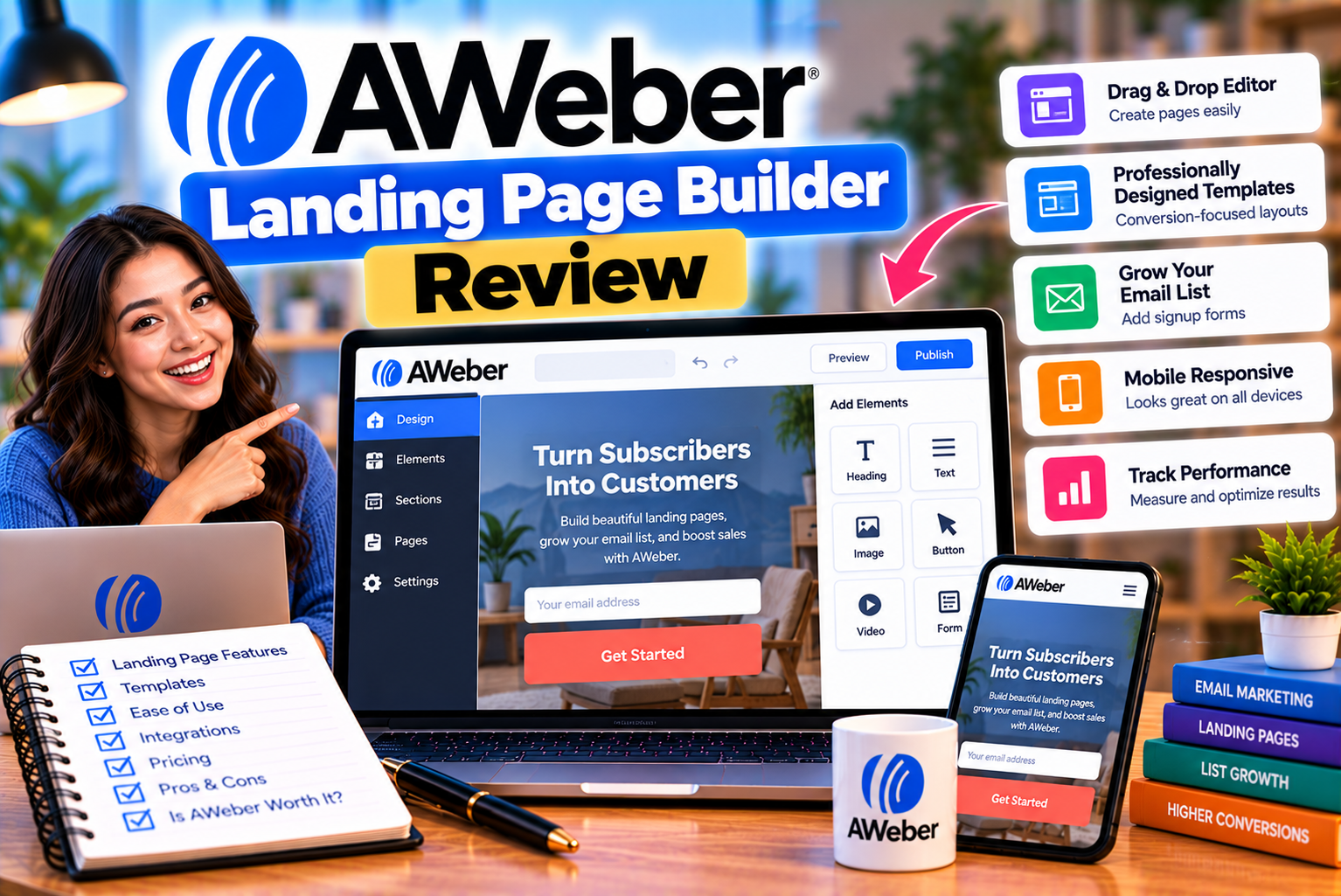
AWeber Landing Page Builder Review: Features and Conversion Options
A landing page can make a significant difference to the success of an email marketing campaign. Instead of directing visitors to a general homepage with multiple navigation options, businesses can send them to a focused page designed to encourage one specific action, such as subscribing to a newsletter, downloading a guide, registering for an event, or purchasing a product.
However, creating effective landing pages often involves several tools. You might need a page builder, a form plugin, an email marketing platform, an analytics solution, and an integration that connects new subscribers to your mailing list. Managing all these systems separately can increase costs and create unnecessary technical work.
The AWeber landing page builder aims to simplify this process by combining landing page creation with email marketing, subscriber collection, automation, and ecommerce capabilities.
Users can build pages using visual editing tools, customize templates, collect subscriber information, and connect signups directly to their AWeber lists. The platform also offers an AI-powered landing page builder designed to generate pages from natural-language instructions.
These features make AWeber worth considering for small businesses, bloggers, consultants, coaches, creators, and entrepreneurs who want to turn website visitors into subscribers or customers.
However, the platform’s suitability depends on your requirements. A simple newsletter signup page has different needs from a sophisticated sales funnel involving multiple offers, advanced experimentation, and detailed conversion analytics.
In this review, we examine the AWeber landing page builder’s main features, templates, customization options, AI tools, ecommerce functionality, tracking capabilities, pricing restrictions, advantages, limitations, and alternatives.
What Is the AWeber Landing Page Builder?
The AWeber landing page builder is a page creation tool integrated with AWeber’s email marketing platform. It allows users to create standalone web pages for lead generation, product promotion, and other marketing objectives without necessarily building a complete website.
A landing page is different from a typical website page because it is designed around a particular conversion goal.
For example, a business might create a landing page offering a free downloadable guide in exchange for an email address. Visitors who submit the form can be added to an AWeber subscriber list and entered into an appropriate follow-up sequence.
AWeber’s landing page builder brings several related activities into one workflow:
- Designing a landing page.
- Customizing text, images, and page elements.
- Adding signup forms.
- Collecting subscriber information.
- Tagging subscribers.
- Configuring a thank-you page.
- Connecting signups to email marketing.
- Publishing the page.
- Tracking selected marketing activities.
- Selling eligible products and services through supported ecommerce functionality.
AWeber also provides a separate AI-powered landing page creation experience that can generate page layouts and content from a description of the desired result.
This is useful for users who want to move quickly from a marketing idea to a working page without starting from a blank design.
Who should consider using it?
The AWeber landing page builder may be suitable for:
- Bloggers collecting newsletter subscribers.
- Small businesses generating leads.
- Consultants promoting services.
- Coaches collecting consultation requests.
- Creators offering downloadable resources.
- Course providers promoting educational products.
- Entrepreneurs selling digital products.
- Businesses running email marketing campaigns.
It can be particularly useful when the landing page’s primary purpose is to collect email addresses and connect visitors to an existing AWeber marketing workflow.
AWeber Landing Page Builder: Features at a Glance
The following table summarizes the main capabilities to consider when evaluating the platform.
| Feature | What It Offers | Potential Benefit |
| Drag-and-drop editor | Visual page customization | Create pages without coding |
| Pre-designed templates | Starting layouts for different goals | Reduce design time |
| AI landing page creation | Generates page content and layouts from prompts | Speed up initial page creation |
| Mobile-responsive pages | Layouts designed to adapt to different screens | Support mobile visitors |
| Signup forms | Collect email addresses and other supported information | Generate subscribers |
| Subscriber tagging | Apply tags through supported form and page settings | Organize audiences |
| Thank-you pages | Configure the post-submission experience | Provide confirmation and next steps |
| Video elements | Add supported YouTube or Vimeo video links | Demonstrate products or explain offers |
| Ecommerce elements | Sell eligible products and services through supported payment processing | Turn landing pages into sales pages |
| Custom URLs and domains | Configure page addresses using supported settings | Improve brand consistency |
| Google Analytics | Add tracking for supported analytics use cases | Understand visitor activity |
| Facebook pixel tracking | Available on eligible plans | Support advertising measurement |
| Email automation integration | Connect signups to relevant workflows | Follow up with new leads |
| AI-powered visual effects | Add supported motion and interactive elements | Create more engaging page experiences |
The exact availability of some features depends on the account, current product version, and subscription. In particular, advanced landing page features and the ability to remove AWeber branding are plan-dependent.
1. Drag-and-Drop Landing Page Editor
One of the main advantages of the AWeber landing page builder is its visual editing interface.
Traditional web development may require HTML, CSS, JavaScript, or assistance from a developer. A drag-and-drop editor reduces that dependency by allowing users to arrange page elements visually.
Instead of manually writing code for every section, you can work with available elements and customize their appearance.
How the editor works
A typical landing page creation workflow involves:
- Opening the landing page section in your AWeber account.
- Selecting the option to create a new landing page.
- Choosing a suitable template.
- Customizing the page layout.
- Editing text and images.
- Configuring signup forms and buttons.
- Setting the submission and thank-you page behavior.
- Reviewing the page on different screen sizes.
- Publishing the finished page.
The editor allows users to move supported elements, adjust text, and configure the available design settings.
For example, a consultant creating a lead-generation page might use a headline, short introduction, image, benefits section, and signup form.
A creator promoting an ebook might use a product cover, description, list of benefits, and a button encouraging visitors to receive the resource.
Advantages of visual editing
The primary advantage is reduced technical complexity.
A small business owner can create and update marketing pages without needing to involve a developer for every minor change.
This can be helpful when testing new offers, updating lead magnets, or creating campaign-specific pages.
However, visual editing does not eliminate the need for good design decisions. The editor can help you arrange content, but the page still needs a clear message, compelling offer, readable text, and a logical conversion path.
2. Pre-Designed Landing Page Templates
Templates help users create pages without designing every component from scratch.
AWeber provides landing page templates intended for different marketing goals, including lead generation, product promotion, and event registration.
Instead of beginning with a blank canvas, you can choose a starting layout and adapt it to your business.
Common landing page use cases
Newsletter signup pages
These pages encourage visitors to subscribe to a regular newsletter. They typically include a headline, a short description of the newsletter’s value, and a signup form.
Lead magnet pages
A lead magnet page offers something useful in exchange for an email address.
Examples include:
- Ebooks.
- Downloadable checklists.
- Templates.
- Research reports.
- Educational guides.
- Free resources.
Product promotion pages
These pages highlight the benefits of a product or service and encourage visitors to take a purchase-related action.
Event registration pages
Businesses can use landing pages to collect registrations or interest for suitable events, workshops, and online sessions.
Service inquiry pages
Consultants and service providers can use focused pages to explain their offering and encourage prospective customers to subscribe or take the next step.
How useful are the templates?
Templates can reduce setup time and provide a useful starting point for people who lack design experience.
However, using a template without adapting it to your audience may produce a generic result.
To make a template more effective:
- Replace generic headlines with specific value propositions.
- Use images relevant to the offer.
- Remove unnecessary sections.
- Make the primary call to action prominent.
- Use consistent branding.
- Ensure the signup form requests only necessary information.
- Check how the page appears on mobile devices.
The goal is not simply to make the page attractive. It is to help visitors understand the offer and complete the desired action.
3. AI-Powered Landing Page Builder
AWeber also offers an AI-powered landing page builder designed to generate pages from natural-language prompts.
Rather than relying exclusively on a pre-designed template, users can describe their business, target audience, offer, and desired page outcome.
The AI then generates a page that can be refined through further instructions or manual editing.
This approach may be especially useful for small businesses and creators who need to create marketing pages quickly.
How AWeber’s AI page generation works
A simplified workflow looks like this:
- Describe your business or offer.
- Explain who the page is intended for.
- State the action you want visitors to take.
- Generate the initial page.
- Review the headline, content, layout, and images.
- Refine the page using additional instructions.
- Make any final manual adjustments.
- Publish the page when it is ready.
For example, a fitness coach might provide a prompt explaining that the page should promote a free beginner workout guide for people who want to establish a consistent exercise routine.
The generated page could include a headline, introductory copy, benefits, an image, and a signup form.
The coach would then review the content and make sure the claims, branding, and offer accurately reflect the business.
AI-assisted visual effects
AWeber’s newer AI landing page experience also advertises visual and interactive effects that can be requested through natural-language instructions.
Examples include:
- Image reveals as visitors scroll.
- Subtle movement in hero or product images.
- Attention effects for calls to action.
- Parallax-style depth.
- Countdown timers.
- Hover interactions.
- Interactive quizzes.
- Savings calculators and other tools.
These features can help create a more engaging experience when used appropriately.
However, animation should support the message rather than distract visitors from the main conversion goal.
Benefits of AI page generation
AI-assisted creation can reduce the time required to produce an initial layout and draft copy.
It may help users who struggle with design decisions, page structure, or writing their first headline.
It can also make it easier to experiment with different presentation styles.
Limitations to consider
AI-generated pages still require human review.
The initial content may be too generic, contain inaccurate claims, or fail to communicate what makes a product different.
You should review:
- Headline clarity.
- Product or service descriptions.
- Pricing and offer details.
- Brand consistency.
- Image suitability.
- Form behavior.
- Mobile layout.
- Accessibility.
- Page loading performance.
AI generation is best treated as a starting point rather than a guarantee of conversion performance.
4. Customization Options: Text, Images, Buttons, and Layouts
A landing page needs to reflect the brand and communicate the offer clearly.
AWeber’s visual editor allows users to customize supported page elements, including text, images, buttons, forms, and layout components.
Text customization
Headlines and supporting copy explain the purpose of the page.
For example, a generic headline such as “Join Our Newsletter” can be replaced with a more specific message explaining what subscribers will receive.
A marketing consultant might use:
“Get Practical SEO Tips to Improve Your Website’s Visibility.”
This headline gives visitors a clearer idea of the benefit.
The supporting copy can then explain the type of advice subscribers will receive and how often emails are sent.
Image customization
Images can help explain an offer or provide visual context.
A product business might use a product photograph, while a consultant might use a relevant professional image.
AWeber’s landing page tools support image elements and provide access to an image library.
When choosing images, prioritize relevance, clarity, and appropriate file sizes. Oversized images can slow down a page, particularly for visitors using mobile connections.
Button customization
Buttons should make the next action obvious.
Examples include:
- Get the Free Guide.
- Subscribe to the Newsletter.
- Download the Checklist.
- View the Course.
- Buy the Product.
- Request More Information.
The button text should describe what happens when someone clicks it.
A button labeled “Submit” may be functional, but a more specific label can communicate the value of the action.
Layout customization
A landing page should guide visitors through a logical sequence.
For many lead-generation pages, a useful structure is:
- Headline and primary benefit.
- Short explanation of the offer.
- Supporting image or visual.
- Key benefits.
- Signup form or primary call to action.
- Relevant reassurance or trust information.
Not every page needs all six elements. A short newsletter signup page may work better with fewer sections.
The best layout is the one that communicates the offer clearly without unnecessary distractions.
5. Signup Forms and Subscriber Collection
A landing page is useful only if it can help visitors take the intended action.
For email marketing campaigns, that action is often submitting a signup form.
AWeber provides form elements that connect landing pages to subscriber collection.
How signup forms work
A typical process involves:
- Adding a form to the landing page.
- Selecting the fields you want to collect.
- Customizing the form’s appearance.
- Setting the submit button text.
- Configuring the submission or thank-you page.
- Applying tags where appropriate.
- Testing the complete signup process.
When a visitor submits the form, their information can be added to the associated AWeber list according to the form’s configuration.
This reduces the need to transfer subscriber information manually between separate tools.
What information should you collect?
For a basic newsletter, an email address may be sufficient.
A business offering personalized consultations might also request a name or another relevant field.
However, every additional field introduces friction.
For example, asking visitors to provide their name, phone number, company, job title, location, budget, and several other details may reduce the number of people who complete a simple newsletter form.
Collect only the information needed for the next step.
Subscriber tagging
AWeber supports tagging through its subscriber and landing page workflows.
Tags can help categorize people based on the page they used or the offer they requested.
For example, a business might use separate tags for:
- Newsletter subscribers.
- Ebook downloads.
- Product interest.
- Consultation inquiries.
- Course registrations.
These tags can support more relevant follow-up campaigns when connected to suitable automation workflows.
Form testing
Before publishing, submit a test signup and verify that:
- The form accepts valid information.
- Required fields work correctly.
- The subscriber appears in the intended list.
- The expected tag is applied.
- The confirmation or thank-you page appears.
- Any relevant welcome automation starts correctly.
- The email reaches the test inbox.
A form that looks correct but fails to add subscribers can undermine an entire marketing campaign.
6. Thank-You Pages and the Post-Conversion Experience
A thank-you page is displayed after a visitor completes a form or another supported action.
Although it may appear to be a minor part of the landing page, it can help clarify what happens next.
For example, someone who signs up for a downloadable guide may need instructions for accessing the resource.
A customer who purchases a product may need an order confirmation or information about the next steps.
How AWeber handles thank-you pages
AWeber allows users to configure the submission experience for landing page forms.
You can customize the thank-you page using the available options and direct visitors toward relevant next steps.
Depending on the campaign, the page might:
- Confirm a successful signup.
- Explain how to access a resource.
- Ask visitors to check their inbox.
- Provide additional information.
- Direct visitors to a related page.
- Encourage another relevant action.
Why the thank-you page matters
A clear confirmation reduces uncertainty.
For example, after someone requests an ebook, a thank-you page could explain that the download link will arrive by email and tell the visitor what to do if it does not appear.
This helps establish expectations and can reduce confusion.
Avoid overwhelming visitors with unrelated offers immediately after they complete the primary action. The next step should remain relevant to the original promise.
7. Mobile-Responsive Landing Pages
A large share of online traffic comes from mobile devices, so a landing page must remain readable and functional on smaller screens.
AWeber’s landing page documentation describes its visual builder as supporting mobile-responsive pages.
This means the page is designed to adapt to different screen sizes rather than relying exclusively on a desktop layout.
Why mobile responsiveness matters
Visitors may access a landing page from:
- Search results.
- Social media posts.
- Email campaigns.
- Paid advertisements.
- Messaging applications.
- QR codes.
- Links shared by other people.
If the page is difficult to read or the form is awkward to complete, visitors may leave before converting.
What to check on mobile
Before publishing a landing page, review the following:
Headline readability: Ensure the main message is readable without excessive zooming.
Button size: Make the primary action easy to tap.
Form usability: Check that fields fit the screen and that the keyboard does not make the form difficult to complete.
Image display: Ensure images remain clear and do not push the main call to action too far down the page.
Content length: Avoid unnecessarily long introductions before explaining the offer.
Spacing: Check that text, buttons, and images do not appear crowded.
Page speed: Large images, unnecessary effects, and excessive content can affect loading performance.
Although a builder may provide responsive layouts automatically, manual testing is still important.
8. Ecommerce Features: Can You Sell Products Through AWeber Landing Pages?
AWeber’s landing page builder supports ecommerce elements that allow users to sell eligible products and services through their pages.
According to AWeber’s documentation, its ecommerce element can use Stripe to process payments.
This expands the builder’s purpose beyond collecting email addresses. Businesses can also create pages that promote products and accept payments through the supported setup.
What can you sell?
AWeber documents several possible uses, including:
- Ebooks and PDF downloads.
- Memberships.
- Educational guides.
- Templates and illustrations.
- Webinar access.
- Courses and programs.
- Event admission.
- Donations and tips.
The exact setup depends on the product, payment configuration, and available features in your account.
How the ecommerce element works
A simplified process is:
- Create a landing page.
- Add the ecommerce element.
- Enter the product name and price.
- Configure the relevant product details.
- Connect the required Stripe payment setup.
- Review the checkout experience.
- Test the purchase flow.
- Publish the page.
AWeber explains that Stripe handles payment processing activities such as charging cards and managing chargebacks and refunds.
Before accepting payments, review the applicable Stripe terms and AWeber’s transaction-fee policy.
Can AWeber sell digital products?
Yes. AWeber’s documented ecommerce element supports use cases such as selling ebooks, PDFs, templates, educational resources, memberships, and access to selected digital offerings.
This can be useful for creators who want to promote and sell a digital product without building a separate online store for a simple offer.
What about physical products?
Whether AWeber is suitable for a physical-product business depends on the product catalog, fulfillment requirements, inventory management, shipping, and ecommerce integrations needed.
For a business with only a few simple offers, a landing page may be sufficient.
For a larger store with extensive inventory, shipping rules, customer accounts, and complex order management, a dedicated ecommerce platform may be more appropriate.
9. Custom Domains and Landing Page URLs
A landing page’s URL can influence how professional and trustworthy it appears.
AWeber provides options for customizing landing page URLs and buying or connecting domains through its supported features.
The exact options depend on the current account and plan.
Why use a custom domain?
A custom domain can make a page more consistent with your brand.
For example, a business promoting a downloadable guide may prefer a recognizable branded address instead of a generic platform-hosted URL.
A branded domain can also make links easier to recognize in marketing emails, advertisements, and social media posts.
What to consider before connecting a domain
Check the following before publishing:
- Whether your selected plan supports the required domain configuration.
- Whether you already own the domain.
- Whether DNS changes are necessary.
- Whether the page uses HTTPS correctly.
- Whether the final URL is short and readable.
- Whether tracking tools continue to work after the domain is connected.
If you already have a business website, consider whether a landing page should use your main domain or a separate branded subdomain.
Choose the configuration that best fits your website structure and marketing requirements.
10. Tracking and Analytics: Measuring Landing Page Performance
Publishing a landing page is only the beginning.
To improve results, you need to understand how visitors interact with the page and whether they complete the desired action.
AWeber supports selected tracking options, including Google Analytics and Facebook pixel tracking, with certain features restricted to eligible plans.
Google Analytics integration
AWeber lists Google Analytics support among its landing page features.
When configured correctly, analytics can help you understand traffic sources and visitor activity, depending on your implementation and measurement setup.
This can be useful when comparing traffic from email campaigns, social media, search engines, and paid advertisements.
Facebook pixel tracking
AWeber’s pricing page lists Facebook pixel tracking as a landing page capability, with advanced landing page features restricted on Lite.
This can support eligible advertising measurement and audience-related use cases.
Verify the current plan requirements and tracking configuration before relying on this functionality.
Important landing page metrics
The most useful metrics depend on the page’s goal.
| Metric | What It Measures | Why It Matters |
| Page visits | Number of visits to the page | Indicates traffic volume |
| Signup conversions | Number of successful form submissions | Measures completed lead-generation actions |
| Conversion rate | Percentage of visitors who complete the intended action | Helps evaluate page effectiveness |
| Click-through rate | Percentage of people who click a relevant link or button | Indicates interest in the next step |
| Cost per lead | Marketing spend divided by leads generated | Helps evaluate acquisition efficiency |
| Purchase conversion rate | Percentage of visitors who complete a purchase | Measures sales performance |
| Revenue per visitor | Revenue generated relative to visitor volume | Helps compare commercial performance |
Not every metric will be available directly within AWeber. Depending on the tracking setup, you may need Google Analytics, advertising analytics, payment reports, or another reporting system.
How to calculate landing page conversion rate
Use this formula:
Landing page conversion rate = (Number of conversions ÷ Number of visitors) × 100
For example, suppose a landing page receives 2,000 visits and generates 100 email signups.
The conversion rate is:
(100 ÷ 2,000) × 100 = 5%
This means 5% of the visitors completed the intended signup action.
Whether that result is good depends on the audience, traffic source, offer, industry, and campaign objectives. Avoid judging a page solely against a universal benchmark.
11. AWeber Landing Page Builder Pricing: What Is Included?
AWeber’s landing page functionality is integrated with its broader email marketing service, but the number of pages and availability of advanced features vary by subscription.
The current published plan comparison lists the following limits.
| Feature | Free | Lite | Plus |
| Landing pages | 1 | 3 | Unlimited |
| Advanced landing page features | Limited | Restricted | Included |
| Remove AWeber branding | No | No | Yes |
| Email automation | 1 workflow | 3 automations | Unlimited |
| List profiles | 1 | 1 | Unlimited |
| Custom segments | Limited | 1 | Unlimited |
| Monthly email sends | 3,000 | Up to 10 times subscriber allowance | Up to 12 times subscriber allowance |
The landing page limit is particularly important when you plan to run several campaigns simultaneously.
AWeber Free
The Free plan supports one landing page.
It may be sufficient if you want to test a simple newsletter signup page or create one basic lead-generation offer.
However, businesses that need separate pages for multiple lead magnets, services, or product launches may quickly reach the limit.
AWeber Lite
Lite supports up to three landing pages.
This can be useful for a small business with a limited number of campaigns.
For example, you might use one page for newsletter subscriptions, another for a downloadable guide, and a third for a consultation offer.
Lite does not include all the advanced landing page features available on Plus, and AWeber branding cannot be removed.
AWeber Plus
Plus includes unlimited landing pages and advanced landing page features under AWeber’s published plan comparison.
It also allows users to remove AWeber branding and provides additional capabilities related to reporting, automations, and ecommerce.
For businesses that regularly create campaign-specific landing pages, these benefits may justify the higher subscription cost.
Is AWeber’s landing page builder free?
AWeber’s landing page functionality is available within its Free plan, which allows one landing page.
The separate AI-powered landing page experience may have its own access conditions, feature availability, or usage terms. Check the current offer and account requirements before assuming every AI feature is included without restriction.
Should you upgrade just for landing pages?
Not necessarily.
Before upgrading, determine whether you need more pages, advanced tracking, branding controls, or additional marketing functionality.
If your only requirement is a single basic signup page, the Free plan may be sufficient.
If you regularly run separate campaigns, need several pages, or require features reserved for Plus, an upgrade may be more practical.
12. AWeber Landing Page Builder: Advantages and Disadvantages
Every landing page tool has strengths and trade-offs. The right choice depends on the complexity of your campaigns and the degree of control you need.
Advantages
- Integrated email marketing
One of AWeber’s main advantages is the connection between landing pages and email marketing.
New subscribers can be added to the appropriate list without requiring a separate subscriber-transfer workflow.
- No-code page creation
The visual editor helps users create pages without manually writing code for every layout element.
This can reduce dependence on developers for routine campaign changes.
- Pre-designed templates
Templates provide starting points for lead generation, product promotion, and event registration.
They can make it easier to create a page when you have limited design experience.
- AI-assisted creation
AWeber’s AI landing page builder can generate initial layouts and content from prompts.
This can help businesses move from an idea to a draft page more quickly.
- Mobile-responsive layouts
The builder supports responsive landing pages, helping users create pages intended to work across different screen sizes.
- Subscriber tagging
Supported tagging options help organize subscribers according to the page or offer that attracted them.
- Ecommerce functionality
The ecommerce element supports eligible product and service sales through Stripe.
This can be useful for creators selling digital resources or simple offers.
- Integrated marketing workflow
AWeber brings landing pages, subscriber management, email campaigns, and automation into one environment.
This can reduce the need to connect multiple separate tools for a basic lead-generation campaign.
Disadvantages
- Landing page limits on lower plans
Free supports one landing page, while Lite supports three.
Businesses running several campaigns may need Plus or another solution.
- Advanced features require an eligible plan
Some landing page and tracking capabilities are restricted to higher-level subscriptions.
Users should compare feature requirements before choosing a plan.
- AWeber branding on lower plans
Free and Lite do not allow users to remove AWeber branding according to the published pricing comparison.
Businesses that want a fully branded experience may need Plus.
- Not a complete replacement for every website builder
AWeber’s landing page functionality is designed for focused marketing pages. It may not provide all the design control or website-management features needed for a complex business website.
- Conversion performance still depends on the page
A landing page builder cannot guarantee a high conversion rate.
Results depend on the offer, copy, audience, traffic quality, page speed, trust signals, and other factors.
- Advanced experimentation may require another tool
If your strategy depends on sophisticated A/B testing, detailed experimentation, or advanced personalization, verify whether AWeber supports the exact functionality you need.
Do not assume that general analytics support means full landing page split testing is included.
13. Is the AWeber Landing Page Builder Good for Small Businesses?
For many small businesses, the main challenge is not building a complex website. It is collecting leads consistently and following up with them effectively.
AWeber can be useful when the landing page is one part of a simple lead-generation system.
Example: A consulting business
A consultant wants to attract prospective customers by offering a free business growth checklist.
The consultant creates a landing page with:
- A clear headline.
- A short description of the checklist.
- A few key benefits.
- A signup form.
- A confirmation message.
Visitors submit their email addresses, and the business adds them to an appropriate subscriber list.
A follow-up sequence can then deliver the resource, provide additional advice, and explain the consultant’s services.
This process connects lead generation with email nurturing without requiring a separate landing page platform for the basic workflow.
Example: A local service provider
A local service provider wants to collect inquiries for a new service.
The landing page explains the service, highlights relevant benefits, and encourages visitors to submit a form or subscribe for more information.
The business can then follow up with relevant information and direct interested prospects toward the next step.
The exact form fields and integrations should match the provider’s sales process and privacy requirements.
Example: A digital product creator
A creator wants to sell a downloadable template.
The landing page presents the product, explains its value, and provides a purchase option through the supported ecommerce setup.
This can be practical when the creator sells a limited number of digital products and does not require the inventory, fulfillment, and order-management features of a full ecommerce platform.
Is it suitable for every small business?
No.
AWeber is most attractive when the page’s primary purpose is lead generation, email subscriber collection, or a relatively straightforward product offer.
Businesses that need extensive website functionality, complex checkout processes, large product catalogs, or advanced conversion experimentation may benefit from a dedicated landing page or ecommerce platform.
14. How to Create a Landing Page in AWeber
Creating a landing page generally involves selecting a template, customizing the design, configuring the form, and publishing the page.
The following process outlines the main steps.
Step 1: Sign in to your AWeber account
Open your AWeber account and navigate to the landing page section.
Choose the option to create a new landing page.
Step 2: Select a template
Browse the available templates and select one that fits your marketing objective.
A lead-generation template may suit a newsletter signup, while a product promotion layout may be more appropriate for a digital product.
Preview the template before using it.
Step 3: Customize the design
Edit the headline, supporting text, images, buttons, and other available elements.
Keep the content focused on the offer and avoid adding sections that do not help visitors make a decision.
Step 4: Configure the signup form
Select the form element and customize its fields.
Choose the information you need to collect and set the submit button text.
If relevant, configure subscriber tagging so that new signups can be categorized correctly.
Step 5: Set up the thank-you page
Configure what visitors see after submitting the form.
Explain what happens next and provide any instructions they need.
Step 6: Connect the page to your email workflow
Confirm that new subscribers are added to the intended list and that the correct automation or follow-up process is configured.
If you are delivering a lead magnet, test the delivery email before publishing.
Step 7: Configure the page URL
Choose an appropriate page address and configure any supported custom domain settings.
Make sure the URL is readable and consistent with your campaign.
Step 8: Add tracking where appropriate
If you use Google Analytics or supported advertising tracking, configure the required settings.
Test the tracking implementation to ensure that visits and conversions are measured as expected.
Step 9: Preview the page
Check the page on desktop and mobile devices.
Review the headline, form fields, buttons, images, and thank-you page behavior.
Step 10: Publish and test
Publish the page and complete a test signup.
Confirm that the form works, subscriber data is recorded correctly, and the intended follow-up process starts.
A successful publication should be followed by ongoing monitoring rather than assuming the page is finished permanently.
15. Landing Page Conversion Optimization: How to Get Better Results
A landing page can be technically functional and visually appealing but still produce disappointing results.
Conversion optimization involves improving the page so that more of the right visitors complete the intended action.
AWeber provides the page-building tools, but your messaging, offer, design, and traffic quality still play a major role.
1. Use a clear headline
The headline should explain what visitors will receive or why the offer matters.
Avoid vague statements that do not communicate a specific benefit.
For example, instead of writing “Welcome to Our Website,” a business offering a guide could use “Download the Free Checklist for Planning Your First Marketing Campaign.”
The second headline communicates a concrete offer.
2. Make the offer relevant
A landing page should deliver something the intended audience actually wants.
A business targeting beginner marketers might offer a practical checklist rather than a highly technical research document.
The more closely the offer matches the visitor’s needs, the easier it becomes to explain its value.
3. Keep the page focused
A landing page should have a clear primary objective.
If the page is intended to collect newsletter subscribers, avoid adding numerous unrelated buttons that direct visitors to different sections of the website.
Additional information can be useful, but it should support the main conversion goal.
4. Write benefit-focused copy
Describe what the visitor will gain from the offer.
For example, rather than simply stating that a guide contains ten chapters, explain what the reader can learn or accomplish by using it.
Benefits help visitors understand why they should take action.
5. Use a specific call to action
The primary button should communicate what happens next.
Examples include:
- Download the Free Guide.
- Get the Checklist.
- Join the Newsletter.
- Request a Consultation.
- Buy the Template.
The button should be easy to identify and consistent with the offer.
6. Reduce form friction
Request only the information necessary for the next step.
For a basic newsletter, an email address may be enough.
If the business needs more details to qualify a lead, explain why those details are useful and avoid requesting unrelated information.
7. Establish trust
Visitors may hesitate to share their information if they do not understand how it will be used.
Consider adding a concise privacy statement, a clear explanation of the offer, and relevant business information.
Only include testimonials, credentials, statistics, or guarantees that are accurate and can be substantiated.
8. Improve mobile usability
Review the page on an actual mobile device.
Check that the main offer appears clearly, the form is easy to complete, and the button can be tapped without difficulty.
9. Match the page to the traffic source
If an advertisement promises a free guide, the landing page should clearly present that guide.
If the visitor arrives from an email promoting a particular product, the page should continue the same message.
A mismatch between the original promise and the landing page can reduce trust and discourage conversions.
10. Measure performance consistently
Track visits and completed actions.
If the page receives many visits but few signups, review the offer, headline, form, and traffic source.
If the page converts well but attracts very little traffic, the problem may lie in the marketing campaign rather than the landing page itself.
11. Test one meaningful change at a time
Potential improvements include:
- A clearer headline.
- A different call-to-action label.
- A shorter form.
- A more relevant image.
- A stronger explanation of the offer.
- A different page layout.
Where a valid testing method is available, compare the results using similar traffic conditions and enough observations to make the comparison meaningful.
Do not assume a change works simply because it looks better.
12. Avoid unnecessary animation
Visual effects can make a page feel more dynamic, but excessive movement can distract visitors.
Use animation only when it supports the message or helps explain the product.
Always consider readability, accessibility, reduced-motion preferences, and page performance.
16. AWeber Landing Page Builder vs Dedicated Landing Page Tools
AWeber is not the only option for creating landing pages.
Businesses can also consider dedicated platforms such as Leadpages, Unbounce, Instapage, and other page-building tools.
The best choice depends on whether you need a straightforward page connected to email marketing or a more specialized conversion optimization environment.
| Requirement | AWeber Landing Page Builder | Dedicated Landing Page Platform |
| Email list integration | Built into the AWeber workflow | Often requires an integration with an email service |
| Basic landing pages | Yes | Yes |
| Signup forms | Yes | Yes |
| Email automation | Integrated with AWeber plans | May require a separate email marketing service |
| AI-assisted page creation | Available through AWeber’s AI landing page experience | Depends on the provider |
| Ecommerce | Supported product and service sales through eligible features | Varies by platform |
| Advanced experimentation | Verify the specific capabilities available | Some platforms specialize in advanced testing |
| Website design flexibility | Focused on landing page creation | Varies; some tools provide extensive design control |
| Best suited for | Email-focused lead generation | Specialized landing page and conversion workflows |
When AWeber may be the better choice
AWeber may be preferable when you already use its email marketing platform and want a simple way to create landing pages that feed directly into your subscriber lists.
It can reduce the need to maintain a separate page builder for basic lead-generation campaigns.
When a dedicated platform may be better
A dedicated landing page tool may be more appropriate if you need specialized conversion testing, detailed design control, complex page variations, or a workflow built around large-scale advertising campaigns.
Before purchasing another platform, verify that its capabilities solve a real limitation in your current setup.
17. Common Mistakes to Avoid When Using AWeber Landing Pages
Even a good page builder cannot compensate for a poorly planned campaign.
The following mistakes can reduce the effectiveness of landing pages.
Using a vague headline
Visitors should understand the offer quickly.
If the headline does not explain the benefit, they may leave without exploring the rest of the page.
Collecting too much information
Long forms can discourage visitors from completing a signup.
Only request information that has a clear purpose.
Ignoring the thank-you page
A form submission should lead to a clear next step.
Make sure visitors understand whether they should check their inbox, download a resource, or continue to another page.
Failing to test automation
A signup form may work while the follow-up sequence fails.
Always test the complete subscriber journey, including tags, confirmation messages, and automated emails.
Publishing without mobile testing
A page that looks good on a desktop may be difficult to use on a smaller screen.
Review the layout and form behavior on mobile before sending traffic.
Ignoring page speed
Large images and unnecessary visual effects can affect loading performance.
Compress images and keep the page focused on the elements that support the conversion goal.
Measuring the wrong outcome
A page designed to collect leads should be evaluated by completed signups and lead quality, not only by page visits.
Choose metrics that reflect the purpose of the campaign.
Assuming more visitors automatically mean more sales
Traffic volume matters, but traffic relevance matters too.
A page receiving many visitors who are not interested in the offer may produce fewer useful leads than a page attracting a smaller, more relevant audience.
18. Is the AWeber Landing Page Builder Worth Using?
The AWeber landing page builder is worth considering if you want to create focused marketing pages without managing a separate landing page system.
Its integration with email marketing is one of its strongest advantages. You can create a page, collect subscribers, apply tags, and connect the signup process to your marketing workflow.
The AI-powered page builder adds another option for users who want help creating an initial layout and copy.
The ecommerce element also makes it possible to sell eligible digital products and services through supported payment processing.
However, the platform is not automatically the best choice for every use case.
If you need only one basic signup page, the Free plan may be sufficient.
If you need several landing pages, advanced landing page features, or the ability to remove AWeber branding, Plus may be more suitable than Lite.
If your campaigns depend on sophisticated conversion experimentation, complex checkout functionality, or extensive website design control, compare AWeber with dedicated landing page and ecommerce platforms.
Final recommendation
The AWeber landing page builder is a practical option for email-focused lead generation, subscriber collection, and straightforward product promotion.
Its biggest advantage is the connection between landing pages and email marketing. Rather than treating page creation and subscriber management as completely separate tasks, it combines them within the AWeber ecosystem.
The most important consideration is whether its page limits and available features match your marketing requirements.
Start by identifying the action you want visitors to take, determine how many pages you need, and check which plan supports your workflow. Then test the complete experience—from the first page visit to the signup, follow-up email, and final conversion.
That approach will help you decide whether AWeber provides enough functionality for your business or whether a specialized landing page platform would be a better investment.
Frequently Asked Questions About the AWeber Landing Page Builder
1. What is the AWeber landing page builder?
The AWeber landing page builder is a visual tool for creating standalone pages that support lead generation, email signup, product promotion, and other marketing activities. It connects with AWeber’s email marketing features so that landing page signups can be added to subscriber lists.
2. Is the AWeber landing page builder free?
AWeber includes landing page functionality in its Free plan, which supports one landing page. Paid plans provide additional page capacity and features. Check the current pricing page for the latest limits.
3. How many landing pages can I create with AWeber Free?
AWeber’s current published plan comparison lists one landing page for the Free plan.
4. How many landing pages are included with AWeber Lite?
AWeber Lite includes up to three landing pages under the current published plan comparison.
5. Does AWeber Plus include unlimited landing pages?
Yes. AWeber’s published pricing page lists unlimited landing pages with Plus.
6. Does AWeber’s landing page builder require coding?
No. The visual drag-and-drop editor allows users to create and customize landing pages without manually coding every element. Some advanced customization needs may still require technical knowledge, depending on the desired result.
7. Does AWeber offer an AI landing page builder?
Yes. AWeber offers an AI-powered landing page builder that can generate a page from a natural-language prompt. Users can then refine the layout and content using additional instructions or manual editing.
8. Can I customize AWeber landing page templates?
Yes. AWeber provides templates that users can customize using available editing options for text, images, buttons, forms, and other supported elements.
9. Are AWeber landing pages mobile-responsive?
AWeber describes its landing page builder as supporting mobile-responsive pages. You should still preview and test each page on different screen sizes before publishing.
10. Can I add a signup form to an AWeber landing page?
Yes. You can add a form element, configure the available fields, customize the submit button, and set up the submission or thank-you page behavior.
11. Can AWeber landing pages automatically add subscribers to my email list?
Yes. AWeber landing pages can add signups directly to the associated subscriber list. Check the page’s form and list configuration to ensure that subscribers are added to the correct place.
12. Can I tag subscribers who sign up through a landing page?
AWeber supports tagging through its landing page and subscriber workflows. Tags can help organize subscribers and support relevant segmentation or automation.
13. Can I connect a custom domain to an AWeber landing page?
AWeber provides options for customizing landing page URLs and buying or connecting domains through its supported features. Availability and configuration requirements depend on the current account and plan.
14. Can I sell products through AWeber landing pages?
Yes. AWeber’s ecommerce element supports selling eligible products and services. Its documentation describes using Stripe to process payments for offerings such as ebooks, memberships, templates, courses, and event access.
15. Can I sell digital products through AWeber?
Yes. AWeber documents digital-product use cases including ebooks, PDFs, guides, templates, and access to selected educational offerings. Confirm the setup and payment requirements for your product before publishing.
16. Does AWeber support Google Analytics?
AWeber lists Google Analytics among its landing page tracking features. Check the current configuration instructions and plan restrictions before implementation.
17. Does AWeber support Facebook pixel tracking?
AWeber lists Facebook pixel tracking as a landing page capability, with advanced landing page features restricted on Lite. Verify current availability and setup requirements in your account.
18. Can I remove AWeber branding from landing pages?
AWeber’s current published plan comparison lists the ability to remove AWeber branding as a Plus feature. Free and Lite do not include this option.
19. Does AWeber provide landing page A/B testing?
Do not assume that general analytics or tracking support includes native landing page A/B testing. Verify the current documentation for the exact experimentation functionality you need. If controlled page testing is essential, compare the platform with dedicated conversion optimization tools.
20. Can I use AWeber landing pages without having a website?
Yes. AWeber’s landing page integration information states that users can create and publish landing pages without needing an existing website. You can use the supported page URL or domain options.
21. How do I publish an AWeber landing page?
Create a page, select and customize a template, configure the form and thank-you page, choose the available URL settings, preview the result, and publish it using the controls in your account. Test the published page before promoting it.
22. Can AWeber landing pages integrate with email automation?
Yes. Landing page signups can be connected to AWeber subscriber lists and workflows. You can use supported tagging and automation settings to deliver welcome emails or other relevant follow-ups.
23. Is AWeber suitable for ecommerce landing pages?
AWeber can support straightforward ecommerce landing pages for eligible products and services. Businesses with extensive inventory, shipping requirements, or complex order management should evaluate whether they need a dedicated ecommerce platform.
24. Is AWeber better than a dedicated landing page builder?
AWeber may be more convenient when your main requirement is creating landing pages connected directly to email marketing. A dedicated landing page platform may be preferable if you need specialized experimentation, extensive design flexibility, or more advanced conversion optimization.
25. Is the AWeber landing page builder worth it?
It can be worthwhile for small businesses, bloggers, consultants, and creators who want to create lead-generation pages without maintaining a separate system. Its value depends on the number of pages you need, your preferred integrations, and whether your selected plan includes the features required for your campaigns.
Leave a Reply