


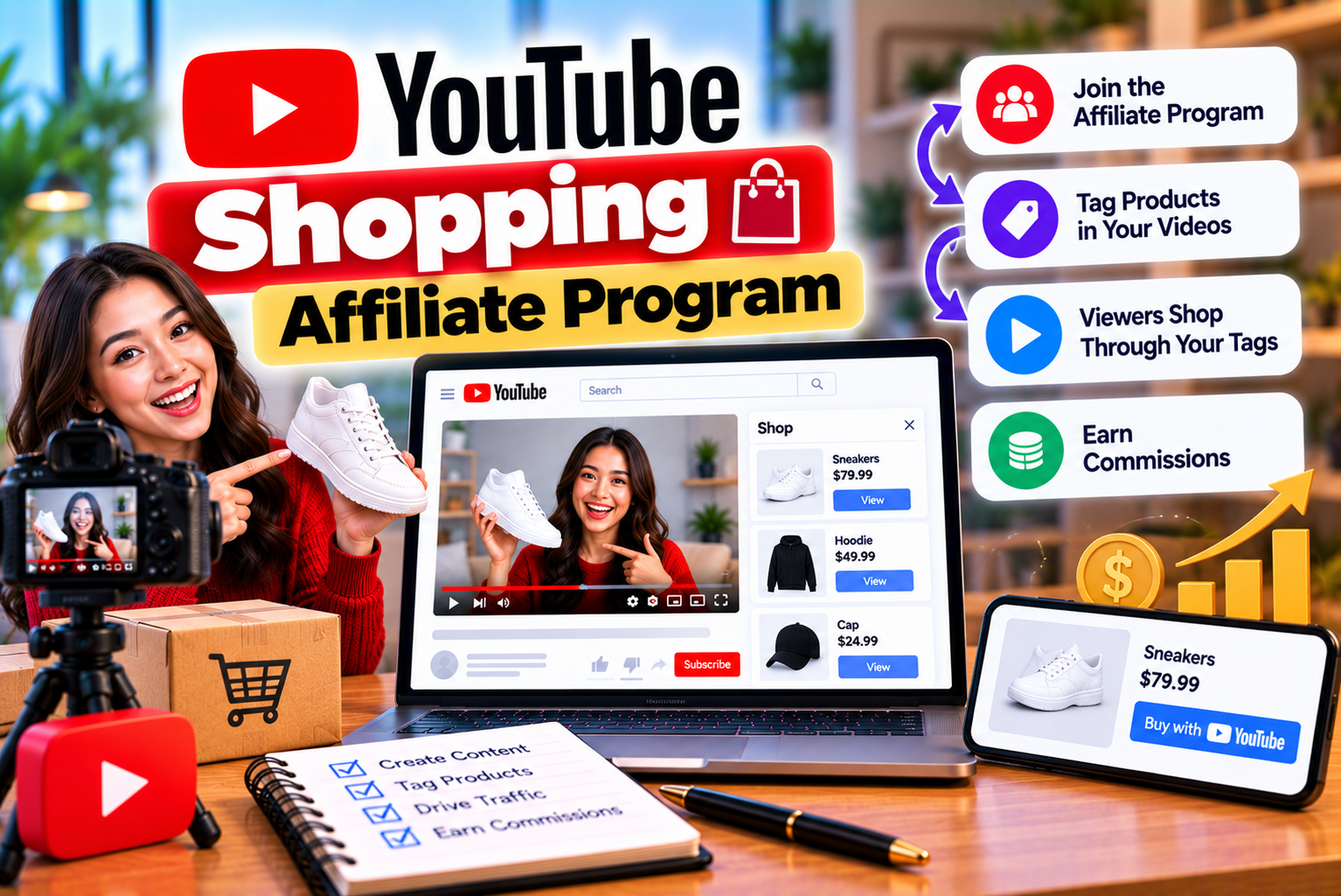
YouTube Shopping Affiliate Program
YouTube has evolved beyond a platform for watching videos. Today, creators can use their content to recommend products, help viewers make purchasing decisions, and generate income from their recommendations. From technology reviews and beauty tutorials to fashion hauls, product comparisons, and home improvement videos, shopping-related content has become an important part of the creator economy.
The YouTube Shopping affiliate program gives eligible creators an opportunity to earn commissions when viewers purchase participating products through eligible shopping links associated with their YouTube content.
Instead of relying exclusively on advertisements, sponsorships, or brand deals, creators can recommend products directly within their videos, Shorts, and eligible live streams. Viewers can discover tagged products while watching content, explore product information, and continue to the retailer’s website to complete a purchase.
For example, a technology creator reviewing a smartphone could tag the phone and compatible accessories. A beauty creator demonstrating a skincare routine could tag the products used in the video. A fitness creator could recommend eligible workout equipment. If a viewer purchases a participating product through an eligible affiliate interaction, the creator may earn a commission according to the applicable terms.
However, joining the program is not simply a matter of having a YouTube channel. Creators must meet eligibility requirements, have access to the relevant features, follow YouTube’s policies, and understand how commissions and payments work.
This guide explains everything you need to know about the YouTube Shopping affiliate program, from eligibility and account setup to product selection, commission tracking, and strategies for improving performance.
What Is the YouTube Shopping Affiliate Program?
The YouTube Shopping affiliate program is a monetization feature that allows eligible YouTube creators to tag products from participating retailers in their content and earn commissions on qualifying purchases.
It connects three main participants:
- Creators: Recommend products through videos, Shorts, and eligible live streams.
- Viewers: Discover products featured in content and visit retailers to learn more or purchase them.
- Retailers and brands: Make participating products available to creators and potentially gain sales from creator recommendations.
YouTube provides the shopping tools through YouTube Studio, where eligible creators can explore participating retailers, find products, review available commission information, tag products, and track relevant performance metrics.
The program is particularly useful for creators who already publish product-focused content. However, creators in other niches may also benefit if their audiences regularly purchase products related to their interests.
For instance, a travel creator might recommend luggage, a cooking creator might demonstrate kitchen appliances, and a gaming creator might review eligible gaming accessories.
The key is to recommend products that genuinely relate to the content and provide value to the audience.
How Is YouTube Shopping Different From Traditional Affiliate Marketing?
Traditional affiliate marketing usually involves joining an affiliate network or retailer’s program, generating affiliate links, and placing those links on websites, blogs, social media profiles, or video descriptions.
YouTube Shopping integrates product discovery and tagging into YouTube’s own creator experience.
| Feature | YouTube Shopping Affiliate Program | Traditional Affiliate Marketing |
| Product discovery | Through eligible shopping features in YouTube | Through affiliate networks and retailer catalogs |
| Product tagging | Integrated into supported YouTube content | Depends on the platform and affiliate tools |
| Commission tracking | Available through supported YouTube Studio reporting | Usually handled by the affiliate network or merchant |
| Product availability | Limited to participating retailers and eligible products | Depends on the affiliate program |
| Audience engagement | Product recommendations appear alongside YouTube content | Often relies on links, banners, or external pages |
| Eligibility | Subject to YouTube’s program requirements | Varies by affiliate network |
| Payment | Managed through the applicable YouTube payment process | Depends on the affiliate network or merchant |
| External link flexibility | Subject to YouTube Shopping affiliate terms | Depends on the affiliate program’s rules |
The main distinction is that YouTube Shopping connects product recommendations with YouTube’s built-in shopping experience rather than requiring creators to manage every affiliate link independently.
Important: YouTube Shopping affiliate links and commissions are governed by specific program terms. Do not assume that links generated for the program can be copied to websites, newsletters, or unrelated platforms. Check the current terms before distributing them outside YouTube.
How Does the YouTube Shopping Affiliate Program Work?
The process begins when an eligible creator joins the program and selects products from participating retailers.
The creator then tags relevant products in eligible content. Viewers can interact with those tags, explore product details, and continue to the retailer’s website.
If a viewer makes a qualifying purchase through an eligible shopping interaction, the creator may earn a commission.
Here is how the process works step by step.
Step 1: Become Eligible for the Program
Before using YouTube Shopping affiliate features, your channel must meet the applicable requirements.
These include participation in the YouTube Partner Program, the required subscriber threshold, an eligible country, and compliance with channel and content policies.
Meeting the requirements does not mean every channel will immediately see the same features. Availability can depend on the channel’s eligibility and the program’s current rollout.
Step 2: Join Through YouTube Studio
Eligible creators can access the program through YouTube Studio.
After signing in, open the Earn section and look for the Shopping affiliate program or its corresponding enrollment option.
If the option is available, review the terms and accept them to join.
If you cannot see the program, check your eligibility, confirm that you are using the correct channel, and review YouTube’s current program guidance.
Step 3: Find Participating Products
Once enrolled, you can explore the available products and retailers through the Shopping area in YouTube Studio.
The available catalog may include products from participating fashion, beauty, electronics, home, lifestyle, and other retailers.
Product availability, commission rates, and promotional offers can vary.
Choose products that match your content rather than selecting items only because their commission rates appear attractive.
Step 4: Tag Products in Your Content
Creators can add eligible product tags to supported videos, Shorts, and live streams.
For example, a creator publishing a camera review could tag the camera and relevant accessories. A beauty creator could tag the makeup products used in a tutorial.
Depending on the available tools and content type, creators may also be able to review suggested products and use bulk-tagging options to manage product tagging across eligible videos.
Step 5: Encourage Viewers to Explore the Products
Product tagging helps viewers identify items featured in the content.
Creators can explain where a product appears, why they recommend it, and what viewers should consider before buying it.
A useful call to action might be:
“Check the tagged product to explore its features, current availability, and purchase options.”
The recommendation should be natural, relevant, and consistent with the video’s purpose.
Step 6: Track Performance and Earnings
Creators can use the relevant Shopping reports in YouTube Studio to review available affiliate metrics.
Depending on the reporting features available, these may include product performance, clicks, orders, commissions, or other shopping-related measurements.
Use this information to identify which product categories, video formats, and recommendation styles are generating meaningful results.
Step 7: Receive Eligible Commission Payments
Commission earnings are subject to the program’s attribution rules, retailer terms, order validation, returns, and other conditions.
YouTube’s published guidance states that affiliate commissions are paid through AdSense for YouTube, generally within 60 to 120 days after purchase, allowing time for returns and related adjustments. If a purchase is returned, the associated commission may be reversed.
Always check your current account information and the applicable program terms for payment eligibility, thresholds, and timing.
YouTube Shopping Affiliate Program Eligibility Requirements
Eligibility is one of the most important parts of joining the program.
YouTube’s requirements can change as the platform expands access to creators and introduces new shopping features. Therefore, use the current eligibility information in YouTube Help and your YouTube Studio account rather than relying on older tutorials.
1. Your Channel Must Be in the YouTube Partner Program
The YouTube Shopping affiliate program is connected to the YouTube Partner Program, commonly called YPP.
Your channel must be accepted into YPP and meet the relevant requirements for Shopping affiliate access.
YouTube announced an expansion in March 2026 that opened access to eligible YPP creators with at least 500 subscribers, subject to the applicable guidelines.
This is an important distinction: having 500 subscribers alone does not automatically make a channel eligible. The channel must also satisfy the relevant YPP and Shopping requirements.
Creators should review the official YouTube Partner Program eligibility guidance to understand the applicable monetization requirements.
2. Your Channel Must Meet the Applicable Subscriber Threshold
YouTube has expanded Shopping affiliate access to eligible creators with 500 or more subscribers.
However, creators must not confuse this Shopping eligibility expansion with every other monetization requirement on YouTube.
The requirements for advertising revenue, fan-funding features, and Shopping affiliate access can differ.
| Requirement | What Creators Should Understand |
| Subscriber count | Eligible Shopping access can begin at 500 subscribers under the announced expansion |
| YPP participation | The channel must be in the YouTube Partner Program |
| Other monetization criteria | Additional requirements may apply to entering YPP |
| Shopping availability | The relevant feature must be available to the channel and country |
| Policy compliance | The channel must satisfy applicable YouTube policies |
If your channel has 500 subscribers but is not yet in YPP, you should first review the applicable YPP requirements and work toward meeting them.
3. Your Channel Must Be Based in an Eligible Country
The program is not available in every country.
YouTube’s official eligibility documentation currently lists these markets for the Shopping affiliate program:
- Argentina
- Brazil
- India
- Indonesia
- Japan
- South Korea
- Malaysia
- Mexico
- Philippines
- Singapore
- Taiwan
- Thailand
- United States
- Vietnam
The country list can change as YouTube expands the program or introduces pilot arrangements.
Creators in India can therefore explore the program if their channels meet the other requirements.
Important: Your actual eligibility depends on YouTube’s current country rules and channel settings, not simply the country in which most of your viewers live.
4. Your Channel Must Not Be a Restricted Music Channel
YouTube’s published criteria exclude music channels, Official Artist Channels, and channels associated with certain music partners from the affiliate program.
Music partners may include record labels, distributors, publishers, and VEVO.
If your channel primarily publishes music or is managed through a relevant music partnership, check the official requirements before attempting to enroll.
5. Your Channel Must Comply With Made for Kids Restrictions
YouTube’s published eligibility criteria state that a channel’s audience must not be set as Made for Kids and that the channel must not contain a significant number of videos designated as Made for Kids.
This restriction matters because the affiliate program is intended for eligible shopping recommendations and audiences.
Creators should accurately classify their content and follow YouTube’s child-safety and audience-setting policies.
Do not change a channel’s audience designation incorrectly simply to try to gain access to Shopping features.
6. Your Channel Must Follow YouTube’s Policies
Eligibility also depends on continued compliance with YouTube’s applicable terms and policies.
Creators should pay particular attention to:
- YouTube’s channel monetization policies
- Community Guidelines
- Shopping affiliate program terms
- Product-tagging guidelines
- Copyright requirements
- Branded-content and sponsorship disclosure rules
- Applicable advertising and consumer-protection laws
A channel that initially qualifies may still lose access if it violates the relevant requirements.
Quick Eligibility Checklist
Before attempting to join, confirm the following:
- Your channel is accepted into the YouTube Partner Program.
- Your channel meets the applicable subscriber threshold.
- Your channel is based in an eligible country.
- Your channel is not a restricted music channel or Official Artist Channel.
- Your channel meets the Made for Kids requirements.
- Your content follows YouTube’s policies.
- You are signed in to the correct YouTube channel.
- The Shopping affiliate enrollment option is available in YouTube Studio.
If all these conditions appear to be satisfied but you still cannot access the program, check YouTube’s current troubleshooting guidance or contact Creator Support if available.
How to Join the YouTube Shopping Affiliate Program
Once your channel qualifies, you can check whether enrollment is available in YouTube Studio.
The following steps describe the standard process.
Step 1: Sign In to YouTube Studio
Open YouTube Studio and sign in with the Google account associated with your eligible YouTube channel.
If you manage multiple channels, make sure you have selected the correct one.
This is important because eligibility and Shopping access are evaluated at the channel level.
Step 2: Open the Earn Section
Look at the left-hand navigation menu and select Earn.
This section provides access to eligible monetization features and related program information.
Depending on your channel and YouTube Studio interface, the available options may differ.
Step 3: Find the Shopping Affiliate Program
Look under the available programs for the YouTube Shopping affiliate option.
If you are eligible and the program is available to your channel, you may see an enrollment button such as Join Now.
If you cannot see the option, do not assume that the channel is permanently ineligible. Check the requirements, channel selection, and current availability.
Step 4: Review the Terms and Conditions
Before enrolling, read the affiliate program terms carefully.
Pay attention to:
- How commissions are attributed
- Which products and retailers participate
- What types of content can be tagged
- How product tags must be used
- Restrictions on sharing affiliate links
- Rules covering invalid traffic or manipulation
- Payment and commission-adjustment conditions
- Circumstances that may lead to suspension or loss of access
Understanding these rules helps prevent avoidable problems after enrollment.
Step 5: Accept the Terms
If you agree to the terms and the enrollment process is available, accept the agreement and complete any additional steps requested by YouTube.
Once enrollment is complete, eligible Shopping features should become available according to the program’s current interface and your channel’s access.
Step 6: Open the Shopping Tools
Return to YouTube Studio and look for the Shopping tab or the relevant product-tagging tools.
Explore the available retailers, products, commission information, and other resources.
Start with a small number of products that closely match your content so you can learn how the tagging and reporting process works.
Step 7: Tag Products in an Eligible Video
Open an eligible video in YouTube Studio and look for the product-tagging option.
Select relevant products from the available catalog, review the selections, and save your changes.
The exact interface may differ by content type and product-tagging workflow.
What If the Join Button Is Missing?
If you cannot find the enrollment option, work through these checks:
Check your channel eligibility. Confirm that your channel is in YPP and meets the applicable Shopping requirements.
Check the selected channel. You may be signed in to a different YouTube channel than the one you intended to enroll.
Check your country. Confirm that the program is available to creators based in your country.
Review channel restrictions. Music-related restrictions, Made for Kids settings, or other eligibility issues may affect access.
Review the latest official documentation. YouTube can update eligibility and enrollment requirements.
Contact Creator Support if available. If you meet the requirements but still cannot enroll, request clarification through the support options available to your channel.
How to Find Products and Retailers in YouTube Shopping
After enrollment, product selection becomes one of the most important parts of your affiliate strategy.
A product should not be selected only because it offers a commission. It should also make sense for your audience, your content, and the problem your video helps viewers solve.
Explore the Affiliate Hub
YouTube provides an affiliate-shopping experience within YouTube Studio where eligible creators can explore participating sellers and offers.
Depending on the current interface, you may be able to:
- Browse participating retailers
- Search for products
- Review available commission percentages
- Find promotional offers
- Identify products with custom commission rates
- Explore product availability
- Review eligible campaign details
- Discover products that may be relevant to upcoming videos
The catalog is not necessarily identical for every creator. Available products, retailers, and offers may vary by market and program access.
How to Evaluate a Product Before Tagging It
Before adding a product to a video, consider the following factors.
Relevance: Does the product directly relate to the video’s topic?
Audience demand: Is your audience likely to be interested in buying it?
Quality: Can you confidently explain the product’s features and limitations?
Price: Is the product appropriate for your audience’s budget?
Availability: Is it currently available through a participating retailer?
Commission: What commission rate applies to eligible purchases?
Return risk: Could the product’s quality, fit, compatibility, or other factors lead to frequent returns?
Competition: Are viewers likely to find more useful information in your content than in a generic product advertisement?
A product with a lower commission rate may perform better than a higher-commission product if it fits your audience’s needs more closely.
Example: Choosing Products for a Technology Channel
Imagine that you publish smartphone reviews.
You could consider tagging:
- The smartphone being reviewed
- Compatible protective cases
- Charging accessories
- Wireless earbuds
- Screen protectors
- Other accessories demonstrated in the video
However, avoid tagging unrelated products simply to increase the number of shopping items.
If the video reviews a budget smartphone, recommending a collection of expensive accessories that do not match the audience’s needs may reduce trust.
The best product selection is the one that improves the viewer’s understanding and purchasing decision.
How to Tag Products in YouTube Videos
Product tagging connects your content to the items you recommend.
The available options may vary depending on the content format, channel eligibility, and YouTube Studio interface.
Tag Products in Existing Videos
To add products to an existing eligible video:
- Sign in to YouTube Studio.
- Open the relevant video in the content-management area.
- Look for the Shopping or product-tagging option.
- Search the available product catalog.
- Select the product that matches the item featured in your video.
- Review the selected products and their details.
- Save the changes.
The exact sequence may change as YouTube updates Studio.
Tag Products in New Videos
If you are preparing a new product review or tutorial, plan your product tags before publishing.
A practical workflow is:
- Select a topic with clear audience interest.
- Identify products that directly relate to the topic.
- Confirm that the products are available in the Shopping catalog.
- Record your video and demonstrate the products accurately.
- Add the relevant product tags through the available publishing or editing workflow.
- Review the video before publishing.
- Monitor the performance after publication.
Planning ahead reduces the risk of publishing a video with missing or irrelevant tags.
Tag Products in YouTube Shorts
Short-form content can be useful for concise product demonstrations, quick reviews, and comparisons.
For example, a creator might publish a Short showing how a particular kitchen gadget works or demonstrate a useful feature of a smartphone.
If product tagging is available for the channel and content, the creator can tag the relevant product.
Because Shorts are brief, the recommendation should be especially clear.
Show the product, demonstrate its purpose, explain the main benefit, and direct viewers toward the tagged item naturally.
Tag Products in Live Streams
Eligible creators may also be able to tag products during supported live streams.
This can work well for demonstrations, tutorials, product Q&A sessions, and shopping-focused discussions.
For example, a beauty creator could demonstrate a product while answering viewers’ questions, or a technology creator could explain the differences between two compatible devices.
Always check the live-stream shopping options available to your channel before planning a campaign around them.
Use Bulk Tagging Where Available
YouTube’s Shopping tools may suggest products for existing videos and support bulk-tagging workflows for eligible creators.
This can be useful when managing a large library of product-related content.
For example, a creator who has published dozens of smartphone reviews may want to review suggested products across multiple videos instead of opening each video individually.
However, automated suggestions should not replace human review.
Confirm that each product actually appears in or directly relates to the relevant video before applying a tag.
Product Tagging Best Practices
To make product tags more useful:
- Tag products that are genuinely featured or discussed.
- Use accurate product matches.
- Avoid unrelated or misleading tags.
- Demonstrate products whenever practical.
- Explain important limitations as well as benefits.
- Use clear calls to action.
- Review product availability periodically.
- Remove or update tags when they become inaccurate.
- Check the program’s current tagging guidelines.
The goal is to make product discovery easier, not to turn every video into a collection of advertisements.
How Much Can You Earn With YouTube Shopping?
There is no fixed amount that every creator earns through YouTube Shopping.
Earnings depend on several factors, including:
- The number of viewers who see the content
- The number of viewers who interact with product tags
- Product relevance
- Product prices
- Applicable commission rates
- Purchase conversion rates
- Whether purchases qualify under the program’s attribution rules
- Returns, cancellations, and other commission adjustments
A creator with a smaller audience may earn commissions if viewers trust their recommendations and purchase relevant products. A channel with millions of views may earn relatively little if its audience has limited purchasing intent.
How Are YouTube Shopping Commissions Calculated?
A simplified affiliate commission calculation is:
Commission = Eligible attributed sales value × Applicable commission rate
However, the actual program may calculate commissions using specific rules for eligible products, orders, transactions, and adjustments.
The following example is illustrative only.
Suppose a creator promotes a product priced at ₹2,000 and the applicable commission rate is 5%.
If one qualifying purchase generates commission on the full ₹2,000 sale value, the estimated commission would be:
₹2,000 × 5% = ₹100.
If 20 qualifying purchases generated the same commission, the illustrative total would be:
₹100 × 20 = ₹2,000.
These calculations do not guarantee actual payouts. The applicable commission base, rate, attribution rules, order validation, returns, and other program terms determine what the creator ultimately earns.
Illustrative Earnings Scenarios
The following table shows how different conversion levels could affect estimated commissions.
These figures are hypothetical examples, not published YouTube averages or earnings guarantees.
| Metric | Scenario A | Scenario B | Scenario C |
| Video views | 10,000 | 50,000 | 100,000 |
| Viewers who interact with product tags | 2% | 3% | 4% |
| Product interactions | 200 | 1,500 | 4,000 |
| Purchase conversion from interactions | 2% | 3% | 4% |
| Estimated qualifying purchases | 4 | 45 | 160 |
| Illustrative commission per purchase | ₹100 | ₹100 | ₹100 |
| Estimated gross commissions | ₹400 | ₹4,500 | ₹16,000 |
The examples assume the same ₹100 commission per qualifying purchase for simplicity. Real results may differ substantially.
A video with fewer views can outperform a viral video if it reaches people who are actively researching a purchase.
For this reason, creators should focus on relevant audiences and helpful product information rather than views alone.
How to Check YouTube Shopping Commission Rates
Commission rates can differ across retailers, products, and campaigns.
Creators should check the current information shown in their Shopping affiliate tools rather than relying on commission tables published by third-party websites.
Step 1: Open the Shopping Affiliate Hub
Sign in to YouTube Studio and navigate to the available Shopping or affiliate-shopping area.
Look for the product and retailer discovery tools.
Step 2: Select a Retailer or Product
Choose a participating seller or search for a product you are considering.
Review the information shown for the relevant offer.
Step 3: Review the Commission Details
Check the applicable commission percentage and any additional terms displayed.
Where custom commission campaigns are available, review the campaign’s eligible products, promotional period, and other requirements.
Step 4: Check Whether the Rate Is Standard or Promotional
Some campaigns may offer custom commission rates that differ from a retailer’s standard rate.
These offers may be limited by product, creator, campaign period, or other conditions.
Do not assume that a promotional commission rate will remain available indefinitely.
Step 5: Recheck Rates Before Publishing
If a video is being produced specifically around an offer, confirm the rate and product availability before publication.
Rates, products, and retailer participation may change.
How Does YouTube Shopping Pay Creators?
YouTube’s published Shopping affiliate guidance states that eligible affiliate commissions are paid through AdSense for YouTube.
The program’s published documentation indicates that payments generally occur within 60 to 120 days after purchase to allow for returns and related adjustments.
This means a purchase shown in a shopping report should not automatically be treated as a final, immediately payable commission.
Why Can Commission Earnings Change?
Several factors can affect the final commission amount.
Returns: If a customer returns a product, the associated commission may be reversed.
Cancellations: Canceled orders may not qualify for commission.
Order validation: Transactions must satisfy the applicable program requirements.
Attribution rules: A purchase must be attributed to an eligible affiliate interaction according to the program terms.
Campaign conditions: Custom commission campaigns may have additional rules or limited periods.
Creators should review their Shopping reports and payment information to understand how earnings progress from initial activity to eligible payouts.
What Should Creators Check in AdSense for YouTube?
Review the relevant payment settings and account status associated with your YouTube monetization.
Depending on your circumstances, you may need to check:
- Payment account information
- Identity or verification requirements
- Tax information
- Payment method
- Payment thresholds
- Any account notifications or payment holds
The exact requirements depend on your account, location, and applicable YouTube payment policies.
For authoritative information, use the official AdSense Help Center.
Which Types of YouTube Channels Can Benefit From Shopping?
YouTube Shopping can be useful for creators whose audiences actively research, compare, or purchase products.
The following niches offer potential opportunities, provided the products are available and the channel meets the program’s requirements.
1. Technology and Gadget Channels
Technology creators can demonstrate products and explain the differences between competing options.
Potential content includes:
- Smartphone reviews
- Laptop comparisons
- Camera reviews
- Headphone demonstrations
- Gaming accessory guides
- Home office equipment
- Budget gadget recommendations
For example, a video titled “Best Budget Accessories for a New Smartphone” could feature products that are relevant to the recommendations.
Viewers benefit because they can explore the items without having to search for each product separately.
2. Beauty and Skincare Channels
Beauty creators often demonstrate products as part of tutorials and routines.
Possible content includes:
- Makeup tutorials
- Skincare routines
- Product comparisons
- Beauty tool demonstrations
- Haircare guides
- Makeup kit recommendations
Creators should avoid unsupported medical or skincare claims and should be transparent about sponsored relationships and personal experiences.
3. Fashion and Lifestyle Channels
Fashion creators can use product tagging to help viewers discover clothing, footwear, bags, and accessories.
Potential video ideas include:
- Seasonal outfit ideas
- Affordable fashion recommendations
- Wardrobe essentials
- Occasion-based styling
- Fashion product reviews
- Accessory comparisons
Accurate sizing, fit information, materials, and practical styling advice can make these videos more useful.
4. Home and Kitchen Channels
Home improvement, cleaning, cooking, and organization creators can recommend products that they actually demonstrate.
Examples include:
- Kitchen appliance reviews
- Cooking tool demonstrations
- Storage solutions
- Home organization products
- Cleaning equipment
- Small-space living essentials
Showing a product in use helps viewers understand whether it suits their needs.
5. Fitness Channels
Fitness creators may feature eligible workout accessories and equipment.
Examples include:
- Resistance band demonstrations
- Home workout equipment
- Exercise mat comparisons
- Training accessory reviews
- Gym bag essentials
Recommendations should be relevant to the exercise being demonstrated and should not make exaggerated claims about health outcomes.
6. Travel Channels
Travel creators can create shopping-related content around practical travel products.
Examples include:
- Carry-on luggage reviews
- Packing organizers
- Travel backpacks
- Portable chargers
- Travel accessories
- Camera and photography equipment
A video demonstrating how a product performs during an actual trip can provide more value than a simple product list.
7. Gaming Channels
Gaming creators can discuss products that improve or support their gaming setup.
Potential recommendations include:
- Gaming keyboards
- Mice and controllers
- Headsets
- Microphones
- Gaming chairs
- Streaming accessories
Creators should distinguish personal preferences from measurable product specifications.
8. Educational and DIY Channels
Educational creators and DIY channels may find relevant opportunities when their content involves tools, equipment, or materials.
Examples include:
- Art supplies
- Crafting equipment
- Drawing tablets
- Educational kits
- DIY tools
- Beginner photography accessories
The strongest recommendations solve a clear problem or help viewers complete a task.
YouTube Shopping vs Traditional Affiliate Links in Video Descriptions
Creators may already earn affiliate commissions by adding links to their video descriptions.
YouTube Shopping provides a different approach by integrating supported product tags into the viewing experience.
| Factor | YouTube Shopping Product Tags | Traditional Affiliate Links |
| Placement | Integrated shopping features on eligible YouTube content | Usually in descriptions, pinned comments, or permitted external locations |
| Product discovery | Viewers can explore tagged products while interacting with content | Viewers need to find and follow the link |
| Product catalog | Participating retailers and eligible products | Depends on the affiliate program |
| Commission tracking | Supported Shopping reporting | Affiliate network or merchant reporting |
| Link management | Product selection managed through YouTube tools | May require manual link generation and maintenance |
| Eligibility | Requires access to YouTube Shopping affiliate features | Depends on the external affiliate program |
| Flexibility | Restricted by YouTube Shopping rules | Depends on the merchant’s rules and platform policies |
Neither method is universally better.
YouTube Shopping may offer a more integrated experience for eligible creators, while traditional affiliate programs can provide access to retailers or products that are not available in the YouTube Shopping catalog.
However, do not copy YouTube Shopping affiliate links into external websites or unrelated channels without confirming that this is permitted. YouTube’s published terms prohibit routing traffic from non-YouTube sources to merchants using its Shopping affiliate links, including through certain external-link distribution methods.
A creator can explore other affiliate programs separately, but each program’s rules must be followed independently.
YouTube Shopping Affiliate Program vs YouTube’s Own Shopping Store Features
The term “YouTube Shopping” can refer to more than one type of shopping functionality.
This distinction is important because creators sometimes confuse earning commissions from other retailers with promoting their own products.
YouTube Shopping Affiliate Program
The affiliate program is designed for eligible creators who recommend participating products from retailers and earn commissions on qualifying purchases.
The creator does not need to own the products being recommended.
Promoting Your Own Products
Eligible creators and businesses may also be able to connect supported stores or merchandise platforms to YouTube and feature their own products.
For example, a creator who owns a clothing brand may want to showcase products from their own store.
This is a different commercial arrangement from earning an affiliate commission on another retailer’s products.
Which Option Should You Choose?
| Situation | Potentially Relevant Option |
| You review products made by other brands | Affiliate Shopping |
| You want to recommend products without owning inventory | Affiliate Shopping |
| You sell your own merchandise | Supported own-store shopping features |
| You operate an ecommerce brand | Store integration and eligible Shopping features |
| You want to earn from both your own products and other brands | Explore both options if your channel qualifies and the relevant terms permit them |
The available tools depend on the creator’s location, channel eligibility, store platform, and current YouTube features.
Best Strategies to Increase YouTube Shopping Affiliate Earnings
Joining the program gives creators access to product-tagging features, but it does not guarantee sales.
Performance depends on the quality of your recommendations, audience trust, product relevance, and the effectiveness of your content.
The following strategies can help creators build a more effective affiliate-shopping approach.
1. Create Content Around Specific Purchase Decisions
People often watch product-related videos because they want to solve a problem or make a buying decision.
Examples include:
- Which budget smartphone should I buy?
- What is the best microphone for beginner creators?
- Which luggage is suitable for a week-long trip?
- What kitchen tools are useful for a small apartment?
- Which accessories are compatible with a particular device?
These topics give creators a natural opportunity to explain products and tag the relevant items.
Avoid choosing topics solely because they contain popular product names. Focus on the questions your audience genuinely asks.
2. Demonstrate Products Instead of Only Describing Them
A product demonstration gives viewers a clearer understanding of how an item works.
For example, a creator reviewing a portable charger could show its size, ports, charging process, and compatibility considerations.
A cooking creator could demonstrate how a kitchen appliance performs during a real recipe.
Practical demonstrations help viewers evaluate products more confidently.
3. Explain Both Advantages and Limitations
A recommendation becomes more credible when it includes realistic limitations.
For example, a laptop review might explain that the device is affordable and lightweight but has limited storage.
A beauty product review might discuss its texture, packaging, or suitability for different preferences without making unsupported claims.
Balanced recommendations help viewers determine whether a product matches their needs.
4. Choose Products That Match Your Audience’s Budget
A creator with an audience interested in budget-friendly technology may not generate strong results by recommending only premium devices.
Similarly, a luxury travel audience may be more interested in premium luggage or specialized travel equipment.
Review comments, audience questions, and past video performance to understand the products your viewers are likely to consider.
5. Use Clear Calls to Action
Viewers may not notice product tags unless you explain how to access them.
A useful call to action could be:
“If you want to check the product I demonstrated, open the tagged product in this video to see the available details.”
The call to action should be clear without becoming repetitive or distracting.
6. Publish Comparison Videos
Comparison videos can help viewers understand differences between competing products.
Examples include:
- Budget smartphone A vs budget smartphone B
- Wireless headphones vs wired headphones
- Compact camera vs smartphone photography
- Entry-level microphone vs premium microphone
- Two kitchen appliances with different features
Tag the products that are actually discussed and ensure the comparison is accurate.
Comparison videos can also address important purchasing considerations such as price, compatibility, durability, and intended use.
7. Optimize Product-Related Titles and Thumbnails
Titles and thumbnails help viewers understand what the video offers.
A useful title should communicate the product, audience, or problem being addressed.
For example:
“Best Budget Microphones for Beginner YouTubers”
This title is more informative than a vague title such as “You Need to See This!”
Avoid misleading thumbnails, exaggerated promises, and unsupported product claims.
8. Repurpose Relevant Topics Across Eligible Formats
If a detailed product review performs well, consider creating related content in other formats.
For example:
- A full review explaining the product in depth
- A Short demonstrating one useful feature
- A comparison video discussing alternatives
- A live stream answering audience questions
Use product tagging where it is supported and available for your channel and content format.
Each piece of content should offer distinct value rather than repeating the same sales pitch.
9. Monitor Results and Improve Your Content
Use available YouTube Studio reports to understand how viewers interact with your tagged products.
Look for patterns such as:
- Products attracting more interactions
- Videos generating meaningful shopping activity
- Product categories that match audience interests
- Content formats that perform well
- Recommendations that lead to eligible commissions
Avoid making decisions based on a single video’s performance.
Review enough data to identify meaningful patterns, and remember that sales can be affected by product availability, price changes, seasonality, and other factors.
10. Build Trust Before Trying to Maximize Commission
Long-term affiliate success depends on audience confidence.
If viewers repeatedly encounter irrelevant recommendations, exaggerated claims, or products that do not match the content, they may become less likely to trust future recommendations.
Prioritize useful content and honest product explanations.
A smaller number of relevant recommendations can be more valuable than tagging a large number of unrelated products.
Common Mistakes to Avoid With YouTube Shopping
Creators can reduce wasted effort by understanding the most common mistakes before launching their affiliate strategy.
Mistake 1: Assuming 500 Subscribers Automatically Guarantees Access
The 500-subscriber expansion applies to eligible creators who satisfy the relevant requirements.
The channel must still meet YPP and Shopping eligibility conditions.
How to avoid it: Check your channel’s monetization status and the latest official eligibility documentation.
Mistake 2: Tagging Products That Do Not Appear in the Video
Unrelated product tags can confuse viewers and may violate applicable tagging guidelines.
How to avoid it: Tag products that are actually featured, discussed, or directly relevant to the content, in accordance with YouTube’s rules.
Mistake 3: Choosing Products Only for Their Commission Rates
A higher commission rate does not guarantee better results.
If a product does not fit your audience, viewers may ignore it or lose confidence in the recommendation.
How to avoid it: Evaluate relevance, usefulness, price, quality, and audience demand alongside commission rates.
Mistake 4: Expecting Immediate Earnings
Product tagging does not guarantee clicks, purchases, or commissions.
Creators may need time to identify suitable products, improve their content, and understand audience behavior.
How to avoid it: Set realistic expectations and evaluate results over time.
Mistake 5: Ignoring Product Returns and Commission Adjustments
Initial shopping activity may not equal final payable earnings.
Returns and other adjustments can affect commission totals.
How to avoid it: Review final reporting and the program’s payment terms instead of relying only on initial activity.
Mistake 6: Using Outdated Commission Information
Commission rates and promotional offers can change.
Third-party articles may contain old figures that no longer apply.
How to avoid it: Check current rates and terms directly in YouTube Studio.
Mistake 7: Sharing Shopping Affiliate Links Outside YouTube Without Permission
YouTube’s published terms restrict routing external traffic to merchants using its Shopping affiliate links.
Violations may result in the suspension of affiliate features or other account consequences.
How to avoid it: Use the links only in permitted ways under the current program terms.
Mistake 8: Failing to Disclose Paid Relationships
Some videos may contain sponsorships, endorsements, free products, or other commercial relationships in addition to affiliate tagging.
These relationships can trigger disclosure obligations under YouTube policies and applicable law.
How to avoid it: Clearly disclose relevant commercial relationships and use YouTube’s required branded-content tools when applicable.
Mistake 9: Neglecting Product Availability
A product may become unavailable or its offer may change after a video is published.
How to avoid it: Review tagged products periodically and update your content where appropriate.
Mistake 10: Treating Every View as a Potential Purchase
Many viewers watch videos for entertainment or general information rather than shopping.
How to avoid it: Develop content around genuine purchasing questions and provide enough detail to help viewers make informed decisions.
Is the YouTube Shopping Affiliate Program Worth It?
For eligible creators who already produce product-related content, the YouTube Shopping affiliate program can be a useful additional monetization option.
It is especially relevant to channels that publish product reviews, comparisons, demonstrations, buying guides, and practical tutorials.
The program offers several potential benefits:
- Product tagging integrated into eligible YouTube content
- Access to participating retailers and products
- A way to earn commissions without owning the products being recommended
- Shopping-related performance information in YouTube Studio
- Opportunities to monetize supported videos, Shorts, and live streams
- Potential access to promotional commission campaigns
However, the program also has limitations.
Creators must qualify for access, product availability varies, commission rates can change, and earnings depend on qualifying purchases rather than views alone.
The program may also be less useful for channels whose content has little connection to physical products or purchasing decisions.
Who Should Consider Joining?
Product reviewers: Suitable for creators who regularly evaluate products and recommend specific options.
Technology creators: Useful for showcasing devices and accessories.
Beauty and fashion creators: Relevant when audiences seek product recommendations and demonstrations.
Home and lifestyle creators: Potentially useful for creators who demonstrate practical products.
Travel creators: Relevant for luggage, travel accessories, and equipment reviews.
DIY and educational creators: Worth exploring when products and tools are an important part of their content.
Who May Not Benefit as Much?
The program may be less relevant to channels focused primarily on commentary, storytelling, music, or subjects with limited product-purchasing intent. Some music channels are explicitly excluded by the program’s published eligibility criteria.
Even when a channel is eligible, creators should not force product recommendations into content where they do not belong.
Final Verdict
The YouTube Shopping affiliate program is worth exploring if your channel qualifies and your audience regularly watches content to research or purchase products.
Its greatest advantage is the ability to connect relevant product recommendations with the content viewers are already watching.
To get the most from it, start with products you understand, tag them accurately, explain their benefits and limitations, and review the available performance data.
Treat affiliate income as a potential extension of your content business rather than a guaranteed source of revenue. Strong audience trust and useful recommendations should remain the foundation of your strategy.
Frequently Asked Questions About the YouTube Shopping Affiliate Program
1. What is the YouTube Shopping affiliate program?
It is a monetization program that allows eligible YouTube creators to tag participating products in supported content and earn commissions on qualifying purchases under the program’s terms.
2. How many subscribers do I need for YouTube Shopping?
YouTube announced an expansion in March 2026 that allows eligible creators in the YouTube Partner Program with at least 500 subscribers to access the affiliate program, subject to the applicable requirements. Having 500 subscribers alone does not guarantee access.
3. Is the YouTube Shopping affiliate program available in India?
Yes. India is included in YouTube’s published list of eligible countries. Creators must still meet the relevant channel, monetization, and program requirements.
4. Do I need to join the YouTube Partner Program?
Yes. The published eligibility criteria require creators to be in the YouTube Partner Program and meet the applicable subscriber threshold.
5. Can I join YouTube Shopping with 500 subscribers?
Potentially. Eligible YPP creators with at least 500 subscribers can qualify under YouTube’s announced expansion, provided they meet the other applicable requirements.
6. How do I apply for the YouTube Shopping affiliate program?
Sign in to YouTube Studio, open the Earn section, find the available Shopping affiliate enrollment option, and follow the instructions. The option must be available to your channel.
7. Why can’t I see the Shopping affiliate option in YouTube Studio?
Possible reasons include not meeting the eligibility requirements, being signed in to the wrong channel, country restrictions, channel restrictions, or feature availability. Review the latest official guidance and contact Creator Support if available.
8. Is the YouTube Shopping affiliate program free to join?
The standard enrollment process does not require creators to purchase products or pay an enrollment fee simply to join. However, normal business costs may apply when creating content. Always review the official terms and be cautious of third parties charging money to guarantee access.
9. How does YouTube Shopping pay commissions?
YouTube’s published guidance states that affiliate commissions are paid through AdSense for YouTube, subject to the program’s payment rules and applicable account requirements.
10. How long does it take to receive YouTube Shopping commissions?
YouTube’s published guidance indicates that commissions are generally paid within 60 to 120 days after purchase to allow for returns and related adjustments. Actual payment timing depends on eligibility, validation, and applicable terms.
11. What happens if a customer returns a product?
If a purchase is returned, the associated commission may be reversed. Initial reported earnings should not automatically be treated as final payable income.
12. Can I tag products in YouTube Shorts?
Eligible creators may tag products in supported Shorts. Availability depends on channel access and the relevant YouTube Shopping features.
13. Can I tag products in live streams?
Product tagging is available for eligible creators in supported live-stream shopping workflows. Check the current tools and requirements before planning a campaign.
14. Can I tag products in old YouTube videos?
Eligible creators may be able to add products to existing videos through YouTube Studio. The available editing and tagging options depend on the content and current interface.
15. Can I earn commissions from every product I tag?
No. Products must be eligible, and commissions depend on qualifying purchases and the program’s attribution and validation rules.
16. Are YouTube Shopping commission rates fixed?
No. Rates can vary by retailer, product, and campaign. Custom promotional rates may also be available for eligible creators.
17. Where can I check commission rates?
Eligible creators can review available commission information through the Shopping affiliate tools in YouTube Studio.
18. Can I use YouTube Shopping affiliate links on my website?
You should not assume that YouTube Shopping affiliate links can be used externally. YouTube’s published terms prohibit routing traffic from non-YouTube sources to merchants using these links. Review the current terms before sharing them outside YouTube.
19. Can I join if my channel is marked Made for Kids?
The published eligibility criteria restrict channels whose audience is set as Made for Kids and channels with a significant number of videos set as Made for Kids. Review the official rules for your circumstances.
20. Are music channels eligible for YouTube Shopping?
YouTube’s published criteria exclude music channels, Official Artist Channels, and channels associated with certain music partners.
21. Do I need to buy the products before tagging them?
The program’s general purpose is to let creators tag participating products, but the specific eligibility and tagging rules apply. Regardless of whether you own a product, your recommendations should be accurate and should not imply that you personally tested something when you have not.
22. Can I promote my own products through YouTube Shopping?
YouTube offers separate Shopping features for eligible creators and businesses to promote their own products through supported store integrations. These features differ from earning affiliate commissions on products sold by other retailers.
23. Can I use YouTube Shopping alongside other monetization methods?
Creators may be able to combine Shopping with other monetization methods, subject to each feature’s eligibility requirements and applicable policies. Review the terms for advertising, sponsorships, and other affiliate programs separately.
24. Does YouTube Shopping guarantee affiliate income?
No. Earnings depend on audience engagement, product relevance, qualifying purchases, commission rates, and other factors. Joining the program does not guarantee sales or a particular income level.
25. How can I increase my YouTube Shopping affiliate earnings?
Create useful product reviews and demonstrations, tag relevant products, use clear calls to action, select products that match your audience, and review the available Shopping performance reports. Prioritize trust and usefulness over simply tagging more products.
Official References
For the most accurate and up-to-date information, use YouTube’s official resources when publishing or updating this article.
- YouTube Shopping affiliate program eligibility and setup: https://support.google.com/youtube/answer/13376398
- YouTube Partner Program requirements: https://support.google.com/youtube/answer/72851
- YouTube Studio: https://studio.youtube.com/
- AdSense Help Center: https://support.google.com/adsense/
- YouTube’s 2026 Shopping eligibility expansion: https://blog.youtube/creator-and-artist-stories/youtube-shopping-expansion-500-subscribers/
Program requirements, participating countries, available retailers, commission rates, and product-tagging features can change. Verify them in the official resources and the creator’s YouTube Studio account before publication.
Leave a Reply