


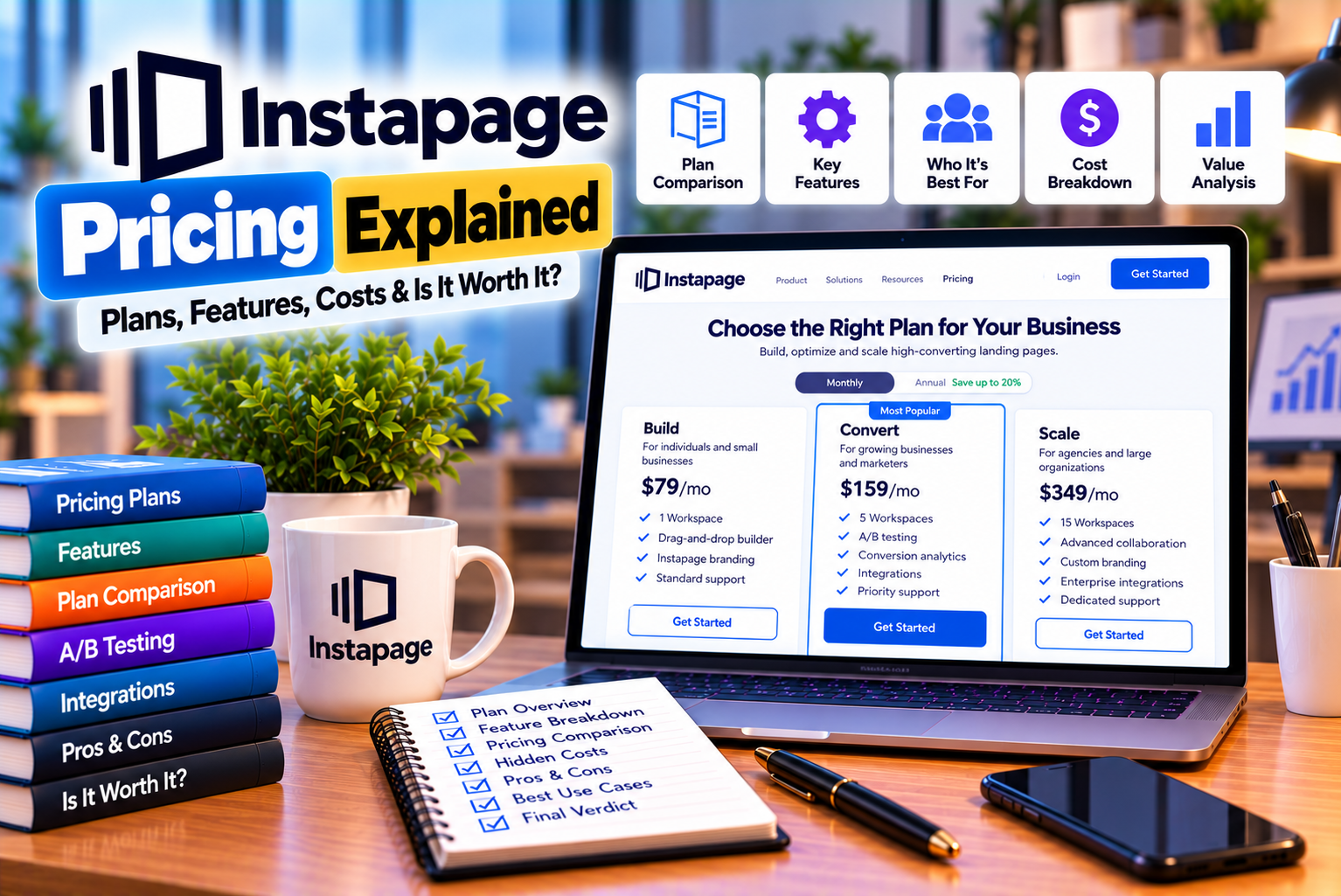
Instapage Pricing Explained: Plans, Features and Traffic Limits
Choosing landing page software involves more than comparing the monthly subscription price. Businesses also need to understand traffic allowances, included features, team access, publishing options, and the cost of scaling their campaigns.
Instapage is a landing page creation and conversion optimization platform designed for marketers who want to build dedicated campaign pages, capture leads, and improve the performance of advertising campaigns.
The platform offers three main subscription tiers: Create, Optimize, and Convert. Each is intended for a different combination of landing page production, conversion optimization, and advanced marketing requirements.
The Create plan focuses on essential landing page creation and marketing tools. Optimize adds experimentation capabilities for businesses that want to test and improve page performance. Convert is designed for organizations that need advanced personalization, global elements, enterprise-oriented capabilities, and higher usage allowances.
However, the differences between these plans can significantly affect your overall cost. A business that only needs a basic landing page may not benefit from the advanced features of a higher-tier subscription. Conversely, an agency managing numerous advertising campaigns may find that the additional optimization tools justify the expense.
According to Instapage’s official pricing page, the advertised annual-billing rates reviewed for this article were $79 per month for Create and $159 per month for Optimize. Convert uses custom pricing. The page also displays higher reference prices for monthly billing, making it important to distinguish the billing cycle when comparing costs.
This guide explains Instapage pricing in detail, including the differences between its subscription plans, monthly visitor limits, feature restrictions, free trial, potential additional costs, and practical ways to decide which plan offers the best value.
Instapage Pricing at a Glance
Here is a quick comparison of the three main subscription tiers.
| Pricing Factor | Create | Optimize | Convert |
| Advertised annual-billing rate | $79/month | $159/month | Custom pricing |
| Displayed reference monthly rate | $99/month | $199/month | Custom pricing |
| Monthly unique visitor allowance | 15,000 | 30,000 | Custom |
| Landing page builder | Included | Included | Included |
| Reusable page blocks | Included | Included | Included |
| AI-assisted content | Included | Included | Included |
| Visual collaboration | Included | Included | Included |
| Triggered popups and sticky bars | Included | Included | Included |
| Lead capture and contact management | Included | Included | Included |
| Programmatic pages | Included, subject to limits | Included, subject to limits | Included, with custom limits |
| Server-side A/B testing | Not listed in the Create feature set | Included | Included |
| Dynamic text replacement | Not listed in the Create feature set | Included | Included |
| Multi-step forms | Not listed in the Create feature set | Included | Included |
| Heatmaps | Not included in the standard plan comparison | Not included in the standard plan comparison | Included |
| Ad-to-page personalization | Not included in the standard plan comparison | Not included in the standard plan comparison | Included |
| Global elements | Not included in the standard plan comparison | Not included in the standard plan comparison | Included |
| Root-domain publishing | Not included in the standard plan comparison | Not included in the standard plan comparison | Included |
| Best suited for | Basic campaign page creation | Conversion-focused marketing teams | Advanced and enterprise requirements |
Pricing note: Instapage can change its pricing, billing options, traffic allowances, and plan features. The rates above reflect the official pricing page reviewed for this article in October 2026. Confirm the latest offer before subscribing.
You can review the current options directly on the official Instapage pricing page.
1. How Much Does Instapage Cost?
Instapage’s pricing depends on the subscription tier, billing cycle, and requirements of your business.
The two publicly priced plans are Create and Optimize. Businesses requiring the more advanced Convert offering must contact Instapage for custom pricing.
Create Plan: $79 per Month With Annual Billing
The Create plan is the entry-level paid subscription listed on Instapage’s pricing page.
It is designed for marketers who need to create and publish landing pages without necessarily requiring the more advanced experimentation features included in Optimize.
The official pricing page lists the following capabilities:
- Website and landing page builder.
- Reusable page blocks and forms.
- Real-time visual collaboration.
- Triggered popups and sticky bars.
- AI-assisted content.
- Contact management and email.
- Programmatic page creation through Collections.
The advertised annual-billing rate is $79 per month, compared with the displayed reference monthly rate of $99 per month.
The plan includes 15,000 unique monthly visitors.
Optimize Plan: $159 per Month With Annual Billing
The Optimize plan is designed for businesses that want to create landing pages and systematically improve their conversion performance.
It includes the Create features, along with additional experimentation and lead generation capabilities.
These include:
- Server-side A/B testing.
- Experiment hypotheses.
- Experimentation history.
- Customizable traffic splitting.
- Scheduled publishing.
- Multi-step forms.
- Dynamic text replacement.
The advertised annual-billing rate is $159 per month, compared with the displayed reference monthly rate of $199 per month.
The standard Optimize offering includes 30,000 unique monthly visitors. Instapage also displays higher traffic configurations, so businesses with larger requirements should confirm the applicable pricing and limits.
Convert Plan: Custom Pricing
Convert is the advanced offering intended for organizations with more demanding marketing and operational requirements.
It includes the Optimize features, along with capabilities such as:
- Ad-to-page personalization.
- Global elements.
- Root-domain publishing.
- Heatmaps.
- Direct lead bypass.
- Enterprise-oriented security and reliability features.
- Dedicated customer success support.
- Professional services and custom integrations.
The plan uses custom pricing and custom visitor allowances.
Because the price depends on the agreement and requirements, businesses should contact Instapage rather than rely on an estimated monthly figure from an unofficial source.
2. Monthly Billing vs. Annual Billing
One of the most important pricing decisions is whether to pay monthly or commit to an annual subscription.
Instapage’s pricing page displays the following reference rates and annual-billing rates:
| Plan | Displayed Monthly Rate | Annual-Billing Rate per Month | Difference per Month | Difference Over 12 Months |
| Create | $99 | $79 | $20 | $240 |
| Optimize | $199 | $159 | $40 | $480 |
These calculations use the displayed reference monthly rates and advertised annual-billing rates. They assume the quoted prices remain unchanged for the full period and do not account for taxes or other charges.
Is Annual Billing Cheaper?
Yes, based on the displayed prices, annual billing reduces the effective monthly cost.
For example, the Create plan costs $79 per month when billed annually, compared with the displayed monthly rate of $99.
The Optimize plan costs $159 per month with annual billing, compared with the displayed monthly rate of $199.
However, annual billing generally requires a longer financial commitment.
When Should You Choose Monthly Billing?
Monthly billing may be more appropriate when:
- You are evaluating Instapage for the first time.
- You have a short-term advertising campaign.
- Your marketing budget changes frequently.
- You are unsure whether the platform will suit your workflow.
- You need flexibility while comparing alternatives.
Paying monthly can be useful during an initial evaluation, even if the effective monthly cost is higher.
When Should You Choose Annual Billing?
Annual billing may be appropriate when:
- Your business regularly uses landing pages.
- You have already tested the platform.
- Your marketing budget is predictable.
- Your team depends on Instapage for ongoing campaigns.
- You expect to use the platform throughout the year.
Before committing, calculate the full annual cost and consider whether the subscription is likely to remain useful for the entire term.
Recommendation: If you are unsure whether Instapage fits your workflow, evaluate it before committing to annual billing. If your team already relies on the platform and expects consistent use, the annual rate may offer better value.
3. Instapage Create Plan Explained
The Create plan is the most affordable publicly priced subscription.
It is designed for businesses that need a landing page builder and essential campaign tools without the additional experimentation capabilities offered by Optimize.
What Is Included in Create?
Landing Page Builder
The visual builder enables users to create and customize landing pages for marketing campaigns.
You can use it to create pages for:
- Lead generation.
- Consultation requests.
- Product promotions.
- Webinar registrations.
- Downloadable resources.
- Service enquiries.
- Product launches.
This can help marketers publish campaign pages without developing every page manually.
Reusable Page Blocks
Reusable blocks allow teams to save and reuse page sections across different landing pages.
For example, an agency might create a standardized testimonial section, contact area, or CTA block and reuse it across multiple campaigns.
This can reduce repetitive design work and help maintain brand consistency.
Reusable Forms
The plan includes reusable form functionality.
This can be useful when several campaigns use similar lead capture fields or when a team wants to standardize the information collected from prospects.
Visual Collaboration
Teams can collaborate on page design and review changes.
This is useful when copywriters, designers, campaign managers, and clients need to review landing pages before publication.
Triggered Popups and Sticky Bars
Create includes popup and sticky bar functionality.
These features can help marketers highlight an offer, encourage newsletter subscriptions, or promote a particular action.
Their effectiveness depends on the relevance of the offer and how they are implemented.
AI-Assisted Content
AI content tools can help generate headlines, paragraphs, CTAs, and copy variations.
They are useful for producing initial drafts, but marketers should still review the generated copy for accuracy, brand consistency, and audience relevance.
Contacts and Email
Instapage includes contact management and email capabilities.
The pricing page also specifies limits for email sending and contact lists, even though the number of contact records is listed as unlimited. Businesses that plan to use these features extensively should check the relevant usage allowances.
Programmatic Pages
The Create plan supports programmatic page creation through Collections.
A Collection lets you create multiple related landing pages from a shared template and connected content table, subject to the plan’s Collection limits.
For example, a business could create related pages for different service locations while maintaining a common design.
The number of pages supported in a Collection varies by plan.
Create Plan Usage Limits
The official pricing comparison lists the following standard limits for Create:
| Usage Category | Create Plan |
| Unique monthly visitors | 15,000 |
| Team members | 10 |
| Subdomains | 2 |
| Workspaces | 1 |
| Collection pages | 15 per Collection |
| Contacts | Unlimited |
| Contact lists | 150 |
| Daily email sends | 1,500 |
| Monthly email sends | 15,000 |
| API calls per day | 5,000 |
These limits reflect the official pricing comparison reviewed for this article and should be verified before purchase.
Who Should Choose Create?
Create may be suitable for:
- Small businesses building campaign pages.
- Freelancers managing a limited number of landing page projects.
- Marketing teams that need a visual page builder.
- Businesses that do not need built-in A/B testing.
- Companies that primarily want to create, publish, and maintain landing pages.
Who Should Avoid Create?
Create may be insufficient if your marketing process depends on built-in experimentation, multi-step forms, dynamic text replacement, or other capabilities assigned to higher-tier plans.
Before choosing it, make a list of the features you require and compare them against the official plan details.
Verdict: Create is the entry-level option for businesses that prioritize landing page production over advanced conversion optimization.
4. Instapage Optimize Plan Explained
Optimize is designed for marketers who want to do more than publish landing pages.
Its primary advantage over Create is access to additional experimentation and lead generation features.
What Is Included in Optimize?
Optimize includes the Create feature set, along with the following capabilities.
Server-Side A/B Testing
A/B testing lets marketers compare page variations to determine which version performs better against a defined conversion objective.
Instapage’s server-side testing is designed to reduce flicker and page-loading delays associated with displaying different test versions.
This can be valuable for campaigns where user experience and measurement quality matter.
Experiment Hypotheses
The plan supports setting a hypothesis for an experiment.
For example:
“Our landing page may generate more qualified leads if we replace the generic headline with one that describes the specific benefit.”
Writing a hypothesis helps the team establish what it is testing and why.
Experimentation History
Experimentation history allows marketers to review previous tests and their outcomes.
This can help prevent teams from repeating unsuccessful experiments without understanding what was learned.
Customizable Traffic Splitting
Marketers can distribute traffic across test variations.
For example, a team may allocate visitors evenly between two variations during an initial experiment.
The appropriate distribution depends on the experiment’s purpose and setup.
Scheduled Publishing
Scheduled publishing allows users to arrange for pages or updates to go live or be unpublished at a later date and time, subject to the supported publishing method.
This can be helpful for campaigns tied to product launches, promotional periods, and events.
Multi-Step Forms
Multi-step forms divide longer forms into several stages.
For example, a business collecting enterprise sales enquiries might first ask for basic contact information and then request additional details about company size or requirements.
The goal is to make the form feel more manageable, although multi-step forms do not automatically produce higher conversion rates.
Dynamic Text Replacement
Dynamic text replacement can personalize landing page copy based on information passed through URL parameters and other supported campaign variables.
For example, an advertisement targeting a particular service category could direct visitors to a page with messaging aligned to that campaign.
This feature can help maintain consistency between advertising messages and landing page content.
Optimize Plan Usage Limits
The standard Optimize plan lists the following usage allowances:
| Usage Category | Optimize Plan |
| Unique monthly visitors | 30,000 |
| Team members | 10 |
| Subdomains | 2 |
| Workspaces | 1 |
| Collection pages | 30 per Collection |
| Contacts | Unlimited |
| Contact lists | 300 |
| Daily email sends | 3,000 |
| Monthly email sends | 30,000 |
| API calls per day | 10,000 |
The official pricing page also shows higher traffic configurations, so organizations with greater requirements should ask Instapage which configuration applies to their account.
Who Should Choose Optimize?
Optimize is worth considering for:
- PPC specialists.
- Performance marketing teams.
- Businesses that regularly run A/B tests.
- SaaS companies testing different offers.
- Agencies managing conversion-focused campaigns.
- Businesses with enough traffic to run meaningful experiments.
- Organizations that need multi-step forms or dynamic text replacement.
Who Should Avoid Optimize?
Optimize may not be worthwhile if you rarely run experiments or lack the traffic required to evaluate them.
A business that creates a single landing page and leaves it unchanged may receive limited value from the additional testing capabilities.
Verdict: Optimize is the most relevant option for businesses that actively measure and improve landing page performance rather than simply publishing pages.
5. Instapage Convert Plan Explained
Convert is the advanced tier for organizations that need capabilities beyond the standard Create and Optimize plans.
Unlike the other two tiers, Convert does not have a fixed public monthly price on the official pricing page.
Businesses must contact Instapage to discuss the appropriate configuration and commercial terms.
What Is Included in Convert?
Ad-to-Page Personalization
Ad-to-page personalization helps businesses create landing page experiences tailored to different advertisements and audience segments.
This is particularly useful for larger advertising campaigns where one generic landing page may not address every audience’s intent.
Global Elements
Global elements allow marketers to reuse components across pages and update them in multiple places.
For example, a business could update a shared CTA or promotional component without manually editing every page where it appears.
The feature is useful for teams managing many related campaigns.
Heatmaps
Heatmaps help marketers investigate how visitors interact with landing pages.
They can provide visual information about clicks, mouse movements, and scroll depth.
These insights can help teams identify sections that deserve further investigation.
However, heatmaps should be combined with conversion data and experimentation rather than treated as proof that a particular page element causes a conversion outcome.
Root-Domain Publishing
The Convert plan includes root-domain publishing.
This allows businesses to publish landing pages directly on a root domain, such as example.com, rather than relying exclusively on a subdomain or another publishing arrangement.
The precise configuration depends on the domain and publishing setup.
Direct Lead Bypass
The official pricing page describes direct lead bypass as a feature that sends leads directly to connected CRM or marketing automation platforms, bypassing Instapage’s servers.
This may be important for organizations with particular data-handling or security requirements.
Businesses should confirm the technical details and applicable limitations with Instapage before relying on this capability for compliance purposes.
Enterprise Security and Reliability
Convert includes enterprise-oriented capabilities such as advanced security and compliance features, audit logs, and a stated uptime service-level agreement.
Organizations should review the actual service terms, contractual commitments, and security documentation rather than relying only on a marketing summary.
Dedicated Customer Success and Professional Services
The plan can include access to customer success management, conversion consulting, migration services, design assistance, custom feature implementation, and integrations.
These services can be relevant to businesses with complex landing page operations.
Convert Plan Usage Limits
Convert uses custom pricing and configurable usage allowances.
The official pricing comparison shows custom limits for several categories, including monthly visitors, team members, workspaces, and certain operational allowances.
The exact configuration should be confirmed with the sales team.
Who Should Choose Convert?
Convert may be appropriate for:
- Enterprise marketing departments.
- Large performance marketing teams.
- Agencies managing complex campaign portfolios.
- Businesses requiring advanced personalization.
- Organizations needing global reusable components.
- Companies with higher traffic requirements.
- Teams that require professional services or custom integrations.
Who Should Avoid Convert?
Small businesses with limited campaign volume may not need the additional features or custom configuration.
If your primary requirement is to create and publish basic landing pages, the entry-level plan or another platform may be more economical.
Verdict: Convert is intended for organizations with advanced requirements. Its value should be assessed through a detailed discussion of the required features, traffic volume, support, and commercial terms.
6. Instapage Traffic Limits Explained
Traffic limits are one of the most important factors to consider when selecting an Instapage plan.
The standard Create plan includes 15,000 unique monthly visitors, while Optimize includes 30,000. Convert uses a custom visitor allowance.
However, understanding how Instapage counts visitors is just as important as knowing the headline limit.
What Is a Unique Monthly Visitor?
Instapage defines a unique visitor as someone who visits a landing page.
According to its official Help Center, a visitor is not counted again for repeated visits to the same page during the cookie’s three-day expiration period. If the same person returns to the same page after more than three days, the visit can count as a new unique visitor.
The counter refreshes every five minutes and resets according to the account’s monthly billing date rather than the first day of the calendar month.
Example of Unique Visitor Counting
Suppose a campaign receives the following visits:
- Visitor A opens the page on Monday.
- Visitor A returns on Tuesday.
- Visitor B opens the page on Tuesday.
- Visitor A returns the following Saturday.
Under the documented counting method, the Monday and Tuesday visits from Visitor A fall within the same three-day cookie period, so they would generally count as one unique visitor for that page.
Visitor B counts separately.
If Visitor A returns after the cookie’s three-day expiration period, the visit can be counted again.
Actual analytics can differ across systems because of cookie availability, browser behavior, privacy settings, and differences in tracking methodology.
What Happens When You Reach the Visitor Limit?
Instapage’s Help Center states that the account owner can monitor visitor usage through the Subscription section of the account.
The platform displays a warning when the account reaches 80% of its unique monthly visitor allowance.
If the account exceeds the traffic limit, the account can be locked. Landing pages may be unpublished if the account exceeds its limit across multiple billing cycles. Instapage advises customers to contact its sales team to increase their limits.
This is an important consideration for businesses that depend on active advertising campaigns.
If your landing pages become unavailable because of a traffic limit, your campaigns could direct visitors to unavailable pages or experience disruption.
How to Avoid Exceeding Your Traffic Limit
Use the following practices:
- Estimate traffic before selecting a plan.
- Monitor visitor usage during campaigns.
- Check the billing-cycle reset date.
- Review expected traffic increases before launching a major promotion.
- Consider seasonal campaigns and product launches.
- Contact Instapage about higher limits before reaching capacity.
- Avoid assuming that unlimited conversions mean unlimited visitors.
How to Estimate Your Monthly Visitor Requirements
You can estimate the required traffic allowance by considering your advertising budget and expected cost per click.
For example, suppose your business spends $3,000 on advertising per month and pays an average of $1.50 per click.
Estimated clicks:
$3,000 ÷ $1.50 = 2,000 clicks.
If every click reaches an Instapage landing page, the campaign could generate approximately 2,000 landing page visits.
However, clicks and unique visitors are not the same metric. Repeat visits, multiple campaigns, organic traffic, direct visits, and other factors can affect the total number of unique visitors counted by Instapage.
Therefore, use this calculation as an initial estimate rather than a precise prediction.
Example: A Business Running Several Campaigns
Imagine a business running three campaigns:
| Campaign | Estimated Monthly Landing Page Visits |
| Search advertising | 8,000 |
| Social media advertising | 5,000 |
| Retargeting campaigns | 3,000 |
| Estimated total | 16,000 |
If the combined traffic produces a similar number of unique visitors, the Create plan’s 15,000-visitor allowance may be insufficient.
The business should investigate its actual visitor-counting requirements and consider the standard Optimize allowance or a suitable higher-traffic configuration.
The right plan depends on measured unique visitors, not simply the number of campaigns.
7. Published Page Limits, Collections, and Other Usage Allowances
Traffic is not the only usage limit that matters.
Instapage’s pricing page and Help Center identify several other allowances that can affect how you manage campaigns.
Published Pages
Instapage distinguishes between the number of pages you can create and the number you can have published simultaneously.
Its Help Center explains that you can create as many pages as you want, but the number of pages that can be published at one time depends on the subscription. An active subscription is required to publish pages or maintain live URLs.
The current pricing comparison lists unlimited published pages for the three primary plan tiers, while Collections have separate page allowances. Verify the current configuration for the specific plan you are considering.
Collections
Collections allow users to generate multiple related landing pages using a shared template and connected content table.
The pricing comparison lists the following Collection limits:
| Plan | Pages per Collection |
| Create | 15 |
| Optimize | 30 |
| Convert | Custom |
A Collection can be useful when you need several similar pages with different content.
For example, a company could create separate pages for service categories, product types, or geographic locations.
However, the page count and usage rules should be checked against the current plan before designing a large-scale publishing workflow.
Team Members
The official pricing comparison lists 10 team members for Create and Optimize, with custom limits for Convert.
Team member allowances can matter when an agency needs to provide access to several employees, clients, or contractors.
The account’s subscription settings provide details about available team member slots. Pending invitations may also count toward the account’s total allowance.
Workspaces
Workspaces help organize projects, clients, and teams.
The standard pricing comparison lists one workspace for Create and Optimize, while Convert uses custom limits.
For agencies managing multiple client accounts or businesses with distinct teams, the workspace allowance may be an important purchasing consideration.
Subdomains
The published comparison lists two subdomains for Create and Optimize, while Convert has custom arrangements.
The subdomain allowance applies to certain CNAME publishing configurations. Instapage’s Help Center notes that this limit does not apply in the same way to WordPress, Drupal, or reverse-proxy publishing.
Contacts and Email Sending
Instapage lists unlimited contacts across its main plan tiers, but it also sets limits for contact lists and email sending.
This distinction matters because an unlimited contact database does not mean unlimited email delivery.
Businesses intending to use Instapage for lead follow-up should check:
- The maximum number of lists.
- Daily email sending allowances.
- Monthly email sending allowances.
- The available contact-management features.
- Whether a separate email marketing platform is still necessary.
API Usage
Businesses that automate landing page management or connect Instapage to other systems should consider API quotas.
The pricing comparison lists different daily API request allowances for Create and Optimize, with custom limits for Convert.
If your business relies on frequent automated updates, check the published quota and estimate your expected request volume before choosing a subscription.
8. Does Instapage Have a Free Plan?
Instapage offers a time-limited free trial rather than a permanent free plan that allows users to publish live landing pages indefinitely.
The official Help Center states that a new account starts with a 14-day free trial. It also explains that users can build pages during the trial, but an active paid subscription is required to publish pages and maintain live URLs after the trial ends.
What Can You Do During the Free Trial?
The trial provides an opportunity to explore the platform and evaluate whether it fits your workflow.
You can use the evaluation period to:
- Create a landing page.
- Explore the visual editor.
- Test templates.
- Review form functionality.
- Examine collaboration tools.
- Explore available optimization features.
- Check integrations.
- Evaluate whether the interface suits your team.
The Help Center says that the trial provides access to the Optimize plan during the trial period, although the exact terms should be confirmed when signing up.
Can You Publish a Landing Page During the Trial?
The account-creation documentation states that users cannot publish pages using a free account and need a paid subscription to go live.
Because trial conditions can change, check the current signup terms to understand precisely which capabilities are available during the trial.
How Should You Use the Trial Effectively?
Do not spend the entire trial simply exploring templates.
Instead, create a realistic test project.
For example:
- Build a landing page for an actual campaign.
- Add the required lead capture form.
- Test the page on mobile.
- Check the available analytics.
- Explore the integration your business needs.
- Determine whether the desired publishing setup is supported.
- Estimate the visitor allowance required.
- Compare the plan’s cost with the value of the campaign.
This approach will give you a better understanding of whether Instapage is worth paying for.
Is There a Permanent Free Version?
The official Help Center describes continued access to the builder after a trial or subscription ends, but it also states that an active subscription is required for publishing and live URLs. Other features outside the builder become restricted.
This should not be confused with a permanent free plan that supports live campaign publishing.
9. Additional Costs to Consider Before Buying Instapage
The advertised subscription price is only one part of the total cost of operating a landing page workflow.
Depending on your business, you may also need other software, integrations, services, or technical resources.
1. Higher Traffic Requirements
If your landing pages exceed the standard traffic allowance, you may need to upgrade or arrange a higher-traffic configuration.
This is especially important for businesses running large advertising campaigns.
Before committing to a plan, estimate your traffic across all relevant landing pages.
2. Advanced Features
Some capabilities, such as heatmaps, global elements, and ad-to-page personalization, are assigned to Convert in the official plan comparison.
If your workflow depends on these features, calculate the cost of the required plan rather than choosing based only on the Create or Optimize starting price.
3. Email Marketing Software
Instapage includes contact management and email features, but businesses may still require a separate email marketing platform for more extensive automation, segmentation, newsletters, or customer journeys.
Whether an additional platform is necessary depends on your existing marketing stack and the capabilities you require.
4. CRM and Marketing Automation
Businesses with established sales processes may need integrations with CRM or marketing automation systems.
Some integrations are listed in Instapage’s plan comparison, including HubSpot, Salesforce, Marketo, and Zapier.
Before purchasing, verify the specific integration and whether it supports the workflow you need.
5. Custom Development
Most standard landing pages can be created through the visual builder.
However, advanced tracking, custom scripts, specialized form behavior, or unusual integrations may require technical support.
If your campaign depends on custom development, account for the time and cost required to implement and maintain it.
6. Design and Copywriting
Instapage provides templates and AI-assisted copywriting, but businesses may still need professional design, copywriting, or conversion optimization services.
A landing page’s effectiveness depends on the quality of the offer, messaging, user experience, and traffic.
The software cannot replace every aspect of marketing expertise.
7. Currency Conversion and Taxes
Instapage advertises its prices in US dollars.
Businesses paying from India or another country may need to account for currency conversion, applicable taxes, and any fees imposed by their payment provider.
The actual amount charged in your local currency may differ from a simple conversion of the advertised price.
8. Team Training and Management
A larger team may need time to learn the platform, establish approval workflows, configure integrations, and maintain reusable assets.
These operational costs may be small for a freelancer but more significant for an agency or enterprise team.
Key takeaway: Estimate the total cost of the landing page workflow, not just the subscription fee.
10. How to Choose the Right Instapage Plan
The right subscription depends on your marketing objectives, traffic volume, team structure, and need for optimization.
Use the following framework to compare the plans.
Choose Create If You Mainly Need Landing Page Creation
Create is worth considering when your primary requirements include:
- Building and publishing landing pages.
- Using reusable page components.
- Creating lead capture forms.
- Generating copy with AI assistance.
- Collaborating with team members.
- Using popups and sticky bars.
- Managing a moderate volume of monthly traffic.
It is a logical starting point for businesses that do not require the additional experimentation features in Optimize.
However, verify the published traffic allowance and whether the plan includes the specific integrations and publishing configuration you need.
Choose Optimize If You Need Conversion Testing
Optimize is a stronger fit if you intend to improve campaign performance through structured experimentation.
Consider it when you need:
- Server-side A/B testing.
- Multiple page variations.
- Experiment history.
- Customizable traffic splitting.
- Dynamic text replacement.
- Multi-step forms.
- Scheduled publishing.
The plan is most valuable when your business has enough traffic to test variations and a clear process for using the results.
Choose Convert If You Need Advanced Personalization or Enterprise Features
Convert may be appropriate if your organization requires:
- Ad-to-page personalization.
- Heatmaps.
- Global elements.
- Root-domain publishing.
- Direct lead bypass.
- Advanced security and compliance capabilities.
- Higher or customized usage limits.
- Dedicated customer success and professional services.
Because pricing is customized, ask for a proposal that specifies the required features, traffic allowance, team access, and support arrangements.
Plan Selection by Business Type
| Business Type | Suggested Starting Point | Main Consideration |
| Freelancer building occasional landing pages | Compare Create with lower-cost alternatives | Whether the subscription is justified by project frequency |
| Small business running lead generation campaigns | Create | Required traffic allowance and integrations |
| PPC specialist running regular experiments | Optimize | A/B testing and conversion measurement |
| SaaS marketing team testing multiple offers | Optimize | Experimentation volume and traffic |
| Marketing agency managing several clients | Create or Optimize | Workspaces, team access, client workflows, and traffic |
| Enterprise marketing team | Evaluate Convert | Advanced personalization, governance, security, and support |
| Business with rapidly increasing traffic | Optimize or custom configuration | Actual unique visitor requirements |
| Company needing heatmaps and global elements | Evaluate Convert | Feature availability and custom pricing |
This table provides a starting point rather than a definitive recommendation. The best plan is the one that meets your requirements without forcing you to pay for features you will not use.
11. How to Calculate Whether Instapage Pricing Is Worth It
A subscription is worthwhile only if the value it provides justifies the cost.
For a landing page platform, the most relevant measurements often include cost per lead, conversion rate, customer acquisition cost, and revenue generated by campaigns.
Example 1: A Lead Generation Business
Suppose a business spends $5,000 per month on advertising and generates 200 leads.
Its advertising cost per lead is:
$5,000 ÷ 200 = $25 per lead.
Now suppose the business improves its landing page and generates 250 leads from the same advertising budget.
The new cost per lead becomes:
$5,000 ÷ 250 = $20 per lead.
In this hypothetical example, the business generates 50 additional leads without increasing its advertising budget.
However, this result does not establish that Instapage itself caused the improvement. Changes to the offer, audience, advertising creative, page messaging, and form design may also influence results.
The correct approach is to measure actual campaign performance before and after making changes.
Example 2: Evaluating the Create Plan
Suppose you pay the advertised annual-billing rate of $79 per month for Create.
The effective subscription cost over 12 months is:
$79 × 12 = $948.
You should compare this annual commitment with the value of the time saved, additional leads generated, and other capabilities your business actually uses.
If the platform saves several hours of repetitive page-building work every month, the time savings may contribute to its value.
If you rarely create landing pages, the same annual cost may be difficult to justify.
Example 3: Evaluating the Optimize Plan
At the advertised annual-billing rate of $159 per month, Optimize costs:
$159 × 12 = $1,908 per year.
The difference between the displayed annual-billing rates for Optimize and Create is:
$159 − $79 = $80 per month.
Over 12 months, the difference is:
$80 × 12 = $960.
Therefore, the decision to upgrade should be based on whether the additional experimentation and lead generation capabilities are worth the extra annual expense.
For example, a team that runs meaningful A/B tests every month may find Optimize more useful than a team that rarely changes its landing pages.
What Metrics Should You Track?
Use the following metrics to evaluate your landing page investment:
| Metric | Formula or Meaning | Why It Matters |
| Conversion rate | Conversions ÷ visitors × 100 | Measures the percentage of visitors who complete the desired action |
| Cost per lead | Marketing spend ÷ leads generated | Helps measure the cost of acquiring leads |
| Cost per acquisition | Marketing spend ÷ customers acquired | Measures the cost of acquiring customers |
| Revenue per visitor | Attributable revenue ÷ visitors | Helps assess the commercial value of landing page traffic |
| Lead-to-customer rate | Customers acquired ÷ leads × 100 | Indicates the quality of leads generated |
| Return on ad spend | Attributable advertising revenue ÷ advertising spend | Helps evaluate advertising efficiency |
Choose the metrics that reflect your actual business objectives.
A landing page that generates many low-quality leads may be less valuable than one that generates fewer leads with a higher likelihood of becoming customers.
12. Instapage Pricing Compared With Other Landing Page Builders
Instapage is not the only platform available for creating landing pages.
Before committing to a subscription, compare the features and pricing of relevant alternatives.
The following table focuses on positioning rather than exact competitor prices, which may change independently.
| Platform | Primary Focus | Why Consider It? | What to Compare |
| Instapage | Landing page creation and conversion optimization | Dedicated campaign workflows, experimentation, and advanced personalization | Traffic limits, plan-specific features, and overall cost |
| Unbounce | Landing pages and conversion-focused campaigns | An alternative for paid advertising and landing page optimization | Builder, testing tools, integrations, and current pricing |
| Leadpages | Landing pages and lead generation | May suit businesses focused on lead capture | Available features, publishing options, and pricing |
| WordPress with Elementor | Visual website building | Can create landing pages within an existing WordPress website | Hosting, plugins, maintenance, testing, and total cost |
| Webflow | Visual website design and development | Useful when broader website design flexibility is important | Site requirements, integrations, and campaign workflows |
| ClickFunnels | Sales funnels and marketing workflows | Relevant when campaigns involve multiple funnel steps | Funnel functionality, checkout requirements, and pricing |
Instapage vs. Unbounce
Unbounce is one of the most relevant alternatives to Instapage because both platforms focus on landing pages and conversion-oriented marketing workflows.
The right choice depends on the features included in each plan, the editing experience, testing requirements, integrations, and traffic allowances.
Read the related article: Instapage vs Unbounce: Which Landing Page Platform Should You Choose?
Instapage vs. Leadpages
Leadpages may be worth evaluating if your main objective is to build lead generation pages.
Compare the specific capabilities you need rather than assuming that one platform is better for every campaign.
Instapage vs. WordPress With Elementor
Businesses already using WordPress may be able to create landing pages within their existing website.
This can reduce the need for another platform, although advanced experimentation, hosting, maintenance, and third-party plugins may add their own costs.
Is Instapage More Expensive Than Its Alternatives?
Instapage’s advertised annual-billing prices are higher than the entry-level pricing of some basic website and landing page tools.
However, price comparisons should account for more than the headline subscription cost.
Consider whether each alternative includes the features you need, what traffic limits apply, and whether additional plugins or services are required.
A less expensive tool may be sufficient for basic pages, while a more specialized platform may offer greater value for complex marketing operations.
13. Common Instapage Pricing Mistakes to Avoid
Businesses can choose an unsuitable subscription if they focus only on the starting price.
Avoid these common mistakes.
Mistake 1: Comparing Monthly and Annual Rates Incorrectly
A monthly subscription and an annual-billing rate are not the same commitment.
Always confirm the billing cycle, payment schedule, and total amount due.
Mistake 2: Ignoring Visitor Allowances
A low subscription price is not useful if your traffic regularly exceeds the plan’s allowance.
Estimate the number of unique visitors across all landing pages before selecting a plan.
Mistake 3: Paying for Features You Do Not Need
If you only need a visual page builder, paying for advanced personalization or heatmaps may not be worthwhile.
Start with your actual requirements and work backward to the appropriate subscription.
Mistake 4: Assuming Unlimited Conversions Means Unlimited Traffic
Instapage lists unlimited conversions across its plans, but the plans still have monthly unique visitor allowances.
These are different metrics.
Mistake 5: Ignoring Team and Workspace Limits
Agencies and businesses with multiple teams should consider the number of workspaces, team members, and subdomains they require.
Mistake 6: Overlooking Email and API Limits
Businesses that use built-in email or automated API workflows should confirm the applicable allowances.
Unlimited contacts do not mean unlimited email sending or API usage.
Mistake 7: Committing Annually Before Testing
Annual billing can reduce the effective monthly cost, but it creates a longer commitment.
Evaluate the platform first if you are unsure whether it meets your needs.
Mistake 8: Forgetting Currency Conversion and Taxes
Businesses paying in currencies other than USD should account for the exchange rate, applicable taxes, and payment-related charges.
Mistake 9: Assuming Every Feature Is Included in Every Plan
Features such as server-side A/B testing, dynamic text replacement, heatmaps, and global elements differ by subscription.
Check the current plan comparison before purchasing.
Mistake 10: Evaluating Cost Without Measuring Results
A subscription should be assessed against business outcomes.
Track conversion performance, lead quality, time saved, and other relevant measures to determine whether the platform provides value.
14. How to Start an Instapage Trial and Select a Plan
If you want to evaluate Instapage, follow a structured process rather than purchasing a subscription immediately.
Step 1: Visit the Official Website
Open the Instapage pricing page and review the available subscriptions.
Check the current prices, billing options, visitor allowances, and included features.
Step 2: Start the Free Trial
Instapage’s Help Center describes a 14-day free trial for new accounts.
Review the current trial terms before entering payment information or relying on any particular feature being available.
Step 3: Create a Realistic Landing Page
Build a page that reflects your actual marketing needs.
For example, create a page for a product, service, consultation, or downloadable resource.
Step 4: Test the Required Features
Check the specific capabilities your business depends on.
These might include:
- Forms.
- Integrations.
- Responsive editing.
- Custom domains.
- Analytics.
- A/B testing.
- Collaboration.
- Contact management.
Step 5: Estimate Your Traffic Requirements
Use your advertising budget, cost per click, existing website traffic, and campaign plans to estimate the number of unique visitors you expect.
Then compare that estimate with the plan’s allowance.
Step 6: Calculate the Total Cost
Include the subscription, potential upgrades, other software, technical support, and any applicable currency conversion or taxes.
Step 7: Choose the Plan That Matches Your Requirements
Select Create if you need essential page creation capabilities, Optimize if you need the additional experimentation features, or request a Convert proposal if you require advanced personalization and enterprise-oriented services.
Do not select a higher plan simply because it contains more features.
Step 8: Check the Cancellation and Billing Terms
Before subscribing, read the current terms for trial cancellation, paid subscription cancellation, and renewal.
Instapage’s Help Center explains that trial cancellation can be initiated from the account’s Subscription section. Its documentation also describes a different process for cancellation after upgrading to a paid subscription, so check the current procedure before committing.
Frequently Asked Questions About Instapage Pricing
1. How much does Instapage cost per month?
The official pricing page reviewed for this article advertised Create at $79 per month with annual billing and Optimize at $159 per month with annual billing. The displayed reference monthly rates were $99 and $199, respectively. Convert uses custom pricing.
2. Does Instapage offer a free plan?
Instapage offers a 14-day free trial. Its Help Center explains that an active paid subscription is required to publish pages and maintain live URLs after the trial ends.
3. What is the cheapest Instapage plan?
Create is the entry-level paid plan listed on the official pricing page. Its advertised annual-billing rate was $79 per month when this article was researched.
4. What is included in the Instapage Create plan?
Create includes the landing page builder, reusable page blocks and forms, visual collaboration, popups, sticky bars, AI-assisted content, contacts and email, and programmatic pages through Collections.
5. What is the difference between Create and Optimize?
Create focuses on landing page production and essential marketing tools. Optimize adds features such as server-side A/B testing, experiment history, customizable traffic splitting, multi-step forms, scheduled publishing, and dynamic text replacement.
6. How much does Instapage Optimize cost?
The official pricing page reviewed for this article advertised Optimize at $159 per month with annual billing, compared with the displayed reference monthly rate of $199. Confirm the current price before purchasing.
7. How much does Instapage Convert cost?
Convert uses custom pricing. Contact Instapage to discuss your traffic requirements, required features, support needs, and commercial terms.
8. What is the Instapage visitor limit?
The standard Create plan lists 15,000 unique monthly visitors, while Optimize lists 30,000. Convert uses a custom allowance. Higher traffic configurations may also be available, so confirm the current options with Instapage.
9. How does Instapage count unique visitors?
Instapage uses a cookie with a three-day expiration period to identify unique visitors. Repeat visits to the same page during that period are not counted again, while a visit after the cookie expires can count as a new unique visitor.
10. When does the Instapage visitor limit reset?
The visitor counter resets on the account’s monthly billing date, at the time associated with the original payment. It does not necessarily reset on the first day of the calendar month.
11. What happens if I exceed my Instapage traffic limit?
Instapage’s Help Center states that exceeding the limit can cause the account to be locked. Landing pages may be unpublished if the account exceeds the limit across multiple billing cycles. Contact Instapage to discuss higher limits.
12. Does Instapage charge based on conversions?
The official pricing page lists unlimited conversions across its main plans. However, monthly unique visitor limits and other usage allowances still apply.
13. Does Instapage limit the number of landing pages?
The current pricing comparison lists unlimited published pages across the three primary plans. Collections have separate limits on the number of related pages they can generate.
14. How many team members can use Instapage?
The official pricing comparison lists 10 team members for Create and Optimize. Convert uses custom limits. Confirm the current allowance if your organization needs access for a larger team.
15. How many workspaces does Instapage include?
The standard pricing comparison lists one workspace for Create and Optimize. Convert offers custom arrangements.
16. Does Instapage include A/B testing in every plan?
The official pricing page lists server-side A/B testing under Optimize and Convert rather than Create. Confirm the current plan comparison before subscribing if experimentation is essential to your workflow.
17. Are heatmaps included in Instapage Create?
Heatmaps are listed under Convert in the official pricing comparison. Businesses that need this feature should verify its availability and cost before selecting a plan.
18. Does Instapage include email marketing?
Instapage includes contact management and email functionality. However, the plans have daily and monthly email-sending allowances, and businesses with advanced automation needs may still require a separate email marketing platform.
19. Can I change my Instapage plan later?
Instapage’s Help Center describes procedures for changing subscription types and upgrading. Access to Convert features requires contacting the company’s support or sales team.
20. Is annual billing cheaper than monthly billing?
Based on the displayed prices reviewed for this article, annual billing has a lower effective monthly rate for Create and Optimize. However, the exact savings and commitment should be confirmed against the current billing terms.
21. Is Instapage worth paying for?
It can be worthwhile for businesses that regularly create landing pages, need structured experimentation, and can measure the value of conversions. Businesses that need only occasional or simple pages may prefer a less expensive alternative.
22. Is Instapage suitable for agencies?
Instapage can be useful for agencies managing multiple campaigns, but the appropriate plan depends on traffic, team access, workspaces, publishing needs, and required optimization features.
23. Does Instapage support custom domains?
Instapage supports domain publishing options. The Convert plan includes root-domain publishing, while other publishing configurations may be available depending on the plan and setup. Verify the specific domain arrangement you need.
24. Can I keep building pages after my Instapage subscription ends?
Instapage’s Help Center states that users retain access to the builder and can continue building pages after a trial or subscription ends. However, an active subscription is required to publish pages or maintain live URLs, and other features become restricted.
25. Where can I find the latest Instapage pricing?
The best source is the official Instapage pricing page. It lists the available plans, advertised prices, visitor allowances, and feature comparisons.
Leave a Reply