


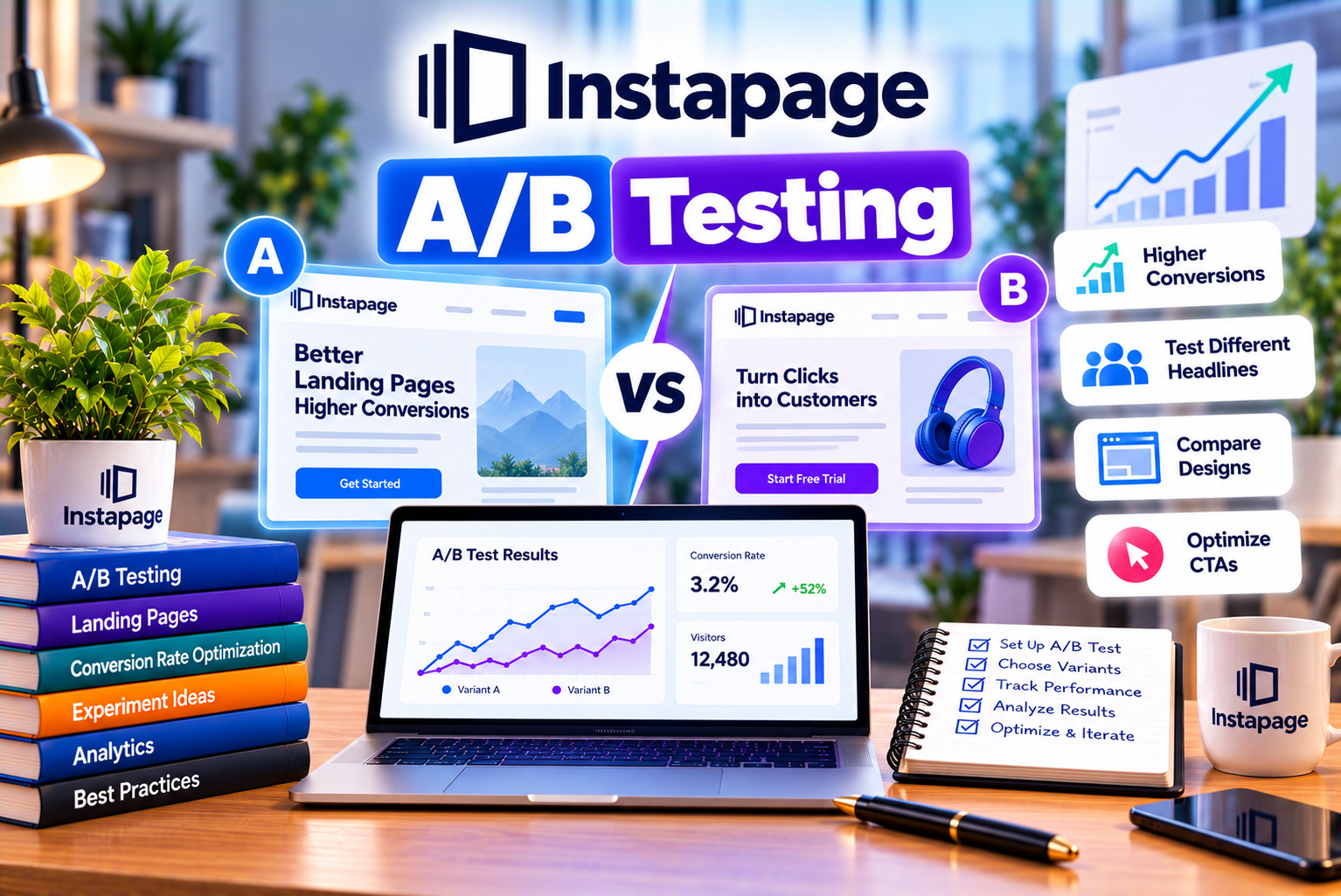
Instapage A/B Testing
Creating a landing page is only the first step toward generating meaningful results from digital marketing campaigns. Even a professionally designed page with compelling content and a clear call to action may not perform as well as expected. Visitors might ignore the primary button, abandon a form, misunderstand the offer, or leave without completing the intended action.
This is why landing page optimization is an ongoing process rather than a one-time design task.
Instapage A/B testing helps marketers compare different landing page variations to understand which changes are associated with better conversion performance. Instead of relying exclusively on assumptions about what visitors prefer, marketers can test alternative headlines, calls to action, page layouts, images, forms, and other elements using real visitor data.
Instapage provides manual experiments for traditional A/B testing and AI Experiments that dynamically allocate traffic according to variation performance. Its experimentation features also provide reporting tools to help marketers evaluate visitors, conversions, conversion rates, and performance trends. Feature availability depends on the subscription.
For example, a software company might be unsure whether a landing page should promote a free trial or a product demonstration. Rather than permanently changing the offer based on a guess, the company can test alternative page experiences and analyze which one produces better results for its intended audience.
However, successful experimentation requires more than creating two versions of a page. Marketers must establish a clear hypothesis, select an appropriate conversion goal, allocate traffic correctly, collect sufficient data, and interpret the results carefully.
In this comprehensive guide, we will explore Instapage A/B testing features, manual and AI-powered experiments, step-by-step setup instructions, important metrics, practical examples, limitations, and strategies for improving landing page conversion performance.
What Is Instapage A/B Testing?
Instapage A/B testing is an experimentation capability that allows marketers to compare landing page variations and evaluate their performance against a defined conversion goal.
The process generally involves creating an original landing page, developing one or more variations, directing visitors to the available versions, and measuring the resulting conversions.
For example, imagine an online education company running advertisements for a digital marketing course.
Its existing landing page uses the headline:
“Learn Digital Marketing Online.”
The marketing team believes that a more outcome-oriented headline might communicate the course’s value more clearly.
It creates an alternative headline:
“Build Practical Digital Marketing Skills With Industry-Focused Training.”
The company then tests the original and alternative versions to determine which produces better results under comparable conditions.
The goal is not simply to choose the headline that sounds more persuasive to the marketing team. It is to gather evidence about which version performs better for the audience.
Instapage supports this type of experimentation through its manual testing workflow and its AI-powered experimentation option.
How Does Landing Page A/B Testing Work?
Traditional A/B testing follows a structured process.
Step 1: Establish a baseline
Start with the existing landing page and understand its current performance.
Step 2: Identify an opportunity
Look for a potential problem or improvement, such as a weak headline, an unclear offer, or a complicated form.
Step 3: Develop a hypothesis
Explain what you intend to change and why you expect the change to improve performance.
Step 4: Create a variation
Duplicate the existing experience and modify the element being tested.
Step 5: Allocate traffic
Direct visitors to the available variations according to the experiment’s traffic allocation settings.
Step 6: Measure performance
Track the selected conversion goal and compare the results across variations.
Step 7: Evaluate the evidence
Determine whether the results provide sufficient evidence to support a decision.
Step 8: Implement the outcome
Select an appropriate winning variation when the evidence supports doing so, or continue investigating if the results are inconclusive.
This process helps marketers replace subjective design decisions with a more disciplined optimization approach.
What Can You Test With Instapage?
The most useful testing opportunities depend on your audience, campaign objectives, and existing landing page performance.
Common elements include:
- Headlines and subheadings.
- Calls to action.
- Button labels.
- Button placement.
- Hero images.
- Product images.
- Page layouts.
- Form length.
- Form placement.
- Trust signals.
- Testimonials.
- Benefits and value propositions.
- Pricing presentation.
- Promotional offers.
- Supporting content.
- Page sections and visual hierarchy.
Instapage’s experimentation capabilities are designed to help marketers compare different landing page elements, layouts, and designs.
However, not every element deserves equal priority.
Start with changes that have a clear relationship to visitor intent or the conversion goal. Testing a major offer or headline may provide more actionable insight than changing a decorative icon.
Key Instapage A/B Testing Features
Instapage combines manual experimentation, AI-powered experiments, performance reporting, and landing page editing capabilities to support ongoing optimization.
The available features depend on the subscription and product configuration, so businesses should verify plan eligibility before relying on a particular capability.
1. Manual A/B Experiments
Manual experiments allow marketers to compare a control version with one or more alternative landing page variations.
You decide what to change, create the variations, configure the traffic split, and evaluate the resulting performance.
For example, a B2B company could test two headlines:
- Variation A: “Simplify Your Business Accounting.”
- Variation B: “Manage Invoices and Expenses in One Place.”
The first headline emphasizes simplicity, while the second communicates specific product capabilities.
A manual experiment allows the company to compare the two approaches while maintaining a defined testing setup.
Why Manual Testing Is Useful
Manual testing gives marketers direct control over the experiment.
You decide:
- Which element to test.
- How many variations to create.
- Which version serves as the control.
- How traffic is distributed.
- Which conversion goal determines success.
- When to end the experiment.
- Which variation to select after reviewing the results.
This level of control is useful when the marketing team wants to investigate a specific hypothesis or learn why a particular message performs differently.
It also encourages disciplined experimentation because each test begins with a clearly defined change.
Best for: Marketers who want controlled experiments, businesses with established conversion optimization processes, and teams that need to learn which individual changes influence performance.
2. AI Experiments
Instapage also offers AI Experiments, which use dynamic traffic allocation to direct traffic toward better-performing landing page variations as an experiment progresses.
Unlike a traditional experiment that maintains a fixed traffic split, an AI Experiment can adjust how traffic is allocated according to the observed conversion performance of the variations.
Instapage’s documentation explains that AI Experiments begin with an initial warm-up phase and subsequently adjust traffic allocation as performance data becomes available.
For example, suppose a company tests three landing page headlines.
During the initial phase, visitors are distributed across the alternatives. As the experiment progresses, the system can allocate more traffic toward variations that appear to perform better.
This approach can help businesses direct more visitors toward promising versions while continuing to evaluate performance.
How AI Experiments Differ From Traditional A/B Testing
Traditional experiments generally use a fixed traffic split throughout the test.
AI Experiments can adjust traffic allocation dynamically.
This difference affects how the experiment operates and how results should be interpreted.
AI-powered traffic allocation may be useful when a business wants to optimize performance while an experiment is running. However, dynamic allocation does not eliminate uncertainty or guarantee that the apparent leader will remain the best-performing variation.
Marketers should understand the experiment’s settings, monitor the available metrics, and avoid interpreting early performance differences as conclusive evidence.
Best for: Businesses with multiple landing page variations, teams seeking automated traffic allocation, and advertisers who want to balance experimentation with ongoing campaign performance.
3. Traffic Split Configuration
Traffic splitting determines how visitors are distributed among the available variations in a manual experiment.
Instapage allows users to configure the percentage assigned to each variation. The percentages must add up to 100%, and the allocation cannot be changed after a manual experiment has started. To change the split, the experiment must be ended and a new experiment created.
For example, a test with two variations could use a 50/50 allocation.
This means each variation is assigned approximately half of the eligible new visitor traffic over time.
A three-variation experiment might use a 40/30/30 split.
The actual visitor counts may differ from the exact percentages because allocation is randomized.
Why Traffic Allocation Matters
An appropriate traffic split helps ensure that the variations receive enough exposure to evaluate their performance.
A balanced split is often a straightforward starting point for a conventional A/B test because it distributes traffic evenly between the control and alternative.
Unequal allocations may be appropriate for specific operational reasons, but they can affect how quickly each variation collects data.
Before launching a test, confirm that the traffic split matches your experimental plan.
4. Control and Alternative Variations
Instapage’s manual experimentation workflow supports a control variation against which alternatives can be evaluated.
The control represents the existing or baseline experience. Alternative variations introduce changes intended to improve performance.
For example:
| Element | Control Variation | Alternative Variation |
| Headline | “Project Management Software” | “Organize Projects and Deliver Work Faster” |
| CTA | “Submit” | “Request a Free Demo” |
| Form | Eight fields | Four essential fields |
| Hero image | Generic team image | Product interface screenshot |
| Main benefit | General product description | Specific workflow improvement |
These examples represent possible tests rather than claims about which option will win.
The most appropriate alternative depends on the product, audience, offer, and conversion objective.
Whenever possible, keep the experimental change focused so that the result is easier to interpret.
5. Experiment Hypotheses
Instapage’s manual experiment workflow includes a field for naming the experiment and documenting the hypothesis.
A hypothesis explains what you intend to test and why you expect the change to affect the selected metric.
For example:
“We believe replacing the generic CTA ‘Submit’ with ‘Book a Free Consultation’ will increase qualified consultation requests because it communicates the next step more clearly.”
This statement identifies:
- The proposed change.
- The expected outcome.
- The audience action.
- The reason the change might work.
A strong hypothesis makes it easier to prioritize experiments and interpret the results.
It also prevents teams from running tests without a clear purpose.
6. Performance Analytics and Experiment Reporting
Instapage provides experiment analytics for comparing the performance of landing page variations.
Its documentation describes metrics such as unique visitors, unique conversions, and conversion rates for manual experiments, along with device filters and performance-over-time charts.
These metrics help marketers understand not only which variation is receiving traffic but also how effectively it converts visitors.
For example, a page may attract many visitors but produce few enquiries. Another page may receive fewer visitors but convert a higher percentage of them.
Looking at both visitor counts and conversion performance helps provide a more useful picture than focusing on traffic volume alone.
Metrics Commonly Used in Landing Page Experiments
| Metric | What It Measures | Why It Matters |
| Unique visitors | Distinct visitors counted by the experiment | Helps assess exposure |
| Unique conversions | Distinct conversions counted in experiment analytics | Shows conversion outcomes |
| Conversion rate | Conversions divided by the relevant visitor count | Measures the proportion converting |
| Traffic allocation | The share of experiment traffic assigned to each variation | Helps interpret exposure |
| Performance over time | How traffic and conversions change during the experiment | Helps identify trends |
| Device-level results | Performance segmented by device category where available | Helps reveal desktop or mobile differences |
Always confirm the metric definitions used by your analytics setup before comparing results across platforms.
Different tools may use different counting, attribution, or deduplication rules.
7. Device-Level Performance Filtering
Landing page performance may differ across desktop and mobile devices.
A page with a long form might work reasonably well on a large screen but create friction on a smartphone.
Similarly, a hero image that looks compelling on desktop may occupy too much space on mobile.
Instapage’s experiment analytics provides device filters for reviewing performance across all devices, desktop, and mobile.
This can help marketers investigate whether a variation performs differently across device categories.
For example, if a shorter form performs better overall, a device-level review may reveal that the improvement is particularly pronounced among mobile visitors.
Such findings can guide future optimization work.
However, avoid overinterpreting small device-specific samples. Segmented results may contain too little data to support reliable conclusions, particularly when traffic is limited.
8. Experiment Status and Variation Management
Instapage provides controls for managing variations, including options to duplicate, pause, rename, or delete variations within its experimentation workflow.
These controls can help teams organize their tests and maintain a clear record of the versions being evaluated.
For example, a marketing team might test two headline alternatives before deciding to introduce a separate experiment involving the CTA.
A clear naming convention can make the results easier to understand later.
Useful experiment names include:
- Homepage Headline Test.
- Demo CTA Test.
- Short Form Test.
- Mobile Hero Layout Test.
- Pricing Message Test.
Avoid vague names such as “Test 1” or “New Page,” especially when several experiments are running simultaneously.
9. AI-Assisted Copy Generation
Instapage promotes AI-assisted content generation for headlines, paragraphs, calls to action, and page variations.
This can help marketers develop alternative messaging ideas without writing every variation from scratch.
For example, a software company could develop several headline concepts emphasizing:
- Time savings.
- Reduced administrative work.
- Easier team collaboration.
- Better reporting.
- Improved visibility.
These alternatives can provide starting points for experimentation.
However, generated content should be reviewed before publication.
Check that the messaging is accurate, consistent with the advertised offer, appropriate for the intended audience, and free from unsupported claims.
AI can assist with generating hypotheses and alternatives, but it does not remove the need for human judgment.
10. Server-Side Experimentation
Instapage promotes server-side A/B testing as part of its conversion optimization offering. Its official plan information describes server-side A/B testing as a feature for testing multiple variations without flickering and changing traffic allocation without page-load delay.
In general, server-side experimentation allows variation delivery to be handled through server-side infrastructure rather than relying exclusively on client-side page modifications.
This can help avoid some visual flickering associated with certain client-side testing implementations.
The actual visitor experience still depends on page configuration, integrations, loading behavior, and other technical factors.
Businesses considering server-side testing should confirm its availability in their selected subscription and assess how it fits their existing analytics and website setup.
Manual A/B Testing vs. Instapage AI Experiments
One of the most important decisions when using Instapage experimentation features is choosing between manual experiments and AI Experiments.
Both approaches can help evaluate landing page variations, but they use different traffic allocation methods.
Manual A/B Testing
Manual experiments use a fixed traffic split.
For example, a two-variation experiment can distribute traffic equally between the control and alternative.
The marketer evaluates the results and decides when the evidence is sufficient to end the test.
This approach is useful when the main objective is to compare alternatives under a consistent allocation strategy.
AI Experiments
AI Experiments use dynamic traffic allocation.
The system initially distributes traffic across the variations and then adjusts allocation as performance data becomes available.
This can direct more visitors toward better-performing versions while the experiment continues.
However, the interpretation of the results differs from a conventional fixed-split test. Businesses should understand the allocation algorithm and the experiment’s settings before treating a variation as the definitive winner.
Comparison Table
| Feature | Manual A/B Testing | AI Experiments |
| Primary purpose | Compare variations using a controlled traffic split | Optimize traffic allocation dynamically |
| Traffic allocation | Fixed percentages selected before launch | Adjusted according to observed performance |
| Initial setup | Define control, alternatives, hypothesis, and split | Configure variations and AI experiment settings |
| Control over allocation | High | More automated |
| Best use case | Structured testing of a specific hypothesis | Ongoing optimization across multiple variations |
| Performance analysis | Compare variation-level metrics and trends | Monitor metrics alongside dynamic allocation |
| Main consideration | Requires a decision about when to end the test | Dynamic allocation does not eliminate uncertainty |
| Potential advantage | Easier to maintain a consistent allocation | Can send more traffic toward promising variations |
| Potential limitation | Underperforming variations continue receiving their assigned share during the test | Early performance differences can be misleading |
Which Option Should You Choose?
Choose manual testing when you want to evaluate a clearly defined change using a fixed traffic allocation.
Choose AI Experiments when you want Instapage’s supported dynamic allocation workflow to direct traffic toward better-performing variations as the test progresses.
Neither approach automatically guarantees a better business outcome.
The appropriate choice depends on traffic volume, conversion frequency, experimental objectives, and the degree of control required by your team.
For businesses new to experimentation, a simple manual test with two variations and one primary conversion goal can be a practical starting point.
How to Set Up Instapage A/B Testing: Step-by-Step Guide
Instapage’s documented manual experiment workflow begins in the Optimize area, where users can create an experiment, select a published page experience, configure variations, and start the test.
The following steps describe a practical approach to setting up a manual experiment.
Step 1: Choose a Landing Page
Start by selecting a landing page that receives enough relevant traffic to support meaningful experimentation.
Prioritize pages with a clear business objective, such as:
- Generating leads.
- Booking consultations.
- Encouraging software demonstrations.
- Collecting email subscriptions.
- Selling products.
- Registering event attendees.
- Encouraging free-trial signups.
If possible, review the page’s existing analytics before making changes.
Identify where visitors may be experiencing friction or where the message could be clearer.
A page that already receives relevant traffic can provide a useful baseline for testing.
Step 2: Confirm the Page Is Published
Instapage’s manual experimentation documentation states that experiments can be created for pages already published to a live URL. If the associated page is unpublished, the draft experiment can disappear until the page is republished.
Before setting up the test, verify that:
- The page is published.
- The URL works correctly.
- The page loads on desktop and mobile.
- The conversion form or button functions.
- Analytics and conversion tracking are configured.
- The intended audience can access the page.
Testing an unpublished or incorrectly configured page can delay the experiment or produce misleading results.
Step 3: Establish the Conversion Goal
Define what counts as a successful conversion before creating variations.
For a lead generation page, the goal might be a completed enquiry form.
For a SaaS landing page, it might be a free-trial registration or a qualified demo request.
For an e-commerce campaign, it could be a completed purchase.
The selected goal should reflect the purpose of the page.
Avoid selecting a metric simply because it is easy to measure.
For example, increasing button clicks may not improve business performance if the visitors who click do not complete the form or make a purchase.
Where possible, track the action that most closely reflects the business outcome you want to improve.
Step 4: Create a Clear Hypothesis
Before changing the page, write down the expected relationship between the proposed change and the conversion goal.
A useful hypothesis includes three elements:
- The element being changed.
- The expected result.
- The reason the change may produce that result.
For example:
“We believe replacing the generic headline with a specific benefit statement will increase qualified demo requests because visitors will understand the product’s value more quickly.”
This hypothesis gives the test a clear purpose.
It also helps the team evaluate whether the result supports the original reasoning or suggests a different explanation.
Step 5: Open the Experiment Workflow
In the documented Instapage interface, navigate to the Optimize tab, open Experiment on the right sidebar, and select Create Experiment.
You can then name the experiment and enter the hypothesis.
Use a descriptive name that identifies the change being tested.
For example, “Demo Page Headline Test” is more useful than “Experiment 4.”
If multiple people work on the same account, consistent naming can make collaboration and later reporting easier.
Step 6: Select the Page Experience
Choose the relevant page group, page, and experience, then create the experiment.
The selected page must be published to a live URL.
If your account uses multiple personalized experiences for a page, Instapage’s documentation notes that each experience requires its own experiment because the experiences have different URLs and target audiences.
Make sure you select the experience that matches the audience and campaign you intend to test.
Step 7: Create the Alternative Variation
The next step is to create one or more alternative versions.
Instapage’s workflow allows users to add a new variation, edit variations in the builder, and configure the traffic split. A new variation can be created as a copy of the existing control and then modified.
For example, if you are testing a headline, preserve the rest of the page as consistently as possible.
Control: “Manage Your Projects in One Place.”
Variation B: “Bring Your Team’s Projects and Deadlines Together.”
If you are testing a form, modify the relevant fields while keeping the main offer and other page elements consistent.
Focused changes make the experiment easier to interpret.
Step 8: Configure the Traffic Split
Set the percentage of traffic assigned to each variation.
For a basic two-variation test, a 50/50 split is often a reasonable starting point.
For a three-variation test, you might allocate traffic equally or choose another split that reflects your testing requirements.
Instapage requires the percentages to add up to 100%. Its documentation also states that the traffic split cannot be changed after a manual experiment has started.
Before launching, double-check the percentages.
If you need a different split later, plan to end the current experiment and create a new one with the revised allocation.
Step 9: Review the Experiment
Before starting the test, verify that:
- The correct control variation is selected.
- Each alternative reflects the intended change.
- The conversion goal is configured.
- The traffic split is correct.
- The page is published.
- The forms and CTAs work.
- Tracking is functioning.
- The page is responsive.
- The experiment has a clear name and hypothesis.
This review helps reduce avoidable implementation errors.
Step 10: Start the Experiment
Once the setup is complete, start the experiment.
Instapage’s manual workflow provides access to experiment statistics and performance-over-time charts after launch.
During the test, avoid making unrelated changes to the page or campaign that could affect the results.
If the offer, targeting, pricing, or page design changes substantially while the experiment is running, it may become difficult to determine what caused the observed difference.
Step 11: Monitor Performance
Review the available visitor, conversion, and conversion-rate metrics.
Look for unexpected behavior, such as:
- A variation receiving very little traffic.
- Conversion tracking failing.
- A form becoming inaccessible.
- A page loading incorrectly on mobile.
- A sudden change in campaign traffic.
- A variation appearing to perform differently across devices.
Monitoring helps identify technical issues, but avoid making premature decisions based on small samples.
A variation that performs well during the first few hours may not remain the leader after more data becomes available.
Step 12: End the Experiment and Select a Variation
When you are ready to conclude a manual experiment, review the results and select the winning variation if the evidence supports a decision.
Instapage’s documented workflow asks users to choose a winning variation when ending an experiment. That variation then receives 100% of the traffic on the live URL.
Do not select a winner simply because it has the highest observed conversion rate.
Consider sample size, the quality of the data, the business value of the outcome, and whether the difference is likely to be meaningful.
If the result is inconclusive, you may need more data or a better-designed follow-up experiment.
What Should You Test First in Instapage?
When starting with landing page experimentation, it is easy to become distracted by small design details.
A more effective approach is to prioritize changes that are likely to affect visitor understanding, motivation, or friction.
The following testing opportunities are useful starting points.
1. Test the Headline
The headline communicates the page’s main promise.
If visitors cannot quickly understand what you offer and why it matters, they may leave before exploring the rest of the page.
Try comparing a general headline with one that communicates a specific benefit.
For example:
Control: “Business Accounting Software.”
Variation: “Simplify Invoicing and Expense Tracking for Your Business.”
The better option depends on your audience and product positioning. Test the alternatives rather than assuming that a longer or more specific headline will always perform better.
2. Test the Call to Action
The call to action tells visitors what to do next.
A generic label such as “Submit” may communicate less value than a label that explains the next step.
Potential alternatives include:
- Book a Free Consultation.
- Request a Product Demo.
- Start Your Free Trial.
- Download the Guide.
- Get a Custom Quote.
The CTA should accurately describe what happens after the click.
Avoid making promises that the business cannot fulfill.
3. Test Form Length
Forms are particularly important on lead generation landing pages.
A long form can collect more information, but it may also discourage visitors from submitting their details.
A shorter form can reduce friction but may produce less information for qualifying enquiries.
For example, one variation might request a name, email address, and company name, while another asks for additional information about the visitor’s requirements.
Evaluate both the number of completed forms and the quality of the leads generated.
A higher form completion rate is not necessarily better if it produces enquiries that the sales team cannot use.
4. Test the Hero Image
The hero image often occupies a prominent position near the top of the landing page.
Different images may communicate different benefits or levels of credibility.
A software company could compare:
- A generic business team photograph.
- A screenshot of the actual product.
- A workflow illustration.
- A short product demonstration visual.
The appropriate choice depends on the audience and the nature of the offer.
Make sure images are optimized for loading speed and display correctly on mobile devices.
5. Test Social Proof
Testimonials, customer logos, ratings, and case studies can help visitors evaluate credibility.
However, the effectiveness of social proof depends on its relevance and authenticity.
A B2B company might compare a page featuring a general customer testimonial with a page showing a specific case study from a similar industry.
Use genuine, appropriately authorized evidence.
Do not invent customer endorsements or present unsupported performance claims as verified results.
6. Test the Page Layout
Layout affects how visitors move through the page and find important information.
Potential tests include:
- Placing the CTA above the fold versus lower on the page.
- Moving benefits closer to the headline.
- Reducing unnecessary content sections.
- Reordering testimonials and product information.
- Changing the placement of the lead form.
Avoid assuming that shorter pages always perform better.
Some offers require substantial explanation, while others benefit from a concise presentation.
The correct structure depends on visitor expectations and the complexity of the decision.
7. Test the Offer
Sometimes the problem is not the design but the offer itself.
For example, a company could compare a request for a direct sales consultation with an invitation to download a useful resource.
The second option may attract more conversions, but it may also produce leads with lower immediate purchase intent.
When testing offers, consider the entire conversion journey and the commercial value of the resulting leads.
Understanding Instapage Experiment Analytics
Running an experiment is only useful if you can interpret the results correctly.
Instapage’s experiment analytics provides variation-level performance information, including unique visitors, unique conversions, conversion rates, device filters, and performance-over-time charts for manual experiments.
Understanding the metrics can help marketers avoid choosing a variation based on incomplete information.
1. Unique Visitors
Unique visitors indicate the distinct visitors counted for the experiment according to the platform’s measurement rules.
This metric helps you understand the exposure each variation has received.
A variation with only a small number of visitors may have an unstable observed conversion rate.
For example, a variation that converts two out of ten visitors has an observed conversion rate of 20%. However, that small sample does not establish that its true conversion rate is 20%.
More data may produce a substantially different result.
2. Unique Conversions
Unique conversions indicate the distinct conversions counted by the experiment analytics.
The precise meaning of a conversion depends on the configured conversion goal and platform counting rules.
For a lead generation page, it might represent visitors who completed a form.
For a product page, it might represent visitors who completed a purchase.
Verify that the selected goal accurately reflects the desired business action.
3. Conversion Rate
Conversion rate is calculated by dividing the number of conversions by the relevant number of visitors and multiplying by 100.
Formula:
Conversion Rate = (Conversions ÷ Visitors) × 100
Suppose Variation A receives 1,000 visitors and generates 50 conversions.
Its conversion rate is:
(50 ÷ 1,000) × 100 = 5%
Variation B receives 1,000 visitors and generates 65 conversions.
Its conversion rate is:
(65 ÷ 1,000) × 100 = 6.5%
Variation B has an observed conversion rate that is 1.5 percentage points higher.
However, this difference alone does not establish statistical significance or prove that the change will produce the same improvement in future traffic.
A sound decision should consider the testing method, sample size, conversion volume, data quality, and business context.
4. Traffic Allocation
Traffic allocation shows how visitors are distributed across the experiment’s variations.
In a manual experiment, this follows the configured traffic split, although actual counts can vary because assignment is randomized.
In an AI Experiment, allocation may change as the system evaluates variation performance.
Instapage provides reporting for traffic allocation in its experimentation workflow.
When reviewing results, distinguish between the percentage of traffic assigned to a variation and the percentage of visitors who converted.
These metrics answer different questions.
5. Conversion Rate Over Time
A conversion-rate chart can help you understand how the observed performance of variations changes during an experiment.
For example, a variation might lead during the first few days but lose that advantage as more visitors arrive.
This is one reason it is important to avoid selecting a winner based on early results alone.
Performance-over-time charts can also help identify unusual changes that deserve further investigation.
However, charts should support a sound testing process rather than replace it.
6. Device-Level Results
Device filtering can reveal whether visitors on desktop and mobile respond differently to the tested experiences.
For example, a shorter form might appear to perform particularly well among mobile visitors.
That observation could motivate a follow-up test focused on mobile form usability.
Before acting on segmented results, check whether each segment contains enough data to support a reliable decision.
A difference between device categories can reflect genuine behavior, random variation, or other differences in traffic composition.
How Much Traffic Do You Need for Instapage A/B Testing?
There is no single visitor threshold that makes every landing page experiment reliable.
The required sample depends on factors such as the existing conversion rate, the size of the improvement you want to detect, the number of variations, and the statistical confidence required.
A page that receives thousands of visitors every month may support more frequent testing than a page that attracts only a few dozen visitors.
Why Traffic Volume Matters
Imagine two landing page variations.
Variation A has a conversion rate of 5%.
Variation B appears to have a conversion rate of 6%.
That difference could be commercially meaningful, but you need enough data to determine whether it reflects a genuine improvement or random variation.
If only a handful of visitors have seen each variation, the observed rates may change dramatically as new visitors arrive.
More traffic generally provides more information, although the exact amount needed depends on the experimental design.
Factors That Affect Sample Requirements
Baseline conversion rate: A low-converting page may require substantial traffic to measure relatively small changes.
Minimum detectable effect: Detecting a small improvement usually requires more data than detecting a large improvement.
Number of variations: Testing more alternatives can increase the amount of data required for reliable comparisons.
Conversion frequency: Pages that generate few conversions may take longer to evaluate.
Traffic consistency: Large differences in traffic sources, targeting, or visitor behavior can complicate interpretation.
Data quality: Broken tracking, duplicate conversions, and technical problems can make even a large sample misleading.
What If Your Website Has Low Traffic?
If traffic is limited, prioritize a small number of high-value tests.
Start by fixing obvious usability problems, such as broken forms, unclear offers, or mobile display issues.
Then choose a test that addresses a meaningful business question.
Avoid launching many variations simultaneously when each would receive very little traffic.
You may also need to run the experiment for a longer period or focus on improving the amount of relevant traffic reaching the page.
Do not treat a particular number of visitors as a universal guarantee of reliable results.
Statistical Significance and Common Testing Mistakes
A frequent mistake in landing page optimization is choosing the variation with the highest observed conversion rate without checking whether the evidence is strong enough to support the decision.
A/B testing involves uncertainty.
Even when two variations perform equally well in reality, random variation can cause one to appear better during a limited experiment.
What Is Statistical Significance?
Statistical significance is a concept used to evaluate whether the observed difference between variations is sufficiently inconsistent with a specified null hypothesis under a chosen statistical test.
It is not a guarantee that a variation will perform better in the future.
Nor does statistical significance automatically mean that the improvement is commercially important.
A small difference may be statistically detectable but have little practical value, while a promising difference may remain uncertain because the experiment lacks sufficient data.
Common Instapage A/B Testing Mistakes
Mistake 1: Ending the Test Too Early
Early performance differences can be misleading.
A variation that initially appears to be winning may lose its advantage as additional visitors arrive.
Define your testing approach before launch and avoid stopping simply because one variation temporarily leads.
Mistake 2: Changing the Page During the Experiment
Changing a variation while an experiment is running can affect the reliability of the results.
Instapage warns that editing a running experiment can influence the experiment data. Its documentation recommends avoiding changes while a test is active.
If a significant change is necessary, document the change and consider ending the current test before beginning a new experiment.
Mistake 3: Testing Too Many Variations
More variations can make the testing process more complex and increase the amount of traffic needed to evaluate them.
Instapage recommends a maximum of ten variations in its manual experiment documentation and notes that two or three variations, or sometimes up to five, are often more practical.
For many businesses, beginning with a control and one alternative is the simplest approach.
Mistake 4: Changing Several Elements Without a Clear Plan
If you change the headline, offer, image, form, and CTA simultaneously, it may be difficult to determine which change contributed to the outcome.
Testing multiple elements together can be appropriate when the goal is to compare two complete page experiences.
However, if you want to learn about a specific element, a focused experiment is often easier to interpret.
Mistake 5: Ignoring Lead Quality
A variation may produce more form submissions but fewer qualified leads.
If the business objective is sales, a higher number of low-quality enquiries may not represent an improvement.
Whenever possible, evaluate downstream outcomes such as qualified leads, sales opportunities, purchases, or revenue.
Mistake 6: Ignoring Mobile Performance
A page that performs well on desktop may be difficult to use on mobile.
Review responsive design, form usability, loading speed, button placement, and readability.
Use device-level reporting to identify potential differences, while avoiding conclusions based on very small samples.
Mistake 7: Ignoring External Changes
Changes in advertising budgets, audience targeting, seasonal demand, promotions, or competitor activity can affect landing page performance.
Document important changes and interpret results in the context of the campaign.
Mistake 8: Selecting a Winner Without a Defined Goal
A test should have a primary conversion objective.
Without one, teams may select whichever metric looks most favorable after the test, increasing the risk of biased conclusions.
Define the goal before launching the experiment.
Practical Example: Improving a SaaS Landing Page With Instapage
Consider a software company offering a project management platform to small and medium-sized businesses.
The company runs paid search campaigns directing visitors to a landing page that promotes a free product demonstration.
The page receives relevant traffic but produces fewer demo requests than expected.
The marketing team decides to investigate the problem using Instapage experimentation.
Step 1: Establish the Baseline
The company reviews its current landing page performance.
For illustration, assume the page receives 2,000 eligible visitors and generates 80 completed demo requests during a defined measurement period.
The observed conversion rate is:
(80 ÷ 2,000) × 100 = 4%
This is the baseline for the example.
These figures are illustrative rather than reported Instapage customer results.
Step 2: Identify the Opportunity
The marketing team notices that the current headline is generic and the CTA simply says “Submit.”
It believes visitors may not understand the product’s value or what happens after clicking the button.
Step 3: Create a Hypothesis
The team writes the following hypothesis:
“Making the headline more benefit-focused and clarifying the demo CTA will increase completed demo requests by helping visitors understand the value of the product and the next step.”
Because the team is changing both the headline and CTA, this test will evaluate the combined page treatment rather than isolate the effect of each individual element.
If the team later wants to understand which element contributed most, it can run a more focused follow-up experiment.
Step 4: Create the Variation
The original page contains:
Headline: “Project Management Software.”
CTA: “Submit.”
The alternative page contains:
Headline: “Bring Projects, Teams, and Deadlines Together.”
CTA: “Request a Free Demo.”
The team keeps the main offer, form fields, and other page elements consistent to reduce unnecessary differences.
Step 5: Configure the Experiment
The company selects the published page, creates the alternative variation, and sets a 50/50 traffic split.
It confirms that the demo request is the primary conversion goal and verifies that the form works correctly.
Step 6: Monitor the Results
After the experiment has collected enough data for a meaningful evaluation, the team compares the variations.
Suppose the following illustrative results are recorded:
| Metric | Control | Alternative |
| Visitors | 2,000 | 2,000 |
| Completed demo requests | 80 | 110 |
| Observed conversion rate | 4% | 5.5% |
The alternative has a higher observed conversion rate.
The absolute difference is 1.5 percentage points, and the relative increase compared with the control is 37.5%.
However, these figures alone do not establish statistical significance. The company should evaluate the results using an appropriate statistical method and consider the quality of the experiment before implementing the change.
Step 7: Evaluate Business Value
The company also examines the quality of the demo requests.
If the alternative generates more completed forms but the resulting leads are substantially less qualified, the team may need to reconsider the outcome.
If lead quality remains comparable and the evidence supports the improvement, the alternative may be a suitable choice for the next stage of optimization.
Step 8: Plan the Next Experiment
After implementing the winning treatment, the team can investigate another opportunity.
Possible next tests include:
- Shortening the demo request form.
- Moving the product demonstration screenshot higher on the page.
- Adding a relevant customer case study.
- Testing a different benefit statement.
- Improving the mobile form experience.
This iterative approach allows the company to improve the landing page gradually while building a clearer understanding of visitor behavior.
Instapage A/B Testing Pricing and Plan Availability
Instapage’s experimentation features are not necessarily available on every subscription.
Its official Help Center states that access to manual experiments and AI Experiments depends on the subscription. The current plan comparison should be reviewed before purchasing the platform for a specific testing requirement.
Is A/B Testing Included in Every Instapage Plan?
You should not assume that it is.
Instapage has offered experimentation capabilities through its conversion optimization-focused plans, but the available features and plan names may change.
Check the current pricing page and confirm whether your intended subscription includes:
- Manual A/B experiments.
- AI Experiments.
- Server-side experimentation.
- Experiment analytics.
- Required traffic limits.
- The landing page publishing options you need.
If you are considering a subscription primarily for experimentation, confirm these requirements before committing.
What Costs Should You Consider?
The subscription fee is only one part of the overall investment.
You may also need to account for:
- Landing page creation.
- Copywriting and design.
- Analytics configuration.
- Conversion tracking.
- Campaign integration.
- Staff training.
- Ongoing testing and analysis.
- Maintenance of alternative page variations.
These activities affect the total cost of running a successful experimentation program.
How Can You Evaluate the Return on Investment?
Consider both the potential conversion improvement and the resources required to achieve it.
For example, if a landing page generates a high volume of valuable enquiries, even a modest improvement in conversion rate may have meaningful commercial value.
However, a higher conversion rate does not automatically translate into higher profit.
Evaluate downstream metrics such as qualified leads, sales conversion, customer acquisition cost, and revenue.
The objective is to determine whether the optimization program improves business outcomes enough to justify its cost.
Instapage A/B Testing vs. Other Landing Page Testing Approaches
Instapage is one option for running landing page experiments, but businesses can use different tools and processes depending on their website platform, technical resources, and testing needs.
1. Instapage vs. Manual Website Changes
Manual website changes are simple to implement but do not necessarily provide a controlled experiment.
If a business changes its headline and compares performance before and after the change, other factors may also have changed during the measurement period.
A controlled experiment can help distinguish the impact of a page variation from some of these external influences.
Instapage may be useful for businesses that want to create and compare landing page variations through an integrated workflow.
2. Instapage vs. Other Landing Page Builders
Some landing page builders provide built-in experimentation tools, while others rely on integrations or external testing platforms.
When comparing alternatives, evaluate:
- Available testing methods.
- Traffic allocation controls.
- Conversion reporting.
- Integration with advertising platforms.
- Experiment management.
- Ease of creating variations.
- Page publishing options.
- Mobile performance.
- Subscription costs.
- Technical requirements.
The best platform depends on how closely the testing workflow fits your existing marketing operations.
3. Instapage vs. General Analytics Tools
Analytics platforms can help marketers understand visitor behavior and measure conversions, but analytics reporting alone does not necessarily provide a complete A/B testing workflow.
A testing platform typically needs to manage variations, distribute traffic, and associate conversion outcomes with the relevant experiences.
Analytics tools remain valuable for evaluating the broader visitor journey and connecting landing page performance with downstream business outcomes.
For many businesses, a combination of experimentation and analytics tools provides a more complete picture than either approach alone.
Best Practices for Getting Better Results With Instapage A/B Testing
A structured testing process helps teams avoid wasting traffic on poorly designed experiments.
The following practices can improve the quality of your experimentation program.
1. Prioritize High-Impact Changes
Start with elements that directly affect visitor understanding, motivation, or friction.
A confusing headline or complicated lead form may represent a more important opportunity than a minor color adjustment.
Use existing analytics, customer feedback, session behavior where available, and campaign objectives to identify promising tests.
2. Test One Clear Hypothesis at a Time
A focused hypothesis helps explain what the experiment is intended to investigate.
If the goal is to understand the impact of a CTA, keep the rest of the page as consistent as practical.
If the goal is to compare two complete page concepts, define that objective explicitly and interpret the results accordingly.
3. Establish a Reliable Conversion Goal
Use a conversion action that reflects the purpose of the landing page.
For lead generation, this might be a completed enquiry form.
For a subscription business, it might be a completed signup or paid subscription.
For an e-commerce campaign, it could be a completed purchase.
Verify that the conversion event fires correctly and is not counted multiple times unintentionally.
4. Maintain Consistent Traffic Conditions
Whenever possible, keep campaign targeting, budgets, offers, and other important conditions consistent during the experiment.
If the traffic source changes substantially, the audience composition may change as well.
Document important campaign changes so that you can interpret the results appropriately.
5. Allow Sufficient Time and Traffic
Do not stop an experiment simply because one variation has an early lead.
Determine the sample requirements based on the baseline conversion rate, the improvement you want to detect, and your chosen testing method.
Also consider whether the experiment spans meaningful differences in weekday, weekend, or seasonal behavior.
6. Avoid Unplanned Changes During Testing
Changing a live variation can affect the interpretation of the experiment.
Instapage warns that changes to a running experiment may affect the results. Its documentation recommends avoiding such changes when reliable comparisons are important.
If a critical change is necessary, document it and consider ending the experiment before launching a new test.
7. Analyze Business Outcomes
Look beyond form submissions and button clicks.
For lead generation, examine qualified leads, sales acceptance, and eventual revenue.
For subscription products, consider activation and paid conversion.
For e-commerce, evaluate purchases, order value, and profitability.
A variation that produces fewer conversions but substantially better customers may deliver greater business value.
8. Use Device-Level Insights Carefully
Review desktop and mobile performance when the data supports meaningful comparisons.
If mobile visitors struggle with a form, consider testing field count, spacing, button placement, and input usability.
Do not make major decisions based on very small device-specific samples.
9. Document Results and Lessons
Record the experiment’s hypothesis, changes, dates, results, and conclusions.
Even an inconclusive test can provide useful information if it helps refine your understanding of the audience.
Documentation also prevents teams from repeatedly testing the same idea without learning from previous attempts.
10. Build an Ongoing Testing Roadmap
Rather than running random experiments, organize testing opportunities by potential impact and implementation effort.
A simple prioritization system can classify experiments as:
- High priority: Major usability problems or high-value conversion opportunities.
- Medium priority: Meaningful messaging or layout improvements.
- Low priority: Small visual changes with uncertain commercial impact.
Review the roadmap regularly and update priorities as new data becomes available.
Is Instapage A/B Testing Worth It?
Instapage A/B testing is worth considering for businesses that want a structured way to compare landing page variations and improve conversion performance.
Its combination of manual experiments, AI-powered traffic allocation, and experiment reporting can support an ongoing optimization process. The value depends on whether the features included in your subscription match your requirements and whether your pages receive enough relevant traffic to support useful experiments.
Instapage A/B Testing Is Worth Considering If:
- You run paid advertising campaigns that direct visitors to dedicated landing pages.
- You want to compare headlines, offers, forms, CTAs, or layouts.
- You need a structured experimentation workflow.
- You want to evaluate variations using conversion metrics.
- Your marketing team regularly optimizes landing pages.
- You can collect sufficient traffic and conversion data.
- The required subscription fits your budget.
It May Not Be Necessary If:
- Your website receives very little relevant traffic.
- You have not yet fixed obvious usability problems.
- Your conversion tracking is unreliable.
- You rarely change your landing pages.
- Your existing platform already provides sufficient experimentation functionality.
- The subscription cost exceeds the likely value of the testing workflow.
Final Verdict
Instapage A/B testing is most valuable when businesses use it as part of a disciplined conversion optimization process.
Its manual experiments allow marketers to compare variations using a fixed traffic split, while AI Experiments provide a dynamic allocation approach that can direct more traffic toward promising variations.
The platform’s experiment analytics can help marketers evaluate visitor counts, conversions, conversion rates, and performance trends.
However, no testing tool can guarantee higher conversions. The quality of the experiment depends on the hypothesis, conversion goal, traffic, implementation, and interpretation of the results.
For businesses that regularly generate relevant landing page traffic, Instapage can provide a structured environment for testing and refining the visitor experience.
For businesses with limited traffic or significant technical problems, improving the underlying page and tracking setup may be more valuable than immediately launching multiple experiments.
The most effective strategy is to identify meaningful opportunities, run carefully designed tests, measure the business outcomes, and apply the findings to future landing page improvements.
Frequently Asked Questions About Instapage A/B Testing
1. What is Instapage A/B testing?
Instapage A/B testing is an experimentation feature that allows marketers to compare landing page variations and evaluate their performance using conversion-related metrics. It supports a structured process for testing alternative page designs, messaging, and other elements.
2. Does Instapage support manual A/B testing?
Yes. Instapage provides manual experiments in which marketers select a control, create alternative variations, configure traffic allocation, and analyze performance. Feature availability depends on the subscription.
3. What are Instapage AI Experiments?
AI Experiments use dynamic traffic allocation to direct traffic toward better-performing landing page variations as an experiment progresses. They begin with an initial warm-up phase and adjust allocation as performance data becomes available.
4. What is the difference between manual experiments and AI Experiments?
Manual experiments use a fixed traffic split selected before the test begins. AI Experiments can adjust traffic allocation according to observed performance. Manual testing offers more direct control over allocation, while AI Experiments automate part of the traffic optimization process.
5. How do I create an A/B test in Instapage?
In the documented workflow, navigate to Optimize, open Experiment, and select Create Experiment. Name the experiment, enter a hypothesis, select a published page experience, create variations, configure the traffic split, and start the experiment.
6. Can I test multiple landing page variations in Instapage?
Yes. Instapage supports experiments with multiple variations. Its documentation recommends a maximum of ten variations and notes that testing two or three, or sometimes up to five, is often more practical.
7. What elements can I test with Instapage?
You can test elements such as headlines, calls to action, images, page layouts, form fields, testimonials, offers, and other page components. The most useful changes are those that address a meaningful question about visitor behavior or conversion performance.
8. Does Instapage A/B testing require coding?
Instapage provides a visual landing page builder and an interface for managing experiments, allowing many page variations to be created without writing code. Some advanced integrations, tracking requirements, or custom functionality may still require technical assistance.
9. Can I change the traffic split after an experiment starts?
Instapage’s manual experiment documentation states that the traffic split cannot be changed after an experiment has started. To use a different split, end the current experiment and create a new one with the desired allocation.
10. What is a control variation?
A control variation is the baseline version against which alternative landing page experiences are evaluated. It is usually the existing page or the version that represents the current approach.
11. What is a testing hypothesis?
A testing hypothesis explains the change you intend to make, the outcome you expect, and why you believe the change may improve performance. A clear hypothesis helps keep the experiment focused and makes the results easier to interpret.
12. What metrics can I track in Instapage experiments?
Instapage’s experiment analytics documents metrics including unique visitors, unique conversions, conversion rates, traffic allocation, and performance over time. Device filters are also available for reviewing performance across desktop and mobile.
13. How do I calculate landing page conversion rate?
Divide the number of conversions by the relevant number of visitors and multiply the result by 100. For example, 50 conversions from 1,000 visitors produce an observed conversion rate of 5%.
14. How much traffic do I need for A/B testing?
The required traffic depends on your baseline conversion rate, the improvement you want to detect, the number of variations, and the statistical method. There is no universal visitor threshold that guarantees a reliable result for every experiment.
15. How long should an Instapage A/B test run?
An experiment should run long enough to collect sufficient data for the chosen testing method. Consider conversion volume, traffic consistency, sample requirements, and meaningful changes in visitor behavior. Avoid ending a test solely because one variation has an early lead.
16. Can Instapage A/B testing improve conversion rates?
It can help identify changes associated with better conversion performance. However, improvements are not guaranteed. Results depend on the quality of the experiment, the audience, the offer, the landing page, and other campaign factors.
17. Can I run A/B tests on mobile landing pages?
Instapage supports landing page experimentation and provides device-level analytics filters for reviewing desktop and mobile performance. You should ensure that each variation works correctly on mobile and collect sufficient data before drawing device-specific conclusions.
18. Can I edit a landing page while an experiment is running?
You should avoid unplanned changes to active variations when reliable comparisons are important. Instapage warns that editing a running experiment can affect its results. If a substantial change is required, consider ending the experiment and starting a new one.
19. Does Instapage A/B testing support server-side experiments?
Instapage promotes server-side A/B testing as part of its conversion optimization offering. Its current plan information should be checked to confirm availability for your subscription.
20. Can I run experiments on personalized landing page experiences?
Instapage supports experimentation within its landing page workflow. Its documentation states that when a page has multiple personalized experiences, each experience requires its own experiment because the experiences have different URLs and target audiences.
21. Does Instapage automatically select a winner?
For manual experiments, users review the results and select a winning variation when ending the test. AI Experiments use dynamic traffic allocation, but marketers should still understand the experiment’s results and settings before making broader business decisions.
22. Is Instapage A/B testing included in every plan?
No assumption should be made that every subscription includes every experimentation feature. Instapage’s Help Center states that experiment availability depends on the subscription. Check the current pricing and feature comparison before purchasing.
23. What are the most common A/B testing mistakes?
Common mistakes include ending tests too early, testing too many variations, changing pages during experiments, ignoring conversion tracking problems, selecting winners without sufficient evidence, and optimizing for clicks rather than meaningful business outcomes.
24. How can I improve the reliability of my Instapage experiments?
Start with a clear hypothesis, choose one primary conversion goal, create focused variations, configure traffic allocation carefully, maintain consistent campaign conditions, verify tracking, and allow sufficient time and traffic to evaluate the results.
25. Is Instapage A/B testing worth it in 2026?
Instapage A/B testing is worth considering if you regularly optimize landing pages and have enough relevant traffic to conduct meaningful experiments. Its manual testing, AI Experiments, and reporting capabilities can support a structured optimization process. Confirm current feature availability and pricing before choosing a plan.
Official References
Use these official resources to verify product details and provide readers with further information:
- Instapage Manual A/B Testing Guide: Instapage: How to Run an Experiment
- Instapage Experiment Analytics: Experiment Analytics Overview
- Instapage A/B Testing Features: Instapage A/B Testing Features
- Instapage AI Experiments Guide: Instapage AI Experiments
- Instapage Conversion Optimization Tools: Conversion Optimization Products
- Instapage Experimentation Features: Instapage Experimentation Overview
- Instapage Plans and Pricing: Instapage Pricing Plans
Leave a Reply