


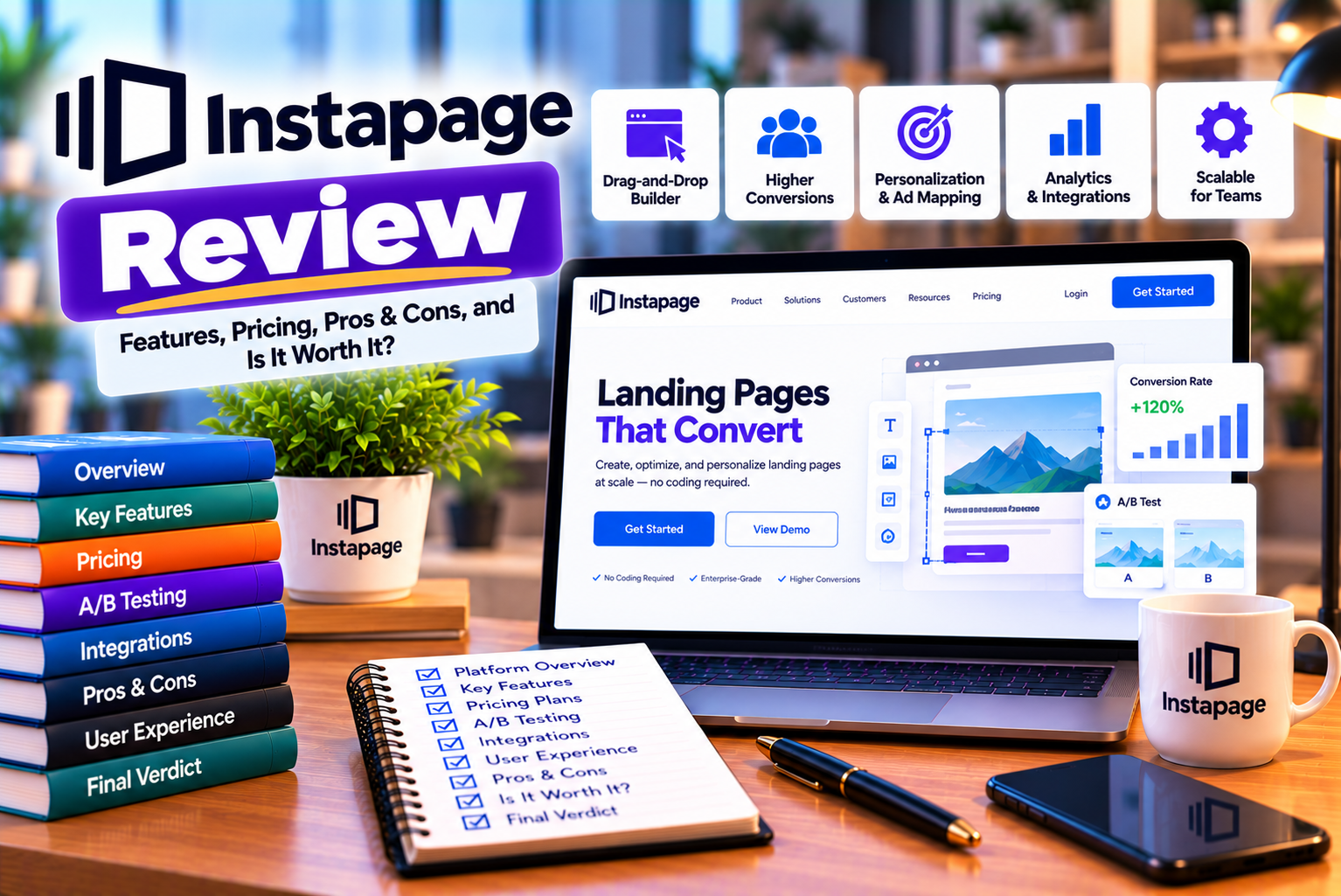
Instapage Review: Is It Worth the Investment for Landing Pages?
Creating a landing page that converts visitors into leads or customers is an important part of digital marketing. Whether you are running Google Ads, promoting a new product, generating leads for a service business, or building an email list, the page visitors reach after clicking your advertisement can significantly influence campaign performance.
A website homepage is designed to serve different audiences and purposes. A landing page, on the other hand, can focus on one specific offer, campaign, or conversion goal. This makes dedicated landing page software valuable for businesses that want to build targeted experiences without relying on developers for every design change.
Instapage is a landing page platform designed to help marketers create, publish, personalize, and optimize campaign-specific pages. It combines a visual page builder with reusable content blocks, forms, collaboration tools, integrations, and conversion optimization features.
The platform is particularly relevant to businesses that invest in paid advertising and need to create multiple landing pages for different audiences, campaigns, or offers.
However, Instapage is not necessarily the right choice for every business. Its pricing is relatively high compared with many general-purpose website builders, and its value depends heavily on how frequently you create landing pages, how much traffic you generate, and whether you actively optimize conversion performance.
In this comprehensive Instapage review, we will examine its main features, usability, templates, integrations, testing capabilities, advantages, disadvantages, pricing considerations, and potential alternatives.
By the end, you will have a clearer understanding of whether Instapage is worth the investment for your marketing strategy.
What Is Instapage?
Instapage is a landing page creation and optimization platform that enables businesses to build dedicated pages for marketing campaigns.
Instead of creating every campaign page manually through a traditional website development process, users can work within a visual editor, customize page elements, add forms, and publish landing pages for specific audiences.
The platform is designed to support the campaign workflow from page creation through conversion measurement and optimization.
Its capabilities include:
- Visual landing page creation.
- Customizable page templates.
- Drag-and-drop-style editing and layout controls.
- Lead capture forms.
- Reusable page sections and content blocks.
- Popups and sticky bars.
- AI-assisted content generation.
- Team collaboration.
- Integrations with marketing and analytics tools.
- Landing page experimentation and conversion optimization.
- Personalized landing page experiences.
- Programmatic page creation for campaigns requiring multiple page variations.
Feature availability can depend on the subscription plan. You should check the current plan comparison before purchasing a subscription.
You can explore the platform’s official features through the Instapage website.
Who Owns Instapage?
Instapage is part of airSlate, a company that provides workflow automation and document management software.
The platform focuses on helping marketing teams create campaign-specific landing pages, reduce the effort required to publish new pages, and improve the effectiveness of paid advertising campaigns.
What Is Instapage Primarily Used For?
Instapage is especially useful when businesses need dedicated landing pages for different campaigns rather than sending every visitor to the same general website page.
Common use cases include:
Paid advertising campaigns: Create landing pages that closely match the messaging of Google Ads and other advertising campaigns.
Lead generation: Collect contact information from people interested in consultations, demonstrations, quotations, or downloadable resources.
Product launches: Build dedicated pages that explain a new product’s features, benefits, and availability.
SaaS marketing: Encourage visitors to register for a trial, book a demonstration, or request more information.
Ecommerce promotions: Create campaign-specific pages for products, collections, and promotional offers.
Agency marketing: Build and manage landing pages for different clients, industries, and advertising campaigns.
Webinars and events: Promote registrations through pages designed around a single event or attendance goal.
For businesses that regularly run campaigns, a dedicated landing page platform can help standardize production and make experimentation easier.
How We Evaluate Instapage
A useful software review should look beyond a feature list. The real question is whether the platform solves meaningful marketing problems at a reasonable cost.
This review evaluates Instapage across eight areas:
- Landing page creation and editing.
- Templates and design flexibility.
- Conversion optimization.
- Lead generation and forms.
- Integrations and publishing.
- Collaboration and campaign management.
- Pricing and overall value.
- Limitations and suitability for different businesses.
The review is based on publicly available product documentation, published pricing information, and user-review sources. It is not a claim that we personally conducted a controlled hands-on test of every feature.
This distinction matters because your experience may vary depending on your subscription, integrations, traffic levels, and technical requirements.
Instapage Features Review
1. Landing Page Builder
The landing page builder is one of Instapage’s central features.
It enables marketers to create campaign pages using a visual editing interface rather than writing an entire page from scratch in HTML, CSS, and JavaScript.
Visual Page Editing
The visual builder allows users to customize the placement and appearance of page elements.
Depending on the design, you can work with components such as:
- Headlines and body text.
- Images and visual assets.
- Buttons and calls to action.
- Lead capture forms.
- Page sections.
- Backgrounds and layout elements.
- Custom HTML elements.
- Additional design components supported by the editor.
This approach can make landing page production more accessible to marketers who have limited coding experience.
For example, a digital marketing agency running a campaign for a dental clinic could create a page featuring a headline, treatment information, patient benefits, a consultation form, and a prominent booking button.
The team can then adapt the page for other services or locations without having to develop a completely new website.
Design Flexibility
Instapage is designed to provide substantial control over landing page layouts.
That flexibility is useful when a marketer needs to reproduce a particular campaign design rather than fit everything into a rigid template.
However, greater design flexibility also requires careful attention to layout consistency. A page that looks attractive on a desktop screen may still require adjustments to ensure that it works well on mobile devices.
Does Instapage Require Coding?
You can create many standard landing pages without writing code.
However, advanced requirements may involve custom HTML, CSS, or JavaScript. Examples include specialized tracking behavior, unusual interactive components, or custom integrations.
This means Instapage can accommodate both nontechnical marketers and more advanced teams, although not every customization will be equally straightforward.
Verdict: The visual builder is a major reason to consider Instapage if your team regularly creates campaign pages and wants more design control than a basic template-based builder provides.
Official reference: Instapage landing page features
2. Landing Page Templates
Starting with a blank page can slow down campaign production. Templates help reduce this work by providing a starting structure that marketers can adapt to their offers.
Instapage provides customizable landing page layouts for different marketing objectives and industries.
Depending on the available template library, these layouts can support campaigns such as:
- Lead generation.
- Product promotions.
- Webinar registrations.
- Ebook downloads.
- Mobile app campaigns.
- Event registrations.
- Consultation requests.
- Thank-you pages.
- Trial registrations.
How Templates Help Marketers
Imagine you are promoting a software product through Google Ads.
Rather than designing the entire page from scratch, you can begin with a relevant template and modify the headline, benefits, screenshots, form fields, and CTA.
The resulting page can then be aligned with the advertisement that brought the visitor to it.
Templates are particularly valuable when a business needs to launch multiple campaigns within a short period.
Are Instapage Templates Customizable?
Templates are intended to serve as starting points rather than fixed designs.
You can adapt their content, layout, branding, and other supported elements to suit the campaign.
However, the exact extent of customization depends on the editor and the elements used in a particular template.
What Should You Consider Before Choosing a Template?
Do not select a template simply because it looks attractive.
Instead, consider:
- Whether the layout suits your conversion objective.
- How well the headline stands out.
- Whether the primary CTA is immediately visible.
- Whether the page can communicate the offer clearly.
- Whether the design works on mobile devices.
- Whether the form asks for an appropriate amount of information.
- Whether the page supports the trust signals your audience needs.
A visually impressive page is not necessarily a high-converting page. The design should help visitors understand the offer and take the intended action.
Verdict: Templates can speed up campaign production, but the quality of the final landing page still depends on your messaging, offer, audience understanding, and design decisions.
3. AI-Assisted Content Generation
Instapage includes AI-assisted content features intended to help marketers generate or refine landing page copy.
These tools can support the creation of:
- Headlines.
- Paragraphs.
- Calls to action.
- Alternative copy for experiments.
- Initial drafts of promotional messaging.
How AI Content Generation Helps
Writing landing page copy can become time-consuming when a business needs several versions of a campaign.
For example, a company promoting an online accounting course may need different messaging for:
- Beginners.
- Working professionals.
- Business owners.
- Students.
- People preparing for finance certifications.
AI-assisted content generation can help produce initial variations for these audiences.
Marketers can then edit the suggestions to ensure that the copy accurately reflects the product, speaks to the intended audience, and complies with advertising requirements.
Can AI Automatically Create a High-Converting Landing Page?
AI-generated content can speed up writing, but it cannot guarantee conversion results.
Effective landing pages require more than persuasive wording. They depend on factors such as:
- Audience intent.
- Product-market fit.
- Offer quality.
- Page structure.
- Pricing.
- Trust and credibility.
- Traffic quality.
- Form design.
- Page speed.
- Mobile usability.
AI-generated copy should therefore be treated as a starting point rather than a replacement for marketing judgment.
Where AI Content Generation Is Most Useful
It can be especially helpful when you need to:
- Generate several headline alternatives.
- Create different CTA options.
- Adapt a message to different customer segments.
- Produce an initial draft for a new campaign.
- Develop copy variations for testing.
For example, a headline such as “Improve Your Team’s Productivity” might be rewritten around specific benefits, such as saving time on repetitive tasks or reducing administrative work.
The strongest version will depend on the audience and the actual value your product delivers.
Verdict: AI-assisted writing can save time, especially for teams managing numerous landing pages. It should complement audience research, editing, and testing rather than replace them.
4. Reusable Content Blocks With Instablocks
Instablocks allow teams to save and reuse page sections rather than rebuilding the same components repeatedly.
This can be useful for businesses that maintain consistent branding across several campaigns.
Reusable sections may include:
- Headers.
- Testimonials.
- Feature explanations.
- Benefit sections.
- Trust indicators.
- Lead capture areas.
- CTA sections.
- Footers.
Why Reusable Blocks Matter
Consider a marketing agency managing landing pages for 20 clients.
If every page uses a standard contact section, manually recreating that section for each campaign introduces unnecessary work and increases the possibility of inconsistencies.
A reusable block can provide a more standardized approach.
Teams can establish consistent design patterns and then adapt the content to suit each campaign.
Benefits for Agencies and Larger Teams
Reusable blocks can help teams:
- Reduce repetitive design work.
- Maintain brand consistency.
- Standardize common page components.
- Accelerate campaign production.
- Reduce the risk of inconsistent layouts.
- Simplify the creation of similar pages.
The exact workflow depends on how the team organizes its account and reusable assets.
Are Reusable Blocks Useful for Small Businesses?
They can be, but the value depends on how frequently you create landing pages.
A business running one campaign every few months may not benefit as much as an agency publishing new pages every week.
Verdict: Reusable blocks are valuable when consistency and production speed matter. Their benefits increase as the number of pages and campaigns grows.
5. Popups and Sticky Bars
Instapage supports triggered popups and sticky bars that can help businesses highlight offers and collect leads.
These elements can complement the main landing page without requiring every message to occupy a permanent section of the page.
What Are Triggered Popups?
Triggered popups appear when a defined condition is met, depending on the available configuration.
For example, a business might use a popup to present an offer or invite visitors to subscribe to an email list.
Potential use cases include:
- Newsletter sign-ups.
- Discount offers.
- Consultation requests.
- Downloadable resources.
- Event registration.
- Promotional announcements.
What Are Sticky Bars?
Sticky bars are elements that remain visible near the top or bottom of the screen as a visitor moves through a page, depending on their configuration.
They can be used to emphasize a specific offer or action.
For example, a webinar landing page might use a sticky bar to highlight a registration deadline.
Can Popups Improve Conversion Rates?
They can help in some situations, but their effectiveness depends on implementation.
An intrusive popup may interrupt the visitor, obscure important content, or create a poor mobile experience.
To use popups responsibly:
- Make the offer relevant to the page.
- Avoid interrupting visitors immediately without a clear reason.
- Ensure the close button is easy to find.
- Test the experience on mobile devices.
- Avoid displaying the same message repeatedly.
- Measure conversions and engagement rather than assuming the popup is effective.
Verdict: Popups and sticky bars can add flexibility to lead generation, but they should support the primary conversion goal instead of distracting from it.
6. Lead Generation Forms
Forms are an important part of many landing pages because they allow visitors to take action without navigating through a larger website.
Instapage supports form-based lead capture, which can be used for different marketing objectives.
Examples include:
- Requesting a quotation.
- Booking a consultation.
- Registering for a webinar.
- Downloading a resource.
- Requesting a product demonstration.
- Signing up for an offer.
- Submitting contact information.
Form Customization
Businesses need different forms for different conversion objectives.
A consultation request might require a name, email address, phone number, and service requirement.
An ebook download might require only an email address.
Instapage’s form capabilities allow marketers to design lead capture experiences around the campaign.
The available fields, behaviors, and advanced features depend on the specific form setup and subscription.
How Form Length Affects Conversions
Longer forms can collect more information, but they can also create additional friction.
A form requesting 12 fields may discourage visitors who only want to download a simple guide.
Conversely, a business selling high-value enterprise services may need additional qualification information before arranging a sales consultation.
The appropriate form length depends on the value of the offer and the information your team needs.
Form Optimization Recommendations
To improve form performance:
- Ask only for information that is genuinely necessary.
- Use clear field labels.
- Explain why sensitive or additional information is required.
- Make the submit button’s purpose obvious.
- Provide useful confirmation after submission.
- Test the form on mobile devices.
- Check that submitted leads reach the intended destination.
- Verify consent and privacy requirements.
Verdict: Lead capture is a core landing page requirement, and Instapage provides useful tools for this purpose. Businesses with more complex qualification or routing requirements should verify that the available integrations support their workflow before subscribing.
7. A/B Testing and Conversion Optimization
A landing page may look professional but still perform poorly.
The only reliable way to determine whether a design or message performs better is to evaluate how visitors respond under appropriate testing conditions.
Instapage offers experimentation features designed to help marketers compare landing page variations and improve conversion performance.
What Is A/B Testing?
A/B testing involves comparing two or more versions of a page or a page element to determine which performs better against a defined objective.
For example, a business could test two headlines:
Version A: Get Started With Our Project Management Software
Version B: Organize Your Projects and Save Time
The two versions would be evaluated against a defined conversion goal, such as completed registrations.
The better-performing headline depends on the audience, traffic source, offer, and broader page experience.
What Can You Test?
Potential test elements include:
- Headlines.
- Supporting copy.
- CTA wording.
- CTA placement.
- Images.
- Page layouts.
- Form length.
- Trust indicators.
- Offer presentation.
- Pricing information.
- Different versions of the complete landing page.
A/B testing is most useful when the team begins with a clear hypothesis rather than changing random elements.
Instapage Experimentation Features
Instapage’s official experimentation documentation describes capabilities related to conversion analytics, heatmaps, and AI-assisted experiments.
Some advanced experimentation features depend on the subscription plan. Review the current plan comparison to determine which testing capabilities are included in the plan you are considering.
Official reference: Instapage experimentation features
Why A/B Testing Matters for Paid Advertising
Imagine a company spends ₹1,00,000 per month on advertising and receives 2,000 landing page visitors.
If 40 visitors convert, the conversion rate is:
40 ÷ 2,000 × 100 = 2%.
Suppose a well-designed experiment eventually establishes that an alternative landing page converts at 2.5% under comparable conditions.
At the same traffic level, the alternative would produce 50 conversions instead of 40.
That is an additional 10 conversions from the same number of visitors.
However, this is an illustrative example, not a claim about Instapage’s actual performance. Real results depend on traffic quality, the offer, sample size, testing conditions, and the changes being evaluated.
Limitations of A/B Testing
A testing feature does not automatically improve conversions.
Teams must still:
- Choose a meaningful hypothesis.
- Ensure that the versions are implemented correctly.
- Send sufficient traffic to the experiment.
- Avoid making decisions from insufficient data.
- Account for changes in traffic quality.
- Measure the right conversion event.
- Consider the commercial value of the conversions.
Verdict: Experimentation is one of Instapage’s most important capabilities for conversion-focused marketers. It is particularly valuable when your business has enough traffic to run meaningful tests and the resources to act on the results.
8. Heatmaps and Visitor Behavior Analysis
Heatmaps help marketers understand how visitors interact with a landing page.
Depending on the available feature and configuration, they can provide visual information about interactions such as clicks, mouse movements, and scroll depth.
What Can Heatmaps Reveal?
Heatmaps may help you identify patterns such as:
- Visitors clicking elements that are not clickable.
- Important content that receives little attention.
- CTA buttons that visitors rarely interact with.
- Sections that visitors frequently skip.
- Differences in engagement across page areas.
For example, if a page contains a prominent CTA near the bottom but many visitors leave before reaching it, the team may consider testing an earlier CTA placement.
However, a heatmap alone cannot explain why visitors behave in a particular way.
Additional research may be needed to understand the reason behind the pattern.
Are Heatmaps Included in Every Plan?
No. Feature availability depends on the current subscription plan.
Instapage’s published plan comparison identifies heatmaps among the features associated with its higher-tier offerings. Check the latest plan details before purchasing if heatmap analysis is essential to your workflow.
When Are Heatmaps Worth Using?
Heatmaps can be useful when a page receives enough traffic to reveal meaningful patterns.
They may be less informative for a new page that receives only a handful of visitors.
They also work best alongside conversion analytics and controlled experiments rather than as a standalone decision-making tool.
Verdict: Heatmaps can help identify areas for improvement, but businesses should verify the relevant plan and combine behavioral observations with conversion data.
9. Mobile-Responsive Landing Pages
Mobile usability is essential because visitors may reach your landing pages from smartphones, tablets, and desktop computers.
A landing page that works well on a large screen may become difficult to navigate on a smaller device if text, images, buttons, or forms are not displayed appropriately.
Instapage supports responsive landing page creation, helping marketers adapt their pages for different screen sizes.
Why Mobile Optimization Matters
A mobile visitor may have limited screen space, slower connectivity, or less patience for complicated forms.
A poor mobile experience can make it harder for visitors to understand the offer or complete the intended action.
Important considerations include:
- Readable text.
- Appropriately sized buttons.
- Clear content hierarchy.
- Properly scaled images.
- Short and usable forms.
- Adequate spacing between interactive elements.
- Fast loading.
- Visible CTA buttons.
- Correct display of navigation and page sections.
Does Responsive Design Guarantee a Good Mobile Experience?
No.
Responsive design provides a foundation, but the final result still needs to be tested.
For example, a page might technically fit a mobile screen while placing the main CTA too far below the fold.
An image might scale correctly but occupy too much of the initial viewport.
A form might remain functional but require unnecessary scrolling.
Marketers should test the complete page on real devices or reliable device previews before launching a campaign.
Verdict: Responsive design is essential for modern landing pages, but it should be combined with practical mobile testing and performance monitoring.
10. Collaboration and Team Workflows
Marketing campaigns often involve several people.
A copywriter may prepare the messaging, a designer may create the layout, a PPC specialist may manage advertising, and a client or manager may approve the final page.
Instapage includes collaboration capabilities designed to support communication and review within the page creation process.
What Does Collaboration Help With?
Collaboration tools can help teams:
- Review page designs.
- Share feedback.
- Identify required revisions.
- Reduce long email conversations.
- Coordinate campaign production.
- Keep stakeholders involved in the review process.
The precise capabilities depend on the account and subscription.
Why Agencies May Benefit
Agencies frequently need to coordinate multiple campaigns for different clients.
A structured review workflow can make it easier to collect feedback and avoid confusion about which changes are required before publication.
For example, a client may request a headline change, while an internal marketing specialist may need to review the tracking configuration.
A coordinated process helps ensure that content, design, and measurement are checked before launch.
What Should You Consider?
Collaboration features are valuable only when the team uses a clear workflow.
Before adopting Instapage, determine:
- Who can create and edit pages.
- Who approves changes.
- How client feedback is collected.
- How published pages are managed.
- Whether your subscription supports the required team structure.
- Whether your existing project management tools remain necessary.
Verdict: Collaboration can be valuable for agencies and marketing teams, particularly when several stakeholders review campaign pages before publication.
11. Integrations With Marketing Tools
A landing page is only one part of the marketing process.
Once a visitor submits a form or completes another action, the business may need to send that information to a CRM, email marketing platform, analytics system, or other marketing tool.
Instapage supports integrations intended to connect landing pages with broader marketing workflows.
Why Integrations Matter
Consider a business that runs a campaign to generate consultation requests.
The intended process might be:
- A visitor clicks an advertisement.
- The visitor arrives on the landing page.
- The visitor submits a form.
- The lead information reaches the business’s CRM.
- The sales team receives or reviews the lead.
- The business measures campaign performance.
If the form submits successfully but the lead never reaches the CRM, the business may lose opportunities and obtain incomplete reporting.
The integration process therefore matters as much as the page design.
Common Integration Categories
Depending on the available integrations and configuration, marketers may connect landing pages to tools for:
- Analytics.
- Advertising measurement.
- Customer relationship management.
- Email marketing.
- Marketing automation.
- Lead management.
- Tracking and reporting.
Businesses may also use custom code or external automation tools where appropriate, although those approaches can introduce additional setup and maintenance requirements.
Check Integrations Before Buying
Do not assume that every third-party application is supported natively.
Before subscribing, confirm:
- Whether your required platform is supported.
- Whether the integration is available on your plan.
- Whether lead fields map correctly.
- Whether tracking events are recorded as expected.
- Whether duplicate leads can occur.
- Whether the integration supports your desired workflow.
- Whether custom development is required.
Verdict: Integrations can make Instapage more useful as part of a broader marketing system, but compatibility should be verified against your existing technology stack.
12. Publishing and Custom Domains
After creating a landing page, you need a way to make it accessible to visitors.
Instapage provides publishing options for landing pages, with the available configuration depending on the account and plan.
Businesses should consider whether they need to publish pages on a branded subdomain, a root domain, or another supported setup.
Why Custom Domains Matter
A custom domain can help maintain brand consistency.
For example, a company might want its main website to use its primary domain and its advertising landing pages to appear within a recognizable branded environment.
A consistent domain can make the visitor experience feel more connected to the business.
What Should You Verify?
Before publishing, check:
- Whether the required domain configuration is supported.
- Whether your plan permits the publishing setup you need.
- Whether DNS changes are required.
- Whether HTTPS is configured correctly.
- Whether analytics and advertising tags are installed.
- Whether redirects behave as expected.
- Whether the page works on mobile devices.
- Whether form submissions reach the intended destination.
Root-domain publishing and other advanced publishing capabilities may depend on the subscription plan. Check the current pricing page before making a purchasing decision.
Verdict: Instapage can support dedicated campaign publishing, but businesses should verify domain requirements early to avoid delays during campaign deployment.
13. Programmatic Landing Pages
Businesses sometimes need to create many landing pages that share a similar structure but contain different information.
For example, a company might create pages for multiple service areas, product categories, customer segments, or advertising campaigns.
Programmatic page creation can help reduce the work involved in producing and maintaining these variations.
Instapage’s Collections feature supports the creation of multiple related pages using a shared template and connected content table, subject to the limits and rules of the selected plan.
When Are Programmatic Pages Useful?
Potential use cases include:
- Location-specific service pages.
- Campaigns targeting different customer segments.
- Pages for multiple products.
- Agency campaigns with recurring layouts.
- Pages that use a common design but different content.
- Large campaigns requiring many related landing page variations.
An Example
Suppose a company offers digital marketing services in 20 cities.
Each location page might share the same overall layout but contain different location-specific details, service information, testimonials, and calls to action.
A programmatic approach can make it easier to maintain the shared structure while updating the relevant content.
Important Limitations
Programmatic page creation should not be confused with automatically generating valuable content.
If multiple pages contain nearly identical information with only a city name or keyword changed, they may offer little additional value to visitors.
For SEO-focused campaigns, each page should provide useful and accurate information that reflects the actual service, location, or audience.
You should also verify the number of pages allowed within a Collection and the applicable traffic and publishing limits for your plan.
Verdict: Programmatic page creation can benefit teams that manage many related landing pages. It is less important for businesses that publish only a small number of campaigns.
Instapage User Experience Review
Is Instapage Easy to Use?
Instapage is designed to make landing page creation accessible through a visual editor and reusable design components.
User reviews on G2 and Capterra frequently highlight ease of use, the page builder, templates, and support as positive aspects. Some reviewers also report limitations, occasional technical issues, or missing functionality.
These are aggregated user experiences rather than a guarantee of how every account will perform.
Sources: Instapage reviews on G2 and Instapage reviews on Capterra.
What Makes the Interface Useful?
A visual editor can reduce the amount of technical work needed to create a landing page.
Templates provide starting points, while reusable blocks and collaboration features can help teams maintain consistency.
These capabilities may be particularly useful to marketers who need to publish campaign pages without involving developers in every routine design change.
What Might Take Time to Learn?
Even with a visual interface, users may need time to understand:
- Layout and responsive behavior.
- Reusable blocks and assets.
- Form configuration.
- Domain publishing.
- Tracking and integrations.
- Experiment setup.
- Page organization.
- Account-level permissions.
The platform’s flexibility can also introduce complexity when users attempt to build highly customized designs.
Is Instapage Suitable for Beginners?
It can be suitable for beginners who are comfortable learning a marketing tool and have a clear landing page objective.
However, beginners who need only a basic page or a simple website may find a more affordable website builder easier to justify.
The most important distinction is between someone who wants to create an occasional landing page and someone who needs a repeatable campaign production and optimization process.
Verdict: Instapage is worth evaluating if you want a dedicated landing page workflow. If you need only a basic page, compare the cost and complexity against simpler alternatives.
Instapage Pricing Review
Pricing is one of the most important factors to consider when evaluating Instapage.
The platform offers paid subscriptions with different usage allowances and feature sets. Its pricing structure is designed to support businesses with different traffic levels and optimization requirements.
According to the official pricing page reviewed for this article, the advertised starting prices were:
| Plan | Advertised Starting Price | Monthly Visitor Allowance | General Positioning |
| Create | $79/month | 15,000 unique monthly visitors | Landing page creation and essential campaign tools |
| Optimize | $159/month | 30,000 unique monthly visitors | Additional experimentation and optimization features |
| Convert | Custom pricing | Custom allowance | More extensive campaign management and advanced requirements |
These are the advertised starting prices shown on the official pricing page at the time of research. The page also displayed higher reference prices, annual-billing savings, and additional plan configurations. Prices, visitor allowances, billing terms, and included features can change, so confirm the current offer before purchasing.
Official pricing source: Instapage pricing and plans.
Does Instapage Offer a Free Plan?
The pricing page reviewed for this article advertised a 14-day free trial for the Create and Optimize plans.
A free trial is different from a permanent free plan. It allows you to evaluate the product for a limited period, subject to the applicable terms.
Check the current trial conditions, payment requirements, and cancellation process before signing up.
Is Instapage Expensive?
Compared with many general-purpose website builders and lower-cost landing page tools, Instapage can represent a significant recurring expense.
Whether that expense is justified depends on the value the platform creates for your business.
For a company running substantial paid advertising campaigns, even a relatively small improvement in conversion performance may have meaningful commercial value.
For a freelancer building one simple landing page, the same subscription may be difficult to justify.
What Does the Visitor Limit Mean?
The published plans use unique monthly visitor allowances.
This means you should evaluate your expected landing page traffic before selecting a subscription.
If your campaigns are growing, consider whether the plan’s allowance provides enough capacity for your expected traffic.
Do not assume that unlimited pages or conversions mean unlimited visitor traffic. The published plan details distinguish between these concepts.
How Should You Calculate the Return on Investment?
Suppose your business spends ₹2,00,000 per month on paid advertising and generates 100 qualified leads.
Your cost per lead is:
₹2,00,000 ÷ 100 = ₹2,000.
Now suppose your team improves the landing page and generates 120 qualified leads from the same advertising budget.
The new cost per lead becomes:
₹2,00,000 ÷ 120 = approximately ₹1,667.
In this hypothetical example, the business obtains more leads without increasing its advertising spend.
However, the improvement cannot be attributed to Instapage alone. It could result from better messaging, improved traffic quality, a stronger offer, faster page loading, better forms, or other campaign changes.
The appropriate investment decision should consider the platform’s subscription cost alongside measurable business outcomes.
Who Is Most Likely to Find the Pricing Worthwhile?
Instapage is more likely to justify its cost for businesses that:
- Spend consistently on paid advertising.
- Need multiple campaign-specific landing pages.
- Have enough traffic to evaluate experiments.
- Want to standardize landing page production.
- Need advanced optimization capabilities.
- Can measure the value of leads or sales.
- Have a team responsible for improving conversion performance.
It may be harder to justify for businesses with very limited traffic, infrequent campaigns, or no clear process for measuring conversions.
Pricing verdict: Instapage’s cost should be evaluated against the commercial value of your landing pages, not simply the number of features included.
Instapage Pros and Cons
Every landing page platform involves trade-offs. Instapage offers a strong set of campaign creation and optimization capabilities, but the investment and complexity may not suit every business.
Advantages of Instapage
1. Dedicated Landing Page Creation
Instapage focuses on campaign-specific landing pages rather than trying to serve every website-building purpose.
This can be valuable for marketers who need to create focused pages for individual offers and advertising campaigns.
2. Visual Editing
The visual builder helps marketers create and customize landing pages without writing all the code themselves.
This can reduce reliance on developers for routine page changes.
3. Reusable Content Blocks
Reusable blocks can speed up production and help teams maintain consistency across multiple landing pages.
4. Conversion Optimization Features
Experimentation tools can support a structured approach to improving landing page performance.
This is particularly valuable for businesses that regularly run paid campaigns and have sufficient traffic to test variations.
5. Lead Capture Capabilities
Forms and related lead generation features support common campaign objectives, including consultation requests, registrations, and enquiries.
6. Collaboration Support
Team-oriented features can help marketing departments and agencies coordinate page design and review.
7. AI-Assisted Copywriting
AI content tools can help generate initial copy and variations, potentially reducing the time needed to prepare campaigns.
8. Support for Scaled Page Production
Features such as reusable blocks and Collections can help teams manage multiple related landing pages.
Disadvantages of Instapage
1. Relatively High Cost
Instapage may be expensive for freelancers, startups, and small businesses that need only basic landing pages.
2. Visitor Allowances Require Planning
The plans specify unique monthly visitor limits. Businesses running large campaigns should evaluate their expected traffic before selecting a subscription.
3. Advanced Features May Require Higher-Tier Plans
Some optimization and management capabilities are not available on every plan.
This means the starting price may not reflect the total cost of the feature set you actually need.
4. A Learning Period Is Still Necessary
Although the visual builder can make page creation easier, advanced customization, testing, integrations, and publishing may require additional learning.
5. Not a Complete Replacement for Every Website Platform
Instapage is focused on landing page marketing workflows. Businesses requiring a comprehensive content management system, extensive ecommerce functionality, or a highly customized web application may need additional software.
6. Integrations Need Verification
The platform’s usefulness depends partly on whether it works with your existing marketing systems.
Not every integration or workflow should be assumed to be supported natively.
7. Optimization Still Requires Marketing Expertise
Instapage provides tools for creating and testing landing pages, but it cannot guarantee that the resulting campaigns will convert.
Poor offers, unsuitable audiences, weak messaging, and low-quality traffic can still produce disappointing results.
8. User Experiences Can Vary
Public reviews include positive feedback about the editor and support, alongside reports of technical issues and missing capabilities.
Businesses should use a trial to test their own workflows instead of relying exclusively on review averages.
Is Instapage Good for Different Types of Businesses?
The value of Instapage depends on how your organization uses landing pages.
Instapage for Small Businesses
Small businesses can use Instapage to create landing pages for lead generation, service enquiries, and promotional campaigns.
For example, a local home renovation company could create a dedicated page for kitchen remodeling and send visitors from a targeted advertising campaign directly to that page.
However, a small business with limited traffic and a tight budget should compare the subscription against simpler tools.
Recommendation: Consider Instapage if landing pages play an important role in lead generation and you can measure the commercial value of the leads. Otherwise, a lower-cost option may be sufficient.
Instapage for Marketing Agencies
Agencies often manage several clients, campaigns, and landing pages simultaneously.
Reusable components, collaboration tools, and structured campaign workflows can help agencies standardize production and reduce repetitive work.
An agency could create a consistent landing page framework and adapt it for different client offers while preserving each client’s branding.
Recommendation: Instapage is worth evaluating for agencies that manage multiple paid advertising campaigns and need a repeatable landing page production process.
Instapage for SaaS Companies
Software companies often use landing pages to encourage visitors to register for trials, request demonstrations, download resources, or explore a particular product.
Different audience segments may respond to different value propositions.
For example, a project management platform might create separate campaigns for small businesses and enterprise teams.
Instapage can support this approach by providing a way to create and optimize dedicated campaign pages.
Recommendation: Consider Instapage if your SaaS business relies on paid acquisition and needs to test messaging, lead capture, and campaign-specific landing experiences.
Instapage for Ecommerce Businesses
Ecommerce companies can use landing pages to promote specific products, collections, offers, or seasonal campaigns.
A dedicated page can focus on one offer rather than directing every advertising visitor to a broad category page.
For example, a skincare brand could build a landing page around a particular product bundle and tailor its messaging to the advertising campaign.
However, businesses that need extensive product catalog management, shopping carts, inventory management, and checkout customization should also evaluate their ecommerce platform’s native landing page capabilities.
Recommendation: Instapage can be useful for campaign-specific ecommerce pages, but it should complement rather than replace a full ecommerce platform when comprehensive store functionality is required.
Instapage for Freelancers
Freelancers may appreciate the visual builder and reusable design tools, particularly when building landing pages for clients.
However, the recurring subscription cost can be a challenge if projects are infrequent or client budgets are limited.
Recommendation: Consider Instapage if landing page creation is a substantial part of your service offering and the cost can be covered by recurring client work. Otherwise, a less expensive tool may provide better value.
Instapage for Enterprise Marketing Teams
Large marketing teams may need multiple campaigns, standardized workflows, advanced testing, and integration with existing marketing systems.
Instapage’s higher-tier capabilities may be relevant to these requirements.
However, enterprise teams should assess more than the page builder itself.
They should also examine account management, security, permissions, integrations, reporting, service requirements, and the ability to support their campaign volume.
Recommendation: Request a detailed demonstration and confirm the required capabilities, traffic allowances, and service terms before committing to a larger agreement.
Instapage vs. Traditional Website Builders
One important purchasing decision is whether you need a dedicated landing page platform or whether your existing website builder can do the job.
| Factor | Instapage | Traditional Website Builder |
| Primary purpose | Campaign-specific landing pages and optimization | Building and managing websites |
| Landing page workflows | Dedicated marketing-oriented workflow | Depends on the builder and its features |
| Visual editing | Designed around landing page creation | Varies by platform |
| Reusable campaign components | Supported through features such as Instablocks | Depends on the platform |
| Experimentation | Dedicated experimentation capabilities on applicable plans | May require native features or third-party tools |
| Website management | Not a full replacement for every CMS requirement | Often includes broader site management |
| Ecommerce functionality | Depends on integrations and intended use | Some platforms provide complete store functionality |
| Pricing | Paid plans with visitor allowances | Varies widely, including lower-cost options |
| Best fit | Teams focused on campaign landing pages | Businesses that need a broader website platform |
When Should You Choose Instapage?
Instapage is worth considering when landing pages are an important part of your marketing operations and you need specialized campaign workflows.
When Should You Use Your Existing Website Builder?
Your existing website builder may be sufficient if you need a few straightforward landing pages and already have suitable tools for forms, analytics, and testing.
Before purchasing another platform, calculate whether the additional features would solve a real problem or simply add another subscription to your marketing stack.
Instapage Alternatives Worth Considering
Instapage is not the only option for creating landing pages. The most suitable alternative depends on your budget, campaign complexity, website requirements, and need for optimization tools.
1. Unbounce
Unbounce is a landing page platform designed for marketers who want to create and optimize campaign pages.
It is a particularly relevant alternative for businesses comparing landing page builders with conversion-focused features.
Consider Unbounce if you want to compare its page-building workflow, optimization tools, pricing, and integration options against Instapage.
Official website: Unbounce
2. Leadpages
Leadpages provides tools for building landing pages and collecting leads.
It may be worth evaluating if your primary objective is to create lead generation pages without requiring every advanced campaign management feature.
Compare the available page builder, forms, integrations, testing capabilities, and current pricing before deciding.
Official website: Leadpages
3. WordPress With Elementor
Elementor is a visual website builder for WordPress.
Businesses that already operate a WordPress website may be able to create landing pages within their existing environment, depending on their theme, plugins, and subscription.
This approach may reduce the need for a separate landing page platform, although advanced testing or campaign features may require additional tools.
Consider Elementor if you want broader website-building flexibility and are comfortable managing WordPress hosting, plugins, performance, and maintenance.
Official website: Elementor
4. ClickFunnels
ClickFunnels focuses on sales funnels and related marketing workflows.
It may be worth evaluating if your requirements extend beyond a standalone landing page to a broader funnel involving multiple steps, offers, and follow-up activities.
Compare the available funnel features, checkout requirements, integrations, and overall cost with your intended workflow.
Official website: ClickFunnels
5. Webflow
Webflow provides visual website design and development capabilities.
It can be relevant to businesses that want extensive design control and a broader website-building environment rather than a landing page tool alone.
However, businesses should compare its capabilities against the specific campaign and experimentation workflows they need.
Official website: Webflow
Which Instapage Alternative Is Best?
There is no universally best alternative.
- Choose Unbounce for a direct comparison with another dedicated landing page platform.
- Consider Leadpages for lead generation and landing page requirements.
- Consider WordPress with Elementor if you want to build within an existing WordPress website.
- Evaluate ClickFunnels if your primary requirement is a broader sales funnel.
- Explore Webflow if visual website design and broader site development are central to your needs.
For a direct, feature-by-feature comparison of two dedicated landing page platforms, read the related article: Instapage vs Unbounce: Which Landing Page Platform Should You Choose?
How to Decide Whether Instapage Is Worth the Investment
Before purchasing Instapage, assess your current marketing workflow.
The following questions can help you make a more informed decision.
1. How Many Landing Pages Do You Need?
If you create several campaign pages every month, a dedicated builder may provide meaningful time savings.
If you create only one or two pages each year, the subscription may be harder to justify.
2. How Much Traffic Do Your Landing Pages Receive?
Instapage’s published plans include unique monthly visitor allowances.
Estimate the combined traffic across the landing pages you intend to publish and determine whether the plan fits your expected requirements.
3. Do You Need Built-In Experimentation?
If your team regularly tests headlines, offers, forms, and page layouts, experimentation tools may provide value.
If you do not have enough traffic or resources to run meaningful tests, paying for advanced optimization capabilities may not be worthwhile.
4. How Valuable Is Each Lead or Sale?
A landing page that generates high-value leads may justify a greater software investment than one that collects low-value enquiries.
Calculate the value of your conversions and determine how much improvement would be needed to cover the subscription cost.
5. Does Your Team Have a Conversion Optimization Process?
Software alone will not improve campaign results.
You need a process for identifying problems, developing hypotheses, conducting experiments, and measuring outcomes.
If your team has no plans to evaluate performance, the value of advanced testing tools may remain limited.
6. Do You Need Advanced Features?
Review the capabilities you genuinely need, such as reusable blocks, heatmaps, experimentation, collaboration, and programmatic page creation.
Then verify which plan includes those features.
7. Can Your Existing Website Builder Meet Your Requirements?
If you already use WordPress, Webflow, or another platform, investigate whether it can provide the landing page functionality you need.
A separate platform is most valuable when it solves a problem that your current setup does not address efficiently.
8. Can You Measure the Return on Investment?
Define the conversion metrics that matter to your business before purchasing.
Examples include:
- Cost per lead.
- Lead-to-customer conversion rate.
- Customer acquisition cost.
- Revenue per visitor.
- Cost per acquisition.
- Landing page conversion rate.
- Return on advertising spend.
These metrics help you determine whether the software is contributing to better business outcomes.
Our Final Verdict: Is Instapage Worth It?
Instapage is worth considering for businesses that treat landing pages as an important part of their paid advertising and lead generation strategy.
Its main strengths are its visual page builder, reusable content blocks, lead capture capabilities, collaboration features, and conversion optimization tools.
For agencies and marketing teams that regularly create campaign pages, these capabilities can help standardize production and support a more systematic approach to improving results.
The platform is particularly attractive when a business has enough traffic to evaluate experiments and can measure the commercial value of additional leads or sales.
However, Instapage is not automatically the best option for every marketer.
Its subscription cost can be difficult to justify for beginners, freelancers with infrequent projects, and businesses that need only a simple landing page.
The monthly visitor allowances and differences between subscription plans also make it important to review the current pricing structure carefully.
Instapage Rating by Evaluation Category
The following scores are our qualitative assessment of the platform’s positioning and feature set, not measured performance results or a substitute for verified customer ratings.
| Category | Editorial Assessment | Explanation |
| Landing page creation | Strong | Visual editing and reusable components support campaign production |
| Design flexibility | Strong | Provides customization options for campaign-specific layouts |
| Lead generation | Strong | Supports forms and common lead capture workflows |
| Conversion optimization | Strong, plan-dependent | Experimentation and behavioral analysis features can support optimization |
| Team collaboration | Strong | Collaboration features can help coordinate campaign reviews |
| Beginner accessibility | Good | Visual tools help, but advanced workflows require learning |
| Affordability | Moderate to weak for budget-conscious users | Subscription costs may be difficult to justify for smaller or infrequent users |
| Suitability for agencies | Strong | Reusable components and team workflows can benefit multi-client operations |
| Suitability for simple websites | Limited relative to general-purpose builders | A dedicated landing page platform may be unnecessary for basic website requirements |
| Overall value | Depends on use case | Most compelling when campaign performance and production efficiency justify the cost |
Who Should Buy Instapage?
Consider Instapage if:
- You run paid advertising campaigns regularly.
- You need dedicated landing pages for different audiences or offers.
- You want to test page variations.
- You manage landing pages for several clients.
- You need reusable page components.
- You can measure the value of your conversions.
- Your budget supports a dedicated landing page platform.
Who Should Avoid Instapage?
Look for alternatives if:
- You need a permanent free plan.
- Your budget is very limited.
- You create landing pages only occasionally.
- You have very little traffic to test.
- Your existing website builder already meets your requirements.
- You need a full ecommerce or content management platform rather than dedicated landing page software.
Ultimately, the decision should come down to whether Instapage solves a meaningful marketing problem for your business.
If it helps your team produce campaign pages more efficiently and improve measurable conversion outcomes, the subscription may be worthwhile. If you need only a basic page, a more affordable alternative may be the better investment.
Frequently Asked Questions About Instapage
1. What Is Instapage Used For?
Instapage is used to create, publish, and optimize landing pages for marketing campaigns. Businesses use it for lead generation, paid advertising, product promotions, event registrations, and other conversion-focused activities.
2. Is Instapage Worth It?
Instapage can be worthwhile for businesses that regularly create landing pages and need campaign optimization tools. Its value depends on your traffic, budget, marketing objectives, and ability to measure the impact of your landing pages.
3. Is Instapage Good for Beginners?
Instapage can be suitable for beginners who want a visual landing page builder. However, the subscription cost and the learning required for advanced features may make simpler alternatives more appropriate for people who need only a basic page.
4. Does Instapage Offer a Free Plan?
The official pricing page reviewed for this article advertised a 14-day free trial for the Create and Optimize plans. A trial is not the same as a permanent free plan. Check the current terms before signing up.
5. How Much Does Instapage Cost?
The official pricing page reviewed for this article advertised Create at $79 per month and Optimize at $159 per month, with Convert available through custom pricing. Actual prices and billing conditions can change, so verify the latest offer on the official pricing page.
6. Does Instapage Have a Drag-and-Drop Builder?
Instapage provides a visual landing page editor with layout and element customization capabilities. The exact editing experience depends on the elements and features being used.
7. Does Instapage Support A/B Testing?
Yes. Instapage provides experimentation features for evaluating landing page variations. Advanced testing capabilities may depend on the subscription plan.
8. Does Instapage Support Mobile-Responsive Pages?
Yes. Instapage supports responsive landing page creation. However, marketers should still test their published pages on mobile devices to ensure that the content, forms, images, and CTAs work as intended.
9. Can I Use Instapage for Lead Generation?
Yes. Instapage supports landing page forms and related lead capture workflows. It can be used for consultation requests, registrations, downloadable resources, and other marketing offers.
10. Does Instapage Integrate With CRM Tools?
Instapage supports integrations with marketing systems and other third-party tools. Verify that your specific CRM and required data workflow are supported before purchasing.
11. Is Instapage Suitable for Marketing Agencies?
Instapage can be useful for agencies that create multiple landing pages for different clients. Reusable blocks and collaboration features can help standardize production and review workflows.
12. Can I Use Instapage With WordPress?
Instapage supports publishing and integration workflows that can be used alongside WordPress websites. The appropriate setup depends on your domain, publishing method, and technical requirements.
13. Can I Use My Own Domain With Instapage?
Instapage provides domain publishing options, subject to the available configuration and subscription plan. Review the current documentation to determine whether your required root-domain or subdomain setup is supported.
14. Does Instapage Include AI Features?
Instapage includes AI-assisted content generation intended to help create headlines, paragraphs, CTAs, and copy variations. The generated content should be reviewed and adapted to your audience and offer.
15. What Are Instablocks?
Instablocks are reusable page components that help marketers save and reuse sections across landing pages. They can reduce repetitive design work and help maintain consistency.
16. Does Instapage Provide Heatmaps?
Instapage offers heatmap capabilities, with availability depending on the subscription plan. Heatmaps can help marketers investigate clicks, mouse movements, and scrolling behavior.
17. Is Instapage Better Than Unbounce?
Neither platform is universally better. The right choice depends on your required features, pricing, integrations, traffic allowances, and workflow. A direct comparison should evaluate the specific capabilities included in each plan.
18. Is Instapage Better Than Elementor?
Instapage and Elementor serve somewhat different purposes. Instapage focuses on campaign landing pages and conversion workflows, while Elementor is a visual builder for WordPress websites. The best choice depends on whether you need a dedicated landing page platform or want to build within your existing WordPress environment.
19. Can Instapage Improve Conversion Rates?
Instapage provides tools that can support conversion optimization, including landing page editing and experimentation. However, it cannot guarantee better results. Conversion performance also depends on the offer, audience, traffic quality, page messaging, and testing process.
20. Does Instapage Have Visitor Limits?
Yes. The published subscription plans include unique monthly visitor allowances. Confirm the allowance and applicable terms for your selected plan before launching a high-traffic campaign.
21. Is Instapage Suitable for Ecommerce?
Instapage can support campaign-specific landing pages for ecommerce products and offers. However, businesses that need full inventory, checkout, and store management functionality will generally need an ecommerce platform or another appropriate system.
22. Can I Create Multiple Landing Pages With Instapage?
Instapage supports multiple published landing pages, subject to the applicable plan terms and usage limits. Its reusable blocks and Collections features can help manage related pages more efficiently.
23. Is Instapage Suitable for SaaS Companies?
Yes. SaaS companies can use Instapage for trial registrations, demo requests, lead generation, product launches, and audience-specific advertising campaigns.
24. What Are the Main Disadvantages of Instapage?
The main considerations include subscription cost, visitor allowances, plan-dependent features, the learning required for advanced workflows, and the need to verify integrations. Its value is lower for businesses that need only occasional or very simple landing pages.
25. What Is the Best Instapage Alternative?
The best alternative depends on your requirements. Unbounce and Leadpages are relevant landing page competitors, Elementor is useful for WordPress-based websites, ClickFunnels focuses on sales funnels, and Webflow offers broader visual website development capabilities.
Leave a Reply