


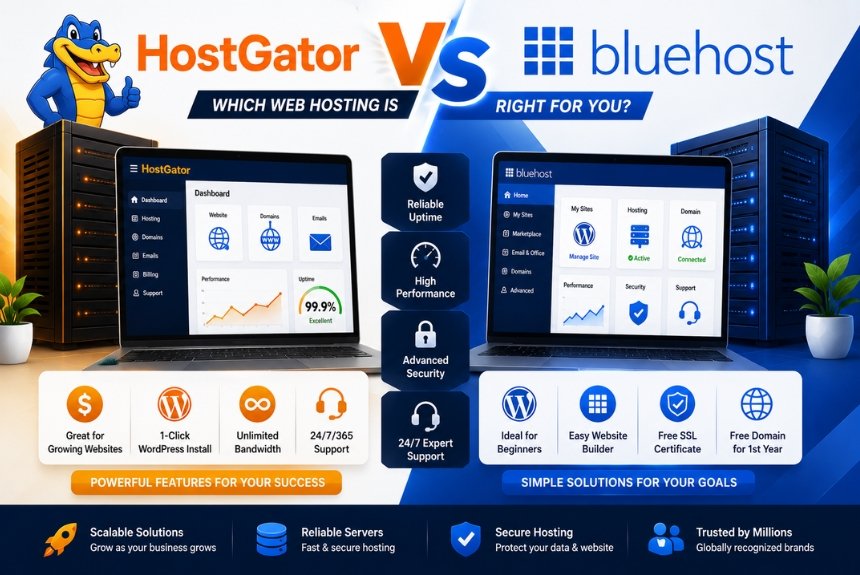
Choosing the right web hosting provider is one of the most important decisions for anyone creating a website. Whether you’re launching a personal blog, building a portfolio, starting an online business, or managing multiple client websites, your hosting provider directly affects website speed, uptime, security, search engine rankings, and overall user experience. A dependable hosting platform ensures your website remains accessible, performs consistently, and supports future growth.
Among the many hosting companies available today, HostGator and Bluehost remain two of the most recognized names in the industry. Both providers have been serving millions of customers worldwide for many years and offer a wide range of hosting services suitable for beginners, bloggers, businesses, developers, and e-commerce websites.
Although they appear similar at first glance, HostGator and Bluehost differ in several important areas, including hosting plans, website performance, user interface, pricing, customer support, and included features. These differences can significantly influence which provider is the better fit for your website.
Bluehost is particularly well known for its beginner-friendly interface and strong WordPress integration. It offers Shared Hosting, WordPress Hosting, VPS Hosting, Dedicated Hosting, Cloud Hosting, and WooCommerce Hosting. Its guided setup process, one-click WordPress installation, and intuitive dashboard make it an excellent choice for users launching their first website.
HostGator has built its reputation by offering flexible hosting solutions, competitive pricing, and scalable infrastructure. The company provides Shared Hosting, WordPress Hosting, VPS Hosting, Dedicated Hosting, Reseller Hosting, and Website Builder services. Its flexible hosting plans and straightforward management tools appeal to individuals, startups, and small businesses looking for reliable hosting without unnecessary complexity.
Choosing between these providers depends on several factors, including your budget, website traffic, technical expertise, desired performance, and long-term growth plans. Some users prioritize ease of use, while others focus on scalability, pricing, or website speed.
In this detailed comparison, we’ll evaluate HostGator and Bluehost across every major category, including company background, shared hosting, WordPress hosting, website builders, performance, security, customer support, pricing, advantages, disadvantages, and ideal use cases. By the end of this guide, you’ll be able to confidently choose the hosting provider that best matches your needs.
Company Overview
Before comparing individual hosting features, it’s helpful to understand each company’s background, hosting philosophy, and primary strengths.
HostGator Overview
HostGator is a well-established web hosting provider that serves millions of websites worldwide. It offers hosting solutions suitable for beginners, freelancers, bloggers, developers, and growing businesses.
HostGator provides:
- Shared Hosting
- WordPress Hosting
- VPS Hosting
- Dedicated Servers
- Reseller Hosting
- Website Builder
- Domain Registration
- Professional Email Hosting
The company focuses on offering flexible hosting packages that allow users to scale as their websites grow.
Key Features of HostGator
Some of HostGator’s major features include:
- One-click WordPress installation
- Free SSL certificate on eligible plans
- SSD storage
- Website migration assistance
- Drag-and-drop Website Builder
- Unmetered bandwidth on many plans
- Scalable hosting solutions
- Beginner-friendly dashboard
These features make HostGator a practical option for users with varying levels of technical experience.
Bluehost Overview
Bluehost is one of the most recognized hosting providers, particularly among WordPress users. It offers hosting services for individuals, startups, businesses, developers, and online stores.
Bluehost provides:
- Shared Hosting
- WordPress Hosting
- VPS Hosting
- Dedicated Hosting
- Cloud Hosting
- WooCommerce Hosting
- Website Builder
- Domain Registration
- Professional Email Hosting
Its hosting platform emphasizes simplicity, performance, and easy website management.
Key Features of Bluehost
Bluehost includes numerous tools that simplify website creation and maintenance.
Major features include:
- One-click WordPress installation
- Free SSL certificate
- Free domain on eligible annual plans
- SSD storage
- Website Builder
- Email hosting
- Automatic WordPress updates
- Website staging on selected plans
- Scalable hosting infrastructure
These features make Bluehost particularly attractive to beginners and WordPress users.
HostGator vs Bluehost at a Glance
| Feature | HostGator | Bluehost |
| Beginner Friendly | ⭐⭐⭐⭐⭐ | ⭐⭐⭐⭐⭐ |
| Shared Hosting | Yes | Yes |
| WordPress Hosting | Yes | Yes |
| VPS Hosting | Yes | Yes |
| Dedicated Hosting | Yes | Yes |
| Website Builder | Yes | Yes |
| Free SSL | Yes | Yes |
| Free Domain | Selected plans | Eligible annual plans |
| Best For | Flexible hosting & small businesses | Beginners & WordPress users |
Similarities Between HostGator and Bluehost
Despite their differences, both hosting providers share several common strengths.
Both companies offer:
- Beginner-friendly hosting
- Shared Hosting
- WordPress Hosting
- VPS Hosting
- Dedicated Hosting
- Website Builders
- Free SSL certificates
- One-click WordPress installation
- Website migration options
- Knowledge base and customer support
These similarities make either provider capable of hosting personal websites, blogs, business websites, and e-commerce projects.
Key Differences
While both companies provide similar hosting services, their primary focus differs.
HostGator focuses on:
- Flexible hosting packages
- Affordable long-term scalability
- Business hosting
- Reseller hosting
- Simple website management
Bluehost focuses on:
- WordPress optimization
- Beginner-friendly onboarding
- Easy dashboard navigation
- Managed hosting experience
- Strong WordPress ecosystem
Understanding these differences will make it easier to compare their hosting plans, website performance, security, pricing, and overall value in the following sections.
Shared Hosting Comparison
Shared Hosting is the most popular hosting solution for beginners and small businesses because it offers an affordable way to launch a website. In a shared hosting environment, multiple websites share the resources of a single server, reducing hosting costs while still delivering reliable performance.
Both HostGator and Bluehost provide feature-rich Shared Hosting plans that include SSD storage, free SSL certificates, website management tools, and one-click WordPress installation. However, they differ in their pricing structure, included features, scalability, and overall user experience.
HostGator Shared Hosting
HostGator’s Shared Hosting is designed for users looking for affordability and flexibility. It supports personal websites, blogs, portfolios, and small business websites while providing enough resources for moderate traffic.
Key Features
HostGator Shared Hosting generally includes:
- SSD storage
- Free SSL certificate
- Unmetered bandwidth
- One-click WordPress installation
- Free website migration (eligible plans)
- Email hosting
- Website Builder
- Easy control panel
- Multiple website support on higher plans
Its flexible plans allow users to upgrade as their websites grow.
Bluehost Shared Hosting
Bluehost Shared Hosting emphasizes simplicity and ease of use. It is especially suitable for beginners who want an easy website setup process without advanced technical knowledge.
Key Features
Bluehost Shared Hosting includes:
- SSD storage
- Free SSL certificate
- Free domain on eligible annual plans
- One-click WordPress installation
- Email hosting
- Automatic WordPress updates
- Website management dashboard
- AI-assisted onboarding tools
Bluehost’s streamlined setup process makes launching a website quick and straightforward.
Resource Allocation
Although Shared Hosting means multiple websites use the same server, both providers optimize server resources to deliver stable performance.
HostGator
Offers:
- Flexible bandwidth
- Reliable server allocation
- Scalable upgrade options
- Stable hosting environment
Bluehost
Provides:
- Optimized server resources
- WordPress-focused optimization
- Efficient resource management
- Smooth upgrade path
Both companies perform well for small and medium-sized websites.
Shared Hosting Feature Comparison
| Feature | HostGator | Bluehost |
| SSD Storage | Yes | Yes |
| Free SSL | Yes | Yes |
| Free Domain | Selected plans | Eligible annual plans |
| Email Hosting | Yes | Yes |
| Website Builder | Yes | Yes |
| One-Click WordPress | Yes | Yes |
| Beginner Friendly | Excellent | Excellent |
Which Shared Hosting Is Better?
Choose HostGator if you:
- Want flexible hosting packages.
- Need scalable shared hosting.
- Plan to host multiple websites.
- Prefer affordable long-term hosting.
Choose Bluehost if you:
- Are building your first website.
- Want an easier onboarding experience.
- Prefer WordPress-focused hosting.
- Value a beginner-friendly dashboard.
WordPress Hosting
WordPress powers a significant percentage of websites worldwide, making optimized WordPress hosting an essential feature for many users. Both HostGator and Bluehost provide hosting environments specifically designed for WordPress websites.
These hosting plans improve:
- Website speed
- Security
- Automatic updates
- WordPress compatibility
- Overall performance
HostGator WordPress Hosting
HostGator provides WordPress Hosting designed for bloggers, businesses, and online publishers.
Features include:
- Optimized WordPress servers
- Automatic WordPress installation
- Free SSL certificate
- Website migration assistance
- Malware scanning
- Email hosting
- Performance optimization
- Easy WordPress management
The hosting environment helps reduce setup time while maintaining reliable website performance.
Bluehost WordPress Hosting
Bluehost has become one of the most popular hosting providers among WordPress users.
Its WordPress Hosting includes:
- One-click installation
- Automatic updates
- Optimized WordPress environment
- Free SSL certificate
- Website staging (selected plans)
- AI onboarding
- Enhanced dashboard
- Email hosting
Its close focus on WordPress makes it especially attractive to beginners.
WordPress Installation
Both companies simplify WordPress installation.
HostGator
Users can install WordPress in just a few clicks using the hosting dashboard.
The process includes:
- Domain selection
- Installation wizard
- Theme selection
- Basic website configuration
Bluehost
Bluehost offers a guided onboarding experience that automatically helps users:
- Install WordPress
- Select themes
- Configure website settings
- Launch their website quickly
The onboarding experience requires very little technical knowledge.
Performance for WordPress
HostGator
Provides:
- SSD storage
- Optimized WordPress servers
- Reliable resource allocation
- Good page loading speeds
Bluehost
Offers:
- WordPress optimization
- SSD storage
- Server-level improvements
- Optimized PHP support
- Smooth WordPress performance
Both providers perform well for most WordPress websites.
WordPress Management
Managing a WordPress website involves regular updates, backups, plugin installation, and website maintenance.
HostGator
Supports:
- Automatic updates
- Plugin management
- Theme installation
- Dashboard access
- Backup options
Bluehost
Provides:
- Automatic updates
- Simple dashboard
- AI-guided setup
- Website management tools
- Beginner-friendly controls
Bluehost offers a slightly smoother experience for users who are new to WordPress.
WordPress Hosting Comparison Table
| Category | HostGator | Bluehost | Winner |
| WordPress Installation | Excellent | Excellent | Tie |
| Beginner Experience | Very Good | Excellent | Bluehost |
| WordPress Optimization | Very Good | Excellent | Bluehost |
| Performance | Very Good | Excellent | Bluehost |
| Ease of Management | Very Good | Excellent | Bluehost |
Which WordPress Hosting Should You Choose?
If your website is built entirely on WordPress, Bluehost has a slight advantage because of its optimized environment, beginner-friendly interface, and seamless onboarding process. Its tools are designed to simplify website management and reduce the learning curve for new users.
HostGator remains a strong alternative for users who value flexibility, scalable hosting plans, and dependable performance. It is particularly suitable for website owners managing multiple projects or expecting steady traffic growth.
Website Builder
A website builder allows users to create professional websites without writing code. It is an excellent solution for beginners, freelancers, bloggers, and small businesses that want to launch a website quickly. Both HostGator and Bluehost provide website-building tools, but they differ in design flexibility, ease of use, customization options, and overall user experience.
If you want to create a website without hiring a developer, comparing their website builders is just as important as comparing their hosting plans.
HostGator Website Builder
HostGator offers a drag-and-drop website builder designed to help users create websites with minimal technical knowledge.
Key Features
- Drag-and-drop editor
- Responsive website templates
- Mobile-friendly designs
- Built-in image library
- Contact forms
- Blog creation tools
- Social media integration
- Basic SEO settings
- Online store support on selected plans
The editor allows users to modify layouts, colors, fonts, and images with ease, making it suitable for personal websites and small business sites.
Bluehost Website Builder
Bluehost provides a beginner-friendly website builder that integrates closely with WordPress. It simplifies website creation through guided onboarding and customizable templates.
Key Features
- Drag-and-drop editing
- WordPress integration
- AI-assisted setup
- Responsive templates
- Blog management tools
- SEO-friendly structure
- eCommerce compatibility
- Theme customization
Bluehost’s website builder is particularly attractive to users who may later expand their websites using WordPress plugins and themes.
Template Quality
Templates influence both the appearance and user experience of a website.
HostGator
Offers templates suitable for:
- Blogs
- Restaurants
- Small businesses
- Portfolios
- Online stores
- Service providers
Bluehost
Provides templates for:
- Blogs
- Business websites
- Agencies
- eCommerce stores
- Personal portfolios
- Professional services
Both providers include responsive templates that adapt well to desktops, tablets, and smartphones.
Customization Options
Customization enables users to personalize their websites according to their brand identity.
HostGator
Allows users to customize:
- Colors
- Fonts
- Layouts
- Images
- Navigation menus
- Widgets
Bluehost
Supports customization through:
- WordPress themes
- Drag-and-drop tools
- Block editor
- Widgets
- Plugins
- Custom CSS (for advanced users)
Bluehost offers greater flexibility because of its deep integration with WordPress.
Ease of Building a Website
HostGator
Website creation generally involves:
- Selecting a hosting plan.
- Choosing a template.
- Editing website content.
- Publishing the website.
The interface is simple and suitable for beginners.
Bluehost
The setup process includes:
- Selecting a hosting plan.
- Registering a domain.
- Installing WordPress.
- Choosing a theme.
- Customizing pages with the website builder.
- Publishing the website.
Although there are a few additional steps, the guided onboarding makes the process straightforward.
Website Builder Comparison Table
| Feature | HostGator | Bluehost | Winner |
| Drag-and-Drop Editor | ✅ | ✅ | Tie |
| Responsive Templates | ✅ | ✅ | Tie |
| WordPress Integration | Good | Excellent | Bluehost |
| Customization | Very Good | Excellent | Bluehost |
| AI Assistance | Basic | Better | Bluehost |
| Beginner Experience | Excellent | Excellent | Tie |
Performance
Website performance directly impacts user satisfaction, search engine rankings, and conversion rates. Faster websites reduce bounce rates, improve visitor engagement, and contribute to better SEO results.
Both HostGator and Bluehost use SSD storage and optimized server infrastructure, but there are differences in their overall performance approach.
Why Performance Matters
A high-performing website provides:
- Faster loading speeds
- Better user experience
- Improved SEO rankings
- Increased conversions
- Lower bounce rates
- Better Core Web Vitals scores
For businesses and eCommerce websites, website performance can significantly influence revenue and customer retention.
HostGator Performance
HostGator focuses on providing stable and consistent performance for a wide range of websites.
Performance features include:
- SSD storage
- Resource optimization
- Integrated caching support
- Modern server infrastructure
- Reliable bandwidth management
- Optimized PHP versions
HostGator performs well for blogs, business websites, and moderate-traffic online stores.
Bluehost Performance
Bluehost emphasizes optimized performance, especially for WordPress websites.
Performance features include:
- SSD storage
- Optimized WordPress servers
- Built-in caching
- Cloud hosting infrastructure
- Performance optimization tools
- Modern PHP support
Bluehost’s hosting environment is designed to improve WordPress page loading times and website responsiveness.
Website Speed Comparison
| Performance Feature | HostGator | Bluehost |
| SSD Storage | ✅ | ✅ |
| WordPress Optimization | Very Good | Excellent |
| Built-in Caching | Yes | Yes |
| Cloud Hosting | Limited | Yes |
| Performance Consistency | Excellent | Excellent |
Resource Scalability
As your website grows, additional server resources become increasingly important.
HostGator
Offers upgrades to:
- Shared Hosting
- VPS Hosting
- Dedicated Servers
Bluehost
Allows upgrades to:
- Shared Hosting
- VPS Hosting
- Cloud Hosting
- Dedicated Hosting
Both providers support seamless scalability without requiring users to switch hosting companies.
Performance Optimization Tips
Regardless of the hosting provider you choose, follow these best practices to maximize speed:
- Compress images before uploading.
- Enable caching.
- Minify CSS and JavaScript files.
- Remove unused plugins and themes.
- Use lightweight website themes.
- Optimize databases regularly.
- Enable a Content Delivery Network (CDN).
These optimizations complement your hosting environment and help improve loading speeds.
Performance Comparison Score
| Category | HostGator | Bluehost | Winner |
| Loading Speed | Very Good | Excellent | Bluehost |
| WordPress Performance | Very Good | Excellent | Bluehost |
| Scalability | Excellent | Excellent | Tie |
| Reliability | Excellent | Excellent | Tie |
| Overall Performance | Very Good | Excellent | Bluehost |
Security
Security is one of the most important factors when selecting a web hosting provider. A secure hosting environment protects websites from malware, hacking attempts, DDoS attacks, data breaches, and unauthorized access. Whether you manage a personal blog, business website, or eCommerce store, choosing a hosting provider with strong security features helps safeguard your data and maintain customer trust.
Both HostGator and Bluehost include essential security tools, but they differ in the additional protections offered across their hosting plans.
HostGator Security Features
HostGator provides a secure hosting environment through multiple layers of protection.
Key Security Features
- Free SSL certificate
- Secure FTP access
- DDoS protection
- Server monitoring
- Automatic software updates
- Password-protected directories
- IP blocking tools
- Spam protection
- Malware scanning options
These features help protect websites against common online threats while maintaining stable server performance.
Bluehost Security Features
Bluehost focuses on security by integrating protective tools directly into its hosting platform.
Key Security Features
- Free SSL certificate
- Automatic WordPress updates
- Secure login protection
- Website monitoring
- Malware protection options
- Spam prevention
- Secure file management
- Data center security
- Account protection features
Bluehost’s security tools are especially beneficial for WordPress websites that require frequent plugin and theme updates.
SSL Certificates
Both providers include free SSL certificates with eligible hosting plans.
Benefits include:
- HTTPS encryption
- Secure online transactions
- Protection of customer information
- Improved SEO rankings
- Increased visitor trust
An SSL certificate is essential for any website handling personal information or payment transactions.
Website Backups
Regular backups ensure that website data can be restored if unexpected issues occur.
HostGator
Offers backup options depending on the hosting plan and additional services.
Bluehost
Provides backup solutions that vary by hosting package, with enhanced options available on higher-tier plans.
Website owners should also maintain independent backups as part of a comprehensive disaster recovery strategy.
Security Best Practices
Regardless of the hosting provider, website owners should:
- Use strong passwords.
- Enable two-factor authentication where available.
- Update WordPress, themes, and plugins regularly.
- Remove unused plugins.
- Scan for malware periodically.
- Perform regular backups.
- Restrict administrator access.
Combining secure hosting with good website management significantly reduces security risks.
Security Comparison Table
| Security Feature | HostGator | Bluehost | Winner |
| Free SSL | ✅ | ✅ | Tie |
| Malware Protection | Available | Available | Tie |
| Automatic Updates | Yes | Yes | Tie |
| Server Monitoring | Yes | Yes | Tie |
| Spam Protection | Yes | Yes | Tie |
| Overall Website Security | Excellent | Excellent | Tie |
Summary
HostGator and Bluehost both provide dependable website security through SSL certificates, monitoring tools, malware protection, and regular updates. Neither provider has a significant advantage in this category, making security a strong point for both hosting platforms.
Customer Support
Reliable customer support is essential when managing a website. Technical issues such as server errors, website downtime, DNS configuration, or email setup can occur at any time, making responsive support an important factor when choosing a hosting provider.
Both HostGator and Bluehost offer several support channels to assist users with technical and account-related issues.
HostGator Customer Support
HostGator provides multiple support options.
Available channels include:
- 24/7 live chat
- Phone support
- Ticket support
- Knowledge base
- Video tutorials
- Community documentation
Its phone support is especially useful for beginners who prefer speaking directly with a support representative.
Bluehost Customer Support
Bluehost also offers comprehensive support services.
Support options include:
- 24/7 live chat
- Phone support
- Email and ticket support
- Extensive knowledge base
- WordPress tutorials
- Setup guides
Bluehost places strong emphasis on helping first-time website owners through detailed documentation and guided assistance.
Knowledge Base
Both providers maintain detailed documentation covering:
- WordPress installation
- Website migration
- Domain management
- SSL certificates
- Email configuration
- Backup restoration
- Website optimization
- Security recommendations
These self-help resources reduce the need to contact support for common issues.
Customer Support Comparison
| Feature | HostGator | Bluehost | Winner |
| Live Chat | ✅ | ✅ | Tie |
| Phone Support | ✅ | ✅ | Tie |
| Ticket Support | ✅ | ✅ | Tie |
| Knowledge Base | Excellent | Excellent | Tie |
| Beginner Guides | Very Good | Excellent | Bluehost |
Winner
Both providers offer excellent customer support. Bluehost has a slight advantage due to its extensive WordPress-focused documentation and beginner onboarding resources.
Pricing Comparison
Pricing is often one of the biggest deciding factors when selecting a hosting provider. While introductory offers can make hosting plans appear very affordable, users should also evaluate renewal pricing, included features, scalability, and long-term value.
HostGator Pricing
HostGator offers several hosting solutions, including:
- Shared Hosting
- WordPress Hosting
- VPS Hosting
- Dedicated Hosting
- Reseller Hosting
Common included features:
- Free SSL certificate
- Website Builder
- Email hosting
- One-click WordPress installation
- Unmetered bandwidth on many plans
Its pricing is competitive, particularly for users planning long-term hosting.
Bluehost Pricing
Bluehost provides:
- Shared Hosting
- WordPress Hosting
- VPS Hosting
- Dedicated Hosting
- Cloud Hosting
Common features include:
- Free SSL certificate
- Free domain on eligible annual plans
- Website Builder
- Email hosting
- WordPress tools
- AI-assisted onboarding
Bluehost’s plans are designed to provide a complete hosting solution for beginners and businesses.
Introductory vs Renewal Pricing
Both companies frequently advertise discounted introductory pricing for new customers.
Before purchasing, compare:
- Promotional pricing
- Renewal costs
- Included storage
- Free domain availability
- Backup features
- Customer support
- Scalability
Understanding long-term costs helps avoid unexpected expenses after the initial subscription period.
Pricing Comparison Table
| Category | HostGator | Bluehost | Winner |
| Entry-Level Pricing | Excellent | Very Good | HostGator |
| Features Included | Excellent | Excellent | Tie |
| Long-Term Value | Excellent | Excellent | Tie |
| Beginner Value | Very Good | Excellent | Bluehost |
| Overall Pricing | Excellent | Very Good | HostGator |
Pros & Cons
Both HostGator and Bluehost are trusted hosting providers with years of experience in the web hosting industry. While they share many similar features, each platform has its own strengths and limitations.
HostGator Pros
- Affordable shared hosting plans.
- Flexible hosting solutions for individuals and businesses.
- Beginner-friendly website builder.
- Free SSL certificate on eligible plans.
- Unmetered bandwidth on many hosting plans.
- Easy scalability to VPS and Dedicated Hosting.
- Reliable uptime and stable performance.
- 24/7 customer support.
HostGator Cons
- Website performance may vary during high-traffic periods.
- Some advanced security features require additional purchases.
- Renewal pricing is higher than introductory offers.
Bluehost Pros
- Excellent WordPress integration.
- Beginner-friendly dashboard and guided setup.
- Free domain on eligible annual plans.
- Optimized WordPress hosting.
- Reliable uptime and performance.
- AI-assisted onboarding for new users.
- Strong customer support resources.
- Wide range of hosting services, including Cloud Hosting.
Bluehost Cons
- Renewal costs are higher than promotional pricing.
- Some premium features are available only on higher-tier plans.
- Entry-level plans may have fewer advanced customization options.
Best Choice for Beginners
Both HostGator and Bluehost are excellent options for beginners, but they appeal to different types of users.
Choose HostGator if you:
- Want affordable hosting.
- Need flexible hosting plans.
- Plan to host multiple websites.
- Prefer straightforward website management.
Choose Bluehost if you:
- Are launching your first WordPress website.
- Want guided website setup.
- Prefer an intuitive dashboard.
- Need seamless WordPress integration.
- Plan to expand your website over time.
For first-time website owners, Bluehost has a slight advantage because of its beginner-friendly onboarding process and WordPress-focused tools. However, HostGator remains a strong choice for users seeking flexible hosting at a competitive price.
Frequently Asked Questions (FAQs)
1. Which hosting provider is better for beginners?
Both providers are beginner-friendly, but Bluehost offers a more guided setup experience and deeper WordPress integration, making it slightly easier for first-time users.
2. Is HostGator cheaper than Bluehost?
HostGator often provides more affordable introductory pricing, but users should compare renewal rates and included features before making a decision.
3. Which hosting provider offers better WordPress hosting?
Bluehost has a slight advantage due to its optimized WordPress environment, beginner-friendly dashboard, and website management tools.
4. Can I upgrade my hosting plan later?
Yes. Both HostGator and Bluehost allow users to upgrade from Shared Hosting to VPS, Dedicated, or other hosting solutions as their websites grow.
5. Which hosting provider is better for small businesses?
Both providers are suitable for small businesses. HostGator is a good option for budget-conscious businesses, while Bluehost is ideal for companies looking for an easy-to-manage, WordPress-focused hosting platform.
Final Verdict
HostGator and Bluehost are both reliable web hosting providers that offer dependable performance, essential security features, responsive customer support, and scalable hosting solutions. The best choice depends on your specific requirements, technical experience, and budget.
If you prioritize affordability, flexible hosting plans, and good long-term value, HostGator is an excellent choice. It offers a wide range of hosting services suitable for personal websites, blogs, and growing businesses.
If your focus is WordPress hosting, ease of use, and beginner-friendly website management, Bluehost stands out with its optimized hosting environment, guided onboarding, and comprehensive WordPress tools.
Overall, both hosting providers deliver excellent value, and selecting the right one depends on the type of website you plan to build and your long-term hosting goals.
Choose the Right Hosting for Your Website
Compare HostGator and Bluehost based on your budget, website needs, and growth plans. Whether you’re launching a blog, business website, or online store, choose the hosting provider that delivers the speed, security, and reliability your website deserves.
Leave a Reply