


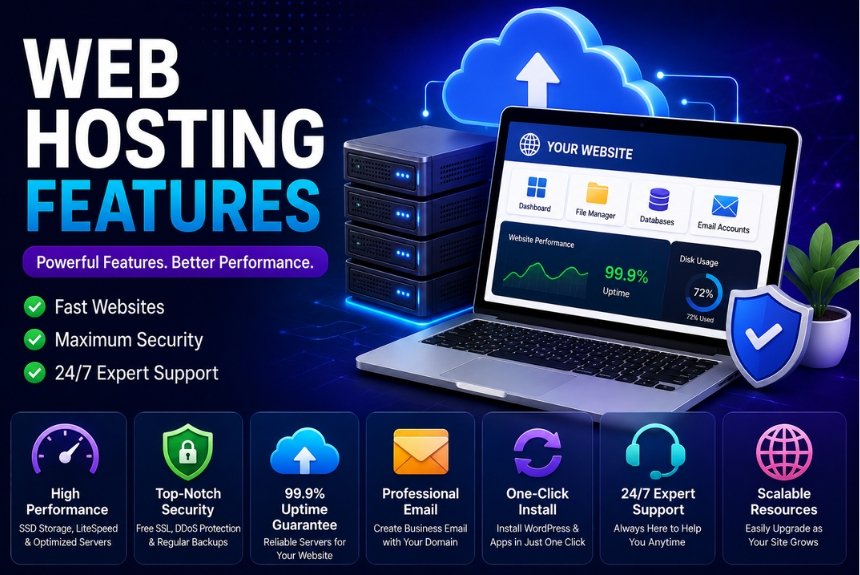
Best Web Hosting Features You Should Never Ignore
Choosing the right web hosting provider is one of the most important decisions you will make when launching or managing a website. Whether you are building a personal blog, portfolio, business website, online store, or growing digital platform, your hosting environment has a direct impact on how your website performs.
Web hosting affects important areas such as website speed, uptime, security, storage, scalability, backups, resource availability, and technical support.
Many beginners make the mistake of comparing hosting providers primarily by price. Although affordability matters, the cheapest hosting plan is not always the best option. A low-cost plan with limited resources, poor performance, weak security, or inadequate support can create problems that become more expensive to solve later.
This is why understanding the most important Web Hosting Features is essential before purchasing a hosting plan.
Instead of choosing a provider based only on promotional offers or phrases such as “unlimited everything,” you should evaluate the actual resources, technologies, security protections, backup options, scalability, and support included with the plan.
This guide explains the most important web hosting features you should look for and how each one can affect your website.
What Are Web Hosting Features?
Web hosting features are the services, technologies, tools, resources, and management options included with a hosting plan.
These features determine how easily your website can be hosted, managed, protected, and scaled.
Important hosting features can influence:
- Website speed
- Server performance
- Uptime
- Security
- Storage capacity
- Bandwidth
- Scalability
- Website management
- Backup and recovery
- Email services
- Customer support
- Website migration
Not every hosting provider offers the same combination of features. Even when two providers advertise similar plans, the actual server technology, resource limits, backup policies, support quality, and renewal pricing can be very different.
Understanding these differences helps you compare hosting plans more effectively.
Why Do Web Hosting Features Matter?
Your hosting provider provides the infrastructure that allows your website to operate online.
If your hosting environment is poorly configured or lacks important resources, you may experience:
- Slow website loading
- Frequent downtime
- Poor website performance
- Security problems
- Data loss
- Difficult website management
- Limited ability to handle traffic
- Unexpected upgrade costs
- Poor customer support
On the other hand, a hosting plan with the right combination of features can provide a stronger foundation for your website.
Good hosting can contribute to:
- Better visitor experience
- More reliable website availability
- Improved website performance
- Easier website management
- Better scalability
- Stronger website security
- Faster recovery from technical problems
- Greater business credibility
The goal is not to choose a hosting plan with the largest number of features. Instead, choose a plan that provides the features your particular website actually needs.
Essential Web Hosting Features You Should Look For
Fast SSD or NVMe Storage
Storage technology can have a significant impact on website performance.
Traditional HDD storage uses mechanical components to read and write data. SSD storage uses flash memory and generally provides faster data access.
NVMe SSD storage uses a newer storage interface designed for high-speed data transfer and can provide particularly strong performance.
HDD Storage
Traditional HDD storage is:
- Older technology
- Generally slower
- Often less expensive
- Less suitable for performance-focused modern websites
SSD Storage
SSD storage provides:
- Faster data access
- Better performance
- Faster file operations
- Improved reliability compared with traditional mechanical storage
NVMe SSD Storage
NVMe SSD storage can provide even faster data access and is particularly useful for websites that require strong storage and database performance.
It can be beneficial for:
- High-traffic websites
- eCommerce stores
- Large WordPress websites
- Database-heavy applications
- Websites with many files
Recommendation: When comparing similar hosting plans, prioritize NVMe SSD storage where it is available and reasonably priced.
High Uptime Guarantee
Uptime refers to the percentage of time your website remains available to visitors.
Website availability is critical because even a fast website is of little value if visitors cannot access it.
Common uptime figures include:
- 99% uptime: Approximately several days of downtime per year
- 99.9% uptime: Approximately 8.76 hours of downtime per year
- 99.99% uptime: Approximately 52.56 minutes of downtime per year
A higher uptime percentage generally indicates a stronger availability target.
When comparing hosting providers, look for:
- A strong uptime guarantee
- Reliable server infrastructure
- Redundant systems
- Multiple data centers where appropriate
- Clear uptime policies
Remember that an uptime guarantee is not the same thing as a promise that your website will never experience downtime. Always review the provider’s terms and conditions.
Excellent Website Speed
Website speed is one of the most important hosting considerations.
A hosting environment can influence how quickly your server processes requests and delivers website resources.
Website performance can affect:
- User experience
- Engagement
- Bounce rates
- Conversions
- Search performance
Look for hosting providers that support technologies such as:
- LiteSpeed
- NGINX
- HTTP/3
- CDN integration
- Server-side caching
- Fast processors
- NVMe storage
However, hosting is only one part of website speed. Large images, excessive plugins, inefficient code, third-party scripts, and poorly optimized databases can also slow down a website.
Free SSL Certificate
An SSL certificate helps secure communication between a website and its visitors.
Once SSL is correctly configured, visitors can access the website using HTTPS.
A free SSL certificate can provide:
- HTTPS security
- Encrypted data transmission
- Greater visitor trust
- Protection for sensitive information
- A more professional website experience
For modern websites, SSL should be considered a basic requirement rather than an optional premium feature.
Before purchasing hosting, check whether SSL is included for free and whether the provider handles automatic renewal.
Automatic Website Backups
Website backups provide a recovery option if something goes wrong.
Websites can experience problems because of:
- Accidental file deletion
- Plugin or theme conflicts
- Software updates
- Configuration mistakes
- Server problems
- Security incidents
- Database errors
A reliable hosting provider should offer automated backups rather than requiring you to manually create every backup.
Look for:
- Automatic daily backups
- Multiple restore points
- One-click restoration
- Off-site backup storage
- Easy backup management
A particularly important consideration is where backups are stored. If backups are stored only on the same server as your website, a major server-level problem could potentially affect both your website and its backups.
Strong Security Features
Website security should never be treated as an optional extra.
Your hosting provider should provide appropriate security features to help protect the hosting environment and websites running on it.
Important security features can include:
- Firewall protection
- Malware scanning
- DDoS protection
- Brute-force protection
- Two-factor authentication
- Account isolation
- Security monitoring
- Secure server configuration
Security requirements vary by website type, so a personal blog may not require the same infrastructure as an eCommerce store or enterprise application.
You should also remember that hosting security does not replace website-level security. Keeping your CMS, themes, plugins, and applications updated remains important.
Free Website Migration
Switching hosting providers can be stressful, particularly when a website has a large number of files, databases, email accounts, or configuration settings.
A hosting provider that offers free migration can make the process much easier.
Useful migration services may include:
- Website file migration
- Database migration
- Domain configuration assistance
- Email migration
- DNS support
- Professional migration assistance
- Downtime minimization
Before purchasing, check exactly what the provider includes in its migration service.
Some providers may migrate one website for free, while others may include multiple migrations depending on the plan.
User-Friendly Control Panel
Managing a website should not require advanced technical knowledge for every task.
A good control panel provides a central location for managing hosting-related functions.
Popular control panel options include:
- cPanel
- DirectAdmin
- Plesk
- Custom hosting dashboards
A useful control panel can allow you to:
- Install applications
- Manage files
- Create email accounts
- Manage databases
- Configure backups
- Manage domains
- Create subdomains
- Monitor resources
- Configure security settings
A simple dashboard can save considerable time, especially for beginners and small business owners.
One-Click Application Installer
Installing software manually can involve uploading files, creating databases, configuring settings, and completing additional technical steps.
A one-click installer simplifies this process.
Depending on the hosting provider, you may be able to install applications such as:
- WordPress
- Joomla
- Drupal
- Magento
- PrestaShop
- Laravel-related applications
For WordPress users, a one-click installation can make it much easier to get a new website online.
However, always check whether the installer provides a clean installation and whether it allows you to control important settings such as the database, administrator account, and software version.
Scalable Resources
Your website may not receive the same amount of traffic throughout its entire lifecycle.
A new website may have relatively low traffic, while an established business can eventually receive thousands or millions of requests.
Your hosting should allow you to increase resources as your website grows.
Scalable hosting may allow you to increase:
- RAM
- CPU resources
- Storage
- Bandwidth
- Database capacity
The ability to upgrade resources without completely rebuilding or migrating your website can make long-term growth easier.
Generous Bandwidth
Bandwidth refers to the amount of data that can be transferred between your website and visitors over a given period.
The amount of bandwidth your website requires depends on factors such as:
- Number of visitors
- Page size
- Images
- Videos
- Downloads
- Website functionality
Higher bandwidth availability can help a website handle larger amounts of traffic and data transfer.
However, be careful with the word “unlimited.”
Many hosting providers advertise unlimited or unmetered bandwidth but still apply fair-use policies, server resource limits, or restrictions in their terms.
Always read the provider’s resource policies rather than relying only on the marketing description.
Professional Email Hosting
Some hosting plans include email services connected to your domain.
For example:
Using a domain-based email address can create a more professional appearance than using a generic personal email address.
Before choosing a hosting provider for business email, check:
- Number of mailboxes
- Storage per mailbox
- Spam protection
- Email sending limits
- Webmail access
- Mobile compatibility
- IMAP and SMTP support
For businesses with advanced email requirements, a dedicated email service may still be preferable.
CDN Integration
A Content Delivery Network, or CDN, distributes cached website resources across multiple geographic locations.
When a visitor requests a cached resource, it can potentially be delivered from a server closer to that visitor.
CDN integration can help with:
- Faster global content delivery
- Reduced origin server load
- Better performance during traffic spikes
- Improved availability
- Additional security capabilities
If your hosting provider offers easy CDN integration, it can simplify the process of adding a CDN to your website.
Responsive Customer Support
Technical problems can occur even when you choose a reputable hosting provider.
When something goes wrong, responsive customer support can save hours of troubleshooting.
Look for:
- 24/7 live chat
- Email support
- Phone support
- Knowledge base
- Documentation
- Fast response times
- Technical support staff
Do not evaluate support only by the number of available channels.
The quality and technical knowledge of the support team are equally important.
Transparent Pricing
A hosting plan that appears inexpensive initially may become considerably more expensive at renewal.
Before purchasing, check:
- Initial promotional price
- Renewal price
- Domain renewal costs
- Setup charges
- Migration fees
- Backup costs
- SSL costs
- Additional resource charges
- Refund policy
- Money-back guarantee
Always compare the long-term cost rather than looking only at the introductory price.
Web Hosting Features Comparison
| Feature | Why It Matters |
|---|---|
| NVMe SSD Storage | Faster website and database performance |
| SSL Certificate | Website security and HTTPS |
| Automatic Backups | Recovery from data loss and technical problems |
| CDN Integration | Faster delivery for global visitors |
| Uptime Guarantee | Helps maintain website availability |
| Security Tools | Protection against common online threats |
| One-Click Installer | Easier website and application setup |
| Control Panel | Simplifies hosting management |
| Free Migration | Makes switching hosts easier |
| Scalable Resources | Supports website growth |
| Generous Bandwidth | Helps handle visitor traffic and data transfer |
| Email Hosting | Enables professional domain-based email |
| 24/7 Support | Provides help when technical issues occur |
| Transparent Pricing | Helps avoid unexpected hosting costs |
How to Evaluate Web Hosting Features Before Buying
Simply finding a provider with a long feature list is not enough. You should evaluate the actual quality and limitations of those features.
Check the Actual Resource Limits
A provider may advertise a feature as included while imposing separate limits.
For example, “unlimited” storage may still be subject to acceptable-use restrictions.
Check:
- CPU limits
- RAM limits
- Inode limits
- Storage policies
- Database limits
- Email limits
- Traffic policies
Compare Renewal Pricing
Do not compare providers using only their introductory prices.
Calculate what you are likely to pay when the initial promotional period ends.
This provides a more realistic comparison of long-term hosting costs.
Review Backup Policies
Do not simply look for the word “backup.”
Find out:
- How frequently backups are created
- How many restore points are available
- How long backups are retained
- Where backups are stored
- Whether restoration is free
- Whether backups are automated
Test Customer Support
Before buying a hosting plan, contact the support team with a simple technical question.
Pay attention to:
- Response speed
- Clarity
- Technical knowledge
- Willingness to help
- Quality of documentation
This can give you an early indication of what support may be like after purchase.
Check Migration Policies
If you are moving an existing website, determine whether the provider offers migration assistance.
Ask whether the migration includes:
- Website files
- Databases
- Email accounts
- DNS configuration
- SSL
- Domain settings
Consider Your Website’s Future
Do not choose hosting only for today’s traffic.
Think about where your website may be six months or one year from now.
If you expect significant growth, choose a provider that allows you to upgrade resources without unnecessary complexity.
Best Practices for Choosing Web Hosting
Choose Performance Over the Lowest Price
Price should be considered alongside performance, reliability, security, and support.
A slightly more expensive hosting plan may provide significantly better value if it prevents performance problems and saves time.
Read Independent Reviews
Look beyond testimonials displayed on the hosting provider’s own website.
Independent reviews can help you understand:
- Real-world performance
- Support quality
- Reliability
- Renewal pricing
- Common complaints
Prioritize Free SSL and Backups
SSL and backups should be considered essential features for most websites.
Avoid selecting a plan solely because it has a low monthly price if important security or recovery features cost significantly more.
Prefer Modern Storage
When comparing otherwise similar plans, prioritize NVMe SSD storage over traditional HDD storage.
Use a CDN for Global Visitors
If your website receives visitors from different regions, consider adding a CDN to improve the delivery of static content.
Monitor Website Uptime
Do not rely entirely on the hosting provider’s uptime claims.
Use an independent monitoring service to track your website’s availability and receive alerts when problems occur.
Keep Your Website Software Updated
Hosting security alone cannot protect an outdated website.
Regularly update:
- CMS software
- Themes
- Plugins
- Applications
- Server components where applicable
Enable Two-Factor Authentication
If your hosting provider offers two-factor authentication, enable it.
This adds another layer of protection to your hosting account.
Upgrade as Your Website Grows
Do not wait until your website is regularly running out of resources.
Monitor your hosting usage and upgrade when traffic and resource requirements increase.
Common Web Hosting Mistakes to Avoid
Choosing Hosting Only by Price
The cheapest hosting plan may have limited performance, resources, support, or features.
Always compare the complete package.
Believing Every “Unlimited” Claim
Unlimited storage or bandwidth does not necessarily mean there are no restrictions.
Read the provider’s acceptable-use and resource policies.
Ignoring Renewal Prices
A low introductory price can make a hosting plan appear cheaper than it actually is.
Always check renewal rates before purchasing.
Skipping Backups
Even if your hosting provider offers backups, consider maintaining an independent backup strategy for important websites.
Ignoring Security
Do not wait for a security incident before thinking about protection.
Use strong passwords, two-factor authentication, updates, backups, and appropriate security controls.
Buying More Resources Than You Need
More resources are not automatically better.
Paying for enterprise-level infrastructure when you operate a small website can unnecessarily increase costs.
Choose resources according to your actual requirements and expected growth.
Pros and Cons of Feature-Rich Web Hosting
Pros
- Faster website performance
- Better security
- Improved website availability
- Easier website management
- Automatic backups
- Professional email hosting
- Better scalability
- Easier website migration
- CDN integration
- Better technical support
- More reliable infrastructure
- Greater flexibility as your website grows
Cons
- Premium features can increase hosting costs
- Entry-level plans may have limited resources
- Renewal prices can be significantly higher
- “Unlimited” resources may still have fair-use restrictions
- Advanced hosting features may require technical knowledge
- More configuration options can sometimes make hosting more complicated
Fr equently Asked Questions
1.Which web hosting feature is the most important?
There is no single feature that is most important for every website.
Website speed, uptime, security, backups, resources, scalability, and customer support are among the most important considerations.
The best hosting plan provides a balance of these features according to your website’s requirements.
2. Is a free SSL certificate necessary?
Yes. SSL is an essential part of modern website security.
A free SSL certificate enables HTTPS, helps protect data transmitted between visitors and your website, and can increase visitor trust.
Most reputable hosting providers offer SSL at no additional cost.
3. What storage type should I choose?
NVMe SSD storage is generally the preferred option when available.
Standard SSD storage is also suitable for many websites, while traditional HDD storage is generally slower.
For performance-focused websites, NVMe can provide a stronger storage solution.
4. Why are automatic backups important?
Automatic backups give you a way to restore your website if files, databases, or configurations are damaged or accidentally deleted.
They can be particularly useful after failed updates, software conflicts, accidental deletions, or security incidents.
5. Is unlimited bandwidth truly unlimited?
Not necessarily.
Hosting providers may advertise unlimited or unmetered bandwidth while still applying fair-use policies and other resource limitations.
Always read the provider’s terms before assuming there are no restrictions.
6. Can I upgrade my hosting later?
Yes. Most reputable hosting providers offer upgrade paths that allow you to move to plans with additional resources.
Before purchasing, check whether the provider makes upgrading straightforward and whether your website can remain online during the upgrade.
7. How much storage does a website need?
The amount of storage required depends on the website.
A simple text-based blog may need relatively little storage, while an eCommerce store with thousands of product images, videos, backups, and downloadable files can require substantially more.
Choose storage based on your current website size and expected growth.
8. Do I need a CDN if I already have fast hosting?
A CDN can still be useful even when your hosting server is fast.
Hosting determines how efficiently your origin server handles requests, while a CDN can distribute cached resources across multiple locations.
A CDN can be particularly beneficial when your visitors are geographically distributed.
9. Does hosting affect SEO?
Hosting can indirectly affect SEO through factors such as website speed, uptime, security, and server reliability.
However, hosting is only one part of SEO. Content quality, technical SEO, website architecture, links, and user experience also matter.
10. Should beginners choose managed hosting?
Managed hosting can be useful for beginners because the provider may handle more technical aspects of server management.
It can also be useful for website owners who prefer to focus on their website rather than server administration.
The trade-off is that managed hosting can cost more than some unmanaged alternatives.
Final Recommendation
When comparing web hosting providers, do not focus solely on the lowest advertised price.
Instead, evaluate the features that directly affect your website’s performance, security, availability, management, and ability to grow.
At a minimum, look for:
- Fast SSD or NVMe storage
- Strong uptime
- Free SSL
- Automatic backups
- Reliable security features
- Scalable resources
- CDN integration
- User-friendly management tools
- Migration assistance
- Responsive customer support
- Transparent pricing
The right combination depends on your website.
A small personal blog may need a simple hosting plan with reliable uptime, SSL, backups, and easy management. An eCommerce store may require greater resources, stronger security, scalable infrastructure, and better performance. A growing business website may benefit from advanced caching, CDN integration, professional email, and a clear upgrade path.
The best hosting provider is therefore not necessarily the one with the cheapest plan or the largest feature list. It is the provider that gives your website the resources and reliability it needs at a reasonable long-term cost.
Choose Hosting for Long-Term Website Success
Your hosting provider forms the foundation of your website’s online infrastructure.
Choosing the right Web Hosting Features from the beginning can help you avoid unnecessary performance problems, security risks, downtime, and migration headaches later.
Before purchasing a hosting plan, compare the actual resources, technologies, security protections, backup policies, support options, scalability, and renewal pricing.
Don’t let a low introductory price make the decision for you.
Choose hosting that provides the right balance of speed, security, reliability, scalability, and support so your website is prepared not only for today’s visitors but also for future growth.
Leave a Reply