


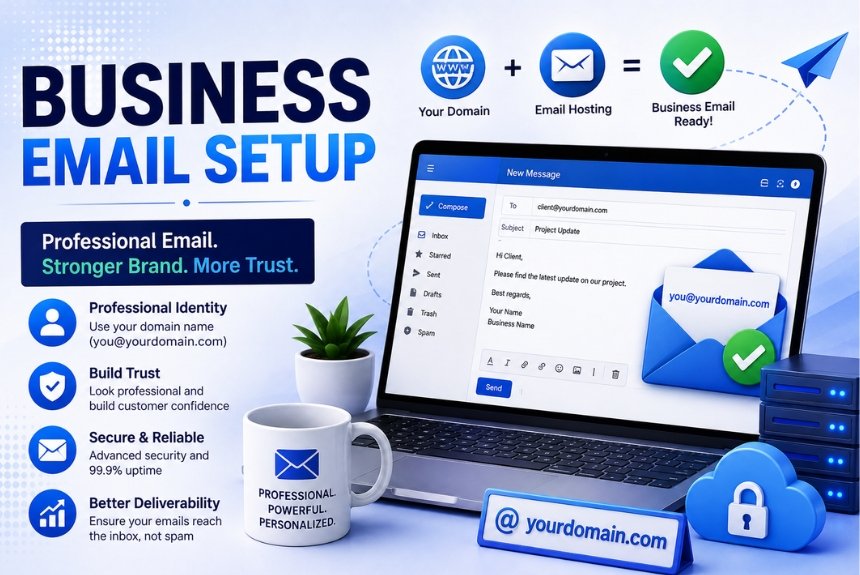
Business Email Setup: Complete Guide for Beginners
Search Intent: Informational
Target Keyword: Business Email Setup
Introduction
A business email is an email address that uses your company’s domain name instead of a free email service. For example:
- Personal Email: yourname@gmail.com
- Business Email: yourname@yourcompany.com
A professional email address is one of the first things customers notice when they communicate with your business. Whether you own a small business, startup, eCommerce store, blog, or agency, having a business email improves your credibility, strengthens your brand, and builds trust.
Imagine receiving two emails:
Most people naturally trust the second email because it represents a legitimate business.
Today, business email is much more than sending and receiving messages. It is used for:
- Customer communication
- Team collaboration
- Sales inquiries
- Marketing campaigns
- Support tickets
- Invoice sharing
- Business documentation
- Calendar scheduling
- Video meetings
- Cloud file sharing
A properly configured business email also protects your domain reputation, reduces spam issues, and improves email deliverability.
What is a Business Email?
A business email is a professional email account connected to your domain name.
For example, if your website is:
Your business email could be:
- info@examplecompany.com
- support@examplecompany.com
- sales@examplecompany.com
- hr@examplecompany.com
- careers@examplecompany.com
- billing@examplecompany.com
Unlike free email services, business email allows organizations to create multiple professional email addresses for different departments.
Why Every Business Needs a Professional Email
A business email provides many benefits beyond communication.
1. Creates Professional Image
Customers trust branded email addresses much more than free Gmail or Yahoo accounts.
Example:
Poor:
Professional:
This simple change significantly improves your company’s credibility.
2. Builds Brand Recognition
Every email you send reminds customers about your company.
Your domain name appears in:
- Inbox
- Reply emails
- Email signatures
- Marketing campaigns
- Newsletters
Over time, your brand becomes more recognizable.
3. Improves Customer Trust
Many customers hesitate to share payment details or sensitive information with free email addresses.
A business email reassures customers that they are dealing with a legitimate organization.
4. Better Email Deliverability
Professional email providers implement authentication protocols like:
- SPF
- DKIM
- DMARC
These help prevent emails from landing in spam folders.
5. Team Collaboration
Business email services often include:
- Shared calendars
- Contacts
- Video conferencing
- Cloud storage
- Team chat
- Document collaboration
6. Better Security
Business email offers:
- Encryption
- Two-factor authentication
- Spam protection
- Malware scanning
- Backup
- Admin controls
These features greatly improve email security.
Core Concepts of Business Email Setup
Before creating your email account, it’s important to understand some basic terms.
Domain Name
Your domain is your website address.
Example:
- mycompany.com
Your email address will use this domain.
Example:
Email Hosting
Email hosting stores your emails on secure servers.
Some web hosting companies include email hosting for free, while others require a separate email hosting service.
Mail Server
The mail server sends, receives, and stores emails.
Popular mail servers include:
- Microsoft Exchange
- Google Workspace
- Zoho Mail
- cPanel Email
- Proton Mail
MX Records
MX (Mail Exchange) records tell the internet where emails for your domain should be delivered.
Without correct MX records, your emails won’t work properly.
SMTP
SMTP (Simple Mail Transfer Protocol) is responsible for sending emails.
IMAP
IMAP keeps emails synchronized across multiple devices.
If you read an email on your phone, it will also appear as read on your laptop.
POP3
POP3 downloads emails to a single device and usually removes them from the server.
IMAP is generally recommended for most users.
Requirements Before Setting Up a Business Email
Before creating your business email, make sure you have:
- A registered domain name
- A hosting account or email hosting service
- Access to DNS settings
- Stable internet connection
- Admin access to your hosting control panel
- A strong password
Step-by-Step Guide to Setting Up a Business Email
Step 1: Register a Domain Name
Choose a domain that matches your business name.
Example:
- brightsolutions.com
This will be used for your email addresses.
Step 2: Choose an Email Hosting Provider
There are several options available:
Google Workspace
Features:
- Gmail interface
- Google Drive
- Google Meet
- Docs
- Calendar
- Excellent spam protection
Best for: Businesses already using Google products.
Microsoft 365
Features:
- Outlook
- Excel
- Word
- Teams
- OneDrive
- Exchange Email
Best for: Businesses relying on Microsoft Office.
Zoho Mail
Features:
- Affordable pricing
- Ad-free email
- Business tools
- Good security
Best for: Small businesses and startups.
cPanel Email
Many web hosting companies provide free email accounts through cPanel.
Suitable for:
- Small websites
- Personal businesses
- Local companies
Step 3: Create Email Accounts
Examples:
- info@
- sales@
- support@
- hr@
- billing@
- admin@
Each department should have its own email address.
Step 4: Configure DNS Records
Add the required:
- MX Records
- SPF Record
- DKIM Record
- DMARC Record
These records improve security and ensure proper email delivery.
Step 5: Verify Your Domain
Most email providers require domain verification before activating email services.
Verification usually involves adding a TXT record to your DNS settings.
Step 6: Configure Email Clients
You can access your email through:
- Gmail App
- Outlook
- Apple Mail
- Thunderbird
- Mobile Mail Apps
Enter:
- Incoming server
- Outgoing server
- Username
- Password
Step 7: Test Email Delivery
Send emails to:
- Gmail
- Outlook
- Yahoo
Check:
- Inbox delivery
- Spam folder
- Attachments
- Signature
- Reply functionality
Step 8: Add Professional Email Signature
Include:
- Name
- Position
- Company
- Phone Number
- Website
- Social Media
- Logo
Example:
John Smith
Marketing Manager
ABC Solutions
Phone: +91 XXXXX XXXXX
Website: www.abcsolutions.com
Best Practices for Business Email Setup
Follow these practices to ensure a secure and professional email system:
- Use strong, unique passwords.
- Enable Two-Factor Authentication (2FA).
- Keep your contact information updated.
- Create role-based email addresses (e.g., support@, sales@).
- Set up SPF, DKIM, and DMARC records.
- Back up important emails regularly.
- Organize emails with folders and labels.
- Use a consistent email signature across the organization.
- Avoid sending sensitive information without encryption.
- Regularly update passwords and review account access.
Pros and Cons of Business Email
Pros
- Enhances professionalism.
- Builds customer trust.
- Strengthens brand identity.
- Improves email deliverability.
- Offers better security and spam protection.
- Enables team collaboration.
- Allows multiple department-specific email addresses.
- Supports business growth.
Cons
- Monthly or annual subscription costs for premium providers.
- Requires DNS configuration and initial setup.
- I may need technical knowledge for advanced settings.
- Ongoing management is necessary for user accounts and security.
Common Mistakes to Avoid
- Using free personal email addresses for business.
- Choosing weak passwords.
- Forgetting to configure SPF, DKIM, and DMARC.
- Ignoring spam filter settings.
- Not enabling Two-Factor Authentication.
- Sharing login credentials among employees.
- Failing to back up important emails.
- Using inconsistent email signatures.
Frequently Asked Questions (FAQs)
1. What is a business email?
A business email is an email address that uses your company’s domain name, such as info@yourcompany.com, instead of a free email service.
2. Do I need a website to have a business email?
No. You mainly need a registered domain name. A website is helpful but not mandatory.
3. Is business email free?
Some web hosting providers include free email accounts, while premium services like Google Workspace and Microsoft 365 charge a subscription fee.
4. Which email provider is best for beginners?
Google Workspace is popular for its familiar Gmail interface, Microsoft 365 is ideal for businesses using Office apps, and Zoho Mail is a cost-effective option for startups.
5. What are SPF, DKIM, and DMARC?
These are email authentication methods that help protect your domain from spoofing and improve the chances of your emails reaching recipients’ inboxes instead of spam folders.
6. Can I access my business email on my phone?
Yes. Most providers offer mobile apps or support standard email clients on Android and iPhone.
7. How many email accounts can I create?
This depends on your email hosting plan. Many providers allow multiple accounts, and some plans support unlimited email addresses.
8. Is Two-Factor Authentication necessary?
Yes. Enabling 2FA adds an extra layer of security and helps protect your email accounts from unauthorized access.
Final Recommendation
A professional business email is an essential investment for businesses of all sizes. It enhances your brand image, builds trust with customers, improves communication, and offers advanced security features that free email services often lack.
For beginners, choose an email provider that matches your needs and budget, configure your DNS records correctly, enable security features like Two-Factor Authentication, and create role-based email addresses for different departments. Maintaining good email practices from the start will help your business communicate more effectively and securely as it grows.
Ready to Set Up Your Professional Business Email?
Ready to establish a professional online presence? Set up a Business Email Setup using your own domain today and give your business the credibility, security, and efficiency it deserves. A professional email address is a simple step that can make a lasting impression on customers and support your business as it grows.
Leave a Reply