


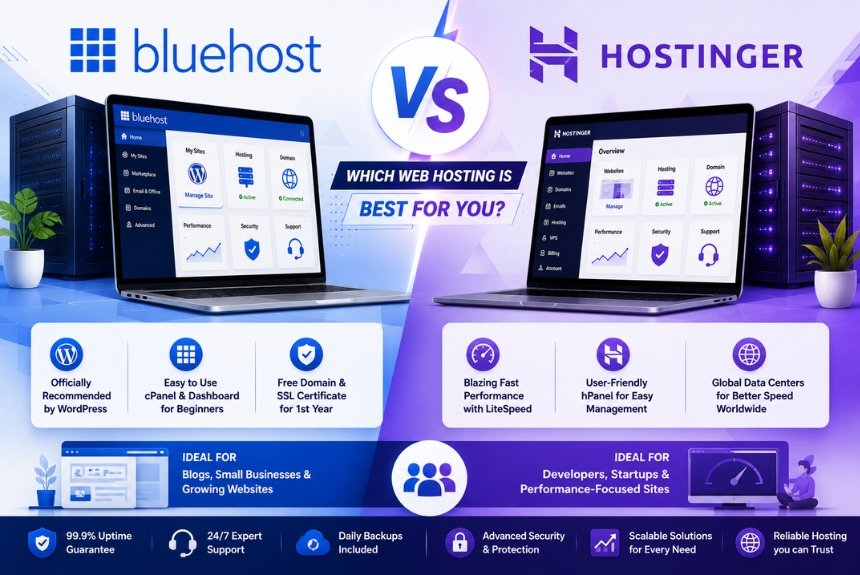
Selecting the right web hosting provider is one of the most important decisions when building a website. Whether you’re creating a personal blog, launching an online store, running a business website, or managing multiple client projects, your hosting provider directly affects your website’s speed, uptime, security, scalability, and overall user experience. Choosing a reliable hosting service helps ensure that your website remains accessible, performs efficiently, and supports long-term growth.
Among the many hosting providers available today, Bluehost and Hostinger consistently rank among the most popular options. Both companies are trusted by millions of users worldwide and offer a wide range of hosting solutions for beginners, bloggers, businesses, developers, and e-commerce websites. While both providers deliver reliable hosting services, they differ in pricing, performance, features, user experience, and overall value.
Bluehost has built a strong reputation for its beginner-friendly approach and seamless WordPress integration. It offers Shared Hosting, VPS Hosting, Dedicated Servers, Cloud Hosting, and Managed WordPress Hosting. Its intuitive dashboard, one-click WordPress installation, and scalable hosting plans make it an attractive option for users who are starting their first website as well as businesses looking for dependable hosting.
Hostinger, on the other hand, is known for its affordable pricing, high-performance infrastructure, and modern management panel. The company provides Shared Hosting, Cloud Hosting, VPS Hosting, Managed WordPress Hosting, and specialized hosting for growing websites. Hostinger focuses on delivering fast loading speeds, efficient resource management, and a simple user experience while maintaining competitive pricing.
Because both providers target similar audiences, many users find it difficult to decide which one offers better value. The right choice depends on several factors, including your website type, expected traffic, technical expertise, performance requirements, budget, and future growth plans.
This comprehensive comparison examines Bluehost and Hostinger across every major category, including hosting plans, speed, uptime, ease of use, security features, customer support, pricing, advantages, disadvantages, and ideal use cases. By the end of this guide, you’ll have a clear understanding of which hosting provider best matches your needs.
Company Overview
Before comparing individual features, it’s helpful to understand what each company offers and how they position themselves in the web hosting market.
Bluehost Overview
Bluehost is one of the most recognized web hosting providers and has been serving website owners for many years. It offers hosting solutions suitable for individuals, bloggers, freelancers, agencies, developers, and businesses of all sizes.
Bluehost provides services such as:
- Shared Hosting
- WordPress Hosting
- VPS Hosting
- Dedicated Hosting
- Cloud Hosting
- WooCommerce Hosting
- Domain Registration
- Professional Email Hosting
- Website Builder
The platform is particularly popular among WordPress users due to its optimized hosting environment, beginner-friendly setup process, and simple website management tools.
Key Features of Bluehost
Some of Bluehost’s major features include:
- One-click WordPress installation
- Free SSL certificate on eligible plans
- SSD storage
- Free domain for eligible annual plans
- Website migration tools
- Automatic WordPress updates
- Website builder
- Email hosting
- Scalable hosting plans
These features make Bluehost a suitable choice for beginners as well as growing businesses.
Hostinger Overview
Hostinger has become one of the fastest-growing hosting providers by combining affordable pricing with modern hosting technology.
Its services include:
- Shared Hosting
- WordPress Hosting
- Cloud Hosting
- VPS Hosting
- Website Builder
- Domain Registration
- Business Email Hosting
- Managed Hosting Solutions
Hostinger focuses on providing fast website performance through LiteSpeed web servers, SSD/NVMe storage (depending on the plan), optimized infrastructure, and an intuitive custom control panel.
Key Features of Hostinger
Hostinger offers several features that appeal to both beginners and experienced users.
Major features include:
- LiteSpeed Web Servers
- SSD or NVMe storage (plan-dependent)
- Free SSL certificate
- Managed WordPress Hosting
- AI Website Builder
- Website migration assistance
- Daily or weekly backups (depending on the plan)
- CDN integration
- Custom hPanel control panel
Its combination of affordability and performance has made Hostinger a popular option for startups and small businesses.
Bluehost vs Hostinger at a Glance
| Feature | Bluehost | Hostinger |
| Beginner Friendly | ⭐⭐⭐⭐⭐ | ⭐⭐⭐⭐⭐ |
| WordPress Hosting | Excellent | Excellent |
| Shared Hosting | Yes | Yes |
| VPS Hosting | Yes | Yes |
| Dedicated Hosting | Yes | No (focuses on VPS instead) |
| Cloud Hosting | Yes | Yes |
| Website Builder | Yes | Yes |
| Free SSL | Yes | Yes |
| Free Domain | Eligible annual plans | Eligible premium plans |
| Best For | Beginners & WordPress users | Budget-conscious users & growing websites |
Comparing Bluehost and Hostinger
Although both companies offer similar hosting services, they approach web hosting differently.
Bluehost focuses on:
- Beginner-friendly experience
- WordPress integration
- Reliable customer support
- Easy website management
- Scalable hosting options
Hostinger focuses on:
- Affordable pricing
- Fast website performance
- LiteSpeed server technology
- Modern control panel
- Value-for-money hosting
The best choice depends on whether you prioritize ease of use, performance, pricing, or future scalability.
Which Provider Is Better for Beginners?
Both Bluehost and Hostinger are suitable for beginners, but they cater to different preferences.
Bluehost offers:
- Guided onboarding
- Familiar dashboard
- Easy WordPress installation
- Beginner-focused tutorials
Hostinger offers:
- Modern hPanel interface
- AI-powered website builder
- Affordable plans
- Fast setup process
Users looking for a traditional hosting experience may prefer Bluehost, while those seeking modern tools and lower pricing may find Hostinger more appealing.
Hosting Plans Comparison
Choosing the right hosting plan is one of the most important decisions when selecting a web hosting provider. Although both Bluehost and Hostinger offer multiple hosting solutions, they differ in pricing, included features, scalability, and the types of users they target. Understanding these differences helps you choose a hosting plan that aligns with your website’s goals and future growth.
Whether you’re launching a personal blog, running an online store, managing a business website, or developing client projects, both providers offer hosting plans designed for different needs.
Shared Hosting Comparison
Shared Hosting is the most affordable option offered by both Bluehost and Hostinger. In this hosting environment, multiple websites share the same server resources, making it an ideal solution for beginners and small websites.
This hosting type is suitable for:
- Personal blogs
- Startup websites
- Portfolio websites
- Small business websites
- Educational websites
- Informational websites
Both companies include essential features such as SSD storage, SSL certificates, and one-click WordPress installation.
Bluehost Shared Hosting
Bluehost’s Shared Hosting focuses on simplicity and ease of use.
Typical features include:
- SSD storage
- Free SSL certificate
- Free domain on eligible annual plans
- One-click WordPress installation
- Website management dashboard
- Email hosting
- Automatic WordPress updates
- Scalable upgrade options
Bluehost is especially attractive to users creating their first website because of its guided setup process and intuitive interface.
Hostinger Shared Hosting
Hostinger’s Shared Hosting is known for offering excellent value at a competitive price.
Common features include:
- SSD or NVMe storage (depending on the plan)
- Free SSL certificate
- Optimized LiteSpeed servers
- One-click WordPress installation
- AI Website Builder
- Weekly or daily backups (plan-dependent)
- Custom hPanel
- CDN support on selected plans
Hostinger focuses on delivering fast website performance while maintaining affordability.
Shared Hosting Comparison Table
| Feature | Bluehost | Hostinger |
| SSD Storage | Yes | Yes |
| NVMe Storage | Limited | Available on selected plans |
| Free SSL | Yes | Yes |
| Free Domain | Eligible annual plans | Eligible premium plans |
| Website Builder | Yes | Yes |
| WordPress Installation | One-click | One-click |
| Beginner Friendly | Excellent | Excellent |
WordPress Hosting Comparison
Since WordPress powers a large portion of websites worldwide, both Bluehost and Hostinger provide hosting environments optimized specifically for WordPress.
These hosting plans improve:
- Website speed
- Security
- Automatic updates
- WordPress management
- Overall performance
Bluehost WordPress Hosting
Bluehost offers a WordPress environment designed to simplify website management.
Key features include:
- One-click installation
- Automatic WordPress updates
- Optimized hosting environment
- Free SSL
- Website staging (selected plans)
- Email hosting
- WordPress-focused dashboard
Bluehost is particularly appealing to users who want a traditional and easy-to-use WordPress experience.
Hostinger WordPress Hosting
Hostinger emphasizes performance and efficiency for WordPress users.
Major features include:
- LiteSpeed servers
- Built-in caching
- WordPress acceleration
- Automatic updates
- AI Website Builder
- Enhanced optimization
- WordPress management tools
Its optimized infrastructure helps improve loading speeds and overall website responsiveness.
VPS Hosting Comparison
Virtual Private Server (VPS) Hosting provides dedicated virtual resources, making it suitable for growing businesses and high-traffic websites.
Advantages include:
- Dedicated CPU
- Dedicated RAM
- Root access
- Better scalability
- Improved security
Bluehost VPS Hosting
Bluehost VPS Hosting provides:
- Dedicated virtual resources
- Improved server performance
- Root access
- Flexible resource allocation
- Easy scalability
This hosting solution is ideal for businesses expecting steady traffic growth.
Hostinger VPS Hosting
Hostinger VPS Hosting focuses on performance and flexibility.
Benefits include:
- Full root access
- High-performance infrastructure
- Dedicated resources
- Custom server configurations
- Competitive pricing
Developers and advanced users often appreciate the greater customization available.
Cloud Hosting Comparison
Cloud Hosting distributes website resources across multiple servers, improving availability and scalability.
Bluehost Cloud Hosting
Bluehost offers cloud-based hosting designed to provide:
- Better uptime
- Flexible scalability
- Improved reliability
- Simplified website management
Cloud Hosting is suitable for businesses expecting traffic fluctuations.
Hostinger Cloud Hosting
Hostinger’s Cloud Hosting combines VPS-like performance with the simplicity of shared hosting.
Benefits include:
- High-speed infrastructure
- Better scalability
- Managed hosting
- Resource isolation
- Improved performance
This option is ideal for rapidly growing websites and online stores.
Website Builder Comparison
Both providers include website-building solutions for users without coding knowledge.
Bluehost Website Builder
Features include:
- Drag-and-drop editor
- WordPress integration
- Responsive templates
- Custom branding options
- Beginner-friendly interface
Hostinger Website Builder
Hostinger provides:
- AI-powered website builder
- Responsive templates
- Drag-and-drop editor
- Built-in SEO tools
- Simple customization options
The AI features help users create professional websites quickly.
Hosting Plan Comparison Table
| Category | Bluehost | Hostinger | Winner |
| Shared Hosting | Excellent | Excellent | Tie |
| WordPress Hosting | Excellent | Excellent | Tie |
| VPS Hosting | Very Good | Excellent | Hostinger |
| Cloud Hosting | Very Good | Excellent | Hostinger |
| Website Builder | Good | Excellent (AI Builder) | Hostinger |
| Beginner Experience | Excellent | Excellent | Tie |
| Overall Value | Very Good | Excellent | Hostinger |
Which Hosting Plans Offer Better Value?
Choosing the better hosting plan depends on your priorities.
Choose Bluehost if you:
- Prefer a traditional hosting experience.
- Are building your first WordPress website.
- Want straightforward website management.
- Need reliable shared or managed WordPress hosting.
Choose Hostinger if you:
- Want affordable hosting.
- Prioritize website speed.
- Need modern management tools.
- Expect your website to grow quickly.
- Want strong performance at a competitive price.
Speed & Performance
Website speed is one of the most important ranking factors for search engines and a major contributor to user experience. Visitors expect websites to load quickly, and even a small delay can increase bounce rates, reduce conversions, and negatively impact SEO performance. Both Bluehost and Hostinger invest heavily in server infrastructure and optimization technologies, but they use different approaches to deliver fast and reliable hosting.
This section compares their performance based on server technology, storage, caching, scalability, and real-world usability.
Why Website Speed Matters
A fast-loading website provides several important benefits:
- Better user experience
- Higher search engine rankings
- Lower bounce rates
- Increased visitor engagement
- Improved conversion rates
- Faster page navigation
- Better mobile performance
Regardless of website size, speed plays a vital role in online success.
Bluehost Performance
Bluehost has built its infrastructure to provide consistent performance for blogs, business websites, and online stores.
Performance highlights include:
- SSD storage
- Optimized WordPress servers
- Built-in caching support
- Resource optimization
- Cloud hosting options
- Modern PHP versions
These features help websites maintain reliable loading speeds even during moderate traffic.
Hostinger Performance
Hostinger is widely recognized for emphasizing performance.
Its hosting environment includes:
- LiteSpeed Web Servers
- SSD and NVMe storage (plan-dependent)
- LiteSpeed Cache
- HTTP/3 support
- Optimized PHP configurations
- CDN integration
- Resource isolation on higher plans
These technologies allow Hostinger to deliver excellent page loading speeds and efficient server performance.
Server Technology Comparison
| Feature | Bluehost | Hostinger |
| SSD Storage | Yes | Yes |
| NVMe Storage | Limited | Available on selected plans |
| LiteSpeed Servers | No | Yes |
| Built-in Cache | Yes | Yes |
| CDN Support | Yes | Yes |
| HTTP/3 Support | Limited | Yes |
Hostinger’s LiteSpeed infrastructure provides a noticeable advantage for WordPress websites and dynamic applications.
Scalability
As websites grow, hosting resources become increasingly important.
Bluehost
Offers:
- Shared Hosting upgrades
- VPS Hosting
- Cloud Hosting
- Dedicated Hosting
Users can scale their websites without migrating to another provider.
Hostinger
Provides:
- Shared Hosting
- Cloud Hosting
- VPS Hosting
- Flexible resource upgrades
Hostinger’s cloud infrastructure allows websites to handle traffic growth efficiently.
Performance Optimization Tips
Regardless of your hosting provider, website owners should:
- Compress images.
- Use caching plugins.
- Optimize databases.
- Remove unnecessary plugins.
- Minify CSS and JavaScript.
- Enable CDN services.
- Use lightweight themes.
Combining these best practices with quality hosting maximizes website speed.
Speed Comparison
Overall comparison:
- Bluehost offers stable and dependable performance for most websites.
- Hostinger generally provides faster loading speeds due to LiteSpeed servers and optimized infrastructure.
Businesses focused on maximizing page speed may find Hostinger more attractive, while Bluehost delivers consistent performance suitable for most small and medium-sized websites.
Uptime
Website uptime measures how consistently a website remains available to visitors. Frequent downtime can reduce customer trust, affect search engine rankings, and lead to lost business opportunities.
Both Bluehost and Hostinger prioritize server reliability through modern infrastructure and continuous monitoring.
Bluehost Uptime
Bluehost provides dependable uptime through:
- Modern data centers
- Redundant infrastructure
- Continuous server monitoring
- Resource management
- Network optimization
These technologies help minimize unexpected downtime.
Hostinger Uptime
Hostinger focuses heavily on infrastructure reliability.
Features include:
- Multiple global data centers
- Cloud-based infrastructure
- Resource isolation
- Continuous monitoring
- Automatic failover systems
These technologies contribute to stable website availability.
Why Uptime Matters
High uptime offers several benefits:
- Better customer experience
- Improved business credibility
- Higher search engine trust
- Consistent website availability
- Reduced revenue loss
For e-commerce stores and business websites, maintaining high uptime is essential.
Uptime Comparison Table
| Feature | Bluehost | Hostinger |
| Infrastructure | Excellent | Excellent |
| Server Monitoring | Yes | Yes |
| Global Data Centers | Yes | Yes |
| Resource Optimization | Yes | Yes |
| Reliability | Excellent | Excellent |
Both providers perform well in terms of reliability, making this category effectively a tie for most users.
Ease of Use
Ease of use is particularly important for beginners who have limited experience with web hosting.
Both Bluehost and Hostinger simplify website management but use different control panels and workflows.
Bluehost User Experience
Bluehost focuses on simplicity.
Advantages include:
- Beginner-friendly dashboard
- Guided website setup
- One-click WordPress installation
- Organized hosting management
- Easy domain management
- Simple account navigation
Its interface is designed for users launching their first website.
Hostinger User Experience
Hostinger uses its custom hPanel, which offers a clean and modern interface.
Features include:
- Custom control panel
- AI Website Builder
- Quick navigation
- Simple hosting management
- Built-in optimization tools
- Easy WordPress management
Many users appreciate hPanel because it is intuitive and lightweight.
Website Setup
Bluehost
Website creation involves:
- Account creation
- Domain registration
- Hosting selection
- WordPress installation
- Theme selection
- Website customization
The process is straightforward and beginner-friendly.
Hostinger
Hostinger offers a similarly simple setup process with additional AI-assisted tools that help users create websites more quickly.
Learning Curve
Bluehost is ideal for users who prefer traditional hosting dashboards and guided onboarding.
Hostinger is well suited for users who enjoy modern interfaces, AI-powered tools, and streamlined website management.
Ease of Use Comparison Table
| Feature | Bluehost | Hostinger | Winner |
| Beginner Friendly | ⭐⭐⭐⭐⭐ | ⭐⭐⭐⭐⭐ | Tie |
| Dashboard | Excellent | Excellent | Tie |
| Website Builder | Very Good | Excellent | Hostinger |
| WordPress Setup | Excellent | Excellent | Tie |
| AI Features | Limited | Excellent | Hostinger |
| Overall Simplicity | Excellent | Excellent | Tie |
Security Features
Website security is one of the most critical aspects of choosing a hosting provider. A secure hosting environment helps protect websites from cyber threats such as malware, phishing attacks, brute-force login attempts, ransomware, and data breaches. Both Bluehost and Hostinger provide multiple security features, but they differ in how these features are implemented and which are included by default.
This section compares the security capabilities of Bluehost and Hostinger to help you determine which provider better protects your website.
Bluehost Security Features
Bluehost includes several built-in security features designed to protect websites from common threats.
Key features include:
- Free SSL certificate on eligible plans
- Automatic WordPress updates
- Secure login protection
- Spam protection
- Malware scanning options
- Server monitoring
- Secure data centers
These features provide a strong foundation for personal websites, blogs, and business websites.
Hostinger Security Features
Hostinger focuses on combining security with high performance.
Its security features include:
- Free SSL certificate
- DDoS protection
- Cloudflare-protected nameservers
- Automatic updates
- Malware monitoring
- Web Application Firewall (on selected services)
- Secure access management
- Regular server monitoring
Hostinger also emphasizes proactive infrastructure monitoring to identify potential threats before they affect hosted websites.
SSL Certificates
Both Bluehost and Hostinger provide free SSL certificates with eligible hosting plans.
Benefits include:
- HTTPS encryption
- Secure customer information
- Improved search engine rankings
- Increased visitor trust
- Protection of login credentials
SSL certificates are essential for every modern website, especially those collecting user information or processing online payments.
Automatic Backups
Website backups are essential for recovering from accidental deletion, hacking incidents, or software failures.
Bluehost
Offers backup options depending on the hosting plan and additional services selected.
Hostinger
Provides automatic weekly or daily backups depending on the hosting package, making data recovery easier.
Regular backups reduce downtime and minimize data loss after unexpected issues.
Malware Protection
Both providers encourage website owners to maintain updated software and use trusted plugins.
Recommended security practices include:
- Keep WordPress updated.
- Delete unused plugins and themes.
- Install trusted security plugins.
- Use strong administrator passwords.
- Monitor login activity.
- Perform regular malware scans.
Good website security depends on both hosting infrastructure and responsible website management.
Security Comparison Table
| Security Feature | Bluehost | Hostinger |
| Free SSL | ✅ | ✅ |
| Automatic Updates | ✅ | ✅ |
| Malware Protection | ✅ | ✅ |
| DDoS Protection | Basic | Advanced |
| Website Backups | Plan-dependent | Plan-dependent |
| Server Monitoring | ✅ | ✅ |
Winner: Hostinger has a slight advantage due to its enhanced infrastructure protection and built-in DDoS mitigation.
Summary
Bluehost and Hostinger both provide strong security foundations through SSL certificates, automatic updates, monitoring, and malware protection. Bluehost offers dependable protection for most websites, while Hostinger includes additional infrastructure-level security features that make it particularly attractive for performance-focused and business websites.
Customer Support
Reliable customer support is essential when managing a website. Whether you’re experiencing technical issues, configuring domains, installing WordPress, or troubleshooting server problems, responsive support can save valuable time.
Both Bluehost and Hostinger offer multiple support channels designed to assist beginners as well as experienced users.
Bluehost Customer Support
Bluehost provides several customer support options.
These include:
- 24/7 live chat
- Phone support
- Email and ticket support
- Knowledge base
- WordPress tutorials
- Community documentation
Bluehost’s phone support is especially valuable for beginners who prefer speaking directly with a support representative.
Hostinger Customer Support
Hostinger focuses primarily on digital support channels.
Available options include:
- 24/7 live chat
- Ticket support
- Comprehensive knowledge base
- Tutorials
- Hosting guides
- AI-powered support resources
Although Hostinger does not emphasize phone support, its live chat system is generally responsive and well-equipped to handle technical issues.
Knowledge Base
Both companies maintain detailed documentation covering topics such as:
- Website migration
- Domain management
- Email configuration
- SSL certificates
- WordPress installation
- Website optimization
- Backup procedures
- Security recommendations
These resources allow users to solve many common problems independently.
Customer Support Comparison
| Feature | Bluehost | Hostinger |
| Live Chat | ✅ | ✅ |
| Phone Support | ✅ | Limited/Not standard |
| Ticket Support | ✅ | ✅ |
| Knowledge Base | Excellent | Excellent |
| Beginner Resources | Excellent | Excellent |
Winner
- Bluehost is better for users who value traditional phone support.
- Hostinger performs well for users comfortable with live chat and online documentation.
Summary
Both providers offer high-quality customer support, but Bluehost has an advantage for beginners who prefer phone assistance. Hostinger’s live chat, tutorials, and knowledge base remain excellent choices for users who prefer online support.
Pricing Comparison
Pricing is often one of the deciding factors when choosing a hosting provider. Although both Bluehost and Hostinger offer introductory discounts, their pricing strategies, included features, and long-term value differ.
Bluehost Pricing
Bluehost provides several hosting options suitable for different users.
Its hosting portfolio includes:
- Shared Hosting
- WordPress Hosting
- VPS Hosting
- Dedicated Hosting
- Cloud Hosting
Included features often include:
- Free SSL certificate
- Free domain (eligible annual plans)
- Email hosting
- WordPress installation
- Website management tools
Bluehost offers good value for users looking for an all-in-one hosting experience.
Hostinger Pricing
Hostinger is widely recognized for its affordable pricing.
Hosting options include:
- Shared Hosting
- WordPress Hosting
- VPS Hosting
- Cloud Hosting
Common features include:
- Free SSL certificate
- LiteSpeed servers
- AI Website Builder
- Website migration
- CDN support
- Weekly or daily backups (plan-dependent)
Hostinger is especially attractive to startups, bloggers, and small businesses with limited budgets.
Introductory vs Renewal Pricing
Both providers frequently offer discounted introductory pricing for new customers.
Before purchasing, compare:
- Initial promotional pricing
- Renewal pricing
- Included features
- Storage limits
- Backup options
- Customer support
Understanding long-term renewal costs helps avoid unexpected expenses.
Pricing Comparison Table
| Category | Bluehost | Hostinger | Winner |
| Entry-Level Pricing | Good | Excellent | Hostinger |
| Features Included | Excellent | Excellent | Tie |
| Performance per Dollar | Very Good | Excellent | Hostinger |
| Long-Term Value | Excellent | Excellent | Tie |
| Budget Friendliness | Good | Excellent | Hostinger |
Overall Pricing Verdict
- Choose Bluehost if you want an established hosting provider with a beginner-friendly experience, strong WordPress integration, and comprehensive hosting solutions.
- Choose Hostinger if your priority is affordable pricing, fast performance, and modern hosting technologies.
Pros & Cons
Both Bluehost and Hostinger are trusted web hosting providers, but each has its own strengths and limitations. Your choice should depend on your budget, website requirements, and future growth plans.
Bluehost Pros
- Beginner-friendly dashboard with guided setup.
- Excellent WordPress integration and optimized hosting.
- Wide range of hosting options, including Shared, VPS, Dedicated, and Cloud Hosting.
- Free SSL certificate on eligible plans.
- Free domain with eligible annual plans.
- Reliable uptime and stable performance.
- Phone support in addition to live chat and knowledge base.
- Easy scalability for growing websites.
Bluehost Cons
- Introductory discounts increase upon renewal.
- Performance is good but may not match LiteSpeed-based hosting.
- Some advanced features require higher-tier plans.
Hostinger Pros
- Affordable pricing with excellent value for money.
- LiteSpeed web servers for fast loading speeds.
- Modern and user-friendly hPanel.
- AI Website Builder for beginners.
- Strong performance for WordPress websites.
- Free SSL certificate and website migration.
- Flexible cloud and VPS hosting options.
- Excellent performance-to-price ratio.
Hostinger Cons
- No traditional phone support.
- Some features vary depending on the hosting plan.
- Beginners may need time to become familiar with the custom hPanel.
Which Hosting Should You Choose?
Choosing between Bluehost and Hostinger depends on your priorities rather than simply selecting the provider with the most features.
Choose Bluehost if you:
- Are creating your first website.
- Prefer a traditional hosting experience.
- Want strong WordPress integration.
- Value phone support and guided onboarding.
- Need Dedicated Hosting as your website grows.
Choose Hostinger if you:
- Have a limited budget.
- Want the best performance for the price.
- Prefer LiteSpeed technology.
- Need faster page loading.
- Like modern hosting tools and AI-powered features.
- Expect rapid website growth.
Frequently Asked Questions (FAQs)
1. Which is better for beginners, Bluehost or Hostinger?
Both are beginner-friendly, but Bluehost offers a more guided setup experience, while Hostinger provides a modern interface with AI-powered tools.
2. Which hosting provider is faster?
Hostinger generally has an advantage in speed because of its LiteSpeed Web Servers, built-in caching, and optimized infrastructure.
3. Is Bluehost better for WordPress?
Bluehost is an excellent choice for WordPress users thanks to its optimized environment, simple setup, and beginner-friendly management tools.
4. Which provider offers better value for money?
Hostinger usually offers better value for budget-conscious users by combining competitive pricing with strong performance and modern features.
5. Can I upgrade my hosting plan later?
Yes. Both Bluehost and Hostinger allow users to upgrade from entry-level hosting plans to more powerful solutions as website traffic and resource requirements increase.
Final Recommendation
Both Bluehost and Hostinger are excellent hosting providers, but they serve slightly different audiences. Bluehost stands out for its beginner-friendly interface, dependable WordPress hosting, and comprehensive customer support, making it a great choice for first-time website owners and businesses looking for a reliable long-term hosting partner.
Hostinger, however, delivers exceptional value with its affordable pricing, LiteSpeed-powered performance, and modern hosting tools. It is particularly well suited for startups, bloggers, freelancers, and small businesses that want fast hosting without a high upfront cost.
If your priority is ease of use and WordPress integration, Bluehost is a strong option. If you want maximum performance and value for money, Hostinger is the better choice.
Ready to Choose Between Bluehost and Hostinger?
Ready to launch your website? Compare Bluehost and Hostinger based on performance, pricing, features, and long-term value to find the hosting provider that best fits your needs. Whether you’re starting a personal blog, building an online store, or growing a business website, choosing the right hosting is a smart investment. Explore their hosting plans, compare the key differences, and select the solution that delivers the speed, security, reliability, and scalability your website needs to succeed.
Leave a Reply