


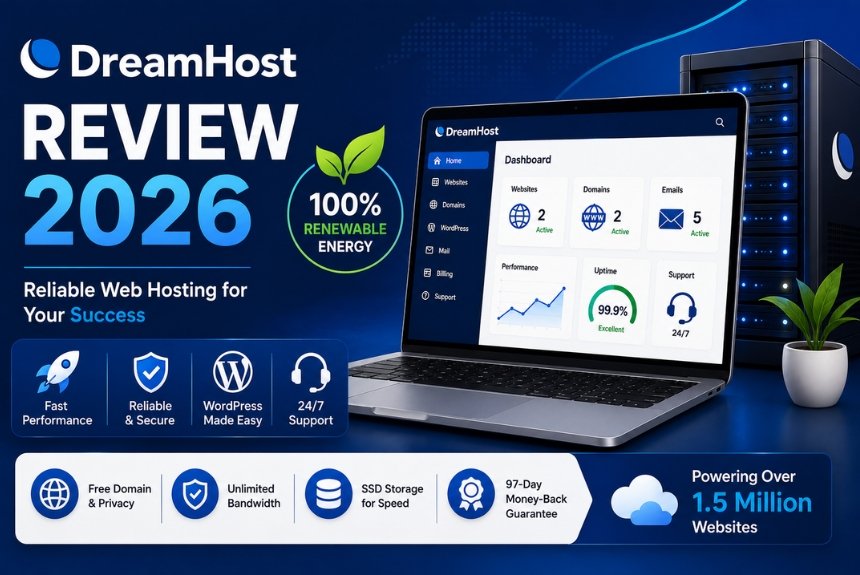
Choosing the right web hosting provider is one of the most important decisions when creating a website. Whether you’re launching a personal blog, building an online portfolio, managing a business website, or running an e-commerce store, your hosting service directly impacts your website’s speed, security, uptime, and overall user experience. A dependable hosting provider ensures your website remains accessible, performs efficiently, and can scale as your online presence grows.
With hundreds of hosting companies available today, selecting the best provider can be challenging. Each hosting platform offers different features, pricing structures, performance levels, and support services. Before making a decision, website owners should evaluate important factors such as hosting plans, server reliability, website speed, security measures, scalability, ease of use, customer support, and long-term costs.
DreamHost has earned a strong reputation as one of the longest-standing and most trusted web hosting companies in the industry. Serving individuals, developers, bloggers, entrepreneurs, and businesses for many years, DreamHost offers a comprehensive range of hosting solutions including Shared Hosting, VPS Hosting, Dedicated Servers, Cloud Hosting, and Managed WordPress Hosting. Its focus on reliability, transparency, and customer satisfaction has made it a preferred choice for millions of websites worldwide.
One of DreamHost’s key strengths is its commitment to open-source technologies and WordPress. The company provides optimized WordPress hosting solutions, automatic updates, built-in caching, free SSL certificates on eligible plans, and tools that simplify website management for beginners while still offering advanced features for developers.
Beyond hosting, DreamHost also offers domain registration, professional email hosting, website-building tools, cloud services, and website migration assistance. This integrated ecosystem enables users to manage multiple aspects of their online presence from a single platform, reducing complexity and improving efficiency.
However, selecting a hosting provider should never be based solely on popularity. Website owners should also consider pricing, renewal costs, customer support quality, performance under heavy traffic, available security features, and how well the hosting plans align with their long-term goals.
This comprehensive DreamHost Review 2026 explores every important aspect of the platform, including hosting plans, Managed WordPress Hosting, website performance, security and backup features, customer support, pricing, advantages, disadvantages, alternatives, and overall value. By the end of this guide, you’ll have a clear understanding of whether DreamHost is the right hosting provider for your website.
About DreamHost
DreamHost is a web hosting and cloud services provider that offers reliable hosting solutions for individuals, freelancers, startups, developers, agencies, and businesses of all sizes. The company is known for its commitment to open-source technologies, customer privacy, and dependable hosting infrastructure.
DreamHost provides a wide selection of services that allow users to create, host, and manage websites efficiently. Customers can choose from Shared Hosting, Managed WordPress Hosting, VPS Hosting, Dedicated Servers, Cloud Hosting, domain registration, professional email services, and website-building tools.
One of DreamHost’s distinguishing characteristics is its emphasis on simplicity. Beginners can launch websites quickly using intuitive management tools, while experienced users benefit from advanced server configurations, SSH access, custom development environments, and scalable cloud infrastructure.

Core Services Offered by DreamHost
DreamHost provides an extensive portfolio of hosting and online services, including:
- Shared Hosting
- Managed WordPress Hosting
- VPS Hosting
- Dedicated Servers
- Cloud Hosting
- Domain Registration
- Professional Email Hosting
- Website Builder
- Cloud Computing Services
- SSL Certificates
- Website Migration Assistance
This comprehensive ecosystem allows customers to manage nearly every aspect of their online presence through one provider.
Key Features of DreamHost
Some of DreamHost’s most notable features include:
- Beginner-friendly hosting dashboard
- One-click WordPress installation
- Managed WordPress Hosting
- SSD storage
- Free SSL certificates on eligible plans
- Automatic WordPress updates
- Daily backups on selected plans
- Scalable hosting infrastructure
- Cloud hosting platform
- Developer-friendly tools
These features make DreamHost suitable for users ranging from first-time website owners to experienced developers managing complex projects.
Why DreamHost Is Popular
DreamHost has remained one of the industry’s leading hosting providers because it combines dependable performance with transparent pricing and flexible hosting solutions.
Its popularity is driven by several factors:
Strong WordPress Support
DreamHost is well known for its optimized WordPress hosting environment, making it a preferred choice for bloggers, publishers, and businesses that rely on WordPress.
Beginner-Friendly Experience
The platform simplifies website creation through intuitive account management, guided setup, and one-click installations.
Flexible Hosting Options
Customers can start with affordable shared hosting and upgrade to VPS, cloud, or dedicated servers as traffic grows.
Reliable Infrastructure
DreamHost invests in modern server hardware, SSD storage, and scalable cloud technology to support consistent website performance.
Developer-Friendly Environment
Advanced users benefit from SSH access, custom configurations, staging environments, and support for modern development workflows.
Types of Websites You Can Host
DreamHost supports many different website types, including:
- Personal blogs
- Business websites
- Company portfolios
- Online stores
- Educational websites
- Membership websites
- Agency websites
- News portals
- SaaS landing pages
- Non-profit organization websites
Its flexible hosting services make it suitable for nearly every type of online project.
Benefits of Choosing DreamHost
Some of the biggest advantages of using DreamHost include:
- Easy website setup
- Reliable hosting infrastructure
- Excellent WordPress support
- Scalable hosting plans
- SSD storage for improved performance
- Developer-friendly features
- Free SSL certificates on eligible plans
- Transparent pricing
- Comprehensive hosting ecosystem
These benefits make DreamHost an attractive option for beginners, businesses, and developers alike.
Hosting Plans
DreamHost offers a wide variety of hosting solutions designed to accommodate everyone from first-time website owners to developers managing large-scale web applications. Instead of forcing users into a one-size-fits-all package, DreamHost allows customers to choose hosting based on their website size, expected traffic, technical expertise, and future growth plans.
Whether you are creating a personal blog, launching an online store, hosting a portfolio, or running a business website, DreamHost provides scalable hosting options that can grow alongside your website.
Shared Hosting
Shared Hosting is DreamHost’s entry-level hosting solution and one of its most popular services. Multiple websites share the same server resources, making it an affordable option for beginners and small websites.
It is ideal for:
- Personal blogs
- Startup businesses
- Portfolio websites
- Educational websites
- Small company websites
- Informational websites
Features
Shared Hosting includes several useful features that simplify website management.
These include:
- SSD storage
- Free SSL certificate on eligible plans
- Unlimited traffic on many plans
- One-click WordPress installation
- Free domain for eligible annual plans
- Website management dashboard
- Email hosting options
These features allow beginners to launch professional websites without significant technical knowledge.
Advantages of Shared Hosting
Some of the biggest benefits include:
- Affordable pricing
- Beginner-friendly setup
- Reliable website performance
- Simple management interface
- Easy upgrades
- Suitable for low to medium traffic websites
Limitations
Despite its affordability, Shared Hosting has some limitations.
These include:
- Shared server resources
- Limited server customization
- Performance may decline during extremely high traffic
- Not ideal for enterprise applications
For most small websites, however, Shared Hosting provides an excellent balance between price and functionality.
Managed WordPress Hosting
DreamHost is widely recognized for its optimized Managed WordPress Hosting solutions.
Unlike standard hosting, Managed WordPress Hosting is specifically configured to maximize WordPress performance while reducing maintenance responsibilities.
The hosting environment is optimized for:
- Faster loading times
- Improved security
- Automatic updates
- Better reliability
- Easier website management
This hosting solution is especially valuable for bloggers, content creators, agencies, and businesses that rely heavily on WordPress.
VPS Hosting
Virtual Private Server (VPS) Hosting provides dedicated virtual resources within a shared physical server.
Compared to Shared Hosting, VPS Hosting offers:
- Dedicated RAM
- Dedicated CPU resources
- Greater flexibility
- Better scalability
- Root access
- Enhanced security
It is recommended for:
- Growing businesses
- Medium-sized websites
- Membership websites
- Developers
- Agencies
As website traffic increases, VPS Hosting provides the additional resources needed to maintain performance.
Dedicated Server Hosting
Dedicated Hosting provides customers with an entire physical server.
This hosting option offers maximum control and performance.
Advantages include:
- Dedicated hardware
- Superior performance
- Full customization
- Advanced security
- Maximum reliability
Dedicated servers are commonly used by:
- Enterprise organizations
- Large online stores
- SaaS platforms
- High-traffic websites
- Corporate applications
Although more expensive, Dedicated Hosting delivers exceptional performance for demanding workloads.
DreamCompute Cloud Hosting
DreamHost also offers cloud hosting through its DreamCompute platform.
Cloud Hosting allows users to deploy scalable virtual servers capable of handling changing workloads.
Benefits include:
- Flexible scalability
- Fast deployment
- High availability
- Pay-for-resource model
- Developer-friendly environment
Cloud Hosting is particularly useful for software developers, application hosting, testing environments, and businesses with variable traffic patterns.
Hosting Comparison Table
| Hosting Type | Best For | Performance | Scalability | Technical Skill |
| Shared Hosting | Beginners | Good | Moderate | Low |
| Managed WordPress | Bloggers | Excellent | High | Low |
| VPS Hosting | Growing Websites | High | High | Medium |
| DreamCompute Cloud | Developers | Excellent | Excellent | Medium |
| Dedicated Hosting | Enterprise | Outstanding | Excellent | Advanced |
Which Hosting Plan Should You Choose?
Selecting the right hosting plan depends on your website requirements.
General recommendations include:
- Shared Hosting — Best for beginners and personal websites.
- Managed WordPress Hosting — Ideal for bloggers and WordPress users.
- VPS Hosting — Suitable for businesses experiencing steady growth.
- DreamCompute Cloud — Recommended for developers and scalable applications.
- Dedicated Hosting — Best for enterprise websites and high-traffic businesses.
Choosing a hosting plan based on future growth helps avoid unnecessary migrations later.
Summary
DreamHost offers flexible hosting solutions that support every stage of website growth. Whether you’re launching your first website or managing a high-traffic business platform, DreamHost provides scalable infrastructure designed to meet changing hosting requirements.
Managed WordPress Hosting
WordPress powers millions of websites worldwide, making optimized WordPress hosting an important consideration for website owners. DreamHost has built a strong reputation in this area by offering managed hosting solutions that simplify WordPress maintenance while improving website performance and security.
Managed WordPress Hosting reduces the technical work involved in maintaining a WordPress website by automating many routine tasks.
One-Click WordPress Installation
DreamHost makes WordPress installation extremely simple.
Users can install WordPress with just a few clicks without manually creating databases or configuring server settings.
Benefits include:
- Quick setup
- Beginner-friendly installation
- Automatic configuration
- Reduced technical complexity
Automatic Updates
Keeping WordPress updated is essential for maintaining website security and compatibility.
DreamHost helps simplify maintenance through automatic updates for:
- WordPress core
- Security patches
- System improvements
Automatic updates reduce the risk of vulnerabilities caused by outdated software.
Optimized Server Environment
DreamHost configures its servers specifically for WordPress websites.
Optimization includes:
- SSD storage
- Server-level caching
- Updated PHP versions
- Optimized databases
- Resource management
These improvements contribute to faster page loading and better overall website performance.
Built-in Caching
Caching reduces loading times by storing frequently accessed website content.
Benefits include:
- Faster page rendering
- Reduced server workload
- Better visitor experience
- Improved website responsiveness
Combined with optimized hosting, caching helps websites achieve consistent performance.
Staging Environment
Many WordPress users test updates before applying them to their live websites.
A staging environment allows users to:
- Test plugins
- Preview themes
- Check updates
- Experiment safely
This minimizes the risk of breaking the live website.
Security Features
Managed WordPress Hosting includes several important security measures.
These typically include:
- Free SSL certificate
- Malware protection
- Automatic updates
- Firewall protection
- Secure login environment
Maintaining updated WordPress installations remains one of the most effective security practices.
Backup Features
Backups protect websites from accidental data loss.
Users should maintain:
- Automatic backups
- Multiple restore points
- Off-site backup copies
- Regular backup testing
Reliable backups allow websites to recover quickly after unexpected issues.
Performance Benefits
Compared with standard shared hosting, Managed WordPress Hosting offers several performance advantages.
These include:
- Faster loading times
- Better resource optimization
- Improved database efficiency
- Enhanced scalability
- Reduced maintenance workload
These improvements are particularly beneficial for websites publishing content frequently.
Who Should Use Managed WordPress Hosting?
Managed WordPress Hosting is ideal for:
- Bloggers
- News websites
- Business websites
- Agencies
- Freelancers
- Online stores using WooCommerce
- Content creators
Users who prefer focusing on content rather than server management often benefit the most.
Website Performance
Website performance directly influences user experience, search engine rankings, and business success. A slow website can lead to higher bounce rates, fewer conversions, and lower customer satisfaction. Search engines also consider page speed as an important ranking factor, making performance optimization essential for any website owner.
DreamHost has built its hosting infrastructure with performance in mind. By combining SSD storage, optimized servers, caching technologies, and scalable cloud infrastructure, the company aims to deliver fast and reliable hosting for websites of all sizes.
Why Website Performance Matters
Fast websites provide several important advantages.
These include:
- Better user experience
- Improved SEO rankings
- Lower bounce rates
- Higher conversion rates
- Increased visitor engagement
- Better customer satisfaction
Whether you’re running a blog or an online store, improved website speed creates a more positive experience for visitors.
SSD Storage
DreamHost uses Solid State Drives (SSDs) across its hosting services.
Compared to traditional hard drives, SSDs provide:
- Faster data retrieval
- Quicker database operations
- Reduced loading times
- Better website responsiveness
- Improved reliability
SSD technology contributes significantly to faster page loading and overall hosting performance.
Optimized Server Infrastructure
DreamHost operates modern server infrastructure designed to maximize website efficiency.
Infrastructure highlights include:
- Enterprise-grade hardware
- Updated PHP versions
- Optimized database configurations
- High-speed networking
- Resource allocation
- Continuous monitoring
These technologies help maintain consistent website performance under normal traffic conditions.
Built-in Caching
Caching improves performance by temporarily storing frequently accessed website data.
Benefits include:
- Faster page loading
- Lower server workload
- Better visitor experience
- Improved website responsiveness
WordPress users can also combine server-side optimization with caching plugins for even better results.
Content Delivery Network (CDN)
DreamHost supports Content Delivery Network (CDN) integration.
A CDN stores website assets on multiple global servers, reducing the distance between visitors and your website.
Advantages include:
- Faster international loading
- Reduced latency
- Improved website availability
- Better global performance
- Lower server load
Businesses with international audiences benefit greatly from CDN integration.
Resource Scalability
As websites grow, their hosting requirements increase.
DreamHost allows users to upgrade hosting plans without changing providers.
Benefits include:
- Smooth scalability
- Better resource allocation
- Consistent performance
- Reduced migration challenges
This flexibility supports long-term website growth.
Performance Optimization Tips
Website owners can further improve speed by following these best practices:
- Compress images before uploading.
- Use lightweight WordPress themes.
- Remove unused plugins.
- Optimize CSS and JavaScript files.
- Clean the website database regularly.
- Enable browser caching.
- Use a CDN for global audiences.
These practices help maximize the performance of DreamHost hosting.
Monitoring Website Performance
Monitoring website performance helps identify issues before they affect visitors.
Useful metrics include:
- Page load time
- Server response time
- Core Web Vitals
- Resource usage
- Website availability
Regular monitoring allows website owners to maintain optimal performance over time.

Summary
DreamHost delivers dependable website performance through SSD storage, optimized server infrastructure, caching support, and scalable hosting resources. Combined with proper website optimization, these features provide a fast and reliable hosting environment suitable for blogs, business websites, and e-commerce stores.
Security & Backups
Website security has become increasingly important as cyber threats continue to evolve. Malware, ransomware, phishing attacks, brute-force login attempts, and unauthorized access can damage websites, compromise customer data, and negatively impact business reputation.
DreamHost includes multiple security features that help protect websites while also providing backup solutions that simplify disaster recovery.
Free SSL Certificates
Most DreamHost hosting plans include free SSL certificates.
SSL encryption helps:
- Secure customer information
- Enable HTTPS
- Protect login credentials
- Improve visitor trust
- Support better SEO rankings
SSL certificates are now considered essential for every professional website.
Automatic WordPress Updates
Outdated software remains one of the biggest causes of website security vulnerabilities.
DreamHost simplifies maintenance through automatic updates for:
- WordPress core
- Security patches
- System improvements
Automatic updates reduce the risk of cyber attacks caused by outdated software.
Malware Protection
DreamHost provides tools and recommendations to reduce malware risks.
Recommended security practices include:
- Regular malware scans
- Keeping WordPress updated
- Removing unused plugins
- Installing trusted security plugins
- Monitoring suspicious activity
Maintaining updated software greatly improves website security.
Firewall Protection
Firewalls help block suspicious requests before they reach your website.
Benefits include:
- Preventing unauthorized access
- Blocking malicious traffic
- Reducing hacking attempts
- Improving website security
Firewalls provide an important first layer of defense.
DDoS Protection
Distributed Denial-of-Service (DDoS) attacks attempt to overload websites with excessive traffic.
DreamHost’s infrastructure is designed to help minimize the impact of these attacks by:
- Filtering suspicious traffic
- Protecting server resources
- Maintaining website availability
- Improving hosting reliability
This helps ensure websites remain accessible even during attempted attacks.
Website Backups
Backups are essential for recovering from accidental data loss, hacking incidents, or technical failures.
Website owners should maintain:
- Automatic backups
- Multiple backup versions
- Off-site backup copies
- Regular restoration testing
Reliable backups significantly reduce downtime after unexpected events.
Account Security
Protecting the hosting account itself is equally important.
Recommended practices include:
- Strong passwords
- Multi-factor authentication (where available)
- Limited administrator access
- Regular password updates
- Monitoring account activity
These measures reduce the risk of unauthorized access.
Security Best Practices
To maximize website protection:
- Update WordPress regularly.
- Use trusted plugins and themes.
- Remove unused software.
- Enable SSL.
- Perform regular backups.
- Review administrator accounts.
- Monitor website activity logs.
Combining these practices with DreamHost’s built-in security features creates a strong overall security strategy.
Customer Support
Customer support is one of the most important aspects of any web hosting service. Whether you’re launching your first website or managing multiple business projects, technical issues can occur unexpectedly. Fast, knowledgeable, and accessible support can minimize downtime, improve productivity, and provide peace of mind.
DreamHost offers multiple customer support channels along with an extensive self-help knowledge base. Its support system is designed to assist beginners while also providing technical resources for experienced developers.
24/7 Customer Assistance
DreamHost provides customer assistance through various support options to help users resolve technical and account-related issues.
Customers can receive assistance with:
- Website setup
- WordPress installation
- Domain management
- Hosting configuration
- SSL certificate setup
- Website migration
- Email configuration
- Billing questions
- Technical troubleshooting
Having multiple support channels ensures that customers can choose the communication method that best suits their needs.
Live Chat Support
Live chat is one of the quickest ways to contact DreamHost’s support team.
Common issues handled through live chat include:
- Login problems
- Website configuration
- Hosting upgrades
- DNS management
- SSL installation
- WordPress troubleshooting
Live chat is particularly useful for resolving straightforward technical issues without waiting for email responses.
Ticket Support
DreamHost also provides a ticket-based support system for more detailed technical issues.
Ticket support is useful for:
- Server-related problems
- Advanced troubleshooting
- Website migration
- Database configuration
- Performance optimization
- Account-specific requests
Since tickets allow users to provide detailed information and screenshots, they are well suited for resolving complex technical problems.
Knowledge Base
DreamHost maintains a comprehensive online knowledge base containing hundreds of tutorials and guides.
Topics include:
- WordPress setup
- Website migration
- Domain management
- Email configuration
- SSL certificates
- Hosting optimization
- Backup procedures
- Security recommendations
The documentation is written in a beginner-friendly format, allowing users to solve many issues independently.
Community Resources
DreamHost also provides educational resources that help customers learn more about website management.
Examples include:
- Blog articles
- Step-by-step tutorials
- Hosting documentation
- WordPress guides
- Frequently asked questions
These resources are valuable for beginners who want to improve their website management skills.
Quality of Customer Support
DreamHost is generally recognized for providing professional and knowledgeable technical assistance.
Strengths include:
- Helpful support representatives
- Detailed documentation
- Beginner-friendly resources
- Technical expertise
- Comprehensive knowledge base
Response times may vary depending on the complexity of the issue and current support demand.
Tips for Getting Faster Support
To receive quicker assistance:
- Keep your account information available.
- Clearly describe the issue.
- Include screenshots when possible.
- Mention recent website changes.
- Follow recommended troubleshooting steps.
Providing complete information allows support staff to diagnose problems more efficiently.
Summary
DreamHost offers dependable customer support through live chat, ticket assistance, and a comprehensive knowledge base. Combined with detailed tutorials and documentation, these resources help users resolve both basic and advanced hosting issues effectively.
Pricing Comparison
Pricing is an important consideration when choosing a hosting provider. While low introductory prices can make a hosting plan attractive, long-term value depends on performance, included features, scalability, customer support, and renewal costs.
DreamHost provides transparent pricing with several hosting options designed for different user requirements. Whether you are creating a personal blog or managing a large business website, there is a hosting plan suitable for your budget and technical needs.
Shared Hosting Pricing
Shared Hosting is DreamHost’s most affordable option.
It is designed for:
- Beginners
- Personal blogs
- Small businesses
- Portfolio websites
- Informational websites
Typical features include:
- SSD storage
- Free SSL certificate on eligible plans
- Unlimited traffic on many plans
- WordPress installation
- Website management tools
This hosting option provides excellent value for users launching their first website.
Managed WordPress Hosting Pricing
Managed WordPress Hosting includes additional optimization and maintenance services.
Benefits typically include:
- Automatic updates
- Enhanced security
- Optimized servers
- Better website performance
- Managed maintenance
Although it costs more than Shared Hosting, many WordPress users appreciate the added convenience and performance.
VPS Hosting Pricing
VPS Hosting provides dedicated virtual resources for websites requiring greater performance.
Features include:
- Dedicated CPU and RAM
- Root access
- Improved scalability
- Better resource allocation
- Enhanced reliability
This hosting solution is ideal for businesses experiencing growing traffic.
Dedicated Hosting Pricing
Dedicated Hosting provides maximum server performance.
Users receive:
- Dedicated hardware
- Complete server control
- Superior security
- Advanced customization
- Enterprise-level performance
Although premium priced, Dedicated Hosting delivers outstanding value for large organizations.
Cloud Hosting Pricing
DreamCompute Cloud follows a flexible pricing model.
Advantages include:
- Resource-based billing
- High scalability
- Flexible deployment
- Enterprise infrastructure
- Rapid expansion
Cloud Hosting is especially useful for software developers and rapidly growing businesses.
Introductory Pricing vs Renewal Costs
DreamHost frequently offers promotional pricing for new customers. These introductory discounts reduce the initial cost of launching a website, making the platform attractive for beginners and startups.
However, after the promotional period ends, hosting plans renew at standard rates. Before purchasing, users should compare both the introductory price and renewal pricing to estimate long-term hosting costs accurately.
Planning ahead helps avoid unexpected expenses and supports better budgeting.
Pricing Comparison Table
| Hosting Type | Best For | Performance | Scalability | Budget |
| Shared Hosting | Beginners | Good | Moderate | Low |
| Managed WordPress | Bloggers | Excellent | High | Moderate |
| VPS Hosting | Growing Businesses | High | High | Medium |
| Cloud Hosting | Developers | Excellent | Excellent | Flexible |
| Dedicated Hosting | Enterprise | Outstanding | Excellent | Premium |
Is DreamHost Worth the Price?
DreamHost offers good value by combining:
- Reliable performance
- SSD storage
- Strong WordPress support
- Transparent pricing
- Scalable hosting
- Free SSL certificates on eligible plans
- Comprehensive security features
- User-friendly management tools
For individuals and businesses seeking dependable hosting with room for future growth, DreamHost provides a competitive balance between price and functionality.
Pros & Cons
Before selecting DreamHost as your hosting provider, it’s important to evaluate both its strengths and limitations. Understanding these factors can help you decide whether it meets your website’s current and future requirements.
Pros
- Beginner-friendly hosting dashboard with an intuitive interface.
- Wide range of hosting options, including Shared, VPS, Dedicated, Cloud, and Managed WordPress Hosting.
- Excellent WordPress optimization and one-click installation.
- SSD storage for faster website performance.
- Free SSL certificate on eligible hosting plans.
- Unlimited bandwidth on many shared hosting plans.
- Reliable uptime and scalable hosting infrastructure.
- Transparent pricing with no unnecessary upselling.
- Strong developer-friendly features, including SSH access and cloud hosting.
- Comprehensive knowledge base and helpful customer support.
Cons
- Phone support is not included as a standard support channel.
- Renewal prices are higher than introductory offers.
- Some advanced features are available only on higher-tier plans.
- Email hosting may require an additional subscription on certain plans.
- Beginners may need some time to explore advanced hosting options.
Best Alternatives
Although DreamHost is an excellent hosting provider, it may not be the perfect choice for every user. Depending on your budget, website type, and technical requirements, you may also consider the following alternatives:
1. Bluehost
Bluehost is well suited for beginners and WordPress users. It offers an easy setup process, beginner-friendly tools, and strong WordPress integration.
2. HostGator
HostGator provides affordable shared hosting, flexible upgrade options, and a user-friendly website builder, making it ideal for startups and small businesses.
3. IONOS
IONOS is a strong option for businesses looking for affordable hosting combined with cloud infrastructure, AI-powered website tools, and integrated business services.
4. SiteGround
SiteGround is known for excellent customer support, high-performance hosting, advanced caching technology, and strong security features.
5. A2 Hosting
A2 Hosting focuses on speed and performance, making it a suitable choice for developers and performance-focused websites.
Frequently Asked Questions (FAQs)
1. Is DreamHost good for beginners?
Yes. DreamHost offers an easy-to-use control panel, one-click WordPress installation, and helpful documentation, making it suitable for beginners.
2. Does DreamHost include a free SSL certificate?
Yes. Most DreamHost hosting plans include a free SSL certificate, helping secure websites with HTTPS encryption.
3. Is DreamHost recommended for WordPress websites?
Yes. DreamHost is widely recognized for its optimized Managed WordPress Hosting, automatic updates, and WordPress-friendly infrastructure.
4. Can I upgrade my DreamHost hosting plan later?
Yes. DreamHost allows users to upgrade from Shared Hosting to VPS, Cloud, or Dedicated Hosting as their website grows.
5. Does DreamHost provide website backups?
Yes. DreamHost offers backup features on many hosting plans, helping users recover their websites in case of accidental data loss or technical issues.
Final Verdict
DreamHost continues to be one of the most reliable and respected web hosting providers in the industry. Its combination of dependable performance, SSD-powered infrastructure, excellent Managed WordPress Hosting, scalable hosting plans, and transparent pricing makes it an attractive choice for bloggers, freelancers, businesses, developers, and online store owners.
The platform’s commitment to open-source technologies, strong security features, and beginner-friendly management tools allows users to launch and manage websites with confidence. As website requirements grow, DreamHost’s VPS, Cloud, and Dedicated Hosting solutions provide the flexibility needed to scale without changing providers.
Although some services, such as email hosting on certain plans, may require additional costs and renewal pricing is higher than introductory offers, the overall value offered by DreamHost remains highly competitive. For users seeking reliable hosting with excellent WordPress support and long-term scalability, DreamHost is a worthwhile investment.
Launch Your Website with DreamHost
Explore DreamHost’s hosting plans to find the best fit for your website and budget. With reliable performance, strong security, and WordPress-friendly tools, DreamHost helps you build a fast, secure, and scalable website with confidence.
Leave a Reply