


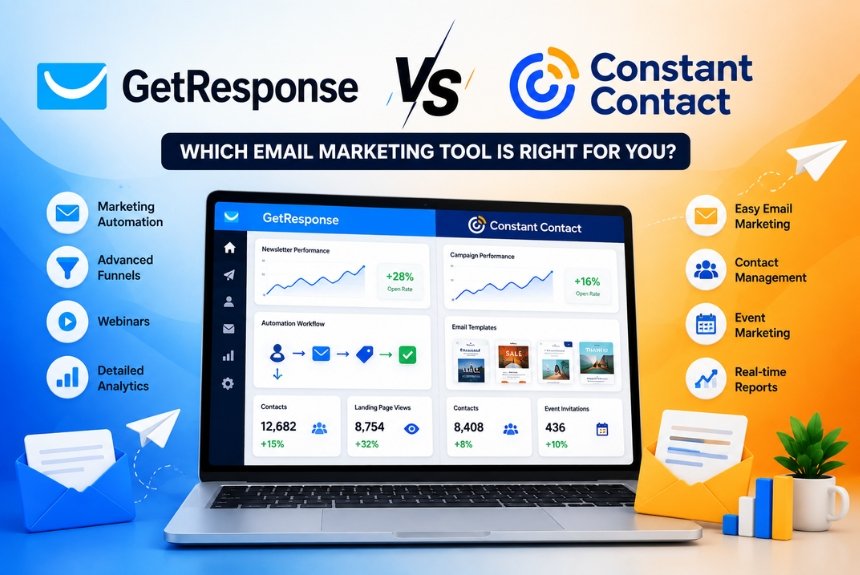
GetResponse vs Constant Contact: Which One Should You Choose?
Choosing the right email marketing platform is one of the most important decisions for any business looking to grow its online presence, generate leads, and increase customer engagement. The right platform can streamline communication, automate repetitive tasks, improve conversion rates, and deliver measurable returns on your marketing investment.
Among the many email marketing tools available today, GetResponse and Constant Contact are two of the most recognized names in the industry. Both platforms have built strong reputations over the years by helping businesses create professional email campaigns, manage subscriber lists, and analyze marketing performance.
However, while they share several core features, they are designed with different users and business needs in mind.
GetResponse has evolved into an all-in-one marketing platform offering advanced automation, landing pages, webinar hosting, AI-powered tools, and ecommerce features. Constant Contact, on the other hand, focuses on simplicity, ease of use, and dependable email marketing for small businesses, nonprofits, and local organizations.
So, which platform is the better choice in 2026?
In this detailed comparison, we’ll evaluate GetResponse and Constant Contact across multiple categories, including:
- Ease of use
- Email builder
- Marketing automation
- Landing pages
- Webinar functionality
- CRM capabilities
- Analytics and reporting
- Pricing
- Pros and cons
- Overall value for money
By the end of this guide, you’ll have a clear understanding of which platform best fits your business goals and marketing strategy.
Platform Overview
Before comparing individual features, it’s important to understand what each platform is designed to do and who it serves best.
GetResponse Overview
GetResponse is an all-in-one digital marketing platform that goes beyond traditional email marketing. It combines email campaigns, marketing automation, landing pages, conversion funnels, webinar hosting, AI-powered content generation, ecommerce tools, and customer relationship management into a single platform.
Best For
- Small businesses
- Ecommerce stores
- Bloggers
- Coaches and consultants
- SaaS companies
- Digital agencies
- Online educators
- Growing startups
Core Features
- Email marketing
- Marketing automation
- AI email generator
- Landing page builder
- Website builder
- Webinar hosting
- Conversion funnels
- Ecommerce integrations
- CRM
- SMS marketing (selected plans)
- Web push notifications
- Advanced analytics
Strengths
- Powerful automation
- Built-in webinars
- Excellent landing page builder
- AI-assisted campaign creation
- High scalability
- Comprehensive marketing ecosystem
Constant Contact Overview
Constant Contact is one of the longest-running email marketing platforms, known for its straightforward interface and focus on helping small businesses connect with customers through email marketing and digital campaigns.
While it has expanded its feature set over time, its primary strength remains simplicity and ease of use.
Best For
- Local businesses
- Restaurants
- Retail stores
- Nonprofits
- Community organizations
- Beginners
- Event organizers
- Small service businesses
Core Features
- Email marketing
- Newsletter templates
- Event management
- Social media posting
- Contact management
- Surveys and polls
- Basic automation
- Ecommerce integrations
- Reporting dashboard
Strengths
- Beginner-friendly interface
- Excellent customer support
- Event marketing tools
- Easy email creation
- Reliable deliverability
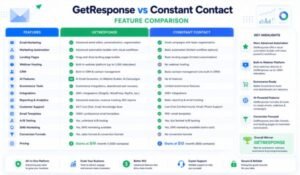
Quick Comparison Table
| Feature | GetResponse | Constant Contact |
| Email Marketing | ⭐⭐⭐⭐⭐ | ⭐⭐⭐⭐☆ |
| Marketing Automation | ⭐⭐⭐⭐⭐ | ⭐⭐⭐☆☆ |
| Landing Pages | ⭐⭐⭐⭐⭐ | ⭐⭐⭐⭐☆ |
| Webinar Hosting | ✅ Yes | ❌ No |
| AI Tools | ✅ Advanced | Limited |
| CRM Features | Included | Basic Contact Management |
| Ecommerce Features | Excellent | Good |
| Analytics | Advanced | Good |
| Best For | Growing Businesses | Small Businesses |
| Overall Flexibility | Excellent | Very Good |
Ease of Use
Ease of use is one of the most important factors when choosing an email marketing platform. A clean interface and intuitive workflow can significantly reduce the learning curve and help businesses launch campaigns more efficiently.
GetResponse
GetResponse offers a modern, user-friendly dashboard with clearly organized navigation. Although it includes a wide range of advanced tools, the platform remains accessible thanks to its drag-and-drop editors, guided setup process, and visual automation builder.
Advantages
- Modern dashboard
- Logical navigation
- Drag-and-drop editors
- AI-assisted setup
- Workflow visualization
- Responsive interface
Considerations
Because GetResponse includes many advanced marketing features, new users may need a little time to explore the platform fully. However, once familiar with the interface, users can manage multiple marketing activities from a single dashboard.
Constant Contact
Constant Contact is designed with simplicity in mind. Its interface is clean, straightforward, and easy to navigate, making it particularly suitable for beginners or businesses with limited technical expertise.
Advantages
- Simple dashboard
- Minimal learning curve
- Guided campaign creation
- Beginner-friendly workflow
- Easy contact management
Considerations
While the platform is easy to use, advanced marketers may find it lacks the flexibility and customization options available in more comprehensive marketing platforms.
Winner: Ease of Use
For users who prioritize simplicity and want to launch campaigns quickly, Constant Contact has a slight edge due to its beginner-friendly interface.
However, for businesses planning to scale and use advanced automation, funnels, webinars, and AI tools, GetResponse offers greater long-term value despite a slightly steeper learning curve.
Winner: Constant Contact (Beginners) / GetResponse (Growing Businesses)
Email Builder Comparison
The email builder is the heart of any email marketing platform. It determines how easily users can design professional campaigns, customize layouts, and optimize emails for different devices.

GetResponse Email Builder
GetResponse includes an advanced drag-and-drop email editor with hundreds of professionally designed templates.
Features
- Drag-and-drop editing
- AI email generator
- Responsive templates
- Product blocks
- Dynamic content
- Countdown timers
- Video embedding
- HTML editing
- Reusable content blocks
- Saved sections
Users can create visually appealing newsletters, promotional emails, welcome sequences, and product announcements without coding knowledge.
The AI assistant can also generate subject lines and email copy, helping marketers save time while improving engagement.
Constant Contact Email Builder
Constant Contact also offers an intuitive drag-and-drop email builder designed for simplicity.
Features
- Customizable templates
- Image library
- Brand logo integration
- Basic personalization
- Mobile-responsive layouts
- Social sharing buttons
- Basic editing tools
The editor is ideal for creating newsletters, announcements, invitations, and promotional campaigns.
However, compared with GetResponse, it offers fewer advanced customization options and lacks sophisticated AI-assisted content generation.
Template Library Comparison
| Category | GetResponse | Constant Contact |
| Newsletter Templates | ✅ Extensive | ✅ Extensive |
| Ecommerce Templates | ✅ Yes | Limited |
| Webinar Templates | ✅ Yes | ❌ No |
| AI Email Design | ✅ Yes | Limited |
| Product Blocks | ✅ Yes | Basic |
| Dynamic Content | ✅ Yes | Limited |
| HTML Editing | ✅ Yes | Basic |
Mobile Responsiveness
Both platforms automatically optimize email templates for mobile devices, ensuring campaigns display correctly on smartphones, tablets, and desktops.
This is essential, as a significant percentage of email opens now occur on mobile devices.
Personalization Features
GetResponse
- Dynamic content
- Custom fields
- Product recommendations
- Behavioral personalization
- AI optimization
- Segmentation-based messaging
Constant Contact
- Contact name personalization
- Basic custom fields
- Audience segmentation
- Personalized greetings
While both platforms support personalization, GetResponse provides more advanced options for creating highly targeted campaigns.
Winner: Email Builder
Both platforms make email creation simple, but GetResponse offers a more feature-rich experience.
Its AI-powered writing assistant, advanced design elements, ecommerce blocks, dynamic content, and extensive customization options make it the stronger choice for businesses seeking professional, conversion-focused email campaigns.
Winner: GetResponse ⭐⭐⭐⭐⭐
Coming Up in Part 2
In the next section, we’ll compare:
- Marketing Automation
- Landing Pages
- Webinar Features
- CRM Capabilities
- Analytics & Reporting
- Pricing Comparison
These features are where the differences between GetResponse and Constant Contact become even more apparent and can significantly influence your decision.
Marketing Automation Comparison
Marketing automation has become one of the most important features of modern email marketing platforms. It allows businesses to nurture leads, increase customer engagement, recover abandoned carts, and automate repetitive tasks—saving both time and resources.
When comparing GetResponse vs Constant Contact, this is one area where the differences are significant.
GetResponse Marketing Automation
GetResponse offers one of the most advanced automation systems among mid-range email marketing platforms. Its visual workflow builder enables businesses to create complex customer journeys based on subscriber behavior, preferences, and interactions.
Key Automation Features
- Visual drag-and-drop automation builder
- Welcome email sequences
- Lead nurturing workflows
- Abandoned cart recovery
- Purchase follow-up emails
- Lead scoring
- Behavioral segmentation
- Website event tracking
- Email engagement triggers
- Custom tags and conditions
- AI-powered automation suggestions
- Conversion funnel automation
For example, an ecommerce business can automatically send a welcome email, recommend products based on browsing behavior, remind customers about abandoned carts, and request reviews after a purchase—all without manual intervention.
This level of automation makes GetResponse ideal for businesses focused on scaling their marketing efforts.
Constant Contact Marketing Automation
Constant Contact provides automation tools, but they are more limited in comparison.
Users can create:
- Welcome emails
- Birthday emails
- Anniversary emails
- Basic drip campaigns
- Follow-up emails
- Contact tagging
These features work well for simple campaigns, but businesses looking for advanced automation, conditional logic, or multi-step customer journeys may find the platform restrictive.
Automation Feature Comparison
| Feature | GetResponse | Constant Contact |
| Visual Workflow Builder | ✅ Yes | ❌ No |
| Behavioral Automation | ✅ Yes | Limited |
| Lead Scoring | ✅ Yes | ❌ No |
| Ecommerce Automation | ✅ Advanced | Basic |
| Dynamic Segmentation | ✅ Yes | Limited |
| Conditional Logic | ✅ Yes | Basic |
| AI Automation | ✅ Yes | ❌ No |
Winner: GetResponse
GetResponse clearly leads in automation thanks to its powerful workflow builder, AI assistance, and advanced behavioral targeting.
Landing Pages Comparison
Landing pages are essential for capturing leads, promoting products, and increasing conversions. A built-in landing page builder eliminates the need for additional software and simplifies campaign management.
GetResponse Landing Page Builder
GetResponse includes a fully featured landing page builder with professionally designed templates and drag-and-drop editing.
Features
- Responsive templates
- Drag-and-drop editor
- A/B testing
- Countdown timers
- Signup forms
- Embedded videos
- Pop-ups
- Ecommerce product blocks
- SEO settings
- Analytics integration
Users can build landing pages for:
- Lead magnets
- Webinar registrations
- Product launches
- Sales campaigns
- Newsletter signups
- Free trials
- Online courses
Constant Contact Landing Pages
Constant Contact also offers landing pages but with fewer customization options.
Features
- Simple landing page templates
- Signup forms
- Event registration pages
- Basic customization
- Mobile responsiveness
The builder is easy to use but lacks advanced conversion optimization tools such as robust A/B testing and deeper funnel integration.
Landing Page Comparison
| Feature | GetResponse | Constant Contact |
| Drag-and-Drop Builder | ✅ Yes | ✅ Yes |
| A/B Testing | ✅ Yes | Limited |
| SEO Settings | ✅ Advanced | Basic |
| Popups | ✅ Yes | Limited |
| Conversion Funnels | ✅ Yes | ❌ No |
| Ecommerce Integration | ✅ Excellent | Good |
Winner: GetResponse
For businesses focused on lead generation and conversion optimization, GetResponse offers a far more comprehensive landing page solution.
Webinar Features
One of GetResponse’s standout features is its built-in webinar functionality, which is rarely found in email marketing platforms.
GetResponse Webinar Capabilities
Businesses can host:
- Live webinars
- On-demand webinars
- Automated webinars
- Product demonstrations
- Training sessions
- Educational workshops
- Customer onboarding
- Sales presentations
Included Tools
- Registration pages
- Automated reminders
- Live chat
- Polls and surveys
- Screen sharing
- Call-to-action buttons
- Webinar recordings
- Attendance tracking
This integration allows marketers to manage webinar promotion, registration, and follow-up emails from the same platform.
Constant Contact
Constant Contact does not include native webinar hosting.
Businesses must rely on third-party services such as Zoom or other webinar platforms, which can increase overall costs and require additional integrations.
Winner: GetResponse
If webinars are part of your marketing strategy, GetResponse is the clear winner due to its integrated webinar capabilities.
CRM Features Comparison
Customer Relationship Management (CRM) helps businesses organize contacts, manage leads, and track customer interactions.
GetResponse CRM
GetResponse includes lightweight CRM functionality designed to complement its marketing automation tools.
Features include:
- Contact management
- Lead pipelines
- Deal tracking
- Activity history
- Lead scoring
- Customer segmentation
- Sales stages
- Automation integration
Because CRM data connects directly with automation workflows, marketers can deliver highly personalized campaigns.
Constant Contact CRM
Constant Contact focuses primarily on contact management rather than offering a full CRM.
Features include:
- Contact lists
- Audience segmentation
- Tags
- Import/export tools
- Basic customer profiles
While suitable for managing subscriber databases, it lacks the advanced pipeline management and automation integration available in GetResponse.
CRM Comparison
| Feature | GetResponse | Constant Contact |
| Contact Management | ✅ Yes | ✅ Yes |
| Sales Pipeline | ✅ Yes | ❌ No |
| Lead Scoring | ✅ Yes | ❌ No |
| Automation Integration | ✅ Yes | Limited |
| Activity Tracking | ✅ Yes | Basic |
Winner: GetResponse
Businesses that need more than simple contact management will appreciate GetResponse’s built-in CRM capabilities.
Analytics & Reporting
Understanding campaign performance is essential for improving marketing results.
Both platforms provide reporting dashboards, but the depth of analytics varies.
GetResponse Analytics
GetResponse provides detailed reporting, including:
- Open rates
- Click-through rates
- Conversion tracking
- Revenue reports
- Device analytics
- Geographic reports
- Subscriber growth
- Ecommerce performance
- Automation performance
- Funnel analytics
These insights help businesses optimize campaigns and improve return on investment.
Constant Contact Analytics
Constant Contact offers:
- Open rates
- Click rates
- Bounce rates
- Unsubscribes
- Device statistics
- Campaign comparisons
While sufficient for most small businesses, its reporting is less detailed than GetResponse’s advanced analytics.
Winner: GetResponse
GetResponse’s deeper reporting capabilities make it better suited for data-driven marketing strategies.
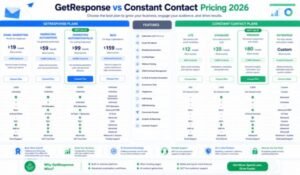
Pricing Comparison
Pricing is often a deciding factor when choosing an email marketing platform. Both GetResponse and Constant Contact offer scalable plans, but the value you receive depends on the features included.
| Feature | GetResponse | Constant Contact |
| Free Plan | ✅ Available | Limited Trial |
| Email Marketing | ✅ Included | ✅ Included |
| Marketing Automation | Advanced | Basic |
| Landing Pages | Included | Included |
| Webinar Hosting | Included (selected plans) | Not Available |
| CRM Features | Included | Basic Contact Management |
| AI Features | Yes | Limited |
| Ecommerce Tools | Excellent | Good |
Which Offers Better Value?
For businesses needing only simple email campaigns, Constant Contact can be a practical option.
However, for organizations seeking automation, webinars, AI tools, ecommerce marketing, and advanced analytics within one subscription, GetResponse delivers significantly greater value.
GetResponse vs Constant Contact: Pros & Cons
Every email marketing platform has strengths and limitations. Understanding the pros and cons of each solution will help you choose the platform that best aligns with your business goals, budget, and marketing strategy.
GetResponse Pros & Cons
Pros
✅ Powerful visual marketing automation
✅ Built-in webinar hosting
✅ AI-powered email writing and optimization
✅ Excellent landing page builder
✅ Advanced sales funnels
✅ Ecommerce marketing automation
✅ High email deliverability
✅ Built-in CRM functionality
✅ Website builder included
✅ Conversion tracking and advanced analytics
✅ Hundreds of integrations
✅ Suitable for beginners and advanced marketers
Cons
❌ Advanced automation requires higher-tier plans
❌ CRM isn’t as comprehensive as dedicated CRM software
❌ Can feel overwhelming for first-time users because of its extensive feature set
❌ Pricing increases as subscriber lists grow
Constant Contact Pros & Cons
Pros
✅ Extremely beginner-friendly
✅ Easy drag-and-drop email editor
✅ Excellent customer support
✅ Great event marketing features
✅ Reliable email deliverability
✅ Good template library
✅ Simple contact management
✅ Fast campaign setup
Cons
❌ Limited automation capabilities
❌ No built-in webinar platform
❌ Basic CRM functionality
❌ Fewer AI-powered tools
❌ Limited conversion funnels
❌ Less advanced analytics
❌ Fewer ecommerce automation features
Feature Comparison Scorecard
| Category | GetResponse | Constant Contact |
| Ease of Use | ⭐⭐⭐⭐☆ | ⭐⭐⭐⭐⭐ |
| Email Builder | ⭐⭐⭐⭐⭐ | ⭐⭐⭐⭐☆ |
| Email Templates | ⭐⭐⭐⭐⭐ | ⭐⭐⭐⭐☆ |
| Marketing Automation | ⭐⭐⭐⭐⭐ | ⭐⭐⭐☆☆ |
| Landing Pages | ⭐⭐⭐⭐⭐ | ⭐⭐⭐⭐☆ |
| Webinar Hosting | ⭐⭐⭐⭐⭐ | ⭐☆☆☆☆ |
| CRM Features | ⭐⭐⭐⭐☆ | ⭐⭐⭐☆☆ |
| Analytics | ⭐⭐⭐⭐⭐ | ⭐⭐⭐⭐☆ |
| Ecommerce Features | ⭐⭐⭐⭐⭐ | ⭐⭐⭐☆☆ |
| AI Features | ⭐⭐⭐⭐⭐ | ⭐⭐☆☆☆ |
| Value for Money | ⭐⭐⭐⭐⭐ | ⭐⭐⭐⭐☆ |
Which Platform Is Better?
The answer depends on your business size, marketing goals, and future growth plans.
Choose GetResponse If You Want:
- Advanced marketing automation
- AI-powered email creation
- Built-in webinar hosting
- Sales funnels
- Landing page builder
- Ecommerce automation
- CRM functionality
- Behavioral segmentation
- Scalable marketing tools
- One platform for multiple marketing activities
GetResponse is ideal for businesses that want to grow beyond basic email newsletters and build complete marketing campaigns.
Choose Constant Contact If You Want:
- A simple email marketing solution
- Easy newsletter creation
- Minimal learning curve
- Reliable customer support
- Event marketing tools
- Straightforward contact management
Constant Contact is an excellent choice for local businesses, nonprofits, restaurants, and organizations that primarily need basic email marketing without advanced automation.
Best Platform by Business Type
| Business Type | Recommended Platform |
| Bloggers | GetResponse |
| Ecommerce Stores | GetResponse |
| Coaches | GetResponse |
| Online Course Creators | GetResponse |
| SaaS Companies | GetResponse |
| Marketing Agencies | GetResponse |
| Freelancers | GetResponse |
| Small Local Businesses | Constant Contact |
| Restaurants | Constant Contact |
| Nonprofits | Constant Contact |
| Community Organizations | Constant Contact |
Frequently Asked Questions
1. Which platform is easier to use?
Constant Contact has a simpler interface and is easier for beginners. GetResponse offers more advanced features, which require a slightly longer learning curve.
2. Which platform has better automation?
GetResponse provides significantly more advanced automation with visual workflows, behavioral triggers, lead scoring, and AI-assisted automation.
3. Does Constant Contact have webinars?
No. Constant Contact does not include built-in webinar hosting. Businesses must use third-party webinar software.
4. Does GetResponse include webinars?
Yes. GetResponse offers integrated webinar hosting, including live webinars, on-demand webinars, registration pages, reminders, and recordings.
5. Which platform is better for ecommerce?
GetResponse is the better choice for ecommerce businesses because it supports abandoned cart recovery, product recommendations, purchase automation, and advanced segmentation.
6. Which platform offers better value?
If you only need basic email marketing, Constant Contact provides solid value. However, businesses that require automation, landing pages, webinars, CRM features, and AI tools will generally get more value from GetResponse.
7. Can beginners use GetResponse?
Yes. Although GetResponse includes advanced capabilities, its drag-and-drop editors, templates, and guided setup make it accessible for beginners.
8. Which platform has better reporting?
GetResponse offers more comprehensive analytics, including conversion tracking, ecommerce reporting, automation insights, and funnel performance.
9. Is Constant Contact suitable for large businesses?
It can work for growing businesses, but larger organizations that require advanced automation and scalable marketing workflows may find GetResponse more suitable.
10. Which email marketing platform should I choose in 2026?
If your focus is long-term business growth, automation, ecommerce, and integrated marketing tools, GetResponse is the stronger choice. If your needs are limited to sending newsletters and managing contacts, Constant Contact remains a dependable option.

Final Recommendation
After comparing GetResponse and Constant Contact across all major categories, GetResponse emerges as the more comprehensive and future-ready marketing platform.
While Constant Contact excels in simplicity and ease of use, GetResponse offers a much broader range of features, making it suitable for businesses that want to scale their marketing efforts without relying on multiple tools.
Why GetResponse Wins
- Superior marketing automation
- Built-in webinar hosting
- AI-powered email creation
- Better ecommerce capabilities
- More advanced analytics
- Integrated landing pages
- Sales funnels
- CRM functionality
- Better scalability
- Strong value for money
Why Constant Contact Still Deserves Consideration
Constant Contact remains a great option for:
- Beginners
- Local businesses
- Small nonprofits
- Event organizers
- Users who only need straightforward email marketing
Overall Ratings
| Category | GetResponse | Constant Contact |
| Features | 9.8/10 | 8.5/10 |
| Ease of Use | 9.2/10 | 9.6/10 |
| Automation | 9.9/10 | 7.2/10 |
| Landing Pages | 9.7/10 | 8.2/10 |
| Analytics | 9.6/10 | 8.4/10 |
| Pricing Value | 9.5/10 | 8.5/10 |
| Overall Score | 9.6/10 | 8.4/10 |
Winner: GetResponse 🏆
Still deciding between GetResponse and Constant Contact?
If your goal is to send simple newsletters with minimal setup, Constant Contact is a reliable option. However, if you’re looking for an all-in-one marketing platform that combines email marketing, automation, landing pages, webinars, ecommerce tools, and AI-powered features, GetResponse offers greater flexibility and long-term value.
Before making a decision, consider your current business needs, future growth plans, and budget. Choosing a platform that can scale with your business will save time, reduce costs, and eliminate the need to migrate to another solution later.
Conclusion
Both GetResponse and Constant Contact are trusted email marketing platforms, but they cater to different audiences.
Constant Contact is a solid option for users who value simplicity and need dependable email marketing with minimal complexity. GetResponse, on the other hand, is built for businesses that want to go beyond newsletters by combining automation, landing pages, webinars, CRM features, ecommerce tools, and AI-powered marketing in one platform.
If your priority is long-term growth, advanced marketing capabilities, and better overall value, GetResponse is the recommended choice in 2026. It provides the flexibility and scalability needed to support businesses as they expand, making it a strong investment for marketers, entrepreneurs, and ecommerce brands alike.
Leave a Reply