


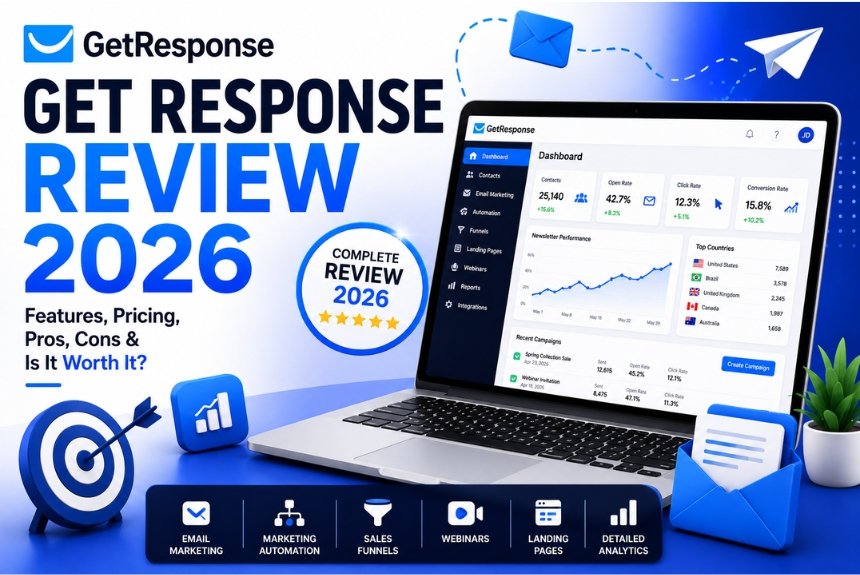
GetResponse Review 2026: Is It Worth It?
Email marketing continues to deliver one of the highest returns on investment in digital marketing. According to industry studies, businesses can earn an average of $36 for every $1 spent on email marketing, making it one of the most effective channels for customer engagement, lead nurturing, and sales.

As marketing technology evolves, businesses are looking for platforms that go beyond sending newsletters. They want automation, AI-powered personalization, landing pages, webinars, CRM functionality, ecommerce integrations, and detailed analytics—all in one place.
This is where GetResponse stands out.
Originally launched as a simple email marketing platform, GetResponse has evolved into an all-in-one marketing solution designed for entrepreneurs, creators, ecommerce brands, agencies, and growing businesses.
But with increasing competition from platforms like Mailchimp, ActiveCampaign, ConvertKit, Brevo, and HubSpot, an important question remains:
Is GetResponse still worth using in 2026?
In this detailed GetResponse Review, we’ll explore everything you need to know, including:
- Features
- Email marketing capabilities
- Marketing automation
- AI tools
- Landing pages
- Webinar hosting
- CRM integration
- Pricing
- Pros & Cons
- Best alternatives
- Who should use it
- Final recommendation
Whether you’re a beginner launching your first email campaign or an experienced marketer managing thousands of subscribers, this review will help you decide if GetResponse is the right investment for your business.
What is GetResponse?
GetResponse is a cloud-based email marketing and marketing automation platform that helps businesses build email lists, nurture leads, automate marketing campaigns, create landing pages, host webinars, and generate sales through personalized customer journeys.
Unlike traditional email marketing software, GetResponse combines multiple marketing tools into one dashboard. Instead of paying separately for an email service provider, landing page builder, webinar platform, and automation software, users can manage everything from a single account.
Today, millions of marketers worldwide use GetResponse for:
- Email marketing campaigns
- Newsletter creation
- Marketing automation
- Lead generation
- Sales funnels
- Ecommerce marketing
- Webinar hosting
- SMS marketing (selected plans)
- AI-powered content generation
- Website builder
- Landing pages
- Customer segmentation
- Conversion tracking
This integrated approach makes GetResponse particularly appealing for small businesses, startups, ecommerce stores, coaches, online educators, and digital agencies.
Company Overview
Founded in 1998, GetResponse has grown into one of the longest-running email marketing platforms in the industry. Over more than two decades, the company has continuously expanded its feature set to meet the changing needs of digital marketers.
Today, GetResponse serves customers in over 180 countries and supports businesses of all sizes—from solo entrepreneurs to large enterprises.
Why Businesses Trust GetResponse
- More than 25 years of industry experience
- Millions of active users worldwide
- High email deliverability rates
- GDPR-compliant infrastructure
- Advanced security standards
- 24/7 customer support
- Regular feature updates
- AI-powered marketing tools
- Extensive integration ecosystem
The company focuses on helping businesses convert website visitors into subscribers, subscribers into customers, and customers into loyal brand advocates.
Key Features of GetResponse
One of GetResponse’s biggest strengths is its comprehensive feature set. Rather than relying on multiple software subscriptions, users can access a wide range of marketing tools from a single platform.
Some of the platform’s standout capabilities include:
- Email Marketing
- Marketing Automation
- AI Email Generator
- Landing Page Builder
- Website Builder
- Conversion Funnels
- Webinar Hosting
- Signup Forms
- Popups
- CRM
- Ecommerce Integrations
- AI Product Recommendations
- Live Chat
- SMS Marketing
- Web Push Notifications
- Advanced Analytics
- Audience Segmentation
- Behavioral Tracking
- A/B Testing
- Transactional Emails
Each feature is designed to work seamlessly with the others, allowing businesses to create complete customer journeys without switching between different tools.
Email Marketing Tools
Email marketing remains the core strength of GetResponse. The platform provides everything businesses need to design, send, automate, and optimize email campaigns.
1. Drag-and-Drop Email Builder
One of the first things users notice is the intuitive email editor.
Even users with no coding experience can create professional-looking emails using drag-and-drop functionality.
The editor includes:
- Text blocks
- Images
- Buttons
- Product boxes
- Social media icons
- Countdown timers
- Video blocks
- HTML editing
- Saved content blocks
- Reusable templates
This flexibility enables marketers to create visually appealing campaigns in minutes.
2. Professionally Designed Templates
GetResponse offers hundreds of customizable email templates for different industries and campaign goals, including:
- Ecommerce promotions
- Product launches
- Newsletters
- Welcome emails
- Event invitations
- Seasonal campaigns
- Educational content
- Lead magnets
- Holiday sales
- Customer onboarding
Templates are mobile-responsive by default, ensuring a consistent experience across smartphones, tablets, and desktops.
3. AI Email Generator
Artificial intelligence is becoming an essential part of modern marketing, and GetResponse incorporates AI to simplify email creation.
With the AI Email Generator, users can:
- Generate subject lines
- Write email copy
- Improve readability
- Optimize tone
- Create promotional content
- Save time on campaign creation
This feature is particularly valuable for marketers who need to produce high-quality content consistently.
4. Audience Segmentation
Sending the same email to every subscriber often leads to lower engagement. GetResponse allows businesses to segment their audience based on various criteria, such as:
- Purchase history
- Website activity
- Geographic location
- Signup source
- Email engagement
- Customer behavior
- Tags
- Custom fields
- Lead score
- Sales funnel stage
This enables highly personalized campaigns that improve open rates, click-through rates, and conversions.
5. Personalization
Modern customers expect personalized communication.
GetResponse supports dynamic personalization through:
- First name insertion
- Custom fields
- Product recommendations
- Dynamic content blocks
- Behavioral triggers
- Purchase-based emails
- Location-specific messaging
Personalized emails generally perform better than generic broadcasts because they deliver content that is more relevant to each recipient.
6. A/B Testing
Optimization is essential for improving campaign performance.
GetResponse includes built-in A/B testing for:
- Subject lines
- Email content
- Sender names
- Calls-to-action
- Send times
- Landing pages
This allows marketers to identify what resonates best with their audience and continually improve results.
7. Email Scheduling
Users can schedule emails for the most effective delivery times using features such as:
- Time-zone sending
- Perfect Timing optimization
- Scheduled campaigns
- Automated sequences
- Recurring newsletters
These options help maximize open rates by delivering emails when subscribers are most likely to engage.
8. Analytics & Reporting
Comprehensive analytics help marketers measure campaign performance.
Key metrics include:
- Open rate
- Click-through rate
- Bounce rate
- Unsubscribes
- Spam complaints
- Device statistics
- Geographic data
- Conversion tracking
- Revenue reporting
- Ecommerce performance
These insights make it easier to refine campaigns and improve return on investment over time.
Why the Email Marketing Tools Stand Out
GetResponse combines ease of use with advanced capabilities, making it suitable for both beginners and experienced marketers. Its intuitive editor, AI assistance, segmentation, personalization, testing tools, and in-depth reporting provide a complete toolkit for building effective email campaigns.
In the next section, we’ll explore how GetResponse’s Marketing Automation, Landing Pages, Webinar Features, and CRM Integration work together to create powerful customer journeys and drive business growth.
Marketing Automation
One of GetResponse’s biggest competitive advantages is its powerful marketing automation engine. While many email marketing tools only allow basic autoresponders, GetResponse enables businesses to build sophisticated customer journeys that respond to user behavior in real time.
Whether you’re nurturing leads, recovering abandoned carts, onboarding customers, or promoting products, automation can save hours of manual work while increasing engagement and conversions.
Visual Automation Builder
GetResponse features a drag-and-drop workflow builder that makes creating automation sequences simple—even for users with no coding experience.
You can create workflows using conditions such as:
- Email opened
- Email not opened
- Link clicked
- Product purchased
- Cart abandoned
- Landing page visited
- Tag added
- Custom event triggered
- Subscriber joined a list
- Birthday or anniversary
- Lead score updated
The visual interface clearly maps each step of the customer journey, making complex workflows easy to understand and manage.

Autoresponders
Autoresponders allow businesses to send emails automatically after a subscriber performs a specific action.
Common autoresponder sequences include:
- Welcome emails
- Thank-you emails
- Educational email series
- Product recommendations
- Trial onboarding
- Customer feedback requests
- Re-engagement campaigns
- Course delivery
- Membership onboarding
This ensures every subscriber receives timely, relevant communication without manual effort.
Lead Scoring
Lead scoring helps businesses identify high-intent prospects by assigning points based on customer behavior.
Examples include:
- Opening emails
- Clicking links
- Visiting pricing pages
- Downloading resources
- Registering for webinars
- Making purchases
Sales teams can prioritize qualified leads while automation nurtures those who aren’t ready to buy yet.
Ecommerce Automation
Online stores benefit from specialized automation features, including:
- Abandoned cart recovery
- Product recommendations
- Purchase confirmations
- Order follow-ups
- Cross-selling
- Upselling
- Win-back campaigns
- Loyalty rewards
These workflows help increase average order value and recover potentially lost revenue.
AI-Powered Automation
In 2026, AI plays a larger role in digital marketing than ever before.
GetResponse integrates artificial intelligence to help users:
- Recommend workflow improvements
- Optimize send times
- Generate email content
- Personalize campaigns
- Improve customer segmentation
This makes automation accessible even to businesses with limited marketing experience.
Landing Pages
High-converting landing pages are essential for lead generation, product launches, and advertising campaigns.
Instead of purchasing a separate landing page builder, GetResponse includes this functionality directly within the platform.
Drag-and-Drop Landing Page Builder
Users can create professional landing pages without writing code.
Features include:
- Responsive templates
- Mobile optimization
- Custom branding
- Drag-and-drop editing
- Video embedding
- Countdown timers
- Signup forms
- Popups
- Product showcases
- Payment integrations

Conversion-Focused Templates
Templates are available for:
- Lead magnets
- Ebook downloads
- Webinar registrations
- Event signups
- Product launches
- Free trials
- SaaS demos
- Coaching services
- Ecommerce promotions
Each template follows proven conversion principles to maximize signups.
A/B Testing for Landing Pages
Testing different landing page versions helps improve conversion rates.
You can compare:
- Headlines
- Images
- Call-to-action buttons
- Colors
- Form length
- Layouts
The platform automatically tracks performance so you can identify the highest-converting version.
SEO-Friendly Landing Pages
Landing pages include several search engine optimization features such as:
- Custom URLs
- Meta titles
- Meta descriptions
- Image alt text
- Mobile responsiveness
- Fast loading
- Analytics integration
This allows businesses to attract both paid and organic traffic.
Webinar Features
Unlike most email marketing platforms, GetResponse includes built-in webinar hosting.
This is especially valuable for:
- Coaches
- Online educators
- SaaS businesses
- B2B companies
- Agencies
- Consultants
Instead of paying for separate webinar software, users can manage everything from one dashboard.

Webinar Capabilities
Users can host:
- Live webinars
- Automated webinars
- On-demand webinars
- Product demonstrations
- Training sessions
- Customer onboarding
- Workshops
- Sales presentations
Webinar Tools
Included features:
- Screen sharing
- Polls
- Live chat
- Q&A sessions
- Whiteboard
- Call-to-action buttons
- Recording
- Registration pages
- Email reminders
- Attendance tracking
These features make GetResponse particularly attractive for businesses that rely on educational or sales-focused webinars.
CRM Integration
While GetResponse isn’t a full enterprise CRM, it provides enough customer relationship management features for many small and medium-sized businesses.
CRM functionality includes:
- Contact management
- Deal pipelines
- Customer segmentation
- Lead scoring
- Task management
- Sales tracking
- Notes
- Activity history
Because CRM data connects directly with email marketing and automation, businesses can build highly personalized campaigns based on customer interactions.
Integrations
GetResponse integrates with hundreds of popular platforms, including:
- Shopify
- WooCommerce
- WordPress
- Magento
- Stripe
- PayPal
- Zapier
- Salesforce
- Google Analytics
- Facebook Ads
- Google Ads
These integrations simplify marketing operations and reduce manual data entry.
Pricing Plans
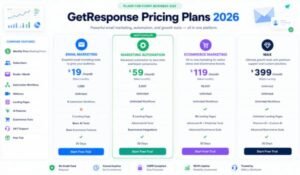
GetResponse offers several pricing tiers designed for different business sizes and marketing needs. Pricing generally scales based on the number of contacts and the features included.
| Plan | Best For | Key Features |
| Free | Beginners | Email marketing, website builder, signup forms |
| Email Marketing | Small businesses | Unlimited newsletters, autoresponders, basic segmentation |
| Marketing Automation | Growing businesses | Advanced automation, workflows, contact scoring |
| Ecommerce Marketing | Online stores | Ecommerce automation, abandoned cart recovery, product recommendations |
| MAX / Enterprise | Large organizations | Dedicated support, advanced security, enterprise-level customization |
Is the Pricing Worth It?
Compared to purchasing separate tools for email marketing, landing pages, webinars, and automation, GetResponse offers strong overall value. Businesses that use multiple built-in features often save money by consolidating their marketing stack into a single platform.
Pros & Cons
Pros
- All-in-one marketing platform
- Powerful automation builder
- Built-in webinar hosting
- AI-powered email creation
- Excellent landing page builder
- User-friendly interface
- Strong ecommerce features
- High email deliverability
- Extensive integrations
- Detailed analytics and reporting
- Scalable pricing plans
- Suitable for beginners and advanced marketers
Cons
- Advanced automation is limited to higher-tier plans
- CRM features are less comprehensive than dedicated CRM software
- Some advanced integrations may require third-party tools
- Costs can increase significantly as subscriber lists grow
- Beginners may need time to learn advanced workflow features
Who Should Use GetResponse?
GetResponse is designed to serve a wide range of users, from beginners launching their first email campaign to established businesses running advanced marketing automation. Its all-in-one approach makes it an attractive option for anyone who wants to manage email marketing, lead generation, landing pages, webinars, and automation from a single platform.
Small Businesses
Small businesses can benefit from GetResponse’s affordable plans, intuitive interface, and ready-to-use templates. It helps save time while maintaining professional communication with customers.
Ecommerce Stores
If you run an online store using Shopify, WooCommerce, Magento, or another ecommerce platform, GetResponse offers features like:
- Abandoned cart recovery
- Product recommendations
- Purchase automation
- Customer segmentation
- Revenue tracking
- Promotional campaigns
These tools can help increase conversions and customer retention.
Bloggers & Content Creators
Bloggers, YouTubers, podcasters, and content creators can use GetResponse to:
- Grow their email list
- Deliver newsletters
- Promote new content
- Offer free resources
- Sell digital products
- Build long-term audience relationships
Coaches & Online Educators
The built-in webinar functionality makes GetResponse an excellent choice for coaches, consultants, and educators who host live training sessions or sell online courses.
Agencies
Marketing agencies can manage multiple campaigns, automate client communications, and track performance from a centralized dashboard, improving efficiency and collaboration.
SaaS & B2B Companies
For businesses with longer sales cycles, GetResponse’s marketing automation, lead scoring, and CRM capabilities help nurture prospects and move them through the sales funnel more effectively.
Best GetResponse Alternatives
While GetResponse is a feature-rich platform, it may not be the perfect fit for every business. Here are some of the best alternatives to consider.
| Platform | Best For | Strengths | Potential Drawbacks |
| Mailchimp | Beginners | Easy-to-use interface, strong templates | Advanced automation is limited on lower plans |
| Brevo | Budget-conscious businesses | Affordable pricing, SMS marketing | Automation features are less advanced |
| ActiveCampaign | Advanced marketers | Powerful automation, CRM | Steeper learning curve |
| ConvertKit | Creators | Subscriber management, creator-focused tools | Limited webinar and landing page features |
| HubSpot | Enterprises | Comprehensive CRM and marketing suite | Higher pricing, especially for growing teams |
Why Choose GetResponse Over Competitors?
GetResponse stands out by combining multiple marketing tools into one platform. Instead of paying for separate services for email marketing, landing pages, webinars, and automation, users can manage everything within a single dashboard. This integrated approach often reduces software costs and simplifies campaign management.
Frequently Asked Questions (FAQs)
1. Is GetResponse good for beginners?
Yes. GetResponse offers an intuitive interface, drag-and-drop builders, and pre-designed templates, making it suitable for beginners with little or no technical experience.
2. Does GetResponse offer a free plan?
Yes. A free plan is available with basic email marketing and website-building features. However, advanced automation and premium tools require a paid subscription.
3. Can GetResponse replace other marketing tools?
For many businesses, yes. It combines email marketing, landing pages, automation, webinars, and basic CRM features into one platform, reducing the need for multiple subscriptions.
4. Is GetResponse suitable for ecommerce businesses?
Absolutely. It includes ecommerce-specific features such as abandoned cart recovery, product recommendations, transactional emails, and purchase-based automation.
5. Does GetResponse integrate with Shopify?
Yes. It integrates with Shopify and many other ecommerce platforms, making it easy to sync customer data and automate marketing campaigns.
6. Can I host webinars with GetResponse?
Yes. GetResponse includes built-in webinar hosting, allowing businesses to conduct live or on-demand webinars without requiring separate webinar software.
7. Does GetResponse support marketing automation?
Yes. Marketing automation is one of GetResponse’s strongest features. Users can create workflows based on customer behavior, lead scoring, purchases, and other triggers.
8. Is GetResponse GDPR compliant?
Yes. GetResponse provides tools and features to help businesses comply with GDPR and other privacy regulations.
9. How does GetResponse compare to Mailchimp?
While Mailchimp is beginner-friendly, GetResponse generally offers more advanced automation, webinar hosting, and sales funnel capabilities, making it a better choice for businesses seeking an all-in-one marketing solution.
10. Is GetResponse worth the money in 2026?
For businesses that need email marketing, automation, landing pages, webinars, and analytics in one platform, GetResponse offers excellent value and can reduce the need for multiple software subscriptions.
Final Verdict
After thoroughly evaluating its features, pricing, usability, and overall performance, GetResponse remains one of the best all-in-one marketing platforms available in 2026.
Its combination of email marketing, advanced automation, landing page creation, webinar hosting, AI-powered tools, and ecommerce functionality makes it a strong choice for businesses looking to streamline their marketing efforts.
What We Liked
- Comprehensive all-in-one solution
- Powerful automation capabilities
- Excellent webinar integration
- AI-powered content tools
- Strong deliverability
- Beginner-friendly interface
- Wide range of integrations
- Scalable pricing options
Areas for Improvement
- Advanced features require higher-tier plans
- CRM functionality is not as comprehensive as dedicated CRM software
- Costs increase as contact lists grow
Overall Rating
| Category | Rating |
| Ease of Use | ⭐⭐⭐⭐⭐ (5/5) |
| Email Marketing | ⭐⭐⭐⭐⭐ (5/5) |
| Automation | ⭐⭐⭐⭐⭐ (5/5) |
| Landing Pages | ⭐⭐⭐⭐⭐ (5/5) |
| Webinar Features | ⭐⭐⭐⭐⭐ (5/5) |
| Integrations | ⭐⭐⭐⭐☆ (4.5/5) |
| Pricing | ⭐⭐⭐⭐☆ (4.5/5) |
| Customer Support | ⭐⭐⭐⭐☆ (4.5/5) |
Overall Score: 4.8/5
If your goal is to consolidate your marketing tools into one reliable platform while improving customer engagement and increasing conversions, GetResponse is a strong investment in 2026.
Ready to take your email marketing to the next level?
Whether you’re a blogger, ecommerce store owner, coach, agency, or growing business, GetResponse provides the tools you need to build your audience, automate marketing, and increase sales—all from one platform.
Start with the free plan, explore its features, and upgrade as your business grows. Investing in the right marketing platform today can save time, improve efficiency, and deliver better results in the long run.
Leave a Reply