


Marketing Automation for Beginners: Complete Guide
In today’s competitive digital landscape, businesses are expected to communicate with customers quickly, consistently, and personally. Whether you’re running an online store, managing a startup, growing a blog, or operating a service-based business, manually sending emails, following up with leads, and tracking customer interactions can quickly become overwhelming.
This is where marketing automation changes the game.
Marketing automation allows businesses to automate repetitive marketing tasks, nurture leads, personalize customer experiences, and improve conversions—all while saving valuable time and resources. Instead of manually sending every email or tracking each customer interaction, businesses can use intelligent workflows to deliver the right message to the right audience at the right time.
Over the past few years, marketing automation has evolved from a tool used only by large enterprises into an essential solution for businesses of all sizes. Today, even small businesses and solopreneurs can leverage automation to increase efficiency, strengthen customer relationships, and drive revenue growth.
In this comprehensive beginner’s guide, you’ll learn:
- What marketing automation is
- Why businesses need it
- Key benefits of automation
- Common automation workflows
- Best marketing automation tools
- GetResponse automation features
- Common mistakes to avoid
- Frequently asked questions
- A final checklist to help you get started
By the end of this guide, you’ll have a solid understanding of how marketing automation works and how to implement it effectively for your business.
What is Marketing Automation?
Marketing automation is the use of software and technology to automate repetitive marketing tasks, streamline customer communication, and deliver personalized experiences based on user behavior and predefined rules.
Instead of manually sending emails or following up with every lead, marketing automation platforms can perform these actions automatically. This enables businesses to engage customers at every stage of the buyer journey while reducing manual effort.
Simple Definition
Marketing automation is the process of using software to automatically manage marketing activities such as email campaigns, lead nurturing, customer segmentation, social media scheduling, and follow-up communications.
How Marketing Automation Works
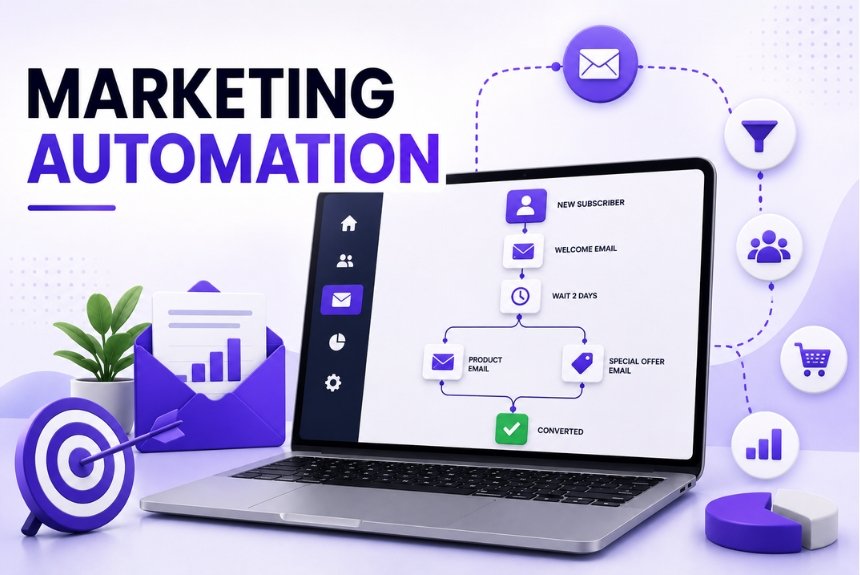
Marketing automation platforms operate using triggers, conditions, and actions.
For example:
- A visitor downloads a free eBook from your website.
- The platform automatically adds the visitor to your email list.
- A welcome email is sent instantly.
- Two days later, an educational email is delivered.
- If the user clicks a product link, they receive a product recommendation email.
- If they make a purchase, they enter a customer onboarding sequence.
All of these actions happen automatically without requiring manual intervention.
Key Components of Marketing Automation
Modern marketing automation platforms typically include:
- Email marketing
- Lead nurturing
- Customer segmentation
- Behavioral tracking
- Landing pages
- Lead scoring
- CRM integration
- Sales funnels
- SMS marketing
- Push notifications
- A/B testing
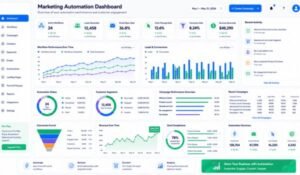
- Analytics and reporting
- AI-powered personalization
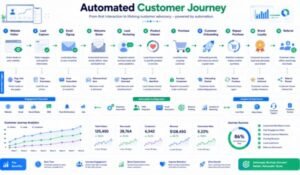
These tools work together to create personalized customer journeys that improve engagement and increase conversions.
Marketing Automation vs Email Marketing
Many beginners assume that email marketing and marketing automation are the same, but they serve different purposes.
| Feature | Email Marketing | Marketing Automation |
| Newsletters | ✅ | ✅ |
| Promotional Emails | ✅ | ✅ |
| Automated Workflows | Limited | ✅ |
| Behavioral Triggers | ❌ | ✅ |
| Lead Scoring | ❌ | ✅ |
| Customer Journeys | ❌ | ✅ |
| Multi-Step Campaigns | Limited | ✅ |
| CRM Integration | Basic | Advanced |
Email marketing focuses on sending campaigns, while marketing automation manages the entire customer journey through intelligent workflows.
Why Businesses Need Marketing Automation
As businesses grow, manually managing every customer interaction becomes inefficient and unsustainable. Marketing automation solves this challenge by improving efficiency, consistency, and personalization.
Save Time
Repetitive tasks such as sending welcome emails, follow-up messages, and promotional campaigns can be automated, freeing up time for strategic work.
Improve Customer Experience
Customers expect timely and relevant communication. Automation ensures they receive personalized messages based on their interests and behavior.
Increase Lead Conversion
Automated lead nurturing keeps prospects engaged throughout the buying process, increasing the likelihood of conversion.
Strengthen Customer Relationships
Regular, personalized communication helps build trust and loyalty, encouraging repeat purchases and long-term engagement.
Support Business Growth
Automation allows businesses to scale marketing efforts without proportionally increasing workload or staffing requirements.
Benefits of Marketing Automation
Marketing automation delivers measurable advantages for businesses across industries.
1. Higher Productivity
Teams spend less time on repetitive tasks and more time focusing on strategy, creativity, and customer engagement.
2. Better Lead Management
Automation captures, organizes, and nurtures leads automatically, ensuring no potential customer is overlooked.
3. Personalized Customer Journeys
Modern automation platforms use customer behavior, purchase history, and engagement data to deliver relevant content at the right time.
4. Increased Sales
Automated workflows help move prospects through the sales funnel more efficiently, improving conversion rates and revenue.
5. Improved Customer Retention
Automation supports ongoing customer engagement through onboarding sequences, educational content, loyalty campaigns, and re-engagement emails.
6. Consistent Communication
Businesses can maintain regular contact with customers without manually scheduling every message.
7. Better ROI
By targeting the right audience with personalized campaigns, marketing automation often improves marketing efficiency and return on investment.
8. Data-Driven Decisions
Comprehensive analytics provide insights into campaign performance, helping businesses optimize future marketing efforts.
Real-World Examples of Marketing Automation
Ecommerce Store
A customer adds products to their cart but leaves without completing the purchase.
Automation Workflow:
- Send an abandoned cart reminder after one hour.
- Offer a discount after 24 hours.
- Recommend similar products if no purchase is made.
Online Course Creator
A visitor signs up for a free webinar.
Automation Workflow:
- Send a registration confirmation.
- Deliver reminder emails before the event.
- Send the webinar recording afterward.
- Recommend a paid course based on attendance.
SaaS Business
A new user starts a free trial.
Automation Workflow:
- Welcome email.
- Product setup guide.
- Feature tutorials.
- Usage reminders.
- Upgrade offer before the trial expires.
Local Service Business
A customer books an appointment.
Automation Workflow:
- Booking confirmation.
- Appointment reminder.
- Follow-up satisfaction survey.
- Request for an online review.
- Special offer for repeat bookings.
Why Marketing Automation Matters in 2026
Consumer expectations continue to rise, and businesses must deliver personalized experiences across multiple channels. Marketing automation helps organizations meet these expectations by combining data, AI, and automation into streamlined customer journeys.
For beginners, adopting marketing automation early can provide a competitive advantage by improving efficiency, strengthening customer relationships, and supporting sustainable business growth.
Common Marketing Automation Workflows
One of the biggest advantages of marketing automation is its ability to automate repetitive marketing tasks while delivering highly personalized customer experiences. Instead of manually sending emails or following up with every lead, businesses can create workflows that respond automatically to customer actions.
Below are some of the most effective marketing automation workflows every beginner should know.
1. Welcome Email Series
The welcome email is often the first interaction between your brand and a new subscriber. First impressions matter, making this one of the highest-performing automation workflows.
Example Workflow
Trigger: User subscribes to your email list
Automation Sequence:
- Instant welcome email
- Brand introduction after one day
- Helpful resources after three days
- Product recommendations after five days
- Special discount after seven days
Benefits
- Builds trust
- Introduces your brand
- Improves engagement
- Increases first-time purchases
2. Lead Nurturing Campaign
Not every visitor is ready to buy immediately. Lead nurturing keeps potential customers engaged until they’re ready to make a purchase.
Example Workflow
- User downloads a free guide
- Educational email series begins
- Case studies are shared
- Customer testimonials are sent
- Product demonstration invitation
- Sales offer
Benefits
- Builds credibility
- Educates prospects
- Improves conversion rates
- Shortens the sales cycle
3. Abandoned Cart Recovery
For ecommerce businesses, abandoned cart emails can recover lost sales and increase revenue.
Example Workflow
1 Hour Later
Reminder email
24 Hours Later
Product benefits
48 Hours Later
Limited-time discount
72 Hours Later
Final reminder
Benefits
- Recover lost revenue
- Increase conversion rates
- Improve customer retention
4. Customer Onboarding
Helping new customers understand your product improves satisfaction and reduces churn.
Example Workflow
- Welcome message
- Product setup guide
- Tutorial videos
- Frequently asked questions
- Advanced tips
- Customer support information
5. Re-Engagement Campaign
Inactive subscribers reduce email performance and can affect deliverability.
Example Workflow
- “We Miss You” email
- Personalized recommendations
- Special discount
- Feedback survey
- Final reactivation email
6. Birthday & Anniversary Emails
Automated birthday emails help strengthen customer relationships.
Examples include:
- Birthday wishes
- Anniversary discounts
- Loyalty rewards
- Personalized coupons
7. Webinar Automation
Businesses hosting webinars can automate:
- Registration confirmation
- Reminder emails
- Event notifications
- Recording delivery
- Follow-up offers
8. Product Recommendation Workflow
Using purchase history and browsing behavior, businesses can recommend relevant products automatically.
Example:
Customer purchases running shoes.
Automation sends:
- Sports accessories
- Running apparel
- Fitness equipment
- Nutrition products
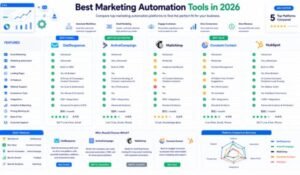
Best Marketing Automation Tools
Selecting the right marketing automation platform depends on your business size, budget, technical expertise, and marketing goals.
Below are some of the most popular platforms available in 2026.
1. GetResponse
Best For
Small businesses, ecommerce stores, bloggers, agencies, and growing businesses.
Features
- Email marketing
- Marketing automation
- Webinar hosting
- Landing pages
- CRM
- Conversion funnels
- AI email generator
- Ecommerce automation
- Website builder
Pros
- Excellent value
- Powerful automation
- Built-in webinars
- AI-powered tools
- Easy to scale
2. HubSpot
Best For
Large businesses and enterprise marketing teams.
Features
- CRM
- Sales automation
- Marketing Hub
- Customer service
- Advanced analytics
Pros
- Enterprise-level functionality
- Excellent CRM
- Comprehensive reporting
Cons
- Higher pricing
- Steeper learning curve
3. ActiveCampaign
Best For
Businesses needing advanced automation.
Features
- Email automation
- CRM
- Lead scoring
- Predictive sending
- Behavioral tracking
4. Mailchimp
Best For
Beginners and small businesses.
Features
- Email marketing
- Basic automation
- Landing pages
- Reporting
- Templates
5. Brevo (formerly Sendinblue)
Best For
Budget-conscious businesses.
Features
- Email marketing
- SMS marketing
- CRM
- Automation
- Transactional emails
Tool Comparison Table
| Platform | Automation | CRM | Landing Pages | Webinar | AI Features | Best For |
| GetResponse | ⭐⭐⭐⭐⭐ | ✅ | ✅ | ✅ | ✅ | Growing Businesses |
| HubSpot | ⭐⭐⭐⭐⭐ | ✅ | ✅ | ❌ | ✅ | Enterprise |
| ActiveCampaign | ⭐⭐⭐⭐⭐ | ✅ | Limited | ❌ | Limited | Advanced Marketers |
| Mailchimp | ⭐⭐⭐⭐☆ | Limited | ✅ | ❌ | Limited | Beginners |
| Brevo | ⭐⭐⭐⭐☆ | ✅ | Basic | ❌ | Limited | Budget Users |
GetResponse Marketing Automation Features
GetResponse has become one of the leading all-in-one marketing platforms because of its advanced automation capabilities.
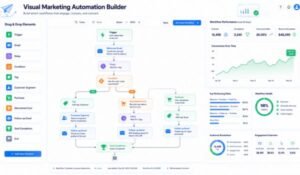
Visual Automation Builder
The drag-and-drop automation builder allows users to create customer journeys without coding.
Users simply connect:
- Triggers
- Conditions
- Actions
using a visual workflow editor.
Popular Triggers
- New subscriber
- Email opened
- Link clicked
- Product purchased
- Cart abandoned
- Landing page visited
- Webinar registration
- Form submission
Automation Actions
- Send email
- Wait
- Add tag
- Remove tag
- Move list
- Notify sales team
- Assign lead score
- Send SMS (supported plans)
- Recommend products
Behavioral Segmentation
Instead of sending identical emails to everyone, GetResponse automatically segments audiences based on:
- Purchase history
- Email engagement
- Website activity
- Geographic location
- Customer interests
- Sales funnel stage
This improves personalization and campaign performance.
AI-Powered Automation
Artificial intelligence enhances automation by helping users:
- Generate email content
- Suggest workflows
- Optimize send times
- Improve subject lines
- Personalize campaigns
These AI-driven features save time while improving engagement.
Ecommerce Automation
For online stores, GetResponse includes specialized automation such as:
- Abandoned cart recovery
- Product recommendations
- Order confirmations
- Cross-selling
- Upselling
- Review requests
- Customer win-back campaigns
Build Your First Automation Workflow
If you’re just getting started, follow these simple steps:
Step 1
Choose your objective.
Examples:
- Welcome new subscribers
- Recover abandoned carts
- Promote a product
- Book webinar attendees
Step 2
Select a trigger.
Example:
“User subscribes.”
Step 3
Add actions.
Example:
- Send welcome email
- Wait 2 days
- Send educational email
- Wait 3 days
- Offer discount
Step 4
Test the workflow.
Ensure every trigger and action works correctly before activating it.
Step 5
Monitor results.
Track:
- Open rates
- Click rates
- Conversion rates
- Revenue
- Unsubscribes
Optimize your workflow based on performance data.
Common Marketing Automation Mistakes (and How to Avoid Them)
Marketing automation can save time, improve customer engagement, and increase sales—but only when it’s implemented correctly. Many beginners make mistakes that reduce campaign performance and create a poor customer experience.
Here are the most common mistakes and practical ways to avoid them.
1. Automating Everything Without a Strategy
Automation should support your marketing strategy, not replace it.
Mistake: Creating workflows without defining goals.
Solution: Set clear objectives before building any automation, such as increasing lead generation, improving customer retention, or recovering abandoned carts.
2. Sending Too Many Emails
Bombarding subscribers with frequent emails can lead to fatigue, lower engagement, and higher unsubscribe rates.
Best Practice:
- Focus on quality over quantity.
- Space emails appropriately.
- Monitor engagement metrics to adjust frequency.
3. Ignoring Audience Segmentation
Sending the same message to every subscriber often reduces relevance.
Better Approach:
Segment your audience by:
- Purchase history
- Interests
- Location
- Engagement level
- Website behavior
- Customer lifecycle stage
Personalized campaigns typically perform better than generic broadcasts.
4. Forgetting to Test Workflows
A broken automation can result in missed opportunities or duplicate messages.
Before activating any workflow:
- Test every trigger.
- Verify email content.
- Check timing delays.
- Confirm links and forms work correctly.
5. Using Generic Email Content
Subscribers expect communication that feels relevant to their needs.
Include:
- Personalized greetings
- Dynamic content
- Product recommendations
- Relevant offers
- Clear calls to action
6. Ignoring Analytics
Automation should continuously improve over time.
Track key performance indicators such as:
- Open rate
- Click-through rate
- Conversion rate
- Revenue generated
- Unsubscribe rate
- Bounce rate
Use these insights to refine your workflows.
7. Not Cleaning Your Email List
Inactive subscribers can reduce deliverability and campaign performance.
Regularly:
- Remove invalid email addresses.
- Re-engage inactive subscribers.
- Suppress unresponsive contacts when appropriate.
8. Failing to Align Marketing and Sales
If marketing automation and sales teams work independently, valuable leads may be overlooked.
Integrate your CRM and define a clear process for handing qualified leads to the sales team.
Frequently Asked Questions (FAQs)
1. What is marketing automation?
Marketing automation is the use of software to automate repetitive marketing activities such as email campaigns, lead nurturing, customer segmentation, and follow-up communications.
2. Is marketing automation only for large businesses?
No. Modern marketing automation tools are designed for businesses of all sizes, including startups, freelancers, bloggers, ecommerce stores, and small businesses.
3. What are the benefits of marketing automation?
Key benefits include:
- Time savings
- Better lead management
- Personalized customer experiences
- Increased conversions
- Higher productivity
- Improved customer retention
- Better return on investment (ROI)
4. Is email marketing the same as marketing automation?
No. Email marketing focuses on sending campaigns, while marketing automation manages entire customer journeys using triggers, conditions, and automated workflows.
5. Which industries benefit from marketing automation?
Marketing automation is widely used across:
- Ecommerce
- SaaS
- Education
- Healthcare
- Real estate
- Financial services
- Digital agencies
- Professional services
- Nonprofits
6. Can beginners use marketing automation?
Yes. Most modern platforms provide drag-and-drop workflow builders, templates, and guided setup processes that make automation accessible to beginners.
7. Which marketing automation tool is best?
The ideal platform depends on your goals and budget. Many businesses choose solutions that combine email marketing, automation, landing pages, analytics, and CRM features in one platform to simplify their marketing stack.
8. How long does it take to see results?
Results vary depending on your strategy, audience, and campaign quality. Businesses that consistently optimize their workflows often see improvements in engagement and conversions over time.
9. Can marketing automation improve sales?
Yes. Automation helps nurture leads, deliver timely follow-ups, personalize communication, and recover lost opportunities, all of which can contribute to increased sales.
10. Does marketing automation require coding?
No. Most leading platforms use visual workflow builders that allow users to create automation without writing code.
Marketing Automation Beginner’s Checklist
Use this checklist as you launch your first automation campaign.
Planning
- Define your marketing goal.
- Identify your target audience.
- Map the customer journey.
- Decide which workflow to automate first.
Platform Setup
- Choose a marketing automation platform.
- Import your contacts.
- Connect your website or ecommerce store.
- Configure analytics and tracking.
Workflow Creation
- Select a trigger.
- Add conditions and actions.
- Create personalized email content.
- Include clear calls to action.
Testing
- Test every workflow step.
- Verify email formatting.
- Check all links and forms.
- Review timing and delays.
Optimization
- Monitor campaign performance.
- Run A/B tests.
- Update content regularly.
- Refine audience segmentation.
- Remove inactive subscribers.
Expert Tips for Better Results
If you’re new to marketing automation, these best practices can help you build stronger campaigns:
- Start with one simple workflow before creating complex automations.
- Personalize emails using subscriber data.
- Use concise and compelling subject lines.
- Focus on delivering value rather than constant promotions.
- Review analytics regularly and optimize based on real performance.
- Keep your contact database clean and updated.
- Integrate your automation platform with CRM and ecommerce tools for a unified customer view.
Final Thoughts
Marketing automation has become an essential part of modern digital marketing. By automating repetitive tasks and delivering personalized experiences, businesses can save time, improve customer relationships, and scale more efficiently.
The key to success is not creating the most complex workflow but building meaningful customer journeys that deliver relevant content at the right time.
Beginners should start with simple automations such as welcome emails or lead nurturing campaigns, then gradually expand as they gain experience and analyze results.
When implemented thoughtfully, marketing automation can become one of the most valuable investments for long-term business growth.
Ready to transform your marketing?
Start by identifying one repetitive task you perform every week—such as sending welcome emails or following up with new leads—and automate it. As you gain confidence, expand your workflows to include lead nurturing, abandoned cart recovery, customer onboarding, and personalized product recommendations.
The sooner you begin using marketing automation, the sooner you’ll free up valuable time, improve customer engagement, and create a scalable marketing system that supports your business as it grows.
Conclusion
Marketing automation is no longer a luxury reserved for large enterprises—it’s a practical solution for businesses of every size. By automating routine tasks, personalizing customer communication, and using data to guide decisions, you can build stronger relationships, improve marketing efficiency, and drive sustainable growth.
Start small, measure your results, and continuously optimize your workflows. With the right strategy and tools, marketing automation can become the foundation of a more effective and scalable digital marketing system.
Leave a Reply