


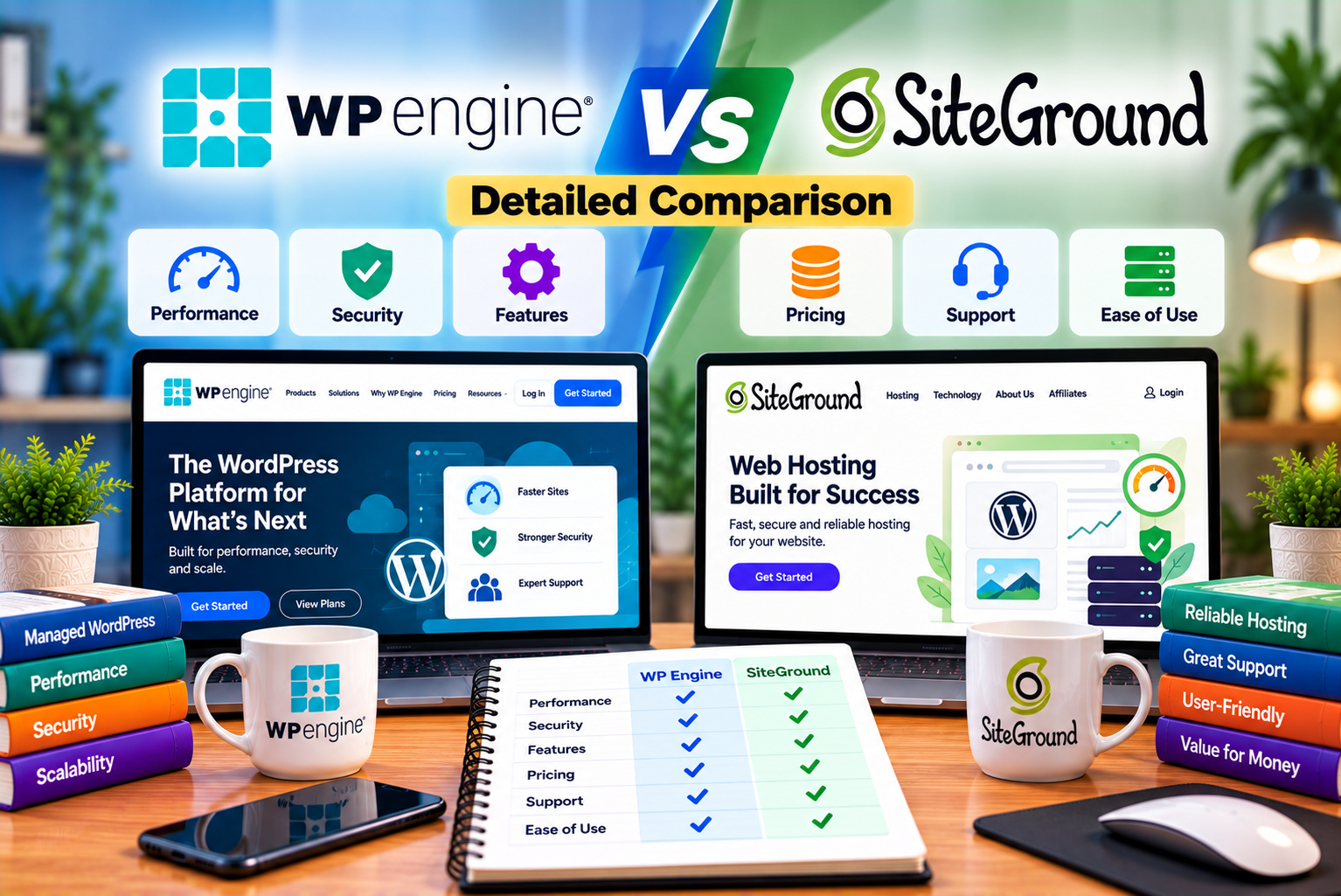
WP Engine vs SiteGround
Choosing the right WordPress hosting provider can significantly affect your website’s performance, security, maintenance requirements, and long-term operating costs. A reliable hosting service helps your website remain accessible, load efficiently, and support your business as traffic grows.
However, not every hosting provider is designed for the same audience.
Some hosting companies focus on affordability, beginner-friendly tools, and an all-in-one website management experience. Others concentrate on managed WordPress infrastructure, advanced development workflows, and specialized support for businesses running important websites.
Two providers that illustrate these different approaches are WP Engine and SiteGround.
WP Engine is a WordPress-focused managed hosting platform designed for website owners, businesses, developers, and agencies that need specialized WordPress tools and infrastructure. SiteGround offers WordPress hosting alongside broader web hosting features, including email, backups, caching, and website management tools.
Both providers support WordPress websites, but their pricing structures, development workflows, and target customers differ.
SiteGround may appeal to users who want an accessible starting point and a range of hosting features in one account. WP Engine may be a better fit for organizations that prioritize managed WordPress operations, staging environments, performance management, and specialized support.
In this guide, we compare WP Engine vs SiteGround in detail, including their features, pricing, performance considerations, security, support, scalability, and suitability for different types of websites.
By the end, you’ll understand which hosting provider makes the most sense for your budget, technical requirements, and business goals.
WP Engine vs SiteGround: Quick Comparison
Before exploring each category in detail, here’s a summary of the key differences.
| Feature | WP Engine | SiteGround |
| Primary focus | Managed WordPress hosting | Web hosting with WordPress-specific services |
| Best suited to | Businesses, agencies, developers, and professional WordPress sites | Bloggers, small businesses, freelancers, and growing websites |
| Beginner friendliness | Good, although some features target professional users | Very good for beginners and general website owners |
| WordPress management | WordPress-focused managed platform | Managed WordPress tools within its hosting platform |
| Starting advertised price | Essential plans have been listed from $28/month when billed annually; verify the current checkout price | Promotional offers may begin substantially lower; regular prices are higher |
| WordPress installation | Yes | Yes |
| Free SSL | Yes | Yes |
| Automatic backups | Yes | Yes |
| Website migration | Migration plugin and managed migration options depending on plan | Free WordPress migration plugin |
| Staging | Yes | Available on GrowBig and GoGeek |
| Performance technology | EverCache and Cloudflare-powered CDN | SuperCacher, Speed Optimizer, and CDN |
| WordPress security | Managed security patching, threat protection, and plugin risk scanning | Security tools, managed updates, and security-related plugins |
| Business email | Not included as a standard hosting email service | Included with shared hosting plans |
| Developer tools | Staging and development environments, SSH, and Git-based deployment workflows | SSH, WP-CLI, staging, and Git tools on supported plans |
| WooCommerce | Supported through suitable WordPress and e-commerce plans | Supported through WordPress hosting |
| Pricing structure | Managed WordPress plans with visit, storage, and bandwidth allowances | Hosting plans with storage and feature limits, plus introductory offers |
| Best overall strength | Specialized WordPress management and development workflows | Broad feature set and accessible entry-level hosting |
Features and prices can change, and some capabilities depend on the selected plan. Check the providers’ official pages before purchasing.
Quick verdict: Choose SiteGround if you want a more affordable entry point and an all-in-one hosting package. Consider WP Engine if your business depends on WordPress and you need more specialized hosting management, development workflows, and performance tools.
1. What Is WP Engine?
WP Engine is a managed WordPress hosting provider focused on helping businesses and developers operate WordPress websites without taking responsibility for every aspect of server administration.
Instead of positioning itself primarily as a low-cost general-purpose hosting provider, WP Engine emphasizes WordPress-specific infrastructure, automated maintenance, security, performance, and development tools.
Its platform is designed for websites that need more than basic hosting, including business websites, content publishers, agencies, e-commerce stores, and larger WordPress projects.
Key Features of WP Engine
Managed WordPress Hosting
WP Engine manages important parts of the hosting environment, including WordPress-related infrastructure and supported maintenance operations.
This can reduce the amount of routine infrastructure work website owners must handle themselves.
However, managed hosting does not mean that every aspect of website maintenance is included. Website owners remain responsible for content, design, business logic, plugin selection, and custom development.
EverCache Performance Technology
WP Engine provides EverCache, its WordPress-oriented caching technology.
Caching helps reduce repeated processing by allowing eligible content to be served without rebuilding the entire page for every request.
This can improve response times and reduce the workload on the underlying infrastructure, particularly for websites with substantial amounts of cacheable content.
Dynamic websites still require appropriate configuration because features such as customer accounts, shopping carts, and personalized content may not be suitable for full-page caching.
Global Content Delivery Network
WP Engine offers CDN functionality powered by Cloudflare to help deliver website resources to visitors in different geographical locations.
A CDN can improve the delivery of static resources, such as images, stylesheets, and JavaScript files, by serving them through a distributed network.
The actual performance benefit depends on visitor location, website configuration, caching, and the type of content being delivered.
Automated Backups
WP Engine provides automatic and on-demand backup checkpoints.
These backups help website owners recover from certain types of problems, including unsuccessful updates, accidental changes, and website configuration errors.
Backup retention and restoration options should be checked against the current service documentation and plan details.
Development and Staging Environments
WP Engine supports separate development, staging, and production environments.
This allows developers to test changes before making them available to visitors.
For example, an agency can update a WordPress theme in staging, check the website’s layout and functionality, and then deploy the approved changes to the live site.
This workflow is particularly useful when a website receives frequent updates or supports important business operations.
Security and Threat Protection
WP Engine provides managed security features such as security patching, plugin risk scanning, and DDoS protection.
Additional protection options may be available depending on the plan and selected services.
WordPress-Specialized Support
WP Engine provides WordPress-focused technical support. This can be valuable when a business needs assistance with hosting configuration, performance-related issues, or platform-specific questions.
The scope of support still matters: troubleshooting a hosting issue is different from requesting custom development or asking the provider to repair every third-party plugin.
Who Should Use WP Engine?
WP Engine may be suitable for:
- Businesses operating important WordPress websites.
- Agencies managing multiple client sites.
- Publishers with substantial content libraries.
- Developers who need staging and deployment workflows.
- Companies that want managed WordPress infrastructure.
- E-commerce businesses evaluating managed WordPress hosting.
- Organizations that prioritize hosting support and operational reliability.
WP Engine may be less attractive to users who simply want the lowest possible hosting cost for a small personal blog.
Official website: WP Engine
2. What Is SiteGround?
SiteGround is a web hosting provider that offers WordPress hosting alongside tools for managing websites, email accounts, backups, domains, performance, and security.
Its WordPress hosting is designed to make launching and maintaining a website accessible to individuals, freelancers, and businesses.
SiteGround combines general hosting functionality with WordPress-specific tools, making it a practical option for users who want to manage several aspects of their online presence through one account.
Key Features of SiteGround
WordPress Installation and Migration
SiteGround supports WordPress installation through its hosting control panel.
It also provides a free WordPress migration plugin that can help transfer an existing website from another hosting provider.
Migration complexity depends on the website’s size, configuration, plugins, and database structure. Sites with unusual configurations or complex e-commerce functionality may require additional testing.
SuperCacher and Speed Optimizer
SiteGround offers SuperCacher technology and its Speed Optimizer WordPress plugin.
These tools are designed to improve website performance through caching and optimization features.
Depending on the configuration, performance improvements may involve page caching, browser caching, file optimization, and other techniques.
As with any caching system, users should test important website functions after enabling optimization features.
Free SSL Certificates
SiteGround includes SSL certificates to support encrypted connections between a website and its visitors.
HTTPS is important for protecting data in transit, supporting user trust, and meeting modern browser expectations.
An SSL certificate does not, by itself, secure every aspect of a website. WordPress updates, account permissions, secure plugins, and application-level protections remain important.
Daily Backups
SiteGround provides automatic backups for its shared hosting plans.
Depending on the plan, users may also have access to on-demand backups and additional restoration options.
Backups are useful when a website experiences problems following a plugin update, theme modification, accidental deletion, or other unexpected change.
For critical websites, it is still sensible to maintain an independent backup strategy where appropriate.
Built-In CDN
SiteGround provides CDN functionality to help distribute website content to visitors across different locations.
The CDN can improve delivery performance for static resources, although the results depend on the site’s configuration and audience.
Business Email Hosting
SiteGround includes professional email hosting with its shared hosting plans.
This can be useful for businesses that want email addresses associated with their domain without purchasing a separate email hosting service.
For example, a company could create addresses such as info@yourbusiness.com and manage its website and email through the same hosting provider.
Businesses with advanced collaboration, security, compliance, or productivity requirements may still prefer a dedicated email platform.
WordPress Security Tools
SiteGround offers security features and WordPress tools intended to help users maintain their websites.
Its offerings include managed WordPress updates and security-related plugins.
Users should still maintain strong passwords, remove unnecessary plugins, review permissions, and keep their websites up to date.
Website Management Tools
SiteGround provides a control panel called Site Tools for managing website-related settings.
Depending on the plan, users can access tools for domains, databases, backups, email, security, and performance.
This broad set of features can be useful for beginners and small businesses that want a straightforward website management experience.
Who Should Use SiteGround?
SiteGround may be suitable for:
- Bloggers and content creators.
- Small business websites.
- Freelancers and consultants.
- WordPress beginners.
- Portfolio websites.
- Small and medium-sized business websites.
- Users who want business email included with hosting.
- Website owners who prioritize an accessible entry-level plan.
Its regular renewal pricing should be considered before making a long-term commitment.
Official website: SiteGround
3. WP Engine vs SiteGround: Pricing Comparison
Pricing is one of the most important differences between WP Engine and SiteGround.
SiteGround generally offers a lower introductory price for entry-level hosting, while WP Engine positions itself as a more specialized managed WordPress platform.
However, comparing only the promotional prices can be misleading.
You should also consider renewal rates, resource allowances, included services, the number of websites you can host, and the potential cost of additional features.
WP Engine Pricing
WP Engine’s Essential hosting plans are designed around the capacity and requirements of WordPress websites.
Its published plan options have included the following starting prices and allowances:
| Plan | Advertised Starting Price | Sites Included | Monthly Visit Allowance | Storage |
| Startup | $30/month | 1 | 25,000 | 10 GB |
| Professional | $55/month | 3 | 75,000 | 15 GB |
| Growth | $109/month | 10 | 100,000 | 20 GB |
| Scale | $276/month | 30 | 400,000 | 50 GB |
| Core Hosting | From $400/month | Contact sales | Contact sales | Contact sales |
These are published advertised starting prices from WP Engine’s pricing materials and may not reflect every current offer, billing arrangement, or regional price. The main plans can have different prices depending on the selected package and billing terms. Verify the amount shown at checkout before purchasing.
WP Engine’s plans also specify bandwidth allowances. For example, the published Startup, Professional, Growth, and Scale plans list 75 GB, 150 GB, 240 GB, and 550 GB of bandwidth, respectively.
The plan allowances matter because a website’s storage and data transfer requirements may grow even if its visitor count remains relatively stable.
What Affects WP Engine’s Cost?
Several factors can affect your total hosting expense:
- Number of WordPress websites.
- Monthly billable visits.
- Storage requirements.
- Bandwidth usage.
- E-commerce requirements.
- Optional performance and security services.
- Additional site capacity.
- Business or enterprise support requirements.
WP Engine’s billable visit calculations do not simply count every request. Its documentation explains that a visit is based on a unique IP address within a 24-hour period, with exclusions for certain bot traffic and static-content-only requests.
Before selecting a plan, review the way WP Engine measures usage and determine whether your website’s traffic pattern fits the included allowance.
SiteGround Pricing
SiteGround’s WordPress hosting is offered through its shared hosting plans, including StartUp, GrowBig, and GoGeek.
The provider advertises promotional prices for eligible new customers, while regular prices depend on the selected plan and prepaid period.
For example, the official SiteGround website has advertised the following introductory offers:
| Plan | Example Promotional Price | Regular Price Shown on Offer Page | General Suitability |
| StartUp | $2.99/month | $17.99/month on a 12-month standard rate | One website with basic hosting needs |
| GrowBig | $4.99/month | $29.99/month on a 12-month standard rate | Growing websites and users needing staging |
| GoGeek | $7.99/month | $44.99/month on a 12-month standard rate | Larger projects and advanced collaboration features |
These are examples of advertised pricing, not guaranteed offers. Promotions, eligibility, billing periods, and regional prices can change. SiteGround’s standard-rate documentation lists different prices for monthly, 12-month, and 24-month billing periods.
What Affects SiteGround’s Cost?
The total cost may depend on:
- The hosting plan you select.
- The length of the initial billing period.
- The renewal rate.
- The number of websites you need to host.
- Storage requirements.
- Additional services or domain-related costs.
- Any optional upgrades.
- Taxes applicable to your billing location.
SiteGround’s regular prices are materially higher than its advertised introductory prices in some cases. Always calculate what you will pay after the initial promotional term ends.
Which Provider Is More Affordable?
For a basic website, SiteGround is usually the more affordable entry point.
Its promotional pricing can make it attractive to bloggers, freelancers, and small businesses launching their first WordPress website.
WP Engine generally requires a larger hosting budget, but its specialized platform and operational tools may be valuable to businesses that need them.
The correct comparison is not simply the monthly price. It is the total cost of running a reliable website, including hosting, maintenance, performance optimization, security, and any additional services your project needs.
Pricing verdict: SiteGround wins on entry-level affordability, while WP Engine may justify its higher cost for businesses that benefit from specialized WordPress management.
4. Performance and Website Speed
Website speed affects user experience, conversion rates, and the way visitors interact with your content.
A slow website can frustrate users, particularly on mobile devices or slower internet connections. For e-commerce websites, unnecessary delays during browsing and checkout can also reduce the likelihood of completing a purchase.
However, hosting performance cannot be judged from the provider’s name alone.
Your results depend on server configuration, caching, application code, database queries, image sizes, traffic patterns, and the geographical location of your audience.
WP Engine Performance
WP Engine offers several performance-oriented features.
EverCache: Its WordPress caching technology helps serve eligible content without repeatedly processing the same requests.
Cloudflare-powered CDN: A distributed network helps deliver supported content to visitors in different regions.
Managed infrastructure: The platform is designed to reduce routine infrastructure-management work and support WordPress websites.
Development and staging environments: These allow teams to test changes before publishing them, helping reduce the risk of introducing performance problems into a live site.
Performance monitoring tools: Available tools and add-ons can help teams investigate problems and identify opportunities for improvement.
WP Engine may be particularly attractive to businesses that want a specialized WordPress hosting environment rather than managing performance through several independent services.
However, a poorly optimized WordPress site can still perform badly on premium hosting. Unnecessary plugins, oversized images, slow external scripts, and inefficient database queries can create bottlenecks.
SiteGround Performance
SiteGround also provides performance-oriented tools.
SuperCacher: Helps cache eligible website content.
Speed Optimizer: Provides WordPress optimization features.
CDN: Helps distribute supported website resources across a network of locations.
Google Cloud infrastructure: SiteGround uses Google Cloud infrastructure for its hosting platform.
Managed updates: WordPress-related update features can help maintain a current software environment.
These capabilities can be sufficient for many business websites and blogs, particularly when the site is built carefully and does not require unusually demanding resources.
SiteGround’s performance tools may also be useful for users who prefer to manage website optimization through a hosting dashboard and WordPress plugins.
WP Engine vs SiteGround: Which Is Faster?
There is no universal winner for every website.
WP Engine’s specialized managed architecture and caching can be valuable for demanding WordPress workloads. SiteGround’s caching and optimization tools can also provide strong performance for small and medium-sized sites.
Third-party comparisons have reported different results depending on the tested website, plan, configuration, and methodology. Those results should not be treated as guarantees for your own project.
For a meaningful comparison, test equivalent copies of your website using the same theme, plugins, content, and caching conditions.
Measure:
- Time to First Byte (TTFB).
- Largest Contentful Paint (LCP).
- Interaction to Next Paint (INP).
- Cumulative Layout Shift (CLS).
- Server response time under load.
- Uptime over a meaningful period.
- Performance during dynamic operations, such as searches or checkout.
Performance verdict: WP Engine is worth considering for performance-sensitive WordPress businesses, while SiteGround can be a capable option for typical business websites and blogs. Test your actual workload before paying more solely for a performance claim.
5. Security Features and Website Protection
Website security should be a major consideration when choosing a hosting provider.
A compromised WordPress website can lose visitor trust, expose sensitive information, display malicious content, or become unavailable.
Both providers offer security-related features, but the scope and implementation differ.
WP Engine Security
WP Engine provides managed security capabilities designed for WordPress websites.
These include:
- Security patching.
- Plugin risk scanning.
- DDoS protection.
- SSL certificates.
- Automatic backups.
- Managed WordPress-related infrastructure.
- Additional security options on supported plans.
Some security and protection features may require an optional service or higher-tier plan.
WP Engine’s approach can be useful for organizations that prefer a more specialized WordPress hosting environment with platform-level security measures.
Nevertheless, website owners remain responsible for many application-level decisions, including access permissions, secure custom code, plugin selection, and third-party integrations.
SiteGround Security
SiteGround includes security-related services and tools for WordPress websites.
These include:
- SSL certificates.
- Automatic backups.
- Managed WordPress updates.
- Security-related WordPress plugins.
- Hosting-level security measures.
- Website management tools.
These features can help small businesses and website owners maintain a more secure environment without assembling every component separately.
However, a hosting provider cannot eliminate every risk. Outdated plugins, weak passwords, excessive administrator permissions, and vulnerable custom code can still expose a website.
Which Provider Offers Better Security?
WP Engine may be attractive to businesses that value a WordPress-specialized platform and its managed security features.
SiteGround provides useful security capabilities for a broad range of website owners and may be sufficient for many small and medium-sized WordPress websites.
The better choice depends on your security requirements, the value of the website, the sensitivity of the information it handles, and the additional controls your organization needs.
For either provider, follow a basic security routine:
- Keep WordPress, themes, and plugins updated.
- Remove software you no longer use.
- Use strong passwords and appropriate user roles.
- Enable multifactor authentication where available.
- Maintain and test backups.
- Monitor suspicious activity.
- Review third-party integrations.
- Test major changes before applying them to the live website.
Security verdict: WP Engine offers a more specialized managed WordPress approach, while SiteGround provides a broad set of security tools that can suit many everyday website requirements.
6. Ease of Use and Website Management
A hosting provider should make routine website management easier, not add unnecessary complexity.
The best option depends on whether you are a beginner, a marketer, a business owner, or a developer managing several WordPress projects.
WP Engine Ease of Use
WP Engine’s portal is built around WordPress hosting operations.
Users can manage their websites, access backups, work with environments, and perform supported hosting tasks from a centralized interface.
Its environment-based workflow is particularly useful for development teams.
For example, an agency might:
- Create a development environment.
- Implement a redesign.
- Test the new layout and functionality.
- Copy approved changes to staging.
- Verify the website before launch.
- Deploy the final changes to production.
This workflow helps separate development work from the live website.
However, some of the platform’s capabilities may be more than a beginner needs for a simple blog or brochure website.
SiteGround Ease of Use
SiteGround provides Site Tools, a control panel for managing website-related services.
Users can access functions such as:
- WordPress installation.
- Domain settings.
- SSL configuration.
- Email management.
- Backups.
- Performance settings.
- Security tools.
- Database management.
The inclusion of business email and broader hosting features can make SiteGround convenient for small businesses.
For example, a freelancer launching a portfolio website may want to manage a domain, create a professional email address, install WordPress, and publish a few pages without coordinating multiple services.
SiteGround can support this type of workflow.
Which Provider Is Easier to Use?
SiteGround may feel more approachable for beginners who want an all-in-one hosting experience.
WP Engine’s interface and environment-management approach may be more useful for agencies and developers who need structured WordPress workflows.
Ease-of-use verdict: SiteGround is a strong starting point for general website owners, while WP Engine offers workflow advantages for professional WordPress teams.
7. Website Migration and Setup
Moving an existing website to a new hosting provider can be stressful, particularly if the website generates leads or sales.
A good migration process should protect the site’s content, database, media, URLs, forms, and important integrations.
Migrating to WP Engine
WP Engine offers a free automated migration plugin and managed migration options depending on the plan and service.
A typical migration may involve:
- Creating a WP Engine account.
- Setting up the destination environment.
- Preparing the existing WordPress website.
- Running the migration process.
- Checking the migrated content and media.
- Testing forms, plugins, and other functionality.
- Configuring DNS when ready.
- Monitoring the live website after the change.
Managed migration options can be useful for businesses that prefer assistance with the process.
However, migration complexity depends on the source website. Large databases, custom configurations, and unusual server dependencies may require additional work.
Migrating to SiteGround
SiteGround provides its free SiteGround Migrator plugin for WordPress websites.
A typical process involves:
- Creating a SiteGround hosting account.
- Installing the migration plugin on the existing WordPress website.
- Generating the migration token through SiteGround.
- Starting the migration.
- Reviewing the migrated website.
- Testing important pages and functionality.
- Changing DNS after successful verification.
- Checking the website again after launch.
For complex websites, users should plan additional testing and consider whether professional migration assistance is appropriate.
Which Provider Is Better for Migration?
Both providers offer migration options.
WP Engine may appeal to businesses that want a more managed migration experience, depending on the service purchased.
SiteGround’s migration plugin provides a convenient route for users who are comfortable carrying out the process themselves.
The most important factor is whether your specific website can be migrated reliably.
Before switching, make a full backup, check compatibility, test the migrated website, and plan DNS changes carefully.
Migration verdict: Both providers can support WordPress migrations. Choose the approach that best fits your technical skills and the complexity of your website.
8. Staging, Development, and Deployment Tools
Staging is particularly important for websites that change frequently.
A staging environment allows you to test updates on a copy of your website without immediately affecting the live version.
WP Engine Development Tools
WP Engine supports separate development, staging, and production environments.
These environments can help teams:
- Test plugin updates.
- Develop custom features.
- Review design changes.
- Investigate errors.
- Test performance improvements.
- Prepare new pages or functionality.
- Reduce the risk of deploying untested changes.
WP Engine also supports developer-oriented workflows, including Git-based deployment capabilities.
These features can be useful for agencies and developers managing multiple WordPress websites.
However, teams should still follow a sensible release process. Copying a database or pushing changes between environments can overwrite newer content if performed carelessly.
For example, pushing a staging database to a live WooCommerce website may affect recent orders or customer data. Developers should understand which components they are deploying and use appropriate safeguards.
SiteGround Development Tools
SiteGround offers WordPress staging on its GrowBig and GoGeek plans.
GoGeek also includes additional developer-oriented functionality, such as Git tools and white-label access.
These capabilities may be sufficient for freelancers, small agencies, and businesses that occasionally test design changes or plugin updates.
However, users on the entry-level StartUp plan should check the current feature list carefully because staging is not included in the same way as on higher-tier plans.
Which Provider Is Better for Developers?
WP Engine is particularly appealing when development and staging are central to the team’s workflow.
SiteGround provides useful tools for users who need staging and developer capabilities without necessarily requiring a more specialized managed WordPress platform.
Development verdict: WP Engine is a strong option for structured professional workflows. SiteGround is suitable for many smaller projects, particularly on plans that include staging and Git tools.
9. Customer Support Comparison
Hosting support matters when a website stops working, a migration fails, or a performance problem affects visitors.
The quality of support should be evaluated in terms of availability, technical expertise, response time, and the scope of assistance provided.
WP Engine Customer Support
WP Engine provides WordPress-focused technical support through its support channels.
Its plans include 24/7 chat support, with phone support and additional services available depending on the plan.
The platform’s specialization can be useful when the problem involves managed WordPress hosting, platform configuration, or hosting-related performance questions.
Higher-tier business and enterprise offerings may provide additional migration, onboarding, or account-management assistance.
However, specialized hosting support does not automatically include every form of custom development. If a plugin contains a coding error, the provider may help identify the issue without being responsible for rewriting the plugin.
SiteGround Customer Support
SiteGround provides support for hosting and website-management questions.
Users can seek assistance with topics such as:
- WordPress installation.
- Hosting configuration.
- Domain and SSL settings.
- Email setup.
- Backup restoration.
- Migration issues.
- Hosting-related troubleshooting.
The provider’s broad hosting offering can be convenient for users who manage both website hosting and email through the same account.
Support availability and the exact channels offered can vary by service and current policy, so review the official support information before purchasing.
Which Provider Has Better Support?
WP Engine may be more appealing to users who value specialized WordPress hosting support.
SiteGround is a practical choice for users who want assistance with everyday hosting and website-management tasks.
Support quality can vary by the issue, account, and circumstances. Avoid choosing solely on marketing claims or isolated reviews.
Support verdict: WP Engine is worth considering when specialized WordPress operations support is a priority. SiteGround offers a broad support experience for common website hosting needs.
10. WordPress Plugin and Theme Compatibility
WordPress’s flexibility comes partly from its extensive plugin and theme ecosystem.
However, some hosting environments restrict certain plugins because they conflict with platform-level functionality, duplicate caching features, or create operational problems.
WP Engine Compatibility
WP Engine maintains a list of disallowed or restricted plugins and configurations.
These restrictions can involve plugins that conflict with platform caching, backup systems, security measures, or other hosting functionality.
Before migrating a website, review the current list of prohibited plugins and check whether your existing setup is compatible.
This is particularly important for websites that rely on specialized caching, backup, security, or database tools.
The benefit of a curated hosting environment is that it can reduce conflicts with certain platform services. The trade-off is that users may have less freedom to use every plugin they prefer.
SiteGround Compatibility
SiteGround supports a broad range of WordPress themes and plugins.
However, compatibility is not unlimited. Plugins can conflict with each other, consume excessive resources, introduce vulnerabilities, or behave differently depending on the server environment.
Users should review plugin requirements and test important functionality after installation or updates.
SiteGround’s performance tools may overlap with some third-party caching and optimization plugins, so users should avoid enabling multiple tools that perform the same task without understanding how they interact.
Which Provider Is Better for Plugin Flexibility?
SiteGround may be more appealing to users who want a broad WordPress hosting environment and prefer to manage their own plugin selection.
WP Engine’s restrictions can be a consideration for projects that depend on particular plugins, although those restrictions are intended to help maintain platform compatibility and performance.
Neither provider can guarantee that every plugin will work perfectly.
Compatibility verdict: Check your current plugin stack before choosing either host. Plugin compatibility can be more important than a small difference in monthly pricing.
11. WooCommerce Hosting: WP Engine vs SiteGround
WooCommerce adds additional requirements to a WordPress website.
An online store may need to process orders, manage customer accounts, update stock levels, calculate shipping, accept payments, and communicate with external services.
These activities can involve dynamic database queries that require careful caching and performance configuration.
WooCommerce on WP Engine
WP Engine offers WordPress hosting and e-commerce solutions for online stores.
Its managed hosting features can help with backups, staging, caching, and operational maintenance.
For a WooCommerce business, these tools can be particularly useful before launching a new product category, updating payment integrations, or modifying the checkout experience.
However, store owners should evaluate the specific plan and e-commerce features they need rather than assuming that every WooCommerce-related capability is included in every hosting package.
WooCommerce on SiteGround
SiteGround supports WooCommerce websites and provides WordPress-related performance, backup, and security features.
It may be attractive to smaller stores looking for an accessible starting point.
The appropriate plan depends on traffic, product complexity, plugin requirements, and the store’s operational needs.
A small catalog with predictable traffic may have different requirements from a store running large promotions or processing a high volume of simultaneous orders.
Which Provider Is Better for WooCommerce?
SiteGround may be sufficient for smaller stores that want a lower entry cost and standard WordPress hosting features.
WP Engine may be worth considering for businesses that prioritize specialized managed hosting workflows and have a budget for a more premium service.
Neither provider guarantees a particular conversion rate or speed score. Store performance depends on the entire system, including the theme, plugins, payment integrations, product images, and caching configuration.
WooCommerce verdict: Choose based on your store’s workload, the hosting plan’s resource limits, and the support you require—not simply on the provider’s brand.
12. Scalability and High-Traffic Websites
A hosting provider should support your website as it grows.
However, scalability means more than increasing the number of monthly visitors. It can also involve larger databases, additional websites, higher bandwidth, more complex functionality, and heavier workloads.
WP Engine Scalability
WP Engine offers multiple plan levels with different allowances for sites, visits, storage, and bandwidth.
Businesses can select a plan that matches their current requirements and evaluate upgrades as usage increases.
Its business and enterprise services may be appropriate for organizations with more demanding hosting requirements.
For websites with unpredictable traffic spikes or complex dynamic workloads, consult the provider before selecting a plan. Advertised visit allowances do not necessarily tell the entire story of how a resource-intensive website will behave.
SiteGround Scalability
SiteGround provides different shared hosting plans with increasing resources and features.
StartUp is designed for smaller projects, while GrowBig and GoGeek offer additional capabilities.
For a website that grows substantially, the owner may need to upgrade the plan or consider a different hosting architecture, depending on resource requirements and workload.
The availability of an unlimited-traffic label on a plan does not mean that server resources are unlimited. Storage, CPU, memory, and acceptable-use policies still matter.
Which Provider Is Better for High Traffic?
WP Engine is worth considering for businesses that need a managed WordPress platform with defined capacity options and professional operational tools.
SiteGround can be suitable for many growing websites, but the owner should evaluate the available resources and upgrade options before traffic increases substantially.
Scalability verdict: WP Engine may be the better fit for organizations that need more specialized managed WordPress operations. SiteGround can be a practical option for sites whose resource requirements fit its plans.
13. WP Engine vs SiteGround for Agencies and Freelancers
Agencies and freelancers often manage multiple websites for different clients.
Their requirements may include staging, collaboration, client handover, website migration, security, and repeatable development workflows.
WP Engine for Agencies
WP Engine provides transferable sites and development tools that can help agencies build and manage WordPress websites before handing them over to clients.
Separate environments can support more structured development and release processes.
These capabilities may be valuable when an agency manages many client sites or works on projects where downtime and deployment errors could have significant consequences.
However, agencies should calculate the total cost across their portfolio. The hosting cost for several websites can become substantial, especially when each site has different resource requirements.
SiteGround for Agencies
SiteGround offers hosting features that can support freelancers and agencies, including collaboration tools and white-label access on GoGeek.
The ability to host multiple websites on eligible plans may appeal to professionals managing smaller client projects.
However, users should consider the plan’s resource limits, staging availability, support requirements, and the degree of separation required between client projects.
Which Is Better for Agencies?
WP Engine may be more appropriate for agencies that prioritize structured WordPress development workflows and managed hosting operations.
SiteGround may be attractive to freelancers and smaller agencies that want to manage several websites while keeping hosting costs under control.
The right choice depends on the size of your client portfolio, your development workflow, and your preferred pricing model.
14. WP Engine vs SiteGround: Main Advantages and Disadvantages
A side-by-side list of advantages and disadvantages can help you decide which provider better matches your requirements.
WP Engine: Pros
- WordPress-focused managed hosting
The platform is built around the needs of WordPress websites rather than general-purpose web hosting alone.
- Performance-oriented infrastructure
EverCache and CDN integration provide tools for improving the delivery of eligible content.
- Structured development environments
Separate development, staging, and production environments can help teams test changes before deployment.
- Managed security features
Security patching, plugin risk scanning, and DDoS protection contribute to the platform’s managed hosting approach.
- WordPress-focused support
Specialized support can be valuable for businesses that depend heavily on WordPress.
- Suitable for professional workflows
The platform includes tools that can help agencies and developers manage more complex projects.
WP Engine: Cons
- Higher entry-level cost
WP Engine generally costs more than SiteGround’s introductory hosting offers.
- Visit and resource limits
Plans have defined allowances that users need to understand before purchasing.
- Plugin restrictions
Certain plugins or configurations may not be allowed because of conflicts with platform functionality.
- No standard bundled business email hosting
Users who need professional email may have to arrange it separately.
- May be unnecessary for simple websites
A basic blog or brochure website may not need the more specialized features.
SiteGround: Pros
- Lower introductory prices
Promotional offers can make it easier to start a WordPress website with a smaller initial budget.
- Broad hosting feature set
SiteGround combines website hosting, email, SSL, backups, and other tools.
- Beginner-friendly management
Its Site Tools interface provides a centralized place to manage many website functions.
- WordPress performance tools
SuperCacher and Speed Optimizer provide optimization capabilities for WordPress websites.
- Free WordPress migration plugin
The migration plugin can simplify the transfer of compatible WordPress websites.
- Staging on higher-tier plans
GrowBig and GoGeek include staging features that help users test changes.
SiteGround: Cons
- Renewal prices can be significantly higher
Users should calculate the regular price rather than budgeting solely around the initial promotional offer.
- Staging is plan-dependent
The entry-level StartUp plan does not offer the same staging functionality as higher-tier plans.
- Shared hosting resource limits
A growing website may eventually need a higher plan or a different hosting architecture.
- Performance still requires optimization
Poorly configured plugins, large media files, and inefficient code can slow down a website.
- Not every advanced feature is included in every plan
Users should check the feature comparison carefully before purchasing.
15. Which Provider Is Better for Different Types of Users?
There is no single winner for every WordPress website. Your best choice depends on what you are building and how you plan to manage it.
| User Type | Recommended Starting Point | Reason |
| Personal blogger | SiteGround | Lower introductory cost and beginner-friendly tools |
| Small business website | SiteGround | Broad hosting features and business email |
| Freelancer with a few websites | SiteGround | Multiple-site hosting on eligible plans |
| Professional WordPress agency | WP Engine | Structured development and staging workflows |
| High-value business website | WP Engine | Specialized managed WordPress operations |
| Small WooCommerce store | SiteGround | Accessible starting point and WordPress tools |
| Growing e-commerce business | Compare both | Requirements depend on traffic, workload, and operational risk |
| Developer managing frequent deployments | WP Engine | Development environments and Git-based workflows |
| Website with a strict hosting budget | SiteGround | Lower initial cost |
| Organization needing premium managed hosting | WP Engine | Specialized platform and support options |
These are general recommendations, not guarantees. Always confirm that the selected plan supports your site’s technical requirements and expected usage.
16. How to Choose Between WP Engine and SiteGround
If both providers appear suitable, use the following steps to narrow down your decision.
Step 1: Define Your Website’s Purpose
Identify what your website needs to accomplish.
A simple blog has different requirements from a WooCommerce store, a membership website, or a high-traffic publishing platform.
Consider whether your website needs:
- Basic content publishing.
- Lead-generation forms.
- Online payments.
- Customer accounts.
- Membership functionality.
- Advanced integrations.
- Multiple WordPress installations.
- Frequent development and deployment work.
Your website’s purpose should guide your hosting choice.
Step 2: Estimate Your Traffic and Resource Requirements
Look beyond the number of visitors.
Estimate:
- Monthly visits.
- Peak traffic.
- Storage requirements.
- Bandwidth.
- Database size.
- Number of websites.
- Number of simultaneous users.
- Dynamic functionality.
WP Engine plans use specific visit, storage, and bandwidth allowances. SiteGround plans have their own resource and feature limits.
Choose a plan based on your expected workload rather than selecting the cheapest option automatically.
Step 3: Calculate the Full Cost
Compare the cost of the hosting plan over a realistic period.
For example, consider:
- The initial promotional price.
- The regular renewal price.
- The required billing period.
- Optional security services.
- Email hosting.
- Additional websites.
- Storage or usage-related costs.
- Developer and maintenance expenses.
A low introductory price may be attractive, but a more expensive service could offer useful tools that reduce operational work.
Conversely, premium features have limited value if your website does not need them.
Step 4: Check Plugin Compatibility
If your website depends on particular plugins, confirm that the hosting provider supports your setup.
This is especially important for caching, security, backup, and database-related plugins.
Review WP Engine’s restrictions and SiteGround’s plugin and optimization guidance before migrating.
Step 5: Evaluate Your Technical Skills
If you want to manage a website with minimal technical involvement, consider which platform provides the simplest workflow for your needs.
If you are a developer or work with an agency, evaluate the quality of staging, deployment, collaboration, and debugging tools.
Step 6: Consider Your Long-Term Plans
Think about what your website might look like in one or two years.
Will you add more pages, launch an online store, manage multiple client sites, or increase your publishing frequency?
Choose a platform that supports likely growth without paying for unnecessary capacity from the beginning.
Step 7: Test Before Committing
If possible, test a representative version of your website on the intended hosting platform.
Measure performance, test forms, review plugin compatibility, and verify that the administrative workflow suits your team.
If you are migrating an existing website, test the migrated copy before changing DNS.
17. Final Verdict: WP Engine vs SiteGround
WP Engine and SiteGround are both credible options for WordPress hosting, but they serve somewhat different audiences.
SiteGround is the better starting point for many budget-conscious website owners. Its lower introductory prices, WordPress tools, email hosting, backups, and broader hosting features make it attractive to bloggers, freelancers, and small businesses.
However, the regular renewal rate must be included in your budget. You should also check which plan includes staging and other features you may need.
WP Engine is worth considering when WordPress is important to your business and you need a more specialized managed hosting platform. Its development environments, WordPress-focused management, performance features, and security tooling may be valuable for agencies, professional developers, and businesses that want structured hosting workflows.
Its higher price may not be justified for every website, especially if you only need a basic blog or brochure website.
Our Recommendation
Choose SiteGround if:
- You are launching your first WordPress website.
- Your budget is limited.
- You want business email and hosting features in one account.
- Your website has moderate resource requirements.
- You are comfortable monitoring renewal prices and plan limits.
Choose WP Engine if:
- Your website is central to your business.
- You need development, staging, and production workflows.
- Your team values specialized WordPress hosting support.
- You want managed hosting features designed for professional WordPress projects.
- Your budget supports the higher hosting cost.
Ultimately, the right hosting provider is the one that fits your website’s requirements, your team’s skills, and your long-term budget.
For many smaller websites, SiteGround is a sensible place to start. For businesses and agencies that need more specialized WordPress management, WP Engine deserves serious consideration.
Frequently Asked Questions
1. Is WP Engine better than SiteGround?
WP Engine may be better for businesses and agencies that need specialized managed WordPress hosting and structured development workflows. SiteGround may be better for beginners and small businesses that want a lower entry price and a broad set of hosting features.
2. Is SiteGround cheaper than WP Engine?
SiteGround generally offers lower introductory prices. WP Engine’s entry-level managed hosting costs more. However, you should compare regular renewal rates, resource allowances, and additional services before deciding which provider offers better value.
3. Which hosting provider is better for beginners?
SiteGround is a strong option for beginners because it offers an accessible hosting interface, WordPress installation tools, and bundled website-management features. WP Engine is also usable by nondevelopers, but its specialized features may be unnecessary for a basic website.
4. Which is faster: WP Engine or SiteGround?
Neither provider is guaranteed to be faster for every website. WP Engine offers EverCache and Cloudflare-powered CDN functionality, while SiteGround provides SuperCacher, Speed Optimizer, and CDN features. Performance depends on your website’s configuration, traffic, code, and caching setup.
5. Does SiteGround offer managed WordPress hosting?
Yes. SiteGround offers WordPress hosting with features such as managed updates, backups, caching, and WordPress-related tools.
6. Does WP Engine include free SSL?
Yes. WP Engine includes SSL functionality for supported hosting plans, with certificates that renew automatically.
7. Does SiteGround include free SSL?
Yes. SiteGround includes SSL certificates with its hosting plans. SSL helps encrypt connections between your website and visitors.
8. Which provider is better for WooCommerce?
Both providers support WooCommerce websites. SiteGround may be attractive for smaller stores with moderate resource requirements, while WP Engine may suit businesses that prioritize specialized managed WordPress operations. Compare the actual e-commerce requirements and plan limits before choosing.
9. Does WP Engine include email hosting?
WP Engine does not provide standard bundled business email hosting as part of its WordPress hosting service. You may need to use a separate email provider for addresses associated with your domain.
10. Does SiteGround include business email?
Yes. SiteGround’s shared hosting plans include professional email hosting. This can be useful for businesses that want to manage their website and domain-based email through one provider.
11. Does WP Engine offer website migration?
Yes. WP Engine provides an automated WordPress migration plugin and managed migration options depending on the plan and service.
12. Does SiteGround offer free website migration?
SiteGround provides a free WordPress migration plugin. It can help transfer compatible WordPress websites, although complex migrations may require additional work.
13. Which provider offers better backups?
Both providers offer automatic backups. The best option depends on backup retention, restoration requirements, and the available plan features. Review the current backup policies and test restoration procedures before relying on any hosting provider as your only backup solution.
14. Does WP Engine offer staging?
Yes. WP Engine supports development and staging environments that allow teams to test changes before deploying them to a live website.
15. Does SiteGround offer staging?
Yes. SiteGround offers WordPress staging on its GrowBig and GoGeek plans. Check the current plan comparison for the precise features included.
16. Which provider is better for agencies?
WP Engine may be a better fit for agencies that rely on structured development and deployment workflows. SiteGround can be attractive to freelancers and smaller agencies that need a more affordable way to manage multiple websites.
17. Is WP Engine worth the price?
WP Engine can be worth the price when its managed hosting features, development tools, and support reduce the operational work or risk associated with running an important WordPress website. For a basic blog, its price may be difficult to justify.
18. Are SiteGround’s renewal prices expensive?
SiteGround’s regular rates are significantly higher than some promotional offers. Before signing up, compare the initial price with the standard renewal rate and calculate the cost over the period you intend to use the service.
19. Can I migrate from SiteGround to WP Engine?
Yes. You can migrate a compatible WordPress website from SiteGround to WP Engine using the available migration tools or an appropriate migration service. Back up the website, test the migrated copy, verify plugins and forms, and change DNS only after confirming that the new installation works correctly.
20. Can I migrate from WP Engine to SiteGround?
Yes. A WordPress website can generally be migrated from WP Engine to SiteGround, provided the site’s configuration is compatible with the destination environment. Review any WP Engine-specific functionality and test the migrated website before making it live.
21. Which provider is better for high-traffic websites?
WP Engine may be a strong option for businesses that need specialized managed WordPress hosting and defined capacity options. SiteGround may also suit growing websites, provided the selected plan’s resources are sufficient. Large or dynamic websites should have their workload evaluated before selecting a plan.
22. Does SiteGround offer unlimited traffic?
Some SiteGround plans are advertised with unlimited traffic, but that does not mean unlimited server resources. Storage, processing capacity, acceptable-use policies, and other technical limits still apply.
23. Does WP Engine charge based on visitors?
WP Engine’s plans include monthly visit allowances, and usage can affect the plan you need. Its billable-visit calculation excludes certain types of traffic, including known and suspected bots under its documented rules. Check the current billing policy for details.
24. Which provider is better for SEO?
Neither provider automatically improves search rankings. Both can support a technically sound WordPress website. SEO outcomes depend on content quality, crawlability, page experience, mobile usability, internal linking, and other factors. Reliable hosting can support SEO by helping your website remain accessible and perform well.
25. What is the best alternative if neither provider suits my needs?
The best alternative depends on your budget, technical requirements, and the kind of website you operate. Other managed WordPress hosting providers and cloud-based hosting platforms may be worth comparing. Evaluate performance, support, backups, security, renewal costs, and resource limits before switching.
Official References
Use these official resources to verify features, pricing, and current service policies before publishing.
- WP Engine Plans and Pricing: https://wpengine.com/plans/
- WP Engine Small Business Pricing: https://wpengine.com/small-business-pricing-plans/
- WP Engine Billable Visits Explained: https://wpengine.com/support/count-visits/
- WP Engine Backup and Restore Documentation: https://wpengine.com/support/restore/
- SiteGround WordPress Hosting: https://www.siteground.com/wordpress-hosting.htm
- SiteGround WordPress Hosting Features: https://www.siteground.com/features/wordpress-hosting2.htm
- SiteGround Current Shared Hosting Rates: https://www.siteground.com/kb/current-rates-shared-hosting-plans
Leave a Reply