


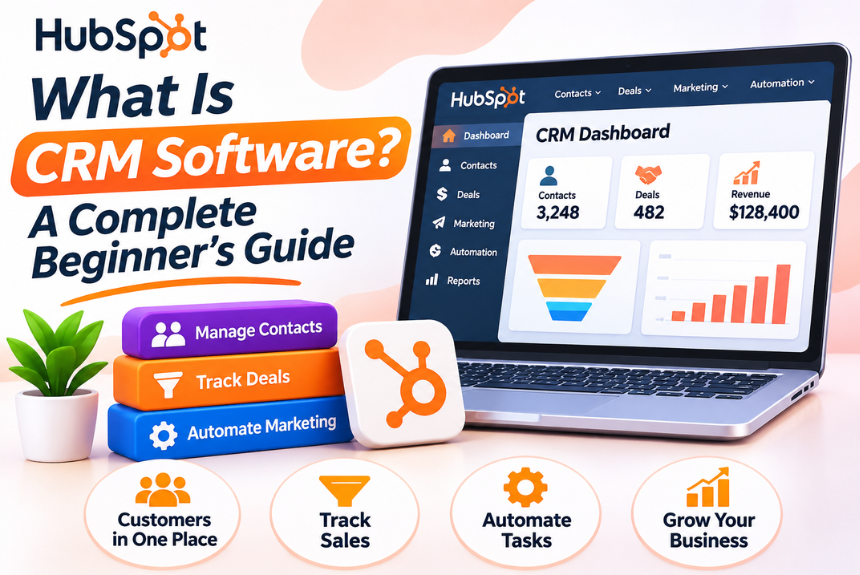
What Is CRM Software?
CRM software is a digital platform that helps businesses manage customer relationships, organize customer data, track leads, monitor sales pipelines, and maintain communication with prospects and existing customers.
Instead of storing customer information across spreadsheets, emails, documents, and multiple applications, CRM software brings everything together in one centralized system.
A CRM platform allows businesses to maintain a complete record of customer interactions, including:
- Customer names and contact details
- Company information and business profiles
- Emails, phone calls, and meeting history
- Sales opportunities and deal progress
- Customer preferences and purchase history
- Marketing campaigns and engagement
- Customer support requests and complaints
- Follow-up activities and reminders
The main purpose of CRM software is to help businesses build stronger customer relationships while improving operational efficiency, sales performance, and customer satisfaction.
What Does CRM Stand For?
CRM stands for Customer Relationship Management.
It combines business strategies, processes, and technology used to manage relationships with customers and potential customers.
The term CRM can refer to both a business approach and the software used to implement that approach.
| Term | Meaning |
| CRM | Customer Relationship Management |
| CRM Software | Technology used to manage customer relationships |
| CRM System | A complete system of processes, data, and tools for customer management |
| CRM Platform | Software infrastructure that supports CRM activities |
| CRM Strategy | A business approach focused on improving customer relationships |
How Does CRM Software Work?
CRM software works by collecting customer information from different sources, organizing it in a centralized database, and making it accessible to relevant teams.
When a potential customer interacts with your business, the CRM records that interaction and creates or updates their profile.
As the customer moves through the sales and customer journey, the CRM tracks activities and stores relevant information.
Step 1: Collect Customer Information
CRM software collects information from various channels, such as:
- Website contact forms
- Landing pages
- Email campaigns
- Social media
- Phone calls
- Live chat
- Online advertisements
- Customer support interactions
This information helps businesses understand who their customers are and how they interact with the brand.
Step 2: Organize Data in a Centralized Database
The collected information is stored in a structured database.
Each customer or lead receives a dedicated profile containing their contact details, interaction history, interests, and other relevant information.
This makes it easier for employees to access customer information without searching through multiple systems.
Step 3: Track Leads and Sales Opportunities
CRM software helps sales teams monitor leads as they progress through different stages of the sales pipeline.
For example:
- New Lead
- Contacted
- Qualified
- Proposal Sent
- Negotiation
- Closed Won or Closed Lost
Sales representatives can identify which opportunities require attention and prioritize their activities accordingly.
Step 4: Automate Business Activities
Many CRM platforms offer workflow automation that reduces repetitive manual work.
Examples include:
- Automatically assigning leads to sales representatives
- Sending follow-up reminders
- Updating lead statuses
- Triggering email notifications
- Creating tasks after customer interactions
- Sending welcome emails to new customers
Automation allows teams to focus more on meaningful customer interactions rather than administrative tasks.
Step 5: Analyze Performance and Generate Reports
CRM software provides dashboards and reports that help businesses understand their performance.
Common metrics include:
- Total leads generated
- Lead conversion rate
- Sales revenue
- Pipeline value
- Sales cycle duration
- Customer acquisition cost
- Customer retention rate
- Sales representative performance
These insights help managers identify opportunities, evaluate strategies, and make data-driven decisions.
Why Is CRM Software Important for Businesses?
Customer expectations are continuously evolving. People expect businesses to understand their needs, respond quickly, and provide consistent experiences across different communication channels.
Without a proper customer management system, businesses often struggle with fragmented data, missed follow-ups, poor communication, and inefficient sales processes.
CRM software addresses these challenges by providing a structured approach to customer relationship management.
Centralized Customer Information
A CRM system stores customer information in one place, allowing employees to access relevant details whenever required.
This reduces data duplication and eliminates the need to maintain separate spreadsheets for different departments.
Better Customer Communication
CRM software records previous conversations, purchases, inquiries, and preferences.
Employees can use this information to provide more personalized and relevant communication.
Improved Sales Management
Sales teams can monitor leads, track opportunities, and manage their pipelines more effectively.
Managers can also identify bottlenecks and understand why deals are delayed or lost.
Increased Team Collaboration
CRM platforms allow sales, marketing, and customer service teams to share customer information.
This creates better coordination and ensures that different departments work with consistent data.
Data-Driven Decision-Making
CRM reports provide insights into customer behavior, sales performance, and business trends.
Organizations can use these insights to improve marketing campaigns, optimize sales strategies, and allocate resources more effectively.
What Are the Different Types of CRM Software?
CRM software can be categorized into different types depending on its primary purpose and the business activities it supports.
The three traditional categories are operational CRM, analytical CRM, and collaborative CRM. Many modern CRM platforms combine features from all three categories.
Operational CRM
Operational CRM focuses on automating and improving everyday business processes related to sales, marketing, and customer service.
It helps businesses manage customer-facing activities efficiently.
Key functions:
- Lead management
- Sales automation
- Marketing automation
- Contact management
- Customer service workflows
- Task and activity management
Best for: Businesses looking to streamline sales, marketing, and customer support operations.
Analytical CRM
Analytical CRM focuses on analyzing customer data to generate insights and support strategic decision-making.
It helps businesses understand customer behavior, identify patterns, and evaluate performance.
Key functions:
- Customer segmentation
- Sales forecasting
- Customer behavior analysis
- Revenue reporting
- Customer lifetime value analysis
- Campaign performance measurement
Best for: Businesses that want to make data-driven decisions and improve customer targeting.
Collaborative CRM
Collaborative CRM focuses on improving communication and information sharing between departments and customer-facing teams.
It helps ensure that employees have access to relevant customer information across different touchpoints.
Key functions:
- Shared customer databases
- Communication history
- Cross-department collaboration
- Customer interaction tracking
- Multi-channel communication management
Best for: Businesses with multiple departments that need consistent customer information and coordinated communication.
CRM Types Compared
| CRM Type | Primary Purpose | Main Focus |
| Operational CRM | Automate business processes | Sales, marketing, service |
| Analytical CRM | Analyze customer information | Data, insights, forecasting |
| Collaborative CRM | Improve information sharing | Communication, coordination |
Key Features of CRM Software
CRM platforms offer different features depending on their target users, pricing plans, and business requirements.
However, several core features are commonly found in most CRM systems.
Contact Management
Contact management allows businesses to store and organize customer information.
Users can maintain customer profiles, company details, communication history, and relevant notes.
Lead Management
Lead management helps businesses capture, organize, qualify, and track potential customers.
It allows sales teams to understand lead sources, monitor lead status, and prioritize prospects.
Sales Pipeline Management
Sales pipeline management provides a visual representation of opportunities at different stages of the sales process.
It helps teams monitor deal progress, identify bottlenecks, and forecast potential revenue.
Workflow Automation
Workflow automation reduces repetitive manual tasks by executing predefined actions based on specific triggers.
For example, when a lead submits a form, the CRM can automatically assign the lead to a salesperson and create a follow-up task.
Email Integration
Email integration connects CRM software with business email accounts.
This allows users to track conversations, manage communication history, and send emails directly from the CRM platform.
Task and Activity Management
Task management allows employees to create reminders, schedule meetings, assign activities, and track follow-ups.
This helps teams stay organized and reduces the possibility of missing important customer interactions.
Reporting and Analytics
Reporting features provide insights into sales performance, customer engagement, marketing effectiveness, and business operations.
Dashboards make important metrics easier to understand and monitor.
Marketing Automation
Marketing automation helps businesses manage campaigns, segment audiences, schedule communications, and track engagement.
Depending on the platform, it may include email marketing, campaign workflows, and lead nurturing.
Customer Support Management
Customer support features help businesses manage inquiries, complaints, service requests, and support tickets.
Some CRM platforms also offer knowledge bases, customer portals, and service-level tracking.
AI-Powered Features
Modern CRM systems increasingly incorporate artificial intelligence to support different business activities.
AI-powered CRM features may include:
- Lead scoring and prioritization
- Sales forecasting
- Email and message generation
- Conversation summaries
- Customer sentiment analysis
- Predictive recommendations
- Automated data entry
- AI-powered assistants
The availability and accuracy of these capabilities vary across CRM providers.
Benefits of CRM Software
CRM software offers several advantages for businesses looking to improve customer relationships and streamline operations.
Improves Customer Relationships
CRM software provides a complete view of customer interactions, helping employees understand customer needs and preferences.
This enables more personalized communication and stronger relationships.
Increases Sales Productivity
Sales teams spend less time searching for information and performing repetitive administrative tasks.
They can focus on lead qualification, customer engagement, and closing deals.
Helps Generate and Manage More Leads
CRM software organizes leads from different sources and helps businesses track them throughout the sales process.
Automated lead assignment and follow-up workflows can improve response times.
Improves Customer Retention
By maintaining customer interaction history and identifying engagement patterns, businesses can recognize customer needs and address potential issues.
This can support stronger customer retention and long-term relationships.
Provides Better Sales Visibility
Managers can view sales pipelines, deal progress, team performance, and revenue forecasts.
This helps identify challenges and make timely decisions.
Reduces Manual Work
CRM automation minimizes repetitive activities such as data entry, task creation, and follow-up reminders.
This improves efficiency and allows teams to handle more work without relying entirely on manual processes.
Supports Business Growth
As businesses expand, managing customer information manually becomes increasingly difficult.
CRM software provides a scalable system for managing more customers, employees, and interactions.
Enhances Customer Experience
When employees have access to accurate customer information, they can respond faster and provide more relevant assistance.
This creates a more consistent customer experience across different channels.
CRM Software Examples: How Businesses Use CRM
CRM software can be used across different industries and business models.
Here are some practical examples of how organizations use CRM systems.
CRM for an E-commerce Business
An online store receives customer inquiries through its website, email, and social media.
A CRM system can help the business:
- Maintain customer profiles
- Track previous purchases
- Record product inquiries
- Segment customers based on purchase history
- Send personalized promotional campaigns
- Manage customer complaints
- Identify repeat customers
Example: A customer purchases a laptop from an online store. The CRM records the transaction and customer details. The business can later use this information to send relevant product recommendations or warranty-related communication.
CRM for a Digital Marketing Agency
A digital marketing agency manages multiple clients and receives leads through website forms, paid advertisements, and referrals.
CRM software can help the agency:
- Capture new business inquiries
- Assign leads to sales representatives
- Schedule consultation calls
- Track proposals and quotations
- Monitor deal progress
- Store client communication history
- Manage onboarding activities
Example: A potential client submits a website inquiry for SEO services. The CRM automatically assigns the lead to a business development executive and schedules a follow-up task.
CRM for a Real Estate Business
Real estate businesses manage buyers, sellers, property inquiries, and site visits.
CRM software can help them:
- Track property inquiries
- Maintain buyer preferences
- Schedule property visits
- Assign leads to agents
- Manage negotiations
- Track deal status
- Maintain customer communication history
Example: A buyer looking for a three-bedroom apartment is added to the CRM. The assigned agent can record the buyer’s preferences and recommend suitable properties.
CRM for a SaaS Company
Software-as-a-Service businesses often manage long sales cycles and ongoing customer relationships.
CRM software can help them:
- Track product demonstrations
- Manage trial users
- Monitor sales opportunities
- Coordinate onboarding
- Track renewals
- Identify expansion opportunities
- Manage customer feedback
Example: A company signs up for a software trial. The CRM records the signup, schedules a product demonstration, and helps the sales team monitor the opportunity until conversion.
CRM Software vs. Spreadsheets
Many small businesses initially manage customer information using spreadsheets.
While spreadsheets can be useful for basic recordkeeping, they often become difficult to maintain as customer interactions and business activities increase.
| Feature | Spreadsheets | CRM Software |
| Customer information | Manual data entry | Centralized database |
| Lead tracking | Basic tracking | Dedicated lead management |
| Sales pipeline | Requires manual setup | Visual pipeline management |
| Follow-up reminders | Limited automation | Automated reminders |
| Team collaboration | File sharing | Shared customer records |
| Reporting | Manual calculations | Built-in dashboards |
| Workflow automation | Limited | Advanced automation |
| Communication history | Stored separately | Integrated activity records |
| Scalability | Can become difficult to manage | Designed for growing operations |
Conclusion: Spreadsheets may be sufficient for very small businesses with limited customer interactions. CRM software becomes more valuable when businesses need structured lead management, automation, collaboration, and reporting.
CRM Software vs. ERP Software
CRM and ERP software are both business management systems, but they serve different primary purposes.
CRM focuses on customers, sales, marketing, and customer service.
ERP stands for Enterprise Resource Planning. It focuses on managing internal business operations such as finance, inventory, procurement, production, and human resources.
| Feature | CRM Software | ERP Software |
| Primary purpose | Manage customer relationships | Manage business resources |
| Main focus | Sales, marketing, customer service | Finance, inventory, operations |
| Users | Sales, marketing, support teams | Finance, HR, operations teams |
| Core data | Customer and prospect information | Operational and financial information |
| Key functions | Lead tracking, sales pipeline, campaigns | Accounting, inventory, procurement |
| Business objective | Improve customer relationships and revenue | Improve operational efficiency |
Some enterprise platforms offer both CRM and ERP capabilities, allowing businesses to connect customer-facing operations with internal processes.
What Is Cloud-Based CRM Software?
Cloud-based CRM software is hosted on remote servers and accessed through the internet.
Instead of installing and maintaining the software on local computers or company servers, businesses use the CRM through a web browser or mobile application.
How Cloud CRM Works
A cloud CRM provider manages the infrastructure, hosting, software updates, and platform maintenance.
Users access the system through secure accounts and permissions.
Customer data is stored in the cloud and can be accessed by authorized employees from different locations.
Benefits of Cloud CRM
- Access customer information from different locations
- Reduce the need for on-premises infrastructure
- Simplify software updates and maintenance
- Support remote and distributed teams
- Scale usage as business requirements change
- Integrate with other cloud-based business tools
Cloud CRM vs. On-Premises CRM
| Feature | Cloud CRM | On-Premises CRM |
| Hosting | Provider-managed cloud | Organization’s own infrastructure |
| Accessibility | Internet-based access | Usually organization-controlled network access |
| Maintenance | Mostly provider-managed | Managed by internal IT or service partners |
| Initial infrastructure | Generally lower | Generally higher |
| Customization | Depends on platform | May allow greater infrastructure-level control |
| Data control | Shared responsibility with provider | Greater direct infrastructure control |
| Scalability | Often flexible | Depends on available infrastructure |
The right approach depends on budget, technical capabilities, regulatory requirements, security policies, and business needs.
What Is AI CRM Software?
AI CRM software uses artificial intelligence to improve customer relationship management activities.
Traditional CRM systems primarily organize customer data and support predefined workflows. AI-powered CRM systems can additionally analyze data, generate content, identify patterns, and provide recommendations.
Common AI CRM Capabilities
| AI Feature | How It Helps |
| Predictive lead scoring | Identifies leads with a higher likelihood of conversion |
| Sales forecasting | Estimates future sales using available data |
| AI email assistance | Helps draft personalized sales and marketing emails |
| Conversation summaries | Summarizes calls, meetings, and customer interactions |
| Sentiment analysis | Identifies potential customer sentiment in communications |
| Intelligent recommendations | Suggests relevant actions or next steps |
| Data enrichment | Helps populate or improve customer information |
| AI assistants | Supports users with CRM-related tasks and queries |
How AI Improves CRM Efficiency
AI can reduce the time employees spend on routine activities, such as summarizing conversations, preparing follow-up messages, and reviewing sales information.
It can also help identify patterns that might be difficult to detect manually.
However, AI-generated insights depend on the quality of the underlying data. Businesses should review important AI-generated recommendations and ensure that sensitive customer information is handled appropriately.
How to Choose the Right CRM Software
Choosing the right CRM software requires understanding your business needs, team structure, customer journey, and long-term objectives.
Not every business requires a complex enterprise CRM with advanced customization.
Step 1: Identify Your Business Requirements
Start by identifying the problems you want CRM software to solve.
For example:
- Are you struggling to manage leads?
- Do sales representatives miss follow-ups?
- Is customer information spread across multiple tools?
- Do you need marketing automation?
- Are you looking for better reporting?
- Do you want to improve customer support?
Clearly defined requirements make it easier to compare CRM solutions.
Step 2: Consider Your Team Size
Different CRM platforms are designed for different business sizes.
A small business may need a simple contact management system, while a large organization may require advanced reporting, automation, customization, and access controls.
Consider how many users will need access to the CRM and how teams will use it.
Step 3: Evaluate Essential Features
Make a list of features that are important to your business.
| Business Requirement | CRM Feature |
| Organize customer information | Contact management |
| Track potential customers | Lead management |
| Monitor sales opportunities | Pipeline management |
| Automate repetitive tasks | Workflow automation |
| Improve customer communication | Email and communication integration |
| Evaluate sales performance | Reporting and analytics |
| Manage marketing campaigns | Marketing automation |
| Handle customer inquiries | Customer service management |
Step 4: Check Integrations
CRM software should work effectively with your existing business tools.
Look for integrations with:
- Business email platforms
- Marketing automation software
- Accounting applications
- E-commerce platforms
- Website forms
- Customer support tools
- Project management applications
- Communication platforms
Integrations reduce data duplication and improve workflow efficiency.
Step 5: Evaluate Ease of Use
A CRM platform should be easy for employees to learn and use.
A complicated interface may discourage adoption, even when the software offers powerful features.
Consider the onboarding process, interface design, documentation, customer support, and training resources.
Step 6: Review Security and Data Privacy
Customer information is valuable and often sensitive.
Before selecting a CRM, evaluate:
- User access controls
- Data encryption
- Authentication options
- Backup and recovery processes
- Data export capabilities
- Privacy and compliance requirements
- Data hosting and processing policies
Businesses should understand how customer data is stored, processed, accessed, and protected.
Step 7: Compare Total Cost
CRM pricing may depend on the number of users, features, automation limits, storage, integrations, and support options.
Evaluate the total cost rather than comparing only the advertised starting price.
Consider potential expenses related to:
- User subscriptions
- Implementation
- Data migration
- Customization
- Training
- Integration development
- Premium support
Step 8: Test Before Committing
Whenever possible, request a free trial or product demonstration.
Use real business scenarios to evaluate how well the CRM handles your workflows.
Involve employees who will use the platform daily and gather their feedback before making a final decision.
Best CRM Software for Beginners
Several CRM platforms offer features suitable for beginners, small businesses, and growing organizations.
The right choice depends on the features, budget, and complexity of your business operations.
HubSpot CRM
HubSpot offers a CRM platform with tools for contact management, sales pipeline tracking, marketing, and customer service.
It is commonly considered by businesses looking for a connected customer management ecosystem.
Suitable for: Beginners, small businesses, and teams seeking sales and marketing tools in one platform.
Official website: https://www.hubspot.com/
Zoho CRM
Zoho CRM provides tools for lead management, sales automation, workflow management, reporting, and customer engagement.
It can be considered by businesses looking for configurable CRM capabilities.
Suitable for: Small and medium-sized businesses looking for customizable sales management tools.
Official website: https://www.zoho.com/crm/
Salesforce
Salesforce offers CRM solutions for sales, customer service, marketing, analytics, and business automation.
Its ecosystem supports organizations with complex business processes and customization requirements.
Suitable for: Growing businesses and enterprises with advanced CRM requirements.
Official website: https://www.salesforce.com/
Pipedrive
Pipedrive focuses on sales pipeline management, lead tracking, and sales activity organization.
Its approach is centered on helping sales teams visualize and manage their deals.
Suitable for: Small businesses and sales-focused teams.
Official website: https://www.pipedrive.com/
Freshsales
Freshsales provides CRM capabilities such as contact management, lead scoring, sales automation, and communication tools.
Suitable for: Businesses looking for sales management and customer engagement capabilities.
Official website: https://www.freshworks.com/crm/sales/
Note: CRM features, plan availability, and pricing can change. Review each provider’s official website before selecting a solution.
How to Implement CRM Software in Your Business
Purchasing CRM software is only the first step. Successful implementation requires proper planning, data organization, and employee adoption.
Define Clear Objectives
Identify what you want to achieve through CRM implementation.
Examples include improving lead conversion, reducing missed follow-ups, increasing sales visibility, or improving customer support response times.
Prepare and Clean Your Data
Before migrating customer information, review your existing data.
Remove duplicate records, correct inaccurate details, and organize customer information into consistent formats.
Clean data improves CRM usability and reporting accuracy.
Configure the CRM
Customize the platform according to your business processes.
This may include setting up:
- Sales pipeline stages
- Lead categories
- Customer fields
- User roles
- Task workflows
- Automated notifications
- Reporting dashboards
Avoid unnecessary customization during the initial implementation.
Integrate Existing Business Tools
Connect the CRM with relevant applications to streamline data sharing and reduce manual work.
Prioritize integrations that directly support your most important workflows.
Train Employees
Provide employees with practical training on how to use the CRM.
Explain how it supports their daily activities and why accurate data entry matters.
Monitor Performance
Track adoption, usage, and business outcomes after implementation.
Review whether the CRM is helping achieve your objectives and identify areas that require improvement.
Common CRM Mistakes Businesses Should Avoid
Although CRM software offers many benefits, poor implementation can limit its effectiveness.
Choosing a CRM Without a Clear Strategy
Businesses sometimes purchase CRM software without defining their requirements.
This can result in unnecessary features, wasted resources, and poor adoption.
Solution: Establish clear objectives and evaluate platforms against specific business needs.
Ignoring Data Quality
Incomplete or inaccurate customer information can lead to unreliable reports and ineffective communication.
Solution: Establish data entry standards and regularly review customer records.
Overcomplicating Workflows
Excessive customization and complicated processes can make CRM difficult to use.
Solution: Start with essential workflows and introduce additional complexity only when necessary.
Failing to Train Employees
Employees may avoid using a CRM if they do not understand its purpose or functionality.
Solution: Provide training, documentation, and ongoing support.
Not Measuring CRM Performance
Without performance measurement, businesses cannot determine whether their CRM investment is delivering value.
Solution: Define relevant KPIs and review them regularly.
CRM Software Metrics Every Business Should Track
Tracking the right metrics helps businesses evaluate CRM performance and identify opportunities for improvement.
| Metric | What It Measures |
| Lead Conversion Rate | Percentage of leads that become customers |
| Sales Cycle Length | Average time required to close a deal |
| Customer Acquisition Cost | Cost of acquiring a new customer |
| Customer Retention Rate | Percentage of customers retained over a period |
| Customer Lifetime Value | Estimated value generated by a customer over their relationship |
| Sales Pipeline Value | Total value of active sales opportunities |
| Win Rate | Percentage of sales opportunities successfully closed |
| Lead Response Time | Time taken to respond to a new lead |
| Customer Satisfaction | Customer experience and satisfaction levels |
| CRM Adoption Rate | How actively employees use the CRM system |
Businesses should select metrics that align with their goals rather than attempting to track every available KPI.
Is CRM Software Suitable for Small Businesses?
Yes. CRM software can be useful for small businesses that need to manage customer relationships, sales activities, and communication more efficiently.
Small businesses often begin with spreadsheets, email inboxes, and manual follow-up processes. As the customer base grows, these methods can become difficult to maintain.
A CRM system can help small businesses:
- Organize leads and customer information
- Track sales opportunities
- Schedule follow-up activities
- Improve customer communication
- Automate repetitive tasks
- Monitor business performance
- Support collaboration between employees
However, small businesses should avoid selecting overly complex CRM systems.
A simple, affordable platform with essential features may be more effective than an enterprise solution with capabilities they do not currently need.
What Is the Future of CRM Software?
CRM software is evolving as businesses adopt automation, artificial intelligence, and data-driven customer engagement strategies.
Several developments are shaping the future of CRM technology.
AI-Powered Customer Insights
AI is helping CRM systems analyze customer data, identify patterns, and provide actionable recommendations.
Businesses may increasingly use AI to understand customer needs and prioritize sales activities.
Predictive Analytics
Predictive analytics can help organizations estimate customer behavior, sales outcomes, and potential business opportunities.
These insights can support proactive decision-making.
Greater Workflow Automation
CRM platforms are expanding automation capabilities across sales, marketing, and customer service.
Businesses can connect multiple workflows to reduce repetitive tasks and improve operational efficiency.
Omnichannel Customer Management
Customers interact with businesses through websites, email, messaging platforms, social media, and phone calls.
CRM systems are increasingly designed to bring these interactions together, helping businesses provide more consistent customer experiences.
Integration With Business Ecosystems
CRM software is becoming more connected with ERP systems, marketing tools, analytics platforms, e-commerce applications, and other business software.
This integration helps businesses build a more unified operational environment.
Frequently Asked Questions About CRM Software
1. What is CRM software in simple words?
CRM software is a tool that helps businesses store customer information, manage leads, track sales, and maintain relationships with customers in one centralized system.
2. What is the main purpose of CRM software?
The main purpose of CRM software is to improve customer relationships while helping businesses organize sales, marketing, and customer service activities more efficiently.
3. Is CRM software easy to learn?
Most beginner-friendly CRM platforms are designed with user-friendly interfaces. However, the learning process depends on the software’s complexity, available features, and employee training.
4. Can I use CRM software for free?
Yes. Some CRM providers offer free plans with limited features or user capacity. Free plans can be suitable for individuals and small businesses starting with customer management.
5. What is the difference between CRM and customer management software?
CRM software generally includes customer management along with lead tracking, sales pipeline management, communication history, automation, and reporting. Basic customer management software may offer a more limited set of capabilities.
6. Who uses CRM software?
CRM software is used by sales teams, marketing professionals, customer service representatives, business owners, account managers, and other employees involved in customer relationships.
7. Is CRM software only for sales teams?
No. CRM software can support sales, marketing, customer service, account management, and other customer-facing departments.
8. What are the three main types of CRM?
The three traditional types of CRM are operational CRM, analytical CRM, and collaborative CRM.
9. What is the difference between cloud CRM and traditional CRM?
Cloud CRM is hosted by a provider and accessed through the internet. Traditional on-premises CRM is installed and managed using an organization’s own infrastructure.
10. Can CRM software automate sales?
Yes. CRM software can automate activities such as lead assignment, follow-up reminders, task creation, sales notifications, and workflow updates.
11. How does CRM software help with marketing?
CRM software helps marketers organize customer data, segment audiences, track campaign engagement, manage leads, and personalize marketing communication.
12. Is CRM software secure?
CRM providers generally offer security features such as access controls, encryption, and authentication. However, security also depends on configuration, user practices, and the provider’s policies.
Businesses should evaluate security and privacy requirements before adopting a CRM.
13. What is the difference between CRM and ERP?
CRM focuses on managing customer relationships, sales, marketing, and service activities. ERP focuses on internal business processes such as finance, inventory, procurement, and operations.
14. How much does CRM software cost?
CRM pricing varies by provider, plan, features, and number of users. Some providers offer free plans, while advanced solutions may require paid subscriptions and implementation expenses.
15. How do I know if my business needs CRM software?
Your business may benefit from CRM software if you are struggling to manage customer information, track leads, maintain follow-ups, monitor sales performance, or coordinate customer communication.
Conclusion
CRM software has become an important tool for businesses looking to improve customer relationships, manage sales activities, and streamline communication.
By bringing customer information into one centralized system, CRM platforms help organizations understand their customers, track opportunities, automate repetitive tasks, and make better decisions.
For beginners, the key is to understand that CRM is not just a software solution. It is a structured approach to managing customer relationships throughout the customer lifecycle.
Whether you are running a small business or managing a growing organization, selecting the right CRM software can help you build stronger relationships, improve productivity, and create a more organized approach to business growth.
Ready to explore more business and digital marketing tools? Visit NextBloggers for detailed software reviews, tutorials, comparisons, and practical guides to help you make informed decisions.
Leave a Reply