


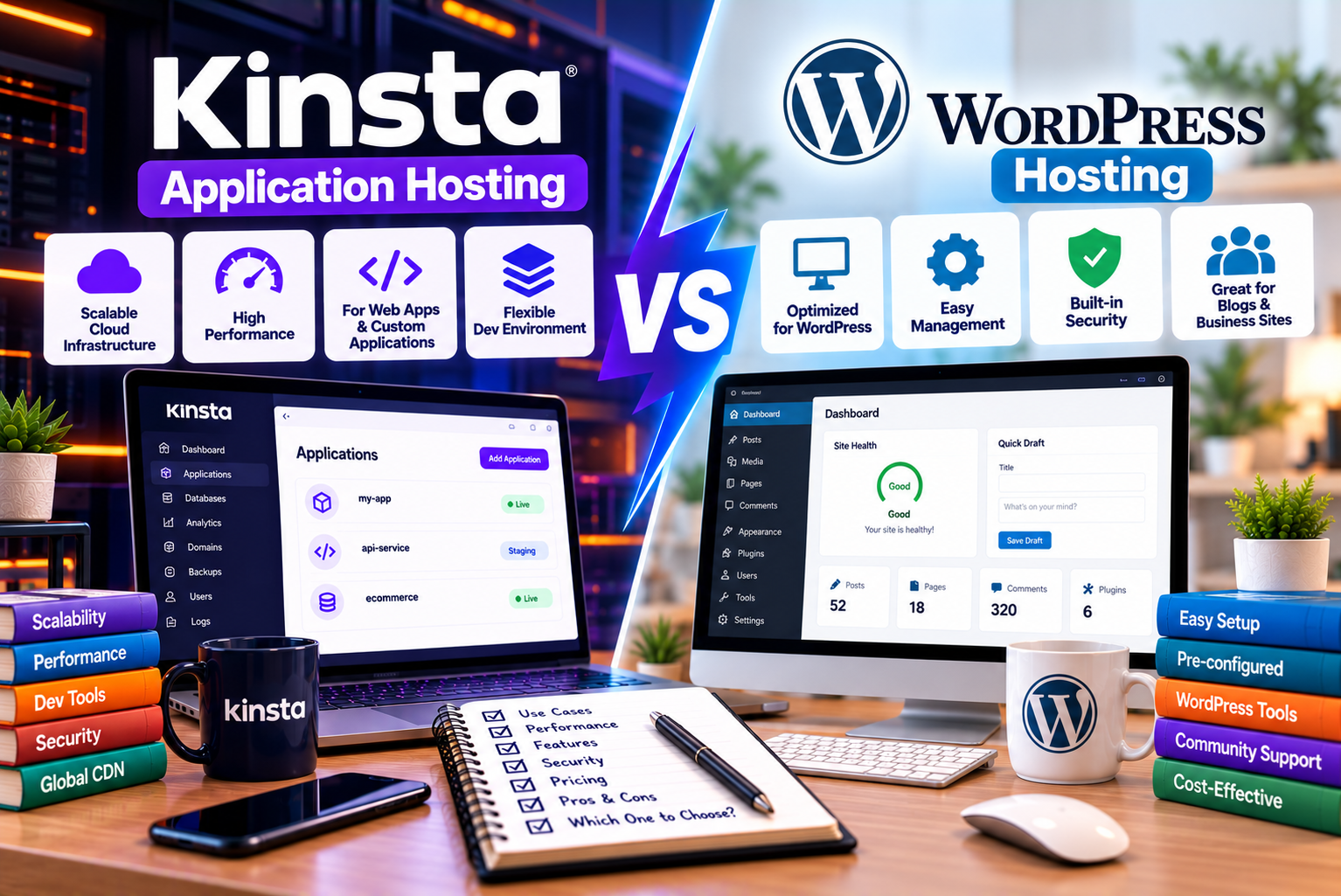
Kinsta Application Hosting vs WordPress Hosting
Choosing the right hosting service is an important decision when launching a website, developing a web application, or expanding an online business. The hosting platform you select affects your website’s performance, security, deployment process, scalability, maintenance requirements, and operating costs.
However, not every online project needs the same type of hosting.
A business website built with WordPress has different requirements from a custom web application developed with Node.js, Python, PHP, or another programming language. Similarly, an online store using WooCommerce may benefit from managed WordPress hosting, while a SaaS platform with a custom backend may require a flexible application hosting environment.
This is where the distinction between Kinsta’s managed WordPress hosting and application hosting becomes important.
Kinsta’s managed WordPress hosting is designed specifically for WordPress websites, while its application hosting offering has moved to Sevalla, a separate product from the Kinsta team that supports application deployment and infrastructure management. These services serve different purposes, even though they come from the same hosting ecosystem.
In this guide, we compare Kinsta WordPress hosting with application hosting available through Sevalla. You’ll learn how the services differ in functionality, pricing, deployment, scalability, security, and ideal use cases.
By the end, you’ll have a clearer understanding of which service is better suited to your project.
What Is Kinsta WordPress Hosting?
Kinsta offers managed WordPress hosting designed to help individuals and businesses run WordPress websites without having to manage the underlying server infrastructure themselves.
Instead of requiring website owners to configure a server, install WordPress manually, and handle every infrastructure-level task, Kinsta provides a managed environment with tools for site creation, migration, performance optimization, backups, security, and monitoring.
The platform is designed around WordPress, which makes it suitable for websites built with WordPress themes, plugins, page builders, and the WordPress content management system.
How Kinsta WordPress Hosting Works
When you host a website with Kinsta, your WordPress installation runs in an isolated software container containing the resources needed to operate the website. The hosting environment includes components such as Linux, NGINX, PHP, and a database.
You manage your website through MyKinsta, Kinsta’s hosting dashboard. From there, you can manage sites, configure domains, access backups, use staging environments, monitor resource usage, and perform other administrative tasks.
The main advantage is that the hosting environment is designed specifically for WordPress rather than requiring you to assemble a general-purpose application stack.
For example, if you run a business website built with Elementor, you can use WordPress to manage pages, publish blog posts, create landing pages, and install compatible plugins. Kinsta provides the hosting infrastructure underneath that website.
You remain responsible for your website’s content, design decisions, plugin choices, and custom development, but you don’t have to manage the entire server environment yourself.
Key Features of Kinsta WordPress Hosting
Kinsta’s managed WordPress hosting includes several features designed to simplify website administration.
- Managed WordPress environment
The platform is designed around WordPress installations, allowing you to manage websites without configuring a general-purpose server from scratch.
- Free website migrations
Kinsta offers free migrations for standard WordPress installations. Depending on your existing hosting setup, you can request migration assistance through MyKinsta or migrate using a backup file.
- Automatic backups
Daily automatic backups and additional system-generated backups help you recover your website if an update or configuration change causes problems. Backup retention depends on the hosting plan and available backup options.
- Content delivery network
Kinsta includes a Cloudflare-powered CDN to help deliver static website resources, such as images, CSS, and JavaScript, to visitors around the world.
- Edge caching
Edge caching can serve cached page responses from locations closer to visitors, reducing the need for repeated requests to the origin server.
- Staging environments
You can test website updates and development changes in a separate staging environment before pushing approved changes to your live website.
- Application Performance Monitoring
Kinsta includes an APM tool that helps identify performance bottlenecks involving PHP processes, database queries, and external HTTP requests.
- Security and uptime monitoring
Kinsta provides infrastructure-level security measures, monitoring, and support designed for managed WordPress websites.
These features make Kinsta WordPress hosting particularly useful for businesses that want to concentrate on their websites rather than server administration.
Who Should Use Kinsta WordPress Hosting?
Kinsta WordPress hosting is suitable for:
- Business websites built with WordPress.
- Blogs and online publications.
- WooCommerce stores.
- Marketing and lead-generation websites.
- Agency-managed WordPress projects.
- Membership websites built with compatible WordPress tools.
- Content-heavy websites that need managed infrastructure.
- WordPress sites using Elementor or other compatible page builders.
If WordPress is the foundation of your website, managed WordPress hosting is generally the more direct choice.
What Is Application Hosting?
Application hosting is a service that allows developers to deploy and run software applications on managed infrastructure.
Unlike managed WordPress hosting, application hosting is not limited to a particular content management system. It is designed for applications built with supported programming languages, frameworks, and deployment methods.
Kinsta introduced application hosting as part of its hosting services, but its application and database hosting offerings have since moved to Sevalla, a product from Kinsta. Readers evaluating application hosting today should therefore examine Sevalla’s current features and pricing rather than assume the original Kinsta application hosting service remains a separate current offering under the same name.
How Application Hosting Works
Application hosting typically follows a development and deployment workflow.
First, a developer creates an application using a programming language or framework. The application code is stored in a version-control repository or packaged as a container image.
Next, the developer connects the project to the hosting platform. The platform builds the application, prepares its runtime environment, and deploys it so that users can access it online.
With Sevalla, developers can deploy applications from Git repositories, use Dockerfiles or prebuilt container images, and manage deployments through the platform. It supports a range of programming languages and frameworks rather than restricting applications to WordPress.
For example, a developer might build:
- A SaaS dashboard using a JavaScript framework.
- A booking application using Python.
- A custom business application using PHP and Laravel.
- A backend API for a mobile application.
- A customer portal connected to a database.
- A web application that processes business data.
These projects can require different runtimes, dependencies, processes, and deployment workflows. Application hosting provides a more flexible environment for running them.
Key Features of Application Hosting
Application hosting offers capabilities that are particularly useful for development teams.
- Support for multiple programming languages
Depending on the platform’s supported runtimes and build methods, developers can deploy applications built with languages such as JavaScript, Python, PHP, Go, Ruby, Java, and others.
The exact frameworks and runtime versions available depend on the platform’s current capabilities and deployment configuration.
- Git-based deployment
Connecting a repository allows developers to deploy code through a managed workflow rather than manually uploading application files to a traditional web server.
Sevalla supports automatic deployment workflows for connected Git repositories.
- Docker support
Developers can use Dockerfiles or prebuilt container images when they need greater control over the application’s runtime environment.
This is useful when an application has specific dependencies or requires a deployment configuration that does not fit a standard build process.
- Resource-based scaling
Application resources can be adjusted to match an application’s workload. Depending on the application and service configuration, developers can scale resources vertically or horizontally.
- Managed application runtime
The hosting platform handles important infrastructure tasks involved in building, deploying, and running applications. This reduces the need to manage every underlying infrastructure component independently.
- Application logs and monitoring
Developers can inspect runtime logs and deployment information to investigate errors and understand how their applications behave.
- Integration with databases
Applications frequently require a database for storing user accounts, orders, product information, or other persistent data. Sevalla offers database hosting alongside application hosting, allowing developers to build a more integrated application environment.
The application and database services have their own resource and billing considerations, so they should be evaluated together when calculating the total hosting cost.
Who Should Use Application Hosting?
Application hosting is generally more appropriate for:
- SaaS startups.
- Developers building custom web applications.
- Businesses creating customer portals.
- Teams deploying APIs and backend services.
- Companies building applications with Node.js, Python, PHP, or other supported technologies.
- Developers using Docker-based deployment workflows.
- Businesses running custom software that does not depend on WordPress.
- Teams that need greater control over application processes and deployment.
If your project is primarily a custom software application rather than a conventional WordPress website, application hosting may be the better fit.
Kinsta Application Hosting vs WordPress Hosting: Key Differences
The main difference between the two services is their intended purpose.
Kinsta WordPress hosting is optimized for websites built with WordPress. Application hosting, now available through Sevalla, is designed for deploying and operating custom applications.
The following table summarizes the major differences.
| Feature | Kinsta WordPress Hosting | Application Hosting Through Sevalla |
| Primary purpose | Hosting WordPress websites | Hosting custom applications |
| Main users | Website owners, marketers, agencies, publishers | Developers, startups, engineering teams |
| WordPress support | Specifically designed for WordPress | Can run a custom application that uses WordPress-related APIs, but is not managed WordPress hosting |
| Programming flexibility | Centered on the managed WordPress environment | Supports multiple languages, frameworks, and container-based applications |
| Deployment approach | Create or migrate a WordPress site through MyKinsta | Deploy through Git repositories, Dockerfiles, or container images |
| Content management | WordPress dashboard | Depends on the application being deployed |
| Themes and plugins | Designed for WordPress themes and plugins | Not a managed WordPress theme-and-plugin environment |
| Backups | Automatic WordPress backups and additional backup options | Depends on the application, database, and storage services configured |
| Staging and testing | WordPress staging environments | Application deployment and preview workflows, depending on configuration |
| Database management | Database integrated into the managed WordPress environment | Separate managed database options are available |
| Scaling | Select or change a WordPress plan based on site needs | Adjust application resources according to workload |
| Pricing model | Managed WordPress plans with defined resource allowances and possible overages | Usage-based pricing for application resources |
| Best suited to | Business websites, blogs, WooCommerce, WordPress publishing | SaaS products, APIs, custom portals, and software applications |
The features and billing structures differ because the two services solve different hosting problems. Always confirm current plan limits, supported runtimes, and service terms before purchasing.
1. Hosting Purpose: Website vs Application
The first question to ask is what you are trying to host.
WordPress Hosting for Content-Driven Websites
A WordPress website is built around the WordPress content management system. You can use it to create pages, publish articles, manage media, build landing pages, and install compatible plugins.
For example, a marketing agency might manage its website through WordPress and use Elementor to create service pages. The marketing team can update website copy, publish blogs, and manage landing pages without changing the underlying application code for every update.
Kinsta WordPress hosting is designed for this type of workflow.
You receive a managed environment built around the requirements of WordPress, including its PHP execution, database, caching, staging, and site management needs.
Application Hosting for Custom Software
A custom application may not use WordPress at all.
Consider a business developing a subscription-based platform where customers can register, manage their accounts, view analytics, and purchase services. The application may have a custom frontend, an API, background jobs, and a database.
WordPress hosting would not automatically provide the complete deployment environment required by such a project.
Application hosting is designed for this scenario because it allows developers to deploy their own application stack.
Choose hosting based on the software your project runs, not simply on the fact that it is accessible through a website.
2. Ease of Use and Technical Knowledge
Both services reduce infrastructure-management work, but the level of technical knowledge required to use them effectively differs.
Is Kinsta WordPress Hosting Easy to Use?
Kinsta is designed to simplify the hosting and maintenance of WordPress websites.
You can create a WordPress site, configure a domain, manage backups, access staging, and monitor resource usage through MyKinsta.
WordPress also provides a familiar content-editing interface for users who do not write code.
A marketer can publish an article, an administrator can update a page, and a designer can work with a compatible page builder without requiring every task to go through a software developer.
You may still need technical assistance for complex customizations, plugin conflicts, performance problems, or third-party integrations. Managed hosting does not eliminate the need for website development and maintenance.
Is Application Hosting Easy to Use?
Application hosting simplifies deployment, but developing and maintaining the application remains the developer’s responsibility.
A developer may need to understand:
- Programming languages and frameworks.
- Environment variables.
- Build and start commands.
- Dependencies and package management.
- Database connections.
- Application logs.
- Deployment failures.
- Application security.
- Resource consumption.
The platform can manage much of the underlying infrastructure, but it cannot automatically make poorly written application code reliable or secure.
For a developer who already works with Git and modern application frameworks, this workflow can be straightforward.
For a business owner who simply wants to publish a company website without technical involvement, it may introduce unnecessary complexity.
Winner for nontechnical website owners: Kinsta WordPress hosting.
Winner for developers deploying custom software: Application hosting through Sevalla.
3. Supported Technologies and Development Flexibility
Technology compatibility is one of the most important differences between the two services.
Kinsta WordPress Hosting
Kinsta WordPress hosting is designed around the WordPress software stack.
This makes it suitable for websites that rely on:
- WordPress core.
- Compatible WordPress themes.
- Plugins.
- WooCommerce.
- Page builders.
- WordPress-compatible PHP functionality.
- WordPress database structures.
However, it should not be treated as a general-purpose application server.
Kinsta’s documentation explains that its managed WordPress hosting is optimized for WordPress and that support for non-WordPress applications is limited. Developers needing broader application hosting should consider Sevalla.
Application Hosting Through Sevalla
Application hosting provides greater flexibility for custom software.
Depending on the runtime and deployment method, developers can deploy applications using technologies such as:
- Node.js.
- Python.
- PHP.
- Go.
- Java.
- Ruby.
- JavaScript frameworks.
- Docker-based application environments.
Sevalla’s current platform supports a variety of frameworks and deployment methods, including Dockerfiles and container images. Check the official platform documentation for current compatibility and configuration requirements.
This flexibility is useful when an application requires specific dependencies, custom processes, or a runtime that is not part of the managed WordPress environment.
Which Service Offers More Flexibility?
Application hosting offers more flexibility for custom software development.
Kinsta WordPress hosting is more specialized, which is an advantage when your project is a WordPress website. You do not need the freedom to configure every component of an application stack if your main goal is to manage content and run a business website.
The best service is the one that supports your actual technology requirements without adding unnecessary complexity.
4. Performance and Speed
Website performance depends on multiple factors, including infrastructure, caching, database queries, application code, network latency, and the size of the resources delivered to visitors.
Neither hosting type guarantees that every website or application will be faster than the other. The outcome depends on how the project is built and configured.
WordPress Performance on Kinsta
Kinsta provides WordPress-specific performance features, including a CDN, edge caching, server caching, and an application performance monitoring tool.
These features can help reduce response times, serve cached pages, and identify performance bottlenecks.
For example, a company publishing hundreds of blog posts may benefit from page caching because many visitors request the same pages.
A WooCommerce store may have additional performance requirements because product searches, cart operations, checkout processes, and account pages can involve dynamic requests.
Hosting is only one part of the equation. An overloaded WordPress installation, poorly configured plugins, oversized images, or inefficient custom code can still create performance problems.
Application Performance on Sevalla
For custom applications, performance depends on the application architecture and the resources assigned to each process.
A lightweight API may run efficiently with modest resources, while an application performing complex calculations or processing large datasets may need more CPU or memory.
Developers can use logs and performance measurements to identify bottlenecks and adjust resource allocations as the application grows.
Application hosting is particularly useful when different parts of a software product have different requirements. A web process, background worker, and database may need to be configured according to their individual workloads.
Which Is Better for Performance?
For a conventional WordPress website, Kinsta provides a specialized environment with WordPress-oriented caching and management features.
For a custom application, Sevalla provides a deployment environment suited to the application’s technology stack and resource requirements.
The better option is the one that fits the workload and offers the tools needed to diagnose and improve performance.
5. Security and Maintenance
Security is another area where the two hosting approaches differ.
The platform can protect the infrastructure and provide useful security controls, but application-level security remains essential.
Security With Kinsta WordPress Hosting
Kinsta provides managed infrastructure security features for WordPress websites, including Cloudflare integration, DDoS protection, backups, and vulnerability-related protections.
However, site owners must still make responsible decisions about their plugins, themes, user permissions, passwords, and custom code.
For example, installing an abandoned plugin with known vulnerabilities can create risks even when the underlying hosting infrastructure is well managed.
A sensible WordPress security routine should include:
- Keeping WordPress core, themes, and plugins updated.
- Removing plugins and themes that are no longer needed.
- Using strong passwords and appropriate user permissions.
- Reviewing suspicious login activity.
- Testing major updates in staging where practical.
- Checking backups and restoration procedures.
- Reviewing custom code and third-party integrations.
Security With Application Hosting
Application hosting reduces infrastructure-management responsibilities, but developers must still secure their software.
Important considerations include:
- Authentication and authorization.
- Input validation.
- Secure database access.
- Dependency updates.
- Secret and environment-variable management.
- Access permissions.
- API security.
- Application logging.
- Protection of user data.
- Backup and recovery planning.
A hosting platform cannot automatically correct an authorization flaw in custom application code or prevent every vulnerability introduced by an outdated dependency.
Sevalla provides infrastructure and deployment features intended to simplify application operations, but developers should verify the security controls and responsibilities relevant to their particular deployment.
Which Service Is Easier to Maintain?
For WordPress, Kinsta simplifies many hosting-related tasks, including backups, site management, and performance monitoring.
For custom software, Sevalla can simplify deployment and infrastructure operations, but the development team remains responsible for application architecture, code quality, and software maintenance.
The maintenance workload therefore depends on the type of project you operate.
6. Deployment and Development Workflow
Deployment is the process of moving an application or website from development into a live environment.
The two hosting services approach this process differently because they support different types of software.
Deploying a WordPress Website
A typical WordPress launch with Kinsta involves the following steps:
- Select an appropriate WordPress hosting plan.
- Create a new WordPress installation or request a migration.
- Configure the domain and SSL.
- Install or configure the required theme and plugins.
- Import website content if necessary.
- Test the site using a staging environment.
- Review performance, forms, and essential integrations.
- Publish the website and monitor it after launch.
Kinsta offers migration tools and WordPress staging features to support this workflow.
This process is convenient for agencies migrating client websites or businesses launching new WordPress projects.
Deploying a Custom Application
An application deployment typically follows a different process:
- Develop the application locally.
- Store the code in a Git repository or prepare a container image.
- Configure the hosting project.
- Select the appropriate build method.
- Set environment variables and application commands.
- Configure the database and other required services.
- Deploy the application.
- Review logs and test the live environment.
- Configure a domain and other production requirements.
- Monitor resource usage and application behavior.
Sevalla supports repository-based and container-based deployment workflows, helping developers deploy applications without having to manage every underlying infrastructure component manually.
The exact steps depend on the application’s framework, dependencies, and architecture.
Which Deployment Workflow Is Better?
Kinsta is generally the simpler choice when your goal is to launch or migrate a WordPress website.
Application hosting is better suited to teams that need to deploy application code and manage development workflows.
If you want to build a website primarily through WordPress’s administration dashboard, a Git-based application deployment workflow may be unnecessary.
If you are developing a custom software product with continuous updates, application hosting provides a more appropriate model.
7. Pricing: Kinsta WordPress Hosting vs Application Hosting
Pricing is an important consideration, but the two services should not be compared solely by their advertised starting prices.
Kinsta WordPress hosting uses managed hosting plans with defined resource allowances. Application hosting through Sevalla uses usage-based pricing for application resources, with additional charges possible for associated services and usage.
These billing structures make the total cost of ownership different.
Kinsta WordPress Hosting Pricing
Kinsta’s WordPress hosting plans are structured around requirements such as the number of WordPress installations, monthly visits or server bandwidth, storage, and CDN bandwidth.
Its official pricing page lists plans for single-site websites, multiple WordPress installations, and business use cases. Pricing and included resources vary by plan.
When choosing a WordPress hosting plan, consider:
- How many WordPress sites you need to host.
- Your monthly traffic.
- Server bandwidth requirements.
- Storage requirements.
- CDN bandwidth.
- Backup retention.
- Whether you need agency or multisite capabilities.
- Whether overage charges may apply.
For example, a small business website may need fewer resources than a large WooCommerce store with frequent transactions and significant traffic.
The cheapest plan is not necessarily the most economical if your website regularly exceeds its included resources.
Application Hosting Pricing Through Sevalla
Sevalla uses resource-based pricing for application hosting. Its official pricing page lists runtime options with different CPU and memory allocations. Build time, external bandwidth, and optional persistent storage can also affect the final cost. Prices may change, and taxes may be excluded.
At the time of research, the published application runtime prices included the following examples:
| Runtime option | CPU | RAM | Advertised Monthly Price |
| Hobby H1 | 0.3 CPU | 0.3 GB | $5 |
| Standard S1 | 0.5 CPU | 1 GB | $10 |
| Standard S2 | 1 CPU | 2 GB | $40 |
| Standard S3 | 2 CPU | 4 GB | $80 |
| Memory-optimized M1 | 0.5 CPU | 2 GB | $20 |
| CPU-optimized C1 | 1 CPU | 1 GB | $18 |
These are examples of runtime configurations, not guaranteed prices for every application. The Hobby H1 option does not include custom-domain support, and the total bill can include other resources or services. Check the official pricing page before making a purchasing decision.
Additional Costs to Consider
Application hosting costs can include more than the main runtime.
Depending on the project, you may need to account for:
- Application runtime resources.
- Build time.
- External bandwidth.
- Persistent storage.
- Managed database resources.
- Additional application processes.
- Scaling requirements.
- Monitoring and third-party services.
For WordPress hosting, potential additional costs include:
- Higher-tier hosting plans.
- Resource overages.
- Additional WordPress sites.
- Extra storage or backup options.
- Premium plugins and themes.
- Development and maintenance.
- E-commerce extensions.
Which Service Is More Affordable?
There is no universal winner.
A small application with modest resource requirements may cost relatively little to host, but a production application with multiple processes, a database, and significant traffic may require a larger budget.
A WordPress website may have a more predictable base hosting cost because it uses a predefined plan, but additional services and resource overages can affect the final amount.
Compare the actual resources your project needs rather than choosing a service based only on the starting price.
8. Scalability: Growing a Website or Application
Scalability refers to a system’s ability to handle growth in traffic, users, data, and workload.
The best scaling approach depends on what your project does and how it is built.
Scaling a WordPress Website
A WordPress website may need additional resources as its traffic increases.
For example, a blog that grows from a few thousand monthly visitors to several hundred thousand may need a different hosting configuration. A WooCommerce store may also require more resources as its product catalog, order volume, and concurrent users increase.
Kinsta provides multiple WordPress hosting plans, allowing customers to select a configuration based on factors such as traffic, bandwidth, storage, and site count.
However, increasing hosting resources is only one part of scaling WordPress.
You may also need to:
- Optimize images and other media.
- Review slow plugins.
- Improve database queries.
- Use appropriate caching.
- Reduce unnecessary third-party scripts.
- Optimize WooCommerce operations.
- Monitor resource usage.
A larger hosting plan cannot compensate indefinitely for inefficient website architecture.
Scaling a Custom Application
Custom applications can have more varied scaling requirements.
A SaaS platform might need additional CPU resources when users run complex reports. A customer-facing API might need more application instances during traffic spikes. A background worker might need more capacity when processing queues.
Sevalla supports vertical and horizontal scaling options for application workloads, subject to the relevant service configuration and resource limits.
Vertical scaling increases the resources available to a process. Horizontal scaling adds instances to distribute work.
These approaches are not interchangeable in every application. Horizontal scaling, for example, may require an application to handle shared state, concurrent requests, and session management correctly.
Which Service Is Better for Growth?
For a growing WordPress website, Kinsta provides a hosting model designed around WordPress-specific resource requirements.
For a custom application, Sevalla provides a more flexible model for scaling application processes.
The right choice depends on your workload, architecture, and expected growth.
9. Can You Use WordPress With Application Hosting?
This is an important question for businesses that want to combine WordPress content management with a custom application.
The answer depends on how you intend to use WordPress.
Traditional WordPress Websites
If you want WordPress to handle your website’s pages, blog posts, menus, themes, plugins, and administration, managed WordPress hosting is generally the most straightforward option.
Kinsta is designed for this purpose.
Headless WordPress
A headless WordPress architecture separates the content management backend from the frontend presentation layer.
In this setup, WordPress stores and manages content, while a separate frontend application displays it to visitors. The frontend may be developed using a JavaScript framework or another supported technology.
For example:
- WordPress manages articles and editorial content.
- A custom frontend retrieves content through an API.
- A separate application hosting environment runs the frontend.
- WordPress remains responsible for the content administration experience.
This architecture can be useful when a business needs a custom frontend while retaining WordPress as its content management system.
Kinsta’s own guidance on headless WordPress discusses using managed WordPress hosting for the backend and Sevalla for the frontend or other application components when appropriate.
However, headless WordPress introduces additional complexity. You must manage API integration, frontend deployments, routing, caching, authentication where required, and content-preview workflows.
Should Every WordPress Website Use a Headless Architecture?
No.
For most conventional business websites, blogs, and smaller online stores, a traditional WordPress installation is usually easier to manage.
A headless setup is more appropriate when the business has specific frontend requirements, needs to deliver content across multiple channels, or has a development team capable of maintaining a separate application.
Do not adopt application hosting simply because it sounds more flexible. Use it when your architecture requires that flexibility.
10. Which Service Is Better for Different Business Types?
The best hosting choice becomes easier to understand when you consider practical business scenarios.
Small Business Websites
A small business website usually needs service pages, contact forms, location information, testimonials, and perhaps a blog.
If the website is built with WordPress, Kinsta is generally the more suitable option.
It provides a managed WordPress environment without requiring the business to create and maintain a separate application deployment workflow.
Recommendation: Kinsta WordPress hosting.
Blogs and Content Publishers
Blogs and content-heavy websites rely on content management, publishing workflows, SEO-friendly page structures, media handling, and caching.
WordPress provides these capabilities through its core platform and ecosystem of compatible plugins.
Kinsta adds managed hosting features such as backups, staging, CDN integration, and performance monitoring.
Recommendation: Kinsta WordPress hosting.
WooCommerce Stores
WooCommerce is built on WordPress, so its hosting requirements are closely tied to the WordPress environment.
A store may need sufficient resources for product browsing, checkout, customer accounts, and order processing. Its hosting plan should be selected based on traffic and workload rather than the number of product pages alone.
Recommendation: Kinsta WordPress hosting for stores using WooCommerce, with careful attention to resource limits and store-specific requirements.
SaaS Startups
A SaaS product may include user registration, subscriptions, account dashboards, APIs, reporting, and integrations with external services.
If these functions are implemented in a custom application, application hosting is generally more appropriate than managed WordPress hosting.
A separate WordPress site can still be used for the company’s marketing content if required.
Recommendation: Application hosting through Sevalla for the custom application. Use managed WordPress hosting separately if the marketing site runs on WordPress.
Web Development Agencies
Agencies may need to manage multiple types of projects.
For client websites built with WordPress, managed WordPress hosting can simplify site maintenance and staging workflows.
For custom applications developed for clients, application hosting offers a more appropriate deployment environment.
An agency does not necessarily need to choose one hosting type for every project.
Recommendation: Choose the hosting service according to each client’s technology stack.
Mobile Application Backends
A mobile application may need a backend API, authentication services, database access, and background processing.
These components generally require application hosting and an appropriate database architecture rather than a conventional WordPress hosting plan.
WordPress could still serve as a content backend for specific use cases, but it is not a replacement for every custom application backend.
Recommendation: Application hosting for custom backend services, with database and security requirements evaluated separately.
11. Pros and Cons of Kinsta WordPress Hosting
Before choosing a hosting service, consider its main advantages and limitations.
Pros
Purpose-built for WordPress
The hosting environment is designed around WordPress websites, which reduces the need to configure a general-purpose application stack.
Useful website management tools
MyKinsta includes tools for site management, backups, staging, and performance analysis.
Performance features
The CDN, edge caching, and other caching features can help improve delivery performance when configured and used appropriately.
Migration assistance
Free migrations for standard WordPress installations can make switching hosting providers easier.
Suitable for business websites
The platform is designed for WordPress projects ranging from business sites to more demanding publishing and e-commerce websites, subject to plan suitability.
Cons
Limited to a specialized hosting model
It is not intended to replace a general-purpose application hosting platform for every custom software project.
Plan limits matter
Visits or bandwidth, storage, site count, and CDN usage can affect plan selection and cost.
Custom development is still your responsibility
Managed hosting does not automatically fix poorly written plugins, custom code, or external integrations.
Additional costs may apply
Resource overages and optional services can increase the total cost.
Not every WordPress plugin is appropriate
Hosting cannot guarantee compatibility or quality for every third-party theme, plugin, or customization.
12. Pros and Cons of Application Hosting Through Sevalla
Application hosting provides a different set of advantages and trade-offs.
Pros
Greater development flexibility
Developers can deploy custom applications using supported languages, frameworks, and container-based workflows.
Repository-based deployments
Connecting a Git repository can streamline the process of deploying code changes.
Multiple deployment options
Dockerfiles and container images provide flexibility when an application requires a particular runtime configuration.
Resource-based pricing
The application hosting model allows customers to select runtime resources according to the needs of their applications.
Suitable for custom software
It is a more natural fit for SaaS products, APIs, custom portals, and other software that does not depend on the managed WordPress environment.
Can support more complex architectures
Developers can combine application services with managed database and other infrastructure services where appropriate.
Cons
Requires development knowledge
You may need to understand application configuration, dependencies, deployment workflows, and logs.
Does not replace WordPress management
If you want a complete managed WordPress environment with WordPress-specific administration tools, application hosting is not the direct substitute.
Costs depend on resource usage
You need to estimate runtime resources and other services rather than looking only at a single headline price.
Application maintenance remains important
The development team must still address application bugs, dependencies, security, and performance.
Architecture affects scaling
Not every application can scale horizontally without changes to its design, data handling, or session management.
13. Common Mistakes to Avoid When Choosing Between the Two
Selecting the wrong hosting model can increase costs and make development more difficult than necessary.
Here are some common mistakes to avoid.
Mistake 1: Choosing Application Hosting for a Simple WordPress Website
A business website that uses WordPress, Elementor, and a few standard plugins usually does not need a separate application deployment workflow.
Using a more developer-oriented platform without a clear technical requirement may create extra work.
Better approach: Use managed WordPress hosting if WordPress is the website’s main application.
Mistake 2: Assuming WordPress Hosting Can Run Any Application
Managed WordPress hosting is not equivalent to a general-purpose server.
Even when limited custom scripts are possible, the environment is optimized for WordPress and does not provide the same level of flexibility as a dedicated application hosting platform.
Better approach: Check the required runtime, framework, processes, and dependencies before selecting a hosting service.
Mistake 3: Comparing Prices Without Comparing Resources
A low starting price does not necessarily mean a service will be cheaper for your particular workload.
A custom application may require a runtime, database, storage, and external bandwidth. A WordPress website may need additional visits, bandwidth, storage, or site capacity.
Better approach: Estimate the complete monthly cost using the resources your project actually needs.
Mistake 4: Ignoring Maintenance Responsibilities
Managed hosting reduces infrastructure work, but it does not eliminate every technical responsibility.
WordPress users still need to manage site content, plugin choices, and customizations. Application developers still need to maintain their code and dependencies.
Better approach: Decide which maintenance tasks your team can handle and which responsibilities you expect the hosting provider to manage.
Mistake 5: Choosing a Headless Architecture Without a Clear Need
Headless WordPress can be useful, but it introduces additional components that must be deployed and maintained.
Better approach: Start with a conventional WordPress setup unless your requirements justify a separate frontend application.
Mistake 6: Assuming More Flexibility Automatically Means Better Performance
A flexible hosting environment does not automatically make an application faster.
Performance depends on code quality, resource allocation, caching, network conditions, and workload characteristics.
Better approach: Measure your actual performance needs and use the hosting tools available to identify bottlenecks.
14. How to Choose the Right Hosting Service
If you are still unsure which service to select, follow this decision-making process.
Step 1: Identify Your Main Software
Ask yourself whether your project is a WordPress website or a custom application.
If WordPress is the primary software, begin by evaluating Kinsta WordPress hosting.
If the project is a custom application, evaluate application hosting through Sevalla.
Step 2: List Your Technical Requirements
For WordPress, consider:
- Required themes and plugins.
- WooCommerce or other extensions.
- Monthly traffic.
- Storage requirements.
- Backup and staging needs.
- Performance and security requirements.
For a custom application, consider:
- Programming language.
- Framework.
- Runtime version.
- Build and start commands.
- Database requirements.
- Background jobs.
- Persistent storage.
- Expected traffic and resource usage.
Step 3: Evaluate Your Team’s Skills
If your team primarily manages website content and marketing, a managed WordPress platform may be easier to operate.
If your team builds and maintains custom software, application hosting may better match its skills and workflows.
Step 4: Calculate Total Hosting Costs
Compare the expected monthly cost, including the main hosting service and any additional resources.
For WordPress, account for the selected plan, traffic, bandwidth, storage, and optional features.
For application hosting, estimate runtime resources, build time, bandwidth, persistent storage, databases, and other services.
Step 5: Plan for Growth
Consider how your project may change over the next 12 to 24 months.
A small business website may grow in traffic or add e-commerce functionality. A SaaS application may introduce background workers, APIs, and more demanding database workloads.
Choose a hosting platform that supports your likely growth without making the initial setup unnecessarily complex.
Step 6: Confirm Current Service Details
Hosting products evolve, and product names or service arrangements can change.
Kinsta’s former application hosting service has moved to Sevalla, while Kinsta continues to provide managed WordPress hosting. Before purchasing, confirm the current service, supported technologies, pricing, and terms on the official websites.
15. Final Verdict: Which Service Do You Need?
The choice between Kinsta WordPress hosting and application hosting through Sevalla depends primarily on what you are building.
Kinsta WordPress hosting is the more suitable choice for websites built with WordPress. It provides a managed environment with WordPress-specific tools for migrations, backups, staging, caching, and performance monitoring. This makes it a practical option for business websites, blogs, publishing platforms, and WooCommerce stores.
Application hosting through Sevalla is better suited to custom software. It supports developer-oriented deployment workflows and a broader range of application technologies, making it useful for SaaS products, APIs, customer portals, and other applications that require more flexibility than a conventional WordPress environment provides.
Neither service is universally better. They are designed for different workloads.
Choose Kinsta WordPress hosting if you want to run and manage a WordPress website. Choose application hosting through Sevalla if you need to deploy a custom application.
If you need both, you can use WordPress for your marketing website and a separate application hosting service for your software product. For a headless WordPress architecture, this arrangement may also allow WordPress to manage content while a separately deployed application handles the frontend.
The best decision is the one that fits your software, team, budget, and long-term requirements.
Frequently Asked Questions
1. What is the difference between Kinsta application hosting and WordPress hosting?
Kinsta WordPress hosting is a managed service specifically designed for WordPress websites. Application hosting supports custom software developed with various programming languages and frameworks. Kinsta’s former application hosting offering has moved to Sevalla, a product from Kinsta.
2. Does Kinsta still offer application hosting?
Kinsta’s application and database hosting services have moved to Sevalla. Kinsta continues to offer managed WordPress hosting. If you need application hosting, check Sevalla’s current features, pricing, and documentation.
3. What is Sevalla?
Sevalla is a hosting and infrastructure platform from Kinsta that provides services including application hosting, database hosting, object storage, and static site hosting. It is designed to help developers deploy and operate applications without managing all the underlying infrastructure themselves.
4. Is Kinsta WordPress hosting suitable for beginners?
Yes. It is designed to simplify WordPress hosting through a managed environment and tools for site creation, migrations, backups, staging, and performance management. Beginners may still need assistance with domain configuration, website design, plugins, and advanced customizations.
5. Is application hosting suitable for nontechnical users?
Application hosting can simplify deployment, but it is generally more useful for developers or teams that understand their application’s technical requirements. If you simply need a conventional WordPress website, managed WordPress hosting is usually easier to manage.
6. Can I host WordPress on an application hosting platform?
It depends on the platform and how you deploy WordPress. Application hosting can support custom applications and some WordPress-related architectures, but it is not equivalent to managed WordPress hosting. If you need the standard WordPress dashboard, themes, plugins, and site management tools, a dedicated WordPress hosting service is generally more appropriate.
7. Which service is better for a business website?
If your business website is built with WordPress, Kinsta WordPress hosting is generally the more suitable choice. If your website is a custom application built with a framework such as Django, Laravel, or a JavaScript framework, application hosting may be more appropriate.
8. Which hosting service is better for WooCommerce?
Kinsta WordPress hosting is the more direct option for a WooCommerce store because WooCommerce runs on WordPress. Choose a plan based on your store’s traffic, resource requirements, and operational needs.
9. Can I host a SaaS application on Kinsta WordPress hosting?
Kinsta WordPress hosting is not intended to replace a general-purpose application hosting platform. If your SaaS product uses a custom application stack, evaluate application hosting through Sevalla or another suitable platform. You can host a separate WordPress marketing site independently.
10. Is application hosting faster than WordPress hosting?
Not necessarily. Performance depends on the software, infrastructure, caching, resource allocation, and workload. Kinsta provides WordPress-specific performance features, while application hosting allows developers to configure resources for custom applications.
11. Which service is better for developers?
Application hosting is generally more suitable for developers building custom software because it supports application deployment workflows and multiple technologies. Kinsta WordPress hosting is useful for developers whose projects are primarily WordPress websites.
12. Does Kinsta WordPress hosting include automatic backups?
Yes. Kinsta provides daily automatic backups and system-generated backups for WordPress sites. Backup retention and additional options depend on the applicable plan and services.
13. Does application hosting include a database?
Application hosting and database hosting are separate services. An application may need to connect to a managed database or another suitable data store. When estimating costs, consider the database resources your application requires.
14. Can I deploy applications using Git?
Yes. Sevalla supports repository-based deployment workflows, including automatic deployments for connected Git repositories. The exact configuration depends on your repository, build strategy, and application requirements.
15. Does application hosting support Docker?
Sevalla supports Dockerfiles and prebuilt container images, allowing developers to deploy applications with more control over their runtime environment. Confirm the current deployment documentation for supported options and configuration requirements.
16. Which service is cheaper?
The answer depends on the workload. Kinsta WordPress hosting uses plans with defined resource allowances, while application hosting through Sevalla uses resource-based pricing. Compare the complete cost, including traffic, runtime resources, storage, databases, and additional services.
17. Can I use Kinsta and Sevalla together?
Yes, different services can be used for different components of a project where the architecture supports it. For example, you could host a WordPress marketing website on Kinsta and deploy a custom application on Sevalla. A headless WordPress setup may also use a separate application for the frontend.
18. Is headless WordPress the same as application hosting?
No. Headless WordPress is an architecture that separates WordPress’s content management backend from the frontend presentation layer. Application hosting is a hosting service that can run a custom frontend or other software components used in that architecture.
19. Can I migrate from WordPress hosting to application hosting?
Migration depends on what you are trying to move. A conventional WordPress website cannot necessarily be transferred to an application hosting environment as a simple hosting migration. You may need to rebuild or reconfigure components, migrate content or databases, and adapt the deployment process.
20. What should I check before choosing a hosting service?
Identify your software stack, technical requirements, resource needs, maintenance responsibilities, budget, and expected growth. Then confirm the provider’s current supported technologies, pricing, security features, backup options, and service terms.
Official References
The following official resources can help readers verify the current features, pricing, and capabilities of each service.
- Kinsta WordPress Hosting Features: https://kinsta.com/docs/wordpress-hosting/wordpress-getting-started/wordpress-features/
- Kinsta WordPress Hosting Documentation: https://kinsta.com/docs/wordpress-hosting/
- Kinsta WordPress Hosting Pricing: https://kinsta.com/pricing/
- Kinsta WordPress Hosting Plans: https://kinsta.com/docs/billing/wordpress-hosting-plans/
- Kinsta Headless WordPress Hosting Guide: https://kinsta.com/blog/headless-wordpress-hosting/
- Sevalla Application Hosting: https://sevalla.com/application-hosting/
- Sevalla Application Hosting Pricing: https://sevalla.com/application-hosting/pricing/
- Sevalla Pricing: https://sevalla.com/pricing/
Leave a Reply