


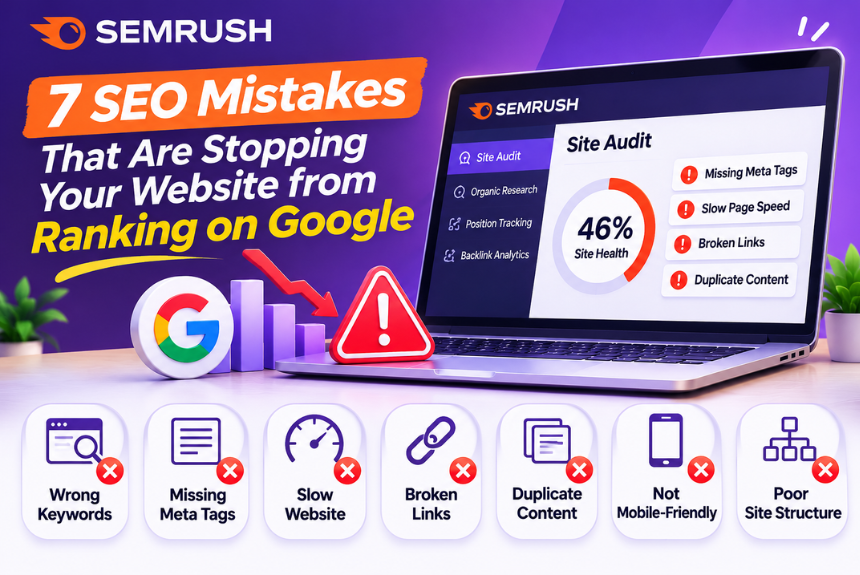
7 SEO Mistakes That Are Stopping Your Website from Ranking on Google
If your website is not ranking on Google despite publishing content regularly, you may be making some common SEO mistakes that prevent your pages from reaching their full potential. Understanding the SEO mistakes that stop website ranking is essential for improving organic visibility, attracting relevant visitors, and building a sustainable search engine optimization strategy.
Many website owners believe that publishing more articles, adding keywords, or building backlinks is enough to achieve higher rankings. However, SEO involves several interconnected factors, including search intent, content quality, technical accessibility, website structure, and user experience.
Even small SEO mistakes can create significant problems when they affect important pages across your website. For example, targeting the wrong keywords, publishing duplicate content, ignoring internal linking, or accidentally blocking search engines can limit your organic search performance.
In this comprehensive guide, we will explore seven common SEO mistakes that may be preventing your website from ranking on Google. You will also learn how to identify these problems, fix them effectively, and develop a stronger SEO strategy for long-term growth.
Whether you manage a blog, business website, ecommerce store, or digital marketing platform, these actionable SEO tips will help you identify potential ranking issues and improve your website’s overall search performance.
1. Targeting the Wrong Keywords
One of the most common SEO mistakes that stop website ranking is targeting keywords that are either too competitive, irrelevant to your audience, or poorly aligned with your content.
Keyword research helps you understand what people are searching for and how your website can provide relevant answers.
However, choosing keywords based only on search volume can lead to disappointing results.
1.1 Targeting Highly Competitive Keywords
New websites often target broad keywords with strong competition.
For example:
| Broad Keyword | More Specific Alternative |
| SEO | SEO tips for small business websites |
| Web Hosting | Best web hosting for WordPress beginners |
| Email Marketing | Email marketing strategies for ecommerce |
| Digital Marketing | Digital marketing for local businesses |
| Keyword Research | How to find low-competition keywords |
Specific keywords often provide clearer search intent and may offer more realistic opportunities for newer websites.
However, long-tail keywords are not automatically easy to rank for. Evaluate competition and relevance before targeting them.
1.2 Ignoring Search Intent During Keyword Selection
A keyword may appear relevant but require a completely different content format than the one you plan to publish.
For example, someone searching for “best SEO tools” probably wants a comparison or list of recommendations.
Someone searching for “what is SEO” is more likely to want an informational explanation.
If your content does not match the dominant search intent, ranking may become difficult.
1.3 How to Fix Keyword Targeting Problems
Follow these steps:
- Identify the primary topic of your website.
- Research relevant keywords using SEO tools.
- Analyze search intent for each keyword.
- Evaluate keyword difficulty and competition.
- Identify long-tail keyword opportunities.
- Map keywords to appropriate pages.
- Avoid targeting the same primary keyword across multiple articles.
Recommended Tools:
- Semrush — Keyword research and competitive analysis.
- Ahrefs — Keyword and competitor research.
- Google Keyword Planner — Keyword ideas and search demand estimates.
- Google Trends — Search interest and seasonal trends.
For a more detailed process, read our guide on How to Find Low-Competition Keywords for Your Website. (Previously created article; verify the published URL.)
2. Publishing Low-Quality or Thin Content
Publishing content regularly does not guarantee higher search rankings.
If your articles provide limited information, repeat existing content, or fail to solve the reader’s problem, they may struggle to perform well in organic search.
2.1 What Is Thin Content?
Thin content generally refers to pages that provide little meaningful value to users.
Examples include:
- Articles with very limited information
- Automatically generated pages without useful content
- Duplicate or substantially repetitive content
- Pages created primarily to target keywords
- Content that does not adequately answer the search query
- Product or category pages with little original information
Thin content is not defined by word count alone.
A short article can be useful if it completely answers a simple question. A long article can still be unhelpful if it contains unnecessary repetition.
2.2 Why Low-Quality Content Can Affect SEO
Google aims to provide helpful, reliable, and relevant information to users.
Content that lacks originality, accuracy, depth, or practical value may struggle to compete with stronger pages.
Publishing many weak articles can also make it harder to maintain a consistent content quality standard across your website.
2.3 How to Improve Content Quality
Before publishing an article, ask:
- Does it answer the primary search query?
- Is the information accurate and up to date?
- Does it provide useful examples?
- Does it explain the topic clearly?
- Does it address related questions?
- Does it offer original insights?
- Is the content easy to read?
- Does it provide something useful beyond competing pages?
2.4 Create Helpful, Comprehensive Content
For a strong SEO article, include relevant elements such as:
- Clear introduction
- Logical heading structure
- Detailed explanations
- Practical examples
- Step-by-step instructions
- Useful tables where appropriate
- Relevant images or screenshots
- Frequently asked questions
- Internal links to supporting content
- Helpful conclusion and CTA
Focus on solving the reader’s problem rather than reaching an arbitrary word count.
3. Ignoring Search Intent
Search intent refers to the primary purpose behind a user’s search query.
Ignoring search intent is a major SEO mistake because even well-written content may fail to satisfy what users are actually looking for.
3.1 Understanding the Four Main Types of Search Intent
| Search Intent | Purpose | Example |
| Informational | Learn something | What is keyword research? |
| Navigational | Find a specific website | Semrush login |
| Commercial | Compare options before purchasing | Best SEO tools for bloggers |
| Transactional | Complete an action | Buy SEO software |
Understanding these categories helps you choose the right content format.
3.2 Analyze Google Search Results
Search for your target keyword and examine the first page of results.
Look for:
- Blog articles
- Product pages
- Comparison guides
- Tutorials
- Videos
- Category pages
- Community discussions
If the top results primarily contain tutorials, publishing a product landing page may not match the search intent.
3.3 Match Your Content Format to Search Intent
Consider the following examples:
| Keyword | Likely Search Intent | Appropriate Content |
| What is technical SEO? | Informational | Educational guide |
| Best email marketing software | Commercial | Comparison article |
| How to create a WordPress website | Informational | Step-by-step tutorial |
| Semrush vs Ahrefs | Commercial | Detailed comparison |
| Buy domain name | Transactional | Product or service page |
Search intent can vary, so always review the current search results.
3.4 How to Fix Search Intent Problems
- Search for your target keyword on Google.
- Analyze the top-ranking pages.
- Identify the dominant content format.
- Review the information users expect.
- Compare your existing page with competing results.
- Update your content to better satisfy the search query.
Do not simply copy the structure of ranking articles. Use search intent analysis to understand what users need and create your own useful content.
4. Neglecting Technical SEO
Technical SEO problems can prevent search engines from properly crawling, rendering, indexing, or understanding your website.
Even high-quality content may struggle to appear in search results if search engines cannot access or index it correctly.
4.1 Accidentally Blocking Search Engines
One important technical SEO mistake is preventing search engines from crawling or indexing important pages.
Common causes include:
- Incorrect robots.txt rules
- Accidental noindex tags
- Incorrect canonical tags
- Password-protected pages
- Server errors
- Incorrect redirects
Check your important pages to ensure that they are accessible and eligible for indexing.
4.2 Slow Website Performance
Slow-loading pages can create a poor user experience.
Common causes include:
- Large, unoptimized images
- Excessive JavaScript
- Too many plugins
- Poor hosting performance
- Unnecessary third-party scripts
- Inefficient caching
Use Google PageSpeed Insights to evaluate your website’s performance.
4.3 Ignoring Core Web Vitals
Google uses Core Web Vitals to evaluate aspects of user experience.
| Metric | What It Measures |
| Largest Contentful Paint (LCP) | Loading performance |
| Interaction to Next Paint (INP) | Responsiveness |
| Cumulative Layout Shift (CLS) | Visual stability |
Improving these metrics can make your website more usable, although excellent scores alone do not guarantee higher rankings.
4.4 Broken Links and Redirect Problems
Broken internal links can prevent users and search engines from reaching important pages.
Common problems include:
- 404 errors
- Redirect chains
- Redirect loops
- Links to deleted pages
- Incorrect destination URLs
Use an SEO crawler to identify and fix these issues.
4.5 How to Fix Technical SEO Problems
Start with the following checks:
- Verify important pages are indexable.
- Check robots.txt and sitemap configuration.
- Review canonical tags.
- Fix broken links and incorrect redirects.
- Improve loading performance.
- Optimize mobile usability.
- Check HTTPS implementation.
- Monitor server errors.
- Review Google Search Console reports.
Recommended Tools:
5. Poor Internal Linking Structure
Internal linking connects pages within your website.
A poor internal linking structure can make it difficult for users to discover related information and for search engines to understand relationships between pages.
5.1 Publishing Articles Without Internal Links
Many websites publish new articles without connecting them to existing content.
This creates isolated pages that receive limited internal navigation support.
For example, a website publishing SEO tutorials should connect relevant articles about:
- Keyword research
- Technical SEO
- On-page SEO
- Competitor analysis
- Backlink analysis
- Content optimization
These topics naturally support one another.
5.2 Using Irrelevant Anchor Text
Anchor text is the clickable text used in a hyperlink.
Avoid using vague anchor text such as:
- Click here
- Read more
- Visit this page
Instead, use descriptive anchor text that explains the destination.
For example:
Weak: Read our article here.
Better: Learn how to perform keyword research for beginners.
Keep anchor text natural and relevant. Avoid forcing exact-match keywords into every internal link.
5.3 Ignoring Pillar and Cluster Content
A pillar-and-cluster structure organizes related content around a central topic.
For example:
Pillar Page: Complete SEO Guide
Supporting Articles:
- Keyword Research Tutorial
- On-Page SEO Guide
- Technical SEO Checklist
- Link-Building Strategies
- SEO Competitor Analysis
- SEO Audit Tutorial
Link the supporting articles to the pillar page and connect related articles where relevant.
5.4 How to Improve Internal Linking
Follow these steps:
- Identify your main topic categories.
- Create pillar pages for important topics.
- Develop supporting articles around relevant subtopics.
- Add contextual internal links.
- Use descriptive anchor text.
- Link new content from relevant existing pages.
- Review important pages for orphan links.
- Audit internal links periodically.
A well-planned internal linking structure improves navigation and helps search engines discover your content.
6. Ignoring On-Page SEO Optimization
On-page SEO helps search engines understand the content and relevance of individual pages.
Ignoring basic on-page SEO can make your content less clear to users and search engines.
6.1 Missing or Poorly Optimized Title Tags
Your title tag communicates the subject of the page.
Common mistakes include:
- Missing title tags
- Duplicate titles
- Extremely vague titles
- Unnatural keyword stuffing
- Titles that do not match search intent
- Titles that fail to communicate value
Write unique, descriptive title tags that accurately represent each page.
6.2 Incorrect Heading Structure
Headings help organize content and improve readability.
Common problems include:
- Multiple unrelated H1 headings
- Missing main headings
- Heading levels used inconsistently
- Headings that do not describe the content
- Excessive keyword repetition
Use one clear main H1 heading for the article title.
Organize major sections using H2 headings and subsections using H3 headings.
6.3 Missing or Weak Meta Descriptions
Meta descriptions help communicate the content of a page in search results.
Although they are not a direct ranking factor, a well-written description may encourage relevant users to click.
Write unique descriptions that:
- Summarize the page accurately
- Include the primary keyword naturally
- Communicate a clear benefit
- Match search intent
- Encourage users to explore the content
Google may generate its own search snippets, so your meta description is not guaranteed to appear.
6.4 Keyword Stuffing
Keyword stuffing occurs when keywords are excessively repeated in an unnatural way.
For example:
“Best SEO tools are important because the best SEO tools help you find the best SEO tools for your website.”
This approach makes content difficult to read and can violate Google’s spam policies.
Use your primary keyword naturally and include relevant variations where they make sense.
6.5 Neglecting Image SEO
Images can improve the user experience and provide additional context.
However, poorly optimized images may create performance and accessibility issues.
Avoid:
- Large image files
- Irrelevant images
- Missing descriptive alt text
- Generic image filenames
- Images that do not display properly
- Excessive decorative images
Use relevant images, descriptive filenames, appropriate alt text, and optimized file sizes.
6.6 On-Page SEO Checklist
| Element | Recommended Practice |
| Title tag | Unique and descriptive |
| H1 | Clear main topic |
| H2/H3 | Logical content structure |
| Primary keyword | Natural placement |
| Meta description | Relevant and compelling |
| URL | Descriptive and concise |
| Internal links | Relevant contextual connections |
| Images | Optimized and accessible |
| Content | Helpful and accurate |
| Search intent | Properly addressed |
7. Failing to Update and Maintain Content
SEO is not a one-time process.
Publishing an article and never reviewing it again can lead to outdated information, declining relevance, and missed opportunities.
7.1 Outdated Information
Content may become outdated when:
- Software features change
- Pricing information changes
- Industry practices evolve
- Statistics become old
- Screenshots no longer match current interfaces
- Links stop working
- Search intent changes
This is especially important for software reviews, hosting comparisons, technology tutorials, and digital marketing guides.
7.2 Declining Search Performance
A page may gradually lose visibility because competing pages become more comprehensive or better aligned with search intent.
Google Search Console can help you identify pages experiencing declining clicks or impressions.
Investigate the causes before making changes.
7.3 Content Cannibalization
Content cannibalization can occur when multiple pages on your website target the same or very similar search intent.
For example, publishing separate articles titled:
- Best SEO Tools
- Top SEO Tools
- Best SEO Software
- SEO Tools List
may create unnecessary overlap if all four pages target essentially the same audience and query intent.
Review overlapping pages and determine whether they should be differentiated, consolidated, or redirected.
7.4 How to Refresh Existing Content
Follow this process:
- Review the page’s current search performance.
- Identify outdated or inaccurate information.
- Analyze the current search results.
- Update relevant sections.
- Add useful examples and missing information.
- Improve internal linking.
- Replace outdated screenshots.
- Fix broken links.
- Update the publication or modification date only when appropriate.
- Monitor performance after the update.
Important: Do not change publication dates simply to make old content appear fresh. Updates should reflect meaningful improvements.
8. How to Identify SEO Problems on Your Website
If your website is not ranking, avoid making random changes.
Start by identifying the actual problem.
Step 1: Check Google Search Console
Open Google Search Console and navigate to the Performance report.
Review:
- Clicks
- Impressions
- Average position
- Click-through rate
- Top queries
- Top-performing pages
Identify pages that receive impressions but few clicks, pages losing traffic, and important queries where your website has limited visibility.
Step 2: Check Indexing Status
Open the Pages or Indexing report.
Investigate relevant issues such as:
- Pages excluded by noindex
- Crawled but not indexed
- Discovered but not indexed
- Duplicate pages
- Redirect errors
- Server errors
Not every excluded page requires correction. Focus on pages that should be indexed but are not.
Step 3: Conduct a Technical SEO Audit
Use an SEO crawler to examine:
- Broken links
- Redirect chains
- Missing title tags
- Duplicate meta descriptions
- Missing H1 headings
- Canonical issues
- Crawl depth
- Internal linking problems
Step 4: Evaluate Content Quality
Review your most important pages.
Ask:
- Does the content match search intent?
- Does it fully answer the query?
- Is it original and useful?
- Is the information accurate?
- Does it contain unnecessary repetition?
- Is it better organized than before?
- Does it provide practical value?
Step 5: Analyze Competitors
Compare your pages with competing search results.
Identify:
- Missing topics
- Content gaps
- Better content formats
- Relevant backlinks
- Stronger internal linking
- More helpful examples
Step 6: Develop a Prioritized Action Plan
Not every SEO issue deserves immediate attention.
Prioritize problems based on:
- Impact on important pages
- Number of affected URLs
- Business relevance
- Severity
- Effort required to fix
This will help you focus on improvements that matter most.
9. SEO Mistakes Checklist
Use this checklist to review your website regularly.
| SEO Area | Common Mistake | Recommended Action |
| Keyword Research | Targeting irrelevant or difficult keywords | Research intent and competition |
| Content Quality | Publishing thin or repetitive content | Improve usefulness and originality |
| Search Intent | Creating the wrong content format | Analyze current search results |
| Technical SEO | Blocking important pages from indexing | Review indexing and crawl settings |
| Website Speed | Using unoptimized resources | Improve performance |
| Internal Linking | Publishing isolated pages | Build contextual links |
| On-Page SEO | Missing or duplicate metadata | Optimize titles and descriptions |
| Heading Structure | Inconsistent heading hierarchy | Organize headings logically |
| Image SEO | Large files and missing alt text | Optimize images |
| Content Maintenance | Leaving outdated content unchanged | Refresh when necessary |
| Content Strategy | Publishing overlapping articles | Review keyword and intent mapping |
| Analytics | Ignoring search performance data | Monitor Search Console |
Review this checklist before publishing new content and during regular SEO audits.
10. Frequently Asked Questions (FAQs)
1. Why is my website not ranking on Google?
Your website may not be ranking because of keyword competition, poor search intent alignment, low-quality content, technical SEO problems, weak internal linking, or limited website authority. Review Google Search Console and perform an SEO audit to identify the specific issues.
2. What are the most common SEO mistakes?
Common SEO mistakes include targeting the wrong keywords, publishing thin content, ignoring search intent, neglecting technical SEO, poor internal linking, weak on-page optimization, and failing to update outdated content.
3. How long does it take to fix SEO mistakes?
The time required depends on the type and severity of the issue. Technical fixes may take effect relatively quickly, while improvements in organic rankings and traffic can take weeks or months. Results vary depending on competition, website history, and the changes implemented.
4. Can keyword stuffing affect Google rankings?
Yes. Excessive and unnatural keyword repetition can violate Google’s spam policies and negatively affect search performance. Use keywords naturally and prioritize clear, helpful content.
5. Does publishing more content improve SEO rankings?
Publishing more content does not automatically improve rankings. Content should be relevant, accurate, original, and useful. A smaller collection of high-quality articles may perform better than a large collection of repetitive or low-value pages.
6. How do I know if my website has technical SEO problems?
Use Google Search Console, PageSpeed Insights, and an SEO crawling tool. Check indexing status, crawlability, redirects, broken links, page speed, canonical tags, and mobile usability.
7. Is internal linking important for SEO?
Internal linking helps users navigate your website and helps search engines discover pages and understand relationships between content. A logical internal linking structure is particularly valuable for websites with many articles.
8. Can duplicate content stop my website from ranking?
Duplicate or substantially similar content can create confusion about which page should appear in search results. Review overlapping pages, consolidate content where appropriate, and use canonical tags correctly when necessary.
9. How can I improve my website’s Google rankings?
Start with keyword research, search intent analysis, content improvement, technical SEO, and internal linking. Monitor your website’s performance using Google Search Console and continue improving pages based on actual data.
10. Does website speed affect SEO?
Website speed contributes to user experience. Core Web Vitals are part of Google’s page experience considerations, but good performance scores alone do not guarantee rankings. Focus on both usability and content relevance.
11. How often should I audit my website for SEO mistakes?
Perform a basic SEO review monthly and a more comprehensive audit quarterly. Websites publishing frequently or operating in competitive industries may benefit from more frequent technical and content reviews.
12. What is the best free tool to identify SEO problems?
Google Search Console is one of the most useful free tools for identifying indexing issues, monitoring search performance, and understanding how your website appears in Google Search. Google PageSpeed Insights is useful for performance analysis.
13. Can poor content quality affect organic traffic?
Yes. Content that does not adequately satisfy search intent or provide meaningful value may struggle to compete in search results. Improve accuracy, usefulness, originality, and content structure.
14. Should I delete old blog posts that are not ranking?
Not necessarily. Evaluate each article before deleting it. Consider updating, consolidating, redirecting, or retaining the page based on its relevance, backlinks, traffic, and potential value.
15. What should I do if my website rankings suddenly drop?
Check Google Search Console for changes in impressions, clicks, indexing, and technical issues. Review recent website updates, algorithm-related developments, competitor activity, and changes in search intent before deciding on corrective actions.
11. Conclusion
Understanding the SEO mistakes that stop website ranking is the first step toward improving your website’s organic search performance.
Many ranking problems do not come from a single issue. They may result from a combination of keyword targeting, content quality, technical accessibility, search intent, website structure, and content maintenance.
Start by evaluating your website’s existing performance through Google Search Console. Identify pages that need improvement, review technical SEO issues, and analyze competing pages to understand what your audience expects.
Then prioritize your improvements.
Focus on targeting relevant keywords, publishing helpful content, improving internal links, optimizing important pages, and maintaining accurate and updated information.
Remember: SEO is not about making your website look optimized for search engines. It is about creating a website that search engines can understand and users genuinely find valuable.
Consistent monitoring, meaningful improvements, and a user-focused content strategy can help your website build stronger organic visibility over time.
Improve Your SEO Strategy With NextBloggers
Want to improve your website rankings, identify SEO problems, and develop a more effective content strategy?
Explore more SEO tutorials, digital marketing insights, and comprehensive software reviews on NextBloggers to learn how to optimize your website and grow your organic traffic.
Leave a Reply