


What Is an Automated Lead Generation System?
An automated lead generation system is a combination of marketing tools, technologies, and workflows that automatically attract, capture, qualify, organize, and nurture potential customers.
It connects different business activities, including website traffic generation, lead capture, customer data management, email marketing, CRM integration, and sales follow-ups.
The primary objective is to reduce manual effort while creating a consistent and scalable process for generating qualified leads.
How Does Lead Generation Automation Work?
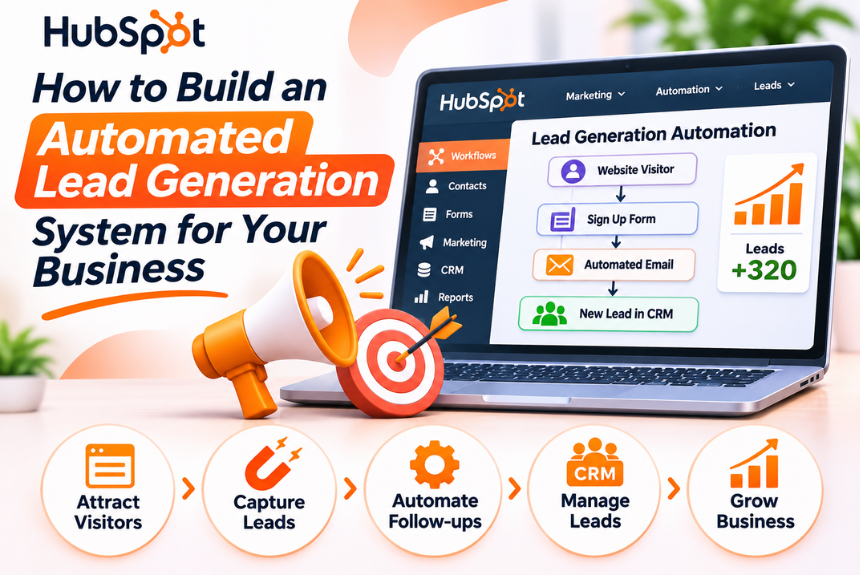
A typical automated lead generation system follows a structured process:
- Attract prospects: Generate traffic through SEO, paid advertising, social media, and other marketing channels.
- Capture leads: Collect visitor information through landing pages, forms, lead magnets, and website interactions.
- Store customer data: Automatically transfer lead information into a CRM or lead management platform.
- Qualify prospects: Evaluate leads based on their interests, behavior, demographics, and business requirements.
- Nurture leads: Send relevant emails, content, and follow-up messages based on customer actions.
- Assign sales opportunities: Route qualified leads to the appropriate sales representative.
- Track performance: Monitor lead generation metrics, conversion rates, and campaign effectiveness.
This process allows businesses to maintain continuous engagement with prospects while helping sales teams focus on opportunities with greater potential.
Why Should Businesses Automate Lead Generation?
Traditional lead generation often involves manually collecting information, maintaining spreadsheets, sending individual emails, and tracking customer interactions.
As a business grows, these activities become difficult to manage efficiently.
Lead generation automation addresses several operational challenges.
Reduces Manual Work
Automation eliminates repetitive tasks such as data entry, lead assignment, email scheduling, and follow-up reminders.
Marketing teams can spend more time developing campaigns and improving lead quality.
Improves Lead Response Time
When someone submits a website form, an automated system can immediately send a confirmation email, notify the sales team, and create a CRM record.
Faster responses can improve the likelihood of engaging interested prospects.
Creates Consistent Follow-Ups
Many potential customers do not convert during their first interaction.
Automated email sequences and reminders help businesses maintain consistent communication without relying on employees to remember every follow-up.
Improves Lead Qualification
Automation can evaluate leads using predefined criteria such as company size, industry, job role, budget, website activity, and engagement level.
This helps sales teams prioritize more relevant prospects.
Supports Business Scalability
An automated system can handle increasing lead volumes without requiring the same increase in manual workload.
Businesses can expand their marketing activities while maintaining structured lead management processes.
Provides Better Marketing Insights
Connected tools allow businesses to track lead sources, campaign performance, conversion rates, and customer engagement.
These insights help marketers identify which channels and strategies generate the most valuable opportunities.
Key Components of an Automated Lead Generation System
Before building your system, it is important to understand the essential components involved.
| Component | Purpose | Example |
| Traffic Generation | Attract potential customers | SEO, Google Ads, social media |
| Landing Pages | Convert visitors into prospects | Product or service landing pages |
| Lead Capture Forms | Collect customer information | Contact forms, signup forms |
| Lead Magnets | Encourage visitors to share information | E-books, templates, webinars |
| CRM Software | Organize and manage leads | HubSpot, Zoho CRM |
| Marketing Automation | Automate communication and workflows | Email sequences, notifications |
| Lead Scoring | Prioritize potential customers | Engagement and qualification scores |
| Analytics Tools | Measure performance | Google Analytics, CRM dashboards |
| Integration Tools | Connect different applications | Zapier, Make |
These components work together to create a connected lead generation ecosystem.
How to Build an Automated Lead Generation System Step by Step
Building a successful automated lead generation system requires more than connecting software applications.
You need to define your target audience, create relevant offers, establish conversion points, and design workflows that guide prospects toward becoming customers.
Step 1: Define Your Ideal Customer Profile
Before generating leads, identify the people or businesses most likely to purchase your product or service.
An Ideal Customer Profile (ICP) describes the characteristics of your most valuable potential customers.
For B2B businesses, an ICP may include:
- Industry or business sector
- Company size
- Annual revenue
- Geographic location
- Decision-maker job titles
- Business challenges
- Technology requirements
- Purchasing capacity
For B2C businesses, relevant characteristics may include:
- Age group
- Location
- Interests
- Purchasing behavior
- Lifestyle preferences
- Customer needs
- Budget and spending patterns
Create Buyer Personas
A buyer persona represents a specific type of customer within your target audience.
For example, a digital marketing agency might target:
| Persona | Characteristics | Primary Need |
| Startup Founder | Small business owner, limited resources | Affordable customer acquisition |
| Marketing Manager | Responsible for campaign performance | Qualified leads and measurable ROI |
| Business Owner | Focused on revenue and growth | Consistent sales opportunities |
| E-commerce Manager | Manages online store performance | Increased traffic and conversions |
Understanding these personas helps you create relevant content, personalized campaigns, and more effective lead capture offers.
Step 2: Choose the Right Lead Generation Channels
Your lead generation system should focus on channels where your target audience is most likely to discover and engage with your business.
Not every channel is suitable for every organization.
Search Engine Optimization (SEO)
SEO helps businesses attract organic traffic from search engines.
You can generate leads through:
- Informational blog posts
- Service pages
- Product landing pages
- Industry-specific guides
- Comparison articles
- Case studies
- Frequently asked questions
SEO is particularly valuable for attracting prospects actively searching for solutions to their problems.
Paid Advertising
Paid advertising allows businesses to target specific audiences and generate leads more quickly.
Popular options include:
- Google Ads
- LinkedIn Ads
- Meta Ads
- YouTube Ads
- Industry-specific advertising platforms
Paid campaigns can direct prospects to dedicated landing pages with lead capture forms.
Social Media Marketing
Social media helps businesses build awareness, engage audiences, and generate leads through organic content and paid campaigns.
Platforms such as LinkedIn are particularly useful for B2B lead generation, while Instagram and Facebook may be effective for consumer-focused businesses.
Content Marketing
Content marketing attracts prospects by providing useful information and solving relevant problems.
Examples include:
- E-books
- Whitepapers
- Industry reports
- Webinars
- Tutorials
- Templates
- Case studies
- Video content
Content can also support email marketing and lead nurturing workflows.
Referral Marketing
Referral programs encourage existing customers, partners, and professional networks to recommend your business.
Automated referral systems can track recommendations, send notifications, and manage follow-up communication.
Step 3: Create High-Converting Landing Pages
Landing pages are one of the most important components of automated lead generation.
A landing page focuses on a specific offer, service, or conversion objective.
Instead of sending visitors to a general homepage, businesses can direct them to a dedicated page designed to encourage a particular action.
Essential Elements of a Lead Generation Landing Page
| Element | Purpose |
| Compelling Headline | Communicates the primary value proposition |
| Supporting Description | Explains the offer and its benefits |
| Relevant Visuals | Reinforces the message |
| Lead Capture Form | Collects prospect information |
| Clear CTA | Encourages visitors to take action |
| Trust Signals | Builds confidence and credibility |
| Testimonials | Demonstrates customer satisfaction |
| Benefits Section | Explains why the offer is valuable |
Landing Page Optimization Tips
- Keep the headline clear and benefit-oriented.
- Use a single primary conversion objective.
- Avoid unnecessary form fields.
- Make the CTA easy to identify.
- Ensure mobile responsiveness.
- Improve page loading speed.
- Include relevant trust signals.
- Test different headlines and CTA variations.
For example, instead of using a generic button such as “Submit,” consider action-oriented text like “Get Your Free Consultation” or “Download the Guide.”
Step 4: Create a Lead Magnet
A lead magnet is a valuable resource offered in exchange for a prospect’s contact information.
It helps businesses encourage visitors to become leads by providing something relevant to their needs.
Popular Lead Magnet Ideas
| Lead Magnet | Target Audience | Example |
| E-book | Beginners and researchers | Complete Industry Guide |
| Checklist | Business owners | Website SEO Checklist |
| Template | Professionals | Marketing Campaign Template |
| Webinar | Interested prospects | Live Product Demonstration |
| Case Study | Decision-makers | Customer Success Story |
| Free Consultation | High-intent prospects | Strategy Discussion |
| Calculator | Buyers evaluating options | ROI Calculator |
| Free Trial | Software users | Product Access |
| Industry Report | B2B audiences | Market Trends Report |
| Mini-Course | Learners | Practical Training Series |
How to Choose the Right Lead Magnet
Your lead magnet should directly address a problem your target audience wants to solve.
For example, a business selling CRM software could offer a downloadable guide titled “Customer Relationship Management Checklist for Growing Businesses.”
A digital marketing agency could offer a free SEO audit or website performance checklist.
The more relevant the offer, the greater the likelihood of attracting qualified prospects.
Step 5: Set Up Lead Capture Forms
Lead capture forms collect information from visitors who are interested in your product, service, or content.
The information collected should support lead qualification and follow-up without creating unnecessary friction.
Common Lead Capture Form Fields
| Field | Purpose |
| Full Name | Identify the prospect |
| Email Address | Enable communication |
| Phone Number | Support direct follow-up when appropriate |
| Company Name | Identify business prospects |
| Job Title | Understand the decision-maker’s role |
| Industry | Segment leads by business sector |
| Company Size | Evaluate organizational fit |
| Primary Requirement | Understand the prospect’s needs |
Best Practices for Lead Capture Forms
- Ask only for information you genuinely need.
- Keep forms short for initial interactions.
- Use clear labels and instructions.
- Explain how submitted information will be used.
- Include appropriate privacy disclosures and consent options.
- Make forms mobile-friendly.
- Use validation to reduce inaccurate entries.
- Test submission and CRM integration regularly.
For high-value B2B offers, longer forms may be appropriate if the prospect understands the value of completing them.
Step 6: Connect Your Lead Capture Forms to a CRM
A CRM system acts as the central database for your lead generation process.
When someone submits a form, their information should automatically be transferred to the CRM.
This eliminates manual data entry and ensures that every lead is recorded properly.
What Should Happen Automatically?
A typical workflow may include:
- A visitor submits a landing page form.
- The form data is transferred to the CRM.
- A new lead record is created.
- The lead source is recorded.
- The lead is assigned to a relevant category or campaign.
- An automated confirmation email is sent.
- A sales notification or follow-up task is created.
This workflow creates a structured process for handling every new inquiry.
CRM Platforms to Consider
| CRM Platform | Suitable For |
| HubSpot CRM | Businesses seeking connected marketing and sales tools |
| Zoho CRM | Small and medium-sized businesses |
| Salesforce | Growing businesses and enterprises |
| Pipedrive | Sales-focused teams |
| Freshsales | Businesses seeking sales and customer engagement features |
Choose a CRM that fits your requirements, budget, integrations, and team capabilities.
Step 7: Automate Lead Qualification and Scoring
Not every lead is ready to make a purchase.
Some prospects are actively evaluating solutions, while others are simply researching a topic.
Lead qualification helps businesses determine whether a prospect is suitable for their product or service.
What Is Lead Scoring?
Lead scoring assigns numerical values to leads based on their characteristics and interactions with your business.
These scores help prioritize leads according to their potential value and buying intent.
Example of a Lead Scoring Model
| Lead Activity or Attribute | Score |
| Visits pricing page | +10 |
| Downloads a case study | +8 |
| Attends a webinar | +12 |
| Opens a marketing email | +2 |
| Clicks a product email | +5 |
| Submits a demo request | +20 |
| Matches the ideal customer profile | +15 |
| Unsubscribes from emails | -10 |
| Provides an invalid email | -15 |
The exact scoring system should be customized according to your business model and validated against actual conversion data.
Define Lead Categories
You can organize leads into different categories based on their scores and qualification criteria.
| Lead Category | Description | Recommended Action |
| Cold Lead | Limited engagement or interest | Awareness campaigns |
| Warm Lead | Demonstrates relevant interest | Educational email nurturing |
| Marketing Qualified Lead (MQL) | Meets marketing qualification criteria | Additional nurturing or sales review |
| Sales Qualified Lead (SQL) | Meets sales qualification criteria | Direct sales follow-up |
| High-Intent Lead | Requests a demo, consultation, or pricing | Immediate sales attention |
Automated lead scoring helps sales teams prioritize opportunities, but scores should not replace human judgment.
Step 8: Build Automated Email Nurturing Sequences
Email automation helps businesses maintain consistent communication with prospects after they enter the lead generation system.
Instead of sending individual emails manually, you can create predefined sequences triggered by specific actions.
Example: Lead Magnet Email Sequence
| Timing | Objective | |
| Immediately | Deliver the promised resource | Fulfill the offer |
| Day 2 | Share a useful educational tip | Build engagement |
| Day 4 | Explain a common problem | Educate the prospect |
| Day 6 | Share a case study | Establish credibility |
| Day 8 | Introduce your solution | Connect needs with offerings |
| Day 10 | Invite the prospect to a demo or consultation | Encourage conversion |
Email Automation Best Practices
- Personalize emails using relevant customer information.
- Focus on providing value instead of constant promotion.
- Use clear and relevant subject lines.
- Segment audiences based on interests and behavior.
- Include a clear CTA in each email.
- Monitor engagement and conversion rates.
- Respect unsubscribe requests and applicable email marketing regulations.
Email nurturing should be designed around the customer journey rather than a fixed number of promotional messages.
Step 9: Automate Lead Assignment and Sales Follow-Ups
Once a lead meets your qualification criteria, the system should automatically notify the appropriate sales representative.
This prevents qualified leads from remaining unattended in the CRM.
Example Lead Assignment Workflow
Trigger: A lead reaches the predefined qualification score.
Conditions:
- The lead matches the target industry.
- The company meets the minimum size requirement.
- The prospect has requested a consultation.
Actions:
- Update the lead status to Sales Qualified Lead.
- Assign the lead to the relevant sales representative.
- Create a follow-up task.
- Send an internal notification.
- Send a confirmation email to the prospect.
- Track the outcome of the sales interaction.
Follow-Up Automation
If a sales representative does not contact a lead within the predefined period, the system can:
- Send a reminder to the representative.
- Notify the sales manager.
- Escalate the lead to another team member.
- Create another follow-up task.
This helps businesses establish consistent lead response processes.
Step 10: Integrate Your Marketing and Sales Tools
An automated lead generation system becomes more effective when different applications work together.
Integration ensures that information flows between marketing platforms, CRM systems, analytics tools, and sales applications.
Common Integrations
| Tool Category | Purpose |
| Website Forms | Capture lead information |
| CRM Software | Store and manage customer records |
| Email Marketing Platform | Automate nurturing campaigns |
| Analytics Platform | Measure traffic and conversions |
| Advertising Platforms | Track campaign performance |
| Calendar Applications | Schedule meetings and consultations |
| Communication Tools | Notify sales and marketing teams |
| Automation Platforms | Connect applications and workflows |
Integration Tools
Businesses can use automation platforms such as:
- Zapier: Connect applications and automate workflows.
- Make: Create visual automation scenarios across multiple tools.
- CRM Native Integrations: Connect supported applications directly.
- Webhooks and APIs: Build custom integrations for more advanced requirements.
Whenever possible, prioritize native integrations for important business processes. Third-party automation platforms can be useful when direct integrations are unavailable.
Step 11: Track and Optimize Your Lead Generation Performance
An automated lead generation system should be continuously monitored and optimized.
Tracking the right metrics helps businesses understand whether their campaigns are generating qualified leads and contributing to revenue.
Essential Lead Generation KPIs
| KPI | Formula | Purpose |
| Conversion Rate | Conversions ÷ Visitors × 100 | Measures landing page effectiveness |
| Cost Per Lead (CPL) | Campaign Cost ÷ Leads Generated | Measures lead acquisition cost |
| Lead-to-Customer Rate | Customers ÷ Total Leads × 100 | Measures lead quality and conversion |
| MQL-to-SQL Rate | SQLs ÷ MQLs × 100 | Evaluates marketing and sales alignment |
| Email Click-Through Rate | Clicks ÷ Delivered Emails × 100 | Measures email engagement |
| Sales Cycle Length | Average time from lead creation to closing | Measures sales efficiency |
| Customer Acquisition Cost (CAC) | Total Acquisition Cost ÷ New Customers | Measures acquisition efficiency |
| Return on Investment (ROI) | (Revenue − Investment) ÷ Investment × 100 | Evaluates overall profitability |
Optimize Based on Data
Use performance insights to identify areas for improvement.
For example:
- High traffic but low conversions may indicate landing page issues.
- High lead volume but low sales may indicate poor targeting or qualification.
- Low email engagement may indicate irrelevant content or weak subject lines.
- High cost per lead may indicate inefficient advertising or targeting.
- Slow lead response times may indicate problems with sales workflows.
Optimization should be based on actual data rather than assumptions.
Best Tools for Building an Automated Lead Generation System
The tools you select should depend on your business size, budget, technical expertise, and marketing requirements.
CRM and Lead Management Tools
HubSpot CRM: Useful for managing customer records, sales pipelines, and connected marketing workflows.
Zoho CRM: Offers lead management, automation, reporting, and configurable business processes.
Salesforce: Supports advanced sales management, automation, and enterprise CRM workflows.
Email Marketing and Automation Tools
Mailchimp: Provides email marketing, audience management, and campaign automation.
Brevo: Offers email marketing, marketing automation, and customer communication capabilities.
ActiveCampaign: Combines email marketing, automation, and CRM-related features.
Landing Page and Form Builders
Elementor: Allows WordPress users to create landing pages and forms, depending on the available plan and integrations.
Unbounce: Focuses on landing page creation and conversion optimization.
Typeform: Offers interactive forms and lead capture experiences.
Workflow Automation Tools
Zapier: Connects different applications through automated workflows.
Make: Supports visual automation and integrations across connected applications.
n8n: Offers workflow automation with options for self-hosted deployment.
Note: Tool capabilities, integrations, and pricing may change. Review official documentation before choosing a platform.
Example of a Complete Automated Lead Generation Workflow
Let’s consider a B2B digital marketing agency that wants to generate leads for SEO services.
The Workflow
Step 1: Attract Traffic
The agency publishes SEO blogs, creates service pages, and runs targeted advertising campaigns.
Step 2: Offer a Lead Magnet
Visitors are offered a free SEO checklist or website audit.
Step 3: Capture Lead Information
Visitors submit a landing page form with their name, email address, website URL, and primary requirement.
Step 4: Store Information in the CRM
The lead’s information is automatically transferred to the CRM with the source and campaign details.
Step 5: Send an Automated Email
The system sends the SEO checklist and a confirmation email immediately.
Step 6: Start the Nurturing Sequence
The prospect receives educational emails about SEO challenges, optimization strategies, and relevant case studies.
Step 7: Score the Lead
The CRM evaluates engagement and qualification criteria.
Step 8: Assign Qualified Leads
Leads that meet the qualification criteria are assigned to the sales team.
Step 9: Schedule a Consultation
The prospect receives an invitation to book a consultation through a connected scheduling tool.
Step 10: Track the Conversion
The CRM records whether the prospect becomes a customer and connects the outcome with the original lead source.
This workflow creates a structured and repeatable lead generation process.
Common Mistakes to Avoid When Automating Lead Generation
Automation can improve efficiency, but poorly designed systems may generate irrelevant leads, overwhelm prospects, or create operational problems.
Automating Without a Clear Strategy
Connecting multiple tools without defining your target audience, conversion goals, and sales process can create unnecessary complexity.
Solution: Establish your lead generation strategy before selecting automation tools.
Focusing on Lead Quantity Instead of Quality
Generating large numbers of leads does not guarantee sales.
Solution: Track qualified leads, conversion rates, and revenue contribution rather than focusing exclusively on total lead volume.
Sending Too Many Automated Emails
Excessive communication can frustrate prospects and increase unsubscribes.
Solution: Create relevant sequences with appropriate frequency and clear communication preferences.
Ignoring Lead Response Time
Qualified leads may lose interest if businesses take too long to respond.
Solution: Establish response time expectations and automate internal notifications.
Using Too Many Tools
Managing numerous disconnected platforms can increase costs and create data inconsistencies.
Solution: Start with essential tools and expand your system gradually.
Failing to Maintain Data Quality
Duplicate records, inaccurate contact details, and inconsistent data can affect automation and reporting.
Solution: Regularly clean your database and establish clear data management practices.
Not Testing Automation Workflows
A broken integration can prevent leads from reaching the CRM or receiving follow-up emails.
Solution: Test every workflow regularly and monitor failures, delivery issues, and integration errors.
How to Make Your Automated Lead Generation System More Effective
Building the system is only the beginning. Continuous improvement is necessary to maintain lead quality and conversion performance.
Personalize Your Communication
Use relevant information such as industry, customer interests, and previous interactions to make communication more meaningful.
Avoid personalization that feels intrusive or relies on unnecessary personal information.
Segment Your Leads
Organize leads based on:
- Industry
- Company size
- Geographic location
- Lead source
- Product interest
- Engagement level
- Purchase intent
- Sales funnel stage
Segmentation helps businesses deliver relevant information to different audiences.
Use Behavioral Triggers
Trigger automated workflows based on meaningful customer actions.
Examples include:
- Downloading a resource
- Visiting a pricing page
- Requesting a demo
- Attending a webinar
- Starting a free trial
- Abandoning a form
Behavior-based automation makes the customer journey more responsive.
Align Marketing and Sales Teams
Define clear criteria for marketing-qualified and sales-qualified leads.
Establish shared expectations for lead quality, follow-up time, qualification processes, and reporting.
Continuously Improve Your Landing Pages
Test different headlines, CTA text, layouts, offers, and form structures.
Use analytics to identify which variations generate better-quality leads.
Maintain Compliance and Customer Trust
Collect customer information transparently and responsibly.
Ensure that your lead generation activities follow applicable privacy, data protection, and email marketing requirements.
Provide clear privacy notices, respect consent preferences, and offer straightforward unsubscribe options where required.
Frequently Asked Questions About Automated Lead Generation
1. What is an automated lead generation system?
An automated lead generation system uses software, integrations, and workflows to attract prospects, capture information, qualify leads, and nurture potential customers with minimal manual effort.
2. How does lead generation automation work?
It connects marketing channels, landing pages, forms, CRM software, and communication tools. When a prospect takes an action, the system automatically records their information and triggers relevant follow-up activities.
3. What is the best tool for automated lead generation?
There is no single best tool for every business. HubSpot, Zoho CRM, Salesforce, Mailchimp, ActiveCampaign, Zapier, and Make offer different capabilities. The right choice depends on your business requirements, budget, and existing technology.
4. Can small businesses automate lead generation?
Yes. Small businesses can start with a basic system consisting of a landing page, lead capture form, CRM, and automated email sequence. They can introduce advanced workflows as their requirements grow.
5. Is automated lead generation expensive?
Not necessarily. Businesses can begin with free or affordable tools and expand their systems over time. Costs depend on software subscriptions, advertising budgets, integrations, and implementation requirements.
6. What is the difference between lead generation and lead nurturing?
Lead generation focuses on attracting and capturing potential customers. Lead nurturing focuses on building relationships with those prospects through relevant communication and engagement until they are ready to make a purchasing decision.
7. How can I generate qualified leads automatically?
Define your ideal customer profile, create targeted campaigns, use relevant lead magnets, collect appropriate information, implement lead scoring, and automate nurturing and qualification workflows.
8. How does CRM software help with lead generation?
CRM software centralizes lead information, tracks interactions, organizes sales opportunities, automates follow-ups, and provides reporting. It helps businesses manage leads throughout the customer journey.
9. Can AI automate lead generation?
AI can support lead generation through lead scoring, customer segmentation, predictive analytics, content assistance, data enrichment, and automated communication. Human oversight remains important for quality, accuracy, and customer trust.
10. How do I measure automated lead generation success?
Track metrics such as conversion rate, cost per lead, lead-to-customer rate, qualified lead volume, sales cycle length, customer acquisition cost, and ROI.
11. What is the difference between MQL and SQL?
A Marketing Qualified Lead (MQL) meets predefined marketing engagement or qualification criteria. A Sales Qualified Lead (SQL) has been assessed as suitable for direct sales engagement based on agreed qualification criteria.
12. How long does it take to build an automated lead generation system?
A basic system may be set up relatively quickly using ready-made tools. More advanced systems involving multiple integrations, custom workflows, lead scoring, and reporting require additional planning, testing, and implementation.
Conclusion
An automated lead generation system helps businesses create a structured and scalable approach to attracting, capturing, qualifying, and nurturing potential customers.
By combining targeted marketing, landing pages, lead magnets, CRM software, email automation, and workflow integrations, businesses can reduce manual work and improve lead management.
The key to success is not simply automating every activity. It is building a system that delivers relevant experiences, generates qualified prospects, and supports meaningful customer relationships.
Start with a clear strategy, choose the right tools, and automate your most important workflows first. As your business grows, continuously optimize your processes using data and customer feedback.
Ready to improve your digital marketing strategy? Explore more practical guides, software reviews, marketing tutorials, and business growth resources on NextBloggers.
Leave a Reply