


Email Marketing Checklist Before Sending Any Campaign
Email marketing is one of the most effective ways for businesses to communicate with customers, generate leads, and increase sales. However, even a well-designed email campaign can fail if important steps are missed before sending.
A small mistake, such as a broken link, incorrect personalization, poor subject line, or sending emails to outdated contacts, can negatively affect campaign performance and damage your brand reputation.
Before launching any email campaign, marketers need a proper process to review, test, and optimize every element of the email.
A detailed email marketing checklist helps businesses ensure that campaigns are accurate, professional, and optimized for better engagement.
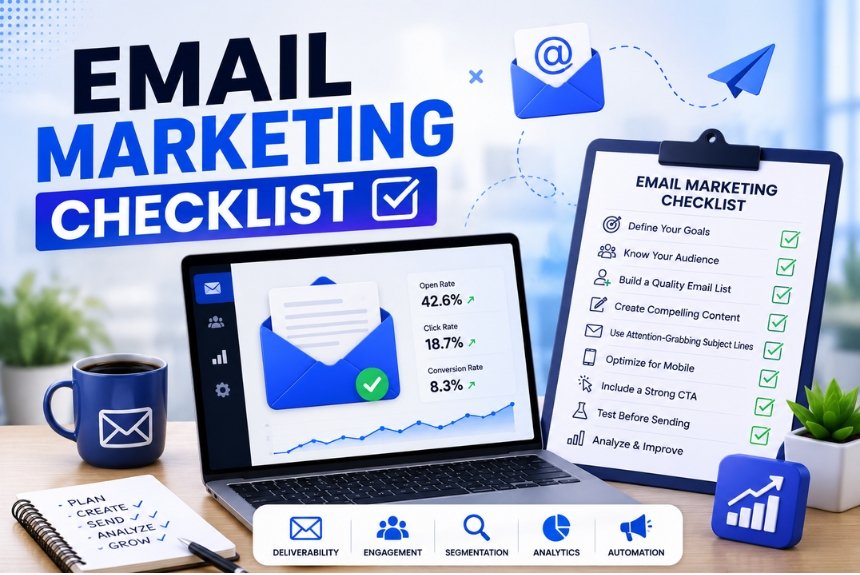
This checklist covers everything you need to review before pressing the send button, including email list verification, subject line optimization, preview text, personalization, link testing, mobile responsiveness, spam checks, scheduling, and analytics tracking.
Following these steps can help improve:
- Email open rates
- Click-through rates
- Deliverability
- Customer engagement
- Conversion rates
In this guide, we will discuss the complete email marketing checklist before sending any campaign to help businesses create successful email campaigns.
Why an Email Marketing Checklist Is Important
Sending an email campaign without proper review can lead to avoidable mistakes.
A checklist ensures that every important element is properly optimized before reaching your audience.
Benefits of Using an Email Marketing Checklist
1. Reduces Errors
A checklist helps identify mistakes such as:
- Incorrect links
- Spelling errors
- Wrong customer information
- Missing CTAs
2. Improves Email Performance
Reviewing important elements before sending improves:
- Open rates
- Engagement
- Conversions
3. Protects Brand Reputation
Professional and error-free emails create a better impression among customers.
4. Improves Deliverability
Following best practices reduces the chances of emails going into spam folders.
Email Marketing Checklist Before Sending a Campaign
Before sending any email campaign, review these important steps:
✓ Verify your email list
✓ Write a strong subject line
✓ Optimize preview text
✓ Check personalization
✓ Test all links
✓ Ensure mobile responsiveness
✓ Check spam score
✓ Schedule campaign properly
✓ Set up analytics tracking
1. Verify Your Email List
The first step in any email marketing checklist is ensuring that your email list is clean and accurate.
Sending emails to outdated or invalid addresses can negatively affect your campaign performance.
Why Email List Verification Matters
A poor-quality email list can result in:
- High bounce rates
- Low engagement
- Spam complaints
- Poor sender reputation
Email providers monitor sender behavior. A high number of failed deliveries can reduce future email deliverability.
How to Verify Your Email List
1. Remove Invalid Email Addresses
Remove:
- Incorrect email formats
- Fake addresses
- Inactive accounts
This improves list quality.
2. Remove Unengaged Subscribers
Subscribers who have not opened emails for a long time may reduce engagement rates.
Consider:
- Re-engagement campaigns
- Removing inactive contacts
3. Use Double Opt-In
Double opt-in requires users to confirm their email address before joining the list.
Benefits:
- Higher-quality subscribers
- Better engagement
- Fewer spam complaints
4. Segment Your Email List
Organize subscribers based on:
- Customer behavior
- Interests
- Purchase history
- Engagement level
Sending relevant emails improves results.
Email List Verification Checklist
Before sending:
✔ Check email accuracy
✔ Remove invalid contacts
✔ Remove duplicate subscribers
✔ Confirm permission-based subscribers
✔ Segment the audience properly
2. Write a Strong Subject Line
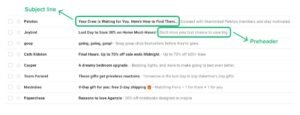
The subject line is the first thing subscribers see when your email appears in their inbox.
A weak subject line can reduce open rates, even if the email content is valuable.
Why Subject Lines Matter
A good subject line:
- Creates curiosity
- Communicates value
- Encourages users to open the email
A poor subject line may cause users to ignore or delete the email.
Common Subject Line Mistakes
Avoid:
❌ Very long subject lines
❌ Excessive promotional words
❌ Misleading information
❌ Too many emojis
❌ Generic messages
Examples:
Poor:
“Newsletter Update”
Better:
“5 Ways to Improve Your Marketing Results”
Tips for Writing Better Subject Lines
1. Keep It Clear and Short
Subscribers should immediately understand the email purpose.
2. Highlight Benefits
Focus on what customers will gain.
Example:
“Save Time With These Marketing Tips”
3. Create Curiosity
Encourage users to open the email.
Example:
“The Strategy Successful Brands Are Using”
4. Test Different Versions
Use A/B testing to identify the best-performing subject lines.
Optimize Preview Text
Preview text is the short message that appears next to or below the subject line in the inbox.
Many marketers focus only on the subject line and ignore preview text. However, preview text plays an important role in convincing subscribers to open emails.
A strong subject line combined with effective preview text can significantly improve email open rates.
Why Preview Text Matters
Preview text provides additional context about the email content.
It helps subscribers understand:
- What the email is about
- Why they should open it
- What value they will receive
Without optimized preview text, inbox users may not find enough reason to open the email.
Common Preview Text Mistakes
Avoid:
1. Leaving Preview Text Blank
If preview text is not customized, email platforms may automatically display random content from the email.
This can create a poor first impression.
2. Repeating the Subject Line
The preview text should add extra information instead of repeating the same message.
Example:
Subject Line:
“Your Exclusive Discount Is Here”
Poor Preview Text:
“Your Exclusive Discount Is Here”
Better Preview Text:
“Enjoy 25% off your favorite products before the offer ends.”
3. Making It Too Long
Preview text should be short and meaningful.
Users should understand the message quickly.
Best Practices for Preview Text
✔ Support the subject line
✔ Highlight benefits
✔ Create curiosity
✔ Include important details
✔ Keep it clear and concise
4. Check Personalization
Personalization is an important step in any email marketing checklist.
Customers respond better when emails feel relevant and customized instead of generic.
Personalized emails help businesses create stronger connections with subscribers.
What Is Email Personalization?
Email personalization means adjusting email content based on subscriber information, behavior, or preferences.
Examples:
- Using customer names
- Recommending products based on previous purchases
- Sending birthday offers
- Sharing relevant content
Why Personalization Matters
Personalized emails can help:
- Increase engagement
- Improve customer experience
- Build trust
- Increase conversions
Customers are more likely to interact with emails that match their interests.
Personalization Checklist Before Sending
Before launching a campaign, check:
1. Customer Name Accuracy
If using names in emails, verify that:
- Names are correctly stored
- No blank fields appear
- Incorrect placeholders are removed
Example:
Wrong:
“Hello {{First Name}}”
Correct:
“Hello Sarah”
2. Audience Relevance
Make sure the email reaches the right audience.
Examples:
- Existing customers receive loyalty offers
- New subscribers receive welcome messages
- Interested users receive product information
3. Dynamic Content Testing
If your email contains personalized sections, test whether they display correctly.
5. Test Links Before Sending
Broken links are one of the easiest mistakes to avoid but can seriously damage campaign performance.
Before sending an email, every link should be tested.
Why Link Testing Is Important
The main purpose of many marketing emails is to drive users to:
- Product pages
- Landing pages
- Blog posts
- Signup forms
- Checkout pages
If links do not work, customers cannot complete the desired action.
This can lead to:
- Lost sales
- Poor customer experience
- Lower trust
Link Testing Checklist
Before sending:
✔ Click every link
✔ Check that links open correctly
✔ Verify landing pages load properly
✔ Test CTA buttons
✔ Check tracking parameters
✔ Confirm links work on mobile devices
Common Link Mistakes
1. Broken Links
A broken link sends users to an error page.
Always test links before sending.
2. Wrong Destination Pages
Sometimes links work but direct users to the wrong page.
Example:
A discount email should lead directly to the discounted products, not the homepage.
3. Missing Tracking Links
Without tracking links, businesses cannot accurately measure campaign performance.
6. Mobile Responsiveness Check
Mobile responsiveness is a critical part of any email marketing checklist.
Many subscribers open emails using smartphones. If your email does not display properly on mobile devices, users may ignore or delete it.
Why Mobile Optimization Matters
A mobile-friendly email provides:
- Better readability
- Improved user experience
- Higher engagement
- More conversions
Common Mobile Email Problems
1. Poor Email Layout
Problems include:
- Content not fitting the screen
- Overlapping elements
- Difficult navigation
2. Small Text
Tiny text forces users to zoom in, creating a poor experience.
3. Difficult CTA Buttons
Buttons should be:
- Large enough to tap
- Clearly visible
- Properly spaced
Mobile Email Testing Checklist
Before sending:
✔ Test on different devices
✔ Check images loading properly
✔ Confirm text readability
✔ Test CTA buttons
✔ Review email layout
Spam Score Check
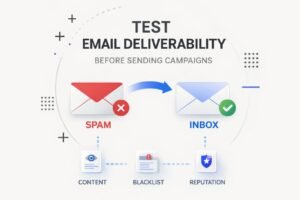
Before sending any email campaign, checking the spam score is an important step.
Even a well-designed email can fail if it does not reach the subscriber’s inbox.
Email providers use different factors to decide whether an email should be delivered to the inbox or moved to spam.
Why Spam Score Checking Matters
A high spam score can affect:
- Email deliverability
- Sender reputation
- Campaign performance
- Customer reach
Checking spam risks before sending helps improve inbox placement.
Common Reasons Emails Go to Spam
1. Excessive Promotional Language
Using too many sales-focused words can trigger spam filters.
Examples:
❌ Buy Now!!!
❌ Free Money
❌ Guaranteed Results
Use natural and value-focused language instead.
2. Poor Email Formatting
Spam filters may detect emails with:
- Too many images
- No text content
- Broken HTML
- Poor design structure
3. Missing Email Information
Professional emails should include:
- Sender name
- Business information
- Unsubscribe option
4. Sending Emails Without Permission
Emails should only be sent to users who have willingly subscribed.
Permission-based marketing improves trust and deliverability.
Spam Check Checklist
Before sending:
✔ Check spam score
✔ Avoid excessive promotional words
✔ Use a proper sender name
✔ Include unsubscribe option
✔ Maintain balanced text and images
✔ Verify email authentication settings
8. Schedule the Campaign
Timing plays an important role in email marketing success.
Sending an email at the wrong time may reduce open rates and engagement.
A proper scheduling strategy ensures that emails reach subscribers when they are most likely to interact.
Factors to Consider Before Scheduling
1. Audience Location
If your audience is in different regions, consider their time zones.
Sending emails when customers are active improves visibility.
2. Customer Behavior
Analyze previous campaigns to understand:
- When subscribers open emails
- When they click links
- When purchases happen
3. Campaign Purpose
Different emails may require different timing.
Examples:
- Promotional emails may perform better before shopping periods
- Newsletters may work well during business hours
- Reminder emails may need faster delivery
Email Scheduling Checklist
Before scheduling:
✔ Select the correct date and time
✔ Check audience time zones
✔ Review campaign purpose
✔ Confirm automation settings
✔ Avoid sending too many campaigns together
9. Review Analytics Setup
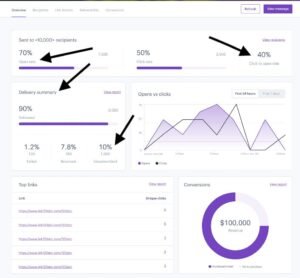
Analytics tracking is one of the most important steps before sending an email campaign.
Without proper tracking, businesses cannot measure results or understand customer behavior.
Why Analytics Setup Matters
Analytics help businesses understand:
- How many people opened emails
- How many clicked links
- How many completed purchases
- Which strategies worked best
Data allows marketers to improve future campaigns.
Important Email Metrics to Track
1. Open Rate
Measures how many subscribers opened the email.
Helps evaluate:
- Subject line effectiveness
- Sender reputation
- Audience interest
2. Click-Through Rate (CTR)
Measures how many users clicked links inside the email.
Helps analyze:
- CTA performance
- Content quality
- Customer interest
3. Conversion Rate
Shows how many users completed the desired action.
Examples:
- Buying a product
- Filling a form
- Registering for an event
4. Bounce Rate
Shows emails that could not be delivered.
A high bounce rate may indicate poor list quality.
5. Unsubscribe Rate
Shows how many people leave your email list after receiving a campaign.
A high unsubscribe rate may indicate:
- Irrelevant content
- Too many emails
- Poor targeting
Analytics Setup Checklist
Before sending:
✔ Add tracking links
✔ Confirm conversion tracking
✔ Check reporting settings
✔ Set campaign goals
✔ Monitor performance after sending
Frequently Asked Questions (FAQs)
1. What is an email marketing checklist?
An email marketing checklist is a step-by-step process used to review and optimize an email campaign before sending it to subscribers.
It helps prevent mistakes and improves campaign performance.
2. Why should I verify my email list before sending campaigns?
Verifying your email list removes invalid and inactive contacts, improves deliverability, and reduces bounce rates.
3. How can I improve email open rates?
Businesses can improve open rates by:
- Writing better subject lines
- Optimizing preview text
- Sending emails at the right time
- Maintaining a quality email list
4. Why is mobile responsiveness important for emails?
Many users check emails on smartphones. Mobile-friendly emails provide better readability and improve engagement.
5. What should I check before sending an email campaign?
Before sending, check:
- Email list quality
- Subject line
- Preview text
- Personalization
- Links
- Mobile design
- Spam score
- Analytics tracking
6. How often should I clean my email list?
Email lists should be cleaned regularly to remove inactive, invalid, or outdated email addresses.
Cleaning your list helps:
- Improve email deliverability
- Increase engagement rates
- Reduce bounce rates
- Maintain sender reputation
Many businesses review their email lists every few months to keep them healthy.
7. What is the most important step in an email marketing checklist?
While every step is important, verifying your email list, writing a strong subject line, and testing the campaign before sending are some of the most critical steps.
A mistake in any of these areas can negatively affect campaign performance.
8. Should I test my email before sending it to customers?
Yes, testing an email before sending is highly recommended.
Businesses should send test emails to check:
- Email design
- Images
- Links
- Personalization
- Mobile responsiveness
- Formatting errors
Testing helps identify mistakes before they reach customers.
9. What is the best time to send an email campaign?
The best sending time depends on your audience, industry, and customer behavior.
Businesses should analyze previous campaign data to identify when subscribers are most active.
Testing different sending times can help find the most effective schedule.
10. How can I improve email deliverability?
Email deliverability can be improved by:
- Maintaining a clean email list
- Avoiding spam words
- Sending relevant content
- Using permission-based subscribers
- Authenticating your email domain
- Monitoring campaign performance
Good deliverability ensures more emails reach the customer inbox.
11. Why do email campaigns fail?
Email campaigns often fail because of:
- Poor targeting
- Weak subject lines
- Irrelevant content
- Lack of personalization
- Sending too many emails
- Not analyzing results
Following a proper email marketing checklist helps prevent these issues.
12. Should every email campaign have a CTA?
Yes, most marketing emails should include a clear call-to-action.
A CTA guides subscribers toward the desired action, such as:
- Making a purchase
- Downloading a resource
- Visiting a website
- Registering for an event
A clear CTA improves conversion opportunities.
Final Email Marketing Checklist Before Sending Any Campaign
Use this checklist before clicking the send button:
Email Content
✔ Clear email purpose
✔ Valuable content
✔ Correct grammar and spelling
✔ Strong CTA
Email List
✔ Verified subscribers
✔ Proper segmentation
✔ Permission-based contacts
Design & Experience
✔ Mobile-friendly layout
✔ Optimized images
✔ Easy-to-read formatting
Technical Checks
✔ All links working
✔ Spam score checked
✔ Tracking installed
✔ Correct sender details
Campaign Setup
✔ Correct audience selected
✔ Schedule reviewed
✔ Automation checked
Conclusion
A successful email campaign requires more than creating attractive content. Every detail, from the email list and subject line to links, design, and analytics tracking, affects campaign performance.
Following a proper email marketing checklist helps businesses reduce errors, improve deliverability, increase engagement, and achieve better results.
By reviewing every element before sending, marketers can create professional campaigns that reach the right audience with the right message at the right time.
Ready to improve your email marketing campaigns?
Use this checklist before every campaign to create error-free, engaging, and high-performing emails. By optimizing your strategy and continuously improving based on analytics, you can increase customer engagement and achieve better marketing results.
Start using this email marketing checklist today and make every campaign more effective.
Leave a Reply