


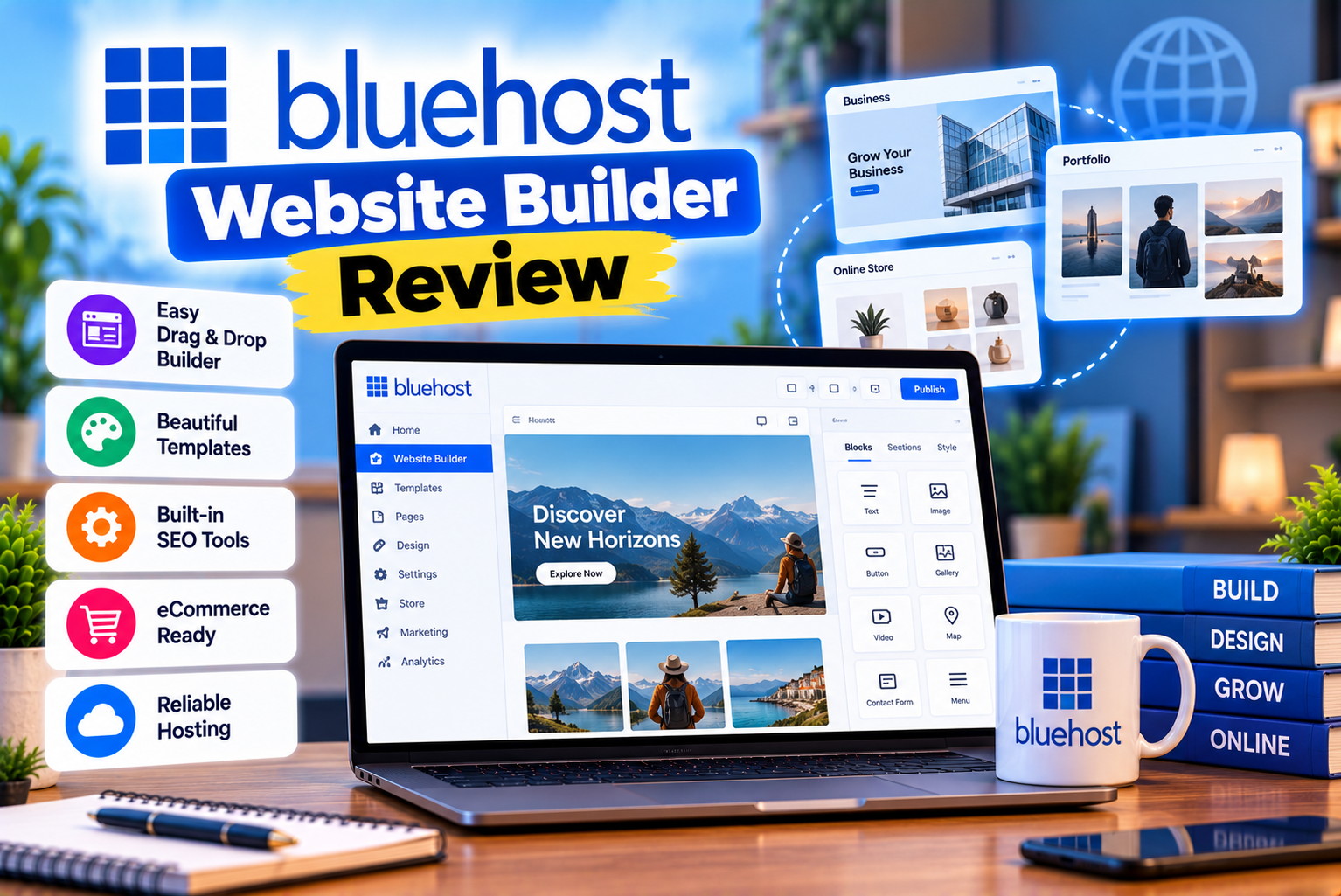
Bluehost Website Builder Review
Building a professional website no longer requires extensive coding knowledge or a large development budget. Website builders allow individuals, freelancers, entrepreneurs, and businesses to create websites using visual editors, ready-made layouts, and guided setup tools.
Artificial intelligence has made the process even more accessible. Instead of starting with a blank page, users can describe their business, choose their preferences, and use AI-generated designs as a starting point.
The Bluehost Website Builder is an option worth considering if you want to create a website while using Bluehost’s hosting services. However, understanding exactly what Bluehost offers is important because its website-building products include different experiences.
Bluehost promotes a standalone AI Website Builder with hosting, AI-assisted editing, and subscription plans. It also offers a WordPress AI Builder that generates WordPress website designs and is included with eligible WordPress and web hosting plans. These are related but distinct products, so their pricing, editing workflows, and capabilities should not be confused.
The WordPress AI Builder generates website designs based on your description and lets you customize the selected design inside WordPress. The standalone AI Website Builder offers its own AI-driven website creation and editing experience.
This distinction matters because the best option depends on how much control you need, whether you want to use WordPress plugins, what type of website you plan to build, and how much you want to spend.
In this review, we will examine the Bluehost Website Builder’s features, pricing, ease of use, design flexibility, SEO tools, eCommerce capabilities, advantages, disadvantages, and alternatives.
By the end, you should have a clearer idea of whether Bluehost’s website-building tools are suitable for your project.
What Is Bluehost Website Builder?
Bluehost Website Builder refers to Bluehost’s tools for creating websites, including its AI-powered website creation experience.
The standalone AI Website Builder helps users generate and customize a website using prompts and AI-assisted editing. Hosting is included with its paid website builder plans.
Separately, Bluehost’s WordPress AI Builder helps users generate a WordPress website from business details and design preferences. Bluehost describes this tool as included with eligible WordPress and web hosting plans.
Both approaches aim to make website creation easier, but they are not interchangeable.
How Does Bluehost Website Builder Work?
The process depends on which builder you choose.
With the standalone AI Website Builder, the general workflow is to start a website project, describe what you want to create, generate a design, customize it, and prepare it for publication.
With the WordPress AI Builder, Bluehost’s documented process involves selecting a hosting plan, entering website details, adding a logo, comparing generated designs, and customizing or publishing the chosen design inside WordPress.
A typical website creation process involves the following steps:
- Choose the appropriate Bluehost product.
- Provide your website name and business details.
- Describe the type of website you want.
- Generate or select an initial design.
- Review the layout, content, and visual elements.
- Customize the design and website information.
- Add essential pages and navigation.
- Configure your domain and security settings.
- Review mobile responsiveness.
- Publish the website and test it.
The AI-generated result is a starting point rather than a guarantee of a finished, business-ready website.
You should still review the content, replace generic images, verify business information, check links, configure forms, and ensure that the website accurately represents your organization.
Who Is Bluehost Website Builder Designed For?
Bluehost’s website-building tools may be useful for:
- Beginners creating their first website.
- Small business owners.
- Freelancers and consultants.
- Personal bloggers.
- Portfolio website owners.
- Local service providers.
- Entrepreneurs launching a new brand.
- WordPress users who want a faster starting point.
- Website owners who prefer hosting and website creation from one provider.
For example, a local consultancy might need a homepage, services page, about page, testimonials, and contact form. An AI-generated design can help establish the initial layout, which the business owner can then customize.
However, businesses that need advanced functionality, highly specific design systems, complex integrations, or extensive custom development should evaluate the builder’s limitations before committing.
Bluehost Website Builder Features Explained
A website builder’s value depends on more than how quickly it produces a homepage.
You should consider the complete workflow, including design generation, editing, content management, mobile responsiveness, search optimization, security, hosting, and future maintenance.
Let’s examine the major features associated with Bluehost’s website-building products.
1. AI-Powered Website Creation
AI-assisted website generation is one of Bluehost’s most prominent website-building features.
Instead of manually creating every section, users can describe the website they want and use AI-generated designs as an initial structure.
For example, you could describe a website for a digital marketing agency that needs service pages, case studies, testimonials, a blog, and a lead-generation form.
The AI can help establish a starting layout based on that description.
How AI Website Creation Helps
AI-assisted website generation can reduce the time required to:
- Establish an initial page structure.
- Create a visual starting point.
- Arrange common website sections.
- Generate draft content.
- Explore alternative layouts.
- Begin a project without designing every element manually.
This is particularly helpful if you have a clear idea of your business but limited experience with website design.
What Are the Limitations?
AI-generated designs may contain generic content, unsuitable images, repetitive sections, or layouts that do not fully reflect your brand.
You may also need to adjust the website’s navigation, typography, spacing, colours, calls to action, and page structure.
For example, an AI-generated website for a law firm may look professional but still require careful review of its service descriptions, disclaimers, contact information, and claims.
Likewise, a website for an eCommerce brand needs accurate product information, appropriate photography, clear delivery policies, and properly configured payment functionality.
Our assessment: AI website generation is most useful as a way to accelerate the initial design process. It should not replace business-specific content, human review, or quality assurance.
2. Bluehost WordPress AI Builder
Bluehost also offers a WordPress AI Builder, which helps users generate WordPress websites based on their business information and preferences.
According to Bluehost’s documentation, the process includes entering website details, adding a logo, comparing three AI-generated design options, and then customizing or publishing the selected design. The generated website remains a WordPress installation, giving users access to WordPress themes, plugins, and editing tools.
What Makes It Different?
The important distinction is that the WordPress AI Builder creates a starting point within WordPress rather than treating the website as a completely separate platform.
This can be valuable if you want to use WordPress for:
- Blogging.
- Content marketing.
- SEO-focused landing pages.
- Business websites.
- Portfolio websites.
- WooCommerce stores.
- Membership websites.
- Custom plugin integrations.
You can continue developing the website through the WordPress ecosystem, subject to the capabilities of your hosting plan and the tools you install.
Can You Customize the Generated Design?
Yes. Bluehost’s documentation describes a workflow in which you can select a generated design and continue customizing it in the WordPress editor. The documented interface also allows users to choose a design before committing to one.
The exact editing experience differs from a standalone AI builder.
If you already use WordPress, this may be an advantage because you can work within a familiar content management system.
If you prefer a completely guided visual editor and do not want to manage WordPress, the standalone AI Website Builder may be more appropriate.
Who Should Consider It?
The WordPress AI Builder may be worth considering if you:
- Want a WordPress website.
- Prefer AI-generated design options.
- Expect to publish regular blog content.
- Need WordPress plugins.
- Want to customize the generated design.
- Prefer having hosting and website creation managed through Bluehost.
However, if you already have a WordPress website or an established design system, you may not need AI-generated layouts. In that situation, compare the available editing tools with your existing workflow.
3. Visual Website Customization
A website builder should let you adjust its initial design to match your brand and business requirements.
AI generation can help you begin, but customization determines whether the final website feels distinctive and professional.
Depending on the builder and editing interface, you should evaluate the available options for changing:
- Colours.
- Fonts and typography.
- Images.
- Page content.
- Section layouts.
- Navigation.
- Buttons and calls to action.
- Page structure.
- Mobile layouts.
- Contact information.
Why Customization Matters
Consider a business website generated with a generic blue-and-white design.
The business may actually use a specific brand palette, logo, typography, photography style, and button design.
Without adequate customization, the website may look similar to many other templates and fail to communicate the brand’s identity.
The ability to personalize the design is therefore important even if AI creates the initial layout.
Can You Make Advanced Design Changes?
That depends on which Bluehost builder you use.
The WordPress AI Builder provides access to WordPress editing tools, themes, and plugins, while the standalone AI Website Builder follows its own editing workflow.
Do not assume that both products provide identical access to custom code, third-party integrations, or advanced layout controls.
If you require complex animations, custom interactions, highly specific responsive layouts, or extensive code-level changes, investigate the editor’s actual capabilities before purchasing.
For a straightforward business website, the available customization may be sufficient. For a highly customized project, a more flexible WordPress setup or a developer-led solution may be more suitable.
4. Website Templates and Design Options
Templates help website owners establish a consistent design without building every page from scratch.
Bluehost’s WordPress AI Builder generates multiple design options based on the information you provide, allowing you to compare layouts before selecting one.
The value of these options depends on how well the generated layouts match your requirements.
What Should You Look For in a Design?
A good website design should provide:
Clear navigation: Visitors should understand where to find services, products, company information, and contact details.
Readable typography: Font sizes, line spacing, and contrast should make the content comfortable to read.
Consistent branding: Colours, imagery, buttons, and typography should work together.
Strong calls to action: Important actions should be easy to identify.
Mobile responsiveness: Pages should remain usable on smaller screens.
Logical page hierarchy: Visitors should be able to move naturally from general information to more specific details.
Accessible presentation: Text, controls, images, and navigation should be usable by a broad range of visitors.
Are AI-Generated Designs Always Professional?
Not necessarily.
A generated design may provide a useful layout, but the result depends on your prompt, the available design system, and the amount of customization you perform.
You should check:
- Whether the homepage communicates the business clearly.
- Whether the chosen imagery is appropriate.
- Whether text sections are too long or too short.
- Whether buttons lead to the right destinations.
- Whether the design works on mobile devices.
- Whether the site looks consistent across all pages.
A polished starting point can save time, but a professional website still needs thoughtful content and review.
5. Hosting Included With the Website Builder
Hosting is an important part of Bluehost’s website-building offering.
With its standalone AI Website Builder, Bluehost advertises hosting as part of its paid plans. Its WordPress AI Builder, meanwhile, is included with eligible Bluehost WordPress and web hosting plans.
This means you may be able to create and host your website through one provider instead of purchasing a builder and hosting service separately.
Advantages of an Integrated Setup
Using one provider for website creation and hosting can simplify several tasks:
- Managing your hosting subscription.
- Connecting your domain.
- Configuring SSL.
- Accessing website management tools.
- Managing hosting-related settings.
- Getting support for certain hosting issues.
This can be convenient for beginners who do not want to coordinate several different services.
What Should You Consider?
An integrated setup does not automatically mean that every part of the website is managed for you.
You may still need to configure:
- Domain DNS settings.
- Website content.
- Contact forms.
- Analytics.
- Search engine settings.
- Backups.
- Privacy and cookie notices.
- Email services.
- Third-party integrations.
You should also consider what happens if you later decide to change hosting providers or move to another website-building platform.
Recommendation: Before committing to any builder, understand how you can export your content, preserve your domain, access your website files, and migrate your site if your needs change.
6. Domain Registration and SSL
A domain name gives your website a recognizable address, while SSL enables secure HTTPS connections.
Both are essential considerations when launching a professional website.
Domain Availability
Bluehost’s standalone AI Website Builder paid plans advertise a domain free for the first year, subject to the plan’s terms. The free trial uses a temporary domain rather than a custom domain.
Bluehost’s WordPress AI Builder is included with eligible hosting plans, some of which also advertise a first-year domain offer. The exact terms depend on the hosting package.
Before purchasing, verify:
- Whether the domain offer applies to your chosen extension.
- Whether the offer is limited to the first year.
- What the renewal price will be.
- Whether domain privacy is included.
- Whether you can connect a domain registered elsewhere.
A free first-year domain should not be confused with a domain that remains free indefinitely.
SSL Certificates
Bluehost lists SSL certificates among the included features of its website-building and hosting products. The standalone builder plans advertise free SSL, while the WordPress hosting plans also list free Let’s Encrypt SSL.
After connecting your domain, confirm that HTTPS works correctly across your website.
Check that:
- The homepage loads over HTTPS.
- Internal links use secure URLs.
- Images and scripts do not trigger mixed-content warnings.
- Redirects work correctly.
- Forms submit successfully.
SSL is an important baseline security feature, but it does not replace broader website security practices.
7. SEO Features: Is Bluehost Website Builder Good for SEO?
Search engine optimization is essential if you want your website to attract visitors through organic search.
A website builder can provide tools that make SEO easier, but no builder automatically guarantees rankings.
Your results depend on your content, technical implementation, website structure, competition, backlinks, and overall user experience.
SEO Features to Evaluate
When assessing Bluehost’s website-building products, examine the availability of:
- Custom page titles.
- Meta descriptions.
- Editable page URLs.
- Heading controls.
- Image alt text.
- XML sitemap support.
- Canonical URL settings.
- Redirect management.
- Structured data options.
- Mobile-friendly layouts.
- Analytics integrations.
- Search performance monitoring.
The exact tools available depend on the product and plan.
WordPress AI Builder and SEO Plugins
The WordPress AI Builder produces a WordPress website, which can be extended with compatible SEO plugins.
Bluehost lists Yoast SEO among the features of its India-facing hosting plans, with the exact edition and benefits depending on the package.
WordPress users may therefore be able to manage important SEO elements through WordPress and compatible plugins.
For example, a business website might use an SEO plugin to manage:
- Page titles.
- Meta descriptions.
- XML sitemaps.
- Canonical URLs.
- Breadcrumbs.
- Social sharing metadata.
- Schema settings.
However, having an SEO plugin installed does not guarantee that every setting is configured correctly.
What About the Standalone AI Website Builder?
Do not assume that the standalone builder provides exactly the same SEO workflow as the WordPress AI Builder.
Its editing tools, integrations, and SEO controls should be evaluated independently.
Before choosing the standalone product, confirm that you can manage the SEO fields and technical settings required by your project.
Can You Rank on Google With Bluehost Website Builder?
Yes, a website built with an appropriate Bluehost product can be eligible for search engine indexing and ranking.
However, rankings depend on much more than the website builder.
A useful SEO strategy includes:
- Researching relevant keywords.
- Creating original, helpful content.
- Structuring pages around clear search intent.
- Writing descriptive page titles and meta descriptions.
- Using meaningful heading hierarchies.
- Optimizing images.
- Improving page performance.
- Building logical internal links.
- Ensuring important pages can be crawled and indexed.
- Earning relevant, trustworthy backlinks where appropriate.
For example, a local accounting firm should not rely on a generic homepage alone. It may need dedicated pages for its services, locations, customer questions, and areas of expertise.
The website builder can help create the pages, but the business still needs a thoughtful SEO strategy.
SEO Verdict
Bluehost’s WordPress AI Builder can be a practical choice if you want to combine AI-assisted website creation with WordPress’s content management and SEO ecosystem.
The standalone AI Website Builder may be sufficient for simpler websites, provided its SEO controls meet your requirements.
If you need advanced technical SEO workflows, large-scale content management, extensive structured data customization, or complex redirect management, verify these capabilities before committing to the standalone product.
8. Mobile Responsiveness
A professional website must work well on mobile devices.
Visitors may access your website using smartphones, tablets, laptops, and desktop computers. The design should remain usable across different screen sizes.
What to Test
After generating or customizing your website, review:
- Navigation menus.
- Heading sizes.
- Paragraph readability.
- Button placement.
- Image dimensions.
- Section spacing.
- Forms.
- Tables.
- Footer content.
- Page loading and scrolling behaviour.
Pay particular attention to forms and calls to action.
A contact button that works on desktop but becomes difficult to tap on a phone can reduce enquiries.
Similarly, an image that looks good on a wide screen may crop important content on mobile.
Does AI Automatically Make a Website Mobile-Friendly?
AI-assisted generation may help establish a responsive layout, but you should still test the finished website.
Do not assume that every generated section will look perfect across all devices.
Check the live website using multiple viewport sizes and, where possible, actual mobile devices.
For a business website, test the entire user journey, including navigation, forms, booking actions, and checkout if applicable.
9. Content Creation and AI-Assisted Editing
AI can help website owners develop initial copy and make certain changes more quickly.
For example, you might need draft content for:
- An About Us page.
- Service descriptions.
- Homepage sections.
- Product descriptions.
- Calls to action.
- Frequently asked questions.
- Contact page introductions.
AI-assisted editing can reduce the time needed to create a first draft or adjust certain website elements.
Why Human Editing Still Matters
AI-generated content may sound generic or contain claims that are not accurate for your business.
Before publishing, review the content for:
- Factual accuracy.
- Brand voice.
- Originality.
- Clear language.
- Correct contact details.
- Appropriate claims.
- Search intent.
- Readability.
- Legal or industry-specific requirements.
For example, a generated service page might claim that a company provides 24/7 support even when it does not.
Such errors can damage customer trust.
Should You Publish AI-Generated Content Without Editing?
No.
Use AI as an assistant rather than a replacement for editorial judgment.
Make sure the content provides useful information, reflects real business capabilities, and addresses the questions visitors actually have.
This is particularly important for financial services, healthcare, legal services, and other areas where misleading information may have serious consequences.
10. eCommerce Capabilities
If you plan to sell products or services online, you need more than a visually attractive website.
An eCommerce website must support product information, payment processing, order management, customer communication, and security.
Bluehost offers WordPress hosting packages with WooCommerce-related features. Its India-facing pricing page identifies eCommerce Essentials as a commerce-oriented plan, with additional store functionality available through the applicable hosting and commerce products.
The standalone AI Website Builder has a different product and pricing structure, so you should verify its current commerce capabilities separately. Do not assume that every feature available in WordPress or WooCommerce is available in the standalone builder.
What Should an Online Store Support?
Before choosing a website builder, check whether it supports the functionality you require:
- Product listings.
- Product images and descriptions.
- Shopping carts.
- Secure checkout.
- Payment gateways.
- Shipping and tax settings.
- Inventory management.
- Order notifications.
- Customer accounts.
- Discounts and coupons.
- Returns and refund policies.
- Transactional email.
- Product reviews.
- Analytics and conversion tracking.
A small store may need only basic functionality, while a growing eCommerce business may require subscriptions, memberships, product variations, booking systems, or more advanced integrations.
Is Bluehost Website Builder Suitable for Online Stores?
The answer depends on which Bluehost product you choose.
If you want the flexibility of WordPress and WooCommerce, the WordPress-based route may be attractive because it provides access to the broader WordPress ecosystem.
If you prefer the standalone AI Website Builder, confirm that it supports your required sales features before purchasing.
Do not choose a product solely because it includes a website builder. Make sure it can support the complete buying process.
11. Security and Website Backups
Security and backups are essential for any professional website.
A website may contain customer enquiries, business information, user accounts, product data, or other information that needs to be protected.
Bluehost lists security and backup features across its hosting products, although the exact features and terms depend on the product and plan. The standalone AI Website Builder advertises SSL, weekly backups, and malware detection and removal on its paid plans.
Its WordPress hosting offerings also list security and backup features.
Security Features to Review
Before choosing a plan, verify:
- SSL availability.
- Malware scanning.
- Malware removal.
- Firewall protection.
- DDoS protection.
- WordPress update management, if applicable.
- Administrator access controls.
- Backup frequency.
- Backup retention.
- Restoration options.
Do not assume that every security feature is included in every package.
Why Backups Matter
A backup may help you recover from accidental changes, failed updates, certain security incidents, or other technical problems.
However, a backup is only useful if it contains the information you need and can be restored successfully.
Before launching a business website, understand:
- How frequently backups run.
- Whether both files and databases are included.
- How long copies are retained.
- Whether restoration is included.
- Whether you can download your own backups.
- Whether independent backups are recommended or supported.
Should You Maintain Independent Backups?
Yes.
For a WordPress website, consider maintaining independent copies of your website files and database in a separate secure location.
Periodically check whether those backups can be restored.
This is particularly important if the website generates leads, processes orders, or contains content that would be difficult to recreate.
12. Bluehost Website Builder Pricing
Pricing is one of the most important factors when choosing a website builder.
However, the cost depends on which Bluehost product you are considering.
The standalone AI Website Builder has its own subscription plans. The WordPress AI Builder, by contrast, is included with eligible Bluehost WordPress and web hosting plans.
These two pricing structures should be evaluated separately.
Standalone Bluehost AI Website Builder Pricing
Bluehost’s official AI Website Builder page currently lists the following US-dollar pricing examples. The offers may change, so confirm the latest details on the official page before purchasing.
| Plan | Advertised Price | Main Features |
| Free Trial | $0 | 14-day trial, temporary domain, 10 AI edits |
| Get Online | $8.49/month | 20 GB storage, monthly AI credits, hosting, SSL, CDN, weekly backups |
| Get Online Grow | $14.99/month | 50 GB storage, higher monthly AI credit allowance |
| Get Online Scale | $19.99/month | 100 GB storage, higher monthly AI credit allowance |
Prices are the examples displayed on Bluehost’s official standalone AI Website Builder page at the time of research. Billing terms, promotional offers, taxes, and features may change. Check the live pricing page before publication or purchase.
What Is Included in the Free Trial?
Bluehost advertises a 14-day free trial for its standalone AI Website Builder.
The trial uses a temporary domain and has a limited allowance for AI-assisted edits. It is intended to let users explore the product before upgrading to a paid plan.
A trial can be useful for evaluating the interface, but it is not the same as running a fully established business website.
Before upgrading, determine whether the available tools meet your needs and whether you can publish the finished website using your own domain.
Is Bluehost WordPress AI Builder Free?
Bluehost describes its WordPress AI Builder as included with eligible WordPress and web hosting plans, rather than as a separately purchased standalone builder.
That means you should evaluate the cost of the hosting plan required to use it.
For example, Bluehost’s India-facing pricing page lists the following shared hosting offers for a 36-month term:
| Plan | Introductory Price | Renewal Price |
| Starter | ₹199/month | ₹349/month |
| Business | ₹279/month | ₹529/month |
| eCommerce Essentials | ₹649/month | ₹1,299/month |
These prices are India-facing examples shown by Bluehost for a 36-month term. GST is additional, and the actual offer, included features, and renewal rate should be confirmed before purchase.
These are hosting packages, not standalone AI Website Builder subscriptions.
The distinction is important because the WordPress AI Builder is part of the eligible hosting experience.
How Much Does It Cost to Build a Website With Bluehost?
The total cost depends on your website requirements.
Your budget may include:
- Hosting or the standalone builder subscription.
- Domain registration after the initial promotional period.
- Premium themes.
- Premium plugins.
- Paid stock photography.
- Professional copywriting.
- Custom development.
- Additional eCommerce tools.
- Email services.
- Security or backup services not included in your plan.
For example, a basic informational website using an eligible Bluehost hosting plan and a free WordPress theme may have relatively low ongoing costs.
A custom business website with premium plugins, professional design, and advanced integrations may require a larger budget.
Watch Out for Renewal Pricing
Promotional pricing can make a website builder appear cheaper than it will be over several years.
Before purchasing, check:
- The initial billing term.
- The total amount payable at checkout.
- The renewal price.
- Whether the price is monthly, annual, or tied to a longer commitment.
- Domain renewal charges.
- Taxes.
- Additional services.
- Cancellation and refund conditions.
A plan that appears inexpensive per month may require a larger upfront payment for a longer subscription.
Always compare the total cost rather than the promotional monthly figure alone.
13. Bluehost Website Builder: Advantages and Disadvantages
Every website builder has strengths and limitations. The right choice depends on how you want to build, manage, and grow your website.
Advantages of Bluehost Website Builder
1. AI-Assisted Website Creation
AI can help users generate an initial website structure without designing every page from scratch.
This can be useful for beginners who want to get started quickly.
2. Integrated Hosting
The standalone AI Website Builder includes hosting with its paid plans, while the WordPress AI Builder is available with eligible Bluehost hosting packages.
This can simplify the process of managing website creation and hosting through one provider.
3. Useful for Small Business Websites
A small business may need only a homepage, service pages, company information, testimonials, and a contact form.
An AI-generated starting point can help establish the basic structure for such a website.
4. WordPress Compatibility Through the WordPress AI Builder
Users who choose the WordPress AI Builder can continue using WordPress themes, plugins, and editing tools.
This may be valuable for websites that require blogging, content marketing, or additional functionality.
5. Hosting and Security Features
Bluehost lists hosting, SSL, backups, and security-related features among its website builder or hosting offerings, depending on the selected product and plan.
6. Beginner-Friendly Starting Point
AI-generated layouts can reduce the initial design work required to launch a basic website.
Users can focus more on business information, content, and essential functionality.
Disadvantages of Bluehost Website Builder
1. AI-Generated Content Requires Review
The initial design and text may not fully reflect your brand or business.
You will still need to edit the content and verify its accuracy.
2. The Two Builder Products Are Different
The standalone AI Website Builder and WordPress AI Builder have different editing experiences and pricing arrangements.
Choosing the wrong one could leave you with a workflow that does not meet your requirements.
3. Advanced Customization Needs Verification
If you need complex layouts, custom interactions, specialized integrations, or extensive code-level control, you should investigate the selected product’s capabilities before purchasing.
4. Ongoing Costs Can Add Up
Hosting or subscription fees are only part of the total website cost.
Premium tools, domain renewals, email services, and professional assistance may increase your spending.
5. AI Does Not Replace SEO Strategy
Generating a website does not automatically provide keyword research, original content, effective internal linking, or strong search visibility.
You still need to develop and maintain a useful website.
6. Migration Needs Planning
Moving to another hosting provider or builder may require work.
Before committing, understand your access to website files, content, domain settings, and available migration options.
14. Bluehost Website Builder vs WordPress Without an AI Builder
A common question is whether it makes sense to use Bluehost’s AI tools or build a WordPress website manually.
The answer depends on your experience and how much control you need.
Using Bluehost’s WordPress AI Builder
This approach can be useful if you want a generated design as a starting point.
It may reduce the time spent establishing an initial layout and help you begin with a structured website.
However, you will still need to review the design and customize the website.
Building WordPress Manually
Building WordPress manually gives you more control over the initial design process.
You can choose a theme, install a page builder if required, configure the website structure, and create pages according to your own specifications.
This approach may be preferable if you already have a design in mind or want to establish a custom layout from the beginning.
Comparison Table
| Factor | Bluehost WordPress AI Builder | Manually Built WordPress Website |
| Initial setup | AI-generated starting point | You establish the initial setup |
| Design workflow | Select and customize generated designs | Choose and configure your theme or builder |
| Beginner accessibility | Helpful for users who want guided setup | Depends on the theme and tools used |
| Customization | Depends on the generated design and WordPress tools | Depends on the theme, editor, plugins, and development approach |
| WordPress ecosystem | Available | Available |
| SEO | Uses compatible WordPress SEO tools | Uses compatible WordPress SEO tools |
| Content creation | AI may help with initial content and layout | Content can be created manually or with separate AI tools |
| Technical control | Depends on hosting and installed tools | Depends on hosting and installed tools |
| Best suited for | Users who want a faster starting point | Users who prefer to control the setup from the beginning |
The AI Builder is not a separate replacement for WordPress. It is a way of creating a WordPress site more quickly.
If you are already comfortable with WordPress and have an established design process, manually building the website may be equally practical.
15. Bluehost Website Builder vs Other Website Builders
Before choosing Bluehost, consider whether you need a hosted builder, a WordPress-based solution, or a more specialized platform.
The following alternatives serve different purposes.
| Website Builder | Best Known For | Considerations |
| Bluehost Website Builder | AI-assisted website creation with hosting | Compare its standalone and WordPress-based products carefully |
| Wix | Hosted website creation with a visual editing workflow | Review plan costs, app availability, and portability |
| Squarespace | Professionally designed templates and integrated website tools | Check customization, commerce requirements, and subscription costs |
| WordPress | Flexible content management and a broad plugin ecosystem | Requires decisions about hosting, themes, plugins, and maintenance |
| Shopify | Online stores and commerce-focused workflows | Evaluate transaction-related costs, integrations, and storefront requirements |
| Webflow | Visual design control and more advanced layout workflows | May require a steeper learning curve for complex projects |
No single builder is best for every project.
A simple service website may work well with an integrated website builder.
A content-heavy publication may benefit from WordPress.
An online store may need a platform designed specifically for eCommerce.
A highly customized marketing website may require more advanced design tools.
When Should You Choose an Alternative?
Consider another platform if:
- You need a specialized eCommerce workflow.
- You require advanced visual design control.
- Your existing team already uses another platform.
- You need particular integrations that Bluehost does not support.
- Your website has complex technical requirements.
- You need a specific content export or migration workflow.
Before deciding, test the actual editing experience and confirm that the platform supports the features you will need in the future.
16. Is Bluehost Website Builder Suitable for Different Website Types?
The best builder depends on the website’s purpose.
Personal Website
For a personal website containing a biography, portfolio, and contact information, an AI-generated layout may be a useful starting point.
You should still personalize the design and replace generic content with your own information.
Verdict: Worth considering for a straightforward personal website.
Small Business Website
A small business may need service pages, testimonials, contact details, opening hours, and lead-generation forms.
The builder can help establish an initial design, while hosting integration may simplify setup.
However, you should verify that the chosen product supports the forms, booking tools, and integrations your business requires.
Verdict: A reasonable option for businesses with relatively standard website requirements.
Blog or Content Website
A content-focused website needs more than a homepage.
It may require categories, tags, archives, author information, internal links, search functionality, and a long-term publishing workflow.
The WordPress AI Builder may be particularly worth considering if you want the broader WordPress content management ecosystem.
Verdict: Consider the WordPress-based route if publishing and content management are central to your project.
Portfolio Website
Freelancers, designers, photographers, consultants, and developers often need a visually appealing way to present their work.
A website builder can help establish a portfolio layout, but you should check image presentation, responsive behaviour, project pages, and customization options.
Verdict: Suitable if the available design tools meet your portfolio requirements.
eCommerce Website
Online stores need product management, payments, shipping, order handling, and appropriate security.
A WordPress-based website using WooCommerce may be suitable if the required features and hosting resources are available.
The standalone AI Website Builder should be evaluated separately to determine whether it supports the intended commerce workflow.
Verdict: Verify the exact product capabilities before purchasing; do not assume the two Bluehost builder experiences offer identical eCommerce features.
Agency or Multi-Client Website Management
Agencies may need multiple websites, staging environments, access controls, and repeatable workflows.
Bluehost’s hosting packages support different numbers of websites depending on the plan, but the appropriate choice depends on the agency’s combined storage, traffic, and management requirements.
Verdict: Compare the hosting package and operational requirements before selecting a plan for multiple client websites.
17. How to Build a Website With Bluehost Website Builder
If you decide to use Bluehost, follow a structured process rather than publishing the first AI-generated result.
Step 1: Choose the Right Bluehost Product
Decide whether you want the standalone AI Website Builder or the WordPress AI Builder included with an eligible hosting plan.
Review the editing workflow, pricing, and features before selecting a product.
Step 2: Define Your Website’s Purpose
Determine what the website needs to accomplish.
For example, your goal might be to:
- Generate business enquiries.
- Publish articles.
- Showcase a portfolio.
- Sell products.
- Accept bookings.
- Provide company information.
Your goal should influence the page structure and calls to action.
Step 3: Prepare Your Brand Information
Gather the information that the builder needs, including:
- Business name.
- Logo.
- Brand colours.
- Contact information.
- Main services or products.
- Target audience.
- Preferred visual style.
- Main call to action.
Having this information ready can improve the relevance of the generated design.
Step 4: Generate the Initial Design
Provide a clear description of the website.
For example:
“Create a professional website for a digital marketing agency serving small and medium-sized businesses. Include a homepage, SEO services page, web development page, case studies, about page, blog, and contact page. Use a clean layout, clear calls to action, and a mobile-friendly design.”
The more specific your requirements, the easier it may be to evaluate the generated result.
However, the final design will depend on the builder’s capabilities and should not be assumed to match every instruction exactly.
Step 5: Review the Generated Layout
Check whether the design communicates your main message.
Make sure the homepage clearly explains:
- Who you are.
- What you offer.
- Who you serve.
- Why customers should consider you.
- What visitors should do next.
Remove sections that do not contribute to the website’s purpose.
Step 6: Customize the Website
Adjust the available design elements to match your brand.
Replace generic images, correct the text, refine the navigation, and add the necessary pages.
Make sure the content is accurate and that every important link leads to the correct destination.
Step 7: Configure SEO
Set the page titles, meta descriptions, URLs, headings, and image alt text where supported.
For a WordPress website, configure the relevant SEO tools and ensure that important pages can be indexed.
Avoid publishing duplicate pages or leaving important content in placeholder sections.
Step 8: Test the Website on Mobile
Check the website on different screen sizes.
Review the navigation, buttons, images, headings, forms, and footer.
Test important interactions rather than checking appearance alone.
Step 9: Connect Your Domain
Connect the domain you intend to use and verify that HTTPS works correctly.
Check DNS configuration and redirects if you are moving from an existing website.
Step 10: Test Before Publishing
Before launching, confirm that:
- All pages load.
- Contact forms submit successfully.
- Navigation links work.
- Images display correctly.
- The website is mobile-friendly.
- SEO settings are configured.
- HTTPS works.
- Analytics are installed if required.
- Privacy and legal information is available where applicable.
- Backups are configured or understood.
Step 11: Monitor the Website After Launch
A website requires ongoing attention after publication.
Monitor traffic, user behaviour, broken links, enquiries, and technical errors.
Review the website periodically and update its content as your business evolves.
18. Common Mistakes to Avoid When Using Bluehost Website Builder
Mistake 1: Confusing the Two Bluehost Builder Products
The standalone AI Website Builder and WordPress AI Builder have different product experiences.
Before purchasing, confirm which product you are evaluating.
Mistake 2: Publishing AI-Generated Content Without Reviewing It
AI-generated text may contain inaccurate claims, generic descriptions, or irrelevant information.
Review every page before publication.
Mistake 3: Ignoring SEO During Website Creation
SEO should influence your page structure, content, headings, URLs, and internal linking from the beginning.
Do not assume the builder will automatically create a complete SEO strategy.
Mistake 4: Choosing a Plan Based Only on the Promotional Price
The initial price may apply only to a particular subscription term.
Compare renewal costs and additional expenses before committing.
Mistake 5: Assuming Every Design Is Fully Customizable
Customization capabilities depend on the builder.
If you need advanced layout controls or custom code, investigate the available features before purchasing.
Mistake 6: Neglecting Mobile Testing
A design that looks good on a desktop may have spacing, navigation, or usability problems on a phone.
Test the live website on mobile devices.
Mistake 7: Ignoring Backups
Understand how backups work and maintain independent copies of important website data where appropriate.
Do not wait for a technical problem to discover that your recovery options are limited.
Mistake 8: Forgetting About Website Migration
Consider how you would move your website if you later outgrew the builder or wanted to use another provider.
Understand the available export options and how your domain, content, and files can be transferred.
Final Verdict: Is Bluehost Website Builder Worth It?
The Bluehost Website Builder can be worth considering if you want a straightforward way to create a website and prefer an integrated hosting solution.
However, your decision should depend on which Bluehost product you intend to use.
The standalone AI Website Builder offers an AI-assisted creation workflow with hosting included in its paid plans. The WordPress AI Builder provides a way to generate WordPress website designs and is included with eligible Bluehost WordPress and web hosting plans.
Choose the Standalone AI Website Builder If:
- You prefer a guided, AI-assisted website creation workflow.
- You want hosting included in the same subscription.
- You are building a relatively straightforward website.
- The available editing tools meet your design requirements.
- You have verified that the product supports your essential integrations.
This option may be suitable for beginners and small businesses that want a guided starting point.
Choose the WordPress AI Builder If:
- You specifically want a WordPress website.
- You want AI-generated design options.
- You expect to publish regular content.
- You want access to compatible WordPress themes and plugins.
- You prefer the flexibility of the WordPress ecosystem.
This approach may be more attractive for content marketing, SEO-focused websites, business websites, and projects that need WordPress plugins or additional functionality.
Consider Another Platform If:
- You need advanced customization that the chosen builder does not support.
- Your online store requires specialized commerce functionality.
- You need integrations that are unavailable.
- You want a different editing workflow.
- Your project has complex technical or migration requirements.
Our Recommendation
For a beginner launching a simple business website, Bluehost’s AI-assisted website creation tools can be a useful starting point.
For a content-heavy website or a project that may expand through blogging, landing pages, and plugins, the WordPress AI Builder deserves particular consideration.
For a more advanced project, compare the builder’s actual capabilities against your design and technical requirements before purchasing.
The most important takeaway is that AI can accelerate website creation, but the quality of the finished website still depends on your content, customization, SEO, technical configuration, and ongoing maintenance.
Bluehost is worth evaluating when its combination of hosting, website creation tools, and management features fits your needs. It is not automatically the best choice simply because it offers AI-generated designs.
Frequently Asked Questions (FAQs)
1. What is Bluehost Website Builder?
Bluehost Website Builder refers to Bluehost’s website creation tools, including its standalone AI Website Builder and WordPress AI Builder. The standalone product provides an AI-assisted website creation experience with hosting included in paid plans, while the WordPress AI Builder is included with eligible Bluehost hosting plans.
2. Is Bluehost Website Builder good for beginners?
It can be useful for beginners who want a guided website creation process. AI-generated designs can provide a starting point, but users should still review content, customize layouts, configure essential settings, and test the website before publishing.
3. Does Bluehost Website Builder use AI?
Yes. Bluehost offers AI-powered website creation tools that help generate website designs from user-provided information and preferences. The exact workflow and features depend on whether you choose the standalone AI Website Builder or the WordPress AI Builder.
4. Is Bluehost Website Builder free?
Bluehost advertises a 14-day free trial for its standalone AI Website Builder. Its WordPress AI Builder is included with eligible WordPress and web hosting plans, so you generally need an applicable hosting subscription to use that experience.
5. How much does Bluehost Website Builder cost?
Pricing depends on the product. Bluehost’s standalone AI Website Builder advertises subscription plans with different storage and AI editing allowances. The WordPress AI Builder is included with eligible hosting plans. Check Bluehost’s official pricing pages for current prices, billing terms, and renewal rates.
6. Does Bluehost Website Builder include hosting?
The standalone AI Website Builder includes hosting with its paid plans. The WordPress AI Builder is available through eligible Bluehost hosting plans, which provide the hosting environment for the WordPress website.
7. Does Bluehost Website Builder include a domain name?
Eligible paid plans advertise a free domain for the first year, subject to the applicable terms. The standalone builder’s free trial uses a temporary domain. Domain renewal costs may apply after the promotional period.
8. Can I build a WordPress website with Bluehost Website Builder?
Yes. Bluehost’s WordPress AI Builder helps generate a WordPress website and allows you to continue working with WordPress themes, plugins, and editing tools.
9. What is the difference between Bluehost AI Website Builder and WordPress AI Builder?
The standalone AI Website Builder offers its own AI-driven website creation and editing experience with hosting included in paid plans. The WordPress AI Builder generates a website within WordPress and is included with eligible WordPress and web hosting plans.
10. Can I customize a website generated by Bluehost AI?
Yes, the available customization depends on the builder. Bluehost’s WordPress AI Builder allows users to customize a selected design in the WordPress editor. The standalone builder has its own editing workflow. Verify that the available controls meet your design requirements.
11. Is Bluehost Website Builder good for SEO?
It can be suitable for SEO-focused websites if the chosen product supports the required SEO settings and technical configuration. WordPress users can use compatible SEO plugins. Rankings still depend on content quality, website structure, technical SEO, relevance, and other factors.
12. Can I use Bluehost Website Builder for a business website?
Yes. It can be considered for business websites containing service descriptions, company information, testimonials, contact details, and lead-generation forms. Check the availability of the forms, integrations, and design controls your business requires.
13. Can I create an online store with Bluehost Website Builder?
The answer depends on the product and its current features. Bluehost offers WordPress hosting plans with WooCommerce-related capabilities. Before choosing the standalone AI Website Builder, verify that it supports your required product management, payment, checkout, and order-processing features.
14. Does Bluehost Website Builder support mobile-friendly websites?
Bluehost’s website creation tools are intended to help users build websites, but you should test the finished design on mobile devices. Check navigation, text, images, buttons, forms, and other important interactions before publishing.
15. Does Bluehost Website Builder include SSL?
Bluehost lists free SSL among the features of its standalone AI Website Builder paid plans and eligible hosting products. Confirm the details of your selected plan and ensure HTTPS is correctly configured after connecting your domain.
16. Does Bluehost Website Builder include backups?
Bluehost advertises weekly backups for its standalone AI Website Builder paid plans. Backup arrangements can vary by product and plan, so verify the frequency, retention period, and restoration options before relying on them.
17. Can I use custom code with Bluehost Website Builder?
Custom code capabilities depend on the product and its editing environment. The WordPress AI Builder provides access to WordPress tools, subject to hosting restrictions and the capabilities of installed themes and plugins. Verify support for any required code or integrations before purchasing.
18. Is Bluehost Website Builder better than WordPress?
Not necessarily. Bluehost’s WordPress AI Builder is itself a tool for creating WordPress websites. The standalone AI Website Builder offers a different workflow. WordPress can provide flexibility through themes and plugins, while a guided builder may be easier for users who prefer a more structured process.
19. Can I migrate my website away from Bluehost Website Builder?
Migration options depend on the product and website structure. Before committing, verify how you can export your content, access your website files, preserve your domain, and move to another hosting provider or platform.
20. Is Bluehost Website Builder suitable for bloggers?
It may be suitable, particularly if you choose the WordPress AI Builder and want access to WordPress’s publishing tools. Consider your requirements for categories, archives, SEO, author pages, internal linking, and long-term content management.
21. Does Bluehost Website Builder include email hosting?
Email availability and trial offers depend on the selected product and plan. Bluehost lists a Pro Email trial among the benefits of certain hosting packages, but you should verify whether the plan includes the email service and mailbox capacity you need.
22. Can I connect an existing domain to Bluehost Website Builder?
Check the selected product’s domain configuration options. If you already own a domain, confirm that you can connect it and review the DNS changes required to point it to your website.
23. Is Bluehost Website Builder worth the money?
It can offer good value if you need its website creation tools, hosting, and included features. However, you should compare the total subscription cost, renewal prices, customization options, and limitations against alternatives before purchasing.
24. What are the main disadvantages of Bluehost Website Builder?
Potential limitations include the need to edit AI-generated content, differences between the standalone and WordPress-based products, possible restrictions on advanced customization, ongoing subscription costs, and the need to plan for migration. The significance of each limitation depends on your project.
25. Who should use Bluehost Website Builder?
It may be suitable for beginners, freelancers, small businesses, and website owners who want AI-assisted creation with hosting. Users with complex technical requirements or specialized eCommerce needs should verify the product’s capabilities and compare alternatives before making a decision.
Leave a Reply