


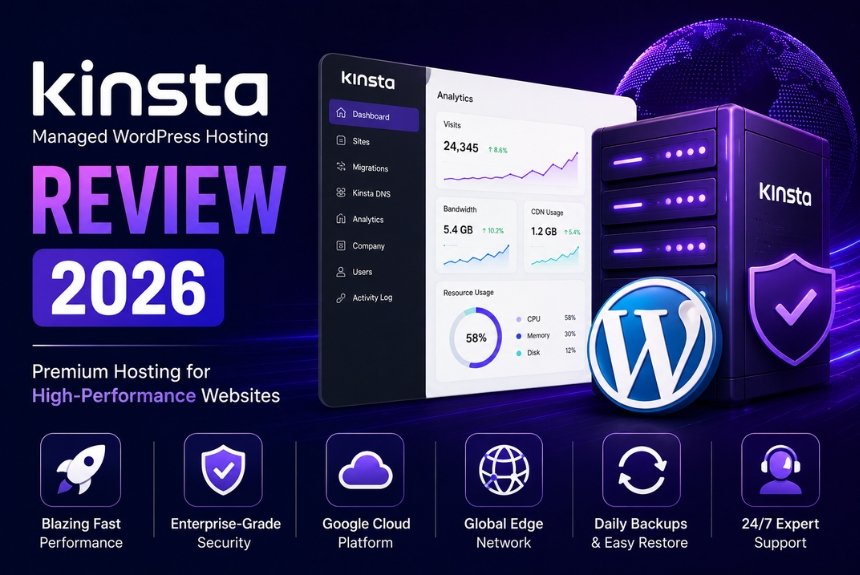
Selecting the right managed WordPress hosting provider is one of the most important decisions for website owners. A reliable hosting platform not only ensures fast loading speeds and strong security but also simplifies website management, allowing businesses to focus on growth instead of technical maintenance.
Among the premium managed WordPress hosting providers available today, Kinsta has earned a strong reputation for its performance, modern infrastructure, and developer-friendly features. Built on Google Cloud Platform’s Premium Tier network, Kinsta delivers exceptional speed, automatic scalability, enterprise-grade security, and a user-friendly management dashboard designed specifically for WordPress websites.
Unlike traditional shared hosting providers, Kinsta focuses exclusively on managed WordPress hosting. This specialized approach allows the company to optimize every aspect of its infrastructure for WordPress performance, security, and reliability. From personal blogs and business websites to WooCommerce stores and enterprise applications, Kinsta provides hosting solutions that cater to a wide range of users.
In this detailed Kinsta Review, we examine its hosting features, dashboard, speed, security, pricing, advantages, and limitations. By the end of this guide, you’ll have a clear understanding of whether Kinsta is the right hosting provider for your website.
Overview
Kinsta is a premium managed WordPress hosting company that provides high-performance hosting services for businesses, agencies, developers, online stores, and enterprise organizations. Since its launch, the company has focused exclusively on WordPress, enabling it to build a hosting environment optimized for speed, stability, and security.
One of Kinsta’s biggest strengths is its infrastructure. Rather than operating its own traditional data centers, Kinsta uses Google Cloud Platform’s Premium Tier network, allowing customers to choose from multiple global data center locations. This infrastructure helps deliver low latency, faster page loading, and excellent uptime for websites serving visitors around the world.
Kinsta also differentiates itself by replacing the traditional cPanel interface with its own MyKinsta dashboard, a modern control panel designed specifically for WordPress users. Website owners can manage backups, staging sites, analytics, cache settings, domains, and performance tools through a clean and intuitive interface.
Unlike many hosting providers that offer a broad range of services, Kinsta concentrates solely on managed WordPress hosting. This focused approach enables the company to provide specialized support, optimized server configurations, and advanced performance features that meet the needs of professional WordPress users.
Key Highlights
Some of Kinsta’s most notable features include:
- Managed WordPress hosting
- Google Cloud Platform infrastructure
- Global data center locations
- Built-in CDN integration
- Free SSL certificates
- Automatic daily backups
- One-click staging environments
- Automatic scalability
- Advanced security monitoring
- Performance analytics
- Developer-friendly tools
- Expert WordPress support
These features help website owners reduce maintenance tasks while maintaining fast and secure websites.
Who Should Consider Kinsta?
Kinsta is suitable for a wide variety of WordPress users, including:
- Bloggers
- Freelancers
- Small businesses
- Digital agencies
- WooCommerce store owners
- Corporate websites
- Membership websites
- Educational institutions
- Enterprise organizations
Whether you manage a single website or dozens of client projects, Kinsta offers plans designed to support different traffic levels and business requirements.
Advantages of Managed WordPress Hosting
Managed WordPress hosting differs significantly from traditional shared hosting because many technical tasks are handled by the hosting provider.
These include:
- WordPress core updates
- Server optimization
- Security monitoring
- Daily backups
- Performance optimization
- Cache management
- Technical troubleshooting
This reduces the need for manual maintenance while improving overall website reliability.
Kinsta at a Glance
| Feature | Details |
| Hosting Type | Managed WordPress Hosting |
| Infrastructure | Google Cloud Platform Premium Tier |
| SSL Certificate | Included |
| CDN | Included |
| Daily Backups | Yes |
| Staging Environment | Yes |
| Security Monitoring | Continuous |
| Developer Tools | Available |
| Customer Support | 24/7 Expert Support |
Table 1. Kinsta hosting overview.
Why Businesses Choose Kinsta
Businesses increasingly choose Kinsta because it combines premium hosting infrastructure with a simplified management experience. Instead of spending time configuring servers or resolving technical issues, users can rely on Kinsta’s managed platform to handle updates, security, caching, and performance optimization.
For growing businesses, this means improved productivity, reduced maintenance costs, and greater confidence that their websites will remain available even during periods of increased traffic.
Additionally, Kinsta’s scalable infrastructure makes it easier for businesses to expand without migrating to an entirely new hosting provider.
Expert Analysis
Kinsta has positioned itself as one of the leading managed WordPress hosting providers by combining modern cloud infrastructure, advanced performance optimization, and enterprise-grade security into a user-friendly platform. While its pricing is higher than budget hosting providers, the overall value lies in its reliability, speed, managed services, and excellent customer support.
For users who prioritize website performance, security, and ease of management, Kinsta offers a strong foundation for building and scaling professional WordPress websites.
Kinsta Features
One of the biggest reasons Kinsta has become a popular managed WordPress hosting provider is its extensive feature set. Rather than offering only server space, Kinsta provides a complete managed hosting ecosystem designed to improve website performance, simplify administration, strengthen security, and support business growth.
Every hosting plan includes tools that help website owners reduce maintenance tasks while maintaining high levels of speed and reliability. Whether you’re an individual blogger, an online business, a digital agency, or an enterprise organization, Kinsta’s features are designed to make WordPress hosting easier and more efficient.
Unlike traditional hosting providers that require multiple third-party plugins or paid add-ons, Kinsta includes many premium features within its hosting plans. This reduces technical complexity while allowing users to focus on website content and business development.
Google Cloud Platform Infrastructure
One of Kinsta’s strongest advantages is its hosting infrastructure. Every website is hosted on Google Cloud Platform’s Premium Tier Network, one of the most reliable cloud infrastructures available.
Instead of relying on shared servers with limited resources, Kinsta utilizes high-performance cloud servers designed to deliver excellent speed, scalability, and uptime.
Benefits include:
- High-speed cloud infrastructure
- Multiple global data centers
- Excellent reliability
- Improved server response time
- Better scalability during traffic growth
- Consistent website performance
This infrastructure enables websites to maintain fast loading speeds even during periods of heavy traffic.
Global Data Centers
Kinsta allows customers to choose from multiple data center locations across different regions. Hosting a website closer to the target audience helps reduce latency and improve loading speed.
Advantages include:
- Faster regional performance
- Better international website speed
- Reduced network latency
- Improved visitor experience
- Greater flexibility for global businesses
Businesses serving customers across different countries benefit significantly from this global infrastructure.
Automatic Daily Backups
Website backups are essential for protecting valuable business data.
Kinsta automatically creates daily backups, allowing website owners to restore previous versions whenever necessary.
Backup features include:
- Daily automatic backups
- Manual backup creation
- One-click restoration
- Secure backup storage
- Fast recovery process
These features help minimize downtime after accidental errors or technical problems.
Free SSL Certificates
Every Kinsta hosting plan includes free SSL certificates that encrypt communication between websites and visitors.
SSL provides several benefits:
- Secure HTTPS connections
- Data encryption
- Customer trust
- Secure online transactions
- Better SEO performance
Secure websites improve visitor confidence while supporting modern search engine optimization practices.
Built-in CDN
Kinsta includes an integrated Content Delivery Network (CDN) that distributes website content through multiple global servers.
Benefits include:
- Faster global loading speeds
- Reduced server workload
- Improved mobile performance
- Better website availability
- Faster delivery of images and static files
For international businesses, CDN integration significantly improves visitor experience.
One-Click Staging Environment
Before making significant website changes, developers often require a safe environment to test updates.
Kinsta provides one-click staging environments that allow users to create an exact copy of their live website.
Benefits include:
- Safe testing environment
- Plugin compatibility testing
- Theme customization
- Website redesign
- Bug identification
- Risk-free development
This feature reduces the possibility of introducing errors to the live website.
Automatic Scaling
Website traffic can increase unexpectedly due to marketing campaigns, product launches, or viral content.
Kinsta’s cloud infrastructure automatically adjusts available resources to maintain website performance during traffic spikes.
Advantages include:
- Stable performance
- Better visitor experience
- Reduced downtime
- Improved website reliability
- Business continuity
Automatic scalability makes Kinsta suitable for growing businesses with unpredictable traffic patterns.
Developer-Friendly Tools
Kinsta provides several advanced tools for developers and agencies managing WordPress websites.
These include:
- SSH access
- Git integration
- WP-CLI support
- Multiple PHP versions
- Staging environments
- Database management
- Performance monitoring
These tools simplify website development while improving workflow efficiency.
Performance Monitoring
Monitoring website performance helps businesses identify issues before they affect visitors.
Kinsta includes analytics that provide valuable insights into:
- Resource usage
- Website traffic
- Cache performance
- Bandwidth consumption
- PHP performance
- Response times
Regular monitoring allows website owners to optimize performance proactively.
Feature Comparison
| Feature | Kinsta |
| Google Cloud Platform | Yes |
| Global Data Centers | Yes |
| Managed WordPress Hosting | Yes |
| Free SSL Certificates | Included |
| CDN | Included |
| Daily Automatic Backups | Included |
| One-Click Restore | Yes |
| Staging Environment | Yes |
| Automatic Scaling | Yes |
| SSH Access | Yes |
| Git Integration | Yes |
| WP-CLI Support | Yes |
| Performance Analytics | Yes |
| 24/7 Expert Support | Yes |
Table 2. Kinsta managed hosting features.
Why These Features Matter
Premium hosting is more than fast servers—it is about delivering a complete hosting experience. Kinsta combines cloud infrastructure, security, automation, developer tools, backups, and performance optimization into a single managed platform.
For businesses, this means less time spent managing technical issues and more time focusing on growth, marketing, customer engagement, and content creation. Agencies benefit from streamlined workflows, while developers gain access to professional tools that simplify deployment and testing.
Expert Analysis
Kinsta’s feature set is one of its biggest competitive advantages. Rather than relying on third-party services, it integrates many essential hosting tools directly into its managed platform. From Google Cloud infrastructure and automatic backups to staging environments, CDN integration, and developer-friendly tools, Kinsta provides a comprehensive solution for individuals, businesses, agencies, and enterprise users looking for reliable managed WordPress hosting.
MyKinsta Dashboard
One of the standout features of Kinsta is its custom-built MyKinsta Dashboard. Unlike many traditional hosting providers that rely on cPanel or Plesk, Kinsta has developed its own intuitive dashboard specifically for managing WordPress websites. This modern interface simplifies website administration and provides quick access to all essential hosting tools from a single location.
The MyKinsta Dashboard is designed for beginners, developers, agencies, and enterprise users alike. Its clean interface, organized navigation, and powerful management features make it easy to monitor website performance, manage backups, configure domains, access analytics, and perform routine maintenance without requiring advanced technical knowledge.
By replacing outdated hosting control panels with a WordPress-focused management system, Kinsta offers a more streamlined and efficient user experience.
Dashboard Features
The MyKinsta Dashboard includes a wide range of tools that simplify WordPress website management.
Some of its primary features include:
- Website management
- Domain management
- SSL certificate management
- CDN configuration
- Cache management
- Daily backups
- Staging environments
- Analytics dashboard
- PHP version management
- Database access
- User management
- DNS management
These features are organized into a user-friendly interface that allows website owners to complete tasks quickly without navigating through multiple control panels.
Website Management
Managing WordPress websites becomes significantly easier with MyKinsta. Users can create new websites, manage existing installations, monitor resource usage, and perform maintenance tasks from a centralized dashboard.
Website management tools include:
- Website creation
- Site deletion
- Environment management
- Domain configuration
- Redirect management
- SSL activation
- Backup restoration
- Cache clearing
This centralized management system improves productivity while reducing administrative complexity.
Analytics and Monitoring
Performance monitoring is an important aspect of website management. MyKinsta provides detailed analytics that help users understand how their websites are performing.
Available metrics include:
- Visitor statistics
- Bandwidth usage
- CDN usage
- PHP performance
- Cache efficiency
- Response times
- Resource consumption
- Error logs
These reports help identify performance bottlenecks and support better optimization decisions.
Developer Tools
Kinsta’s dashboard is particularly popular among developers because it includes several professional development tools.
Developer-friendly features include:
- SSH access
- SFTP access
- Git integration
- WP-CLI support
- Search and replace tools
- Database management
- PHP version switching
- Staging environments
These tools simplify website development, testing, deployment, and troubleshooting.
Dashboard Comparison
| Feature | Traditional cPanel | MyKinsta Dashboard |
| User Interface | Traditional | Modern |
| WordPress Optimization | Limited | Built Specifically for WordPress |
| Website Management | Yes | Advanced |
| Analytics | Basic | Detailed |
| Backup Management | Moderate | One-Click |
| Cache Management | Limited | Built-in |
| Staging Environment | Limited | Included |
| Developer Tools | Basic | Advanced |
Table 3. Traditional hosting dashboard compared with MyKinsta Dashboard.
Benefits of MyKinsta
Using MyKinsta provides several practical advantages.
- Simplified website management
- Faster access to hosting tools
- Improved workflow efficiency
- Better performance monitoring
- Easier backup restoration
- Enhanced developer experience
- Reduced technical complexity
For agencies managing multiple client websites, the centralized dashboard significantly improves operational efficiency.
Kinsta Speed
Website speed is one of Kinsta’s strongest selling points. Fast-loading websites improve user experience, increase visitor engagement, reduce bounce rates, and contribute positively to search engine optimization.
Kinsta achieves exceptional speed by combining Google Cloud Platform’s Premium Tier Network with optimized server configurations, integrated CDN, advanced caching technologies, and automatic performance optimization. Instead of relying entirely on optimization plugins, many speed improvements are handled directly at the server level.
This managed approach enables websites to deliver consistently fast performance with minimal manual configuration.
Why Speed Matters
Website speed affects nearly every aspect of online success.
Benefits of faster websites include:
- Better user experience
- Lower bounce rates
- Higher search engine rankings
- Improved conversion rates
- Increased customer satisfaction
- Better Core Web Vitals
- More page views
- Greater visitor retention
Even small improvements in loading time can positively influence customer engagement and overall business performance.
Technologies That Improve Speed
Kinsta uses multiple technologies to optimize website performance.
These include:
- Google Cloud Platform infrastructure
- Premium Tier Network
- Built-in CDN
- Server-level caching
- Optimized PHP
- Automatic database optimization
- HTTP/3 support
- Modern server architecture
These technologies work together to deliver fast page loading and stable website performance.
Benefits for SEO
Website speed is an important ranking signal for search engines. Faster websites generally provide better user experiences, which can positively influence SEO performance.
Performance improvements support:
- Better indexing
- Improved page experience
- Higher keyword rankings
- Lower bounce rates
- Increased organic traffic
- Better Core Web Vitals scores
Although speed alone does not guarantee top rankings, it contributes significantly to an effective SEO strategy.
Speed Comparison
| Performance Metric | Standard Shared Hosting | Kinsta |
| Server Response Time | Moderate | Excellent |
| Global Performance | Moderate | Excellent |
| CDN Integration | Optional | Included |
| Caching | Basic | Advanced |
| Core Web Vitals Support | Moderate | Excellent |
| High-Traffic Performance | Moderate | Excellent |
Table 4. Kinsta speed comparison with traditional hosting.
Expert Analysis
The MyKinsta Dashboard demonstrates Kinsta’s focus on usability, providing an intuitive interface that simplifies WordPress management for users of all experience levels. Combined with Kinsta’s cloud infrastructure, advanced caching, CDN integration, and server-level optimizations, the platform delivers consistently fast website performance. These capabilities make Kinsta an excellent choice for businesses, agencies, and developers seeking a managed WordPress hosting solution that balances ease of use with enterprise-grade performance.

Kinsta Security
Website security is one of the most critical aspects of managed WordPress hosting. Cyber threats continue to evolve, and website owners face risks such as malware infections, brute-force attacks, data breaches, plugin vulnerabilities, and unauthorized access. A single security incident can result in website downtime, financial losses, reduced customer trust, and lower search engine rankings.
Kinsta addresses these challenges by implementing multiple layers of security throughout its hosting platform. Instead of depending solely on WordPress security plugins, Kinsta integrates advanced server-level protection, continuous monitoring, automatic backups, and proactive threat detection into every hosting plan.
This security-first approach allows website owners to focus on growing their business while Kinsta handles much of the technical responsibility for protecting websites.
Multi-Layer Security Architecture
Kinsta uses a multi-layered security model designed specifically for WordPress websites. Rather than relying on a single security mechanism, it combines several protective technologies to reduce vulnerabilities and minimize security risks.
Its security architecture includes:
- Enterprise-grade firewall
- Continuous malware scanning
- Automatic security monitoring
- DDoS protection
- Login protection
- IP blocking
- Automatic WordPress updates
- Secure cloud infrastructure
- Isolated software containers
- Free SSL certificates
This layered approach significantly improves website protection while maintaining high performance.
Malware Detection and Prevention
Malware can compromise website files, steal sensitive information, redirect visitors to malicious websites, or damage a company’s online reputation. Kinsta continuously monitors hosted websites for suspicious activity and security threats.
Its malware protection system helps:
- Detect malicious files
- Prevent unauthorized access
- Monitor suspicious activity
- Reduce infection risks
- Protect website integrity
- Improve website reliability
Continuous monitoring allows potential threats to be identified before they become major security incidents.
Cloudflare Integration
Kinsta strengthens website security through its Cloudflare integration, providing additional protection against modern cyber threats.
Benefits include:
- Enterprise firewall
- DDoS attack mitigation
- Improved website availability
- Faster DNS resolution
- Enhanced network security
- Global threat detection
Cloudflare’s global infrastructure helps filter malicious traffic before it reaches the hosting server, improving both website security and performance.
Automatic Daily Backups
Backups play a vital role in business continuity. Even with strong security measures, unexpected software conflicts or human errors can occur.
Kinsta automatically creates daily backups of every website, enabling quick recovery whenever necessary.
Backup advantages include:
- Automatic daily backups
- Manual backup creation
- One-click restore
- Secure backup storage
- Quick recovery process
These features help businesses restore their websites with minimal downtime.
Free SSL Certificates
Every Kinsta hosting plan includes free SSL certificates, allowing websites to use HTTPS encryption without additional configuration.
SSL certificates provide:
- Encrypted communication
- Secure customer transactions
- Protected login credentials
- Improved visitor trust
- Better SEO support
- Modern browser compatibility
HTTPS encryption has become an industry standard for professional websites and online businesses.
Security Monitoring
Kinsta continuously monitors websites to detect unusual behavior and security issues.
Monitoring includes:
- Uptime monitoring
- Server health checks
- Malware detection
- Firewall monitoring
- Traffic analysis
- Resource monitoring
Continuous monitoring allows security teams to respond quickly whenever potential issues arise.
Security Comparison
| Security Feature | Traditional Shared Hosting | Kinsta |
| Malware Monitoring | Limited | Continuous |
| Enterprise Firewall | Basic | Included |
| Free SSL Certificate | Sometimes | Included |
| Daily Backups | Limited | Automatic |
| DDoS Protection | Limited | Advanced |
| Cloudflare Integration | Rare | Included |
| Uptime Monitoring | Basic | Continuous |
| Automatic WordPress Updates | Partial | Managed |
Table 5. Kinsta security feature comparison.
Kinsta Pricing
Kinsta positions itself as a premium managed WordPress hosting provider. Its pricing reflects the advanced infrastructure, enterprise-grade security, managed services, and high-performance cloud hosting included with every plan.
Unlike low-cost shared hosting providers, Kinsta focuses on delivering value through reliability, speed, automatic maintenance, expert support, and built-in optimization tools.
Although the monthly subscription cost may appear higher initially, many businesses find that the included premium services reduce the need for additional software, security tools, backup solutions, and performance optimization plugins.
What’s Included in Every Plan?
Regardless of the selected hosting plan, customers receive access to several premium features.
These include:
- Google Cloud Platform hosting
- Premium Tier Network
- Built-in CDN
- Free SSL certificates
- Daily automatic backups
- Staging environments
- Malware monitoring
- Cloudflare integration
- Performance monitoring
- Expert WordPress support
- Automatic scalability
- MyKinsta Dashboard
These included services contribute significantly to the overall value of the hosting platform.
Is Kinsta Worth the Price?
The answer depends on your website’s requirements.
Kinsta is an excellent investment for:
- Growing businesses
- WooCommerce stores
- Digital agencies
- Professional bloggers
- Membership websites
- Enterprise organizations
However, hobby websites or personal blogs with minimal traffic may find budget shared hosting more economical.
Businesses that rely on website performance, security, and uptime often benefit from Kinsta’s managed hosting environment because it reduces maintenance costs while improving operational efficiency.
Pricing Value Comparison
| Factor | Budget Hosting | Kinsta |
| Initial Cost | Low | Premium |
| Performance | Moderate | Excellent |
| Security | Basic | Enterprise-grade |
| Daily Backups | Limited | Included |
| CDN | Often Extra | Included |
| WordPress Support | General | Expert |
| Scalability | Limited | High |
| Long-Term Value | Moderate | Excellent |
Table 6. Pricing value comparison.
Expert Analysis
Kinsta’s security infrastructure is among its strongest competitive advantages. By combining Cloudflare integration, continuous monitoring, malware protection, daily backups, enterprise firewalls, and free SSL certificates, it delivers a highly secure managed WordPress environment suitable for businesses of all sizes.
Although Kinsta’s pricing is higher than traditional shared hosting providers, the included premium features, cloud infrastructure, managed maintenance, and advanced security provide excellent long-term value. For businesses where website performance and reliability directly influence revenue, Kinsta’s pricing is well justified.
Pros and Cons
Every managed WordPress hosting provider has its own strengths and limitations, and Kinsta is no exception. While it is widely recognized for its excellent performance, modern infrastructure, and premium support, it may not be the ideal solution for every website owner. Understanding both the advantages and disadvantages helps businesses make an informed hosting decision based on their budget, technical requirements, and long-term goals.
Kinsta is designed primarily for users who value speed, security, scalability, and ease of management over low-cost hosting. Its premium pricing reflects the advanced technologies and managed services included with every hosting plan.
Pros of Kinsta
1. High-Performance Cloud Infrastructure
Kinsta is powered by Google Cloud Platform’s Premium Tier Network, providing excellent server performance, low latency, and high reliability. This infrastructure enables websites to load quickly and remain responsive even during periods of increased traffic.
2. Excellent Website Speed
Website speed is one of Kinsta’s biggest strengths. Advanced server-level caching, integrated CDN, optimized PHP, and premium cloud infrastructure work together to deliver consistently fast page loading.
Benefits include:
- Faster page loading
- Better Core Web Vitals
- Improved SEO performance
- Reduced bounce rates
- Better visitor experience
3. Strong Security Features
Kinsta includes multiple layers of security to protect websites from modern cyber threats.
Security features include:
- Enterprise firewall
- Malware monitoring
- DDoS protection
- Free SSL certificates
- Automatic security updates
- Cloudflare integration
- Continuous monitoring
These features reduce security risks while protecting customer information.
4. Easy-to-Use MyKinsta Dashboard
Unlike traditional hosting control panels, MyKinsta provides a modern and intuitive interface specifically designed for WordPress management.
Users can easily:
- Manage websites
- Restore backups
- Configure domains
- Monitor analytics
- Create staging sites
- Clear cache
- Manage SSL certificates
The dashboard simplifies website administration for beginners and professionals alike.
5. Automatic Daily Backups
Daily automatic backups help protect websites against accidental errors, plugin conflicts, and security incidents.
Advantages include:
- Automatic backup creation
- One-click restoration
- Secure backup storage
- Fast recovery process
This feature provides peace of mind for businesses that depend on website availability.
6. Excellent Customer Support
Kinsta provides 24/7 support from WordPress specialists who understand the platform in depth.
Support teams assist with:
- Website troubleshooting
- Performance optimization
- Migration assistance
- Security concerns
- Technical guidance
Expert support helps businesses resolve issues quickly while minimizing downtime.
7. Developer-Friendly Environment
Developers benefit from several advanced tools included within Kinsta’s hosting platform.
Available tools include:
- SSH access
- WP-CLI
- Git integration
- Staging environments
- Multiple PHP versions
- Database management
These features simplify website development and deployment.
Cons of Kinsta
Although Kinsta offers many advantages, there are also a few limitations that potential customers should consider.
Premium Pricing
Kinsta is significantly more expensive than traditional shared hosting providers. Small personal websites with limited budgets may find lower-cost hosting services more suitable.
WordPress Only
Kinsta specializes exclusively in managed WordPress hosting.
Users requiring hosting for applications such as Laravel, Node.js, or custom software must consider alternative hosting providers.
Email Hosting Not Included
Kinsta focuses entirely on website hosting and does not provide built-in email hosting services.
Businesses typically use third-party providers for professional email accounts.
Limited Beginner Budget Options
Although the platform is beginner-friendly, its premium pricing may discourage users launching small personal blogs with minimal traffic.
Pros and Cons Summary
| Pros | Cons |
| Google Cloud Platform infrastructure | Premium pricing |
| Excellent website speed | WordPress-only hosting |
| Enterprise-grade security | Email hosting not included |
| Built-in CDN | Higher cost than shared hosting |
| Daily automatic backups | May exceed small website budgets |
| Modern MyKinsta Dashboard | Limited non-WordPress support |
| Developer-friendly tools | Premium-focused platform |
| Expert WordPress support | Not ideal for every beginner |
Table 7. Advantages and disadvantages of Kinsta.
Final Verdict
After evaluating its infrastructure, features, dashboard, speed, security, and pricing, it is clear that Kinsta ranks among the leading managed WordPress hosting providers available today. Its focus on performance, reliability, and ease of management makes it an excellent solution for businesses and professionals who depend on their websites.
Kinsta successfully combines Google Cloud Platform’s infrastructure, Cloudflare integration, automatic backups, enterprise-grade security, and an intuitive management dashboard into a complete hosting platform. These features reduce technical maintenance while helping websites achieve faster loading speeds and greater reliability.
For bloggers, agencies, WooCommerce stores, SaaS companies, and enterprise organizations, Kinsta provides outstanding value through premium managed services and high-performance hosting. Businesses expecting long-term growth will particularly benefit from its scalable cloud infrastructure and developer-friendly environment.
However, users seeking the lowest-cost hosting solution for hobby websites or very small personal blogs may find budget shared hosting providers more appropriate.
Overall, Kinsta is a premium investment that delivers premium results.
Overall Rating
| Category | Rating (Out of 5) |
| Performance | ⭐⭐⭐⭐⭐ |
| Security | ⭐⭐⭐⭐⭐ |
| Ease of Use | ⭐⭐⭐⭐⭐ |
| Features | ⭐⭐⭐⭐⭐ |
| Customer Support | ⭐⭐⭐⭐⭐ |
| Pricing | ⭐⭐⭐⭐☆ |
| Overall Rating | 4.9 / 5 |
Table 8. Overall Kinsta evaluation.
Frequently Asked Questions
1. Is Kinsta worth it?
Yes. Kinsta is worth considering for businesses, agencies, developers, and WooCommerce stores that require premium managed WordPress hosting with excellent speed, security, and reliability.
2. Is Kinsta beginner-friendly?
Yes. The MyKinsta Dashboard is intuitive and easy to navigate, making it suitable for beginners while still offering advanced tools for developers.
3. Does Kinsta include free SSL?
Yes. Every hosting plan includes free SSL certificates to secure website traffic using HTTPS encryption.
4. Does Kinsta provide daily backups?
Yes. Kinsta automatically creates daily backups and also allows manual backups and one-click restoration.
5. Is Kinsta good for WooCommerce?
Yes. Kinsta’s high-performance infrastructure, advanced caching, security features, and scalability make it an excellent choice for WooCommerce stores with growing traffic and online sales.
Leave a Reply