


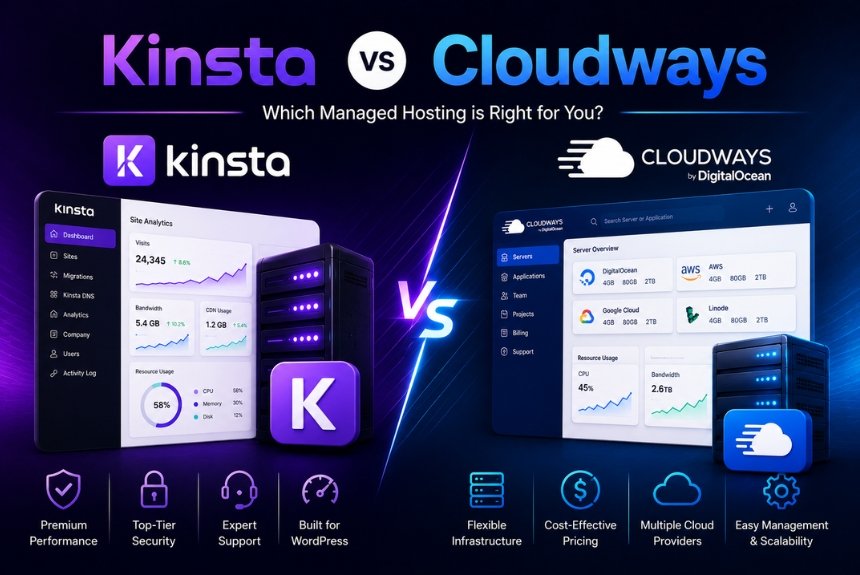
Choosing the right managed cloud hosting platform is one of the most important decisions for website owners, developers, agencies, and businesses. A reliable hosting provider not only ensures fast website performance but also offers strong security, excellent uptime, simplified management, and responsive customer support.
Among premium managed hosting providers, Kinsta and Cloudways are two of the most frequently compared platforms. Both deliver cloud-based hosting solutions, but they are designed for different types of users and business requirements.
Kinsta focuses exclusively on managed WordPress hosting and is built on Google Cloud Platform’s Premium Tier Network. It emphasizes simplicity, premium performance, enterprise-grade security, and expert WordPress support.
Cloudways, on the other hand, provides a managed cloud hosting platform that allows users to deploy websites on multiple cloud infrastructure providers such as DigitalOcean, Vultr, Linode, Amazon Web Services (AWS), and Google Cloud Platform. This flexibility makes Cloudways attractive to developers, agencies, and businesses seeking greater infrastructure control.
Although both companies offer managed hosting, their approach to infrastructure, pricing, management, scalability, and technical flexibility differs considerably.
This comprehensive Kinsta vs Cloudways comparison examines every major aspect of both hosting providers to help you determine which platform best suits your website and long-term business goals.
Overview
At first glance, Kinsta and Cloudways appear similar because both provide managed cloud hosting solutions. However, their hosting philosophies are quite different.
Kinsta is a premium managed WordPress hosting provider that handles nearly every aspect of WordPress hosting, including server optimization, caching, backups, security monitoring, staging environments, and automatic maintenance. The platform is designed for users who want exceptional performance with minimal technical management.
Cloudways takes a different approach by acting as a cloud hosting management layer. Instead of owning its own infrastructure, Cloudways allows customers to launch servers from several major cloud providers while simplifying server management through its custom control panel.
This flexibility gives users greater control over server selection, resource allocation, and pricing, making Cloudways particularly popular among developers and agencies managing multiple applications.
What is Kinsta?
Kinsta is a premium managed WordPress hosting provider built entirely for WordPress websites.
Its hosting platform includes:
- Google Cloud Platform Premium Tier
- Managed WordPress hosting
- Built-in CDN
- Automatic backups
- Enterprise-grade security
- Free SSL certificates
- One-click staging
- MyKinsta Dashboard
- Performance optimization
- Expert WordPress support
The platform focuses on delivering maximum speed, reliability, and ease of use without requiring users to manage servers manually.
What is Cloudways?
Cloudways is a managed cloud hosting platform that enables users to deploy websites and applications on leading cloud infrastructure providers.
Supported cloud providers include:
- DigitalOcean
- Vultr
- Linode
- Amazon Web Services (AWS)
- Google Cloud Platform
Instead of providing its own hosting infrastructure, Cloudways simplifies cloud server management through an intuitive dashboard and managed hosting services.
Users benefit from:
- Flexible cloud provider selection
- Managed server maintenance
- Automatic backups
- Staging environments
- Built-in caching
- Performance optimization
- Security tools
- Team collaboration features
Because users can choose different cloud providers, Cloudways offers greater flexibility than many traditional managed hosting companies.
Key Differences
Although both providers offer managed hosting, their primary focus differs.
Kinsta emphasizes:
- Premium managed WordPress hosting
- Simplified website management
- Enterprise-level performance
- High-end customer support
- WordPress-only optimization
Cloudways emphasizes:
- Cloud infrastructure flexibility
- Multiple cloud provider options
- Custom server configurations
- Competitive pricing
- Support for multiple PHP applications
These differences make each platform suitable for different audiences.
Who Should Choose Kinsta?
Kinsta is ideal for:
- Professional bloggers
- WooCommerce stores
- Business websites
- Marketing agencies
- Membership websites
- Enterprise organizations
- Users wanting minimal server management
Its fully managed environment allows businesses to focus on growth rather than technical administration.
Who Should Choose Cloudways?
Cloudways is suitable for:
- Developers
- Freelancers
- Digital agencies
- SaaS companies
- Multiple website owners
- Businesses needing server flexibility
- Users comfortable with cloud infrastructure
Its customizable hosting environment offers greater control over resources and infrastructure selection.
Feature Overview
| Feature | Kinsta | Cloudways |
| Hosting Type | Managed WordPress Hosting | Managed Cloud Hosting |
| Cloud Infrastructure | Google Cloud Platform | Multiple Cloud Providers |
| WordPress Optimization | Excellent | Excellent |
| Built-in CDN | Included | Included |
| Free SSL | Included | Included |
| Daily Backups | Included | Included |
| Staging Environment | Included | Included |
| Developer Tools | Advanced | Advanced |
| Multiple Cloud Providers | No | Yes |
| Server Customization | Limited | Extensive |
Table 1. Overview comparison between Kinsta and Cloudways.
Which Platform Is Better Overall?
There is no universal winner because the best platform depends on your specific requirements.
Choose Kinsta if you prioritize:
- Simplicity
- Premium WordPress performance
- Managed maintenance
- Enterprise-grade security
- Expert WordPress support
Choose Cloudways if you need:
- Flexible cloud providers
- Greater server control
- Lower starting costs
- Support for multiple PHP applications
- Infrastructure customization
Understanding these differences will make it easier to evaluate the remaining comparison categories, including infrastructure, speed, pricing, security, ease of use, and customer support.
Expert Analysis
Both Kinsta and Cloudways are excellent managed hosting platforms, but they serve different audiences. Kinsta delivers a premium, hands-off managed WordPress experience with outstanding performance and support, while Cloudways offers greater flexibility and infrastructure choice for developers and growing businesses. The following sections compare both platforms in greater detail to help determine which hosting solution provides the best value for your website.

Infrastructure
Infrastructure is the foundation of any hosting platform. It determines how efficiently websites handle traffic, maintain uptime, process requests, and deliver content to visitors. While both Kinsta and Cloudways are cloud-based hosting providers, they use different infrastructure models that appeal to different types of users.
Kinsta focuses on simplicity by offering a fully managed hosting environment powered exclusively by Google Cloud Platform (GCP) Premium Tier Network. Every website hosted on Kinsta benefits from Google’s enterprise-grade infrastructure without requiring customers to configure servers or manage cloud resources manually.
Cloudways follows a more flexible approach. Instead of relying on a single infrastructure provider, it allows users to choose from multiple leading cloud providers, including DigitalOcean, Vultr, Linode, Amazon Web Services (AWS), and Google Cloud Platform (GCP). This flexibility enables businesses to select infrastructure based on performance requirements, geographical location, and budget.
Both approaches have distinct advantages depending on the needs of the website owner.
Kinsta Infrastructure
Kinsta is built entirely on Google Cloud Platform Premium Tier, one of the most reliable cloud infrastructures available. Google’s global network provides low latency, high-speed connectivity, and excellent reliability.
Rather than sharing resources with numerous unrelated websites, Kinsta isolates each WordPress installation using container technology. Every website operates independently with its own dedicated software resources, improving both security and performance.
Some major infrastructure features include:
- Google Cloud Platform Premium Tier
- Global network of data centers
- Isolated software containers
- High-performance virtual machines
- Automatic resource scaling
- Enterprise-grade networking
- Optimized WordPress servers
Because the infrastructure is standardized across all customers, Kinsta can optimize every server specifically for WordPress performance.
Benefits of Kinsta’s Infrastructure
Kinsta’s infrastructure provides several important advantages.
Consistent Performance
Since every website operates within isolated containers, neighboring websites cannot negatively affect server performance.
High Reliability
Google Cloud Platform offers exceptional uptime, ensuring websites remain accessible even during periods of increased demand.
Automatic Scalability
Resources automatically adjust to accommodate traffic spikes without requiring manual intervention.
Global Availability
Multiple worldwide data centers help businesses serve international audiences with lower latency.
WordPress Optimization
Every component of the hosting environment is configured specifically for WordPress websites.
Cloudways Infrastructure
Cloudways uses a completely different model by allowing customers to choose their preferred cloud infrastructure provider.
Available providers include:
- DigitalOcean
- Vultr
- Linode
- Amazon Web Services (AWS)
- Google Cloud Platform
Instead of operating its own servers, Cloudways manages deployments across these providers while simplifying server administration through its platform.
This gives businesses greater flexibility when selecting hardware specifications, storage capacity, bandwidth allocation, and regional server locations.
Users can customize infrastructure based on:
- Budget
- Traffic requirements
- Geographic location
- Performance expectations
- Business growth plans
This flexibility makes Cloudways attractive to developers and agencies managing diverse hosting environments.
Benefits of Cloudways Infrastructure
Cloudways provides several infrastructure advantages.
Multiple Cloud Providers
Users can select the infrastructure provider that best meets their technical and financial requirements.
Flexible Server Sizes
Businesses can choose server configurations that match their current workloads.
Easy Vertical Scaling
Server resources such as RAM, storage, and processing power can be increased as website traffic grows.
Global Deployment
Customers can deploy servers in numerous worldwide locations offered by their selected cloud provider.
Cost Control
Businesses can optimize hosting costs by choosing providers that balance performance and affordability.
Infrastructure Comparison
| Infrastructure Feature | Kinsta | Cloudways |
| Google Cloud Platform | Yes (Exclusive) | Optional |
| AWS Support | No | Yes |
| DigitalOcean Support | No | Yes |
| Vultr Support | No | Yes |
| Linode Support | No | Yes |
| Multiple Cloud Providers | No | Yes |
| Automatic Resource Scaling | Yes | Yes |
| Container Technology | Yes | Depends on Provider |
| Global Data Centers | Yes | Yes |
| Managed Infrastructure | Fully Managed | Managed Platform |
Table 2. Infrastructure comparison between Kinsta and Cloudways.
Which Infrastructure Is Better?
The answer depends on your priorities.
Choose Kinsta if you want:
- Fully optimized WordPress hosting
- Minimal server management
- Consistent infrastructure
- Enterprise-grade reliability
- Simplicity and ease of use
Choose Cloudways if you prefer:
- Multiple infrastructure options
- Greater server customization
- Flexible pricing
- Control over cloud provider selection
- Scalability across different cloud environments
Businesses that prioritize convenience often appreciate Kinsta’s standardized infrastructure, while developers and agencies frequently value Cloudways’ flexibility.
Infrastructure Comparison Summary
| Category | Kinsta | Cloudways |
| Simplicity | ⭐⭐⭐⭐⭐ | ⭐⭐⭐⭐☆ |
| Infrastructure Flexibility | ⭐⭐⭐☆☆ | ⭐⭐⭐⭐⭐ |
| Global Coverage | ⭐⭐⭐⭐⭐ | ⭐⭐⭐⭐⭐ |
| WordPress Optimization | ⭐⭐⭐⭐⭐ | ⭐⭐⭐⭐☆ |
| Scalability | ⭐⭐⭐⭐⭐ | ⭐⭐⭐⭐⭐ |
| Developer Control | ⭐⭐⭐☆☆ | ⭐⭐⭐⭐⭐ |
Table 3. Overall infrastructure evaluation.
Expert Analysis
Infrastructure is one of the biggest differences in the Kinsta vs Cloudways comparison. Kinsta delivers a premium, fully managed WordPress environment built exclusively on Google Cloud Platform, making it ideal for users who value simplicity, consistency, and optimized performance. Cloudways, by contrast, offers unmatched flexibility by allowing customers to deploy websites on multiple cloud providers with customizable server configurations. Businesses seeking a hands-off managed experience may prefer Kinsta, while developers and agencies requiring infrastructure choice and greater control are likely to find Cloudways the stronger option.
Speed
Website speed is one of the most important factors affecting user experience, search engine rankings, and business success. Modern users expect websites to load within a few seconds, and even a slight delay can increase bounce rates and reduce conversions. Both Kinsta and Cloudways are recognized for offering high-performance cloud hosting, but they achieve website speed through different technologies and infrastructure models.
Kinsta relies on its fully managed Google Cloud Platform infrastructure, server-level optimizations, integrated CDN, and advanced caching technologies to deliver consistently fast WordPress performance. Since the platform is designed exclusively for WordPress, every aspect of its hosting environment is optimized for maximum efficiency.
Cloudways also delivers impressive speed but offers more flexibility. Users can choose from multiple cloud infrastructure providers, allowing them to optimize hosting based on their preferred balance of performance and cost. Cloudways includes technologies such as built-in caching, Cloudflare integration, HTTP/3 support, Redis, Memcached, and PHP optimization to improve website loading speeds.
Although both platforms deliver excellent performance, their approaches differ significantly.
Kinsta Speed Performance
Kinsta emphasizes automation and server-level optimization. Every WordPress website benefits from a hosting environment specifically configured for WordPress without requiring users to manually optimize servers.
Performance features include:
- Google Cloud Platform Premium Tier
- Enterprise-grade network
- Server-level caching
- Built-in CDN
- Automatic database optimization
- Latest PHP versions
- HTTP/3 support
- Image optimization compatibility
Because optimization occurs at the infrastructure level, users spend less time configuring plugins or caching systems.
Advantages of Kinsta Speed
Kinsta offers several speed-related benefits.
- Faster server response times
- Excellent Core Web Vitals performance
- Stable loading speeds
- Better global performance
- Lower latency
- Improved SEO performance
- Minimal manual optimization
These features make Kinsta particularly attractive for businesses where website speed directly impacts revenue.
Cloudways Speed Performance
Cloudways approaches performance differently by allowing customers to choose their preferred cloud provider and server specifications.
Performance technologies include:
- Choice of cloud provider
- Built-in caching
- Redis support
- Memcached
- Cloudflare CDN
- HTTP/3 compatibility
- PHP-FPM optimization
- Dedicated cloud resources
Since customers can select different infrastructure providers, website performance may vary depending on server configuration.
Developers who understand cloud optimization can fine-tune performance to meet specific application requirements.
Advantages of Cloudways Speed
Cloudways offers numerous performance benefits.
- Flexible infrastructure
- Dedicated cloud servers
- Advanced caching options
- Scalable server resources
- Excellent page loading speeds
- Multiple optimization tools
- Better control over performance settings
These features make Cloudways particularly appealing to experienced developers.
Speed Comparison
| Performance Factor | Kinsta | Cloudways |
| Google Cloud Premium Tier | Yes | Optional |
| Multiple Cloud Providers | No | Yes |
| Built-in CDN | Included | Included |
| Server-Level Caching | Advanced | Advanced |
| Redis Support | Available | Available |
| HTTP/3 Support | Yes | Yes |
| Core Web Vitals Optimization | Excellent | Excellent |
| Manual Optimization Required | Very Low | Moderate |
Table 4. Speed comparison between Kinsta and Cloudways.
Which Platform Is Faster?
For most WordPress users, both platforms provide outstanding performance.
Kinsta generally performs better for users seeking:
- Fully optimized WordPress hosting
- Consistent performance
- Minimal technical management
- Enterprise-grade infrastructure
Cloudways performs exceptionally well for users who:
- Optimize their own servers
- Select high-performance cloud providers
- Require custom server configurations
- Manage multiple application types
Overall, both providers deliver excellent speed, although Kinsta’s fully managed optimization offers greater consistency for non-technical users.
Ease of Use
Ease of use is another important factor when choosing a hosting provider. Website owners want a hosting platform that simplifies routine tasks while minimizing technical complexity.
Kinsta and Cloudways both provide custom management dashboards, but their target audiences differ considerably.
Kinsta focuses on simplicity and automation, making website management accessible even for beginners.
Cloudways provides more configuration options and infrastructure flexibility, making it particularly attractive for developers and technical users.
Kinsta User Experience
Kinsta’s MyKinsta Dashboard is designed specifically for WordPress websites.
Users can easily:
- Manage websites
- Configure domains
- Restore backups
- Create staging environments
- Monitor analytics
- Manage CDN
- Clear cache
- Update PHP versions
Its clean interface minimizes unnecessary settings while providing access to advanced hosting tools.
Cloudways User Experience
Cloudways offers a feature-rich management platform that provides greater server control.
Users can:
- Launch cloud servers
- Select infrastructure providers
- Scale server resources
- Configure caching
- Manage applications
- Monitor server health
- Create backups
- Deploy staging sites
Although powerful, Cloudways includes more technical settings, resulting in a slightly steeper learning curve for beginners.
Ease of Use Comparison
| Feature | Kinsta | Cloudways |
| Beginner Friendly | Excellent | Good |
| Dashboard Simplicity | Excellent | Very Good |
| Server Customization | Limited | Extensive |
| WordPress Management | Excellent | Excellent |
| Staging Environment | Included | Included |
| Backup Management | One-Click | Easy |
| Learning Curve | Low | Moderate |
Table 5. Ease of use comparison.
Which Platform Is Easier?
For beginners, bloggers, and business owners, Kinsta offers a simpler and more streamlined experience. Its fully managed environment removes much of the complexity associated with cloud hosting.
Cloudways, while still user-friendly, is better suited for developers, agencies, and advanced users who require greater flexibility and control over their hosting infrastructure.
Expert Analysis
When comparing Kinsta vs Cloudways, both providers deliver exceptional website performance. Kinsta excels by offering consistently fast speeds through its fully managed Google Cloud infrastructure and WordPress-specific optimizations, making it ideal for users seeking simplicity and reliability. Cloudways matches this performance with powerful optimization tools and flexible cloud provider options, making it an excellent choice for developers who prefer greater control over server configuration. In terms of ease of use, Kinsta has a clear advantage for beginners, while Cloudways offers a more customizable experience for technically experienced users.
Pricing
Pricing is one of the most important factors when choosing a managed hosting provider. While website performance and security are essential, businesses also need a hosting solution that delivers good value for money. Both Kinsta and Cloudways offer premium cloud hosting, but their pricing models differ significantly.
Kinsta follows a straightforward managed WordPress hosting pricing structure where each plan includes premium infrastructure, automatic backups, CDN integration, security monitoring, staging environments, and expert WordPress support.
Cloudways uses a flexible pay-as-you-go pricing model based on the selected cloud infrastructure provider. Customers can choose servers from DigitalOcean, Vultr, Linode, AWS, or Google Cloud Platform, allowing them to balance cost and performance according to their specific requirements.
Because of these different pricing philosophies, the better value depends on the type of website being hosted.
Kinsta Pricing
Kinsta’s hosting plans are designed for users who prefer a fully managed WordPress experience with predictable monthly pricing.
Every hosting plan includes:
- Google Cloud Platform Premium Tier
- Free CDN
- Free SSL certificates
- Automatic daily backups
- Malware monitoring
- Staging environments
- Performance optimization
- MyKinsta Dashboard
- Expert WordPress support
- Automatic scalability
Instead of charging separately for these services, Kinsta includes them within its managed hosting plans.
Advantages of Kinsta Pricing
Kinsta’s pricing provides several benefits.
- Predictable monthly expenses
- Premium infrastructure included
- No need for multiple premium plugins
- Lower maintenance costs
- Enterprise-grade support
- Excellent long-term value
Although the initial monthly cost is higher than many competitors, businesses often save money by avoiding additional expenses for backup software, security tools, CDN subscriptions, and performance optimization services.
Cloudways Pricing
Cloudways offers a more flexible pricing structure.
Users pay primarily for:
- Selected cloud provider
- Server size
- RAM
- Storage
- Bandwidth
- Optional premium add-ons
This flexibility allows businesses to start with relatively small cloud servers and scale resources as website traffic grows.
Cloudways is particularly attractive for startups, developers, and agencies managing multiple websites because customers can optimize hosting costs based on actual requirements.
Advantages of Cloudways Pricing
Cloudways pricing offers several advantages.
- Lower entry cost
- Flexible cloud provider selection
- Pay for required resources
- Easy server upgrades
- Multiple pricing options
- Better budget control
Businesses comfortable managing cloud resources often find Cloudways to be highly cost-effective.
Pricing Comparison
| Pricing Factor | Kinsta | Cloudways |
| Entry-Level Pricing | Higher | Lower |
| Managed WordPress Services | Included | Included |
| Infrastructure Choice | Google Cloud Only | Multiple Providers |
| CDN | Included | Included |
| Daily Backups | Included | Included |
| Free SSL | Included | Included |
| Pricing Flexibility | Moderate | Excellent |
| Overall Value | Excellent | Excellent |
Table 6. Pricing comparison between Kinsta and Cloudways.
Which Pricing Model Offers Better Value?
The answer depends on business priorities.
Kinsta offers better value for:
- Businesses seeking fully managed hosting
- Users wanting predictable pricing
- Companies prioritizing support
- Website owners preferring minimal maintenance
Cloudways offers better value for:
- Startups
- Developers
- Agencies
- Budget-conscious businesses
- Users requiring infrastructure flexibility
For organizations managing mission-critical WordPress websites, Kinsta’s premium pricing is often justified by its managed services and exceptional performance.
Security
Website security is another major consideration when selecting a hosting platform. Data breaches, malware infections, ransomware attacks, and unauthorized access can seriously impact business operations and customer trust.
Both Kinsta and Cloudways implement strong security measures, although they differ in how security is managed.
Kinsta provides an integrated, fully managed security environment where most protection is handled automatically.
Cloudways provides comprehensive security tools while also giving users greater responsibility for server management and configuration.
Kinsta Security
Kinsta emphasizes proactive security through multiple protection layers.
Major security features include:
- Enterprise firewall
- Cloudflare integration
- Malware monitoring
- DDoS protection
- Automatic WordPress updates
- Daily backups
- Free SSL certificates
- Continuous uptime monitoring
- Isolated software containers
Because these protections are managed automatically, website owners spend less time maintaining security.
Cloudways Security
Cloudways also provides a robust security environment.
Security features include:
- Dedicated firewalls
- Free SSL certificates
- Automated backups
- IP whitelisting
- Two-factor authentication
- Bot protection
- Server monitoring
- Regular operating system updates
Cloudways offers greater configuration flexibility, making it attractive for technical users who prefer more control over server security.
Security Comparison
| Security Feature | Kinsta | Cloudways |
| Free SSL | Included | Included |
| Malware Monitoring | Yes | Yes |
| Firewall Protection | Enterprise | Advanced |
| Daily Backups | Automatic | Automatic |
| Cloudflare Integration | Included | Available |
| DDoS Protection | Advanced | Advanced |
| Two-Factor Authentication | Yes | Yes |
| Security Management | Fully Managed | Managed + User Control |
Table 7. Security comparison between Kinsta and Cloudways.
Expert Analysis
Pricing highlights one of the biggest differences in the Kinsta vs Cloudways comparison. Kinsta offers premium managed WordPress hosting with nearly every essential feature included, making it ideal for businesses that prioritize convenience, reliability, and expert support. Cloudways provides greater pricing flexibility by allowing customers to choose their preferred cloud provider and server configuration, making it attractive for developers and cost-conscious users.
From a security perspective, both platforms offer enterprise-grade protection. Kinsta excels with its fully managed security environment, while Cloudways appeals to users who prefer additional control over server configurations. The best choice ultimately depends on whether your priority is simplicity and managed services or flexibility and customization.
Support
Customer support is one of the most important aspects of any managed hosting service. Even with reliable infrastructure and advanced security, website owners may occasionally need assistance with migrations, performance optimization, plugin conflicts, server issues, or website recovery. Fast and knowledgeable support can significantly reduce downtime and ensure that websites continue operating smoothly.
Both Kinsta and Cloudways provide 24/7 customer support, but their support models differ. Kinsta focuses exclusively on WordPress support delivered by WordPress experts, while Cloudways offers broader cloud hosting assistance that covers server management and application hosting.
Choosing the better support platform depends on the type of website you operate and the level of technical assistance you expect.
Kinsta Support
Kinsta has built a reputation for providing premium customer support focused entirely on WordPress hosting. Since the company specializes exclusively in WordPress, its support engineers have extensive knowledge of WordPress performance, troubleshooting, security, and optimization.
Rather than offering general hosting assistance, Kinsta’s support team is trained to resolve WordPress-specific issues quickly and efficiently.
Major support features include:
- 24/7 live chat support
- WordPress experts
- Multilingual assistance
- Performance troubleshooting
- Migration support
- Security guidance
- Website optimization recommendations
- Extensive knowledge base
Because support agents specialize in WordPress, users typically receive more accurate solutions for WordPress-related problems.
Benefits of Kinsta Support
Kinsta’s support offers several advantages.
- Fast response times
- Highly experienced WordPress specialists
- Detailed troubleshooting assistance
- Excellent customer satisfaction
- Helpful documentation
- Professional technical guidance
Businesses that depend heavily on WordPress often appreciate the platform’s specialized expertise.
Cloudways Support
Cloudways also provides 24/7 technical support through live chat and ticketing systems. Since Cloudways supports multiple cloud providers and applications, its support team handles a broader range of hosting-related issues.
Support includes:
- Live chat assistance
- Ticket support
- Knowledge base
- Community forums
- Platform documentation
- Migration assistance
- Infrastructure guidance
- Billing support
Cloudways also offers premium support add-ons for businesses requiring faster response times and advanced technical assistance.
Benefits of Cloudways Support
Cloudways provides several valuable support features.
- Available around the clock
- Covers multiple cloud providers
- Helpful setup guidance
- Flexible support options
- Extensive documentation
- Strong developer resources
Developers and agencies managing multiple hosting environments often benefit from Cloudways’ broader technical expertise.
Support Comparison
| Support Feature | Kinsta | Cloudways |
| 24/7 Live Chat | Yes | Yes |
| Ticket Support | Yes | Yes |
| WordPress Specialists | Yes | Yes |
| Knowledge Base | Extensive | Extensive |
| Migration Assistance | Included | Included |
| Performance Optimization Help | Yes | Yes |
| Premium Support Plans | Not Required | Available |
| Developer Documentation | Excellent | Excellent |
Table 8. Customer support comparison between Kinsta and Cloudways.
Which Platform Provides Better Support?
Both hosting providers deliver excellent customer service, but they target different audiences.
Kinsta is generally the better choice for:
- WordPress businesses
- Bloggers
- WooCommerce stores
- Marketing agencies
- Users seeking hands-off management
- Beginners
Cloudways is ideal for:
- Developers
- System administrators
- Digital agencies
- Businesses hosting multiple applications
- Users requiring infrastructure flexibility
For WordPress-focused businesses, Kinsta’s specialized expertise often provides faster and more effective solutions. For users managing diverse cloud environments, Cloudways offers broader infrastructure knowledge.
Overall Comparison Summary
After comparing infrastructure, speed, ease of use, pricing, security, and customer support, it becomes clear that both platforms excel in different areas.
| Category | Kinsta | Cloudways | Winner |
| Infrastructure | ⭐⭐⭐⭐⭐ | ⭐⭐⭐⭐⭐ | Tie |
| Speed | ⭐⭐⭐⭐⭐ | ⭐⭐⭐⭐☆ | Kinsta |
| Ease of Use | ⭐⭐⭐⭐⭐ | ⭐⭐⭐⭐☆ | Kinsta |
| Pricing | ⭐⭐⭐⭐☆ | ⭐⭐⭐⭐⭐ | Cloudways |
| Security | ⭐⭐⭐⭐⭐ | ⭐⭐⭐⭐☆ | Kinsta |
| Support | ⭐⭐⭐⭐⭐ | ⭐⭐⭐⭐☆ | Kinsta |
| Developer Flexibility | ⭐⭐⭐☆☆ | ⭐⭐⭐⭐⭐ | Cloudways |
Table 9. Overall comparison scorecard.
Final Verdict
The Kinsta vs Cloudways comparison demonstrates that both providers are among the best managed cloud hosting platforms available, but they cater to different user requirements.
Choose Kinsta if you:
- Want a premium managed WordPress hosting experience.
- Prefer minimal server management.
- Value enterprise-grade performance and security.
- Need expert WordPress support.
- Run business-critical WordPress websites or WooCommerce stores.
Choose Cloudways if you:
- Want flexibility in selecting your cloud infrastructure.
- Need lower starting costs.
- Manage multiple applications beyond WordPress.
- Prefer greater server customization.
- Have the technical knowledge to optimize cloud resources.
Overall, Kinsta stands out as the stronger choice for businesses seeking a fully managed, high-performance WordPress hosting solution with exceptional support and reliability. Cloudways, however, remains an excellent option for developers, agencies, and users who prioritize flexibility and infrastructure control.
Frequently Asked Questions
1. Which is faster: Kinsta or Cloudways?
Both platforms offer excellent performance, but Kinsta generally provides more consistent WordPress speed due to its fully optimized Google Cloud Platform infrastructure and managed caching technologies.
2. Which platform is better for beginners?
Kinsta is better suited for beginners because it offers a simpler dashboard, automated maintenance, and a fully managed WordPress environment.
3. Which hosting provider offers better pricing?
Cloudways provides greater pricing flexibility and lower entry-level costs, while Kinsta offers more premium managed services within its hosting plans.
4. Is Cloudways good for WooCommerce?
Yes. Cloudways performs well for WooCommerce stores, particularly when configured with high-performance cloud providers. However, Kinsta may be a better option for businesses seeking a fully managed WooCommerce hosting experience.
5. Which hosting provider should businesses choose?
Businesses that prioritize simplicity, reliability, managed WordPress hosting, and expert support should choose Kinsta. Organizations requiring cloud infrastructure flexibility and advanced server customization should consider Cloudways.
Choose the Hosting That Fits Your Needs
Whether you choose Kinsta or Cloudways depends on your website’s goals and technical requirements. Kinsta is ideal for premium managed WordPress hosting with top-tier speed, security, and support, while Cloudways offers greater flexibility, scalability, and server control. Compare your traffic, budget, and growth plans to select the hosting platform that best meets your long-term needs.
Leave a Reply