


Choosing the right web hosting provider is one of the most important decisions for anyone launching a website. Whether you’re creating a personal blog, a business website, an online portfolio, or an eCommerce store, your hosting provider directly impacts your site’s speed, uptime, security, scalability, and overall user experience. A reliable hosting service ensures that visitors can access your website quickly and consistently while giving you the tools needed to grow your online presence.
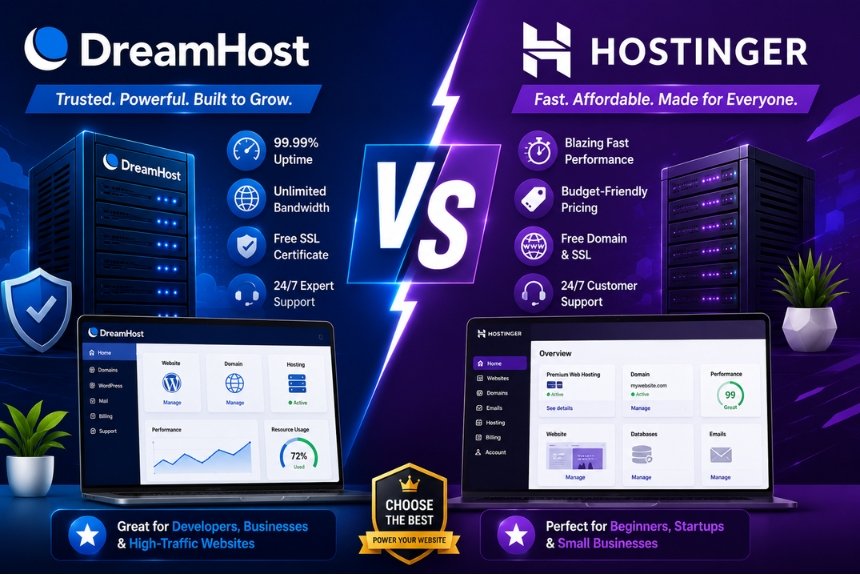
Among today’s leading hosting providers, DreamHost and Hostinger are two popular choices that cater to beginners, bloggers, developers, startups, and growing businesses. Although both companies offer high-quality hosting solutions, they differ in performance, pricing, user interface, WordPress features, and long-term value. Understanding these differences can help you select the provider that best aligns with your website goals.
DreamHost has built a strong reputation by focusing on reliable hosting, generous storage, transparent pricing, and WordPress optimization. It offers Shared Hosting, Managed WordPress Hosting, VPS Hosting, Cloud Hosting, and Dedicated Servers. Its straightforward plans and commitment to open-source technologies make it a preferred option for many WordPress users and developers.
Hostinger, on the other hand, has become one of the fastest-growing hosting companies thanks to its affordable pricing, modern infrastructure, and performance-focused technology. The company provides Shared Hosting, WordPress Hosting, Cloud Hosting, VPS Hosting, Website Builder services, and domain registration. Its LiteSpeed-powered servers and intuitive hPanel have made it especially attractive to beginners and small businesses looking for excellent performance at a competitive price.
While both providers support a wide range of websites, choosing between them depends on several factors, including your budget, expected website traffic, technical knowledge, and future scalability requirements. Some users prioritize speed and affordability, while others value WordPress features, customer support, or ease of management.
This comprehensive comparison examines DreamHost and Hostinger across the most important categories, including hosting overview, performance, uptime, WordPress features, security, pricing, ease of use, advantages, disadvantages, and ideal use cases. By the end of this guide, you’ll have a clear understanding of which hosting provider is better suited to your needs.
Hosting Overview
Before comparing performance and pricing, it’s important to understand what each hosting provider offers and how their services are positioned in the market.
DreamHost Overview
DreamHost is a long-established web hosting company known for its reliable infrastructure and WordPress-focused hosting solutions. It serves bloggers, freelancers, developers, online businesses, and enterprise customers.
DreamHost offers a broad range of hosting services, including:
- Shared Hosting
- Managed WordPress Hosting
- VPS Hosting
- Cloud Hosting
- Dedicated Servers
- Domain Registration
- Professional Email Hosting
- Website Builder
The company is recognized for its straightforward pricing, generous resource allocation, and focus on performance and reliability.
Key Features of DreamHost
DreamHost provides several features designed to simplify website management and improve overall hosting performance.
Major features include:
- SSD storage
- Free SSL certificate
- Free domain on eligible annual plans
- One-click WordPress installation
- Automatic WordPress updates
- Built-in caching
- Unlimited bandwidth on many plans
- Custom hosting control panel
- Daily automated backups on selected plans
These features make DreamHost suitable for both beginners and experienced website owners.
Hostinger Overview
Hostinger has grown rapidly by offering affordable hosting solutions without compromising performance. It serves millions of users worldwide and is especially popular among startups, bloggers, and small businesses.
Hostinger provides:
- Shared Hosting
- WordPress Hosting
- Cloud Hosting
- VPS Hosting
- Website Builder
- Domain Registration
- Business Email Hosting
Its infrastructure is built around speed, ease of use, and value for money.
Key Features of Hostinger
Hostinger includes several modern hosting features.
Key highlights include:
- LiteSpeed Web Servers
- SSD or NVMe storage (depending on the plan)
- Free SSL certificate
- AI Website Builder
- Managed WordPress Hosting
- Weekly or daily backups (plan-dependent)
- CDN integration
- Custom hPanel
- One-click application installation
These features make Hostinger an attractive option for users seeking affordable and high-performance hosting.
DreamHost vs Hostinger at a Glance
| Feature | DreamHost | Hostinger |
| Beginner Friendly | ⭐⭐⭐⭐⭐ | ⭐⭐⭐⭐⭐ |
| Shared Hosting | Yes | Yes |
| WordPress Hosting | Excellent | Excellent |
| VPS Hosting | Yes | Yes |
| Cloud Hosting | Yes | Yes |
| Website Builder | Yes | Yes |
| Free SSL | Yes | Yes |
| Free Domain | Eligible annual plans | Eligible premium plans |
| Best For | WordPress users & businesses | Budget-conscious users & growing websites |
Similarities Between DreamHost and Hostinger
Both hosting providers offer a wide range of features suitable for personal and business websites.
Common features include:
- Shared Hosting
- WordPress Hosting
- VPS Hosting
- Cloud Hosting
- Free SSL certificates
- One-click WordPress installation
- Website migration support
- Website Builder
- Knowledge base and customer support
These similarities make both providers strong options for users looking for dependable and scalable hosting.
Key Differences
Although they offer similar hosting services, DreamHost and Hostinger emphasize different strengths.
DreamHost focuses on:
- Reliable WordPress hosting
- Transparent pricing
- Long-term stability
- Generous resource allocation
- Developer-friendly features
Hostinger focuses on:
- Affordable hosting plans
- High-speed LiteSpeed servers
- Modern hPanel interface
- AI-powered website creation
- Excellent performance-to-price ratio
Understanding these differences will help you evaluate their performance, uptime, WordPress features, pricing, and ease of use in the following sections.
Performance Comparison
Website performance is one of the most important factors when selecting a web hosting provider. A fast-loading website not only improves user experience but also helps increase search engine rankings, reduce bounce rates, and improve conversion rates. Whether you run a personal blog, an online store, or a business website, your hosting provider plays a major role in determining how quickly your pages load.
DreamHost and Hostinger both focus on delivering reliable performance, but they use different technologies and server infrastructures to achieve it. This section compares their performance based on server technology, storage, caching, scalability, and real-world usability.
Why Website Performance Matters
Website performance directly influences visitor satisfaction and business success.
Benefits of a fast website include:
- Better user experience
- Improved SEO rankings
- Faster page loading
- Lower bounce rates
- Higher conversion rates
- Better Core Web Vitals scores
- Increased customer trust
Even a small improvement in loading speed can positively affect search visibility and user engagement.
DreamHost Performance
DreamHost has built its hosting platform around reliability and consistent performance.
Performance features include:
- SSD storage
- Optimized server infrastructure
- Built-in caching support
- Unlimited bandwidth on many plans
- Modern PHP versions
- HTTP/2 support
- Server-side optimization
These features help websites maintain stable performance under normal traffic conditions.
Advantages of DreamHost Performance
DreamHost performs well for:
- WordPress blogs
- Business websites
- Portfolio websites
- Medium-sized online stores
- Educational websites
Its hosting environment is optimized for stability and long-term reliability rather than aggressive performance tuning.
Hostinger Performance
Hostinger is widely recognized for prioritizing website speed and efficiency.
Its hosting platform includes:
- LiteSpeed Web Servers
- SSD and NVMe storage (plan-dependent)
- LiteSpeed Cache
- HTTP/3 support
- CDN integration
- Optimized PHP configuration
- Advanced server optimization
These technologies allow websites to load quickly while maintaining efficient resource usage.
Advantages of Hostinger Performance
Hostinger performs particularly well for:
- High-traffic blogs
- WooCommerce stores
- Startup websites
- Business websites
- Marketing websites
- Landing pages
Its LiteSpeed infrastructure helps improve loading speeds and server response times.
Server Technology Comparison
| Feature | DreamHost | Hostinger |
| SSD Storage | Yes | Yes |
| NVMe Storage | Limited | Available on selected plans |
| LiteSpeed Servers | No | Yes |
| Built-in Cache | Yes | Yes |
| HTTP/3 Support | Limited | Yes |
| CDN Support | Yes | Yes |
Hostinger has a slight advantage because of its LiteSpeed technology and optimized server stack.
Resource Scalability
As websites grow, hosting resources become increasingly important.
DreamHost
Supports upgrades to:
- Shared Hosting
- VPS Hosting
- Cloud Hosting
- Dedicated Servers
This makes it suitable for businesses expecting long-term growth.
Hostinger
Allows users to upgrade to:
- Business Hosting
- Cloud Hosting
- VPS Hosting
Its flexible upgrade path enables websites to scale without complicated migrations.
Performance Optimization Tips
Regardless of the hosting provider you choose, you can further improve website speed by following these best practices:
- Compress images before uploading.
- Enable browser caching.
- Minify CSS and JavaScript files.
- Remove unused plugins and themes.
- Use lightweight website themes.
- Optimize databases regularly.
- Enable a Content Delivery Network (CDN).
- Keep WordPress and plugins updated.
These optimizations work alongside your hosting provider to improve website performance.
Performance Comparison Table
| Category | DreamHost | Hostinger | Winner |
| Loading Speed | Very Good | Excellent | Hostinger |
| WordPress Performance | Excellent | Excellent | Tie |
| Server Technology | Very Good | Excellent | Hostinger |
| Scalability | Excellent | Excellent | Tie |
| Overall Performance | Very Good | Excellent | Hostinger |
Performance Verdict
DreamHost offers dependable and consistent performance for most websites, especially WordPress-based projects. However, Hostinger’s LiteSpeed servers, NVMe storage options, and performance-focused infrastructure generally provide faster loading speeds and better optimization for modern websites.
For users who prioritize maximum speed and performance, Hostinger has a slight edge.
Uptime Comparison
Website uptime measures how consistently a hosting provider keeps your website online and accessible. Frequent downtime can negatively affect customer trust, SEO rankings, and revenue, making uptime one of the most important hosting considerations.
Both DreamHost and Hostinger invest heavily in infrastructure to maintain stable uptime and minimize service interruptions.
DreamHost Uptime
DreamHost uses modern infrastructure and server monitoring to maintain reliable website availability.
Its uptime-focused features include:
- Redundant server infrastructure
- Continuous monitoring
- Optimized data centers
- Resource management
- Automatic issue detection
These features help reduce unexpected downtime and ensure websites remain accessible.
Hostinger Uptime
Hostinger also places significant emphasis on reliability.
Its uptime features include:
- Global data centers
- Cloud-based infrastructure
- Resource isolation
- Continuous server monitoring
- Automatic failover systems
- Network optimization
These technologies help deliver stable uptime even during periods of increased traffic.
Why High Uptime Matters
Reliable uptime provides several benefits:
- Better user experience
- Increased customer confidence
- Improved SEO performance
- Consistent website availability
- Reduced business interruptions
For eCommerce stores and business websites, maintaining high uptime is essential for protecting revenue and reputation.
Data Center Infrastructure
DreamHost
DreamHost operates modern infrastructure designed to deliver consistent performance and dependable website availability.
Hostinger
Hostinger maintains multiple global data centers, allowing users to choose server locations closer to their target audience. This helps reduce latency and improve loading times.
Uptime Comparison Table
| Feature | DreamHost | Hostinger | Winner |
| Infrastructure | Excellent | Excellent | Tie |
| Global Data Centers | Yes | Yes | Tie |
| Server Monitoring | Yes | Yes | Tie |
| Resource Optimization | Excellent | Excellent | Tie |
| Reliability | Excellent | Excellent | Tie |
Which Provider Is More Reliable?
Both DreamHost and Hostinger have strong reputations for reliable hosting. DreamHost emphasizes long-term stability and consistent service, while Hostinger combines reliable uptime with a globally distributed infrastructure. For most users, either provider offers sufficient reliability for personal websites, business sites, and online stores.
WordPress Features
WordPress is the world’s most widely used content management system (CMS), powering millions of websites ranging from personal blogs to enterprise-level business websites. Choosing a hosting provider with strong WordPress support can improve website speed, security, scalability, and overall management.
Both DreamHost and Hostinger provide WordPress-optimized hosting, but they approach WordPress management differently. DreamHost focuses on stability and seamless WordPress integration, while Hostinger emphasizes performance, automation, and ease of use.
DreamHost WordPress Features
DreamHost has built a strong reputation as a WordPress-friendly hosting provider. Its hosting environment is optimized to simplify website management while delivering dependable performance.
Key Features
- One-click WordPress installation
- Managed WordPress Hosting
- Automatic WordPress updates
- SSD storage
- Built-in caching
- Free SSL certificate
- Daily backups on selected plans
- Website staging (selected plans)
- Optimized server configuration
These features make DreamHost an excellent option for bloggers, businesses, and developers using WordPress.
Managed WordPress Hosting
DreamHost offers managed WordPress hosting that reduces the technical workload for website owners.
Benefits include:
- Automatic updates
- Performance optimization
- Improved security
- Backup management
- Simplified website maintenance
Managed hosting is especially useful for users who want to focus on content creation rather than server management.
WordPress Performance
DreamHost optimizes its hosting environment by providing:
- SSD-based storage
- Optimized databases
- PHP optimization
- Server-level caching
- Reliable resource allocation
These technologies help WordPress websites load efficiently while maintaining stable performance.
Hostinger WordPress Features
Hostinger provides a highly optimized WordPress hosting platform that combines affordability with speed and ease of use.
Key Features
- One-click WordPress installation
- Managed WordPress Hosting
- LiteSpeed Web Servers
- LiteSpeed Cache
- AI Website Builder
- Automatic updates
- Free SSL certificate
- Weekly or daily backups (plan-dependent)
- WordPress acceleration tools
These features help improve loading speeds while simplifying website management.
LiteSpeed Optimization
One of Hostinger’s biggest advantages is its LiteSpeed infrastructure.
Benefits include:
- Faster page loading
- Reduced server response time
- Improved caching
- Better Core Web Vitals
- Enhanced WooCommerce performance
LiteSpeed is particularly beneficial for content-heavy websites and online stores.
WordPress Dashboard Experience
DreamHost
Provides a clean hosting dashboard with straightforward WordPress management tools suitable for beginners and experienced users.
Hostinger
Uses its custom hPanel, which includes:
- Website management
- File manager
- Email management
- Backup controls
- Performance tools
- Domain management
The modern interface makes website administration simple and efficient.
WordPress Feature Comparison
| Feature | DreamHost | Hostinger | Winner |
| One-Click Installation | Yes | Yes | Tie |
| Managed WordPress | Yes | Yes | Tie |
| LiteSpeed Servers | No | Yes | Hostinger |
| Automatic Updates | Yes | Yes | Tie |
| Website Staging | Selected plans | Selected plans | Tie |
| Overall WordPress Performance | Excellent | Excellent | Hostinger |
Which WordPress Hosting Is Better?
Choose DreamHost if you:
- Prefer stable WordPress hosting.
- Need reliable long-term performance.
- Want managed WordPress services.
- Operate business or content-heavy websites.
Choose Hostinger if you:
- Want maximum website speed.
- Need affordable WordPress hosting.
- Prefer modern management tools.
- Run WooCommerce or high-performance websites.
Security
Website security protects both website owners and visitors from online threats such as malware, phishing attacks, unauthorized access, and data breaches. A secure hosting environment helps maintain customer trust, improves website stability, and reduces the risk of downtime caused by cyberattacks.
Both DreamHost and Hostinger provide multiple security features to protect hosted websites.
DreamHost Security
DreamHost includes several built-in security measures.
Security Features
- Free SSL certificate
- Automatic WordPress updates
- Secure Shell (SSH) access
- Malware scanning options
- Server monitoring
- Firewall protection
- Secure data centers
- Multi-factor authentication support
These tools help maintain a secure hosting environment for websites of various sizes.
Backup Options
DreamHost offers backup capabilities depending on the hosting plan.
Backups help users:
- Recover deleted files.
- Restore hacked websites.
- Minimize downtime.
- Protect website content.
Regular backups are essential for disaster recovery.
Hostinger Security
Hostinger combines performance with strong infrastructure-level security.
Security Features
- Free SSL certificate
- DDoS protection
- Cloudflare-protected nameservers
- Automatic updates
- Malware monitoring
- Secure access management
- Web Application Firewall (selected services)
- Continuous server monitoring
These features provide protection against many common online threats.
Website Protection Tips
Regardless of the hosting provider you choose, consider these best practices:
- Use strong passwords.
- Enable two-factor authentication.
- Keep WordPress updated.
- Remove unused plugins and themes.
- Install trusted security plugins.
- Schedule regular backups.
- Monitor administrator accounts.
Following these practices significantly improves website security.
Security Comparison Table
| Security Feature | DreamHost | Hostinger | Winner |
| Free SSL | ✅ | ✅ | Tie |
| Automatic Updates | ✅ | ✅ | Tie |
| Malware Protection | ✅ | ✅ | Tie |
| DDoS Protection | Good | Excellent | Hostinger |
| Website Backups | Plan-dependent | Plan-dependent | Tie |
| Overall Security | Excellent | Excellent | Tie |
Security Verdict
DreamHost and Hostinger both provide excellent website security through SSL certificates, updates, monitoring, and malware protection. Hostinger gains a slight advantage for users who value additional infrastructure-level protections such as advanced DDoS mitigation and optimized server security. DreamHost remains an excellent choice for users seeking reliable and straightforward website protection.
Pricing
Pricing is one of the most important considerations when selecting a web hosting provider. While low introductory prices can be attractive, it is equally important to evaluate renewal costs, included features, scalability, and long-term value. A hosting plan that appears inexpensive initially may become more expensive after the promotional period ends.
DreamHost and Hostinger both offer competitive pricing, but they target different audiences. DreamHost emphasizes transparent pricing and dependable hosting services, whereas Hostinger focuses on affordability and value for money.
DreamHost Pricing
DreamHost offers several hosting solutions designed for individuals, businesses, developers, and growing websites.
Its hosting services include:
- Shared Hosting
- Managed WordPress Hosting
- VPS Hosting
- Cloud Hosting
- Dedicated Servers
Common features included with many plans are:
- Free SSL certificate
- Free domain on eligible annual plans
- SSD storage
- Unlimited bandwidth on many plans
- WordPress installation
- Email hosting (depending on plan)
- Website management tools
DreamHost’s pricing structure is straightforward, making it easier for users to understand what is included in each plan.
Advantages of DreamHost Pricing
- Transparent pricing with fewer hidden costs.
- Suitable for long-term website owners.
- Strong value for WordPress users.
- Good balance between features and cost.
- Scalable hosting options for growing websites.
Hostinger Pricing
Hostinger has become popular for offering feature-rich hosting at budget-friendly prices.
Its hosting portfolio includes:
- Shared Hosting
- WordPress Hosting
- Cloud Hosting
- VPS Hosting
- Website Builder
Common features include:
- Free SSL certificate
- LiteSpeed servers
- AI Website Builder
- Website migration
- CDN integration
- Weekly or daily backups (plan-dependent)
- Managed WordPress tools
Hostinger is especially attractive to startups, bloggers, freelancers, and small businesses looking for affordable hosting.
Advantages of Hostinger Pricing
- Budget-friendly entry-level plans.
- Excellent performance for the price.
- Modern hosting features included.
- Affordable upgrade options.
- Strong value for beginners.
Introductory vs Renewal Pricing
Both providers frequently offer promotional discounts for new customers.
Before purchasing, compare:
- Introductory pricing
- Renewal pricing
- Storage limits
- Backup availability
- Included domain registration
- Email hosting
- Customer support
- Scalability options
Evaluating long-term costs helps you choose a hosting provider that fits your budget over time.
Pricing Comparison Table
| Category | DreamHost | Hostinger | Winner |
| Entry-Level Pricing | Very Good | Excellent | Hostinger |
| Features Included | Excellent | Excellent | Tie |
| Performance per Dollar | Excellent | Excellent | Tie |
| Budget Friendliness | Very Good | Excellent | Hostinger |
| Long-Term Value | Excellent | Excellent | Tie |
Which Provider Offers Better Value?
If affordability is your highest priority, Hostinger generally offers better value because of its lower introductory pricing and performance-focused infrastructure.
If you prefer transparent pricing, dependable WordPress hosting, and stable long-term performance, DreamHost remains an excellent investment.
Ease of Use
Ease of use is especially important for beginners who may have little or no experience managing a website. A clean dashboard, simple setup process, and intuitive management tools reduce the learning curve and make website administration much easier.
Both DreamHost and Hostinger are beginner-friendly, but they use different control panels and onboarding experiences.
DreamHost Ease of Use
DreamHost provides a custom hosting control panel designed for simplicity and efficient website management.
Key Features
- Beginner-friendly dashboard
- One-click WordPress installation
- Domain management
- Website management
- Backup controls
- Email configuration
- Hosting account management
Its interface is organized and straightforward, making routine tasks easy to perform.
Website Setup Process
DreamHost simplifies website creation through the following steps:
- Create a hosting account.
- Choose a domain name.
- Select a hosting plan.
- Install WordPress.
- Choose a website theme.
- Customize and publish your website.
The process is suitable for both beginners and experienced users.
Hostinger Ease of Use
Hostinger uses its custom hPanel, which is known for its modern design and user-friendly navigation.
Features include:
- Clean dashboard
- AI Website Builder
- File manager
- Domain management
- Email setup
- Backup management
- Performance optimization tools
- WordPress management
The interface is designed to reduce complexity while providing quick access to essential hosting tools.
AI-Assisted Website Creation
One of Hostinger’s standout features is its AI-powered website creation tools.
Benefits include:
- Faster website setup
- Automatic layout suggestions
- Beginner-friendly editing
- Time-saving content generation
- Simplified customization
These tools make Hostinger particularly appealing to users launching their first website.
Learning Curve
DreamHost
DreamHost is easy to learn, especially for users who prefer a traditional hosting environment with clearly organized management tools.
Hostinger
Hostinger’s modern interface and AI-assisted features make it one of the easiest hosting platforms for beginners.
Ease of Use Comparison Table
| Feature | DreamHost | Hostinger | Winner |
| Beginner Friendly | Excellent | Excellent | Tie |
| Dashboard | Excellent | Excellent | Tie |
| AI Features | Limited | Excellent | Hostinger |
| Website Builder | Very Good | Excellent | Hostinger |
| WordPress Setup | Excellent | Excellent | Tie |
| Overall Ease of Use | Excellent | Excellent | Tie |
User Experience
Both providers offer a smooth user experience, but they cater to slightly different audiences.
DreamHost is ideal for users who:
- Prefer a traditional hosting dashboard.
- Want a simple WordPress experience.
- Need reliable long-term hosting.
Hostinger is ideal for users who:
- Want AI-assisted website creation.
- Prefer a modern interface.
- Need quick website deployment.
- Value performance-focused hosting.
Pros & Cons
Both DreamHost and Hostinger are reliable hosting providers with strong reputations, but each excels in different areas. Understanding their strengths and limitations can help you choose the hosting solution that best fits your website.
DreamHost Pros
- Reliable and stable hosting performance.
- Excellent WordPress hosting features.
- Transparent pricing structure.
- Free SSL certificate on eligible plans.
- Unlimited bandwidth on many plans.
- Beginner-friendly custom control panel.
- Scalable hosting options, including VPS and Dedicated Servers.
- Strong uptime and dependable infrastructure.
DreamHost Cons
- Fewer AI-powered tools compared to competitors.
- Some advanced features are available only on higher-tier plans.
- The custom control panel may require a short learning period for users familiar with cPanel.
Hostinger Pros
- Affordable hosting plans with excellent value.
- LiteSpeed Web Servers for faster website performance.
- Modern and intuitive hPanel.
- AI Website Builder and AI-powered tools.
- Strong WordPress optimization.
- Free SSL certificate on eligible plans.
- Easy scalability to Cloud and VPS hosting.
- Excellent performance-to-price ratio.
Hostinger Cons
- Some premium features are restricted to higher-tier plans.
- Renewal prices are generally higher than introductory offers.
- Resource limits vary depending on the selected hosting package.
Who Should Choose Which?
Choosing between DreamHost and Hostinger depends on your budget, technical experience, and website goals.
Choose DreamHost if you:
- Want dependable long-term hosting.
- Run a WordPress website or blog.
- Prefer transparent pricing.
- Need stable performance for business websites.
- Value a straightforward hosting experience.
Choose Hostinger if you:
- Have a limited budget.
- Want faster loading speeds with LiteSpeed technology.
- Prefer AI-assisted website creation.
- Need a modern hosting dashboard.
- Plan to build a growing business or eCommerce website.
For beginners looking for affordability and speed, Hostinger is an excellent choice. For users who prioritize WordPress reliability and long-term stability, DreamHost is a strong option.
Frequently Asked Questions (FAQs)
1. Which hosting provider is better for beginners?
Both providers are beginner-friendly. Hostinger offers a modern interface with AI-powered tools, while DreamHost provides a simple and reliable hosting environment with straightforward website management.
2. Is Hostinger faster than DreamHost?
Hostinger generally offers faster loading speeds due to its LiteSpeed Web Servers, optimized caching, and modern infrastructure. DreamHost also delivers reliable performance, particularly for WordPress websites.
3. Which hosting provider is better for WordPress?
DreamHost is an excellent choice for WordPress users because of its optimized hosting environment and managed WordPress options. Hostinger is also a strong contender with its performance-focused WordPress hosting.
4. Can I upgrade my hosting plan later?
Yes. Both DreamHost and Hostinger allow users to upgrade from entry-level hosting plans to Cloud, VPS, or other advanced hosting solutions as their website traffic and resource requirements grow.
5. Which hosting provider offers better value for money?
Hostinger is generally the better choice for budget-conscious users because it combines affordable pricing with fast performance and modern features. DreamHost provides excellent value for users seeking reliable, long-term hosting and WordPress-focused services.
Final Recommendation
DreamHost and Hostinger are both excellent web hosting providers, but they cater to slightly different audiences. DreamHost is ideal for users who prioritize reliability, transparent pricing, and dependable WordPress hosting. It is well suited for bloggers, developers, and businesses looking for a stable hosting platform with strong long-term value.
Hostinger stands out with its affordable pricing, LiteSpeed-powered performance, AI-assisted tools, and user-friendly interface. It is an excellent option for beginners, startups, freelancers, and small businesses that want fast hosting without exceeding their budget.
If your priority is reliable WordPress hosting and long-term stability, DreamHost is a solid choice. If you want the best balance of speed, affordability, and modern hosting features, Hostinger is the stronger option for most users.
Leave a Reply