


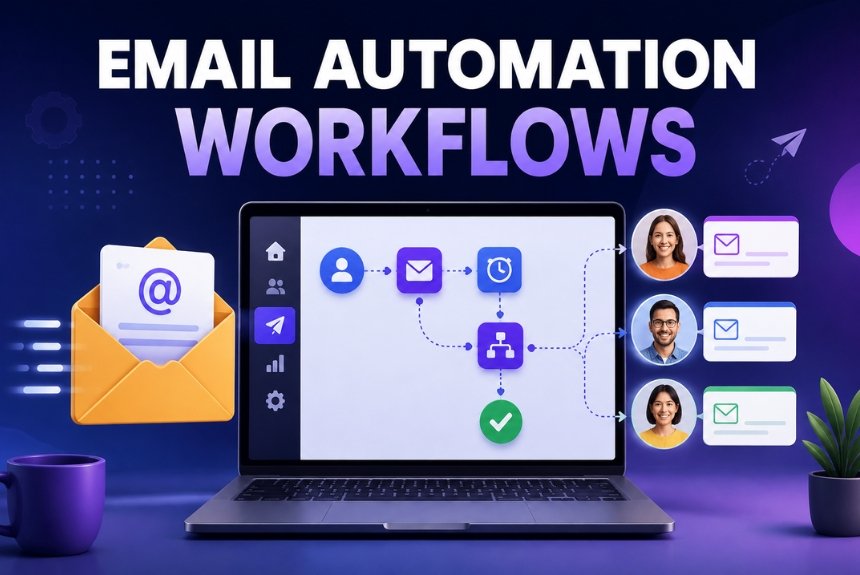
Email Automation Workflows Every Business Should Use
Email marketing remains one of the most effective digital marketing channels, but manually sending emails to every lead and customer quickly becomes unsustainable as a business grows. Customers expect timely, relevant, and personalized communication throughout their journey—from discovering your brand to becoming loyal advocates.
This is where email automation workflows make a significant difference.
Email automation workflows allow businesses to send the right message to the right person at the right time without manual intervention. Whether you’re welcoming a new subscriber, nurturing a lead, recovering an abandoned shopping cart, or re-engaging inactive customers, automation helps create consistent and meaningful interactions that save time and improve results.
Today’s marketing automation platforms make it possible to build sophisticated workflows using simple drag-and-drop tools. Instead of relying on one-off email campaigns, businesses can create complete customer journeys that respond automatically to user behavior.
In this guide, you’ll learn:
- What email automation workflows are
- Why every business should use them
- The most effective automation workflows
- Best practices for higher engagement
- Common mistakes to avoid
- Tips for improving conversions
Whether you’re a startup, ecommerce brand, SaaS company, agency, or local business, implementing the right email automation workflows can help you strengthen customer relationships and drive long-term growth.
What Are Email Automation Workflows?
An email automation workflow is a sequence of emails that is automatically triggered by a subscriber’s action, behavior, or a predefined condition. Instead of sending each email manually, the automation platform follows a series of rules to deliver relevant messages at the appropriate time.
For example:
- A visitor subscribes to your newsletter.
- They immediately receive a welcome email.
- Two days later, they receive a helpful guide.
- Three days after that, they receive customer success stories.
- If they click a product link, they receive a special offer.
- If they purchase, they enter a customer onboarding sequence.
This process happens automatically, ensuring a personalized experience for every subscriber.
Key Components of an Automation Workflow
Every workflow typically includes three core elements:
Trigger
The event that starts the automation.
Examples:
- Email signup
- Product purchase
- Webinar registration
- Cart abandonment
- Form submission
- Birthday
- Inactivity
Conditions
Rules that determine what happens next.
Examples:
- Opened the email
- Didn’t open the email
- Clicked a link
- Purchased a product
- Visited a webpage
- Tagged as VIP
Actions
The tasks the system performs automatically.
Examples:
- Send email
- Wait for two days
- Add a tag
- Move to another list
- Notify the sales team
- Update CRM
- Send SMS (supported platforms)
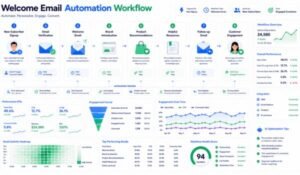
Welcome Email Sequence
Your welcome email sequence is one of the most important automation workflows because it creates the first impression of your brand.
Subscribers are often most engaged immediately after joining your email list, making this the ideal time to build trust and introduce your business.
Why Welcome Emails Matter
Welcome emails generally receive higher engagement than standard promotional campaigns because subscribers have recently expressed interest in your brand.
A strong welcome sequence can:
- Build trust
- Set expectations
- Introduce your products or services
- Encourage first purchases
- Increase long-term engagement
Recommended Welcome Workflow
Email 1 – Immediate Welcome
Timing: Immediately after signup
Include:
- Thank you message
- Brand introduction
- Confirmation of subscription
- Delivery of promised lead magnet
- Clear next step
Email 2 – Tell Your Story
Timing: 1–2 days later
Share:
- Your mission
- Company values
- Brand story
- What makes you different
- Customer success stories
This helps humanize your brand and build credibility.
Email 3 – Educational Content
Timing: 3–4 days later
Provide useful resources such as:
- Blog articles
- Tutorials
- Videos
- FAQs
- Industry insights
Focus on helping rather than selling.
Email 4 – Product Introduction
Timing: 5–7 days later
Highlight:
- Best-selling products
- Popular services
- Key features
- Customer benefits
Include testimonials or reviews to reinforce trust.
Email 5 – First Purchase Incentive
Timing: Around one week after signup
Offer:
- Discount code
- Free shipping
- Bonus resource
- Limited-time promotion
This can encourage new subscribers to become first-time customers.
Best Practices for Welcome Emails
- Use a friendly, conversational tone.
- Deliver any promised resources immediately.
- Keep emails concise and valuable.
- Include one clear call-to-action.
- Optimize for mobile devices.
- Personalize the experience where possible.
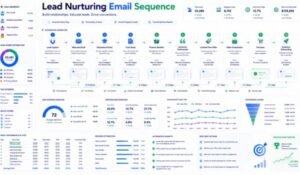
Lead Nurturing Workflow
Not every subscriber is ready to make a purchase immediately. Lead nurturing helps educate and build trust until prospects are prepared to take the next step.
Instead of sending repeated sales emails, focus on providing valuable content that addresses questions, solves problems, and demonstrates expertise.
Why Lead Nurturing Works
Effective lead nurturing can:
- Improve customer trust
- Increase engagement
- Shorten the sales cycle
- Generate more qualified leads
- Improve conversion rates
Example Lead Nurturing Workflow
Step 1
Visitor downloads a free guide.
Automation Trigger:
Form submission.
Step 2
Immediately send:
- Thank you email
- Download link
- Related resources
Step 3
Two days later:
Send educational content that helps solve a common challenge related to your product or service.
Step 4
Three days later:
Share:
- Case studies
- Customer success stories
- Testimonials
- Practical examples
Social proof builds confidence.
Step 5
Five days later:
Invite the subscriber to:
- Book a demo
- Attend a webinar
- Start a free trial
- Schedule a consultation
Step 6
If no action is taken:
Continue providing valuable educational content until the subscriber shows stronger buying intent.
Lead Scoring Integration
Many marketing automation platforms allow businesses to assign points based on subscriber behavior.
Examples:
- Opens email → +5 points
- Clicks link → +10 points
- Visits pricing page → +15 points
- Downloads resource → +10 points
- Requests demo → +30 points
Once a lead reaches a predefined score, the sales team can be notified automatically.
This helps prioritize high-intent prospects while continuing to nurture others.
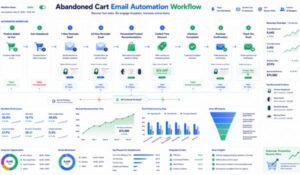
Abandoned Cart Email Workflow
For ecommerce businesses, abandoned cart emails are among the highest-performing automation workflows. Many shoppers add products to their cart but leave before completing the purchase due to distractions, price comparisons, or uncertainty.
A well-designed abandoned cart sequence can recover a significant portion of these lost sales.
Why Abandoned Cart Emails Matter
Customers who abandon a cart have already shown purchase intent. Instead of treating them like new leads, remind them about the products they were interested in and address any concerns that may have prevented checkout.
Benefits include:
- Recover lost sales
- Increase conversion rates
- Improve customer experience
- Boost average order value
- Strengthen customer relationships
Recommended Abandoned Cart Workflow
Email 1 – Friendly Reminder
Timing: 1–2 hours after cart abandonment
Include:
- Reminder of items left in the cart
- Product images
- Easy checkout button
- Friendly tone
Avoid offering discounts immediately, as many customers simply need a reminder.
Email 2 – Product Benefits
Timing: 24 hours later
Highlight:
- Product features
- Customer reviews
- Frequently asked questions
- Shipping information
- Return policy
The goal is to build confidence and reduce hesitation.
Email 3 – Limited-Time Incentive
Timing: 48–72 hours later
Offer:
- Limited-time discount
- Free shipping
- Bonus gift
- Loyalty points
Use urgency honestly and avoid creating unrealistic pressure.
Customer Follow-Up Email Workflow
The customer journey does not end after a purchase. Follow-up emails help improve satisfaction, encourage repeat purchases, and build long-term loyalty.
Post-Purchase Workflow
Email 1 – Order Confirmation
Timing: Immediately after purchase
Include:
- Order summary
- Payment confirmation
- Estimated delivery date
- Customer support information
Email 2 – Shipping Update
Keep customers informed with:
- Tracking information
- Delivery updates
- Estimated arrival
Proactive communication reduces support requests and builds trust.
Email 3 – Product Education
After delivery, help customers get the most from their purchase.
Examples:
- Setup instructions
- User guides
- Tutorial videos
- Best practices
- Maintenance tips
Educated customers are more likely to be satisfied.
Email 4 – Review Request
Timing: 7–14 days after delivery
Ask customers to leave:
- Product reviews
- Star ratings
- Testimonials
- Photos of their purchase
Positive reviews strengthen social proof and support future sales.
Email 5 – Cross-Sell & Upsell
Recommend complementary products based on purchase history.
Examples:
- Accessories
- Premium versions
- Related services
- Refill products
Relevant recommendations often perform better than generic promotions.
Re-Engagement Campaigns
Over time, some subscribers stop opening emails or interacting with your brand. Re-engagement campaigns aim to reconnect with these inactive contacts before removing them from your email list.
Why Re-Engagement Matters
Inactive subscribers can:
- Reduce engagement rates
- Affect sender reputation
- Distort campaign analytics
Re-engagement campaigns help identify subscribers who still want to hear from you.
Example Workflow
Email 1 – We Miss You
A friendly message acknowledging the lack of recent activity.
Examples:
- We’ve missed you!
- Here’s what’s new.
- We’d love to have you back.
Email 2 – Share Valuable Content
Instead of sending another sales email, provide:
- Helpful articles
- Industry insights
- Free resources
- Educational videos
Focus on value first.
Email 3 – Exclusive Offer
If engagement remains low, consider offering:
- Discount code
- Free shipping
- Bonus resource
- Early access
This can encourage subscribers to reconnect.
Email 4 – Preference Update
Allow subscribers to:
- Update interests
- Choose email frequency
- Select preferred topics
Giving users more control can improve long-term engagement.
Email 5 – Final Confirmation
If there is still no interaction, send a final message asking whether they wish to remain subscribed.
This helps maintain a healthy email list and improves deliverability.
Birthday & Anniversary Email Workflow
Personal milestone emails help strengthen customer relationships by making communication feel thoughtful and relevant.
These campaigns often achieve higher engagement because they are timely and personalized.
Birthday Emails
Examples include:
- Birthday wishes
- Discount coupons
- Gift vouchers
- Exclusive offers
- Loyalty rewards
A simple birthday message can reinforce positive feelings toward your brand.
Anniversary Emails
Celebrate milestones such as:
- First purchase anniversary
- Membership anniversary
- Loyalty program anniversary
Examples:
- “One year with us!”
- “Thank you for being part of our journey.”
Include rewards or personalized recommendations to encourage continued engagement.
Workflow Examples by Business Type
Ecommerce Store
Workflow:
- Welcome email
- Browse abandonment
- Cart recovery
- Order confirmation
- Shipping updates
- Product review request
- Cross-sell campaign
- Loyalty reward
SaaS Company
Workflow:
- Free trial signup
- Product onboarding
- Feature tutorials
- Usage reminders
- Upgrade offer
- Customer success emails
Digital Agency
Workflow:
- Lead magnet download
- Educational email series
- Case study
- Consultation invitation
- Proposal follow-up
- Client onboarding
Online Course Creator
Workflow:
- Registration confirmation
- Course introduction
- Lesson reminders
- Progress tracking
- Completion certificate
- Advanced course recommendation
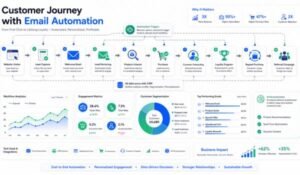
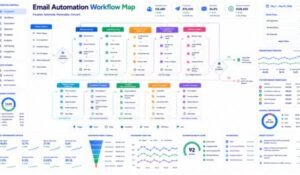
Automation Workflow Map
A simple customer journey might look like this:
- Visitor subscribes
- Welcome email sent
- Educational content delivered
- Product or service introduced
- Customer makes a purchase
- Follow-up and onboarding emails
- Review request
- Cross-sell or upsell campaign
- Loyalty rewards
- Re-engagement if inactive
This lifecycle approach helps businesses maintain consistent communication while reducing manual work.
Email Automation Best Practices
Building automation workflows is only the first step. The real success of email automation depends on how effectively those workflows are planned, optimized, and maintained. Even the most advanced automation platform cannot compensate for irrelevant content or a poor customer experience.
The following best practices will help you create automation workflows that improve engagement, strengthen customer relationships, and increase conversions.
1. Start with Clear Goals
Every automation workflow should have a defined objective.
Examples include:
- Welcome new subscribers
- Nurture leads
- Recover abandoned carts
- Increase repeat purchases
- Encourage product reviews
- Re-engage inactive subscribers
When the objective is clear, it becomes easier to measure success and optimize results.
2. Map the Customer Journey
Before building a workflow, understand how customers move through your sales funnel.
Typical journey:
- Visitor discovers your brand
- Joins your email list
- Receives educational content
- Shows buying intent
- Makes a purchase
- Receives onboarding support
- Becomes a repeat customer
- Joins a loyalty program
Each stage should have relevant email communication.
3. Personalize Every Workflow
Personalization increases engagement by making emails more relevant.
Use:
- First names
- Product recommendations
- Purchase history
- Browsing behavior
- Customer interests
- Geographic location
- Lifecycle stage
Avoid sending identical emails to every subscriber.
4. Keep Emails Focused
Every email should have one primary purpose.
Instead of combining multiple offers, focus on a single action, such as:
- Download a guide
- Complete a purchase
- Schedule a demo
- Read a blog post
- Leave a review
A clear objective reduces confusion and improves conversions.
5. Optimize for Mobile Devices
A large share of email opens occur on smartphones.
Ensure that:
- Subject lines remain concise.
- Text is easy to read.
- Buttons are large enough to tap.
- Images load quickly.
- Layouts adapt to different screen sizes.
6. Test Before Launching
Always verify that your workflow functions correctly.
Check:
- Triggers
- Timing delays
- Personalization fields
- Links
- Forms
- Images
- Call-to-action buttons
Testing helps prevent broken automations and poor user experiences.
7. Monitor Performance Regularly
Review metrics such as:
- Open rate
- Click-through rate
- Conversion rate
- Bounce rate
- Unsubscribe rate
- Revenue generated
Use these insights to improve future workflows.
8. Keep Your Email List Healthy
Maintain good deliverability by:
- Removing invalid addresses
- Re-engaging inactive subscribers
- Respecting unsubscribe requests
- Avoiding purchased email lists
A healthy list supports stronger long-term performance.
Frequently Asked Questions (FAQs)
1. What are email automation workflows?
Email automation workflows are predefined sequences of emails that are automatically sent based on subscriber actions, behaviors, or scheduled events.
2. Why should businesses use email automation?
Automation helps businesses save time, deliver timely communication, nurture leads, improve customer engagement, and increase sales while reducing manual work.
3. Which workflow should I build first?
Most businesses benefit from starting with a welcome email sequence because new subscribers are typically most engaged immediately after joining your list.
4. How many emails should a workflow include?
There is no universal number. The appropriate length depends on the goal, audience, and customer journey. Focus on delivering value rather than meeting a specific email count.
5. What is the best automation platform?
The right platform depends on your business size, budget, and feature requirements. Look for solutions that provide email marketing, automation, analytics, and integrations that fit your workflow.
6. Should I personalize every automated email?
Whenever it adds meaningful value, yes. Personalization can improve engagement when it reflects subscriber interests or behavior.
7. How often should workflows be updated?
Review workflows regularly—especially after product updates, seasonal campaigns, or noticeable changes in performance metrics.
8. Can small businesses use email automation?
Absolutely. Modern automation platforms offer intuitive workflow builders that allow small businesses to automate communication without requiring technical expertise.
9. How do I know if my workflow is successful?
Measure success using metrics such as:
- Open rate
- Click-through rate
- Conversion rate
- Revenue generated
- Customer retention
- Engagement trends
10. What is the biggest mistake businesses make?
One of the most common mistakes is creating automation without considering the customer’s needs or journey. Effective workflows prioritize relevance and value over simply sending more emails.
Final Email Automation Checklist
Before activating a workflow, review the following checklist.
Planning
- Define a clear goal.
- Identify the target audience.
- Map the customer journey.
- Choose the right trigger.
Content
- Write engaging subject lines.
- Personalize where appropriate.
- Focus on benefits.
- Include one clear call-to-action.
- Keep messaging concise.
Technical Setup
- Test all links.
- Verify timing delays.
- Check personalization fields.
- Confirm integrations are working.
- Preview emails on desktop and mobile.
Optimization
- Monitor campaign analytics.
- Run A/B tests.
- Update workflows based on results.
- Refresh content periodically.
- Clean your subscriber list.
Expert Tips for Better Email Automation
To maximize the effectiveness of your automation strategy:
- Begin with simple workflows before creating complex sequences.
- Deliver educational content before promotional offers.
- Use behavioral triggers whenever possible.
- Avoid sending too many emails in a short period.
- Segment subscribers based on interests and engagement.
- Maintain consistent branding and tone across all emails.
- Review automation performance monthly and refine underperforming sequences.
Final Thoughts
Email automation workflows have become an essential component of modern digital marketing. They enable businesses to communicate consistently, personalize customer experiences, and build stronger relationships without increasing manual workload.
The most successful automation strategies focus on providing value throughout the customer journey rather than simply promoting products. By combining welcome sequences, lead nurturing, abandoned cart reminders, post-purchase follow-ups, re-engagement campaigns, and milestone emails, businesses can create meaningful experiences that encourage long-term loyalty.
Start with one workflow, measure the results, and continue improving over time. Incremental optimization can lead to significant improvements in engagement, customer retention, and revenue.
Ready to automate your email marketing?
Choose one customer journey—such as welcoming new subscribers or recovering abandoned carts—and build your first automation workflow. Test it thoroughly, monitor the results, and refine it based on real customer behavior.
As your confidence grows, expand your automation strategy to include lead nurturing, post-purchase engagement, and loyalty campaigns. A well-planned automation system can save time, improve customer satisfaction, and support sustainable business growth.
SEO Keyword Strategy
Primary Keyword
- Email Automation Workflows
Secondary Keywords
- Email automation
- Automated email campaigns
- Welcome email sequence
- Lead nurturing workflow
- Abandoned cart emails
- Customer follow-up emails
- Re-engagement email campaign
- Birthday email automation
- Email workflow examples
- Email marketing automation
- Customer journey automation
- Marketing automation workflows
- Email sequence strategy
- Automated customer communication
- Business email automation
Long-Tail Keywords
- Best email automation workflows for businesses
- How to create email automation workflows
- Email automation workflow examples
- Welcome email sequence best practices
- Lead nurturing email workflow
- Abandoned cart recovery email sequence
- Customer follow-up email automation
- Re-engagement email campaign strategy
- Beginner’s guide to email automation
- Email automation best practices
Suggested Internal Links
Strengthen your topical authority by linking this article to:
- Marketing Automation for Beginners
- Best Marketing Automation Software for Small Businesses
- How to Increase Email Open Rates
- Landing Page Builder Guide
- GetResponse Review 2026
- GetResponse vs Constant Contact
- Lead Generation Strategies
- Email Marketing Best Practices
- Conversion Rate Optimization Guide
- CRM for Small Businesses
Conclusion
Email automation workflows help businesses deliver timely, personalized communication that supports every stage of the customer journey. From welcoming new subscribers and nurturing leads to recovering abandoned carts and re-engaging inactive customers, automation enables consistent engagement while saving time.
The key to success lies in understanding your audience, providing valuable content, testing regularly, and refining workflows based on performance data. By implementing these best practices, businesses of all sizes can create scalable email marketing systems that improve customer relationships, increase conversions, and contribute to long-term growth.
Leave a Reply