


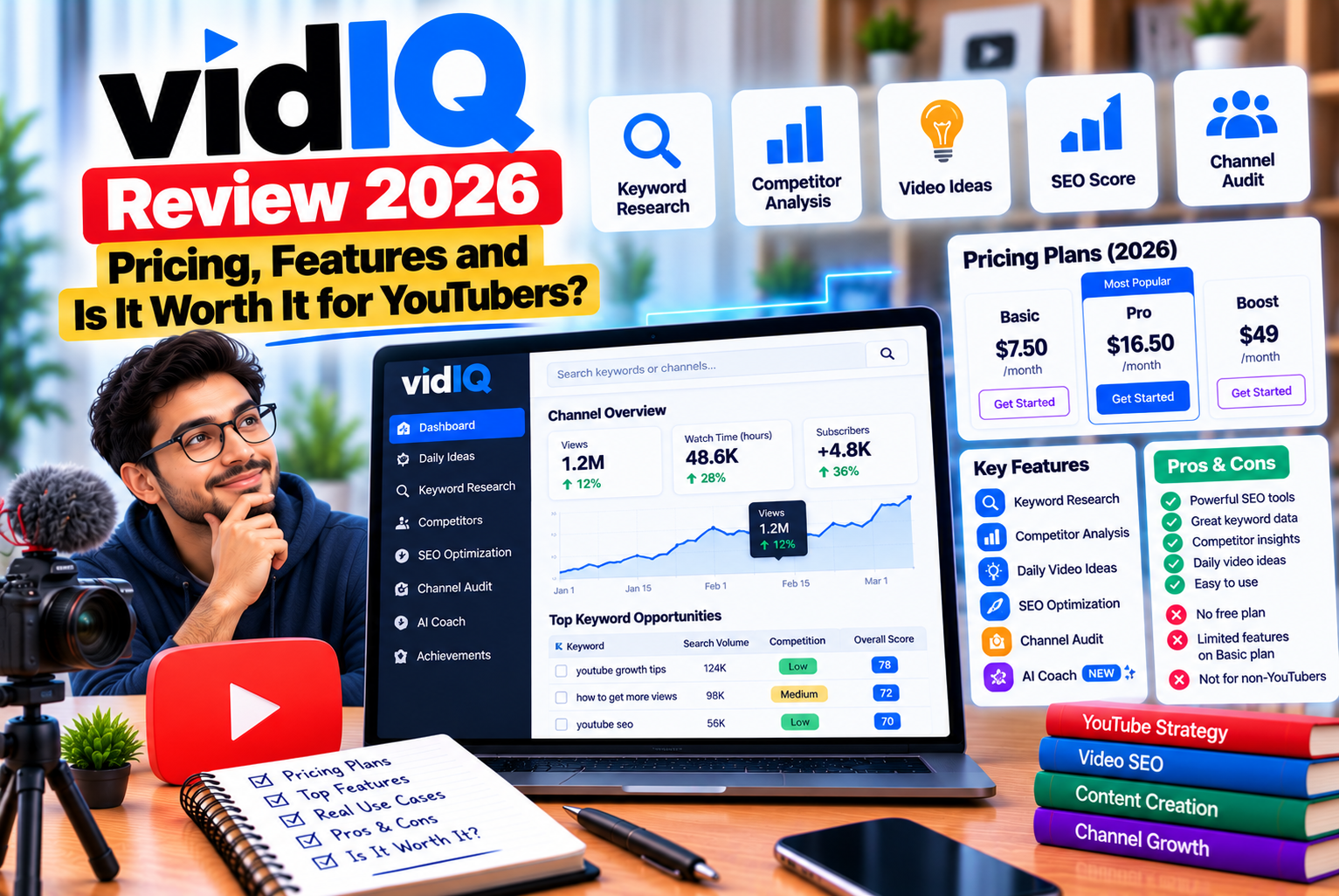
vidIQ Review 2026: Pricing, Features and Is It Worth It for YouTubers?
Growing a YouTube channel requires more than uploading videos consistently. Creators need to understand what their audience searches for, identify relevant video topics, create compelling titles and thumbnails, optimize descriptions, and analyze which videos attract and retain viewers.
Managing all these activities without reliable data can make content planning difficult, particularly for new creators who are still learning how YouTube discovery works.
This is where YouTube growth tools such as vidIQ can help.
vidIQ is a YouTube-focused research and optimization platform that provides keyword research, competitor insights, video optimization recommendations, content ideas, analytics, and AI-assisted creation tools. It is designed to help creators make more informed decisions about what to publish and how to present their videos.
However, having access to more data does not automatically translate into more views or subscribers. The real value of a YouTube SEO tool depends on whether its features help you identify useful topics, improve your videos, and make better decisions about your content strategy.
In this vidIQ review for 2026, we examine the platform’s features, pricing structure, free and paid plans, advantages, limitations, and potential alternatives. We will also explore which creators may benefit most from vidIQ and when paying for a subscription makes sense.
What Is vidIQ?
vidIQ is a platform built to help YouTube creators research video opportunities, optimize content, monitor competitors, and understand channel performance.
It combines a web application with a browser extension and mobile tools, giving creators access to research and optimization features throughout their video-production workflow.
Instead of relying entirely on guesswork, users can explore YouTube-specific keyword data, review competing videos, identify emerging topics, and evaluate opportunities relevant to their channels.
According to its official feature pages, vidIQ offers tools for keyword research, thumbnail creation, AI-assisted scripts, channel audits, video optimization, competitor analysis, trend discovery, and content ideation. Its current product lineup also includes vidIQ MCP, which connects vidIQ’s YouTube data and tools to compatible AI assistants.
The platform can be useful for several types of users:
- New YouTubers looking for relevant video ideas.
- Established creators seeking better keyword research.
- Gaming channels monitoring trends and competitors.
- Educational channels targeting specific search queries.
- Businesses using YouTube to attract potential customers.
- Marketing teams managing multiple channels.
- Creators using AI tools to accelerate their content workflow.
However, vidIQ is not a replacement for YouTube Studio, high-quality video production, audience research, or a clear content strategy.
Its primary role is to provide additional information and tools that can help creators make better decisions.
vidIQ Review 2026: Quick Verdict
Our verdict: vidIQ is worth considering if YouTube is an important part of your content strategy and you regularly need keyword research, video optimization, competitor analysis, and AI-assisted production tools.
The free plan is a sensible starting point for testing the platform. Creators who publish frequently or need deeper research may benefit from Boost, while Max is designed for users who want greater AI capacity and additional advanced capabilities.
The main consideration is whether you will use enough of the paid features to justify the subscription.
A creator who publishes one video every few weeks may not need a premium plan. A channel publishing several videos per week may gain more value from research tools, reusable workflows, thumbnail assistance, and AI features.
vidIQ at a glance
| Category | Our assessment |
| Main purpose | YouTube research, optimization, and channel growth support |
| Keyword research | Useful for discovering and comparing YouTube search opportunities |
| Competitor analysis | Helps identify competing channels, videos, and content patterns |
| AI tools | Supports ideas, coaching, thumbnails, scripts, and video repurposing |
| Video optimization | Provides recommendations and optimization indicators |
| Free plan | Suitable for trying the platform and basic research |
| Paid plans | More useful for frequent publishing and deeper analysis |
| Best for | Creators who want a more structured, data-informed workflow |
| Main limitation | Tool data and AI recommendations do not guarantee performance |
| Overall verdict | Worth evaluating, particularly for active YouTube creators |
This assessment is based on the platform’s documented features and intended use cases, not a controlled test claiming that vidIQ produces a specific increase in views or subscribers.
vidIQ Pricing in 2026: How Much Does It Cost?
vidIQ offers a free plan alongside paid subscriptions. Its official pricing page presents Free, Boost, and Max, with additional options for coaching and enterprise customers.
The pricing interface includes monthly and annual billing options, and the displayed cost can depend on the billing selection and number of channels.
Because software pricing can change, the official pricing page should be checked before purchasing or publishing an updated comparison.
Official pricing page: vidIQ Pricing and Plans
1. vidIQ Free plan
The Free plan costs $0 and provides a way to explore vidIQ without committing to a paid subscription.
The official pricing page lists 150 AI credits per month, content ideas, niche trends, personalized growth tips, and access to vidIQ MCP.
The plan also provides limited access to several research and optimization features.
According to vidIQ’s plan comparison, Free users receive limited keyword search results, a restricted number of daily ideas, limited competitor tracking, and access to selected browser-extension features.
What the Free plan is good for:
- Learning how YouTube keyword research works.
- Exploring potential video topics.
- Testing vidIQ’s interface and extension.
- Reviewing basic video optimization indicators.
- Trying selected AI features within the available credit allowance.
- Determining whether the platform fits your workflow.
Limitations to consider:
- Keyword research results are limited compared with paid plans.
- Competitor tracking is restricted.
- Some research and optimization tools have limited results or filters.
- AI usage is constrained by the monthly credit allowance.
- Advanced capabilities may require an upgrade.
The Free plan is a reasonable starting point for beginners. You do not need a paid subscription simply to begin learning keyword research and improving your YouTube publishing process.
2. vidIQ Boost
Boost is aimed at creators who want broader access to research, optimization, and AI-assisted content tools.
The official pricing page lists Boost with 2,000, 2,500, or 3,000 monthly AI credits, depending on the selected one-, two-, or three-channel configuration. Its listed capabilities include thumbnail creation, personalized content ideas, trend research, optimization, subscriber insights, and AI Coach features.
Boost may be suitable for creators who have moved beyond occasional uploads and want a more systematic process for planning and improving videos.
Potential benefits include:
- More extensive keyword research.
- Broader competitor-tracking access.
- Additional content ideas.
- Expanded trend research.
- More AI credits for supported tools.
- Additional optimization and analytics features.
- Greater flexibility for ongoing publishing.
For example, an educational channel publishing two or three videos per week may use Boost to research topics, compare keywords, evaluate competing videos, and refine titles and descriptions.
However, you should assess your actual usage before subscribing. If you rarely use keyword research or AI tools, the additional features may not justify the cost.
3. vidIQ Max
Max is positioned as a more powerful option for creators who need greater AI capacity and advanced assistance.
The official pricing page lists 6,000, 8,000, or 10,000 monthly AI credits, depending on the selected channel configuration. It includes Boost features and adds higher AI Coach capacity, Max Mode, and access to short-clipping and generation capabilities.
Max may be more relevant to creators who use several AI-assisted tools regularly.
Potential use cases include:
- Developing and refining video ideas.
- Generating and editing thumbnails.
- Planning scripts.
- Producing short clips from longer videos.
- Using AI Coach for more extensive strategic guidance.
- Managing a demanding content schedule.
The important distinction is that Max provides greater capacity and additional capabilities; it does not guarantee that the videos you create will perform better than videos produced with Boost.
A creator should upgrade only when the additional features address a genuine production or research need.
4. vidIQ coaching
vidIQ also offers a coaching option for creators who want personalized guidance rather than relying exclusively on software.
The official pricing page describes access to a dedicated coach, a personalized channel audit, a growth plan, and feedback on elements such as thumbnails, titles, hooks, and videos. The offering is directed at English-language channels.
Coaching may be useful when a creator understands the basics of YouTube but struggles to identify why a channel is not progressing.
A coach can help review the channel’s positioning, publishing habits, packaging, and content strategy.
However, coaching is not essential for every creator. Someone who is still learning the basics may prefer to start with YouTube’s free educational resources and vidIQ’s free tools before paying for personalized assistance.
5. vidIQ Enterprise
Enterprise is intended for brands, agencies, and multi-channel networks that need broader access and team-level management.
The official pricing page lists centralized control, roles and permissions, priority onboarding and support, and cross-channel insights and reporting. Pricing is provided through an enterprise sales process rather than a single standard price displayed for all customers.
This option is more relevant to organizations managing multiple channels or collaborating across several team members.
Individual creators generally do not need an enterprise solution.
vidIQ plan comparison
| Feature | Free | Boost | Max |
| Monthly AI credits | 150 | 2,000–3,000 | 6,000–10,000 |
| Keyword research | Limited results | Expanded access | Expanded access |
| Competitor tracking | Up to 3 competitors | Up to 20 | Up to 50 |
| Personalized daily ideas | 3 per day | Up to 50 per day | Up to 50 per day |
| Customized daily ideas | Limited | Expanded access | Expanded access |
| Trend research | Limited | Unlimited | Unlimited |
| AI Coach | Limited usage | Deep-thinking access | Additional Max Mode capabilities |
| Thumbnail tools | Limited access | Expanded access | Expanded access |
| Video optimization | Basic features | Broader access | Broader access |
| Multiple channels | One channel | Up to three | Up to three |
| Best for | Beginners | Active creators | Frequent AI-tool users |
Plan allowances are based on vidIQ’s published plan comparison and help documentation. Some features have separate usage limits, and availability can change. Verify the current pricing page before subscribing.
Is vidIQ worth paying for?
The answer depends on your publishing frequency, research requirements, and budget.
The Free plan may be enough if you publish occasionally and need basic keyword suggestions.
Boost may offer better value if you regularly research topics, analyze competitors, and optimize multiple videos.
Max is worth evaluating if you make extensive use of AI Coach, thumbnail creation, script writing, clipping, or other supported tools.
Before upgrading, estimate how often you will use each feature. A paid subscription is easier to justify when it saves meaningful time or helps you make better content decisions.
vidIQ Features Reviewed
vidIQ offers a broad range of tools covering several stages of YouTube content production.
The most useful features are those that fit into your existing workflow and help solve a specific problem.
1. YouTube keyword research
Keyword research is one of vidIQ’s core capabilities.
It helps creators investigate the terms viewers use when searching for videos and discover related topics that may be worth covering.
The official keyword research tools describe data points such as estimated search volume, competition, trends, related keywords, and keyword performance indicators.
For example, a creator planning a video about home workouts could investigate terms such as:
- Home workout for beginners
- Full-body workout at home
- Home workout without equipment
- Beginner fitness routine
- 20-minute home workout
These terms may appear similar, but they can reflect different viewer needs.
A person searching for a beginner workout may need detailed instructions, while someone searching for a 20-minute workout may prioritize a short routine.
Keyword research helps the creator understand these differences before choosing a topic.
What we like:
- YouTube-focused keyword discovery.
- Related keyword suggestions.
- Search-demand estimates.
- Competition indicators.
- Opportunities to identify more specific topics.
- Research tools that can support content planning.
What to watch out for:
Keyword data is an estimate rather than a guarantee of future views. Search demand can change, competition is not static, and a keyword score cannot fully account for video quality, audience retention, channel relevance, or viewer satisfaction.
Our assessment: Keyword research is one of vidIQ’s most useful features for creators who want to plan videos more deliberately.
2. Keyword Inspector and browser extension
vidIQ’s browser extension brings selected research and optimization information into the YouTube browsing experience.
Its documented features include Keyword Inspector, video scorecards, search-related information, outlier indicators, views-per-hour data, and other video insights. Access to some features depends on the plan.
This can help creators review videos while researching a topic.
For example, before making a tutorial about video editing, you could examine competing videos to understand the types of titles being used, which topics are receiving attention, and what related keywords may be relevant.
The extension can make research more convenient because you do not always need to switch between separate tools.
However, visible performance metrics should be interpreted carefully. A video receiving many views does not necessarily mean its creator used a particular keyword strategy or that copying its title will produce the same outcome.
Our assessment: The extension is useful for creators who frequently research competing videos and want relevant information available while browsing YouTube.
3. Video SEO optimization
vidIQ includes tools that help creators review and improve video metadata.
Depending on the feature and plan, the platform can provide optimization guidance for titles, descriptions, tags, and other elements of video presentation.
A well-optimized video should communicate its topic clearly to both viewers and YouTube’s discovery systems.
For example, consider a video about repairing a bicycle’s rear brake.
A vague title such as “Watch This Before Your Next Ride” does not clearly describe the subject.
A more descriptive title might be “How to Adjust a Bicycle Rear Brake: Beginner’s Guide.”
The second title makes the video’s purpose clearer to a viewer deciding which result to watch.
vidIQ can help creators identify opportunities to improve these elements, but optimization should remain aligned with the actual video.
What we like:
- Guidance for improving metadata.
- Video optimization indicators.
- Support for reviewing existing content.
- A workflow that can help creators check videos before or after publishing.
What to watch out for:
A high optimization score does not guarantee high rankings. Tags and other metadata cannot compensate for a video that fails to satisfy the viewer’s expectations.
Our assessment: The optimization tools can be useful as a checklist, especially for creators who are still learning how to package videos effectively.
4. AI Coach
AI Coach is designed to provide creators with assistance based on their channel and growth goals.
The feature can support tasks such as developing video ideas, evaluating content opportunities, and considering improvements to a channel’s strategy.
The amount of usage available depends on the plan and the type of AI interaction. vidIQ’s current help documentation lists different credit costs for regular, deep-thinking, and Max Mode AI Coach messages.
Potential use cases include:
- Brainstorming videos for a specific audience.
- Exploring content opportunities.
- Reviewing possible titles.
- Developing a publishing strategy.
- Identifying questions a channel should answer.
- Organizing ideas into a more consistent content plan.
For example, a creator running a personal finance channel could ask for a structured list of beginner topics and then evaluate which ideas match the channel’s audience, expertise, and content history.
The AI’s suggestions should be treated as starting points. Any financial, medical, legal, or other sensitive claims included in a proposed video still require appropriate verification.
Our assessment: AI Coach may be valuable for creators who want help organizing decisions and generating ideas, but it is not a substitute for audience knowledge or subject expertise.
5. AI video idea generation
Consistently finding relevant video ideas is a challenge for many creators.
vidIQ offers personalized and customized idea features intended to help creators discover content opportunities. The official plan comparison lists different daily allowances for these features depending on the subscription.
These tools may help creators move beyond repetitive topics and explore related questions.
For example, a cooking channel that publishes recipes could investigate:
- Common mistakes when preparing a dish.
- Ingredient substitutions.
- Budget-friendly variations.
- Regional cooking methods.
- Beginner cooking techniques.
- Comparisons between cooking appliances.
The best ideas are not necessarily those with the highest estimated demand. They must also fit the channel’s audience and production capabilities.
A creator should evaluate each suggestion according to relevance, originality, audience interest, and the ability to produce a genuinely useful video.
Our assessment: Idea generation is useful when it supports a defined content strategy. It is less effective when creators select topics without considering their audience or channel identity.
6. Competitor analysis
vidIQ provides tools for investigating other YouTube channels and understanding their content performance.
Depending on the plan, creators can track a limited or expanded number of competitors. The published plan comparison lists up to three competitors for Free, up to 20 for Boost, and up to 50 for Max.
Competitor analysis can help you understand:
- Which topics other channels cover.
- Which videos receive comparatively strong attention.
- How often competing channels publish.
- Which formats appear frequently in a niche.
- Which content gaps your channel could address.
Imagine that you run a technology channel and several competing creators regularly publish smartphone comparisons.
You might discover that many videos focus on flagship devices, while fewer explain how to choose a reliable phone on a limited budget.
That observation could inspire a useful topic for your own audience.
However, competitor research should not become imitation.
Your objective is to identify opportunities, understand audience expectations, and develop a distinctive approach—not reproduce another creator’s scripts, thumbnails, or branding.
Our assessment: Competitor analysis is especially valuable in crowded niches where understanding the existing content landscape can improve planning.
7. Trending topics and outlier videos
Trends can help creators identify emerging audience interests and decide whether a topic deserves attention.
vidIQ provides trend research and outlier-related features that can help users explore content receiving notable attention. Availability and usage limits depend on the plan.
An outlier video is one that performs unusually well relative to a relevant baseline, such as the creator’s typical performance.
For example, if a small educational channel publishes a video that attracts substantially more attention than its other uploads, the topic or format may offer useful information about audience interest.
However, there may be several reasons for the result, including timing, external promotion, audience demand, the creator’s existing following, and the video’s quality.
Do not assume that copying an outlier’s topic will reproduce its performance.
Instead, investigate what made the video distinctive and whether a related question remains unanswered for your audience.
Our assessment: Trend and outlier research can help creators discover opportunities, provided they distinguish a useful signal from a short-lived spike.
8. AI thumbnail maker
Thumbnails influence how viewers perceive a video before deciding whether to watch it.
vidIQ offers AI-assisted thumbnail creation tools intended to help creators develop visual options more efficiently. The number of generations and editing actions available depends on the AI credit allowance.
The feature can help with brainstorming visual directions, creating alternative concepts, and exploring different ways to communicate a video’s subject.
For example, a tutorial about editing photos could use a clear before-and-after comparison, while a travel video might benefit from a strong location image and a clear visual focal point.
However, attractive graphics alone do not guarantee clicks.
A good thumbnail should:
- Represent the video’s actual subject.
- Remain understandable at small sizes.
- Use a clear focal point.
- Avoid unnecessary visual clutter.
- Complement the title rather than repeat it word for word.
- Match the expectations created by the video.
Creators should also review generated images for inaccurate details, visual inconsistencies, and potential licensing or rights issues before publishing.
Our assessment: The thumbnail tools can speed up ideation and production, but human judgment remains important for visual quality and audience relevance.
9. AI script writing
vidIQ’s AI toolset includes script-writing assistance. Its current credit documentation lists Script Writer usage according to the selected script length.
This feature can help creators organize an initial script, generate talking points, and develop a more structured presentation.
For example, a product tutorial might use the following structure:
- Introduce the problem.
- Explain what the viewer will learn.
- Demonstrate the steps.
- Highlight common mistakes.
- Summarize the result.
- Suggest a relevant next step.
AI can help turn this structure into a draft, but the creator should adapt the wording to their own voice and experience.
The script should also be checked for accuracy, pacing, repetition, and claims that are not supported by the product or subject being discussed.
A polished script cannot replace good delivery, useful demonstrations, or editing that keeps the video engaging.
Our assessment: Script assistance is useful for planning and drafting, particularly for creators who struggle to organize their ideas.
10. Video clipping and Shorts generation
vidIQ’s AI toolset includes video clipping and short-form content generation capabilities.
The platform’s published plan information lists different credit allowances and access levels for clipping and related AI tools.
These features may be useful for creators who publish long-form videos and want to explore shorter formats.
For example, a 20-minute tutorial might contain a useful 30-second explanation that can be adapted into a Short.
The best clip should communicate a complete idea, rather than simply selecting an arbitrary segment from the original video.
Before publishing a clip, check that:
- The context remains clear.
- The opening attracts attention without misleading viewers.
- The framing works in vertical format.
- Captions are accurate.
- The clip provides value on its own.
- The short-form version supports the wider content strategy.
Our assessment: Clipping tools can help streamline repurposing, but the creator should still review each output for context and quality.
11. Channel audit and analytics
vidIQ provides channel and video analysis tools intended to help creators review performance and identify areas for improvement.
Its feature comparison includes channel audits, subscriber analysis, real-time statistics, and other performance-related tools, with access varying by plan.
A channel audit can be useful when you want to assess how consistently your channel is organized and optimized.
For example, you might review whether your videos have descriptive titles, whether your content is grouped into coherent themes, and whether older videos could benefit from updated metadata.
However, analytics should be interpreted alongside YouTube Studio data and your understanding of the channel’s goals.
A video with fewer views may still be valuable if it attracts the right audience, generates qualified enquiries, or serves an important role in a content series.
Our assessment: Analytics are most useful when they inform specific decisions rather than simply providing more numbers to monitor.
12. Best time to post
Publishing time is one of the factors creators often consider when planning their uploads.
vidIQ includes a Best Time to Post feature in its paid-plan comparison.
Such guidance can help creators choose a reasonable starting point for scheduling content.
However, publishing time is not a universal growth formula. The appropriate schedule depends on the audience, content type, geography, viewing habits, and other factors.
Creators should compare recommendations with their own YouTube analytics and experiment with scheduling where practical.
More importantly, do not sacrifice video quality or consistency merely to publish at a suggested time.
Our assessment: Scheduling guidance can be a useful planning input, but it should not be treated as a guarantee of greater reach.
13. vidIQ MCP and AI integrations
One of vidIQ’s newer capabilities is its MCP integration, which connects vidIQ data and creator tools to compatible AI assistants.
The official pricing page states that vidIQ MCP is available across plans, including Free, with tool usage drawing on the AI credits included in the account.
This can be relevant to creators who already use AI assistants for research and planning.
Potential applications include exploring channel-related questions, working with YouTube data, and incorporating creator insights into a wider workflow.
The exact actions available depend on the current integration and supported tools.
Creators should review permissions and understand what data an integration can access before connecting an account.
Our assessment: MCP may be useful for creators who want to combine YouTube intelligence with their existing AI workflow. It is less important for users who prefer a straightforward keyword-research and optimization process.
What We Like About vidIQ
vidIQ has several strengths that make it worth considering.
YouTube-focused research
The platform focuses on YouTube rather than general web search alone. This makes it relevant for creators who need information about video topics, search terms, competing videos, and channel performance.
A range of tools in one workflow
vidIQ brings research, optimization, content ideation, analytics, and AI-assisted creation into a connected environment.
This can reduce the need to switch between several separate tools for routine tasks.
A free starting point
The Free plan allows new users to explore the platform before committing to a subscription.
This is particularly useful for creators who are still learning whether keyword research and competitor analysis will improve their planning process.
Useful for regular publishing
Creators who publish consistently may benefit from the ability to research topics, organize ideas, review competing content, and refine metadata through a repeatable workflow.
AI-assisted production
The platform’s AI tools can help with ideas, scripts, thumbnails, and short-form repurposing.
These capabilities may save time when used for clearly defined tasks and followed by an editorial review.
Options for different creator needs
The Free, Boost, Max, coaching, and enterprise offerings provide different ways to access the platform, depending on the user’s workflow and requirements.
The right choice depends on usage rather than the number of features available.
What We Don’t Like About vidIQ
No YouTube optimization tool is ideal for every creator.
There are several limitations to consider before subscribing.
1. Free features are limited
The Free plan offers a useful starting point, but many research functions have restricted results or usage allowances.
Creators who need broader competitor tracking or more extensive keyword research may find these limits restrictive.
2. AI credits require planning
vidIQ uses a monthly AI credit system for supported tools.
Its help documentation explains that credits are shared across eligible AI features, and unused plan credits do not roll over into the next billing period.
This means frequent use of thumbnails, script writing, clipping, and AI Coach can consume the available allowance more quickly than expected.
Before upgrading, estimate how often you will use these tools.
3. Data does not guarantee results
Keyword demand, competition indicators, and outlier metrics can inform decisions, but they cannot fully predict whether a particular video will succeed.
Performance also depends on the relevance and quality of the video, audience satisfaction, packaging, competition, and other factors.
4. The number of features can be overwhelming
New creators may find it difficult to decide which tools matter most.
Opening multiple dashboards and tracking many metrics can consume time without improving the content itself.
A simpler workflow focused on keyword research, video quality, packaging, and audience feedback may be more effective than trying to use every feature.
5. Paid subscriptions may be unnecessary for occasional creators
A person who publishes infrequently may not receive enough value from premium tools to justify the cost.
The Free plan or YouTube’s native analytics may be sufficient until the channel develops more demanding research or production needs.
6. AI-generated content still requires editing
AI-generated scripts, thumbnails, descriptions, and ideas can require significant revision.
Creators must verify facts, remove generic wording, preserve their own voice, and ensure that the final video delivers what its title and thumbnail promise.
7. Pricing and feature limits can change
Software plans are not static. Pricing, credit allowances, and feature access may change over time.
Always review the official pricing page and current plan documentation before making a purchase decision.
vidIQ Pros and Cons
| Pros | Cons |
| YouTube-specific keyword research | Free research features have limitations |
| Competitor and trend analysis | Metrics are estimates, not guarantees |
| Video optimization tools | Optimization scores do not guarantee rankings |
| AI Coach and idea generation | AI credits may be consumed quickly |
| AI thumbnail and script tools | Generated outputs require review |
| Video clipping and Shorts support | Some creators may not need these features |
| Browser extension for convenient research | The number of features can feel overwhelming |
| Free plan for beginners | Paid plans may not justify the cost for occasional users |
| Multiple plans for different workflows | Pricing and feature availability can change |
Who Should Use vidIQ?
vidIQ is most useful when its tools address a clear problem in your YouTube workflow.
Beginner YouTubers
New creators can use vidIQ to explore keyword research, discover relevant video ideas, and learn how to optimize their uploads.
The Free plan is a reasonable place to start.
Rather than trying to master every feature, beginners should concentrate on a few practical tasks:
- Finding topics that fit their audience.
- Understanding relevant search phrases.
- Writing clear titles and descriptions.
- Reviewing their videos after publication.
- Learning from audience response.
Established YouTube creators
Creators who publish regularly may benefit from broader research capabilities, competitor tracking, and content optimization.
For example, an educational channel producing several tutorials each week could use vidIQ to organize topic research and identify questions that its existing content does not answer.
Boost may be worth evaluating if the creator uses these features frequently.
Gaming channels
Gaming creators often work in fast-moving niches where updates, challenges, new releases, and emerging trends can influence audience interest.
vidIQ’s trend research, keyword tools, competitor insights, and content ideas can help creators investigate opportunities.
However, trends should be evaluated against the channel’s audience and capabilities. Not every popular game or topic is a good fit.
Educational and tutorial channels
Educational creators can use keyword research to discover specific questions that viewers want answered.
For example, a software tutorial channel might investigate terms related to individual features, troubleshooting steps, and beginner workflows.
Specific, useful tutorials can serve a different purpose from broad overview videos, allowing creators to organize content around distinct viewer needs.
Businesses and brands
Businesses can use YouTube to educate potential customers, demonstrate products, answer common questions, and build awareness.
vidIQ may support this process through topic research, optimization, and competitor analysis.
However, business channels should evaluate success using relevant outcomes such as qualified traffic, enquiries, or conversions—not views alone.
Agencies and multi-channel teams
Organizations managing multiple channels may need consistent reporting, collaboration, and broader access to research tools.
vidIQ’s enterprise offering is designed for teams, agencies, and multi-channel networks that need centralized controls and cross-channel insights.
Teams should evaluate permissions, reporting requirements, channel limits, and onboarding support before choosing an enterprise arrangement.
Who May Not Need vidIQ?
vidIQ is not essential for every YouTube creator.
Creators who publish occasionally
If you upload only a few videos each year, a paid subscription may not provide enough recurring value.
You can begin with YouTube Studio, manual research, and the free features available through vidIQ.
Creators who already have a complete research workflow
Some experienced creators already use analytics platforms, audience surveys, internal reporting, and established production systems.
If vidIQ duplicates tools they already use, its additional value may be limited.
Creators who expect instant growth
vidIQ can provide information and recommendations, but it cannot replace strong content or guarantee a particular number of views.
Anyone purchasing the platform primarily because they expect immediate subscriber growth may be disappointed.
Creators who do not need AI production tools
If you prefer to write every script manually and create thumbnails using existing design software, you may not need a plan that includes substantial AI capacity.
Evaluate the research and optimization features separately from the AI tools.
Is vidIQ Good for Beginners?
Yes, vidIQ can be useful for beginners, especially those who need guidance with keyword research and video planning.
The most important advantage is that it can help make the research process more structured.
Instead of choosing topics entirely at random, a beginner can investigate related searches, compare competing videos, and assess whether an idea fits the channel.
However, beginners should avoid treating keyword scores as instructions that must always be followed.
A low-competition keyword is not automatically a good topic if the creator cannot produce a useful video about it. Similarly, a popular keyword may not be suitable if the channel lacks the necessary expertise or audience relevance.
A sensible beginner workflow is:
- Choose a topic that fits your channel.
- Research relevant YouTube keywords.
- Review competing videos.
- Identify the viewer’s main question.
- Create a useful and clearly structured video.
- Write an accurate title and description.
- Publish and review the results.
- Use audience feedback to improve future videos.
The Free plan can help you begin this process without committing to a subscription.
Is vidIQ Worth It for Small YouTube Channels?
vidIQ can be worthwhile for small channels, but the value depends on the creator’s publishing frequency and willingness to use the tools.
Small channels often have limited time and resources. They may benefit from more organized topic research and a clearer understanding of competing content.
However, they should avoid spending too much time analyzing data before producing videos.
A creator with 500 subscribers may learn more from publishing a useful series of videos and studying audience retention than from repeatedly comparing keyword scores without taking action.
For small channels, the best approach is to use vidIQ to answer specific questions:
- Which topics are relevant to my audience?
- What questions do viewers ask?
- How are competing videos presented?
- Are my titles clear?
- Which videos are attracting the right viewers?
- What should I improve in my next upload?
If a paid plan helps answer these questions more efficiently and is used consistently, it may be worth the investment.
If the Free plan already provides the necessary information, upgrading may be unnecessary.
How to Use vidIQ Effectively
The value of vidIQ depends on how well you incorporate it into your content process.
Step 1: Define your channel’s focus
Before researching keywords, establish the audience you want to serve.
A channel covering unrelated subjects may struggle to build a clear identity unless those topics share a meaningful audience or purpose.
Define your niche, the problems your videos solve, and the type of viewer you want to attract.
Step 2: Research relevant keywords
Use vidIQ’s keyword tools to investigate phrases related to your next video.
Review search demand, competition indicators, and related terms.
Compare several options rather than automatically selecting the highest-volume keyword.
Step 3: Analyze competing videos
Review the videos currently appearing for your target topic.
Look at their subject matter, format, titles, and the questions they answer.
Identify areas where your video could provide a clearer explanation, a better demonstration, a different perspective, or more practical information.
Step 4: Develop a clear video concept
Turn the keyword research into a specific video idea.
For example, instead of creating a broad video about photography, you could develop a tutorial explaining how beginners can take sharper photos in low light.
The more clearly you define the intended outcome, the easier it becomes to plan the content.
Step 5: Create the video
Use the research to inform the video, but prioritize accuracy, originality, and audience value.
Your content should deliver on the promise made by the title and thumbnail.
Step 6: Optimize the title and description
Write a title that communicates the topic and attracts the right viewer.
Use the description to summarize the video, provide relevant context, and include useful links.
Use tags where they help describe the content, but do not assume that adding more tags will automatically improve visibility.
Step 7: Review the thumbnail
Ensure that the thumbnail communicates the video’s subject clearly.
Use vidIQ’s thumbnail tools if they fit your workflow, but review the final design for readability, accuracy, and visual consistency.
Step 8: Publish and analyze performance
After publishing, review the available data in YouTube Studio and vidIQ.
Look at relevant metrics such as impressions, click-through rate, audience retention, traffic sources, and views.
Interpret the numbers together rather than judging a video’s performance from one metric alone.
Step 9: Improve future videos
Use the results to refine your approach.
If viewers click but leave early, the introduction or content may not meet their expectations. If a video receives limited impressions, review the topic’s audience, relevance, competition, and packaging.
Treat each upload as an opportunity to learn rather than expecting every video to perform equally well.
vidIQ vs YouTube Studio: Do You Need Both?
YouTube Studio and vidIQ serve different purposes.
YouTube Studio is YouTube’s native platform for managing videos and reviewing channel analytics. vidIQ adds research, optimization, competitor-analysis, and AI-assisted features.
| Capability | YouTube Studio | vidIQ |
| Manage uploaded videos | Yes | Not its primary role |
| Review channel analytics | Yes | Provides additional analysis tools |
| Research YouTube keywords | Limited native research compared with dedicated tools | Dedicated keyword research features |
| Analyze competitors | Limited native competitive research | Competitor research and tracking |
| Generate video ideas | Creators can use their own research | AI-assisted and data-informed idea tools |
| Optimize video metadata | Supports editing titles, descriptions, and other fields | Adds optimization guidance |
| AI-assisted scripts and thumbnails | Not its central purpose | Offers supported AI creation tools |
| Channel performance measurement | Core functionality | Supplementary analysis and insights |
The two tools can complement each other.
Use vidIQ to research opportunities and explore improvements. Use YouTube Studio to manage your channel and review its actual performance.
You do not need to choose one exclusively.
vidIQ vs Other YouTube SEO Tools
vidIQ is not the only platform designed to help creators improve YouTube performance.
Different tools focus on different parts of the content workflow, so the best choice depends on your priorities.
vidIQ vs TubeBuddy
TubeBuddy is a YouTube-focused toolset that provides features for video optimization, keyword research, workflow assistance, and channel management.
vidIQ and TubeBuddy overlap in several areas, including keyword research and video optimization, but their interfaces, plan structures, and individual tools differ.
vidIQ may appeal to creators interested in combining topic research, competitor insights, trend discovery, and AI-assisted content creation.
TubeBuddy may appeal to creators who prefer its particular optimization and workflow tools.
The best comparison should consider the features you actually use, the number of channels you manage, and the total cost of the relevant plan.
We will examine these differences in detail in a separate article: vidIQ vs TubeBuddy: Which YouTube SEO Tool Should You Choose?
vidIQ vs manual YouTube research
Manual research can be effective, especially for creators who understand their audience and know how to evaluate competing videos.
You can use YouTube search suggestions, existing channel analytics, competitor channels, and viewer comments to identify topics.
The advantage of vidIQ is that it organizes additional research signals and optimization tools in one place.
The disadvantage is that it introduces another subscription and another set of metrics to interpret.
If manual research already supports your needs, you may not need a paid tool.
vidIQ vs general AI writing tools
General AI assistants can help brainstorm topics, structure scripts, and improve descriptions.
However, they may not provide the same integrated YouTube-specific research experience as a dedicated platform connected to relevant keyword and channel data.
vidIQ combines creator-focused tools with AI-assisted workflows.
General AI tools may offer more flexibility for broader research and writing tasks.
The two approaches can complement each other, but neither eliminates the need to verify claims and understand your audience.
vidIQ Alternatives to Consider
If vidIQ does not match your requirements, consider evaluating alternatives based on your main objective.
- TubeBuddy — Worth considering if you want an alternative YouTube-focused optimization and workflow platform.
- YouTube Studio — A sensible starting point for channel management and native performance data without purchasing a separate optimization subscription.
- Google Trends — Useful for exploring broader search interest and comparing how interest in topics changes over time. It is not a substitute for detailed YouTube-specific keyword data.
- ChatGPT — Can assist with brainstorming, script structure, title alternatives, and content planning, although the information should be checked against reliable sources.
These alternatives are not identical replacements. Some focus on channel management, some on broader trends, and others on AI-assisted content creation.
The right choice depends on whether your primary challenge is keyword research, optimization, analytics, content production, or strategic planning.
Is vidIQ Safe to Use?
vidIQ is an established YouTube creator-tool platform, but users should still review permissions and account settings before connecting services.
When connecting a third-party application to YouTube or Google, examine the permissions being requested and make sure they are appropriate for the features you intend to use.
A sensible approach includes:
- Accessing vidIQ through its official website.
- Reviewing permissions during account connection.
- Avoiding the sharing of account passwords with unrelated services.
- Checking which channels are connected to the account.
- Reviewing subscription and renewal terms.
- Removing permissions you no longer need.
- Reviewing the privacy terms of integrations that access creator data.
If you use vidIQ MCP or another AI integration, confirm which tools and data the integration can access before enabling it.
These are general account-security precautions rather than a claim that the platform has a specific security problem.
How to Decide Whether vidIQ Is Worth the Price
Before subscribing, evaluate the platform using a practical decision process.
1. Identify the problem you want to solve
Do you struggle to find relevant video topics? Do you need more extensive keyword data? Do you want to track competitors? Or are you trying to accelerate script and thumbnail production?
A clear objective makes it easier to choose the appropriate plan.
2. Estimate how frequently you will use the features
List the tools you expect to use each week.
For example:
- Keyword research before each upload.
- Competitor analysis for new topics.
- Thumbnail creation for selected videos.
- AI Coach for content planning.
- Clipping for repurposing longer videos.
If you only need one feature occasionally, a paid subscription may not be the best value.
3. Compare the plan limits
Review monthly AI credits, channel allowances, competitor tracking, keyword research limits, and the features available in each plan.
Remember that the AI credit allowance is shared across supported tools rather than being a separate allowance for every AI feature.
4. Calculate the practical value
Suppose a paid plan costs a certain amount each month and helps you save several hours of repetitive research or editing.
The subscription may be worthwhile if that time can be used for activities that meaningfully improve your content or business.
However, time savings should be measured realistically. AI tools often reduce the time required for a first draft or initial research, but the finished output still requires review.
5. Start with the smallest suitable plan
If you are uncertain, begin with the Free plan.
Upgrade only when you encounter a limitation that affects your workflow and the paid plan offers a meaningful solution.
This approach reduces the risk of paying for features you rarely use.
Frequently Asked Questions About vidIQ
1. What is vidIQ used for?
vidIQ helps YouTube creators research keywords, discover video ideas, analyze competitors, optimize video metadata, and review channel-related insights. It also offers AI-assisted tools for tasks such as script writing, thumbnail creation, and video clipping.
2. Is vidIQ worth it in 2026?
vidIQ can be worth it for creators who regularly use its keyword research, optimization, competitor-analysis, and AI features. Whether it is worth paying for depends on your publishing frequency, budget, and actual usage. The Free plan is a sensible starting point.
3. Is vidIQ free?
Yes. vidIQ offers a Free plan that includes a limited set of creator tools and 150 monthly AI credits. Some features have restricted results or usage limits, while broader access is available through paid plans.
4. How much does vidIQ cost?
vidIQ offers Free, Boost, and Max plans, alongside coaching and enterprise options. Paid-plan pricing depends on the selected subscription, billing arrangement, and channel configuration. Check the official pricing page for current rates before purchasing.
5. What is the difference between vidIQ Free and Boost?
The Free plan provides limited research access and 150 monthly AI credits. Boost provides expanded research and competitor access, additional AI credits, and broader access to features such as trend research and optimization tools. Exact allowances should be checked against the current plan comparison.
6. What is the difference between vidIQ Boost and Max?
Max includes Boost’s features and adds greater AI capacity and additional capabilities, including Max Mode and expanded AI Coach functionality. The best choice depends on whether you will use those additional features enough to justify the cost.
7. Does vidIQ guarantee more YouTube views?
No. vidIQ provides research data and tools that may help creators make better decisions, but it cannot guarantee views, subscribers, or search rankings. Performance depends on factors including content quality, audience relevance, viewer satisfaction, competition, and presentation.
8. Is vidIQ good for beginners?
Yes. Beginners can use vidIQ to explore keywords, identify video topics, and learn how to improve titles and descriptions. The Free plan is a reasonable place to begin while learning the fundamentals of YouTube content planning.
9. Is vidIQ better than TubeBuddy?
Neither tool is automatically better for every creator. vidIQ offers keyword research, competitor insights, trend discovery, and AI-assisted tools. TubeBuddy provides its own set of YouTube optimization and workflow features. Compare the specific features, limitations, and prices that matter to your channel.
10. Does vidIQ help with YouTube keyword research?
Yes. vidIQ offers YouTube-focused keyword research tools that provide estimated search demand, competition indicators, and related keyword suggestions. These signals can help creators compare topic opportunities, but they should not be treated as exact predictions of future video performance.
11. Does vidIQ help optimize video titles?
vidIQ offers tools and recommendations that can help creators improve video titles and other metadata. The final title should accurately describe the video, reflect the audience’s needs, and avoid misleading promises.
12. Does vidIQ help with thumbnails?
Yes. vidIQ provides AI-assisted thumbnail creation tools. These can help generate visual concepts and alternatives, but creators should review the output for accuracy, readability, relevance, and visual quality before publishing.
13. Can vidIQ write YouTube scripts?
vidIQ offers AI-assisted script-writing functionality. It can help generate an initial structure or draft, but creators should edit the script for accuracy, pacing, originality, and their own speaking style.
14. What are vidIQ AI credits?
AI credits are a shared monthly allowance used by supported AI features. The cost varies by action, so activities such as thumbnail generation, script writing, clipping, and AI Coach messages may consume different amounts. Unused plan credits do not roll over.
15. How many YouTube channels can I connect to vidIQ?
The Free plan supports one channel. Boost and Max offer one-, two-, and three-channel configurations, with the monthly AI credit allowance varying according to the selected configuration. Enterprise options are available for larger organizations with broader requirements.
16. Can vidIQ help find trending YouTube topics?
Yes. vidIQ offers trend research, personalized content ideas, and outlier-related tools that can help creators investigate emerging topics. Trends should still be evaluated for audience relevance and long-term value before deciding what to publish.
17. Does vidIQ work with YouTube Studio?
vidIQ supplements the YouTube creator workflow with additional research and optimization tools. YouTube Studio remains useful for managing uploads and reviewing native channel analytics. The two can be used together rather than treated as mutually exclusive options.
18. Is vidIQ useful for small YouTube channels?
It can be useful for small channels that need help with topic research, keyword discovery, and competitor analysis. However, creators should focus on publishing useful content and learning from audience feedback rather than spending excessive time analyzing metrics.
19. Can I use vidIQ for business YouTube channels?
Yes. Businesses can use vidIQ to research topics, improve video packaging, and investigate competing channels. Business users should also measure relevant outcomes such as qualified website traffic, enquiries, and conversions instead of focusing exclusively on views.
20. Should I buy vidIQ Boost or Max?
Choose Boost if you need broader research and optimization tools for regular publishing. Consider Max if you expect to use its higher AI credit allowance and additional AI capabilities frequently. If you are uncertain, start with Free and upgrade only when a specific limitation affects your workflow.
Final Verdict: Is vidIQ Worth It for YouTubers?
vidIQ is a useful platform for creators who want a more structured approach to YouTube research, optimization, and content planning.
Its keyword research, competitor insights, trend discovery, AI Coach, and content creation tools can help streamline several stages of the publishing process.
The main benefit is not that vidIQ automatically makes videos successful. It is that the platform can provide additional information and tools to support better decisions.
For beginners, the Free plan is a practical starting point. Boost is worth evaluating for creators who regularly need expanded research and optimization features. Max may be more appropriate for those who make extensive use of AI-assisted workflows.
Before paying, consider your publishing frequency, the tools you will actually use, the monthly credit allowance, and the value the platform could realistically provide.
Our recommendation: Try the Free plan first. If you consistently encounter limits that affect your work, compare Boost and Max using the current official pricing and feature details. Invest in the plan that supports your workflow—not simply the one with the longest feature list.
Ultimately, successful YouTube growth comes from creating videos that serve a clear audience, communicating their value effectively, learning from performance data, and improving over time. vidIQ can support that process, but the quality and relevance of your content remain central.
Official References
- vidIQ Pricing and Plans: Official vidIQ Pricing Page
- vidIQ Features: Official vidIQ Features Page
- vidIQ Keyword Research Tools: Official Keyword Research Tools
- Features and Credits by Plan: vidIQ Help Center: Features and Credits by Plan
- Keyword Research Guide: vidIQ Help Center: Keyword Research
- Channel Limits and Plan Configurations: vidIQ Help Center: Channel Limits
Leave a Reply