


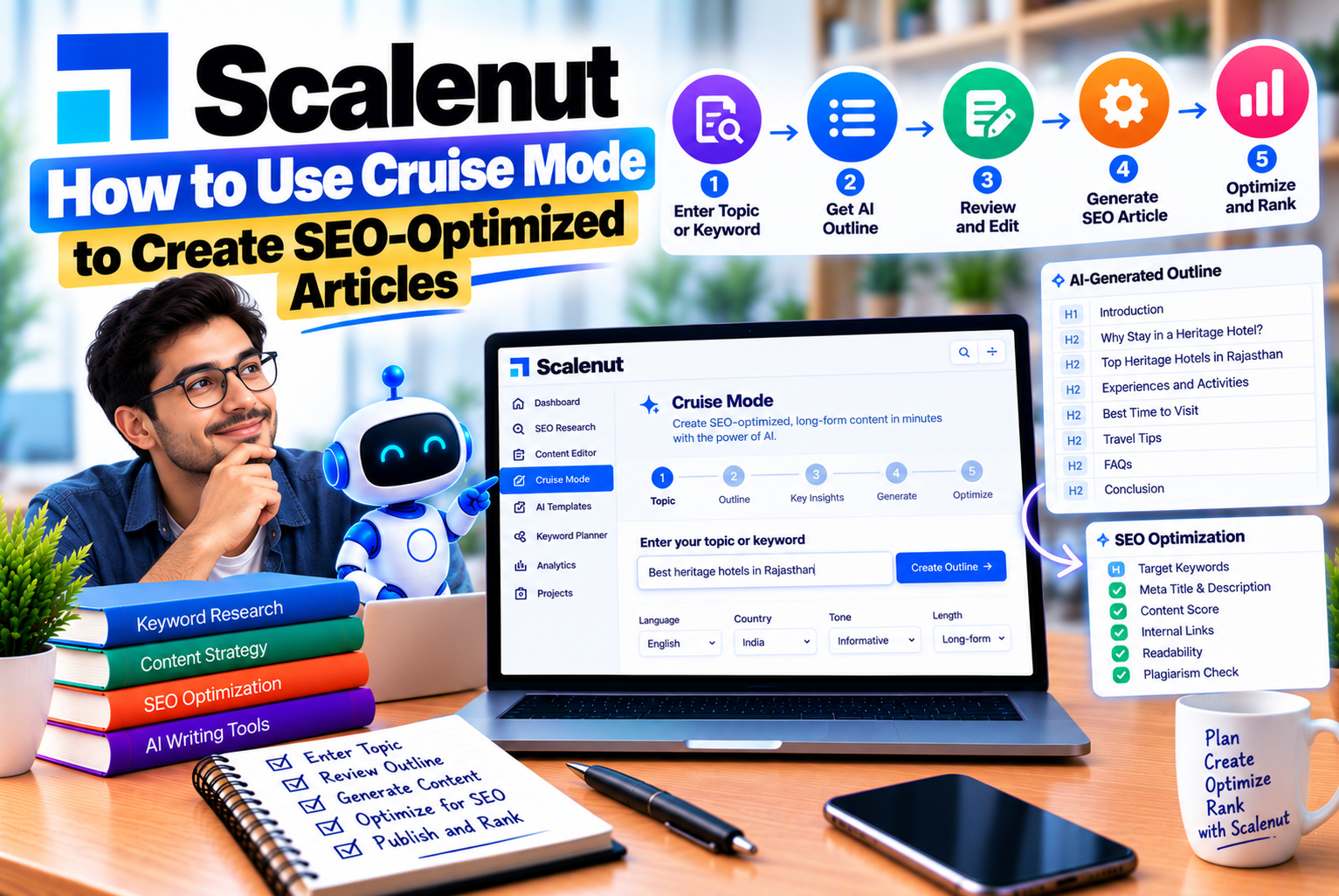
How to Use Scalenut Cruise Mode to Create SEO-Optimized Articles
Creating an SEO-optimized article involves much more than writing a few paragraphs around a target keyword. A successful blog post needs to satisfy search intent, answer readers’ questions, provide useful information, follow a logical structure, and offer a better experience than competing content. Writers must also consider title tags, meta descriptions, internal links, readability, factual accuracy, and opportunities to make information easier for search engines and AI-powered discovery systems to understand.
Managing all these activities manually can take considerable time, especially when publishing several articles each month.
Scalenut Cruise Mode is designed to streamline this process by bringing keyword research inputs, competitor analysis, content outlining, AI-assisted writing, and optimization tools into a guided workflow. Instead of starting with a blank document, users can provide a target keyword, select relevant context, develop an outline, generate an initial draft, and refine the result using the platform’s editing features.
Scalenut has also expanded Cruise Mode to support Generative Engine Optimization (GEO), which focuses on making content useful and understandable across traditional search engines and AI-powered discovery experiences. These capabilities can help writers organize their content strategy, but they do not guarantee Google rankings or citations in AI-generated answers.
In this guide, you will learn how to use Scalenut Cruise Mode step by step, which settings matter most, how to improve the generated article, and what to check before publishing your content.
What Is Scalenut Cruise Mode?
Scalenut Cruise Mode is an AI-assisted article creation workflow that helps users move from a target keyword to a structured blog draft.
It combines several activities that are often handled separately during content production, including researching search results, selecting article context, creating titles, building outlines, drafting content, and reviewing optimization recommendations.
Rather than treating AI writing as a single prompt that produces an entire article without further input, Cruise Mode divides the process into stages. Each stage allows you to provide guidance or make adjustments before moving forward.
Its capabilities include:
- Keyword and location inputs: Define the subject and geographical market for the article.
- Search-result analysis: Review competing pages and their content structures.
- Article context: Specify the intended format, audience, writing instructions, reference articles, and relevant brand guidelines.
- Title generation: Explore suggested titles and select or edit a suitable headline.
- Outline creation: Develop a logical structure using generated headings, search-result insights, and relevant questions.
- AI-assisted drafting: Turn the approved outline and context into an initial article.
- Content refinement: Rephrase, expand, shorten, or simplify selected sections.
- Optimization guidance: Review content scores, key-term usage, metadata, and other available recommendations.
- Editor and export options: Refine the draft further and prepare it for publication.
The exact controls and available features may vary as Scalenut updates its interface and plans. Its official documentation provides the current workflow and feature explanations.
Why Use Scalenut Cruise Mode for SEO Content?
Cruise Mode can be useful when your content process requires repeatable research, writing, and optimization steps.
However, its value depends on how you use it. An AI-generated article is not automatically comprehensive, accurate, original, or suitable for your audience simply because it has been generated inside an SEO platform.
The strongest workflow combines automation with editorial judgment.
1. Reduce the time spent creating the first draft
Starting an article from scratch often involves switching between keyword tools, search results, outline documents, writing software, and optimization checklists.
Cruise Mode brings several of these tasks together. Once you provide the keyword and relevant instructions, it can help generate a title, outline, and first draft.
This makes it particularly useful for content teams producing informational articles, product comparisons, tutorials, and other repeatable formats.
The time saved should be used for research, fact-checking, examples, and editing—not as a reason to skip these steps.
2. Build articles around search intent
Search intent describes what a person wants to accomplish when entering a query into a search engine.
For example, someone searching for “how to use Scalenut Cruise Mode” is probably looking for practical instructions. A promotional article focusing primarily on Scalenut’s benefits would not fully satisfy that intent.
Cruise Mode lets you guide the article through its context, title, and outline stages. These inputs help shape the draft around the reader’s needs.
Before generating content, determine whether the topic requires a tutorial, comparison, product review, troubleshooting guide, or general informational article.
3. Identify useful topics from competing pages
Reviewing competing content can help you discover common subtopics, questions, and explanations that readers may expect.
Cruise Mode provides options for analyzing ranking pages and reviewing their outlines. The current workflow allows users to choose from 10, 20, or 30 ranking pages during the research stage.
This research can help identify relevant subjects that deserve attention.
However, competitors should be treated as research inputs rather than templates to copy. If every article simply repeats the same headings and explanations, the resulting content may offer little additional value.
4. Maintain a more consistent writing process
Content teams often struggle to maintain a consistent tone and structure across multiple writers and articles.
Cruise Mode supports article-specific instructions and brand guidelines through its context settings and Brand Kit options.
These can help establish expectations for tone, readability, preferred terminology, and other brand requirements.
For example, a technology website might prefer straightforward explanations, practical examples, and concise paragraphs. A professional consulting firm might require a more formal tone, industry-specific terminology, and carefully qualified claims.
A consistent process makes content easier to review and maintain across a large website.
5. Support SEO and AI-search preparation
Scalenut positions its updated Cruise Mode around both SEO and GEO. Depending on the workflow and available features, users can review key terms, selected prompts, content structure, schema-related recommendations, and other optimization signals.
These features can help writers identify areas to improve before publishing.
Nevertheless, optimization scores are diagnostic tools, not direct measures of whether an article will rank or appear in an AI-generated answer. Search performance also depends on relevance, accuracy, site quality, competition, technical accessibility, and many other factors.
What You Should Prepare Before Using Cruise Mode
The quality of an AI-generated article depends heavily on the information supplied at the beginning.
Before opening Cruise Mode, prepare the following inputs.
Choose a primary keyword
Select one main keyword that accurately represents the article’s subject.
For this tutorial, the primary keyword is:
How to use Scalenut Cruise Mode
Related secondary keywords could include:
- Scalenut Cruise Mode tutorial
- Scalenut AI article writer
- Scalenut content editor
- SEO-optimized article writing
- Scalenut content optimization
- AI-assisted SEO writing
Secondary keywords should describe closely related aspects of the same topic. Avoid adding unrelated terms simply because they have search volume.
Identify the intended audience
Decide who will read the article and how much they already know.
For a Cruise Mode tutorial, the intended audience might include:
- SEO professionals learning a new content workflow
- Bloggers creating informational articles
- Digital marketing executives managing content production
- Content writers using AI-assisted writing tools
- Small businesses managing their own websites
This decision influences the terminology, examples, and level of explanation needed.
Define the search intent
Write down the main question the article should answer.
For this topic, the central question is:
“How can I use Scalenut Cruise Mode to research, generate, optimize, and prepare an SEO-friendly article for publishing?”
This question establishes the article’s purpose and helps prevent unnecessary sections.
Prepare original information
If the article covers a product, service, company, or technical subject, gather information that AI should not be expected to invent.
Useful inputs may include:
- Official product documentation
- Verified feature descriptions
- Current pricing information, when relevant
- Original examples
- Brand-specific terminology
- First-hand observations
- Product limitations
- Relevant research or statistics
For a tutorial, screenshots and notes from your own experience can make the content more practical than a generic explanation.
Step-by-Step Guide to Using Scalenut Cruise Mode
Scalenut’s current documentation describes a workflow that begins with keyword and location inputs, moves through context and title selection, and continues with outline creation, drafting, and editing. The interface may change as the product evolves.
Step 1: Open Article Writer or Cruise Mode
Log in to your Scalenut account.
From the dashboard, locate Article Writer or the corresponding Cruise Mode entry in the navigation menu. The exact label and placement may differ depending on the current interface.
Open the workflow to begin creating a new article.
At this stage, you should have a clear idea of the topic, target audience, primary keyword, and purpose of the content.
Avoid opening the tool before deciding what the article needs to accomplish. Otherwise, you may spend time regenerating titles and outlines because the initial direction was unclear.
Step 2: Enter your target keyword and location
The first stage asks you to provide a keyword and select a target location.
Enter your primary keyword in the relevant field.
For this tutorial, use:
Primary keyword: How to use Scalenut Cruise Mode
You can add relevant secondary keywords if the interface provides a field for them.
Next, select the appropriate target location.
Location matters when your article is intended for a particular market. For example, a guide about SEO tools for Indian businesses may need examples and commercial context that differ from a guide written specifically for US-based agencies.
For a general tutorial about Scalenut’s features, select the market most relevant to your intended readership.
After reviewing your inputs, click Create to continue.
Best practice: Use a keyword that describes the article’s actual purpose. Do not choose a broad keyword simply because it appears more attractive. A specific, intent-aligned topic can be easier to address thoroughly.
Step 3: Choose how many ranking pages to analyze
Cruise Mode allows users to select a competitor-analysis depth of 10, 20, or 30 ranking pages in the documented workflow. The default option may be 30.
The right choice depends on the complexity of your topic and the research you need.
Analyze 10 pages when:
- The topic is narrow and straightforward.
- You need a quick initial understanding of competing content.
- The search results are relatively consistent.
Analyze 20 pages when:
- The topic covers several related subtopics.
- Search results include different content formats.
- You want a broader view of the questions competitors address.
Analyze 30 pages when:
- The subject is broad or competitive.
- You need to compare a wider range of ranking pages.
- You want to identify recurring themes and possible content gaps.
Analyzing more pages does not automatically produce a better article. The usefulness of the results depends on whether the pages match your search intent and audience.
For example, if your topic is a tutorial for beginners, a detailed tutorial may be more useful as a reference than a generic landing page or a short promotional announcement.
Once you have selected the appropriate analysis depth, continue to the context stage.
Step 4: Configure the article context
The context stage is one of the most important parts of the workflow.
It tells Cruise Mode what kind of article to create, how the article should sound, what information should be emphasized, and which references may help guide the draft.
Scalenut’s documented context options include article type, optional AI instructions, reference articles, and brand guidelines. Depending on the current interface, prompt-library and key-term settings may also be available.
Select the article type
Choose the article format that best matches the search intent.
For example:
- General informational article
- Step-by-step tutorial
- Product comparison
- Product review
- Educational guide
The available options may vary.
For the Cruise Mode topic, a general educational article or tutorial is appropriate because the reader needs to understand the workflow and how to use its features.
Selecting a suitable format helps establish the article’s structure and level of detail.
Add specific instructions for the AI
Use the instruction field to provide clear editorial guidance.
Avoid vague instructions such as:
“Write a good SEO article.”
Instead, explain the audience, purpose, structure, and quality expectations.
For example:
“Create a practical, beginner-friendly tutorial explaining how to use Scalenut Cruise Mode to produce SEO-optimized articles. Explain each major step in order, including keyword selection, competitor analysis, context settings, title selection, outline development, draft generation, editing, metadata, and final publishing checks. Use clear examples, avoid repetitive keyword placement, and distinguish verified product capabilities from general SEO advice. Do not claim that using the tool guarantees rankings.”
You can also provide instructions about:
- Preferred tone and reading level
- Topics that must be covered
- Examples that should be included
- Claims that require verification
- Sections that should be avoided
- The intended article length
- Calls to action that fit the reader’s needs
Specific instructions make the first draft easier to review and reduce the need for extensive rewriting.
Add reference articles
Scalenut’s current documentation describes an option to select up to five relevant reference articles, using suggested results or custom URLs.
Choose sources that genuinely help the article.
For a product tutorial, suitable references might include:
- Official Scalenut documentation
- An official product walkthrough
- A relevant support article
- A reliable technical explanation of the topic
You should not select sources solely because they rank highly. A reference may be outdated, incomplete, or focused on a different audience.
Use references to understand the subject, identify questions to answer, and verify product details. Do not copy their wording or simply reproduce their structure.
Use Brand Kit settings where appropriate
If your Scalenut account includes Brand Kit options, select the appropriate saved brand or create one for the article.
A Brand Kit may contain guidance about voice, tone, preferred and discouraged terms, readability, and image preferences.
For example, a technology blog might specify:
- Use clear, direct English.
- Explain technical terms on first use.
- Prefer practical examples over generic statements.
- Avoid exaggerated marketing claims.
- Use descriptive headings.
- Write for readers who understand basic SEO but are new to the tool.
If you do not have a saved Brand Kit, use the available custom instructions instead.
The purpose is to make the draft consistent with your website’s editorial standards—not to force every article into an identical format.
Step 5: Select or refine the article title
After configuring the context, move to the title stage.
Cruise Mode provides title suggestions and, in the documented workflow, a Top Ranked Titles view. You may also be able to rephrase a suggested title, generate more options, or write your own.
Compare the suggested titles against four criteria.
Relevance: Does the title accurately describe the content?
Keyword alignment: Does it include the main keyword naturally where appropriate?
Clarity: Can a reader understand what the article will explain?
Search intent: Does the title match what the person wants to learn?
For example, consider these options:
- How to Use Scalenut Cruise Mode
- How to Use Scalenut Cruise Mode to Create SEO-Optimized Articles
- Scalenut Cruise Mode Tutorial: From Keyword to Published Blog
The second title communicates the tutorial’s main outcome, while the third emphasizes the workflow.
The best choice depends on the article’s final scope and the wording of the competing search results.
Do not choose a title just because an AI tool labels it SEO-friendly. A title should accurately represent the finished article and give readers a clear reason to click.
Once you have selected a title, proceed to outline creation.
Step 6: Generate and review the article outline
The outline stage determines the article’s organization.
Cruise Mode can generate headings based on the keyword, context, and research inputs. Its documented workflow also provides access to ranking-page outlines, relevant questions, and tools for adjusting headings and section order. Availability can vary by interface.
Review the outline before generating the full draft.
A useful outline for this topic might include:
- What Scalenut Cruise Mode is
- Why use Cruise Mode for SEO content
- What to prepare before writing
- How to enter keywords and choose a target location
- How to configure context and brand guidelines
- How to select a title
- How to build a useful outline
- How to generate the first draft
- How to improve the content using editing tools
- How to review SEO recommendations
- How to edit metadata and prepare the article for publishing
- Common mistakes to avoid
- Frequently asked questions
This example is a suggested structure, not a requirement to reproduce it exactly.
Check the heading hierarchy
Make sure the headings follow a logical sequence.
The main title should describe the overall subject. Major sections should introduce the principal stages or questions, while subsections should explain individual settings or tasks.
Avoid creating multiple headings that cover the same idea.
For example, separate sections titled “How to Create a Scalenut Article” and “Steps to Generate a Scalenut Article” may be redundant unless they address meaningfully different processes.
Review competitor headings carefully
Use ranking-page outlines to identify relevant subtopics you may have overlooked.
However, do not automatically import every heading from the top-ranking pages.
Some headings may be irrelevant to your audience, repetitive, outdated, or designed for a different search intent.
Your outline should be based on the information readers need, not on how many competitor headings you can reproduce.
Add useful questions and content gaps
If Cruise Mode provides question suggestions or content-gap tools, review them to find questions the article should answer.
Prioritize questions that are:
- Closely related to the main topic
- Important to beginners
- Helpful for completing the task
- Missing from the current outline
- Likely to prevent confusion
Do not add every suggested question merely to increase the outline’s size.
Once the structure is clear and complete, generate the article.
Step 7: Generate the first draft
After approving the outline, use Cruise Mode to generate the article.
The tool uses your inputs and selected structure to create an initial draft. Its official workflow then allows you to review and refine the content before moving it into the editor.
Treat this version as a starting point rather than a finished article.
Read the entire draft and evaluate the following areas.
Completeness: Does it explain each major step clearly?
Accuracy: Are product names, settings, and feature descriptions correct?
Originality: Does the article provide useful explanations rather than repeating common statements?
Readability: Can the intended audience understand the instructions?
Search intent: Does the draft answer the question that brought readers to the page?
Consistency: Do the examples, tone, terminology, and recommendations agree with one another?
Practical value: Can a reader use the article to complete the task?
Look for vague statements, repeated paragraphs, unsupported statistics, invented examples presented as facts, and references to features that may no longer exist.
For a software tutorial, verify important instructions against the current interface and official documentation. A confidently written but outdated instruction can make the entire article less useful.
Step 8: Improve individual sections with editing tools
Cruise Mode provides editing options for refining generated content. Depending on the current interface, you may be able to regenerate, rephrase, expand, shorten, simplify, or convert content into bullet points. Cruise AI can also help with contextual revisions.
Use each option for a specific purpose.
Rephrase unclear passages
Use rephrasing when the information is correct but the wording is awkward, repetitive, or difficult to understand.
For example, an unnecessarily complicated sentence could be rewritten in plain language without changing its meaning.
Always compare the revised version with the original to make sure that important qualifications and details remain intact.
Expand sections that need more explanation
Expansion is useful when a section mentions a feature but does not explain how or why it should be used.
For example, a paragraph that says “Review the outline before writing” could be expanded to explain how to check search intent, remove duplicate headings, add missing questions, and establish a logical order.
Do not expand a section merely to increase word count. Every additional paragraph should contribute new information.
Shorten repetitive sections
Use shortening when the draft repeats the same benefit or explanation several times.
A long article can still be concise if each section has a distinct purpose.
For example, the introduction does not need to explain every editing feature in detail if those features are covered later in the tutorial.
Simplify technical language
Simplification is useful when the intended reader is unfamiliar with SEO terminology.
If you use terms such as NLP, SERP, schema markup, or GEO, explain them in context.
Simpler language should improve understanding without making the explanation inaccurate.
Convert suitable information into bullet points
Bullets can make procedural steps, feature lists, requirements, and comparisons easier to scan.
However, not every paragraph should become a list. Explanatory sections often need connected prose to show relationships between ideas.
Use custom instructions for targeted revisions
When a predefined editing option is not sufficient, provide a precise instruction.
For example:
“Rewrite this paragraph for a beginner. Preserve the technical meaning, explain the purpose of the setting, and include one practical example. Do not add unverified product claims.”
Or:
“Expand this section by explaining how to evaluate the generated outline. Avoid repeating the previous section and do not add generic SEO advice.”
Specific editing instructions usually produce more useful revisions than asking the AI to “improve” a paragraph without explaining what is wrong.
Step 9: Review the content score and key-term usage
Cruise Mode and its associated editor provide optimization indicators, including content score and key-term usage. Other available checks may cover readability, prompts, metadata, or schema-related recommendations.
Use these indicators to identify areas that may need attention.
For example:
- A missing key term may indicate that a relevant concept has not been covered.
- A weak section may indicate that an explanation needs more detail.
- A readability issue may reveal a sentence that needs simplifying.
- A missing topic may suggest that the article does not answer an important reader question.
But do not treat every recommendation as a mandatory change.
A content score is not a direct ranking factor simply because a tool displays it. Nor does maximizing the number of suggested keywords guarantee better search visibility.
Review each recommendation against the article’s purpose.
If a suggested term is genuinely relevant, incorporate it naturally. If it does not belong in the article, do not force it into a sentence merely to improve a score.
The objective is to create useful, comprehensive content—not to satisfy an algorithmic checklist at the expense of readability.
Step 10: Check metadata and URL structure
Before moving the draft into the editor or preparing it for publication, review the metadata fields available in the workflow.
These commonly include the meta title, meta description, and URL slug.
Write a clear meta title
The title tag should describe the article accurately and make its subject clear.
For this article, an appropriate option is:
How to Use Scalenut Cruise Mode for SEO Articles
This title communicates the tool, the intended task, and the article’s practical purpose.
A title should not be overloaded with repeated keyword variations.
Create a useful meta description
The meta description should summarize what the reader will learn and give them a reason to visit the page.
Example:
“Learn how to use Scalenut Cruise Mode to research keywords, build outlines, generate SEO articles, optimize content, and prepare blogs for publishing.”
Keep the description concise and relevant. Search engines may generate a different search-result snippet depending on the query and page content.
Choose a descriptive URL slug
A short, readable slug is generally preferable to a long string of unnecessary words.
Recommended slug:
/how-to-use-scalenut-cruise-mode/
Use a consistent URL structure across your website, and avoid changing an existing published URL without considering redirects and the potential effect on internal links.
Review schema-related settings
If the workflow offers schema recommendations, determine whether structured data is appropriate for the page.
For a standard tutorial, relevant structured data may depend on the actual page format and the structured-data types supported by search engines.
Do not add schema simply because a tool recommends it. The markup must accurately describe the page and comply with the applicable requirements.
Structured data can help systems interpret page information, but it does not guarantee rich results or AI citations.
Step 11: Move the article into the editor
Once you have refined the draft, use the available option to move it into the editor. In Scalenut’s documented workflow, this is done through Export to Editor.
The editor is where you can conduct a more thorough review of the article as a complete document.
Check whether:
- The introduction answers the main question.
- Each section follows logically from the previous one.
- Headings are descriptive and distinct.
- Paragraphs are easy to read.
- The article contains relevant examples.
- Key claims are supported by reliable sources.
- Internal and external links are useful.
- The conclusion provides a meaningful next step.
- The final article matches your website’s editorial style.
If collaboration features are available in your account, you may also be able to use comments, version history, or completion status to manage reviews. Feature availability depends on the current product configuration.
Do not assume the article is ready to publish simply because it has reached the editor.
The final editorial review is an essential part of the process.
Step 12: Export and publish the finished article
After editing, choose the appropriate export or publishing workflow available in your account.
Scalenut’s help documentation describes export options that include formats such as PDF, DOC, HTML, and Markdown. Availability may depend on the current editor and account configuration.
If you publish through WordPress or another content management system, review the exported content before making it live.
Check:
- Heading formatting
- Paragraph spacing
- Bullet lists and numbered steps
- Tables and comparison sections
- Images and alternative text
- Internal links
- External links
- Meta title and description
- Canonical URL settings
- Indexing settings
- Mobile readability
Some formatting and metadata may not transfer exactly as expected during export. Verify the final page in the publishing system rather than assuming the exported document will look identical.
After publication, inspect the live URL to make sure the content is accessible and displays correctly.
Practical Example: Creating an SEO Article With Cruise Mode
Consider a digital marketing website planning to publish an article about choosing a web hosting service for a high-traffic website.
The objective is to help readers understand the factors that affect hosting performance and compare the types of hosting that may suit their needs.
Here is how the workflow could be applied.
Define the keyword and intent
Primary keyword: Best hosting for high-traffic websites
Search intent: Informational with commercial investigation elements
Audience: Website owners, publishers, developers, and growing businesses
Reader’s main question: Which hosting characteristics matter when a website receives substantial traffic?
The article should explain performance, scalability, resource allocation, reliability, caching, support, security, and cost considerations.
Provide context
The AI instructions might say:
“Write a detailed guide for website owners evaluating hosting for a high-traffic website. Explain the differences between managed hosting, cloud hosting, VPS hosting, and dedicated servers. Cover scalability, performance monitoring, caching, backups, security, support, and pricing considerations. Avoid recommending a provider without evidence. Explain technical concepts in accessible language and distinguish general guidance from provider-specific claims.”
This gives the tool a clear purpose and a defined scope.
Review the suggested title
Possible title:
“Best Hosting for High-Traffic Websites: How to Choose”
The title is direct and communicates the article’s purpose. It also leaves room for a detailed comparison rather than promising a definitive ranking unsupported by research.
Build the outline
The outline might cover:
- What high-traffic hosting means
- Signs that a website has outgrown its current hosting
- Hosting types for high-traffic websites
- Performance and scalability requirements
- Security, backups, and reliability
- How to compare hosting providers
- Cost considerations
- Common hosting mistakes
- Frequently asked questions
The writer should add or remove sections based on the audience, search results, and available evidence.
Generate and improve the draft
After generating the draft, check that it distinguishes traffic volume from other factors such as database load, dynamic requests, geographic distribution, and resource-intensive applications.
A useful article should explain why a small website with complex queries can have different hosting needs from a large, mostly static website.
It should also avoid unsupported claims such as “cloud hosting is always the fastest” or “dedicated servers are best for every high-traffic website.”
Validate the final article
Before publishing, verify technical explanations and provider-specific claims against reliable documentation.
If the article names hosting providers, confirm current plan limits and features from their official websites.
This example illustrates the central principle of using Cruise Mode effectively: AI can accelerate the drafting process, but the writer must supply clear direction and verify the finished content.
How to Optimize Cruise Mode Articles for SEO
Using Cruise Mode is only one part of a broader content strategy. The finished article should meet readers’ needs and follow sound on-page SEO practices.
Match the article to the actual search intent
Look at the language of the target query and determine what readers expect.
A query beginning with “how to” usually calls for instructions. A query containing “vs” usually calls for a comparison. A query such as “pricing” calls for current plan details and cost information.
Do not force every article into the same structure.
Cover the topic comprehensively
Comprehensive content is not necessarily the longest possible content.
It should cover the main questions and decisions relevant to the reader without adding unrelated material.
For a tutorial, explain the steps in order. For a comparison, establish the criteria before comparing the options. For a product review, distinguish observed capabilities from marketing claims.
Use keywords naturally
Include the primary keyword in appropriate places, such as the title, introduction, and relevant headings where it fits naturally.
Use related terminology when it improves clarity or covers an important subtopic.
Avoid repeating the exact phrase in every heading or paragraph. Keyword density is not a reliable substitute for topical relevance and useful explanations.
Improve readability
Use descriptive headings, manageable paragraphs, and lists when they make information easier to scan.
Explain technical terminology and avoid unnecessary jargon.
Read the article as if you were encountering the subject for the first time. If a step is unclear, add the missing explanation.
Add useful internal links
Link to related content on your website when the link helps readers understand a subject or take the next step.
For example, an article about Cruise Mode could link to related guides covering:
- Scalenut’s features and overall capabilities
- Scalenut pricing and plan limits
- Scalenut versus Frase
- Alternatives to Scalenut
- Content refresh strategies
- AI-ready website requirements
Use descriptive anchor text that accurately represents the destination.
Do not add internal links solely to increase the number of links on the page. Every link should serve a clear purpose.
Use reliable external references
Cite sources when making claims that require verification.
For a software tutorial, the official product documentation is usually the best starting point for feature descriptions and interface instructions.
For broader SEO advice, refer to authoritative search-engine documentation and relevant primary sources.
Avoid inventing statistics, citing nonexistent studies, or presenting an AI-generated explanation as verified evidence.
Make the article helpful for AI-powered discovery
AI-powered search systems may use a range of signals to determine which sources to retrieve, summarize, or cite. No content structure guarantees that an article will be included.
Nevertheless, useful editorial practices can improve clarity:
- Answer the main question directly.
- Explain important concepts in plain language.
- Use descriptive headings.
- Support factual claims with reliable sources.
- Include specific examples.
- Make important relationships explicit.
- Keep product information current.
- Avoid vague claims and unnecessary repetition.
These practices improve the usefulness of the article for human readers while making its meaning easier to interpret.
Common Mistakes to Avoid When Using Scalenut Cruise Mode
Even a capable AI writing workflow can produce weak content when the inputs or review process are poor.
Mistake 1: Selecting keywords without understanding intent
A keyword may look relevant but represent a different user need from the one your article addresses.
How to avoid it: Review the query, competing page types, and audience expectations before starting the draft.
Mistake 2: Accepting the generated outline without review
The outline may omit important topics or include redundant headings.
How to avoid it: Check the outline for completeness, logical order, relevance, and distinct section purposes before generating the article.
Mistake 3: Copying competitor structures too closely
Competitor research should reveal useful information gaps, not encourage imitation.
How to avoid it: Build a structure that reflects your own audience’s needs and includes original explanations, examples, and research.
Mistake 4: Adding keywords unnaturally
Repeatedly inserting target terms can make an article difficult to read.
How to avoid it: Include keywords where they clarify the subject. Remove repetitions that do not add meaning.
Mistake 5: Trusting every generated fact
AI-generated content may contain inaccurate figures, outdated features, or unsupported claims.
How to avoid it: Verify product details and factual claims against reliable sources, especially when the information is technical, commercial, or time-sensitive.
Mistake 6: Writing only to improve the content score
A high score may indicate that certain tool-defined optimization criteria have been met, but it does not prove that the article is useful or authoritative.
How to avoid it: Use the score to find possible improvements, then judge each recommendation against the needs of the reader.
Mistake 7: Publishing without a human editorial review
Generated content may contain repetition, awkward transitions, generic statements, or sections that do not match the article’s purpose.
How to avoid it: Read the complete article, verify its claims, improve its examples, and edit it to match your website’s voice.
Mistake 8: Ignoring internal links and publishing details
An article may be well written but difficult to discover or navigate if its publishing setup is incomplete.
How to avoid it: Check internal links, metadata, indexing settings, URL structure, mobile formatting, and the live page before considering the task finished.
Mistake 9: Expecting immediate rankings
Publishing an optimized article does not guarantee a ranking position, traffic level, or AI citation.
How to avoid it: Treat publishing as the beginning of performance measurement. Review search impressions, clicks, relevant queries, and engagement over time.
Mistake 10: Producing multiple articles with overlapping intent
Creating many articles around similar keywords can lead to repetitive content and unclear page targeting.
How to avoid it: Define a distinct purpose for each article, map related keywords to appropriate pages, and link relevant content together.
Scalenut Cruise Mode vs. Manual Article Writing
Cruise Mode and manual writing serve different roles. The most effective choice depends on the complexity of the subject, the writer’s experience, and the amount of original research required.
| Criteria | Scalenut Cruise Mode | Manual Article Writing |
| Initial research | Can assist with structured research inputs and ranking-page analysis | Requires the writer to research and organize sources |
| Outline creation | Can generate a suggested structure | The writer develops the structure independently |
| First draft | Can generate an initial draft from selected inputs | The writer creates the draft |
| Editorial control | Requires review and editing of generated content | Direct control over every sentence from the start |
| Brand consistency | Can use available instructions and Brand Kit settings | Depends on editorial guidelines and writer discipline |
| Fact-checking | Still requires independent verification | Also requires fact-checking |
| Original expertise | Depends on the information and guidance supplied | Can draw directly on the writer’s experience and research |
| Optimization support | Provides available scoring and optimization guidance | Requires manual checks or separate tools |
| Best use case | Structured content production and accelerated first drafts | Highly specialized work, original analysis, and subjects requiring deep expertise |
Neither approach automatically produces superior content.
Cruise Mode may be useful for reducing repetitive production work. Manual writing may be preferable when the article depends heavily on original interviews, specialized experience, or complex analysis.
A hybrid workflow often offers the best balance: use AI to accelerate research organization and drafting, then apply human expertise to improve accuracy, originality, and usefulness.
How to Measure the Performance of Articles Created With Cruise Mode
Do not evaluate success solely by how quickly an article was generated or what score it received inside the writing tool.
Measure whether the published content achieves its intended purpose.
Monitor organic search performance
Use Google Search Console or another suitable analytics platform to monitor:
- Search impressions
- Organic clicks
- Click-through rate
- Average search position
- Queries associated with the page
- Changes in visibility over time
Interpret these metrics in context. A page may receive more impressions but fewer clicks if its position changes or if the mix of search queries shifts.
Evaluate reader engagement
Where reliable analytics are available, review relevant engagement indicators, such as:
- Time spent engaging with the content
- Scroll depth
- Navigation to related pages
- Clicks on useful resources
- Newsletter registrations or other relevant conversions
Use these metrics to identify where the article may need better explanations, stronger navigation, or a clearer next step.
Measure business outcomes
If the article supports a commercial goal, define the desired action before publishing.
Depending on the website, this might include a qualified enquiry, product evaluation, newsletter registration, or assisted conversion.
A high-traffic article is not necessarily successful if it attracts readers who have no interest in the subject or business offering.
Review content freshness
Software features, pricing, search behavior, and industry guidance can change.
Create a review schedule appropriate to the topic. Software tutorials may need updates when the interface or feature set changes, while evergreen educational content may require less frequent revisions.
When updating an article, verify the information and improve sections that no longer meet readers’ needs rather than changing the publication date without making meaningful improvements.
Best Practices for Building a Repeatable Cruise Mode Workflow
If you regularly publish content, document your process so that every article follows the same essential quality checks.
Create a content brief before generating the article
A content brief should include the primary keyword, search intent, audience, article purpose, important questions, required sources, and desired next step.
This helps keep the AI draft focused and makes editorial review more efficient.
Maintain a consistent editorial checklist
Use a checklist that covers accuracy, originality, readability, headings, links, metadata, and publishing requirements.
The checklist should reflect your website’s needs rather than relying entirely on the tool’s default recommendations.
Keep original expertise in the workflow
Add first-hand examples, practical observations, original research, or expert commentary where appropriate.
This is particularly important for product reviews, technical tutorials, and commercial comparisons, where readers need more than a generic overview.
Separate drafting from fact-checking
It can be tempting to accept a generated article because it sounds convincing.
Instead, conduct a dedicated fact-checking pass after the initial editing stage. Verify claims, product features, dates, statistics, and citations separately from grammar and style.
Review performance after publishing
Use performance data to improve your future content briefs.
If readers consistently search for a question that the article does not answer, consider adding a useful explanation. If the page attracts irrelevant queries, review whether the title, introduction, and content match the intended search intent.
A repeatable workflow should improve as you learn from published articles.
Frequently Asked Questions About Scalenut Cruise Mode
1. What is Scalenut Cruise Mode?
Scalenut Cruise Mode is an AI-assisted article creation workflow that helps users move from keyword and context inputs to a suggested title, outline, initial draft, and content refinement. It is designed to streamline the process of preparing SEO-focused articles.
2. How do I use Scalenut Cruise Mode?
Open Article Writer or Cruise Mode in your Scalenut account, enter the target keyword and location, choose the ranking pages to analyze, configure the context, select a title, review the outline, generate the draft, and edit the article before publishing.
3. Can Scalenut Cruise Mode write a complete blog post?
Yes. Cruise Mode can generate an initial article draft based on your selected inputs and outline. The generated content should still be reviewed for accuracy, completeness, originality, readability, and relevance before publication.
4. Is Scalenut Cruise Mode suitable for beginners?
It can be useful for beginners because it organizes content creation into guided stages. New users should still understand the basics of search intent, keyword selection, editorial review, and fact-checking to make effective use of the workflow.
5. Does Scalenut Cruise Mode help with SEO?
Cruise Mode includes features designed to support SEO-focused content creation, such as search-result analysis, outline development, key-term guidance, and content optimization indicators. These can help writers identify potential improvements, but they do not guarantee search rankings.
6. What is the first step in Cruise Mode?
The documented workflow begins with entering a primary keyword and selecting a target location. Depending on the current interface, you may also provide secondary keywords or related inputs before continuing.
7. How many ranking pages can Cruise Mode analyze?
Scalenut’s documented workflow provides options to analyze 10, 20, or 30 ranking pages. The appropriate choice depends on the topic’s complexity and the breadth of research required.
8. What should I include in the context section?
Include the intended article type, audience, writing instructions, relevant reference articles, and applicable brand guidelines. If prompt-library or key-term controls are available, review them for relevance to the article’s purpose.
9. Can I use my own writing instructions in Cruise Mode?
Yes. The workflow provides an optional instruction field for guidance such as tone, style, required sections, audience, and important points. Clear instructions can make the generated draft more closely match your requirements.
10. Can Cruise Mode follow my brand voice?
Scalenut documents Brand Kit options that can apply saved or custom brand guidelines to the article. These settings can help maintain consistency, although the generated draft should still be reviewed against your editorial standards.
11. Can I edit the outline generated by Cruise Mode?
Yes. The documented workflow allows users to edit headings, add or remove sections, and rearrange the outline. Reviewing the structure before generating the article helps reduce duplication and identify missing information.
12. Can I add FAQs to a Cruise Mode article?
The available workflow may provide question suggestions and tools for adding relevant questions to an outline. You can also develop FAQs based on genuine reader needs and verified information. Only include questions that the article can answer accurately and usefully.
13. Can I change the title generated by Cruise Mode?
Yes. Scalenut’s documented workflow allows users to select suggested titles, generate additional options, rephrase suggestions, or write their own title. Choose a title that accurately reflects the final article and its search intent.
14. Can I optimize an article after generating it?
Yes. Cruise Mode and its associated editor provide tools for revising content and reviewing optimization indicators. Depending on the interface, these may include key-term usage, content score, metadata, readability, and other recommendations.
15. Does a high content score guarantee Google rankings?
No. A content score reflects the criteria used by the tool, not a guaranteed ranking outcome. Search performance depends on many factors, including relevance, content quality, competition, technical accessibility, and the overall search context.
16. Can Cruise Mode help optimize content for AI search?
Scalenut positions its updated Cruise Mode around SEO and Generative Engine Optimization. Its workflow includes features intended to help users consider relevant prompts, structure, key terms, and other content signals. These features do not guarantee that AI systems will retrieve or cite a page.
17. Can I use Cruise Mode for product comparisons and reviews?
It can help generate an initial structure and draft for comparisons and reviews. However, the writer must independently verify product features, pricing, limitations, and other claims, especially when those details change frequently.
18. Can I export an article created with Cruise Mode?
Scalenut’s help documentation describes export options including PDF, DOC, HTML, and Markdown. The available formats may vary by the current editor or account configuration, so check the options displayed in your account.
19. Should I publish Cruise Mode content without editing it?
It is better to review and edit the content before publication. Check factual accuracy, originality, clarity, repetitive sections, keyword use, metadata, links, and formatting. The objective is to deliver genuinely useful content, regardless of how the initial draft was created.
20. What is the best way to use Scalenut Cruise Mode?
Use it as part of a structured content workflow. Start with clear search intent and a focused brief, provide relevant context, review the title and outline, refine the generated draft, verify important claims, and check the final page before publishing. Then measure performance and update the article when needed.
Final Thoughts
Scalenut Cruise Mode can simplify several stages of SEO article production by bringing keyword inputs, competitor analysis, outline creation, AI-assisted drafting, and content refinement into a guided workflow.
Its greatest value comes from reducing repetitive work while allowing writers to retain editorial control.
To use it effectively, start with a clearly defined search intent, provide specific context, choose references carefully, and review the generated outline before producing the draft. Use the editing tools to improve clarity and completeness, but verify facts independently and avoid adding keywords simply to increase an optimization score.
Most importantly, evaluate the final article by how well it serves readers—not just by how quickly it was generated.
A strong SEO workflow combines the speed of AI assistance with accurate research, original insight, thoughtful editing, and ongoing performance measurement. Cruise Mode can support that process, but the quality of the published article ultimately depends on the decisions made throughout the workflow.
Official References
- Scalenut Cruise Mode overview and benefits: Scalenut Help Center: Cruise Mode Overview
- Official step-by-step Cruise Mode tutorial: Scalenut Help Center: How to Create a Blog Using Cruise Mode
- Cruise Mode product features: Scalenut Cruise Mode Features
- Official guidance for using Cruise Mode effectively: Scalenut Help Center: Best Practices for Cruise Mode
- Cruise AI editing instructions: Scalenut Help Center: How to Use Cruise AI
Leave a Reply