


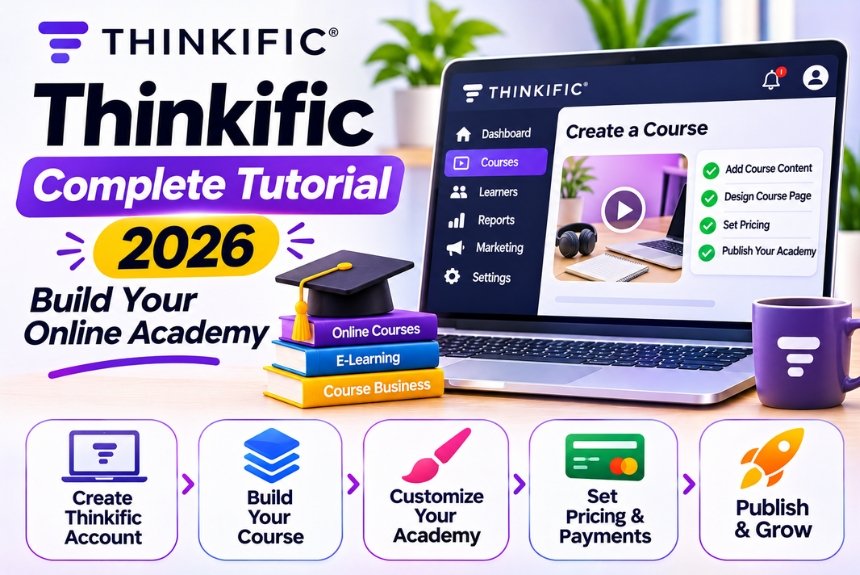
Thinkific Complete Tutorial 2026: Build Your Online Academy
The online education industry continues to grow as businesses, educators, coaches, and professionals look for ways to share their knowledge and generate revenue through digital learning. Creating an online academy is now more accessible than ever, even for people without technical expertise.
However, building an online academy involves more than uploading videos. You need a platform that allows you to organize lessons, create a professional learning environment, manage students, accept payments, and promote your educational products.
Thinkific is an online course platform that helps creators build, manage, and sell educational experiences without developing a learning website from scratch. It provides tools for course creation, website building, student management, assessments, and digital product sales.
In this complete Thinkific tutorial for 2026, we will explain how the platform works, explore its features, and guide you through creating and launching your own online academy.
Whether you are a beginner, educator, entrepreneur, or business owner, this guide will help you understand how to use Thinkific effectively.
What Is Thinkific?
Thinkific is a hosted online learning platform that enables individuals and businesses to create and sell online courses, learning communities, memberships, and other educational products.
It provides a centralized environment for managing your learning business, including course content, student enrollment, website pages, payments, and educational experiences.
Thinkific is designed for users who want to build an online academy without managing complicated technical infrastructure.
What Can You Create Using Thinkific?
You can use Thinkific to develop and sell:
- Self-paced online courses
- Video-based educational programs
- Professional training courses
- Digital learning resources
- Membership-based learning experiences
- Online communities
- Educational programs for businesses
- Structured learning academies
The platform is suitable for both individual educators and organizations that want to establish a digital learning presence.
Official Website: https://www.thinkific.com/
Thinkific Features at a Glance
| Feature | What It Does |
| Course Builder | Create and organize online courses |
| Website Builder | Build a branded online academy |
| Video Lessons | Deliver educational content through videos |
| Learning Communities | Encourage interaction among learners |
| Memberships | Offer recurring learning experiences where supported |
| Student Management | Manage learners and enrollments |
| Assessments | Evaluate student knowledge |
| Certificates | Recognize course completion through supported options |
| Payments | Sell courses and educational products |
| Marketing Tools | Promote courses and manage sales |
| Analytics | Monitor enrollments and business performance |
| Integrations | Connect supported external applications |
| AI Features | Access available AI-powered educational tools |
Feature availability, limits, and advanced functionality depend on your subscription plan.
Thinkific Pricing in 2026
Thinkific offers different subscription options for creators and businesses at various stages of growth.
Its pricing structure may change based on billing frequency, promotions, region, and product updates. Therefore, review the official pricing page before purchasing a subscription.
Official Pricing Page: https://www.thinkific.com/pricing/
What to Consider Before Choosing a Plan
| Requirement | Why It Matters |
| Number of Courses | Determines how many products you can publish |
| Student Limits | Important as your academy grows |
| Communities | Check availability and limits |
| Memberships | Review supported subscription options |
| Customization | Determine how much branding control you need |
| Marketing Tools | Check available promotional features |
| Integrations | Verify compatibility with your existing tools |
| Analytics | Review available reporting capabilities |
| Support | Consider the level of assistance provided |
| Payment Fees | Understand transaction and processing costs |
Which Thinkific Plan Should You Choose?
For Beginners: Start with a plan that provides the essential course creation and selling functionality you need. Avoid paying for advanced features before validating your course idea.
For Growing Creators: Consider plans that offer additional customization, student management, marketing, and community capabilities.
For Established Businesses: Evaluate advanced features, reporting, administrative capabilities, and scalability.
For Organizations: If you require employee training, multiple administrators, custom learning workflows, or extensive integrations, evaluate Thinkific’s business-oriented solutions against your requirements.
Thinkific Complete Tutorial: How to Build Your Online Academy
Now let’s explore how to create an online academy using Thinkific.
Step 1: Create Your Thinkific Account
Visit the official Thinkific website and sign up for an account.
Depending on the current offer, you may have access to a free trial or introductory option.
After registration, you will be directed to the Thinkific dashboard, where you can manage your courses, website, students, and other learning business activities.
Initial Setup Checklist
Before creating your first course, prepare:
- Academy or business name
- Brand logo
- Brand colors
- Course title
- Course description
- Educational content
- Target audience
- Pricing strategy
Having these details ready will make the setup process easier.
Step 2: Set Up Your Online Academy
Your academy is the central location where students access your educational products.
Start by configuring the basic details of your learning website.
Customize Your Academy
You can work on elements such as:
| Element | Purpose |
| Academy Name | Establish your brand identity |
| Logo | Make your academy recognizable |
| Brand Colors | Maintain visual consistency |
| Homepage | Introduce your educational business |
| Course Pages | Showcase available courses |
| Navigation | Help visitors explore your website |
| Domain | Create a branded web address, subject to availability |
| Footer | Add important links and business information |
A well-designed academy makes your business appear more professional and helps visitors understand what you offer.
Step 3: Create Your First Online Course
Thinkific provides a course builder that allows you to create and organize educational content.
Navigate to the course creation section and start building your first course.
Choose a Clear Course Name
Your course title should communicate its subject and intended outcome.
For example:
Generic Title: SEO Course
Better Title: SEO Fundamentals: Learn to Optimize Websites for Search Engines
The second title communicates a clearer learning objective and helps prospective students understand the value of the course.
Write a Course Description
Your course description should explain:
- What the course teaches
- Who should enroll
- What students will learn
- What skills they will develop
- What makes the course valuable
Keep the description focused on outcomes rather than simply listing topics.
Step 4: Organize Your Course Curriculum
A structured curriculum helps students understand how the course progresses.
Thinkific allows you to organize educational content into chapters, lessons, and other supported content formats.
Example Course Structure
| Chapter | Lesson |
| Introduction | Welcome and Course Overview |
| Module 1 | Understanding the Fundamentals |
| Module 2 | Essential Tools and Resources |
| Module 3 | Step-by-Step Implementation |
| Module 4 | Practical Exercises |
| Module 5 | Advanced Strategies |
| Conclusion | Final Assessment and Next Steps |
Tips for Creating a Better Curriculum
- Divide complex topics into smaller lessons.
- Arrange lessons in a logical sequence.
- Explain foundational concepts before advanced topics.
- Include practical examples.
- Provide supplementary resources.
- Avoid unnecessary repetition.
- Clearly communicate learning objectives.
A well-organized curriculum improves the overall learning experience.
Step 5: Upload Course Content
Once your curriculum is ready, start adding educational materials.
Thinkific supports various content formats, depending on the available lesson types and platform functionality.
Content You Can Add
- Video lessons
- Text-based educational content
- Presentations
- Downloadable files
- Quizzes
- Assignments and assessments
- Supporting learning resources
Best Practices for Course Content
Use High-Quality Videos: Ensure clear audio, good lighting, and readable visuals.
Keep Lessons Focused: Each lesson should cover a specific topic or learning objective.
Provide Supporting Materials: Worksheets, templates, and downloadable resources can improve the learning experience.
Add Practical Examples: Demonstrations and case studies help students apply concepts.
Review Every Lesson: Check for mistakes, missing information, and unclear explanations before publishing.
Step 6: Create Assessments and Quizzes
Assessments help learners evaluate their understanding of your course content.
Thinkific provides assessment capabilities that allow creators to incorporate knowledge checks into educational programs.
Why Assessments Matter
- Reinforce learning
- Test understanding of important concepts
- Encourage active participation
- Help identify knowledge gaps
- Improve the structure of educational programs
If your course requires advanced grading, complex examination systems, or highly customized assessment workflows, review the availability and limitations of the relevant features before selecting a plan.
Step 7: Build Your Academy Website
Thinkific includes website-building capabilities that allow you to create a branded learning website.
You can use the website builder to present your courses, introduce your academy, and encourage visitors to enroll.
Essential Website Pages
| Page | Purpose |
| Homepage | Introduce your academy |
| Course Catalog | Showcase available courses |
| Course Landing Page | Explain individual courses |
| About Page | Establish credibility |
| Contact Page | Help visitors reach you |
| FAQ Page | Answer common questions |
| Checkout Page | Facilitate purchases |
| Student Login | Provide access to learners |
Website Design Tips
- Use consistent brand colors and typography.
- Keep navigation simple.
- Use clear headlines.
- Highlight course benefits.
- Add testimonials only when genuine.
- Optimize the website for mobile devices.
- Include clear enrollment buttons.
- Avoid cluttered layouts.
Your website should help visitors understand your educational offerings and make enrollment easy.
Step 8: Customize Your Course Landing Page
A course landing page plays an important role in converting visitors into students.
Thinkific allows you to create course pages that communicate the value of your educational product.
What Should a Course Landing Page Include?
- Headline: Explain the primary benefit of the course.
- Introduction: Describe the problem your course solves.
- Learning Outcomes: Explain what students will learn.
- Curriculum: Provide an overview of the modules and lessons.
- Target Audience: Clarify who should enroll.
- Instructor Information: Introduce your background and expertise.
- Testimonials: Include authentic student feedback when available.
- Pricing: Explain the available enrollment options.
- FAQs: Address common questions and objections.
- Call to Action: Encourage visitors to enroll.
A good landing page focuses on student outcomes and provides enough information to support purchasing decisions.
Step 9: Set Course Pricing
Thinkific allows creators to sell educational products using supported pricing options.
Your pricing strategy should reflect the value of the course and the needs of your target audience.
Factors to Consider
| Factor | Explanation |
| Course Depth | Number of modules and learning resources |
| Learning Outcomes | Value students receive |
| Target Audience | Purchasing power and expectations |
| Expertise | Instructor experience and credibility |
| Market Demand | Interest in the subject |
| Competition | Similar courses and alternatives |
| Support | Additional guidance or services |
| Business Costs | Platform fees and marketing expenses |
Common Course Pricing Models
Free Course: Useful for audience building and lead generation.
One-Time Payment: Students pay once to access the course under the specified terms.
Recurring Membership: Suitable for ongoing educational content and community experiences where supported.
Bundled Products: Combine multiple educational products into a single offering when available.
Choose a model that aligns with your course structure and long-term business goals.
Step 10: Configure Payments and Checkout
Before selling your course, configure the supported payment options.
Thinkific provides payment-related capabilities, but the available methods and conditions may vary depending on your location, plan, and eligibility.
Review the Following Before Launch
- Supported payment gateways
- Payment methods available to students
- Currency options
- Transaction fees
- Payment processing charges
- Payout schedules
- Refund policies
- Tax-related capabilities
Test the entire purchase process before launching your academy.
Ensure that students can complete checkout, receive confirmation, and access the course successfully.
Step 11: Set Up Communities and Memberships
Online learning can become more engaging when students interact with instructors and other learners.
Thinkific provides community-related capabilities that can support discussion, interaction, and ongoing learning experiences.
Benefits of Learning Communities
- Encourage student participation
- Facilitate discussions
- Support collaborative learning
- Create opportunities for networking
- Improve engagement
- Build a sense of belonging
Membership-based educational products can also help creators develop recurring revenue models, depending on the features and plan available.
Step 12: Manage Students and Enrollments
After launching your academy, you need to manage students and monitor their learning experience.
Thinkific provides administrative tools for handling enrollment and student information.
Student Management Activities
- Review student enrollments
- Manage course access
- Monitor learner progress through supported reporting
- Organize student information
- Manage educational products
- Support students with course-related questions
A smooth student management process helps maintain a professional learning environment.
Step 13: Create and Offer Certificates
Certificates can help students recognize and demonstrate course completion.
Thinkific provides certificate-related functionality, subject to plan and feature availability.
Why Certificates Can Be Valuable
- Recognize student achievements
- Improve course completion motivation
- Provide a tangible learning outcome
- Add value to professional training programs
- Strengthen your academy’s educational offering
However, certificates issued by an online course platform should not automatically be presented as accredited qualifications. If you offer professional certifications, verify the relevant accreditation and recognition requirements.
Step 14: Promote Your Online Academy
Creating a course does not guarantee enrollments.
You need a marketing strategy to attract potential students and encourage them to purchase your educational products.
Effective Course Marketing Strategies
| Strategy | How It Helps |
| SEO | Attracts organic search traffic |
| Blogging | Educates potential students |
| Email Marketing | Builds relationships with subscribers |
| Social Media | Increases visibility |
| YouTube | Demonstrates expertise |
| Webinars | Introduces your teaching style |
| Lead Magnets | Encourages audience signups |
| Affiliate Marketing | Expands promotional reach |
| Paid Advertising | Targets potential customers |
| Partnerships | Helps reach relevant audiences |
Build a Content Marketing Strategy
Create content around the problems your course solves.
For example, if you offer a digital marketing course, publish educational articles about SEO, social media, paid advertising, analytics, and content marketing.
You can connect these articles to your course landing page using relevant internal links and calls to action.
Explore our guide to Best Email Marketing Software to learn how email can support your marketing strategy.
Step 15: Monitor Analytics and Improve Your Academy
After launching your course, monitor its performance regularly.
Thinkific provides reporting and analytics capabilities that can help you understand aspects of your educational business.
Important Metrics to Monitor
| Metric | What It Indicates |
| Course Enrollments | Number of students joining |
| Sales Revenue | Financial performance |
| Conversion Rate | Effectiveness of your sales pages |
| Student Progress | Learning activity and course engagement |
| Completion Rate | How many learners finish the course |
| Refund Rate | Potential product or customer experience issues |
| Marketing Performance | Effectiveness of promotional campaigns |
Use these insights to improve your curriculum, marketing strategy, and student experience.
Thinkific Pros and Cons
Before choosing Thinkific, consider its major advantages and limitations.
Pros of Thinkific
1. Beginner-Friendly Course Creation
Thinkific provides an accessible course builder that simplifies creating and organizing educational content.
2. Centralized Learning Platform
You can manage course content, students, and educational products within a single environment.
3. Website Building Capabilities
The platform allows you to create a branded academy without building a website from scratch.
4. Multiple Educational Products
Creators can explore different educational offerings beyond traditional video courses, depending on available features.
5. Student Engagement Tools
Communities and assessments can help improve the learning experience.
6. Hosted Infrastructure
Thinkific manages much of the technical infrastructure, reducing the need for independent hosting and maintenance.
Cons of Thinkific
1. Subscription Costs
Recurring subscription fees may be challenging for creators who have not yet established a consistent revenue stream.
2. Plan-Based Restrictions
Certain advanced features may require higher-tier plans.
3. Website Customization Limitations
Although the platform includes website-building capabilities, it may not offer the same flexibility as a fully customizable website.
4. Additional Marketing Tools May Be Necessary
Businesses that need advanced automation, email segmentation, or specialized marketing workflows may require external tools.
5. Platform Dependency
Your academy depends on Thinkific’s infrastructure, features, and policies.
6. Advanced Learning Requirements
Organizations with complex learning management, administration, and reporting requirements should carefully evaluate whether the platform meets their needs.
Thinkific vs Teachable vs Kajabi
Choosing the right platform depends on the type of academy you want to build.
| Feature | Thinkific | Teachable | Kajabi |
| Main Focus | Online education and course creation | Course creation and selling | Digital business and education |
| Course Builder | Flexible educational structure | Beginner-friendly course creation | Integrated course creation |
| Website Builder | Included | Included | Included |
| Student Management | Supported | Supported | Supported |
| Communities | Supported options | Supported options | Integrated community capabilities |
| Digital Products | Supported | Supported | Supported |
| Marketing | Built-in and integrations | Built-in and integrations | Extensive integrated marketing tools |
| Email Marketing | Plan-dependent and integrations | Plan-dependent and integrations | More integrated |
| Automation | Depends on plan and integrations | Depends on plan and integrations | More extensive built-in business capabilities |
| Best For | Educators and course businesses | Individual course creators | Entrepreneurs building digital businesses |
Which Platform Is Better?
Choose Thinkific if: You want to create structured educational experiences and build an online academy around your courses.
Choose Teachable if: You want a straightforward platform for creating and selling courses, coaching, and digital downloads.
Choose Kajabi if: You want a broader digital business platform with integrated courses, marketing, and business tools.
Explore related articles:
Thinkific SEO: How to Attract Students Through Organic Search
Search engine optimization can help your online academy attract students who are actively searching for educational resources.
Although Thinkific provides website-building capabilities, you still need a content strategy to improve visibility and attract relevant traffic.
1. Conduct Keyword Research
Identify keywords related to your course topic and target audience.
Examples include:
- Online courses for beginners
- Digital marketing training
- Learn graphic design online
- Professional certification courses
- Business training programs
Use keyword research tools to evaluate search demand, competition, and search intent.
2. Optimize Course Landing Pages
Each course should have a descriptive title, useful content, and a clear focus.
Include relevant keywords naturally in:
- Page title
- Main headline
- Course description
- Subheadings
- Image alt text
- URL slug
Avoid keyword stuffing.
3. Create Supporting Blog Content
Publish educational articles that address related questions and problems.
For example, a graphic design academy could publish articles about design principles, typography, color theory, software tutorials, and career opportunities.
4. Build Relevant Internal Links
Connect related articles to your course pages using descriptive anchor text.
Internal linking helps visitors discover relevant resources and provides search engines with additional context about your website’s content.
5. Improve User Experience
Ensure that your website is easy to navigate and works well on mobile devices.
Clear navigation, useful content, and an accessible enrollment process contribute to a better overall experience.
6. Track Search Performance
Use available SEO and analytics tools to monitor organic traffic, engagement, and conversions.
Review your content regularly and update it when necessary.
Who Should Use Thinkific?
Thinkific can be suitable for a wide range of educational businesses.
Individual Educators
Teachers and subject experts can use Thinkific to create structured courses and share their expertise.
Coaches and Consultants
Coaches can develop educational programs that complement their coaching services.
Entrepreneurs
Business owners can create online courses as an additional revenue stream.
Content Creators
Bloggers, YouTubers, and social media creators can monetize their audiences through educational products.
Small Businesses
Companies can use Thinkific for customer education, professional training, and knowledge sharing.
Educational Organizations
Institutions and training providers can evaluate Thinkific for online learning programs, depending on their requirements.
Frequently Asked Questions About Thinkific
1. Is Thinkific Free to Use?
Thinkific’s available pricing plans and trial options may change. Visit the official pricing page to check whether a free trial or introductory plan is currently available and what limitations apply.
2. Is Thinkific Good for Beginners?
Yes. Thinkific is designed to help beginners create and manage online courses without requiring extensive technical knowledge.
3. Can I Create an Online Academy Using Thinkific?
Yes. Thinkific provides course creation and website-building capabilities that allow you to develop a branded online academy.
4. Can I Sell Courses on Thinkific?
Yes. Thinkific supports online course sales and other educational products through its available payment and selling capabilities.
5. Does Thinkific Support Online Communities?
Thinkific provides community-related features that can help students interact, participate in discussions, and engage with educational content. Availability and limits depend on the plan.
6. Can I Offer Certificates to Students?
Thinkific supports certificate-related functionality, subject to plan availability. Check the current documentation for the specific certificate options available.
7. Is Thinkific Better Than Teachable?
Neither platform is universally better. Thinkific may suit creators focused on structured educational experiences, while Teachable may appeal to those seeking a streamlined course-selling experience. Compare their current features and plans before choosing.
8. Can I Use Thinkific for Employee Training?
Thinkific can support educational and professional training programs. However, organizations requiring complex employee management, advanced reporting, or extensive learning management functionality should evaluate its business solutions carefully.
9. Does Thinkific Support Memberships?
Thinkific offers membership-related learning options, depending on the available products and subscription plan. Review current features before building your business model around recurring payments.
10. Do I Need a Separate Website for Thinkific?
Not necessarily. Thinkific includes website-building capabilities for creating an online academy. However, businesses that need extensive website customization or advanced functionality may prefer to maintain a separate website.
Final Verdict: Is Thinkific Worth Using in 2026?
Thinkific is a useful platform for creators, educators, and businesses that want to build and manage an online academy without developing a learning website from scratch.
Its course creation tools, website builder, student management capabilities, assessments, and learning community features make it suitable for a variety of educational business models.
However, choosing Thinkific should depend on your budget, learning requirements, marketing strategy, and long-term business goals.
Our recommendation: Thinkific is worth considering if your priority is building a structured online learning business with manageable technical requirements. Before subscribing, compare its current plans with Teachable and Kajabi to determine which platform provides the right combination of features, flexibility, and value.
Ready to start building your academy? Visit Thinkific’s official website to explore its current offerings and start creating your online learning experience.
Leave a Reply