


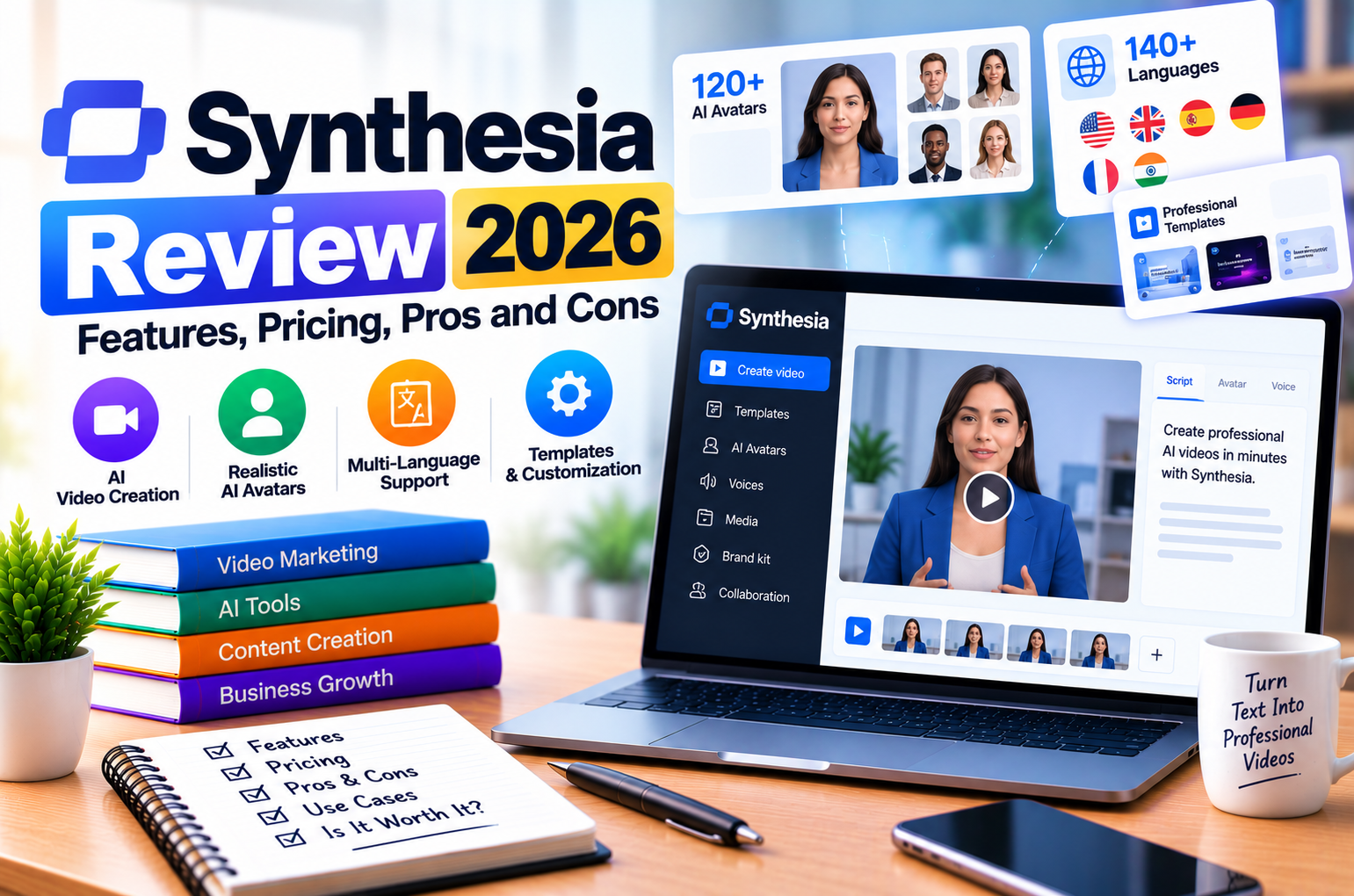
Synthesia Review 2026
Video has become an important communication format for businesses, educators, marketers, and content creators. Companies use videos to explain products, train employees, introduce services, onboard customers, and communicate with audiences across different regions.
However, traditional video production can be expensive and time-consuming. Recording a professional video may require a presenter, camera equipment, lighting, a suitable location, editing software, and several rounds of revisions. Producing the same video in multiple languages can add even more work.
Artificial intelligence is changing this process by making it possible to generate presenter-led videos from written scripts and other source materials.
One platform operating in this space is Synthesia, an AI video creation platform that enables users to create videos featuring AI-generated presenters, synthetic voices, visual elements, and multilingual content without recording every scene with a camera.
Instead of organizing a traditional recording session, a business can prepare a script, select an AI avatar, configure the presentation, and generate a video through the platform. It can then edit the content, revise the script, and produce additional versions for different audiences.
These capabilities make Synthesia relevant to corporate training, employee onboarding, product demonstrations, internal communications, customer education, and other business applications.
However, the platform is not necessarily the best choice for every video project. AI presenter videos are particularly useful for scripted communication, but they may not replace real-world demonstrations, documentary footage, or creative productions that depend on authentic physical performances.
Pricing and usage allowances also matter. A free plan can help users experiment with the editor, while regular production may require a paid subscription. Features such as personal avatars, advanced collaboration, and enterprise administration may influence which plan is appropriate.
This Synthesia review 2026 examines the platform from a practical perspective. We will explore its core features, AI avatars, video editor, voice generation, multilingual tools, pricing, integrations, advantages, limitations, and potential business applications.
By the end, you should have a clearer understanding of whether Synthesia is suitable for your needs and what to evaluate before subscribing.
Research note: Product and pricing information in this article was reviewed against Synthesia’s official website and help documentation on October 22, 2026. Features, credit allowances, and subscription terms can change. Confirm the latest details on the official pricing page before purchasing.
Quick Verdict: Is Synthesia Worth It in 2026?
Synthesia is worth considering if you regularly create scripted, presenter-led videos and want to reduce the work involved in recording, editing, and localizing them.
Its value is particularly relevant to organizations that need repeatable video production rather than a single promotional video.
For example, a company can use an AI presenter to explain a workplace policy, create an onboarding video, introduce a product feature, or prepare a training module. If the script changes, the team can update the content and regenerate the video instead of arranging another filming session.
The platform also supports broader workflows involving multilingual dubbing, interactive video experiences, learning content, and other AI-powered communication tools.
However, its suitability depends on the intended production style, monthly usage, desired level of customization, and budget.
| Evaluation Area | Assessment |
| Ease of use | Suitable for users who prefer a visual video editor |
| AI avatars | A central strength of the platform |
| Script-to-video workflow | Useful for creating presenter-led content |
| Voice generation | Supports AI voiceovers and multilingual workflows |
| Video localization | Useful for adapting content for different language audiences |
| Branding | Relevant for businesses creating consistent video content |
| Collaboration | More extensive options are available on higher-tier plans |
| Pricing | A free starting plan is available; regular production may require a paid tier |
| Best use cases | Training, onboarding, product education, internal communication, and explainers |
| Main limitation | Less suitable for projects that depend primarily on authentic live-action footage |
| Overall verdict | Worth testing for repeatable, script-driven business video production |
Synthesia’s official documentation describes the platform as an AI video communications solution serving learning and development, enablement, HR, and corporate communications teams. It also identifies limitations around live-action-first content and notes that the full editing experience is best supported on desktop.
1. What Is Synthesia?
Synthesia is an AI video creation platform that allows users to produce videos using AI avatars, generated voices, scripts, and other visual elements.
It is designed to simplify the creation of professional-looking videos without requiring a traditional recording setup for every project.
A conventional video workflow might involve writing a script, hiring a presenter, recording the footage, editing the recording, adding graphics, correcting mistakes, and producing language-specific versions.
With Synthesia, much of the presenter-recording process can be replaced by an AI-driven workflow.
Users can prepare a script, select a supported avatar and voice, arrange scenes, customize the presentation, and generate the resulting video.
The platform can also work with existing source materials. Depending on the available features and configuration, users can begin with a script, document, presentation, link, or prompt and use these materials to develop a video.
1.1 How Synthesia Works
The basic workflow can be divided into five stages.
Stage 1: Prepare the Content
Start with the message you want to communicate.
This may be a training script, product explanation, onboarding guide, internal announcement, or customer education video.
The quality of the script matters because the AI presenter communicates the content you provide. A confusing script can produce a confusing video, even if the avatar looks professional.
Stage 2: Choose an AI Avatar
Select an available AI presenter that fits the intended audience and communication style.
For example, a corporate training video may benefit from a professional presenter, while a product tutorial may work better with a neutral, instructional presentation.
The available avatar library and customization options depend on the plan.
Stage 3: Configure the Voice and Scenes
Select the appropriate voice and arrange the content into scenes.
A scene might include the presenter, a title, a product image, supporting text, a diagram, or another visual element.
Breaking a long script into smaller scenes can make the video easier to follow and simplify later revisions.
Stage 4: Generate and Review the Video
Generate the video and review the result.
Check pronunciation, pacing, visual consistency, scene transitions, and the accuracy of any on-screen information.
AI-generated output should be treated as a draft that requires quality control, particularly when the content includes technical terminology, legal information, or detailed product instructions.
Stage 5: Edit, Export, and Distribute
Make any required changes and export or share the finished video using the available options.
Depending on the plan, users may also have access to features such as downloadable videos, branded video pages, collaboration, or interactive experiences.
This workflow can reduce the need for repeated recording sessions, especially when the same information must be presented consistently across multiple videos.
1.2 Who Is Synthesia Designed For?
Synthesia is particularly relevant to organizations that need to produce scripted video content regularly.
Typical users include:
- Corporate learning and development teams.
- Human resources departments.
- Marketing teams.
- Sales enablement teams.
- Customer education teams.
- Software companies.
- Training providers.
- Educational organizations.
- Internal communications departments.
- Businesses producing multilingual content.
For example, a company with hundreds of employees may need to create onboarding videos for its policies, software tools, and internal procedures.
A traditional approach may require recording multiple presentations and updating each one whenever a policy changes.
An AI video workflow can make those updates easier to manage, provided the revised content is reviewed and regenerated correctly.
2. Synthesia Features: What Does the Platform Offer?
Synthesia has expanded beyond basic text-to-video generation. Its product includes AI video creation, avatar and voice capabilities, localization, interactive experiences, and other communication-oriented features.
The exact capabilities available to an individual user depend on the subscription and current product configuration.
The following table summarizes the major feature categories.
| Feature | What It Does | Potential Benefit |
| AI avatars | Presents a script through a digital presenter | Reduces the need for repeated presenter recordings |
| AI voice generation | Produces spoken narration | Simplifies voiceover production |
| Script-to-video creation | Converts prepared content into a video workflow | Speeds up production of explainers and training content |
| Video editor | Arranges scenes, text, media, and presenter content | Supports visual customization |
| AI Video Assistant | Helps users develop scripts and video content | Reduces initial content preparation work |
| Templates | Provides starting layouts for common video formats | Makes repeatable production easier |
| Personal avatars | Creates a digital representation of an individual | Supports personalized branded communication |
| AI dubbing | Produces language-specific versions of existing videos | Helps localize content |
| Interactive videos | Adds supported interactive elements | Enables more engaging learning experiences |
| Motion graphics and media | Adds supporting visuals to scenes | Helps explain complex information |
| Brand customization | Supports consistent visual presentation | Helps maintain brand identity |
| Collaboration | Allows teams to review and work on videos | Supports organizational production workflows |
| API access | Supports programmatic video creation | Helps automate repeatable production |
| Roleplay and survey experiences | Supports additional interactive communication use cases | Extends the platform beyond conventional videos |
| Enterprise administration | Adds organizational controls and services | Supports larger deployments |
Synthesia’s current product documentation describes AI video creation, localization, interactive experiences, surveys, roleplay sessions, and API-related capabilities. Some features are plan-dependent.
Let’s examine the features in more detail.
3. AI Avatars: Synthesia’s Core Feature
AI avatars are one of Synthesia’s defining capabilities.
An AI avatar is a digital presenter that delivers scripted content using generated speech and synchronized facial or body movements.
Instead of recording a real person for every video, users can select an available avatar and use it to present their message.
This approach is useful for content that needs a consistent presenter but does not necessarily require a live-action performance.
3.1 Ready-Made AI Avatars
Synthesia provides a library of pre-built AI avatars.
These presenters can be used for different types of business communication, depending on the available selection and usage rights.
Potential applications include:
- Employee onboarding.
- Internal announcements.
- Product explainers.
- Software tutorials.
- Customer education.
- Training modules.
- Corporate presentations.
- Sales enablement videos.
For example, a software company could create a series of short videos explaining how to use its product.
Rather than recording a new presenter for each feature, the company could use a consistent AI presenter throughout the series.
This can help maintain a recognizable presentation style across the content library.
What to Consider When Choosing an Avatar
The most visually impressive avatar is not automatically the best choice.
Consider:
Audience expectations: A corporate compliance video may require a different presentation style from a marketing explainer.
Brand consistency: The presenter should fit the business’s communication standards.
Language requirements: Confirm that the required voice and language are supported for the chosen avatar.
Video length: Review the output for natural-looking movements and acceptable presentation quality throughout the entire video.
Licensing and usage: Confirm the applicable terms for the avatar and intended commercial use.
3.2 Personal AI Avatars
Personal avatars allow users to create a digital representation of themselves or another authorized individual.
This can be useful for people who want a recognizable presenter without recording every message manually.
Potential applications include:
- Founder announcements.
- Executive communications.
- Personalized training content.
- Product updates.
- Sales presentations.
- Recurring educational videos.
For example, a company founder may want to produce a monthly update for employees.
A personal avatar could provide a consistent digital presentation format while reducing the need to record every update in a studio.
However, the avatar’s output should be reviewed before publication. The script, delivery, and visual result still influence whether the communication feels appropriate.
Important Considerations for Personal Avatars
Creating an avatar involves identity and consent considerations.
Only create or use a personal avatar when you have the required authorization. Follow the platform’s identity verification and consent requirements.
Businesses should also consider where and how the avatar will be used, who can access it, and whether the audience should be informed that the presenter is AI-generated.
These safeguards are especially important when a digital likeness represents an executive, employee, public figure, or customer.
3.3 Customizing Avatars
Synthesia offers different levels of avatar customization depending on the feature and subscription.
Some capabilities may allow users to select a custom presenter or configure aspects of its appearance and presentation.
The exact controls, processing requirements, and associated charges can vary.
When evaluating avatar customization, ask:
- Can the avatar match the intended brand presentation?
- What recording or verification is required?
- Which subscription includes the capability?
- Is there an additional fee?
- How long does avatar creation take?
- What restrictions apply to commercial use?
- Can the avatar be used across multiple videos?
These questions help determine whether the feature is practical for the intended workflow.
3.4 Are Synthesia AI Avatars Realistic?
AI avatars can provide convincing presenter-style videos, but their suitability depends on the content and audience.
A presenter delivering a short corporate announcement may work well in a scripted format.
A scene requiring subtle emotional performance, physical interaction with objects, or authentic environmental behaviour may be more difficult to reproduce convincingly.
The result also depends on the script, voice, avatar selection, scene composition, and generation settings.
Before using an avatar in a high-visibility campaign, create a sample video and review it with people who represent the target audience.
Look for:
- Natural-looking speech synchronization.
- Appropriate facial expressions.
- Acceptable movement.
- Clear pronunciation.
- Suitable pacing.
- Consistency between the spoken content and visual presentation.
The practical question is not whether an avatar looks realistic in a preview. It is whether the finished video communicates the intended message effectively.
4. AI Voice Generation and Voiceovers
Voice generation is another important component of Synthesia.
A video may contain excellent visuals but still feel unprofessional if the narration is difficult to understand or poorly matched to the subject.
AI voice generation allows users to produce spoken narration without recording every line themselves.
This can be especially useful for training videos, product explanations, and content that must be updated frequently.
4.1 Selecting an AI Voice
When selecting a voice, consider:
- Language.
- Pronunciation.
- Tone.
- Speaking pace.
- Audience expectations.
- Consistency across the video series.
A technical tutorial may benefit from a clear and measured delivery, while a promotional video may call for a more energetic style.
The voice should support the content rather than distract from it.
4.2 Script Preparation for Better Voice Output
AI voice generation works best when the script is written for speech rather than copied directly from a dense document.
For example, a long sentence containing several technical clauses may be difficult to follow when spoken aloud.
Breaking it into shorter sentences can improve clarity.
Instead of:
“By implementing the platform’s integrated workflow management capabilities, organizations can optimize the creation, review, distribution, and maintenance of instructional materials across departments.”
A more conversational version might be:
“The platform helps teams manage instructional content in one workflow. They can create, review, distribute, and update materials across departments.”
The second version is easier to follow in a narrated video.
4.3 Pronunciation and Pacing
Always review pronunciation of:
- Brand names.
- Product names.
- Technical terminology.
- Abbreviations.
- Names of people and places.
- Numbers and dates.
If the platform provides pronunciation controls or equivalent options for the selected voice, use them where appropriate.
Also check whether pauses occur at natural points.
A video can contain accurate information and still be difficult to understand if the narration is too fast or pauses awkwardly.
4.4 When Should You Use a Human Voice?
AI narration is not automatically the best option for every project.
A human voice may be preferable when the content relies heavily on personal emotion, a recognizable spokesperson, spontaneous delivery, or a particular vocal performance.
AI narration is often more attractive when consistency, speed, multilingual production, and easy revisions are the main priorities.
The choice should depend on the communication objective rather than the assumption that one approach is always superior.
5. Synthesia AI Video Creation
Synthesia’s video creation workflow combines scripts, AI presenters, narration, and visual elements.
The purpose is to simplify the process of producing presenter-led videos while allowing users to organize content into scenes.
This can be useful for businesses that need repeatable video formats.
5.1 Script-to-Video Workflow
A script-to-video workflow typically begins with written content.
Users can organize the script into scenes and combine it with the chosen presenter, voice, and supporting media.
Depending on the available feature, Synthesia can also help users develop video content from source materials such as documents, presentations, links, or prompts.
This approach can reduce the time needed to create a first draft.
However, automated content generation should not replace editorial review.
The generated script may need adjustments to improve factual accuracy, remove unnecessary material, or match the intended audience.
5.2 Creating Scenes
Scenes are useful for breaking a video into manageable sections.
For example, a product tutorial might contain:
- Introduction.
- Problem overview.
- Product demonstration.
- Step-by-step instructions.
- Common mistakes.
- Summary.
- Call to action.
Each scene can focus on one part of the message.
This helps the audience follow the explanation and makes revisions easier.
If the company changes one product feature, it may only need to update the relevant scene rather than rewrite the entire video.
5.3 Adding Supporting Visuals
AI presenters should not be expected to carry every video on their own.
Supporting visuals can help explain information that is difficult to communicate through narration alone.
Useful elements include:
- Product screenshots.
- Diagrams.
- Charts.
- Icons.
- Process illustrations.
- Short text labels.
- Screen recordings.
- Relevant background images.
For a software tutorial, a real screenshot of the interface may be more informative than a presenter describing every button verbally.
For a training video, a diagram can explain a process more clearly than several paragraphs of narration.
5.4 Templates and Repeatable Production
Templates can help businesses maintain a consistent format across a video series.
For example, an organization may use the same structure for every employee training video:
- Course title.
- Learning objective.
- Presenter introduction.
- Main instruction.
- Example.
- Knowledge check.
- Summary.
A reusable format can reduce the effort needed to create subsequent videos.
It can also make the content library feel more consistent.
However, templates should not make every video identical when different topics require different visual treatments.
5.5 Editing and Regenerating Videos
One of the practical advantages of AI video production is the ability to revise scripts and regenerate affected content.
Suppose a company changes the wording of its return policy.
A traditional production workflow may require recording a replacement segment and editing it into the existing video.
An AI workflow can make it easier to update the script and regenerate the relevant content.
However, editing and regeneration can consume usage credits depending on the type and extent of the changes.
Before making large-scale revisions, check how the platform calculates usage for regenerated footage and other AI-generated assets.
6. AI Video Assistant and Content Creation
Creating a video involves more than generating an avatar.
The team must decide what the video should communicate, organize the information, write the script, choose visuals, and structure the final presentation.
Synthesia’s AI Video Assistant is designed to help with aspects of the video creation process.
The official pricing page lists AI Video Assistant among the features available on paid self-serve plans.
6.1 Turning Source Material Into a Video Draft
A business may already have the information required for a video but lack a polished script.
For example, the source material might be:
- A training document.
- A product presentation.
- A process guide.
- A support article.
- An internal announcement.
An AI-assisted workflow can help turn this information into a draft script or structured video.
The draft should then be reviewed for accuracy, clarity, tone, and suitability for the audience.
6.2 Improving the Script
AI assistance can help users:
- Organize content into sections.
- Simplify technical explanations.
- Generate introductory wording.
- Suggest scene transitions.
- Prepare summaries.
- Develop knowledge-check questions.
- Create alternate versions for different audiences.
For example, a product document written for engineers may need substantial simplification before it becomes a customer-facing explainer.
The AI assistant can help create a more accessible draft, but a subject-matter expert should confirm that the simplified explanation remains accurate.
6.3 AI Does Not Replace Editorial Judgment
A generated script may contain repetition, unsupported claims, or language that does not match the brand.
Before generating the final video, review:
- Factual accuracy.
- Product claims.
- Technical terminology.
- Brand voice.
- Copyright and usage rights.
- Confidential information.
- Any legal or regulatory statements.
The goal is to use AI to reduce repetitive work while retaining human responsibility for the final content.
7. Multilingual Video Creation and AI Dubbing
Businesses increasingly need to communicate with audiences who speak different languages.
Creating a separate video for every market can be expensive, particularly when the content changes frequently.
Synthesia provides multilingual video and dubbing capabilities intended to help businesses localize content. The available languages and features depend on the selected workflow and plan.
7.1 Why Video Localization Matters
Consider a software company that creates a training video for customers in several countries.
A traditional workflow may require separate voice recordings, editing, and review for each language.
AI-assisted localization can reduce some of this work by generating translated or dubbed versions of the original content.
Potential use cases include:
- International employee training.
- Multilingual product tutorials.
- Customer onboarding.
- Global product announcements.
- Regional marketing content.
- Educational videos.
7.2 AI Dubbing
Dubbing replaces or adapts the original spoken content into another language.
Depending on the available options, the workflow may include translated speech and lip-sync features.
This can make an existing video more accessible to audiences who do not speak the original language.
However, a translated video still requires quality control.
Literal translation may not communicate the same meaning, particularly when the source includes idioms, humour, cultural references, or technical terminology.
7.3 Review Localized Content
Before publishing a localized video, check:
- Translation accuracy.
- Technical terminology.
- Names and product references.
- Cultural suitability.
- Voice quality.
- Timing and pacing.
- On-screen text.
- Legal and regulatory statements.
For important content, involve a qualified reviewer who understands the target language and subject matter.
AI translation can accelerate the workflow, but it should not be assumed to guarantee perfect localization.
7.4 Usage and Credit Considerations
Synthesia’s credit system can be used across several AI-powered features, including video creation and dubbing.
The official documentation reviewed for October 2026 lists dubbing at 80 credits per minute with lip-sync and 40 credits per minute without lip-sync. The applicable rates and allowances should be verified before production.
A business that creates many localized versions should estimate its total usage before choosing a subscription.
8. Interactive Videos, Roleplays, and Survey Experiences
Synthesia’s product now extends beyond conventional presenter-led videos.
Its official product information describes interactive video experiences, roleplay sessions, survey sessions, and interactive avatars. Availability depends on the plan and product configuration.
These capabilities can support more participatory learning and communication experiences.
8.1 Interactive Videos
Interactive videos can include supported elements that allow viewers to engage with the content.
Depending on the available functionality, these may include:
- Quizzes.
- Calls to action.
- Branching paths.
- Other interactive elements.
For example, an employee training video might present a scenario and ask the learner to select the appropriate response.
The subsequent content can then guide the learner through the relevant explanation.
This approach may be useful when passive video viewing is insufficient for the learning objective.
8.2 Roleplay Sessions
Roleplay experiences can allow learners to practice handling scenarios.
For example, a sales team might use a simulated conversation to practise responding to objections.
A customer-support team could practise handling a complaint or explaining a product limitation.
These experiences can help teams rehearse conversations in a controlled environment.
However, roleplay scenarios should be designed around realistic situations and reviewed to ensure the feedback aligns with company policy.
8.3 Survey Sessions
Survey sessions can support more interactive information gathering.
Depending on the implementation, organizations may use conversational experiences to collect responses and feedback.
Potential applications include:
- Employee feedback.
- Training evaluations.
- Customer research.
- Product feedback.
- Internal surveys.
The value of the feature depends on the survey design, participant experience, and how the resulting information is analyzed.
8.4 When Should You Use These Features?
These tools are most relevant when the business needs more than a video that simply delivers information.
Use interactive features when the audience needs to practise, respond, make choices, or provide structured feedback.
For a short product announcement, a conventional video may be sufficient.
For a training course that teaches decision-making, an interactive format may offer additional value.
9. Branding, Customization, and Collaboration
Businesses often need video content to follow a consistent visual identity.
Synthesia provides customization and branding capabilities, with more extensive options available on higher-tier plans.
The official pricing page lists features such as branded video pages, personal avatars, brand kits, and team collaboration across applicable plans.
9.1 Brand Consistency
A company may want every training video to use consistent colours, typography, terminology, and presentation styles.
Branding controls and reusable templates can help standardize the output.
A consistent format can be particularly useful when multiple departments produce videos for the same organization.
However, the visual identity should not reduce readability or make the content difficult to follow.
9.2 Team Collaboration
Video production often involves several people:
- A subject-matter expert.
- A scriptwriter.
- A designer.
- A reviewer.
- A department manager.
- A training administrator.
Collaboration tools can help teams review content and coordinate changes.
Before selecting a plan, determine how many editors and guests are required and which collaboration features are included.
9.3 Approval and Quality Control
Organizations should establish an approval process for important video content.
A possible workflow is:
- Draft the script.
- Review the information.
- Generate the video.
- Check pronunciation and visuals.
- Obtain approval from the responsible department.
- Publish the video.
- Review the content when policies or products change.
This process is particularly important for compliance training, financial information, technical documentation, and customer-facing product claims.
10. Synthesia Pricing in 2026
Synthesia offers a free Basic plan, paid self-serve plans, and custom Enterprise pricing.
Its October 2026 pricing update introduced a shared credit system across usage-based features. The plan structure now includes Basic, Starter, Pro, larger Pro tiers, and Enterprise.
Because pricing pages can display different billing options, users should distinguish between month-to-month prices and the effective monthly price associated with annual billing.
The following overview reflects Synthesia’s official pricing information reviewed on October 22, 2026.
10.1 Synthesia Pricing Overview
| Plan | Published Monthly Price | General Purpose |
| Basic | $0 | Explore the editor and create limited videos |
| Starter | $29 per month | Regular video creation for individuals |
| Pro | $89 per month | Higher-volume production and additional features |
| Pro 2×, 4×, 6× and 8× | Scaled pricing | Additional monthly credits for larger workloads |
| Enterprise | Custom pricing | Organization-wide use and advanced administration |
Pricing note: Annual billing provides lower effective monthly prices for applicable plans. The official pricing page reviewed for this article displayed Starter at an effective $18 per month and Pro at $64 per month when billed annually. Regional pricing and plan options can vary.
The dedicated article Synthesia Pricing Plans Compared: Which Plan Should You Choose? will examine the plan differences and cost calculations in greater detail.
10.2 Basic Plan
The Basic plan is intended for users who want to explore Synthesia before committing to a paid subscription.
The October 2026 plan structure includes:
- A monthly allowance of 10 minutes of video.
- Three survey responses.
- 500 monthly credits.
- Access to selected templates and other introductory features.
- Watermarked video output.
The plan can be useful for testing the editor and reviewing the available avatars and voices.
However, the watermark and usage restrictions may make it unsuitable for regular professional production.
10.3 Starter Plan
The Starter plan is designed for individuals who want to create and distribute videos more regularly.
The official pricing page lists features such as video downloads, removal of the Synthesia logo, AI Video Assistant, additional avatars, and a guest allowance.
The plan includes 1,250 additional monthly credits on top of the shared 500-credit allowance under the October 2026 structure.
This makes the total monthly balance 1,750 credits.
The plan may suit users who need regular video creation but do not require all the advanced collaboration and customization features of the higher tiers.
10.4 Pro Plan
The Pro plan is designed for users who need higher production capacity and additional capabilities.
The published feature list includes personal avatars, branded video pages, interactive videos, additional guests, and a larger stock avatar selection.
Under the October 2026 credit system, Pro includes 6,000 additional monthly credits plus the shared 500-credit allowance, for a total of 6,500 credits per month.
The official pricing page lists Pro at $89 per month when billed monthly and an effective $64 per month with annual billing.
For businesses producing regular training videos, product tutorials, or internal communications, the Pro plan may offer a useful balance between production capacity and additional features.
Whether it is the right choice depends on the expected workload and the use of other credit-consuming features.
10.5 Larger Pro Tiers
Synthesia offers larger Pro tiers for users who need additional credits.
These tiers scale the extra monthly credit allowance above the standard Pro plan.
They can be relevant to businesses that produce videos at a higher volume or use multiple AI-powered features.
Before upgrading, estimate the total number of finished video minutes, dubbing minutes, and other credit-consuming activities required each month.
10.6 Enterprise Plan
The Enterprise plan is designed for organizations with more extensive requirements.
The official pricing page lists capabilities that include:
- Unlimited video minutes, subject to the applicable Enterprise terms.
- Expanded avatar options.
- Unlimited personal avatars under the published plan terms.
- Brand kits.
- SAML single sign-on.
- Live team collaboration.
- SCORM export.
- Tailored onboarding.
- Implementation services.
- Dedicated customer success support.
Enterprise pricing is customized, so businesses should contact Synthesia to discuss the required capacity, administration, and service arrangements.
10.7 Understanding Synthesia Credits
The credit system is important because different activities consume different amounts of usage.
The October 2026 documentation explains that credits are shared across several features, including video creation, dubbing, surveys, interactive avatars, and API usage.
According to the published documentation:
- Video creation uses approximately 100 credits per minute of generated avatar footage.
- Dubbing with lip-sync uses 80 credits per minute.
- Dubbing without lip-sync uses 40 credits per minute.
- Survey responses use 350 credits each.
- Interactive Avatar usage and other features have their own credit rules.
These rates are based on the official documentation reviewed for this article and should be checked before production.
The amount of video a user can produce therefore depends on more than the subscription price.
For example, a business that uses most of its credits for video generation will have a different workload from one that also produces localized versions and uses interactive features.
Example: Estimating Monthly Video Production
Imagine a business wants to create:
- Eight training videos, each five minutes long.
- Four short product videos, each two minutes long.
- Two dubbed versions of selected training content.
The initial video requirement is:
8 × 5 minutes = 40 minutes.
4 × 2 minutes = 8 minutes.
Total initial video footage: 48 minutes.
At an approximate rate of 100 credits per minute, 48 minutes of generated avatar footage would require around 4,800 credits, before accounting for the included video allowance, dubbing, revisions, and any other credit-consuming features.
This is an illustrative estimate, not a guarantee of actual consumption.
The business should use Synthesia’s current credit rules and in-product estimates to calculate the complete workload.
10.8 Is Synthesia Worth the Price?
Synthesia can offer value when it reduces repeated production work.
Suppose a company needs to produce several training videos every month. A traditional workflow may involve scheduling presenters, recording footage, editing the video, and arranging revisions.
An AI video workflow may reduce some of those steps.
However, the financial benefit depends on the actual workflow.
A company that creates one short video every few months may not need a paid plan.
A business that produces training videos regularly, maintains multilingual content, and updates scripts frequently may find the subscription more useful.
The appropriate question is:
Does Synthesia reduce the total cost and effort required to produce acceptable video content at your required quality level?
To answer it, compare the platform’s subscription and usage costs with the time, tools, and production resources required by your existing workflow.
11. Synthesia for Business: Practical Use Cases
Synthesia’s strongest use cases generally involve scripted communication that needs to be produced consistently.
Let’s examine how different organizations might use the platform.
11.1 Corporate Training
Corporate training often involves recurring topics such as workplace policies, software tools, safety procedures, and operational processes.
An organization can create a structured video library that employees access when they need to learn or review a procedure.
For example, a company introducing a new internal software system could create separate videos for account setup, navigation, reporting, and common tasks.
When the interface or process changes, the relevant script can be updated and the video regenerated.
This can make training content easier to maintain.
However, training involving physical demonstrations, safety-critical procedures, or hands-on equipment may require real footage or in-person instruction alongside AI-generated material.
11.2 Employee Onboarding
New employees often need consistent information about company policies, internal systems, and workplace expectations.
Synthesia can be used to create onboarding videos that introduce:
- Company policies.
- Workplace procedures.
- Internal communication tools.
- Security requirements.
- Department responsibilities.
- Training resources.
A standardized video can help employees receive the same core information.
The company should still provide opportunities to ask questions and consult human representatives when an issue requires clarification.
11.3 Product Demonstrations
Software companies can use AI presenter videos to explain features and introduce product workflows.
A video might present the purpose of a feature, show relevant screenshots, and explain how customers can use it.
For example, a project management platform could create short videos about task creation, team assignments, reporting, and workflow automation.
An AI presenter can provide narration while screenshots demonstrate the actual interface.
For technical products, real interface recordings are often valuable because they show customers exactly what to do.
11.4 Customer Education
Businesses can use videos to help customers understand products and services.
Examples include:
- How to configure an account.
- How to use a product.
- How to maintain equipment.
- How to troubleshoot common problems.
- How to complete a process.
- How to access customer support.
These videos can reduce repetitive enquiries when the information is accurate and easy to follow.
11.5 Sales Enablement
Sales teams often need consistent presentations about products, services, pricing structures, and common customer questions.
AI-generated videos can help create repeatable explanations for different audiences.
For example, a company might create separate videos for small businesses, enterprise customers, and technical stakeholders.
Each video can focus on the information most relevant to the intended audience.
Sensitive pricing claims and competitive statements should be reviewed before publication.
11.6 Marketing Content
Marketing teams can use AI presenter videos for explainers, announcements, educational content, and other scripted formats.
The platform may be especially useful when the same message needs to be adapted for several audiences or languages.
However, marketing videos often depend on strong storytelling, distinctive visuals, and emotional engagement.
For campaigns built around real people, locations, product demonstrations, or original cinematography, AI presenter videos may be better used as one component of a larger production rather than as a complete replacement.
11.7 Internal Communications
Large organizations need to communicate policy changes, organizational updates, training requirements, and internal announcements.
AI video production can make it easier to create standardized messages without arranging a new recording session for every update.
However, communications involving sensitive organizational changes or leadership messages may benefit from a real presenter when authenticity and personal connection are important.
12. Synthesia Advantages and Disadvantages
A balanced review should consider both the benefits and the limitations.
12.1 Advantages of Synthesia
Reduced Dependence on Traditional Recording
Synthesia can reduce the need for cameras, studios, and repeated presenter recordings for suitable types of video.
This can be particularly valuable when producing recurring training or educational content.
Easier Script Revisions
When information changes, users can update the script and regenerate the affected content rather than arrange an entirely new recording session.
The actual usage cost of revisions should still be considered.
Consistent Presenter Style
A business can use the same avatar and presentation format across a series of videos.
This can help maintain a consistent visual identity.
Multilingual Content Workflows
AI dubbing and translation-related capabilities can help businesses adapt content for different language audiences.
Human review remains important for accuracy and cultural suitability.
Repeatable Video Production
Templates and reusable structures can reduce the work required to create similar videos.
This is especially useful for onboarding, training, and product education.
Additional Interactive Features
Interactive videos, roleplays, and other supported experiences can extend the platform beyond passive video delivery.
Enterprise-Oriented Capabilities
Higher-tier plans provide options for collaboration, administration, branding, and organizational deployment.
These capabilities may be relevant to larger teams.
12.2 Disadvantages of Synthesia
Not Ideal for Every Production Style
AI presenter videos may not be suitable for projects that depend on authentic physical performances, complex emotional expression, or real-world footage.
Subscription and Usage Considerations
The credit system requires users to estimate how much content they will generate and which features they will use.
High-volume production may require a higher plan or additional capacity.
AI Output Requires Review
Generated scripts, narration, and visual output can contain mistakes or inconsistencies.
Important content should be reviewed before publication.
Limited Suitability for Some Physical Demonstrations
An AI presenter may explain a process, but real footage is often more useful when viewers need to observe how an object behaves or how a physical task is performed.
Learning and Workflow Setup
Although the platform is designed to simplify video production, users still need to learn the editor, organize scenes, configure voices, and establish a repeatable process.
Human Authenticity May Matter
Some audiences may prefer a real presenter, especially for personal announcements, emotional storytelling, interviews, and other communication where genuine human expression is important.
13. Synthesia vs Traditional Video Production
Synthesia and traditional video production solve overlapping but different problems.
Traditional production provides extensive control over real-world footage, physical performances, camera movement, lighting, and location.
Synthesia is designed to simplify scripted video creation using AI presenters and generated media.
The choice depends on the purpose of the video.
| Comparison Factor | Synthesia | Traditional Production |
| Presenter recording | AI-generated presenter options | Real presenter or actor |
| Recording equipment | Not required for standard AI-avatar production | Often required |
| Studio or location | Not required for standard avatar scenes | May be required |
| Script revisions | Can be handled through editing and regeneration | May require additional recording |
| Multilingual production | AI localization options | May require new recordings or dubbing |
| Physical demonstrations | Limited by the available visual workflow | Stronger when real-world footage is needed |
| Emotional performance | Depends on the available avatar and generation quality | Greater flexibility with human actors |
| Production workflow | Software-based | Recording and post-production |
| Usage costs | Subscription and applicable credit consumption | Production, equipment, staff, and editing costs |
| Creative control | Depends on the editor and available assets | Broad control over filming and post-production |
Neither approach is universally better.
A company producing dozens of training videos may benefit from AI-assisted production.
A brand creating a cinematic advertisement may need traditional filming.
Some projects can combine both approaches: an AI presenter introduces the topic, while real product footage demonstrates the process.
14. Synthesia vs Other AI Video Platforms
Synthesia operates in a competitive market that includes platforms such as HeyGen, Colossyan, and other AI video tools.
The platforms overlap in some capabilities, but their strengths and workflows differ.
14.1 Synthesia vs HeyGen
HeyGen is a relevant comparison for users interested in AI avatars, presenter videos, and multilingual content.
When comparing the two platforms, examine:
- Avatar quality.
- Personal avatar creation.
- Voice options.
- Video editing.
- Translation and dubbing.
- API capabilities.
- Usage allowances.
- Commercial terms.
The better option depends on the desired output and the cost of producing it.
The separate article Synthesia vs HeyGen: Which AI Video Platform Is Worth Paying For? can examine those differences in detail.
14.2 Synthesia vs Colossyan
Colossyan is another platform to evaluate for training and learning-oriented video production.
A useful comparison should focus on:
- Script-to-video workflow.
- Presenter options.
- Training-oriented features.
- Interactive content.
- Localization.
- Collaboration.
- Pricing.
Organizations should test both tools using the same training script and learning objectives.
14.3 Synthesia vs General AI Video Generators
Some AI video tools focus on generating cinematic clips, animated scenes, or other visual media rather than presenter-led communication.
These tools may be better suited to creative visual experimentation.
Synthesia is more directly relevant when a business wants a digital presenter to deliver a script consistently.
Before choosing a platform, determine whether your primary requirement is an AI presenter, generated visual footage, video editing, or a combination of these capabilities.
15. Who Should Use Synthesia?
Synthesia is most useful when the business has a recurring need for scripted video content.
Recommended for:
Learning and development teams: To produce training videos and educational content.
HR departments: To create onboarding materials and explain internal policies.
SaaS companies: To prepare tutorials and product explanations.
Customer education teams: To create repeatable instructional videos.
Marketing teams: To develop explainers and announcements.
Sales teams: To create consistent product presentations.
Multinational organizations: To localize suitable content for different language audiences.
Less Suitable for:
Cinematic production teams: When the project depends on extensive real-world filming or complex performances.
One-off casual creators: If video production is infrequent and the free allowance is sufficient.
Physical training applications: When learners must see authentic demonstrations of equipment or hands-on procedures.
Projects requiring unrestricted custom animation: When the intended visuals exceed the platform’s available editing and generation capabilities.
Teams without a clear video workflow: When the organization has not identified what it needs to communicate or how the content will be maintained.
16. How to Decide Whether Synthesia Is Right for You
Before purchasing a subscription, evaluate the platform against your actual production requirements.
Step 1: Identify Your Video Types
List the kinds of videos you need.
For example:
- Training videos.
- Product explainers.
- Customer tutorials.
- Internal announcements.
- Marketing videos.
- Multilingual content.
This will help determine whether AI presenters are appropriate for most of your workload.
Step 2: Estimate Monthly Video Volume
Calculate how many finished minutes you expect to generate.
Do not estimate only the number of videos. A business producing twenty short videos may have a different workload from one producing five long training sessions.
Include revisions and localized versions in the estimate.
Step 3: Test the Avatar and Voice
Create a short sample using the intended avatar, voice, and script.
Review pronunciation, pacing, facial movements, and the overall presentation.
If possible, ask representative viewers whether the video is clear and appropriate for its intended purpose.
Step 4: Evaluate the Editing Workflow
Test how easily you can:
- Create scenes.
- Add supporting media.
- Revise the script.
- Regenerate content.
- Maintain visual consistency.
- Export the result.
The time saved during production should be considered alongside the subscription cost.
Step 5: Review Credit Consumption
Check the current credit rules for video generation, dubbing, interactive features, and other intended activities.
Estimate your monthly usage and compare it with the allowance of each plan.
Step 6: Check Collaboration Requirements
If several people will create or review videos, determine how many editors and guests are needed.
Check whether the selected plan supports the required collaboration features.
Step 7: Compare With Your Existing Workflow
Estimate the time and resources required by your current production process.
Include script preparation, recording, editing, translation, revisions, and distribution.
Then compare the complete process with the proposed Synthesia workflow.
Step 8: Run a Pilot
Create a small batch of real videos before migrating a large production workflow.
Measure the time required, review the quality, and estimate the total cost.
Use the results to determine whether the platform provides enough value to justify the subscription.
17. Frequently Asked Questions About Synthesia
1. What is Synthesia used for?
Synthesia is used to create AI-generated videos featuring digital presenters, generated voices, and supporting visual content. Businesses commonly evaluate it for training, onboarding, product tutorials, customer education, internal communication, and multilingual video production.
2. Is Synthesia worth it in 2026?
Synthesia can be worthwhile for organizations that produce scripted videos regularly and want to reduce the work involved in recording and revising presenter-led content. Its value depends on the production volume, desired quality, required features, and total subscription and usage costs.
3. Is Synthesia free to use?
Yes. Synthesia offers a free Basic plan with limited monthly usage. The plan includes a watermarked video output and a limited credit allowance. Users who need additional features or regular professional production may need a paid subscription.
4. How much does Synthesia cost?
The pricing reviewed for October 2026 lists Basic at $0, Starter at $29 per month, and Pro at $89 per month when billed monthly. Larger Pro tiers and Enterprise plans are also available. Annual billing offers lower effective monthly prices for eligible plans. Check the official pricing page for current terms.
5. Does Synthesia use a credit system?
Yes. Synthesia uses a shared credit balance for several usage-based features. Video creation, dubbing, surveys, interactive avatars, and other activities can consume credits at different rates. The total amount of content you can produce depends on the selected plan and how those credits are used.
6. Can Synthesia create videos from text?
Yes. Synthesia supports script-based video creation. Depending on the feature and configuration, users can also begin with other source materials such as documents, presentations, links, or prompts.
7. Are Synthesia AI avatars realistic?
AI avatars can provide convincing presenter-style output for suitable content, but quality depends on the avatar, voice, script, and intended use. They may be less suitable for complex physical performances or scenes that depend on subtle human expression. Always review the final output before publishing.
8. Can I create my own AI avatar with Synthesia?
Synthesia offers personal avatar capabilities on applicable plans. The creation process, usage rights, and available options depend on the selected feature and subscription. Users should follow the platform’s consent and identity requirements.
9. Can I use Synthesia for YouTube videos?
Synthesia can be used to create suitable videos for YouTube and other publishing channels, subject to the applicable subscription and usage terms. Review the final video for factual accuracy, quality, originality, and compliance with the publishing platform’s requirements.
10. Does Synthesia support multiple languages?
Yes. Synthesia provides multilingual voice and video localization capabilities. The languages and features available depend on the selected workflow and plan. Important localized content should be reviewed for translation accuracy and cultural suitability.
11. What is Synthesia AI dubbing?
AI dubbing creates a language-specific spoken version of existing video content. Depending on the available options, the workflow may include lip-sync capabilities. Dubbing can help businesses localize videos without recording every language version from scratch.
12. Can Synthesia create training videos?
Yes. Training is one of the platform’s relevant business use cases. Organizations can create presenter-led videos explaining policies, software tools, procedures, and other instructional material. Physical demonstrations may still require real footage or in-person instruction.
13. Can I edit videos after generating them?
Synthesia supports editing and regenerating video content. The exact editing options depend on the project and current product configuration. Regenerating content can consume credits, so review the applicable usage rules before making extensive revisions.
14. Does Synthesia support team collaboration?
Yes. Synthesia offers collaboration features, with availability depending on the plan. Larger organizations can evaluate additional administration and collaboration capabilities offered through the Enterprise plan.
15. Can Synthesia integrate with other applications?
Synthesia provides integrations and developer options, including API-related capabilities. The specific applications, endpoints, and usage limits depend on the current product and subscription. Confirm that the integration supports your intended workflow before purchasing.
16. Is Synthesia suitable for marketing videos?
Synthesia can be suitable for scripted explainers, product announcements, educational content, and other marketing videos. However, campaigns that depend on authentic live-action footage, cinematic storytelling, or complex performances may require traditional production or a combination of AI and real footage.
17. What are the main disadvantages of Synthesia?
Potential limitations include subscription and usage costs, the need to review AI-generated content, restrictions on some production styles, and the learning required to establish a reliable workflow. AI presenters may also be less suitable when authentic human performance is central to the message.
18. Is Synthesia better than HeyGen?
Neither platform is universally better. Compare avatar quality, voice options, personal avatar features, localization, editing, API access, usage allowances, and pricing. The better choice is the platform that produces the required output reliably at an acceptable cost.
19. Is Synthesia suitable for small businesses?
It can be suitable for small businesses that regularly produce training, product, or customer education videos. The free plan can help users test the platform. Before subscribing, estimate the required production volume and check whether the paid features justify the cost.
20. How do I choose the right Synthesia plan?
Estimate your monthly video minutes, dubbing needs, credit consumption, and collaboration requirements. Then compare the plan allowances and features against your expected workload. A free plan may be sufficient for experimentation, while regular production may justify Starter, Pro, or an enterprise arrangement.
18. Final Verdict: Synthesia Review 2026
Synthesia is a useful option for businesses that want to simplify the production of scripted, presenter-led videos.
Its AI avatars, voice generation, editing workflow, multilingual capabilities, and additional interactive features can support a range of communication and training requirements.
The platform is particularly relevant when organizations need to produce videos consistently and update them as products, policies, or procedures change.
However, it is not a universal replacement for traditional video production.
Projects that rely on real-world demonstrations, cinematic visuals, or highly expressive human performances may require different tools or a hybrid workflow.
Pricing should also be evaluated carefully. The shared credit system means that video creation, dubbing, and other features can compete for the same usage allowance.
Before committing to a paid plan, create sample videos, review the available avatars and voices, estimate monthly usage, and compare the platform’s workflow with your current production process.
Our verdict: Synthesia is worth evaluating for repeatable business video production, particularly training, onboarding, product education, and multilingual communication. Its value is strongest when the time saved and the quality of the resulting videos justify the subscription and usage costs.
The best approach is to begin with a focused pilot, measure the results, and expand the workflow only when it demonstrates practical value.
Official Sources for Verification
Use the following official resources when checking product details and updating the article:
- Synthesia pricing: https://www.synthesia.io/pricing
- Synthesia product overview: https://help.synthesia.io/en/articles/9994493-what-is-synthesia
- Synthesia pricing plans: https://help.synthesia.io/en/articles/15972650-what-are-synthesia-s-pricing-plans
- October 2026 plan changes: https://help.synthesia.io/en/articles/17217419-what-s-changing-in-synthesia-plans-on-october-1-2026
- Synthesia credit system: https://help.synthesia.io/en/articles/11972627-what-are-credits-and-how-do-they-work-on-self-serve-plans
Leave a Reply