


Best Email Marketing Software for Small Businesses
Email marketing continues to be one of the most cost-effective and results-driven digital marketing strategies available to small businesses. Whether you’re running an online store, a local service business, a startup, or a consulting agency, email marketing provides a direct way to communicate with customers, nurture leads, and generate repeat sales.
Unlike social media platforms, where changing algorithms determine who sees your content, email marketing allows you to reach subscribers directly in their inboxes. This direct communication helps businesses build stronger customer relationships while maintaining greater control over their marketing efforts.
Today, there are dozens of email marketing platforms available, each offering different features, pricing models, automation capabilities, and integrations. Some tools focus on simplicity for beginners, while others provide advanced automation and customer journey management for growing businesses.
Choosing the right email marketing software is not simply about selecting the platform with the most features. Instead, businesses should evaluate their marketing goals, budget, team size, technical expertise, and future growth plans before making a decision.
For example, a local bakery sending weekly newsletters has very different requirements from an ecommerce store recovering abandoned carts or a marketing agency managing campaigns for multiple clients. Understanding these differences helps businesses invest in software that supports their current needs while providing room for future expansion.
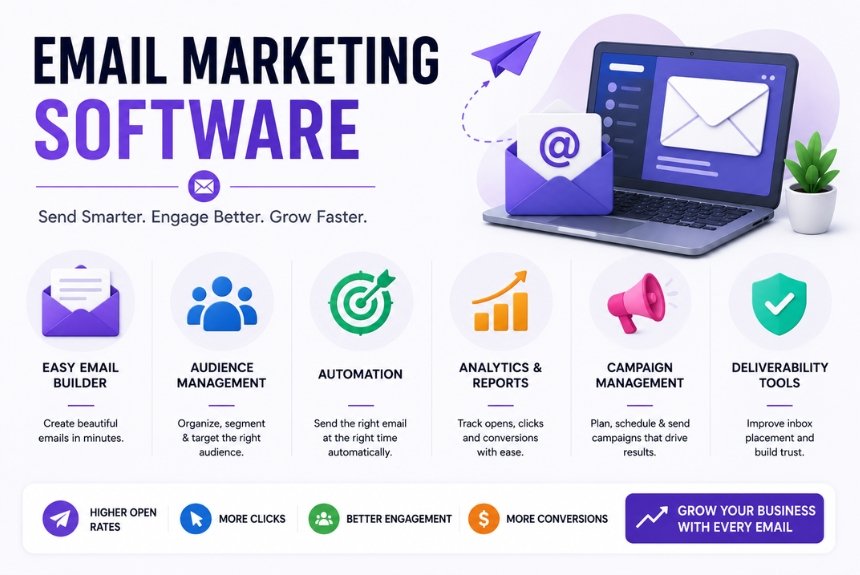
Modern email marketing software does much more than send newsletters. Most platforms now include landing page builders, signup forms, audience segmentation, marketing automation, analytics dashboards, CRM integrations, A/B testing, and AI-powered content suggestions. These capabilities enable businesses to create personalized customer experiences that improve engagement and increase conversions.
Another important consideration is scalability. As your subscriber list grows, your marketing requirements become more complex. Selecting software that can grow alongside your business reduces the need for costly migrations later.
This guide compares the best email marketing software for small businesses in 2026, evaluating each platform based on ease of use, features, automation, pricing, customer support, integrations, and overall value. Whether you are launching your first email campaign or upgrading from an existing platform, this comparison will help you choose software that aligns with your business objectives.
Why Small Businesses Need Email Marketing Software
Managing email marketing manually quickly becomes inefficient as a business grows. Dedicated email marketing software simplifies campaign creation, automates repetitive tasks, organizes subscriber lists, and provides valuable insights into campaign performance.
Instead of sending emails individually, businesses can design professional campaigns, schedule delivery, segment audiences, and track engagement from a single dashboard.
Key Benefits
Professional Email Campaigns
Modern email marketing software provides drag-and-drop builders and responsive templates that enable businesses to create attractive emails without coding knowledge.
Marketing Automation
Automation reduces manual work by sending emails based on customer actions such as subscribing, making purchases, abandoning carts, or celebrating birthdays.
Better Customer Relationships
Regular newsletters, educational content, and personalized recommendations help businesses stay connected with customers and build long-term trust.
Audience Segmentation
Businesses can organize subscribers into different groups based on interests, location, purchase history, or engagement levels. This allows more personalized communication and improves campaign performance.
Performance Tracking
Built-in analytics help marketers monitor:
- Open rates
- Click-through rates
- Conversion rates
- Bounce rates
- Unsubscribe rates
- Campaign performance
These insights enable continuous optimization of future campaigns.
Time and Cost Savings
Automation, reusable templates, and scheduling features allow businesses to accomplish more marketing tasks while reducing manual effort and operational costs.
Features Every Small Business Should Look For
Before choosing email marketing software, it’s important to understand which features provide the greatest value.
Easy-to-Use Interface
Beginners should prioritize platforms with intuitive dashboards and simple navigation.
Drag-and-Drop Email Builder
A visual editor allows users to create professional emails quickly without technical expertise.
Marketing Automation
Automation workflows save time while improving customer engagement.
Contact Management
Effective contact management makes it easier to organize subscribers and maintain clean email lists.
Analytics Dashboard
Detailed reporting helps businesses understand campaign performance and make data-driven improvements.
Landing Pages
Built-in landing page builders simplify lead generation and help grow email subscriber lists.
Integrations
The software should integrate with ecommerce platforms, CRM systems, social media tools, and website builders.
Responsive Email Templates
Templates should automatically adapt to desktop, tablet, and mobile devices to provide a consistent user experience.
Comparison Criteria Used in This Guide
To help small businesses choose the right platform, each software solution is evaluated using the following criteria.
| Evaluation Criteria | Importance |
| Ease of Use | Very High |
| Email Builder | Very High |
| Templates | High |
| Automation | Very High |
| Analytics | High |
| Pricing | Very High |
| Customer Support | High |
| Integrations | High |
| Scalability | High |
| Overall Value | Very High |
Rather than focusing solely on popularity, this comparison emphasizes practical usability, affordability, and long-term value for small businesses.
Email Marketing Software for Small Businesses
Choosing the right email marketing platform can significantly influence your marketing success. The ideal software should be easy to use, affordable, scalable, and equipped with the features needed to grow your business. Below are some of the best email marketing platforms for small businesses in 2026.
1. Constant Contact
Constant Contact has been a trusted name in email marketing for decades and is particularly popular among small businesses, nonprofit organizations, and local service providers. The platform is known for its beginner-friendly interface, excellent customer support, and professionally designed email templates.
It enables users to create newsletters, promotional campaigns, automated emails, landing pages, and signup forms without requiring technical expertise.
Key Features
- Drag-and-drop email editor
- Hundreds of customizable templates
- Marketing automation
- Contact list management
- Event marketing tools
- SMS marketing
- Social media integrations
- Reporting and analytics
Advantages
- Easy to learn
- Excellent customer support
- High email deliverability
- Beginner-friendly interface
- Professional templates
Limitations
- No permanent free plan
- Limited advanced automation compared to competitors
- Pricing increases as subscriber lists grow
Best For
- Small businesses
- Local businesses
- Nonprofits
- Service-based companies
2. Mailchimp
Mailchimp is one of the world’s most recognized email marketing platforms. It offers an extensive range of marketing features beyond email, including automation, customer journeys, AI-powered content suggestions, landing pages, and social media advertising.
Its free plan makes it particularly attractive for startups and entrepreneurs beginning their email marketing journey.
Key Features
- Drag-and-drop email builder
- AI content recommendations
- Customer journey automation
- Landing pages
- Audience segmentation
- Website builder
- Detailed analytics
- Ecommerce integrations
Advantages
- Free plan available
- Advanced automation
- Powerful reporting
- Extensive integrations
- Scalable platform
Limitations
- Learning curve for beginners
- Premium features require paid plans
- Customer support varies by subscription level
Best For
- Startups
- Bloggers
- Ecommerce businesses
- Growing companies
3. Brevo (Formerly Sendinblue)
Brevo combines email marketing, SMS marketing, CRM, live chat, and automation into one platform. It has become a popular choice for businesses looking for an affordable all-in-one marketing solution.
Unlike many competitors, Brevo’s pricing is based primarily on email volume rather than subscriber count.
Key Features
- Email marketing
- SMS campaigns
- CRM
- Marketing automation
- Transactional emails
- Landing pages
- Audience segmentation
Advantages
- Affordable pricing
- Excellent automation
- CRM included
- SMS marketing support
- Flexible plans
Limitations
- Smaller template library
- Some advanced features require higher-tier plans
Best For
- Growing businesses
- Ecommerce stores
- Agencies
- SaaS companies
4. MailerLite
MailerLite has become increasingly popular because of its clean interface, affordability, and modern design tools. It offers excellent value for bloggers, freelancers, startups, and small businesses.
Despite its simplicity, MailerLite includes many advanced features such as automation, landing pages, and website creation.
Key Features
- Drag-and-drop editor
- Automation workflows
- Landing pages
- Pop-up forms
- Website builder
- Email templates
- Subscriber management
Advantages
- Very affordable
- Easy to use
- Excellent landing page builder
- Modern interface
- Good automation
Limitations
- Fewer integrations than larger competitors
- Advanced customization options are limited
Best For
- Bloggers
- Content creators
- Small businesses
- Freelancers
5. ConvertKit
ConvertKit is designed specifically for creators who build audiences through content. Bloggers, YouTubers, coaches, educators, and digital product sellers often choose ConvertKit because of its powerful subscriber management and automation capabilities.
Key Features
- Visual automation builder
- Creator-focused landing pages
- Email sequences
- Subscriber tagging
- Commerce tools
- Digital product selling
- Audience segmentation
Advantages
- Excellent automation
- Easy subscriber management
- Creator-focused features
- Clean dashboard
- High deliverability
Limitations
- More expensive than some competitors
- Template selection is relatively small
Best For
- Bloggers
- Coaches
- Online educators
- Content creators
- Newsletter businesses
Software Comparison Table
| Software | Best For | Free Plan | Automation | Ease of Use | Overall Rating |
| Constant Contact | Small Businesses | Trial | ★★★★☆ | ★★★★★ | ★★★★★ |
| Mailchimp | Growing Businesses | ✔ | ★★★★★ | ★★★★☆ | ★★★★★ |
| Brevo | CRM + Email | ✔ | ★★★★★ | ★★★★☆ | ★★★★☆ |
| MailerLite | Bloggers | ✔ | ★★★★☆ | ★★★★★ | ★★★★★ |
| ConvertKit | Creators | ✔ | ★★★★★ | ★★★★☆ | ★★★★☆ |
Which Software Offers the Best Value?
Every business has unique marketing needs, so there is no universal winner.
- Constant Contact provides excellent value for businesses seeking simplicity and reliable customer support.
- Mailchimp offers advanced features and a free plan, making it ideal for growing businesses.
- Brevo stands out for combining email marketing, CRM, and SMS marketing at competitive pricing.
- MailerLite delivers outstanding value for startups and bloggers looking for affordable yet capable software.
- ConvertKit is one of the strongest options for creators who rely on newsletters and digital products.
Instead of selecting software based solely on popularity, businesses should evaluate ease of use, pricing, automation capabilities, integrations, and long-term scalability. The right platform should support your current marketing objectives while allowing room for future growth as your subscriber list and business expand.
Pricing Comparison
Pricing is one of the most important factors when selecting email marketing software, especially for small businesses with limited marketing budgets. While some platforms offer generous free plans, others focus on premium features and dedicated customer support.
Instead of choosing the cheapest software, businesses should compare the overall value offered in each pricing tier. Consider the number of contacts allowed, email sending limits, automation capabilities, integrations, analytics, and available customer support.
Pricing Comparison Table
| Software | Free Plan | Starting Price* | Best Value For |
| Constant Contact | Free Trial | Paid Plans | Small businesses needing simplicity |
| Mailchimp | ✔ | Low | Startups and growing businesses |
| Brevo | ✔ | Affordable | CRM and email marketing |
| MailerLite | ✔ | Affordable | Bloggers and freelancers |
| ConvertKit | ✔ | Moderate | Content creators |
| GetResponse | ✔ (Limited) | Moderate | Marketing automation |
| ActiveCampaign | Trial | Higher | Advanced automation |
*Pricing may vary depending on subscriber count and selected plan.
Free Plan vs Paid Plan
Many businesses begin with a free plan before upgrading as their email list grows.
Free Plans Usually Include:
- Limited subscribers
- Basic email templates
- Simple automation
- Basic analytics
- Signup forms
Paid Plans Usually Include:
- Advanced automation
- Unlimited email campaigns
- Detailed reporting
- A/B testing
- Advanced segmentation
- Premium customer support
- Ecommerce integrations
For businesses expecting rapid growth, investing in a paid plan early may provide greater long-term value.
Essential Features Comparison
Selecting email marketing software isn’t just about pricing. The platform should include the features that help businesses save time, improve engagement, and generate better marketing results.
Feature Comparison
| Feature | Constant Contact | Mailchimp | Brevo | MailerLite | ConvertKit |
| Drag-and-Drop Editor | ✔ | ✔ | ✔ | ✔ | ✔ |
| Email Templates | ✔ | ✔ | ✔ | ✔ | ✔ |
| Automation | ★★★★☆ | ★★★★★ | ★★★★★ | ★★★★☆ | ★★★★★ |
| Landing Pages | ✔ | ✔ | ✔ | ✔ | ✔ |
| Signup Forms | ✔ | ✔ | ✔ | ✔ | ✔ |
| Analytics | ✔ | ✔ | ✔ | ✔ | ✔ |
| CRM | Limited | Limited | ✔ | Limited | Limited |
| SMS Marketing | ✔ | Limited | ✔ | ✖ | ✖ |
| Ecommerce Integration | ✔ | ✔ | ✔ | ✔ | ✔ |
| Mobile App | ✔ | ✔ | ✔ | ✔ | ✔ |
Although all of these platforms support email marketing, their strengths differ depending on business needs.
How to Choose the Right Email Marketing Software
Before selecting a platform, evaluate your business requirements rather than simply choosing the software with the most features.
Consider Your Budget
Small businesses often have limited marketing budgets. Choose software that offers essential features within your price range while allowing room for future upgrades.
Think About Ease of Use
If you’re new to email marketing, prioritize platforms with:
- Simple dashboards
- Drag-and-drop editors
- Helpful tutorials
- Responsive customer support
A user-friendly platform reduces the learning curve and allows you to launch campaigns more quickly.
Evaluate Automation Needs
Businesses planning to create welcome sequences, abandoned cart emails, or customer journeys should prioritize platforms with strong automation capabilities.
Advanced automation saves time while improving customer engagement.
Check Integration Options
Your email marketing software should integrate with the tools you already use, such as:
- Shopify
- WooCommerce
- WordPress
- Salesforce
- HubSpot
- Google Analytics
- Social media platforms
Smooth integrations reduce manual work and improve workflow efficiency.
Review Reporting Features
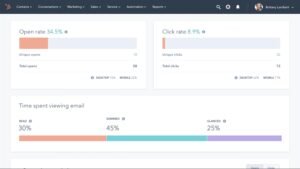
Analytics help businesses understand campaign performance and identify areas for improvement.
Look for reporting features that include:
- Open rates
- Click-through rates
- Conversion tracking
- Bounce rates
- Revenue reports
- Subscriber growth
Data-driven decisions lead to more effective email marketing campaigns.
Consider Future Growth
Your software should grow alongside your business.
Ask yourself:
- Can the platform handle a larger subscriber list?
- Does it offer advanced automation?
- Are premium features available when needed?
- Will switching platforms later be difficult?
Choosing scalable software today can save time and resources in the future.
Pros & Cons of Email Marketing Software
Every platform has advantages and limitations. Understanding both helps businesses make informed decisions.
Advantages
- Improves customer communication
- Automates repetitive tasks
- Increases marketing efficiency
- Provides measurable campaign results
- Supports audience segmentation
- Enhances lead generation
- Encourages customer retention
- Offers professional email templates
Limitations
- Monthly subscription costs
- Learning curve for advanced platforms
- Premium features often require higher-tier plans
- Automation setup may take time
- Subscriber limits on free plans
- Pricing increases as contact lists grow
Despite these limitations, the long-term benefits generally outweigh the costs, making email marketing software a valuable investment for most small businesses.
Which Software Should You Choose?
Your ideal platform depends on your business goals.
- Choose Constant Contact if you want an easy-to-use platform with excellent customer support.
- Choose Mailchimp if you need advanced marketing tools and a free plan.
- Choose Brevo if you want email marketing combined with CRM and SMS capabilities.
- Choose MailerLite if affordability and simplicity are your priorities.
- Choose ConvertKit if you’re a creator, blogger, or educator focused on audience growth.
The best software is the one that aligns with your current needs while supporting future expansion.
Pricing Comparison
Pricing is one of the most important factors when selecting email marketing software, especially for small businesses with limited marketing budgets. While some platforms offer generous free plans, others focus on premium features and dedicated customer support.
Instead of choosing the cheapest software, businesses should compare the overall value offered in each pricing tier. Consider the number of contacts allowed, email sending limits, automation capabilities, integrations, analytics, and available customer support.
Pricing Comparison Table
| Software | Free Plan | Starting Price* | Best Value For |
| Constant Contact | Free Trial | Paid Plans | Small businesses needing simplicity |
| Mailchimp | ✔ | Low | Startups and growing businesses |
| Brevo | ✔ | Affordable | CRM and email marketing |
| MailerLite | ✔ | Affordable | Bloggers and freelancers |
| ConvertKit | ✔ | Moderate | Content creators |
| GetResponse | ✔ (Limited) | Moderate | Marketing automation |
| ActiveCampaign | Trial | Higher | Advanced automation |
*Pricing may vary depending on subscriber count and selected plan.
Free Plan vs Paid Plan
Many businesses begin with a free plan before upgrading as their email list grows.
Free Plans Usually Include:
- Limited subscribers
- Basic email templates
- Simple automation
- Basic analytics
- Signup forms
Paid Plans Usually Include:
- Advanced automation
- Unlimited email campaigns
- Detailed reporting
- A/B testing
- Advanced segmentation
- Premium customer support
- Ecommerce integrations
For businesses expecting rapid growth, investing in a paid plan early may provide greater long-term value.
Essential Features Comparison
Selecting email marketing software isn’t just about pricing. The platform should include the features that help businesses save time, improve engagement, and generate better marketing results.
Feature Comparison
| Feature | Constant Contact | Mailchimp | Brevo | MailerLite | ConvertKit |
| Drag-and-Drop Editor | ✔ | ✔ | ✔ | ✔ | ✔ |
| Email Templates | ✔ | ✔ | ✔ | ✔ | ✔ |
| Automation | ★★★★☆ | ★★★★★ | ★★★★★ | ★★★★☆ | ★★★★★ |
| Landing Pages | ✔ | ✔ | ✔ | ✔ | ✔ |
| Signup Forms | ✔ | ✔ | ✔ | ✔ | ✔ |
| Analytics | ✔ | ✔ | ✔ | ✔ | ✔ |
| CRM | Limited | Limited | ✔ | Limited | Limited |
| SMS Marketing | ✔ | Limited | ✔ | ✖ | ✖ |
| Ecommerce Integration | ✔ | ✔ | ✔ | ✔ | ✔ |
| Mobile App | ✔ | ✔ | ✔ | ✔ | ✔ |
Although all of these platforms support email marketing, their strengths differ depending on business needs.
How to Choose the Right Email Marketing Software
Before selecting a platform, evaluate your business requirements rather than simply choosing the software with the most features.
Consider Your Budget
Small businesses often have limited marketing budgets. Choose software that offers essential features within your price range while allowing room for future upgrades.
Think About Ease of Use
If you’re new to email marketing, prioritize platforms with:
- Simple dashboards
- Drag-and-drop editors
- Helpful tutorials
- Responsive customer support
A user-friendly platform reduces the learning curve and allows you to launch campaigns more quickly.
Evaluate Automation Needs
Businesses planning to create welcome sequences, abandoned cart emails, or customer journeys should prioritize platforms with strong automation capabilities.
Advanced automation saves time while improving customer engagement.
Check Integration Options
Your email marketing software should integrate with the tools you already use, such as:
- Shopify
- WooCommerce
- WordPress
- Salesforce
- HubSpot
- Google Analytics
- Social media platforms
Smooth integrations reduce manual work and improve workflow efficiency.
Review Reporting Features
Analytics help businesses understand campaign performance and identify areas for improvement.
Look for reporting features that include:
- Open rates
- Click-through rates
- Conversion tracking
- Bounce rates
- Revenue reports
- Subscriber growth
Data-driven decisions lead to more effective email marketing campaigns.
Consider Future Growth
Your software should grow alongside your business.
Ask yourself:
- Can the platform handle a larger subscriber list?
- Does it offer advanced automation?
- Are premium features available when needed?
- Will switching platforms later be difficult?
Choosing scalable software today can save time and resources in the future.
Pros & Cons of Email Marketing Software
Every platform has advantages and limitations. Understanding both helps businesses make informed decisions.
Advantages
- Improves customer communication
- Automates repetitive tasks
- Increases marketing efficiency
- Provides measurable campaign results
- Supports audience segmentation
- Enhances lead generation
- Encourages customer retention
- Offers professional email templates
Limitations
- Monthly subscription costs
- Learning curve for advanced platforms
- Premium features often require higher-tier plans
- Automation setup may take time
- Subscriber limits on free plans
- Pricing increases as contact lists grow
Despite these limitations, the long-term benefits generally outweigh the costs, making email marketing software a valuable investment for most small businesses.
Which Software Should You Choose?
Your ideal platform depends on your business goals.
- Choose Constant Contact if you want an easy-to-use platform with excellent customer support.
- Choose Mailchimp if you need advanced marketing tools and a free plan.
- Choose Brevo if you want email marketing combined with CRM and SMS capabilities.
- Choose MailerLite if affordability and simplicity are your priorities.
- Choose ConvertKit if you’re a creator, blogger, or educator focused on audience growth.
The best software is the one that aligns with your current needs while supporting future expansion.
Frequently Asked Questions (FAQs)
1. What is the best email marketing software for small businesses?
There is no single platform that fits every business. The best software depends on your budget, business size, marketing goals, and required features. Constant Contact is ideal for beginners, Mailchimp offers advanced marketing capabilities, MailerLite is excellent for affordability, Brevo combines CRM with email marketing, and ConvertKit is designed for creators.
2. Is free email marketing software enough for a small business?
Yes, many small businesses can begin with a free plan. Free plans typically include basic email campaigns, templates, and subscriber management. As your audience grows, upgrading to a paid plan provides advanced automation, analytics, and higher sending limits.
3. Which email marketing platform is easiest to use?
Constant Contact and MailerLite are among the easiest platforms for beginners. Their drag-and-drop editors, simple dashboards, and guided setup processes allow users to create professional email campaigns with minimal technical knowledge.
4. Which platform offers the best automation?
For advanced automation, Mailchimp, ActiveCampaign, and Brevo are excellent choices. These platforms support customer journeys, behavioral triggers, abandoned cart emails, and multi-step workflows that improve customer engagement.
5. How much does email marketing software cost?
Pricing varies depending on the provider, subscriber count, and included features. Many platforms offer free plans or free trials, while paid plans generally become necessary as your email list and marketing requirements expand.
6. Can I switch to another email marketing platform later?
Yes. Most email marketing platforms allow users to export subscriber lists and import them into another service. However, before switching, ensure that your contacts have opted in to receive emails and review any limitations regarding automation or templates.
7. Why is email marketing important for small businesses?
Email marketing enables businesses to communicate directly with customers, promote products and services, share valuable content, and build long-term relationships. It also delivers one of the highest returns on investment among digital marketing channels.
8. What features should I prioritize?
When selecting software, look for:
- Easy-to-use interface
- Drag-and-drop email editor
- Marketing automation
- Contact management
- Landing pages
- Signup forms
- Analytics dashboard
- Third-party integrations
- Responsive templates
- Reliable customer support
Quick Buyer’s Guide
Choosing email marketing software becomes much easier when you match the platform with your business requirements.
| If You Need… | Recommended Software |
| Beginner-friendly platform | Constant Contact |
| Free plan | Mailchimp |
| Affordable solution | MailerLite |
| CRM + Email Marketing | Brevo |
| Advanced automation | ActiveCampaign |
| Creator-focused platform | ConvertKit |
| Ecommerce marketing | Mailchimp or Brevo |
Rather than selecting software based solely on popularity, compare features that will genuinely support your marketing strategy.
Final Verdict
Email marketing continues to be one of the most effective ways for small businesses to attract leads, nurture customer relationships, and increase sales. The right software can simplify campaign management, automate repetitive tasks, and provide valuable insights that help improve future marketing efforts.
Each platform discussed in this guide has unique strengths:
- Constant Contact is an excellent choice for businesses looking for a simple, reliable, and beginner-friendly platform backed by outstanding customer support.
- Mailchimp offers advanced marketing tools, AI-powered features, and a flexible free plan that suits growing businesses.
- Brevo combines email marketing, CRM, SMS marketing, and automation, making it a strong all-in-one solution.
- MailerLite provides excellent value for startups, bloggers, and freelancers who need affordable yet capable software.
- ConvertKit is ideal for creators, educators, and businesses focused on building engaged audiences through content marketing.
Ultimately, the best email marketing software is the one that aligns with your business goals, technical expertise, marketing budget, and future growth plans. Instead of focusing solely on features or pricing, evaluate how well each platform supports your day-to-day marketing activities and long-term objectives.
Investing in the right email marketing software today can help your business improve customer communication, increase conversions, and build lasting relationships that contribute to sustainable growth.
Key Takeaways
Before making your final decision, remember these important points:
- Define your marketing goals before comparing platforms.
- Start with software that matches your current business size.
- Prioritize ease of use if you’re new to email marketing.
- Choose a platform that supports automation and future growth.
- Consider customer support, integrations, and scalability alongside pricing.
- Regularly monitor campaign performance to maximize results.
By selecting software that fits your needs today while allowing room for expansion tomorrow, you’ll build a stronger foundation for long-term email marketing success.
Choose the Right Email Marketing Software Today
Selecting the right email marketing software can make a significant difference in your marketing success. Compare the platforms featured in this guide, explore their features, and take advantage of free trials to find the best fit for your business. With the right solution, you can create effective email campaigns, engage your audience, and drive long-term business growth.
Leave a Reply